Wednesday, July 15, 2026
Home Blog Page 1076

How to change servers in Tower of Fantasy

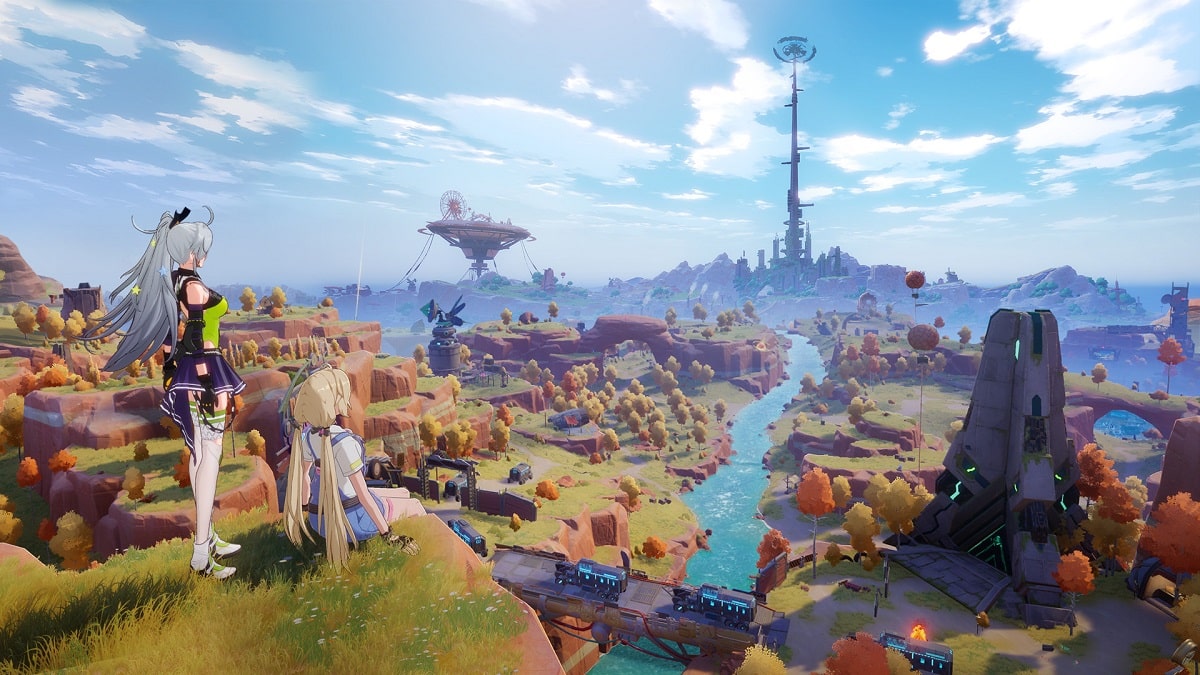
Tower of Fantasy allows you to travel to the wondrous science-fiction fantasy world of Aida. This free-to-play online open-world game offers a wide variety of quests and challenges that may be completed either individually or with friends across multiple servers.

Considering that Tower of Fantasy is an online game that makes use of servers, you might be wondering if you have the option to switch servers.

Can you switch servers in Tower of Fantasy?

You are able to swap servers in Tower of Fantasy, but in order to do so, you will need to create a brand new character. The answer is both yes and no.

However, this will need you to start a new character, as all of your previously-saved information for other characters is linked to that server.   

We suggest giving great consideration to which server you want to use and ensuring that all of your friends use the same server.

In order to switch servers in Tower of Fantasy, you will need to select a new server from the list of available servers that can be found on the main menu. As was said earlier, in order to play on a different server, you will need to make a new character because you cannot use any of your old ones.

It is feasible that Hotta Studio will integrate a true server change logic in their game, but such capabilities are not typically found in MMO or shared open-world games.

The vast majority of games like this either do not have server switching at all or handle it in a way similar to what was described above, where character data is lost upon changing servers. In the event that this does change, however, we will revise this guide to reflect the new information.


How to get FIFA 23 closed beta codes?

0

The FIFA 23 has entered into the closed beta testing span and EA Sports is giving out codes of the FIFA 23 closed beta to provide access to Ultimate Team, Career Mode, and much more. If you get a code, you can start playing the game right now without waiting for the official launch on the 1st of October. Keep reading this article till the end to know how you can get a FIFA 23 closed beta code.

How to get FIFA 23 closed beta codes?

The developers provide the beta codes to a certain number of players. You can be one of them. EA supplies the codes directly to verified FUT Champions players. Moreover, if you signed up for EA emails, you can also receive a code if you become lucky.

Let’s check out how to sign up for EA emails to receive a FIFA 23 closed beta code.

How to sign up for EA emails?

  • Go to the official EA website and then visit the Email Preferences section.
  • Tick the box situated under “Manage your email preferences”.
  • Then click on Update to save the change.
  • After that, check out the inbox of the registered email id.
  • If you are lucky, you will receive the FIFA 23 beta code.

Note: The FIFA 23 closed beta codes are not transferable.

Recommended | EA’s relentless ambition to bestow its FIFA series a happy ending

Apex Legends Laser Sights Location: Where To Find Them

0

In Apex Legends Laser sights are an epic-rarity attachment for SMGs and pistols that grant a large hipfire spread reduction.

Despite laser sights’ name, they don’t actually include an optic for the weapon; instead, it adds a colored laser to the underside of your gun’s barrel. The color of the laser can be customized in the game’s settings as an accessibility aid.

What do laser sights do in Apex Legends?

Laser sights help with this by pulling pistols and SMGs away from LMGs and assault rifles, their closest cousins.

Laser sight locations in Apex Legends

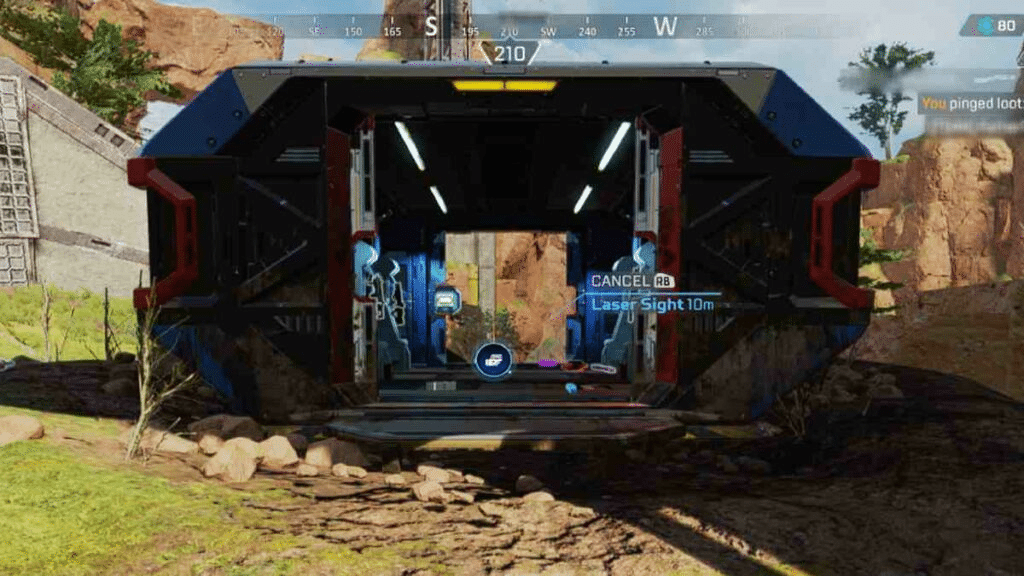
  • Laser sights can be found as ground loot, in loot crates, and in care packages. 
  • There is one location that has guaranteed laser sights, but only on King’s Canyon.
  • Explosive holds in King’s Canyon are guaranteed to have at least one laser sight in them.
  • Laser sights can then be found on the ground in the hold along with weapons, ammo, and other attachments.

VALORANT’s competitive queue is disbaled due to ‘no flash’ bug

0

Because of an exploit that allows a player to disable the flash effect for themselves, Riot Games has temporarily disabled the competitive queue in VALORANT. This effectively nullifies the effects of the flash abilities that certain agents possess.

It has been brought to the attention of multiple players over the course of the last day that the flash effect may currently be disabled through a setting located in the game’s menu. It has been decided to keep the competitive queue inactive until the vulnerability has been patched.

The exploit, which gained a lot of attention after a video post about it was made by Sentinels’ VALORANT player Jordan “Zellsis” Montemurro, gives players the opportunity to entirely nullify the effects of any flash ability used by an ally or an adversary.

To accomplish this, while the game was in progress, one needed to navigate to the general settings menu, scroll down to the Other category, and turn on the “Hide User Interface In Game” option.

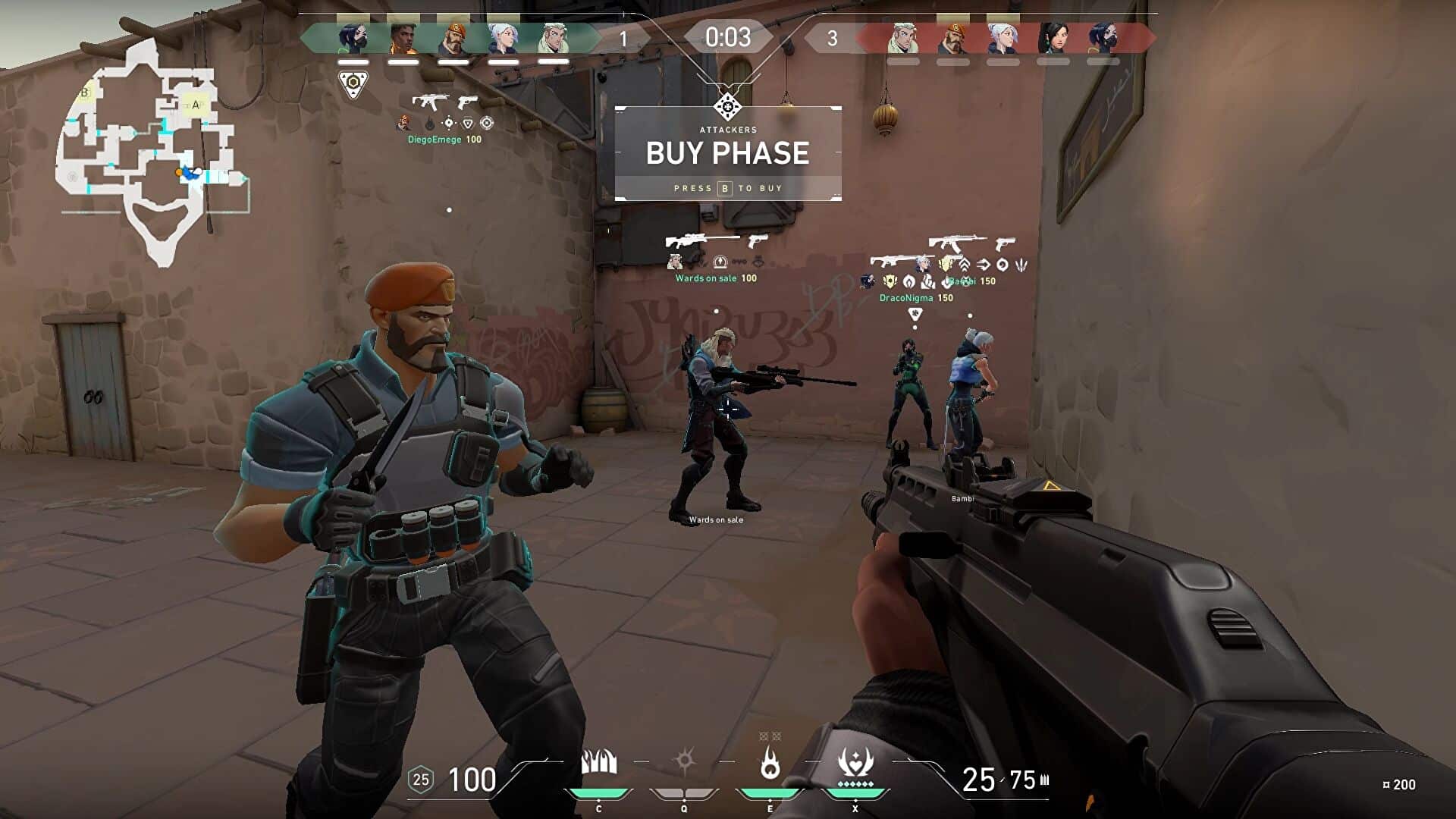
If you turned this setting on, the whole user interface would be hidden, including the minimap, the agent icons, your abilities, and your health, as well as the chat box. However, this would also have the effect of canceling out any flash effect, which would entirely disrupt the game and make it possible for players holding angles to remain fully unblinded by flashes.

It is unknown whether or whether the exploit was also able to cancel off consequences such as being nearsighted or concussed, and it is also unknown how long players in Competitive have been abusing the flaw.

Riot took swift action in response to the attention that was garnered to this game-breaking flaw by temporarily disabling the Competitive queue less than two hours after Zellsis posted about it. Riot has not provided an accurate estimate at this point regarding how long it will take to fix the issue. There are still several other game modes that are active right now.

MPL ID Season 10: Teams, Schedule, results and more

MPL Indonesia is the professional MLBB league localized for the Indonesian region. Recently, the league has adopted a franchised system in the SEA region and here is everything you need to know about MPL ID Season 10.

MPL Indonesia Season 10 starts on 12th August and will run for a very long span of two months to conclude on 23th October 2022. This is certainly one of the longest MLBB tournaments hosted in the world.

MPL Indonesia Season 10 Details

MPL ID S10 FORMAT

MPL ID S10 Regular Season

  • Double Round Robin
  • All Matches are Bo3
  • 1 point earned for each game win
  • 1 point loss for each game lost
  • Top 6 teams will advance to the playoffs

MPL ID S10 Playoffs

  • Hybrid Elimination
  • 3rd to 6th seeded teams compete in Round 1 (Single Elimination)
  • 1st and 2nd seeded teams immediately proceed to Round 2 (Double Elimination)
  • All Matches except the Final Upper Bracket to be played in a Bo5
  • Grand Final is played in a Bo7

MPL ID Season 10 is split into two halves with a regular season and the playoff. The regular season will have a double round robin format. All the matches are best of three and teams will earn 1 point for a win and lose one point for a loss.

MPL ID Season 10 Playoffs will start from 20th October and run for three days to end on 23th October. It will have a hybrid elimination with 3rd to 6th seeded teams competing in round one and will merge with top two teams to play in a double round robin format in round two of the playoffs.

MPL ID S10 PRIZE POOL

MPL ID Season 10 has a humongous prize pool of $300,000 with the winners walking away with $140,000 at the end. The runner ups will earn $67,200 and third team wins $28,000.

MPL ID S10 TEAMS

Following teams will be playing in the MPL Indonesia Season 10:

  • Alter Ego
  • AURA Fire
  • Bigetron Alpha
  • EVOS Legends
  • Geek Fam ID
  • ONIC Esports
  • Rebellion Zion
  • RRQ Hoshi

MPL ID S10 Standings

RankTeamSeries (W-L)Games (W-L)
RRQ Hoshi
ONIC Esports
Aura Fire
EVOS Legends
Alter Ego (AE)
Bigeton Alpha (BTR)
Rebellion Zion (RBL)
Geek Fam ID

MPL ID S10 Week 1 Schedule and Results

Day 1 (12th August)

Time (in ID Time)Match
3:00 PMGEEK vs RRQ
5:30 PMRBL vs BTR

Day 2 (13th August)

Time (in ID Time)Match
1:00 PMAE vs GEEK
3:30 PMONIC vs RBL
6:00 PMBTR vs EVOS

Day 3 (14th August)

Time (in ID Time)Match
3:00 PMAE vs RRQ
5:30 PMEVOS vs AURA

MPL ID S10 Week 2 Schedule and Results

Day 1 (19th August)

Time (in ID Time)Match
3:00 PMAURA vs ONIC
5:30 PMAE vs RBL

Day 2 (20th August)

Time (in ID Time)Match
1:00 PMBTR vs AURA
3:30 PMGEEK vs EVOS
6:00 PMONIC vs RRQ

Day 3 (21st August)

Time (in ID Time)Match
3:00 PMGEEK vs RBL
5:30 PMBTR vs RRQ

MPL ID S10 Week 3 Schedule and Results

Day 1 (26th August)

Time (in ID Time)Match
3:00 PMAURA vs AE
5:30 PMEVOS vs ONIC

Day 2 (27th August)

Time (in ID Time)Match
1:00 PMRBL vs AURA
3:30 PMBTR vs AE
6:00 PMRRQ vs EVOS

Day 3 (28th August)

Time (in ID Time)Match
3:00 PMGEEK vs ONIC
5:30 PMRRQ vs RBL

MPL ID S10 Week 4 Schedule and Results

Day 1 (2nd September)

Time (in ID Time)Match
3:00 PMAURA vs GEEK
5:30 PMONIC vs BTR

Day 2 (3rd September)

Time (in ID Time)Match
1:00 PMAURA vs RRQ
3:30 PMEVOS vs AE
6:00 PMGEEK vs BTR

Day 3 (4th September)

Time (in ID Time)Match
3:30 PMRBL vs EVOS
6:00 PMAE vs ONIC

MPL ID S10 Week 5 Schedule and Results

Day 1 (9th September)

Time (in ID Time)Match
3:00 PMAURA vs EVOS
5:30 PMRRQ vs BTR

Day 2 (10 September)

Time (in ID Time)Match
1:00 PMGEEK vs AE
3:30 PMBTR vs RBL
6:00 PMRRQ vs ONIC

Day 3 (11 September)

Time (in ID Time)Match
3:00 PMRBL vs AE
5:30 PMONIC vs AURA

MPL ID S10 Week 6 Schedule and Results

Day 1 (16th September)

Time (in ID Time)Match
3:00 PMRBL vs ONIC
5:30 PMAE vs EVOS

Day 2 (17 September)

Time (in ID Time)Match
1:00 PMRRQ vs GEEK
3:30 PMAURA vs BTR
6:00 PMEVOS vs RBL

Day 3 (18th September)

Time (in ID Time)Match
3:00 PMBTR vs GEEK
5:30 PMRRQ vs AURA

MPL ID S10 Week 7 Schedule and Results

Day 1 (23th September)

Time (in ID Time)Match
3:00 PMAE vs BTR
5:30 PMGEEK vs AURA

Day 2 (24th September)

Time (in ID Time)Match
1:00 PMBTR vs ONIC
3:30 PMRRQ vs AE
6:00 PMEVOS vs GEEK

Day 3 (25th September)

Time (in ID Time)Match
3:00 PMRBL vs RRQ
5:30 PMONIC vs EVOS

MPL ID S10 Week 8 Schedule and Results

Day 1 (30th September)

Time (in ID Time)Match
3:00 PMAE vs AURA
5:30 PMEVOS vs BTR

Day 2 (1st October)

Time (in ID Time)Match
1:00 PMONIC vs GEEK
3:30 PMAURA vs RBL
6:00 PMEVOS vs RRQ

Day 3 (2nd October)

Time (in ID Time)Match
3:00 PMRBL vs GEEK
5:30 PMONIC vs AE

MPL ID Season 10 Stream:

This is everything you need to know about MPL ID Season 10. Make sure to follow this tournament on the official media handles and YouTube channels.

Valorant Ranked Queue Disabled Due To ‘no flash effect’ bug

0

If you’re finding yourself unable to queue for a ranked game for the past few hours, don’t worry. You’re not alone.

Riot Games has temporarily disabled the ranked queues for their tactical shooter Valorant to fix an underlying bug.

The ranked queue is expected to go back live as soon as the bug is fixed by the developers, which is likely to take a couple of hours at most.

Valorant Competitive Queue Disabled Today

Why Is Valorant Ranked Queue Disabled Today?

The exploit, which gained a lot of attention after a video post about it was made by Sentinels’ VALORANT player Jordan “Zellsis” Montemurro, gives players the opportunity to entirely nullify the effects of any flash ability used by an ally or an adversary.

To accomplish this, while the game was in progress, one needed to navigate to the general settings menu, scroll down to the Other category, and turn on the “Hide User Interface In Game” option.

If you turned this setting on, the whole user interface would be hidden, including the minimap, the agent icons, your abilities, and your health, as well as the chat box. However, this would also have the effect of canceling out any flash effect, which would entirely disrupt the game and make it possible for players holding angles to remain fully unblinded by flashes.

It is unknown whether or whether the exploit was also able to cancel off consequences such as being nearsighted or concussed, and it is also unknown how long players in Competitive have been abusing the flaw.

Riot took swift action in response to the attention that was garnered to this game-breaking flaw by temporarily disabling the Competitive queue less than two hours after Zellsis posted about it. Riot has not provided an accurate estimate at this point regarding how long it will take to fix the issue. There are still several other game modes that are active right now.

Players can still queue for other game modes like Unrated, Spike Rush, or Deathmatch. However, the problem may still reoccur and you may have to readjust your in-game settings manually in case they are automatically reset.

Shang-Chi star Simu Liu Shows Off Crisp Valorant Ace on Twitter

0

Many of you already know Shang-Chi as the latest addition to the Marvel Cinematic Universe and the best martial artist alive, but did you know that Shang-Chi star Simu Liu is also an avid gamer?

On August 8th, Simu Liu shook the world of Twitter after he uploaded a clip of him getting an insane ace of Fracture using Jett with nothing but a Spectre.

In the clip, we can see Liu in an unfavorable situation on Fracture where he has to retake the B-site 4v5 against the entire enemy team.

While many players would find themselves panicking in the scenario, ‘theshangchi’ kept his calm. One by one, the 33-year-old took down the entire enemy team with his Spectre and earned his team the round win with a stunning ace.

He started off his retake by climbing into B-Tower through ropes and getting two frags on his unsuspecting foes, followed by another kill on a distracted Raze.

He then peeked into the site to finish off the last remaining Attackers – Reyna and Omen – one by one and triggered some great reactions from his teammates.

The clip has since gone viral on social media platforms and Liu himself admitted that he had watched the ace clip thousands of times.

Fans of the star will be able to see him hit the big screens once again when he appears in the upcoming Barbie movie as Ken, with Margot Robbie and Ryan Gosling as co-actors.

How to sign up for MPL SG Season 4

Mooton has announced the new season of MPL Singapore called as MPL SG Season 4. This is the second official MPL tournament of the year and here is how the MLBB fans from Singapore can sign up for this event.

Similar to all the previous MPL Seasons, Mooton has kept two slots open for teams to qualify from the open route. The top two teams will then move on to play with the locally acclaimed teams to have a shot at winning a large chunk of SGD$100,000 prize pool.

How to sign up for MPL SG Season 4 open qualifiers

  1. Visit the official open qualifiers page here.
  2. Click on the “Register” button.
  3. Fill in the necessary details, identity pictures and a screenshot of your Mobile Legends: Bang Bang in-game profile.

After completing this, you will successfully register for MLBB MPL SG Season 4.

Sign-ups for the qualifiers open today, and will close on August 18, 2022, at 11:59 p.m.

Open qualifier matches will begin on August 20. The top two winning teams will mix with the top six teams from MPL Season 3 to ultimately make way towards the global championship.

Talking about this tournament, Jaime Cruz, Esports Lead at MPL Singapore said, “We’re excited to bring back MPL Singapore Season 4 to local fans and esports professionals. The reception during last season’s playoffs was overwhelmingly positive, and we are looking to deliver more resonant, unique and lasting moments to our fans through offline and online campaigns.”

MPL SG Season 4 prize pool distribution

MPL SG Season 4 standingPrize (SGD)
1st (champion)$30,000
2nd$15,000
3rd$5,000
4th$4,000
5th-6th$2,500 per team
7th-8th$1,500 per team

“We are honored for the opportunity to partner Moonton to run Season 4 and 5 and will work hand-in-hand to pursue our shared vision of building a sustainable, scalable and accessible esports ecosystem in Singapore,” says Lee Jian Ming, Managing Director of Zenway Productions.

Also Read | How to watch Valorant Champions 2022

How to watch Valorant Champions 2022

Istanbul, Turkey will play host to sixteen different teams as they compete for a chance to win the most prestigious trophy of the year in addition to a prize pool worth more than one million dollars. Here is the information you require, including instructions on how to watch.

The title of Valorant Champion is the most prestigious award that can be earned in Valorant. It is the goal that professionals all across the world strive for throughout the entire year. 2022 will offer plenty of upsets and new faces to the title, so no one knows who will win.

Two things are clear, however: Turkey will host the best games of the year, and one side will emerge as the undisputed champion. Find out everything you need about the Valorant Champions 2022 tournament, including how to watch it and the most recent schedule, right here.

The most important event of the year should take place on the most important stage, which is why Valorant Champions 2022 will be broadcasted live on the official Valorant Twitch channel. Because we value your time, we have embedded it for you below.

Valorant Champions 2022: Format & schedule

Valorant Champions 2022 will take place in Istanbul, Turkey from September 2-18, 2022. It takes place significantly earlier in the year than Valorant Champions 2021, and it will pave the stage for modifications to the franchising framework in 2023.

Because there will be 16 teams participating, it is likely that the tournament will use a structure quite similar to the one that was used for the original iteration. This structure would involve four groups of four teams battling in a manner very similar to the GSL for a total of eight slots in the playoffs.

Valorant Champions 2022: All qualified teams

TeamRegionPlayers
OpTic GamingNAFNS, Victor, crashies, yay, Marved
XSETNAAYRIN, BcJ, dephh, zekken, Cryocells
TBDNATBD
FunPlus PhoenixEMEAANGE1, Shao, ardiis, SUYGETSU, Zyppan
FnaticEMEAEnzo, Derke, Boaster, Mistic, Alfajer
TBDEMEATBD
LOUDBrazilpANcada, Sacy, Saadhak, aspas, Less
LeviatánLATAMTacolila, Shyy, kiNgg, adverso, Melser
TBDSATBD
TBDSATBD
DRXKoreastax, Rb, Zest, BuZz, MaKo
ZETA DIVISIONJapanLaz, Dep, crow, SugarZ3ro, TENNN
TBDEast AsiaTBD
Paper RexAPACmindfreak, f0rsakeN, Benkai, d4v41, Jinggg
XERXIAAPACfoxz, sushiboys, sScary, Crws, Surf
BOOM EsportsAPACblaZek1ng, BerserX, Tehbotol, famouz, fl1pzjder

Despite the fact that the qualification process for Valorant Champions 2022 is coming to a close with Masters Copenhagen and the regional Last Chance Qualifiers, a few of the sixteen teams have already secured their spot in Istanbul.

Two of the ten participants have already been confirmed: OpTic Gaming and FunPlus Phoenix, who won the Masters Copenhagen tournament. LOUD (Brazil), DRX (Korea), Paper Rex (APAC), and XERXIA (APAC) have also secured early spots.

Valorant Champions 2022: Stream

They will have to compete fiercely against one another during the month of August in order to ensure one of the remaining seats. Below you can find a complete list of the teams that have qualified for the Valorant Champions 2022 tournament.

What is JioGames Watch?

0

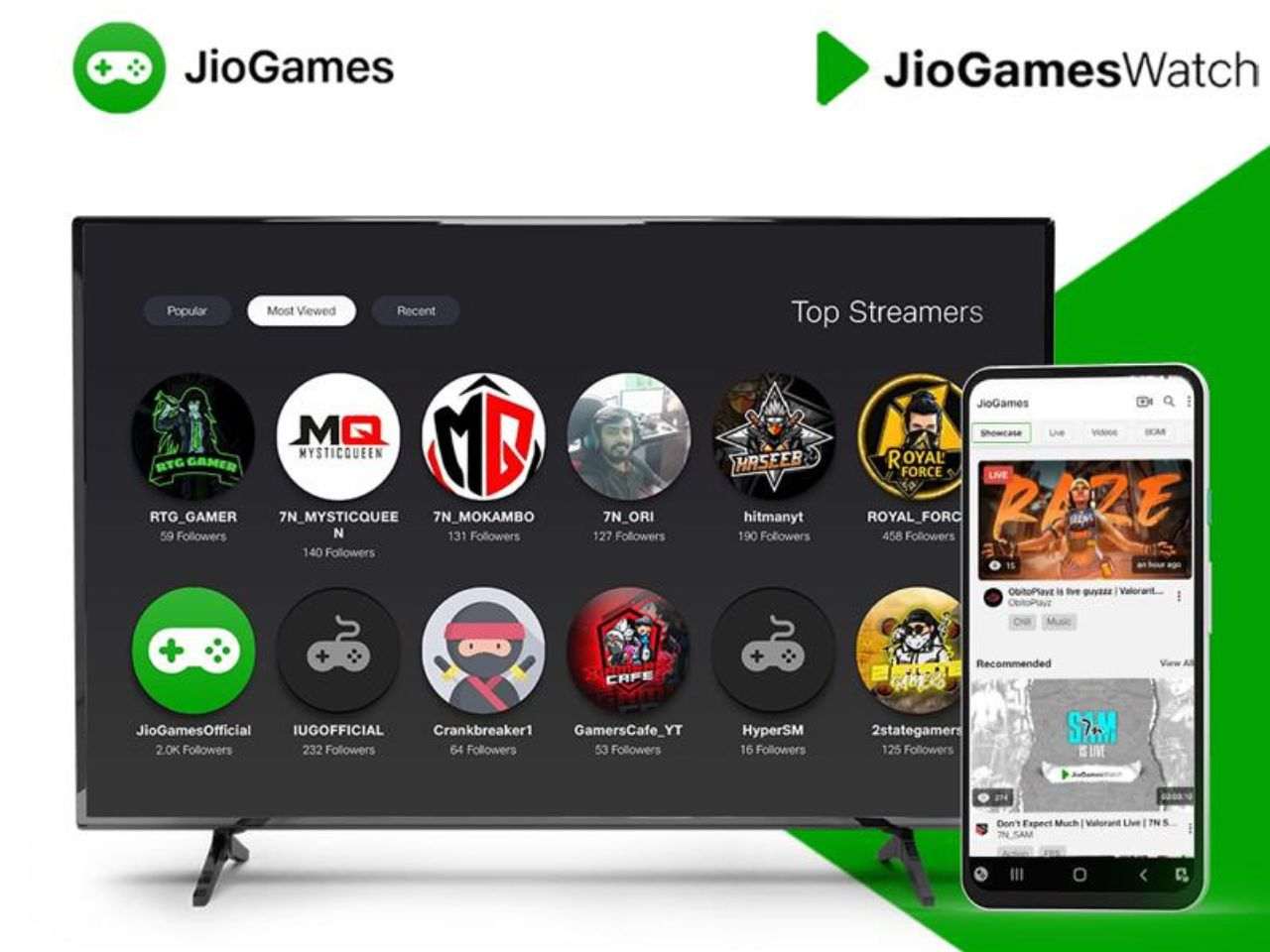
Reliance Jio recently made a huge announcement about their entry into the game streaming sector with the launch of JioGamesWatch. This streaming service will be very similar to Twitch or YouTube gaming.

Jio has some presence in the current gaming sector with their parallel arm called Jio Games. With the launch of JioGames Watch, they have expanded into the streaming business as well. The essential business model is very similar to that of Twitch.

Jio launches streaming service called JioGamesWatch

JioGames Watch offers a free streaming service with content creators allowed to make their curated content and viewers to watch their content for free. The most interesting feature of this service is the ability to stream using the set-top box.

Jio Games is also offering a free tutorial to their subscribers that will guide them in setting up their account as a streamer or will help them to understand how to watch the streams and interact with their subscribed content creators.

The streamers can also directly stream their games on JioGames Watch using their device itself and no additional equipment is necessary. The streaming service will be provided in a lag free way with very low latency.

Interested users can use this service by downloading the Jio Games application and clicking on the “Play” button that they will see on the screen. This will navigate them to the esports section where they can enjoy the content for free.