Unless you’ve been living under a rock for the past few days, chances are you’ve already heard of Schedule 1—the newest talk of the town.
The popular drug dealer simulator has sent waves throughout the gaming community over the past week, dominating the Steam charts alongside juggernauts like Monster Hunter Wilds and Path of Exile 2.
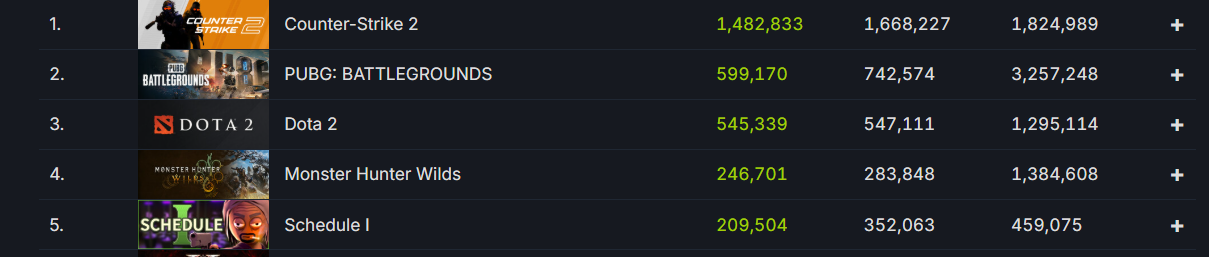
Fans from throughout the world have tuned into Schedule 1 to experience the thrills that the game has to offer. If you’re a Schedule 1 player who’s looking for new features and additional content, you might want to tune into the beta version of the game to get ahead of the curve.
How To Get Schedule 1 Beta
While the live version of Schedule 1 is certainly a great experience in itself, hardcore players often look to opt into the game’s beta version to get extra features and additional content ahead of their official launch.
Getting access to the Schedule 1 beta is extremely easy, and you can do it as well by following this guide.
Here’s how you can opt into the Schedule 1 beta and get a sneak peek at the game’s new features:
- Launch Steam
- Go to your Steam Library.
- Right-click ‘Schedule 1’ and click on ‘Properties’.
- Under the ‘Betas’ tab, open the dropdown beside Beta Participation.
- Choose your preferred Schedule 1 beta version.
- Restart Steam.
Congratulations! You have successfully opted into the beta branch for Schedule 1.
Now all you need to do is wait for the download to finish, and you’ll be able to play the Schedule 1 beta and test out new features before they are officially released.