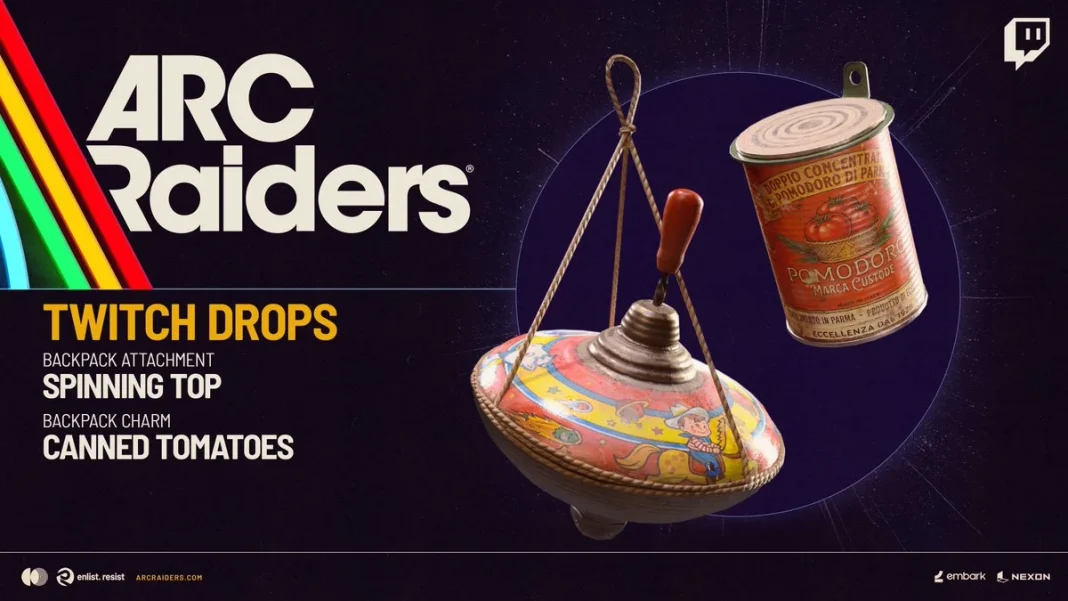
Arc Raiders has a new Twitch Drops event running right now. Embark Studios launched it alongside the Riven Tides update, and there are two free backpack cosmetics up for grabs. Here is everything you need to know to claim them before the event ends.
What Are the Arc Raiders Twitch Drops for Season 4?
There are two items available during this Twitch Drops event:
- Spinning Top Backpack Attachment (unlocked after watching 1 hour of eligible streams)
- Canned Tomatoes Backpack Charm (unlocked after watching 2 hours of eligible streams)
Both are cosmetic backpack items. They do not affect gameplay.
When Do the Arc Raiders Twitch Drops End?
The event started on May 21, 2026, and runs until June 18, 2026. You have nearly a month to watch the required streams, so there is no need to rush.
How to Link Your Embark and Twitch Accounts
Before you start watching, you need to connect your Embark account to Twitch. If you skip this step, you will not receive the drops even after watching the required time.
Here is how to do it:
- Go to id.embark.games and log in using your platform of choice (Steam, for example).
- Once logged in, open the Connected Platforms tab.
- Click the Link button next to Twitch.
- If you are already logged into Twitch in your browser, you will see an authorization prompt. Click Authorize.
- Your accounts are now linked. You can confirm this in the settings menu.
After the link is active, head to Twitch and find any Arc Raiders stream that has Drops Enabled. Watch it for the required time and the items will appear in your Twitch inventory.
How to Claim the Drops In-Game
Once a drop shows up in your Twitch inventory, launch Arc Raiders. The Spinning Top Backpack Attachment and the Canned Tomatoes Backpack Charm will then be available to equip in your loadout.
The total watch time needed is just two hours, which is less than many other Twitch Drops campaigns in similar games.
On Twitch, search for Arc Raiders in the game directory. Streams that have Drops Enabled will display a small tag near the stream title. Click into any of those streams and let it run. You do not need to keep Twitch as your active tab, but the stream must be playing.