There are losses in esports that hurt. And then there are losses that leave silence.
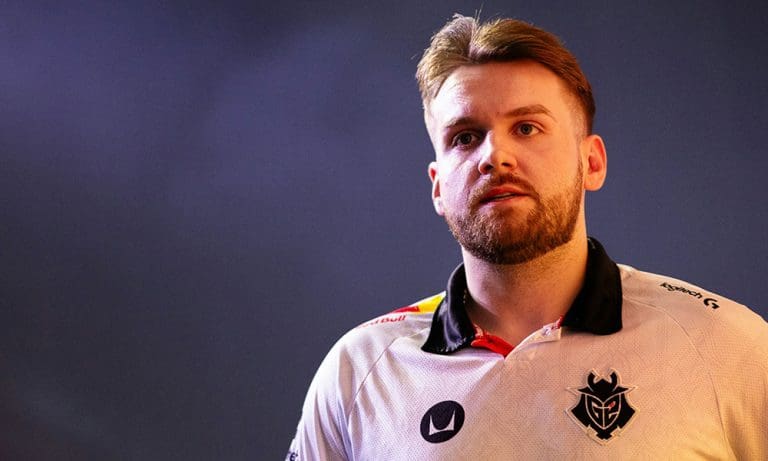
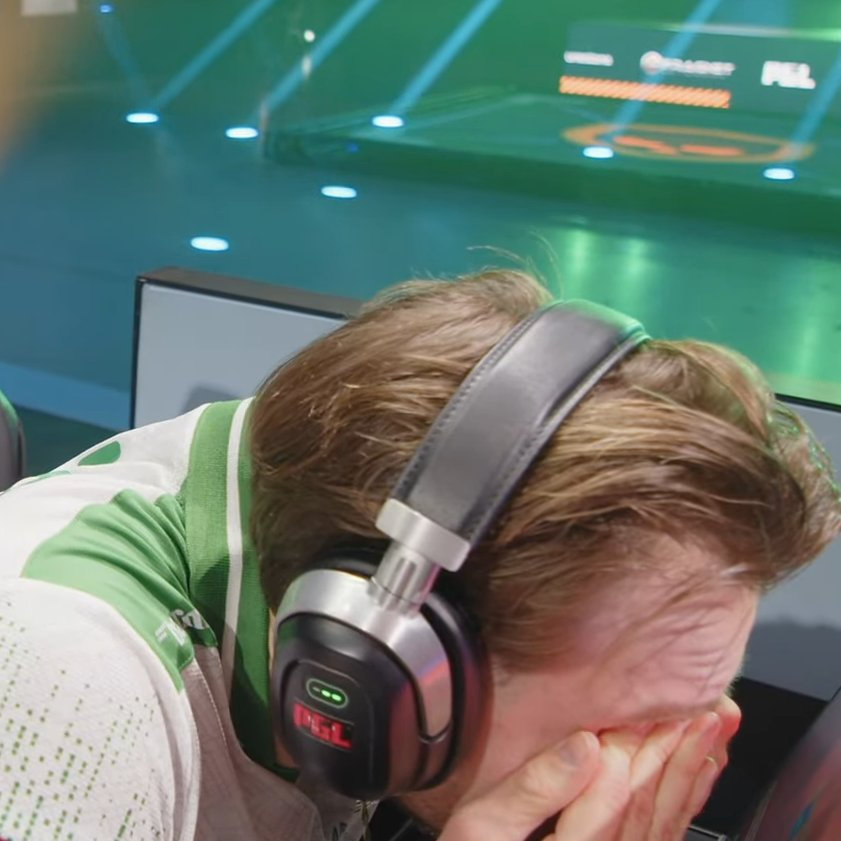
Falcons’ elimination from PGL Cluj-Napoca 2026 wasn’t just another tournament exit, it was a moment that exposed the emotional weight of expectations, pressure, and the harsh reality of top-tier Counter-Strike. Despite delivering one of the most breathtaking individual performances of the event, Nikola “NiKo” Kovač walked away not with praise, but with responsibility. No deflection. No excuses. Just honesty.
“We are just bad, we are not winning rounds we are supposed to win. […] No excuses, honestly.”
A Star Performance Overshadowed by Team Collapse
Throughout the tournament, NiKo looked unstoppable at times. Crisp aim, calculated entries, and moments of brilliance that reminded fans why he is still regarded as one of the most mechanically gifted players in Counter-Strike history.
But esports is cruel in one way: individual brilliance cannot always save a struggling system. Round after round, Falcons found themselves losing situations they should have converted. Advantage rounds slipped. Post-plants crumbled. Momentum vanished when it mattered the most. And slowly, the scoreboard began to tell a story that stats alone could not fix.
The Weight of Expectations on Falcons
Falcons entered PGL Cluj-Napoca 2026 with massive expectations. A star-studded roster, a strong backing, and the belief that this lineup could challenge the best in the world. On paper, everything pointed toward a deep playoff run.
Instead of dominance, fans witnessed inconsistency. Instead of composure, there were missed opportunities. And instead of the explosive synergy expected from a superteam, the matches revealed cracks, the kind that only appear under championship pressure. For a player like NiKo, who has spent years chasing the one trophy that has always felt just out of reach, this loss cuts deeper than most.
What truly went viral wasn’t just the elimination. It was NiKo’s words. In an era of polished PR statements and safe interviews, his raw confession hit the community like a shockwave. No blame game. No strategic excuses. Just a simple, painful truth: they failed to win the rounds they were supposed to win.
That level of self-awareness is rare, and that’s exactly why fans connected with it instantly.
A Familiar Chapter in NiKo’s Career
If history has taught esports fans anything, it is this: NiKo’s story has never been about lack of skill. It has always been about timing, synergy, and the cruel margins that define championships.
From near-misses in Major finals to heartbreaking tournament exits, his journey is one of excellence shadowed by unfinished business. And Cluj-Napoca 2026 now adds another emotional chapter to that legacy. Falcons’ elimination will undoubtedly trigger internal reflections. Tactical changes, role adjustments, and mental resets are almost inevitable. But beyond strategy, this moment demands something deeper, perhaps resilience.
Esports moves fast. One tournament ends, another begins. But certain moments linger, not because of the scoreline, but because of the emotion behind them. And in doing so, he reminded the world that behind every superstar performance lies a human competitor who feels every lost round, every missed opportunity, and every expectation unmet.
Falcons are out of PGL Cluj-Napoca 2026. But if history repeats itself, this won’t be remembered as the end. It will be remembered as another painful step in a career defined not by easy victories, but by relentless pursuit of greatness.
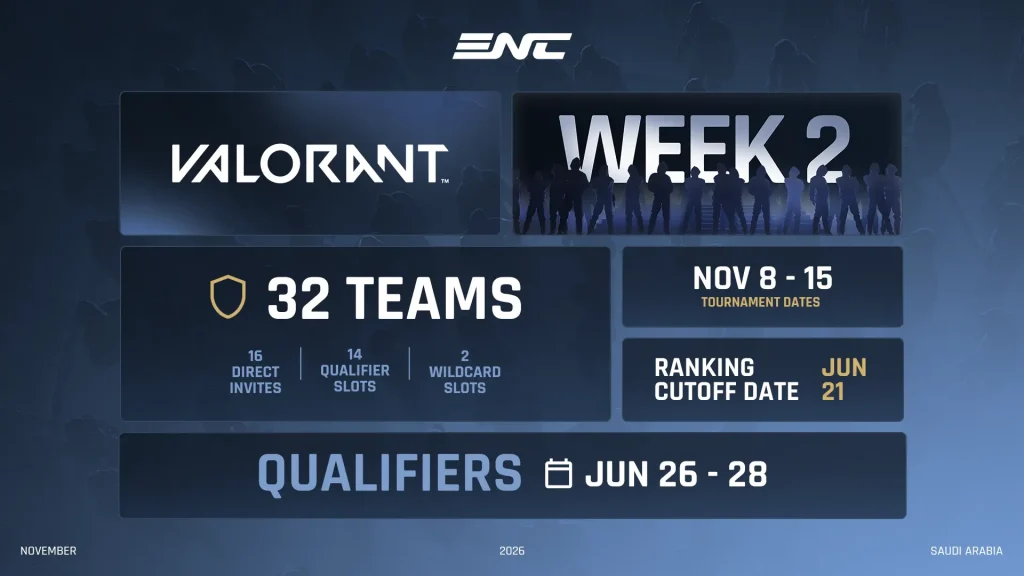
The global VALORANT ecosystem is about to witness one of its most historic moments yet. The Esports World Cup Foundation (EWCF) has officially confirmed that VALORANT will be part of the inaugural Esports Nations Cup (ENC) 2026, a landmark national-team esports tournament set to take place in Riyadh, Saudi Arabia, from November 8 to November 15, 2026.
With 32 national teams competing for ENC gold and ultimate international bragging rights, the tournament is already being positioned as a defining chapter in the evolution of competitive VALORANT, and arguably, in esports as a whole.
A New Era: VALORANT Goes National
Since its launch, one debate has consistently dominated the VALORANT community: which region is truly the best? From North America’s tactical discipline to EMEA’s strategic depth and Pacific’s explosive playstyle, regional rivalries have shaped the identity of the game.
The Esports Nations Cup 2026 aims to settle that debate on the biggest stage possible.
VALORANT is officially coming to the Esports Nations Cup 2026 🇸🇦
32 national teams. National pride on the line. One champion to decide the true “best region” debate.
From Nov 8–15 in Riyadh, the world’s top VALORANT players will represent their countries in a historic global… pic.twitter.com/Sot6gACnFf
Instead of club-based rosters, the tournament will feature national teams made up of the top five VALORANT players from each country. This national representation format introduces a fresh competitive dynamic, shifting the narrative from organizational rivalries to national pride, something the esports industry has long experimented with but rarely executed at this scale.
This move also aligns with the growing institutional direction of esports, where foundations and global bodies are increasingly creating structured, long-term competitions rather than one-off events.
ENC 2026 VALORANT Schedule and Format
The VALORANT event at ENC 2026 will run from November 8 to November 15, 2026, featuring a multi-stage format designed to test consistency, adaptability, and depth across national rosters.
The tournament will begin with a 32-team round-robin group stage, divided into four groups of eight teams each. From there, the top four teams from each group will advance to a 16-team single-elimination playoff bracket.
Group stage matches will be played in a best-of-one format, increasing the stakes of every map, while playoff matches will shift to best-of-three series. The grand final will culminate in a high-stakes best-of-five showdown to crown the first-ever ENC VALORANT champion nation.
This structure ensures both unpredictability and competitive integrity, rewarding teams that can perform under pressure while maintaining consistency across different match formats.
Qualification System: How Teams Will Earn Their Spot
The qualification pathway for VALORANT at ENC 2026 introduces a unique national ranking model that blends individual excellence with team-based international performance.
Out of the 32 participating national teams:
16 teams will receive direct invitations based on the newly created VALORANT National Team Rankings
14 teams will qualify through regional online qualifiers
2 teams will secure their place through Wildcard slots
The National Team Rankings will be calculated using performances across regional and international VALORANT Champions Tour (VCT) competitions. Points earned by players in club tournaments will be equally distributed among participating teammates and then aggregated based on the top five players selected in each national roster.
The ranking cut-off date is set for June 21, 2026, while regional qualifiers will take place from June 26 to June 28 through double-elimination brackets across key regions including North America, South America, Western Europe, Eastern Europe, MENA, Asia, and Southeast Asia + Oceania.
This system introduces a data-backed and performance-driven selection model, ensuring that national teams genuinely represent the strongest talent pools rather than just popular picks.
VALORANT’s Growing Legacy at Global Events
VALORANT’s inclusion in ENC 2026 comes after a milestone year for the title on international stages. The game made its official Esports World Cup debut in 2025, marking a significant step in its integration into large-scale multi-title esports festivals.
That event delivered one of the most memorable storylines in recent competitive history. Team Heretics, after multiple heartbreaking second-place finishes including the VALORANT Champions 2024 grand finals, staged a historic reverse sweep from 0–2 down to defeat Fnatic and claim gold at EWC 2025. The victory not only broke their long-standing finals curse but also showcased the dramatic, high-stakes potential of VALORANT in a global tournament ecosystem.
Notably, the VALORANT main event at EWC 2025 featured players from 22 different nations, highlighting the game’s truly international reach, a factor that makes the transition to a national team format both logical and exciting.
Why Foundations Like ENC Matter for Esports’ Future
The launch of the Esports Nations Cup is more than just another tournament announcement. It represents a structural evolution in esports governance, where foundations play a crucial role in creating stability, sustainability, and long-term competitive pathways.
Historically, esports has relied heavily on publisher-led circuits and short seasonal leagues. While successful, these models often lack continuity and institutional permanence. Foundation-backed events like ENC introduce a new layer of ecosystem development by focusing on national representation, grassroots inspiration, and global fan engagement.
This mirrors traditional sporting frameworks such as the Olympics or FIFA World Cup, where national pride amplifies viewership, emotional investment, and legacy-building moments.
For emerging esports markets like India and Southeast Asia, such formats could be transformative. National representation provides smaller regions with visibility on the global stage, while also motivating federations, training infrastructures, and grassroots programs to evolve alongside the competitive ecosystem.
The Road to Riyadh Begins
With additional details about the Esports Nations Cup 2026 lineup expected in the coming weeks, the confirmation of VALORANT has already positioned the event as one of the most anticipated international esports tournaments of the decade.
Between its national team format, performance-based ranking system, and foundation-backed structure, ENC 2026 is shaping up to be more than just a competition, a statement about where esports is heading. And when the world’s best players step onto the server in Riyadh this November, they won’t just be playing for trophies or prize pools.
They will be playing for their nation, their region, and potentially, the title of the best VALORANT country in the world.
Birmingham, UK – February 20, 2026 – ESL FACEIT Group just dropped the details on a massive qualifier showdown: the Road to EWC at DreamHack Birmingham. From March 27–29, this iconic UK fest turns into a high-octane battleground for Street Fighter 6, FATAL FURY: City of the Wolves, and Trackmania. Top finishers snag direct invites to the Esports World Cup (EWC) 2026 in Riyadh (July 6–Aug 23), plus a slice of over $120,000 in prizes. Rising stars and vets—your global stage awaits.
DreamHack Birmingham isn’t just any LAN; it’s a proving ground in the heart of Europe’s esports scene, blending massive crowds, cosplay chaos, and cutthroat comp. Tied to the EWC’s Saudi-backed spectacle—which last year crowned legends across 20+ titles—this qualifier is your express lane to $millions in Riyadh prizes and worldwide fame.
DreamHack Birmingham at a Glance
Location: DreamHack Birmingham, UK (onsite only).
Dates: March 27–29, 2026.
Titles: Street Fighter 6, FATAL FURY: City of the Wolves, Trackmania.
Total Prize Pool: $120,000+.
Stakes: Direct qualification to EWC 2026 Riyadh.
Rego: Open now—grab a DreamHack ticket and show up! Details & Signup.
Age gates: SF6 (13+), FATAL FURY/Trackmania (16+).
Title-by-Title Breakdown: Formats, Prizes, and Paths to Riyadh
Street Fighter 6 ($50K Pool)
Format: 512-player cap, Double Elim pools → Top 32 Finals.
Qualify: Top 2 to EWC.
Top Prize: $15K for 1st.
Schedule: Mar 28 (Pools/Top 16), Mar 29 (Top 8 Finals). SF6’s combo-heavy meta has exploded post-Street Fighter League—expect frame-perfect mindgames from Euro hopefuls chasing Artery or Punk’s shadows.
FATAL FURY: City of the Wolves ($50K Pool)
Format: 256-player cap, Double Elim pools → Top 32 Finals.
Qualify: Top 4 to EWC.
Top Prize: $15K for 1st.
Schedule: Mar 27 (Pools/Top 16), Mar 29 (Top 8 Finals). SNK’s hot new fighter drops with revamped systems and a killer roster—perfect launchpad for early meta masters to lock EWC berths.
Trackmania ($20K Pool)
Format: 128-player cap, Group Stage (DE) → Top 32 Finals.
Qualify: Top 8 to EWC.
Top Prize: $5K for 1st.
Schedule: Mar 27 (Pools/Top 16), Mar 28 (Top 32/Top 16), Mar 29 (Top 8 Finals). Trackmania’s speed demons thrive on precision tracks—think ice jumps and speedrun strats for those coveted Riyadh slots.
Why Compete? Beyond the Bag
$120K is huge regionally, but EWC Riyadh is the real draw: multimillion prizes, pro exposure, and a shot at immortality. Past qualifiers launched careers—don’t miss out. Onsite energy means hype crowds, rivalries, and potential viral moments.
Let’s be real for a second. Playing Free Fire without diamonds feels like showing up to a gunfight with a knife. You log in, check the new events, and see those insane bundles or the latest character upgrades, only to realize the price tag is way out of reach. Diamonds are the lifeblood of the game. They give you the edge, the style, and the status. But for most of us, spending money on a mobile game just isn’t in the budget.
If you’re here, you’re probably sick of clicking on links that promise “unlimited diamonds” and deliver nothing but headaches. You want a way to get those top-ups in 2026 without getting your account banned or your data stolen.
The good news? It is actually possible to get free diamonds legally. The bad news? It takes a little bit of work. There is no magic button. If you want to stay safe and actually get results, you need to stick to the legitimate methods that actually pay out.
Top 3 Ways To Get Free Diamonds in Free Fire Legally in 2026
Here is the breakdown of how to do it right now.
1. Google Opinion Rewards
This is the absolute gold standard for Free Fire players, and it has been reliable for years. If you have an Android phone, this should be your go-to strategy.
The app you need is Google Opinion Rewards. It’s an official Google app, so you know it’s secure.
How it works: Google sends you short surveys. We’re talking 10 seconds max. They might ask, “Which of these logos have you seen recently?” or “When did you last visit this store?” In exchange for your honest answer, they credit your Google Play balance.
It starts slow. You might only get a few cents per survey. But if you stick with it, that balance grows. Eventually, you open Free Fire, go to top up diamonds, and select “Google Play Balance” as your payment method. You aren’t using your credit card; you’re using the credit you earned just by answering questions.
Pro Tip: To get more surveys, keep your GPS location turned on. Google often sends surveys based on places you’ve physically visited, like a grocery store or a mall.
2. GPT Apps (Get-Paid-To)
If you are an iOS user or don’t get enough surveys on Google Opinion Rewards, GPT apps are your best alternative. Apps like Poll Pay and Swagbucks have been around for years and are trusted by millions.
How it works: These platforms pay you to complete tasks. This could be answering polls, watching video advertisements, or downloading and playing other games up to a certain level.
The process: Most of these apps allow you to cash out via PayPal or gift cards. Once you earn enough, you can cash out to PayPal, link that PayPal account to the Google Play Store (or App Store), and use those funds to buy Free Fire diamonds.
It requires patience. You aren’t going to get 1000 diamonds in a day, but grinding on these apps during your downtime can easily fund a weekly membership or an Elite Pass.
3. Booyah! App (Official Garena Platform)
Garena knows that content drives the game. The Booyah! app is Garena’s official streaming platform for Free Fire content.
How it works: Garena frequently hosts events on this app where players can win diamonds or exclusive in-game items just by watching streams or participating in quizzes.
Why it’s safe: Because this is an official Garena app, you don’t have to worry about data theft. You simply log in with your Free Fire ID, watch your favorite streamers play, and participate in the live events they host. The diamonds are usually credited directly to your account or sent via redeem codes.
Let’s be real, spending cash on a game hurts. It takes patience, but these methods are the only ones that actually work without risking a ban. Just chip away at those surveys while you’re waiting in line or watching TV. It adds up faster than you think. Stay safe, ignore the scams, and good luck getting that Elite Pass.
All you need to know heading into the 2026 LCK Cup Upper Bracket Final game. The teams, bracket path, format, schedule, stakes, and how to watch.
The 2026 LCK Cup Upper Bracket Final is scheduled for 21 February 2026, between Gen.G vs BNK FEARX. It will be played in a best-of-five series format where the first finalist of the Grand Final will be decided. In a double-elimination playoff, this game will be highly significant as the winner goes straight to the championship match, while the loser drops into the lower bracket with one more route to the title.
This pairing is locked in after both teams won their respective top bracket semi-finals: Gen.G beat Dplus KIA 3-1, while BNK FEARX saw off T1 by a similar margin.
Those results set the table for a high-pressure battle between a known LCK heavyweight in Gen.G and a FEARX side which just earned a statement win over T1 in a Bo5. Betting fans can follow the Sportytrader page for reliable tournament predictions for this and other events happening globally.
Why the Upper Bracket Final is important
In a double-elimination tournament, to make the upper bracket final, you’ve already managed to clear off the cream of the crop without using your “second life.” The upside of winning here is huge:
ü Direct ticket to Grand Final – Win the final of the upper bracket and you get to skip the final of the lower bracket altogether, gaining better access to the trophy.
ü More time to prepare – The upper bracket winner usually gets additional days to scout the opponent, perfect the draft, and reset physically and mentally.
ü Lower bracket pressure for a loser – The losing team isn’t eliminated, but the margin for error is gone. One more loss ends the run.
There’s also wider competitive significance in the fact that the top finishers in the LCK Cup are linked to qualification implications in First Stand 2026, which in turn increases the importance of every playoff series, and certainly of matches that put a team on the doorstep of the final.
The format factor: Fearless Draft in the Bo5
One layer of the competition that is a key part of the 2026 LCK Cup playoffs is Fearless Draft. While the specifics of implementation can vary depending on the specific tournament ruleset, the overall approach is the same: as a series goes on, teams can’t keep leaning on the same little group of champions. That creates a real premium on:
· Pool depth of every role (champ)
· Draft versatility on multiple game plans
· Mid-series adaptation, including counter-prep and pivoting styles
In a normal Bo5, there can be comfort picks that the elite teams can rely on if the pressure gets too high. Fearless Draft takes a lot of the power out of deciding a series from those comfort picks and puts coaches and analysts in an even brighter spotlight. In most cases, the most successful teams are those that can win in multiple ways. It can be through different lanes, different tempos, and different composition identities.
Road to the finals
The Upper Bracket final comes as the LCK Cup heads for its final stretch. The final stage of the tournament is slated for 28 February 2026 and 1 March 2026, with the championship event taking place in the Kai Tak Arena, Hong Kong
Timing will be key here, as the Upper Bracket winner will enjoy the advantage of making it to the Grand Finals earlier. That way, he gets some extra break and avoids the gauntlet of the lower bracket.
Team storyline snapshot
Gen.G: the expectation of control
Gen.G’s deep in this bracket is fitting the reputation they’ve developed in the past few years: steady fundamentals, disciplined teamfighting and the knack to turn small advantages into clean wins. Their 3-1 hand against Dplus KIA in the upper semi-final indicates they’re coming into this match in form and confidence but the Bo5 environment still requires flexibility, especially under Fearless Draft.
BNK FEARX: momentum and belief
BNK FEARX making it to the upper bracket final is already a headliner but doing it through a 3-1 win over T1 gives it more weight. Bo5 wins over top opposition can change a team’s identity overnight. Suddenly, you’re not an underdog or dangerous; you’re a serious contender for the finals. For FEARX, the big issue is maintaining that level of play against another full series against a team built to punish inconsistency.
How to watch
For the best way to get reliable broadcast and scheduling information, use the official LoL Esports platforms that contain the LCK Cup match cards, stream embeds, and start times for each region. Most official streams will be available on the main streaming platforms (globally this means YouTube and Twitch), along with regional options depending on location.
Starting times for online coverage differ by timezone and regional feed, so it’s best to check the official match listing before match day.
NODWIN Gaming has sold its entire stake in the Evolution Championship Series (EVO), the world’s premier fighting game tournament, to long-time partner RTS. This move supports EVO’s aggressive global scaling plans while freeing NODWIN to laser-focus on high-growth emerging markets.
NODWIN will stay involved as a key partner, leveraging its regional know-how, operations muscle, and community ties to fuel EVO’s expansion in these regions. The handover aligns EVO with RTS’s investment-driven vision, preserving its grassroots legacy as it grows worldwide.
EVO’s Legacy and Next Chapter
For 20+ years, EVO has been the beating heart of the Fighting Game Community (FGC), transforming from a small grassroots event into a global stage uniting players, publishers, and fans. RTS is primed to steer this evolution, amplifying its reach without losing the community spirit.
This divestment sharpens NODWIN’s edge in booming gaming markets like the Global South. Expect more announcements soon on EVO’s emerging market strategy, co-powered by NODWIN.
Akshat Rathee, Co-Founder and Managing Director, NODWIN Gaming, said: “EVO embodies the passion and resilience of the FGC, it’s been an honor to contribute. RTS is the ideal partner to propel it forward globally. For us, this refocuses energy on explosive markets, where we’re building lasting esports ecosystems. We’re EBITDA-positive again since Q3 2025, with 58% YoY revenue growth to INR 530.3 Crore (USD 58.5M) in the first 9 months of FY26.”
NODWIN’s fiscal discipline and market bets position it as a leader in India’s esports surge—watch this space for more.
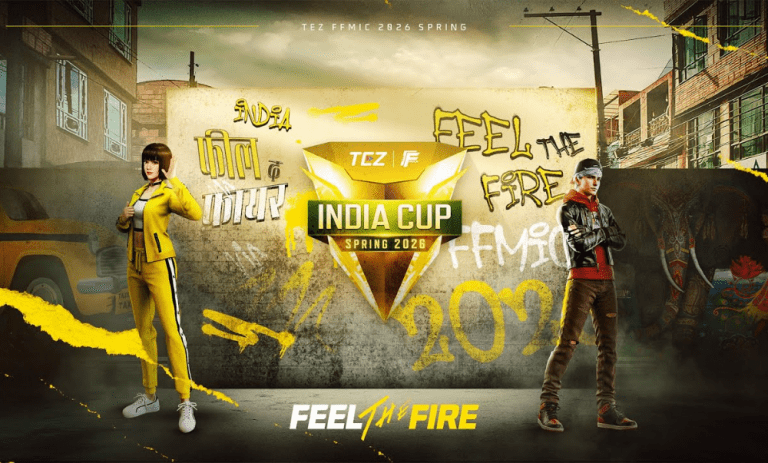
Garena has officially revealed the 38 teams that have secured their spots in the Free Fire MAX India Cup (FFMIC) 2026 Spring Group Stage through the in-game FFC qualifiers. These squads will now compete in the next phase of India’s biggest Free Fire MAX esports tournament starting from 26 February.
Along with these 38 teams, four City Qualifier teams and six invited teams from FFMIC 2025 will also join the battle, making it a total of 48 teams in the Group Stage.
FFMIC 2026 Spring: 38 Teams Qualified From FFC Mode
Here are the teams that made it through the in-game qualifiers:
Oligarchs
K9 Esports
Freeeyes Gaming
Arise Esports
FX Elite
Team X
True Impact
DW Live
GW Manish
RNX Esports
Knight Novas
Mahabharat Esports
Autobots Esports
Redwunne.ESP
NXT Esports
Prime Aura
4 AM
NG Silver Eagle
AS36Garh
TW Esports
Skull Esports
Adda Kings
The Sleepers
Identicals ES
Black Birds
School Boyz
TeamLegacy
IQEsports
EMZ Esports
Need.Org
MJxOwnLegacy
Godlike Esports
Gyan Gaming
EC Esports
Zenstrikers Esports
Atomic Esports
The Knights
IQOO OGXTSG
City Qualifier Teams
The following four teams have already secured their places through City Qualifiers:
Meta Ninza
Gurunatha Official
Jonty Gaming
UGxGRP
Direct Invites From FFMIC 2025
Six top-performing teams from FFMIC 2025 have directly qualified:
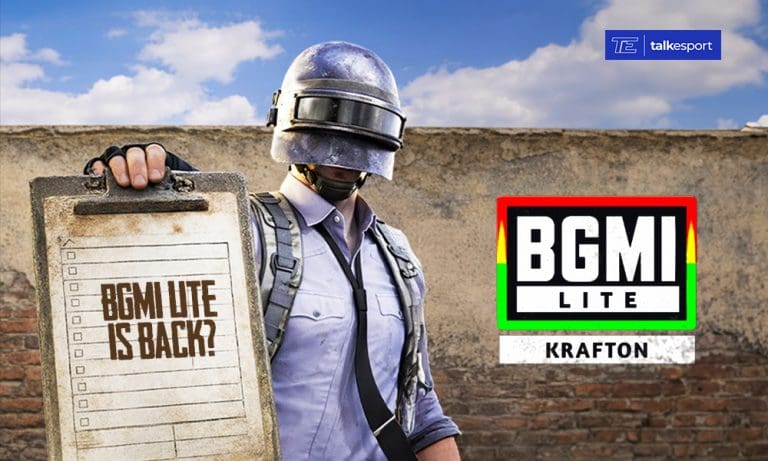
Krafton India’s January 2026 survey asking players about BGMI Lite has sparked speculation, but industry experts warn that the lightweight version will not arrive in 2026 despite growing demand from budget smartphone users.
Battlegrounds Mobile India has become progressively heavier with each update since 2021, creating performance challenges for players using low-end smartphones. Lag, heating issues, low frame rates, and battery drain have become common complaints among budget device users who represent a substantial portion of India’s mobile gaming market.
Krafton Survey Questions Reveal Early Planning Stage
On January 23, 2026, Krafton India conducted a detailed in-game survey that caught everyone’s attention. The most direct indication came from a straightforward question: “Do You Want BGMI Lite?” Players received three response options expressing whether they desperately need the lite version, consider it beneficial but not essential, or have no interest.
However, conducting surveys represents preliminary market research rather than confirming active development. Gaming companies frequently gather user feedback before making major investment decisions, meaning positive responses do not guarantee immediate action.
The survey explored potential features including 20-player matches on smaller maps, fast reload mechanics without attachments, temporary protective walls, auto-aim and auto-fire options, and special weapon powers. These questions suggest Krafton envisions a more casual, accessible approach for budget devices.
Survey questions also addressed performance issues directly, asking about low frame rates, device heating, lag, battery drain, and storage space problems. Additionally, Krafton asked about advertising preferences and monthly subscription pricing for ad removal, indicating consideration of an ad-supported free-to-play model.
BGMI Lite Release Date 2026 In India
The BGMI Lite release date will not happen in 2026. Even if Krafton decides to proceed following positive survey responses, realistic development timelines push the launch to 2027 at earliest. Creating a functional lightweight version requires rebuilding core systems to operate on devices with 1-2GB RAM, optimizing file size to approximately 600MB, and ensuring compatibility with older Android versions.
This comprehensive process typically requires six to nine months minimum. Starting from the January 2026 survey, active development beginning immediately would still miss a 2026 launch window. Industry experts estimate that if Krafton greenlights BGMI Lite today, the realistic date falls in 2027.
Beyond development, a separate lite application requires its own regulatory approval through Indian government agencies. BGMI itself underwent extensive security audits focusing on data privacy and compliance. A standalone BGMI Lite would be treated as an entirely new game requiring separate approval, adding several unpredictable months to the timeline.
Krafton has merely teased the possibility through survey questions rather than confirming development or providing timeline commitments. If the company proceeds based on feedback, the minimum one-year development and approval process means players must wait until 2027. The January 2026 survey represents information gathering, not an imminent launch announcement, requiring patience from the gaming community hoping for performance-optimized battle royale gameplay.
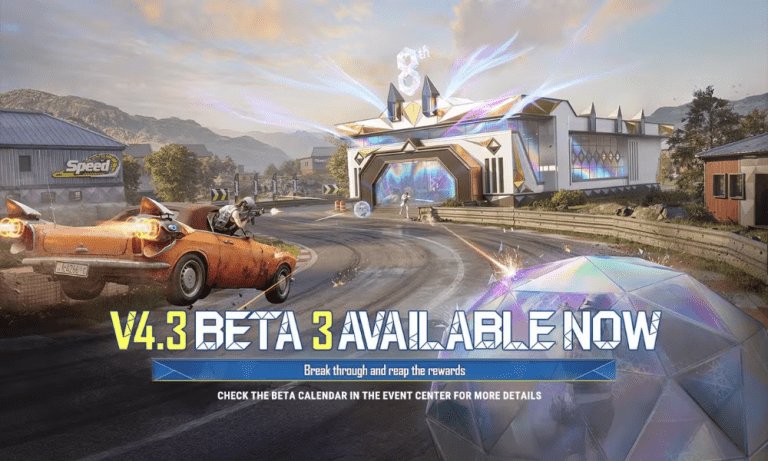
The PUBG Mobile 4.3 Update is expected to roll out soon, bringing a new weapon, racing-themed gameplay, tiered loot houses, and major movement upgrades. The update is likely to arrive right after the current themed mode ends, following the usual update cycle. Players can expect fresh mechanics and nostalgic elements that will change the way matches are played.
PUBG Mobile 4.3 Update Download Date
The PUBG Mobile 4.3 update release date is expected to be March 11, 2026, as the current themed mode is scheduled to end on March 10, 2026. Major updates in PUBG Mobile usually arrive immediately after a themed mode concludes.
If the pattern continues, the update should be available for download on March 11 through the Google Play Store and Apple App Store. The rollout may happen in phases, meaning some regions could receive it slightly earlier or later.
New Weapon: M1 Garand
One of the biggest highlights of the PUBG Mobile 4.3 Update is the M1 Garand.
The M1 Garand is a semi-automatic rifle that allows players to fire rapidly with quick tapping. Unlike heavy sniper rifles that require a forced delay between shots, this weapon allows continuous firing without a recoil pause.
Key advantages include:
Fast semi-auto firing
Strong mid- to long-range damage
High skill-based performance
This weapon could become a strong option for players who prefer accurate and controlled shooting.
The 4.3 update introduces a new Tiered Loot House system across the map.
Certain buildings are marked with letters such as C, B, A, and S. Players begin at Tier C and can upgrade their tier by:
Driving vehicles
Getting eliminations
Your tier progresses from C to S. You can only open houses that match or are below your tier level. Higher-tier houses contain better loot, making aggressive gameplay more rewarding.
Racing and Drag Race Events
Racing is a major theme in PUBG Mobile 4.3. Special drag race zones marked with flag icons will appear on the map.
When players cross the starting line in a vehicle, a timed race begins. Completing checkpoints within the time limit rewards players with loot boxes and supplies. This adds a new objective beyond standard combat.
Movement Upgrades and Special Events
The update also brings improved mobility features. Some areas will have gliding rails that allow faster movement across towns. Upgraded launchers now feature a charging animation before sending players to specific loot zones.
Additionally, a new drone event in Water City starts a 150-second countdown when activated, offering rewards upon completion.
The PUBG Mobile 4.3 Update release date is expected to deliver fresh gameplay elements, faster movement options, and exciting racing events. If released on March 11, 2026, players won’t have to wait long to explore everything new in this update.
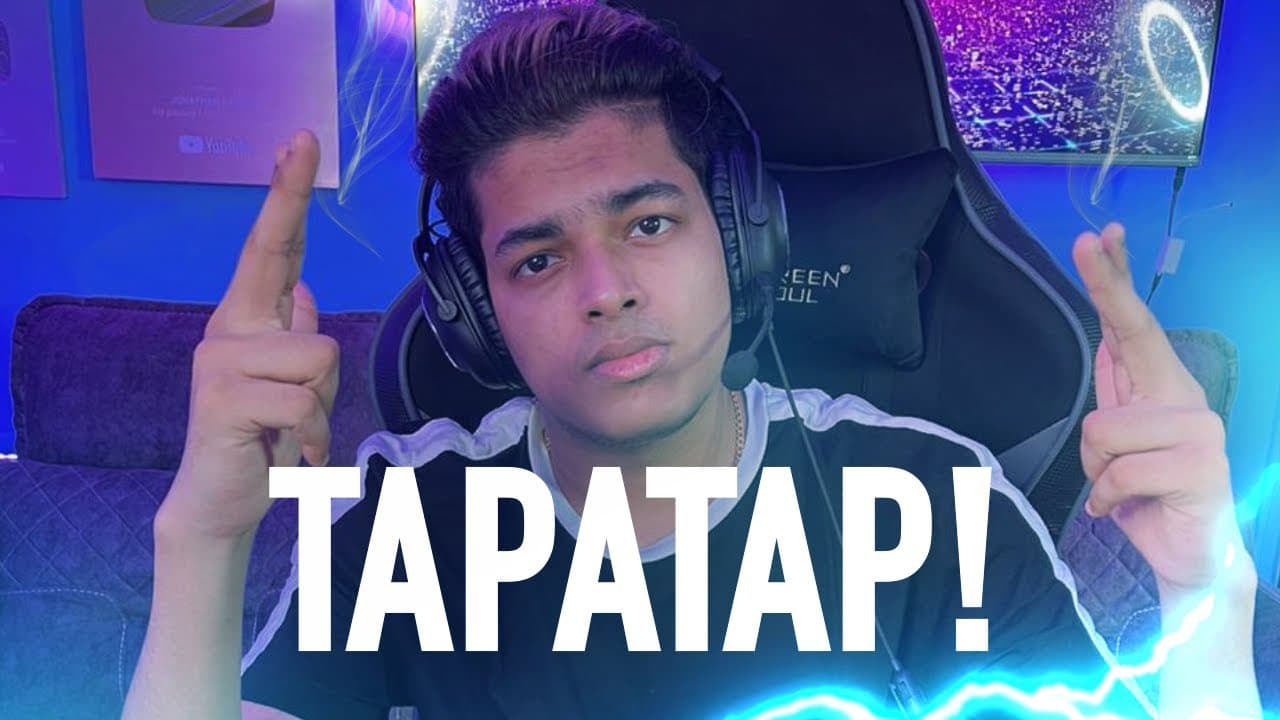
Jonathan Amaral, professionally known as Jonathan Gaming, stands as India’s most successful esports athlete with an estimated net worth of ₹23 crore in 2026, backed by tournament winnings, YouTube revenue, and premium brand endorsements.
The 23-year-old professional BGMI player for GodLike Esports has transformed competitive mobile gaming in India through exceptional gameplay, consistent tournament performances, and massive social media influence. His journey from casual gamer to millionaire esports star represents the growing financial potential within India’s gaming industry.
Jonathan Gaming Net Worth Reaches ₹23 Crore in 2026
As of early 2026, Jonathan Gaming net worth is estimated between ₹20 crore and ₹23 crore, approximately $2.6 million to $3 million USD. This valuation reflects income from multiple revenue streams that have positioned him among India’s highest-earning gaming content creators.
The primary contributors to Jonathan Gaming net worth include professional esports tournament winnings totaling over $83,000 from 57 competitive events. His largest single prize came from the PMCO Fall 2019 South Asia Championship, where he secured $12,000 for first place.
YouTube monetization forms another major income source. With over 7 million subscribers and 711 million video views, his channel generates estimated monthly earnings between ₹1.14 lakh and ₹18.44 lakh through advertisements, super chats, and video sponsorships. Live stream donations frequently exceed ₹50,000 per session as viewers pay premium amounts to highlight messages during broadcasts.
Brand endorsements significantly boost his annual income. Jonathan commands ₹9-10 lakh per sponsored collaboration, working with major brands including Red Bull, FanClash, Hero MotoCorp, Realme, Samsung, IQOO, and AMD. As an official Red Bull athlete since November 2023, he enjoys additional sponsorship benefits beyond standard endorsement deals.
His estimated monthly income reaches ₹7-8 lakh, making him the highest-paid BGMI esports player in India. Industry projections suggest Jonathan aims to increase his net worth to $4-5 million by the end of 2026 through expanded content creation and strategic brand partnerships.
Age and Early Life Journey
Jonathan Jude Amaral was born on September 21, 2002, in Verna, Goa, India, making him currently 23 years old. He grew up in a Christian family that initially had mixed reactions to his gaming aspirations.
His father, Jude Amaral, a businessman, became his earliest supporter by gifting him an iPhone specifically for gaming purposes. This encouragement proved crucial during Jonathan’s formative years when he faced criticism from those dismissing mobile esports as a legitimate career path.
His mother, Leticia Amaral, initially opposed his gaming pursuits but eventually transformed into one of his strongest supporters, carefully monitoring his tournament results and celebrating his achievements. His elder sister has maintained a quieter but consistent support role throughout his career.
The family relocated from Goa to Mumbai to better support Jonathan’s professional gaming career. In 2023, he purchased a luxury apartment in Bandra, Mumbai worth ₹7.5 crore, offering panoramic city views and proximity to his team’s training facilities.
Girlfriend Status: Currently Single
Jonathan Gaming has not revealed any girlfriend publicly and maintains his relationship status as single as of 2026. The professional gamer keeps his personal romantic life extremely private, focusing public attention on his gaming career and content creation.
Despite intense fan curiosity about his dating life, Jonathan consistently avoids discussing romantic relationships in interviews, streams, or social media posts. His Instagram account with over 3.2 million followers primarily features gaming content, car posts, and professional achievements rather than personal relationship updates.
This privacy approach allows Jonathan to maintain clear boundaries between his public persona as India’s top BGMI player and his private personal life, a strategy that has helped him avoid unnecessary controversies throughout his career.
Luxury Car Collection Worth Crores
Jonathan Gaming car collection showcases his passion for high-performance vehicles and represents tangible success from his gaming career. His garage currently houses three premium automobiles with combined worth exceeding ₹9 crore.
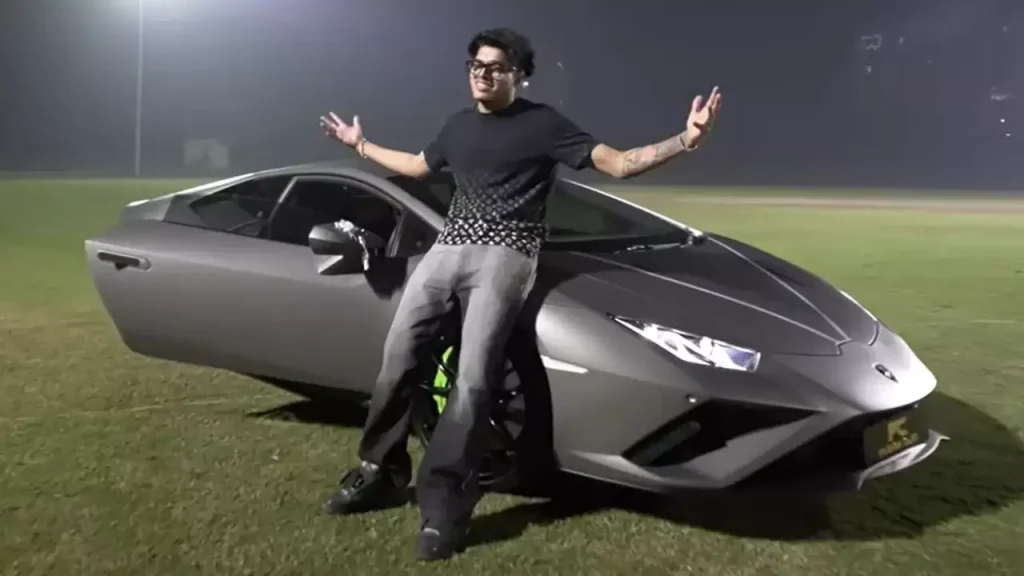
The crown jewel is his Lamborghini Huracan, valued at approximately ₹3.5-5 crore, which he purchased from Fuzion Cars Delhi in November 2024. The Italian supercar features a custom color scheme reflecting his personality and gaming brand. He unveiled the Lamborghini at a grand ceremony held at a cricket stadium, sharing the moment with family and fans through an elaborate YouTube video.
His BMW 330i, worth approximately ₹75 lakh, was actually purchased as a gift for his father before Jonathan bought his own luxury vehicles. The sedan features a 2.0-liter four-cylinder engine producing 258 horsepower and 400 Nm torque, capable of accelerating from 0-100 km/h in 5.8 seconds with a top speed of 250 km/h. The BMW includes adaptive suspension and BMW Live Cockpit Professional technology.
The Ford Mustang GT, valued at ₹74.61 lakh, represents his first supercar purchase. This American muscle car delivers 396 bhp at 6500 rpm and 515 Nm torque at 4250 rpm through a 5.0-liter V8 engine. The rear-wheel drive configuration with automatic six-speed transmission and paddle shifters provides thrilling performance that Jonathan frequently showcases in social media content.
BGMI ID and In-Game Statistics
Jonathan Gaming BGMI ID is 5112616229, with his in-game name displaying as “GxdLJONATHAN03.” His account features an extensive collection of premium supercars, exclusive outfits, rare weapon skins, and other sought-after in-game items accumulated through expensive crate openings during live streams.
His current season statistics demonstrate why he’s considered India’s best BGMI player. Jonathan maintains an overall rating of 85.7 (SS Grade), the highest tier classification available. His F/D ratio (formerly KD ratio) stands at an impressive 9.15, meaning he averages more than nine finishes for every defeat.
Throughout the current competitive season, Jonathan has competed in 142 matches, securing 16 victories with a win percentage of 11.3%. He reached top 10 placements in 81 matches, showcasing consistent performance across extended tournament play. His headshot accuracy regularly exceeds 30%, demonstrating exceptional aim precision.
Average damage statistics reveal Jonathan typically deals 800-1000 damage per match, with peak performances reaching over 4000 damage in single games. His average survival time of 17.9 minutes indicates strong positioning and game sense that keeps him alive deeper into matches.
Jonathan regularly achieves Conqueror tier, the highest rank in BGMI, often finishing seasons within the top rankings. His competitive statistics fluctuate slightly depending on whether he’s playing ranked matches, scrims, or official tournament games, but his performance remains elite across all formats.
Playing Style and Signature Techniques
Jonathan Gaming plays as the primary assaulter for GodLike Esports, with his role simply described as eliminating any visible opponent. His aggressive playstyle combined with tactical intelligence makes him one of the most feared players in competitive BGMI.
He utilizes a two-finger thumb control setup, making his achievements even more impressive given many top players use more complex claw techniques. His control code 7238-4338-0842-0180-522 has been shared for fans attempting to replicate his settings.
Gyroscope mastery represents Jonathan’s most distinctive skill. His precise gyroscope-based aim control makes him nearly unbeatable in close and mid-range engagements. The signature M416 with 6x scope laser sprays have become legendary, with aspiring players worldwide attempting to imitate his technique.
His spray control remains exceptional across multiple weapons, particularly the M416 and DP-28, where his recoil management allows sustained accurate fire at ranges where most players struggle. This technical proficiency translates to clutch performances where Jonathan regularly defeats entire squads in 1v3 or 1v4 scenarios.
Game sense and tactical decision-making separate Jonathan from mechanically skilled players. His ability to read match flow, predict enemy movements, and make split-second positioning choices allows him to survive and thrive in high-pressure tournament situations.
Tournament Achievements and Accolades
Jonathan Gaming’s competitive resume includes victories across multiple major tournaments. He began his professional career with Entity Gaming in 2019, where coach Ghatak recognized his potential and recruited him to the team.
His first major championship came at PMCO Fall 2019 with Entity Gaming, securing $60,000 in prize money. When Entity partnered with TSM to form TSM Entity in 2020, Jonathan continued his winning streak with a $26,404 victory at PMWL East 2020, where he finished sixth overall while serving as one of the tournament’s top fraggers.
During competitive play, Jonathan set a world record by achieving 16 solo kills in a single match during PMIS semifinals, a milestone that highlighted his individual skill ceiling. This performance cemented his reputation as capable of single-handedly dominating professional matches.
After joining GodLike Esports in 2021, Jonathan secured victories at Skyesports Championship 3.0 ($16,321), LOCO War of Glory Grand Finals ($26,692), and OneShot Showdown Season 2 Grand Finals ($18,674). He represented India at the PUBG Mobile Global Championship 2021, competing against the world’s best teams.
In January 2026, Jonathan swept the inaugural Krafton India Awards 2025, winning three prestigious titles including Influencer of the Year, Fans’ Choice: Favourite Creator of the Year (Male), and Fans’ Choice: Favourite Esports Player of the Year. These awards recognize both his competitive excellence and content creation impact.
He has earned MVP honors at multiple tournaments including BGMI Masters Series, BGIS 2025 Finals, Skyesports Championship 3.0, and Upthrust Esports. His consistent top fragger performances and clutch plays have earned him recognition as one of the most valuable players in Indian esports.
YouTube Success and Content Creation
Beyond competitive gaming, Jonathan has built substantial success as a content creator. His YouTube channel launched in February 2018 has grown to over 7.3 million subscribers with 504 uploaded videos generating 711 million total views.
His content mix includes BGMI gameplay footage, tournament highlights, sensitivity tutorials, expensive crate opening sessions, and lifestyle vlogs featuring his luxury cars and personal life. This variety appeals to both hardcore esports fans and casual viewers interested in gaming culture.
Monthly YouTube earnings range from $7,000 to $22,000 according to industry estimates, translating to annual revenues between $10,200 and $162,500. Super chat donations during live streams add substantial additional income, with viewers regularly paying premium amounts for shoutouts and personal interactions.
Social Blade analytics show Jonathan’s channel consistently gains 30,000+ new subscribers monthly with video views exceeding 5.2 million during the same period. These growth metrics reflect sustained audience interest and strong engagement rates across his content library.
His Instagram presence with 3.2 million followers provides another platform for brand collaborations and fan engagement, where he shares gaming updates, car content, and sponsored posts from his endorsement partners.
Current Team and Training Regimen
Jonathan currently plays for GodLike Esports, one of India’s most successful BGMI organizations. He joined the team in August 2021 after TSM Entity released its roster, and has remained with GodLike throughout his peak competitive years.
His daily gaming schedule demonstrates extreme dedication to professional improvement. Jonathan begins training around 2:30 AM and continues until 7:30 AM, completing 6-7 matches plus in-game drills during this intensive morning session. He streams for 10-12 hours on working days, balancing competitive practice with content creation.
The team maintains a boot camp facility in Mumbai where players refine strategies, review match footage, and prepare for upcoming tournaments. This professional infrastructure supports Jonathan’s continued development and helps GodLike Esports maintain competitive excellence.
As the primary assaulter, Jonathan’s teammates rely on his fragging ability to create space and apply pressure during matches. His aggressive playstyle sets the tempo for how GodLike Esports approaches each game, making him the focal point of their tactical system.
Impact on Indian Gaming Industry
Jonathan Gaming’s success story has significantly influenced perceptions of esports as a viable career path in India. His luxury purchases, particularly the Lamborghini, demonstrate the financial potential available to elite gaming professionals, inspiring younger players to pursue competitive gaming seriously.
His achievement of becoming the first esports player invited to a phone launch party reflects his mainstream recognition beyond gaming circles. Brand partnerships with companies like Red Bull, Realme, and Hero MotoCorp showcase how esports athletes now command marketing value comparable to traditional sports celebrities.
The estimated net worth of ₹23 crore at age 23 provides concrete evidence that professional gaming can generate wealth rivaling conventional career paths, helping shift parental and societal attitudes toward gaming as legitimate profession rather than mere entertainment.
Jonathan’s journey from Goa to becoming India’s highest-paid BGMI player exemplifies the opportunities created by India’s growing esports ecosystem, where talent, dedication, and consistent performance translate to significant financial success and celebrity status.