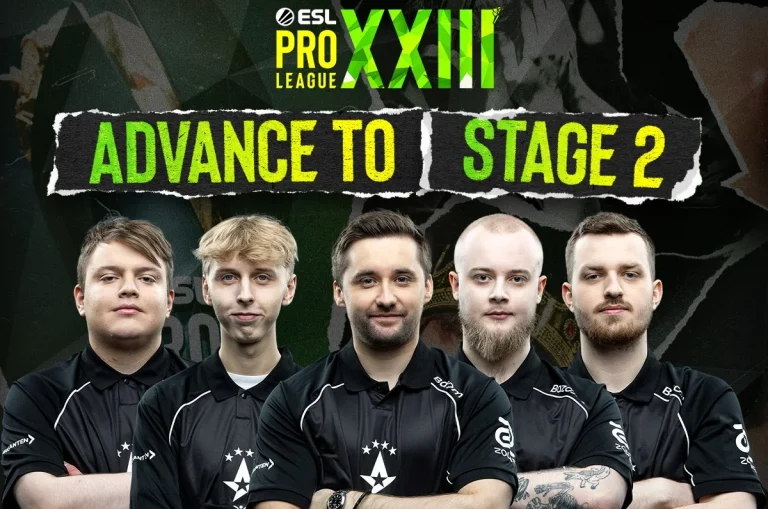
Astralis are through to Stage 2 of ESL Pro League Season 23, dominating 3DMAX with a 2-0 scoreline. Returning to form after an unfortunate defeat, the Danish side’s convincing performancein a crucial match has earned them another milestone after losing big names from the squad before the start of the season.
Dominating the pistol round, Astralis stopped a fast-paced offence from the French side to kick off the series. Winning the majority of the rounds by the end of the first half, Astralis did not let 3DMAX win more than 3 rounds, leading to them swapping sides with a 9-3 scoreline. Winning the pistol round, 3DMAX narrowed the lead before Astralis caught momentum with the first gun round on their offence and from that point onwards, the French side was not allowed to win more than 1 round, leading to a quick conclusion of the first map. Taking a solid 13-6 win, the Danes put their side halfway into Stage 2 with Staehr topping the board with 19 kills and 1.67 IR.
Map 2: Overpass; Pick: Astralis; Winner: Astralis
Yet another pistol conversion to open the map gave Astralis an early lead on the T side to start their pick. While 3DMAX did pick up the first gun round, Astralis went on to put together a streak of 9 rounds before 3DMAX could return to the board before the end of the first half to switch sides with the same scoreline from map 1. Losing out on the pistol round and the force buy, Astralis converted the first gun round with their lead cut in half. Maintaining their lead, Astralis did not give up for a comeback to 3DMAX, leading to a perfect close of the second map and a statement win to qualify for the next round of play. The freshman Ryu stood out as the best player for Astralis with crucial clutches and 18 kills against a seasoned opposition.
3DMAX will have their back against the wall as the next loss would see them crash out of the ESL Pro League despite being one of the favorites to make it to the next stage. Judging by their recent performances, the gaps in their teamplay are yet to be addressed, as the teams are finding gaps, especially in their defence, far too easily, and unless they can address them by the next game, their next showing will be at a later event.
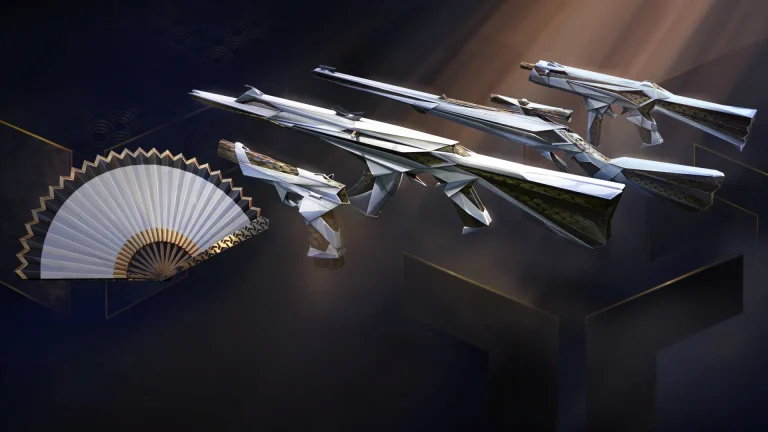
The Valorant “SilkLeaf” bundle is set to be the next skin bundle coming to the competitive shooter. While Riot Games has yet to officially reveal this new skin bundle, details surrounding the upcoming Silkleaf Collection have already surfaced online through various leaks, giving players the first look at what could be arriving in the in-game store soon.
In this article, we’ll take a look at everything you need to know about the new Valorant SilkLeaf bundle, including a list of its contents, its price, release date, and more.
Valorant SilkLeaf Bundle: All Skins
The Valorant SilkLeaf bundle will include skins for the following weapons:
Vandal
Marshal
Stinger
Bandit
Melee (Fan)
Images of the new Valorant SilkLeaf skins have already leaked online. Fans can check them out below.
— Mike | Valorant Leaks & News (@ValorLeaks) March 3, 2026
Valorant SilkLeaf Bundle Price
The Valorant SilkLeaf bundle will be a Deluxe-tier Collection, which means it will likely be priced around 5,100 VP. Note that this is the expected price of the entire bundle.
The individual skins included in the SilkLeaf bundle are likely to have a price tag of 1,275 VP each, while the melee might cost you roughly 2,550 VP.
Note that these prices aren’t confirmed as of yet, and we’re estimating these based on similar bundles we’ve seen in the past.
Valorant SilkLeaf Bundle Release Date
Riot Games has yet to officially reveal the release date of the SilkLeaf skin bundle in Valorant. Fans can expect this new bundle to hit the game store within the next few days.
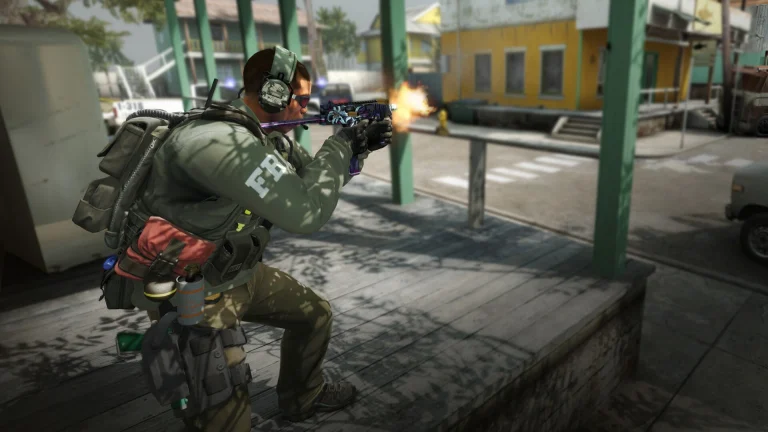
For the first time since the launch of Counter-Strike 2 in September 2023, gamers can once again download Counter-Strike: Global Offensive directly from the Steam Store, sparking a wave of nostalgia among CS veterans who spent a good chunk of their playtime on the battlefields of Cache and Cobblestone.
This quiet, unexpected return of CS:GO to the Steam Library might indicate that Valve is finally responding to community feedback. Since the dawn of CS2’s launch, fans have repeatedly called on the developer to make its predecessor available as a standalone download, similar to titles like Counter-Strike 1.6 and Source, which continue to exist independently on Steam to this day.
Prior to this change, players were still able to launch CS:GO through the hidden “Legacy” branch buried within the settings of Counter-Strike 2. It worked, but wasn’t exactly convenient. Downloading a standalone version and launching it directly is far simpler, which seems to be the standard moving forward.
How To Download CS:GO From the Steam Store
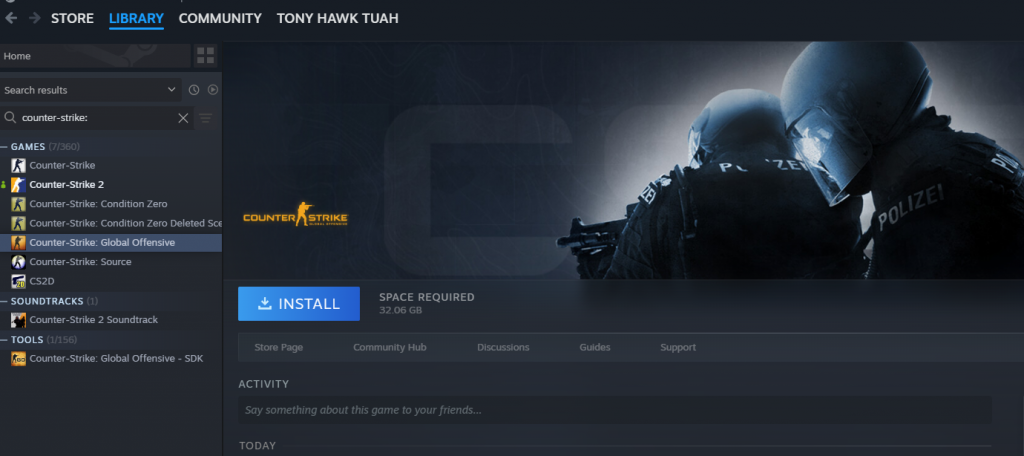
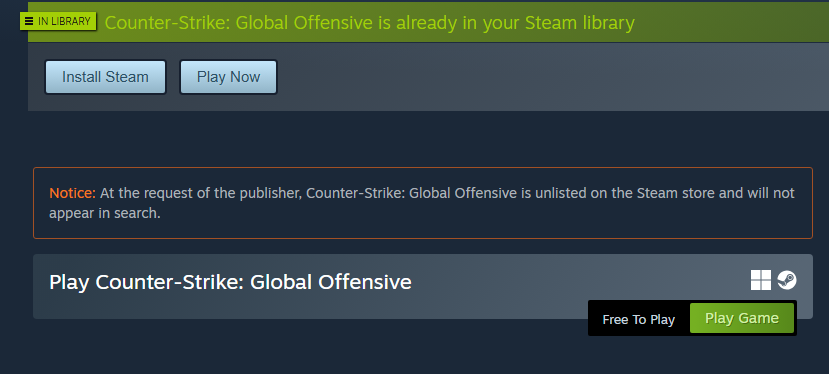
While anyone can now choose to download CS:GO as a standalone client from Steam, it is still “unlisted” from the Steam Store, which means that simply searching up the game title won’t help you find it. To download and play CS:GO on Steam, you’ll need a direct link to the game instead.
Players who wish to add CS:GO to their Steam Library and relive the glory days of the shooter can do so by clicking this link and going to the official Steam page for the title.
Once you’re on the page, simply click “Add to Library.” The game will then show up in your Steam Library, where you can download and install it just like any other title.
Can You Play CS:GO Online in 2026?
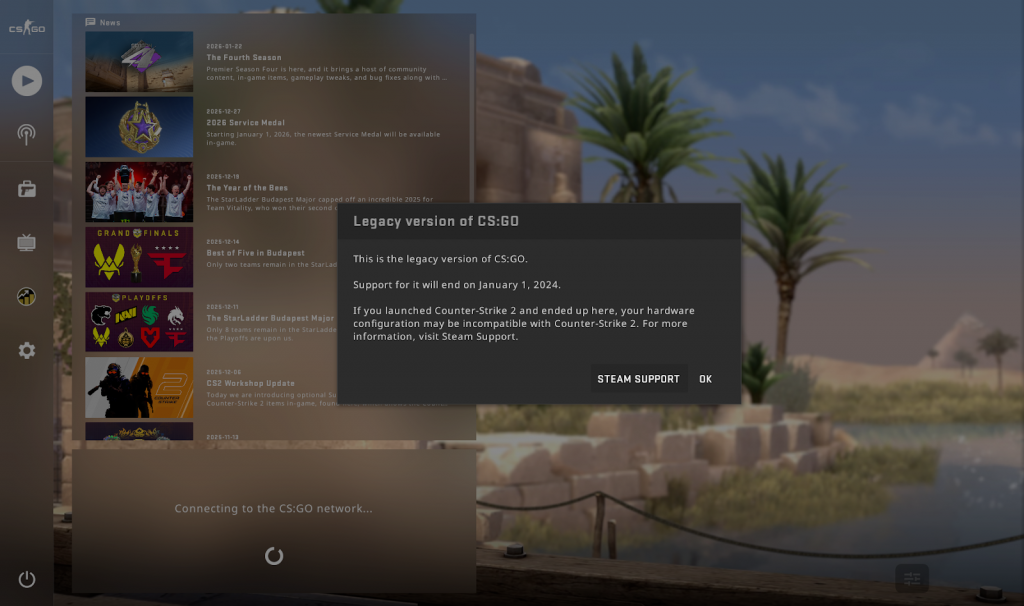
After you download CS:GO from your Steam Library and launch the game, you’ll be greeted with a message saying that support for it has already ended in 2024.
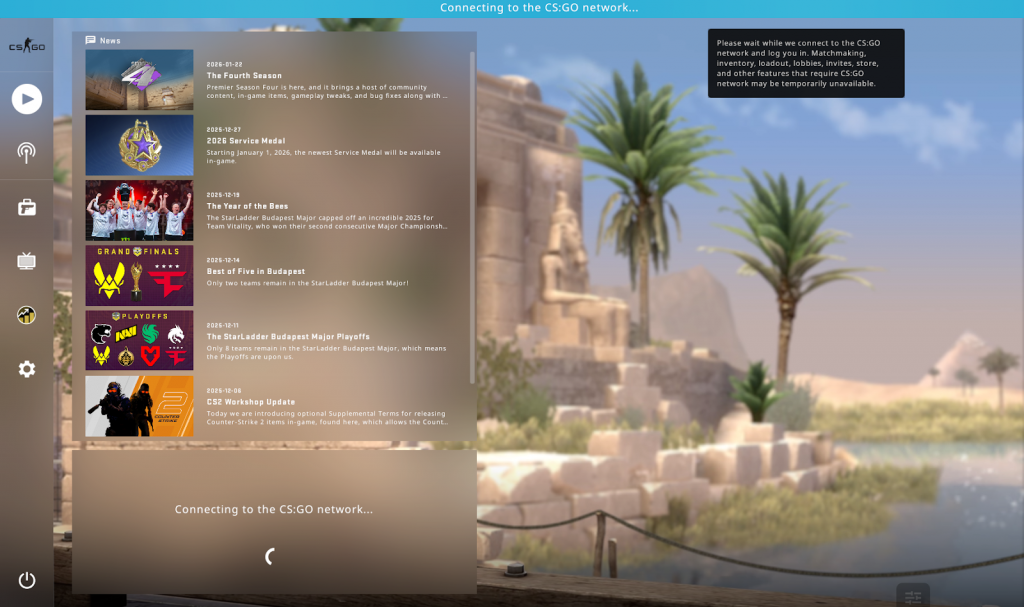
As a result, you won’t be able to connect to the CS:GO network, meaning standard queues like Casual, Competitive, Deathmatch, and other official game modes will be unavailable.
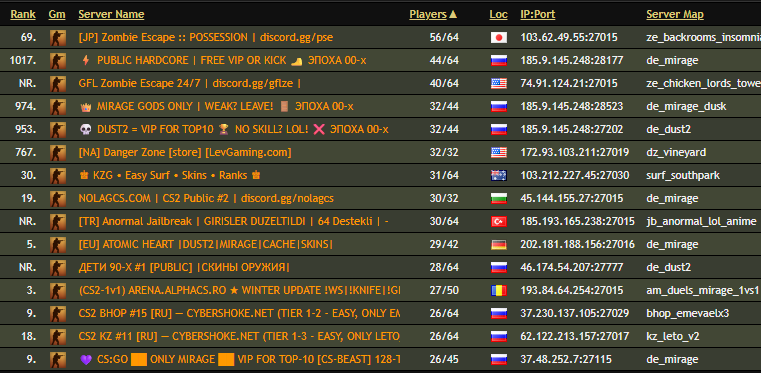
While you can still technically play CS:GO with other players through Community Servers, it isn’t exactly the most intuitive process either.
At the time of writing, Steam’s “Community Server Browser” doesn’t seem to be working for CS:GO. Luckily, you’re still able to join servers with other players by grabbing server IPs through third-party websites and connecting to them via the developers’ console.
S8UL Esports has officially revealed its new Valorant lineup for the 2026 competitive season. The announcement came on March 2, 2026, with the organization unveiling a roster consisting of SkRossi, RvK, Yuvi, Anq, and xexxar, along with Vikrant “hacker” Pujari as head coach.
This marks a complete roster rebuild for the Indian organization after its entire previous core departed earlier in the year. The former S8UL players, including Hoax, Techno, venka, and k1ngkappa, left in January 2026 and have since joined Revenant Esports for the upcoming Challengers South Asia season.
SkRossi: India’s Most Recognizable Valorant Player
SkRossi is widely regarded as one of the most prominent Valorant players in South Asia. Born on October 12, 1997, SkRossi is an Indian player and former Counter-Strike: Global Offensive competitor.
His professional Valorant career began in 2020 with Global Esports, a Riot Games partnered team in the VCT Pacific league. He became the second Indian Valorant player to reach the Radiant rank in the game. With Global Esports, he represented South Asia on the international stage at VCT 2023: LOCK//IN in Sao Paulo, Brazil, becoming one of the first Indian players to compete at a VCT international event.
After his time with Global Esports, SkRossi went on to represent Revenant Esports before joining Velocity Gaming. With Velocity Gaming during the 2025 season, the team won VCSA Split 1 and Split 3 championships and finished third in Split 2. Their domestic dominance qualified them for the Pacific Ascension 2025, where they finished 5th-6th after a playoff run.
Now at S8UL, SkRossi takes on the IGL role with the goal of leading the team through VCSA 2026 and toward VCT Pacific qualification.
Full S8UL Valorant Roster for 2026
Here is the complete S8UL Esports Valorant lineup heading into VCSA 2026:
Players:
Ganesh “SkRossi” Gangadhar (IGL) from India. He is 28 years old and has previously played for Global Esports, Revenant Esports, and Velocity Gaming. He is known for his flexibility across sentinel and duelist roles.
Ilya “Anq” Matyash from Russia. Born on January 28, 2005, Anq is a 20-year-old Russian player who last played for Valiant. His career spans teams including Reckoning Esports, NOVO Esports, and Valiant, with experience across regions including Russia, India, and France. Anq brings international exposure to the S8UL roster.
Rishi “RvK” Vijayakumar from India. He is 25 years old and has represented teams like Reckoning Esports, True Rippers, and Enigma Gaming across the South Asian circuit. RvK is a familiar name in the Indian Valorant scene and adds veteran presence to the squad.
Yuvraj “Yuvi” Singh from India. Yuvi previously spent time with the Global Esports Academy lineup, stepping up after a developmental year. He represents the emerging talent in this roster.
Xexxar rounds out the five-player lineup.
Head Coach:
Vikrant “hacker” Pujari. Hacker is one of the most well-known coaching personalities in Indian Valorant esports. He has been competing and coaching in Indian FPS titles since 2010, with experience across CS 1.6, CS:GO, DOTA2, and Valorant. His coaching career includes stints with Enigma Gaming, Team XO, ASUS ROG Academy (Seasons 5 and 6), and most recently Orangutan. He now takes charge of S8UL’s rebuilt Valorant division.
Why S8UL Needed a Complete Rebuild
The roster overhaul was necessary after the departure of S8UL’s previous core. The Indian trio of Hoax, Techno, and venka, alongside Indonesian player k1ngkappa, left S8UL and signed with Revenant Esports. Their final achievement under the S8UL banner was winning Predator League India 2026.
In the 2025 season, S8UL was competitive but fell short at crucial moments. They finished second in the South Asia Ascension Qualifiers, losing the Grand Final 1-3 to Velocity Gaming. They also finished second in both Challengers South Asia Split 3 and the LAN Grand Final.
With SkRossi now leading the team, S8UL appears to be aiming to convert those near-miss finishes into titles.
What Is VCSA 2026 and Why Does It Matter?
VALORANT Challengers South Asia 2026 is the official Tier-2 competitive circuit for the region, organized by NODWIN Gaming in partnership with Riot Games. This season carries even higher stakes than previous years.
The 2026 season replaces the previous Ascension system with Riot’s new “Path to Champions” program. Challengers teams now have a direct route to the VCT Pacific Stage 2 Playoffs. The top team from South Asia will qualify for a Last Chance Qualifier (LCQ) with the top seeds from Oceania and Southeast Asia. The winner of the LCQ will qualify for the Stage 2 Playoffs, offering a genuine chance to qualify for VALORANT Champions Shanghai.
This means that for the first time, a South Asian team could potentially reach VALORANT Champions through the Challengers pathway alone.
Registrations for VCSA 2026 Split 1 close on March 4, 2026. The broadcast phase is scheduled to begin on March 16. Teams from India, Pakistan, Bangladesh, Sri Lanka, Nepal, Bhutan, Afghanistan, and the Maldives are eligible to compete.
Challenger teams qualifying for Stage 2 Playoffs will receive a $75,000 cash stipend from Riot Games to cover travel, visa, and attendance costs.
S8UL vs. Revenant: The Rivalry to Watch in 2026
The South Asian Valorant scene in 2026 is shaping up to be a two-horse race between S8UL Esports and Revenant Esports (RNTX).
Revenant has signed the former S8UL core of Hoax, Techno, and venka, along with k1ngkappa and Mongolian player consz from The MongolZ. Former Velocity Gaming coach GodspeedxD is also expected to join Revenant.
S8UL has responded by building around SkRossi and mixing experienced players with international talent. With both organizations fielding strong rosters, VCSA 2026 could produce the most competitive South Asian Valorant season to date.
What This Means for Indian Valorant
The signing of SkRossi by S8UL is one of the biggest roster moves in Indian Valorant heading into 2026. It pairs the region’s most decorated player with an organization that came painfully close to international qualification last year.
With the Path to Champions now offering a clearer route from Tier-2 to the global stage, the stakes for S8UL and every other South Asian team have never been higher. A strong VCSA 2026 run could take S8UL all the way to Champions Shanghai.
The broadcast of VCSA 2026 Split 1 will be available on the NODWIN Gaming and Valorant Esports South Asia YouTube channels starting March 16.
We have all seen the leaked spreadsheets and stat blocks over the last few days, but nothing beats seeing the real thing. A brand-new video just dropped on Reddit, finally showcasing the highly anticipated Clash of Clans Season 3 Crafted Defense gameplay.
If you are wondering exactly how these Builder Base classics are going to perform when they cross over into your Home Village during the upcoming event, you can check out the embedded Reddit video below. Let’s break down everything the footage reveals about the Roaster, Air Bombs, and Lava Launcher!
Clash of Clans Season 3 Crafted Defense Gameplay Leaked
Following are the three Crafted Defenses coming to the game in Season 3.
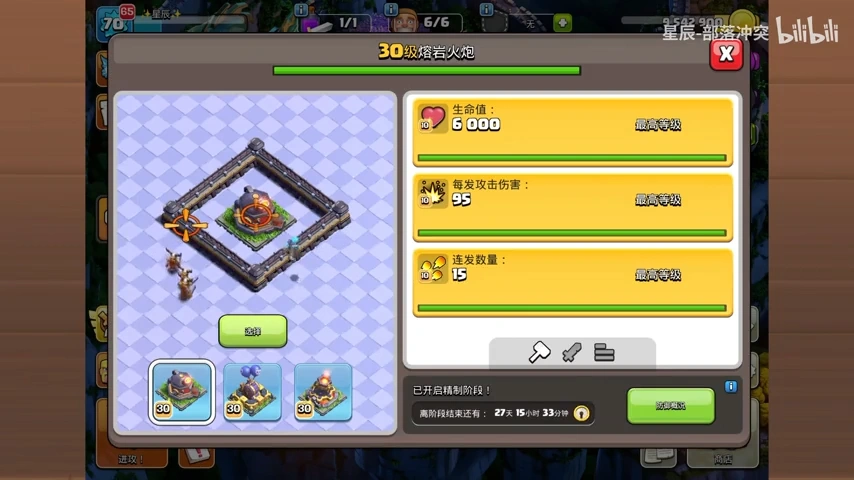
Roaster
The first defense highlighted in the leaked footage is the Roaster, and it looks just as aggressive as you would hope. Just like its Builder Base counterpart, this tower continuously blasts waves of hot plasma in a wide cone at incoming enemies.
The video shows a fully maxed-out Level 30 version of the Roaster defending a base layout. Its stats at this level are absolutely massive:
It boasts 6,000 Hitpoints, making it a very tanky building for attackers to clear.
It deals 95 damage per hit.
It fires a rapid burst of 15 consecutive shots before needing a brief reset.
This rapid-fire attack is going to be a complete nightmare for players who rely on swarm troops. If you regularly use mass Witches, Bats, or even massive Goblin armies to secure loot, you will need to plan your attack path carefully to avoid this plasma bath.
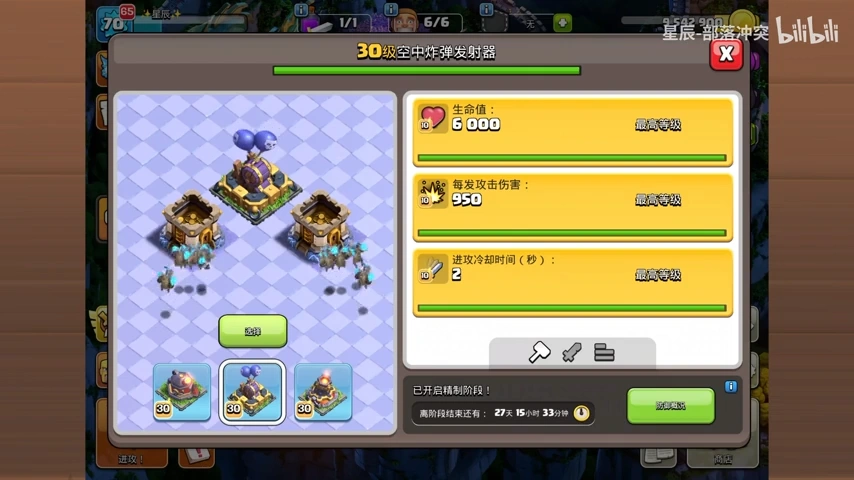
Air Bombs
Next up, the video gives us a terrifying look at the Air Bombs. If you frequently spam Electro Dragons or Balloon armies in the Home Village, you might want to rethink your strategy for Season 3.
The gameplay footage shows the tower rapidly launching heavy barrels into the sky that explode on air targets. When pushed to its absolute limits with maxed modules, the Air Bombs turn into a formidable anti-air fortress:
Hitpoints: It sits at a highly durable 6,000 HP.
Damage: It dishes out a staggering 950 damage per hit.
Attack Cooldown: The firing speed drops to just 2 seconds between shots, allowing it to rapidly swat expensive air units out of the sky.
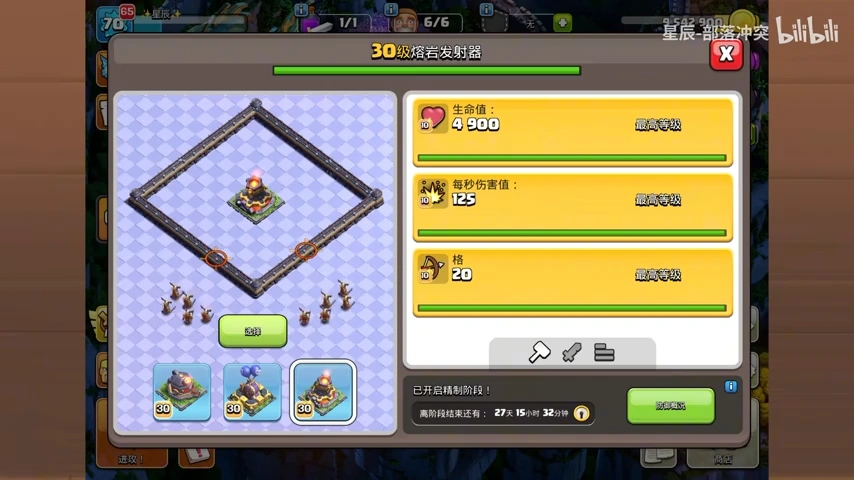
Lava Launcher
Finally, the video gives us a great look at the Lava Launcher’s notorious “Floor is Lava” mechanic.
This tower is incredibly unique because it lobs a flaming projectile entirely across the map, leaving a burning crater on the ground where it lands. Any ground troops unfortunate enough to stand in this zone will take continuous damage over time.
A fully maxed-out Lava Launcher commands the battlefield with these final stats:
Hitpoints: It maxes out at 4,900 HP.
Damage: The burning ground deals 125 Damage Per Second to enemy troops.
Range: It covers an incredible attack range of 20 tiles.
This means a centrally placed Lava Launcher can effectively control massive areas of the village, completely disrupting ground-based Queen Charges or Root Rider pushes.
Upgrade Mechanics For Crafted Defense
If you are wondering how these towers get so absurdly strong by Season 3, it all comes down to the new Crafting Modules mechanic. You don’t just assign a builder to upgrade them normally.
Instead, you improve these towers by spending Gold, Elixir, and Dark Elixir on three specific traits. For instance, to get the Roaster to fire those 15 burst shots, you have to spend Dark Elixir specifically on its “Burst Fire” module. If you want the Lava Launcher to hit that massive 20-tile range, you need to pour regular Elixir into its “Range” module. This lets you tailor your defenses perfectly to whatever attack style your clan struggles against the most.
Watching the Clash of Clans Season 3 Crafted Defense gameplay confirms that the upcoming event is going to be incredibly chaotic. These towers bring entirely new mechanics to the Home Village that will force attackers to adapt quickly.
With only a few hours remaining till Valorant 12.04 goes live, Riot Games has officially revealed the detailed patch notes for the new update.
The Valorant 12.04 patch doesn’t introduce any major new content to the competitive shooter, but it does deliver several welcome UI improvements and overall quality-of-life updates that are certain to enhance the overall player experience.
Alongside these changes, Valorant will also receive an entirely new Rank summary screen after every ranked match that will display details about players’ RR gains or losses, offering better transparency into how your rating changes from game to game.
Without further ado, let’s check out everything you need to know about the upcoming Valorant 12.04 patch.
Valorant 12.04 Patch Notes Revealed
Below, we’ve listed the patch notes for the Valorant 12.04 update, as confirmed by Riot Games:
ALL PLATFORMS
AGENT UPDATES
Killjoy
We are adding quality of life updates to Turret placement that match the cast paradigm of Sage’s Barrier Orb. This will help Killjoy players to angle their Turrets more precisely, without needing to position themselves at specific angles to cover the area they want.
Turret
Can now be rotated while holding down ALT-FIRE. ACTIVATE now swaps Turret direction.
Sova
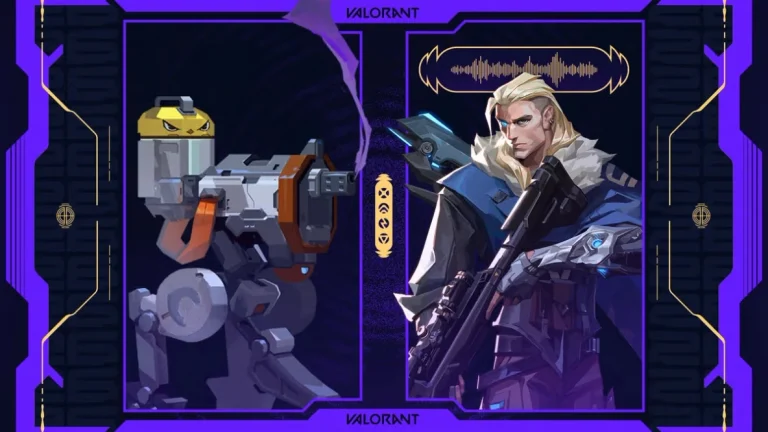
Added new voicelines for Sova
BUG FIXES
Agent
Killjoy
Fixed a bug where an enemy’s Nanoswarm could remain invisible if you moved too quickly in and out of its detection range.
Fixed a bug where an enemy’s Nanoswarm could remain invisible to you after Killjoy is suppressed.
Fixed a bug where Nanoswarm’s disabled effects sometimes wouldn’t play when Killjoy is suppressed.
Fixed a bug where Turret’s vision cone would disappear from the minimap if the player right-clicks.
Jett
Fixed a bug where Drift’s passive gliding SFX was audible from the other side of Astra’s Cosmic Divide.
Harbor
Fixed a bug where Storm Surge could briefly persist into the next round when cast right before a round ends.
Fade
Fixed a bug where Nightfall’s minimap indicator was slightly smaller than the actual ability.
Chamber
Fixed a bug where Trademark would play its reactivation SFX twice if Chamber had Suppress expiring on him.
Skye
Fixed an observer bug where Seekers would not show on the minimap when Skye is an attacker.
Battlepass
Fixed an issue where hitting ESC will cause the Battlepass elements to disappear/reappear instead of taking you back a page.
Maps
Breeze
Various collision improvements to allow Vyse’s Arc Rose and Cypher’s Spycam to be placed on the walls.
Fixed multiple minor art bugs around the map.
General Updates
Minor adjustments to the geometry in a few high traffic gameplay spots on multiple maps to eliminate unintended gaps.
Performance
Since the release of patch 12.03, some players have been experiencing significant stuttering. We have deployed a hotfix that partially fixes the stutters and have created a more robust fix this patch.
Store
Fixed an issue where the background for the accessories store was missing.
Fixed an issue where the Reaver Bandit shows up incorrectly as a limited edition item.
KNOWN ISSUES
Battlepass
The scroll wheel currently will not work when navigating between the tiers on the battlepass or event pass. This will be fixed in patch 12.05.
PC ONLY
GENERAL UPDATES
The End of Game and Career screens have been revamped
The Progression, Summary, and Timeline tabs now have an updated layout.
After Competitive matches, a new Rank summary screen displays details about your RR gains or losses.
The Career and Friends’ Career pages have been updated with a new UI.
PREMIER UPDATES
Take a breather and get your team ready –- the next Premier Stage starts at the beginning of Act 2 in 12.05!
Stage V26A2 will run for six weeks of matches instead of the usual seven
Teams with a Premier Score of at least 500 qualify for Playoffs on April 16
Matches start on Wednesday, March 18, so make sure your team is ready to go!
PROGRESSION UPDATES
Replaced the Battlepass tab in the top navigation bar with a Progression tab. Clicking in will bring you to a Progression Hub, which provides an at-a-glance view of your overall progression. This can include the Battlepass, weekly missions, active event passes, and other progress opportunities as relevant.
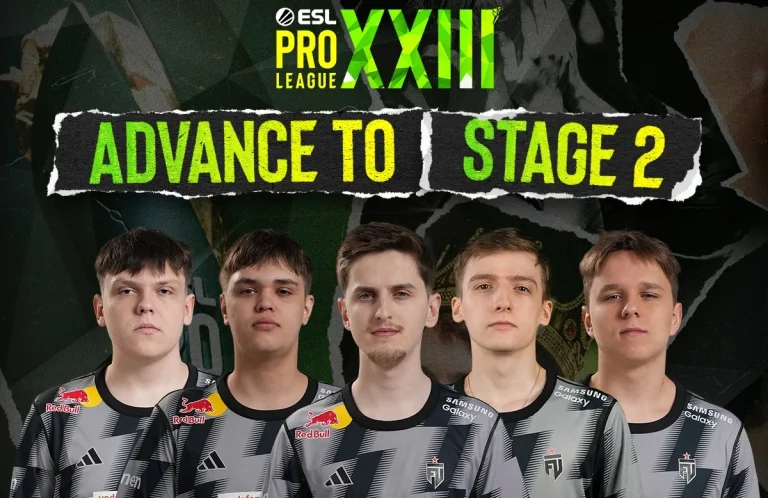
FUT has become the first team to qualify for the ESL Pro League Stage 2, beating Astralis with a 2-0 scoreline. Coming into the event as a dark horse with potential to cause upsets, the young EU-mix side’s flawless run in Stage 1 has put them in the next round of play.
VETO
Astralis removed Anubis
FUT removed Inferno
Astralis picked Overpass
FUT picked Mirage
Astralis removed Dust2
FUT removed Nuke
Ancient was left over
The FIRST team to advance to Stage 2 at #ESLProLeague Season 23 🥳🥳
Starting on the defensive side of, FUT’s 5-0 start put Astralis’s back against the wall to kick off the series. Winning their first round, the Danes fell in the following one as FUT were allowed to win 4 more in a row before Astralis closed the half, winning the final 2 rounds. With the young stars leading 9-3, Astralis failed to convert the pistol that could have set them on the path for a comeback. With repeated force-buy rounds failing to give them the expected results, FUT cruised past the Danes with a 4-0 second half and won the map with a dominant scoreline of 13-3. Krabeni coming in with 18 kills and 2.12 IR gave FUT those pivotal rounds that kept the team dominant for the entirety of the map.
Map 2: Mirage; Pick: FUT; Winner: FUT
Following a dominant start to the series, FUT kicked off the second map in a similar fashion to Map 1, but only managed their first round after losing 5 in a row. Unlike the first map, despite the poor start to the game, Astralis recovered later in the first half to post a levelled scoreline before FUT moved to the defence. Winning the pistol round of the T-side, Astralis took the lead before the gun rounds gave FUT the firepower to turn the tide of the game. Having levelled the scoreline, both teams traded rounds before FUT put a few together and pushed the game over the line to secure their first big win of the event. Back-to-back dominant performances from Krabeni, coming in at the top of the charts with 25 kills and 1.41 IR, gave FUT the much-needed push, especially in the later part of the map, to edge out a tough yet rewarding win.
ESL Pro League is where Astralis saw their best start of any event this year, but for them to miss out on qualification against the likes of FUT is anything but expected. Losing to an in-form team may not be of significance, especially when they have two more shots at qualification, but letting pressure build is not for a team who are at a nascent stage.
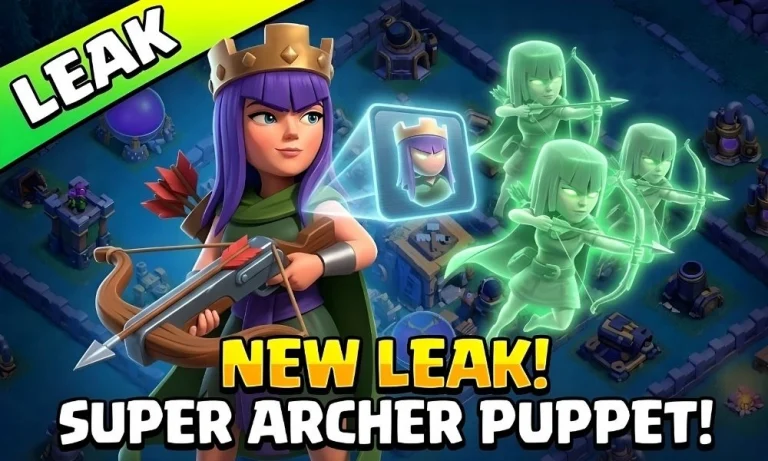
The Blacksmith has already flipped the script on how we use our heroes, but a new discovery in the game files suggests the Archer Queen is about to get even deadlier. A recent datamine has once again brought the Super Archer Puppet back into the spotlight.
While players have been speculating about this specific gear for months, these latest findings confirm that Supercell is still actively tinkering with the idea of spawning high-tier troops directly from our heroes.
What is the Super Archer Puppet?
The leaked game code reveals that Supercell designed the Super Archer Puppet as an Epic-tier piece of equipment for the Archer Queen. Just like the common Archer Puppet we all start with, this gear would trigger during her ability to spawn reinforcements.
However, instead of the standard squishy Archers, she would summon a group of Super Archers. Because Super Archers have a “Sharp Shot” mechanic that pierces through multiple buildings, this could potentially gut a section of a base in seconds.
Why This Could Break the Meta
If the Super Archer Puppet officially drops, it will likely become a “must-have” for Queen Charge enthusiasts. Here is why this gear is so highly anticipated:
Massive Damage Potential: Super Archers deal significantly more damage than standard units and can hit multiple targets at once.
Long-Range Sniping: Super Archers use their superior range to pick off defensive structures buried deep behind walls.
When Can We Expect the Release?
It is important to stay grounded when looking at these leaks. Datamined files for the Super Archer Puppet have actually existed in some form since Town Hall 15. Supercell often leaves “placeholder” code in the game while they test balance and mechanics.
With the recent focus on Epic equipment like the Giant Arrow and Frozen Arrow, Supercell will likely release the Queen’s next big upgrade soon.
The Super Archer Puppet represents a massive upgrade for the Archer Queen. If it follows the stats of other Epic gear, we can expect it to offer significant stat boosts to her health and damage on top of the summoned troops.
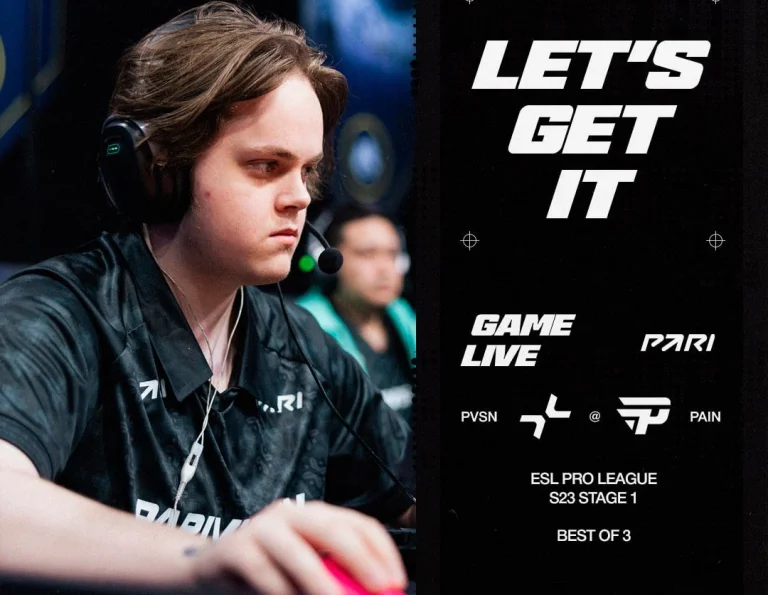
PARIVISION has secured its second win of the ESL Pro League Season 23, beating paiN with a 2-0 scoreline. A domination in the second map after an incredible show of grit to grind out the opening map, PARIVISION’s resilience has put them one win away from the playoffs.
Starting well on their offence, paiN quickly went 3-0 up off the back of a pistol win before PARIVISION pulled one back. Dominating early on, the Brazilian side won the majority of their rounds on the T side early to kick off the map, only for PARIVISION to recover later in the half to allow paiN to lead with a 7-5 scoreline. Winning the pistol, PARIVISION levelled the scoreline before paiN found their footing to put together a streak of rounds to hit the map point. With their backs to the wall, PARIVISION pulled 3 rounds to push the game to overtime. With the first OT failing to separate the two teams, the second OT saw PARIVISION win 3 rounds in a row to hit the series point and closed in on the first round after switching sides to secure the map and take an early lead in the series.
Winning the pistol round, paiN hit the board before PARIVISION, converting the force took away the momentum completely from the Brazilians. With little effort, PARIVISION managed speedrun past the paiN defence for 10 rounds in a row till the last round of the half that they pulled in to make the scoreline 10-2 before switching sides. PARIVISION hit 11, winning the pistol but paiN converting the force buy sent them on a comeback path. Having managed 6 rounds, PARIVISION stopped a B split to hit a series and map point. paiN raced up to a comeback all the way to the 11th round before PARIVISION won the final round of regulation to close out the map after a valiant attempt from paiN.
PaiN now falls into the group of teams with a 1-1 scoreline and, therefore, puts them 2 wins away if they are to make it to the next round of play. Given the teams that are in Stage 1, qualification is realistic for a team like paiN, and whether they can make it through it remains a question of their fate.
Valorant and Fortnite servers in the Middle East are currently experiencing outages following reports of missile and drone strikes surfacing earlier today.
The disruption comes after Amazon Web Services (AWS) reported an outage in the region, with a UAE data center struck by “objects,” resulting in major infrastructure issues. These objects reportedly ignited a fire at the facility, prompting the fire department to shut down power and activate backup generators as crews worked to contain it.
According to the official Amazon Web Services status page, the recovery is expected to take at least a full day, “as it requires repair of facilities, cooling and power systems, coordination with local authorities, and careful assessment to ensure the safety of our operators.”
While Amazon has not confirmed the exact nature of the objects in question, the outage occurred on the same day that Iran launched a wave of missile strikes across Gulf states in retaliation for U.S. and Israeli military action that killed Iran’s Supreme Leader, Ayatollah Ali Khamenei, and other senior officials.
Fortnite and Valorant Servers Down Throughout the Middle East
Shortly after this incident, Fortnite and Valorant players throughout the region reported that Middle East servers, including Bahrain and Dubai, were down, preventing users from queuing in those locations.
While neither Riot nor Epic Games has made a statement on the situation, players speculate that the Valorant and Fortnite servers being down could be the direct result of the AWS outage following the data center being temporarily shut down.
For the time being, players looking to play Valorant or Fortnite may need to rely on servers from different regions, potentially resulting in slightly higher ping.



![[WATCH] Clash of Clans Season 3 Crafted Defense Gameplay in Action!](https://www.talkesport.com/wp-content/uploads/New-Crafted-Defenses-Coming-to-Clash-of-Clans-Home-Village-Leaked-768x461.webp "[WATCH] Clash of Clans Season 3 Crafted Defense Gameplay in Action!")