Home Blog Page 752

Free Fire OB44 Update: How to Download and Install

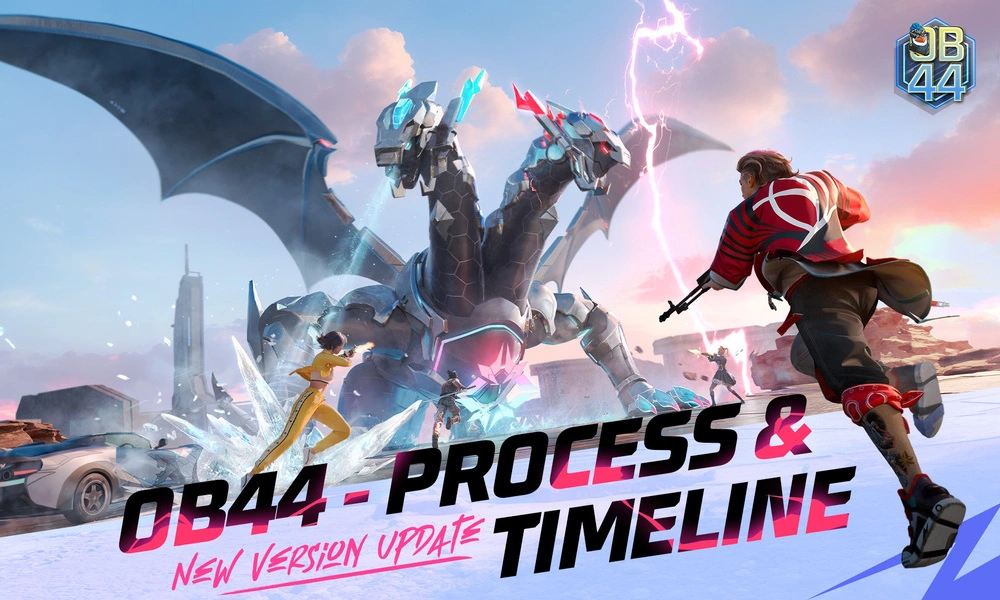
Free Fire, the immensely popular battle royale game, continues to captivate players worldwide with its exciting gameplay and regular updates. With each new version, Garena brings exciting enhancements and features to keep the experience fresh and engaging. The latest installment, Free Fire OB44, builds upon the game’s success and introduces new elements to elevate the gaming experience to new heights.

Free Fire OB44 Update Download Link

The Free Fire OB44 update is now directly available on the Play Store. Featuring a host of enhancements, additions, and tweaks, this update promises to deliver even more intense action to fans of the game.

  • Free Fire OB44 Update Play Store Link: Click Here
  • You can also click here to download the APK file from the official Garena Website.

Free Fire OB44 Update: How to Install 

To install the Free Fire OB44 update on Android devices, follow these detailed steps:

  1. Initiate the Download: Start by navigating to the Google Play Store page using the provided link or directly through the Google Play Store app by searching for “Free Fire OB44 update” or simply download the APK from the official Garena website.
  2. Download/Update the Game: Tap on the ‘Download’ button if you don’t have the game already downloaded on your device or click on ‘Update’ button to update to the latest version of the game. 
  3. Launch and Play: Once the update is installed or the game is downloaded, open it to explore all new features and enhancements added in this version.

Notable Features of Free Fire OB44 Update:

The OB44 update introduces several notable features, which include:

  • New Character – Kairos: Dive into the gameplay with Kairos, a brand-new addition to the character roster.
  • Zombie Hunt Game Mode: The thrilling Zombie Hunt mode makes a return, challenging players to survive against waves of zombies.
  • Mechadrake Trial: Experience the Mechadrake Trial, adding unique challenges and dynamics to the game.
  • Character and Weapon Adjustments: Significant tweaks have been made to characters such as Ryden, Santino, and others, along with updates to weapons like Vector, MP5, and more.

Stay updated with the latest news in gaming and esports by signing up for early access to TalkEsport’s Mobile App. Also, follow us on Twitter and Google News to ensure you never miss the exciting updates.
Fortnite Item Shop (15 Apr 2024): Skins, Emotes, Gliders, Wraps, Melee, More

0

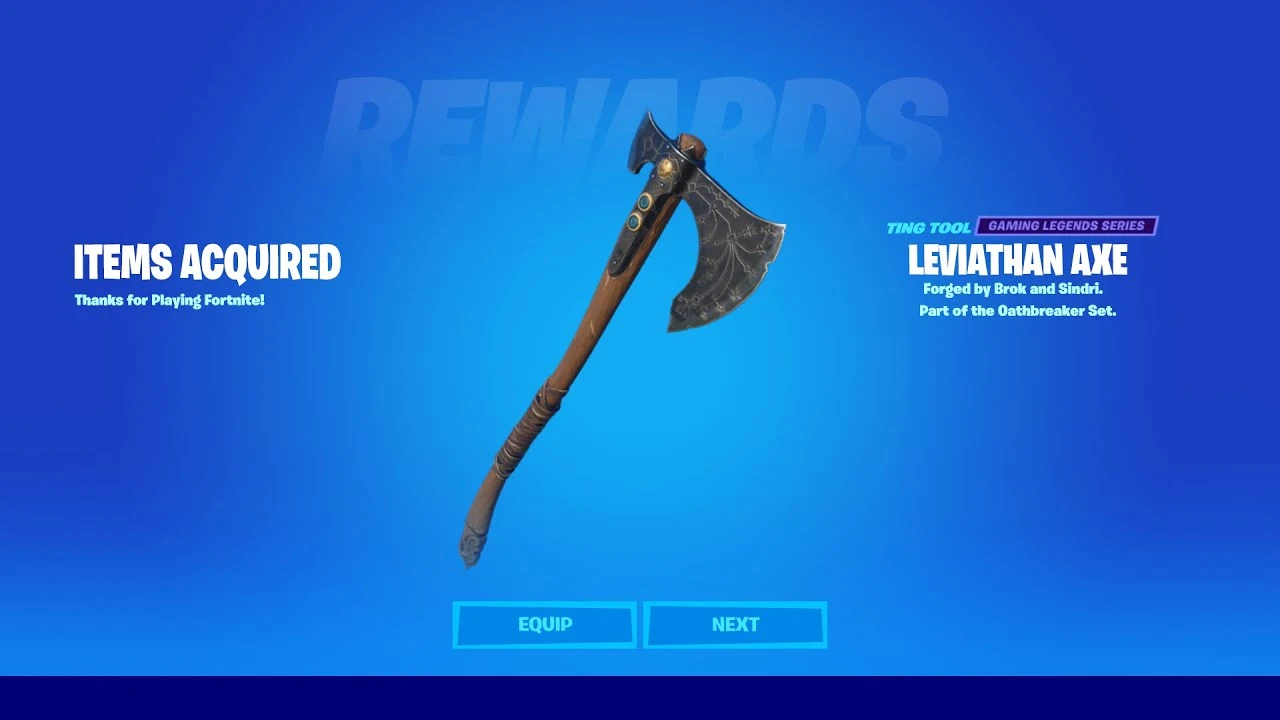
Fortnite has been one of the most popular Battle Royale games of the decade and apart from being all action, the game has built its reputation around introducing new cosmetics like skins, gliders, melee, and more now and then.

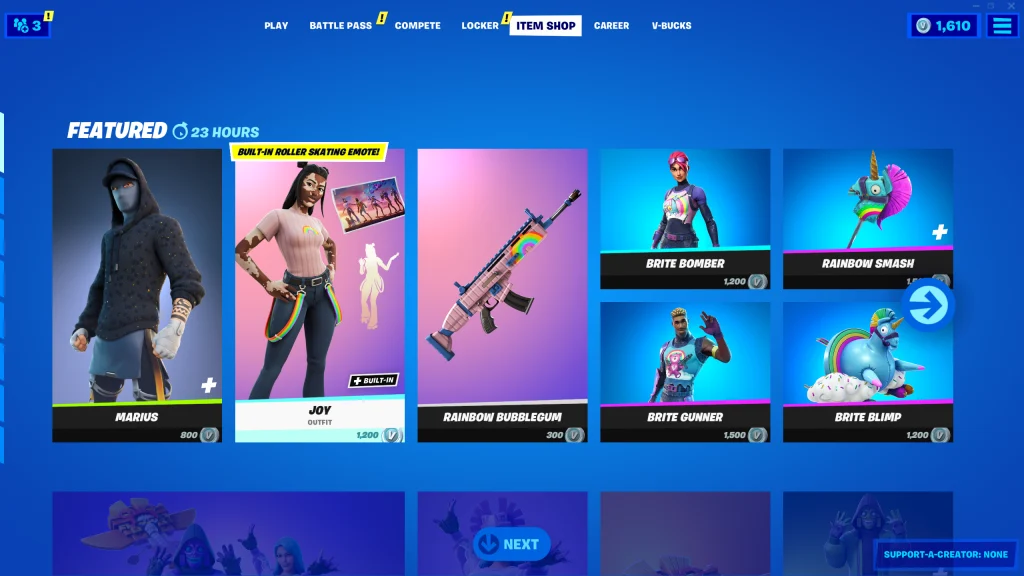
To address this need of its user base, EPIC has introduced the Fortnite Item Shop where players can buy their desired items with a catch. The Item Stop offers a handful of items every day but refreshes every 24 hours which gives players a chance to get their desired items now and then.

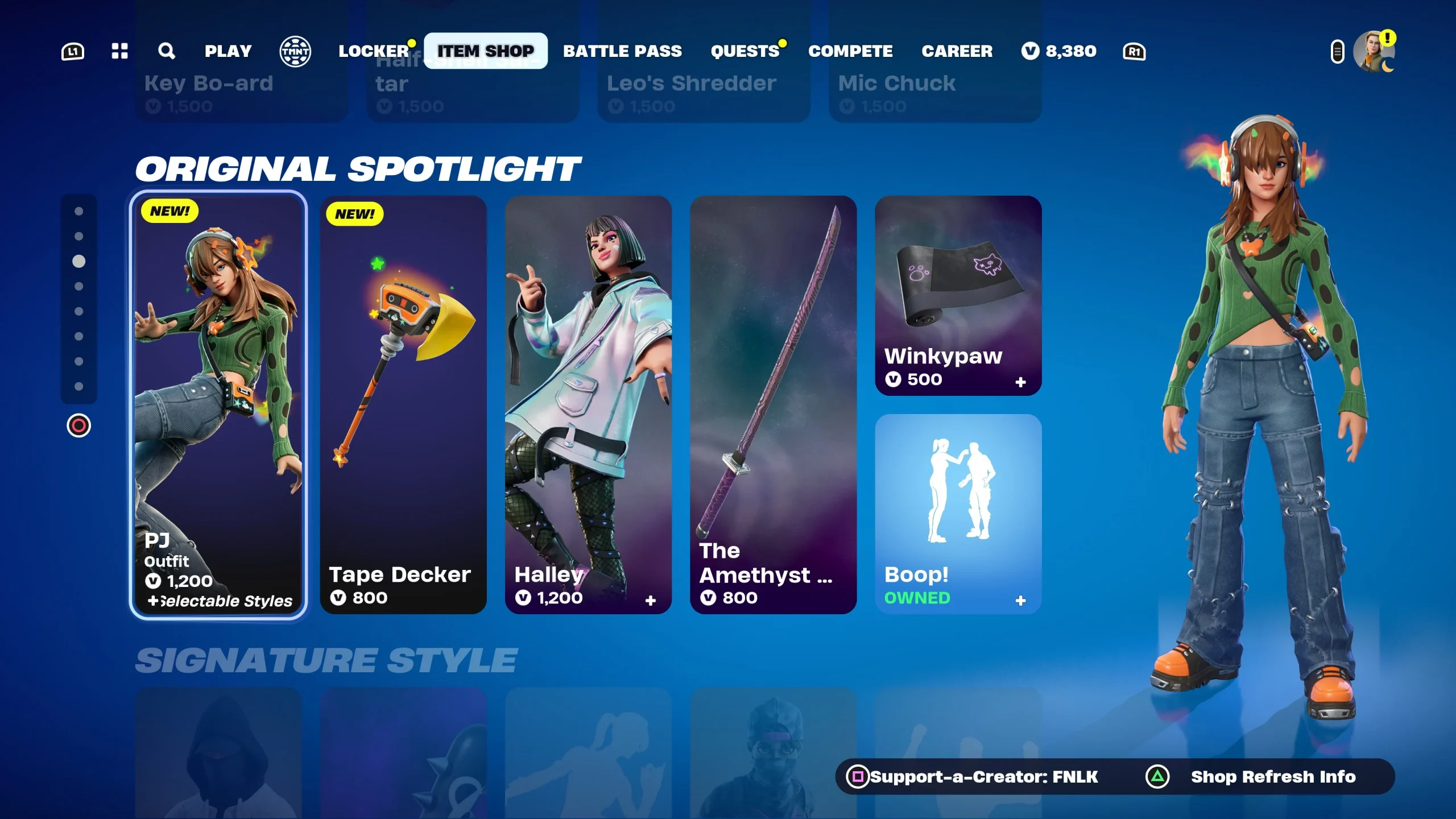
Fortnite Shop Items April 15th, 2024

Fortnite Flow:

  1. Bust A Move – 500
  2. ⁠Get Griddy – 500
  3. ⁠Jiggle Jiggle – 500
  4. ⁠Ma Ya Hi – 400
  5. ⁠Start It Up – 500

Original Spotlight

  1. ARK – 2000
  2. ⁠Eternal Struggle Bundle – 2000
  3. ⁠Dark Bomber – 1200
  4. ⁠Dark Gylph – 500
  5. ⁠Thunder Crash – 1200
  6. ⁠Jubi Slide – 500
  7. ⁠Side Shuffle – 500
  8. ⁠Apollo – 1800
  9. ⁠Bunny Wolf – 1500
  10. ⁠Flow – 1500
  11. ⁠Gleam Team Bundle – 2500
  12. ⁠Glow Wings – 1200
  13. ⁠Light Knives – 1200
  14. ⁠NightLife – 1500
  15. ⁠Nitebeam – 1500
  16. ⁠Odyssey – 1500
  17. ⁠Party Diva – 1500
  18. ⁠Party MVP – 1500
  19. ⁠Party Star – 1500
  20. ⁠Power Punch – 1200
  21. ⁠Pulse – 1500
  22. ⁠Snowstrike – 1500
  23. ⁠Athleisure Assassin – 1200
  24. ⁠Blade of Ages – 800
  25. ⁠Business Hips – 500
  26. ⁠Designer Tsuki – 1200
  27. ⁠Envision – 1200
  28. ⁠Eternal Rays – 500
  29. ⁠Flapper – 500
  30. ⁠Flutter – 1200
  31. ⁠Glow Stick – 800
  32. ⁠Pillar – 1200
  33. ⁠Razor Rae – 1200
  34. ⁠Shard Sickle – 800
  35. ⁠Snowblades – 800
  36. ⁠Sonic Glow – 500
  37. ⁠Vibe Axe – 800
  38. ⁠Amazing Cube – 200
  39. ⁠Cabbie – 800
  40. ⁠Drop Dee – 800
  41. ⁠Flycatcher – 500
  42. ⁠Glow Rider – 500
  43. ⁠LittleShow – 800
  44. ⁠Nitelite – 800
  45. ⁠Racer Royal Bundle – 1600
  46. ⁠Scoop Slicers – 500
  47. ⁠Slingshot – 800
  48. ⁠Take 14 – 200
  49. ⁠Victory Lap – 500
  50. ⁠Whiplash – 800

Coachella

  1. Cosma – 1500
  2. ⁠Horizon – 1500
  3. ⁠Rebellious – 500
  4. ⁠Sonic Surf – 500
  5. Coachella Pulse – 800
  6. Interstellar Butterfly – 400
  7. Soft Synth – 500
Jujutsu Kaisen
  1. Megumi Fushiguro – 1500
  2. Nobara Kugisaki – 1500
  3. Satoru Gojo – 1500
  4. Kugisaki’ Hammer – 800
  5. Megumi’s Sword – 800
  6. Sadow Play – 200

Gear For Festival

  1. Spacefleet Kontrol – 1000
  2. High Society Clash – 500
  3. I Can’t Hear You – 200
  4. Techna-Classic – 500

Chloe Kim

  1. Chloe Kim – 1500
  2. Frozen Flourish – 800
  3. Nunbola – 800

Lady Gaga

  1. Chromatica Armour Gaga – 1500
  2. Chromatica Bass – 800
  3. Chromatica Mic – 800
  4. Rain Check – 500

Avatar

  1. Katara – 2000
  2. Toph Beifong – 2000
  3. Zuko – 2000
  4. Air Flurry – 500

Jager 619

Jager 619 Bundle – 1500

Durrr Burger

  1. Beef Boss – 1500
  2. Stacked Bundle – 2200

Jam Track

Bad Romance – 500

Stay updated with the latest news in gaming and esports by signing up for early access to TalkEsport’s Mobile App. Follow us on Twitter and Google News to ensure you never miss the exciting updates.
Fortnite x Avatar: The Last Airbender – How to Destroy the Cabbage Carts

0

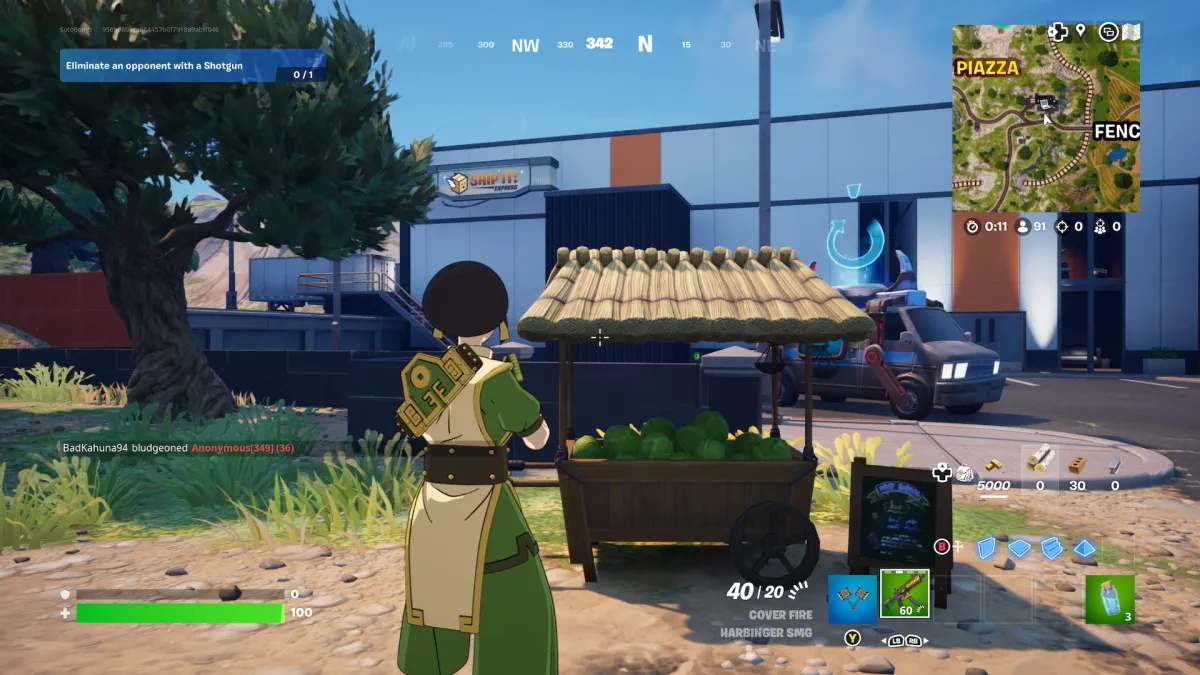
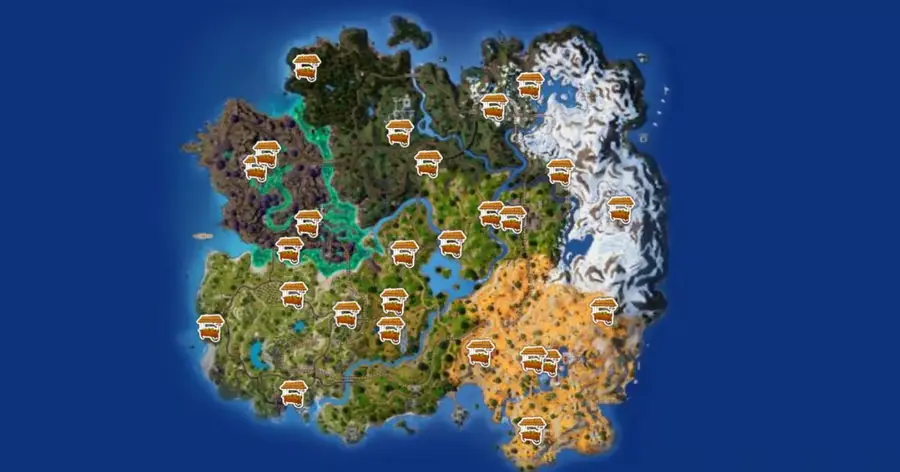
Fortnite x Avatar: The Last Airbender has been one of the most exciting collaborations of recent memory and like any new Fortnite collab, this one brings a plethora of new challenges one of which is to find and destroy the cabbage carts. While it may be tiring to look for them on your own, we have narrowed down the locations for you to find them easily.

The cabbage carts are spread across the map which makes getting to them quite an effortless task. The 26 carts are evenly spread out and near the common locations which can make them quite challenging to get to given all the players will be fighting to get to them.

How Can You Find Cabbage Carts in Fortnite?

Note down the location from the map and make sure to proceed towards them with extreme precaution, given you might get targeted easily. Once you get to them, make sure you are in the clear upon which a few strikes from your pickaxe or a few bullets from a gun would suffice when it comes to breaking them.

The carts will then drop cabbages, which you can also use to heal yourself. The quest will require you to destroy one cart but in case you are looking to get some HP revived, this might be one way to do it.

Stay updated with the latest news in gaming and esports by signing up for early access to TalkEsport’s Mobile App. Follow us on Twitter and Google News to ensure you never miss the exciting updates.
Nexa Counter-Strike 2 Settings, Crosshair, Viewmodel, Config, More

0

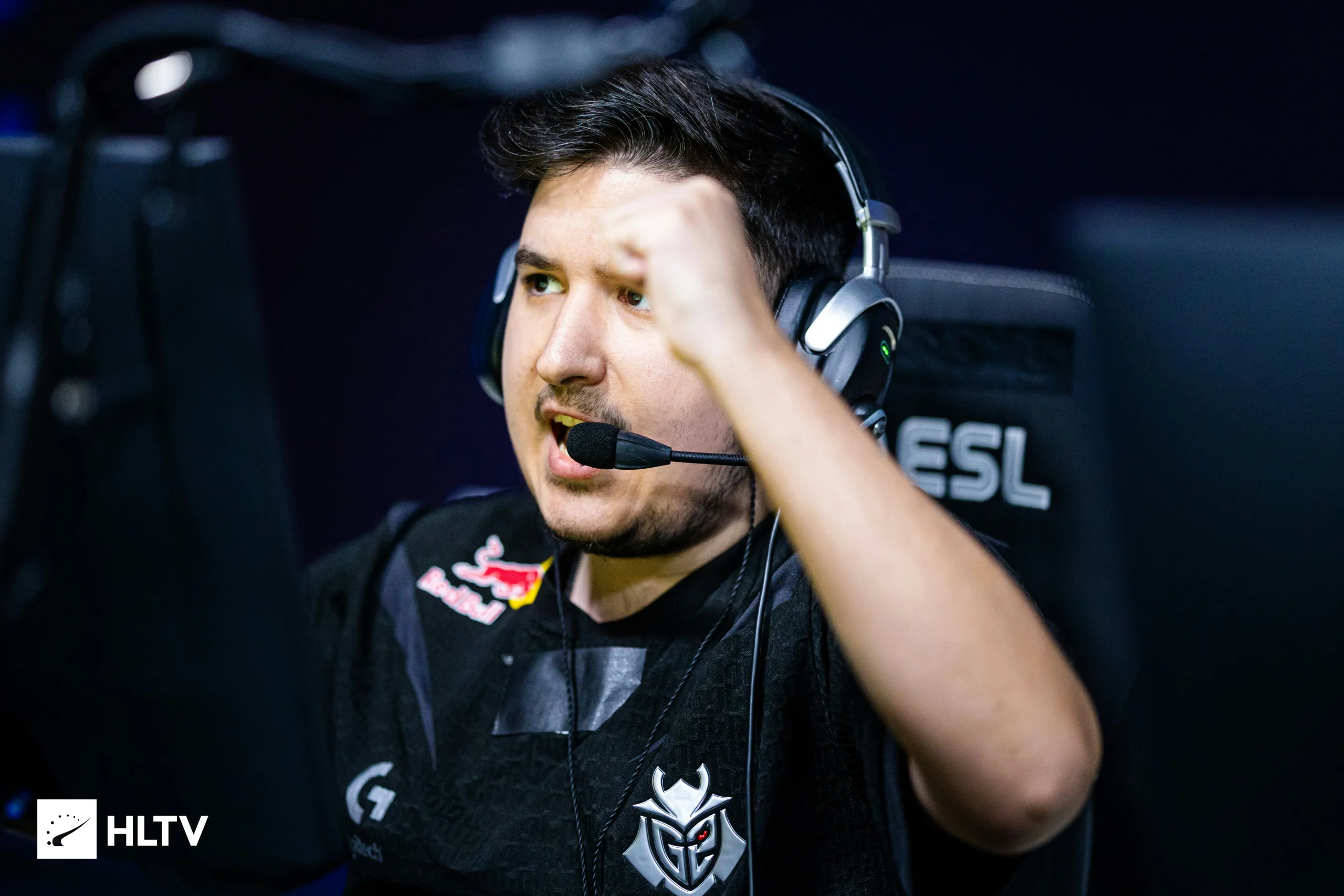
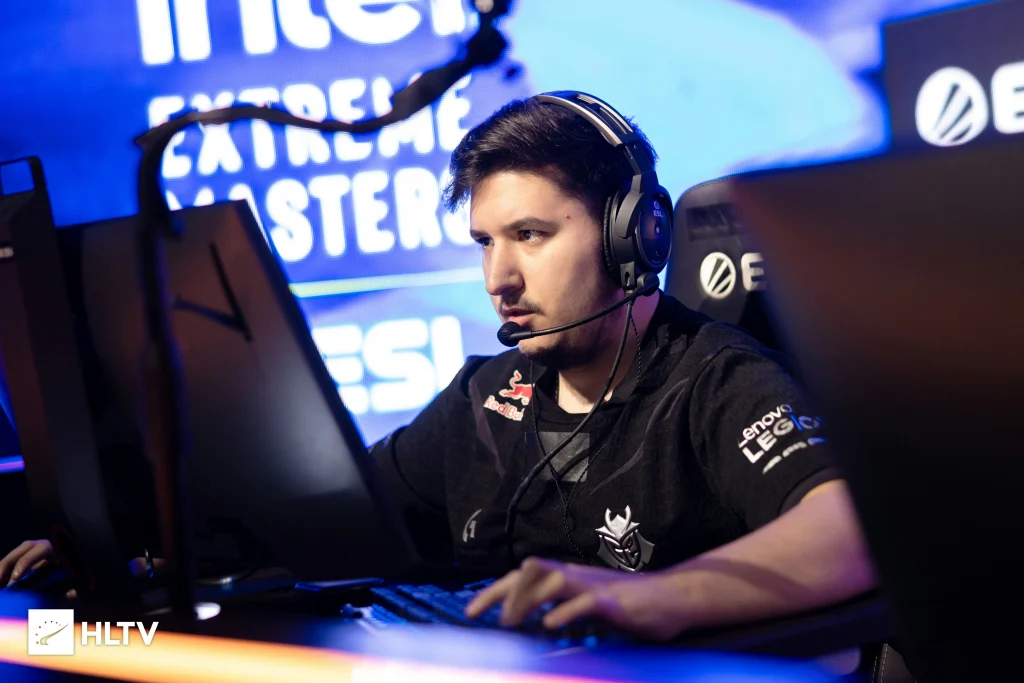
 Nemanja Isaković aka nexa has been one of the sharpest aimers in CSGO, while he is not as highly rated as the likes of NiKo or ropz, his overall consistency during his tenure in CSGO is something to admire. Fast forward to CS2, nexa has replaced jks on G2, after representing them as their IGL during the CSGO era.

As Hooxi remains the IGL for G2, nexa has made a comeback and has replaced jks in the anchor role, while being a support player. This has given him the room to showcase his ability without the burden of calling shots on his shoulder. nexa may not have posted any stand-out performance yet but we cannot simply ignore his mechanical prowess.

Photo via HLTV.

Monitor Settings

  • DyAc: Premium
  • Black eQualizer: 12
  • Color Vibrance: 10
  • Low Blue Light: 0
  • Picture Mode: FPS 1
  • Brightness: 64
  • Contrast: 50
  • Sharpness: 7
  • Gamma: 2
  • Color Temperature: Bluish
  • AMA: Premium

Mouse Settings

  • DPI: 800
  • Sensitivity: 1.05
  • eDPI: 840
  • Raw Input: Unknown
  • Zoom Sensitivity: 1.00
  • Polling Rate: 4000 Hz
  • Windows Sensitivity: 6

Video Settings

  • Main Menu Background Sceneray: N/A
  • Color Mode: Computer Monitor
  • Brightness: 130%
  • Aspect Ratio: 4:3
  • Resolution: 1024×768
  • Display Mode: Fullscreen
  • Refresh Rate: 240 Hz
  • Scaling Mode: Stretched
  • Laptop Power Savings: Disabled

Advanced Video Settings

  • Boost Player Contrast: Enabled
  • Wait for Vertical Sync: Disabled
  • Multisampling Anti-Aliasing Mode: None
  • Global Shadow Quality: Low
  • Model / Texture Detail: Low
  • Texture Filtering Mode: Bilinear
  • Shader Detail: Low
  • Particle Detail: Low
  • Ambient Occlusion: Unknown
  • High Dynamic Range: Quality
  • FidelityFX Super Resolution: Disabled
  • NVIDIA Reflex Low Latency: Unknown

Crosshair Settings

  • Outline: No
  • Alpha: Yes
  • Color: Green
  • Blue: 255
  • Green: 255
  • Red: 255
  • Dot: No
  • Gap: -3
  • Style: Classic Static
  • Thickness: 1
  • Sniper Width: 0
  • Deployed Weapon Gap: No
  • T Style: No
  • Follow Recoil: No
  • Length: 2.5

Crosshair Console Command

  • cl_crosshairalpha 200; cl_crosshaircolor 1; cl_crosshairdot 1; cl_crosshairgap -1; cl_crosshairsize 1; cl_crosshairstyle 5; cl_crosshairusealpha 1; cl_crosshairthickness 0; cl_crosshair_sniper_width 1; cl_crosshair_outlinethickness 0; cl_crosshair_drawoutline 1;

Crosshair Code

  • cl_crosshairalpha 250; cl_crosshaircolor 4; cl_crosshairdot 0; cl_crosshairgap -3; cl_crosshairsize 2.5; cl_crosshairstyle 4; cl_crosshairusealpha 1; cl_crosshairthickness 1; cl_crosshair_drawoutline 0;

Viewmodel

  • FOV: 68
  • Offset X: 2.5
  • Offset Y: 0
  • Offset Z: -1.5
  • Preset Position: 3
  • BOB: False

FOV

viewmodel_fov 68; viewmodel_offset_x 2.5; viewmodel_offset_y 0; viewmodel_offset_z -1.5; viewmodel_presetpos 3; cl_viewmodel_shift_left_amt 1.5; cl_viewmodel_shift_right_amt 0.75; viewmodel_recoil 0; cl_righthand 1; cl_bob_lower_amt 5; cl_bobamt_lat 0.33; cl_bobamt_vert 0.14; cl_bobcycle 0.98;

Stay updated with the latest news in gaming and esports by signing up for early access to TalkEsport’s Mobile App. Follow us on Twitter and Google News to ensure you never miss the exciting updates.
Genshin Impact: Who are Sethos Voice Actors?

0

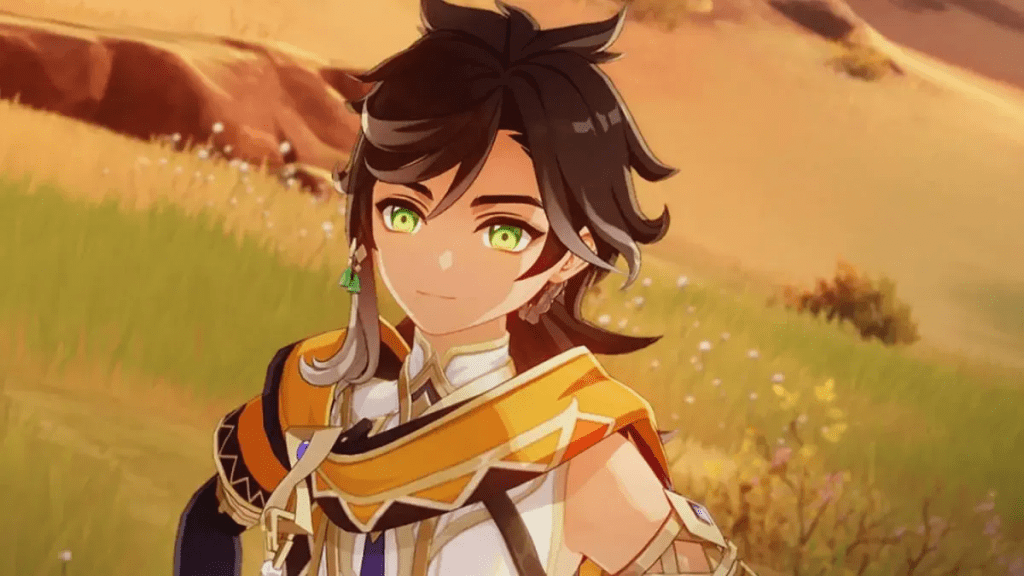
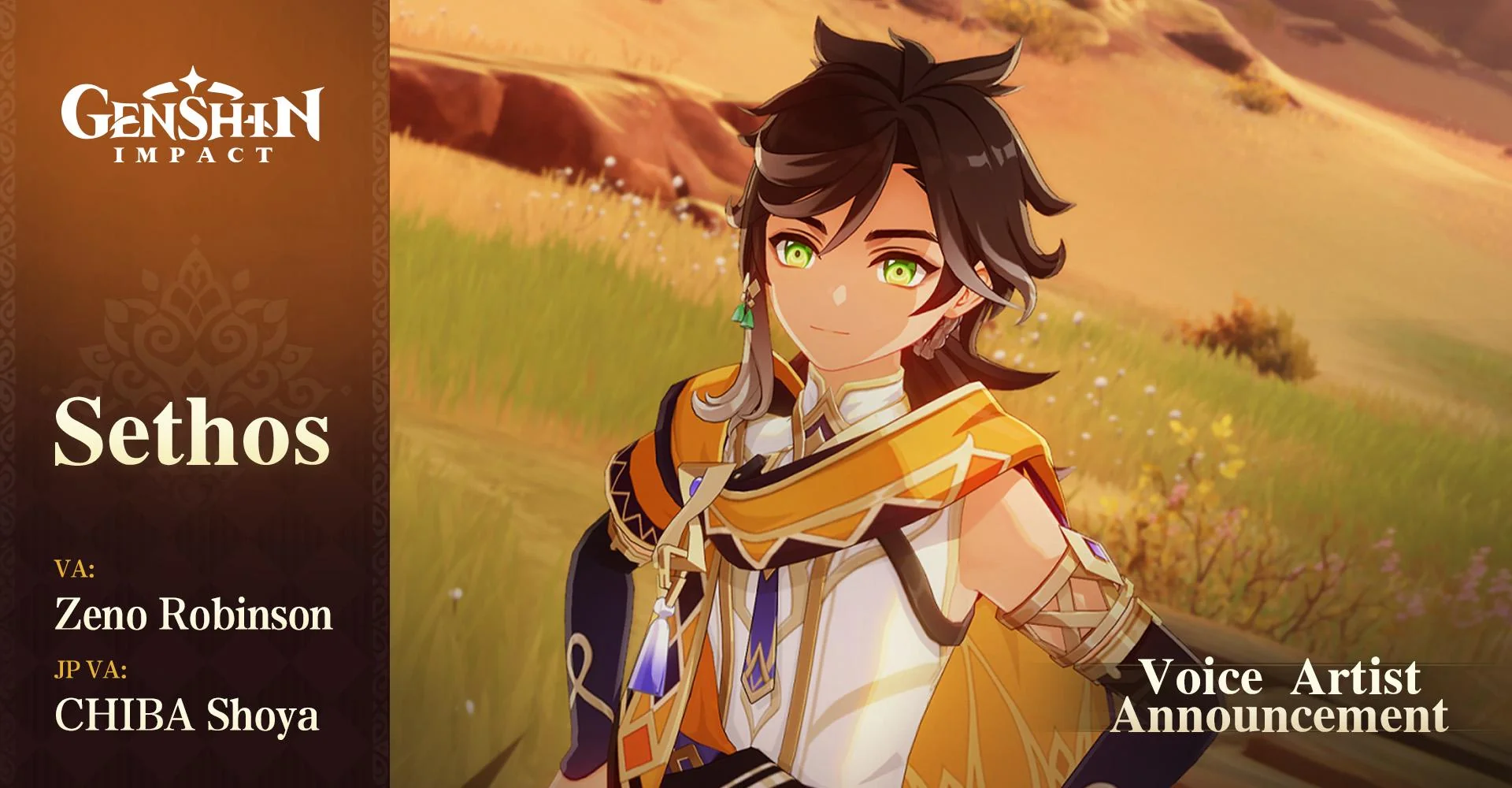
The new character Sethos in Genshin Impact has been the topic of conversation between players ever since he was unveiled in the version 4.6 Special Program livestream. In this article, we discuss the voice actors behind the Genshin Impact’s latest character.

While we don’t have a word at the moment, when will Sethos be playable an educated guess would have us point at the second half of the Genshin Impact version 4.7 update. Sethos will likely come with a four-star status and Electro Vision like Cyno, Raiden Shogun, and Yae Miko but we will have to wait until he officially makes his first appearance in the game.

Japanese Voice Actor – Chiba Shoya

For the Japanese audience, Sethos will be voiced by Chiba Shoya, a highly respected figure among the anime community who has lent his voice to many notable anime characters like Kazuma Bobata in “Haikyu!!,”. His presence alone would make the character a highly captivating one to play with while maintaining the essence of the game.

Photo via Reddit.

English Voice Actor – Zeno Robinson

Zeno Robinson, a talented voice actor, will be voicing Sethos in the English version of Genshin Impact. His phenomenal CV includes Superalloy Blackluster in “One-Punch Man,” Genya Shinazugawa in “Demon Slayer: Kimetsu no Yaiba,” and Hawks in “My Hero Academia.”. Having worked with top anime houses, Robinson will bring Sethos to life and with this track record, its only obvious that he will do a great job.

Stay updated with the latest news in gaming and esports by signing up for early access to TalkEsport’s Mobile App. Follow us on Twitter and Google News to ensure you never miss the exciting updates.
Fortnite Item Shop (17 Apr 2024): Skins, Emotes, Gliders, Wraps, Melee, More

0

Fortnite has been one of the most popular Battle Royale games of the decade and apart from being all action, the game has built its reputation around introducing new cosmetics like skins, gliders, melee, and more now and then.

To address this need of its user base, EPIC has introduced the Fortnite Item Shop where players can buy their desired items with a catch. The Item Stop offers a handful of items every day but refreshes every 24 hours which gives players a chance to get their desired items now and then.

Fortnite Shop Items April 16th, 2024

Fortnite Emotes

Price: 800 V-Bucks

  1. Disco Fever | Rare

Price: 600 V-Bucks

  1. Shuffle Bundle | Epic

Price: 500 V-Bucks

  1. Rain Check | Rare
  2. Electro Swing | Rare
  3. No Sweat | Rare
  4. Jubi Slide | Epic
  5. Side Shuffle | Rare
  6. Work It | Rare
  7. Air Flurry | Rare
  8. Rebellious | Rare
  9. Sonic Surfer | Rare

Price: 200 V-Bucks

  1. I Can’t Hear You | Uncommon
  2. Jazz Hands | Uncommon
  3. Shadow Play: Max Elephant | Rare

Fortnite Outfits

Price: 2000 V-Bucks

  1. Wukong | Legendary
  2. Red Knight | Legendary
  3. Fate | Legendary

Price: 1800 V-Bucks

  1. Apollo | Epic
  2. Human Bill | Epic

Price: 1500 V-Bucks

  1. Beef Boss | Epic
  2. Chromatica Armor Gaga | Epic
  3. Elmira | Epic
  4. Delirium | Epic
  5. Castor | Epic
  6. Britestorm Bomber | Epic
  7. Peely Bone | Epic
  8. Stoneheart | Epic
  9. Horizon | Epic
  10. Cosma | Epic
  11. Nobara Kugisaki | Epic
  12. Satoru Gojo | Epic

Price: 1200 V-Bucks

  1. Waypoint | Rare
  2. Adventure Peely | Epic
  3. Potassius Peels | Rare
  4. Monks | Rare

Price: 800 V-Bucks

  1. Marius | Uncommon
  2. Guild | Uncommon
  3. Par Patroller | Uncommon
  4. Manic | Uncommon

Fortnite Melee / Harvesting Tool

Price: 1200 V-Bucks

  1. Jingu Bang | Epic

Price: 800 V-Bucks

  1. Spellslinger | Rare
  2. Witchia Axe | Rare
  3. Spellbound Staff | Rare
  4. Peely Pick | Rare
  5. Nite Owl | Rare
  6. Coachella Pulse | Rare
  7. Megumi’s Sword | Rare
  8. Kugisaki’s Hammer | Rare

Price: 500 V-Bucks

  1. Hook Slicer | Uncommon

Fortnite Wraps

Price: 500 V-Bucks

  1. Eternal Rays | Rare
  2. Witchy | Rare
  3. Radiant Zero | Rare
  4. Soft Synth | Rare

Fortnite Gliders

Price: 1200 V-Bucks

  1. Magic Wings | Epic

Fortnite BackBlings

Price: 400 V-Bucks

  1. Interstellar Butterfly | Rare

Fortnite Jam Tracks

Price: 500 V-Bucks

  1. Thunder | Uncommon
  2. Popular | Uncommon
  3. You Don’t Know What You’ve Got | Uncommon
  4. Misery Business | Uncommon
  5. Sandstorm | Uncommon
  6. The Middle | Uncommon
  7. Bust A Move | Uncommon
  8. Come & Go | Uncommon
  9. The Reaper | Uncommon
  10. Mr. Brightside | Uncommon
  11. Nothing’s Alright | Uncommon
  12. Emo Girl | Uncommon
  13. Beautiful Day | Uncommon
  14. Believer | Uncommon
  15. Heat Waves | Uncommon
  16. Hold Me Closer | Uncommon
  17. Single Soon | Uncommon
  18. Barbie Girl | Uncommon
  19. It Takes Two | Uncommon
  20. Me Too | Uncommon
  21. All The Small Things | Uncommon
  22. Surround Sound | Uncommon
  23. Whats Poppin | Uncommon
  24. Feel It Still | Uncommon
  25. Roses | Uncommon
  26. X Gon’ Give It To Ya | Uncommon
  27. Call Me Maybe | Uncommon
  28. Like A G6 | Uncommon
  29. Hysteria | Uncommon
  30. Moves Like Jagger | Uncommon
  31. Super Freak | Uncommon
  32. Scenario | Uncommon
  33. Sucker | Uncommon
  34. Transparent Soul | Uncommon
  35. Don’t You Worry Child | Uncommon
  36. I Wish | Uncommon
  37. I Think I’m Okay | Uncommon
  38. So What | Uncommon
  39. Astronaut In The Ocean | Uncommon
  40. Your Love (9 PM) | Uncommon
  41. Mood | Uncommon
  42. The Hills | Uncommon
  43. Pompeii | Uncommon
  44. Feel Good Inc | Uncommon
  45. Firework | Uncommon
  46. Wolves | Uncommon
  47. Everlong | Uncommon
  48. Kids | Uncommon
  49. Eyes Closed | Uncommon
  50. Heartbreaker | Uncommon
  51. Stitches | Uncommon
  52. Into You | Uncommon
  53. What Is Love | Uncommon
  54. Flowers | Uncommon
  55. Closer | Uncommon
  56. What’s My Age Again? | Uncommon
  57. Big Energy | Uncommon
  58. Applause | Uncommon
  59. Zombie | Uncommon
  60. Good 4 U | Uncommon
  61. Seven Nation Army | Uncommon
  62. Bad Romance | Uncommon
  63. Bloody Mary | Uncommon
  64. Basket Case | Uncommon
  65. I | Uncommon
  66. Buddy Holly | Uncommon
  67. Can’t Feel My Face | Uncommon
  68. The Edge Of Glory | Uncommon
  69. Just Dance | Uncommon
  70. Rain On Me | Uncommon
  71. The Search | Uncommon
  72. Born This Way | Uncommon
  73. Ella Baila Sola | Uncommon
  74. I Wanna Get Better | Uncommon
  75. Boy’s A Liar Pt. 2 | Uncommon
  76. Song 2 | Uncommon
  77. Paint The Town Red | Uncommon
  78. What I Got | Uncommon
  79. Make Damn Sure | Uncommon
  80. The Way Life Goes | Uncommon

Fortnite Bundles

Price: 3200 V-Bucks

  1. Zuko & Katara Bundle | Epic

Price: 3000 V-Bucks

  1. Coachella Interstellar Bundle | Epic

Price: 2800 V-Bucks

  1. Lady Gaga Bundle | Epic
  2. Coachella ’24 Jam Bundle | Uncommon

Price: 2500 V-Bucks

  1. Lion Knight’s Castle Bundle | Uncommon
  2. Diesel Bundle | Rare

Price: 2200 V-Bucks

  1. Loeya’s Locker Bundle | Epic

Price: 2000 V-Bucks

  1. Durr Burger Bundle | Uncommon
  2. Apollo Bundle | Epic
  3. Zuko Pack | Epic
  4. Toph Beifong Pack | Epic
  5. Katara Pack | Epic

Price: 1900 V-Bucks

  1. Megumi Fushigoro Bundle | Epic

Price: 1800 V-Bucks

  1. Escape Artists Bundle | Epic
  2. Nobara Kugisaki Bundle | Epic

Price: 1500 V-Bucks

  1. Werewolf Bundle | Uncommon

Price: 1000 V-Bucks

  1. Rough Raiders Bundle | Uncommon

Stay updated with the latest news in gaming and esports by signing up for early access to TalkEsport’s Mobile App. Follow us on Twitter and Google News to ensure you never miss the exciting updates.
Valorant Switchback Bundle Revealed: Skins, Price, Release Date

0

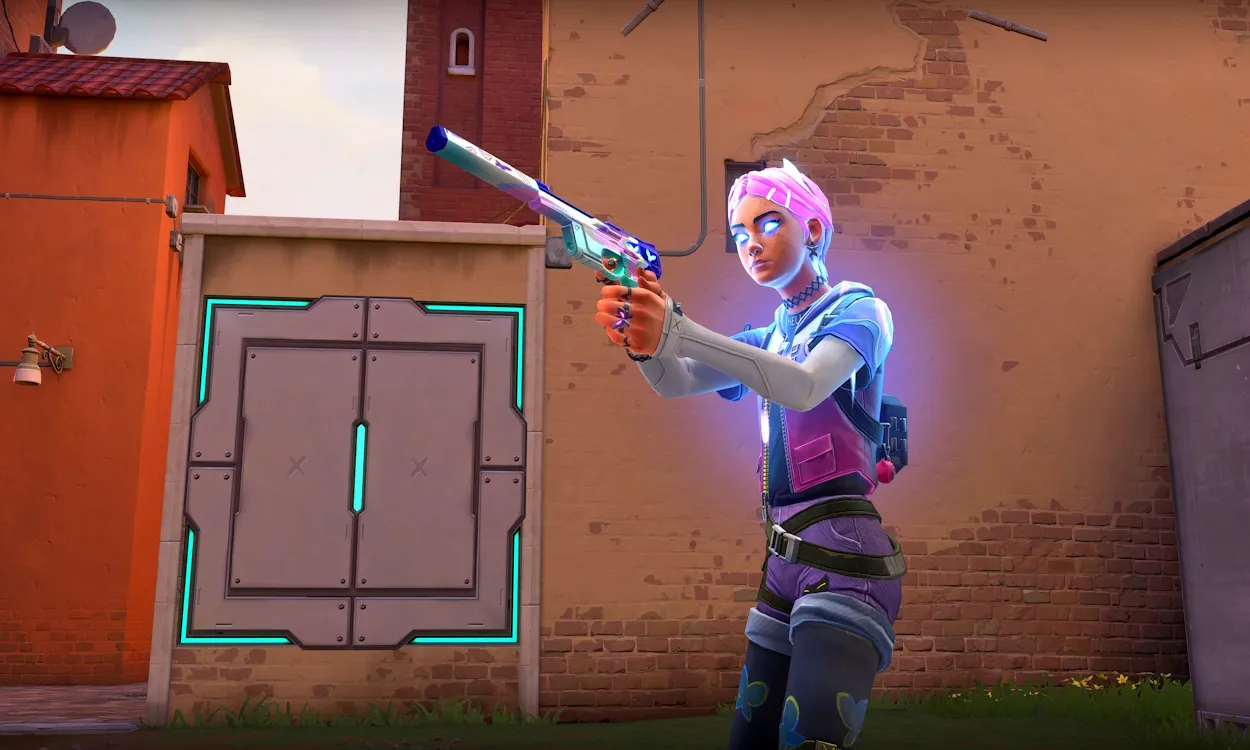
With the Valorant 8.07 update ready to hit the live servers, Riot Games is also gearing up to introduce a brand-new skin bundle to the competitive shooter — the Switchback bundle.

While the developers haven’t officially shed light on the upcoming Valorant skin bundle as of yet, we’ve seen plenty of leaks surfacing on the internet recently to get an idea about what the new collection will bring to the game.

Valorant Switchback Skins

Prominent Valorant dataminer ‘ValorLeaks’ has recently showcased the contents of the Switchback bundle on his X (formerly Twitter) handle. Without further ado, let’s take a detailed look at everything you need to know about the next Valorant skin bundle.

Valorant Switchback Bundle: All Skins

As usual, the Switchback skin bundle in Valorant will include cosmetic finishes for five different weapons in the game. Here’s a list of all the skins that the Switchback bundle will add to the game:

  • Switchback Classic
  • Switchback Stinger
  • Switchback Marshal
  • Switchback Phantom
  • Switchback Melee

Valorant Switchback Bundle Price

Due to the lack of special features in the Switchback bundle like finishers and unique visual effects, it is expected to be one of the cheaper bundles in Valorant. Fans can expect the Switchback bundle to be a part of the Select Tier skins and as a result, it’s likely to be priced around 3,500 VP, which roughly equates to around $35 USD.

Do note that the price of Valorant Points can vary depending on your game region.

Valorant Switchback Release Date

Riot Games hasn’t officially unveiled the exact release date of the Switchback bundle in Valorant. However, fans can expect the new bundle to land alongside the 8.07 update which is scheduled to hit the live servers on April 17, 2024.

How to Complete Petr Čech TOTY SBC in EA FC 24?

0

Team of the Year or TOTY cards are always an emotion for FIFA lovers as every TOTY card is precisely formulated. EA FC 24 is not an exception. The Petr Čech Icon TOTY card is undoubtedly one of the best goalkeepers available in the Ultimate Team this year. Being a meta goalkeeper, the Petr Čech TOTY card is used by more than 14% of the FC Pro players.

Recently, EA has released a SBC (Squad Building Challenge) of the Petr Čech TOTY card. If you don’t have a meta goalkeeper in your Ultimate Team, this might be the best opportunity to complete this SBC.

Keep reading this article till the end to know how to complete the Petr Čech TOTY SBC in FC 24.

How to Complete Petr Čech TOTY SBC in EA FC 24?

Petr Čech TOTY

Even though, goalkeepers are a bit random this year in FC 24, having a good meta goalkeeper is still paramount. With 91 diving, 90 handling, 83 kicking, 93 reflexes, 62 speed, and 94 positioning, the Petr Čech TOTY SBC needs a total of 8 squads.

The requirements of those 8 squads are mentioned below:

Born Legend

  • Rare players: Minimum 11
  • Player quality: Exactly Bronze

Rising Star

  • Rare players: Minimum 11
  • Player quality: Exactly Silver

On a Loan

  • Team overall rating: Minimum 81

The Blues

  • Chelsea players: Minimum one
  • Team of the Week players: Minimum one
  • Team overall rating: Minimum 85

Top Notch

  • Team of the Week players: Minimum one
  • Team overall rating: Minimum 86

League Legend

  • Premier League players: Minimum one
  • Team of the Week players: Minimum one
  • Team overall rating: Minimum 87

87-rated squad

  • Team of the Week players: Minimum one
  • Team overall rating: Minimum 87

88-rated squad

  • Team overall rating: Minimum 88

According to Futbin, the 8 squads mentioned above will cost you around 416K on PC and 452k FUT coins on Xbox and PlayStation. The prices change frequently based on the market.

Valorant Update v8.07 Fixes a Bunch of Clove Bugs

0

Riot Games has released the v8.07 update along with a bunch of bug fixes. If you have been playing with Clove regularly since its release, you probably have noticed that there are several annoying bugs. One of them was Clove resurrected without having the primary weapon which was very infuriating during intense moments. According to the developers, the new 8.07 patch has fixed it.

Apart from that, there is a small change with Omen. However, this update is focused on fixing Clove.

Let’s check out the official patch notes of Valorant v8.07:

GENERAL UPDATES

  • Interaction prompts have received an accessibility update, adding contrast to make them easier to read in-game. Prompt text has been simplified and weapon prompts no longer show skinline names.

AGENT UPDATES

OMEN

  • Omen is now able to pick up the Spike and interact with other useables like doors while in the Shade form of From the Shadows (X) without having to cancel the ability. Our goal is to make these interactions more intuitive and clearly intended.

GAMEPLAY SYSTEMS UPDATES

  • Flashes now behave more consistently even if your latency is affected.

BUG FIXES

GENERAL

  • Damage Display
    • We fixed a bug where fractional damage would represent the total damage taken incorrectly on the HUD. This bug resulted in issues like close range Classic body shots on armored targets appearing to deal 25 instead of 26 damage and Clove appearing to heal to 151 health with Pick-Me-Up (C) in some circumstances.
      • NOTE: this is purely a visual fix and the underlying gameplay around damage has not changed.

AGENTS

  • Chamber
    • Fixed an exploit where Chamber could place Trademark (C) in unintended locations.
  • Clove
    • Submitted a speculative fix for an issue where Clove’s corpse would sometimes remain upright after dying.
    • Fixed a bug where Clove’s Not Dead Yet (X) does not progress the “Use Your Ultimate” weekly mission and Match Details incorrectly reports 0 casts.
    • Fixed a bug where Clove’s Ruse (E) used after death does not report to the Match Details.
    • Fixed a bug where damage to Clove’s Pick-Me-Up (C) temporary health did not appear in Combat Report.
    • Fixed a bug where Clove’s aim direction would abruptly change when suppressed during Not Dead Yet (X). Thank you @FLOWSHIZZLETV, @FatalGlytch and @papashlomo for the testing and report.
    • Fixed a bug where Clove would sometimes resurrect without their primary weapon when using Not Dead Yet (X).
    • Fixed a bug where Clove’s head and arm hitboxes could be offset when aiming sharply up or down with Ruse (E) equipped.
      • Fixed the same bug that also applied while Clove was crouched with Ruse (E) equipped.
    • Fixed a bug where Clove’s Meddle (Q) used an incorrect ability icon in the Combat Report.
    • Submitted a speculative fix for Clove’s Pick-Me-Up (C) HUD sometimes showing > 150 total health values when taking fall damage as Clove activated the ability.
    • Fixed a bug where moving through the edges of Clove’s smoke would cause flickering vision rather than a smooth transition.
    • Fixed a bug where dead allies or observers spectating Clove would skip the death camera ceremony upon Clove’s death.
    • Fixed a bug where Clove’s Meddle (Q) could rarely cause a client-side hitch.

COSMETICS

  • Weapon and Skins Audio
    • We had several reports of skins’ audio being bugged, which are now fixed:
      • Glitchpop Classic
      • Prime Classic
      • Cryostasis Classic
      • Gravitational Uranium Neuroblaster (G.U.N) Classic
      • Spectrum Classic
      • Elderflame Operator
      • Ion Sheriff (Note: This was already hotfixed during 8.05, but adding here so everyone is aware.)
    • We also had several other guns/skins reported as having audio issues (Standard/Default Phantom, Oni Phantom, Recon Phantom, etc.), but we verified these are actually working properly. If these guns or any other first person audio sounds different on headphones than it sounded before 8.05, it could be due to your speaker configuration in the VALORANT audio settings. This can happen if your USB headphones appear to Windows to be a surround sound device with multiple channels and you have opted into Auto-Detect in the VALORANT audio settings. If you are listening on headphones, have selected Auto-Detect, and do not have Spatial Audio enabled, your speaker configuration should appear as 2.0. If any other number of channels is shown, you can either set your VALORANT speaker configuration back to Stereo or enable Spatial Audio in Windows to fix this.

GAMEPLAY SYSTEMS

  • Fixed an issue where Radio Commands Menu being bound to number keys caused a conflict when trying to activate commands.

PREMIER

  • Fixed a bug where your status displayed in the roster list was sometimes too small to read.
  • Fixed a bug where ties on the Standings were not broken correctly.

How to Use Raw Input Buffer in Valorant?

0

There are a lot of different settings inside Valorant, one of which is the Raw Input Buffer. Every single setting in a competitive game matters as a slight advantage over your opponent in a 1v1 situation might make a huge difference.

If you are wondering what is the Raw Input Buffer setting and how to use it in Valorant, this article is going to explain everything. Just keep reading till the end to find out.

What is Raw Input Buffer in Valorant?

Let us make it simple. Every time an input from your mouse is registered in the game, it goes through a complex way. Operating systems, APIs, and many other things come in between the process of registering your mouse input. However, this increases input latency which is the time between your mouse click and the game registers it as a click.

Raw Input Buffer helps you to reduce the input latency. It lets the game register mouse input directly from your mouse which skips mediators like Operating Systems. Apart from reducing input latency, it also reduces CPU usage.

How to Use Raw Input Buffer in Valorant?

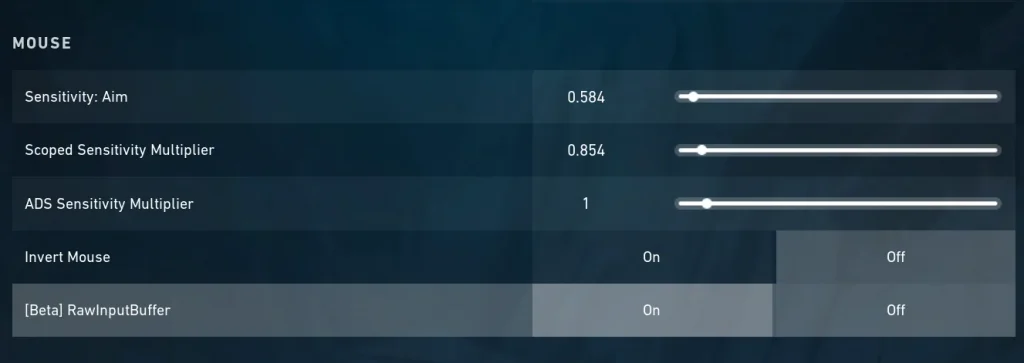
raw input buffer valorant

Are you using a mouse with a higher polling rate? You will get the most benefit once you opt-in for Raw Input Buffer in Valorant.

Follow the steps mentioned below to enable the Raw Input Buffer in Valorant:

  • Go to the Settings option on the top right after launching Valorant.
  • After that, go to General and scroll down until you find out the Mouse section.
  • There you will find the Raw Input Buffer option.
  • Turn it on and save the settings.

Did it significantly improve your performance? Let us know in the comment section below.