

Tuesday, May 19, 2026
Home Blog Page 705

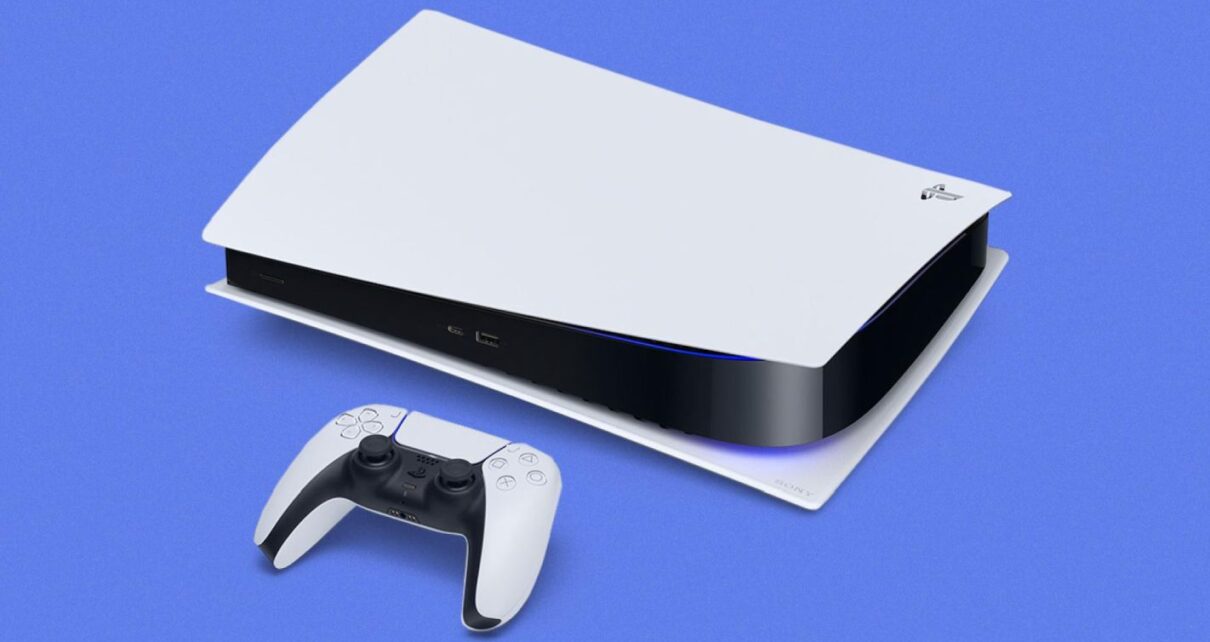
PS5 Update Improves Accessibility, Audio, and Social Features

0

Sony’s PlayStation 5 continues to evolve, offering gamers an enhanced experience with every update. The latest system software update, rolling out globally, brings a plethora of new features and improvements, ensuring an even more immersive gaming journey.

The PS5’s latest software update is a testament to Sony’s commitment to refining the gaming experience. Here’s a breakdown of the exciting additions:

Enhanced Accessibility and Audio Features

  • DualSense Assistance: Gamers can now use a second DualSense controller to assist in gameplay. This feature is perfect for collaborative gaming or helping a friend through challenging game sections.
  • System UI Haptic Feedback: Navigate the PS5 interface with enhanced haptic feedback, offering a tactile response to system sound effects and notifications.
  • Dolby Atmos Support: Experience 3D Audio on compatible Dolby Atmos-enabled HDMI devices, taking immersion to new heights with Tempest 3D AudioTech.

Social and Connectivity Upgrades

  • Revamped Party UI: Invite players to closed parties without automatically adding them to groups, offering more flexibility in multiplayer sessions.
  • Share Screen Preview: Before joining a party, get a sneak peek of someone’s shared screen.
  • Join Friends’ Sessions: Easily spot friends in joinable game activities and hop into their sessions directly.

Ease-of-Use Enhancements

  • Game Library Search: Quickly find your favorite titles within your game library.
  • Game Help Improvements: Access help cards with ease, showcasing available, upcoming, and completed activities.
  • Discover New Features: Explore the “Discover Tips” section for useful insights on maximizing your PS5 experience.
  • Mute PS5 Beep Sound: Adjust or mute the beep sound when turning the PS5 on or off.

Storage Expansion

  • Support for Larger M.2 SSDs: Expand your PS5’s storage with M.2 SSDs up to 8TB, ensuring ample space for all your gaming adventures.

Stay updated with the latest news in gaming and esports by signing up for early access to TalkEsport’s Mobile App. Follow us on Twitter and Google News to ensure you never miss the exciting updates.

BGMI Customer Care Number: Does It Have One?

0

Krafton’s popular battle royale title Battlegrounds Mobile India (BGMI) has taken the Indian gaming community by storm. The game has captured the hearts of millions of gamers with its intense gameplay and stunning graphics. However, as with any popular game, players often have questions and concerns that require assistance. Many players wonder if BGMI has a customer care number to address their queries and issues. In this article, we will explore this topic in detail and shed light on the avenues available for player support in BGMI.

What is BGMI Customer Care Number?

As gamers immerse themselves in BGMI, it’s only natural for questions and issues to arise. Whether it’s technical glitches, account-related problems, or general inquiries, having access to a customer care number can be handy for players seeking immediate assistance.

Despite the growing demand for a dedicated BGMI customer care number, it’s important to note that BGMI does not have a customer care number for players to call. Instead, Krafton, Inc. has established alternative methods to address players’ concerns and provide support.

While BGMI may not offer a traditional customer care number, they have implemented various methods to ensure player satisfaction and assistance:

1. In-Game Support:

Players can access support directly within the game. BGMI provides an in-game support system where players can submit their queries, issues, or feedback. To access this, follow these steps:

  1. Launch BGMI on your mobile device.
  2. Click on the “Setting”” icon.
  3. Scroll down and select “Customer Service.”
  4. Here, you can submit a request or report an issue by providing details about your concern.

2. Official Website:

The official BGMI website also offers a support section. Players can visit the website and navigate to the “Support” section, where they can find FAQs and information on common issues. Additionally, players can also visit the “Contact Us” section to submit a report about the problem you are facing.

3. Social Media and Community Forums:

BGMI maintains an active presence on social media platforms like Facebook, Twitter, and Instagram. Players can reach out to BGMI through these channels to ask questions or report problems. However, it is extremely tough to connect through this medium due to high engagement from the audience. 

4. Email Support

For more complex issues or those requiring personal attention, players can contact BGMI support via email. Players can email their issues or concerns to the following email address: [email protected].

Although BGMI does not have a customer care number, BGMI remains committed to providing assistance to its dedicated player base through these alternative means.


Stay updated with the latest news in gaming and esports by signing up for early access to TalkEsport’s Mobile App. Follow us on Twitter and Google News to ensure you never miss the exciting updates.
Apple Revolutionizes Mobile Gaming With the New iPhone Series

0

Apple recently launched its newest lineup of smartphones – the iPhone 15, iPhone 15 Plus, iPhone 15 Pro, and iPhone 15 Pro Max. While each of these devices boasts impressive features, one segment of the event that truly stole the spotlight was Apple’s foray into mobile gaming. With a powerful chipset, cutting-edge graphics, and remarkable gaming partnerships, Apple has positioned the iPhone 15 Pro and iPhone 15 Pro Max as the ultimate gaming companion.

iPhone 15 Pro Series Features the Best Gaming Chipset

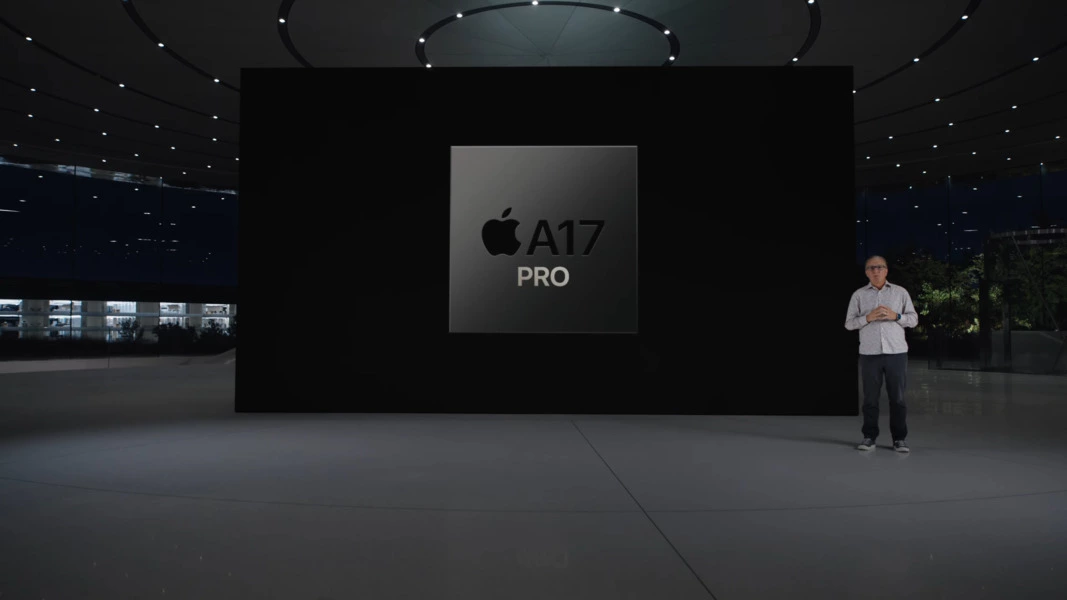
At the core of this gaming revolution lies the new groundbreaking A17 Bionic chipset, a technological marvel in the world of mobile processors. Built on a 3nm process, this chip represents a leap forward in terms of both performance and efficiency. With a hexa-core CPU configuration – 2x high-performance cores and 4x high-efficiency cores, the A17 promises unparalleled processing power. It’s no wonder Apple proudly claimed it as the “fastest mobile CPU” in any smartphone.

Accompanying the A17 Bionic is an Apple-designed GPU sporting six cores. This graphics powerhouse is a 20% improvement over its predecessor, offering an immersive gaming experience like never before. But the real highlight is the integration of Hardware Accelerated Ray Tracing, marking a significant milestone in mobile gaming. The iPhone 15 series showcases the fastest Ray Tracing performance in any smartphone, bringing console-like visual fidelity to the palm of your hand.

iPhone 15 Pro Series to Bring Console Games on Mobile

For the first time, console titles like “Resident Evil Village” and “Resident Evil 4” will be available on iPhone. Furthermore, Ubisoft is all set to launch “Mirage,” the latest installment of the Assassin’s Creed franchise, in early 2024. This marks a historic moment as the console version of Assassin’s Creed makes its native debut on a smartphone. 

Game Developers’ Views on the New A17 Bionic Chip

Game developers have also shared their excitement about the A17 Bionic’s capabilities. Fabrice Navrez, from Ubisoft praised the A17’s capabilities, highlighting improved resolution, dynamic lighting, and realistic fire and weather effects that enrich the gaming experience. Fish Ling, from HoYoverse – Honkai: Star Rail, noted that the chip’s updates allowed them to develop high-quality water features. In addition, Meng Wang, from HoYoverse – Genshin Impact, emphasized the A17 GPU’s exceptional speed and how MetalFX Upscaling has enabled them to create faster response times and more detailed environments. These enhancements promise to deliver an even more immersive experience for players.

Apple’s iPhone 15 series marks a significant leap forward in mobile gaming, thanks to the revolutionary A17 Bionic chipset. With the promise of console-quality gaming experiences, the iPhone 15 series is all set to redefine mobile gaming.


Stay updated with the latest news in gaming and esports by signing up for early access to TalkEsport’s Mobile App. Follow us on Twitter and Google News to ensure you never miss the exciting updates.
Is iPhone 15 Series the Best Choice for PUBG Mobile and BGMI Pros?

0

Apple’s recent iPhone 15 launch event created waves in the tech world, with the company unveiling four new smartphones – iPhone 15, iPhone 15 Plus, iPhone 15 Pro, and iPhone 15 Pro Max. While these new devices come with a plethora of exciting features, the gaming community was particularly intrigued by Apple’s emphasis on gaming during the event. With a focus on the revolutionary ‘A17 Bionic’ chipset and its cutting-edge GPU, Apple claimed to have taken mobile gaming to the next level. In this article, we’ll delve into the gaming capabilities of the iPhone 15 series, especially for professional players of popular titles like PUBG Mobile and BGMI.

The iPhone 15 Series Chipsets

The heart of the iPhone 15 and iPhone 15 Plus is the A16 Bionic chipset, which might sound familiar to some, as it’s the same powerhouse that graced last year’s iPhone 14 Pro. This chipset is based on 4nm technology, promising a significant performance like last year’s 14 Pro series. This chipset features a Hexa-core CPU configuration, comprising 2×3.46 GHz Everest cores and 4×2.02 GHz Sawtooth cores.

The true star of the show, especially for gaming enthusiasts, is the A17 Bionic chipset in the iPhone 15 Pro and iPhone 15 Pro Max. Apple has proudly labeled it the “fastest mobile CPU” in any smartphone. This chipset boasts an industry-leading 3nm technology, making it a true powerhouse. The Hexa-core CPU architecture has been optimized for maximum performance, offering two high-performance cores and four efficient cores.

iPhone 15 Pricing

iPhone 15 and iPhone 15 Plus will start at ₹79,900 or $799 and ₹89,900 or $899, respectively. On the other hand, iPhone 15 Pro and iPhone 15 Pro Max will start at ₹1,34,900 or $999 and ₹1,59,900 or $1,199, respectively.

Is iPhone 15 Series Worth it For PUBG Mobile and BGMI Pros?

For professional players of PUBG Mobile and BGMI, every bit of performance matters. These games require rapid response times, fluid graphics, and seamless gameplay. The iPhone 15 series, armed with the ‘A17 Bionic’ chipset and enhanced GPU, appears to be tailor-made for such gamers.

With faster CPU cores and improved GPU performance, players can expect reduced lag, quicker load times, and a competitive edge in intense gaming situations. The iPhone 15’s 4nm and iPhone 15 Pro’s 3nm technology should also result in better power efficiency, keeping the device cool and responsive during extended gaming sessions.

However, it is important to note that iPhone 15 and iPhone 15 Plus comes with a 60 Hz display, whereas iPhone 15 Pro and iPhone 15 Pro Max comes with a 120 Hz display. This can be a gamechanger for pro players as PUBG Mobile and BGMI now feature 90 FPS as well. iPhone 15 and iPhone 15 Plus will cap the display at 60 FPS, but iPhone 15 Pro and iPhone 15 Pro Max will offer 90 FPS gameplay.

For pro PUBG Mobile and BGMI players, the iPhone 15 series will deliver a gaming experience like no other. However, the decision ultimately depends on your budget and gaming priorities. If you’re looking for the best of the best in mobile gaming, the iPhone 15 Pro and Pro Max are the top contenders. The standard iPhone 15 and iPhone 15 Plus still offer formidable gaming performance and might be a more budget-friendly option.


Stay updated with the latest news in gaming and esports by signing up for early access to TalkEsport’s Mobile App. Follow us on Twitter and Google News to ensure you never miss the exciting updates.
Roblox Clicker on Scratch Codes for September 2023

0

Roblox Clicker on Scratch offers an engaging clicker experience, allowing players to accumulate Robux through clicks. With the addition of redeemable codes, players can enhance their gaming experience. Dive into this guide to discover the latest codes and gameplay insights.

Roblox Clicker, available on Scratch, is a captivating game where the primary objective is to amass as many Robux as possible through clicks. Players can purchase upgrades to boost their Robux per click or achieve a steady Robux flow per second.

Roblox Clicker on Scratch Codes for September 2023

  • GameXLegend123 – Enter this code to get 50k free clicks.
  • Roblox2023 – Enter this code to get 1000 clicks, 10 Robux per second, and 100 click power.

How to Redeem Roblox Clicker on Scratch Codes?

Redeeming codes in Roblox Clicker is a straightforward process:

  • Launch the game in your browser.
  • Locate and click the “Codes” button in the game’s main menu.
  • Input your chosen code in the provided field.
  • Confirm by clicking the check mark.

Stay updated with the latest news in gaming and esports by signing up for early access to TalkEsport’s Mobile App. Follow us on Twitter and Google News to ensure you never miss the exciting updates.

WWE 2K23 Locker Codes for September 2023

0

Dive into the thrilling world of WWE 2K23 with Locker Codes, your key to unlocking exclusive rewards in the game’s MyFaction mode. Whether you’re a seasoned player or just stepping into the ring, these codes are your ticket to leveling up your gameplay experience.

What are WWE 2K23 Locker Codes?

Locker Codes in WWE 2K23 are time-sensitive passwords that grant players access to special rewards. While some remain active indefinitely, others have a limited lifespan, often released to coincide with special events or pay-per-view matches.

WWE 2K23 Locker Codes for September 2023

  • AUSTIN316ESB: Secure the Steve Austin ‘Broken Skull’ emerald card.
  • NEWDAYROCKS: Get the Xavier Woods emerald manager.
  • UPUPDOWNDOWN: Unlock the Tyler Breeze emerald manager.

How to Redeem WWE 2K23 Locker Codes?

Follow the steps mentioned below to redeem the codes:

  • Step into MyFaction: Launch WWE 2K23 and navigate to the MyFaction mode.
  • Head to the Live Tab: Located on the far left.
  • Enter Your Code: Choose the Locker Codes option and input your code. Ensure accuracy for instant rewards.
  • Claim Your Rewards: If your rewards include card packs, find them under the Store tab in the Unopened Packs section.

Stay updated with the latest news in gaming and esports by signing up for early access to TalkEsport’s Mobile App. Follow us on Twitter and Google News to ensure you never miss the exciting updates.

Roblox Striker Odyssey codes for September 2023

0

Striker Odyssey, the game that has taken the gaming community by storm, continues to engage its players with exciting updates and rewards. As we step into September 2023, a fresh set of codes awaits the players, promising a thrilling gaming experience.

For those unfamiliar, Striker Odyssey is a dynamic game that combines strategy, action, and adventure. Its immersive gameplay and captivating storyline have garnered a massive player base, eagerly awaiting each month’s new codes to enhance their in-game journey.

Roblox Striker Odyssey codes for September 2023

  • 20MVisits: Free Spins
  • 45KFavorites: Free Spins
  • 20MVisitsSP: Reset SP
  • 45KFavoritesSP: Reset SP
  • 35KLikes: Free Spins
  • LUFFY5GEAR: Free Spins
  • NewSPResetCodeWow: Reset SP
  • NewCodeWow: Free Spins
  • 15MVisits: Free Spins
  • 32KLikesSPReset: Reset SP
  • KAISERSPReset: Reset SP
  • KAISER: Free Spins
  • 30KLikes: Free Spins
  • AIKU: Free Spins
  • 27KLikesSPReset: Reset SP
  • 10MVisits2: Free Spins
  • 25KLikes: Free Spins
  • LOKI: Free Spins
  • 22KLikesSPReset: Reset SP
  • 20KLikes: Free Spins

How to Redeem Striker Odyssey Codes?

  • Accessing the Code Panel: Navigate to the game’s main menu and locate the ‘Redeem Codes’ option.
  • Entering the Code: Once you’re in the code redemption section, input the desired code.
  • Claim Your Reward: After successful verification, the game will instantly credit the rewards to your account.

Stay updated with the latest news in gaming and esports by signing up for early access to TalkEsport’s Mobile App. Follow us on Twitter and Google News to ensure you never miss the exciting updates.
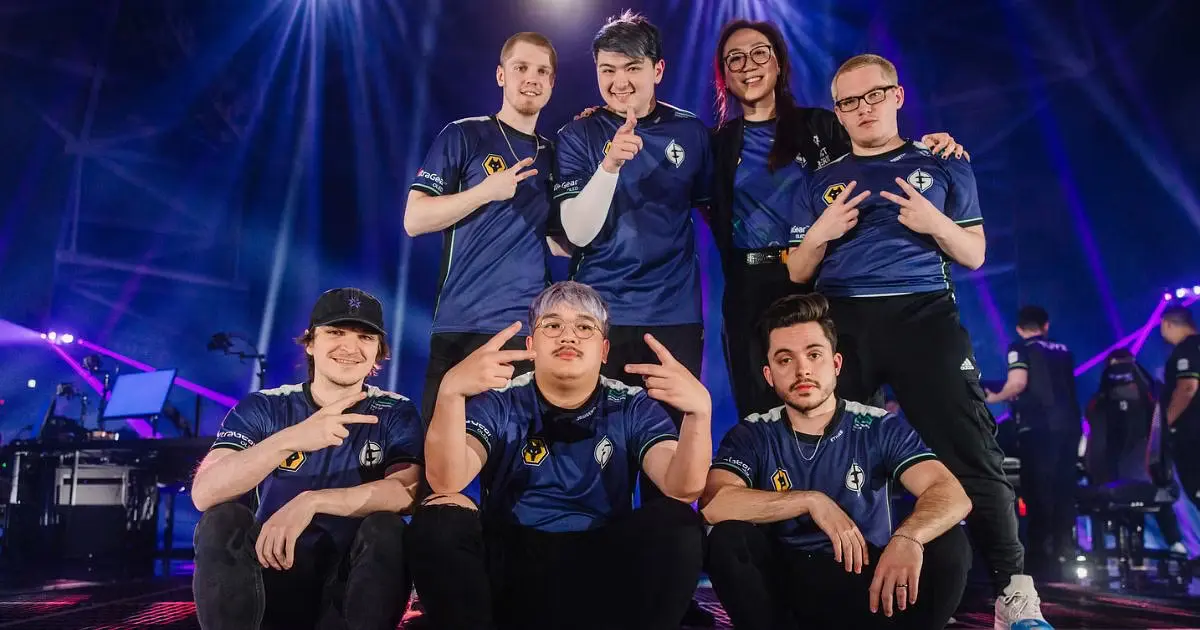
EG Valorant Squad Given Option to Leave or Take Pay Cut After Winning Champions

0

The competitive world of esports is no stranger to team reshuffles and contract negotiations. However, recent developments surrounding the Valorant squad of Evil Geniuses have caught the attention of many in the industry.

Evil Geniuses, a name synonymous with excellence in esports, has been a dominant force in various gaming titles. Their Valorant team, in particular, has showcased remarkable skills and strategies, earning them accolades and a dedicated fanbase.

Recent reports suggest that the players of the Valorant team are at a significant crossroads in their journey with Evil Geniuses. They are reportedly given two choices: explore opportunities with other organizations or continue with Evil Geniuses at a reduced salary. This decision puts the players in a challenging position, weighing their loyalty against their professional aspirations and financial stability.

The esports community has been abuzz with discussions about this development. Many are speculating the reasons behind such a move, considering the team’s commendable performance in recent tournaments. Some believe it could be due to budget constraints, while others think it might be a strategic move to bring in fresh talent.

The current situation presents a classic dilemma for the players: stick with a renowned organization like Evil Geniuses at a potentially reduced pay or venture out to explore new opportunities, which might offer better financial incentives but come with its own set of challenges.

Stay updated with the latest news in gaming and esports by signing up for early access to TalkEsport’s Mobile App. Follow us on Twitter and Google News to ensure you never miss the exciting updates.

Roblox Developer Simbuilder Arrested at RDC 2023 for Allegedly Assaulting Police

0

The Roblox Developer Conference (RDC) is an annual event that celebrates the creativity and innovation of Roblox developers. However, the 2023 edition took an unexpected turn when renowned developer SimBuilder was arrested on-site.

SimBuilder, known for his significant contributions to the Roblox platform, has been a prominent figure in the community. His innovative game designs and mechanics have garnered him a vast following, making his presence at RDC 2023 highly anticipated.

While the exact reasons for SimBuilder’s arrest remain unclear, the incident has sent shockwaves throughout the Roblox community. Attendees at RDC 2023 reported that the arrest was conducted discreetly, with minimal disruption to the ongoing events. However, the news quickly spread, leading to a flurry of discussions and speculations online.

The Roblox community, known for its tight-knit bonds, rallied in support of SimBuilder. Many expressed their shock and concern on various social media platforms, emphasizing the developer’s positive impact on the platform. Calls for transparency regarding the arrest reasons have been widespread, with many seeking clarity on the unexpected turn of events.

As the Roblox community awaits further details, it’s essential to approach the situation with caution and avoid jumping to conclusions. While the arrest of a prominent figure like SimBuilder is undoubtedly alarming, it’s crucial to wait for official statements and verified information.

Stay updated with the latest news in gaming and esports by signing up for early access to TalkEsport’s Mobile App. Follow us on Twitter and Google News to ensure you never miss the exciting updates.

How to Fix Into the Unknown Bug in Starfield?

0

Starfield, the much-anticipated space exploration game, has been a massive hit among gamers. However, like any expansive title, it’s not without its quirks. One such hiccup that players have encountered is the “Into the Unknown” bug. Fortunately, there are ways to address this issue and ensure a smooth gaming experience.

Before diving into the solution, it’s essential to grasp the nature of the problem. The “Into the Unknown” bug occurs during a specific mission, causing players to get stuck or experience gameplay disruptions. This glitch can be particularly frustrating, especially when players are engrossed in the game’s immersive universe.

How to Fix Into the Unknown Bug in Starfield?

  • Game Updates:
    • Ensure that your game is updated to the latest version. Developers frequently release patches to address known issues, and the solution might already be available in a recent update.
  • Save and Restart:
    • Sometimes, the simplest solutions are the most effective. Save your progress and restart the game. This action can often clear minor glitches and allow you to proceed without hindrance.
  • Check Game Files:
    • If you’re playing on a platform like Steam, utilize the “Verify Integrity of Game Files” feature. This process checks and repairs any corrupted or missing files that might be causing the bug.
  • Reinstall the Game:
    • As a last resort, consider reinstalling Starfield. While it might seem drastic, a fresh installation can resolve deeper issues that aren’t fixed by the above methods.

One of the strengths of the gaming community is its collaborative spirit. Engage with forums, discussion boards, and other players. Often, someone else has encountered the same issue and might have a unique solution or workaround to share.

Stay updated with the latest news in gaming and esports by signing up for early access to TalkEsport’s Mobile App. Follow us on Twitter and Google News to ensure you never miss the exciting updates.