Thursday, December 18, 2025
Home Blog Page 67

Valve’s Passive Approach to CS2 Could Cost It the FPS Throne

The competitive first-person shooter market has reached a breaking point, with Valve’s Counter-Strike 2 confronting unprecedented challenges that threaten its decades-long dominance. Even at nearly two years into its life cycle, CS2 still grapples with foundational problems, ranging from performance optimization to anti-cheat efficiency, while competing games showcase more responsive development methodologies. This passive approach by Valve, characterized by sporadic updates and minimal community interaction, is a far cry from industry standards and may ultimately diminish Counter-Strike’s status as the top competitive FPS game.

Current State of CS2 and Its Challenges

The shift from Counter-Strike: Global Offensive to Counter-Strike 2 was meant to mark a new generation of competitive play, fueled by the Source 2 engine and utilizing groundbreaking subtick technology. Yet the reality has been much more complicated, with longstanding issues besetting the game since its release in September 2023. The most pressing issue revolves around the subtick system, which continues to function efficiently at 64-tick rates, much to the dislike of professional players, who opt for 128-tick servers. This technical constraint has been a primary target of criticism from the competitive community, who maintain that the responsiveness and accuracy necessary for elite play are still constrained.

Performance optimization is another key problem that has deteriorated over the years. Professional players have reported dropping frame rates and frame-time inconsistency, with some stating that systems formerly capable of delivering solid performance now struggle to sustain acceptable levels. The decline in performance has been most evident on mobile platforms, where gamers claim that their laptops, which could initially support the game, now provide unplayable experiences. This backsliding in optimization goes directly against the ongoing enhancements that usually follow continuous development.

The technical foundations on which CS2 has been built have also not kept up professional standards in a number of critical respects. The Premier ranking system, touted as a linchpin feature designed to differentiate CS2 from its ancestor, has been marred by bugs and cheating issues. The failure of the ranking system to deliver a stable, reliable, competitive space has led numerous serious players to continue to use third-party services such as FACEIT, compromising one of CS2’s core selling points.

Valve’s Development Philosophy

Valve's Development Philosophy

Valve’s strategy for CS2 development is an extension of the company’s overall philosophy of deliberate, behind-the-scenes development with little public commentary. This approach, which has been successful for the company in the past, seems increasingly out of line with contemporary competitive gaming expectations. The latest major update, entitled “Mission Possible,” brought new community maps and weekly missions but did nothing to address the basic technical and gameplay problems that have lingered since launch. The emphasis of the update on content cycling over fundamental system improvements is symptomatic of Valve’s inclination to prefer surface-level enhancements over meaningful fixes.

The rate of substantial updates has been a specific point of exasperation for the professional scene. In contrast to competitors who have standard communication schedules and regular balance changes, Valve updates tend to be weeks or months in between, with minimal description of the changes or direction going forward. This irregular cadence is especially undesirable in the context of a competitive esports title, where rapid iteration and adaptability to community feedback are crucial for maintaining player engagement and upholding competitive integrity.

Valve’s communications strategy adds to these problems by offering little context for change and very little information about future development agendas. The company’s usual policy of letting the product do the talking has turned out to be inadequate in an age where gamers desire openness and constant communication from game developers. Valve’s reluctance to open up has created an information void that fosters speculation and anger within the community, especially when put against the more open communications strategies of rivals.

Professional Community and Player Feedback

Professional Community and Player Feedback

The global professional CS community has been increasingly vocal in expressing its discontent over the direction of CS2’s development. FaZe Clan’s Robin “ropz” Kool was particularly scathing, saying the game is “alright” compared to past transitions, but that “Valve could do a lot better than this.” His prediction that the game may not find its competitive peak until 2030 is representative of a general feeling that the pace of development is too slow for the size of improvements required.

G2 Esports’ Nikola “NiKo” Kovač has also shared similar complaints, albeit more about the underlying gameplay fundamentals that impact competitive integrity. Tier-one pro player criticisms carry considerable weight since they are the apex of competitive play and thus bellwethers of the game’s long-term health in the esports marketplace. The fact that several top-tier players have shared such concerns implies systemic problems and not just one-off complaints.

The frustration of the professional community goes beyond technical complaints to include general dissatisfaction with Valve’s responsiveness to criticism. Players observe that after offering detailed feedback on gameplay mechanics, server performance, and competitive aspects, significant changes often take months or years to be adopted. This cycle of reaction takes away from the cooperative feedback relationship between game development and the desires of its most invested and capable players, possibly routing talent into more reactive competitive games.

Competitive Environment

CS2 Competitive Environment

The competitive FPS space has changed significantly over the last few years, with the likes of Valorant showcasing a different style of game development and community interaction. Riot Games’ Valorant is a prime example of a more flexible development approach, utilizing regular patch schedules, constant communication, and swift community reaction. The way the game handles seasonal content patches and agent balance shows how iterative methodology can keep players hooked as it tackles competitive issues.

The development team of Valorant has a regular cycle of updates, with patches usually coming out every two weeks and big seasonal updates dropping significant additions of content. This allows for quick iteration on balance changes and for the development team to react to emerging meta issues or technical problems quickly. The comparison with the irregular update schedule of CS2 is especially interesting when keeping in mind that both games are aimed at similar competitive players.

The larger gaming world has similarly shifted towards more communicative development cultures, and games such as Apex Legends have included in-depth patch notes, developer commentary, and roadmap communications. Even established competitors such as Call of Duty have turned towards more open development cultures, with frequent developer updates and transparent communication regarding upcoming content. This sector-wide shift towards open communication and transparency makes Valve’s more clandestine approach seem progressively outdated.

Technical Infrastructure and Anti-Cheat Problems

csgo vac ban wave

The anti-cheat mechanism in CS2 is one of the biggest threats to the competitive integrity of the game. Players complain about running into cheaters in high-trust-factor games with alarming regularity, frequently being subjected to blatant violations that go unpunished for days. The fact that cheating continues to be rampant even after Valve implemented its AI-driven VAC system implies intrinsic flaws in the existing strategy for competitive integrity.

The technical realization of anti-cheating methods has been especially challenging, with cases of false positives impacting honest players while missing overt cases of cheating. This builds a double whammy in which legitimate players are subject to possible punishment while real cheaters remain in operation unabated. The erosion of community trust in the anti-cheat system has more extensive implications for the competitive integrity and prospects of the game.

Server hardware and networking problems exacerbate these technical problems, with players experiencing unreliable registration, desynchronization issues, and geographically-based performance differences. The subtick system, theoretically a step above the tick-based network model, has not lived up to expectations in reality. Professional players continue to experience shot registration problems, movement reliability issues, and overall responsiveness issues that impact competitive results.

Communication and Transparency Issues

valve

Valve’s communications strategy has grown increasingly problematic within the framework of contemporary competitive gaming expectations. The company’s historical model of limited public communication and sparse updates has developed an information vacuum that generates speculation and frustration among the community. Players frequently spend weeks or months not knowing if reported problems are being worked on or even recognized by the development team.

The lack of consistent developer communication directly contradicts industry best practices, where community management and open development processes have become expected norms. Other competing games stay in touch with regular communication from developers via blogs, social network interaction, and forums within the community, keeping both players and developers in constant conversation. Valve’s more solitude-based method seems more and more outdated in these circumstances.

The effects of poor communication are not limited to community affairs but also influence the competitive ecosystem of the game. Tournament organizers, pro teams, and content creators have difficulty making plans based on uncertainty for future updates and modifications. Such uncertainty adds more to the existing friction in an already complicated competitive scene and might deter investment in the CS2 ecosystem compared to more deterministic options.

Final Thoughts

Valve’s passive model of CS2 development is a critical strategic error that puts at risk the long-term competitive standing of the game. The concurrency of technical problems, infrequent update schedule, weak communication, and poor anti-cheat systems combine to present a perfect storm of issues that may ultimately erode Counter-Strike’s dominance of the competitive FPS marketplace. While the game’s core mechanics and competitive roots give it a solid base, these strengths are being undermined by competitors that show more agile development practices and more effective community involvement.

The growing public outcry from the professional community indicates that the existing path is not sustainable for keeping Counter-Strike at the top as a competitive FPS game. With alternatives such as Valorant showing other ways of game building and community interaction, Valve’s vintage ways seem to be woefully inadequate for the competitive gaming standards of the present day. Without drastic adjustments to development speed, communication ethics, and technical support systems, CS2 stands to lose its crown to more agile and better-administered competitors.

NAVI Defeats MongolZ, Sets Up Semi-Finals Clash Against Spirit

A shaky NAVI coming into Cologne has outperformed expectations set on it by the critics to book a semi-finals match against Team Spirit in the semi-finals of IEM Cologne. Not only have they beaten MongolZ, who bested them on multiple occasions in the last season, NAVI is coming into the semi-finals as serious contenders.

VETO

  • Natus Vincere removed Dust2
  • The MongolZ removed Train
  • Natus Vincere picked Inferno
  • The MongolZ picked Ancient
  • Natus Vincere removed Overpass
  • The MongolZ removed Nuke
  • Mirage was left over
https://twitter.com/ESLCS/status/1951304856171352242

Map 1: Inferno; Pick: NAVI; Winner: NAVI

The first half of Inferno kicked off with a convincing MongolZ defence, leading to NAVI going on the back foot on their map pick. While the second half started on a similar note for the Asian side, NAVI managed to regain control of the game and replicate the scoreline from the first half, leading to overtime. While both teams seemed inseparable in the first two overtimes, the third and final one saw NAVI put up a perfect run, winning all the rounds and taking home their map pick from the clutches of defeat.

With W0nderful getting 36 kills and b1t showing impact, NAVI managed to take the pick of MongolZ of MongolZ with a map under their belt.

Map 2: Ancient; Pick: MongolZ ; Winner: NAVI

Starting on the defence, NAVI went on a tear as MongolZ underwent total domination by the crew, leading to them winning a single round in the entirety of the first half. Holding an insurmountable lead, NAVI let MongolZ rope in a few rounds on their defense, but wasted no time in closing the map with a statement performance before going into the semi-finals.

The new kid on the block, Makazze pulled off a stunning performance in his first appearance at the Cathedral with 20 kills and 1.64 IR.

MongolZ’s Cologne run comes to an end, most disappointingly after making it to the Major finals last season. They have shown the world that they are capable of hanging with the world’s best, and one performance cannot take it away.

S8UL’s Nihal Sarin Falls to Magnus Carlsen in Chess Quarterfinals at EWC 2025

0

The remarkable run of Indian Grandmaster Nihal Sarin at the Esports World Cup 2025 has come to an end after a hard-fought quarterfinal battle against chess legend Magnus Carlsen. The S8UL Esports representative was eliminated with a 2.5-0.5 scoreline, bringing his impressive comeback story to a close in Riyadh, Saudi Arabia.

The 21-year-old chess prodigy’s journey at EWC 2025 was nothing short of extraordinary. After suffering a crushing 0-2 defeat to fellow Indian Grandmaster Arjun Erigaisi on Day 1, many would have written off his chances. However, Sarin showcased the resilience that has made him a standout talent in the chess world.

S8UL’s Nihal Sarin Journey in Chess Quarterfinals at Esports World Cup 2025

Sarin’s path to redemption began with a stunning 2-0 victory over Dutch Grandmaster Anish Giri in the lower bracket semifinal. The match became instantly viral when Giri, frustrated by his defeat, slammed his mouse in a moment that reminded many of similar emotional outbursts from top players.

Following his triumph over Giri, Sarin faced another formidable opponent in French Grandmaster Maxime Vachier-Lagrave. Despite finding himself in a difficult position during the first game, the S8UL star demonstrated exceptional positional awareness to salvage a draw before sealing the match 1.5-0.5 with a decisive second game victory.

The quarterfinal clash with five-time World Champion Magnus Carlsen represented the ultimate test for Sarin. Despite his best efforts and the momentum from his lower bracket victories, the Norwegian chess icon proved too strong, eliminating the young Indian talent from the prestigious tournament.

While his EWC 2025 journey has ended, Sarin’s performance has further solidified his reputation as one of India’s most promising chess talents. The tournament, boasting a massive $1.5 million prize pool, continues without the S8UL representative, but his fighting spirit and remarkable comeback remain one of the event’s defining stories.

Stay tuned to the TalkEsport app for detailed gaming and esports coverage, latest news, and much more!

Why Movement Purists Are Angry with CS2

Ever since Counter-Strike: Global Offensive was replaced by CS2, the community has been divided, with mixed opinions on the numerous changes introduced in the new game. While there was no shortage of topics for the players to debate, one area stood out, and that was the Mechanics of movement.

Movement is a key aspect of CS2, and it takes players decades to master. Precise movement is criminally underrated. Not only does it look pleasing, but it also gives a player an edge in the overall gameplay. Players during the CS:GO era squeezed every inch they could have gotten out of having precise movement, and with the introduction of CS2, decades of mastering the little areas were discarded.

It goes without saying that the majority of the complaints is coming from the seasoned veterans of the game, while the more freshly minted players are yet to master the mechanics to the same degree. It is being repeatedly pointed out that the new game has lost the essence of CS:GO.

These so-called masters of movement, or what they are commonly referred to as the Movement Purists, have turned every stone to make their concerns heard, so in this article, we take a deep dive into how the change in mechanics is truly affecting the game.

The Legacy of the CS Movement: A Brief History

Before we go into the analysis of how CS2 has changed the movement mechanics, it is important that we understand how it has evolved over several iterations of the game and why it is so important for players to have certain aspects remain unchanged.

  • CS 1.6 brought special aspects of movement like bunny hopping, air strafing, counter-strafing, and KZ movement maps, which became the gold standard for skill-based mobility. Not only did they take hours to master, but they also offered a slight competitive edge in the game, given the faster speed during bunny hopping or reaching areas with air strafing that would otherwise not be possible.
  • CS:GO was the first game where players maximised the potential of bunny hopping, air strafing, and counter-strafing, and they became a crucial part of the game that required time, effort, and skill to master.
  • As such, movements required extreme effort and skills to be able to pull off, giving rise to a subculture where the ability was master surfing, jumping puzzles, or simply taking pride in smooth, calculated positioning was rewarded with respect.

In essence, smooth, skilled, and purposeful movement became a language of skill, whose mastery severely increased the skill gap even among the elites of the game.

What Changed in CS2?

The biggest expectation from CS2 was for the game to come with a new engine that would optimise the game for the new generation of hardware, make the game more responsive and smooth, and would holistically improve the experience.

  • Instead of feeling smoother, the movements became jittery and unappealing.
  • Major inconsistencies in counter-strafing imposed a re-learning curve for those who mastered the previous generation of the game.
  • Movements like bunny-hopping were silently killed with the new mechanics, leading to the death of the KZ community, and smooth movement that would often help players in matches was no longer a part of the game.
  • The highlight of the update, the subtick system, often presented gamers with a disconnect between the screen and the server, resulting in different times for implementing the steps logged by the server.

Skill Gap Shrinking? Why Movement Matters for Competitive Integrity

Movement in CS is far from getting from one point to another. Seasoned players often judge the skill of an unknown player by their movement. Smooth, sharp, and purposeful movement is the sign of a mechanically gifted player. Not only does it add verticality, surprise, and tempo to gameplay, but the effort required to master it speaks to the dedication of a player. For the top 1%, taking these aspects of movement out of the game would translate to a reduced skill gap, and while it makes the game more competitive, it puts years’ worth of grind by the Movement Purists down the drain.

“If you take away what separates smart movement from running and gunning, you’re killing the soul of CS.” – @fribergCS

The Visual Overhaul Made It Worse

CS2 brought in several visual changes to the game that were aimed at bringing a feeling of refreshment to the game. While it has some animations that were appreciated by the community, a majority of them posed several challenges that players would not like to have.

  • Movement animations feel heavier and are unlike those in CS:GO.
  • Visual feedback, such as footsteps, strafing stops, and crouch transitions get delayed due to the new sub-tick system.

The annoying clunkiness cannot be defined objectively; however, it is a feeling that every player would like the developers to put some effort into. This clunkiness not only affects movement, but it ruins the holistic feel of the game.

The Role of Subtick: Savior or Saboteur?

The traditional tick system made sure that the game server was updated at a frequency of 64/128 with CS:GO, but the new subtick system took a different approach by assigning a timestamp to every action, which gets updated together in the server and as a result players notice improved hit registration, smoother movement, and a more responsive feel of the game or at least, that was the intention.

Unfortunately, subtick has resulted in input variance that affects movement, creating a visual discrepancy.

  • Jumps are visually inaccurate, resulting in improper movement.
  • Relearning curve for jump throws.
  • Microstutters and lagged animations.

Is It Intentional? A Theory About Design Philosophy

While many believe the new system intentionally subtly nerfed the game, the intention behind the subtick system was to give players a better experience, and that did not work out. The changes brought by the update can be summarised with the following points:

  • Reduction of skill gap, resulting in more competitive matches.
  • Introduction of a relearning curve for the veterans.
  • Focus gameplay around gunplay and utility rather than mobility.

While the game has been competitive, CS2 has completely reset the overall powerscale of the game. While many suffered with the reset, several players saw a rise in their power rankings. One can argue it is good to have a reset with the introduction of a new game, but getting rid of legacy mechanics should have been done in a more controlled way.

Team AxTMG Eliminated From PMWC 2025: Survival Stage Day 2 Recap

The second day of the PUBG Mobile World Cup 2025 (PMWC 2025) Survival Stage has wrapped up, bringing with it the harsh realities. The fight for the top 8 Grand Finals spots is more intense than ever, but for India’s beloved Team AxTMG, the journey is all but over. Their mathematical chance of qualification might linger for now, but on-ground results make it clear: it’s curtains for AxTMG this season.

PMWC 2025: Survival Stage Day 2 Matchwise Recap

Let’s break down how Day 2 unfolded and where it all slipped away for the Indian squad.

Match 1: Sanhok

AxTMG experimented with their drop strategy, opting for a safer compound south of Ruins, avoiding direct early-game conflict. In a highlight moment, AxTMG showcased their prowess by wiping out NONGSHIM REFORCE. Aryan managed another elimination, taking out EARENA’s TermyK, but not without loss, HENRY suffered a knockout. The midgame proved difficult, and AxTMG finished 11th with 5 eliminations.

EARENA closed the match strong, clutching out a 3v3 and taking the victory with 8 eliminations.

Match 2: Erangel

Dropping in Mylta, AxTMG began cautiously. Rotational risks caught up to them early with Devotee’s knock. A bright spot came as they eliminated POWR Esports’ RAGNAR, but the rest of the match faltered as KINOTROPE Gaming shut them down. Final result: 9th place, 2 eliminations.

EARENA bagged back-to-back match wins after a tense endgame tussle.

Match 3: Erangel

Again, Water City was the drop spot. AxTMG kept it quiet until late, where they took on INTENSE GAME, knocking out three of their players. Syrax also eliminated EARENA’s final hope, but post that surge, AxTMG fizzled out. 6th place with 4 eliminations.

The final fight saw NONGSHIM REFORCE emerge victorious after a drawn-out 4v3 against Yangon Galacticos.

Match 4: Erangel

Sticking with Water City, AxTMG found themselves in a chaotic mid-game brawl. They managed multiple eliminations, taking out R8 Esports’ SKTON, REGNUM CARYA’s Loxy, INTENSE GAME’s ADRiAN27, RAFAAA7, and INFLUENCE RAGE’s law. The momentum was short-lived, as INTENSE GAME cleaned them up soon after. Still, they ended 5th with an impressive 9 eliminations.

POWR Esports eventually won, outlasting INTENSE GAME.

Match 5: Miramar

Spread out across the southwestern edge of Miramar, AxTMG played it slow. The passive start didn’t pay off. Once the zone tightened, EARENA wiped them out at 12th position and 0 eliminations.

Regnum Carya dominated late-game for a resounding match victory with 14 eliminations.

Match 6: Miramar

Another risky south-side drop for AxTMG, with passive play defining the early stages. But as the action picked up in Stage 5, Fire Flux Esports eliminated the Indian side at 14th with 0 eliminations.

HORA Esports closed the day’s action by winning a dramatic 3v1 against Regnum Carya.

Where Does AxTMG Stand?

Going into the final day of Team AxTMG Eliminated From PMWC 2025 Survival Stage, AxTMG sits at 14th place overall. With only 6 matches to play and a return to contention virtually impossible, their campaign has all but ended. Yet, the pride remains: AxTMG, after years of being away from the international stage, went toe-to-toe with some of the world’s best. The spirit and heart shown by the roster truly made fans proud.

For PMWC 2025 real-time live scores, updates, and more, download the TalkEsport app!

Why High Mechanical Skill Doesn’t Always Translate to Success in Valorant?

In Valorant, regardless of how good your aim is or how high your rank may be, there are times when you’ll find yourself losing gunfights to bronze players or failing to hold your site against a well-coordinated execute by lower-ranked opponents.

Contrary to other tactical shooters like Counter-Strike 2, it’s not uncommon to see raw mechanical aim taking a backseat when it comes to winning rounds in Valorant, while factors like ability usage, game sense, and team synergy often reign supreme.

As a result, even the finest aimers can find themselves struggling to climb up the ranked ladder of the Riot Games title, while others with minimal experience in the genre can reach Immortal through dedicated practice and a good grasp of the fundamentals.

While mechanical skill is, without a doubt, a crucial aspect to master in Valorant, it is still far from the only ingredient for success. As we have already discussed in our prior articles, Valorant heavily rewards strategy, teamwork, and decision-making, rather than forcing players to rely solely on mechanical skill and aim.

Before we delve further into the topic, it’s important to mention what typically constitutes mechanical skill. Mechanical skill in Valorant, and FPS games in general, usually refers to a player’s raw technical ability with the mouse and the keyboard. This includes factors like aiming, flicks, tracking, crosshair placement, reaction time, and even movement to an extent.

With that being said, let’s check out why a high mechanical skill won’t always translate to success in Valorant.

Valorant’s Unique Design

As we mentioned earlier, Valorant distinguishes itself from the typical tactical shooters by incorporating elements of hero shooters into its gameplay. It feels like a blend of Counter-Strike 2 and Overwatch 2, where you need not only raw aim, but also mastery of your Agent’s kit to perform well.

In fact, in many cases, utilities like flashes, smokes, and walls can often nullify any raw aim advantage that a player may have against another. A well-placed Raze nade, Yoru flash, or a Breach stun onto a couple of enemies can easily net you a few free kills even if you have subpar aim.

This kind of “killer utility” is often complemented greatly by the information-gathering abilities of Initiators. While a Sova drone or a Skye dog can’t directly eliminate enemies, combining them with aggressive utility often puts your team at a significant early-round advantage by revealing enemy positions or forcing them out of cover.

The Skill Gap Isn’t Just Mechanical

There’s no doubt that mechanical skills play a huge role in individual performance and clutch situations, but in a game like Valorant, they’re only one piece of the puzzle. The skill gap in Valorant isn’t just mechanical — far from it. It’s shaped by a player’s ability to read the game, strategize effectively with their teammates, understand the game’s economy, and make smart decisions under pressure, all of which can easily outweigh raw aim in most situations.

Game sense, which can be gathered by simply playing Valorant and putting conscious effort, can help you read enemy rotations, time your pushes, lurk effectively, or bait out early utility.

Being able to strategize with your teammates is also crucial, and it includes picking the right Agent comps, communicating effectively, and coordinating executes and retakes.

Lastly, an economic understanding of the game is a must if you’re looking to climb the ranked ladder of Valorant. You have to know when to go on a full-eco, when to force-buy despite being on an economic disadvantage, when to commit to a full-buy, and relay the same to your team.

All of these factors, alongside numerous others, can not only help you compensate for having a bad aim but also give you a consistent edge over mechanically superior players.

The Overemphasis on Aim in the Community

Take a few minutes to scroll through a Valorant community on any social media of your choice, and you’ll be able to see just how much emphasis is placed on raw aim rather than other aspects of the game.

The highlight-reel culture of platforms like Twitch and YouTube places an early misconception among newer players that flashy aim and 1v5 clutches are the key to climbing ranks, even though that couldn’t be farther from the truth.

As a result, players often get hyperfixated on improving their aim that they often tend to ignore other skills that are less flashy, yet far more important to have compared to their mechanics. It’s not uncommon for players to spend hundreds, if not thousands of hours, in third-party aim trainers trying to beat their personal best score, only to find out that the improvement doesn’t translate to success in actual ranked games.

In a tactical FPS like Valorant, precise tracking and flashy flicks can only get you so far if you lack a fundamental understanding of how each round plays out. A cracked Reyna means little without proper setup from a smart Initiator or Controller, which becomes increasingly apparent as you reach the higher ranks.

The Reality of Ranked

As we’ve already talked about earlier, having a good aim is important if you’re looking to climb the ranked ladder in Valorant. However, you don’t need to be the best aimer if you have a strong grasp on the fundamentals.

While pros like Tyson “TenZ” Ngo and Adil “ScreaM” Benrlitom are renowned for their flashy 1-taps and mechanical skills, others like Pujan “FNS” Mehta and Gustavo “Sacy” Ross aren’t necessarily aim gods, but have made a name for themselves due to their leadership skills or macro plays.

In your ranked games, top-fragging Duelists with 25+ kills can easily cost you games if they’re tunnel visioned or hyper-focused on chasing kills, while a Breach with 8 kills can also have more impact with well-placed stuns and flashes.

If you’re constantly fixated on topping the scoreboard, you’ll eventually find yourself losing games you should’ve won and blaming your teammates, rather than recognizing the importance of playing for the team.

What Actually Wins Valorant Games

So, if aim training won’t get you to Immortal, what will? What actually wins your ranked Valorant games if it’s not just the Reyna dropping 25 kills?

Valorant is an incredibly complex game, and if you’re serious about improving, there are numerous factors to keep track of beyond just your aim. But when you shift your focus away from pure mechanical skill, the three key pillars that you should primarily focus on are teamwork, adaptability, and the mental game.

Being a 5v5 shooter, being able to work alongside your team is absolutely crucial if you’re aiming for the higher ranks in Valorant. You’ll need to communicate with your teammates to find the right team comps on each map, rally information effectively, and make coordinated plays when trying to take control of an important choke point. Make it a habit to call out enemy positions as soon as you spot them, announce your utility usage before entering a site, and formulate strategies for eco/force-buy rounds.

Adaptability is a vital part of mastering any tactical shooter, but in a game like Valorant, where Agent comps and strategies are constantly changing, it’s more important than ever. You have to focus on adjusting your gameplay based on the tempo of any given round, while trying to read your enemies’ positioning based on whatever information you have available. Opponent playstyles can also vary drastically depending on their team comp, so being able to shift your approach on the fly is key to staying one step ahead.

Apart from the ongoing mechanical battle, there’s also a constant mental game playing out in every match of Valorant. Learning how not to get tilted despite the situation, staying calm and composed during clutches, and trying to get in your enemies’ heads to figure out their tactics are all crucial parts of mastering it.

Final Thoughts

In Valorant, even the sharpest aim can’t hit what the brain doesn’t see coming. No matter how high your mechanical skill is, you’ll eventually hit a plateau where your lack of understanding of the game’s finer mechanics will hold you back.

Does that mean you should stop grinding your aim?

Absolutely not. As we’ve mentioned multiple times in this article, aim is undoubtedly a crucial part of improving your rank. However, you’ll have to grind the other aspects that we’ve mentioned just as hard.

Work on your decision-making, communication, and game knowledge. Analyze your replays and actively look for mistakes you’re making in the heat of battle. Focus on fixing one issue at a time, and sooner or later, you’ll find yourself rapidly climbing the ranked ladder and getting closer to your dream rank in Valorant.

BGMI Redeem Codes for 30 July-12 Sept: Claim Exciting Rewards

KRAFTON India is rolling out yet another set of exciting rewards for its BATTLEGROUNDS MOBILE INDIA (BGMI) community through a set of BGMI redeem codes. This latest batch of official redeem codes grants access to exclusive in-game items, from high-end gear to cosmetic upgrades, enhancing both gameplay and personalization in this top-tier online game.

Redeem codes are valid until September 12, 2025, and will be released daily on BGMI’s official channels.

BGMI Redeem Codes:

  1. DNZBZQ6FSJHVAQ6X
  2. DNZCZHDFDDMKDF94
  3. DNZDZVBRF6V346C8
  4. DNZEZFEJHJM8PCWB
  5. DNZFZJMGGX6Q6X3Q
  6. DNZGZQFSGWBWSSFC
  7. DNZHZR6BSCT6RKUM
  8. DNZIZHR4PAXAVBQT
  9. DNZJZKKEFTGXWGHR
  10. DNZKZC5RXBHT98MN
  11. DNZLZUSASVVPBUHU
  12. DNZMZ7D6RQAMG93A
  13. DNZNZ6ANCMC75FPG
  14. DNZOZE59JAXCNK4W
  15. DNZPZCUERFPBDXTU
  16. DNZQZQGMP6CTS3NQ
  17. DNZRZX45R6VGEJR9
  18. DNZVZ8U8QH6FGJ5X
  19. DNZTZ4XAUWN7AV9J
  20. DNZUZDN7UAAPWX3Q
  21. DNZBAZ3NQBE5X3VT
  22. DNZBBZMCQXXXHC95
  23. DNZBCZT7REK6TXKF
  24. DNZBDZPUC5984B3W
  25. DNZBEZDEBAQMP73K
  26. DNZBFZ464NN9CBQN
  27. DNZBGZF36CTJU4QU
  28. DNZBHZRC673M4D3Q
  29. DNZBIZHTFAQ4XCF4
  30. DNZBJZ5PAFTUFG4E
  31. DNZBKZEBMFQ67WPR
  32. DNZBLZ59QHUT8X8J
  33. DNZBMZRJHC85AX5S
  34. DNZBNZGM5G6V8AAE
  35. DNZBOZV4FT775QT9
  36. DNZBPZCUX6GR9DMB
  37. DNZBQZEMGF7KB8CS
  38. DNZBRZUDEMMVQBHH
  39. DNZBVZQFAE4Q7UKW
  40. DNZBTZDSF55FJGMD
  41. DNZBUZUNDKWM4EWH
  42. DNZCAZ3NH4XTH3CK
  43. DNZCBZQ743P9MS9T
  44. DNZCCZJ6FX5GSN4W
  45. DNZCDZABJTE7AWQS
  46. DNZCEZ4X3W47M7WC
  47. DNZCFZNNA7E6RJUN
  48. DNZCGZCTRJ5D4RGF
  49. DNZCHZEGP6UNVJJT
  50. DNZCIZMQS99BU8KN

Steps to Claim Rewards Using BGMI Redeem Codes:

Players can follow these simple steps to claim their rewards:

  • Step 1: Go to the Redeem section on BGMI’s official website www.battlegroundsmobileindia.com/redeem
  • Step 2: Enter your Character ID
  • Step 3: Enter the Redemption Code
  • Step 4: Enter the verification/ Captcha code → A message will confirm ‘Code redeemed successfully’
  • Step 5: The reward will be delivered via in-game mail

Rules to Remember:

  • A maximum of 10 users can redeem each code on a first-come, first-served basis
  • A user cannot redeem a code twice
  • Users must claim their rewards via in-game mail within 7 days, else the mail will expire
  • If a player is among the first 10 users to successfully redeem the code, a message will confirm ‘Code redeemed successfully’. If not, users will see ‘Code expired’ or a similar expiry message
  • Each user account can redeem only one code per day
  • BGMI redeem codes cannot be used via guest accounts
  • Rewards to be claimed within 30 days from receiving the in-game mail post which the mail gets deleted.

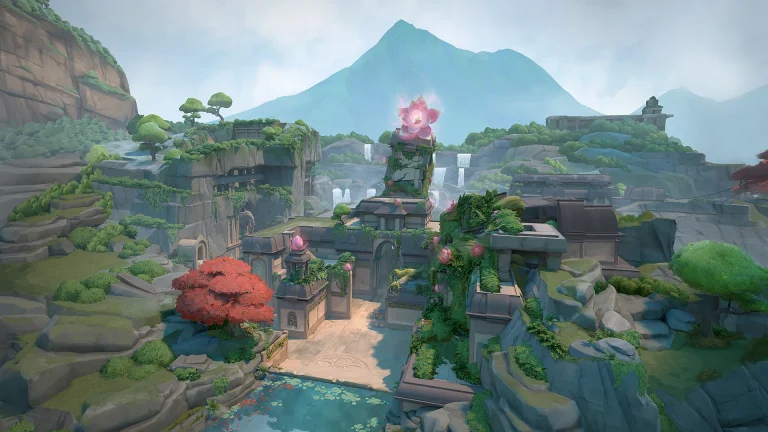
What the Lack of New Maps Says About Valve’s CS2 Strategy

The pool of maps in Counter-Strike 2 has served as a revealing lens through which to look at Valve’s overall strategic direction on their flagship tactical shooter. While the firm has kept up a consistent rhythm of incremental updates and community-created map additions, the absence of dramatic new map content is far more noticeable and indicates a development philosophy that values stability and polish over expansive goals.

In this article, we will dig into Valve’s strategy and the reasons behind not releasing new maps in CS2.

The Conservative Approach to Map Development

Valve’s approach to CS2’s map environment is an inherently conservative development philosophy that is diametrically opposite to the content-starved optimism of contemporary gaming communities. The existing Active Duty rotation of seven base maps that include recent revisions, such as Train’s back and Overpass replacing Anubis in July 2025, reflects prudent shepherding over aggressive additions. This strategy is even more significant when taking into account that CS2 was released with fewer maps than CS:GO had at its height, leaving old school enthusiasts pining for absent classics such as Cache, Lake, and Cobblestone.

The three-level method used by the company to update maps, classified as Touchstone, Upgrades, and Overhauls, signifies a technical strategy of utilizing the capabilities of the Source 2 engine instead of developing completely new tactical experiences. Maps such as Dust II and Mirage under Touchstone saw little updates other than some lighting enhancements, whereas Upgrades made use of new rendering systems, and Overhauls rebuilt older maps from scratch. This methodical strategy illustrates Valve’s dedication to technical sophistication but also implies a hesitancy to experiment with unexplored territorial design.

The steady reinstatement of legendary maps again serves to highlight this conservative ideology. Train’s restoration to Active Duty in early 2025, having undergone thorough rewrites and public testing via events such as BLAST Bounty 2025, is reflective of Valve’s cautious approach to content rollouts. Instead of hastily reinstating popular maps into competition, the business has opted for a careful, measured reintroduction that favors competitive balance over fan enjoyment.

Community Content

CS2 community maps

The fan reaction to Valve’s map policy demonstrates tremendous stress between corporate goals and consumer expectations. Numerous sources report broad disappointment at the rate of content release, with players complaining that CS2 debuted with considerably less content than the original game. The June 2024 fan backlash against the new map addition best illustrates this disappointment, as fans criticized Valve for adding community maps while refusing to correct basic game issues or releasing long-promised Operations.

Counter-Strike content creator Anomaly’s complaint that Valve “basically released no NEW content with the launch” is shared by larger community sentiment that CS2 is more of a technical update than an actual sequel. This is especially harmful to consider, as CS2 has entirely replaced CS:GO, so players could no longer access the familiar content they had been enjoying for years. The absence of fond maps, as well as the lack of game modes such as Danger Zone and Arms Race, has left a content gap that Valve has only just started to plug.

The outcry from the community for classic maps to come back, as reflected by content creators sharing nostalgic shots of Rialto, Lake, Austria, and Train, shows how much players feel attached to CS:GO’s overall map ecosystem. These cries demonstrate how map availability directly affects player activity and satisfaction, and thus how Valve’s reserved strategy is increasingly problematic in terms of community relations.

Technical Expertise vs. Creative Ambition

Valve’s map plan shows a company more concerned with technical excellence than innovative growth. The heavy labor that has gone into revising classic maps using Source 2’s capabilities, such as physically-based rendering, volumetric smoke interactions, and enhanced lighting systems, is an impressive technical accomplishment. But the emphasis on technical refinement as opposed to creative growth suggests a development team that prefers to hone established formulas rather than venture into new tactical horizons.

The firm’s strategy for integrating community maps also demonstrates this tension between technical standards and creative diversity. While Valve has incorporated community maps such as Mills, Thera, Assembly, and Memento into game modes, such as DOOM in the beta, these are commonly relegated to casual rotations instead of being updated and targeted for competitive play integration. This trend indicates that Valve considers community maps as add-on content rather than as possible pillars of the competitive experience.

The gradual release of map updates and patches also shows resource prioritization along the lines of stability instead of innovation. Frequent patches that resolve collision bugs, C4 stuck locations, and clipping bugs on several maps all illustrate Valve’s dedication to refining existing content. This detail-oriented focus is admirable, but it also shows development resources going toward maintenance instead of growth.

Strategic Implications for CS2’s Future

CSGO Operation Riptide Week 1 Missions

Valve’s conservative map plan is reflective of larger questions regarding the company’s long-term vision for Counter-Strike 2. In an October 2023 interview with PC Gamer, Valve developers went out of their way to say that in Year 1, they would be prioritizing “Player Needs” and getting the game right before adding new content such as skins, maps, modes, and weapons. This framework for priorities implies a company that is conscious of CS2’s bumpy launch and wants to get stability established before pushing ambitious expansion.

But this approach takes great risks in the competitive gaming environment today. While Valve is honing technical aspects, alternatives such as Valorant keep on publishing new maps and content packages that continue to keep their player bases interested and expanding. The three-year jump since Operation Riptide and the minimal launch content of CS2 have already given an impression of stagnation that might push players toward more support-intensive alternatives.

The state of the map pool also indicates Valve’s strategy for competitive balance over casual play. The seven-map Active Duty rotation is sufficient for professional tournaments and Premier mode, but provides no incentive for casual players wishing for new experiences. This laser-like emphasis on competitive balance, while suitable for esports, could drive away wider audiences interested in Counter-Strike as entertainment, not sport.

Verdict

Valve’s conservative methodology for CS2 map creation exposes a firm that puts technical quality and competitive equilibrium above community pressure for new content. Although this policy shows commendable dedication to excellence and game balance, it can also isolate long-time enthusiasts and miss out on Counter-Strike’s cultural zeitgeist.

Valve’s challenge is to find a middle ground for its systematic approach to game creation and the content needs of a contemporary gaming audience growing increasingly used to updated content and novel experiences.

Whether or not this conservative strategy will ultimately succeed rests in part on Valve’s capacity to speed up content delivery without sacrificing the quality standards that have made Counter-Strike a sustained esports presence.

FaZe Takes Down Aurora in IEM Cologne 2025 Group B

FaZe Clan is one step away from making it into the Lanxess Arena after dominating Aurora out of the competition and booking their spot in the next round of play. Back-to-back dominant performances from FaZe hint at a revival, and the roster might just have reached the level at which they were truly meant to perform.

VETO

  • FaZe removed Train
  • Aurora removed Ancient
  • FaZe picked Nuke
  • Aurora picked Mirage
  • FaZe removed Dust2
  • Aurora removed Overpass
  • Inferno was left over

Map 1: Nuke; Pick: FaZe; Winner: FaZe

Starting on the offense in their map pick, FaZe were pushed to the limit as Aurora did manage more rounds than they should have, leading to a competitive scoreline before walking into the second half. FaZe, despite controlling the majority of the game, had Aurora breathing down their neck as neither team managed to put together more than two rounds at a stretch. Despite trading rounds, FaZe managed to come out on top after a topsy-turvy game of Nuke. Winning the game with a 13-10 scoreline, frozen dropped back-to-back masterclasses with 1.46 IR and 1 kill after his previous solid performance against Liquid.

Map 2: Mirage; Pick: Aurora; Winner: FaZe

Replicating their performance from the previous Liquid game, FaZe went on a tear, leading Aurora, managing no more than 1 round in the whole map. Not only did FaZe dominate the Turkish side, but they also made a statement that teams should no longer write them off due to their poor form. Aurora managed one round on their offense, but FaZe stood strong and ran a quick, fast-paced T side to reach the next stage of play. With 17 kills and 2.06 IR on Mirage, broky’s performance and numbers have kept climbing after spending a brief time on the bench.

While Aurora was not the favourite to go through, their mechanically-intensive style of play is something FaZe Clan has mastered, and no wonder the match went heavily one-sided for the better part. While the team posted positive results in the last season, that level of performance is yet to come out of them in this one.

FaZe Beats Liquid in IEM Cologne 2025

Coming off the back of a tough loss against NAVI, FaZe Clan brought out their A game to beat Team Liquid and send them crashing out of the competition without making it to the arena.

VETO

  • Liquid removed Overpass
  • FaZe removed Train
  • Liquid picked Mirage
  • FaZe picked Ancient
  • Liquid removed Inferno
  • FaZe removed Dust2
  • Nuke was left over

Map 1: Mirage; Pick: Liquid; Winner: FaZe

FaZe Clan’s strong start on defense lost momentum as Liquid managed to recover the half by the end. FaZe won the final round of the half to level the scoreline. FaZe put on a masterclass in the offense, leading the charge against Liquid as they failed to win a single round, prompting FaZe to win effortlessly on their offense.

frozeN, with 1.69 IR to his name, dropped 22 kills, taking FaZe to their map pick with tons of confidence under their belt.

Map 2: Ancient; Pick: FaZe; Winner: FaZe

Liquid started the game with a pistol win, secured the following rounds, and that was all Liquid managed in the entirety of the second map. FaZe Clan continued their momentum from Miragr, leading to a streak of rounds till the end of the series. FaZe continued the momentum into the second half they securing 13 rounds and sending Liquid crashing out of the tournament.

Despite promising results by the end of the last season, Liquid’s new roster has failed to live up to expectations. Not only did they lose against a shaky FaZe, but they were annihilated, which goes to show that a tectonic shift needs to happen within the team if they are to get back to winning ways.