Thursday, May 14, 2026
Home Blog Page 618

WoW SoD Battle for Ashenvale January 8th Hotfixes

0

The launch of World of Warcraft Season of Discovery Phase 1 excited players as a new PvP event was unveiled in the Ashenvale zone. This fierce competition pits players against the opposing faction, challenging them to conquer enemy leaders and earn valuable Honor points. However, the Battle of Ashenvale has received mixed reviews, leaving Blizzard Entertainment actively seeking to balance and enhance the event’s appeal for participants.

Initially, there was considerable discontent among the community due to a lack of changes that would enhance the event’s overall experience. Cheesy strategies and exploits were quickly adopted by some players, resulting in an unenjoyable gameplay experience for those seeking legitimate PvP encounters.

In response to this backlash, Blizzard has implemented revisions to address these concerns.

  • The Battle for Ashenvale now has minimum and maximum times between battles. It will now never restart sooner than about 2 hours after its last start, and will not take longer than about 3 hours since its last start. If player activity is very low or very high, the percentage of progress will be sped up or slowed down to match those time constraints.
  • Battle for Ashenvale quests “Clear the Forest!” and “Repelling Invaders” now award 1000 reputation (was 200).

These changes have a major impact on how players advance their characters for the upcoming World of Warcraft Season of Discovery Phase 2. While some may view it as a positive move, it could be argued that the developers may have been better off prioritizing the upcoming Stranglethorn Vale PvP zone instead of trying to fix the current PvP event.

By devoting their attention to ironing out any imperfections, it will ensure a more polished experience for players.

Stay updated with the latest news in gaming and esports by signing up for early access to TalkEsport’s Mobile App. Follow us on Twitter and Google News to ensure you never miss the exciting updates.
Eight Teams Secure Spot in PGL Major Copenhagen Middle East RMR Closed Qualifier

As we approach the first CS2 Major, the preparation for the closed qualifier is in full swing, as we start with the Middle East closed qualifier.

The Middle East has always been a challenging qualifier given there are a lot of talented teams with only a few slots. Said region has been underrepresented in the Majors for a long time and talented players in top teams have been few and far between from said region. While none of the teams have managed to reach the premier CS2 events, we would be fools to ignore their potential.

JiJieHao has been the team that everyone has been talking about and arguably the best one out of the lot given the names on the roster. ISSA, El1an, and DavCost are notable names from the pugging community who form the core of the team. Goliath and Bravado are the top organizations that always pose a serious threat.

Suffice it to say that the qualifiers will be highly interesting with a few clear favourites but one thing that we have come to know with CS2 is its unpredictability and every team on their day can take home a spot at the PGL Major.

The team list for the Middle East RMR closed qualifier is:

  • Shush
  • Bravado
  • Goliath
  • DEATHROW
  • OnyxRavens
  • Nixuh
  • JiJieHao
  • POGGERZ

Stay updated with the latest news in gaming and esports by signing up for early access to TalkEsport’s Mobile App. Follow us on Twitter and Google News to ensure you never miss the exciting updates.
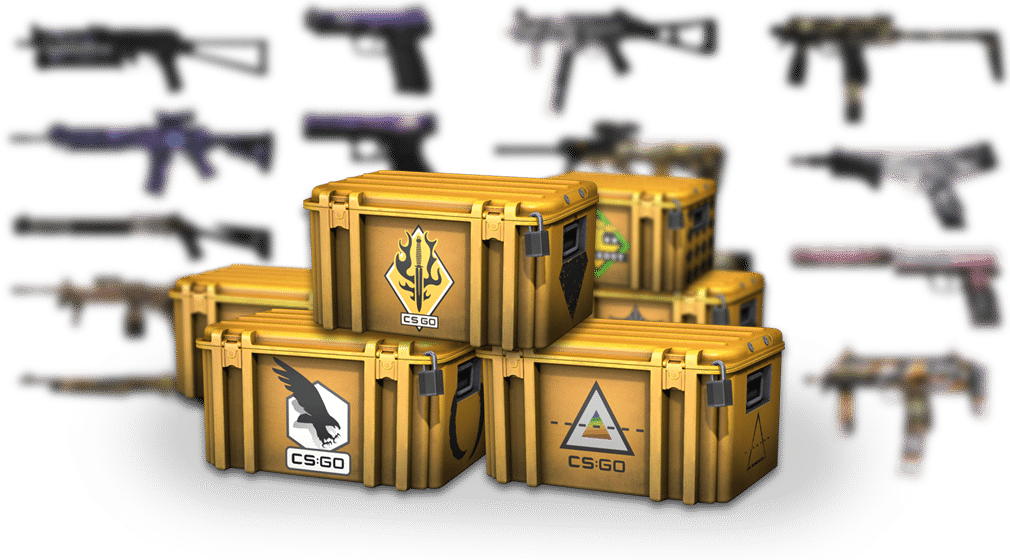
How To Get Cases in CS2?

Counter-Strike: Global Offensive was notoriously famous for dropping cases now and then but the CS2 has been a little less kind in that department. While cases are in the latest iteration of the game, getting them might be a bit of a drag when you consider that they are not dropped post-matches anymore.

Players new to the game may not know how cases work but if you have been playing CS for a while you know the importance of getting drops. While there are multiple ways to get cases in CS2, we have narrowed it down to the four that will help you get cases quickly and hassle-free.

How To Get Cases in CS2?

Let’s find out how you can get cases in CS2:

The Weekly Care Package System

The weekly care package system was introduced with the launch of CS2. This revamped reward system will grant players new cases as they level up every week. Upon leveling up, you will have the chance to take a Case as a part of your weekly reward. This will grant you a case every week and doesn’t cost you anything.

Third-Party Services

The trading system in the game has given rise to a plethora of websites that allow players to trade in-game items including but not limited to Cases. Cases can be found at a much cheaper price and you can buy cases in bulk quantity. Suffice it to say there is a chance of you getting scammed unless you use one of the trusted websites.

Drops

Twitch drops are one of the most popular places to get free Cases. More often than not, this method gets overlooked the most but having your Steam account connected to Twitch while watching CS tournaments live presents a chance to get cases. The streams might need you to take part in a quiz or just simply watch it for the entire duration and the cases will show up in your inventory.

To open the cases, the process remains the same as that in CSGO, get a key and unlock the cases in your inventory. The key requires money and luck plays an important role in getting what you want. So count your blessings when you are about to open a case as there is a good chance that the skin you get might not be worth it.

Stay updated with the latest news in gaming and esports by signing up for early access to TalkEsport’s Mobile App. Follow us on Twitter and Google News to ensure you never miss the exciting updates.
What is Error Code Val 46 in Valorant & How To Fix It?

0

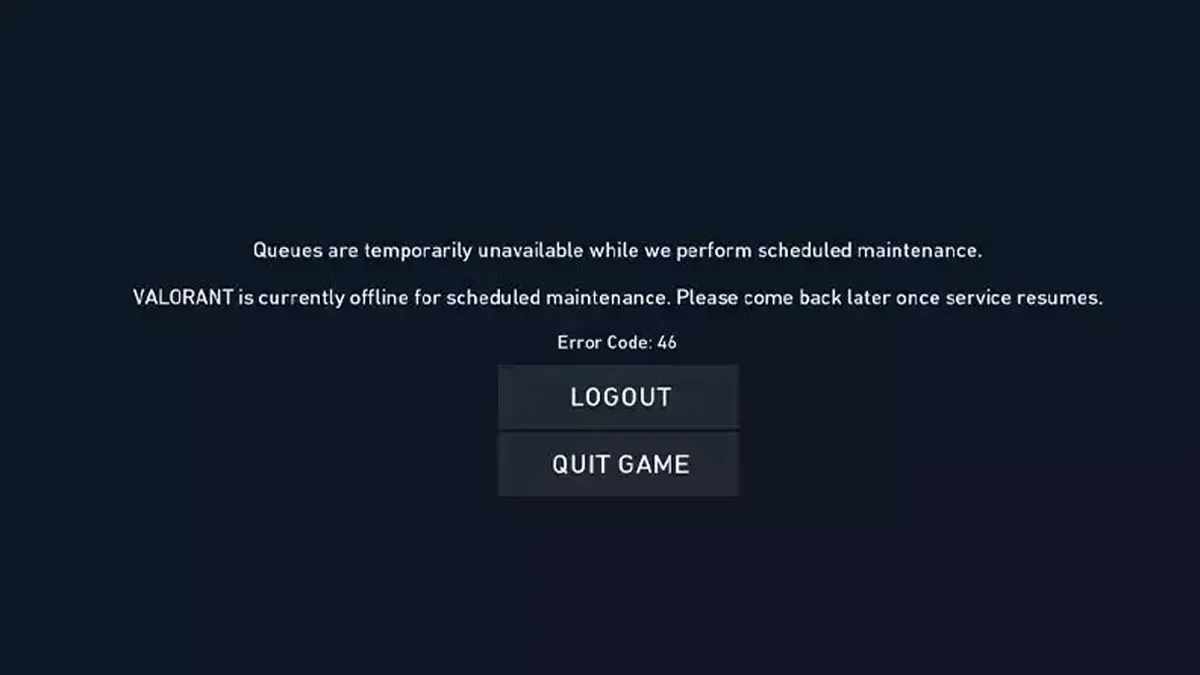
The error code Val 46 is one of the most annoying issues that you can face when trying to play Valorant. For the uninitiated, the Val 46 error renders you unable to log in to Valorant and makes it impossible for you to play the game.

If you’ve been facing the Val 46 error code in Valorant, you’re not alone. Val 46 is an extremely common error code that a lot of Valorant players face from time to time, especially when the developers ship out new updates to the title.

In this article, we aim to explore the reasons behind the Val 46 error in Valorant and provide solutions on how to fix it.

Valorant Error Code Val 46 Fix

If you’re encountering the Val 46 error code when trying to boot up Valorant, it means that the game is currently down for scheduled maintenance.

Fortunately, it’s not a problem with your PC or your internet connection, but with the Valorant servers. As a result, there’s not much you can do to fix this problem either.

To resolve the Val 46 error code in Valorant and get back into the game, your best option is to wait for the maintenance to conclude. Typically, Valorant maintenance lasts for a few hours, so you won’t have to wait long to resume playing your favorite shooter.

Once the new update is shipped to the live servers, you will be prompted to download a new patch for Valorant, after which you’ll be able to play the game again.

That’s everything you need to know about the Valroant error code 46 and its fix.

Valve Shows Greenlight to AI-Generated Content on Steam

0

In recent times, the gaming world has witnessed a significant shift with the emergence of AI-generated content. Valve, the proprietor of Steam, has provided clarity on its stance regarding AI-generated content in games. This move comes amidst rising discussions and concerns in the gaming community and AI developers about the use of AI-generated assets in games.

Valve’s latest announcement clarifies that there is no overarching ban on AI-generated content on Steam. However, the focus is on ensuring that developers possess the rights to the content included in their games. Valve has recognized the complexities introduced by AI in game development, especially regarding asset creation.

The main issue revolves around the legal rights associated with AI-generated assets, including images, text, and music. Given the legal uncertainties regarding the data used to train AI models, Valve’s policy necessitates developers to have appropriate rights for the content in their games​​.

Valve emphasizes that their intent is not to discourage AI’s application in game development. Instead, they aim to integrate AI use into their existing review policies, reflecting current copyright law and policies.

With AI tools capable of generating character models and in-game assets, which might be sourced from existing franchises, the legal territory becomes murky. Therefore, Valve insists that game developers using these AI technologies must have appropriate commercial licenses and must not infringe on existing copyrights​​​​.

The stance taken by Valve is also a precautionary measure to avoid potential legal disputes. With AI scraping the internet for assets, it’s crucial to ascertain that game developers hold rights to the artwork and assets used.

This is particularly important since the US Copyright Office stated that AI-generated art cannot currently be copyrighted.

As such, Valve’s guidelines state that while there is no explicit ban on AI-created content, developers should refrain from submitting games with content they do not own the rights to​​.

How to Counter Ballistic Shield in Fortnite?

0

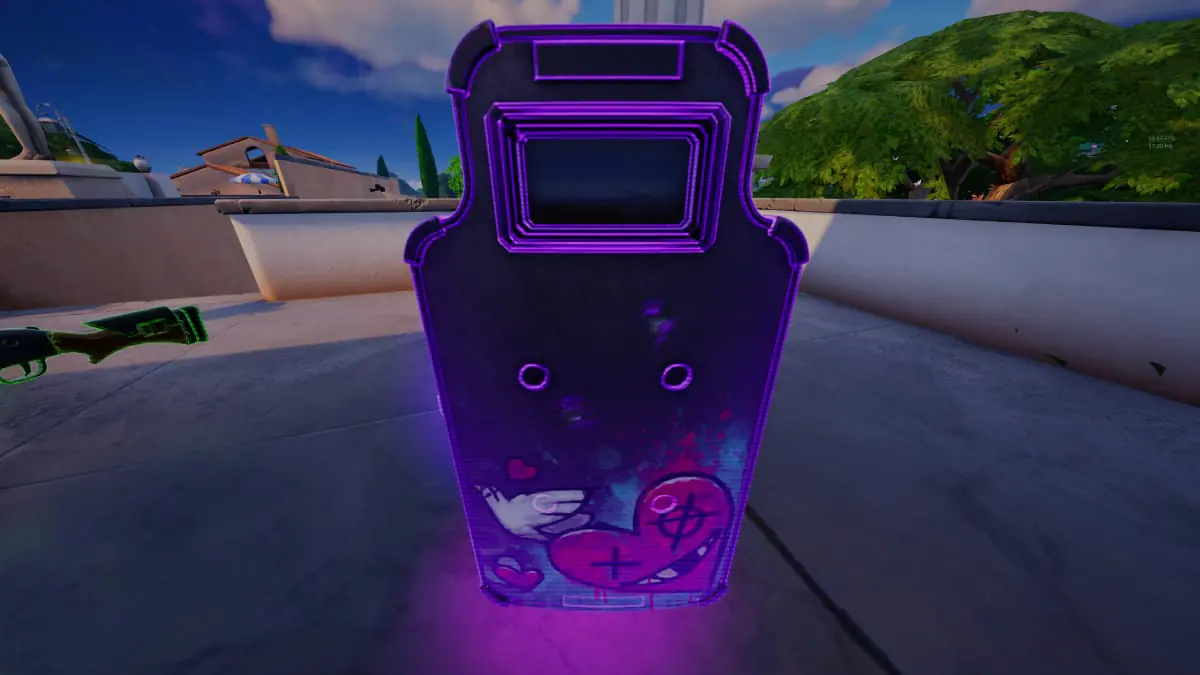
The popular battle royale game Fortnite has introduced a new item in Chapter 5 Season 1 that has become a significant part of the gameplay: the Ballistic Shield. This powerful item, which doubles as a weapon, has been a game-changer, offering protection while dealing damage.

But as with every addition to Fortnite‘s arsenal, there’s always a strategy to counter it. Let’s dive into the best ways to overcome the Ballistic Shield, ensuring you stay ahead in this dynamic battlefield.

The Ballistic Shield is more than just a defensive tool; it’s an offensive weapon as well. When equipped, it shields players from incoming fire and has a built-in pistol for simultaneous attack and defense.

However, it’s not invincible. Its strength lies in its ability to absorb damage, but once its threshold is reached, the shield breaks, leaving its user exposed for a critical period.

How to Counter Ballistic Shield in Fortnite?

Here are the top methods to dismantle this formidable defense:

  • Grapple Blade Attack: Close in on your shield-wielding enemy using the Grapple Blade. Once in range, use the blade to slash at the shield. A few well-placed hits will shatter the shield, rendering your opponent defenseless.
  • Cluster Clinger Tactic: The Cluster Clinger is a reliable option to damage both the shield and its bearer. Aim for the shield or the body of the opponent and let the clingers do their work. The explosive impact is often enough to break the shield’s barrier.
  • Shockwave Grenade Strategy: This is particularly useful when your opponent is near the storm’s edge. Throwing a Shockwave Grenade can not only break the shield but also send the player flying out of the play zone. There’s an added advantage here: a bug in the game sometimes causes players carrying the shield to be ejected far off the map.
  • Spray and Pray Weapons: Contrary to popular belief, spray-and-pray weapons are not the most effective against the Ballistic Shield. While they can cause damage, the shield’s high durability often outlasts the barrage.

Do you like the new Ballistic Shield in Fortnite? Let us know in the comment section below.

How to Get Lock on Pistol in Fortnite Chapter 5?

0

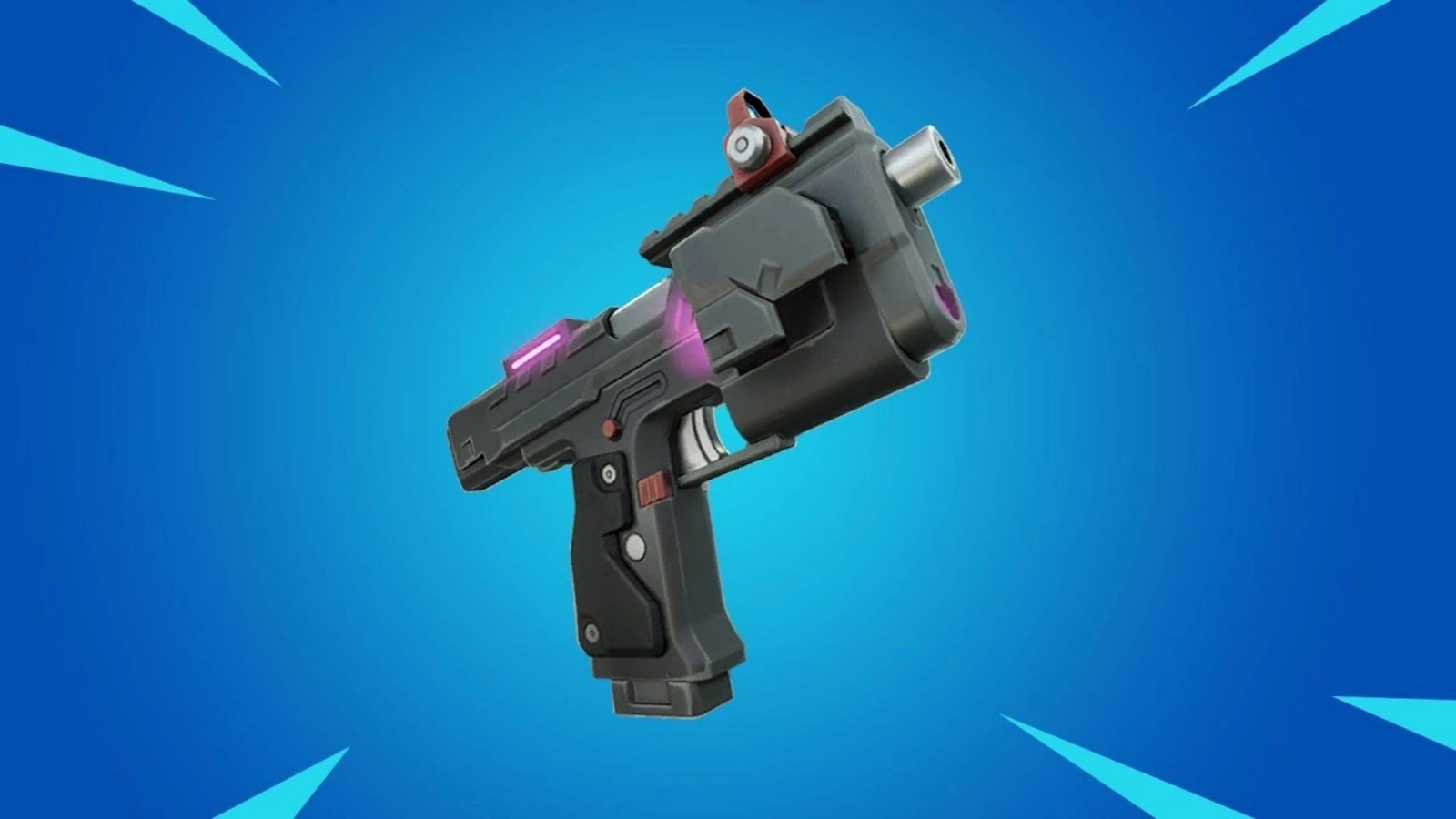
Fortnite has once again reintroduced the Lock On Pistol in the latest Chapter 5. This unique weapon, first seen in Chapter 4, is not just another addition to the game’s arsenal; it’s a game-changer in the truest sense.

At first glance, the Lock On Pistol might seem like an ordinary firearm. But, its hidden power lies in its exceptional lock-on feature. When you aim at an enemy and engage this feature, the pistol locks onto your target.

For the duration of that clip, your bullets home in on the enemy, allowing for precision shooting that can be a game-changer in tight situations.

If you’re skilled enough to aim slightly higher, a string of headshots can quickly eliminate your opponent, making this weapon a formidable tool in your Fortnite arsenal.

How to Get Lock on Pistol in Fortnite Chapter 5?

The Lock On Pistol is now part of the regular loot pool in Fortnite Chapter 5. Unlike some mythic or special weapons that are tied to specific locations, this pistol can be found across the game’s world. You can discover it in usual places like chests and floor loot.

The reintroduction of this weapon adds an extra layer of excitement and strategy to your gameplay. It’s not just a weapon; it’s a potential game-winner that is worth seeking out.

To truly leverage the power of the Lock On Pistol, players need to understand its nuances. Timing and positioning are crucial. When you activate the lock-on feature, make sure your enemy is within a reasonable range to ensure accuracy.

Also, be aware of your surroundings; while locking on, you might be vulnerable to attacks from other directions. Practice makes perfect, and mastering this weapon can make you a formidable contender in the battle royale.

The return of the Lock On Pistol in Fortnite Chapter 5 brings a fresh dynamic to the game. It challenges players to adapt their strategies and consider new ways to engage in combat.

Whether you’re a seasoned Fortnite veteran or a newcomer to the game, the Lock On Pistol offers a unique experience that enriches the gameplay.

100 Thieves Sign Boostio To Valorant Roster

0

100 Thieves have announced the signing of Kelden “Boostio” Pupello to their Valorant roster. The former Valorant world champion joins the 100T roster as the fifth and final addition to the team.

After the VCT 2023 season, the American organization dropped two players before signing  Daniel ‘eeiu’ Vucenovic and new head coach Tony ‘Zikz’ Gray.

On January 8, 2024, via a Twitter announcement, 100 Thieves officially confirmed the addition of Boostio as the final player to solidify their Valorant roster. The attached video features Boostio’s former coach letting him out of jail before announcing his departure from Evil Geniuses.

Before this move, Boostio has been a part of the VCT Champions 2023 winning roster for Evil Geniuses.

Heading into the 2024 VCT Season, the 100 Thieves Valorant roster will include the following players:

  • Kelden “Boostio” Pupello
  • Sean ‘bang’ Bezerra
  • Peter ‘Asuna’ Mazuryk
  • Matthew ‘Cryocells’ Panganiban
  • Daniel ‘eeiu’ Vucenovic
  • Zikz (coach)

Fans can catch the debut of the revamped 100 Thieves roster in action as the VCT Americas Kickoff tournament commences on February 16, 2024.

CS2 Mirage Window Smoke Guide: Easiest & Quickest Methods

The release of Counter-Strike 2 has brought with it a new ‘subtick’ system that has completely changed the way smokes and other utilities are thrown in CS2. Not only does this change spare you from needing to have jump binds by streamlining jump throws in the game, but it has also made throwing nades much easier and more intuitive.

However, as a result of the aforementioned change, most smoke lineups for jump throws in CS2 have also changed. One of the most prominent examples of this is the Mirage Window smoke in CS2.

Smoking the Mirage window from the T-side has always been a pretty difficult task in Counter-Strike history. Previously, players had to rely on jump binds to be able to consistently land a Mirage Window smoke. However, with the release of CS2, the lineups for the smoke has changed, and players no longer need to have a jump throw bind to do it.

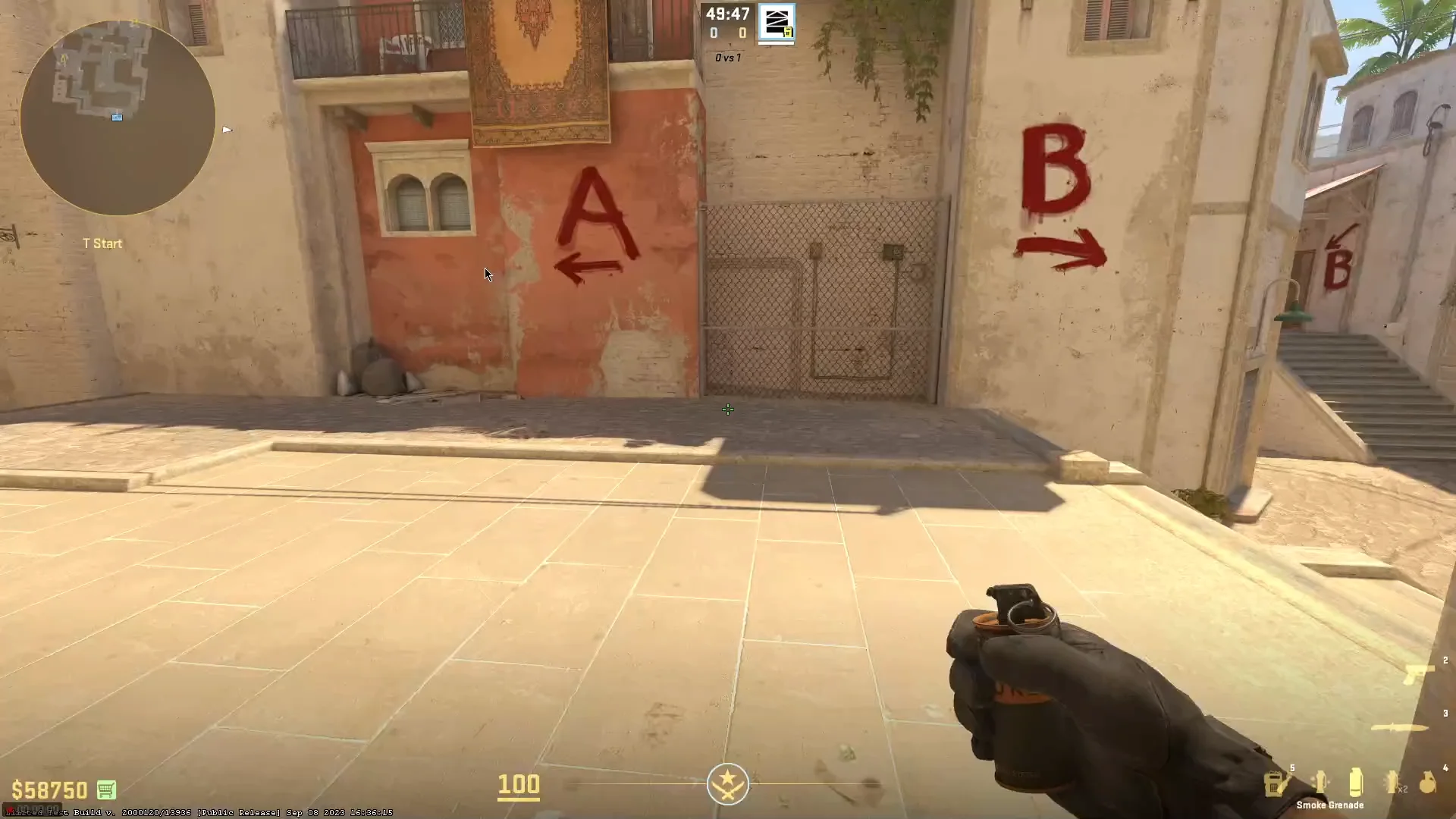
In this article, we’ll show you the best ways to smoke off Mirage Window from T-Spawn. Following this guide, you’ll be able to consistently smoke off Window within only a few seconds of the start of a round and safely cross mid without needing to worry about AWPers.

CS Mirage Window Smoke Lineups

YouTuber ‘austincs’ has showcased an extremely easy method of smoking Mirage Window from T-Base in a video. To execute this lineup, players will have to stand next to the trash can in the T-Spawn, look towards the roof, hold ‘D’ (or the ‘strafe right’ key), and jump throw the smoke.

While this smoke can be done without using a jump throw bind, it’s still recommended for players to have a dedicated jump throw key to be able to do this smoke more consistently.

Another way of smoking Mirage Window just as easily involves players going to the front of the trash can, aiming towards the right side of the railing, holding ‘D’, and jump throwing. This smoke is more effective than the last one as it prevents the CTs from being able to jump on the Window bench and getting a clearer view of mid.

[ **include pics of the lineup from the video if possible** ]

By learning these quick Mirage Window Smokes for the T-side in CS2, players should be able to take mid-control more effectively and safely execute a push into B-Short, Connector, or jump into Window.

It’s strongly recommended that players practice these smokes in a custom server beforehand, as they are quite complicated and may be challenging to execute without practice.

iShowSpeed scared after kidnapping prank by Arab

0

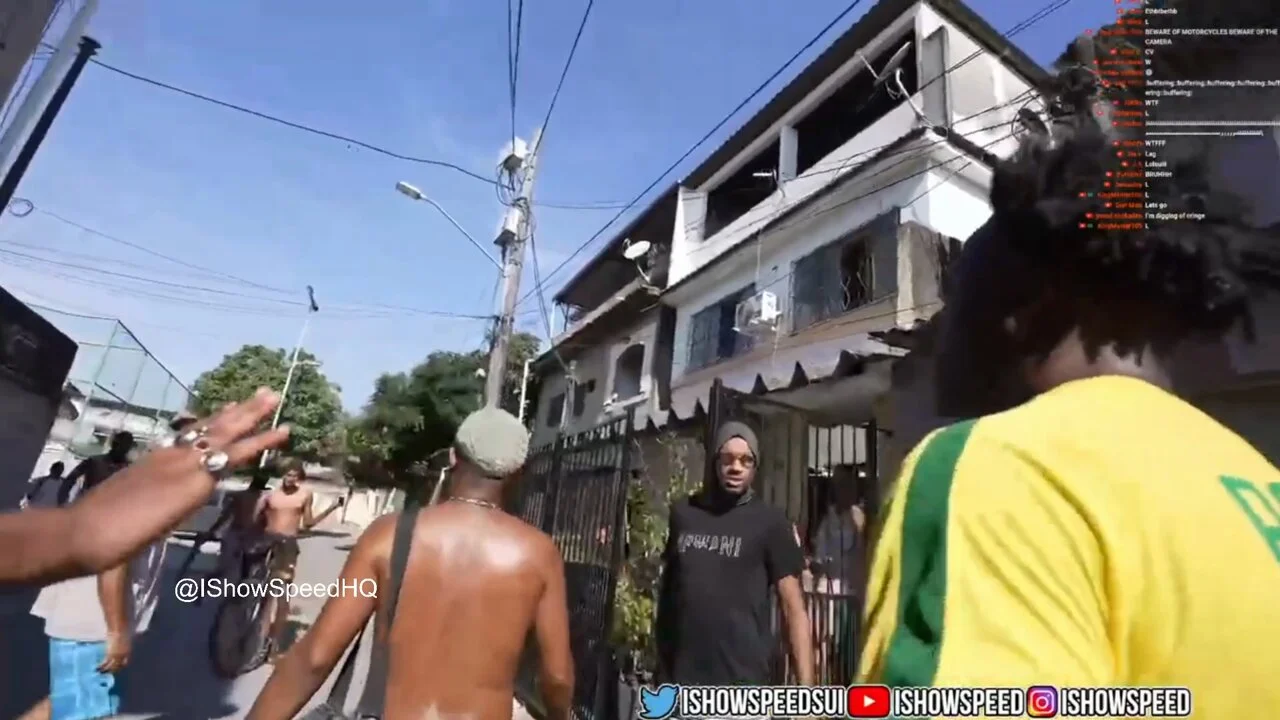
Popular content creator Arab has managed to terrify iShowSpeed with his elaborate prank that involves gang members grouping the American, leading him to believe that he was being kidnapped on his visit to Brazil.

Brazil is not exactly the safest country in the world and getting grouped by gang members is not a very uncommon occurrence there especially with a foreigner. iShowSpeed is known to explore cities on his visit with a vlogging camera which is a dead giveaway that he is a tourist that might attract the attention of the anti-socials.

During one of his live streams, walking through the streets with his camera on, Speed got surrounded by what seemed to be the members of some criminal organization that ended up terrifying him before Arab came out to reveal that it was all a part of the elaborate prank.

Following the prank, Arab revealed that he wanted it to be more genuine by involving guns but given that the stream would go live on YouTube, it wouldn’t align with their policies and would be taken down.

“Because it was a YouTube and not a Kick stream, they would have allowed that, we told them to do it with no weapons, just baseball bats and stuff,” he said.

“As for the gang members, I believe it’s a sign that when you come in and show respect and you approve these people can be humane, a lot of the time their fights are with each other,” he explained. “Don’t get me wrong, these guys can do bad things, it’s part of being somewhere lawless, but people need to stop being afraid of these places.”

The prank was too elaborate and scared the living hell out of Speed. The involvement of guns would have taken it too far but as things stand, the prank was super convincing and no one could have guessed that Speed was being played until Arab revealed himself.

Stay updated with the latest news in gaming and esports by signing up for early access to TalkEsport’s Mobile App. Follow us on Twitter and Google News to ensure you never miss the exciting updates.