Home Blog Page 596

FaZe’s Incredible Comeback Sends Them to LANXESS After Overcoming 1-11 Deficit Against Liquid

In a jaw-dropping showdown at IEM Cologne 2024, FaZe Clan pulled off an unbelievable comeback against Team Liquid to secure their spot at the renowned LANXESS Arena. This match, marked by its intense shifts and high emotions, highlighted FaZe Clan’s resilience and strategic mastery.

Match Overview

FaZe Clan faced Team Liquid in the Group B Lower Bracket Final at IEM Cologne 2024, with everything on the line. The winner would move on to the quarter-finals, while the loser would be out of the tournament. The battle unfolded over three maps: Inferno, Nuke, and Mirage.

Map Breakdown

  • Inferno: FaZe Clan’s choice, winning 13-9.
  • Nuke: Team Liquid struck back, winning 16-13.
  • Mirage: The decisive map saw FaZe Clan triumph 16-13, ensuring their advancement.

The Comeback

The most astonishing moment came on Mirage. FaZe Clan found themselves trailing 1-11, a near-impossible situation to recover from. Yet, through sheer determination and tactical adjustments, they managed to turn the game around, ultimately winning 16-13. This incredible comeback showcased their mental toughness and strategic ingenuity.

Emotional Resilience

FaZe Clan’s ability to stay composed and focused despite a significant disadvantage was impressive. Known for their emotional intelligence, the team remained calm under pressure and communicated effectively. This emotional resilience was crucial during their comeback against Team Liquid, as they didn’t let the early setback derail their performance.

The Road to LANXESS

With this victory, FaZe Clan has earned their place at the iconic LANXESS Arena, famous for its electrifying atmosphere and passionate fans. IEM Cologne is a key event in the ESL Pro Tour, known for creating unforgettable moments in Counter-Strike history. This year’s tournament is especially significant, as it’s the first IEM Cologne played on Counter-Strike 2.

Upcoming Challenges

FaZe Clan’s journey is just beginning. They will face tough opponents in the quarter-finals, competing against some of the world’s best teams. Their next match will be crucial in shaping their path forward in the tournament.

How to Claim Pre-order Bonuses in EA FC 25?

0

Did you pre-order EA FC 25? You must have a variety of rewards reserved just for you including goodies in Ultimate Team and other Career Mode items.

In this article, we will find out how to claim the pre-order bonuses in FC 25.

How to Claim Pre-order Bonuses in EA FC 25?

Pre-order rewards should arrive automatically while launching your game. But their location depends on the game mode.

EA FC 25 pre order bonus

Career Mode Bonuses

If you pre-ordered, you should find three bonus playable Icons available when kicking off a new Player Career. You can play as an Icon and one of those three will then be available to select.

Ultimate Team Rewards

Other than these, most pre-order bonuses are tied to Ultimate Team. Once you log in for the first time, you should find:

  • Kits and Customization Items: These will be unlocked right away.
  • Pre-Order Packs: Look for them in the Shop for Ultimate Team.
  • Guaranteed Hero: Also found in the Shop.

Don’t worry if you’re not sure if you got all your pre-order rewards. Maybe you just haven’t gotten them yet. They may come after the game officially launches for example. If that’s still not working for you, then contact EA Support.

Clash of Clans Won’t Launch: How to Fix?

0

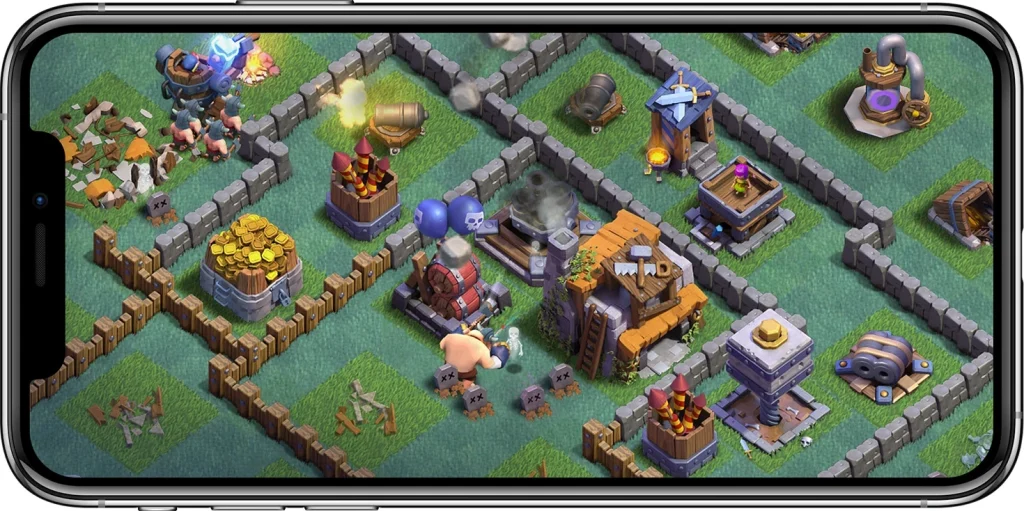
Tired of Clash of Clans not opening no matter what you do? Don’t worry; this can be irritating, but hold on. Let’s dig into some potential solutions to get you going again.

Before we dive into troubleshooting, it’s essential to find out why Clash of Clans might be misbehaving. Common culprits are:

  • Outdated Game Version: Supercell frequently updates the game with new features and bug fixes. An obsolete version could result in compatibility issues. 
  • Internet Connection: An unstable internet connection can cause the game to lose connection to the servers.
  • Device Limitations: Although Clash of Clans isn’t a resource-intensive game, older devices could fail to meet their bare minimum system requirements.

How to Fix Clash of Clans Not Opening?

Clash of Clans Won’t Launch

Follow the steps mentioned below to fix the issue:

  • Reboot Router: Sometimes, a simple reboot will cure temporary network issues.  
  • Try Loading Other Online Content: Test your internet by loading other content.
  • Update Clash of Clans
  • Check Device Compatibility
    • Android: 5.0 (Lollipop) or later, 0.5 GB RAM (1 GB recommended)   \
    • iOS: iOS 12.0 or later, iPhone 5S or later, 1 GB RAM, 640×960 screen resolution
  • Check Device Settings: Open your device’s settings to ensure Clash of Clans has access permissions such as access to storage and network.
  • Erase Caches and Data

If nothing works, then it’s time to contact Supercell’s support team. They may provide you with an individualized solution according to your problem.

Sometimes, troubleshooting can be a bit of a time-waster. Go through these steps, and there is a high chance that the issue will get fixed.

NAVI Wins ESL Pro League Season 20

NAVI has edged out Eternal Fire to win ESL Pro League Season 20 as they retain their place as the best team in the world. As teams prepare for the Major, NAVI will walk into the tournament as favorites, and winning the EPL in this fashion was a display of their dominance against the best of the best.

Map Veto

Natus Vincere banned Vertigo
Eternal Fire banned Mirage
Natus Vincere picked Nuke
Eternal Fire picked Anubis
Natus Vincere banned Ancient
Eternal Fire banned Inferno
Dust2 was left over

Game 1: Nuke (Pick: NAVI, Win: Eternal Fire, Final Score: 13-8)

Winning the pistol round, Eternal Fire got a hot start on NAVI’s map pick before conceding 3 rounds. Having lost to G2 the day before, NAVI’s had to open up their playbook a lot more than they would have liked which caused Eternal Fire to come in with a strong game plan. The Turkish side managed to shut down NAVI on 7 occasions only letting 5 rounds slip.

Winning the second pistol put Eternal Fire in prime position to put away NAVI on the first map and they did. The pistol prompted a streak of 4 rounds that took the score to 11-5. Despite a valiant attempt at a comeback by NAVI, Eternal Fire did not let them take it too close as they only let 3 rounds slip on their offense, winning the map with a 13-8 scoreline. With 19 kills and 1.53 IR, woxic has found form in the Grand Finals which translates to trouble for NAVI.

Game 2: Anubis (Pick: Eternal Fire, Win: NAVI, Final Score: 13-11)

NAVI kicked off Anubis on the right foot with a pistol-round win on the map’s T-side. A failed force buy from Eternal Fire enabled NAVI to get an early 3-0 lead before the former could grab the first buy-round of the game. However, Eternal Fire failed to maintain their momentum as NAVI managed to secure three consecutive rounds to extend their lead to 6-1. Eternal Fire could grab the last few rounds, ending the first half closely trailing behind NAVI with a 5-7 score.

NAVI took the second pistol-round of Anubis and converted the follow-up anti-eco to get a 9-5 lead over their opposition. However, Eternal Fire came out on top in the buy-round and gave themselves a fighting chance. Grabbing the next few rounds in a row, EF managed to equalize the score 9-9 before NAVI had the chance to retaliate. The teams then traded a couple of rounds back and forth as NAVI regained their composure and closed out the game with a score of 13-11.

Mihai “iM” Ivan put up an impressive performance and reigned at the top of the leaderboard with 30 kills and 12 deaths.

Game 3: Ancient (Pick: NAVI, Win: NAVI, Final Score: 13-11)

Anubis put NAVI back on track as they found their form in Ancient despite EF’s best attempts that kept the game closer than either team would have liked. Having traded rounds for the entirety of the first half, NAVI edged out a narrow lead winning the half with a 7-5 scoreline.

Winning the pistol round in the second half, NAVI extended their lead further to 10-5. Eternal Fire on their offense focused heavily on mid which proved to be the source of most of the rounds they managed on the T side which eventually led to the score getting dangerously close but NAVI pulled their socks up and closed the match with only two rounds separating them. NAVI won the map 13-11 with JL dropping 24 kills with a 1.54 IR.

Game 4: Inferno (Pick: Eternal Fire, Win: Eternal Fire, Final Score: 13-4)

Eternal Fire took control early on the T-side of Inferno, winning the pistol round and shutting down NAVI’s force-buy to establish a 4-0 lead. NAVI managed to secure their first round in the fifth but struggled to build momentum. The teams traded a few rounds, but Eternal Fire maintained their dominance, closing the half with a commanding 8-4 lead.

Eternal Fire found themselves in a comfortable spot after taking the second pistol round of Inferno as well. A force buy from NAVI almost managed to shut EF down in its tracks, but a post-plant clutch from woxic denied them the round. Eternal Fire didn’t have much trouble closing out the rest of the half, as they ended the game with a solid 13-4 score, forcing a game five.

Woxic took the top spot in the Inferno leaderboard with a 17/6 KD.

Game 5: Dust 2 (Win: NAVI, Final Score: 13-10)

Despite losing the pistol round, NAVI managed to keep up with Eternal Fire who boats a stellar record in Dust 2. Trading rounds back and forth saw NAVI run away with a two-round lead before moving to the final half of this best of 5 series.

Winning the second pistol round saw NAVI win the pistol round and two more off the back of it. Just when they seemed to be running away with the series, Eternal Fire managed to pull a few rounds back which made the game competitive. With only 3 rounds away, NAVI lost a few more rounds but managed to reach the finish line.
B1t stood out as the best player with 20 kills and 1.29 IR.

Eternal Fire has managed to emerge as a fascinating dark horse ahead of the major. The Turkish side has found its form on LAN after struggling to keep up with the top teams of the world.

How to Complete the Possessor Quest in Escape From Tarkov?

0

There is the Possessor quest offered by Prapor. This is one of the challenging tasks found in your Kappa quest line. Prapor has learned that there is an invaded helicopter in the Factory, and he is interested in the possibility of finding a logbook hidden inside it. Your objective is to find this logbook and hand it over to him.

In this article, we will discuss how to complete the Possessor Quest in Escape From Tarkov.

How to Complete the Possessor Quest in Escape From Tarkov?

Possessor Quest Escape From Tarkov

There are two main steps while you follow the process of completing the Possessor quest:

  • Find the Pilot’s Logbook The logbook is located within the crashed helicopter, which is on the uppermost floor of the Factory’s main hall.
  • Take with the Logbook Take the logbook with you as soon as you can get hold of it and leave the Factory to complete the mission
  • Enter the Helicopter and walk up the stairways on the nearby stairways. Make your way around the scaffolding to access the crashed helicopter.
  • The helicopter will have a large, blinking red light. Find a girder to the left of the light. The logbook is under the pilot seat, next to the girder. It’s a light blue notebook.
  • Reach out and take the logbook, inserting it into your pack or chest rig.
  • The Office Window or Med Tent Gate will usually be the closest extraction points.
  • Scavs and, of course, Tagilla the boss might patrol around the main floor. Clear the area before extracting.

Note: If you die while carrying the logbook, you will have to repeat the quest.

On completion, Prapor will reward you with a pretty massive amount of Roubles along with a Metal fuel tank, and you will earn a good amount of reputation with the vendors.

How to Fix NBA 2K Error Code 727e66ac?

0

This has been quite a common flaw in the NBA 2K series and users of NBA 2K25 are now facing it. It prevents access to multiplayer matches and fails to log into Play Now Online mode.

Here are some things you may try to try and resolve the NBA 2K Error Code 727e66ac:

Check Server Issues

The NBA 2K team generally informs about a scheduled server maintenance or outage on their social media, particularly on Twitter. In case the servers haven’t been restored yet, this may indicate that the game is unavailable for some time.

Update the Game

You need to confirm the updates on your NBA 2K25 game. Sometimes, an outdated version of the game might be difficult to be compatible at times.

Updates also depend on which platform you are currently using (PC, Xbox, PlayStation). Make sure you update games according to the update tutorial that comes with your console or the platform.

Check Your Internet Connection

A stable internet connection is necessary to run a check on your network connectivity. This could possibly be the case with error code 727e66ac.

If possible, connect to a different network (e.g., mobile hotspot), then try to play again and see if the error persists.

NBA 2K Error Code 727e66ac

Change NAT Type

Switch your NAT from strict to Open. The advantage of this is that it makes your game more accessible online.

Check Game Files

For PC players, check your game files for integrity. It may help find and repair corrupted or missing game files.

Restart Your Console or PC

Sometimes this can be as easy as a reboot for those unexpected issues.

Reinstall the Game:

If none of those work then reinstalling might be in order. Do this only as a last resort due to large file size and potential wasted time.

To troubleshoot and be able to correct the 727e66ac error encountered in the use of NBA 2K25, the following steps should be pursued. If the error is not eliminated, then it’s best to contact NBA 2K support for further assistance.

Upcoming Valorant Agent Changes: Buffs To Phoenix, Sage, Harbor & More

0

In a recent developer update video, Riot Games has highlighted a bunch of interesting changes coming to Valorant in the near future. These planned changes include a revamp to the Sunset B-site, buffs and nerfs to several Agents in the game, and much more.

We’ve already talked about the Sunset changes coming to Valorant with patch 9.08, and it’s safe to say that they will have a huge impact on the current post-plant meta of the map’s B-site. For the uninitiated, the changes to the Sunset B-site will make it harder for the Attackers to fall back to B-main after getting the plant, and encourage them to hold down the site itself with a number of new on-site angles. The update will also remove the “unbreakable Cypher tripwire spot” near B-main.

However, if you main Cypher, you might have more concerns on the horizon, as the Agent is expected to receive some nerfs soon. In the update video, the devs pointed out several Agent changes that might be introduced to Valorant over the next few updates.

Upcoming Valorant Agent Changes: Cypher Nerfs, Phoenix Buffs, & More

The developers have mentioned that they have planned changes for the following Agents in future updates:

  • Phoenix
  • Sage
  • Cypher
  • Gekko
  • Harbor

While the exact changes for the Agents have not been revealed yet, the devs have mentioned that they’re planning to buff the weaker Sentinels and Controllers of the Valorant roster.

Given Cypher’s dominance in the current Valorant meta, it’s likely that he’ll face significant nerfs in upcoming updates, while underperforming agents like Sage are expected to receive buffs.

Phoenix and Harbor are also in line for buffs, though the devs have noted that the latter might take longer, as the changes involve ‘larger scale work’ and they’re still considering different approaches.

It’s hard to say what kind of changes are in store for Gekko, but players can expect minor nerfs hitting the Initiator in a future update.

Pokémon Go Max Raid Faces Community Backlash

0

Perhaps too coincidental, the latest Psychic Spectacular event in Pokemon Go also brings more frustration about Max Raid Battles into play. A chance to encounter a Dynamax Beldum and immediately evolve the mean machine into the mighty Metagross is exciting, to be sure. Technical issues, however, are still hounding the battles, leaving most players sorely disappointed.

Complaints are swamping the Reddit threads, continuing with complaints about all sorts of crashes and unresponsive dodging, yet more bugs that make Max Raid Battles a chore. One has to wonder if Niantic ever bothered to have quality control. They must have spent a lot of resources on the feature.

The in-person-only requirement of Max Raid Battles has also proven to be somewhat of a bone of contention. As a result of this restriction, even players can’t have remote play, which means that many participants feel limited in their ability to play. Furthermore, the restriction that only Pokémon capable of Dynamaxing can be used limits an already very small pool of possible choices.

Pokémon Go Max Raid

Only time will tell whether Niantic ever finds answers to these problems and makes the disappointments surrounding Max Raid Battle generally go away. At any rate, for now, challenges and disappointments about this popular feature continue to throw users for a loop.

Best Maps for Aim Practice in CS2

Counter-Strike 2 is one of those games that brings immense strategic depth, high-intensity firefights, and mastery of precision aims, lightning-fast reflexes, and tactical awareness. Official maps provide a competitive arena but it’s the unofficial practice maps that will sharpen your skills.

These fan-crafted gems up there on the Steam Workshop offer a plethora of options by which you can refine your shooting, grenade throwing, or overall movement. Let us take a look at all the top aim practice maps in CS2.

Best Maps for Aim Practice in CS2

Crashz Crosshair

Your crosshair isn’t only an optical cue; it’s an extension of your aiming style. Crashz Crosshair Generator enables you to fine-tune its thickness, line length, color, and animation. With a vast library of presets from pros, you can easily use the exact one that you like best.

Crashz Viewmodel Generator

While often overlooked, placement of the hands can actually have a significant impact on the preciseness of your aim and the overall usability. Crashz Viewmodel Generator gives you opportunities to test various hand positions, which allows smooth transitions between aiming and movement.

Aim Bots

Aim Bots is actually the most popular practice map in CS:GO. You can customize the environment to your liking-be it bot movement, spawn points, weapons, or even adjust it to a headshot-only mode. Whether you’re warming up for a match or holding an isolated training session, Aim Bots has it covered.

Aim_Map

The age-old Aim_Map has remained as traditional for its 1v1 duels as ever. So simple in design yet with that constant challenge of defeating opponents in a duel that has always made it a timeless training ground.

Mansion

For a change of pace, try Mansion, a community-made remake of the classic hostage rescue map. Its renewed graphics and new spots to get some shooting practice make for a refreshing exercise in training.

CSGOHub

CSStats, formerly known as CSGOHub, is a very versatile training map. Features include bot training, prefire practice, and surfing. Although it is currently underdeveloped because of some technical limitations, it promises a lot for future trainings.  

GGpredict Training Hub

GGpredict Training Hub is special because their shooting range can be tailored to choose specific weapons and situations where you want to be trained.

Other notable maps are Aim Training – Quick WarmUp and Fy_pool_day, which will pose special challenges with many unique features.

Valorant Sunset Changes Revealed: What’s New in Patch 9.08?

0

A recent developer update video from Riot Games has shed light on the upcoming changes of Valorant patch 9.08. The changes planned for Valorant 9.08 include buffs and nerfs to several Agents in the game, a number of improvements to Sunset, and more.

Throughout the last VCT season, teams have frequently exploited the B-site on Sunset on Attack, using B-main as a safe area to play post-plant. The new changes to the map aim to address this issue, making it harder for the Attacking side to retreat from the site, while also introducing more angles on-site to encourage teams to hold their ground and defend from the bombsite.

Without further ado, let’s take a look at all the Sunset changes that the next Valorant patch has in store for the players.

Valorant 9.08 Sunset Changes Revealed

The announcement showcased all the changes that Sunset will receive in the Valorant 9.08 update.

The most significant changes are focused on the B-site, which has been extensively revamped to disrupt the current post-plant meta. The “unbreakable Cypher tripwire spot” near B-main has also been removed.

The revamped B-main area of Sunset will prevent players from hiding behind the large box, which has been replaced by a small crate. The mid-section of the map is also seeing slight adjustments.

The developer update also highlighted upcoming changes to Valorant, set to arrive later this year, with updates planned for Cypher, Phoenix, Sage, and Harbor.