Saturday, May 2, 2026
Home Blog Page 352

How to Increase Bot Difficulty in CS2?

Counter-Strike 2 is a highly complex game, boasting a plethora of advanced movement and gunplay mechanics that set it apart from other titles in the FPS genre. At the same time, the complexity of CS2 also makes it a challenging game to get into as a new player.

Unlike most other competitive shooters on the internet, CS2 has a prominently high skill floor which can often be intimidating to new players in the genre. For the same reason, hopping onto competitive games with little to no experience might not be a good idea for most players.

If you feel like you’re not ready for the competitive grind of Counter-Strike 2, then your best bet is to test your marksmanship skills in bot games and see if you can take them down before fighting against real players.

While setting up bot games and switching bot difficulty used to be quite intuitive in CS:GO, it’s not as easy since the upgrade to CS2.

How to Change Bot Difficulty in CS2
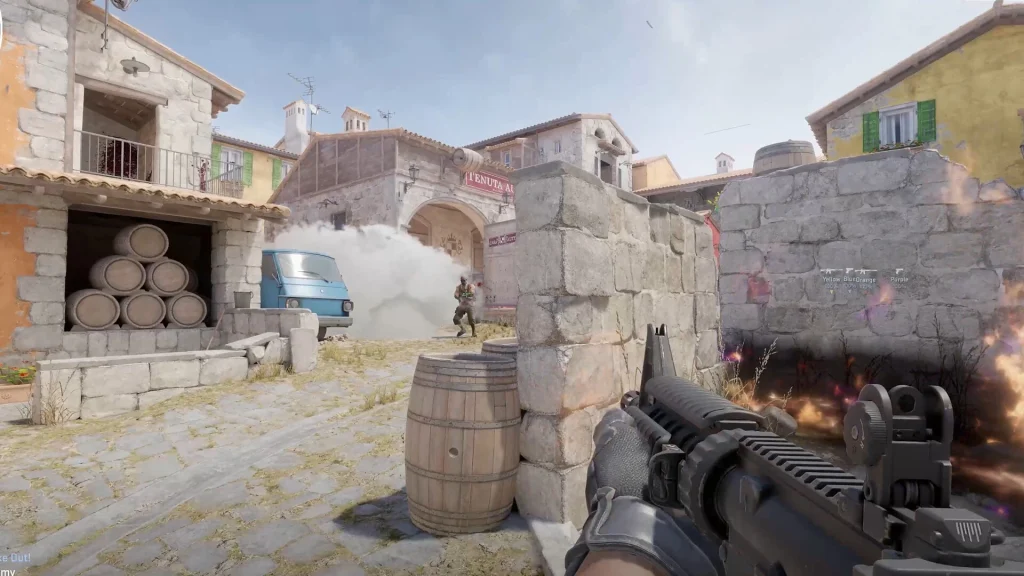
How to Increase Bot Difficulty in CS2

Back in the CS:GO days, players were able to set bot difficulty before loading into a practice game. However, that isn’t the case anymore.

To change bot difficulty in CS2, you’ll have to launch a practice game first. To start a bot game in CS2, follow these steps:

  • Launch CS2.
  • From the main menu. hit ‘Play
  • Click on ‘Practice
  • Pick your preferred map.

After selecting the map of your choice, you’ll be loaded into a practice game with bots. Now, all you need to do is open your console by pressing the tilde (~) key on your keyboard and type ‘bot_difficulty X’, replacing X with a number between 0 and 5.

For instance, typing in ‘bot_difficulty 0’ will spawn the least difficult bots while going for  ‘bot_difficulty 5’ will make them much more challenging.

Once done, restart the server by typing ‘mp_restartgame 1’ in your console, and you should be good to go.
How To Download Valorant on PS5?

0

Since its initial release in June 2020, Valorant has won the hearts of millions of gamers from throughout the globe with its unique take on the FPS genre. Building on its remarkable success in the PC gaming sphere, Riot Games has decided to bring the title to consoles, expanding the game’s reach to a wider audience.

The console version of Valorant officially launched in August 2024 after a closed beta period earlier this year. The release of Valorant Console enabled PlayStation 5 and Xbox Series X/S players to enjoy the tactical shooter with tailored controls, separate matchmaking, and a console-friendly experience.

In this article, we will take a look at how you can download Valorant Console on your PlayStation 5 without any hassle. 

How To Download Valorant Console on PS5

How To Download Valorant on PS5

Downloading Valorant Console on PS5 is extremely easy and it will take you no more than a few seconds to start downloading the game on your device.

To download and install Valorant on PS5, simply follow these steps:

  • Go to the PlayStation Store.
  • If you can’t find Valorant on the home screen, tap on the search icon located towards the top-right corner.
  • Type ‘Valorant’ in the search bar.
  • Highlight the game and press X.
  • Download Valorant.

And that’s it! Now all you need to do is wait for the download process to finish, and you’ll be able to enjoy Valorant with all your friends by launching the game from your library.

Blue Lock Chapter 286 Leaks: Isagi and Kaiser’s Game-Changing Team-Up

0

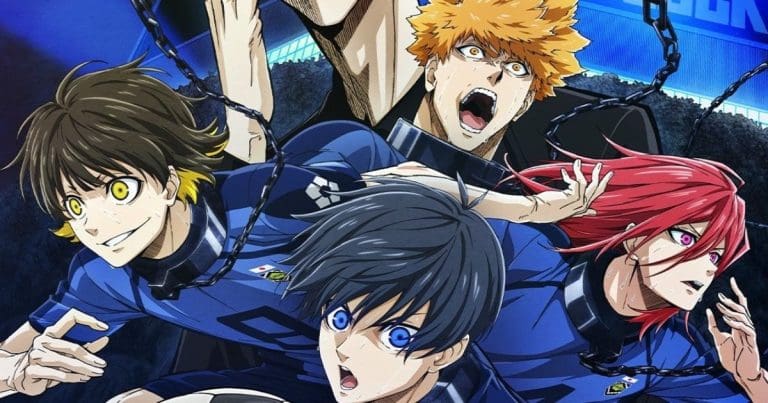
The highly anticipated Blue Lock Chapter 286 unveils pivotal developments in the ongoing Neo-Egoist League match, bringing Isagi and Kaiser to the forefront with their unexpected collaboration. These spoilers highlight the dynamic interplay between top players as Bastard Munchen takes on Paris X Gen in a match teeming with strategic brilliance and emotional depth.

Isagi and Kaiser Outwit Rin

The chapter begins with Isagi Yoichi and Michael Kaiser teaming up to thwart Rin Itoshi’s attempt at scoring. Rin, who had taken control of the ball after a throw-in, found his path to the goal blocked by Isagi’s meticulous positioning. In a surprising turn, Kaiser entered the scene, effectively intercepting the ball with synchronized precision. Their dual strategy left Rin stunned, marking a significant shift in the game.

Hiori’s Role in Unifying Bastard Munchen

As Isagi and Kaiser pushed forward, their seamless coordination drew praise, but it was Hiori who catalyzed a shift toward teamwork. By showcasing his exceptional passing skills, Hiori encouraged the team to work collectively, breaking down Paris X Gen’s defense. This moment of unity among Bastard Munchen players underscored the value of collaboration in the high-stakes match.

Isagi’s Growing Awareness of Karasu and Zantetsu

As the narrative progresses, Isagi faces new challenges from Karasu and Zantetsu, two players who prove to be formidable opponents. Despite their efforts to obstruct Isagi’s path to the goal, his clever maneuvers kept Bastard Munchen in contention. A moment of clarity strikes Isagi as he recognizes Karasu and Zantetsu as talented learners, capable of adapting quickly—a quality that mirrors his and Kaiser’s strengths.

Key Takeaways from Chapter 286

This chapter cements Isagi and Kaiser’s partnership as a game-changer in the Neo-Egoist League. It also shines a spotlight on the evolving dynamics of Bastard Munchen, highlighting teamwork as their cornerstone for success. Fans of the manga will find plenty of action and strategic depth to enjoy, making it a standout installment in the series.

For those exploring anime, don’t miss our guide to the Top 10 Anime Series of All Time, where you can discover classics and hidden gems to complement your reading journey.

Blue Lock Chapter 286 elevates the stakes with its blend of strategic gameplay and character development. The intricate dynamics between Isagi, Kaiser, and their opponents promise an exciting continuation as the Neo-Egoist League unfolds. This chapter not only advances the plot but also reinforces the themes of adaptability, collaboration, and rivalry that define the series.

Free Fire Max Booyah Pass December 2024: Unlock Exclusive Rewards Now

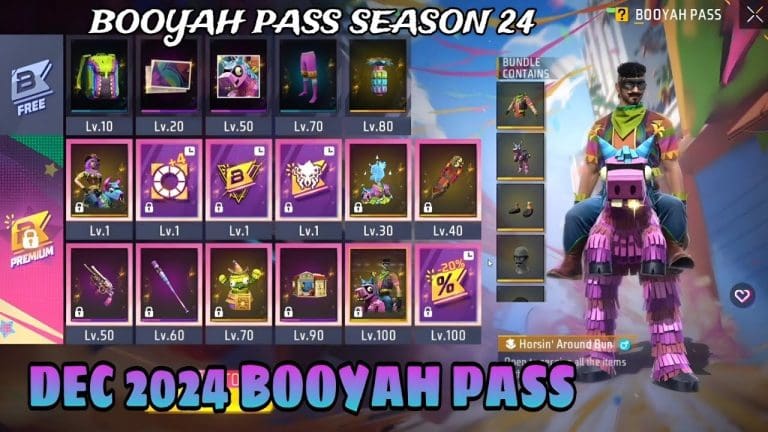
Garena has rolled out the Booyah Pass December 2024 for Free Fire Max, marking the start of Season 24 with an exciting range of exclusive rewards. Themed “Giddy Runaway,” this season’s pass introduces vibrant Free Fire skins, bundles, and in-game items, ensuring players have plenty to grind for during the month of December.

The pass, active from December 1 to December 31, 2024, provides two upgrade options: Booyah Pass Premium (399 diamonds) and Booyah Pass Premium Plus (899 diamonds). The latter offers a head start with 50 BP levels unlocked instantly, catering to players looking to minimize the grind. Those who prefer a cost-effective route can opt for the standard premium pass and earn rewards through gameplay.

Key Rewards in the Booyah Pass December 2024

The Free Fire rewards in this season’s pass are divided into two categories: free and premium.

Free Rewards:

  • BP Level 10: Backpack – Horsin’ Holiday
  • BP Level 20: Giddy Runaway Banner
  • BP Level 50: Giddy Runaway Avatar
  • BP Level 70: Horsey Shorts
  • BP Level 80: Grenade – Poppin’ Horsey
  • BP Level 100: 5x Gold Royale Vouchers

Premium Rewards:

  • BP Level 1: No Horsin’ Around Bundle, M1917 – Horsin’ Holiday (30 Days), Bonus Emote Slots, and more.
  • BP Level 20: Loot Box – Horsey’s Remains and Double EXP Card (7 Days).
  • BP Level 50: M1917 – Horsin’ Holiday and Pocket Market Play Card (24 Hours).
  • BP Level 90: Gloo Wall – Horsin’ Holiday and 50x Gold.
  • BP Level 100: Horsin’ Around Bundle, 20% Discount Privilege for next BP, and more.

For a detailed guide on optimizing Free Fire for low-storage devices, check out this premium pass guide.

Additional Features:

Garena has introduced a Luck Royale event tied to the Booyah Pass, allowing players to acquire it at a discounted price. This adds another layer of excitement for players looking to maximize their experience without overextending their resources.

Free Fire Max Low MB: What You Need to Know About Download Options

Garena’s Free Fire Max has become a fan-favorite battle royale game, known for its enhanced graphics and immersive gameplay. However, not all players have access to high-end devices or unlimited storage, making the need for Free Fire Max low MB APKs a pressing concern. Here’s a comprehensive look at the topic, its feasibility, and essential download tips.

Is a Low MB APK for Free Fire Max Real?

The concept of a low MB APK Free Fire might seem appealing, but the reality is more complex. The official Free Fire Max APK file typically ranges between 500 MB to 1 GB due to its high-quality graphics and resource-intensive features. Claims about significantly smaller files often stem from unofficial sources, posing risks such as malware or compromised gameplay.

For players looking to save space without sacrificing the official experience, Garena provides an option to separately download the Free Fire OBB file, which contains essential game assets. This modular approach helps optimize storage management for users with limited space.

The Role of Data-Efficient APKs in Free Fire Max

Garena has introduced features like downloadable resource packs to cater to a broader audience. These allow users to selectively install in-game assets, effectively creating a data-efficient APK. Players can start with a basic version and add specific resources, such as maps or skins, as needed. This approach is ideal for those seeking to conserve storage while enjoying the game’s core mechanics.

Free Fire Max Download Guide: Safe and Secure Methods

To ensure a smooth and secure installation process, always rely on official platforms such as Google Play Store or Garena’s website. Here’s a step-by-step guide:

  1. Download the APK and OBB Files: Obtain the official Free Fire Max APK and the OBB file from trusted sources.
  2. Enable Unknown Sources: Adjust your device settings to allow installations from unknown sources if you are sideloading the app.
  3. Install and Place Files Correctly: Install the APK file and place the OBB file in the appropriate directory (usually Android/obb).
  4. Log In to Your Account: Launch the game and log in to access your progress and resources.

For further assistance, you can refer to this guide on contacting Free Fire Max customer support.

Balancing Performance and Storage

While there is no magical “low MB” version of Free Fire Max, the available tools and resources ensure that players with limited device capabilities can still enjoy the game. By utilizing selective downloads and official guidance, users can achieve a balance between performance and storage efficiency.

Free Fire Max continues to innovate, offering solutions like modular downloads to cater to a diverse player base. While the promise of a low MB APK Free Fire might not hold water, data-efficient solutions like resource packs make the game accessible to more players without compromising on quality. Always prioritize official sources to safeguard your gaming experience.

BIG Eliminates Complexity from Shanghai Major 2024

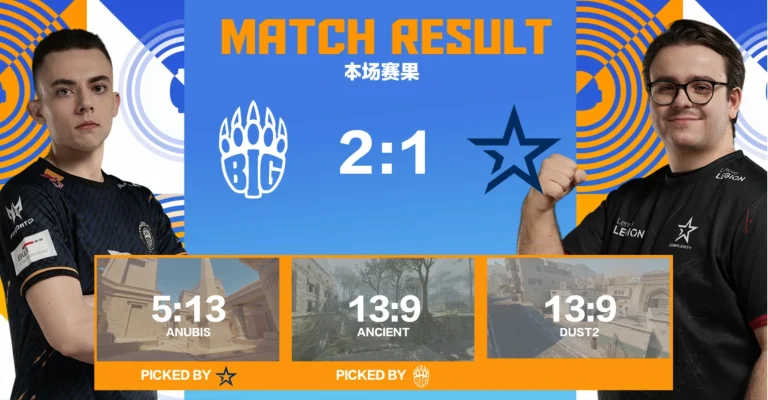
BIG Clan has denied Complexity a spot in the next stage of the Shanghai Major 2024 after beating them in a best-of-three series. CoL was arguably one of the strongest teams coming into the event but disappointing results on the opening day saw them collapse and getting bested by BIG sealed the deal for them.

VETO

  • Complexity removed Mirage
  • BIG removed Inferno
  • Complexity picked Anubis
  • BIG picked Ancient
  • BIG removed Vertigo
  • Complexity removed Nuke
  • Dust2 was left over

Map 1: Anubis; Pick: CoL; Winner: CoL; Score: 13:5

Complexity opened the series with one of their strongest maps Anubis. Starting on the defense, it was abundantly clear that their game plan was on point at every turn of the first half. BIG was unable to put together more than 2 rounds in a row as CoL dominated to close the first half with a 9-3 scoreline. Having managed only two rounds in the second half, CoL did not let BIG set a footing on the map as Anubis concluded in a one-sided 13:5 scoreline. EliGE and hallzerk ran the show for the North Americans with 21 and 19 kills to their name respectively.

Map 2: Anceint; Pick: BIG; Winner: BIG; Score: 13:9

BIG got off to a much better start in their own map pick. A fast-paced offense called by tabseN saw them rope in 5 rounds in the first half on the map that is generally considered as heavily CT-sided. The second half saw BIG leveling the deficit early on then come up with a solid defense which became close to impossible for CoL to break through. BIG went near flawless in their defense as they won the map with a 13:9 scoreline. JDC and his skipper posted 1.36 and 1.33 ratings as their impact saw BIG turn things around after a disappointing first map.

Map 3: Dust 2; Winner: BIG; Score: 13:9

CoL opened up the map with a pistol round win but BIG did not go more than two rounds without getting a point on the board. The two teams remained inseparable in the first half which eventually led to a leveled scoreline. BIG took charge of the game in the second half as CoL failed to find an answer to a well-drilled offense by BIG. The tactical superiority imposed by the German side was evident they closed the game with a dominant 13-9 scoreline. hallzerk being the best player on the server was let down by his team while a more organised BIG was able to make it to the next stage.

Sadly, CoL will not be going further in the tournament while BIG has managed to book their place in the next stage. It was a disappointing result given both teams were expected to qualify very early on in the opening stage of the Major.

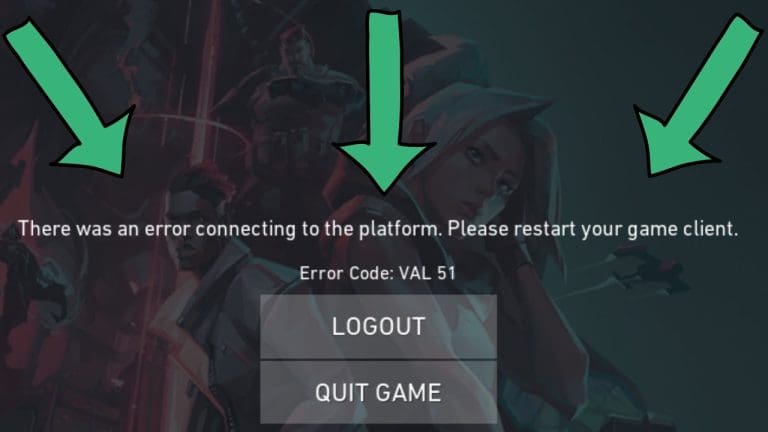
How to Fix the “There Was an Error Connecting to the Platform” in Valorant

0

If you’ve encountered the “There was an error connecting to the platform” message while trying to launch Valorant, you’re not alone. This common issue can stem from network errors or client misconfigurations. However, solutions are available, and with this guide, we’ll help you troubleshoot and fix the problem efficiently.

Fix “There Was an Error Connecting to The Platform” Error in Valorant

This issue generally occurs when the game client cannot establish a connection to Riot Games servers. While server outages may be a cause, the error often results from local network or DNS configuration problems. Unlike Error Code 40, which is primarily server-side, this problem is usually fixable on the user’s end.

Quick Fixes for the Valorant Error

1. Check Server Status

Before attempting other solutions, verify if Valorant’s servers are operational. Visit the Riot Games Support Twitter page to check for updates. If servers are down due to maintenance, waiting is your best option.

2. Restart Riot Vanguard and the Game

Riot Vanguard, the game’s anti-cheat system, can sometimes cause connectivity issues. Restarting it may resolve the error:

  1. Exit Valorant completely.
  2. Open Task Manager and end all processes labeled “Riot.”
  3. Relaunch the game.

3. Clear Network Cache

Network file corruption might block connectivity. Here’s how to refresh your network settings:

  1. Open Command Prompt as an administrator.
  2. Execute the following commands:
    • ipconfig /flushdns
    • ipconfig /release
    • ipconfig /renew
    • netsh winsock reset
  3. Restart your computer and launch the game again.

4. Change DNS Settings

Sometimes, your DNS configuration may be the root cause. Switching to a reliable DNS service can help:

  1. Log into your router and navigate to the DNS settings.
  2. Replace the existing DNS with one of these options:
    • Primary: 1.1.1.1, Secondary: 1.0.0.1 (Cloudflare DNS)
    • Primary: 8.8.8.8, Secondary: 8.8.4.4 (Google DNS)
  3. Save the changes and restart your router.

Alternatively, you can use Cloudflare’s 1.1.1.1 app to manage DNS configurations more easily.

Further Troubleshooting

If none of the above solutions work, consider checking your internet connection or contacting your Internet Service Provider (ISP) to ensure there are no service disruptions. For additional guidance on Valorant gameplay, check out our in-depth guide to surrendering in Valorant.

GTA 6 Leaks: Rockstar’s Playlist Update Fuels Fresh Hopes for Trailer

0

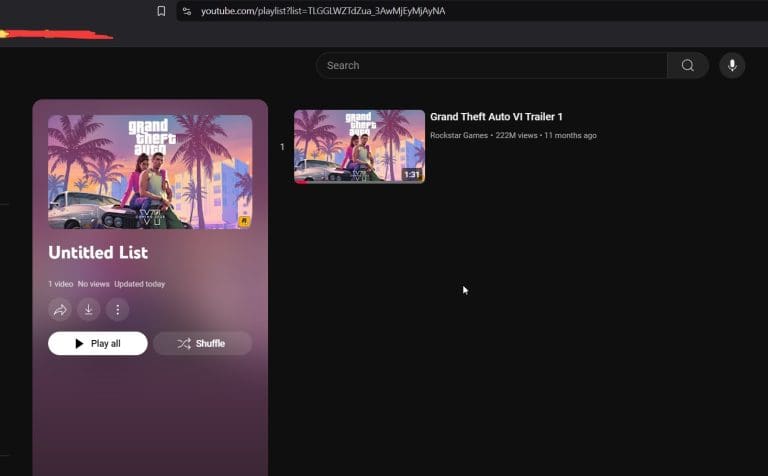
The anticipation for GTA 6 trailer continues to grow as Rockstar Games recently updated its official YouTube playlist for Grand Theft Auto 6. This unexpected move has sparked a wave of speculation among fans, reigniting excitement about a possible trailer reveal. The update comes almost exactly a year after the first trailer was released, further fueling the notion that something significant is on the horizon.

Playlist Update and Fan Reactions

Eagle-eyed fans noticed the update shortly after it occurred, with Reddit user “Unia_” being one of the first to point it out. This discovery quickly gained traction, leading to a flurry of discussions in the gaming community. The updated playlist previously housed only one video, the first official trailer, which debuted prematurely last year due to a backend leak. Fans are now speculating whether Rockstar is preparing to unveil the next major installment of the series.

One Redditor highlighted the peculiar timing, saying, “Why would they tweak the playlist randomly if there’s no imminent plan to upload another video?” This sentiment has been echoed widely, with many calling this the most “credible hopium” they’ve seen in a year. Although skepticism remains, particularly given the leak-prone nature of previous launches, excitement is undoubtedly on the rise.

What Could the Update Signal?

Historically, Rockstar Games has been secretive with its announcements, maintaining a tightly controlled narrative around its flagship titles. The first trailer for GTA 6, which showcases a Bonnie-and-Clyde-inspired storyline, set a high bar with its cinematic reveal. This latest playlist update could signal preparations for a second trailer or a new announcement related to the game.

It’s worth noting that Grand Theft Auto 6 news continues to dominate gaming discussions, with Rockstar’s every move scrutinized by fans eager for more details. Earlier reports have hinted at hyper-realistic features and enhanced AI mechanics, which have further heightened expectations for the game. Check out the latest on GTA 6’s hyper-realistic features and Rockstar’s innovative game development practices.

The update coincides with growing chatter about the game’s tentative 2025 launch. With Rockstar’s history of dropping surprises close to major milestones, this playlist tweak might be a subtle signal of an approaching reveal. For fans, this aligns perfectly with the studio’s strategy of building controlled hype, keeping audiences engaged without revealing too much.

The GTA 6 update through Rockstar’s playlist has undoubtedly stirred the community. Whether or not this results in a new GTA trailer speculation, the move showcases Rockstar’s ability to keep its audience guessing while maintaining relevance in the gaming world. As fans await confirmation, the gaming industry watches closely for what promises to be one of the most anticipated trailers in recent history.

Pokimane Shares Emotional TwitchCon Encounter with Idol Amaz

0

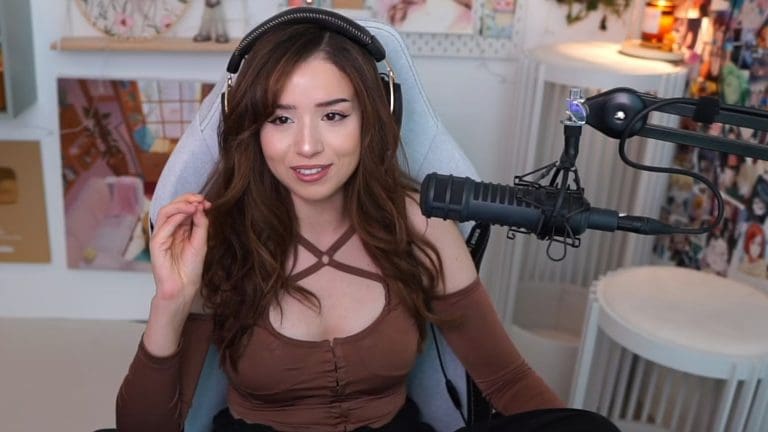
Twitch streamer Pokimane, a cornerstone of the streaming platform with over 9 million followers, recently shared an emotional moment from her early career. During a discussion on her Sweet ‘n Sour podcast with fellow streamer LilyPichu, Pokimane recounted a memorable and “embarrassing” fan encounter with Amaz, a celebrated Hearthstone player and content creator, at her first TwitchCon.

Pokimane, then an aspiring streamer and avid follower of Amaz, described watching his streams religiously during her college days. The opportunity to meet her idol in person overwhelmed her to the point of tears. “I was in so much shock that me, at like 18 or 19, is meeting this guy that I watch play card games every morning,” she shared.

The interaction was far from smooth, though. Pokimane recalled nervously confessing her admiration for Amaz, only to be overcome with emotions. “I start crying in front of this random man… and he’s like, ‘Is this lady okay?’” Despite the awkwardness, the memory remains an endearing reminder of her journey from fan encounters to becoming an inspiration for millions.

Reflecting on this experience, Pokimane expressed empathy for fans who approach her with similar enthusiasm at events like TwitchCon. She noted, “I get it! I’ve been there!” The story also highlights her understanding of the power of connection between streamers and their audiences.

As Pokimane continues to influence the streaming community, this anecdote underscores her relatability and humility, reminding fans of her early days before evolving into the online sensation she is today. Explore more about Pokimane’s journey from small-time streamer to online sensation.

This touching moment at TwitchCon exemplifies the profound and sometimes emotional bonds that gaming and streaming can foster, not only between creators and their fans but also among creators themselves.