Thursday, April 30, 2026
Home Blog Page 339

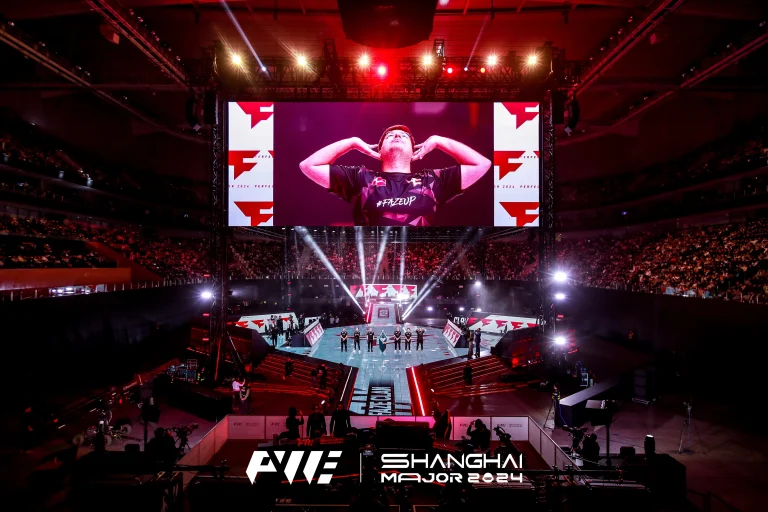
FaZe Clan Defies Odds, Books Shanghai Major Grand Final Spot

FaZe Clan secured a spot in the Shanghai Major Grand Finals after sweeping G2 Esports by 2-0. Going into this match, many had labeled them as an underdog, but all expectations have been defied as the team has provided exemplary team play and individual class. Of course, none has impressed more than “ropz” Robin Kool with his clutch plays while leading his team to victory.

While Team Spirit is generally regarded as the top favorite to win the Shanghai Major, FaZe Clan’s recent form and momentum cannot be ignored. Under the leadership of ropz, FaZe has the possibility of turning the tables against the odds and winning the Major title.

Ropz’s dominant performance against G2 was evident on both maps. He showcased his lurking skills on Ancient, racking up 22 kills, and continued his impressive form on Nuke, securing 28 kills to secure the series victory.

This Shanghai Major means a lot to the FaZe Clan. They have already suffered a disappointing defeat to NAVI in the PGL Copenhagen Major Grand Finals and had a very mediocre second half of 2024.

Meanwhile, the defeat of G2 Esports again reminded people of the elusive Major title of Nikola “NiKo” Kovač. One of the most talented players in Counter-Strike history, NiKo has yet to win that title.

How To Check Your Total Hours in Valorant: Guide

0

Over four years have passed since the release of Valorant, and players from throughout the world have invested countless hours into the shooter—whether striving to climb the competitive ladder or simply enjoying the game with friends.

If you’ve been playing Valorant for a while, you may have found yourself being curious about how many hours you have spent playing the Riot Games title.

While there’s no official way of checking your Valorant hours from within the game, there are a number of third-party websites that you can use to check the amount of time you’ve spent playing Valorant.

How To Check Your Valorant Hours

To check your Valorant hours, you’ll need to visit a reputed third-party stat-tracking website like Tracker.

Here are the steps that you need to follow to check your hours in Valorant:

  • Head over to the Tracker Valorant page.
  • Enter your Valorant ID.
  • Select ‘All Acts’ from the right-hand side of your screen.
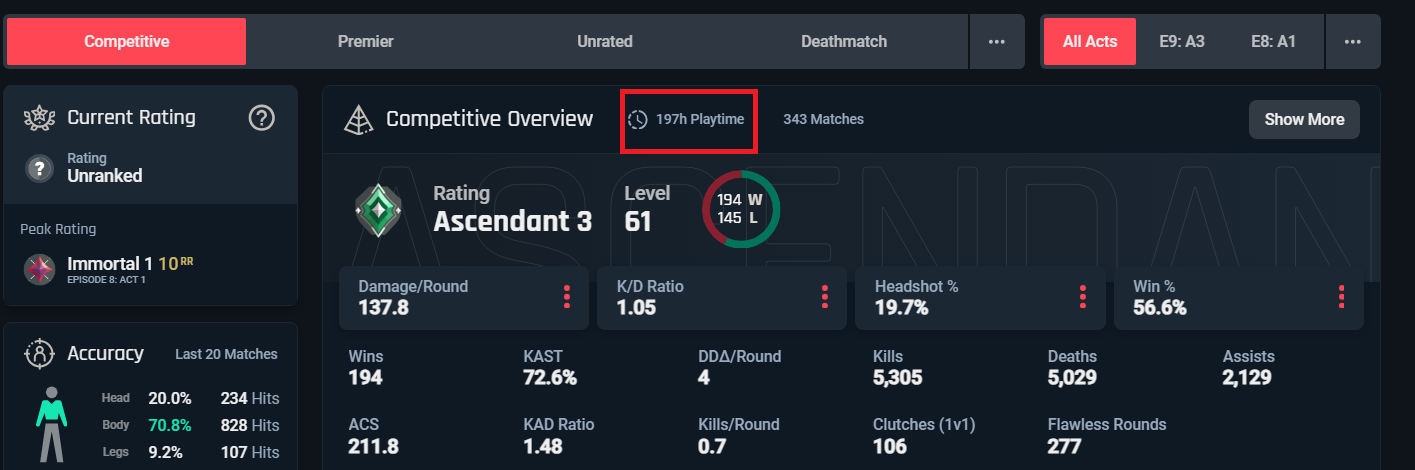
  • Check your playtime from the overview section.
screenshot via tracker.gg

That’s the amount of hours you’ve spent in Valorant playing the game’s competitive mode. You can toggle between the tabs above to check your playtime for other modes including Unrated, Deathmatch, and more.

Spirit Advances to Perfect World Shanghai Major Grand Final

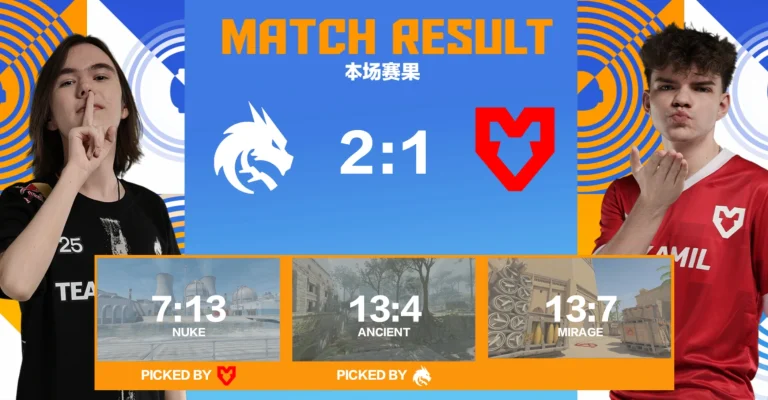
Spirit has beaten MOUZ to reach the Finals of Perfect World Shanghai Major grand finals. Upon losing in the opening map, Spirit came back winning the following maps in stellar fashion and now will face either FaZe or G2 in the Grand Finals tomorrow.

VETO

  • MOUZ removed Anubis
  • Spirit removed Inferno
  • MOUZ picked Nuke
  • Spirit picked Ancient
  • Spirit removed Vertigo
  • MOUZ removed Dust2
  • Mirage was left over

Map 1: Nuke; Picked: MOUZ; Winner: MOUZ

Having shown vulnerability on Nuke earlier, Spirit’s poor performances continued as MOUZ rolled over them. With tactical brilliance blended with individual quality, MOUZ could execute its game plan to perfection. Putting up a stellar T-side, MOUZ left little room for Spirit to start a comeback in the second half. MOUZ winning the second round pistol closed the doors for a win in Nuke for MOUZ. The highly experienced Brollan was the key piece for MOUZ to convert Nuke and go off to an early lead winning the map with a 13:7 scoreline.

Map 2: Ancient; Picked: Spirit; Winner: Spirit

Spirit brushed off their earlier loss to get off to a better start on the map. Spirit ran a well-drilled T side that did not allow MOUZ to get any shot in the game. Reversing their performance from the previous map, Spirit got donk and co. firing on all cylinders which put MOUZ on the backfoot walking to the match. The first half was enough to get Spirits fired up which reflected in their confidence walking into the second half of the game. Spirit did not let MOUZ have more than one round as they quickly shut MOUZ down with a 13-4 scoreline.

Map 3: Mirage; Picked: Decider; Winner: Spirit

With the series scoreline being even, both teams traded blows early on in the game. Neither team was able to put together a streak of a few rounds as the first half saw 6 rounds shared between them in Mirage which can be a balanced map depending on the style of the teams playing. Closing the first half with a stalemate, Spirit came into their own in the second half, starting off with a pistol round win, the Spirit T side picked MOUZ apart one by one as they only managed a single round before Spirit closed the map in dominant fashion to book a spot in the finals.

It is unlikely that this MOUZ side stays together given the interest of top teams in their players but they have shown real resilience reaching this point of the Major. For Spirit, with arguably the best player in the world, they are in the Grand Finals and a win tomorrow could silence their critiques and at the same time cement their legacy.

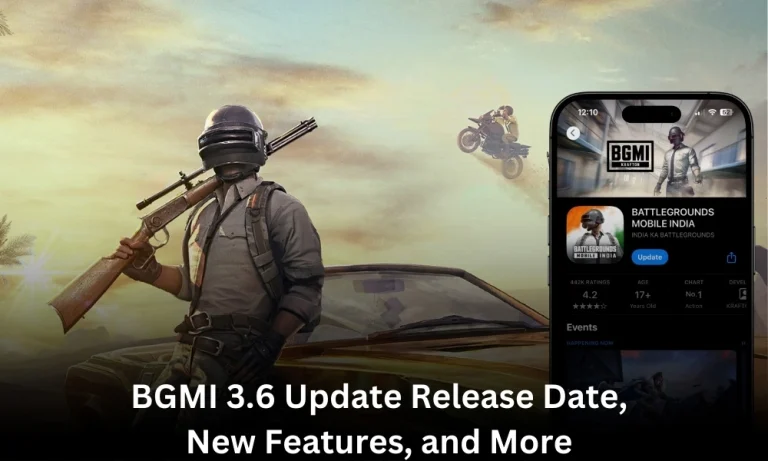
BGMI 3.6 Update Release Date, New Features, and More

0

The Battlegrounds Mobile India (BGMI) community is all hyped up for the BGMI 3.6 update as it is drawing closer to its expected release date. Following the success of the Icemire Frontier update, this highly anticipated release is set to take your battle royale experience to another level with new features, improved gameplay, and the new sand theme. So, here is everything we know about the BGMI 3.6 update so far, from the release date to its features and more.

BGMI 3.6 Update Expected Release Date

Considering the trends in the update schedule of BGMI from the past, which usually aligns with PUBG Mobile, the BGMI 3.6 update may release in mid-January 2025. Although not officially confirmed, the gaming community expects an announcement at the beginning of January 2025. If speculations prove to be true, this update could prove to be a game-changing moment for players, setting the tone for the new year.

Also Read:

New Features and Gameplay Changes

The BGMI 3.6 update is going to be monumental, featuring a number of cool features aimed at captivating players to make gaming even more awesome. Here’s a detailed look at what’s in store:

Sand-Themed Terrain

  • Immerse yourself in a breathtaking desert-inspired map that redefines the battlefield.
  • The dynamic sand-themed environment challenges players to adapt to shifting landscapes, fostering creativity and strategy in gameplay.

The Creation System

One of the standout features of this update is the Creation System, which empowers players to:

  • Customize items, game modes, and environments.
  • Share their creations with the broader BGMI community, sparking collaboration and innovation.

This feature is expected to revolutionize the way players interact with the game, encouraging a vibrant and dynamic in-game ecosystem.

Elemental Powers and New Gameplay Modes

Prepare for a whole new dimension of strategy with the unleashing of elemental powers. Players will be able to command the forces of fire, earth, water, and air in order to outmaneuver their opponents. Powers like these add depth and unpredictability to the game, requiring players to think out of the box and adjust to the new mechanics.

Sky Island and the Panda Vehicle: Quirky Additions

Sky Island: A Floating Battlefield

This rumored new map offers:

  • A mysterious and challenging floating arena.
  • Opportunities for intense combat and exploration of uncharted dynamics.

Panda Vehicle: A Fun Twist

Adding a touch of quirkiness, the Panda Vehicle will surely be the fan favorite for transportation. This will definitely add to the charm in this new way of traveling and will improve the overall gaming experience.

Community Anticipation and Upcoming Announcements

As the BGMI 3.6 update approaches, fan excitement is reaching its peak. Players eagerly await:

  • Official confirmations of features, including the highly anticipated Creation System and Sky Island.
  • Surprises the developers may unveil closer to the release date.

The first week of January 2025 is expected to bring clarity on the release schedule and more details about this landmark update.

The BGMI 3.6 update is poised to be a game-changer for Battlegrounds Mobile India. From the innovative Creation System to new maps, gameplay mechanics, and quirky features like the Panda Vehicle, this update has something for everyone.  It seems there is something for everyone in this update, and with each passing day, the wait for an official announcement is getting more exciting within the gaming community. Get ready for an unforgettable journey as BGMI steps into its next evolution.

Stay ahead in the world of esports with the TalkEsport app! Download now to get instant access to the latest news, live points tables, comprehensive esports calendars, and live streams of your favorite tournaments. Don’t miss out—get the app today

How to Get Fortnite Platinum Icons Skins: Complete Guide

0

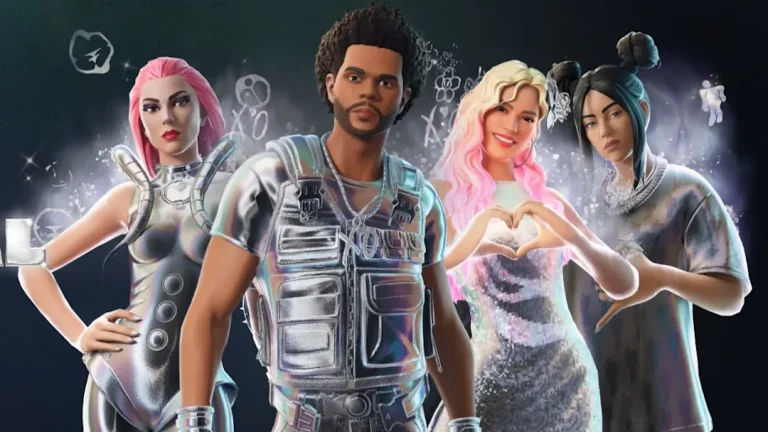
Epic Games has introduced the Fortnite Platinum Icons skins, a star-studded addition to its in-game cosmetics lineup. This collaboration, as part of the Fortnite Festival, features iconic musicians like The Weeknd, Lady Gaga, Billie Eilish, and Karol G. Here’s a detailed breakdown of the Platinum Icons skins, their features, cost, and how to acquire them.

What Are the Fortnite Platinum Icons Skins?

The Platinum Icons collection brings a unique holographic style to Fortnite. Each skin features reactive outfits with toggles that emit visual particles when activated. In addition to their holographic appeal, musicians Karol G, Lady Gaga, and Billie Eilish also boast Lego-style variants. These skins and their cosmetics are usable across popular Fortnite modes, including Battle Royale, Rocket Racing, and Lego Fortnite Brick Life.

How to Purchase the Platinum Icons Bundle

Players can purchase the Platinum Icons bundle from the in-game shop by following these steps:

  1. Open Fortnite via the Epic Games Launcher.
  2. Navigate to the Shop tab in the top-left corner.
  3. Select the “Spotlight” category from the expandable menu.
  4. Click the Platinum Icons Bundle and view the offer.

The bundle includes seven Platinum Icons skins, which can be purchased for personal use or gifted to friends.

Cost and Discounts

The regular price of the Platinum Icons bundle is 7,200 V-Bucks (around $60 USD plus tax). However, a current promotional price of 3,800 V-Bucks (approximately $32 USD plus tax) is available. This offer lasts until December 19, 2024, at 6:59 PM EST, after which the bundle will exit Fortnite’s shop rotations.

Key Highlights:

  • Platinum Icons Skins and Modes: Available for use in Fortnite Festival, Battle Royale, and more.
  • Featured Celebrities: The Weeknd Fortnite skin, Lady Gaga Fortnite skin, Billie Eilish Fortnite cosmetics, and Karol G Lego-style skin.
  • Limited-Time Offer: Discounted price available until December 19, 2024.

With its holographic aesthetics and celebrity-packed roster, the Platinum Icons collection continues Fortnite’s legacy of delivering culturally relevant in-game experiences. Don’t miss the chance to add these exclusive cosmetics to your collection!

Marvel Rivals PC Requirements: Specs, Platforms

0

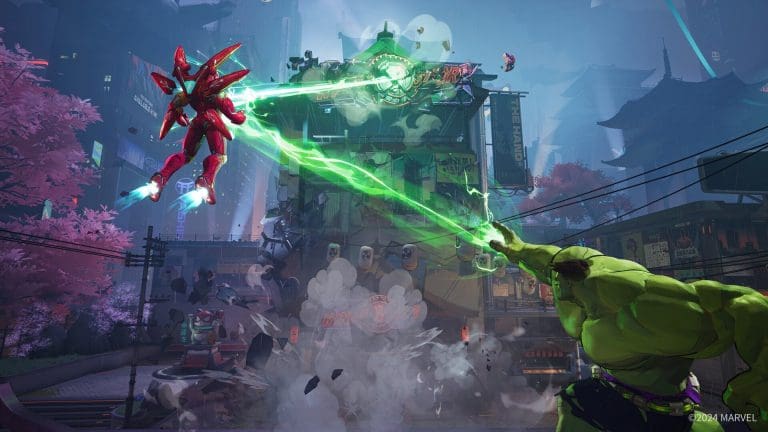
Marvel Rivals is set to revolutionize PC gaming as players dive into a universe packed with iconic and niche Marvel characters, all powered by Unreal Engine 5. The game promises immersive visuals and fast-paced esports action, but will your PC be able to keep up? Here’s a breakdown of everything you need to know.

Developed by NetEase Games in collaboration with Marvel Entertainment, Marvel Rivals offers an online-only gaming experience that blends competitive esports with beloved Marvel characters. From Thor to the quirky Jeff the Land Shark, the game aims to attract both casual fans and hardcore Marvel enthusiasts. Despite its cutting-edge graphics powered by Unreal Engine 5, the system requirements are surprisingly accessible.

PC Platforms Compatible with Marvel Rivals

Marvel Rivals will be available on two major digital storefronts: Steam and the Epic Games Store. However, the game’s reliance on online features and digital rights management (DRM) means it will not launch on platforms like GOG Galaxy, which prioritize DRM-free games.

Although some gamers have attempted to run Marvel Rivals on the Steam Deck—achieving 30 FPS by installing Windows 11—the lack of anti-cheat support for Linux systems makes official compatibility unlikely. This may change in the future, and updates will follow if any advancements are made.

Minimum System Requirements

The minimum system requirements for Marvel Rivals aim to accommodate older hardware while delivering a visually stunning experience. Here’s what you’ll need to get started:

  • OS: Windows 10 64-bit
  • Processor: Intel Core i5-6600K or AMD Ryzen 5 1600X
  • Memory: 16GB RAM
  • Graphics: NVIDIA GeForce GTX 1060 or AMD RX 580
  • DirectX: Version 12
  • Network: Broadband internet connection
  • Storage: 70GB available space

Despite being powered by Unreal Engine 5, these specs reflect a conscious effort to make the game accessible to a broader audience, leveraging hardware that’s 7–8 years old.

Recommended System Requirements

For players looking to experience the game at its best, the recommended specs are as follows:

  • OS: Windows 10 64-bit
  • Processor: Intel Core i5-10400 or AMD Ryzen 5 5600X
  • Memory: 16GB RAM
  • Graphics: NVIDIA GeForce RTX 2060 (Super) or AMD RX 5700 XT
  • DirectX: Version 12
  • Network: Broadband internet connection
  • Storage: 70GB available space

These requirements align with the hardware capabilities of current-generation consoles like the PS5 and Xbox Series X. Players can expect smooth performance at 1080p resolution with a target of 60 FPS, ensuring a highly competitive gaming experience.

Why the Specs Are Reasonable for an Unreal Engine 5 Game

The decision to keep system requirements modest reflects NetEase Games’ commitment to inclusivity. Unreal Engine 5 is known for its ability to scale performance efficiently, allowing developers to cater to both high-end and budget setups. By setting accessible requirements, Marvel Rivals can attract a large player base, vital for its free-to-play esports model.

Steam Deck Compatibility Explained

While the Steam Deck offers impressive portability for PC gaming, its Linux-based operating system creates challenges for games requiring anti-cheat features. Marvel Rivals’ current lack of support for Linux means players will need to install Windows on the device to attempt compatibility, and even then, performance may be limited to 30 FPS.

Marvel Rivals Bundle Code for December 2024

Looking for in-game bonuses to get ahead in Marvel Rivals? Check out the latest Marvel Rivals Bundle Code for December 2024 for exclusive rewards and updates.

With its modest Marvel Rivals PC requirements, innovative use of Unreal Engine 5 specs, and availability on Steam and Epic Games, this game is poised to be a hit among esports enthusiasts and Marvel fans alike. As the game launches, its ability to balance cutting-edge visuals with inclusivity could set a new standard for PC gaming. Stay tuned for updates as the competitive scene unfolds.

Marvel Rivals Bundle Codes (December 2024)

0

Marvel Rivals, the action-packed hero shooter, offers players unique opportunities to stand out in intense 6v6 battles. From Iron Man Armor Model 42 costumes to exclusive PlayStation bundles, redeemable Marvel Rivals codes unlock a treasure trove of cosmetics and bonuses. Here’s everything you need to know about current codes and how to redeem them.

Current Marvel Rivals Bundle Codes and Rewards

  1. NWARH4K3XQY
    • Reward: Iron Man Armor Model 42 Costume
    • Expiry: March 5, 2025
  2. PlayStation Exclusives
    • Scarlet Spider Costume – Downloadable from the PlayStation Store.
    • Season 0 Bundle (PS Plus Subscribers):
      • Includes Peni Parker VEN#m Costume, MVP, Spray, Nameplace, and 300 Chrono Tokens.

How to Redeem Marvel Rivals Codes

Redeeming codes in Marvel Rivals is simple:

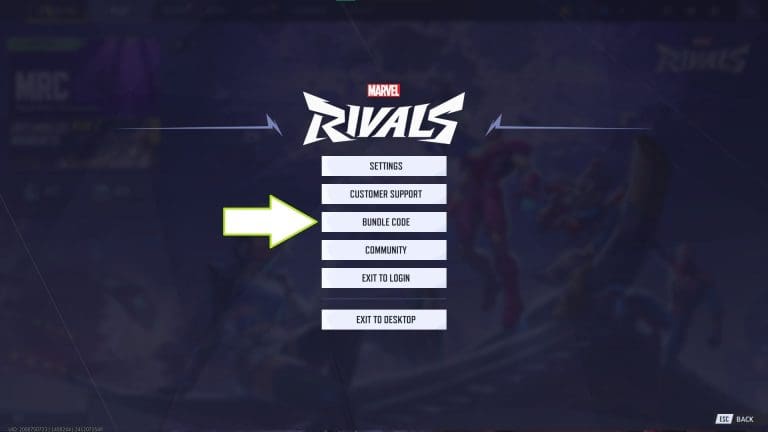
  1. Access the Menu: Pause the game on console or press ESC on PC.
  2. Navigate to Bundle Code: Select the “Bundle Code” option from the menu.
  3. Enter the Code: Input the code on the text entry screen.
  4. Confirm the Redemption: Once applied, you’ll see a confirmation message if the redemption is successful.

Note: Codes are not case-sensitive; enter them in any format as long as the characters are correct.

Exclusive Marvel Rivals Rewards

Why Redeem Marvel Rivals Codes?

These codes unlock rare outfits and items unavailable through regular gameplay, such as the Iron Man Armor Model 42 costume. These unique rewards not only personalize your character but also showcase your exclusivity during battles.

PlayStation players enjoy even more perks, with exclusive cosmetics like the Scarlet Spider Costume and additional bonuses for PS Plus subscribers, making the platform a haven for Marvel fans.

Marvel Rivals codes provide a seamless way for players to enhance their in-game experience with exciting, rare cosmetics. Whether it’s donning the iconic Iron Man Armor Model 42 or earning Chrono Tokens for future upgrades, these codes are a must-claim for dedicated fans. Stay tuned as new codes release regularly, and remember to redeem them before expiration to make the most of your Marvel adventure.

Top Cheap CS2 Skins for Budget-Friendly Loadouts

Counter-Strike 2 (CS2) is a popular first-person shooter game that has been dominating the gaming scene for years. One of the most exciting aspects of the game is the ability to customize your weapons with skins. These skins not only make your weapons look unique and stylish, but they also add a sense of personalization to your gameplay.

However, not all players have the luxury of spending hundreds of dollars on expensive CS2 skins. For those on a budget, there are still plenty of options to choose from. In this article, we will be exploring the top cheap CS2 skins for budget-friendly load-outs, with a focus on the keywords ‘cheap CS2 skins, budget CS2 skins, affordable Counter-Strike skins, best CS2 skins, and weapon skins CS2’.

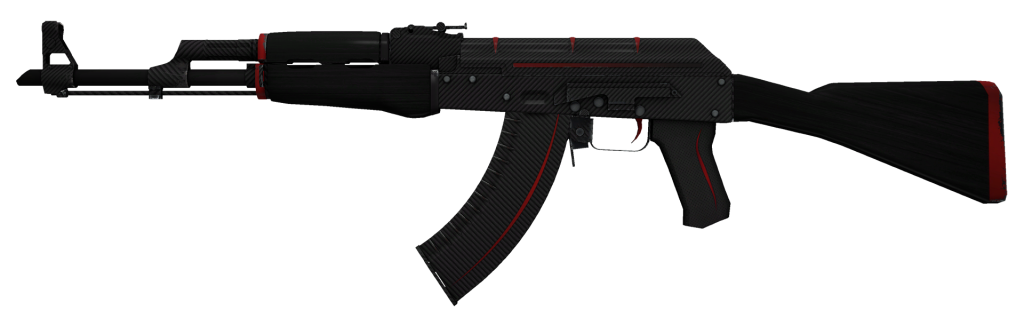
AK-47 | Redline (Field-Tested)

AK-47 | Redline

The AK-47 is one of the most iconic weapons in CS2 and is a popular choice among players. The Redline skin for this rifle is a fan favorite due to its sleek design and vibrant red color. It features a red and black gradient with white stripes running down the sides, giving it a clean and modern look.

This skin is available in Field-Tested condition for around $5, making it an affordable option for players on a budget. It also has a StatTrak version available for those who want to track their kills in style.

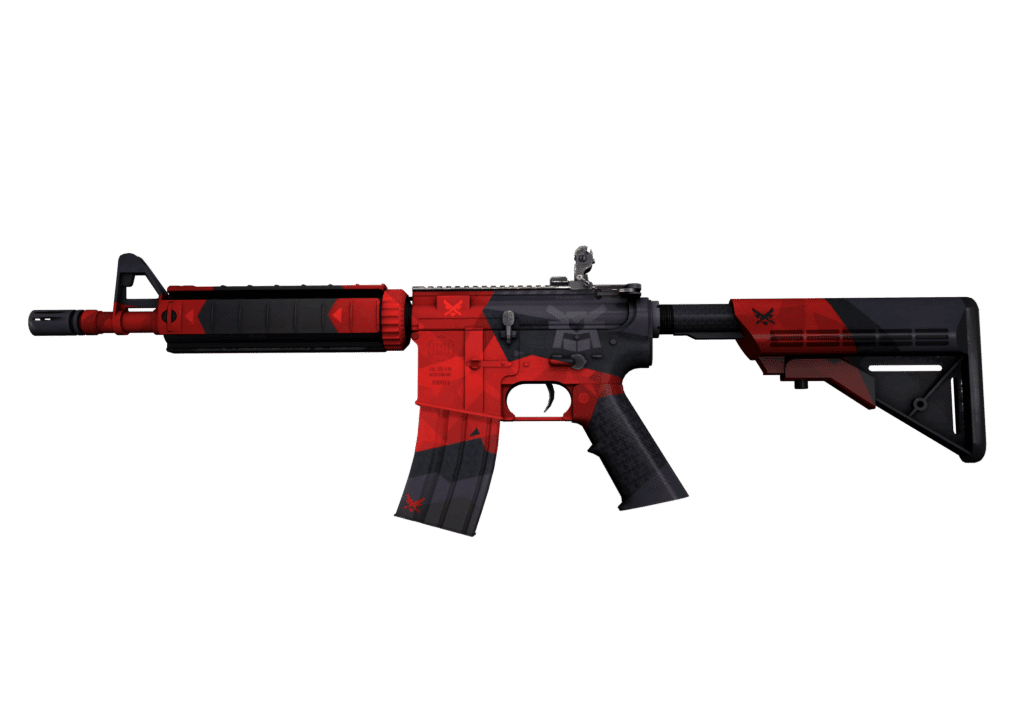
M4A4 | Evil Daimyo (Minimal Wear)

M4A4 Evil Daimyo

The M4A4 is another popular weapon in CS2, and the Evil Daimyo skin gives it a unique and menacing appearance. This skin features a black and red color scheme with Japanese-inspired designs on the side. It also has a dragon emblem on the stock, adding to its overall badass look.

The Minimal Wear version of this skin can be purchased for around $5, making it a budget-friendly option for players. It also has a StatTrak version available for those who want to show off their kill count.

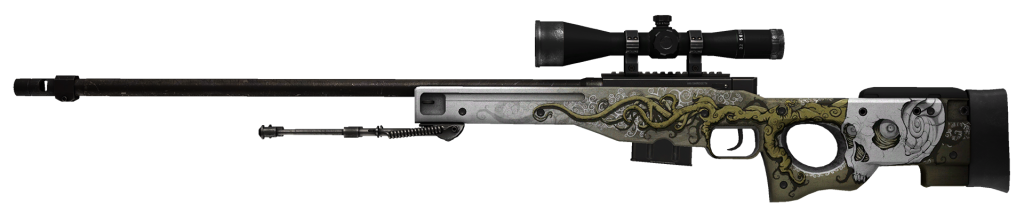
AWP | Worm God (Field-Tested)

Worm God

The AWP is a powerful sniper rifle that can take down enemies with one shot. The Worm God skin for this weapon adds a touch of horror to its appearance with its creepy worm-like design. It features a black and green color scheme with a worm crawling across the barrel.

This skin is available in Field-Tested condition for around $5, making it an affordable option for players who want to add some spookiness to their loadout.

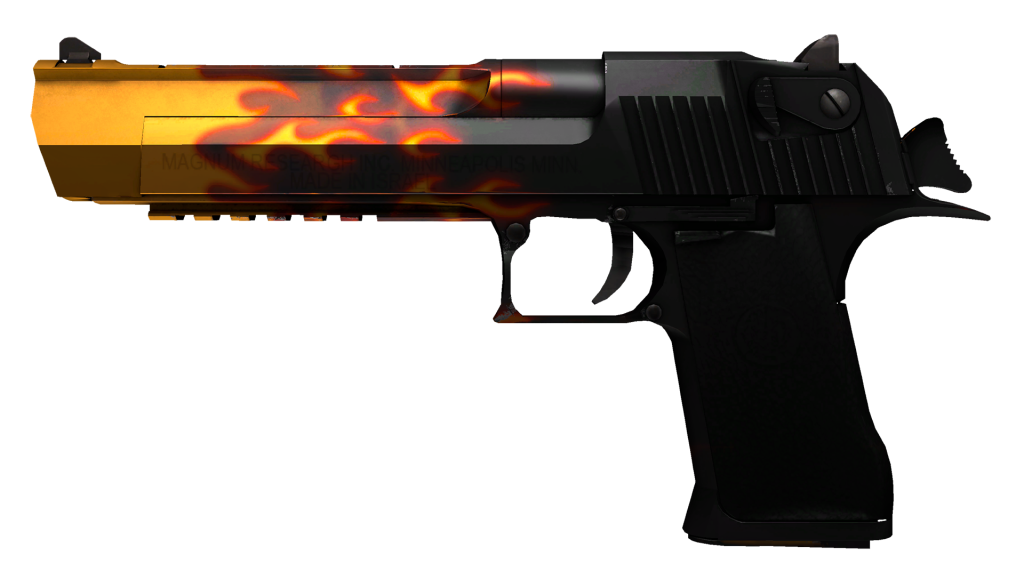
Desert Eagle | Blaze (Field-Tested)

Blaze

The Desert Eagle is a favorite among players who prefer pistols over rifles. The Blaze skin for this weapon gives it a fiery and eye-catching appearance with its orange and yellow gradient design. It also has a black dragon emblem on the side, adding to its overall coolness.

This skin is available in Field-Tested condition for around $5, making it an affordable option for players who want to make a statement with their pistol.

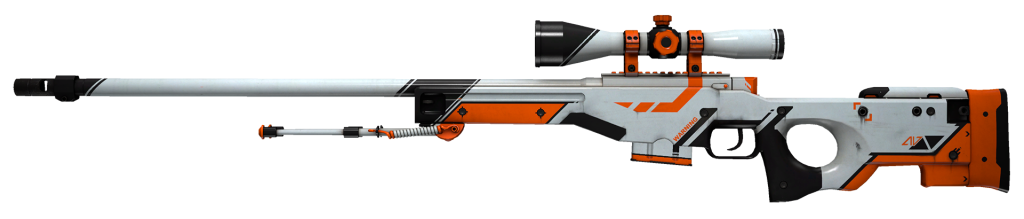
P90 | Asiimov (Field-Tested)

Asiimov

The P90 is a popular choice among players who prefer SMGs over rifles. The Asiimov skin for this weapon gives it a futuristic and sci-fi look with its orange and black design. It also has a robotic face on the side, adding to its overall coolness.

This skin is available in Field-Tested condition for around $5, making it an affordable option for players who want to add some sci-fi vibes to their loadout.

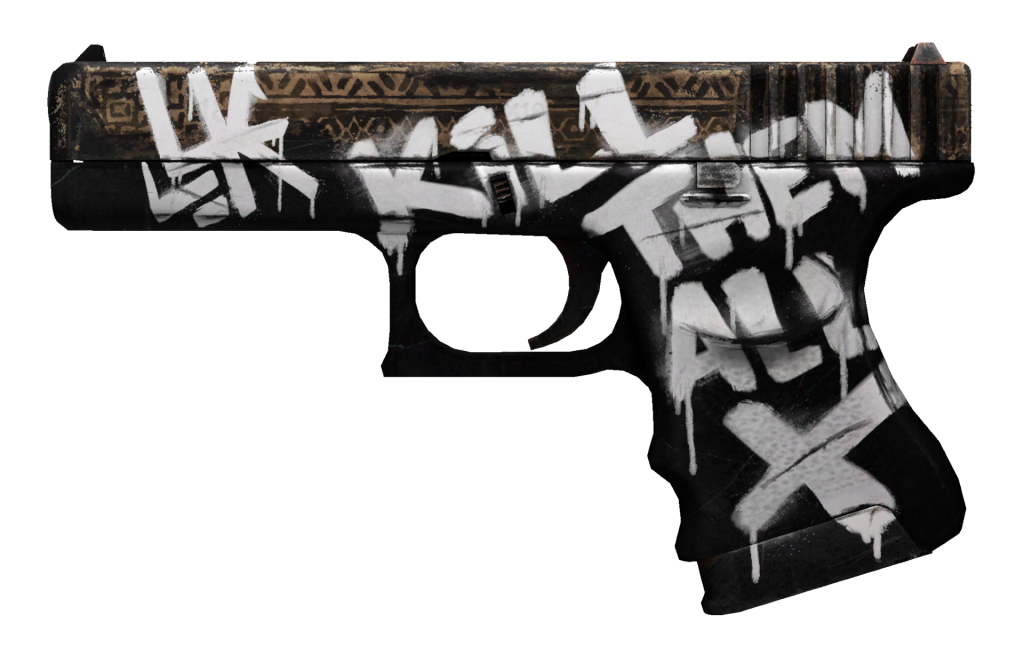
Glock-18 | Wasteland Rebel (Field-Tested)

Wasteland Rebel

The Glock-18 is another popular pistol in CS2, and the Wasteland Rebel skin gives it a rugged and post-apocalyptic appearance. It features a black and red design with a skull emblem on the side, giving it a badass look.

This skin is available in Field-Tested condition for around $5, making it an affordable option for players who want to add some grit to their loadout.

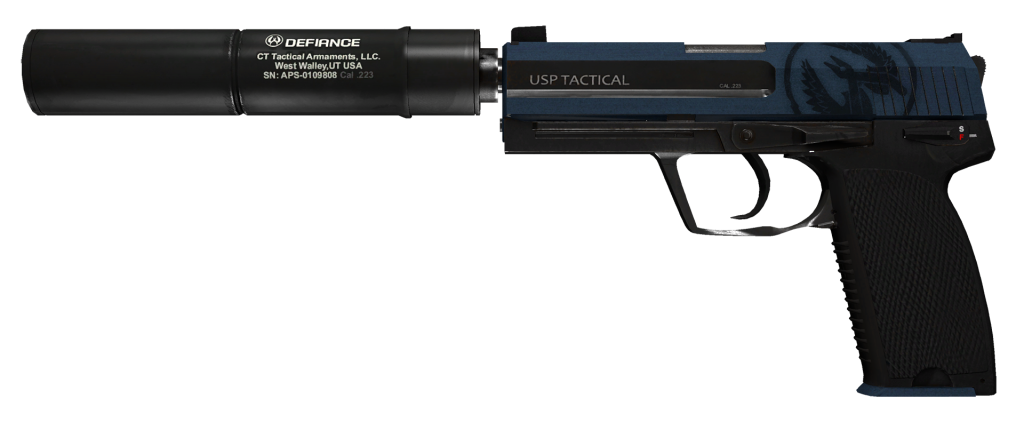
USP-S | Guardian (Field-Tested)

Guardian

The USP-S is a popular choice among players who prefer silenced weapons. The Guardian skin for this weapon gives it a sleek and modern appearance with its blue and white design. It also has a winged emblem on the side, adding to its overall coolness.

This skin is available in Field-Tested condition for around $5, making it an affordable option for players who want to add some style to their silenced pistol.

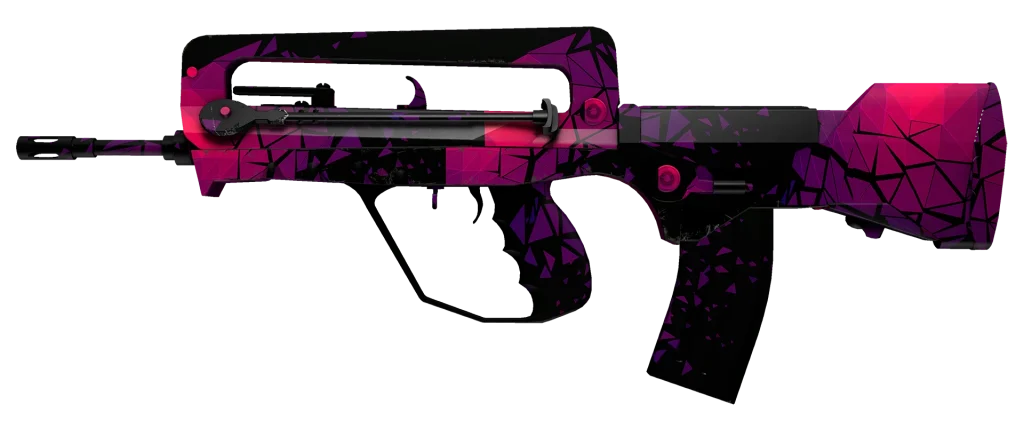
FAMAS | Pulse (Field-Tested)

Pulse

The FAMAS is a budget-friendly rifle that is often used by players in the early stages of the game. The Pulse skin for this weapon gives it a vibrant and futuristic appearance with its blue and purple design. It also has a pulsating heart emblem on the side, adding to its overall coolness.

This skin is available in Field-Tested condition for around $5, making it an affordable option for players who want to add some color to their loadout.

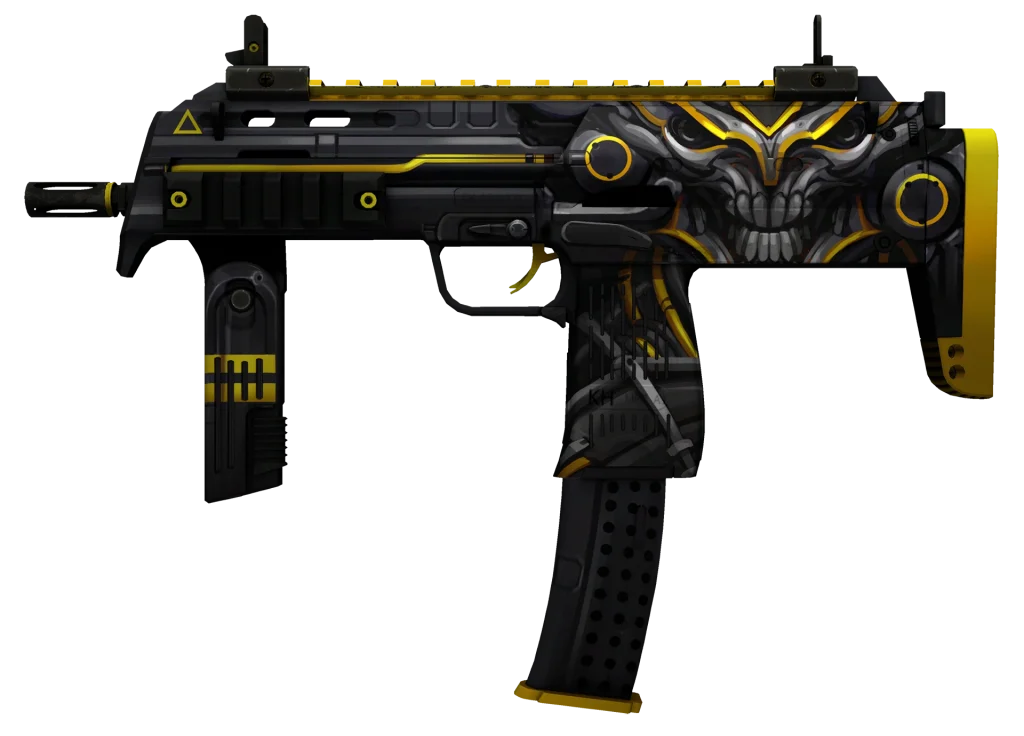
MP7 | Nemesis (Field-Tested)

Nemesis

The MP7 is another popular SMG in CS2, and the Nemesis skin gives it a sleek and deadly appearance. It features a black and red design with a skull emblem on the side, giving it a menacing look.

This skin is available in Field-Tested condition for around $5, making it an affordable option for players who want to add some edge to their loadout.

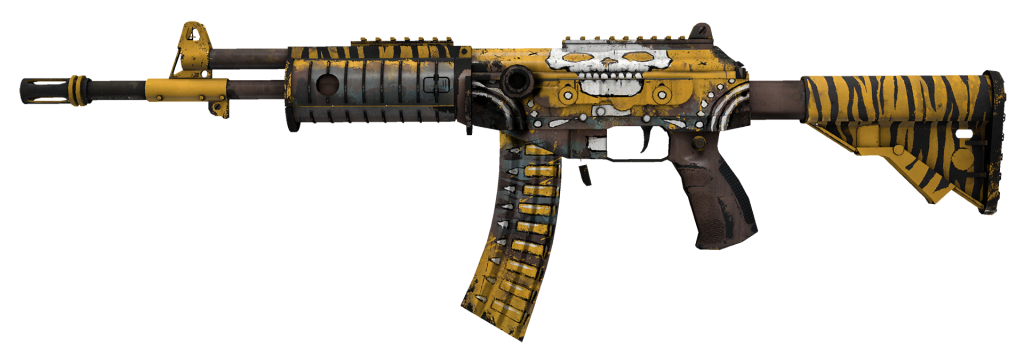
Galil AR | Chatterbox (Field-Tested)

Chatterbox

The Galil AR is a budget-friendly rifle that is often used by players in the early stages of the game. The Chatterbox skin for this weapon gives it a playful and cartoonish appearance with its colorful design. It also has a speech bubble on the side, adding to its overall charm.

This skin is available in Field-Tested condition for around $5, making it an affordable option for players who want to add some fun to their loadout.

There are plenty of cheap CS2 skins available for players on a budget. These skins not only make your weapons look unique and stylish, but they also add a sense of personalization to your gameplay. With the options listed above, you can create a budget-friendly loadout that still looks cool and stands out from the rest. So go ahead and upgrade your weapons with these affordable Counter-Strike skins and dominate the game in style.

Is CS2 Down? How to Check Counter-Strike 2 Server Status

Counter-Strike 2 (CS2) is a popular first-person shooter game developed by Valve Corporation. It was released in 2004 as a sequel to the original Counter-Strike game and has since gained a massive following among gamers worldwide. However, like any online game, CS2 is not immune to server issues and maintenance problems. This can be frustrating for players who are eager to jump into the action and compete with others.

In this article, we will discuss the importance of monitoring CS2 server status, how to check for any server issues, and what to do if you encounter any problems.

Why is CS2 Server Status Important?

CS2 is an online multiplayer game, which means that players connect to servers to play with others. These servers act as a central hub where players can join matches, communicate with each other, and compete in various game modes. Without functioning servers, players would not be able to access the game and enjoy its features.

Therefore, it is crucial to monitor the CS2 server status regularly. This allows players to know if there are any issues with the servers and if they can expect any downtime or maintenance. By staying informed about the server status, players can plan their gaming sessions accordingly and avoid any frustration or disappointment.

How to Check CS2 Server Status?

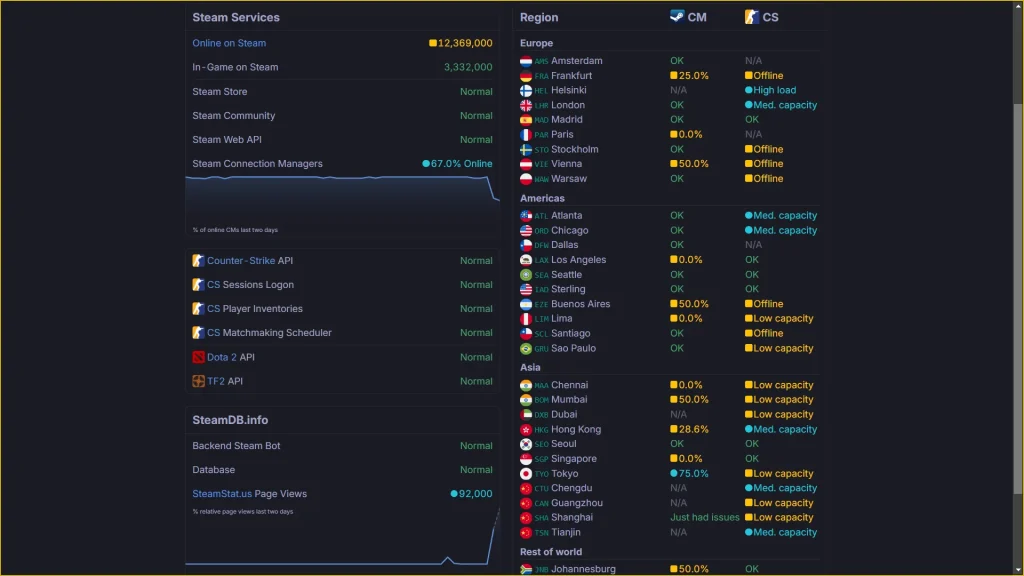
There are several ways to check the status of CS2 servers. The most reliable method is through SteamStat CS2, which is not an official tool provided by Valve Corporation. SteamStat CS2 displays real-time information about the status of all CS2 servers worldwide. It also provides details on any ongoing maintenance or outages.

To access SteamStat CS2, open your Steam client and navigate to the “View” menu. From there, select “Servers” and then click on the “Change Filters” button. In the “Game” drop-down menu, select “Counter-Strike: Source.” You will then see a list of all CS2 servers, their status, and the number of players currently connected to each server.

CS2 Down

Another way to check CS2 server status is through Down Detector CS2. This is a third-party website that monitors the status of various online services, including CS2. It uses user reports and other data to determine if there are any issues with the game’s servers. Down Detector CS2 also provides a map that shows the locations of reported problems, making it easier for players to identify if the issue is widespread or localized.

What to Do if You Encounter CS2 Server Issues?

If you encounter any problems with CS2 servers, the first thing you should do is check the server status using the methods mentioned above. If there are no reported issues, then the problem may be on your end. In this case, try restarting your game or your internet connection. You can also try connecting to a different server to see if the issue persists.

If there are reported server issues, then it is best to wait for Valve Corporation to resolve them. In most cases, server maintenance or outages are temporary and will be resolved within a few hours. However, if the problem persists for an extended period, you can report it to Valve Corporation through their official support channels.

Tips for Avoiding CS2 Server Issues

While server issues are inevitable, there are some steps you can take to minimize their impact on your gaming experience. Here are some tips for avoiding CS2 server issues:

  • Keep Your Game Updated: Make sure that your game is always up-to-date with the latest patches and updates. This will ensure that you have the most stable version of the game and reduce the chances of encountering server issues.
  • Check for Scheduled Maintenance: Valve Corporation often schedules maintenance for their servers to improve performance and fix any bugs. Before starting a gaming session, check for any scheduled maintenance on SteamStat CS2 or Down Detector CS2.
  • Avoid Peak Hours: CS2 is a popular game, and during peak hours, the servers can get overloaded, leading to lag and other issues. If possible, try to play during off-peak hours to avoid any server problems.
  • Use a Wired Connection: While playing online games, a stable internet connection is crucial. Using a wired connection instead of Wi-Fi can help reduce the chances of experiencing server issues.
  • Report Any Problems: If you encounter any server issues, make sure to report them to Valve Corporation through their official support channels. This will help them identify and resolve the problem faster.

In conclusion, monitoring CS2 server status is essential for any player who wants to enjoy the game without any interruptions. By regularly checking for any server issues and following the tips mentioned above, players can minimize the impact of server problems on their gaming experience. In case of any issues, it is best to be patient and wait for Valve Corporation to resolve them. With these tips in mind, players can continue to enjoy the fast-paced action of Counter-Strike 2 without any worries about server issues.