Tuesday, April 28, 2026
Home Blog Page 301

EA FC 25 Toty Warm-up Series: How to Get TOTY Packs?

0

The EA FC 25 Team of the Year (TOTY) is just around the corner, and the excitement is palpable. This prestigious event brings us the most coveted cards of the year, celebrating the absolute best players of 2024 with significantly boosted stats. However, landing these coveted blue cards can be a daunting task.

Fortunately, EA has introduced the TOTY Warm-Up, a mini-promo designed to help players amass a stockpile of packs ready to be unleashed during the main TOTY event. Starting on Tuesday, January 14th, the Warm-Up offers a flurry of Squad Building Challenges (SBCs) and objectives, all with one goal in mind to shower players with packs.

How to Get TOTY Packs?

While the Numero FUT event is still ongoing, the Warm-Up provides a fantastic opportunity to get your pack reserves without breaking the bank. Expect a variety of challenges, including daily login SBCs and, according to leaker Fut Sheriff, position-specific packs. This targeted approach increases your chances of securing a TOTY card for a specific position as they are released throughout the event.

Remember, the TOTY will be staggered, with attackers likely making their debut on January 17th. This staggered release aligns perfectly with the position-specific packs, giving you a better chance of landing a TOTY gem for the currently available positions.

So, mark your calendars! The TOTY Warm-Up is your chance to prepare for the ultimate reward. Dive into the Objectives tab, complete the challenges, and maximize your pack haul. Good luck, and may the best player win!
How To Make CS2 Skins?

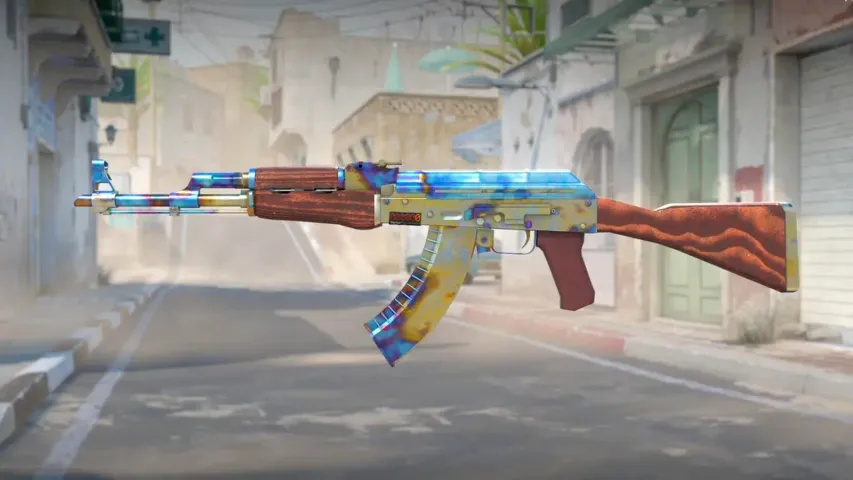
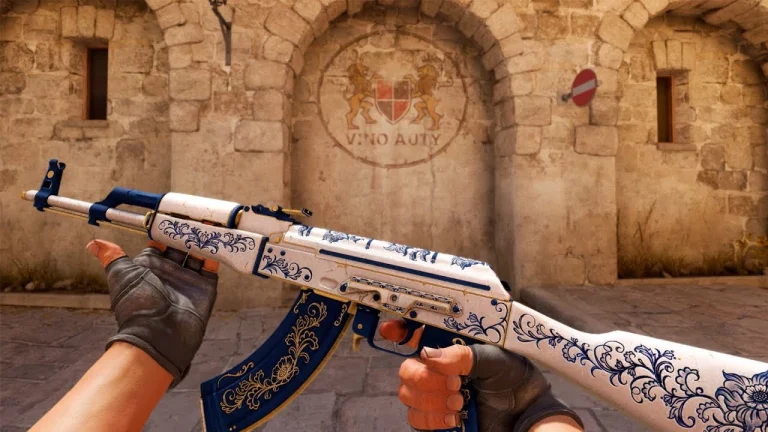
If you’ve played CS2 for more than five minutes, chances are you’re already aware of the importance of weapon skins in the game. Skins in CS2 not only let you express yourself in a variety of different ways, but they also help you make a style statement on the heated battlefield.

While you may have purchased or used a variety of skins yourself, have you ever wondered how to make skins in CS2? Understanding the process behind skin creation can give you a deeper appreciation for CS2 skins and even open up opportunities to earn significant money if your designs are accepted by Valve.

In this article, we’ll take a look at what you need to know to get started with making your own CS2 skins and submit them to Valve for review.

How To Make CS2 Skins: Guide

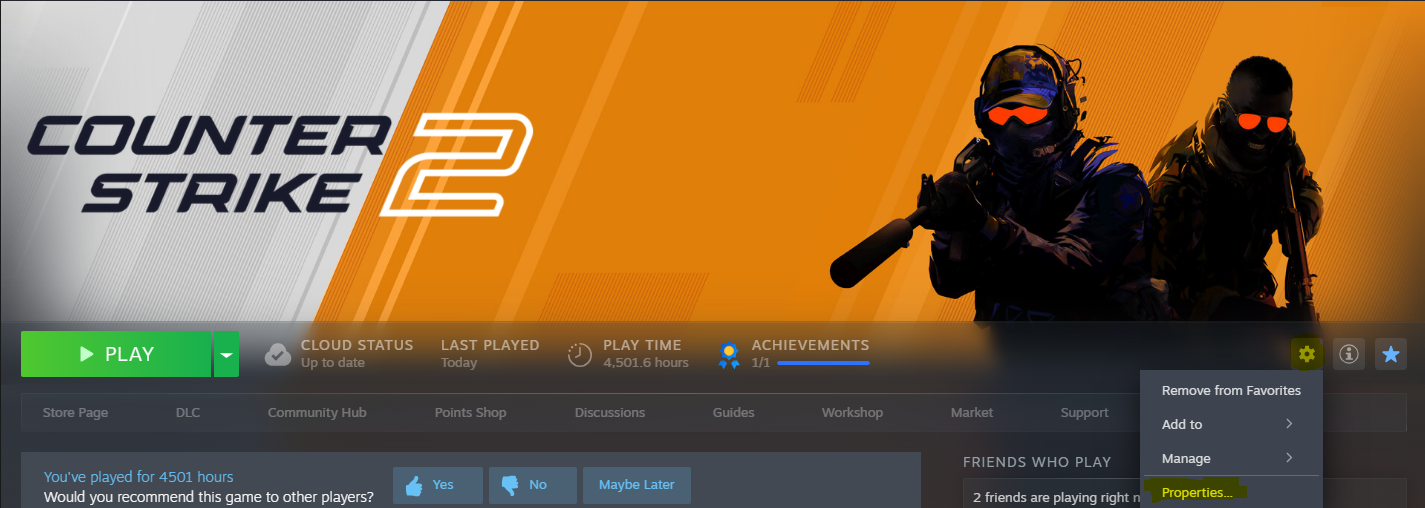
First, head over to your Steam Library and select Counter-Strike 2. Now click on the gear icon located at the right-hand side of your screen and hit ‘Properties’.

Once done, go to the DLC tab and check ‘Counter-Strike 2 Workshop Tools’.

Wait for the download to finish, then launch CS2 from the Steam Library. When you’re prompted with the option, select “Launch Workshop tools for items.”

Go to the left folder “Custom Paint Shop” and find cu_paintkit_example. You can then open the AWP model with the applied skin. Hit the “Inspect” button located in the top-right corner of your screen to open the in-game preview of the AWP.

To change this skin for the weapon, you’ll need an image file in TGA format. You can freely convert any PNG file to TGA via various third-party websites.

Once done, right-click the square, align the textures, and go to the attachment. Now, insert your TGA image into the form. Let’s say the file is named ‘x.tga’

You now need to change the path for “items/assets/paintkits/workshop/example_custom_paint.tga” to “items/assets/paintkits/workshop/x.tga.”

Using the “Texture Scale” slider, you can adjust the quality and size of your new image.

To check how your skin looks in-game, you can simply hit the ‘Preview’ button, which will open a server showcasing your skin.

And that’s it! You have now created your first skin in Counter-Strike 2.

How To Publish CS2 Skins

How To Make CS2 Skins

In order to publish this skin for the world to see, you’ll need to upload it to the Steam Community Workshop.

You can do so by clicking “Publish”, which will open the menu for workshop submission.

Once you’ve filled in the appropriate fields, hit “Submit”.

If your skin passes the moderation check, it will be available for other players to view and rate in the Steam Workshop. However, for it to be featured in the game, Valve must officially approve it themselves.

MrBeast Offers to Buy TikTok to Prevent US Ban | Fans React

0

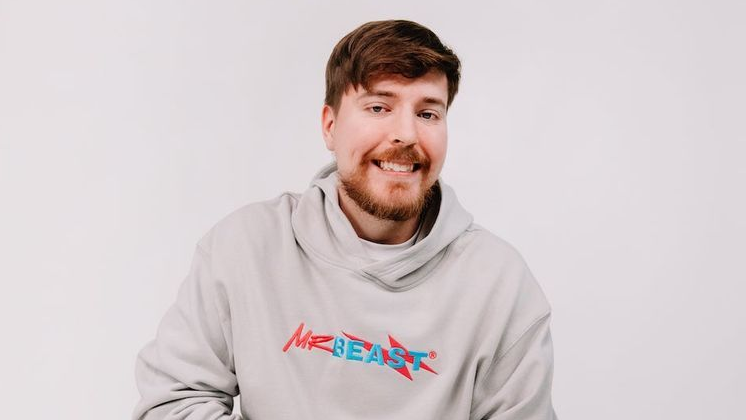
YouTube megastar Jimmy “MrBeast” Donaldson recently made waves online with a humorous yet thought-provoking statement: he would buy TikTok to prevent the platform from being banned in the United States. This cheeky comment comes amid heightened discussions over TikTok’s future, following reports about potential legislation that could force its Chinese parent company, ByteDance, to sell the app or face a ban by January 19, 2025.

The controversy gained traction when a Bloomberg report hinted at Elon Musk’s interest in acquiring TikTok. Taking to X (formerly Twitter), MrBeast posted, “Okay fine, I’ll buy TikTok so it doesn’t get banned.” This playful remark instantly went viral, drawing responses from fans and fellow influencers alike.

Fan Reactions and Industry Opinions

Fans flooded the internet with varied reactions. Some, like X user @MrxFlip, encouraged MrBeast to collaborate with Elon Musk for the purchase, while others questioned whether the claim was genuine. Notable YouTuber Lazarbeam joined in, humorously suggesting that buying TikTok could save people from watching Instagram reels.

However, the idea wasn’t without skepticism. One user, @KimberlyMariey, pointed out the potential risks, suggesting it might hurt MrBeast’s standing with YouTube, given TikTok’s status as a competitor. They also raised concerns about the financial and strategic hurdles such an acquisition would entail.

MrBeast’s Impact on TikTok

As the third-most-followed creator on TikTok, with over 107.8 million followers, MrBeast holds significant sway on the platform. According to analytics, his videos average 14.3 million views with an impressive 6.51% engagement rate. These metrics underline his influence in shaping conversations around TikTok’s future.

While his comment about buying TikTok was likely made in jest, it has spotlighted ongoing debates surrounding the app’s ownership and future in the U.S.

MrBeast’s playful yet thought-provoking statement about purchasing TikTok highlights the ongoing drama around the app’s potential ban. Whether a serious consideration or a viral jest, it reflects his knack for sparking conve

Are Capcom Skins Returning to Fortnite? Latest Updates for Fans

0

Capcom fans and Fortnite enthusiasts alike are eagerly awaiting updates about the return of Capcom skins Fortnite to the popular battle royale. Epic Games’ collaboration with Capcom has brought beloved characters from franchises like Street Fighter and Resident Evil to the game in the past, but their availability in the Item Shop has been scarce.

Street Fighter and Resident Evil Skins: What We Know

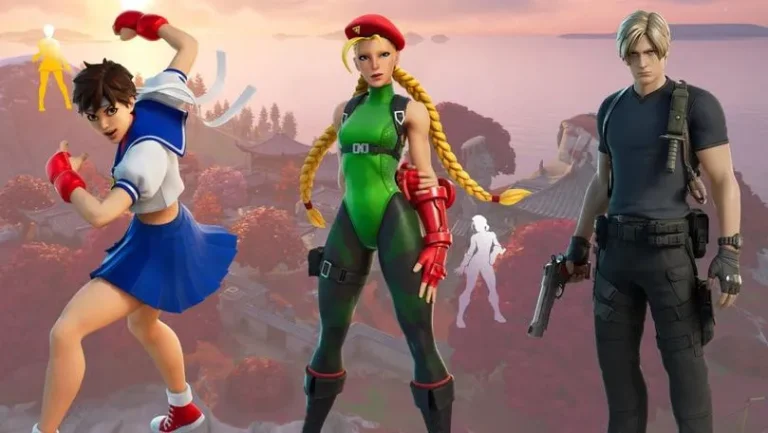
The Street Fighter skins featuring Chun-Li and Ryu were first introduced in 2021. Despite their popularity, they haven’t been available in the Item Shop since August 2022. Additionally, there was no collaboration to promote the release of Street Fighter 6 in June 2023, leading to speculation about the future of these iconic skins.

On the other hand, Resident Evil skins received more recent attention. Epic Games and Capcom partnered to promote the Resident Evil 4 Remake in March 2023, bringing Leon Kennedy and Claire Redfield to the game as part of the Raccoon City Survivors set. This event also marked the return of Jill Valentine and Chris Redfield skins.

Could a Devil May Cry Collaboration Revive Capcom Skins?

Rumors of a potential Devil May Cry crossover with Fortnite have sparked hope among fans. If the collaboration materializes, it could pave the way for a broader Capcom-themed event, potentially including the return of Street Fighter and Resident Evil skins. However, as of now, there is no confirmed information about these collections making a comeback.

While there are no guarantees about the return of Capcom skins, fans remain hopeful. Epic Games’ history of surprise collaborations leaves room for the possibility. Stay tuned for updates on the Devil May Cry rumors and any announcements from Epic Games regarding Capcom characters in Fortnite.

For more exciting Fortnite news, keep an eye out for updates on upcoming skins like Hatsune Miku and Godzilla!

Fortnite Update 33.20: Godzilla, Kong, Hatsune Miku & New Map Features

0

Fortnite’s latest update, version 33.20, is set to be a blockbuster, featuring thrilling additions like Godzilla and King Kong, a debut by Hatsune Miku, and exciting map transformations. Here’s a complete breakdown of everything you need to know about this much-awaited update launching on January 14, 2024.

Epic Monsterverse Showdown: Godzilla vs. Kong

The most anticipated feature is the Godzilla vs. Kong crossover, teased earlier in the Hunters Season trailer. Players can look forward to a live in-game event where these iconic titans will battle for supremacy. Post-event, both monsters will roam the map as NPC bosses. Brave players who challenge them can score exclusive loot. Leaks reveal Kong’s moves like “Growl,” “Roar,” and “Thump,” setting the stage for intense boss fights.

Battle Pass and Skins

Update 33.20 introduces new skins:

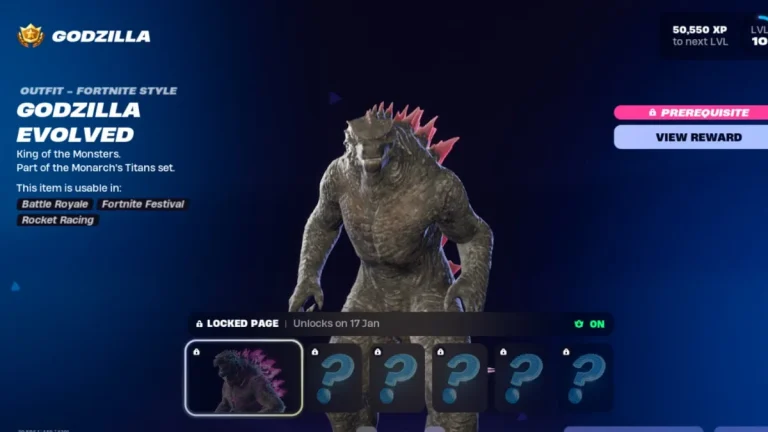
  • Godzilla Evolved and Mecha Godzilla: Available for Battle Pass owners starting January 17.
  • Hatsune Miku: The virtual pop star makes her Fortnite debut with a premium skin available through the Music Pass or Item Shop starting January 14.

Look out for hidden Easter eggs like inflatable shark dogs and leeks at Seaport City, hinting at Hatsune Miku’s arrival.

Major Map Changes

The update brings significant changes to the Battle Royale map. As Godzilla and Kong leave their mark, Seaport City is expected to undergo noticeable destruction. Additionally, melting snow across the island will introduce a refreshed landscape.

Story Quests: Splinters of Possibility

For narrative enthusiasts, Part 3 of the season’s Story Quests, titled Splinters of Possibility, launches on January 14. Players will forge a blade and assist Night Rose on a critical mission, adding depth to Fortnite’s evolving storyline.

Whether you’re in for the monster-sized Godzilla vs. Kong battles, Hatsune Miku’s music-themed vibes, or the gripping quests, Fortnite Update 33.20 promises something exciting for everyone. Dive in, explore, and claim exclusive rewards starting January 14!

10 Proven Steps to Access Free Fire OB48 Advance Server Codes Before Anyone Else

0

The Free Fire OB48 Advance Server offers a unique opportunity to test new features, characters, and weapons before their official release. It is an exclusive platform designed by Garena to enhance the gaming experience by gathering feedback from players. Here’s a step-by-step guide to accessing the Free Fire OB48 Advance Server codes and enjoying early access to upcoming updates.

What is the Free Fire Advance Server?

The Free Fire Advance Server is a beta platform where players can explore and test unreleased content. Developers use this server to identify bugs and gather feedback, ensuring a smoother experience upon official release. It’s ideal for both seasoned players and beginners eager to get a first look at new features.

Steps to Register for Free Fire OB48 Advance Server Codes

  1. Visit the Official Website
    Head to the Free Fire Advance Server registration page.
  2. Log In with Your Account
    Use your Google or Facebook account connected to your Free Fire profile.
  3. Provide Your Email
    Enter your active email address in the required field.
  4. Click “Join Now”
    Submit your details and wait for Garena’s approval.
  5. Receive the Activation Code
    If approved, you’ll receive an activation code via email, which is mandatory for server access.

How to Download the Free Fire OB48 Advance Server

Once you have the activation code, follow these steps to download and install the server:

  1. Download the APK File
    Return to the website and download the APK file for the OB48 Advance Server. Ensure sufficient storage on your device.
  2. Enable Unknown Sources
    Allow installation from unknown sources in your phone’s settings.
  3. Install the APK
    Locate the downloaded file and complete the installation.
  4. Enter the Activation Code
    Launch the server and input the activation code to gain access.

Why Join the Free Fire OB48 Advance Server?

Participating in the Advance Server lets you:

  • Explore new content ahead of others.
  • Provide valuable feedback to improve the game.
  • Enjoy a sneak peek at upcoming updates and features.

Follow these steps and become a pioneer in experiencing the latest Free Fire content!

BGMI Introduces Mahindra BE 6 EV as In-Game Vehicle

0

Mahindra & Mahindra, in collaboration with KRAFTON India, is set to revolutionize the gaming world by bringing the futuristic BE 6 electric SUV into the popular game Battlegrounds Mobile India (BGMI). Starting January 16, 2025, players will enjoy an interactive experience featuring the BE 6 in an innovative virtual space.

What’s in Store for Gamers?

This partnership introduces a host of exclusive in-game features, including themed items like the Quantum and Chrono Charge suits, Volt Tracer Gun, and accessories such as the Neon Drop BE 6 Parachute, Flashvault BE 6 Backpack, and SparkStrike Pan. Players can also engage in exciting missions to unlock Mahindra Event Crates and other rewards.

The highlight? A unique opportunity to win a real Mahindra BE 6 SUV through a contest tied to the gaming experience!

According to Seddharth Merrotra, Head of Business Development at KRAFTON India, this initiative aims to localize and enhance the gaming experience for Indian users. Mahindra’s commitment to innovation aligns seamlessly with BGMI’s forward-thinking platform, making this partnership a perfect blend of gaming and automotive excellence.

Veejay Nakra, President of Mahindra’s Automotive Sector, emphasized that the BE 6 represents the brand’s cutting-edge approach to electric mobility. The collaboration showcases Mahindra’s commitment to engaging with a tech-savvy audience, seamlessly blending technology and entertainment.

This strategic partnership between KRAFTON and Mahindra is a testament to the growing synergy between the gaming and automotive sectors. By integrating the BE 6 into BGMI, the collaboration not only entertains but also introduces the younger generation to the future of electric mobility.

If you’re a gamer or an EV enthusiast, this is one collaboration you don’t want to miss. Get ready to explore the Mahindra BE 6 SUV in BGMI and dive into a thrilling world of missions, rewards, and unparalleled excitement!

How To Get the Mind Palace Achievement in Marvel Rivals Fast

0

Unlocking the Mind Palace achievement in Marvel Rivals can be challenging, but it’s an exciting way to earn rewards by exploring the game’s rich environment. This guide will simplify the process and help you find Shuri’s recordings located across the Birnin T’Challa map.

What You Need to Do

To complete this achievement, you must interact with three specific consoles located within the Imperial Institute of Science, part of the Intergalactic Empire of Wakanda on the Birnin T’Challa map. Since the map selection is random, accessing the required area can take time. Additionally, two consoles are only available if you spawn in specific rooms, making patience a key part of this task.

Here’s a detailed breakdown of where to find Shuri’s three messages:

Shuri’s Recordings: Locations and Instructions

1. First Console

  • Location: Near the main capture point in the Imperial Institute of Science.
  • How to Find It:
    • Look for a room with a glass wall near the circular capture point area.
    • Break the glass or use nearby hallways to access the room.
    • You’ll find a console displaying a circular time travel device and a small Black Panther statue. Interact with it to hear Shuri’s first message.

2. Second Console

  • Location: Inside the purple-colored spawn room with a bed on the first floor.
  • How to Access:
    • If your team spawns in this room, turn around to find a console featuring an image of Groot at its center.
    • A Black Panther statue sits on the desk next to the console. Interact with the console to unlock the second recording.

3. Third Console

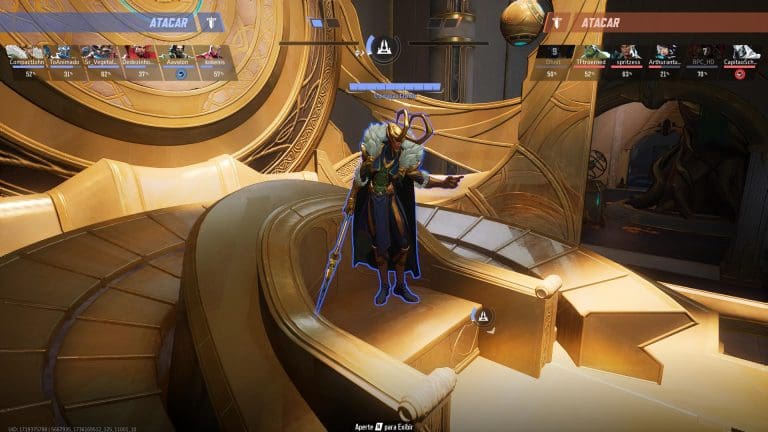
  • Location: Inside the golden-colored spawn room with a large floating globe.
  • Steps:
    • If you spawn in this room, head toward the desk located near the golden globe.
    • Look for a large console behind the desk, marked by a Black Panther statue. Interact to hear Shuri’s final message.

Tips for Completing the Achievement

  1. Patience is Key: Since you cannot control the map or spawn points, be prepared to replay matches to access all three consoles.
  2. Explore Efficiently: Use your time in the Birnin T’Challa map to complete other achievements, like the Shero of Wakanda challenge.

Completing the Mind Palace achievement not only brings rewards but also enhances your understanding of Marvel Rivals’ engaging lore. Happy exploring!

Street Fighter Finals Postponed Amid LA Wildfires

0

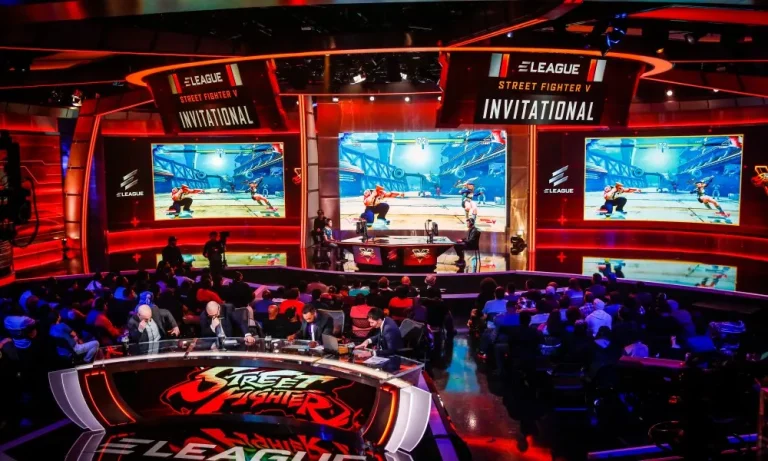
The ongoing wildfires in Los Angeles have forced Capcom to reschedule one of its major events, the 2024 Street Fighter League (SFL): Pro-US Finals, originally set for January 18.

This decision prioritizes the safety of players, staff, and attendees, ensuring focus remains on the affected communities. Capcom has promised refunds for spectators unable to attend the event on its rescheduled date, which is yet to be announced.

The SFL Pro-US features top-tier “Street Fighter 6” competition, with six teams from North America, Asia, and the Caribbean battling in a 10-week double round-robin season.

Four teams – FlyQuest, Fighting Spirit, Cloud9, and Bandits Gaming – qualified for the playoffs. FlyQuest, led by Evo Champion Punk, secured the best record (8-2), earning a direct spot in the Grand Finals. Fighting Spirit, a blend of top Asian talent, claimed the second seed after a tiebreaker.

The rescheduled Finals will use a single-bracket format, with higher-ranked teams advancing to later rounds. Cloud9 and Bandits Gaming will face off in the quarterfinals. The tournament’s winner will receive $60,000 and represent the U.S. at the SFL World Championships in Japan on March 9.

Marvel Rivals Season 1: Start Date, End Date, Timeline, and Details

0

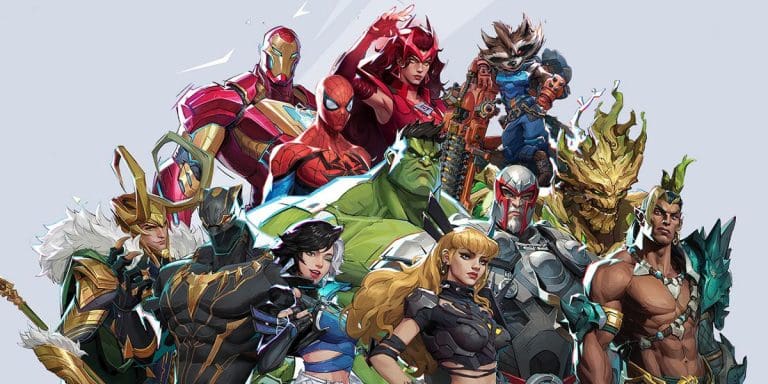
Marvel Rivals Season 1, titled “Eternal Night Falls,” is set to launch globally, bringing an exciting new chapter to the game. The season will include two major phases of content and introduce characters like Mister Fantastic and the Invisible Woman. Here’s everything you need to know about the start and timeline of Season 1.

The new season kicks off on January 10, following scheduled server maintenance by NetEase Games, which begins on January 9 at 11 PM PT and concludes by January 10 at 1:10 AM PT. Once the servers are back online, players can dive into the action with new content.

Key Launch Times Across Regions:

  • PST: 1:10 AM
  • CST: 3:10 AM
  • EST: 4:10 AM
  • BRT: 6:10 AM
  • BST: 10:10 AM
  • CEST/SAST: 11:10 AM
  • GST: 1:10 PM
  • KST/JST: 6:10 PM
  • AEDT: 8:10 PM

The second half of Season 1 will debut approximately six to seven weeks later, introducing the Human Torch and The Thing. While the exact end date for the season isn’t confirmed, it’s projected to conclude by April 11.

Marvel Rivals Season 1 promises thrilling battles as players align with the Fantastic Four to face Dracula in a brand-new storyline. With global timing and exciting content, fans won’t want to miss this immersive experience.