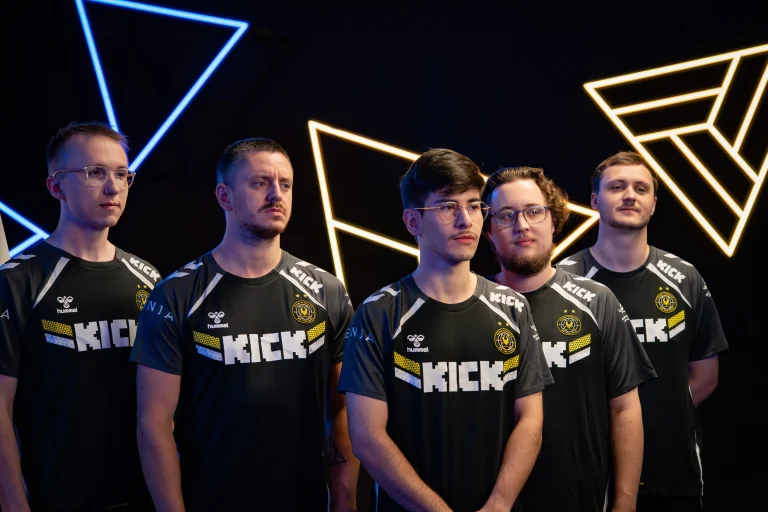
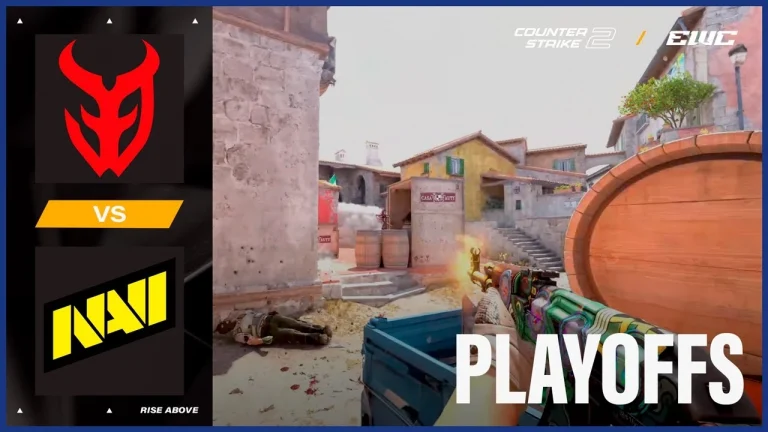
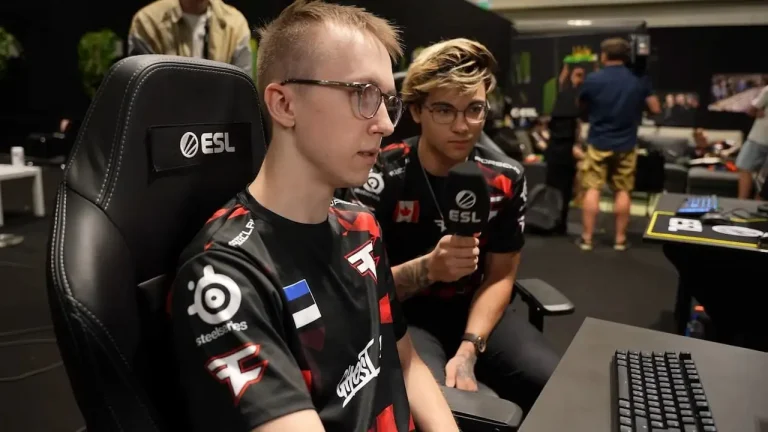
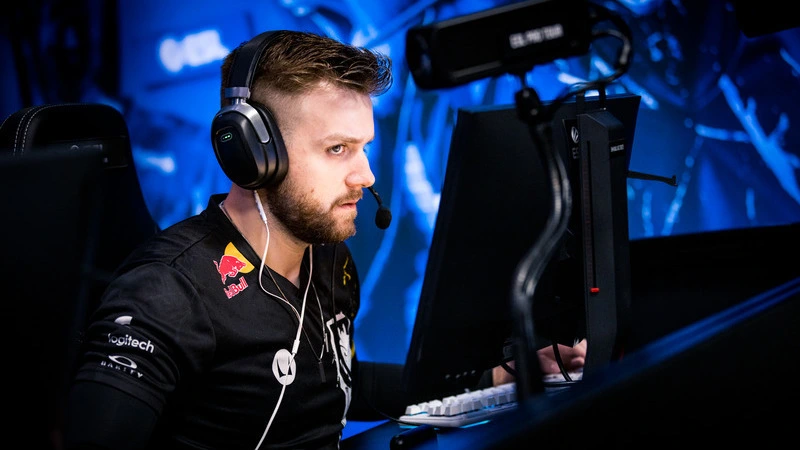
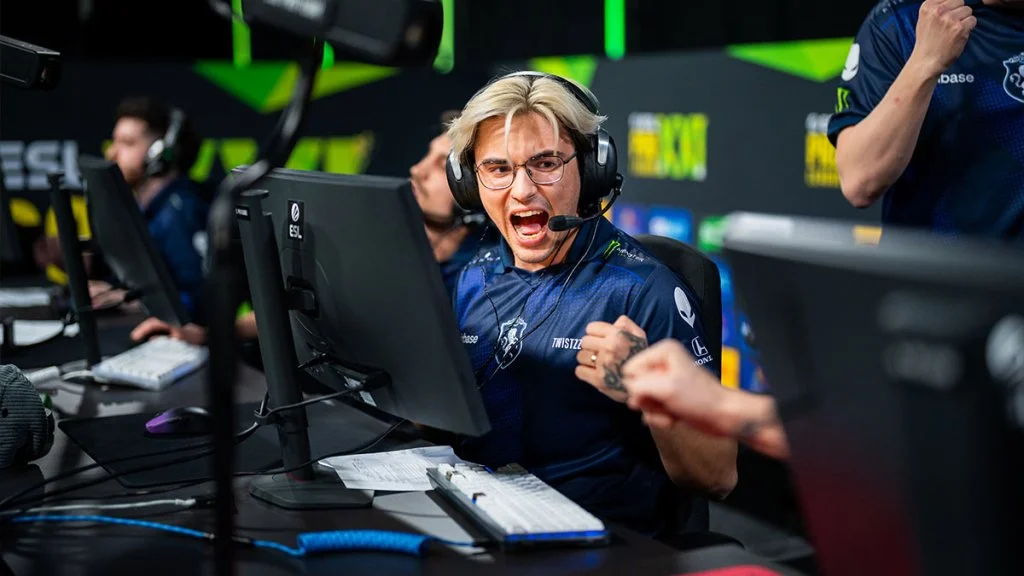
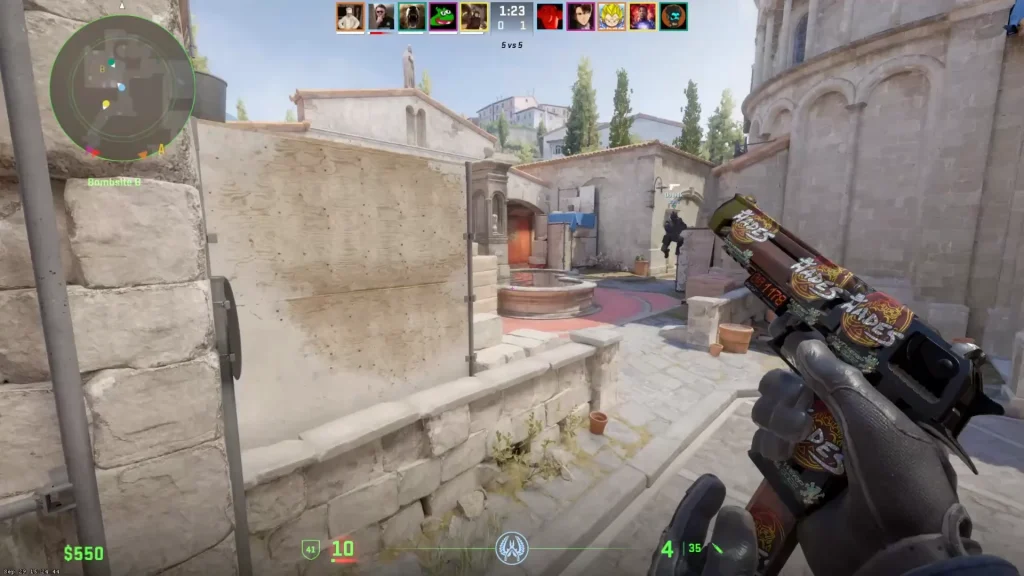
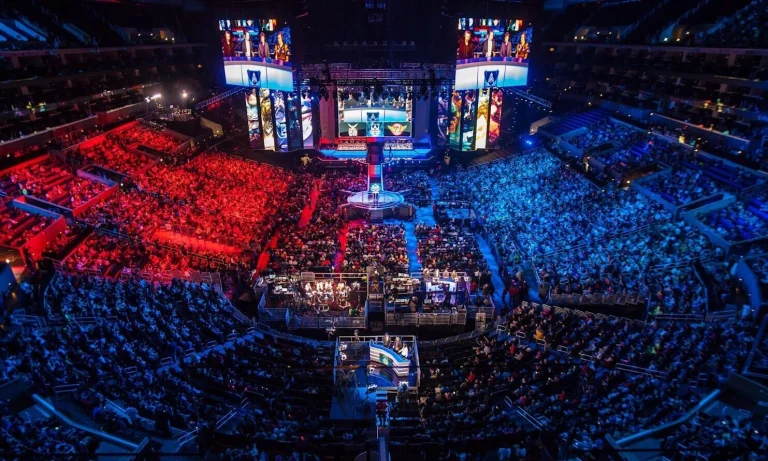
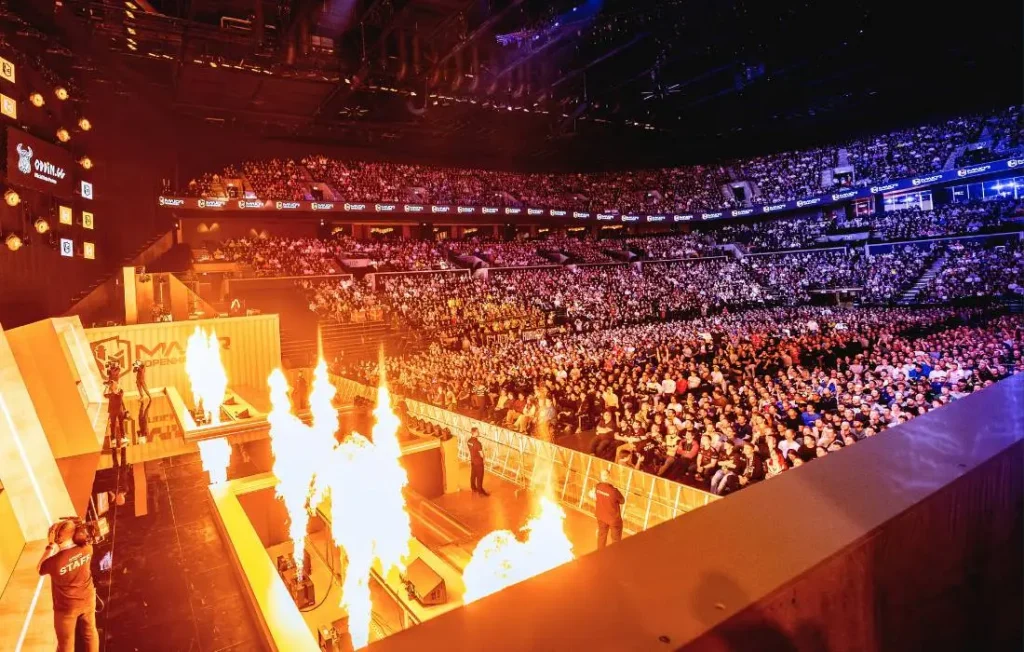
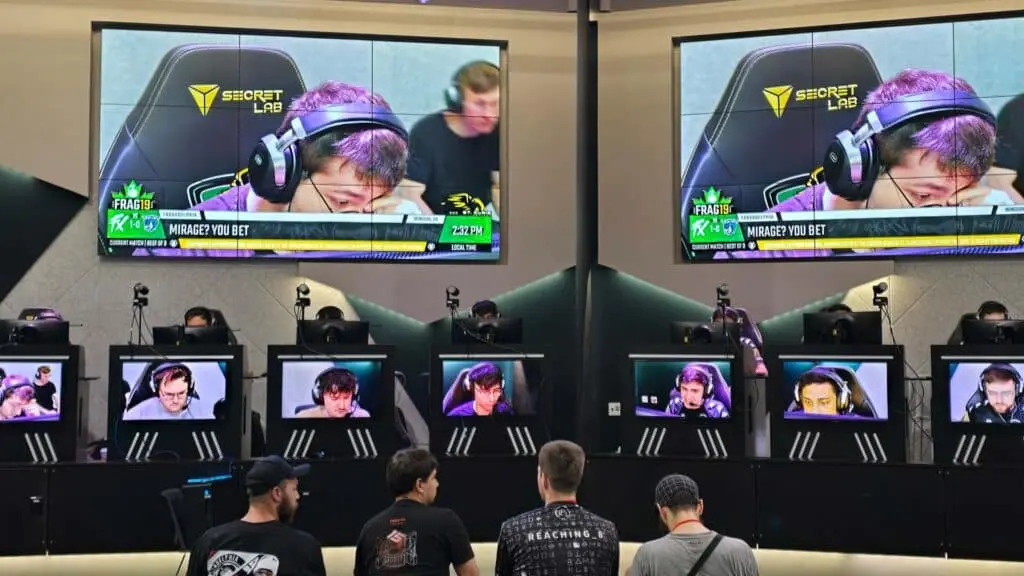
Team Vitality is in the Quarter Finals of the 2025 Esports World Cup as they outlast Team Liquid in a battle of patience across two maps. Going to all the rounds in the first map and till two OTs in the second, a true test of patience on the stage saw the best team in the world come out on top.
VETO
Liquid removed Overpass
Vitality removed Ancient
Liquid picked Mirage
Vitality picked Dust2
Liquid removed Inferno
Vitality removed Train
Nuke was left over
Double OT win for 2-0 ✅ Top 8 spot ✅ +200 #EWC Club Points ✅
A cruising start for ZyWoo and company that took Vitality 9-3 up before switching sides. Liquid, having started their pick in an abominable way, found some footing in the second half to the point that they managed to overcome the deficit and found themselves in the lead. Despite edging Vitality out, Liquid in the final moments of the game crumbled, leading to Vitality winning the final 3 rounds and snatching away a map from right underneath the noses of Team Liquid. With 27 kills to his name, ZyWoo dropped yet another AWPing masterclass as they brought home their opponents’ map pick.
Map 2: Dust 2; Pick: Vitality; Winner: Vitality
A tough start for both teams, but Vitality was edging out with a narrow lead before switching sides. Despite taking a beating, Liquid managed to level the scoreline and push the game to overtime despite having been 12-6 at one point. Overtime saw both teams traded rounds till Vitality managed to capitalise on a weak Liquid defence to post a perfect T side. With the game all but decided, Vitality lost one more round before winning the series 2-0.
Despite a loss, Liquid managed to push Vitality to such lengths, which is bound to spark confidence in the North American side that their roster is in the right direction after a massive overhaul. As they bow out, Liquid will come into action again in Blast Open London, hoping to make a deeper run.
Defending champions Natus Vincere have bowed out of the Esports World Cup 2025 following an embarrassing defeat at the hands of 3DMAX, who dropped a mind-blowing performance on the big stage for the world to see.
VETO
3DMAX removed Mirage
Natus Vincere removed Overpass
3DMAX picked Ancient
Natus Vincere picked Inferno
3DMAX removed Train
Natus Vincere removed Dust2
Nuke was left over
Map 1: Ancient; Pick: 3DMAX, Winner: NAVI
Going 4-0 up, 3DMAX put NAVI on the back in a map they have enjoyed a lot of recent success on. Despite a difficult start, the CIS side managed to salvage the half, leading to a respectable scoreline of 7-5 before switching sides. The momentum they caught on the defence, NAVI carried it to the offence, where they found themselves on map point before 3DMAX pulled in a few rounds. Trading rounds for a while, NAVI managed to edge past the French side and thus won the map 13-10.
Map 2: Inferno; Pick: NAVI, Winner: 3DMAX
Having won their first round with a force buy win, NAVI shifted the momentum, gaining a significant lead early on, with both teams trading equal blows. Switching sides with an 8-4 lead, NAVI dropped the ball after winning the pistol round. Not only did 3DMAX manage to win the force buy, but they also continued the game with a stellar streak of 9 rounds to shock NAVI with a miraculous comeback and take the series to the deciding map.
Map 3: Nuke; Pick: Decider, Winner: 3DMAX
Despite being on the offensive, NAVI ended poorly as 3DMAX managed to muster 8 rounds to their name, which served as a buffer when moving to the less favorable offensive side of Nuke. NAVI started the half with a streak of 5 rounds, almost leveling the scoreline before 3DMAX got back on the board. Trading rounds for a while, NAVI leveled the scoreline with 11 rounds to their names. 3DMAX, with their backs against the wall, pulled a rabbit out of the hat with Maka pulling off a stunning Bomb defence to take his team over the line. Lucky, with a 1.46 IR, proved to be a deciding factor for his team as they beat NAVI with a 13-11 tight scoreline in the final map.
This win puts 3DMAX in a quarter-final clash against MongolZ, an opponent they are very familiar with. While they are the second favorites coming into the match, it will not be too ambitious to say that they can come out on top.
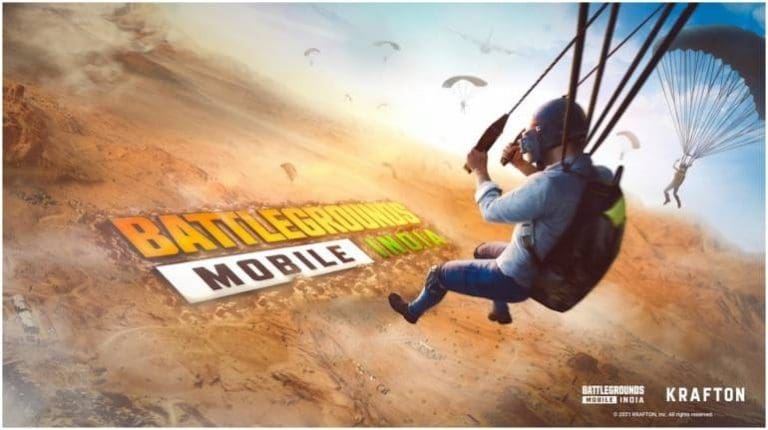
The proposed Online Gaming Bill 2025 has gamers panicking about their favorite battle royale titles, but here’s the thing – BGMI and Free Fire might actually be safe from the sweeping money-based gaming ban.
The Key Difference: Gambling vs Gaming
While the government plans to ban platforms where players deposit money to win cash prizes, BGMI and Free Fire operate on completely different models. These games generate revenue through cosmetic purchases, battle passes, and character skins – not gambling mechanics where players risk money to win more money.
The legislation specifically targets real-money gaming where users can withdraw winnings. Battle royale games like BGMI don’t offer cash withdrawals or betting systems. You buy skins, you keep skins. Simple.
Free Fire’s Current Status
Free Fire has been banned in India since February 2022 due to data security concerns, not gambling issues. However, Free Fire Max continues operating and even hosted a Rs 1 crore tournament in 2025. This suggests the cosmetic-based revenue model isn’t what bothers regulators.
The original Free Fire ban stemmed from national security worries about data routing to Chinese servers. The new gaming bill addresses entirely different concerns about money laundering and gambling addiction.
BGMI’s Safer Position
BGMI appears well-positioned to survive the new regulations. Krafton already complied with India’s data localization requirements when PUBG Mobile was unbanned and relaunched as Battlegrounds Mobile India.
Since BGMI doesn’t involve cash gambling or withdrawal mechanisms, it falls outside the bill’s primary targets – fantasy sports, rummy, and poker platforms.
What About In-App Purchases?
The bill’s language focuses on “money-based gaming transactions” where players can win cash. Standard in-app purchases for cosmetics shouldn’t qualify since players aren’t gambling for monetary returns.
However, if the government interprets any monetary transaction as problematic, even cosmetic purchases could face scrutiny. The bill’s broad language leaves room for interpretation.
The Real Risk
The bigger threat isn’t the gambling ban – it’s potential expansion of security-based restrictions. If regulators decide battle royale games pose data security risks similar to the original Free Fire ban, that’s when BGMI could face trouble.
Bottom Line
Based on current information, BGMI and Free Fire Max should survive the Online Gaming Bill 2025. The legislation targets cash-gambling platforms, not cosmetic-based battle royale games. But until the final bill text emerges, nothing’s guaranteed in India’s rapidly evolving gaming landscape.
The debut of Arcane in 2021 marked one of the biggest milestones in the history of League of Legends, Riot Games’ popular competitive MOBA title. With its release, the franchise expanded beyond the realm of video games and entered the vast world of mainstream entertainment. Apart from catering to hardcore fans, the series also managed to captivate a global audience, winning over viewers who had never played a single LoL game in their lives. Most importantly, it proved that it was possible to present in-game lore as narratives that could resonate beyond the esports scene and video game enthusiasts.
Needless to say, the two seasons of Arcane were incredibly successful. However, with Riot confirming that the series won’t be getting a season 3, many fans are left wondering what the studio’s next project in the entertainment industry will be.
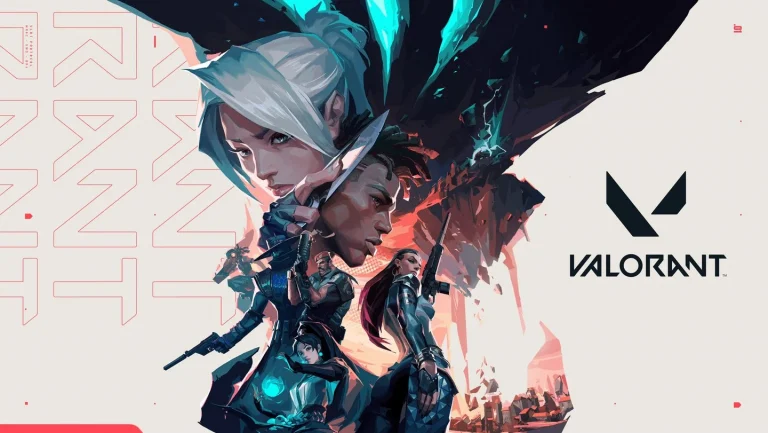
The answer might just lie in Valorant, Riot’s flagship FPS title that took over the world of tactical shooters since its initial release in June 2020. The stage is already set, as Valorant boasts an interesting universe filled with complex characters, each with intricate backstories that extend beyond just competitive play. Could Valorant perhaps be the perfect candidate to become Riot’s next cinematic universe?
Arcane’s Success
It didn’t take long for Arcane to shatter all expectations and become a global phenomenon in the world of online entertainment. The series received critical acclaim, topped the Netflix charts, and swept major awards, including an Emmy for Outstanding Animated Program.
Through Arcane, Riot managed to deliver a story rich in emotion and characters that felt deeply relatable, helping it transcend the gaming medium and stand on its own as high-quality television. Arcane stands as a testament to Riot’s ability to achieve what only a select few gaming studios have accomplished: bringing the narrative of a video game into the mainstream without alienating its core fans.
Alongside helping Riot strengthen its overall brand, Arcane also raised the bar for the entire industry. With two incredibly successful seasons under its belt, it’s safe to say that the series has set a new benchmark for what video game adaptations can achieve.
Valorant’s Narrative Depth
As mentioned earlier, Valorant already has a strong narrative foundation in place, should Riot ever decide to expand its universe. Every single Agent in the game features unique, likeable personalities, representing diverse nationalities and cultural backgrounds, and each tied to intriguing backstories.
The world of Valorant is far more complex and interesting than your regular tactical shooter. Through in-game voice lines, animated trailers, and regular lore drops, Riot has carefully planted the seeds of a larger narrative that extends beyond the matches that players experience in-game.
These elements form a solid starting point for deeper narratives, including a full-blown animated series, short films, or even potential live-action adaptations.
By establishing these narrative layers early on, Riot has given itself the flexibility to expand Valorant’s universe without disrupting its competitive core. The pieces are already in place—the characters, their motivations, and a world full of unanswered questions. All that’s left for Riot to do now is bring these stories to life in some medium, and given the company’s track record with Arcane, the potential is undeniable.
Characters
One of Valorant’s biggest strengths lies in its roster of Agents, and not just in terms of gameplay. Unlike most modern shooters, where characters serve as alternatives to utility items like smokes, flashes, or grenades, the Agents in Valorant have distinct identities that resonate with players. Every single Agent in the Riot Games title possesses a unique personality, appealing visual design, and voice lines that give us information on their backstory. This individuality makes them feel like personalities you’d expect to see in a TV series rather than characters in a video game.
Not to mention the cultural diversity that the game boasts. Whether it’s Jett’s South Korean roots or Reyna’s distinctly Mexican edge, every Agent carries cultural nuances that enrich the world of Valorant and make the game relatable for players around the globe. This representation can help create opportunities for storytelling that can appeal to a broad audience.
Lastly, it’s important to note that each Agent in Valorant already has an established, passionate fan base. This is evident from the plethora of fan art, cosplay, and community content revolving around them that’s readily available on the internet. This built-in fandom gives Riot a powerful starting point, as any adaptation featuring these Agents wouldn’t need to build interest from scratch for a good chunk of the viewers.
World-Building
The world of Valorant is not only visually striking, but it also has rich lore waiting to be uncovered around every corner. The mix of sci-fi tech and stylish aesthetics that the game boasts is certain to translate well to the screen.
Furthermore, each map in Valorant has a unique visual identity that adds depth to the game world. From the picturesque floating city in Ascent to the underwater setting in Pearl, these locations feel like more than just maps in a game. Every map carries its own lore and cultural flavor, creating a sense of place that could easily be explored in other media.
Lastly, Valorant’s maps are set all over the world. Haven draws inspiration from the city of Thimphu, Bhutan, while Split is based on a futuristic city in Tokyo, Japan. These sharp contrasts in visual identity enrich the overall in-game experience for players and would also translate seamlessly to the big screen.
The Perfect Time for an Adaptation
With Valorant having recently moved to Unreal Engine 5 and Champions 2025 being just around the corner, the hype surrounding Riot’s shooter is at an all-time high. Millions of players are tuning into the game each day to reach their dream rank, and the esports scene is thriving. Combine that with the growing demand from streaming platforms for fresh video game adaptations, and now might be the perfect moment to bring Valorant to the screen.
What makes the timing even more compelling is the sheer amount of growth that Valorant has shown since its release. Over the past five years, Valorant has gone from a new entry in the tactical shooter space to a household name in the world of esports, constantly creating moments and highlights that have captivated gamers throughout the globe.
There’s also the proven track record of Riot’s storytelling. Following the incredible success of Arcane, the studio has proven that it can craft a series that resonates with both gamers and casual viewers. This credibility lowers the risk and raises expectations for what a Valorant project could deliver. Add to that the strong emotional investment that players already have in its Agents, and you might just have a giant hit in your hands just waiting to be released.
Challenges
While there are plenty of reasons that indicate a potential adaptation of Valorant being a global success, there are also certain challenges that Riot must navigate through if it is looking to bring its shooter to the big screen.
Translating video games into TV series or other forms of media is always tricky, since you are losing the interactive essence that makes the game special while trying to fit it into a passive storytelling format. There’s also the importance of staying true to your roots and not deviating too far from the core elements of the game that fans love. Otherwise, you can end up alienating the very audience that made the game successful in the first place, turning a promising adaptation into a costly disappointment.
It’s also not uncommon for companies to capitalize on market hype and release rushed on-screen adaptations of beloved franchises, only to deliver shallow plot lines and characters that don’t feel true to their origins—just ask anyone who watched the Halo TV series and wondered why Master Chief suddenly thought helmets were optional.
Verdict
Overall, it’s pretty safe to say that Valorant already has all the key ingredients that it needs to follow in Arcane’s footsteps: a lovable cast of agents, a world rich in lore, and a fan base that’s deeply invested in the game itself. That, in combination with Valorant’s appealing aesthetic and Riot’s proven track record in animation, gives the title the potential for a blockbuster adaptation.
However, while the stage is set for Valorant to shine, there is still potential for it to turn into a colossal failure if Riot fails to play its cards right. Rushed production cycles, badly written scripts, and needless deviations from the source material have sunk many video game adaptations in the past. The company needs to take its time in creating a plotline that resonates with its fans, while also ensuring that the core personalities of the game’s beloved characters aren’t altered for the sake of adaptation.
If Riot avoids these pitfalls and continues its tradition of thoughtful storytelling and world-building, we might just be on the brink of another cultural phenomenon. With the right approach, a Valorant series has every possibility of setting a new benchmark for video game adaptations.
Recent reports suggest that cricket’s official administrative governing body, the ICC (International Cricket Council), which oversees, manages, and regulates cricket internationally, is actively working on finding a game development studio/publisher to develop a new eSports cricket simulation mobile video game.
However, it’s still unclear when a new cricket-themed video game that will hopefully rival the EAFC (formerly FIFA) eSports video games will arrive.
With that said, let’s dive straight in and take a closer look at everything we know so far.
Will there ever be a cricket eSports game to rival EAFC?
According to several sources, yes, there will be a new cricket eSports mobile video game to rival EAFC games.
The new ICC initiative, which is also endorsed by its member nations, aims to bring cricket to a broader audience via the traditional gaming sector, create a new form of fandom, and significantly raise the sport’s global profile.
Most other major sports, such as soccer/football, golf, basketball, UFC/MMA, Formula 1 motor racing, and others, already have a strong presence in the eSports sector, and these popular eSports games have significantly helped raise their respective sport’s global profile.
Many cricket and eSports fans say that a decent eSports cricket competition with a state-of-the-art, engaging, feature-rich, highly immersive and socially interactive cricket video game is long overdue.
It would represent a significant step in the right direction for the sport to finally establish a foothold and strong presence in the gaming sector of the global multi-billion-dollar digital entertainment industry.
There is already a cricket game in the development stages called E-Cricket, which is being made by Light Fury Games. This one is being made in collaboration with Amazon Web Services and is expected to arrive in early 2026.
Goals, challenges, potential for success, and other factors to consider
Here is a more detailed breakdown of some of the goals, challenges, potential for success, and other important factors that the ICC and game development studios must consider:
Goals – according to various sources, the ICC will soon be launching a cricket-themed video game for the mobile gaming sector, and is already in the formal process of finding a suitable developer. The aim is to tap into the lucrative eSports sector, create new and diverse revenue streams, and re-imagine how cricket is experienced and celebrated in the modern digital era
Comparison to EAFC – the ICC hopes to rival EAFC in the eSports scene by modelling its cricket game on existing EAFC games to engage fans in a similar way and build a thriving eSports ecosystem around cricket
Potential for success – the eSports sector is currently experiencing significant market growth, and with the help of the ICC and a top game development studio, early reports suggest that the strategic business model for a cricket eSports title could very well be a huge success
Interest from developers – several of the traditional gaming sector’s biggest gaming ventures, publishers, and developers have already shown a keen interest in creating a cricket eSports game at all levels, from the ground up (building and developing) to publishing and maintaining
Previous cricket video games, such as Cricket 24 and the EA Sports Cricket series, haven’t had anywhere near as much focus or attention as this new game will have on becoming an eSports blockbuster, which is why so many people feel that it will be a success when it finally arrives on the eSports scene.
According to further reports, the game could also leverage blockchain technology, which would boost player engagement and create new player digital asset ownership opportunities.
Are there any cricket games you can play online today using cryptocurrency?
Yes, there are a handful of online cricket games that you can play using cryptocurrency for the chance to earn/win more cryptocurrency. However, due to the very nature of these games, you must be at least 18 years old to play.
For example, right now on the official 10CRIC cricket betting online sportsbook, you can bet on virtual/simulation cricket events. These games are essentially computer-generated cricket matches that use highly sophisticated Random Number Generators to produce fair and realistic outcomes.
Are there any other cricket-themed games worth checking out in 2025?
Yes, but it all depends on what type of game you’re looking for. For example, if you want to play games for the chance to win more money (e.g., more fiat currency such as Indian rupee or more cryptocurrency such as Bitcoin), then you might like to try some of the popular cricket-themed online casino games that are now available to play on the 10CRIC casino website.
Game: 10Cric Six or Out. Type: Online slot. Provider: Gaming Corp
Game: Live Cricket War. Type: Live dealer game. Provider: Ezugi
Game: Live 10CRIC Auto Roulette. Type: Live dealer game. Provider: Evolution Gaming
Game: Cricket King 18. Type: Online slot. Provider: JILI
Other hit titles that you might also like to try include Live Cricket Roulette, Bet Now Cricket, Cricket Sah 75, regular ‘computer-generated’ Cricket Roulette, Cricket AUTO Roulette, and X Cricket, to name just a few.
If you fancy trying something completely different, don’t forget to check out the 10CRIC Daily Cricket Quiz. All of these cricket-themed games have been fully optimised to load quickly and run smoothly in most web browsers on any decent, Wi-Fi- or internet-connected PC or mobile device.
If you would rather play a ‘traditional’ cricket-themed video game using a gaming console, handheld gaming console, PC or mobile device, without having to spend real money, some of the hottest titles to try first include Cricket 19: The Official Game of the Ashes, Big Bash Boom, and World Champion Cricket, to name just a few.
Final thoughts
There is definitely a huge demand for an exciting new cricket-themed mobile game to arrive on the eSports scene, and early reports suggest that it could be available as soon as 2026, meaning there isn’t too much longer to wait.
However, others suggest that it might not be released until 2027. We will just have to wait and see what happens.
Counter-Strike demonstrates role-based gameplay more than any other FPS, and players would thrive only if they can fit into the tactical demands of their team. For years, this has been a fundamental part of the game, where each player had mastery over a certain role and clear specialisation. However, taking a deep dive into the roles of players in Vitality and Team Spirits, one would notice that a player excels in more than one role. Not only does this help improve mid-rounds, but it also makes the overall gameplay of the team more adaptive and unpredictable.
The new meta would dictate the rise of flexible players, where one would be tasked with the responsibilities of more than one player despite being anchored to a definite role. The rise of these flex players suggests that roles will become increasingly vague in the coming years, and this will not only impact teams, strategy, and the overall future of professional Counter-Strike but also affect the esports scene holistically.
The Origins of Role Specialisation in Counter-Strike
To look at why we are witnessing the rise of flex players, we must understand the history of tactical evolution in Counter-Strike esport. For years, the division of labour looked like the golden rule: every player would focus on their area of interest and focus on their part alone, while trusting their teammates to do the same with the roles they are entrusted with.
Unlike Valorant, there is little to no fresh content being introduced in the game every year, rendering old tactics predictable by nature. With little evolution to the tactical approach, teams and players are forced to come up with new strategies, and the latest in a long list of tactical evolutions is the large-scale introduction of flex players.
The division of responsibilities worked for a while, but it would get picked apart against a modern team with a more dynamic approach. Adaptability is key, and modern teams would like nothing more than to have 2 flex players around the core of the team that would establish stronger fundamentals for their players.
The Rise of the Flexible Player
Being a flexible player doesn’t mean they will know everything about every role present on the map, but to be able to do the needful with the situation calls for it at an extremely high level would require the mastery of multiple roles.
Example: NiKo and ropz
Players like NiKo (Falcons) and ropz (Vitality) have built reputations on being hybrid stars. While both can be attributed to lurking roles, they can deliver top-level performances doing every role based on the tactical requirement of the team. NiKo has always served as Secondary Caller and Entry Fragger in addition to being a Lurker, while ropz has excelled in AWPing and Anchor roles.
Example: ZywOo and m0NESY
Traditional AWPers like ZywOo (Vitality) and m0NESY (G2) are also evolving. They no longer sit back and wait for duels and remain aggressive hybrid AWPers who can rifle when necessary. This is the new standard that elite players are setting, which not only helps the team adapt to different opponents but also makes them more unpredictable.
Why This Matters
Tactical adaptability provides a significant amount of flexibility for an IGL to adjust their team’s positioning, making the game unpredictable and more challenging to deal with from an opponent’s perspective. Role shifts can be considered the modern meta, and the more flexible players of the team are, the coaches and IGLs have easier time to keep opponents from figuring out their playbook.
The Role Specialisation Crisis Explained
To break down the problems for players who cannot perform in multiple roles, these are the most common areas they get exploited in the server.
Pure AWPers who cannot rifle are targeted for isolation and rushes.
Dedicated supporters who lack fragging power become a strategic weakness, having been targeted by opponents as a weak point.
One-dimensional entry fraggers fail to deliver during a tricky mid-round situation where a cerebral player would benefit from reading the gameplay.
While role specialists do deliver in their area of specialisation, a team can no longer afford players who cannot be adaptive to the demands of the situation.
The Impact on Team Building
1. Star-Stacking vs. Balanced Rosters
While stacking a team with specialists would seem like a good idea on paper, a balanced roster in modern definition would have a core of players who can easily slide into multiple roles, making the team tactically versatile instead of being rigid in their playstyle. While rigidity may ensure consistency but that holds little value in modern meta.
2. Player Market Value
The star players aside, the most in-demand players are those who can deliver in multiple roles. To take an example, the market is scarce of fragging IGL as they get picked up by teams in no time, and those who can frag while calling the shots have no shortage of offers in the modern market.
3. The Decline of “Glue Guys”
Once upon a time, Support Players were praised for their silent contributions to the game, but that is no longer the case because hardly any team has players dedicated to the support roles, as their responsibilities get divided among everyone in the team. The excuse that support players are weak in the fragging department would land a player out of the team in the modern meta.
Verdict
The role specialisation can be attributed to the modern meta of Counter-Strike 2. While this dynamic approach can lead to problems like role overlap, ego clashes, and overburden of responsibilities, the upside, if it is executed correctly, makes its weight worth in gold. The game we grew up playing has become unrecognisable in many areas as modern meta would call for fluid decision-making, dynamic strategies, and relentless adaptability.
While many would call this a crisis, we see it as nothing more than evolution for a game that has maintained its core fundamentals for over a decade. Valorant can bring in new agents and change the meta, CS2 bets on its playerbase to find new ways to play the same game.
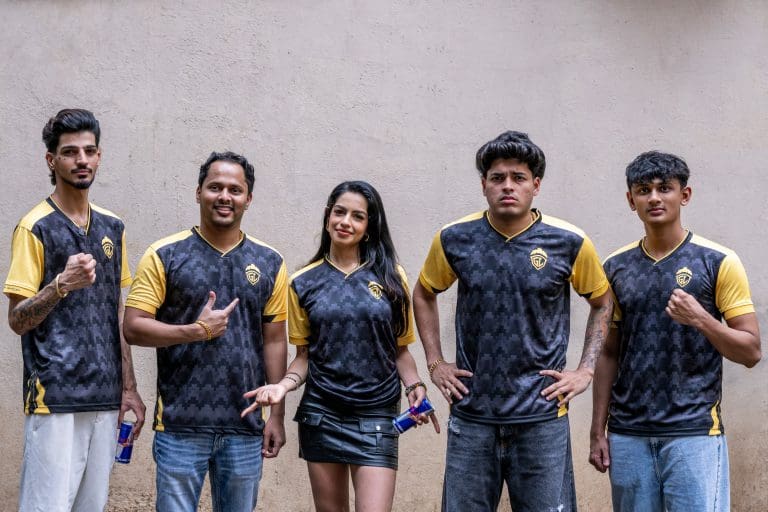
Red Bull India has announced a partnership with GodLike Esports, one of India’s leading esports organizations. The collaboration was unveiled at Battlegrounds Mobile India Masters Series (BGMS) Season 4. This shows Red Bull’s deepening commitment to the rapidly growing Indian esports ecosystem.
Red Bull India and Godlike Esports Join Forces to Boost Indian Competitive Gaming
The comprehensive partnership will see Red Bull supporting GodLike Esports across their entire competitive portfolio, including popular titles such as Battlegrounds Mobile India (BGMI), Call of Duty Mobile, Free Fire MAX, EA FC, and eFootball. The agreement also extends to any future gaming titles where GodLike expands its competitive presence.
GodLike Esports, renowned for its passionate fanbase and consistent performance across multiple gaming titles, has established itself as a prominent org in Indian esports.
As part of the partnership agreement, all GodLike Esports players will prominently display the Red Bull logo on the right shoulder of their official jerseys, providing significant brand visibility during tournaments and competitive events.
The collaboration extends beyond traditional sponsorship, with plans for innovative content creation and fan engagement initiatives. Both organizations will work together to develop unique experiences for players and the gaming community, including exclusive tournament participation opportunities and community-driven activations designed to bring esports closer to its expanding audience base.
The move comes at a time when India’s esports industry is experiencing unprecedented growth, with millions of fans following competitive gaming across various platforms.
Stay tuned to the TalkEsport app for detailed gaming and esports coverage, latest news, and much more!
Counter-Strike 2’s inaugural year has demonstrated a disturbing trend. As Valve makes record revenue from the game’s monetization tools, the underlying player experience remains in decline. With more than $1 billion taken in from case openings in 2023 alone and March 2025 pulling in over $100 million from loot boxes, Valve’s attention seems strictly on profit maximization instead of pushing to solve core gameplay issues that have lost the game 36% of players since its zenith.
The Billion-Dollar Case Opening Machine
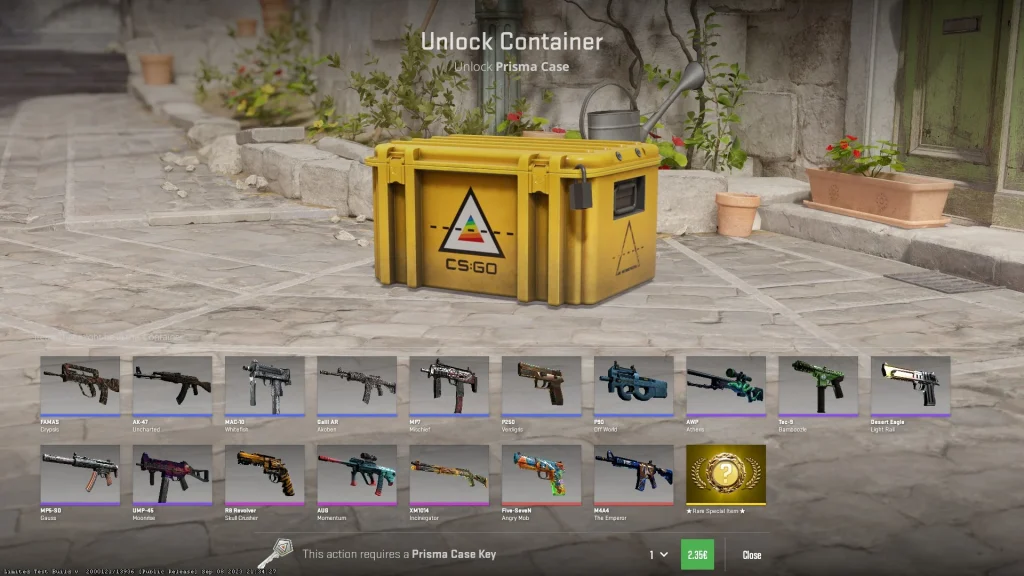
The figures behind Counter-Strike 2‘s monetization show the enormity of Valve’s revenue generation. In 2023 alone, players cracked an incredible 400,318,821 cases at about 12 per second globally. Each case costs a $2.50 key, resulting in over a billion dollars in direct key sales alone. The number is even more astounding when other revenue sources are taken into account.
March 2025 was no exception, with more than 32 million cases opened by players, and netting the company nearly $82 million just on key sales. When Steam’s marketplace transaction fees and various other miscellaneous expenses are factored into the calculation, Valve’s overall profits from case-related activities exceeded $100 million for the month alone.
The Steam Community Market also increases these gains through its two-tiered fee system. Valve takes a 5% “Steam Transaction Fee” and a separate 10% “game-specific fee” for Counter-Strike merchandise, making a total of 15% commission on all marketplace trades. This setup makes Valve gain not just from the initial opening of the case but from all the trades that follow, generating a constant revenue stream from the same virtual good.
The skin economy on CS2 has increased to historic highs, with the market boasting a record April 2025 market cap of $4.5 billion. The Dreams & Nightmares Case alone represented 13% of all case openings during 2023, netting out approximately $126 million in expenditure while only returning $39 million in skins to players. This 31% return rate underscores the lottery-like system, wherein the house wins every time.
Player Experience Takes a Backseat
As Valve’s profits boom, the gaming experience itself has taken a great hit. Counter-Strike 2’s average player count has dropped 36% from its all-time high, a drop during a time that saw continued technical problems and the absence of substantial content improvements. The optimization of the game is still an issue, with players noting that even top-of-the-line hardware configurations can’t maintain steady performance.
The technical failings are especially lamentable considering Valve’s enormous profit margins. Frame time woes beleaguer the game, with CS2 having the worst frame time of 6 milliseconds of all existing FPS games, against Valorant’s 2-3 milliseconds. Competitive players have publicly decried these technical failures in interviews, detailing how the game handles less responsively than the previous iteration.
Map optimization problems continue a year since launch, with Ancient’s water areas still recording severe FPS drops that can gain competitive perks through movement, indicating the presence of the enemy. Such basic issues imply a development team more interested in monetization functions over basic gameplay stability.
The frustration of the community goes beyond the technical. Updates recently have been focused on cosmetic additions and monetization adjustments, leaving anti-cheat issues behind. Players are reporting hackers in roughly a third of Premier matches. The ratio is an erosion of competitive integrity that directly harms the player experience Valve purportedly values.
Ethical and Regulatory Issues
The gambling-like aspects of CS2’s monetization have received a lot of attention from regulators and child safety activists. Studies presented in scholarly journals show that skin gambling is a strong predictor of problematic gambling in teenagers, with underage players having greater rates of symptoms of gaming disorder.
Recent work by creators such as Coffeezilla has revealed the far-reaching network of rogue gambling sites that take advantage of CS2’s skin economy. Those sites have weak checks on age, and minor players can gamble with their in-game assets. “KYC procedures” are put in place on some sites only when users buy internal money, so children lose their money without being able to use it.
The legal environment is moving against the model of Valve. In December 2023, an Austrian court held that Counter-Strike loot boxes are forms of illegal gambling and directed Valve to reimburse a player more than $15,400. Belgium and the Netherlands already have loot boxes defined as illegal gambling, and other jurisdictions are on the path to follow suit.
Money laundering issues have also been noted, with cyber experts pointing out that valuable CS2 skins present an ideal platform for the legitimation of illicit proceeds. The intangibility of these items, coupled with their high real-world value and limited regulation, presents an environment conducive to financial crimes.
Development Priorities Indicate Profit Focus
Valve’s latest development choices further demonstrate its profit-over-player stance. The business unveiled modifications to creator revenue models that focus on the Armory system as opposed to case drops in the classical sense. This change indicates Valve is transitioning from usable case drops to a grind-heavy system where players must spend more time and possibly more money to gain access to sought-after items.
The absence of significant content improvements is a stark contrast to the persistent evolution of monetization systems. While small gameplay adjustments and community maps occasionally see attention, heavy-hitting features such as operations, new game modes, or in-depth anti-cheat enhancements are missing. This trend indicates development resources being focused on profit-driven features as opposed to player satisfaction.
Communication with the community has also suffered. Valve’s infrequent patches and minimal honesty regarding upcoming plans leave players in the dark regarding the game’s future. In contrast, the company reliably delivers on monetization-focused features, such as new cases, marketplace enhancements, and trading system updates.
Verdict
Valve’s short-term revenue maximization strategy through gambling-like mechanics is an alarming trend in game development. Although the company has made record profits with Counter-Strike 2, this has been at the expense of player satisfaction, competitive integrity, and ethical responsibility.
The current model is unsustainable from both player retention and regulatory perspectives. As more jurisdictions classify loot boxes as gambling and implement age restrictions, Valve faces potential market limitations that could significantly impact revenue. Simultaneously, the declining player base suggests that profit-focused development cannot indefinitely sustain engagement.
Counter-Strike boasts one of the largest esports ecosystems in the gaming community, and its growth would have anyone believe that CS2 is profitable from a business standpoint. However, the reality is far from that; not only do the organisers struggle with making money out of the esport, but none of the organisers except the ones at the very top make significant money out of it.
The Illusion of Big Numbers
CS2 posts arguably the best viewership numbers in any esports, but numbers do not translate directly into money. While there is a massive audience for the game, esports isn’t like UFC or Football, where expensive tickets fill out a whole stadium. With limited options to monetise it, organisers fail to generate significant profits, leading them to rely heavily on sponsors to provide the majority of the financial backing.
The High Cost of Hosting a CS2 Tournament
While local LAN parties with friends can be put together, tournaments require a whole new level of organisational efforts, leading to costs that touch the sky, making profit something very scarce for tournament organisers.
Location and Facilities:
Depending on its size and location, renting a stadium raises the cost of the event significantly.
Sound systems, lighting setups, stage design, and high-speed internet infrastructure all add cost.
Production of Broadcasts:
A professional broadcast team is required for many camera angles, in-game observation, commentators, replay systems, and graphic overlays.
For a high-end event, this alone may cost over $100,000.
Player Costs:
Teams require local transportation, lodging, food, and flights.
The organiser frequently bears a large portion of the expenses, even if sponsors cover part of them.
The growing expense of nearly every aspect of event management is compounding these problems. Prices for hotels, flights, renting equipment, and even essential services have increased due to inflation. Organisers have been forced to bear rising expenditures without a corresponding gain in revenue since sponsor budgets have not increased at the same rate.
Limited Revenue Streams
While Counter-Strike has a loyal playerbase, they aren’t the ones who would travel across the world filling out stadiums. Only LAN events can sell tickets. However, many CS2 competitions are held online or in smaller locations with fewer seats. Usually, teams gain more from merchandise like jerseys and branded clothing than the event planners do.
Since streaming on websites like Twitch and YouTube is often free, esports have very little in the way of broadcasting rights, which are a major source of revenue for sports like football. Although sponsorships continue to be the main source of revenue, they are erratic and highly reliant on the state of the economy as a whole.
Sponsor-driven tournaments
Compared to traditional sports, CS2 events provide fewer revenue-generating opportunities, thus forcing organisers to rely heavily on sponsors. Only LAN events can sell tickets, while most of the CS2 competitions are played online or in smaller locations with fewer seats. Usually, teams gain more from merchandise like jerseys and branded clothing than the event planners do.
One of the riskiest elements of CS2 tournaments is their excessive dependence on sponsors. Top events become financially unfeasible if no big brand offers to back them. The problem is that an event may be completely cancelled if a big sponsor decides to pull out. Additionally, sponsorship agreements may have certain requirements about the brand’s promotion, which occasionally irritates viewers. Additionally, while sectors like energy drinks, betting, and cryptocurrencies generate substantial sponsorship revenue, they can also raise reputational issues.
Disorganised Broadcasting
Although they are excellent for reaching a worldwide audience, streaming services are not reliable sources of income as they are far from consistent, and their earnings cannot be estimated. Although millions of people may watch for free on Twitch and YouTube, the ad income per viewer is far less than that of television ads, and the viewer base consisting of millennials limits potential advertisers. Ad blockers are used by many visitors, which further lowers possible revenue. In esport, platforms seldom pay large amounts for exclusive streaming rights, even if they can provide higher returns. Because of this, tournaments frequently receive enormous viewership but little revenue from those audiences.
Contrast With Conventional Sports
The massive financial gap when compared to traditional sports is readily apparent. When looking at how other sports make money, UFC drops pay-per-view offers, football has billion-dollar broadcast deals, the NBA has sponsors that flood the sport with money, but compared to a sport built around a computer game, none of the options seem like a consistent method of earning.
The absence of a solid revenue model seems to be harder than ever in esports. Games like Dota rely heavily on selling Battle Passes before TIs, and so does CS, but due to external organisers hosting events other than Majors, they find it unfeasible at times to fund these events with the uncertainty of sponsors.
It is often seen that CS2 tournaments are treated as a marketing scheme for organisers. Hosting top CS2 events helps build their portfolio that attracts future partnerships and builds brand prestige. For example, ESL can host a top CS2 tournament to maintain its position in the industry. This long-term strategy can be risky because if investors or sponsors lose interest, the event can disappear overnight.
What lies ahead for CS2 organisers?
The road ahead for CS2 tournament organisers isn’t exactly smooth, where profitability will be called into question every step of the way. What the current business model fails to do is to diversify its revenue stream, which will eventually make it sustainable. Creating stronger links between the audience and paths to monetisation would serve as the chief method to create a sustainable business model.
What the community needs is for Valve to work closely with the organisers to make sure the large playerbase can work in ways to boost the economics of tournament organisation, which would eventually release the overreliance on sponsors. If a whole economic model can be reframed with smart compromises on both earnings and spending, we might get more and more tournaments around the year, and top organisers will not be limited to tier-1 anymore.
Counter-Strike 2 has released “Rain-cient” Update with Ancient’s night version, Deluge Music Kit Box, M4A1-S | Solitude, Austin Major 2025 Sticker Sale, and more.
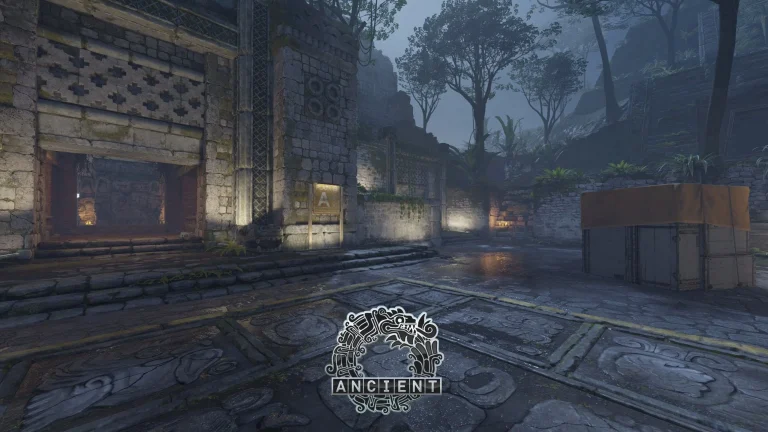
Previously, several data miners revealed that Valve is working on a night version of the Ancient map. Today, it became official. The new update brings a new and immersive rainy weather to its legendary Ancient map, alongside sweeping visual, gameplay, and performance improvements throughout the game.
Apart from that, the new Deluge Music Kit Box is currently available in the in-game store. You can purchase both the standard and StatTrak versions. The box contains the following music kits:
Adam Beyer
Ghost
HEALTH
James and the Cold Gun
Jonathan Young
Juelz
Killer Mike
PVRIS
Selective Response
Tigercub
Along with it, a new M4A1-S skin has been introduced, named Solitude. It is added in the Limited Time item inside the Armory Pass. There are multiple versions of the skin available.
The Austin Major 2025 sticker capsules are also available at a 75% discount within the store. Apart from that, there are some other changes within the game. Without wasting time, let’s check out the official patch notes:
[ MAPS ]
Ancient and Shoots
Added nighttime versions.
Refreshed all ancient materials to use latest CS2 shaders.
Added new blending options for ancient materials including wetness and moss.
Added “ancient_zoo.vmap” with all assets and blending examples for mapmakers.
[ ITEMS ]
Deluge Music Kit Box is now available for purchase in standard and StatTrak versions.
New Limited Time Item, the M4A1-S | Solitude, is now available in The Armory.
[ ANIMATION ]
Sawed-off shotgun deploy modified and fixed shell penetration on reload.
Improved deploy +quick inspect animations for all knives.
Improved deploy +quick inspect animations for the AK, Galil, AUG, PP-Bizon.
Improved deploy animations for the AWP, M4A4, M4A1-S.
Improved animations for legacy SSG08 models.
Removed the deploy inspect delay for most weapons.
Fixed XM1014 blocking crosshair during reload.
[ MISC ]
Rendering performance improvements across most maps.
Rendering resolution and aspect ratio can now be changed in fullscreen windowed mode.
fps_max can no longer be changed while connected to a server.
Fixed a case where certain weapons could be fired sooner after a re-deploy.