Tuesday, December 23, 2025
Home Blog Page 125

How To Get Free Emma Frost Golden Diamond Skin in Marvel Rivals

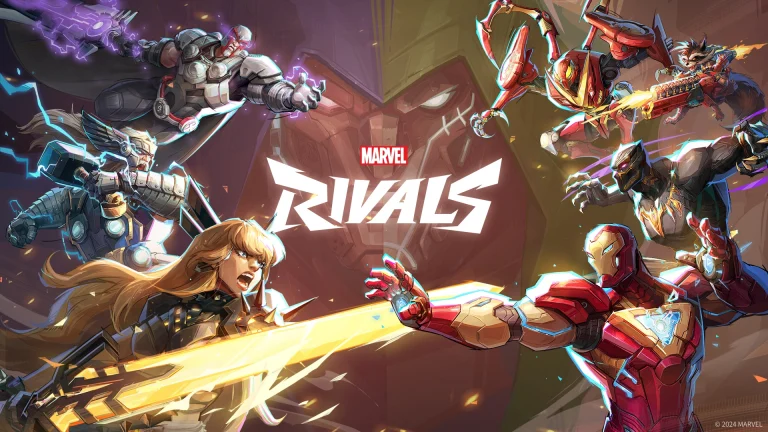
The highly anticipated Marvel Rivals Season 2 is just around the corner, and the new patch is set to bring tons of exciting content to the hero shooter.

The upcoming additions in Marvel Rivals Season 2 include the new hero Emma Frost, a fresh Battle Pass featuring a bunch of gorgeous cosmetics, and some key changes to the competitive mode.

To celebrate the launch of Marvel Rivals Season 2, NetEase is giving away a bunch of free skins to the game’s player base in the form of Twitch drops, Marvel Unlimited rewards, and more. Emma Frost Golden Diamond is one of the various free Marvel Rivals skins in the second season of the game, and fans are able to obtain this new costume for their favorite ice queen without having to spend a dime.

How To Unlock Emma Frost Golden Diamond Skin in Marvel Rivals for Free

The Emma Frost Golden Diamond skin is a limited-time reward in Marvel Rivals that players can get for free. This means that if you fail to grab the new Emma Frost skin this season, you’ll have to bid farewell to it as it can no longer be obtained once the competitive season comes to a conclusion.

But how do you get the Emma Frost Golden Diamond Skin in Marvel Rivals?

The Emma Frost Golden Diamond Skin is an exclusive, ranked reward in Marvel Rivals Season 2. 

Any player who manages to reach Gold rank or above before the end of the ranked season is eligible to get the skin.

If you manage to reach Grandmaster or above, you’ll be rewarded with a Crest of Honor corresponding to your peak rank in addition to the Emma Frost skin.

As mentioned earlier, the Emma Frost Golden Diamond skin is a limited-time reward, so be sure to gear up, climb the ranks, and make sure you hit Gold before the season ends to secure your cosmetic.

How to Switch Characters in GTA 5?

0

One of the major innovations introduced by Rockstar in Grand Theft Auto V is the dynamic system of switching between characters. This time around, players can switch seamlessly among three central protagonists: Michael, Franklin, and Trevor. This feature lends richness to the gameplay and storyline and introduces you to a new layer as you switch back and forth between their worlds. It’s a function players are all praying to have brought back in GTA 6.

When first playing the game, players control Franklin, but as the progression of the storyline continues, both Michael and Trevor become available. After unlocking, you’re free to switch among them at just about any moment during free roam and select missions. If you’re looking at how to pull off these switches on different systems, below is a step-by-step explanation.

Switching GTA 5 Characters on PC

The method on PC is simple and can be accomplished in mere seconds:

  • During gameplay, hold down the Alt key on your keyboard.
  • This will pop up the character wheel in the bottom right of your screen, where you’ll also see every character’s information.
  • Hover over the character you wish to change to with your mouse or use the arrow keys.
  • Let go of the Alt key to finalize your selection.

The game will zoom out from your selected character, pan across the city, and zoom back in on the character you’ve chosen.

Switching GTA 5 Characters on Xbox and PS5

Console gamers can have the same seamless character-switching experience with a few button presses:

  • Press and hold the D-Pad down button on your controller while gaming.
  • The character wheel will come up, listing the playable protagonists.
  • Use the right thumbstick to select your preferred character.
  • Let go of the D-Pad to switch over.

The cinematic transition then ensues, providing you with a visual indicator that you’ve leaped into the shoes of another character.

Changing Characters in GTA Online

Changing characters in GTA Online is a little different. In the character wheel, you’ll see your online avatar show up in the bottom section. To change:

  • Open the character wheel as above.
  • Choose the bottom option, which is your GTA Online character.
  • If you want to switch between several online characters or start a new one altogether, you’ll have to do so from the game’s main menu:
  • Open the Pause Menu.
  • Go to the Online tab.
  • Choose Swap Characters.

From there, you can handle your online personas, whether you’re changing up a new look or switching to an alternate character you’ve already established.

How to Play Call Of Duty: Black Ops 6 Free Trial?

0

If you’ve been sceptical about jumping into Call of Duty: Black Ops 6, perhaps due to its hefty price, now’s your chance. The game is once again hosting a free trial for a limited time, offering players a significant amount of content brought in with the current Season 3 update.

This new season also introduces new weapons, modes, and gameplay features. All of the Multiplayer and Zombies content is available during this free trial period. In this article, we will explain how to join the Black Ops 6 Season 3 trial for free. Keep reading till the end to find out.

How to Join the Black Ops 6 Season 3 Free Trial?

Call Of Duty: Black Ops 6 Free Trial

The Free Trial for Black Ops 6 Season 3 is a temporary event in which players can play the newest content of Call of Duty: Black Ops 6 without having to buy the game. We have explained the processes for different platforms below.

Steam

Open your Steam application and add the core Call of Duty launcher to your library if you have not done so. Right-click on the game, click “Properties,” and proceed to the “DLC” tab. Then, from there, unselect all other DLC choices and mark the box beside “Call of Duty Free Trial.” You should then be able to install merely the trial mode of Black Ops 6.

Xbox Game Pass (PC)

Look for Call of Duty: Black Ops 6 Standard Edition (Windows) through the Xbox app or Microsoft Store. When asked to install, uncheck everything that is not related (particularly any Modern Warfare III stuff) and be sure to install the core CoD launcher, Multiplayer, and Zombies modes for BO6.

Console (Xbox & PlayStation)

Simply navigate to the respective digital store on your console, find the Call of Duty client, and start the installation. During setup, you’ll be able to choose what parts of the game to install, making it easy to opt in for BO6 content only.

The Season 3 trial went live on April 7 and will be open until April 11. Are you going to join this free trial? Let us know in the comments below.

Complexity Beats FaZe to Reach PGL Bucharest Playoffs

Complexity defeated FaZe Clan to reach the playoffs of PGL Bucharest 2025. Having taken down some big names earlier in the tournament, they made an out-of-form FaZe their next victim, cruising past the international roster with a quick 2-0 to book their spot in the playoffs.

VETO

  • FaZe removed Train
  • Complexity removed Mirage
  • FaZe picked Dust2
  • Complexity picked Anubis
  • Complexity removed Nuke
  • FaZe removed Ancient
  • Inferno was left over

Map 1: Dust 2; Pick: FaZe; Winner: CoL

A disastrous start for FaZe on the defense saw the international roster fall way behind as CoL managed to win 9 rounds. FaZe defence managed to win rounds, but they were few and far between, as even after switching sides, they had next to no hopes of mounting a comeback. While FaZe did manage to win a few rounds on their offence but CoL did not let their comeback get out of hand as they traded blows for blows and closed the map with a 13-7 score line. hallzerk’s AWP became the biggest thorn for FaZe as not only broky failed to keep up with him, but the Norwegian dominated FaZe with 22 kills at an IR of 1.89.

Map 2: Anubis; Pick: CoL; Winner: CoL

Having found the room to call a T side, Karrigan came up with a decent offensive half for FaZe, bagging 7 rounds on the T side of Anubis. The map being a T-sided one, CoL switching sides saw them take complete control of the game as FaZe failed to keep up with their pacy offence. While FaZe did manage to win a few rounds, CoL were too good for them as they did not manage more than 10 rounds before CoL reached 13. hallzerk continued his dominant form from Dust2, but he had JT coming in hot with 17 frags to levitate some of that pressure.

FaZe Clan now sits with a 2-2 scoreline as the final day of the group stage is when they will decide their fate in the tournament. Losing ropz has sent the roster on the back foot, and EliGE’s arrival did not bring the results that everyone hoped for, and with the Major approaching, it is time that go all in on a solution.

Valkyrae Cut From Minecraft Movie After Calling Out Jason Momoa’s Behavior – Full Story

0

YouTube star Rachell “Valkyrae” Hofstetter has confirmed her removal from the upcoming live-action film, “A Minecraft Movie,” following her public criticism of lead actor Jason Momoa’s on-set behavior. Valkyrae, known for her extensive streaming career, was initially slated for a cameo in the film but was cut after she accused Momoa of mistreating crew members during production.

In a candid discussion with fellow streamer JasonTheWeen on September 13, 2024, Valkyrae recounted her experience on the film’s set. She described witnessing Momoa yelling at crew members after an intense, emotional scene, creating what she perceived as a negative work environment. She expressed disappointment, noting that while the scene was demanding, the actor’s reaction was unexpected and unsettling.

The repercussions of her statements were swift. Valkyrae revealed that her cameo was removed from the film, stating, “I would much rather not have that 30 seconds than be sued.” This decision underscores the potential consequences of speaking out against prominent figures in the entertainment industry.

This incident isn’t the first time Momoa’s on-set behavior has been questioned. Reports have previously surfaced alleging that he arrived intoxicated and dressed as Johnny Depp during the filming of “Aquaman 2,” leading to tensions on set.

“A Minecraft Movie,” directed by Jared Hess, features a star-studded cast including Jack Black as Steve, Danielle Brooks, Emma Myers, Matt Berry, and Jennifer Coolidge. The film is scheduled for release on April 4, 2025.

As of now, representatives for Momoa have not responded to Valkyrae’s allegations. The situation highlights the complexities and potential risks individuals face when addressing concerns about workplace behavior in the entertainment industry.

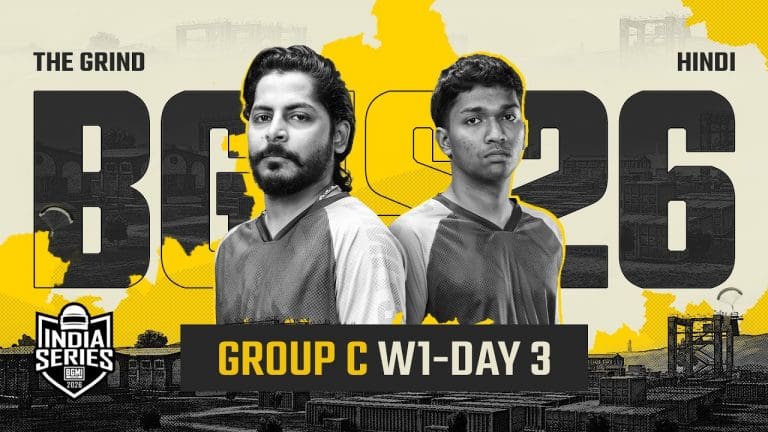
BGIS 2025 Grand Finals: Complete Schedule, Teams & ₹2 Crore Prize Pool (April 25-27)

The Battlegrounds Mobile India Series (BGIS) 2025 Grand Finals are set to take place from April 25 to 27 in Kolkata. This highly anticipated event will feature the top 16 teams competing in a LAN setting to claim the championship title.

Schedule and Format

The Grand Finals will span three days, during which the 16 qualifying teams will engage in a total of 18 matches. These matches will determine the ultimate champion of BGIS 2025.

Qualified Teams

The teams that have secured their spots in the Grand Finals are:

  1. Cincinnati Kids
  2. Godlike Esports
  3. FS Esports
  4. Rivalry x NRI
  5. Reckoning Esports
  6. TrueRippers x Jelly
  7. SOA Esports
  8. Team Versatile
  9. Medal Esports
  10. THWXN0NX Esports
  11. iQOO Orangutan
  12. 4EverxRedxRoss
  13. Genesis Esports
  14. iQOO Soul
  15. Team Hades x H4K
  16. Botarmy Esports

Venue Details

The event will be hosted at the Biswa Bangla Mela Prangan in Kolkata. This venue offers both indoor and outdoor spaces and is expected to accommodate approximately 3,000 to 5,000 spectators.

Prize Pool Distribution

The total prize pool for BGIS 2025 is ₹2,00,00,000, allocated as follows:

  • 1st Place: ₹60,00,000
  • 2nd Place: ₹30,00,000
  • 3rd Place: ₹20,00,000
  • 4th Place: ₹15,00,000
  • 5th Place: ₹12,50,000
  • 6th Place: ₹9,00,000
  • 7th-8th Places: ₹7,50,000 each
  • 9th-10th Places: ₹5,00,000 each
  • 11th-12th Places: ₹4,00,000 each
  • 13th-14th Places: ₹3,00,000 each
  • 15th-16th Places: ₹2,50,000 each

Teams Ranked 17th to 32nd

The teams that secured positions from 17th to 32nd are:

  • Phoenix Esports
  • Vasista Esports
  • Rider Esports
  • Wobble Gaming
  • Hail Inferno Squad
  • Altitude
  • Likitha Esports
  • Revenant XSpark
  • 8Bit
  • Hyderabad Hydras
  • Team Tamilas
  • GlitchXReborn
  • TWOB
  • Diesel Esports
  • Troy Tamilans Esports
  • Mastermind Mavericks

Fans and enthusiasts are eagerly awaiting this grand event, where the best teams will battle for supremacy in BGIS 2025.

Falcons Survives paiN in PGL Bucharest

Falcons have defeated paiN and avoided elimination from PGL Bucharest for the time being. With no room for error left, the Falcons need to win all their remaining matches if they are to qualify for the playoffs. While m0NESY’s arrival is almost confirmed, the Falcons’ current roster can play with less pressure on their shoulders.

VETO

  • paiN removed Ancient
  • Falcons removed Anubis
  • paiN picked Nuke
  • Falcons picked Train
  • Falcons removed Dust2
  • paiN removed Mirage
  • Inferno was left over

Map 1: Nuke; Pick: paiN; Winner: paiN

PaiN starting strong on the offence, did not let the Falcons find any momentum. Falcons failed to get going on their defence as paiN managed to individually pick the defence apart, despite NiKo‘s masterclass in outer. The second half started with G2 winning a few rounds, but that was far from enough to mount a comeback as paiN shut the game down with a dominant scoreline of 13-6.

Map 2: Train; Pick: Falcons; Winner: Falcons

Starting on the offence, Falcons managed to brush off their domination in the earlier map. Much better showing from the previous map, Falcons won 8 rounds of the offence as paiN could not stop a well-structured offence. While paiN had a better start to the offence, Falcons managed to trade rounds and close the game with a 13-8 scoreline.

Map 3: Inferno; Pick: Falcons; Winner: Falcons

Despite the difficult start, the Falcons managed to end the first half with a narrow lead, moving into the second half. While Falcons managed to get a few rounds into the second half, second half paiN threatened to take it all away by the middle of the half, but Falcons managed to close the game by the end of the half, eliminating paiN from PGL Bucharest.

Playing with a stand-in, paiN has taken some of the big names to the extreme but failed to secure a single win. While they have been a good side, paiN could have performed better with their full roster, or so suggested by their past performances. As they head out, they have proved that teams should watch out for them in the upcoming matches.

How To Play Schedule 1 Beta?

0

Unless you’ve been living under a rock for the past few days, chances are you’ve already heard of Schedule 1—the newest talk of the town.

The popular drug dealer simulator has sent waves throughout the gaming community over the past week, dominating the Steam charts alongside juggernauts like Monster Hunter Wilds and Path of Exile 2.

Image via SteamDB

Fans from throughout the world have tuned into Schedule 1 to experience the thrills that the game has to offer. If you’re a Schedule 1 player who’s looking for new features and additional content, you might want to tune into the beta version of the game to get ahead of the curve.

How To Get Schedule 1 Beta

While the live version of Schedule 1 is certainly a great experience in itself, hardcore players often look to opt into the game’s beta version to get extra features and additional content ahead of their official launch.

Getting access to the Schedule 1 beta is extremely easy, and you can do it as well by following this guide.

Here’s how you can opt into the Schedule 1 beta and get a sneak peek at the game’s new features:

  • Launch Steam
  • Go to your Steam Library.
  • Right-click ‘Schedule 1’ and click on ‘Properties’.
  • Under the ‘Betas’ tab, open the dropdown beside Beta Participation.
  • Choose your preferred Schedule 1 beta version.
  • Restart Steam.

Congratulations! You have successfully opted into the beta branch for Schedule 1.

Now all you need to do is wait for the download to finish, and you’ll be able to play the Schedule 1 beta and test out new features before they are officially released.

G2 Secures PGL Bucharest Playoffs

G2 has booked their spot in the playoffs of PGL Bucharest by beating Complexity in the match of teams with a 2-0 scoreline. In what will certainly be his last tournament in G2 colours, m0NESY is delivering in the big time for his team.

VETO

  • G2 removed Train
  • Complexity removed Mirage
  • G2 picked Dust2
  • Complexity picked Anubis
  • Complexity removed Inferno
  • G2 removed Nuke
  • Ancient was left over

Map 1: Dust2; Pick: G2; Winner: G2

Starting off at a blistering pace, the G2 offence wiped the floor with Complexity‘s defence. Giving little room for them to get going, G2 swapped halves with a 10-2 scoreline. The massive lead was blown in typical G2 fashion as the North American side made a comeback, pushing the game into overtime. While G2 lost their momentum on the defence, the overtime saw them find their mojo as CoL failed to secure a single round, closing the map with a 16-12 scoreline.

Map 2: Anubis; Pick: CoL; Winner: CoL

Starting on the offence, both teams were equally matched in the first half as neither G2 nor CoL managed to edge out a lead by the end of the first half. CoL started the second half strong, thus putting G2 on the back foot that they couldn’t recover from for the rest of the half. While they managed to win rounds in between, CoL were quick to close out the game, thus winning the series with a 13-10 scoreline. With 27 kills and 1.79 IR, Grim led this team from the front as CoL levelled the series.

Map 3: Ancient; Pick: Decider; Winner: G2

Starting off strong, G2 managed to get outplayed as CoL started strong in their defence. Winning 5 rounds in a row, G2 took charge of the game as they won all the remaining rounds to edge out a 2-round lead by the end of the first half. G2 continued their momentum on the defence as they speed-ran to a series point without dropping rounds, before CoL started to mount a comeback. While CoL won a few rounds, G2 did not let them cross 10 rounds as they closed the map with a 13-10 scoreline.

CoL losing the map requires one more win if they want to make it to the playoffs. Considering their current form, CoL will have a good chance of securing a win in the upcoming matches against the remaining teams.

Marvel Rivals Giving Away Free ‘The Thing’ Skin To Players: How To Redeem

NetEase has officially unveiled a new ‘The Thing’ skin coming to Marvel Rivals with the game’s Season 2 update, and players will be able to claim it for free!

Unlike the regular free skins in Marvel Rivals that the devs give out via redeem codes or Twitch drops, this new ‘The Thing’ skin will be exclusive to Marvel Unlimited subscribers. If you’re not a Marvel Unlimited subscriber right now, don’t worry, there’s still a way for you to get this skin for free.

But be warned—the new free ‘The Thing’ skin is a limited-time cosmetic. So if you’re not quick enough, you won’t be able to get it in the future.

In this guide, we’ll walk you through everything you need to know about how to get a free ‘The Thing’ skin in Marvel Rivals.

How To Get Free The Thing Skin in Marvel Rivals: Marvel Unlimited Subscription Code

As mentioned earlier, all Marvel Unlimited subscribers will be able to get ‘The Thing’ skin for free in Marvel Rivals.

For the uninitiated, Marvel Unlimited is a subscription-based service that lets users read Marvel comics digitally. If you’re already a Marvel Unlimited subscriber, all you need to do is claim the skin once it drops in the game. If you’re not already subscribed to Marvel Unlimited, we have you covered.

In celebration of the Marvel Rivals Season 2 update, Marvel Unlimited is giving away a free month of subscription to anyone looking to try out the service. Here’s how you claim it:

  • Finish the sign-up process.
  • When you reach the payment page, click the ‘Have a Promo Code?‘ button.
  • Type in the ‘HEREISTHETHING’ code and hit ‘Apply’.

And that’s it! You have now successfully signed up to Marvel Unlimited for free.

Note that the ‘HEREISTHETHING’ redeem code for Marvel Unlimited expires on April 17, 2025, so be sure to finish the sign-up process before that date.

Now that you’re a Marvel Unlimited subscriber, you are eligible to receive ‘The Thing’ Marvel Rivals skin for free. The code for the free skin will be handed out to Marvel Unlimited users via the app on April 25, 2025.

Once you have the code, all that’s left for you to do is launch Marvel Rivals and redeem this code via the code redemption section from the main menu. If you’re confused about how to redeem codes in Marvel Rivals, feel free to go through our guide, which explains the process in finer detail.