Tuesday, December 23, 2025
Home Blog Page 124

PUBG Mobile x Attack on Titan Collab to Introduce Steampunk Frontier Mode

0

PUBG Mobile is all set to release an exciting tie-up with global anime favorite Attack on Titan within the highly teased Version 3.8 update. Now available in beta test, this crossover brings with it a bunch of new content to combine the battle royale’s high-tension action with the legendary anime touchstones.

There are two highlight features in this update: a new game mode, Steampunk Frontier, and a feature that enables players to temporarily grow their character’s size. These features are designed to enhance the in-game experience with a creative spin while remaining faithful to PUBG Mobile‘s competitive nature.

Attack on Titan is a popular Japanese anime and manga series by Hajime Isayama. It originally started as a manga in 2009 and ended in 2021. The anime adaptation started airing in 2013 and concluded with its last season in 2023, although the last season was divided into several parts.

While the update itself is still a couple of weeks from official release, gamers looking for something new can jump into the content-packed Version 3.7 April Fools’ update, which provides its own twist on the PUBG Mobile experience.

The Steampunk Frontier mode provides a highly detailed environment based on industrial scenery and old train stations. One of the major areas in this mode is Aetherholm, a realistic train station neighborhood that is full of interactive elements. It features a clock tower that has a hidden room, accessible through a hidden elevator. Players in Aetherholm also get to call for a train that comes with precious cargo. The district offers both vertical and horizontal movement possibilities, resulting in active interactions.

PUBG Mobile x Attack on Titan

Another region highlighted in this mode is the Cargo Hub, a neatly organized transit area that bridges city and country settings. It allows players to travel quickly through the battlefield along a grid of railroad tracks. Along the map, hot air balloons have been stationed as airborne lookout points, providing the strategic perspective for locating enemies and mapping out attacks. The inclusion of train stops and rollercoaster checkpoints further increases traversal opportunities, enabling quick repositioning and adding fresh layers of strategic planning.

Aesthetically, the mode heavily incorporates steampunk design elements, with ornate artwork and machine-like themes that seamlessly integrate with the new mobility features.

The update introduces two forms of functional steam trains that serve very important functions within the mode. The Epoch Cargo Train makes regularly scheduled stops in important locations like Aetherholm and drops supplies with a mechanical arm. This train can be summoned by players who wish to obtain special cargo during the game.

Meanwhile, the Express Train travels continuously in a loop on the map and stops at pre-determined hubs, such as Cargo Hubs and train stations. Inside the train, there is a Mechanical Cache. It is basically a reward system based on puzzles that must be solved to unlock rare goods by cracking open a clockwork device.

This combination of anime-style transformation mechanics, interactive map features, and thematic means of transportation places Version 3.8 among PUBG Mobile’s most ambitious releases to date. What else do you expect from the upcoming PUBG Mobile update? Let us know in the comments.

Marvel Rivals Adds New Feature To Improve FPS on Lower-End Systems

NetEase has added a new feature to Marvel Rivals that potentially improves players’ FPS (frames per second), and it will be especially helpful to you if you’re on a low-end system.

The Switch Shader Compilation Mode is the latest feature to be added to Marvel Rivals, which will increase your game’s performance, but there may also be some downsides associated with using it.

In this article, we will take a look at everything you need to know about this new experimental feature in Marvel Rivals.

Marvel Rivals Switch Shader Compilation Mode Will Likely Increase Your FPS

As per the official announcement, the Switch Shader Compilation Mode feature will “dramatically reduce” game memory usage, while also “cutting down on severe FPS drops, frozen visuals, and crashes triggered by memory shortages.”

As a result, the devs have recommended this option to anyone using 16 GB RAM or less.

Additionally, enabling this new feature will make the game’s shader compilation process run only once when you launch Marvel Rivals after a new game version or graphics driver update, which should be a welcome change for the majority of players.

Currently, Marvel Rivals players have to go through the shader compilation process every time they launch the game, which can be extremely frustrating if you’re on a low-end system.

Should You Use Switch Shader Compilation Mode in Marvel Rivals?

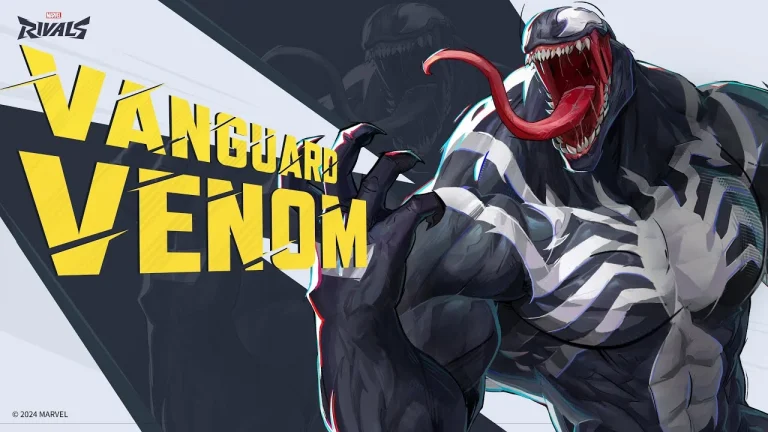
Marvel Rivals Emma Frost

As mentioned earlier, the Switch Shader Compilation Mode in Marvel Rivals isn’t without its downsides.

At the time of writing, there are a couple of known issues that players can run into when trying out this new feature, and they can potentially disrupt your gameplay experience in specific scenarios.

For starters, some materials might initially render abnormally at the start of every new game for a few frames before eventually returning to their usual state. You may also encounter a slight stutter during the first rendering of certain materials before the frames stabilize.

Lastly, if you have a processor with six or fewer threads, enabling both the Switch Shader Compilation Mode and AMD FSR3 Frame Generation concurrently can induce additional stutters.

It’s important to bear these issues in mind if you’re looking to try out the new Shader Compilation mode in Marvel Rivals.

How To Use Marvel Rivals Switch Shader Compilation Mode

As confirmed by NetEase in their blog post, the Switch Shader Compilation Mode will be available in Marvel Rivals with the game’s highly anticipated season 2 update.

Once the update goes live, players will be able to try out this new feature from the game’s settings menu.

This new Marvel Rivals feature is highly recommended for players who are on 16GB of RAM or less and regularly experience FPS drops, frozen screens, or crashes. The devs have also advised players to report any potential issues with this feature to the Marvel Rivals support team.

How To Fix Valorant Critical Error Has Occurred?

0

Despite nearly five years having passed since the initial release of Valorant in 2020, the competitive shooter is still not free from game-breaking bugs and various other forms of errors that can disrupt your gameplay experience. The Valorant “critical error has occurred” issue is one of the several problems that you can face when trying to play the Riot Games title.

Upon encountering the ‘critical error has occurred’ prompt in Valorant, you will immediately be booted out of your game, which can be extremely frustrating, especially if you’re in the middle of a competitive game. Luckily, in most cases, this critical system error isn’t the end of the world, as there are a bunch of solutions that you can adopt to fix this issue.

If you’re facing the ‘critical error has occurred’ message when playing Valorant, and looking for ways to fix the problem, you’re in the right place.

How To Fix Valorant Critical System Error

How To Fix Valorant Critical Error Has Occurred

The critical system error in Valorant can be caused by a bunch of different reasons, including outdated drivers, third-party software running in the background, or problems with the VGC service. Most of these issues can be fixed by following a few simple steps.

If you encounter this error, your game will crash to desktop and a message will pop up on your screen, saying “A critical error has occurred and the process must be terminated. Would you like to create a crash dump to aid the developers in troubleshooting this issue? This may take up to 5 minutes. NOTE: The process may appear unresponsive during this time.

You can choose to click ‘Yes’ to send a crash report to the devs, but that won’t be enough to solve the error.

To solve the critical system error in Valorant, you’ll have to follow these steps:

  • Restart Your PC:  As with most other Valorant errors, the first thing you should do when you encounter the critical system error is restart your PC. You’ll be surprised to find out how often a simple restart is enough to fix most Valorant error codes.
  • Update Your Windows Drivers: Open your Windows search bar, and type ‘Check for Updates’. Once done, hit the ‘Check for Updates’ button and see if you have any pending updates. Download the new updates before restarting your PC.
  • Update Graphics Drivers: Go to your NVIDIA/AMD App and download any driver updates that you may have for your graphics card.
  • Disable Overclocking Software: Many Valorant players have reported encountering the critical system error when they have overclocking software running in the background. If you’re running an overclocking software like MSI Afterburner, close it and try restarting Valorant.
  • Restart VGC Service: Restarting your VGC service is an effective fix for the critical error in Valorant. Here’s how you do it:
    • Press the Win + R key on your keyboard to open the Run window.
    • Type in ‘services.msc’ and hit enter..
    • Find the “vgc” service from the list that pops up.
    • Double-click on the service and go to ‘Properties.’
    • Under the ‘General’ tab, go to the dropdown beside Startup type and select ‘Automatic (Delayed start).’
    • Click ‘Start’.
    • Hit ‘OK’ and exit.

Once the VGC service has been restarted, you should try launching Valorant and see if the error has been fixed.

If you’ve followed these steps correctly, your Valorant critical system error should have already been fixed. If the problem persists, you should try reaching out to Riot Support and let them know about your issue.

FaZe Clan Eliminates Apogee from PGL Bucharest 2025

FaZe Clan has dominated Apogee to win the final match of the group stage in PGL Bucharest 2025, thus booking their spot in the playoffs of the tournament. A quick 2-0 saw them get the better of Apogee, who, despite coming into the tournament as underdogs, took some big scalps but failed to replicate their best performance against FaZe Clan.

VETO

  • FaZe removed Mirage
  • Apogee removed Inferno
  • FaZe picked Dust2
  • Apogee picked Ancient
  • Apogee removed Train
  • FaZe removed Anubis
  • Nuke was left over

Map 1: Dust2; Pick: FaZe; Winner: FaZe

With broky in supreme form, FaZe started their offence on Dust, sending Apogee on the back foot right from the get-go. The sheer difference in quality was on display in the first half as Apogee stood no chance against the plethora of ways FaZe structured their offence. While Apogee did manage 3 rounds, they were more due to FaZe Clan making individual mistakes. Apogee’s offence lacked the firepower to keep up with FaZe, as with little effort, karrigan led his team to a quick 13-5 win on their own map pick.

Map 2: Ancient; Pick: Apogee; Winner: FaZe

FaZe started on defense, and although they were casual in their approach, Apogee managed to muster a few rounds in the first half. Mid being a weak area for FaZe got targeted round after round, which led to Apogee managing 5 rounds, which is an impressive feat against FaZe. FaZe, being heavily experienced on Ancient, were wise to the tricks of Apogee, and the sheer difference in firepower did not require tactical versatility from karrigan as they managed to ease their way into the playoffs with a 13-8 score line.

Although FaZe have qualified for the playoffs but their lack of chemistry will come back to bite them against the top sides waiting for them. It is readily apparent that ropz’s loss has caused massive structural damage to the team, and unless they are fixed, FaZe are in for a world of trouble.

BLAST Releases Rulebook for Austin Major CS2 Event

BLAST has officially released the rulebook for the upcoming Austin Major Counter-Strike 2 tournament.

Alongside revealing the Major rulebook, the tournament organizers have also disclosed the end dates for deciding team rosters.

As per the rulebook, teams have until 11:30 PM on April 11 to lock in their rosters for both the Major Regional Qualifier (MRQ) and the Major.

It further states that teams are allowed to change their substitute players and coaches between the MRQ and the main event, so they’re not locked into the exact group they bring to the Qualifier.

The final roster lock is set for 11:30 PM on May 5.

Fans can check out the full rulebook for the Major by heading to BLAST’s website.

The BLAST Austin Major 2025 will take place from June 2 to 22 in Austin, USA. The event will see 32 elite CS2 teams competing for the lion’s share of a $1,250,000 prize pool.

How To Get All Free Skins in Marvel Rivals Season 2?

Marvel Rivals Season 2 is nearly here, and as with every new season, fans of the hero shooter can look forward to snagging a bunch of free skins through events, challenges, and seasonal rewards.

Scheduled to release on April 11, Marvel Rivals Season 2 will introduce a plethora of new content to the game, including a fresh Battle Pass, the ice queen Emma Frost, hero adjustments, and more.

If you’re a fan of cosmetics, you’re in luck—the upcoming Marvel Rivals season will also bring tons of gorgeous character costumes to the game for players to collect. Whether you’re looking to grab some premium cosmetics to spice up your skin collection or just want to grab a couple of freebies without breaking the bank, there’s something for everyone in the Marvel Rivals Season 2 update.

All Free Skins in Marvel Rivals Season 2 & How To Get

The Marvel Rivals Season 2 update will introduce a whopping seven free skins for the players to enjoy. While some can be unlocked as easily as logging in during a specific time window, others will demand a fair bit of grinding to earn.

In this guide, we’ll cover how to get every free skin in Marvel Rivals Season 2.

Without further ado, let’s check out the full list of free skins in Marvel Rivals Season 2 and how to get them.

HeroSkinHow To Get 
MagikRetro X-UniformReach Page 3 in the Season 2 Battle Pass
Iron FistImmortal Weapon of AgamottoReach Page 9 in the Season 2 Battle Pass
NamorWill of GalactaSeason 2 Twitch Drop
Emma FrostGolden DiamondReach at least Gold rank in the competitive mode before the end of Season 2
Scarlet WitchHellfire GalaPlay a minimum of nine matches on April 11
MantisFlora MaidenComplete the Cerebro Database event
The ThingThe Unlimited ThingRedeem code for Marvel Unlimited subscribers

That wraps up all the free skins currently confirmed for Marvel Rivals Season 2. We’ll be sure to keep you posted if NetEase announces any additional freebies for players down the line.

Falcons Eliminate Rare Atom From PGL Bucharest 2025

Falcons have taken down Rare Atom with a 2-0 score line and now are just a win away from making it to the playoffs of PGL Bucharest 2025. Having started their campaign with two losses, the Falcons now need one more win to seal their place in the next round of the tournament.

VETO

  • Rare Atom removed Nuke
  • Falcons removed Anubis
  • Rare Atom picked Inferno
  • Falcons picked Train
  • Falcons removed Ancient
  • Rare Atom removed Dust2
  • Mirage was left over

Map 1: Inferno; Pick: Rare Atom; Winner: Falcons

Falcons’ woes continued on the defense as Rare Atom took full advantage of their shaky defense. While going into an early lead, the Asian side could not manage to maintain it until the end of the half as the Falcons leveled the score line before switching sides. Starting strong on the offence, Rare Atom stood no chance against Falcons, who speed ran through the second half with NiKo bringing home match point with a stellar 1v3 clutch. Without losing any rounds on the offence, the Falcons won Inferno off the back of NiKo dropping 18 kills.

Map 2: Train; Pick: Falcons; Winner: Falcons

With tons of experience on the map, the Falcons showed no mercy to RA going into the second map. Fast-paced executions saw them dominate on the offence, leaving RA with little to no room to win anything more than 2 rounds. With a massive buffer, Falcons started their defense as Rare Atom’s desperate A rush was quickly stopped by snappy USP shots. Despite losing the pistol, the Falcons didn’t allow Rare Atom to build momentum and quickly closed the map with a 13-2 dominant scoreline.

A valiant effort from Rare Atom in the tournament saw them threaten some of the top sides. Given this is their first tier-1 event of 2025, the team has outperformed the expectations, beating VP, showcasing they are capable of hanging with the top teams in the world. As their run comes to an end, the Chinese side will bow out with their heads held high.

How To Get Free Emma Frost Golden Diamond Skin in Marvel Rivals

The highly anticipated Marvel Rivals Season 2 is just around the corner, and the new patch is set to bring tons of exciting content to the hero shooter.

The upcoming additions in Marvel Rivals Season 2 include the new hero Emma Frost, a fresh Battle Pass featuring a bunch of gorgeous cosmetics, and some key changes to the competitive mode.

To celebrate the launch of Marvel Rivals Season 2, NetEase is giving away a bunch of free skins to the game’s player base in the form of Twitch drops, Marvel Unlimited rewards, and more. Emma Frost Golden Diamond is one of the various free Marvel Rivals skins in the second season of the game, and fans are able to obtain this new costume for their favorite ice queen without having to spend a dime.

How To Unlock Emma Frost Golden Diamond Skin in Marvel Rivals for Free

The Emma Frost Golden Diamond skin is a limited-time reward in Marvel Rivals that players can get for free. This means that if you fail to grab the new Emma Frost skin this season, you’ll have to bid farewell to it as it can no longer be obtained once the competitive season comes to a conclusion.

But how do you get the Emma Frost Golden Diamond Skin in Marvel Rivals?

The Emma Frost Golden Diamond Skin is an exclusive, ranked reward in Marvel Rivals Season 2. 

Any player who manages to reach Gold rank or above before the end of the ranked season is eligible to get the skin.

If you manage to reach Grandmaster or above, you’ll be rewarded with a Crest of Honor corresponding to your peak rank in addition to the Emma Frost skin.

As mentioned earlier, the Emma Frost Golden Diamond skin is a limited-time reward, so be sure to gear up, climb the ranks, and make sure you hit Gold before the season ends to secure your cosmetic.

How to Switch Characters in GTA 5?

0

One of the major innovations introduced by Rockstar in Grand Theft Auto V is the dynamic system of switching between characters. This time around, players can switch seamlessly among three central protagonists: Michael, Franklin, and Trevor. This feature lends richness to the gameplay and storyline and introduces you to a new layer as you switch back and forth between their worlds. It’s a function players are all praying to have brought back in GTA 6.

When first playing the game, players control Franklin, but as the progression of the storyline continues, both Michael and Trevor become available. After unlocking, you’re free to switch among them at just about any moment during free roam and select missions. If you’re looking at how to pull off these switches on different systems, below is a step-by-step explanation.

Switching GTA 5 Characters on PC

The method on PC is simple and can be accomplished in mere seconds:

  • During gameplay, hold down the Alt key on your keyboard.
  • This will pop up the character wheel in the bottom right of your screen, where you’ll also see every character’s information.
  • Hover over the character you wish to change to with your mouse or use the arrow keys.
  • Let go of the Alt key to finalize your selection.

The game will zoom out from your selected character, pan across the city, and zoom back in on the character you’ve chosen.

Switching GTA 5 Characters on Xbox and PS5

Console gamers can have the same seamless character-switching experience with a few button presses:

  • Press and hold the D-Pad down button on your controller while gaming.
  • The character wheel will come up, listing the playable protagonists.
  • Use the right thumbstick to select your preferred character.
  • Let go of the D-Pad to switch over.

The cinematic transition then ensues, providing you with a visual indicator that you’ve leaped into the shoes of another character.

Changing Characters in GTA Online

Changing characters in GTA Online is a little different. In the character wheel, you’ll see your online avatar show up in the bottom section. To change:

  • Open the character wheel as above.
  • Choose the bottom option, which is your GTA Online character.
  • If you want to switch between several online characters or start a new one altogether, you’ll have to do so from the game’s main menu:
  • Open the Pause Menu.
  • Go to the Online tab.
  • Choose Swap Characters.

From there, you can handle your online personas, whether you’re changing up a new look or switching to an alternate character you’ve already established.

How to Play Call Of Duty: Black Ops 6 Free Trial?

0

If you’ve been sceptical about jumping into Call of Duty: Black Ops 6, perhaps due to its hefty price, now’s your chance. The game is once again hosting a free trial for a limited time, offering players a significant amount of content brought in with the current Season 3 update.

This new season also introduces new weapons, modes, and gameplay features. All of the Multiplayer and Zombies content is available during this free trial period. In this article, we will explain how to join the Black Ops 6 Season 3 trial for free. Keep reading till the end to find out.

How to Join the Black Ops 6 Season 3 Free Trial?

Call Of Duty: Black Ops 6 Free Trial

The Free Trial for Black Ops 6 Season 3 is a temporary event in which players can play the newest content of Call of Duty: Black Ops 6 without having to buy the game. We have explained the processes for different platforms below.

Steam

Open your Steam application and add the core Call of Duty launcher to your library if you have not done so. Right-click on the game, click “Properties,” and proceed to the “DLC” tab. Then, from there, unselect all other DLC choices and mark the box beside “Call of Duty Free Trial.” You should then be able to install merely the trial mode of Black Ops 6.

Xbox Game Pass (PC)

Look for Call of Duty: Black Ops 6 Standard Edition (Windows) through the Xbox app or Microsoft Store. When asked to install, uncheck everything that is not related (particularly any Modern Warfare III stuff) and be sure to install the core CoD launcher, Multiplayer, and Zombies modes for BO6.

Console (Xbox & PlayStation)

Simply navigate to the respective digital store on your console, find the Call of Duty client, and start the installation. During setup, you’ll be able to choose what parts of the game to install, making it easy to opt in for BO6 content only.

The Season 3 trial went live on April 7 and will be open until April 11. Are you going to join this free trial? Let us know in the comments below.