Saturday, July 11, 2026
Home Blog Page 1033

FIFA 23 Cheats and Cheat Engine

0

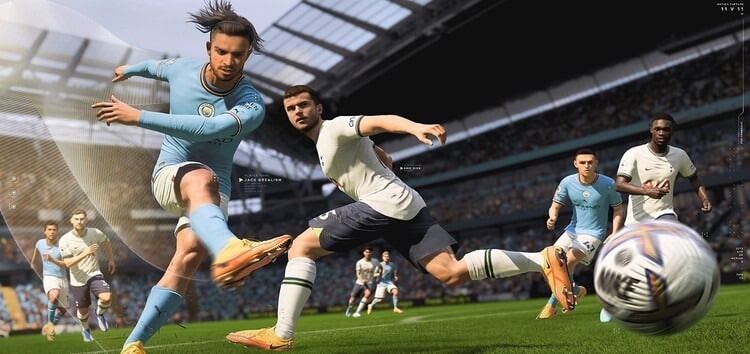
EA Sports have not included any cheat codes that are traditional to FIFA as you may have seen in different video games. There’s no magic button that will grant you unlimited FUT coins and that’s a good thing. But, there are numerous ways for players to get unfair advantage across different games. 

This article will present the various types of cheats that you may have encountered in FIFA.

All Fifa 23 Cheats:

Note: This article is meant to be an educational resource for FIFA players, and also to create the awareness of issues EA must address in the near future, in order to ensure fair play. These you can find FIFA 23 cheats for offline and online modes.

Fifa 23 Offline Cheats:

Offline cheating isn’t all that bad since they don’t give you any advantages that could harm other players. Most of the time we are able to accept their use cheats, as they can be fun and help improve gameplay.

Fifa 23 Gameplay Customization:

Let’s begin with a simple one here. This change will not impact other players and it can only be used it in offline game modes of FIFA. It’s a simple method to boost your team’s speed of passing and accuracy of shots as well as sprint speed and other. You just need go to game settings within the main menu.

If you’re already playing you can press pause, then navigate to game options the right. You can then go to “User gameplay customisation” or to “CPU gameplay customisation”.

After you’ve found the right settings you’re able to alter the sliders to weaken your CPU, improve your team’s capabilities, or both. 

If you’re an experienced player at FIFA and the hardest difficulty isn’t too difficult for you, then you can increase the power of your CPU to make it more difficult for you to defeat them. 

It’s not typical cheating, however we wanted to make this clear to players in the event that it is needed.

Fifa 23 Cheat Engine

This method is definitely fraud. It’s actually in the title… Cheat engine accessible to PC users and typically utilized within Career Mode

The cheat engine gets into the coding of your game, and alters certain settings. There are many options to choose from that can be enjoyable. 

It is possible to go from basic changes like your manager’s rating his morale, player’s the position of his or even his potential to some serious game changers. 

You can also transfer players between clubs, change your budget, include players similar to Icons, or add new leagues. This isn’t affecting the game of anyone else and if you’d like to utilize it then feel at ease to use it.

Fifa 23 Online Cheats

These are the ones who are affect other people, and that’s why we can’t tolerate these. They’re all used in FUT, and we all know that FUT is most likely one of the few FIFA mode you’re playing and why that you clicked on this page to begin with. 

These cheats grant you distinct advantage over the other players and that’s why they’ll likely cause you to be exiled from FUT, or even on-line FIFA option.

Have you ever been cheated on in FIFA? Let us know down below!
How to do the griddy in FIFA 23? Answered

0

Do you want to know how to dance griddy moves during FIFA 23? The griddy is an extremely popular dance that has grown into an increasingly popular sporting event in recent times, and has been that was made famous by NFL players like Ja’Marr Chase and Justin Jeffers. 

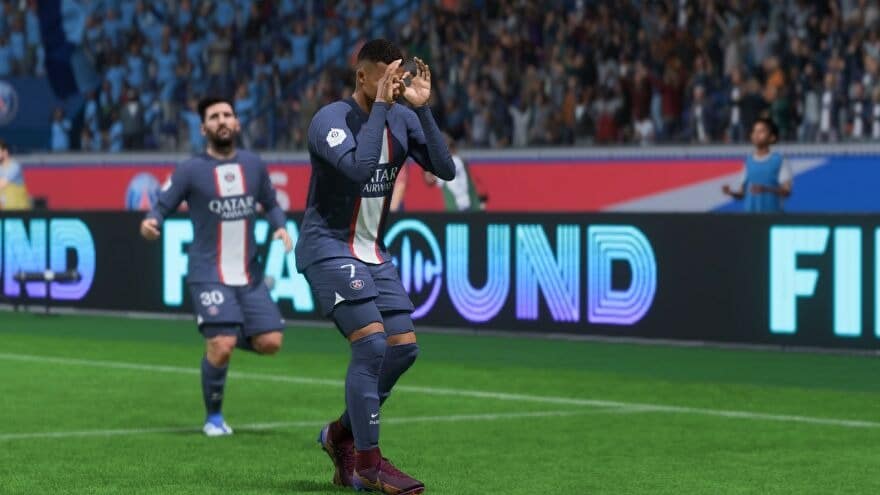
Griddy involves jumping between your heels, while moving your arms around before making the “OK” symbol in front of your eyes and moving across the field. 

It’s true, EA Sports have included the griddy in many of their sporting events and you can play this within FIFA 23.

In this article we’ll teach you how to perform this griddy dance in FIFA 23, so that you can terrorize your adversaries with the most well-known celebration all around.

Fifa 23 Griddy Dance

To perform the griddy, make a goal, and then press R2/RT to move the stick to the right twice. This will trigger your player to instantly hit the griddy in FIFA 23, which is generally what kids would say and then dance around the field in celebration.

In the case of Chelsea midfielder Christian Pulisic you can press X in PlayStation or press A on Xbox to perform the griddy that he uses as his trademark celebration.

Why are My Characters locked in Overwatch 2? Answered

0

Overwatch 2 is now available to all players to enjoy. Blizzard released the game worldwide on October 4, 2012 at 12 noon PDT. It was made available in a no-cost game that began with the official launch in contrast to its predecessor, Overwatch that was a paid game.

New players are attracted to Blizzard’s latest game with a variety of reasons. Veteran players and Overwatch fans will surely return to the game and have been given benefits for cosmetic migration. The maps and heroes from the first game will appear in Overwatch 2 with some extra information.

For all newly released Overwatch 2 players, the heroes will be locked at the time of first log in. However, they are able to be removed by investing a small amount of time and effort within the game. This article will provide all the heroes and unlocking requirements in Overwatch 2.

How to unlock all Overwatch 2 heroes?

Overwatch 2 is a unique First Person Shooter game that Blizzard Entertainment has just released. The game’s predecessor was released in the first quarter of 2016 and has earned a name in the world of esports. The community was also growing under the Overwatch umbrella, resulting in the huge amount of support and affection that the game receives.

There are 20 additional heroes available in the game. They remain locked until the initial login of new players. They can be released without difficulty, and it does take only a few minutes. Anyone who is new in the games for some time will be able to access the heroes that are locked.

Here’s a list with the locked heroes along with an explanation of how to unlock them.

HeroHow to unlock
SojournLogin during Season 1 (or Season 2 for owners of OW1)
Junker QueenLogin during Season 1 (or Season 2 for owners of OW1)
GenjiPlay 1 match
D.VaPlay 2 matches
CassidyPlay 3 matches
AnaPlay 4 matches
HanzoPlay 9 matches
JunkratPlay 12 matches
RoadhogPlay 15 matches
SymmetraPlay 20 matches
ZenyattaPlay 25 matches
BastionPlay 30 matches
SigmaPlay 40 matches
AshePlay 50 matches
BrigittePlay 60 matches
MeiPlay 70 matches
DoomfistPlay 85 matches
BaptistePlay 100 matches
SombraPlay 115 matches
Wrecking BallPlay 130 matches
EchoPlay 150 matches
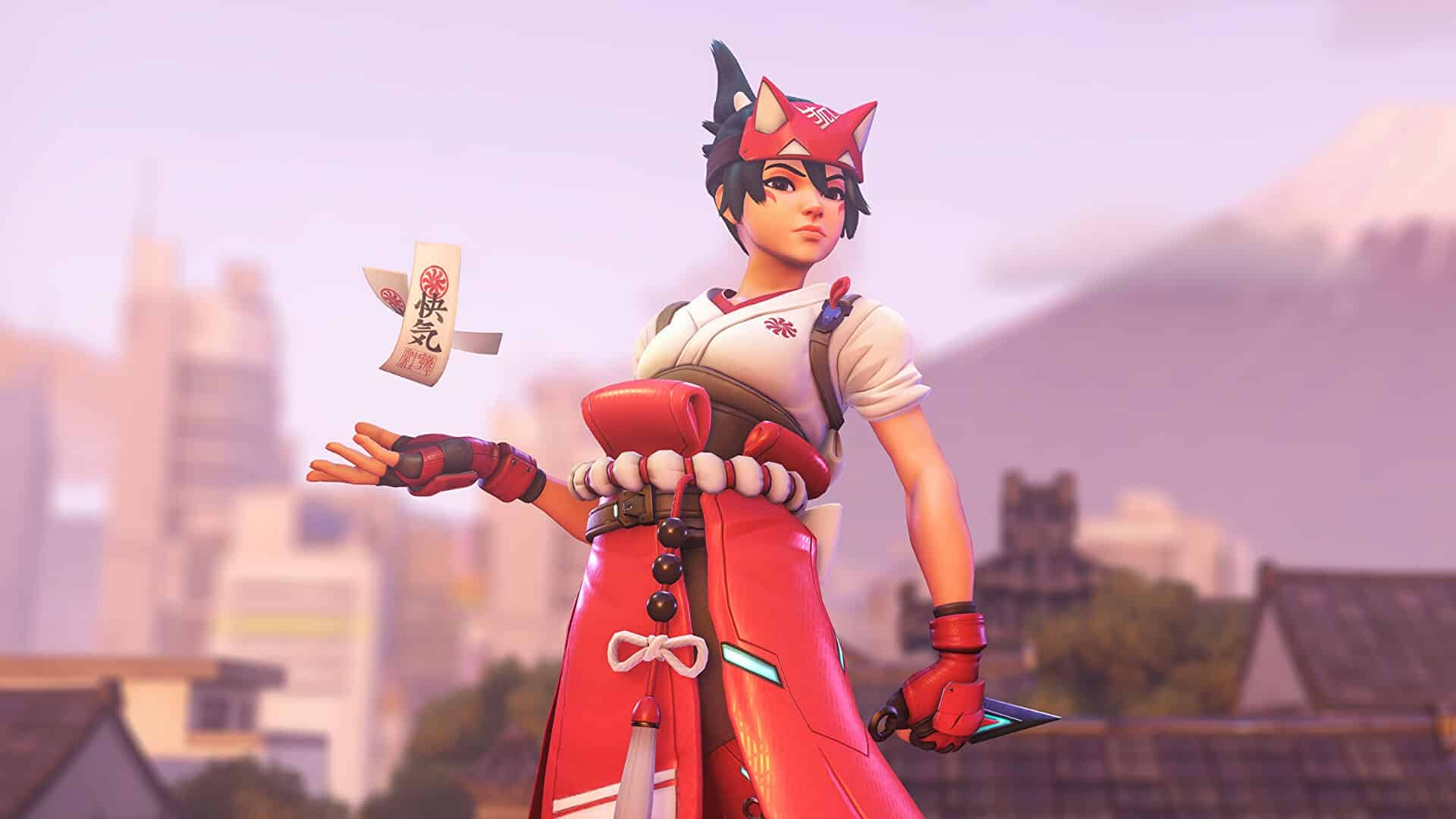
KirikoReach Tier 55 of Battle Pass (or purchase premium Battle Pass)

It is also crucial to remember that for all new players that winning a game grants the player double points on XP which will greatly aid in rapidly increasing the level of in the Battle Pass. There are many gifts offered to players who are in the Battle Pass if they do not purchase additional content.

This concludes the walk-through guide to unlock all heroes. Each Hero is unique that require the determination and effort. Fans are bound to be delighted by Blizzard’s latest, but even moreso, when you consider the brand new content they are planning to launch.

Rocket League New Esports Decals 2022-23 Season

0

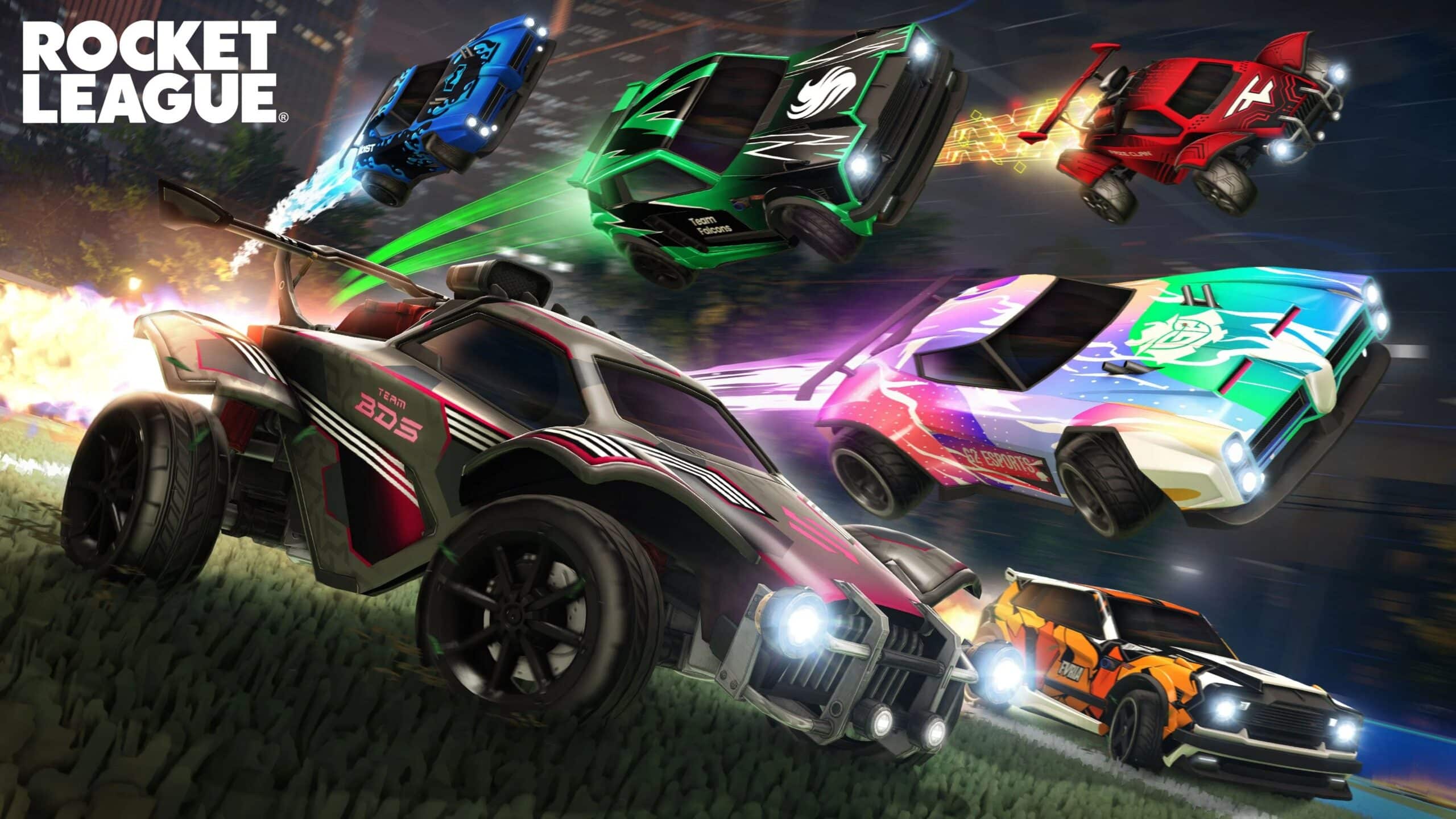
The Rocket League Championship Series (RLCS) 2022-23 Season is underway, and we’re kicking things off with a colorful Esports Shop update! This season’s changes include the newly added MENA region, seven new teams, and redesigned Home and Away Decals for all 26 teams.

Custom-designed Decals for OctaneDominus, and Fennec will be available in the Esports Shop for 300 Esports Tokens each starting on October 11, following a game update at 4 p.m. PDT (11 p.m. UTC). Need even more team spirit to fuel your fandom? We’ll be unleashing another Esports Shop update later this season, so keep your tires peeled.

Once you’ve donned your team colors, get ready for an exciting new Season of Soccar! Watch today’s RLCS Fall Split LIVE on Twitch and YouTube.

Rocket League New Esports Decals

RLCS 2022-23 TEAM DECALS

NORTH AMERICA 

  • Complexity 
  • Dignitas
  • FaZe Clan
  • Furia 
  • G2 Esports 
  • Ghost Gaming
  • Luminosity 
  • NRG 
  • OpTic Gaming 
  • Rogue 
  • Spacestation 
  • Version1 

EUROPE

  • Endpoint 
  • Evil Geniuses 
  • Guild 
  • Karmine Corp 
  • Moist Esports
  • Oxygen Esports
  • Soniqs 
  • Team BDS 
  • Team Liquid 
  • Team Vitality 

OCEANIA

  • KC Pioneers 
  • PWR 

SOUTH AMERICA 

  • Team Secret 

MIDDLE EAST & NORTH AFRICA

  • Team Falcons 

All CS: GO Teams Qualified for IEM Rio Major

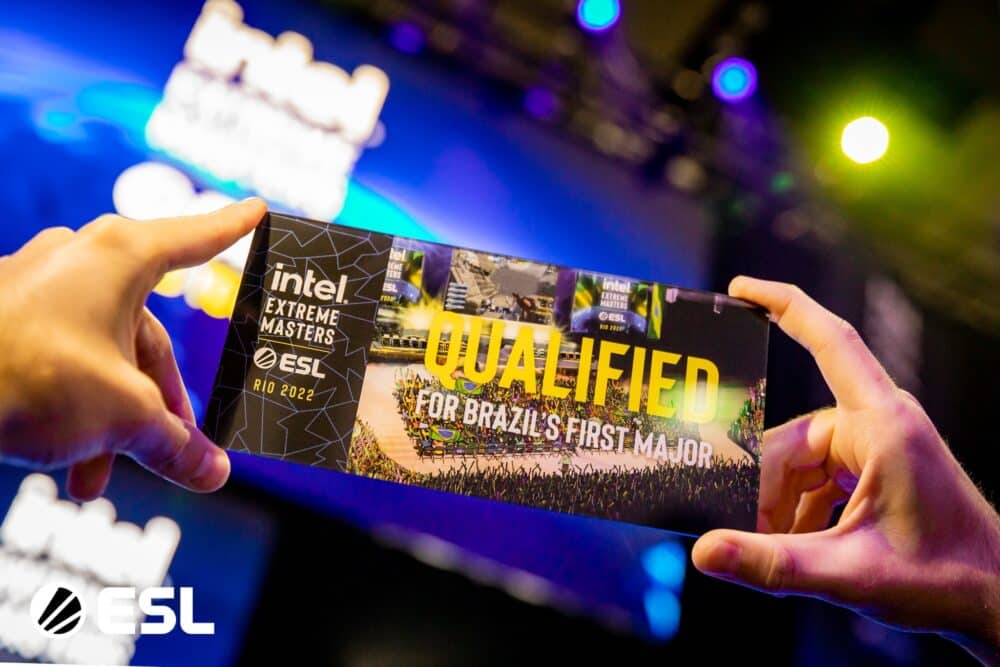
When the second major was announced to be held in Rio, that too an IEM, fans could not hold their excitement. Brazil is one of the most CS-loving nations in the world, and having a major that to an IEM would be a big boost to the scene.

Europe and North America concluded the qualifier for the said major with some big names failing to make it through. The Swiss format qualifier saw some of the underdogs take down veterans as well as favorites to be Rio bound themselves next month.

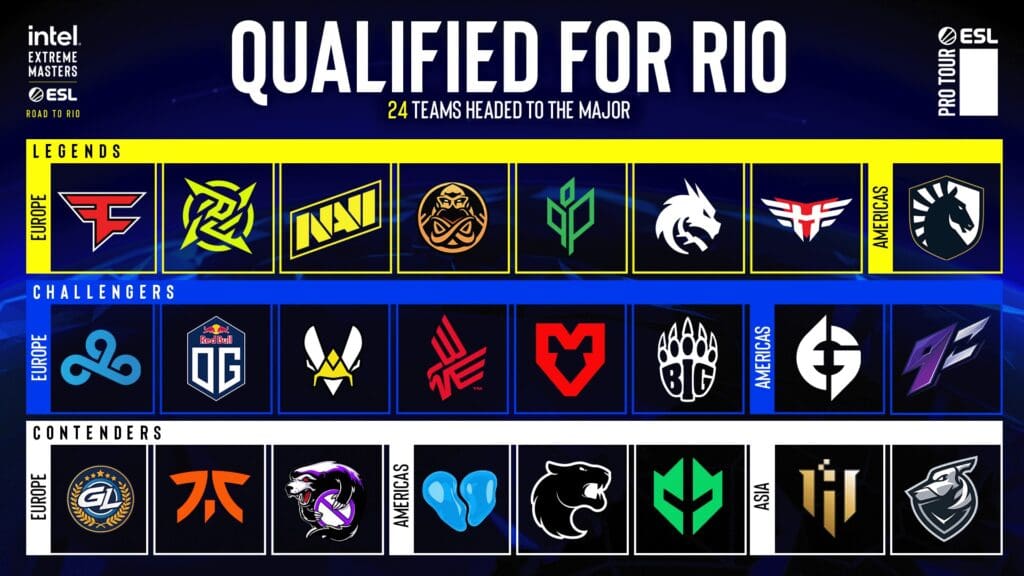
Starting on 31st October, the festival of CSGO will be a 2-week event where teams will categorize according to their RMR results. 16 teams will fight it out in the Challengers and Contenders phase and the 8 to make it out will have to go up against the Legends i.e. teams with a 3-0 record in the RMR.

IEM RIO CSGO MAJOR 2022 All Teams

All 24 teams qualified for the IEM Rio CS: GO Major are listed below.

Europe

  • FaZe Clan
  • Ninjas in Pyjamas
  • Natus Vincere
  • ENCE
  • Team Spirit
  • Cloud9
  • Sprout
  • Heroic
  • Vitality
  • OG
  • Fnatic
  • GamerLegion
  • Bad News Eagles
  • BIG
  • MOUZ
  • Outsiders

Americas

  • Evil Geniuses
  • Team Liquid
  • 9z
  • FURIA
  • 00 Nation
  • Imperial Esports

Asia

  • IHC
  • Grayhound
Photo Credits: IEM Twitter

Many experts have stated this to be the greatest major of all time given Rio is the ideal place, filled with enthusiasm and CSGO fans. Packed stands and a roaring crowd, radiating the energy will lift up the mood of everyone watching, thus making it more than the trophy and prize money by overflooding the tournament with passion and enthusiasm.

How Rich Is Kanye West?

0

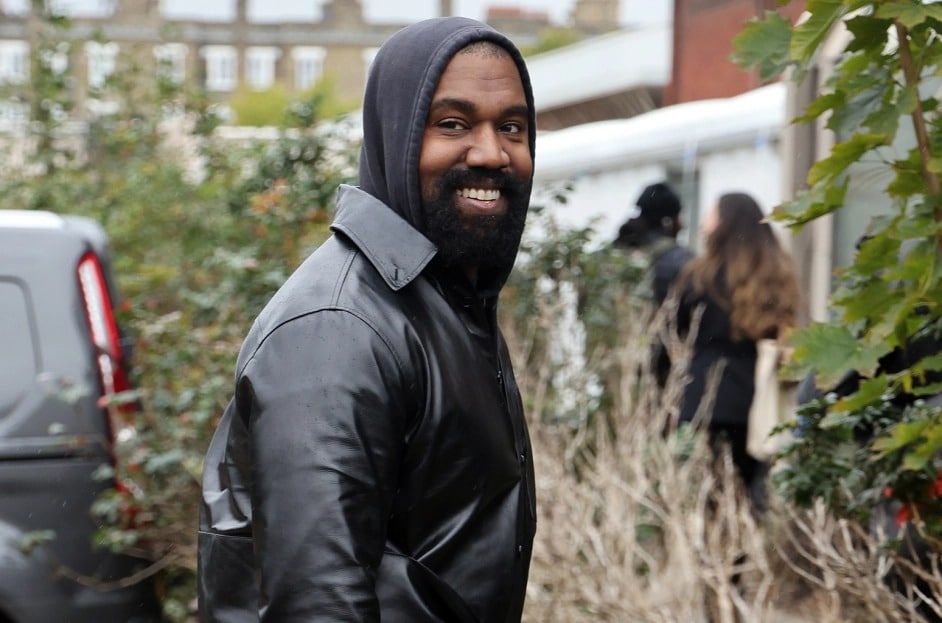
The designer turned rapper Kanye West has been the subject of a lot of attention in recent months for his support for ex-President Donald Trump, a failed presidential campaign, and for his separation of Kim Kardashian.

The entrepreneur and musician has a net worth of $1.8 billion in accordance with Forbes. Although his first career was in the music industry quickly he moved into the world of fashion in which he was able to increase his earnings and wealth considerably.

Kanye West almost developed a video game with Nintendo

While the majority of people may recognize Kanye West for his accomplishments in fashion and music however, many might not be aware that the rapper has a an interest for a long time in gaming and has attempted numerous times to break into the gaming industry.

Although his accomplishments in this industry has been sporadic However, the tale of Kanye’s involvement with games industry has been a fascinating one.

A former Nintendo of America president Reggie Fils Aime has disclosed his revelation that Kanye West has approached Nintendo of America, a gaming company in hopes of working together on an online game.

On a podcast for charity, Talking Games with Reggie & Harold, Fils-Aime claims that rapper Kanye West and the Yeezy creator approached him during E3 at the convention for gamers. E3 through Nintendodesigner Shigeru Miyamoto.

“Part of it was speaking about the things he was working on. He was playing around with an element of video game-related content. He was looking for reactions to it. He appears and says: “I would like to collaborate on a project with Nintendo.'”

The Nintendo collaboration wouldn’t be Kanye West’s first venture in the realm of games for video neither. In 2016 the rapper released an official video trailer of “Only One which is a game where the player helps the mother of his character, Donda West, through the afterlife. However, the project seemed to end in failure after the developers of Encyclopedia Pictura claiming that they had parted ways with West.

The exchange at E3 likely resulted in a formal meeting among West as well as Nintendo. The company, however, decided to decline the invitation to cooperate, claiming that there were too many other commitments.

Kanye West Net Worth?

According to Celebrity Net Worth, the Hurricane singer has a net worth of $6.6billion.

While his music, tours, and merchandise made him a multi-millionaire, it was his fashion brand, Yeezy, which put him into the billionaires club,

The Yeezy brand, which Ye owns outright, is estimated to be worth around $5billion, and his collaboration with The Gap is estimated to be worth around $1billion.

His ex-wife, reality TV star Kim Kardashian, divorced him, but she is holding up just fine with her own net worth, which currently stands at $1.4billion.

How To Enable/Disable Dynamic Render Scale Overwatch 2

0

Overwatch 2 is the latest iteration of the widely popular esport title Overwatch. Having dropped in 2022, the game comes with beefier minimum requirements.

Even though the game has seen little to no visual improvements, what is shocking is that many players are reportedly facing performance hits. Competitive games usually are poor in the graphics department, given having low system requirements allows them to bring in more players.

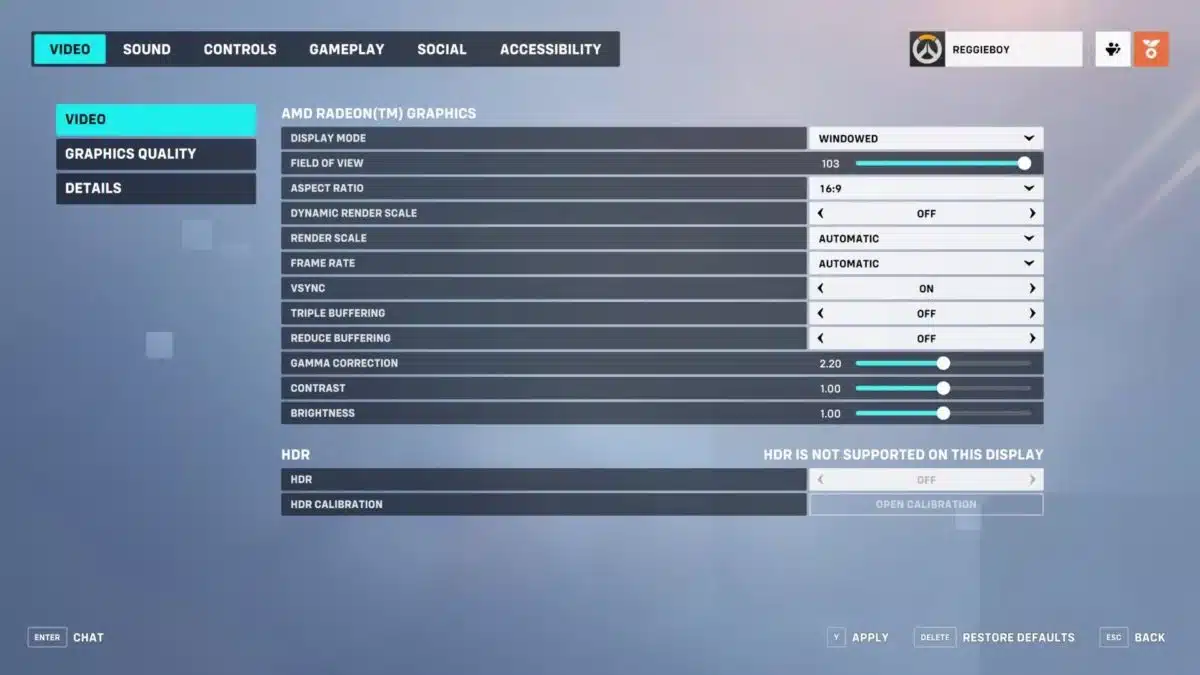
Dynamic Render Scale was talked about a lot when it came to Overwatch 2 performance. It is safe to say that players with less powerful computers should steer away from it as it reportedly has been causing serious frame drops.

BEST OVERWATCH 2 PERFORMANCE SETTINGS

Widely acclaimed as the best setting for Overwatch 2.

  • Display Mode: Fullscreen
  • Target Display: Best Match
  • Resolution: Choose the native resolution of your monitor
  • Field of View: Personal preference, usually around 103 is the sweet spot
  • Aspect ratio: Relative to your monitor (usually 16:9)
  • Dynamic Render Scale: Off
  • Render scale: Automatic
  • Frame rate: 300
  • V-Sync: Off
  • Triple buffering: Off
  • Reduce buffering: On
  • NVIDIA Reflex: Enabled
  • Gamma Correction: 2
  • Contrast: 1
  • Brightness: 1

Players across communities have chosen to go with the above-mentioned setting as a global standard for Overwatch 2 peak performance across PCs with all sorts of specs. However, do make sure your computer makes it over the minimum requirements to play the game if you want to experience optimal performance.

Best Overwatch 2 Nintendo Switch Controller Settings

Overwatch 2 is one of the best FPS games available in the market and its cross-functional platform helps players use all kinds of hardware to play the game. Players can play Overwatch 2 with their controllers as well as Nintendo Switch and a computer. It is important to precisely control the aim in an FPS game and having the best possible settings on a Nintendo Switch is important.

Blizzard allows players to cross-play between platforms. This means that a player on PC may match up with a player on Nintendo Switch. In this kind of situation, it is crucial to match the mechanical skills of a PC player which is often hard as the latter one is using two peripherals to control the character.

In such cases, players can ensure that they are playing on the best settings to fully gain control of their character and play on par or even better than their team and enemies. To help them do so, here is an optimum set of settings that players can try to become better at Overwatch 2 on Nintendo Switch.

BEST NINTENDO SWITCH SETTINGS FOR OVERWATCH 2

To set up your Nintendo Switch, launch Overwatch 2 and go to the Accessibility tab and edit the settings to the following parameters:

  • Horizontal Sensitivity:  50
  • Vertical Sensitivity: 40
  • Aim Assist Strength: 100
  • Aim Assist Window Size: 80
  • Aim Assist Legacy Mode: Off
  • Aim Assist Ease In: 20
  • Aim Smoothing: 90
  • Aim Ease In: 25
  • Invert Vertical Look: Off
  • Invert Horizontal Look: Off
  • Vibration: Off
  • Switch Movement and Look Sticks: Off
  • Legacy Sticks: Off
  • Aim Technique: Linear Ramp
  • Gyro Aiming: On
  • Gyro Aiming Aim Assist: On
  • Gyro option Presets: Custom
  • Invert Gyro-Aiming Pitch Axis: Off
  • Invert Gyro-Aiming YAW Axis: On
  • Invert Gyro-Aiming Roll Axis: Off
  • Gyro-Aiming Pitch Axis Sensitivity: 0
  • Gyro-Aiming YAW Axis Sensitivity: 80
  • Gyro-Aiming ROLL Axis Sensitivity: 25
  • Disable Gyro While Using Stick: O

There are some other options that you can tweak around but this is the optimum set of settings that one can use to excel at Overwatch 2. Make sure to try them out before jumping into competitive queues with it.

Also Read | Unfortunate Capsule Opening Caused the Csgo Streamer To Lose Thousands of Dollars

LoL Worlds 2022 Group Stage: Results, Teams, Groups, Schedule & More

Riot Games announced the four Worlds 2022 groups during the draw, right after the League of Legends Series 2022 Championship. Following the play-in stage, four teams joined the four groups at Worlds 2022 Group Stage.

The draw showed that regions worldwide had completed their summer splits and determined the groups for this main event. Twelve teams (auto-qualified) were divided into four groups, each consisting of three teams and four from the play-in. Sixteen teams are currently in contention to win the Worlds 2022 Group Stage trophy.

This is everything you need about Worlds 2022 Group Stage, which kicks off on October 7th.

Worlds 2022 Group Stage Guide

Twelve teams qualified directly for Worlds 2022 after performing exceptionally well in their respective summer splittings.

They were joined by four additional teams who made it through the play-in to be seeded in the four groups. The top two teams in each group will decide the knockout stage.

Play-in Stage Teams Are:

  • Fnatic (FNC)
  • DRX
  • Royal Never Give Up (RNG)
  • Evil Geniuses (EG)

Worlds 2022 Format

Group Stage

  • A total of 16 teams participate
  • The teams are drawn into four groups based on seeding
  • It is a double round-robin setup
  • All matches are best-of-one
  • The top two teams from each group advance to the Knockout Stage

Knockout Stage

  • It is a single elimination bracket drawn randomly
  • The first-place teams face second-place teams
  • No two teams from the same group can be placed in the same half of the bracket
  • All matches are best-of-five

Group stage standings and results

Group A

PlaceTeamWL
1Fnatic10
1T110
1Cloud901
1EDward Gaming01

Friday, Oct. 7

  • 4pm CT: Cloud9 0-1 Fnatic
  • 8pm CT: T1 1-0 EDward Gaming

Saturday, Oct. 8

  • 6pm CT: Fnatic vs. T1
  • 7pm CT: EDward Gaming vs. Cloud9

Sunday, Oct. 9

  • 6pm CT: EDward Gaming vs. Fnatic
  • 7pm CT: Cloud9 vs. T1

Thursday, Oct. 13

  • 2pm CT: Fnatic vs. Cloud9
  • 3pm CT: T1 vs. Fnatic
  • 4pm CT: Cloud9 vs. EDward Gaming
  • 5pm CT: T1 vs. Cloud9
  • 6pm CT: Fnatic vs. EDward Gaming
  • 7pm CT: EDward Gaming vs. T1

Group B

PlaceTeamWL
1DWG KIA10
1JD Gaming10
1Evil Geniuses01
1G2 Esports01

Friday, Oct. 7

  • 5pm CT: G2 Esports 0-1 DWG KIA
  • 7pm CT: JD Gaming 1-0 Evil Geniuses

Saturday, Oct. 8

  • 5pm CT: Evil Geniuses vs. G2 Esports
  • 9pm CT: DWG KIA vs. JD Gaming

Monday, Oct. 10

  • 4pm CT: JD Gaming vs. G2 Esports
  • 6pm CT: DWG KIA vs. Evil Geniuses

Friday, Oct. 14

  • 2pm CT: G2 Esports vs. Evil Geniuses
  • 3pm CT: Evil Geniuses vs. JD Gaming
  • 4pm CT: DWG KIA vs. G2 Esports
  • 5pm CT: G2 Esports vs. JD Gaming
  • 6pm CT: Evil Geniuses vs. DWG KIA
  • 7pm CT: JD Gaming vs. DWG KIA

Group C

PlaceTeamWL
1DRX00
1GAM Esports00
1Rogue00
1Top Esports00

Saturday, Oct. 8

  • 4pm CT: Rogue vs. DRX
  • 8pm CT: Top Esports vs. GAM Esports

Sunday, Oct. 9

  • 4pm CT: GAM Esports vs. Rogue
  • 9pm CT: DRX vs. Top Esports

Monday, Oct. 10

  • 5pm CT: Rogue vs. Top Esports
  • 9pm CT: GAM Esports vs. DRX

Saturday, Oct. 15

  • 2pm CT: Rogue vs. GAM Esports
  • 3pm CT: GAM Esports vs. Top Esports
  • 4pm CT: DRX vs. Rogue
  • 5pm CT: DRX vs. GAM Esports
  • 6pm CT: Top Esports vs. Rogue
  • 7pm CT: Top Esports vs. DRX

Group D

PlaceTeamWL
1CTBC Flying Oyster10
1Royal Never Give Up10
1100 Thieves01
1Gen.G01

Friday, Oct. 7

  • 6pm CT: CTBC Flying Oyster 1-0 100 Thieves
  • 9pm CT: Gen.G 0-1 Royal Never Give Up

Sunday, Oct. 9

  • 5pm CT: 100 Thieves vs. Gen.G
  • 8pm CT: Royal Never Give Up vs. CTBC Flying Oyster

Monday, Oct. 10

  • 7pm CT: 100 Thieves vs. Royal Never Give Up
  • 8pm CT: Gen.G vs. CTBC Flying Oyster

Sunday, Oct. 16

  • 2pm CT: 100 Theives vs. CTBC Flying Oyster
  • 3pm CT: CTBC Flying Oyster vs. Gen.G
  • 4pm CT: Royal Never Give Up vs. 100 Thieves
  • 5pm CT: Gen.G vs. 100 Thieves
  • 6pm CT: CTBC Flying Oyster vs. Royal Never Give Up
  • 7pm CT: Royal Never Give Up vs. Gen.G

How to Watch League Of Legends Worlds 2022?

Fans can follow all League of Legends action via Riot Games’ Twitch or YouTube channels.