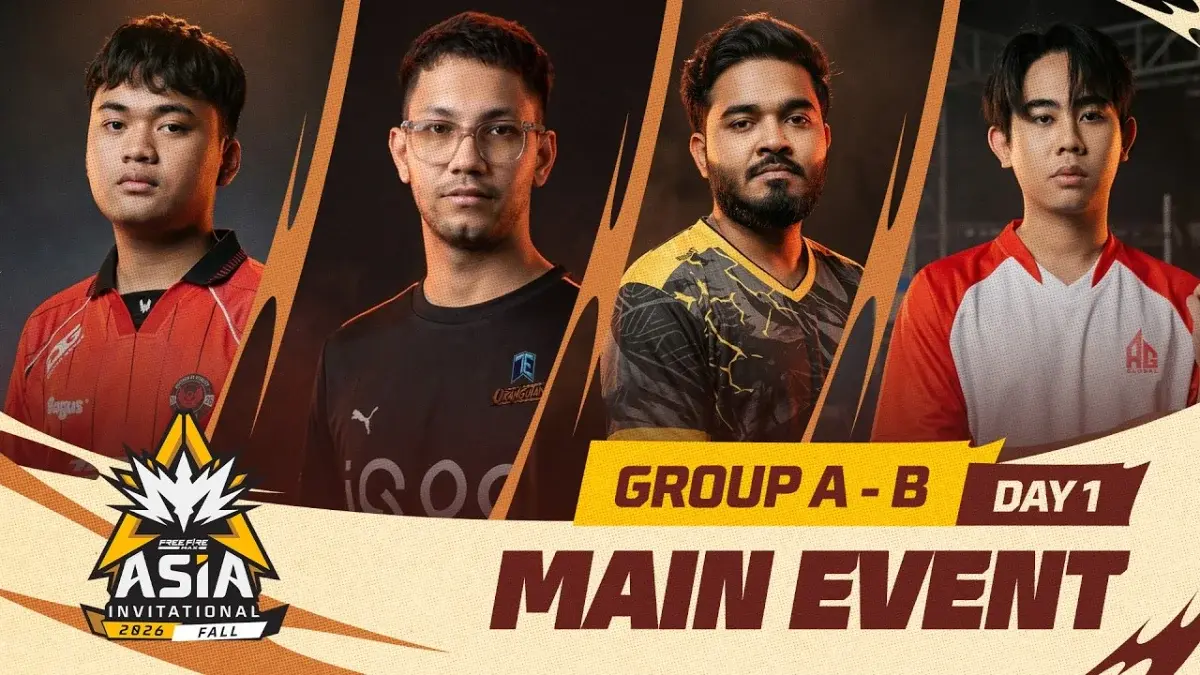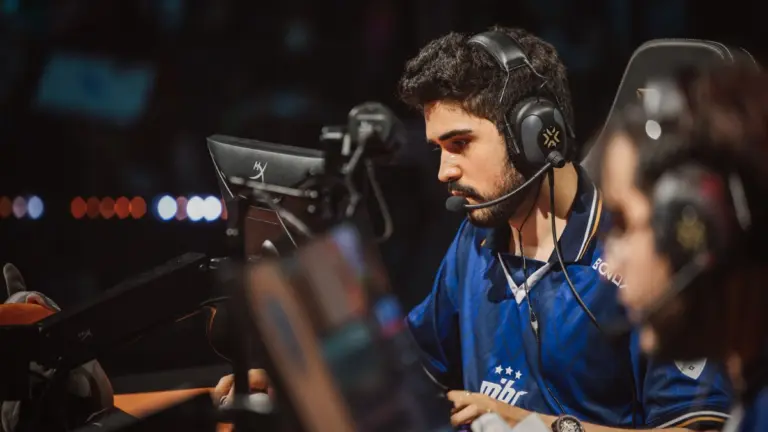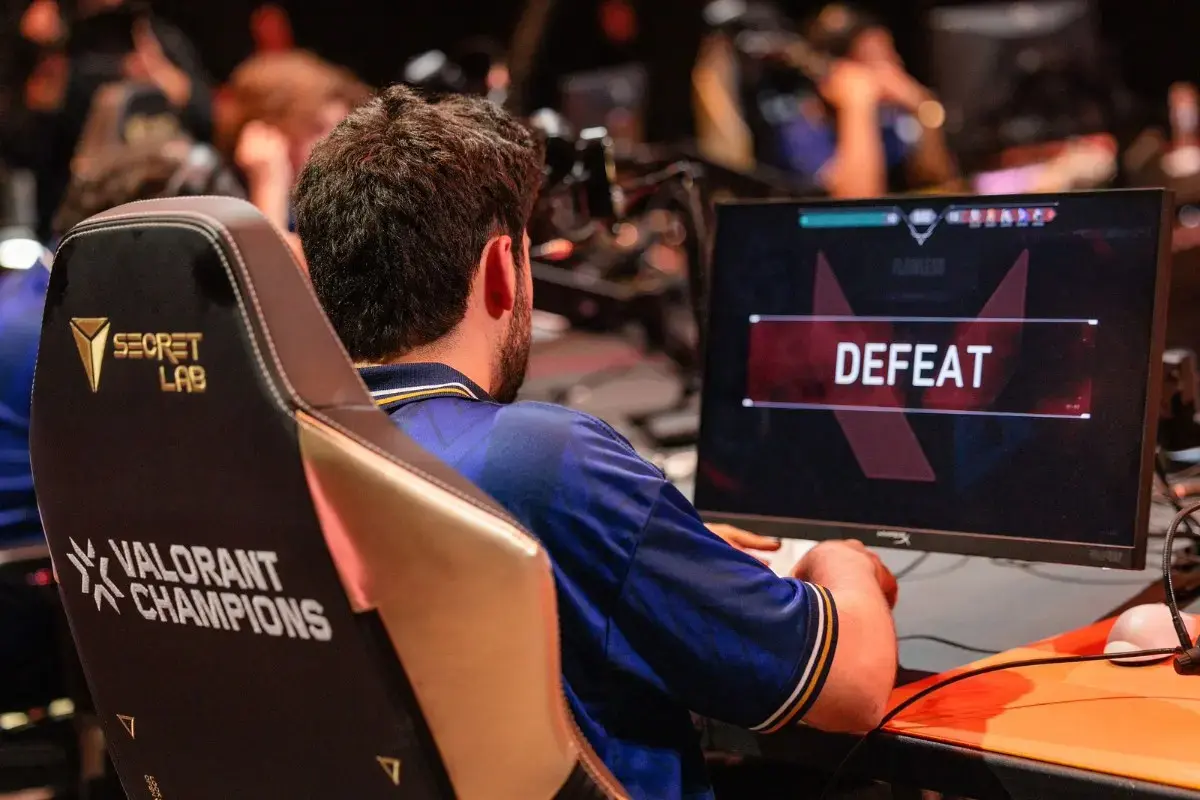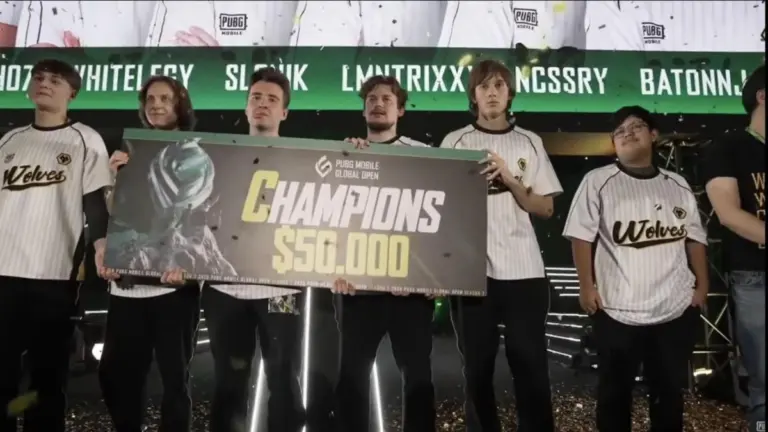
The BGIS 2026 Survival Stage has taken another surprising turn as Jonathan will not be playing the final day for Godlike Esports. After being benched on Day 1, fans were expecting his return, but the latest update confirms that he has left the Hyderabad venue and is reportedly traveling to Mumbai for a shoot. This unexpected move has raised many questions about Godlike’s strategy and Jonathan’s role going forward.
Jonathan to Miss Final Day of BGIS 2026 Survival Stage
In a major development, Jonathan has left the BGIS 2026 Survival Stage venue at the Sandhya Convention Center in Hyderabad. Reports suggest that he is traveling to Mumbai for a shoot, which means he will not be available for the final day of matches.
This comes as a surprise because many fans were expecting him to return to the lineup after missing Day 1. However, with his departure now confirmed, it is clear that Jonathan will not be playing any part in the remaining Survival Stage matches.
Godlike Esports’ Strategic Decision Continues
Godlike Esports had already made headlines on Day 1 of the Survival Stage by benching Jonathan and bringing in Godz as his replacement. The decision initially shocked fans, but it quickly paid off as the team delivered a strong performance.
Godlike dominated Day 1 and even topped the overall standings, putting themselves in a strong position to qualify for the Grand Finals. This result showed that the team’s decision was not random but part of a clear strategy to maximize performance in a short and high-pressure format.
With Jonathan now unavailable, Godz is expected to continue in the lineup for the final day as well.
Manya’s Statement vs Current Situation
After Day 1, Godlike captain Manya had stated that the decision to bench Jonathan was purely strategic. He also hinted that fans might see Jonathan return on Day 2 of the Survival Stage.
However, the situation has now changed completely. Jonathan has left the venue and is traveling to Mumbai, which confirms that he will not be playing on the final day. This unexpected turn has left fans confused and curious about the team’s internal plans.
Despite the controversy, Godlike Esports are in a strong position thanks to their Day 1 performance. If they maintain their form, they are very close to securing a spot in the BGIS 2026 Grand Finals.
The team’s current lineup with Manya, Admino, Spower, and Godz has shown good coordination and consistency. With only a few matches left, their focus will be on finishing in the top 8 and confirming their place in the finals.
Will Jonathan Return for BGIS 2026 Grand Finals?
The big question now is whether Jonathan will return for the BGIS 2026 Grand Finals. The finals are scheduled to take place from March 27 to March 29 in Chennai.
As of now, there is no official confirmation about his return. However, if Godlike qualifies, fans will definitely hope to see Jonathan back in action on the biggest stage.
His absence during the Survival Stage has already become one of the biggest talking points of the tournament, and his potential comeback in the finals could be a huge moment for both the team and the fans.
Finding the best phone for BGMI under ₹15,000 in 2026 is no longer a compromise. Budget phones have quietly gotten very capable, and several models under ₹15,000 can run BGMI at 60 FPS with stable frame rates and minimal heating.
This list focuses on phones that have been tested specifically in BGMI, not just on paper specs. You will find real FPS data, BGMI graphics settings support, and honest gaming verdicts for each device.
What to Look for in a BGMI Phone
Before getting into the picks, these are the specs that directly impact BGMI performance:
Processor: MediaTek Dimensity 7300 or Dimensity 7025 Ultra are the strongest chipsets in this budget in 2026
RAM: 6GB minimum; 8GB is ideal for stable multi-session gaming
Display refresh rate: 120Hz makes BGMI feel visually smoother and more responsive
Battery: 5000mAh or above ensures you can play 2 to 3 ranked matches without needing to charge
Cooling system: Active game modes and heat management directly affect FPS stability in long sessions
Top 5 Phones for BGMI Under ₹15,000 in 2026
1. iQOO Z10x 5G: Best Overall Pick
The iQOO Z10x 5G is the strongest performer for BGMI in this budget right now, priced at ₹14,499. It runs on the MediaTek Dimensity 7300 chipset, which unlocks up to 90 FPS in BGMI after the 4.0 update, though sustained gameplay stabilizes around 60 to 70 FPS in real matches. The phone also offers 44W fast charging with a 6,500mAh battery, so you lose very little playtime even during quick recharge sessions.
In tested TDM sessions at Smooth + 60FPS, the iQOO Z10x delivered consistent frame delivery with minimal drops, making it reliable for both casual and semi-competitive players. iQOO’s Ultra Game Mode adds bypass charging, AI performance boost, and voice changer features that are genuinely useful during serious gaming sessions. If you only have one phone to consider in this budget, this is it.
BGMI Performance: Up to 90 FPS (Super Smooth), stable 60 FPS in classic matches Price: ₹14,499
2. vivo T4x 5G: Best Battery Life for Gaming
The vivo T4x 5G pairs the same MediaTek Dimensity 7300 chipset with a 6,500mAh battery and a 120Hz display, priced at ₹14,999. In real BGMI testing, it delivered an average of 59.3 FPS on Smooth + Extreme settings, which is very close to a locked 60 FPS experience. That level of consistency makes it one of the most reliable phones for extended gaming sessions in this segment.
The phone supports Full Gyroscope for BGMI, which gives you better recoil control. However, during intense hot drops with 20 or more enemies on screen, the FPS can drop to the 40 to 50 range, which means it is better suited for casual to moderate competitive play rather than hardcore ranked grinding. The massive battery is its strongest selling point since it lets you play for hours without anxiety about battery drain.
BGMI Performance: Avg 59.3 FPS at Smooth + Extreme; drops in hot drops Price: ₹14,999
3. POCO M7 Pro 5G: Best Value Pick
The POCO M7 Pro 5G is the most accessible gaming option in this list at ₹13,999, powered by the MediaTek Dimensity 7025 chipset. Gadgets 360’s hands-on review confirmed that BGMI and Asphalt 9 both ran without issues at medium settings, with a clean touch response and no notable lag. The AnTuTu score sits at approximately 4,77,196, which places it just below the Dimensity 7300 devices in raw processing power.
The 120Hz display keeps BGMI visually smooth, and the 5,000mAh battery handles two to three ranked matches comfortably. The POCO M7 Pro does not support HDR graphics in BGMI, so your maximum settings will cap at Smooth + Ultra frame rate. For players who want a clean gaming phone without spending close to ₹15,000, this is the smartest purchase in the list.
BGMI Performance: Smooth + Ultra FPS; medium settings without lag Price: ₹13,999
4. Redmi Note 14 SE 5G: Best Display for BGMI
The Redmi Note 14 SE 5G brings the best display experience in this budget for BGMI, featuring a 120Hz AMOLED panel with 2100 nits peak brightness and Dolby Atmos dual speakers. It runs on the MediaTek Dimensity 7025 Ultra, which is a step above the standard 7025 found in the POCO M7 Pro, and is priced at ₹13,999. Xiaomi markets it as the segment’s smoothest display under ₹15,000, and the screen quality genuinely adds to the BGMI experience.
The 5,110mAh battery paired with 45W fast charging means you top up in roughly 60 minutes. BGMI runs at medium settings with stable frame delivery, though the max supported graphics are HD + High rather than Ultra or HDR. If the visual quality of your display matters as much as raw FPS, the Note 14 SE is the pick.
BGMI Performance: HD + High graphics, smooth medium setting gameplay Price: ₹13,999
5. Realme Narzo 70 Turbo 5G: Best AMOLED Gaming Display on a Budget
The Realme Narzo 70 Turbo 5G features a 120Hz AMOLED display, Dimensity 7300, and a 5,000mAh battery with 45W fast charging at ₹14,999. The phone officially supports 90 FPS in BGMI, but real testing shows that 60 FPS is the more stable and practical setting. At 90 FPS, frame drops during crowd-heavy situations push the average below 55 FPS, which can hurt aim consistency in competitive play.
Switching to 60 FPS mode gives you a much smoother and more consistent experience, making it a solid phone for daily BGMI players who want a vibrant AMOLED display. The AnTuTu score of around 750,000 is one of the highest in this price range, confirming the Dimensity 7300 advantage. Just avoid the GT (GEEK) Mode in BGMI as it causes unnecessary heating without meaningful FPS gains.
Each phone here serves a slightly different type of BGMI player. If you play competitive ranked matches and want the best FPS stability, the iQOO Z10x 5G is the clear choice. If you play long sessions and want battery to outlast your squad, the vivo T4x 5G’s 6,500mAh battery gives you the most playtime. However,iIf your budget is tighter and you just want a capable daily BGMI phone, the POCO M7 Pro 5G and Redmi Note 14 SE 5G both deliver solid performance at ₹13,999.
For players who want the sharpest AMOLED visuals combined with Dimensity 7300 performance, the Realme Narzo 70 Turbo 5G is worth the ₹14,999 price, but remember to stick to 60 FPS for consistent competitive play. You can also check out our How to Unlock 120 FPS in BGMI: Check Supported Devices.
India’s first official publisher-backed Mobile Legends tournament is here, and it comes with a shot at the global stage. The Moba Legends 5v5 Master Series (MLMS) 2026 is the country’s direct pathway to the MLBB Mid-Season Cup (MSC) 2026 at the Esports World Cup (EWC) 2026 in Riyadh.
Organized by Mineski Events Team and Vizta, MLMS 2026 is not just another regional tournament. The winning team will skip the Wildcard rounds entirely and earn a direct Main Stage slot at MSC 2026, making this the most consequential Moba Legends event ever held in India.
What Is MLMS 2026?
Moba Legends: 5v5 is India’s localized version of Mobile Legends: Bang Bang (MLBB), running on the same engine and mirroring MLBB’s competitive structure. Since MLBB is not officially available in India, Moba Legends: 5v5 serves as the official competitive platform through which Indian players can qualify for international MLBB events. MLMS 2026 is the first structured national circuit built specifically around this game, creating a clear ladder from open grassroots play all the way to the Esports World Cup.
MLMS 2026 Registration Details
The registration for MLMS 2026 opened on March 10, 2026, and closes on March 19, 2026. Only the first 256 teams to register will be accepted into the competition, so speed matters. Registration is free and open to all competitive players on mobile (iOS and Android).
Here is how to register for MLMS 2026:
Form your squad: Assemble a minimum of five players; substitutes are allowed but optional
Verify ranks: All members must meet the minimum competitive tier requirements set by Vizta
Registration is the only entry point into the tournament. There are no qualifier sign-ups or secondary pathways. Once the 256-team cap is hit, doors close.
MLMS 2026 Schedule
The tournament runs across three competitive stages, from late March through early May 2026.
Stage
Dates
Teams Involved
Format
Open Qualifiers
March 23 – March 30
256 registered teams
Single-elimination, transitioning to Best-of-Three
League Stage
April 5 – April 26
2 qualified + 6 invited teams
Single round-robin
Grand Finals (LAN)
May 9 – May 10
Top 6 from League Stage
LAN event in Mumbai
The Grand Finals will take place as a live LAN event at the Jio World Convention Centre in Mumbai, running alongside other concurrent events on May 9 and 10.
Tournament Format Explained
Understanding the format helps you know exactly what you are preparing for across each stage.
Open Qualifiers (March 23 – 30): All 256 registered teams enter a single-elimination bracket, meaning one loss and you are out. As the bracket narrows, matches shift to a Best-of-Three format to better separate close competitors. Only the top 2 teams from the Open Qualifiers advance.
League Stage (April 5 – 26): The 2 qualifier-winners join 6 specially invited teams in a single round-robin league. Every team plays every other team once, and the results determine seeding. The top 6 teams from the League Stage move on to the Grand Finals.
Grand Finals (May 9 – 10, LAN): The six best teams in India meet in person at the Jio World Convention Centre, Mumbai. This is a live event, and the champion walks away with both prize money and India’s EWC 2026 slot.
MLMS 2026 Prize Pool
The total prize pool for MLMS 2026 is ₹46,00,000 (INR), roughly equivalent to about $55,000 USD. This is the largest prize fund ever for a Moba Legends event in India. A full breakdown of per-placement earnings is not officially out yet, but the champion’s reward extends well beyond money.
The winning team earns a direct Main Stage slot at the MLBB Mid-Season Cup (MSC 2026), held as part of the Esports World Cup in Riyadh. That event carries a separate prize pool of $3,000,000 (approximately ₹27.65 crore), making the MLMS title the most valuable prize in Indian MLBB history.
How MLMS 2026 Connects to EWC
The Esports World Cup (EWC) 2026 takes place in Riyadh, Saudi Arabia, and MLBB is one of the featured titles through the MLBB Mid-Season Cup (MSC 2026). MSC 2026 will feature 16 teams drawn from the world’s top MLBB regions. Teams from MPL Malaysia, MPL Indonesia, and MPL Philippines each receive two Main Stage slots, while India receives one Main Stage slot.
Historically, Indian teams had no official path to this event. MLMS 2026 changes that entirely. The MLMS champion bypasses the Wildcard stage and enters the Main Stage directly, meaning they compete alongside the top teams from Southeast Asia from day one. This format mirrors how Indian PUBG Mobile and BGMI teams qualify through localized game versions for international circuits.
Why MLMS 2026 Matters for Indian Esports
India’s Moba Legends scene has grown significantly since the launch of Moba Legends: 5v5 in 2024, but it lacked a structured competitive backbone. MLMS 2026 fills that gap. For the first time, there is a defined national ladder with international stakes, publisher support from Vizta, and a credible event organizer in Mineski Events Team, which is the same organization behind leagues like MPL PH and MPL MY. This structure signals long-term investment in India as a competitive MLBB region, and MLMS could become an annual fixture if the 2026 edition succeeds.
Honor of Kings vs MLBB India 2026 is shaping up to be the most competitive battle in the Indian mobile gaming space this year. Both titles officially entered the Indian competitive circuit within 24 hours of each other in March 2026, marking a defining moment for the MOBA genre in the country.
Why India Matters Right Now
India is not just another market for these games. Mobile platforms account for 80% of all gaming activity in the country, making it one of the largest untapped MOBA audiences in the world. For years, battle royale titles like BGMI and Free Fire MAX have dominated both active players and sponsorship revenue, leaving the MOBA genre with room to grow. Both Honor of Kings and MLBB are now racing to fill that gap at the same time.
Honor of Kings India Launch
Honor of Kings officially launched in India on March 11, 2026, following a pre-registration phase that drew 500,000 signups. Publisher Level Infinite committed 100 million INR (~$1.1 million USD) to local infrastructure and creator programs, signaling a long-term commitment rather than a soft entry. The game launched with its “Flow” version, including the hero Yango and India-specific events.
The launch also came with a structured competitive roadmap. India received two direct qualification slots for the Honor of Kings World Cup (KWC) at the Esports World Cup 2026 in Riyadh, which carries a $3 million prize pool. The KINGS’ Arise: India City Tour will hold offline competitive events in Bengaluru on March 22, Mumbai on March 29, and Delhi on April 5, each with a prize pool of INR 1 lakh.
One of the most significant moves HoK has made for Indian players is the development of a hero inspired by Indian cultural themes, expected to arrive in June 2026. This kind of localization effort directly targets emotional connection, which has historically been a strong driver of game loyalty in India. The game’s India launch also involved partnerships with popular Indian content creators Scout, Mortal, and Kashvi.
MLBB’s story in India is more complicated. The original game was banned in India in June 2020 along with dozens of other apps of alleged Chinese origin. It returned in April 2024 as Moba Legends: 5v5! under Indian publisher Vizta Games for Android devices, essentially a rebranded and localized version of the same game.
On March 10, 2026, one day before the Honor of Kings launch, Vizta Games and Mineski Events Team announced the Moba Legends: 5v5! Master Series (MLMS). This is the first publisher-backed national league for the title in India. The tournament features a prize pool of 4.6 million INR (~$50,000 USD), with an open qualifier for 256 teams and registrations closing on March 19. The league stage kicks off on April 5 and concludes with a LAN final on May 9 and 10.
The winner earns a qualification slot to the Mid Season Cup at EWC 2026 in Riyadh, giving Indian players a real shot at the global stage. Read more about MLBB’s competitive scene at talkesport.com’s MLBB section.
Head-to-Head: Key Differences
Factor
Honor of Kings
Moba Legends: 5v5 (MLBB)
India launch date
March 11, 2026
April 2024 (rebranded)
Publisher investment
100 million INR (~$1.1M)
Vizta Games + Mineski Events
EWC 2026 slots
2 slots at KWC
1 slot at Mid Season Cup
Esports prize pool
$3 million (global KWC)
4.6M INR (~$50K) national
Localization plan
Indian hero in development
Existing player community since 2024
Offline events
3-city tour (Bengaluru, Mumbai, Delhi)
LAN final May 9-10
Esports as the Real Battleground
The real contest between these two titles is not about who has better graphics or smoother gameplay. It is about which game can build a credible competitive ecosystem that keeps players invested long-term. BGMI’s dominance in India is a clear example of how structured esports pipelines, combined with localized content and creator support, can create a loyal and massive player base.
Honor of Kings enters with more global financial firepower and two EWC slots, giving more Indian teams a route to international competition. MLBB counters with an existing player base that already knows the game’s heroes and meta, thanks to nearly two years of MLBB community activity in India even before its official return. That familiarity is a real advantage and not easy to overcome quickly.
You can follow the latest Indian esports tournament updates on talkesport.com.
What Indian Gamers Are Watching For
Several factors will determine which title gains the upper hand by the end of 2026:
Localization depth: HoK’s upcoming Indian-themed hero could be a cultural turning point if executed well
Device compatibility: Games that run smoothly on mid-range Android phones reach far more players in India, where premium devices are growing but mid-range still leads
Creator ecosystem: Both games are investing in content creators, but HoK’s early deals with top-tier names like Scout and Mortal give it an initial visibility edge
Sustained tournament activity: Monthly tournaments and grassroots events keep communities active; a single national series per year is rarely enough
EWC 2026 performance: If Indian teams perform well on the global stage at EWC 2026 in Riyadh, it will accelerate mainstream adoption of the winning title
According to Esports Charts, both publishers now must convert established shooter audiences and maintain technical stability across India’s diverse mobile networks to secure long-term growth.
The Verdict for 2026
MLBB holds the community advantage, while Honor of Kings holds the investment and global infrastructure advantage. MLBB’s hardcore base in India is real, but its single EWC slot and smaller prize pool reflect a more conservative push compared to HoK’s aggressive multi-city, multi-creator, and multi-slot strategy. If Honor of Kings delivers on its cultural localization promise and maintains tournament consistency, it has a strong chance of becoming the dominant MOBA in India by the end of 2026. However, do not count out MLBB’s grassroots strength built over two years of community play.
Honor of Kings launched in India on March 11, 2026, and thousands of new players are jumping into their first-ever MOBA matches right now. This Honor of Kings India beginner guide and tier list will walk you through every role, the best heroes to pick, and the strongest characters in the current Season 14 meta.
What Is Honor of Kings?
Honor of Kings is a 5v5 mobile MOBA developed by TiMi Studio Group, the same studio behind Call of Duty: Mobile. Two teams of five fight across a three-lane map, taking down towers before destroying the enemy crystal to win. Matches are fast-paced and role-driven, which makes early learning feel rewarding once you understand how each position works.
The game features five roles: Clash Lane, Jungler, Mid Lane, Farm Lane, and Roamer. Heroes fall into classes like Warrior, Assassin, Mage, Marksman, and Support. As a beginner, your only goal in the first few sessions is to understand your role’s job and ignore everything else.
Understanding the Map
Before picking heroes, understand the map. The crystal is your final objective, towers protect each lane, the river hides enemy movement, and jungle monsters give your team valuable resources. Kills matter, but destroying towers and securing objectives is what actually wins games.
The map has three lanes. Each lane has three towers per side, and clearing them opens a direct path to the enemy base. Always push after winning a fight instead of backing off without a purpose.
The Five Roles Explained
Each role has a specific job on the map. Learning one role well beats playing every role poorly.
Clash Lane: A solo dueling lane for warriors and tanks; your job is to apply pressure and attract enemy attention while your team farms safely
Jungler: Roams between lanes, farms monster camps, and ambushes enemies; the most complex role and not recommended for beginners
Mid Lane: Mages and assassins who clear waves quickly, rotate to help other lanes, and burst down priority targets in teamfights
Farm Lane: Marksmen who farm safely with a roamer support and scale into massive late-game carry damage
Roamer: A support that protects the marksman, sets up kills, and provides vision control across the entire map
For your first games, start with Mid Lane, Farm Lane, or Roamer. These three roles teach positioning, map movement, and teamfight basics without the added pressure of jungle pathing and rotations.
Best Heroes for Beginners in HOK India
Three heroes stand out as ideal starting picks based on simplicity and impact.
Di Renjie is one of the most beginner-friendly marksmen in the game. His kit is straightforward, combining poke damage, crowd control, and sustained DPS in a package that lets you focus on positioning rather than mechanics.
Angela is the best starting mage for the Mid Lane. She deals strong damage, applies crowd control in teamfights, and teaches you how to support other lanes through roaming.
Biron is a Clash Lane fighter built for beginners who want to learn the frontline. His tankiness covers mechanical mistakes, and his simple abilities let you focus on understanding trades and wave management rather than complex combos.
Season 14 launched with the March 11 “Flow Update,” shifting the meta toward sustained fighters, high-mobility junglers, and protection-focused roamers. Here is the full tier list across all five roles.
Mid Lane Tier List
Tier
Heroes
S
Daji, Angela
A
Haya, Wang Zhaojun, Milady, Lady Zhen, Xiao Qiao
B
Liang, Mozi, Nuwa, Kongming, Yixing, Ziya, Garuda
C
Gan & Mo, Flowborn, Heino, Diaochan, Zhou Yu, Mai Shiranui
Angela sits at S Tier in the Mid Lane because of her burst damage output, reliable crowd control, and strong roaming presence. Daji pairs with her as a high-threat assassin-mage with strong gank setups.
Clash Lane Tier List
Tier
Heroes
S
Li Xin, Chicha, Kaizer
A
Dun, Arthur, Biron, Lian Po, Nezha
B
Mi Yue, Ata, Lu Bu, Sun Ce, Xiang Yu, Charlotte, Yango
C
Wuyan, Mulan, Bai Qi, Allain, Yang Jian, Dharma, Guan Yu
Kaizer, Li Xin, and Chicha dominate the Clash Lane in Season 14 due to their strong sustain and tower threat. Nezha received a major mechanics upgrade this season, granting crowd control immunity on Skill 3 and a global vision ultimate, pushing him firmly into A Tier.
Farm Lane (Marksman) Tier List
Tier
Heroes
S
Hou Yi, Marco Polo
A
Garo, Ao’yin, Consort Yu, Luara, Erin
B
Lady Sun, Luban No.7, Flowborn
C
Di Renjie, Shouyue, Fang, Alessio, Meng Ya
Hou Yi and Marco Polo are the strongest carries in Season 14. Luara received a major mana reduction this patch, making her far more consistent across long fights. Di Renjie sits in C Tier for ranked play but remains one of the best picks specifically for learning the Farm Lane role.
Jungle Tier List
Tier
Heroes
S
Ying, Augran, Wukong, Musashi
A
Dian Wei, Lam, Arke, Gao Changgong
B
Liu Bei, Li Bai, Yao, Pei, Ukyo Tachibana, Feyd
C
Menki, Athena, Jing, Cirrus, Zilong, Han Xin
Augran, Wukong, and Musashi are the top jungle picks for their fast clear speed, strong dueling power, and map-wide pressure. Ying joins them at S Tier with exceptional mobility and burst potential in gank scenarios. Avoid the jungle role entirely until you are comfortable with all five lanes and the map layout.
Roamer (Support) Tier List
Tier
Heroes
S
Dolia, Cai Yan
A
Yaria, Dyadia, Donghuang
B
Kui, Da Qiao, Zhuangzi
C
Sakeer, Lapulapu, Zhang Fei, Liu Shan, Ming, Sun Bin
Dolia and Cai Yan are the best roamers in Season 14 because of their crowd control output, protective abilities, and consistent teamfight presence. For beginners picking the Roamer role, Da Qiao and Zhang Fei in B Tier are simpler alternatives that still provide meaningful utility without demanding high mechanical skill.
Key Tips for Your First 10 Games
These habits will give you a faster learning curve than any single hero or build can offer.
Read your hero’s skills before every match, so you never panic in fights
Watch the mini-map every few seconds to track missing enemies and spot rotation opportunities
Farm minions over chasing kills; consistent gold income outperforms risky fights early on
Stick to one role and one hero for your first ten matches before experimenting
Ping your team before engaging, and never fight alone with your abilities on cooldown
Push towers after winning fights rather than retreating with no objective gained
Common Mistakes to Avoid
The biggest mistake new players make is role-switching every match. You will learn faster by spending ten consecutive games in one lane with the same hero than by sampling every role.
The second common mistake is fighting without checking the numbers. If your skills are on cooldown or your teammates are far away, back off and reset. Safe, calculated plays matter far more than aggression in your early matches.
The third mistake is ignoring wave management. Clearing your minion wave first before rotating or fighting keeps your tower safe and your income steady. Most beginner losses come from abandoned waves, not lost teamfights.
Season 14 Meta Changes at a Glance
Season 14 introduced several systems that affect how you play from your very first match.
Focus Fire mechanic: Attacking major bosses like the Overlord with multiple heroes now stacks a 5% damage bonus per hero, up to 20% total, making group objective play more important than ever
Spritelings system: At match start, each player picks one of three Spritelings: Runsie for mobility, Bigly for tankiness, or Coolio for skill cooldown reduction
Super Flow Brawl mode: A new fast-paced casual mode with random talents, great for practicing heroes without ranked pressure
For up-to-date patch notes and hero changes, the official Honor of Kings website posts detailed balance updates alongside each new patch.
The BGMI 4.3 Update Download will begin on March 19, 2026, bringing a massive content drop packed with a new themed mode, gameplay overhauls, and fresh events for players in India. The upcoming BGMI new update 4.3 introduces the Evolving Universe theme, new squad mechanics, and map improvements that could change how you approach every match. Check all the details below.
BGMI 4.3 Update Release Date and Time
The BGMI 4.3 update is officially set to release on March 19, 2026. Krafton follows a phased rollout to keep server load manageable, so not every player will receive the update at the same time.
The rollout schedule is as follows:
Android (Google Play Store): 30% rollout starts at 06:30 AM IST, 50% rollout at 09:30 AM IST, and 100% full availability at 11:30 AM IST
iOS (Apple App Store): Full release at 11:30 AM IST
Official BGMI APK: Available for download from the official website at 12:30 PM IST
BGMI 4.3 Update Download Guide
For Android Users:
Step 1: Open the Google Play Store and search for “Battlegrounds Mobile India.”
Step 2: Tap on Update.
Step 3: Wait for the download to complete.
Step 4: Launch the game and enjoy the new update.
For iOS Users:
Step 1: Open the Apple App Store and search for “Battlegrounds Mobile India.”
Step 2: Tap on Update.
Step 3: Wait for the download to complete.
Step 4: Launch the game and enjoy the new update.
BGMI 4.3 APK Download:
Step 1: Head to the official BGMI website or a trusted source.
Step 2: Look for the BGMI 4.3 APK on the homepage once it goes live at 12:30 PM IST.
Step 3: Download and install the APK file on your Android device.
Step 4: Launch the game, complete any in-game patch downloads, and enjoy.
What’s New in BGMI 4.3
The BGMI 4.3 update introduces the Evolving Universe themed mode, which brings a futuristic environment with revamped UI elements, a high-tech lobby, and a redesigned spawn island. This is one of the biggest content overhauls the game has received in recent months.
Here is a highlight of all major new features:
Evolving Universe Theme Mode: Futuristic visuals across the lobby, spawn island, and in-game UI
Squad Specializations: Choose a role before the match, including Healing, Combat, Recon, or Vehicle Detection
Dynamic Slide Rails: New traversal mechanics that let players move faster across the map
Energy Shield: A new defensive item that blocks grenade damage and absorbs enemy fire
Vehicle Nitrous Boost: Vehicles can now activate a speed boost using nitrous
Hot Drop Locations: The number of hot drop zones on the map increases from two to four
Ancient Secret Mode: The fan-favourite Egypt-themed mode makes its return
Cricket League Event: Predict match winners to earn in-game rewards
Speed Drift Event: New supercars are available through this special event
Smart Network Optimization: Reduces ping and in-game lag for smoother gameplay
New Royal Pass: Available starting at 60 UC for new players
The BGMI 4.3 Update Download on March 19 shapes up to be one of the most feature-rich updates the game has seen, with something meaningful for every type of player, from competitive ranked grinders to casual event hunters.
The BGMI 4.3 update drops on March 19, 2026, and the Evolving Universe Mode is its biggest feature. This guide covers everything you need to know about Temporal Vaults, Squad Specialization Roles, and Hidden Missions so your squad hits the ground running on day one.
What Is the Evolving Universe Mode?
The Evolving Universe Mode is the flagship themed mode coming with the BGMI 4.3 update, officially confirmed by Krafton to release on March 19, 2026. It wraps the entire battleground in a futuristic, high-tech design that changes the lobby, Spawn Island, and the map itself.
Several gameplay changes come with this mode beyond aesthetics. The map will feature four distinct hot drop zones instead of the usual two, immediately raising the pace of early-game fights. New dynamic Slide Rails will let players traverse the map at high speed, and a new Energy Shield item will help block grenades and enemy fire.
Temporal Vaults Explained
Temporal Vaults are ranked loot containers scattered across the map in the Evolving Universe Mode. They range from C-rank up to the elite S-rank tier, and loot quality scales directly with vault rank. Opening an S-rank Temporal Vault is the hardest task in the mode, but it rewards your squad with some of the best gear available in a single match.
To find Temporal Vaults, look for them in upgraded urban areas and high-traffic zones on Erangel. The mode also includes hidden or secret vaults that are not marked on the minimap. Locating these will require active exploration rather than following standard loot routes.
The drone extraction mechanic ties directly into vault play. After looting a Temporal Vault, players can use UC to summon a drone that extracts supplies straight to their position. This will be especially valuable when your squad gets pinned after cracking a vault in a contested area.
Temporal Vault Hunter Achievement
The Temporal Vault Hunter is a special achievement added in the 4.3 update. To complete it, you need to open an S-rank Temporal Vault at least once and use the UC drone to extract supplies at least one time during the Evolving Universe event period. Completing this achievement awards 70 achievement points along with two premium crates and two classic crates.
The Evolution Road missions run alongside the Vault Hunter achievement. Both sets of missions share the same condition: they must be completed while the Evolving Universe Mode is active. Plan your sessions around the event timeline so you do not miss the window.
Squad Specialization Roles
Squad Specialization is the deepest mechanical addition coming in BGMI 4.3. Before a match begins, every player on a squad selects a role on Spawn Island, and that choice is locked for the entire game. There are five roles to pick from, each offering a distinct set of passive skills that activate and level up automatically as you play.
Here is a breakdown of each role:
Healing: Reduces healing item consumption, speeds up revival, and boosts the squad’s overall medical efficiency; this role works best 10 to 20 meters behind the front line
Combat: Amplifies weapon damage, reload speed, and ammunition capacity; best suited to your squad’s strongest mechanical player
Recon: Provides movement speed bonuses and reveals enemy positions through scanning; most impactful from mid-circle onwards
Detection: Counters enemy Recon by revealing scanning attempts and concealed opponents; works best in dense urban environments
Vehicles: Focuses on mobility and durability during rotations; generates passive skill points through vehicle travel distance
Skill Tier Progression
Every role starts at Tier C and can climb all the way to ST Tier by the end of a match. Skills upgrade through two main activities: assisting teammates through revives and supply sharing, and covering distance in vehicles.
Reaching ST Tier will grant your squad the ability to predict the location of the next Playzone, giving you critical positioning information that most enemies will not have. This makes early vehicle rotations not just a movement choice but a direct investment in late-game advantage.
Skill progression follows time-based phases within a match:
0 to 3 minutes: Base abilities activate; focus on Healer radius expansion
3 to 15 minutes: Mid-tier upgrades kick in; Recon movement speed and Combat reload bonuses become active
15 minutes onward: Maximum output unlocked; full Healer protection buffs and Combat scaling are available
Best Squad Compositions
The most versatile squad setup is 2 Combat, 1 Healer, and 1 Recon. This gives your squad firepower, recovery, and battlefield intelligence without any major weak point.
If your team prefers a placement-focused approach, switch to 1 Combat, 2 Support, and 1 Detection. This composition survives into final circles more consistently and is harder to third-party in late-game engagements.
A few mistakes to avoid when building your squad:
Running two Healers wastes a slot since one fully upgraded Healer covers the whole squad
Running three Combat players without a Healer creates a sustainability problem in prolonged fights
Skipping vehicle travel early means slower skill point gain and weaker abilities when the final circles matter most
Hidden Missions and Events
Beyond the Vault Hunter achievement, BGMI 4.3 will include several hidden missions tied to the Evolving Universe event. These will not always appear on your main mission board and often require players to interact with specific environmental features during matches.
The Para-Shooting Challenge is one of the most unique side activities coming with the update. Players will use a slingshot mechanic to launch into the air and must land precisely in a designated center zone to receive high-tier loot. It rewards precision and positioning over pure combat ability.
The Ancient Secret Mode also returns in 4.3, allowing players to fight mummy bosses in a separate mode running alongside the main Evolving Universe experience. This gives players multiple ways to earn rewards within the same update cycle.
For more BGMI guides and esports coverage, visit TalkEsport.
After announcing its partnership with Kolkata Knight Riders (KKR), KRAFTON India has now revealed another major collaboration with Chennai Super Kings (CSK) for the upcoming BGMI 4.3 update. The new update will bring more IPL-themed content into Battlegrounds Mobile India, giving players multiple team-based experiences inside the game.
Earlier, the KKR collaboration introduced knight-themed items and gameplay features starting March 25. Now, the CSK partnership will go live even earlier on March 21, just ahead of the Indian Premier League 2026 season.
BGMI 4.3 update adds CSK-themed gameplay and new Photo Booth feature
With the BGMI 4.3 update, players will get access to Chennai Super Kings-themed items and features.
The update introduces two exclusive CSK-branded collectables:
Thala Legacy Set – a themed outfit inspired by CSK
Thala Monster Truck – a special CSK vehicle skin
These items allow players to show their support for CSK during matches.
The update also brings Photo Booth Points of Interest (POIs) across Erangel and Livik. This is the first time such a feature is being added in BGMI.
At these locations, players can take in-game photos alongside CSK players, creating a new fan engagement experience.
Commenting on the collaboration, Seddharth Merrotra, Head of Business Development and Partnerships, KRAFTON India, said:
“Chennai Super Kings has one of the most devoted fan bases in world cricket, and BGMI has one of the most engaged gaming communities in India. Bringing them together had to feel meaningful for both – not just as a visual crossover, but as a genuine expression of that shared passion. We wanted fans to represent their team identity from inside the game, not just on the surface of it. The Photo Booth POIs are the fullest expression of that intent – something BGMI players have simply never experienced before inside the battleground.”
KS Viswanathan, Managing Director, Chennai Super Kings, added:
“Chennai Super Kings has always shared an extraordinary connection with its fans. Bringing that connection into BGMI allows supporters to celebrate their team in a completely new format where the excitement of cricket meets the thrill of competitive gameplay.”
The back-to-back collaborations with KKR and CSK show BGMI’s growing focus on connecting cricket fandom with gaming, especially as IPL 2026 approaches.
BGMI 4.3 update release date
The BGMI 4.3 update is expected to roll out on March 19, 2026. The CSK collaboration will go live on March 21, while the previously announced KKR content will be available from March 25.
BGIS 2026 Grand Finals tickets are now officially live on Swiggy Scenes. The biggest stage of the Battlegrounds Mobile India Series will take place from March 27 to March 29, 2026 at the Chennai Trade Centre. Fans can now book their tickets through Swiggy Scenes and witness the top BGMI teams compete live. The event will start at 10:30 AM each day, making it a full-day esports experience. Check how to book BGIS 2026 tickets and details.
How to Book BGIS 2026 Grand Finals Tickets
Follow these simple steps to book your tickets through Swiggy Scenes:
Step 1: Download and open the Swiggy app on your smartphone.
Step 2: Go to the Swiggy Scenes section inside the app or directly click on this link.
Step 3: Search for BGIS 2026 Grand Finals.
Step 4: Select the day (March 27, 28, or 29) or choose a multi-day pass.
Step 5: Pick your ticket type (Day Pass, Grand Finals Pass, or Elite Pass).
Step 6: Enter the number of tickets you want to book.
Step 7: Click on Book Tickets and proceed to payment.
Step 8: Complete the payment using your preferred method.
Step 9: Once done, your tickets will be confirmed and available in the app or sent to your registered details.
KRAFTON has introduced multiple ticket options for fans, including budget-friendly passes and premium experiences.
Single-Day Passes (Valid for one day only):
Early Bird Day 1 Pass (March 27): ₹100
Early Bird Day 2 Pass (March 28): ₹100
Early Bird Day 3 Pass (March 29): ₹100
These passes are ideal for fans who want to attend a specific day of the Grand Finals.
Multi-Day and Premium Passes:
Early Bird Grand Finals Pass: ₹250
This pass gives access to all three days (March 27–29), making it a great option for fans who don’t want to miss any action.
Early Bird Elite Pass (Per Day): ₹4,720
This premium ticket offers a special experience with front-row seating, better viewing, exclusive merchandise, and a special memento.
BGIS 2026 Grand Finals Venue and Timings
The Grand Finals will be hosted at the Chennai Trade Centre, Nandambakkam, Chennai, one of the top venues for large-scale events in India. The matches will begin at 10:30 AM each day, giving fans a full day of live esports action.
With top teams competing for the title, the Grand Finals is expected to deliver intense matches and a great crowd atmosphere.
With affordable ticket prices starting at just ₹100, the BGIS 2026 Grand Finals offers a great chance for fans to experience live esports. Premium options are also available for those looking for a more exclusive experience.
Fans are advised to book their tickets early on Swiggy Scenes, as demand is expected to be high for the final stage of the tournament.
Saudi Arabia’s Electronic Gaming Development Company (EGDC) has purchased a 5.03% stake in Capcom by acquiring 26,788,500 shares. The deal was confirmed through a report submitted to the Kanto Local Finance Bureau on March 13, 2026, and was first reported by GameBiz, with translations provided by Automaton.
EGDC described the purpose of its investment as “pure investment.” That means the company is looking to earn profits through increases in Capcom’s stock price or through dividends. There is no indication of any plans to influence company operations or push for board representation.
Who Owns EGDC?
EGDC is owned by Saudi Arabian Crown Prince Mohammed Bin Salman through the MiSK Foundation. The company is already well known in the gaming industry because it owns 100% of SNK Corporation, the Japanese publisher behind fighting game franchises like Fatal Fury and The King of Fighters.
Not the First Saudi Investment in Capcom
This is the second major Saudi-linked investment in Capcom. The Saudi Public Investment Fund (PIF) also holds roughly 5% of Capcom’s shares. PIF purchased 5% stakes in both Capcom and Nexon Co. back in 2022, spending a combined $1.2 billion on those two deals.
While EGDC and PIF are separate entities, they are both connected to Crown Prince Mohammed Bin Salman, who chairs the PIF. Together, Saudi-linked entities now hold around 10% of Capcom.
PIF has also made investments in companies like Nintendo, Take-Two Interactive, and Embracer Group. Its proposed acquisition of EA, valued at around $55 billion, remains one of the largest pending deals in gaming history. The scale of Saudi involvement in the industry has raised questions about everything from geopolitical risks around major events like the Esports World Cup to long-term influence over game publishers.
Capcom Riding High After Resident Evil Requiem Success
The investment comes at a strong time for Capcom. The company’s latest release, Resident Evil Requiem, has already sold over 6 million copies, making it the fastest-selling game in the Resident Evil franchise to date.
Capcom also confirmed during its FY2025 Q3 earnings report that it plans to reveal more games before the end of fiscal year 2027 (which ends March 31, 2027), with a focus on both new and established franchises.