The freshly surfaced bug in Counter-Strike 2 is drawing attention across the community after players have devised a way to get a competitive advantage when exploited.
The exploit works by significantly manipulating the in-game movement mechanics, where a player’s speed can be directly augmented by dropped weapons. A player’s movement speed in CS2 depends upon the type of weapon they carry; for example, a player will move faster with a pistol in hand than with a rifle.
However, the bug lets players move across the map with speeds as high as 4 times the usual by dropping weapons fast enough to trigger a state where the game doesn’t enforce the usual speed limit.
While this may seem like a minor bug, there are major implications for competitive gameplay, where faster movement provides a significant tactical advantage that not only allows players to take up positions faster but also significantly aids in utility and rotations. Not only does this break the game’s competitive consistency, but its abuse can decide the outcome of rounds, making competitive play unfair.
The CS2 community has already started sharing clips of this exploit, forcing players to call for an immediate fix despite many exploiting it for fun in competitive matches. Bugs of this extent can hardly go unnoticed by the developers, and it goes without saying that this will be patched soon.
At the time of writing the article, it is difficult to predict the timeline for the patch, but given its impact on the game, developers will be rushing to fix it. Suffice it to say that misuse of such a bug can lead to penalties, so better not to try it in competitive matches.
With the Valorant 12.08 update being only a few hours away, Riot Games has officially unveiled the full patch notes of the upcoming release.
While the Valorant 12.08 patch doesn’t introduce any Agent balance changes, it does bring with it some exciting new content to the competitive shooter. The biggest highlights of the Valorant 12.08 update include the new ranked game mode Skirmish: Ascension, alongside an update to the game’s competitive map rotation.
Valorant 12.08 Adds New Ranked Skirmish Mode
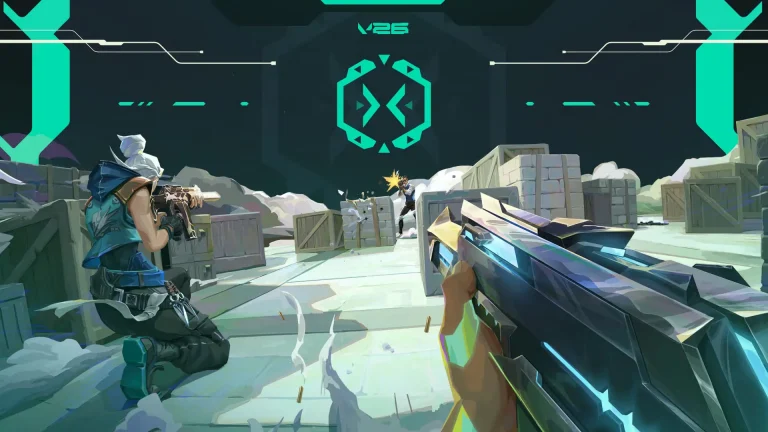
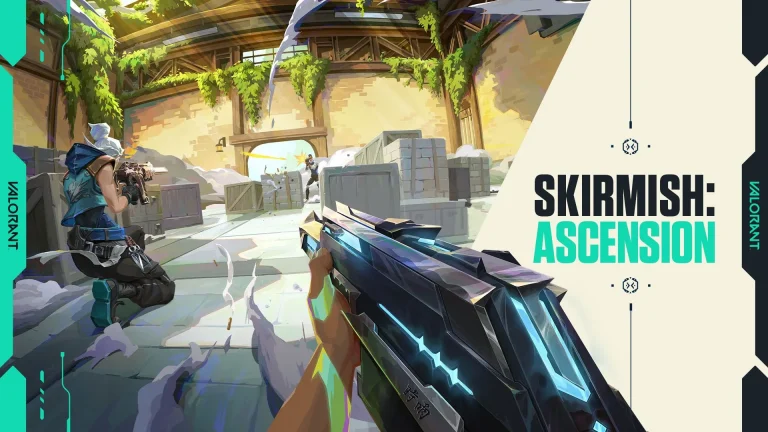
The Valorant 12.08 update is set to introduce a brand-new game mode to the Riot Games title. Skirmish: Ascension raises the stakes of the regular Skirmish queues by adding a ranked ladder, while also implementing various other improvements.
For starters, you will be able to use certain abilities in this game mode, but the Agent pool has been restricted as a result. Additionally, there will be separate queues for 1v1 and 2v2, each featuring its own dedicated leaderboard.
Players can earn various rewards by participating in Skirmish: Ascension. These include three unique titles unlocked by reaching specific rank divisions, as well as two Player Cards that can be obtained simply by playing the new mode.
As already announced by Riot Games, Ascent is set to return to the competitive map rotation of Valorant with the 12.08 update, while Bind will make its exit.
The Valorant 12.08 update will hit the live servers on April 28 or April 29, 2026, based on your game region.
Valorant 12.08 Patch Notes
Below, we have listed the detailed patch notes for the Valorant 12.08 update:
ALL PLATFORMS
MAP UPDATES
Map Pool Updates
ASCENT is IN the Competitive and Deathmatch queues.
BIND is OUT of the Competitive and Deathmatch queues.
MODES UPDATES
NEW LIMITED TIME MODE
Introducing Skirmish: Ascension, a new limited ranked experience for Skirmish.
We designed this mode as a fast, skill-forward competitive experience where gunplay stays primary, but selected abilities create more tactical decisions and replayable duels. Pick from a curated roster of Agents, each equipped with a single ability, and fight through staged weapon rounds in 1v1 or 2v2. Compete on the FTW ranked ladder to earn rewards and prove you are better. Available for Act 3.
Mode Details
Agents & Abilities
Choose from 14 Agents, each with one ability from their kit
Jett (Tailwind)
Waylay (Refract)
Chamber (Rendezvous)
Cypher (Cyber Cage)
Omen (Shrouded Step)
Phoenix (Curve Ball)
Yoru (Clone)
Iso (Contingency)
Sage (Barrier Orb)
Raze (Blast Pack)
Vyse (Arc Rose)
KAY/O (Flash/Drive)
Breach (Flashpoint)
Veto (Crosscut)
Staged Weapons
No economy. Weapons escalate through stages as the match progresses
Rounds 1-4: Pistols (Bandit, Sheriff)
Rounds 5-8: Low-tier rifles (Guardian, Bulldog)
Round 9+: Vandal and Phantom
Queues
1v1 and 2v2 with separate matchmaking
Round Structure
First to 10 rounds wins
FTW Ranked Ladder
Competitive leaderboard segmented by server, region, and platform
Separate leaderboards for 1v1 and 2v2, tracked independently
Rank Tiers
Iron: 700
Bronze: 1100
Silver: 1500
Gold: 1800
Platinum: 2100
Diamond: 2400
Ascendant: 2700
Immortal: MAX
Radiant: Top 100
Rewards
Combat Ready player card: Complete 3 Skirmish: Ascension matches
Trade Me player card: Complete 15 Skirmish: Ascension matches
Titles awarded by highest rank achieved on either ladder
Skirmish Competitor: Gold to Platinum
Skirmish Expert: Diamond to Immortal
Skirmish Legend: Radiant
LEAVING LIMITED TIME MODES
Knockout is heading out. Thanks for playing!
BUG FIXES
Agent
These were fixed in Patch 12.07 but missed the notes.
Fixed a bug where using Miks’ Bassquake would cause the minimap cone to blink on use.
Fixed a bug where Veto’s Chokehold could detect enemies behind rotating doors on Lotus.
Fixed a bug where KAY/O’s ability VFX were not appearing if used right after KAY/O casts NULL/cmd.
Fixed a bug where Neon’s High Gear slide was not playing SFX for moving across different surface types.
Fixed a bug where Tejo’s agent select animation would sometimes cut off the smoke from the explosion.
Fixed a bug where Gekko’s Dizzy would only target an enemy if their head was visible.
Fixed a bug where during Dimensional Drift Yoru could not see invisible abilities like Vyse’s Shear or Cypher’s Trapwire even if he was close enough to them.
These are new fixes in Patch 12.08.
Fixed a bug where Viper’s Toxic Screen SFX would activate repeatedly when Veto walked into it with Evolution active
Fixed a bug where players resurrected by Sage inside of Viper’s Decaying abilities would not gain Decay.
Fixed a bug where Tejo’s Armageddon would sometimes cast targeting spawn instead of the intended location.
PC ONLY
PREMIER UPDATES UPDATES
Welcome to Stage V26A3! Matches start on May 6.
Contender and Invite Division schedule changes:
There are only 6 weeks of matches this stage – the matches are still each Saturday from May 9 – June 13.
Playoffs now take place across multiple days.
The first round of playoffs takes place on June 20.
Teams that advance from the first round return on June 21 for their next matchup.
Make sure to check the schedule in the client for round start times for your zone!
BUG FIXES
General
Fixed an issue in settings where audio sliders weren’t moving correctly
Fixed an issue where trying to exit the client while a replay was paused wasn’t working
CONSOLE ONLY
KNOWN ISSUES
Modes
Skirmish 2v2: Ascension and Skirmish 1v1: Ascension – Timer is stuck at 00.50 sec when during Overtime phase.
Skirmish 2v2: Ascension and Skirmish 1v1: Ascension – Agent abilities do not show up on the Combat Report in the following round after affecting enemies
PlayStation’s new digital rights management policy for PS5 games has turned into a confusing mess. Sony’s support chatbot is telling players the 30-day online check-in is real. Live support agents are saying the opposite. And independent tests have already confirmed that games bought after March 2026 will stop working if the console stays offline too long.
Here is everything confirmed so far.
What the PS5 DRM Actually Does
Digital games purchased after the March 2026 system update now carry a 30-day countdown timer. If a PS5 does not connect to the internet within that window, the game’s license expires, and the title refuses to launch until the console goes back online.
Support responses to the Sony DRM issue making rounds. None fully address the issue. Yes, there is new DRM & there is a 30 day timer. But Support doesn't fully acknowledge how bad of a screw up the situation is nor why the DRM was even necessary. Zero word about the CBOMB, e.g. pic.twitter.com/fuFPLySIFd
Setting your console as the “Primary” system does not get around the requirement. That workaround previously helped players avoid periodic DRM checks on secondary consoles, but it no longer bypasses the 30-day timer.
Games bought before this change are not affected. Only titles purchased from this point forward carry the new restriction.
PlayStation Support Said It Was Real, Then Live Agents Said It Wasn’t
Players who contacted PlayStation Support received written responses acknowledging the policy. A support ticket screenshot that spread widely online described the 30-day timer as applying to “all new purchases,” noted that the “Primary Console” setting does not bypass it, and stated that license expiry is “not a sign of an account restriction.”
Because this is a bot response. Its being led to the response. Live agents have confirmed its not a new drm policy. pic.twitter.com/VNELXLSmWT
Those responses are likely from Sony’s AI chatbot, not a human employee. So while official PlayStation Support channels were telling customers the policy is real, it may have been an automated response rather than a deliberate confirmation.
After that screenshot circulated, some players managed to reach actual Sony employees. Those live support agents said Sony has not implemented PS5 DRM as an official policy, and that players who bought digital games in late March would still be able to access them normally after 30 days.
So, within the same support infrastructure, Sony was giving completely opposite answers to the same question.
PlayStation support has confirmed that a new digital rights management policy for the console is intentional, not a glitch.
Starting with any digital games purchased after the March 2026 system update, your PS5 will require an internet connection at least once every 30 days to… pic.twitter.com/yObylXjMRC
Riot Games has added a ranked ladder to Valorant’s Skirmish mode. Skirmish: Ascension went live on April 29, 2026, as part of Season 2026 Act 3. The event runs until June 22, 2026. Players who compete during this period can earn two exclusive player cards and up to three unique titles, all based on participation and leaderboard rank.
Here is a full breakdown of every Valorant Skirmish Ascension reward and exactly how to get each one.
What Is Skirmish: Ascension in Valorant?
Skirmish: Ascension is Riot’s first competitive version of Skirmish, introduced in Patch 12.08. It keeps the close-range, fast-paced format but adds something the original never had: ranks, leaderboards, and earnable cosmetics.
Unlike the earlier Valorant Skirmish 2v2 mode, which stripped out all agent abilities, Ascension gives each agent one specific ability from their kit. The idea is to test real-time decision-making while keeping gunplay as the main focus.
Both 1v1 and 2v2 queues are available. Each queue has its own separate leaderboard. Matches play out across three warehouse maps, with three obstacle layout variations. The first player or team to win 10 rounds takes the match.
How Weapons Work in Skirmish: Ascension
There is no economic system. Weapons are assigned by round phase instead:
Round Phase
Weapons Available
Rounds 1 to 4
Bandit or Sheriff (pistols)
Rounds 5 to 8
Bulldog or Guardian
Remaining rounds
Vandal or Phantom
Every match starts with pistols and escalates to rifles. This keeps early rounds tight and shifts the dynamic as the game goes on.
How the Ranking System Works
The Skirmish: Ascension ranking system follows the same structure as Valorant’s regular competitive ladder. Ranks go from Iron all the way up to Radiant.
Rank progress is tracked through the FTW (For The Win) platform, not inside the standard in-game Competitive tab. You need to connect your Riot Games account to FTW before your progress shows up on the leaderboard.
Points are earned based on your win/loss ratio. Opponent skill level is factored in. Winning against stronger players gives more points. If two players are tied on the leaderboard, the player with more total games played gets the higher placement.
Leaderboards for 1v1 and 2v2 are completely independent. Progress in one does not carry over to the other. Both are also segmented by server, region, and platform.
All Valorant Skirmish Ascension Rewards
Two player cards and three titles are up for grabs. Here is the full list:
Player Cards
Reward
How to Unlock
Combat Ready Player Card
Complete 3 placement matches in a single queue (1v1 or 2v2)
Trade Me Player Card
Complete 15 Skirmish matches across either queue
The Combat Ready card requires three placements in one queue only. You cannot split them between 1v1 and 2v2. The Trade Me card is more flexible: your 15 matches can come from either queue in any combination.
Titles
Title
Rank Required
Skirmish Competitor
Gold to Platinum
Skirmish Expert
Diamond to Immortal
Skirmish Legend
Radiant
Titles are awarded after the Challenge Period ends. Riot looks at the highest rank you reached across either leaderboard during the event. You do not need to hit the same rank in both queues. Your better result is what counts.
The Skirmish Legend title, locked behind Radiant, will likely be rare. Since Ascension only runs for a limited time, players who earn it during this period will not see many others with the same title.
The wait is finally over. Following months of leaks and constant speculation, Valve has officially confirmed the release date and price for the new Steam Controller, and PC gamers throughout the world are eager to know more about what it will bring to the table.
Excited to announce our @Steam Controller arrives on Steam May 4th at 10 a.m. PT.
The Steam Controller will launch on May 4, 2026, at 10 AM Pacific / 5 PM UTC, priced at $99 USD in the US, and with regional prices of £85 in the UK, €99 in Europe, $149 CAD, $149 AUD, and PLN 419 in Poland.
As with other Valve hardware, the Steam Controller won’t be available for purchase in stores, and gamers will only be able to get it via the Steam store.
Steam Controller Specs
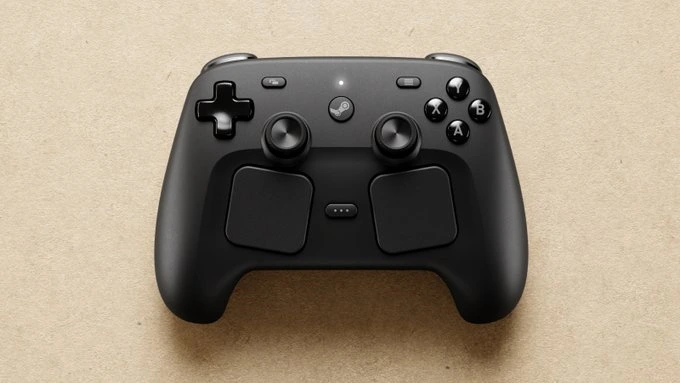
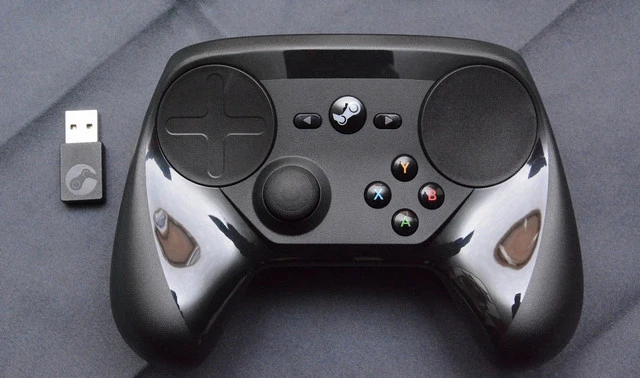
The new Steam Controller is a dramatic evolution from the 2015 variant. It features two large trackpads on the front, supporting haptic feedback and different pressure levels to simulate precise mouse movements.
The analog sticks use Tunneling Magnetoresistance (TMR) technology, which determines positions using magnetic fields and is designed to be especially durable, precise, and energy efficient.
A built-in 6-axis gyroscope enables motion controls, and the new Grip Sense function automatically activates the gyroscope when you touch certain areas on the back of the controller or the sticks. Four rear grip buttons round out the package, and its battery life stands strong at over 35 hours of gameplay.
Below, we have listed the detailed tech specs of the new Steam Controller, as confirmed by Valve:
A, B, X, Y face buttons; 2 bumpers; 2 triggers (analog); 2 clickable trackpads; Back, Start, Steam, Joystick click; 2 grip buttons
Triggers
Dual-stage analog triggers with digital activation
Connectivity
Wireless (2.4 GHz via USB dongle); Wired via micro-USB
Wireless range
Up to 9 m (30 ft)
Battery
2 × AA batteries (~80 hours battery life)
Connectivity protocols
Compatible with any Bluetooth-capable PC; Steam Link supported
USB receiver
Nano USB wireless receiver included
OS compatibility
SteamOS, Linux, Windows 7 or later, macOS 10.11 or later
Configuration
Fully configurable via Steam Big Picture; community configs supported
Dimensions
150 mm × 100 mm × 67 mm (L × W × H)
Weight
~270 g (with batteries)
Color
Black
As per Valve, the controller is compatible with any device running Steam or the Steam Link app, including Windows, Mac, and Linux PCs, as well as tablets and smartphones. It’s also compatible with the Steam Deck, both docked and handheld.
At $99, it might sit above most competitors’ price-wise, but might still be ideal for many PC gamers who are looking to get the extra features alongside the reliability of Valve’s ecosystem.
The Esports Integrity Commission (ESIC) issued an interim suspension to Savelii “jmqa” Bragin on April 27, 2026. The suspension came after a screenshot surfaced on X showing a Discord conversation where a user identified as jmqa6479 approached Danish CS2 player Rasmus “Pihl” Pihl with an offer to fix matches.
Pihl, who plays for Eclipse, was the one who shared the screenshot publicly. That post is what triggered ESIC’s involvement.
In its statement, ESIC said the available material includes direct communications where Bragin appears to have tried to get another player to compete unfairly. The commission cited suspected breaches of its Anti-Corruption Code.
ESIC was clear that this is not a final ruling. The suspension is described as a protective measure while the investigation runs its course. It does not mean Bragin has been found guilty of anything yet.
As part of the investigation, ESIC is requesting communications, financial records, and other relevant materials from those involved. The process is ongoing.
jmqa’s Background in CS
Bragin is best known for his time with Quantum Bellator Fire. That team made a surprise run to the quarter-finals of the ELEAGUE Major in 2018, alongside players including Kirill “Boombl4” Mikhailov.
He has not been on a team since 2021. His last recorded match on HLTV is from September 2024. At 29, Bragin has been effectively out of the professional scene for years.
Pihl’s decision to share the screenshot rather than ignore it is what brought this case to light. Without that, the approach may never have been reported at all.
ESIC’s investigation will determine whether the communications confirm a breach of its Anti-Corruption Code. Until then, Bragin remains under an interim suspension.
A leaked review has reportedly revealed the Steam Controller release date, pointing to a launch as early as next week.
Japanese gaming outlet 4Gamer briefly published a review of the Steam Controller before pulling it down. The page now shows as “hidden,” but it was already indexed by Google, allowing parts of the text to be read.
According to the review, the Steam Controller will release in Japan on May 4, 2026, at 3 PM JST. The date listed was specific to Japan, so it is not confirmed whether the same window applies to North America or Europe.
Cached versions of the article and translations still point to the same date, lending the leak some credibility.
This is the second embargo break in a short span. Earlier this week, a separate review revealed the Steam Controller price at $99. The 4Gamer piece added a release date to what was already known.
Release Times by Region
If the 3 PM JST launch time from the 4Gamer review is accurate, here is how that converts across major regions:
Region
Local Time
Date
North America (PT)
11:00 PM
May 3
North America (ET)
2:00 AM
May 4
UK (BST)
7:00 AM
May 4
Europe (CEST)
8:00 AM
May 4
Japan (JST)
3:00 PM
May 4
Australia (AEDT)
4:00 PM
May 4
These times are based on the leaked review and have not been confirmed by Valve.
Before the 4Gamer article went down, users managed to save a full gallery of HD images from the preview. The photos show size comparisons of the Steam Controller against the Xbox Series X|S controller and the PlayStation 5 DualSense. The Valve hardware is noticeably larger, built to accommodate its dual trackpad design.
The images confirm what the first leaked review noted: the Steam Controller does not have textured grips, meaning the surface is smooth all around. One reviewer described it as “slippery” and listed it as a main complaint.
The photos also confirm the Steam Controller does not have removable joysticks or hair triggers, features found on the Xbox Elite Controller and PS5 Dual Edge.
As of writing, Valve has not opened pre-orders for the Steam Controller. If the May 4 date holds, the company has very little time to announce pricing pages, pre-order windows, and regional availability. Both the price and release date leaks look credible, but Valve has yet to officially confirm either.
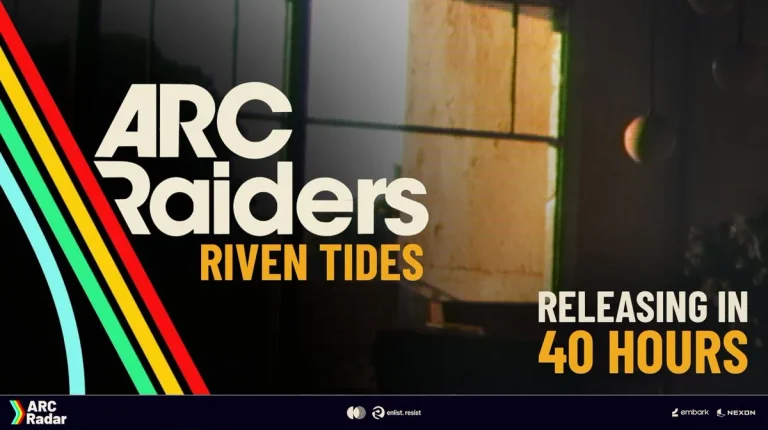
The highly anticipated Arc Raiders Riven Tides update is just around the corner, and it’s all set to introduce a bunch of exciting new content to the extraction shooter.
The Riven Tides update follows the Flashpoint update that took the Arc Raiders community by storm in March 2026. It will mark the departure of the third Arc Raiders Expedition, and is also expected to be the biggest update that the Embark Studios title has seen to date.
In this article, we’ll take a look at everything you need to know about the Arc Raiders Riven Tides update, including all the confirmed content so far, its release date, and more.
Arc Raiders Riven Tides Update: All New Content
As officially confirmed in the Arc Raiders developer roadmap revealed earlier this year, the Riven Tides update will bring the following new content to the game:
A brand-new map
New large ARC enemy
New major map condition
Expedition window
Can you hear the crashing of waves? Sounds like home… 🌊 Riven Tides launches next week! Are you ready to take on the new map, Raiders? pic.twitter.com/FNEWq8Zkxq
The new map is expected to be the first coastal map in Arc Raiders, while the new Arc enemy is likely to be the infamous Bishop. Details on the major map condition remain unconfirmed at the time of writing.
There's whispered stories in Speranza of a shoreline we left behind 🗺️ Now the tides are bringing it back. Riven Tides launches April 28 pic.twitter.com/avmhCrG2PW
Alongside the aforementioned new content, fans can also expect new quests, items, cosmetics, various quality-of-life changes, and other additions in the Arc Raiders Riven Tides update, although not much has been confirmed as of yet.
Arc Raiders Riven Tides Update: Release Date and Time
As already confirmed by Embark Studios, the Arc Raiders Riven Tides update will officially hit the live servers on April 28, 2026, at 2:00 AM PDT.
Below, we have listed the release times for the update across various regions throughout the globe:
Region
Time
Time Zone
Los Angeles (USA)
2:00 AM
PDT
New York (USA)
5:00 AM
EDT
London (UK)
10:00 AM
BST
Paris (France)
11:00 AM
CEST
Berlin (Germany)
11:00 AM
CEST
Moscow (Russia)
12:00 PM
MSK
Dubai (UAE)
1:00 PM
GST
Mumbai (India)
2:30 PM
IST
Singapore
5:00 PM
SGT
Tokyo (Japan)
6:00 PM
JST
Sydney (Australia)
7:00 PM
AEST
Auckland (New Zealand)
9:00 PM
NZST
That’s everything you need to know about the upcoming Arc Raiders Riven Tides update.
Legendary Counter-Strike player Jarosław “pashaBiceps” Jarząbkowski has sold his iconic knife skin for over $21,100 USD, and he has donated every single penny to charity.
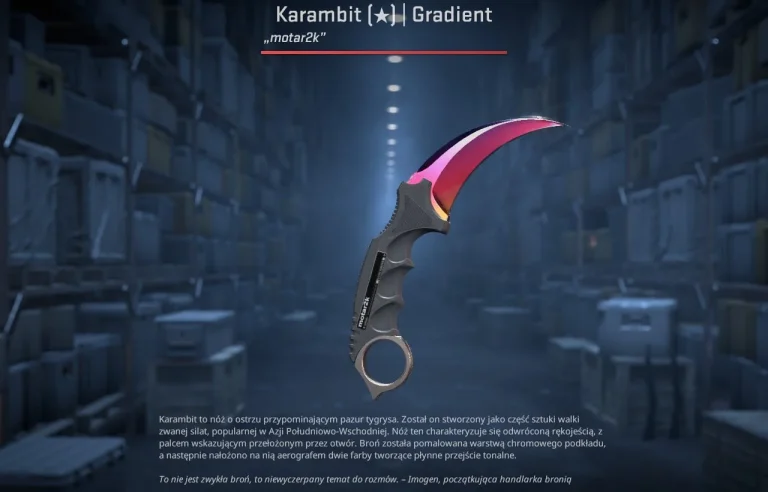
The Polish CS icon, who originally rose to fame during Virtus.pro’s dominant run in the CS:GO era, listed his in-game knife skin, the iconic Factory New Karambit Fade, and managed to sell it for PLN 76500. pasha wasted no time in donating the full sum to those in need, keeping nothing for himself.
As confirmed by the retired CS2 veteran in an X post, the entirety of the $21,100 USD has been donated to a children’s cancer charity in Poland.
“The most iconic knife in CS just became even more special,” the former VP star said, while also urging the esports community to do their part for the cause.
“The stream is still live for over an hour, so let’s keep the momentum going and continue donating. Let’s show that the esports family has real power!”
The most iconic knife in CS just became even more special. Huge thanks to everyone for getting involved in this initiative – and special thanks to @nmss_gg and @i_am_a_momo who made the highest offer and transferred the funds to the foundation right away.
The move was met with widespread praise and admiration across social media, with CS2 fans throughout the globe flooding the comments section with love.
The Karambit Fade is not only one of the most sought-after knives in the game but also carries years of history and sentiment, making its $21,100 price tag a reflection of both its rarity and the deep affection the community holds for pasha’s legacy. The fact that he chose to give it all away only adds to that legacy.
The fundraiser was part of Łatwogang’s nine-day nonstop charity livestream, launched on April 17, 2026, with an initial goal of 500,000 złoty, a milestone that was reached almost instantly.
By the time the charity stream ended, over 250 million złoty, which equates to roughly $69 million USD, had been raised, with more than 1.6 million peak concurrent viewers. It shattered the previous Guinness World Record for charity fundraising during a live broadcast, which was set in France in 2025 at $19.5 million USD.
Amazon-owned streaming giant, Twitch, has banned 15 accounts after they streamed a Counter-Strike 2 tournament being held in a Russian college, violating EU sanctions imposed against Alabuga Polytech following the ongoing conflict with Russia.
According to the report, the banned accounts were directly streaming the Counter Strike 2 tournament held in Alabuga Polytech, an institution that has drawn scrutiny due to alleged links with Russia’s war against Ukraine. Reports suggest that the college falls under EU sanctions, which is what prompted Twitch to enforce the ban to comply with geopolitical regulations and digital safety standards.
Students from Alabuga Polytech are reportedly being recruited to assemble Iranian Shahed attack drones under a Russian military division, Geranium-2. While the event in itself had nothing to do with the ongoing conflict, Twitch is under severe pressure from the supervising bodies to comply, which has sparked a debate in the online forums regarding the scope of these sanctions.
The move signals Twitch’s commitment to enforcing the community guidelines and complying with international regulations. Reports hint at 30 days for the 15 accounts in question. However, Twitch has yet to officially cite the reason for the suspension.
Not only does this move weaken the backbone of the Russian gaming industry, but moving forward, players in the lower leagues will be unable to showcase their talent on the world’s stage, especially with a risk of sanctions hanging over their heads. At the same time, tournament organizers will also start to distance themselves from hosting events, fearing strict action against them.