Monday, April 27, 2026
Home Blog Page 291

Zenless Zone Zero 1.5 redeem codes

0

On January 22, 2025 HoYoverse released update 1.5 named “Astra-nomical Moment” for its game Zenless Zone Zero. In this update players will find new additions along with redeem codes that convert to useful rewards within the game.

Active Redeem Codes for January 2025:

  • ASTRANOMICAL: Earn 300 Polychromes alongside 30,000 Dennies with two Senior Investigator Logs and three W-Engine Energy Modules when you redeem your code.
  • ZZZFM: Receive 1 Ether Battery, 2 Senior Investigator Logs, 3 W-Engine Energy Modules, 3 Ether Plating Agents plus 50,000 Dennies when you redeem ZZZGFN24.
  • ZZZGFN24: The ZZZGFN24 code converts to 3 Official Investigator Logs, 3 W-Engine Power Supplies, and 20,000 Dennies.
  • ZZZASSEMBLE: Redeem for 30 Polychromes.MIYABIRELEASE: Redeem for 60 Polychromes.
  • HARUMASAFREE: Redeem for 50 Polychromes.
  • ZENLESSGIFT: Earn your bundle of 50 Polychromes along with 2 Official Investigator Logs, 3 W-Engine Power Supplies and an exclusive Bangboo Algorithm Module.
  • HSAHLWFEFE: Claim 60 Polychromes plus 6,666 Dennies by redeeming this code.

How to redeem Zenless Zone Zero 1.5 codes

  • Start Zenless Zone Zero and sign into the game.
  • From the main menu pick the “More” option.
  • Choose the “Redemption Code” selection from the menu.
  • Type your code and hit confirm.
  • You can find your rewards inside your in-game mail which you access from the “More” tab.

Official Website Redemption:

  • Head over to the Zenless Zone Zero code redemption website.
  • Sign into your account to access features.
  • Select your game server.
  • Enter the code and submit.
  • Your game mail will receive the rewards.
  • Users must use their redemption codes straight away because some have limited availability. Stay updated with new codes by monitoring Zenless Zone Zero official platforms.
Shroud Considers Launching Marvel Rivals Esports Organization

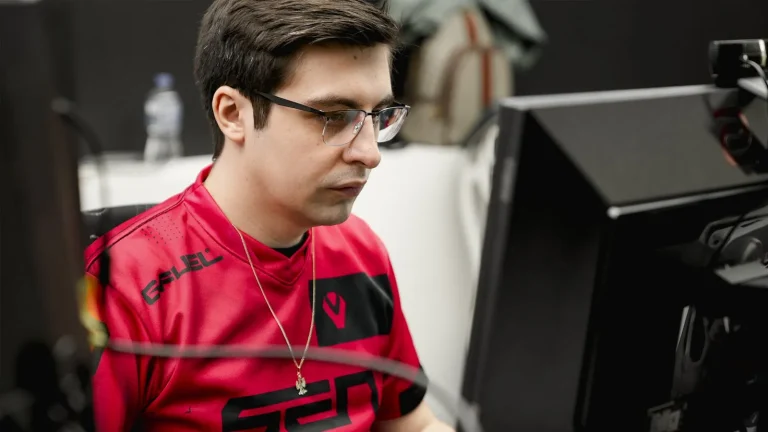
Michael “Shroud” Grzesiek, a prominent figure in the gaming community, has recently expressed a profound interest in establishing an esports organization dedicated exclusively to Marvel Rivals. This enthusiasm stems from his deep appreciation for the game, which he has been actively streaming during his ongoing “Fragathon” charity event.

During a recent broadcast, Shroud shared his thoughts on the game’s potential and his personal connection to it, stating,

“I might have to set a donation goal for this number to hit something, and I will make an org for Marvel Rivals only. I might be playing this game for the rest of my life. I genuinely might be playing this game for the rest of my life.”

This statement underscores his commitment to the game and hints at a future where he might channel his resources and expertise into fostering a competitive team within the Marvel Rivals esports scene.

Marvel Rivals, developed by NetEase Games, has rapidly gained traction in the gaming world. Within 72 hours of its release, the 6v6 hero shooter amassed over 10 million players globally, a number that doubled in just nine days. The game achieved a peak of 480,990 concurrent players on Steam on December 8, 2024, and as of January 6, 2025, it maintained over 330,000 concurrent players, solidifying its position as one of the most popular games on the platform.

The burgeoning popularity of Marvel Rivals has also caught the attention of the esports community. Twitch, a leading live streaming platform, recently hosted a $200,000 tournament, further cementing the game’s potential as a staple in competitive gaming.

Shroud’s contemplation of forming a dedicated esports organization for Marvel Rivals is not his first venture into the competitive gaming arena. In 2022, he made headlines by joining Sentinels’ Valorant roster, marking a significant return to professional esports. His extensive experience as a former professional Counter-Strike: Global Offensive player and a top-tier streamer positions him uniquely to influence and shape the competitive landscape of Marvel Rivals.

While Shroud’s remarks about creating a Marvel Rivals esports organization were made during a live stream and may have been partly in jest, the gaming community has responded with enthusiasm. Many fans are hopeful that his passion for the game will translate into tangible contributions to its competitive scene.

As Marvel Rivals continues to grow and attract a diverse player base, the involvement of high-profile figures like Shroud could play a pivotal role in its evolution within the esports domain. Whether or not Shroud actualizes his idea of forming a dedicated team, his endorsement of the game highlights its potential and the exciting future that lies ahead for its community.

Rank Shields in Valorant: How They Work and Tips to Use Them

0

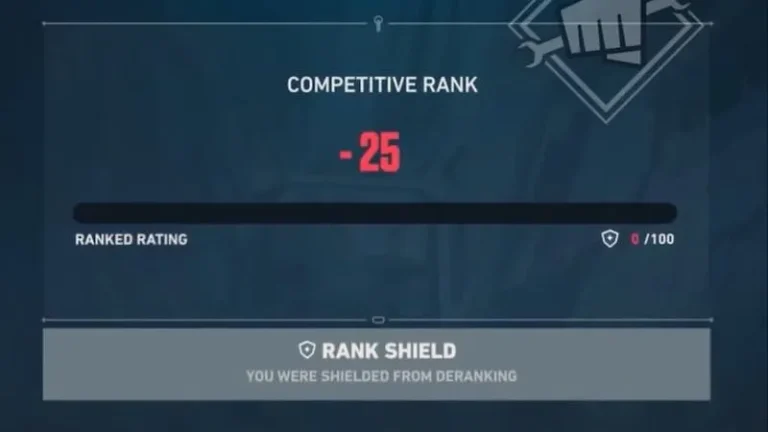
Ranked play in Valorant can be intense, with the fear of demotion often adding pressure to competitive matches. To alleviate this, Riot Games introduced Rank Shields in Patch 10.01, providing players with a safety net that helps protect their rank during rough patches. This guide explains how Rank Shields work and how you can use them to your advantage.

What Are Rank Shields in Valorant?

Rank Shields are a feature designed to prevent immediate demotion from tier-one ranks in Valorant. For example, players at Silver 1, Gold 1, or Platinum 1 can utilize these shields to avoid dropping to the next lower rank after losing critical matches. However, this protection is exclusive to tier-one ranks and does not apply to other divisions like Silver 2 or Gold 3. Radiant rank, which has no tiers, is also excluded.

How Do Rank Shields Work?

Here’s a breakdown of how Rank Shields function:

  1. Shield Allocation:
    • Players entering a tier-one rank are granted two Rank Shields upon promotion or after dropping from a higher tier.
  2. Shield Usage:
    • Losing a match with a Rank Shield will consume one shield, keeping the player at their current rank with zero rank rating (RR).
    • Players can lose up to two consecutive matches without demotion. On the third loss with no shields remaining, demotion occurs.
  3. Shield Replenishment:
    • Shields are replenished only after a promotion to a new rank or following a demotion. If players recover from zero RR without losing both shields, the shields will not regenerate.

How to Maximize the Benefits of Rank Shields

  • Plan Your Climb: Use the Rank Shields strategically to tackle challenging matches. They allow you to adapt to tougher competition without the fear of immediate rank loss.
  • Focus on Improvement: Treat the safety net as an opportunity to refine your skills under less pressure, aiming for consistent performance to secure a higher RR.
  • Monitor Shield Usage: Keep track of your shield count to avoid surprises, especially in high-stakes matches where losing could lead to demotion.

Impact of Rank Shields on Competitive Play

The introduction of Rank Shields marks a significant improvement for players at all levels. It reduces the punitive nature of demotion while maintaining competitiveness, especially for those striving to climb the ranked ladder.

Rank Shields in Valorant provide a much-needed buffer for players navigating the intense competition of ranked gameplay. By understanding how to use this feature effectively, you can climb the ranks more confidently without the looming fear of immediate demotion.

For the latest updates and tips, stay tuned to Valorant’s official channels and community forums.

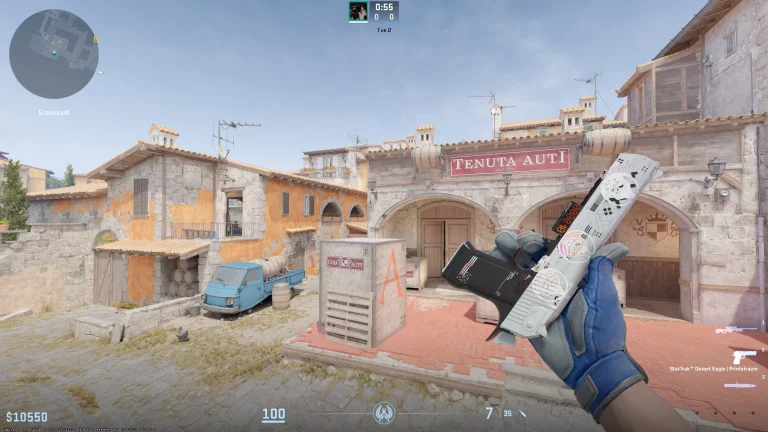
How to Inspect Skin in CS2?

Inspecting weapons in CS2 can be quite the fidgeting habit but it lets you view your hard-earned skins. Inspect animations induce a satisfying feel in a game that may otherwise feel stale when playing for long durations.

Default Keybind

  • Press the F key (or your custom “Inspect Weapon” key).
  • This will make your character hold the weapon and spin it slightly, allowing you to inspect it.

Customizing Keybind

  • Open the Settings menu.
  • Navigate to the Keyboard/Mouse section.
  • Look for the action labeled “Inspect Weapon” and set it to your preferred key.

Using Inspect in Buy Menu

  • During the buy phase, you can hover over a weapon in the buy menu and inspect it.
  • Right-click or click the inspect button (usually displayed in the UI).

Inspecting lets you take a while to appreciate your skins and doing it in-game might make you feel good about the purchases that you have made. Make sure you do not keep inspecting during gunfights as that may not be the brightest of ideas.

Biggest CS2 Transfers of 2025

After an amazing major in Shanghai, Counter-Strike is back for another season and as we head to the first LAN of 2025, let’s look at some of the biggest transfers that have come out of the rostermania.

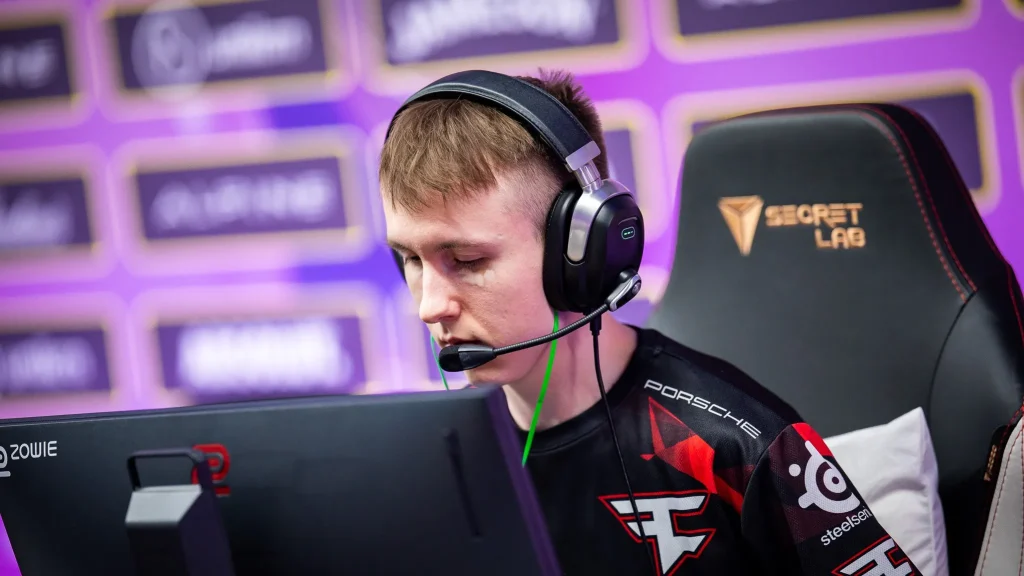
Ropz to Team Vitality

Ropz Set To Join Vitality CS2 Roster

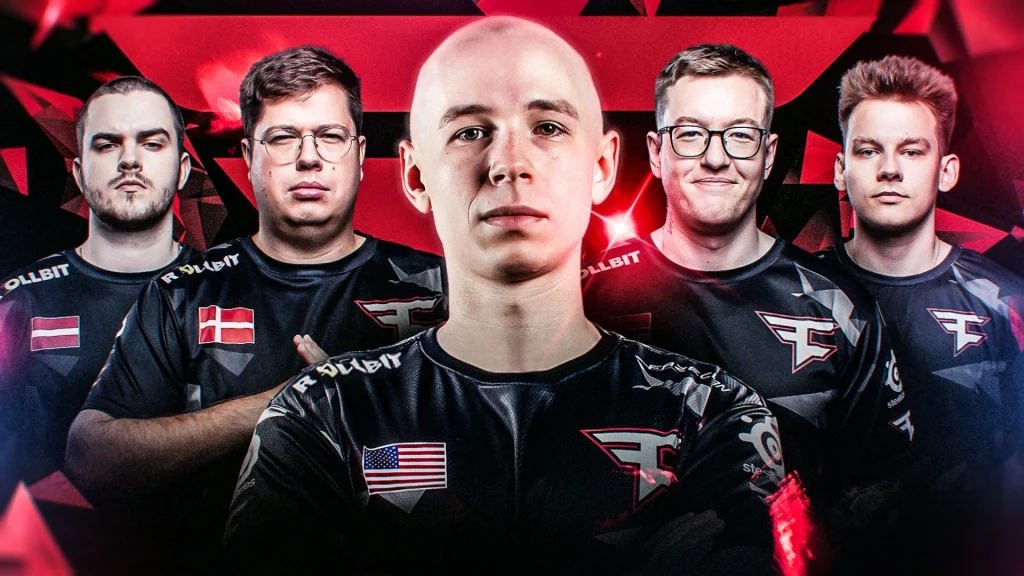
Following a stunning performance at the Shanghai Major, Robin ‘ropz’ Kool parted ways with FaZe Clan to join Vitality. According to reports, ropz disagreed with FaZe since the organization refused to add firepower to the team which has been lacking for most of 2024. These disagreements paved the way for ropz to join Team Vitality as they did not hesitate to add a player of his pedigree to the team.

EliGE to FaZe Clan

FaZe Round Out Thier Roster With EliGE

As an aftermath of Ropz’s move to Team Vitality, FaZe turned to EliGE. EliGE has been a top player for a long time and enjoyed his career high with Team Liquid but as North American CS fails to meet expectations, EliGE has taken up the opportunity to join FaZe Clan’s EU roster to previously enjoyed tremendous success with another NA star in Twistzz. Karrigan was clean with his desire for ELiGE and now that he has joined FaZe they will be a force to be reckoned with.

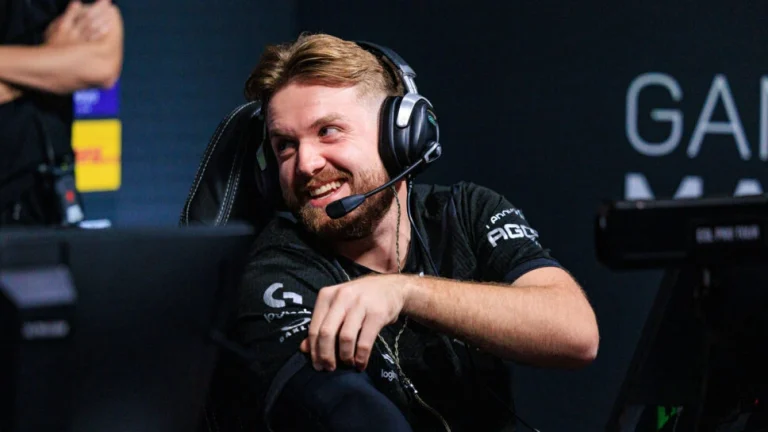
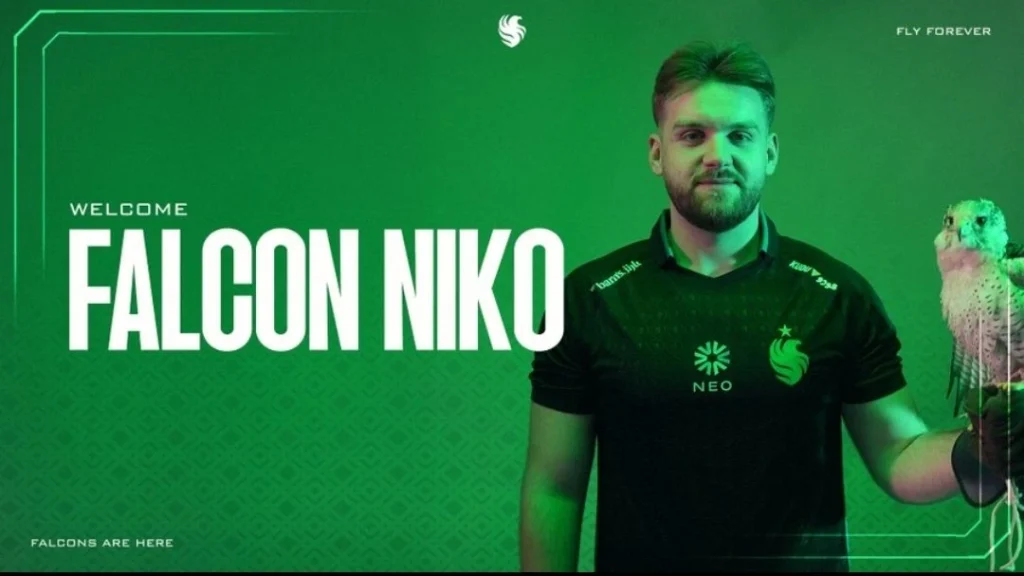
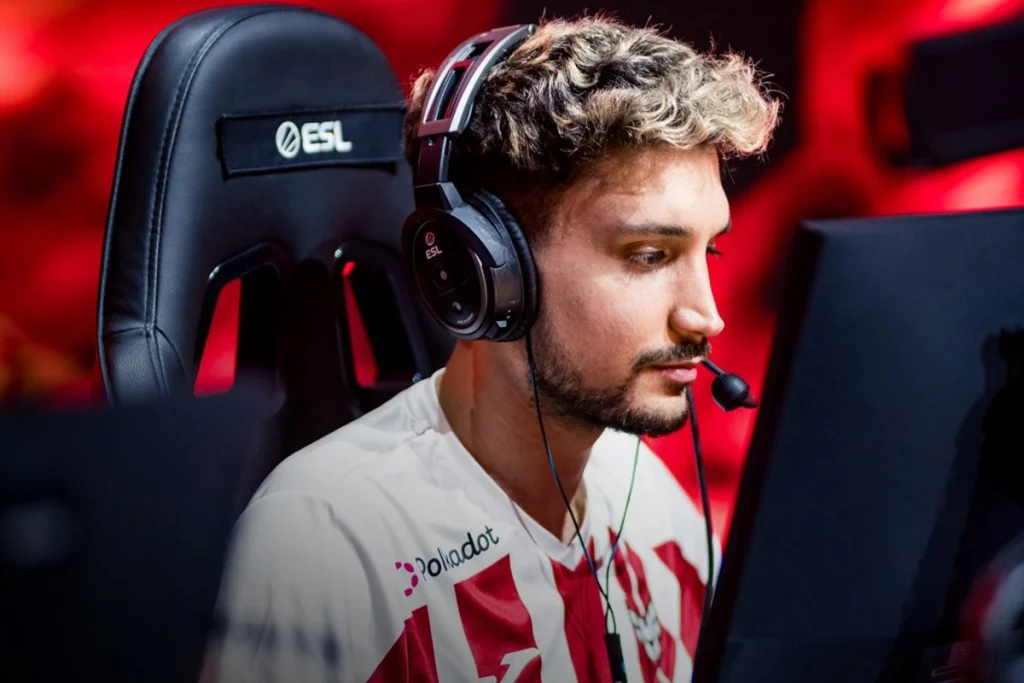
NiKo to Falcons

niko falcons

Falcons finally secured NiKo‘s signature after a year-long pursuit for the best rifler in the world. Falcon’s previous roster failed to meet any and all expectations, but they managed to retain magisk and round off the roster by singing Heroic’s trio. While NiKo did not get the superteam he was promised, NiKo’s pursuit of his Major will continue with degster, TeSes, kyxsan, and magisk.

HeavyGod to G2

G2 Looks for Cloud9's HeavyGod to Replace NiKo


G2 turned to the promising Israeli anchor in HeavyGod to replace the irreplaceable NiKo. Goes without saying that replacing NiKo will not be a one-man job as G2 as a team will have to cycle roles within the team to adapt in the absence of NiKo tactically. HeavyGod’s 2024 with Cloud9 may not have yielded the desired results, but it was clear that his performance would definitely put him on the wishlist of the top teams and G2 became the team to secure his signature.

Nertz to Liquid

Heroic Announces NertZ’s Departure Amid Major Roster Reshuffle

YEKINDAR’s departure from Liquid came as a surprise given he joined the team as one of the best entry fraggers in the world but as Liquid went through an overhaul, he found himself losing his place in the team under the leadership of Twistzz. Heroic performing poorly at the top events made Nertz performance go under the radar but his move will likely be one of the standout signings for Liquid as his playstyle fits right into their tactical approach heading into 2025.

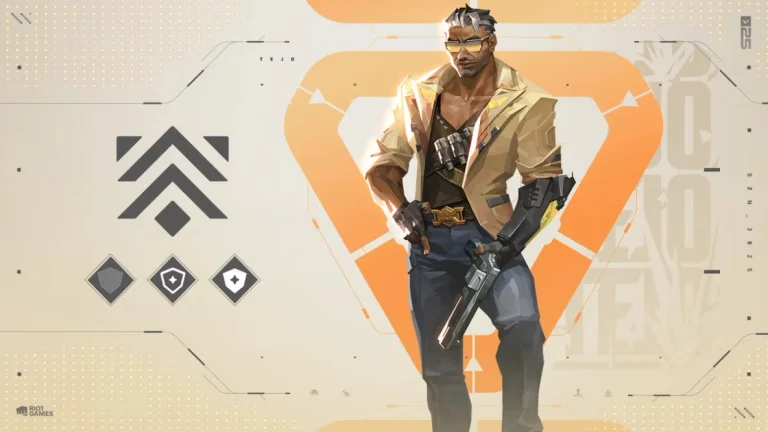
Valorant 10.01 Patch Notes: Tejo Fixes, Rank Shield & More

0

With VALORANT Patch 10.1 on the horizon, players can anticipate a series of refinements to the competitive experience. While not a major overhaul, this update introduces a crucial new feature alongside several bug fixes designed to maintain a balanced and enjoyable meta.

As promised with the launch of Act One in V25, Riot Games has integrated Rank Shields into the competitive mode. This welcome addition provides a safety net for players in the first tier of each rank (excluding Radiant). Players are now granted two shields that activate when their Rank Rating (RR) reaches zero, preventing immediate demotion to the lower rank after a single loss.  

It’s important to note that Rank Shields are exclusive to the first tier of each rank and are not applicable to Radiant. Players automatically receive two shields upon promotion or demotion into the first tier of any rank. Furthermore, the shields do not regenerate after a win at zero RR. Thus, if a player utilizes a shield to prevent demotion and subsequently wins a match, increasing their RR, they will only have a single shield remaining for future protection at zero RR.

Without wasting time, let’s check out the official Valorant 10.01 patch notes:

ALL PLATFORMS

COMPETITIVE UPDATES

  • Rank Shields have been added to Competitive Mode!
    • You are granted two Rank Shields while in Tier 1 (e.g. Silver 1, Gold 1, Platinum 1) of all Ranks except Radiant.
      • When you lose a game at 0 RR, one shield is consumed, leaving you with one shield remaining.
      • Losing again at 0 RR consumes the second shield, leaving you with zero shields remaining.
      • If you lose three games while at 0 RR, you demote to the lower rank (e.g. Gold 1 to Silver 3).
    • You do not have shields in the other tiers of a Rank (e.g. There are no shields when losing at 0 RR in Gold 2).
    • Only when you move into Tier 1 via promotion or demotion, will you replenish two shields for that tier.
      • Winning at 0 RR and going back to 10 RR will not replenish your shields.
  • You can see all information about Rank Shields in the Rank Details screen in the client!

BUG FIXES

  • Agents 
    • Tejo
      • Fixed an issue where players who exited then re-entered Tejo’s Armageddon blast zone do not count as Displaced in the Combat Report.
      • Fixed an issue where Tejo’s Guided Salvo projectile would get stuck inside the wall when cast towards a path blocked by Sage’s Barrier Orb.
      • Fixed an issue where Tejo’s Stealth Drone affected by Nearsight could see Enemy Players’ model outline at certain distances.
      • Improved an issue where Tejo’s Guided Salvo smoke trail VFX could clip through thin walls and structures once cast.
      • Fixed an issue where Tejo’s Stealth Drone is slowed outside the AOE of Sage’s Slow Orb.
      • Fixed an issue where Tejo’s Guided Salvo missile visuals are set to draw as a Cylinder instead of Sphere, showing an incorrect damage zone.
      • Fixed an issue where Tejo’s Artillery Missile loses functionality and appears as stuck if he cast it while being outside of the map.
      • Fixed an issue where Tejo’s Guided Salvo damages players on elevation without showing a warning indicator.
  • Maps
    • Bind
      • Fixed an issue where invisible collision would sometimes impede agent utility inside one of the teleporter rooms. 

PC ONLY

BUG FIXES

  • Premier
    • Fixed an issue where there were inconsistent font sizes on the Change Zone and the Delete Team pop-up screens in Premier.
    • Fixed an issue where Premier matches in match history did not show a mode tooltip when you hovered over them.
    • Fixed an issue where the ineligibility warning tooltip in the lobby was very hard to trigger.

CONSOLE ONLY

BUG FIXES 

  • Competitive Systems
    • Fixed a bug where the queue timer overlaps with a portion of the Leaderboard page.

How to Find the Erangel Secret Basement Key In PUBG?

Erangel, the iconic map of PUBG: Battlegrounds, harbors a clandestine network of “Secret Rooms” – hidden chambers promising a trove of high-tier loot. However, access to these coveted locations is strictly guarded, requiring a specialized key.

Before we delve into the intricacies of acquiring the key, let’s explore the nature of these enigmatic rooms. Concealed beneath the surface, Secret Rooms are accessed by breaching wooden entrances. While they offer a tantalizing prospect of superior loot compared to standard locations, players shouldn’t expect guaranteed tier-three gear or crate drops.

How do you find the Erangel Secret Basement Key in PUBG?

The gateway to these hidden vaults is the aptly named “Secret Room Key,” or as some players affectionately call it, the “Basement Key.” To gain entry, players must first breach the wooden barrier using firearms or explosives. However, this act is not without its risks, as the sound of the breach can alert nearby enemies.

Unlike the rooms themselves, Secret Room Keys are distributed randomly throughout the map as global loot. Acquiring one is purely a matter of chance. To increase your odds, consider dropping into high-traffic areas such as Pochinki, the Military Base, or Georgopol, where the likelihood of encountering a key early in the match is significantly higher.

Erangel Secret Basement Key In PUBG
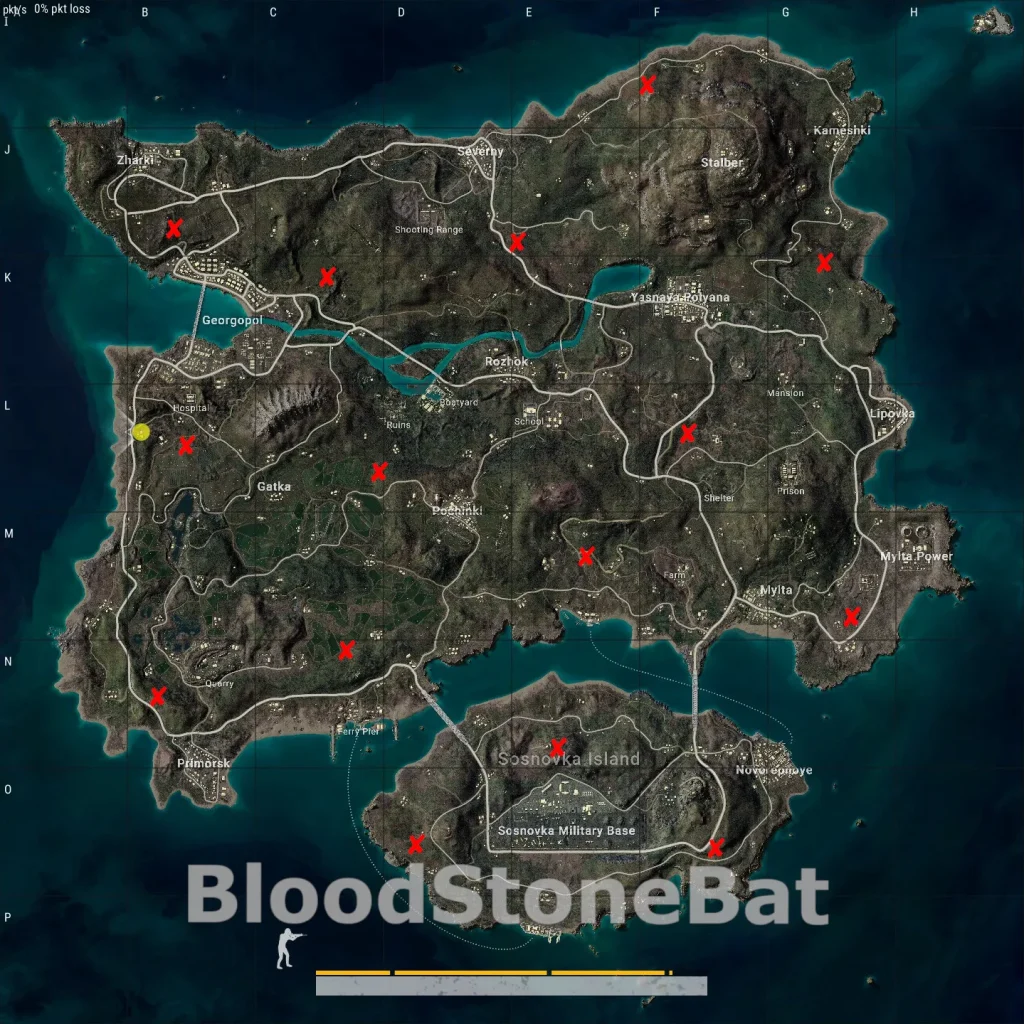
Erangel Secret Basement Key Locations In PUBG
(Image Via: BloodStoneBat )

To assist in your exploration, a helpful map created by Steam user BloodStoneBat highlights the locations of all 15 Secret Rooms on Erangel. It’s crucial to remember that most of these rooms are situated near popular drop zones, making them prime targets for opportunistic enemy squads.

How to Download BGMI for Mac: A Stepwise Guide

0

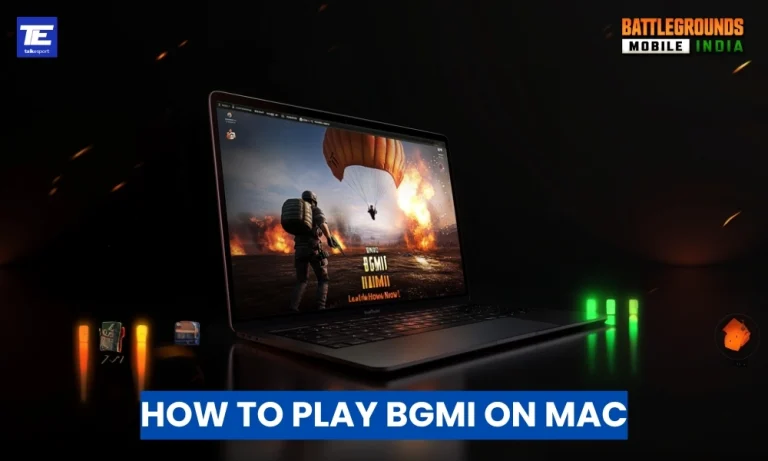
Battlegrounds Mobile India (BGMI) is a leading battle royale game loved by millions. While there’s no native macOS version, Mac users can still experience BGMI through reliable alternatives. From Android emulators and cloud gaming services to virtualization software, this comprehensive guide will help you play BGMI for Mac effortlessly while ensuring an optimal gaming experience.

Top 3 Ways to Play BGMI for Mac

Below, we explore the top 3 ways to play BGMI on Mac along with their benefits and other considerations:

1. Using Android Emulators for BGMI on Mac

Android emulators simulate an Android environment on macOS, enabling BGMI gameplay. Two of the most popular emulators for Mac are BlueStacks and NoxPlayer. These tools are ideal for recreating a mobile gaming experience on your Mac.

Steps to Play BGMI for Mac via BlueStacks:

  1. Download BlueStacks: Visit the official BlueStacks website and download the macOS version.
  2. Install BlueStacks: Follow the installation prompts to set up BlueStacks on your Mac.
  3. Set Up Google Play Store: Open BlueStacks, sign in with your Google account, and access the Play Store.
  4. Install BGMI: Search for “Battlegrounds Mobile India,” download, and install it.
  5. Configure Controls: Customize key mappings and settings for the best experience.

Benefits of Emulators:

  • Familiar Gameplay: Android emulators replicate the mobile interface, ensuring a seamless transition for mobile gamers.
  • Personalization: Emulators offer control customization and performance tweaks to enhance gameplay.

Considerations:

  • Performance Demands: Emulators can be resource-heavy, affecting performance on older Mac models.
  • Stability Issues: Occasional glitches or crashes may occur during gameplay.

2. Cloud Gaming Services for BGMI on Mac

Cloud gaming platforms offer a hassle-free way to play BGMI on Mac without downloads or installations. BlueStacks X is a notable cloud gaming solution that supports Android-based games.

Steps to Play BGMI for Mac via Cloud Gaming:

  1. Access BlueStacks X: Visit the BlueStacks X website.
  2. Sign In: Log in or create a BlueStacks account.
  3. Search for BGMI: Locate “Battlegrounds Mobile India” in the platform’s game library.
  4. Start Playing: Launch the game directly in your browser.

Benefits of Cloud Gaming:

  • Instant Access: Play BGMI without downloading large files or occupying storage.
  • Minimal Hardware Dependency: Gameplay performance depends on internet speed rather than your Mac’s specifications.

Considerations:

  • Internet Reliance: A stable and high-speed connection is essential for lag-free gameplay.
  • Subscription Costs: Some cloud gaming services may require a paid subscription.

3. Virtualization Software for BGMI on Mac

Parallels Desktop is a powerful virtualization tool that allows you to run a Windows environment on macOS. By installing a Windows-compatible Android emulator like BlueStacks within Parallels, you can enjoy BGMI seamlessly.

Steps to Play BGMI for Mac via Parallels Desktop:

  1. Install Parallels Desktop: Download and install Parallels from their official website.
  2. Set Up Windows: Create a virtual machine and install Windows on your Mac.
  3. Install an Android Emulator: Within Windows, install BlueStacks or NoxPlayer.
  4. Download BGMI: Use the emulator to install and play BGMI.

Benefits of Virtualization:

  • Versatility: Run Windows applications alongside macOS without switching devices.
  • Comprehensive Solution: Access other Windows-exclusive programs while gaming.

Considerations:

  • Cost: Parallels Desktop and a Windows license may involve additional expenses.
  • System Strain: Running a virtual machine can demand significant system resources.

Stay ahead in the world of esports with the TalkEsport app! Download now to get instant access to the latest news, live points tables, comprehensive esports calendars, and live streams of your favorite tournaments. Don’t miss out—get the app today