Monday, April 27, 2026
Home Blog Page 289

Does Free Fire Support 120 FPS? Mobile and Emulator Insights

0

As of January 24, 2025, Free Fire does not support 120 FPS (frames per second) on mobile devices. The game is designed to run at a maximum of 60 FPS on smartphones. This limitation ensures compatibility across a wide range of devices, including those with lower hardware specifications.

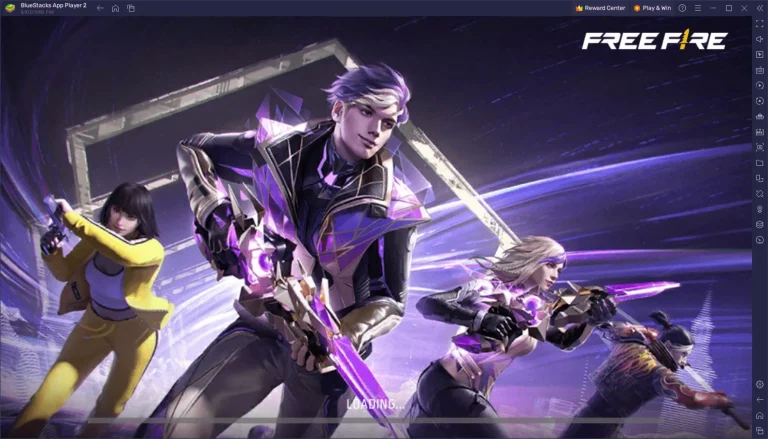
However, players seeking a higher frame rate can achieve up to 120 FPS by playing Free Fire on a PC using Android emulators like BlueStacks. BlueStacks, a popular Android app player for PC, has introduced support for 120 FPS gaming in Free Fire.

This feature is available when running the game on an Android 11 instance within the emulator. To enable this, users need to adjust the performance settings in BlueStacks, allocating sufficient CPU cores and RAM, and activating the high frame rate option. This setup allows for a smoother and more responsive gaming experience on PC.
Is Free Fire a Cartoon Game?
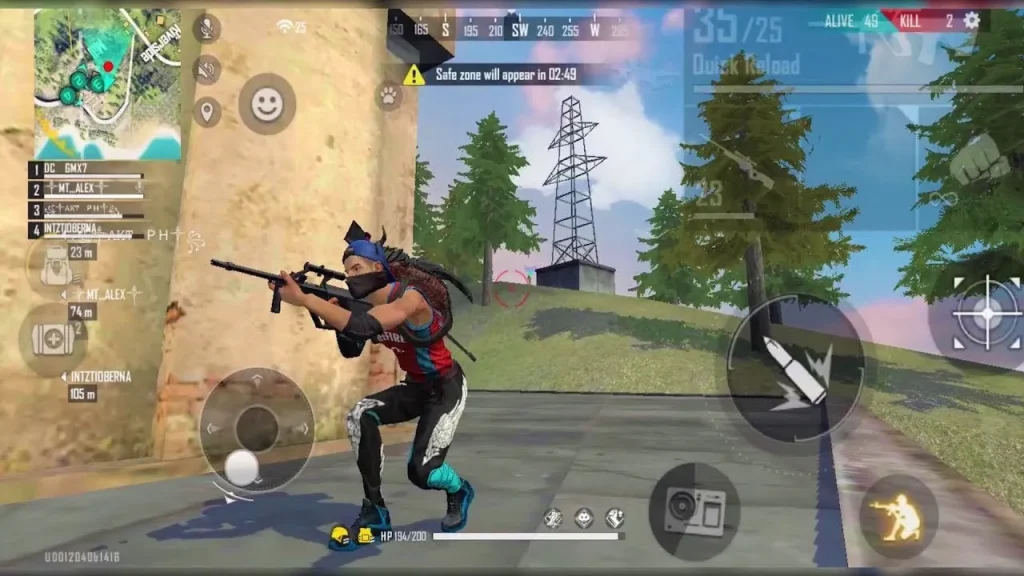
Is Free Fire a Cartoon Game? (Image Via Garena)

It’s important to note that while emulators can enhance performance, they require a PC with adequate hardware capabilities to handle the increased demands of higher frame rates. Additionally, using emulators may be subject to the game’s terms of service, and players should ensure compliance to avoid potential issues.

For mobile gamers, achieving higher FPS in Free Fire is limited by the game’s design and the hardware capabilities of their devices. Some high-end smartphones with advanced displays and processors may offer smoother gameplay, but they are still capped at 60 FPS due to the game’s current limitations.

Also Read: Is Free Fire A Cartoon Game?

Players can optimize their gaming experience by adjusting in-game settings, such as lowering graphics quality and closing background applications, to maintain a stable frame rate.

While Free Fire does not support 120 FPS on mobile devices, players can experience higher frame rates by using PC emulators like BlueStacks. Mobile gamers are encouraged to optimize their device settings to achieve the best possible performance within the current 60 FPS limitation.

For a visual guide on how to run Free Fire at 120 FPS using BlueStacks, you can watch the following video:
Does Free Fire Support LGBTQ? Here’s What We Know

0

Many players wonder if Free Fire supports the LGBTQ community. The answer is not straightforward. While Free Fire does not explicitly promote LGBTQ themes, it does have inclusive features that appeal to a diverse audience.

What is Free Fire?

Free Fire is a popular battle royale game developed by Garena. It features 50 players who parachute onto an island and fight to be the last one standing. The game is known for its colorful graphics and fast-paced action.

Inclusive Features

Free Fire offers a variety of character skins and outfits that allow players to express themselves. The game does not exclude LGBTQ players and provides options for gender expression through clothing styles. This inclusivity is a step towards creating a welcoming environment for all players.

Global Audience

Free Fire has a global player base, and the game is designed to be enjoyed by people from different cultures and backgrounds. While some regions may have stricter views on LGBTQ issues, the game itself does not make any statements that would exclude LGBTQ players.

Community Support

The Free Fire community has unofficial LGBTQ groups and guilds within the game. These groups provide a space for LGBTQ players to connect and support each other. While the game itself does not officially endorse these groups, their presence shows that the community is inclusive.

Developer Stance

Garena, the developer of Free Fire, has not made an official statement about supporting LGBTQ rights. However, the game’s inclusive features and global audience suggest that it is open to players from all backgrounds. Garena avoids making a clear stance on LGBTQ issues to respect the sentiments of all communities.

While Free Fire does not explicitly support LGBTQ themes, its inclusive features and global audience make it a game for everyone. The presence of unofficial LGBTQ groups within the community shows that the game is welcoming to all players. Garena’s neutral stance on LGBTQ issues allows the game to be enjoyed by a diverse audience.

Does Free Fire Support LGBTQ Players? Here’s What We Know

Is Free Fire a Cartoon Game?

0

Many players wonder if Free Fire is a cartoon game. The answer is no, Free Fire is not a cartoon game. It is a popular battle royale mobile game developed by Garena. However, the game does feature cartoon-like graphics and vibrant visuals that give it a fun and lively appearance.

What is Free Fire?

Free Fire is a battle royale game where 50 players parachute onto an island and fight to be the last one standing. The game features stunning graphics, fast-paced action, and a variety of weapons and items to help players survive and win.

Why Does Free Fire Look Like a Cartoon?

Free Fire’s graphics are designed to be colorful and vibrant to create an engaging and exciting experience for players. The game uses a cartoon-like art style to make the characters and environments more appealing and fun. This style helps to differentiate Free Fire from other battle royale games and gives it a unique look.

Features of Free Fire

Free Fire offers a range of features that make it a popular choice among players:

  • Battle Royale Mode: The main mode where 50 players compete to be the last one standing.
  • Character Skins: Players can customize their characters with different skins and outfits.
  • Weapons and Items: A variety of weapons and items are available for players to use during the game.
  • Events and Updates: Regular updates and events keep the game fresh and exciting.

Free Fire MAX

Free Fire MAX is an enhanced version of the game with improved graphics, smoother gameplay, and additional features. It offers a more immersive experience for players and is available on both iOS and Android devices.

While Free Fire is not a cartoon game, its vibrant and cartoon-like graphics give it a unique and appealing look. The game’s fun and lively appearance, combined with its exciting gameplay, makes it a popular choice among players. Whether you’re a fan of battle royale games or just looking for a fun mobile game, Free Fire is worth checking out.

5 Best Wireless Gaming Headphones of 2025 for Every Budget

0

In the dynamic world of gaming, a high-quality headset is essential for immersive play and clear communication. As of January 2025, here are the top wireless gaming headsets that cater to various preferences and budgets:

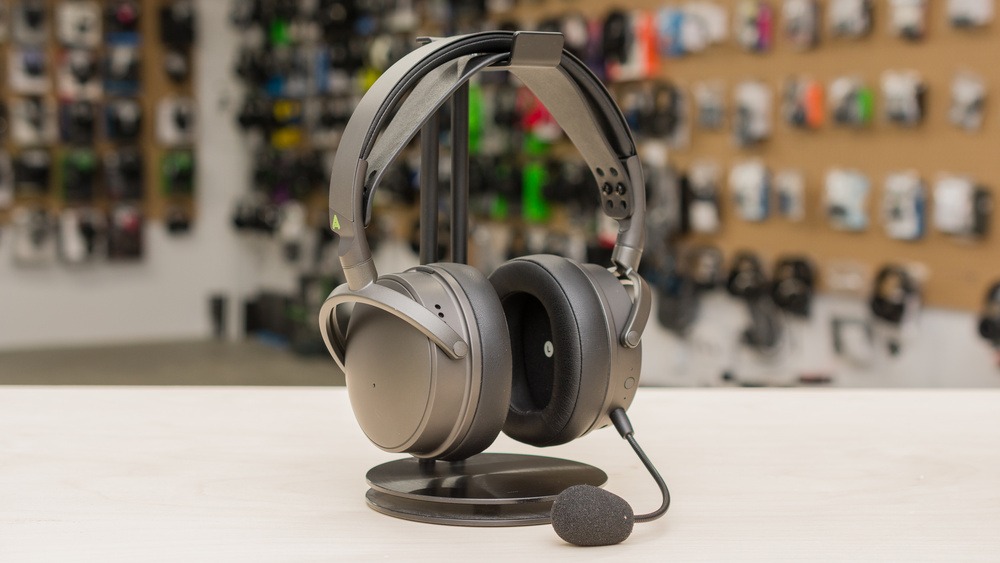
1. Audeze Maxwell Wireless

Renowned for its exceptional audio fidelity, the Audeze Maxwell Wireless headset features planar magnetic drivers, delivering rich and detailed soundscapes. Its robust build ensures durability, and the comfortable design allows for extended gaming sessions without discomfort. While on the higher end of the price spectrum, its performance justifies the investment.

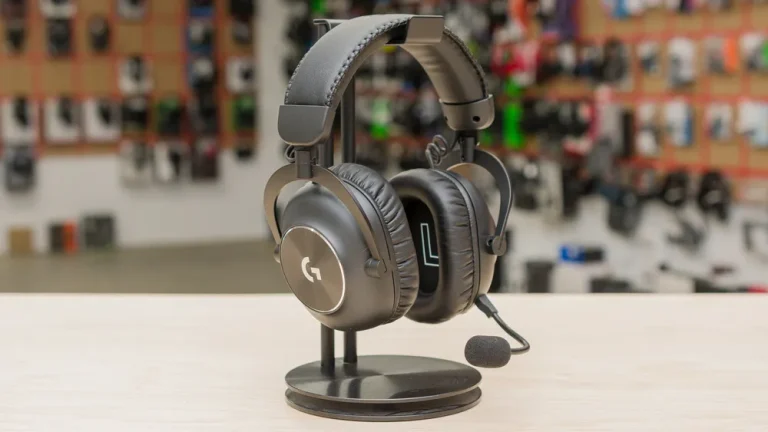
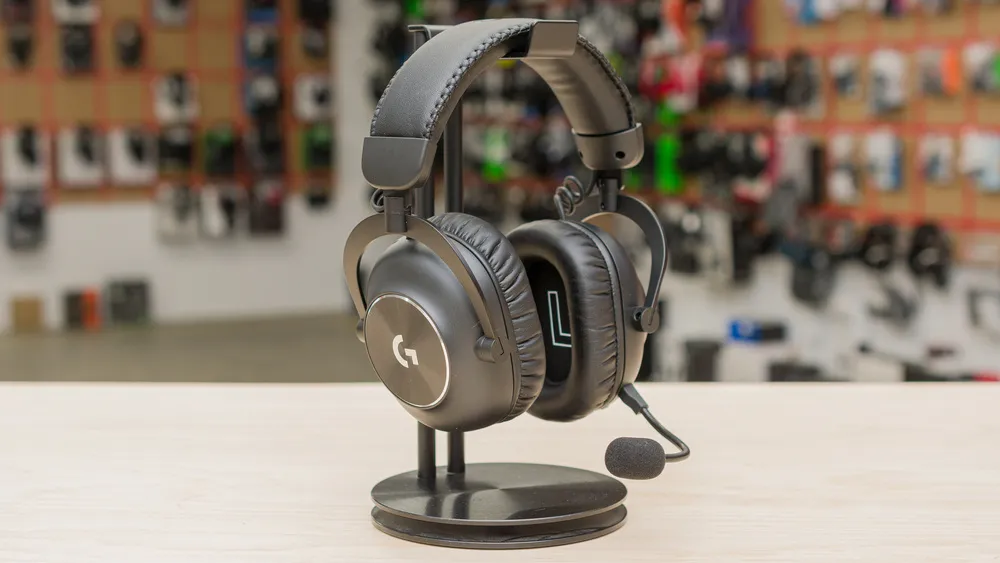
2. Logitech G PRO X 2 LIGHTSPEED Wireless

5 Best Wireless Gaming Headphones of 2025 for Every Budget
5 Best Wireless Gaming Headphones of 2025 for Every Budget (Image Via Logitech)

Designed with PC gamers in mind, the Logitech G PRO X 2 LIGHTSPEED Wireless headset offers low latency and nearly 100 hours of continuous battery life, minimizing the need for frequent recharging. Its neutral default sound can be customized using the PC companion software’s EQ and presets, allowing users to tailor the audio to their liking.

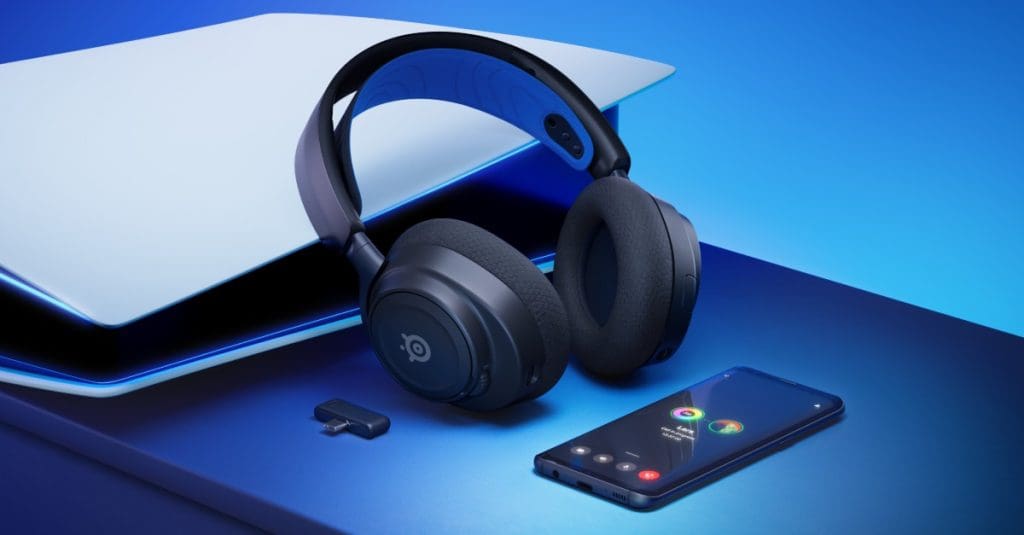
3. SteelSeries Arctis Nova 7 Wireless

For those seeking a mid-range option, the SteelSeries Arctis Nova 7 Wireless headset provides a bass-heavy sound profile that enhances in-game effects like footsteps and explosions. Its comfortable fit and customizable sound settings make it a versatile choice for various gaming genres.

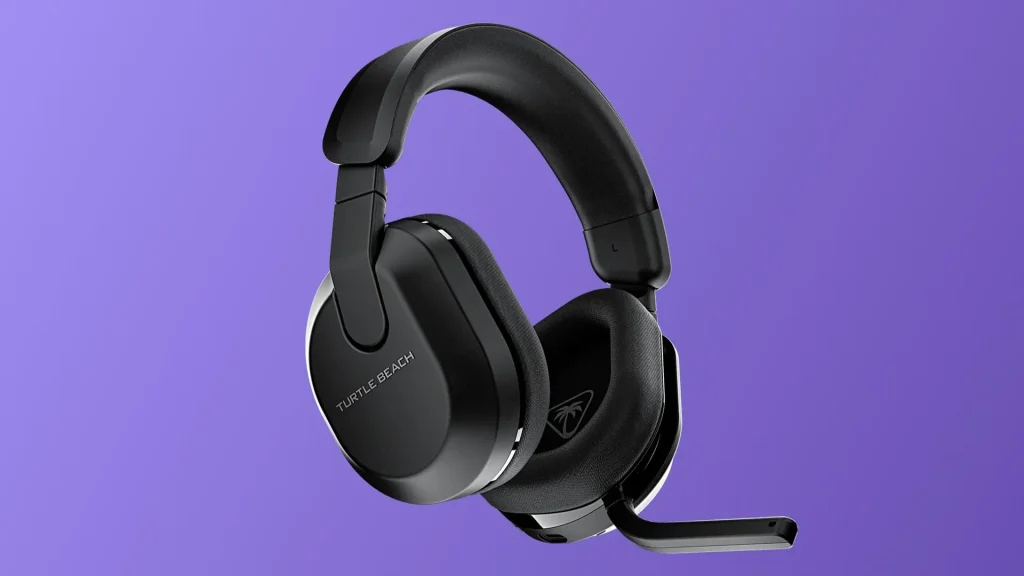
4. Turtle Beach Stealth 600 (Gen 3) Wireless

Turtle Beach Stealth 600 (Gen 3) Wireless (Image Via IGN)

Budget-conscious gamers will appreciate the Turtle Beach Stealth 600 (Gen 3) Wireless headset. These comfortable over-ears offer low latency via a USB dongle, ensuring synchronized audio and visuals during gameplay. With an impressive 85 hours of continuous battery life and an auto-off timer to conserve power, it’s a reliable choice for extended gaming sessions.

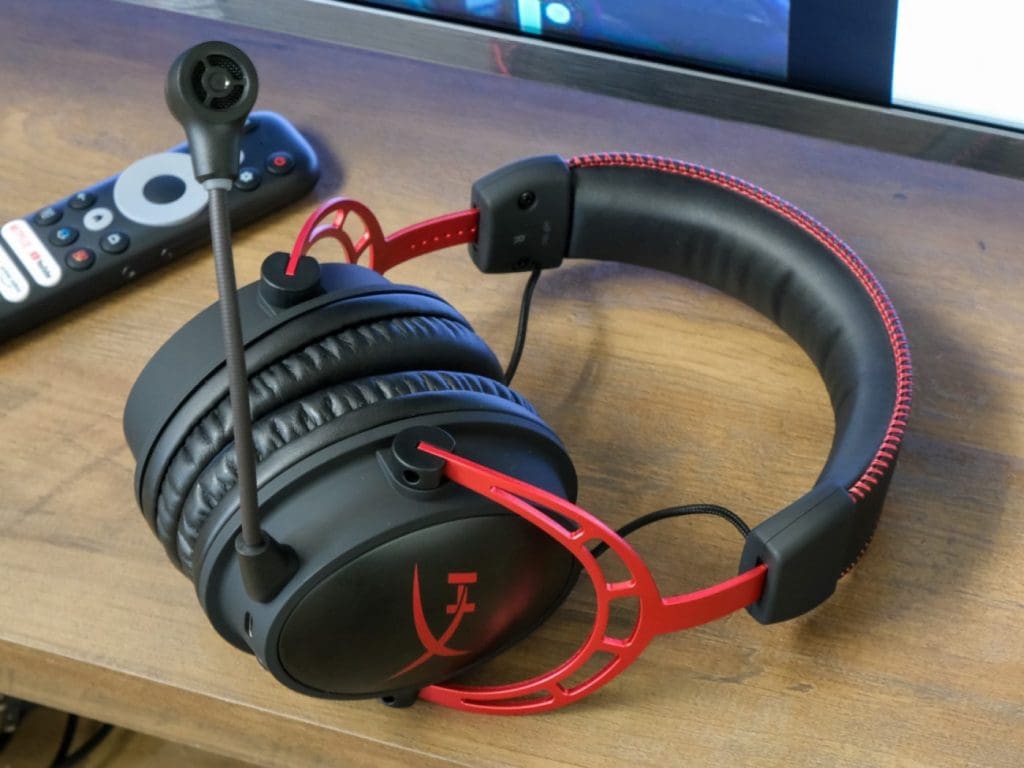
5. HyperX Cloud Alpha Wireless

HyperX Cloud Alpha Wireless

The HyperX Cloud Alpha Wireless headset stands out with its extraordinary 300-hour battery life, allowing gamers to play for days without needing a recharge. It delivers precise and powerful audio, enhancing both gaming and music experiences. The comfortable design ensures it remains a favorite among gamers.

When selecting a wireless gaming headset, consider factors such as audio quality, comfort, battery life, and compatibility with your gaming platform. The options listed above cater to a range of preferences and budgets, ensuring there’s a suitable choice for every gamer.

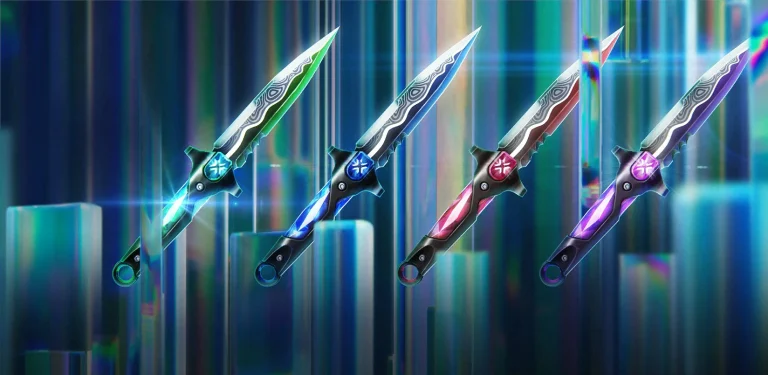
The Top 5 Best Knife Skins in Valorant

Valorant is pretty well-known within the FPS gaming community for its unique Agent abilities and gunplay mechanics, but another important aspect of the shooter that sets it apart from its competitors is its bright and colorful skin designs.

With every skin bundle, Riot Games introduces a fresh new look to the various weapons on Valorant. Most Valorant skin collections feature a unique theme with vibrant VFX, SFX, and finishers, making them highly desirable among players. These elements not only enhance the visual appeal of the guns but also allow players to express themselves better on the battlefield.

While weapon skins have their own charm, the most sought-after cosmetics in Valorant are, in fact, the melee skins. For the same reason, knife skins consistently carry the highest price tag in every skin bundle that Riot adds to the game.

Best Knife Skins in Valorant

Not every knife skin in Valorant is created equal, with certain skins outshining others in terms of looks, animations, and sound effects.

If you’re in the market for a new knife skin in Valorant, we have you covered. In fact, we have formulated a list of the top 5 best knife skins that you can use in Valorant.

Our selection is based on designs that not only stand out on the battlefield, but also boast cool animations and are satisfying to use in-game. We’ve also refrained from including any limited-time times like the Champions knives or the Arcane Melee. All the skins mentioned in the list have a chance of appearing in your store.

Top 5 Knife Skins in Valorant

Without further ado, let’s check out the list of the top 5 knife skins in Valorant:

Reaver Karambit

It’s hard to kick off a list of the best Valorant knife without mentioning the Reaver Karambit. It’s one of the most beloved knives in the Valorant community, and for good reason. Featuring a sleek look and amazing animations, it’s safe to say that the Reaver Karambit is one of the most satisfying knives to use in Valorant.

Waveform

If you’ve ever wanted to listen to music while rotating between the bombsites, look no further than the Waveform melee. Designed in collaboration with musician Zedd, the Waveform is one of the only two melee skins in Valorant that plays music when you inspect it, making it an ideal choice for all the melomaniacs out there.

Equilibrium

If you want a good-looking melee skin in Valorant without breaking the bank, the Equilibrium melee should be a great pick for you. Don’t let its beautiful animations fool you—priced at just 2,550 VP, the Equilibrium is one of the most affordable knives in the game.

Black.Market Butterfly Knife

This one might not be for everyone, but if you’re looking to stand out from the sea of bright and colorful knives in Valorant, the Black.Market Butterfly Knife is an excellent choice. Featuring a minimalistic design and being somewhat reminiscent of the butterfly knives in Counter-Strike, it provides an understated look for players who prefer a more subtle style.

Araxys Bio-Atomizers

Despite being one of the recent additions to the game, the Araxys Bio-Atomizers have quickly become a fan-favorite within the Valorant community. Priced at 5,350 VP, it’s one of the most expensive knives in the game, but it offers plenty for players willing to make the purchase.

And that wraps up our list of the top 5 knife skins in Valorant. Note that the choice of Valorant skins is ultimately subjective, and if you’re looking to buy a knife, you should select a skin based on your personal preference and self-satisfaction. Feel free to take your time to explore other skins before making your final decision.

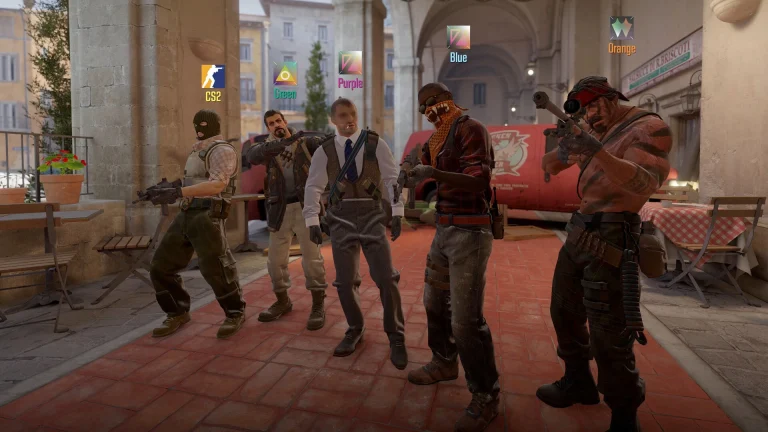
How to Play On Community Servers in CS2?

Community Server is a crucial element of Counter-Strike 2. The more experienced you get in the game, you will find more reasons to join a server. There are a host of different community servers that serve different purposes and while new players mostly stick to Valve servers, it might be worth their while to maximize the potential of the game by exploring said servers.

Community servers provide customized Game modes, exclusive anti-cheat systems, friendly 10-man matches, and many more. Players often turn to Faceit to play competitive matches which count under Community Servers or use 3rd party FFA deathmatch servers that run endlessly allowing players to warm up in whatever way they feel like.

To join a Counter-Strike 2 (CS2) community server, follow these steps:

1. Launch CS2

  • Open Steam and launch Counter-Strike 2.

2. Open the Console

  • Enable Developer Console if it isn’t already enabled:
    1. Go to the game Settings (gear icon).
    2. Navigate to Game Settings and look for Enable Developer Console (~).
    3. Set it to Yes.
  • Open the console by pressing the ~ key on your keyboard.

3. Find a Community Server

  • Organizations like Faceit will provide you with an IP, so unless you have one, read through or skip to step 4.
  • Go to community server browsers search for the kind of server you are looking for and hit connect when you find a desired one.

4. Connect to the Server

  • In the console, type: connect [IP:Port] Example:connect 192.168.1.1:27015 Then press Enter to connect.

Several community servers have their items loaded into the map which might download 3rd party items so do not be scared to see them. Let the map load and enjoy once you are spawned in the game.

New Indestructible Cypher Trips Bug Found in Valorant

0

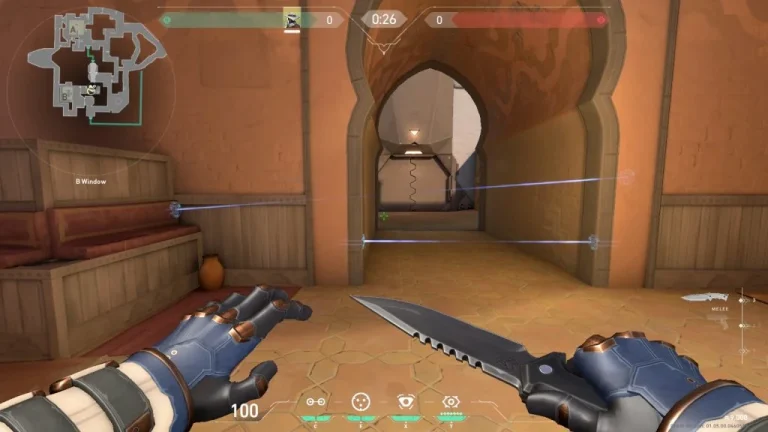
Only a couple of months have passed since Cypher received some major nerfs in Valorant patch 9.10, and the Moroccan Sentinel has once again found himself hitting the headlines as players discovered a game-breaking bug that rendered his trips indestructible to certain Agent abilities.

The new Cypher trip bug enables him to place his trip in certain parts of maps to make them completely indestructible from Agent abilities like Sova’s Shock Bolts or Raze’s Paint Shells.

While the trips can be destroyed with guns, they can still put the Attacking team at a massive disadvantage when they are executing on a site.

So what is this new indestructible Cypher trip bug, and how does it work? Let’s find out.

Valorant Episode 10 Indestructible Cypher Trips Bug Explained

The game-breaking Cypher bug was first brought to light by analyst ‘hoverboarD’ in an X (formerly Twitter) post.

The attached video showcases the indestructible Cypher trips in action.

In the video, we can see that the Sova shock darts are unable to break the Cypher trips when they are placed on the orange boxes on Fracture.

These indestructible trips can also be replicated on the orange boxes located on the B-site of Pearl.

In addition to Sova’s shock darts, these trips cannot be destroyed by Raze’s utility like Paint Shells or Blast Pack. However, Jett and Neon can still break them with their ultimates.

So if you see a Cypher on your enemy team in your future ranked games, take extra caution when heading into sites, even if you feel like your Sova has cleared trips with their darts.

Needless to say, the Valorant community is urging Riot to fix this issue as soon as possible.

Is CS2 Cross Platform?

Counter-Strike 2 brought a host of new elements to CS:GO without changing the fundamentals which would retain the player base while giving an improved experience to keep up with its competitors in 2024.

Ever since its inception, Counter-Strike has been limited to PC and PC only which led many to believe that CS2 might get a console variant allowing players to play across platforms but sadly it isn’t the case. Like all its previous iterations, CS2 is for PC gamers only.

Now many may wonder why the developers did not let the game enter the waters of Nintendo, PlayStation, and Xbox but there are very solid reasons for them the keep the game restricted to users of a single platform.

The success of CS2 remains largely connected to its thriving esports scene which has been building around the PC version for ages. Expanding to other platforms will bring a host of issues along with competitive integrity and input device mechanic issues.

Other FPS like CoD or Apex Legends have a seamless console experience but for the same to happen for CS2 poses serious challenges. The biggest one is that CS2 players largely prefer PC given the difficult-to-master mechanics of the game sit better with mouse and keyboard which may not translate well when playing on a console.

Neither has Valve announced a version for other platforms nor has it expressed its desire to release one in the future. While this may sound displeasing for console gamers, it is important for Valve to keep the game limited to PC for its benefits.

Bee Masters Simulator Codes for January 2025

0

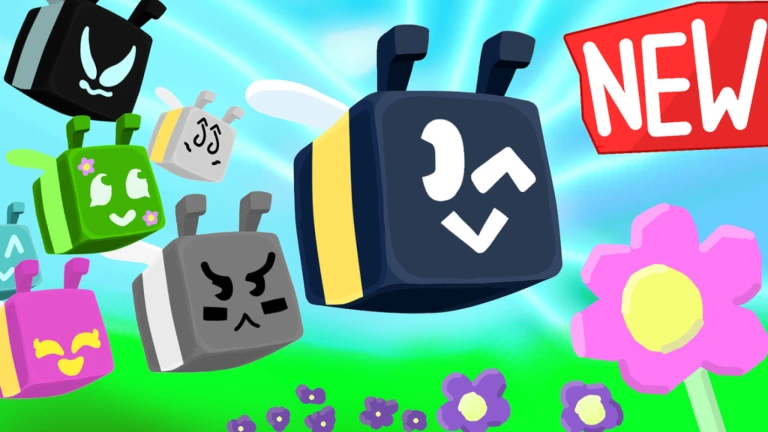
Roblox‘s popular game Bee Masters Simulator invites players on a honey-gathering adventure, commanding a bustling bee army to unlock a treasure trove of rare eggs. However, the pursuit of the most coveted eggs often necessitates the acquisition of Robux, the in-game currency.

To help you sweeten the deal, we’ve compiled a list of active Bee Masters Simulator codes that grant you free Robux tokens.

Bee Masters Simulator Codes for January 2025

  • PLUHHH
  • SORRY50TIMES

How to Redeem Bee Masters Simulator Codes?

Redeeming codes in Bee Masters Simulator is as straightforward as harvesting honey from a blooming flower. Follow these simple steps:

  • Click “Redeem” and then confirm your selection by clicking “Yes” to claim your well-deserved rewards.
  • Launch Bee Masters Simulator within the Roblox application.
  • Locate and click the “Cod_” icon situated on the left-hand side of your screen.
  • In the designated text box within the pop-up window, carefully enter a valid code from our list.

How To Report Bugs in CS2?

While there are many pressing issues with CS2, now and then we come across bugs that potentially break the game to the point that professional matches must be played in an older version to avoid abuse.

Counter-Strike players have come across several bugs throughout the history of the game and while most of us choose to rant and complain about them, reporting them to the developers might yield some useful results this article precisely focuses on how to report bugs in CS2 effectively.

How to report bugs?

  1. Make sure that the bug wasn’t a one-off incident and that you can repeat and record the same. Record a detailed video recreating the issue which will point the developers in the right direction.
  2. Created a detailed description explaining the occurrence along with context that further informs the developers of the condition under which the issue has been happening.
  3. Before moving to the steps below, make sure to report the issue via the in-game reporting tool.
  4. Head over to help.steampowered.com and create a ticket while providing the aforementioned information.
  5. Post on Socials like CS2 subbreddit i.e. r/GlobalOffensive or Steam Community.

CS2 developers often respond faster when the issue gets to them after it goes viral on social media, and while the in-game tool rarely resolves any issues, getting the help of fellow community members might help resolve the bug faster.