Saturday, January 3, 2026
Home Blog Page 243

Valorant Flashback 2024: How To Get Yours Easily

0

Valorant Flashback 2024 is here, offering players an exciting opportunity to relive their best moments, stats, and more from the past year. With insights into your gameplay and tailored recommendations, Riot Games has ensured that Flashback 2024 is both nostalgic and informative. Here’s a detailed guide on how to access and make the most of your Valorant Flashback.

How to Get Your Valorant Flashback 2024

Method 1: Flashback Website

  1. Visit the Flashback 2024 Website: Head to flashback.playvalorant.com and log in using your Riot ID and Riot ID tag.
  2. Input Your Data: Once logged in, the system will retrieve your annual performance data.
  3. Explore Your Recap:
    • Persona Card: A personalized card summarizing your in-game persona.
    • Agent Suggestions: Recommendations for agents you might excel with in 2025.
    • Song Recommendation: A fun addition to enhance your gameplay soundtrack.
    • Pro Playstyle Match: Find a Valorant Pro whose strategies align with yours.
  4. Download and Share: Download your recap to save your stats and share them with friends or on social media.

Method 2: Email Opt-In

If you prefer to receive your recap via email:

  1. Enable Riot Communications:
    • Log in to your Riot Games account.
    • Navigate to the “Communication Preferences” section in your account settings.
    • Check the box for “Communications from Riot Games.”
  2. Opt-In Deadline: Ensure you’ve opted in by December 1, 2024, to receive your recap.

Upcoming Changes in Valorant: Patch 9.11 Highlights

  • Patch 9.11 Updates:
    • Neon Nerfs: Adjustments aimed at balancing Neon’s abilities.
    • Vyse Improvements: Quality-of-life changes for a smoother experience.
    • Ping System Overhaul: Enhanced functionality to improve team coordination.
  • Expanded Storylines: Riot has continued to deepen Valorant’s lore, with Omen’s backstory receiving particular attention this year.

Why Flashback Matters

Valorant Flashback offers more than just statistics. It’s a chance to reflect on your journey as a player and receive guidance for the year ahead. Riot’s inclusion of unique elements like music recommendations and pro-style comparisons showcases their commitment to engaging the community.

With Valorant’s continued evolution, including new agents, maps, and storyline developments, players can anticipate another thrilling year. Flashback 2024 serves as a bridge, connecting past achievements with future aspirations.

By following the steps outlined, you can unlock and enjoy your Valorant Flashback 2024, celebrating your growth and gearing up for more victories in the year to come.

EA FC 25 Raoul Bellanova vs Scott McTominay Winter Champions SBCs: Guide

0

EA Sports continues to innovate in the world of Ultimate Team by introducing the EA FC 25 Raoul Bellanova vs Scott McTominay Winter Champions SBCs. Unlike traditional Showdown SBCs that depend on a single game’s outcome, this initiative introduces long-term stipulations that hinge on league standings.

What Are Winter Champions SBCs?

Winter Champions players are unique items that receive a +2 upgrade based on their team’s league performance. Specifically, the player from Atalanta or Napoli will receive the boost if their team tops Serie A on January 3, 2025. This unique concept offers players an exciting opportunity to invest in dynamic, evolving items.

SBC Requirements

Raoul Bellanova SBC Tasks

  • Task 1: Serie A
    • Minimum one Serie A player
    • Minimum team overall rating: 81
  • Task 2: Top Form
    • Minimum one Team of the Week (TOTW) player
    • Minimum team overall rating: 82

Scott McTominay SBC Tasks

  • Task 1: Serie A
    • Minimum one Serie A player
    • Minimum team overall rating: 81
  • Task 2: Top Form
    • Minimum one TOTW player
    • Minimum team overall rating: 82
  • Task 3: 83-Rated Squad
    • Minimum one TOTW player
    • Minimum team overall rating: 83
  • Task 4: 84-Rated Squad
    • Minimum team overall rating: 84

The McTominay SBC is more extensive, involving four tasks compared to Bellanova’s two, making it a more demanding yet rewarding challenge.

Cheapest Solutions

Raoul Bellanova SBC

  • Task 1: Serie A
    • Suggested Players: Stanislav Lobotka (82), Jonathan David (81), Youri Tielemans (81), Matteo Politano (80), Vedat Muriqi (80)
  • Task 2: Top Form
    • Suggested Players: Dejan Kulusevski (82), Patrick Schick (82), Jorginho (82), Adrianna Franch (82), Sophie Schmidt (82)

Estimated Cost: 18,000 Coins

Scott McTominay SBC

  • Task 1 & 2: Similar solutions to Bellanova’s tasks.
  • Task 3: 83-Rated Squad
    • Suggested Players: Olivier Giroud (83), Dusan Tadic (83), Dani Parejo (83), Kieran Trippier (83)
  • Task 4: 84-Rated Squad
    • Suggested Players: Declan Rice (87), Jonathan Tah (86), Viktor Tsygankov (83), Andreas Christensen (83)

Estimated Cost: 55,000 Coins

Value for Coins

Both SBCs offer excellent value for their respective prices. Bellanova, costing just 18,000 coins, is a budget-friendly option for Serie A fans or those seeking to boost squad chemistry. McTominay, while pricier at 55,000 coins, justifies his cost with a higher upgrade potential and impressive in-game stats.

Key Takeaways

  • Dynamic Upgrades: A unique feature where a +2 boost depends on league performance rather than match results.
  • Strategic Investment: Gamers can complete both SBCs, but only one will receive the upgrade based on Serie A standings.
  • Affordable Options: Both items are reasonably priced considering their potential impact in squads.

The EA FC 25 Winter Champions SBCs bring a fresh dynamic to Ultimate Team gameplay. Whether you’re aiming to add Bellanova’s defensive prowess or McTominay’s midfield strength, these SBCs are worth considering for any FUT enthusiast. Start building now and prepare for potential upgrades that could redefine your squad!

G2 Qualifies for Perfect World Shanghai Major Playoffs

G2 Esports has dominated FaZe Clan to make their way to the playoffs of the Perfect World Shanghai Major. Having lost the opening game, G2 has beaten everyone who came their way from that point and now they are on their way to the arena, in the final stage of the Major.

VETO

  • FaZe removed Anubis
  • G2 removed Vertigo
  • FaZe picked Inferno
  • G2 picked Mirage
  • G2 removed Ancient
  • FaZe removed Nuke
  • Dust2 was left over

Map 1: Inferno; Pick: FaZe; Winner: G2

FaZe’s quick B contact started great, but they lost the following round as NiKo and Snax delivered insane shots for G2. The second-round loss pushed FaZe onto the back foot, and they never recovered. G2 built on a solid lead by the end of the first half going 8-4 up as FaZe failed to find any solution that could make the match competitive.

In the second half, G2 took things up a notch as FaZe failed to secure a single round on their defense. Winning 5 rounds in a row took G2 over the line as every individual chipped in they managed to dominate FaZe on their comfort pick of Inferno.

m0nesy led the scoreboard with 1.95IR posting 19 kills, finding form when it mattered.

Map 2: Mirage; Pick: G2; Winner: G2

G2 continued their domination in their map pick as their fast-paced, aim-heavy offense became too much to handle for FaZe. FaZe could never get going as the first round that came their way was the 5th and two more coming to them by the end of the first half.

The heavily one-sided first half was made worse with G2 securing their 3rd pistol of the day. FaZe got close to winning on a few occasions, even scraping out man advantages early on but G2 was potent in the mid-rounds especially when closing them that saw another domination boasting a 13-3 scoreline.

G2 are en route to the playoffs after completely dominating FaZe Clan who were far from their best and having managed 7 rounds between two maps, their playoff hopes are walking on thin ice. One more win could see FaZe through while a loss could close the doors for them.

How to Change Your Marvel Rivals Name: A Quick Guide

0

Starting your journey in Marvel Rivals often begins with the critical task of picking your in-game name. This identifier becomes your virtual persona, visible across lobbies, nameplates, and career screens. However, if your initial choice no longer suits you, Marvel Rivals provides an easy solution to update your username. Here’s how to change your username in Marvel Rivals efficiently.

Setting Your Name for the First Time

When you first launch Marvel Rivals, a setup prompt will appear, allowing you to choose your in-game name. This choice is crucial as it serves as your identifier for teammates and opponents alike. Names are unique and assigned on a first-come, first-served basis. If you have a specific username in mind, acting swiftly is recommended to secure it before someone else does.

How to change your name in Marvel Rivals

Here are all the steps that you need to follow to change your name in Marvel Rivals:

Changing your name in Marvel Rivals involves a straightforward process, but it requires a special item called the Rename Card Marvel Rivals. Follow these steps to update your name:

  1. Access the In-Game Store: Open the game and navigate to the store menu.
  2. Locate the Rename Card: Within the “Items” tab of the store, find the Rename Card.
  3. Purchase the Card: This card is priced at 500 Units, a standard in-game currency. Remember, the Rename Card can only be bought once every seven days.
  4. Confirm the Name Change: After purchasing, you can set a new name, ensuring it reflects your gaming style and persona.

Units can be earned through missions or the Season 0 Battle Pass. Alternatively, premium currencies like Lattice can be converted into Units. For a deeper dive into game currencies, check out Marvel Rivals Currency Explained.

Tips for a Successful Name Update

  • Plan Ahead: As the Rename Card is a purchasable item with a weekly limit, think carefully about your choice to avoid frequent changes.
  • Secure Availability: Verify the availability of your desired name before purchase to avoid disappointment.

Changing your name in Marvel Rivals is a simple and accessible process with the help of the Rename Card. By leveraging in-game currencies and carefully planning your name updates, you can maintain a username that best suits your identity and evolves with your gaming journey. Whether you’re rebranding for strategy or personal preference, this feature ensures flexibility and ease.

Marvel Rivals Currency Explained: The Key to Units, Lattice, and Chrono Tokens

0

Marvel Rivals, the much-anticipated free-to-play game, introduces a well-structured monetization system designed to cater to both casual players and dedicated fans. With a combination of earnable and premium currencies, the system ensures a balanced gameplay experience while offering enticing rewards. Here’s a comprehensive Marvel Rivals guide to its three main currencies: Units, Lattice, and Chrono Tokens.

All Marvel Rivals Currencies Explained

Units: The Foundation of Free-to-Play Rewards

Units are the primary earnable currency in Marvel Rivals, providing access to various in-game items such as skins, bundles, and shop-exclusive offerings. Players can acquire Units through missions, Achievements, in-game events, and the free tiers of the Battle Pass. For gamers seeking a budget-friendly experience, Units are the backbone of Marvel Rivals rewards.

Lattice: The Premium Powerhouse

For those willing to invest real money, Lattice serves as the premium currency. It offers access to exclusive high-value items, and it can also be exchanged for Units at a 1:1 ratio, adding versatility to its utility. Pricing for Lattice starts at $0.99 for 100 units, scaling up to $99.99 for 11,680 units. This currency is essential for securing top-tier cosmetics and bundles in the Marvel Rivals monetization ecosystem.

Chrono Tokens: Exclusive to the Battle Pass

Chrono Tokens are exclusively tied to the Battle Pass, earned by completing gameplay tasks and events. They enable players to unlock rewards across both free and premium tiers. Whether aiming for rare cosmetics or completing Season 0’s Battle Pass, Chrono Tokens play a pivotal role in maximizing in-game progression.

Understanding Skin Pricing and Bundles

Skins are one of Marvel Rivals’ standout features, with bundles designed to enhance their appeal. For instance, a standard Epic-Quality Bundle typically costs 1,600 Units, offering items such as MVP animations, emotes, sprays, and nameplates. Premium bundles, including MCU-inspired designs, start at 1,800 Units, delivering significant value at discounted rates.

Battle Pass: Accessible and Rewarding

Season 0 of Marvel Rivals introduces a Battle Pass with free and premium tiers, priced at 490 Lattice (approximately $5). This pass includes rewards worth around 8,000 Units, ensuring value for players of all engagement levels. Notably, unused rewards will carry over to future seasons, alleviating concerns about missed opportunities.

For those experiencing technical issues, our guide on how to Fix Marvel Rivals Crashing on PC: Fixes provides practical solutions to ensure smooth gameplay.

Marvel Rivals strikes a careful balance between accessibility and premium features through its currency system. Whether you’re grinding for free rewards with Units, investing in high-value Lattice bundles, or unlocking exclusive Battle Pass content with Chrono Tokens, the game offers something for everyone. With its thoughtful approach to monetization, Marvel Rivals promises to deliver a rewarding and fair experience for its growing community.

How to Turn off Easy Swing in Marvel Rivals

0

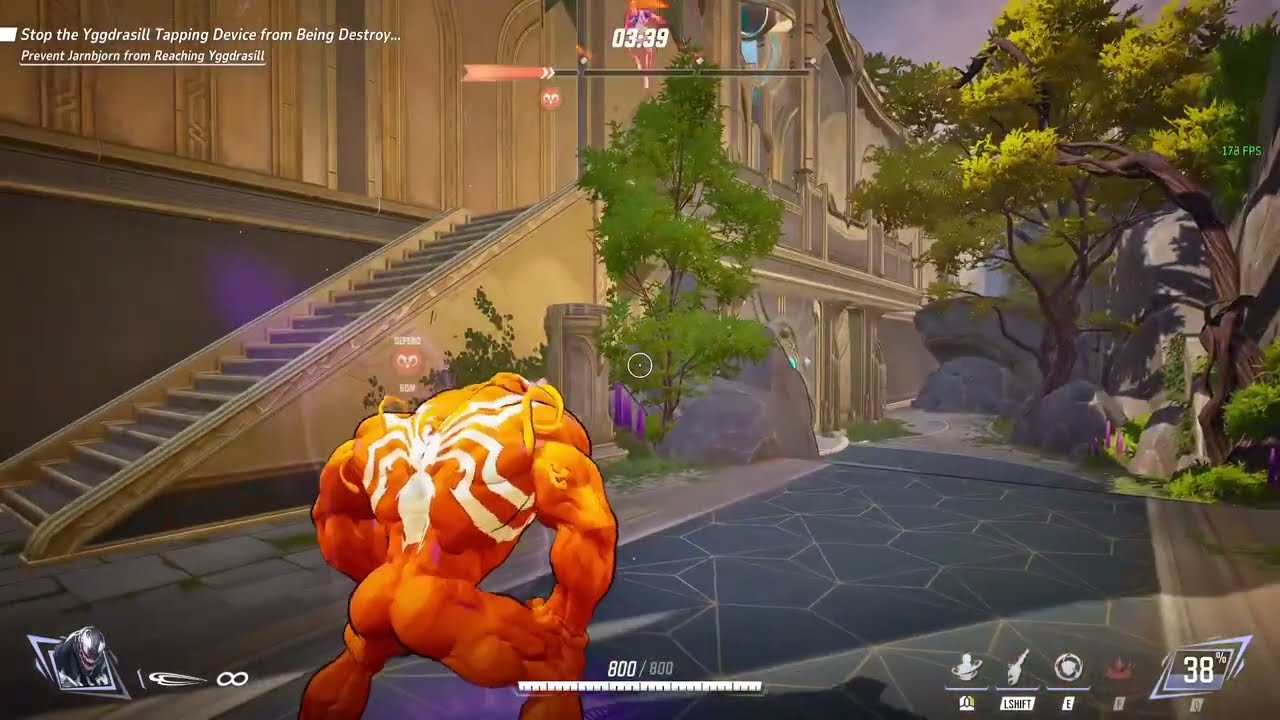
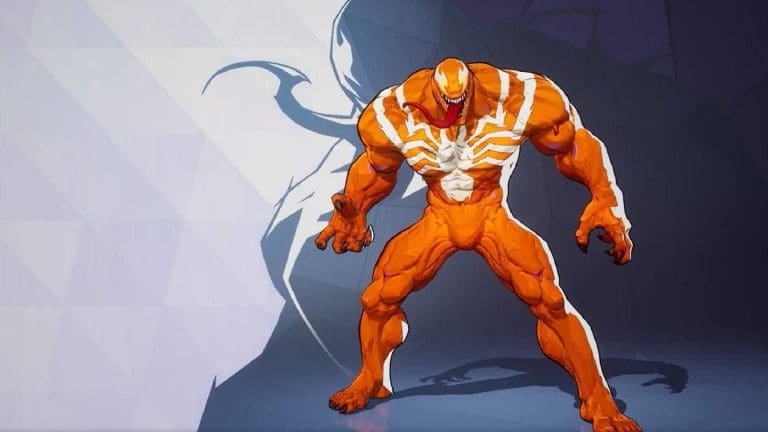
Marvel Rivals offers an exciting gameplay experience with its diverse cast of heroes, each with unique abilities. For characters like Venom who rely on swinging mechanics, precise control can dramatically impact gameplay performance. While the Easy Swing setting is helpful for newcomers, disabling it unlocks more advanced movement techniques. Here’s how you can disable Easy Swing in Marvel Rivals to enhance your control and elevate your gameplay.

Understanding Easy Swing in Marvel Rivals

Easy Swing is a built-in feature designed to simplify the swinging mechanic by automatically attaching your grapple to the nearest available point. While convenient for beginners, this feature restricts freedom, preventing players from making deliberate choices about their swing points. Advanced players may find this feature limiting, as it impedes the flexibility required for precise movements and tactics.

Steps to Disable Easy Swing

Disabling Easy Swing is straightforward and can be done through the game settings. Follow these steps:

  1. Open the game’s settings menu.
  2. Navigate to the Controller/Keyboard tab.
  3. Go to the Combat section and filter settings by selecting Venom or other swinging heroes.
  4. Locate the Easy Swing toggle and switch it off.

By making this adjustment, you enable manual control over grapple points, allowing for a more strategic and refined approach to movement.

Why Disable Easy Swing?

Turning off Easy Swing offers significant advantages:

  • Enhanced Precision: Gain full control over where your grapple attaches, enabling strategic maneuvers in complex scenarios.
  • Improved Gameplay: With more control, you can optimize your positioning and reactions during high-stakes matches.
  • Advanced Mechanics: Mastering manual swing controls, such as Venom swing controls, allows for more creative playstyles.

While the choice to disable Easy Swing is ultimately personal, those aiming for advanced gameplay in Marvel Rivals are likely to benefit from this change.

Expert Tips for Mastery

Disabling Easy Swing requires practice. Spend time in lower-stakes games or training modes to adapt to the new mechanics. Gradually, you’ll find your movements smoother and more deliberate, enhancing your overall gameplay. If you encounter technical issues, you can refer to resources like Fix Marvel Rivals Crashing on PC: Fixes for troubleshooting.

Disabling Easy Swing in Marvel Rivals unlocks the full potential of the game’s swinging mechanics, offering greater control and the opportunity to refine your skills. For players committed to improving their movement precision and strategic depth, this adjustment is a game-changer. With practice, you’ll find yourself executing complex moves that redefine your gameplay.

How to Change Name in Dota 2?

In Dota 2, your username is more than just a label; it reflects your style, personality, and skill level. But what if you decide to change your in-game identity? Many players seek to reinvent themselves, creating a new persona that matches their evolving gameplay in Dota 2.  

How to Change Name In-Game, Using Dota 2 Client

Dota 2 client

This process allows you to easily update your in-game username right from the Dota 2 client. Here’s how to do it:  

  • Launching Dota 2: Start the Dota 2 client on your computer, making sure you have the latest version of the game installed.  
  • Access Profile Settings: Once the game is open, go to the ‘Profile Settings’ section by clicking on your name in the upper right corner of the screen. 
  • Modifying your game name: In the profile settings, find the ‘Change Name’ option and click on it to bring up the name change dialog.  
  • Input New Name: Enter the new name you want to use in the game. Keep in mind that some characters might not be allowed, so choose your name carefully.  
  • Confirm Changes: After entering your new name, confirm the change by clicking ‘Accept’ or ‘Save,’ depending on your localization.  
  • Verification: After the name change is complete, restart the game to see your new name in action. Your new nickname will be visible to all Dota 2 players.  

Your new name should now be visible in-game.

How to Change Name Through Steam Profile?

Steam Profile

Well, if you want to change your username through your Steam profile, follow these steps:  

  • While in the game client, press Shift+Tab to open the Steam overlay.  
  • Click on the ‘Friends‘ icon at the bottom of the screen.  
  • Select the dropdown arrow next to your username and choose ‘Edit Profile Name‘  
  • Enter your new username and click ‘Confirm

Now that you know two easy ways to change your name in Dota 2, you can personalize your profile to your liking. Whether you opt for the in-game client or the Steam profile method, remember that your username is a key part of your gaming identity, so choose wisely and enjoy your gaming experience. Until next time, stay tuned to Talkesport!

Valorant 9.11 Neon Nerfs Explained: Massive Changes

0

The dreaded day for Neon mains has come, and Riot Games has finally revealed the nerfs to the Duelist in a recent announcement.

As expected, Valorant patch 9.11 is hitting Neon with some drastic nerfs, reducing her overall viability in pubs and pro play alike.

The changes to Neon are aimed at curbing her dominance in the current meta of the shooter. For the uninitiated, Neon has been a top pick across all ranks of the game since her initial buffs in patch 8.11.

But what exactly about Neon is getting changed in the upcoming update? Let’s find out.

Valorant 9.11 Brings Massive Neon Nerfs

neon valorant

The nerfs to Neon in Valorant 9.11 are focused on her slide and ultimate ability.

As confirmed by the devs, Neon will no longer be fully accurate while sliding. Additionally, the number of slides available to her has been reduced from 2 to 1.

“We want ability usage to feel intentional, but we found that Neon having two slides allows her to engage in combat, and have a get out of jail free card,” Riot dev Dan ‘Penguin’ Hardison said in a statement. “We’ll be removing the full accuracy buff during the slide, now it will be more similar to the accuracy you have when crouching and moving.”

But that isn’t all, as Riot is also significantly tuning down her ultimate ability by reducing its timer and increasing the number of ult points required to pop it.

“We’ll also be making the timing tighter on the Ultimate so that it’s more important that you have a plan for how you would use it,” Hardison continued. “And also, so that opponents have more counter-play opportunities to bait it out or wait it out.”

With that being said, here are all the Neon nerfs that you can expect in the Valorant 9.11 update:

  • Slide count reduced from 2 > 1
  • Slides will no longer be fully accurate.
  • Tighter Ultimate timing.
  • Ultimate Cost increased to 8 Ult Points

Riot Games Announces New League of Legends TCG, Project K

Riot Games, the devs behind League of Legends, has recently confirmed an upcoming Trading Card Game based on the popular MOBA.

Project K is set to be a physical TCG “for everyone who loves League’s characters and settings, TCGs, collecting, and connecting with friends across the table,” an announcement from the official Riot Games X handle reads.

The Game, set to debut in early 2025, will have its initial launch taking place in China. But fans won’t have to wait that long for a sneak peek, as they can get an exclusive first look at Project K during the TFT Macao Open.

This appears to be the same League of Legends TCG that Riot Games had announced a few months ago on their Chinese social media under the title ‘Rune Battlegrounds’. Initially, it was introduced as a China-exclusive title.

Fortunately, fans in the West will also get the chance to play the game, as Riot has confirmed they are actively searching for a publishing partner for the U.S. and other regions.

Dave Guskin, the Game Director of Project K, confirmed that it won’t just be a physical version of Legends of Runeterra, but will inherit some “champion design philosophies” from the digital card game.

An exact release date for Project K hasn’t been provided by Riot at the time of writing.

Top 5 Operator Skins in Valorant

The Operator is the priciest weapon that you can purchase in Valorant, and for good reason. In the right hands, this weapon can single-handedly turn the tides of a game and win your team some rounds that should otherwise be unwinnable.

The Operator excels in long-range combat, but its one-shot potential makes it useful at all ranges regardless. In fact, it is the only Valorant weapon (excluding Agent abilities) that is capable of taking down fully armored opponents with a single body shot.

For these reasons, it’s crucial for Valorant players to learn and master the Operator if they’re looking to climb the ranking spectrum of the competitive shooter.

If you’re looking to practice and improve your Operator skills in Valorant, it might be a good idea to buy yourself an Op skin while you’re at it.

The Best Operator Skins in Valorant

Being one of the most popular guns in Valorant, the Operator has some of the finest skins in the entire game. While the Operator doesn’t have any limited-time skins like the Phantom, Vandal, or even the Sheriff, there are still numerous options available for players if they’re in the market for an Operator skin in Valorant.

If you’re feeling overwhelmed by all the Op skins in Valorant, don’t worry. We have carefully curated a list of the top 5 Operator skins in Valorant that you can get from the in-game store.

Top 5 Operator Skins in Valorant

Without further ado, let’s check out the list of our top 5 Operator skins in Valorant.

Infantry Operator

Infantry Operator

The Infantry Operator is one of the few Op skins in Valorant that look decent and can be bought without breaking the bank. At a price tag of 875 VP, not only is the Infantry Operator an extremely affordable skin, but it also manages to stand out from the other Operators in Valorant due to its iconic World War 1 theme.

Sentinels of Light Operator

Sentinels of Light Operator

The Sentinels of Light Operator is a part of the original SoL bundle that was added to Valorant in the game’s Episode 3 update. This bundle became so popular that Riot Games expanded the collection in Episode 7 with the Sentinels of Light 2.0 bundle, featuring cosmetics for a variety of new weapons.

Radiant Entertainment System Operator

Radiant Entertainment System Operator

To this day, the Radiant Entertainment System remains one of the most beloved bundles ever introduced in Valorant. It features unique animations, sound effects, and finishers that are reminiscent of classic arcade games, each of which changes with the gun’s variant. It’s like getting three distinct skins in one.

Prelude to Chaos Operator

Prelude to Chaos Operator

Whether you’re looking for a colorful Op skin or one with plenty of animations and sound effects, the Prelude to Chaos operator has you covered. At a price of 2175 VP, it’s not the cheapest skin in the market but it’s definitely a solid choice if you want to keep yourself immersed.

Elderflame Operator 

Elderflame Operator

Despite being one of the oldest Operator skins in the game, the Elderflame Op has retained its position as a fan-favorite cosmetic due to its stunning design, unique animations, and immersive sound effects. Be warned, though—if you do pick up the Elderflame Operator, you might find yourself reloading more often than necessary just to enjoy its animations.