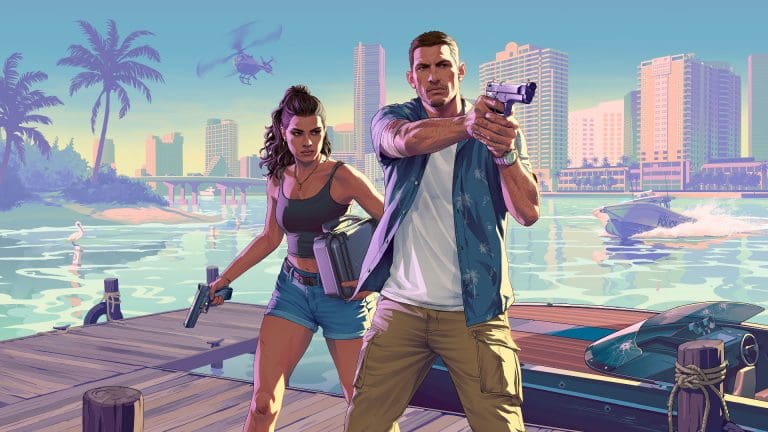
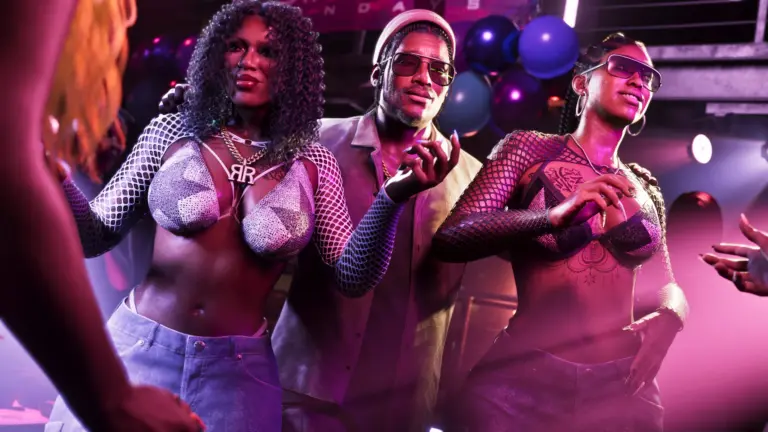
Interesting details have surfaced from IGN’s latest interview with Rockstar North co-studio head Rob Nelson, suggesting a more personal approach to player behavior.
Leonida remembers you
Rockstar is moving away from a key tradition of GTA where players are able to cause chaos without the world truly remembering it. According to Nelson, GTA 6 will introduce a “Criminal Profile” system that will shift based on your behavior in the game world.
“It is when you go beyond what is necessary on a consistent basis, or you do completely unnecessary stuff consistently, that you may start to sway your Criminal Profile in a certain direction,” said Nelson, explaining how the Criminal Profile works.
Initial impressions suggest that repeated anti-social activities will sway the meter, making the world react differently around you. Mechanisms have been introduced to make the game world react to how a player behaves, which will have a direct impact on missions and storyline.
“There isn’t a right or wrong way to play this game, but consistent sorts of actions may have an impact in terms of how the world reacts to you and how the narrative plays out,” he added.
Police get the new HEAT system
The police system in GTA 6 is getting a major overhaul. The highly anticipated “heat” system will allow law enforcement to remember clothes, vehicles, and other details, helping them chase players even after they are off-radar. Making the game feel more realistic, changing clothes or ditching the vehicle would help throw off officers and facilitate escape.
Money Matters
Unlike previous iterations of GTA, GTA 6 will require players to actually earn money to progress through the game. As criminals, players will be able to make money off robberies and car thefts to keep the story flowing.
With all these systems, Rockstar is revamping more than just the fundamentals of the game. The new systems not only make the game feel more realistic but also add an interesting angle by introducing accountability to our actions. As GTA 6 launches on 19th November, we shall find out in a month how these systems holistically change the game.
With launch weeks away, here is what Australia’s Fair Work Ombudsman said about unpaid leave for GTA 6.
GTA 6 gameplay leak footage has surfaced again online, with the leaker Cyberleek releasing about 25 minutes of video on October 8, 2026. The clip reportedly includes cutscenes, mission gameplay and story spoilers from Rockstar Games’ upcoming title. The footage has not been independently verified, and Rockstar has not commented on this upload yet. The leak arrives 6 weeks before the GTA 6 release date of November 19.
Here is what the footage shows and how Rockstar and Take-Two have responded so far.
GTA 6 Gameplay Leak: What We Know So Far
Cyberleek posted the footage on October 8. It reportedly comes as a ZIP file larger than 370MB, and the leaker named it “Extended Leek.” The video runs for nearly 25 minutes.
According to reports, it includes cutscenes, missions, and story spoilers. Jason, one of the game’s 2 protagonists, appears nude in much of it. His nudity was already a topic online earlier this week.
Beware, Cyberleek has released 367 MB worth of #GTAVI leaked footage.
It is not clear how Cyberleek obtained the footage. The GTA 6 leaked footage looks recent. It may come from the full interview and preview that media released on October 7, since the leak shows almost everything covered there.
It remains unclear whether the person or group behind the August Cyberleek GTA 6 leak uploaded this one. Rockstar has not publicly addressed the video at the time of writing.
Scenes Shown in the GTA 6 Leaked Footage
An early rundown of the GTA 6 gameplay leak, which it still lists as a developing story, describes these scenes:
A cutscene shows Jason and Lucia visiting a trailer store and changing clothes.
A scripted mission follows, with a dirt bike race.
Cyberleek cuts in a promotion for his crypto coin.
Jason rides a motorbike, walks across a bridge, and shoots a tank that appears above a waterfall.
A spoof car advert plays.
Cutscenes show Jason talking to other characters at a beachside coffee shop and about car racing.
Jason tunes a car engine, then drives in first person using nitrous.
An X user described more of the video. The user mentioned racing in Vice City, a location called the Thrillbilly Mud Club, and vehicle modification. The same user said Lucia appears in a bikini.
The video contains story spoilers. Readers who want to avoid them should be careful on social media today.
Who Is Cyberleek?
Cyberleek first appeared in August 2026. The leaks began on August 18 with videos of Jason playing basketball and driving. More clips followed over the next days, including the nine1nine nightclub and a police chase through Vice City. On August 24, footage of a nudist community showed Jason watching NPCs through binoculars.
The leaker says the releases are a protest against digital-only games, preorders, and monetization practices. Cyberleek also promoted a cryptocurrency next to the footage, which raises questions about the motive.
Cyberleek then stayed quiet for weeks. Activity picked up again on October 5, when visitors spotted a poll with question marks on the leaker’s website. Voting was due to end on October 8.
Rockstar Games Statement and Take-Two Legal Action
The Rockstar Games statement came on August 26, after the first wave of leaks. Rockstar called the leak “heartbreaking” for its team and said this was not how it wanted players to see the game. It also said the game is nearly finished and thanked fans for their support.
Take-Two, the owner of Rockstar, took legal action. Reports say it issued subpoenas to platforms including Microsoft, Discord and X to trace the source of the leaks. Court filings describe the investigation as fast-moving.
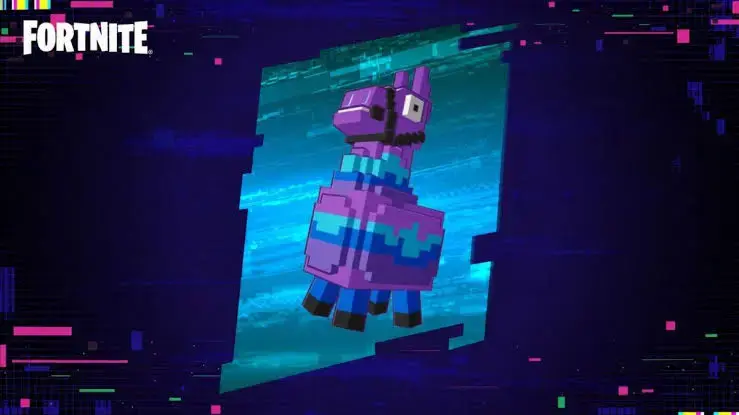
Epic Games has vaulted the God Mode Llama in Fortnite. The item was pulled in a hotfix on October 8, 2026, a few days before Chapter 7 Season 4 (Override) wraps up. The reason was a duplication bug that let players use the one-time invincibility item again and again in a single match.
Epic confirmed it on the official Fortnite X account: “We’ve vaulted the God Mode Llama a couple of days ahead of schedule after discovering an issue allowing unlimited uses. That wraps up its run this season. Thanks for all the Llama-fueled fun!”
We’ve vaulted the God Mode Llama a couple of days ahead of schedule after discovering an issue allowing unlimited uses.
That wraps up its run this season. Thanks for all the Llama-fueled fun! 🦙
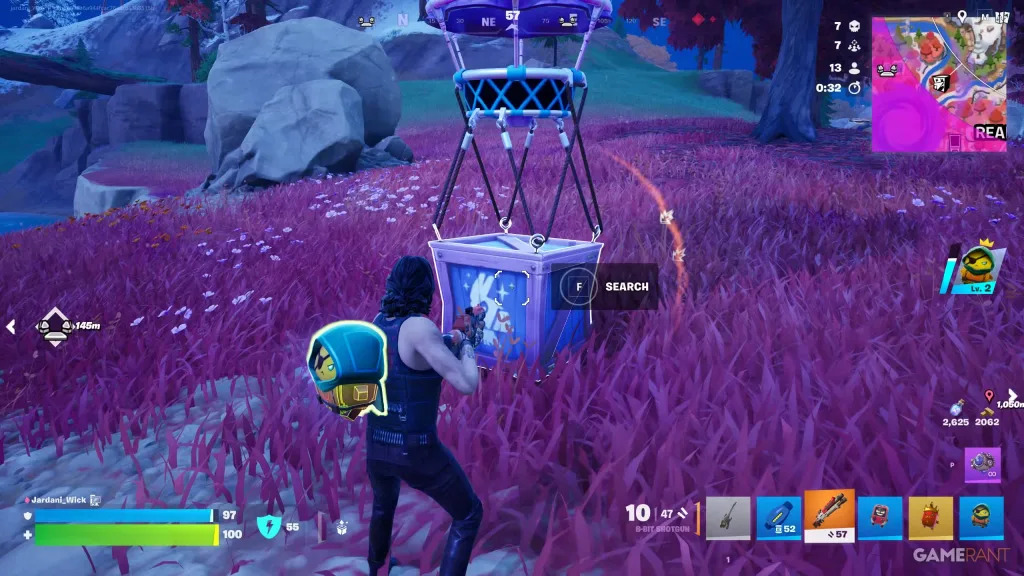
The God Mode Llama was a rare, single-use power-up in the Override season loot pool. You popped it, and for a short window you couldn’t be damaged.
According to this games.gg breakdown of the item, the effect lasted roughly 10 to 15 seconds. You got damage immunity, infinite stamina, and the ability to smash straight through builds. The catch was that weapons stayed locked while it was active.
Detail
God Mode Llama
Type
Single-use power-up
Season
Chapter 7 Season 4 (Override)
Main source
Llama Supply Drops
Effect length
Around 10 to 15 seconds
Effects
Damage immunity, infinite stamina, smash through structures
Weapons while active
Disabled
Status
Vaulted on October 8, 2026
Finding one was the hard part. In Battle Royale and Zero Build the drop rate was so low that plenty of players never saw it once. Blitz was the exception: there it turned up far more often.
How the God Mode Llama Unlimited Use Bug Worked
A duplication glitch went viral that broke the one-use limit. Players who triggered it could activate the Llama over and over in the same match, which turned a few seconds of safety into near-permanent invincibility.
Stacked uses also brought along the extra effects. Players were zooming around with speed boosts and infinite stamina, ramming through structures, and knocking enemies back again and again. For a game where a single Victory Royade can hinge on one fight, that broke things fast.
So Epic skipped the patch and pulled the item instead.
Why Epic Vaulted It Instead of Fixing It
Timing explains most of it. The season was days from its end and the item was scheduled to leave anyway, so a full bug fix for a few remaining days made little sense. A hotfix vault shuts the exploit down with no client update needed.
Epic hasn’t said whether the God Mode Llama comes back in a later season. Beebom’s original report on the vaulting described the removal as permanent, but no official statement backs that up yet. Treat a future return as unknown for now.
How Fortnite Players Reacted to the God Mode Llama Vault
Reactions split into three camps. One group was annoyed that Epic removed the item rather than patching the bug. Another asked why something this fun had such a tiny drop rate in the first place.
Epic games gotta be terrible devs the way they put an item locked behind a single gizmo which didn't even guarantee it. Never one used it and now I never will
Then there were the players who only learned it existed this week. One player, SpectralGameBoy, said they had never come across it in a match and only saw it when streamer Hush used it during boss fights. They said they hope it returns.
What the God Mode Llama Vault Means for You
For most players, very little changes. The item was rare enough that few people built their games around it. If you play competitive modes, the removal also takes a big unknown off the table during the final days of the season, which matters if you’re grinding Fortnite Power Rankings points.
Quests are the one area to watch. The God Mode Llama counted toward the “Acquire Power Ups” quest tied to the Meowscles Wrixel style. With it gone, you’ll need to grab other power-ups to finish that one.
Is the God Mode Llama removed from Fortnite? Yes. Epic vaulted it in a hotfix on October 8, 2026, after a bug let players use it without limits. It no longer spawns in Battle Royale, Zero Build, or Blitz for the rest of Chapter 7 Season 4.
Why was the God Mode Llama vaulted? A duplication glitch let players activate the one-time item repeatedly in one match, giving near-constant invincibility. The season was ending within days, so Epic vaulted it a couple of days early instead of shipping a fix.
Will the God Mode Llama come back to Fortnite? Epic has not confirmed a return. Its statement only says the item’s run “this season” is over. Some reports call the removal permanent, but nothing official supports that, so a return in a future season stays possible.
What did the God Mode Llama do? It gave roughly 10 to 15 seconds of damage immunity, infinite stamina, and the power to smash through structures. You couldn’t use weapons while it was active. It was mainly found in Llama Supply Drops.
Can I still finish the Acquire Power Ups quest? Yes. The God Mode Llama was one of several power-ups that counted toward it. Pick up any other eligible power-up in a match to keep progressing toward the Meowscles Wrixel style.
Arc Raiders just received its biggest patch to date with the Frozen Trail update, and as you can probably already expect, there’s a whole lot to unpack with this one.
The Frozen Trail patch, named the Arc Raiders 2.0 update, is delivering a ton of new content to the extraction shooter alongside tweaks and complete revamps to some of the existing content.
“We’ve been working on this one for a while, and we couldn’t be more excited to finally put it in your hands,” the devs said in a statement. “Whether you’re here for the new content or just want to know what we’ve fixed, there’s something for everyone.”
In this article, we’ll go through everything you need to know about the Arc Raiders Frozen Trail Update before jumping into the game and seeing all the changes yourself.
Attention, Raiders! Our biggest update yet, Frozen Trail, is live!
Explore the icy wasteland of Pendola Pass, face lethal new enemies including the enormous ARC Frigate, and gear up with new weapons and Amplified oldies. Establish your Outpost, master the revamped Skill Tree,… pic.twitter.com/OatCiK9jPz
The Frozen Trail update will include a new map, map conditions, enemies, weapons, a brand-new Outpost system, a skill tree revamp, alongside a plethora of other stuff.
Without further ado, let’s take a detailed look at the patch notes for Arc Raiders Frozen Trail, as revealed by Embark:
Lootable “Design” items that unlock craftable Outpost furniture
Quest System improvements, 22 new quests added
New Reward Pass system
Weapon Stencils
Updated default gamepad mapping
Reworked Map Selection screen, including visual and usability improvements
Collector DLC is available now
Max Stash Size increased by 2 new levels (328 Max without Expedition bonuses)
Skill Tree Revamp
The Frozen Trail update has added a bunch of new skills to the game while improving some existing skills,
“We’ve heard the comments (and seen in the data) that the Skill Tree was not living up to its role in offering sufficiently interesting ways of building your character to better define and refine your playstyle,” the devs said. “The goal of the Skill Tree revamp is twofold: to look at under-performing skills, modify or replace them, and to get closer to the goal of making choice and expression a more core feature of the Skill Tree.”
Embark has further stated that there will likely be more tweaks and updates in the near future to existing and new skills.
Weapon Stencils
The Frozen Trail update has introduced Weapon Stencils, a new cosmetic option for players looking to personalize the look of their weapons with a range of stencil patterns. Stenciled weapons can still be lost like any other weapon: if you’re downed, other Raiders can loot your weapon along with its stencil.
14 Weapon Stencils:
5 Stencils are exclusive to Frozen Trail Premium Pass
1 Stencil is exclusive to DLC
8 Stencils can be found Topside
Once learned, players are able to apply Stencils to compatible weapons. Applying Stencils requires Stencil Parts, which can be found Topside.
Outpost
New Outpost can be unlocked by completing a project.
Remember to accept the quest and bring your camera!
Outpost can be expanded with different modules
Unlocking the outpost will unlock access to the research station
Furniture Designs:
Similar to blueprints, they can be learned and used to craft different furniture for your Outpost.
100 Furniture Designs have been added to the game
4 Furniture Designs are exclusive to Frozen Trail Pass
1 Furniture Design is exclusive to DLC
73 Furniture Designs can be found Topside
22 Furniture Designs are unlocked by upgrading the Outpost
Reward Pass
The Reward Pass is a new form of progression system in Arc Raiders and the evolution of Raider Decks. Cred has been removed from the game and replaced by Reward Points, a new currency that’s automatically applied toward your progress on whichever pass you currently have active.
The first new pass is the Frozen Trail Pass, featuring 60 levels across a Free and a Premium track.
Raider Decks have been moved into the new Legacy Pass, and any rewards you’ve already unlocked are kept and will appear as granted. You can continue progressing through the Legacy Pass at any time by setting it as your active pass. Note that only one Reward Pass can be active at a time, so your Reward Points will go toward whichever pass you’ve selected.
Feats Rework
Feats are now split into 3 different categories: Easy, Medium and Hard.
Weekly milestones are granting 250 Reward Points each, there are 3 of them available per week:
Milestone 1: Get 4 weekly milestone progress
Milestone 2: Get 8 weekly milestone progress
Milestone 3: Get 12 weekly milestone progress
After completing your weekly milestones, you can keep completing Feats, but no major milestone rewards will be granted until the weekly timer is reset.
Twitch Drops
Players will be able to get new backpack attachments by watching streamers play Arc Raiders on Twitch.
Watch at least 60 minutes to receive the Oxygen Respirator, and 120 minutes for the Mailbox.
These Twitch Drops will be live between October 8 – November 4, 2026.
Content and Bug Fixes
Animation
Knockback animations now align with the actual direction you’re pushed in.
Fixed an issue where, after reconnecting and being revived, your character could jitter and display broken animations while moving.
Fixed an issue where you could get stuck on small obstacles when sliding.
Added animations to show the player interacting with their map and inventory.
Added mouth animation for when players are talking in proximity chat.
Added new contextual character animations; like exhaustion when running out of breath for a while and brushing off dust after sliding.
Fixed an issue where players kept some items in their hands during the knockout animation or during some interactions.
Additional animation polish and tweaks.
ARC
Adjusted the multi-target laser from the Vaporizer to give players a clearer window for dodging with fast traversal and dodge mechanics.
Added fire status effect visuals for ARC drones.
Moved higher tier loot from the armor pieces of the legs to the legs pieces for Queen and Matriarch.
The armor plates are supposed to protect the legs, so it made sense to relocate the loot to the protected area. Having the loot inside the armor took away from the experience and was inconsistent with how other ARC work. Armor pieces can still contain some loot.
Improved AI sight handling to prevent rare detection errors in enemy awareness.
The Matriarch can once again use all of its ranged attacks.
Rebalanced physical force effects against certain ARC enemies.
Audio
Adjusted how character sounds are occluded by walls and obstacles for more natural audio positioning.
Added more variations to metal groan sound effects to improve environmental ambience.
Added missing sound effects to the Snap Hook for attaching, detaching, and rope movement to improve audio feedback.
Updated the sound for Skill Tree unlocks and added a hold-interaction audio cue in the UI.
Fixed an issue where some weapon sounds could fail to play.
Improved the quality of the Raider Voice model, providing a higher fidelity of voice conversion.
Cosmetic
Updated Celeste’s appearance.
Added an Emissive Toggle for backpacks with light sources. That means you can now turn off the lights from your favorite backpacks to go full stealth mode.
The Zenith Outfit now has all of its intended toggles. Players who own the outfit will receive the missing toggles shortly.
Gameplay
“Solo vs. Squads” is no longer available in the matchmaking options.
Reworked the explosive damage formula for ARC. In practice this means that explosive weapons like the Hullcracker will deal over 50% more damage against armor plates but around 30% less damage against more fragile parts.
Made certain changes to skills that were in the previous Skill Tree iteration to fit them better within the new one:
Stamina gained from Fight or Flight increased by ~25% per level.
Stubborn Mule stamina regen values increased by ~33%.
Increase Back on Your Feet healing from 30 to 40.
Added more contextual Ping information for ARC and various objects.
The Stash can be upgraded further, by two tiers. The new maximum (without Expedition rewards or acquired Nomadic Envoy space) is 328 slots.
You can now drop loot to the ground directly from containers
You can no longer sprint-climb ladders when exhausted
Addressed some instances where vaulting onto destroyed ARC parts or other movable surfaces could unexpectedly launch or shove the player.
Weapon slot weight reduction now applies only to the loadout; other containers and sub-containers are unaffected.
You can now open the map while downed.
Improved hit registration when shooting while on top of ARC.
Heavy Shield: reduced durability decay from 0.20 to 0.15 and decreased movement penalty while equipped from 15% to 10%.
Added Scrambling. Sprinting at steep slopes will allow you to scramble up them for a short time.
You now automatically enter a sliding state after tumbling for too long.
Items
Increased Flame Spray range to better match its visual effect and improve usability.
Ziplines now break when intersecting something after being placed.
Reduced Snap Hook range from 20m to 18m, increased durability consumption from 2% to 4% per use, and raised power cost from 50 to 60.
Fixed an issue where items were appearing outside their intended areas or containers. These items will now only be available within their designated locations.
Weapons
Updated Anvil’s rarity from Green to Blue.
The Anvil Splitter is no longer usable as a mod, and it has now become an improved upgrade option for the Amplified Anvil. We have also removed the Tech Mod slot from the Anvil to reflect this. The item itself should no longer drop, but will remain in the game for a while, allowing players to sell or recycle it into Amplified Fragments used for repairing Amplified Weapons.
Fixed an unintended behavior where the Jupiter’s damage would propagate twice to ARC parts behind its intended target. As a result, the Jupiter is now stronger against armor, but slightly weaker against weak spots.
The Hullcracker will no longer appear incomplete when inspected in the menu.
Fixed an issue where the Dolabra would not destroy the yellow weak points inside the Harvester.
Fixed an issue where weapons picked up from the ground appeared without their attached parts.
Maps
Improved alignment of Doorblockers (now vertical) for small side-sliding-doors.
Improved texture quality on several maps, resolving blocky and inconsistent visuals.
Fixed areas on several maps where players could get stuck on terrain while in a Downed state.
Some areas on the edges of maps are darker than intended.
Blue Gate
Adjusted lighting on Blue Gate, refining exposure, color grading, and atmosphere.
Fixed some spots on Blue Gate where players could get stuck.
Buried City
Fixed the Hospital Roof not being climbable.
Restored ray-traced lighting on boarded window shutters in Buried City.
Fixed a lighting issue in Buried City where illumination bled into an interior space.
Riven Tides
Increased overall loot value on Riven Tides by approximately 15%.
Fixed some spots where environmental objects could float unintentionally.
Performance
Implemented various optimizations related to memory usage, general performance and stability.
Optimized character customization replication, fixing a bug where different players could sometimes see different outfits.
Reduced memory usage for enemies to improve stability and performance in busy encounters.
Fixed a crash that could occur when changing graphics settings.
Upgraded to AMD FSR version 4.1.1.
Traders
Trader offers have been updated:
Celeste now trades new materials used in crafting furniture and newly introduced gameplay items.
Tian Wen will no longer sell Anvil and Hullcracker offers. They will, instead, be part of the weekly Nomadic Envoys rotation.
qLauncher Ammo and Energy Clips have a daily purchase limit.
Shani’s offers are now Coin based and include Cameras, Light Sticks and other social items.
Apollo has had a set of Epic Augments added to the offers.
Living up to their reputation, the Nomadic Envoys have allowed Ermal to go back on the trail and have, instead, brought in Cassio, who will continue to trade for valuables, but also ask friendly Raiders for help with certain quests.
Quests
Completing quests and quest objectives now grants XP. Added XP as a visible reward in quest descriptions and on quest completion; XP is now shown alongside other rewards when claiming a completed quest.
Multiple older quests have been updated to require taking photos with the new camera to complete objectives that mentioned taking photos of something in the world.(The League, Reduced to Rubble, Life of a Pharmacist, Battening Down, Groundbreaking)
Social
Fixed party join not working sometimes when accepting game invites on XBOX.
Fixed an issue related to in-game Voice Chat not working in certain instances, particularly for PS5 and XBOX players.
UI
Updated quest list sorting, making progression easier to follow.
Fixed an issue where long lists could disappear while scrolling in the Settings menu.
Fix issue where the Nomadic Trader offers could appear when using the Acquire Resources menu.
Emote and Quick Wheels respond to mouse input more smoothly.
End-of-round screen now previews milestone progress and rewards earned this round, and milestone updates are shown in the in-round log.
Fixed an issue where learning certain recipes displayed an incorrect “unknown not installed” message instead of a proper unlock notification, including Snap Hook, Blaze Grenade, and Crash Mat.
Fixed formatting and text display for in-round daily quest notifications.
Store panels now scroll when content exceeds the screen and fixed an issue where the last toggle could be blocked and not selectable.
Fixed issue where not all data from a round would reliably show up in the End of Round Map screen.
Fixed a bug where closing the Inventory during matchmaking could disable gamepad navigation until switching screens.
VFX
Fixed an issue where burning visual effects could remain stuck on other players after the effect had ended.
Fixed an issue that could cause terrain textures to appear as blocky or mismatched squares on some maps when using higher graphics presets.
Fans can check out the full patch notes for the Arc Raiders Frozen Trail update by visiting the devs’ official post.
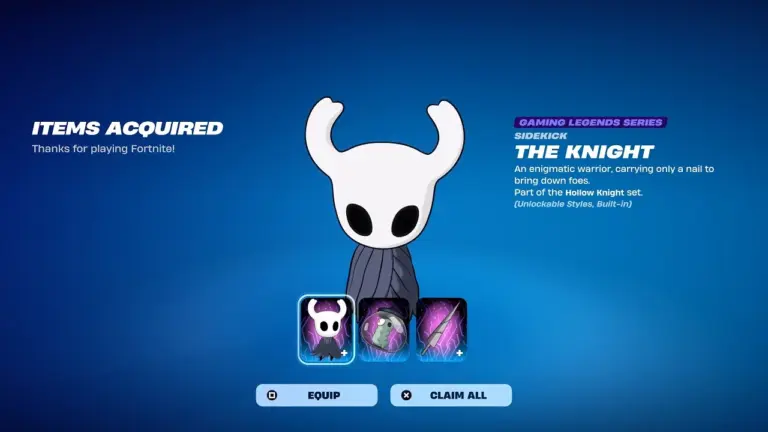
Hollow Knight Sidekick in Fortnite is now available in the Item Shop as part of Fortnitemares 2026. Epic Games added The Knight on October 7, 2026, at 8 PM ET. Players can buy the Sidekick alone for 1,500 V-Bucks or pick up the Hollow Knight Bundle for 2,000 V-Bucks. The item leaves the shop on October 14, 2026, at 8 PM ET.
This guide covers the release date, price, purchase steps, bundle details, Sidekick Points rewards, and the removal date.
Hollow Knight Sidekick in Fortnite: Release Date and Price
The Hollow Knight Sidekick arrived with the Fortnite Item Shop reset on October 7, 2026, at 8 PM ET. It belongs to the Hollow Knight collab, which is part of the Fortnitemares 2026 event.
Epic first showed The Knight in the Fortnitemares 2026 gameplay trailer. The trailer named Hollow Knight among the event’s collaborations. GoSuGamers reported that the Sidekick comes with two Styles.
You can buy the Hollow Knight Sidekick for 1,500 V-Bucks on its own. The Hollow Knight Bundle costs 2,000 V-Bucks. The bundle includes the Sidekick and two other cosmetics tied to the collab.
Buying the Sidekick alone saves you 500 V-Bucks.
How to Get the Hollow Knight Sidekick in Fortnite
The Sidekick sits in the Fortnite Item Shop. Follow these steps to buy it:
Find the “Hollow Knight” section under the “Fortnitemares” tab.
Select The Knight Sidekick (1,500 V-Bucks) or the Hollow Knight Bundle (2,000 V-Bucks).
Click and hold the Purchase button until the circle fills up.
Wait for Fortnite to confirm that the Sidekick is in your locker.
Open your locker, select the Hollow Knight Sidekick, and customize it.
You need enough V-Bucks in your account before you start. Fortnite adds the item to your locker right after you purchase it.
Hollow Knight Sidekick Price and Bundle Options
Here is how the two purchase options compare:
Option
Price
The Knight Sidekick
1,500 V-Bucks
Hollow Knight Bundle
2,000 V-Bucks
The bundle costs 500 V-Bucks more than the Sidekick. Players who only want The Knight can skip the bundle and save that amount. Players who want the two extra collab cosmetics need the bundle.
Sidekick Points Rewards
Fortnite lets you unlock bonus rewards with Sidekick Points once you own the Hollow Knight Sidekick.
You earn the banner icon, a reaction, a style, and an emote through these points. The Knight (Shade Soul) is the extra Style for the Sidekick. Knight’s Bench is the emote reward.
You can also complete Fortnitemares 2026 quests with the Hollow Knight Sidekick equipped. Doing so gives XP to both you and your Sidekick. Players can also extract Trick or Treat Sprites during the event to build their collection.
When Does the Hollow Knight Sidekick Leave the Item Shop?
The Hollow Knight Sidekick leaves the Fortnite Item Shop on October 14, 2026, at 8 PM ET. In India, that is 5:30 AM IST on October 15. The item stays in the shop for 7 days.
Fortnitemares 2026 started on October 1 and runs for 4 weeks. It ends on November 1, when the final season of Chapter 7 begins. More collabs are expected during the event, so players may want to plan their V-Bucks spending.
BGMI Lite is coming to India by the end of 2026, but KRAFTON has not announced an exact release date yet. KRAFTON officially confirmed the game in August 2026, ending years of speculation about a lighter version of Battlegrounds Mobile India. Android users can already pre-register for BGMI Lite through Google Play. KRAFTON has also revealed that the game will have an initial download size of around 1GB. In this article, we explain when the lite version will come, what KRAFTON has confirmed, the current pre-registration status, and what players can expect before launch.
When Will BGMI Lite Come in India?
KRAFTON has not officially revealed the BGMI Lite release date yet. KRAFTON India has confirmed that the Lite version will launch in India by the end of 2026.
The game should arrive before January 2027. However, KRAFTON has not given a specific day or month.
Players should avoid treating dates shared on social media as confirmed information. KRAFTON’s latest official updates only point to a launch by the end of 2026.
Treat any launch date claim that mentions a specific month as unconfirmed unless KRAFTON announces it through its official channels.
BGMI Lite Pre-Registration Is Already Available
KRAFTON opened BGMI Lite pre-registration for Android users in India on August 25, 2026.
Players can find the official listing on Google Play and register for the game ahead of launch. The current Play Store listing still describes the game as targeting an official launch later this year.
KRAFTON expects the initial BGMI Lite download to be around 1GB. KRAFTON says existing players will not need to transfer their account to access the Lite version.
BGMI Lite Detail
Current Status
Release year
2026
Exact release date
Not announced
Launch window
By the end of 2026
Android pre-registration
Available
Initial download size
Around 1GB
Account transfer
Not required
iOS details
To be announced
What Is Confirmed?
KRAFTON has positioned BGMI Lite as a lighter way to experience BGMI. KRAFTON says the game will bring the BGMI experience to more players across India.
The smaller download size is one of the first confirmed details. BGMI Lite will also exist alongside the main game rather than replacing it.
KRAFTON has not yet published the final minimum RAM, processor, GPU, or supported-device list. Players with older phones will need to wait for the official hardware requirements before knowing exactly how well the game will run on their devices.
Will BGMI Lite Come on iOS?
KRAFTON has not announced an iOS release date for BGMI Lite.
For now, Android pre-registration is the only option officially available. KRAFTON says it will share details about iOS availability and pre-registration later.
This means iPhone and iPad users should not download IPA files or unofficial versions claiming to be BGMI Lite. There is currently no official App Store release date.
November 2026 has been discussed as a possible BGMI Lite launch date, but KRAFTON has not confirmed November as the release month.
The speculation comes from the release schedule of KRAFTON’s related lightweight PUBG Mobile project. It is not an official announcement.
For that reason, players should currently use end of 2026 as the only confirmed launch window.
We will update this article once KRAFTON announces the exact release date.
How to Pre-Register
Android users can pre-register through the official Google Play listing.
Search for BGMI LITE on Google Play and make sure the publisher is KRAFTON. Players can then select the pre-registration option and wait for the official launch.
So, when will BGMI Lite come? KRAFTON has confirmed that it will launch in India by the end of 2026. The company has not announced the exact date yet.
Android players can already pre-register. The game has an initial download size of around 1GB, and existing BGMI players will not need to transfer their accounts.
Until KRAFTON announces a specific launch date, treat claims about November or any other exact month as speculation. The safest answer right now is simple: BGMI Lite is coming by the end of 2026.
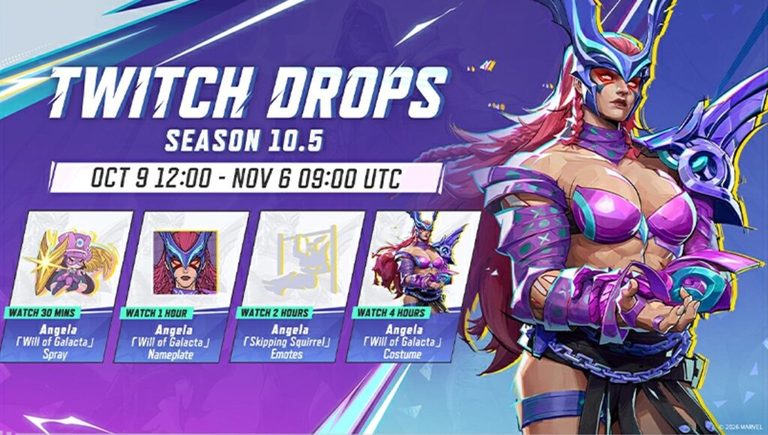
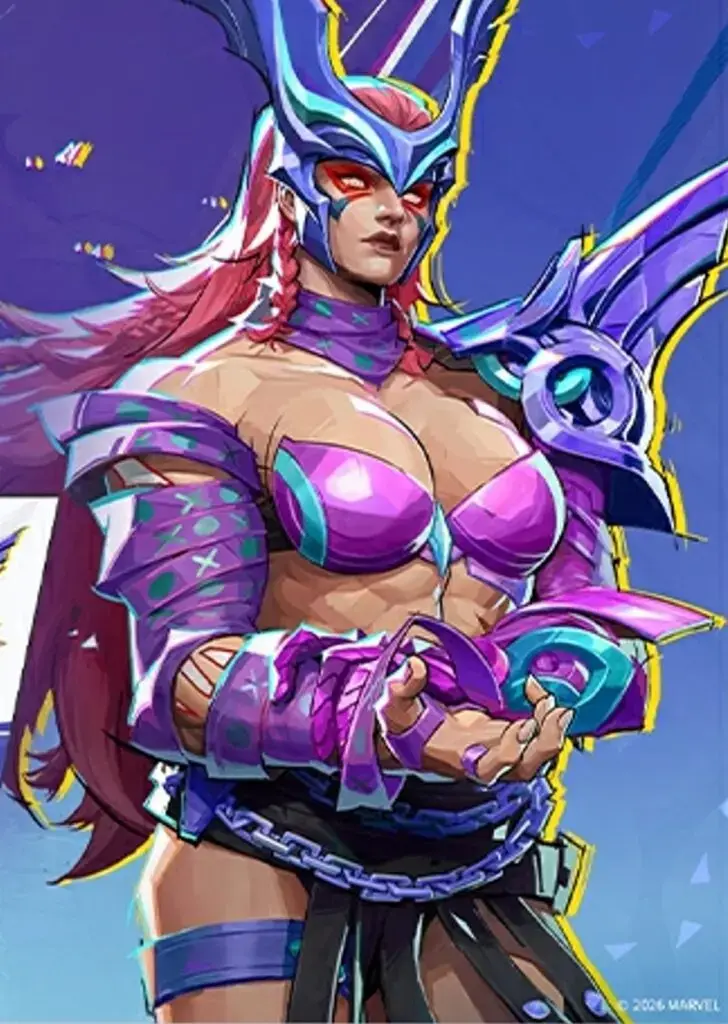
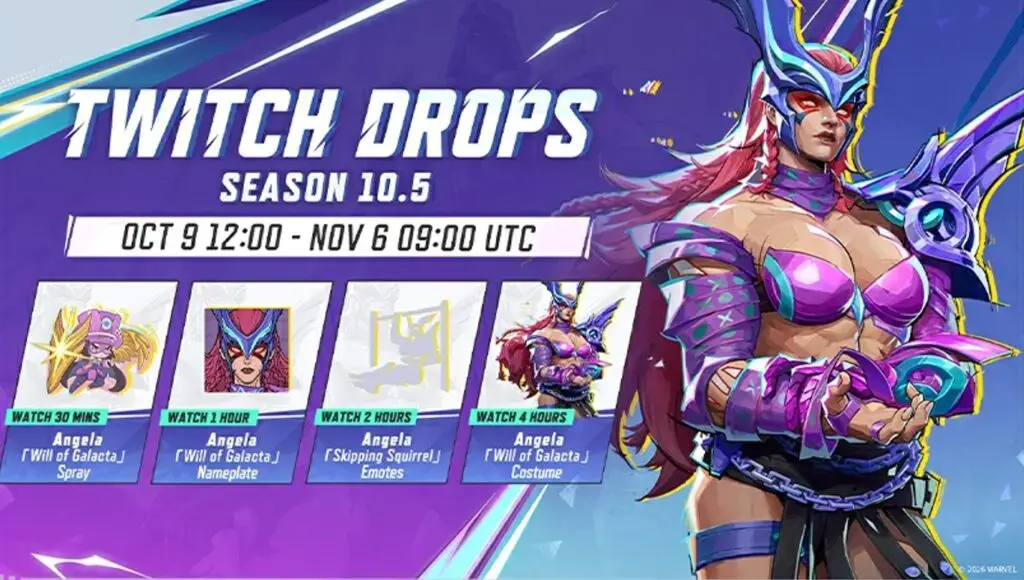
Marvel Rivals Season 10.5 Twitch Drops go live on October 9, 2026, and this round gives away four free Angela rewards. The biggest is her Will of Galacta costume. Unlocking everything takes four hours of watch time, and the campaign runs until November 6. That gives you just under four weeks.
Season 10.5 launches the same day. Maintenance starts at 9 AM UTC and should take about two hours. The drops start at 12:00 UTC, about an hour after the servers should be back up. For balance changes and the new Path to Doomsday modes, see our Marvel Rivals Season 10.5 patch notes.
Angela’s Will of Galacta costume unlocks after four hours of watch time (Image: NetEase Games)
All Marvel Rivals Season 10.5 Twitch Drops Rewards
The full Season 10.5 drops lineup, from the 30-minute spray to the 4-hour costume
Every reward this season is for Angela. Here’s what you get for each watch-time milestone.
Watch Time
Reward
Type
30 minutes
Angela Will of Galacta Spray
Spray
1 hour
Angela Will of Galacta Nameplate
Nameplate
2 hours
Angela Emote
Emote
4 hours
Angela Will of Galacta Costume
Costume
A note on the emote: one outlet calls it “Skipping Squirrel.” That is almost the same name as the Squirrel Girl emote from the Season 10 drops. AltChar’s Season 10.5 drops breakdown only calls it an Angela emote. NetEase hasn’t confirmed the name on its own page yet. We’ll update this table once it does.
Season 10.5 Twitch Drops Start and End Times
The campaign opens on October 9 at 12:00 UTC and closes on November 6 at 09:00 UTC. Clocks change in the US and UK before the end date, so the local end times below use winter time.
Region
Start (Oct 9)
End (Nov 6)
UTC
12:00 PM
9:00 AM
India (IST)
5:30 PM
2:30 PM
US East (ET)
8:00 AM
4:00 AM
US West (PT)
5:00 AM
1:00 AM
UK
1:00 PM (BST)
9:00 AM (GMT)
In the US, the end time falls in the middle of the night. If you’re on the West Coast, plan to finish by the evening of November 5.
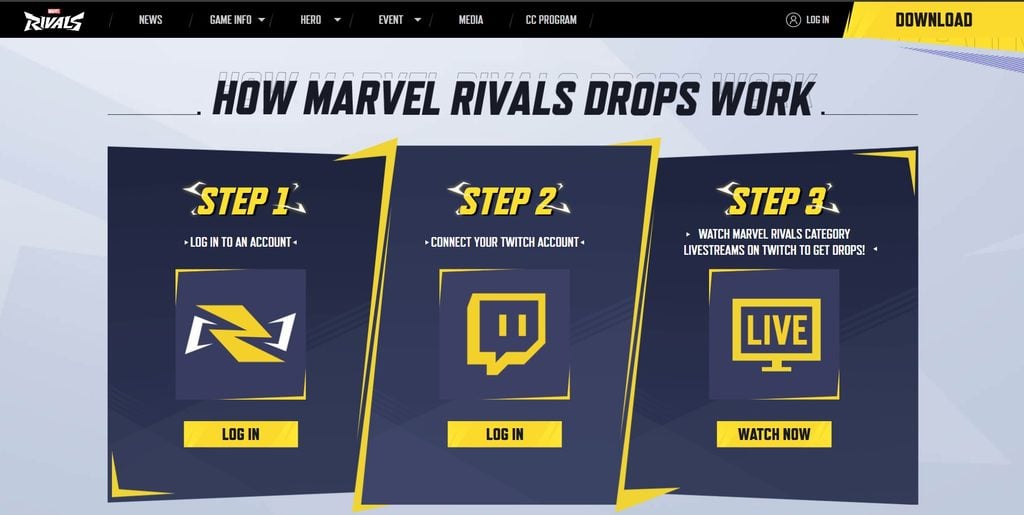
How to Get Marvel Rivals Season 10.5 Twitch Drops
First, link your game account to Twitch. If you did this for an earlier season, the link should still work. You can go straight to watching.
Pick the platform and login method you play on: Steam, PlayStation, Xbox, or Epic.
Connect your Twitch account when the page asks.
Go to the Marvel Rivals category on Twitch and watch a stream with the “DropsEnabled” tag.
Claim each reward from your Twitch Drops inventory once its timer is full.
Any streamer with drops turned on counts. It can be a huge channel or one with three viewers. If the linking step gives you trouble, our guide on how to connect Twitch to Marvel Rivals shows each screen.
How to Claim Angela Rewards in Game
Log in with your game account first, then connect Twitch on the same page
Earning a drop doesn’t put it in your account. You still have to claim it. When the timer finishes, Twitch sends a notification. If you miss it, open your Twitch Drops inventory and press Claim on each reward.
The items arrive in your in-game mail. AltChar says this can take 24 to 72 hours. Check your mail after that, because NetEase says in-game mail expires after 30 days. A claimed costume that sits in your mail too long can still disappear.
Rules That Can Cost You Progress
These rules are on the official drops page. Most of them only matter if you multitask.
Rule
What it means for you
One channel at a time
Watching two streams in two tabs doesn’t double your progress. Only one counts.
One claim per Twitch account
Each reward can be claimed once per Twitch account.
DropsEnabled tag required
Streams without the tag don’t add any watch time.
Claim before November 6
Unclaimed rewards are lost when the campaign ends.
In past Marvel Rivals drops, the timers ran at the same time. If that’s still true, four hours of watching unlocks all four rewards. It doesn’t take 7.5 hours (the four times added up).
Angela Joins the Will of Galacta Skin Series
Angela is the latest hero in a long-running series. Almost every season and half season has given away a free Will of Galacta skin through Twitch Drops. Magneto got the first one in Season 0, and there have been about 20 since. Elsa Bloodstone was the Season 9.5 skin. Squirrel Girl was the Season 10 skin, and her campaign ends on October 9, the day Angela’s starts.
So if you haven’t claimed Squirrel Girl’s rewards yet, do it before 09:00 UTC on October 9. Once that window closes, you can’t get them anymore.
When do Marvel Rivals Season 10.5 Twitch Drops start? They start on October 9, 2026, at 12:00 UTC. That’s 5:30 PM IST and 8:00 AM ET.
When do Season 10.5 Twitch Drops end? They end on November 6, 2026, at 09:00 UTC. That’s 2:30 PM IST and 4:00 AM ET.
How long do I need to watch to get the free Angela skin? Four hours. The Angela Will of Galacta Costume is the last reward in the campaign.
Do I need to watch a specific streamer? No. Any Marvel Rivals stream with the DropsEnabled tag counts.
Why didn’t my Angela skin show up in game? Check that you pressed Claim in your Twitch Drops inventory, then wait up to 72 hours. Also make sure your Twitch account is linked to the same Marvel Rivals account you play on.
Can I watch two streams at once to finish faster? No. Only one channel adds progress at a time.
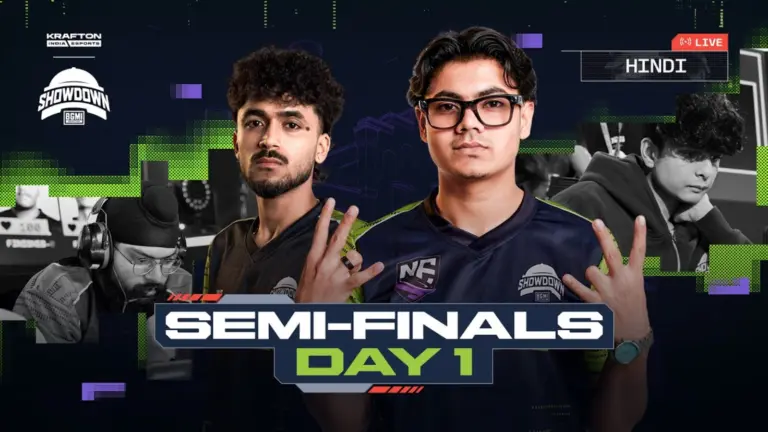
BMSD 2026 Semi-Finals Day 1 is being played today in Hyderabad, where a total of 24 teams divided into three groups will play six matches across Erangel, Miramar, and Rondo. Group B will play all six games, while Groups A and C will compete in three games, respectively. We are updating the BMSD 2026 points table for the Semi-Finals Day 1 in real time. Check out the BMSD 2026 Semi-Finals overall standings below.
BMSD 2026 Semi-Finals Day 1 Points Table
Please refresh the page after each game:
After Match 6/6
1st Place: Team Apex Gaming – 66 Points
2nd Place: Team Outrage – 43 Points
3rd Place: Vasista Esports – 41 Points
4th Place: Genesis Esports – 37 Points
5th Place: Wyld Fangs – 36 Points
6th Place: Nebula Esports – 33 Points
7th Place: 7Gods Esports – 32 Points
8th Place: Learn From Past – 29 Points
9th Place: Welt Esports – 27 Points
10th Place: GodLike Esports – 24 Points
11th Place: Myth Official – 23 Points
12th Place: Team Tamilas – 21 Points
13th Place: Gladiators Esports – 19 Points
14th Place: Version1 x Blue Army – 19 Points
15th Place: Rapid Chaos Esports – 18 Points
16th Place: Hyper-Catz – 18 Points
17th Place: K9 Esports – 18 Points
18th Place: Team AX – 16 Points
19th Place: Cultrex Esports x Zero Ark – 16 Points
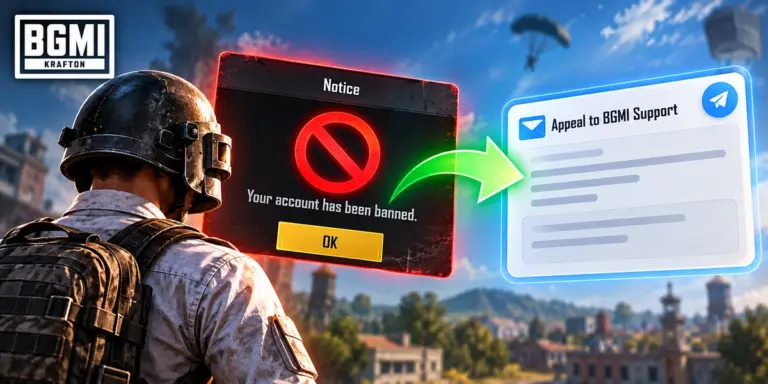
How to unban BGMI ID is one of the most searched questions among players who suddenly lose access to their accounts. A BGMI ban can happen because of cheating, unauthorized programs, account sharing, game-data changes, teaming, abnormal gameplay, payment issues, and other violations. Some players also report a BGMI ID ban without any reason when they believe they did nothing wrong. In this guide, we explain how to appeal a BGMI ban, what to do about a BGMI 10 years ban unban request, how to write a BGMI unban appeal, and what to include in a BGMI unban mail format.
How to Unban BGMI ID: Official Appeal Method
The safest way to learn how to unban BGMI ID is to use KRAFTON’s official support system. There is no legitimate tool, APK, website, or trick that can instantly remove a genuine BGMI ban.
KRAFTON’s current Rules of Conduct state that players who believe they have been unfairly treated can appeal through legitimate methods and procedures. The same rules direct players to the official BGMI Customer Support Center for inquiries and requests.
If your account shows a ban, first take a screenshot of the message. Note your UID, nickname, ban duration, date, and the exact reason shown on screen.
Then submit a support request explaining why you believe the restriction is incorrect. Keep the message factual. Avoid sending multiple tickets with the same information.
What to Include in Your BGMI Ban Appeal
Information
What to provide
BGMI UID
Your exact player ID
Nickname
Current in-game name
Ban duration
Duration shown in BGMI
Ban reason
Exact message displayed
Date
When the ban appeared
Device
Phone or tablet model
Appeal reason
Why you believe the ban is incorrect
Evidence
Screenshots or other relevant proof
A detailed explanation is more useful than simply writing “Please unban my account.”
BGMI ID Ban Without Any Reason: What Should You Do?
A BGMI ID ban without any reason can be frustrating, especially when the player believes the account was clean. KRAFTON has said its security team uses automated detection and manual review before imposing sanctions. It has also warned that compromised accounts can receive penalties when violations happen through the account.
This means a player should not assume that an unexplained ban is automatically a system mistake. Your account may have been accessed by someone else. A third-party application may also have caused a security issue.
Mention these details in your appeal when relevant. Explain when you last had normal access to the account. State whether anyone else had access to it. Include screenshots of suspicious activity when available.
Do not claim that you were hacked unless you have a reason to believe it happened.
BGMI 10 Years Ban Unban: Can It Be Removed?
Searches for BGMI 10 years ban unban and how to unban BGMI account 10 years are common. However, KRAFTON’s current published penalty table does not list a standard 10-year account-ban category. It lists specific maximum penalties for different types of misconduct, including several violations that can result in a permanent ban.
So, players should check the exact message displayed on their account instead of assuming that every long-term restriction is officially classified as a 10-year ban.
A legitimate permanent ban also does not come with a guaranteed unban method. You can appeal when you believe the action was incorrect, but KRAFTON decides whether the restriction should remain.
BGMI Account Ban Problem: Common Reasons
A BGMI account ban problem can have several causes. KRAFTON currently lists penalties for unauthorized programs, game-data modification, bug exploitation, teaming, account-related violations, abnormal gameplay, payment issues, and other misconduct. Some of these offenses carry permanent bans.
Account sharing is another major risk. KRAFTON has repeatedly warned players not to share account details because compromised accounts can be misused and may receive sanctions.
Using modified game files or unofficial software can also create problems. Players should use the official BGMI client and avoid third-party tools that promise cheats, performance changes, or “anti-ban” protection.
BGMI Unban Appeal Copy Paste Format
Players searching for a BGMI unban appeal copy paste message can use the format below. This is a sample template, not an official KRAFTON response format.
Subject: Request for BGMI Account Ban Review Hello BGMI Support Team, I am requesting a review of the ban placed on my BGMI account. BGMI UID: [Your UID] Nickname: [Your Name] Ban Duration: [Shown Duration] Ban Date: [Date] I believe this restriction may have been applied incorrectly. I have not intentionally used cheats, unauthorized programs, modified game files, or other tools that violate BGMI rules. Please review my account activity and the reason for the restriction. I am willing to provide any additional information required. Thank you for reviewing my request. Regards, [Your Name]
Only include claims that are true. False information can make a support request less useful.
BGMI Unban Mail Format
A BGMI unban mail format should be short and specific. Do not write a long emotional message.
Use a subject such as:
Request for BGMI Account Ban Review – UID [Your UID]
In the message, include your UID, nickname, ban message, date of the restriction, and a clear explanation.
KRAFTON publishes [email protected] as a contact address on its official website for certain inquiries and grievances. However, players should use the official BGMI Customer Support Center for game-service requests and follow any instructions given there.
Do not treat random Gmail addresses, social-media accounts, Telegram groups, or third-party websites as official BGMI support.
What Not to Do After a BGMI Ban
Trying to bypass a ban can make the situation worse.
Do not install an anti-ban APK. Do not modify BGMI files. Don’t use unofficial clients. Do not buy an “unban” service from an unknown seller.
KRAFTON’s rules prohibit unauthorized programs and game-data modifications. Some of these violations can result in permanent bans.
Also avoid repeatedly opening tickets or abusing customer support. Submit your case once with accurate details and wait for the official response.
Can a Permanent BGMI Ban Be Removed?
There is no guaranteed method to remove a legitimate permanent ban.
The best option is to appeal when you believe the decision was incorrect. Provide your UID, the exact ban message, relevant screenshots, and a clear explanation of what happened.
For players facing a BGMI ID ban without any reason, the appeal should focus on facts rather than accusations. Ask KRAFTON to review the account data and explain the restriction.
A successful review depends on the findings made by KRAFTON. A copy-paste message alone cannot guarantee an unban.
Can I unban my BGMI ID myself? No. There is no official tool that lets players remove a valid ban themselves. Use KRAFTON’s support process.
Does BGMI have a 10-year ban? KRAFTON’s current published penalty table does not list a standard 10-year ban category. Some serious violations can result in permanent bans.
Can I appeal a permanent BGMI ban? Yes. Players who believe they were unfairly treated can use legitimate appeal procedures through KRAFTON’s support channels.
What should I write in a BGMI unban appeal? Include your UID, nickname, ban duration, ban message, date, and a short explanation of why you believe the ban is incorrect.
Should I use an anti-ban APK? No. Unofficial programs, modified clients, and game-data changes can violate BGMI rules and can lead to further penalties.
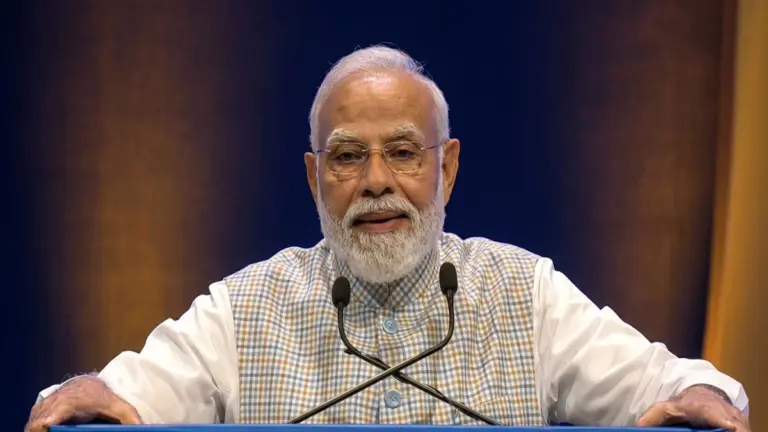
On Thursday, October 8, 2026, PM Modi said the mobile phone in India “has today become both a Gaming console and a creation studio.” He said it while opening the 10th India Mobile Congress (IMC 2026) at Yashobhoomi in New Delhi. In the same speech he estimated that more than 500 million people in India are connected to gaming in some form.
Gaming doesn’t usually come up when a Prime Minister speaks at a telecom show. This time it did. He linked it directly to young players and creators who live outside the big metros.
What PM Modi Said About Gaming at India Mobile Congress 2026
Modi began by saying the phone is now much more than a calling device. “The mobile phone is no longer merely a means of communication or chatting,” he said, as reported by ANI.
Then he moved to gaming. He said young people from Tier 2 and Tier 3 cities are active in gaming, esports, gaming content creation and gaming businesses. That led into the line now in every headline: “In other words, in India, the mobile phone has today become both a Gaming console and a creation studio.”
The four-day India Mobile Congress is run by the Department of Telecommunications and the Cellular Operators Association of India. This year’s theme is “Scale Without Boundaries.” Organisers expect more than 1.5 lakh visitors from over 100 countries.
Key Numbers From PM Modi’s IMC 2026 Speech
The gaming remark was one part of a longer speech about India’s digital growth. These are the figures he gave:
Why Tier 2 and Tier 3 Cities Matter for Indian Gaming
For esports, the most useful part of the speech is what he said about smaller cities. Most competitive gaming in India happens on mobile titles like BGMI and Free Fire MAX. Those games run on the same low-cost phones Modi called affordable.
The results are visible at the top level. Godlike Esports and Orangutan both made the PUBG Mobile World Cup 2026 Grand Finals this year. Creators work the same way: a player in Indore or Guwahati can record, edit and upload a stream from one phone. That covers the “creation studio” half of the quote.
How 5G and Cheap Data Changed Mobile Gaming in India
Modi reminded the audience that 5G launched at IMC 2022. Four years later, he said, it reaches every district and runs on more than 5.5 lakh base stations.
For players, faster mobile internet makes big game updates quicker to download and makes ping in online matches more stable. Coverage is uneven, though. Having 5G in every district doesn’t mean every village gets a strong signal, and lag is still a common complaint in rural areas.
Phones are less of a barrier now. All five phones in our guide to budget gaming phones for BGMI support 5G and cost between ₹13,999 and ₹14,999.
Where Esports Stands Under India’s Online Gaming Rules
The speech didn’t mention gaming law. Still, every gamer Modi talked about plays under it. The Promotion and Regulation of Online Gaming (PROG) Act, 2025 bans online money games. Its rules, notified by MeitY, came into force on May 1, 2026, according to this explainer on the PROG Rules 2026.
Game Type
Status Under PROG Rules 2026
Esports
Must register to get recognition. Certificate valid for up to 10 years
Online social games
Must register only if the Centre notifies them
Online money games
Fully banned, including ads and payments
Regulator
Online Gaming Authority of India (OGAI), an attached office of MeitY
There was no new scheme, fund or esports program attached to the gaming remarks. What the speech gives is a figure and a clear position: the government counts more than 500 million gamers and sees the phone as the main gaming device.
Two other points in the speech affect creators directly. Modi called deepfakes “such a big challenge” and asked for a global framework to deal with them. He also said phone and network security are priorities “for us all.” Streamers whose face and voice are online every day have reason to watch both.
FAQs
What did PM Modi say about gaming at IMC 2026? At the 10th India Mobile Congress on October 8, 2026, PM Modi said the mobile phone in India has become “both a Gaming console and a creation studio.” He also said youth from Tier 2 and Tier 3 cities are active in gaming, esports, content creation and gaming businesses.
How many gamers are there in India, according to PM Modi? PM Modi estimated that more than 500 million people in India are connected to gaming in some form, and many of them are young. He gave this figure during his IMC 2026 opening speech in New Delhi.
When and where is India Mobile Congress 2026? IMC 2026 opened on October 8, 2026, at Yashobhoomi in New Delhi. It is a four-day event with the theme “Scale Without Boundaries,” organised by the Department of Telecommunications and the Cellular Operators Association of India.
Is esports legal in India under the Online Gaming Act? Yes. The PROG Act, 2025 recognises esports, and the PROG Rules 2026, in force since May 1, 2026, require esports titles to register for recognition. Online money games are fully banned and can’t be registered as esports.
Did the government announce a new gaming policy at IMC 2026? No. PM Modi’s gaming remarks recognised the size of the sector but came without a new scheme, fund or esports policy. The current rules for gaming are still the PROG Act, 2025 and the PROG Rules 2026.