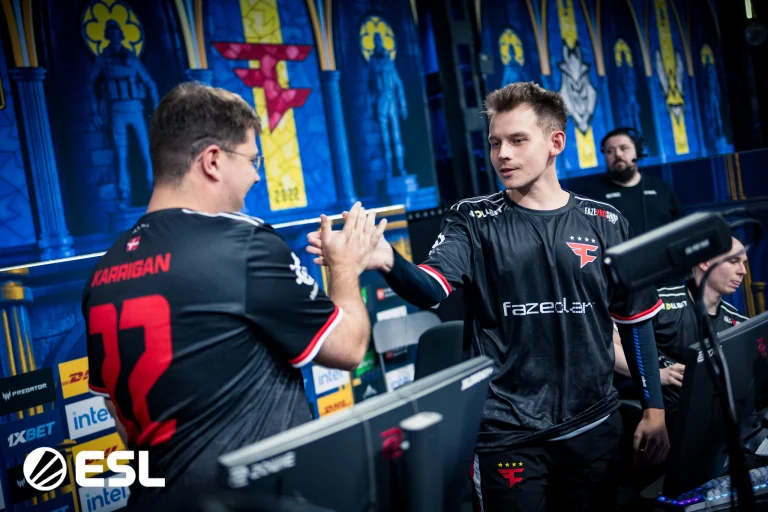
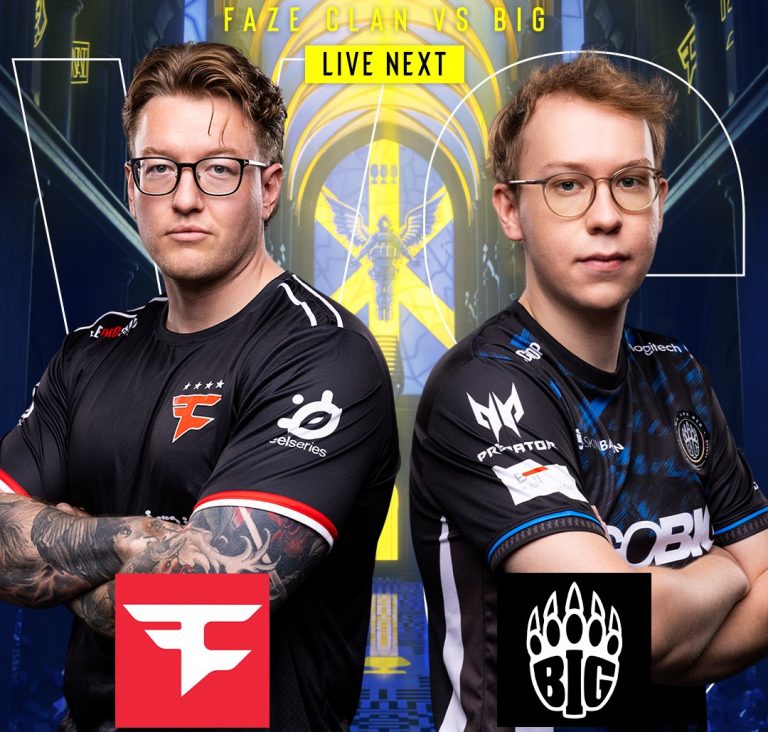
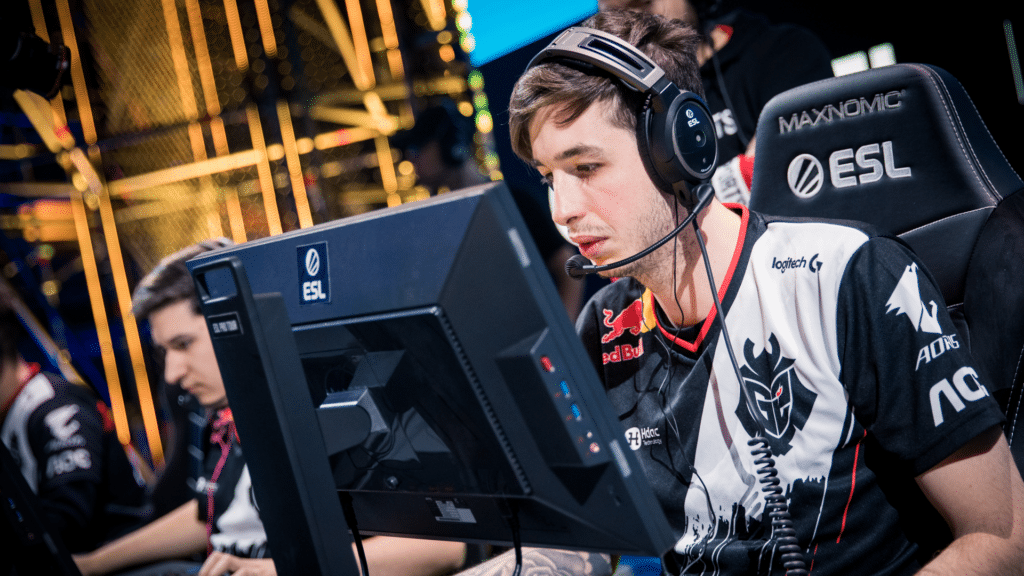
FaZe Clan is one step away from making it into the Lanxess Arena after dominating Aurora out of the competition and booking their spot in the next round of play. Back-to-back dominant performances from FaZe hint at a revival, and the roster might just have reached the level at which they were truly meant to perform.
Starting on the offense in their map pick, FaZe were pushed to the limit as Aurora did manage more rounds than they should have, leading to a competitive scoreline before walking into the second half. FaZe, despite controlling the majority of the game, had Aurora breathing down their neck as neither team managed to put together more than two rounds at a stretch. Despite trading rounds, FaZe managed to come out on top after a topsy-turvy game of Nuke. Winning the game with a 13-10 scoreline, frozen dropped back-to-back masterclasses with 1.46 IR and 1 kill after his previous solid performance against Liquid.
Map 2: Mirage; Pick: Aurora; Winner: FaZe
Replicating their performance from the previous Liquid game, FaZe went on a tear, leading Aurora, managing no more than 1 round in the whole map. Not only did FaZe dominate the Turkish side, but they also made a statement that teams should no longer write them off due to their poor form. Aurora managed one round on their offense, but FaZe stood strong and ran a quick, fast-paced T side to reach the next stage of play. With 17 kills and 2.06 IR on Mirage, broky’s performance and numbers have kept climbing after spending a brief time on the bench.
While Aurora was not the favourite to go through, their mechanically-intensive style of play is something FaZe Clan has mastered, and no wonder the match went heavily one-sided for the better part. While the team posted positive results in the last season, that level of performance is yet to come out of them in this one.
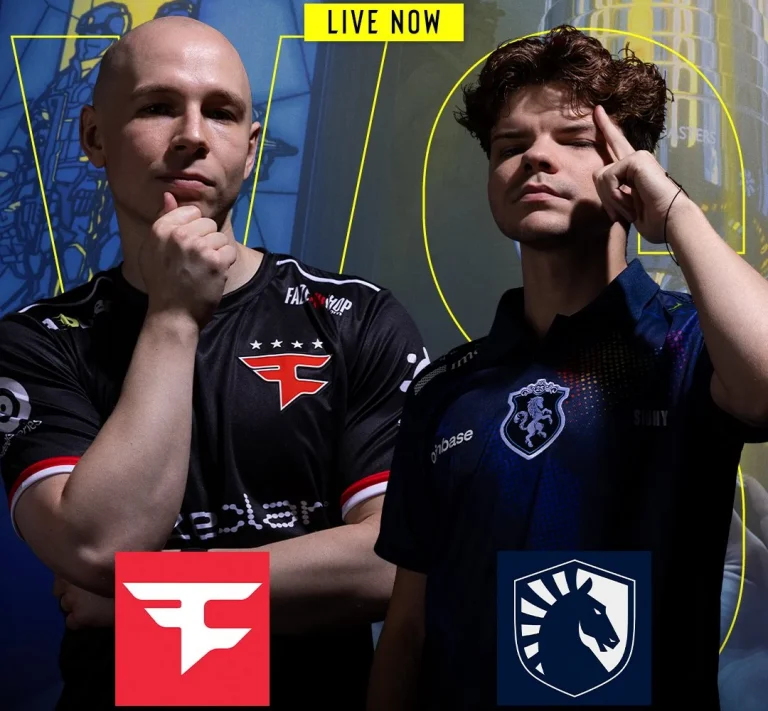
Coming off the back of a tough loss against NAVI, FaZe Clan brought out their A game to beat Team Liquid and send them crashing out of the competition without making it to the arena.
VETO
Liquid removed Overpass
FaZe removed Train
Liquid picked Mirage
FaZe picked Ancient
Liquid removed Inferno
FaZe removed Dust2
Nuke was left over
There are 2 players in the history of Cologne that have attended all 12 iterations of the event.
FaZe Clan’s strong start on defense lost momentum as Liquid managed to recover the half by the end. FaZe won the final round of the half to level the scoreline. FaZe put on a masterclass in the offense, leading the charge against Liquid as they failed to win a single round, prompting FaZe to win effortlessly on their offense.
frozeN, with 1.69 IR to his name, dropped 22 kills, taking FaZe to their map pick with tons of confidence under their belt.
Map 2: Ancient; Pick: FaZe; Winner: FaZe
Liquid started the game with a pistol win, secured the following rounds, and that was all Liquid managed in the entirety of the second map. FaZe Clan continued their momentum from Miragr, leading to a streak of rounds till the end of the series. FaZe continued the momentum into the second half they securing 13 rounds and sending Liquid crashing out of the tournament.
Despite promising results by the end of the last season, Liquid’s new roster has failed to live up to expectations. Not only did they lose against a shaky FaZe, but they were annihilated, which goes to show that a tectonic shift needs to happen within the team if they are to get back to winning ways.
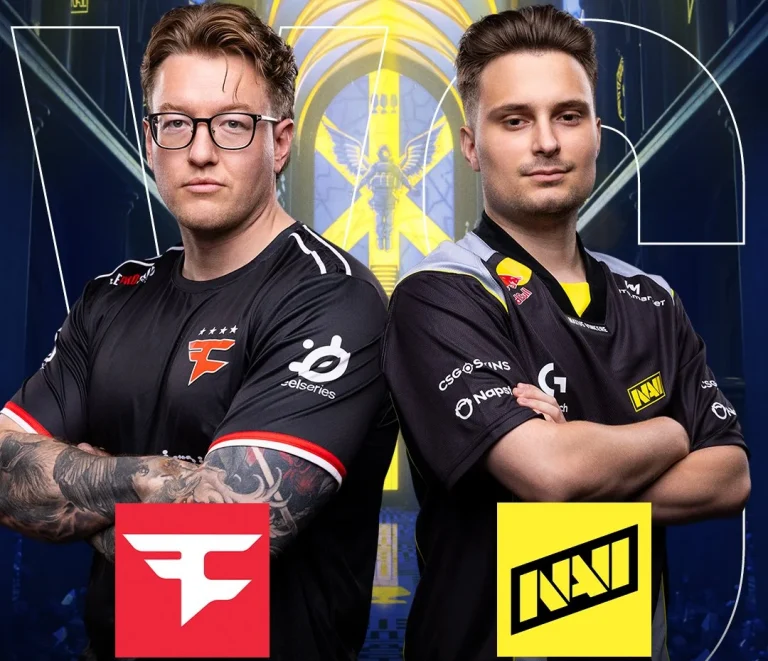
In the first game of the season with a fresh face donning the jersey, NAVI has secured an impressive win against FaZe Clan, who came into the final stage of Cologne with a hot hand from the previous stage.
FaZe Clan started strong, lost control of the game to NAVI, leading to the latter posting a strong defense as FaZe found themselves with a mountain to climb before switching sides. FaZe posted the first round after losing the pistol on their CT side, as they went on to mount their comeback. NAVI pulling in a few rounds put FaZe against the wall, and they came out swinging, winning all of the remaining rounds, securing their map pick. With 21 kills to his name and an impressive 1v3 clutch, broky coming back after getting bench paid dividends to open up the map.
Map 2: Mirage; Pick: NAVI; Winner: NAVI
FaZe, starting on the defence, went toe-to-toe with NAVI, who looked much better on Mirage. Not only did they make FaZe work for the 6 rounds they got in the first half, but a little luck would have seen them walk away with a pretty one-sided scoreline instead of a levelled one. FaZe showed up with a weak offense, leading to NAVI salting in their defense and winning the map effortlessly. b1t and w0nderful led a fantastic map for NAVI as FaZe hardly managed to get going.
Map 3: Nuke; Pick: Decider; Winner: NAVI
Going 3-0 up, FaZe Clan’s solid start got lost as NAVI’s offence went on a streak of 6 rounds and pulled one more in before switching sides. With a disastrous defence, FaZe had little hope of turning things around in the second half. NAVI not only managed to dominate FaZe, but they also went flawless, keeping FaZe from even starting to mount a comeback. Despite heroics from frozeN, NAVI managed to put a stop to FaZe Clan.
Following a good start to the campaign after a disastrous season, FaZe looked better, but a long way to go if they want to be able to keep up with the big names in the scene. As long as they are not eliminated, FaZe can always pull off a miracle run, but as of now, there is nothing to write home about.
While the APAC region has always been a force to be reckoned with in the world of competitive Valorant, the past couple of years have seen its teams make an explosive impact in international events. The unique blend of tactical and chaotic gameplay that the APAC teams bring to Valorant events has thrown even the most elite teams off balance, and while teams from this region have fallen just short of securing some crucial victories on the global stage, it feels like only a matter of time before we see an APAC team lift the Champions trophy.
Underdogs No More
While the rise of APAC to prominence isn’t exactly a sudden thing in competitive Valorant, the early days of the shooter saw the region struggle to keep up with the dominance of NA and EMEA. APAC teams often lacked the infrastructure, experience, and international exposure needed to consistently keep up with the top-tier squads.
The region has always been underrated, yes, but they’ve also been wildly inconsistent, showing exceptional skill and coordination in one game just to fall apart in the next. This volatility resulted in the APAC region making a reputation for itself as being unpredictable and capable of pulling off incredible upsets, but still not a serious contender in major events.
Teams like Paper Rex, DRX, and Zeta Division made their mark on the early days of APAC Valorant with their meta-defining playstyles. While the teams struggled to maintain consistency, the region saw regular top 4 finishes in major events, alongside boasting commendable win rates across several maps.
Why APAC Rose
The primary reason behind APAC’s rapid rise to prominence was its willingness to create new metas rather than simply following those already established by other regions. They experimented with unique team comps with Agents that were generally considered underpowered in the competitive landscape, catching more traditional teams completely off guard and forcing the global scene to adapt.
Rather than relying on aim and mechanical skills, APAC teams placed strong emphasis on rehearsed plays and coordinated execution. This enabled them to outplay even the most mechanically gifted opponents and snatch even the toughest ‘Thrifty’ rounds with complex strategy rather than raw firepower.
Over the years, the region began to catch the attention of the global Valorant scene, leading to improved infrastructure, increased org investment, and access to high-level coaching, all of which played a crucial role in refining individual talent and further elevating their gameplay. Ultimately, this laid the foundation for APAC’s rise from underdogs to some of the biggest contenders in the Valorant pro scene.
Contrast With the West & Defining New Metas
As mentioned earlier, the APAC region has made a name for itself for constantly being able to come up with new and innovative meta.
In contrast to the West, where teams often stick to stable and pre-established metas that have been tried and tested, APAC Valorant is known for coming up with some of the boldest and most unconventional approaches the game has ever seen.
From off-meta Agent comps to explosive, unpredictable bombsite entries to catch the enemies off-guard, APAC Valorant seems to thrive on chaos. Sometimes these strats end up working, sometimes they don’t, and that’s the beauty of APAC Valorant.
The creativity and fearlessness of APAC teams have enabled them to fully embrace this high-risk, high-reward philosophy, which has given even the biggest orgs in the world a run for their money. As a result, NA and EU teams have started studying APAC VODs, copying their setups, and adapting to match their tempo.
APAC Playstyles
The best way to describe the playstyle of APAC Valorant teams would be “organized chaos,” and to better understand what makes this region truly stand out from the rest of the world, we first have to take a look at the various flavors that the regional teams bring to the table.
SEA teams like PRX and Team Secret are revered for their hyper-aggressive gameplay, unpredictable Agent comps, and mind games, while Korean orgs like DRX and Gen.G arguably boast more individual skill and have utility usage that’s near-flawless. While Japanese teams like Zeta Division have struggled to make their mark in recent events, their discipline, teamplay, and calculated approach to fights continue to earn them respect on the international stage.
Needless to say, these wildly different playstyles wreak havoc on major events not only when they clash against Western teams, but also against each other. It’s also pretty safe to say that APAC Valorant is the most fun viewing experience compared to any other region in the world.
An aspect that’s common among most APAC teams is their ability to adapt to the constantly changing meta. As mentioned earlier, they’re more used to defining metas rather than following them, but they’re also swift to notice what works and what doesn’t, and adapt themselves accordingly.
The Global Impact
Despite their lack of trophies at major events, the global impact of the APAC region in shaping competitive Valorant as we know it today cannot be overstated. APAC’s rise to fame has significantly reshaped the global meta by forcing teams to be constantly on their toes, rethink their traditional strategies, and inspire them with new, unique Agent comps and unorthodox playstyles.
As a result, the ripple effect can be seen throughout the globe, with NA and EMEA teams now taking pages out of the APAC playbook. It’s no longer uncommon for teams to run hyper-aggressive strategies or utility-stacking site hits, something that was once considered a signature of the chaotic APAC Valorant.
It’s not about East copying West or vice versa, but Valorant is currently seeing a global exchange of ideas that was sparked largely by APAC’s fearless approach to the game, consequently elevating the overall level of competition and pushing every region to innovate and come up with unconventional strategies to keep up.
The Road Ahead
Glancing at the future leads us to the question: Can APAC continue to sustain its dominance on a global scale?
The answer depends on whether the region can evolve beyond innovation and translate it into consistency on the international stage. While there’s little doubt that the APAC region is flowing with creativity, the next step should be a firm focus on turning it into tangible results.
That said, the Valorant community will be eagerly watching to see how APAC teams perform at Champions 2025, the biggest tournament of the year, as they aim to close the chapter on the underdog narrative for good.
Verdict
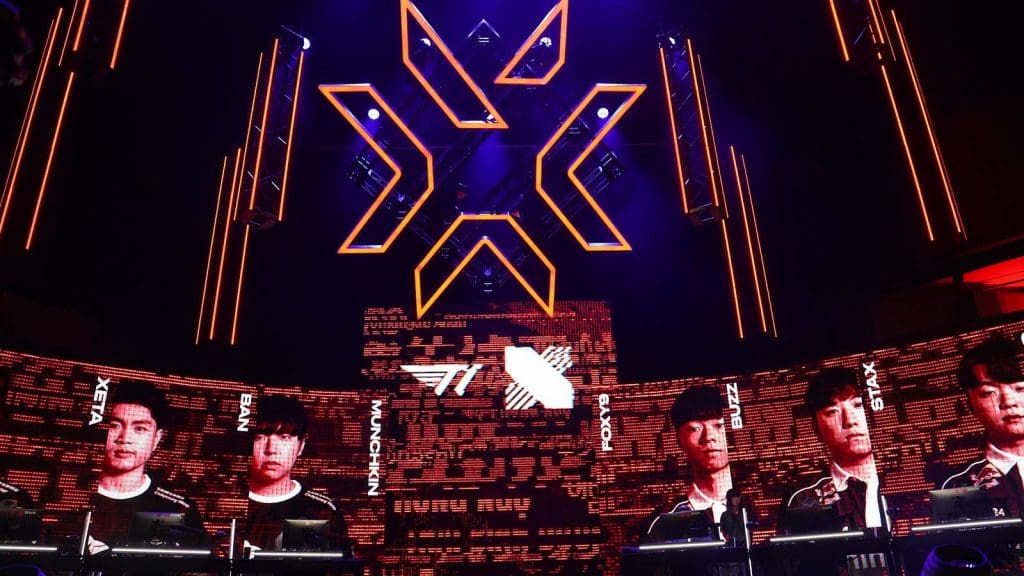
The dominance of APAC in Valorant has become increasingly prominent over the past year. In fact, the region has claimed the last three VCT Masters events, with Paper Rex, T1, and Gen.G each lifting trophies on the grand stage.
This paradigm shift in the competitive Valorant landscape is much more than just a regional rise, and the story of APAC is far from over. The esports scene of Valorant was designed to reward creativity and adaptation rather than raw aim and mechanical skills. And APAC checks all those boxes.
So when Champions 2025 arrives in September, don’t be surprised if a team from Singapore or Korea is lifting the trophy at the end of the day instead of your usual big shots from NA or EMEA.
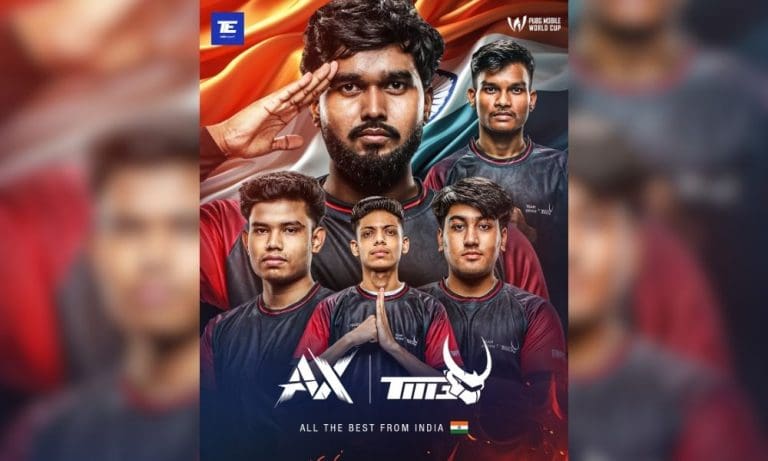
India’s representative at the PUBG Mobile World Championship 2025 (PMWC 2025), Team AxTMG, wrapped up their opening day sitting in 10th place on the overall leaderboard. While some might view this as a middling start, the team’s performance deserves recognition given the challenging circumstances they’ve faced. Let’s have a look on how the first day of this global event went for the Indian contingent.
Team AxTMG’s Performance on PMWC 2025 Group Stage Day 1: Matchwise Breakdown
Let’s be honest, expectations were tempered going into PMWC 2025. The Indian BGMI scene has been operating in its own bubble, cut off from the global PUBG Mobile circuit. For AxTMG, this tournament represents not just a chance to compete but to prove that Indian mobile esports can hang with the world’s best. Here’s a detailed breakdown of Team AxTMG’s performance in each match of PMWC 2025 Group Stage Day 1.
Match 1 – Sanhok
The tournament opener delivered drama right from the drop. AxTMG landed at Ruins and immediately found themselves toe-to-toe with Nongshim RedForce. What followed was a clinic in aggressive early-game play.
Syrax opened the account by catching NS’s XZY off guard, and despite some back-and-forth trading, AxTMG emerged victorious from the hot drop. The significance? They became the first team to eliminate another squad at PMWC 2025—not a bad way to announce your arrival.
The team then showcased smart rotational play, avoiding unnecessary fights while positioning for the endgame. Devotee put on a show against Influence Rage, taking down three players single-handedly before the zones ultimately caught up with them. A 5th place finish with solid eliminations set the tone.
Match 2 – Erangel
The second game told a different story. After a clean early elimination against DRX, AxTMG found themselves in a heated battle with Team Falcons near Rozhok. Syrax’s perfectly placed grenade that dropped two Falcons players was pure poetry in motion.
But PUBG Mobile giveth and taketh away. What started as a promising engagement turned into a chaotic mess of vehicles, explosions, and third-party madness. Both teams paid the price, with AxTMG finishing 13th—a harsh reminder of how quickly fortunes can change.
Match 3 – Erangel
The third match highlighted exactly why this AxTMG roster deserves respect. Facing elimination against Alpha7 in a 2v3 situation, most teams would crumble. Not this Indian squad.
Syrax pulled off a clutch grenade knock that allowed the team to reset and revive their fallen teammates. While they couldn’t capitalize on the comeback fully, finishing 5th showed the mental fortitude that separates good teams from great ones.
Matches 4 – Miramar
The desert maps proved challenging. Los Leones became a graveyard for AxTMG across both Miramar games, with Alpha7 emerging as their kryptonite. The fourth match saw some individual brilliance from Devotee, but the team coordination that marked their early games seemed to fade.
Matches 5 – Miramar
Match 5 was forgettable—sometimes you eat the bear, sometimes the bear eats you. An 11th place finish with zero eliminations isn’t the way you want to close out Day 1, but every team has those games.
In a tournament where many expected them to be outclassed, AxTMG traded kills with some of the world’s best teams and showed flashes of brilliance that had viewers taking notice.
The 10th place standing masks some genuinely impressive individual performances. Devotee’s clutch, Syrax’s game sense, and the team’s willingness to take early fights all point to a squad that’s not here just to participate.
With two more days left in the Group Stage, Team AxTMG has laid a foundation. They’ve proven they can compete at this level. Now it’s about consistency and capitalizing on those moments when everything clicks.
For PMWC 2025 real-time live scores, updates, and more. download the TalkEsport app!
The professional landscape of Counter-Strike has seen a seismic shift since the release of Counter-Strike 2 in September 2023. As the community enjoyed the technological leap to the Source 2 engine, there may be no part of this change that has been more impactful than the complete reworking of the competitive maps for the game. What came out of this revolution wasn’t just a bunch of nicer textures and better lighting; it was a radical redefinition of how professional organizations go about strategy, preparation, and competitive greatness.
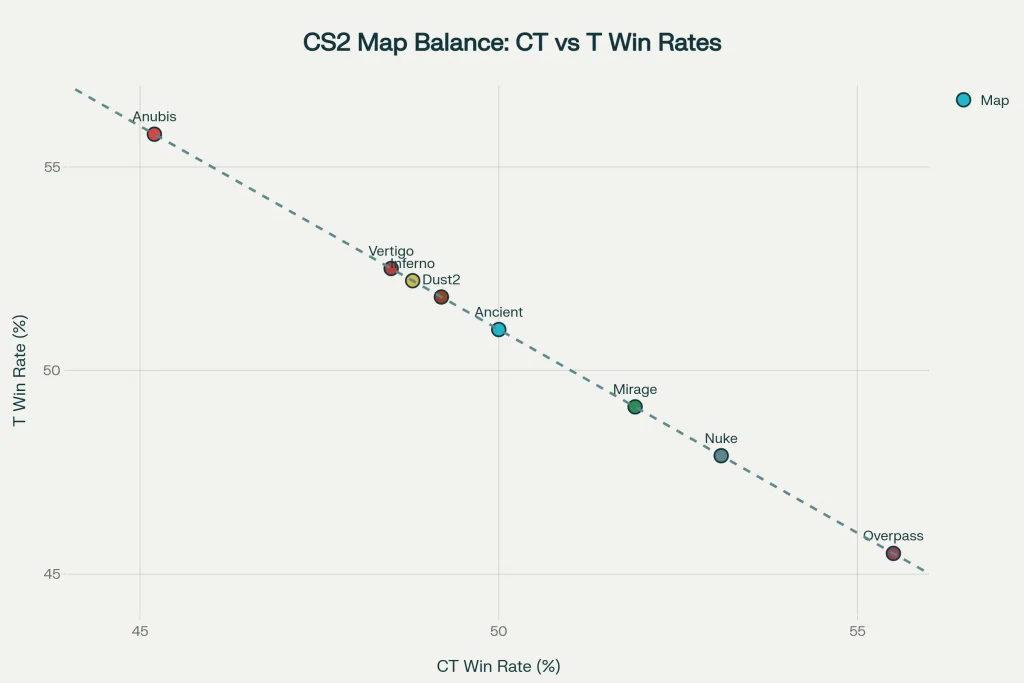
The statistics speak for themselves. Ancient’s 50-50 competitive split in a thousand or more pro-level games is an achievement in game design if ever there was one, and the deliberate removal of uneven maps like Anubis speaks volumes about Valve’s priority on competitive integrity over sentimentalism. But beneath these figures exists a murkier tale of innovation, adaptation, and the fine line between maintaining Counter-Strike’s tactical heritage while expanding the frontiers of competitive evolution.
A Story of Three Philosophies
Valve categorizes map remakes into three categories: Touchstone, Upgrade, and Overhaul. This was not a shotgun modernization but a strategic attempt to reduce competitive turmoil while maximizing aesthetic and gameplay upgrades.
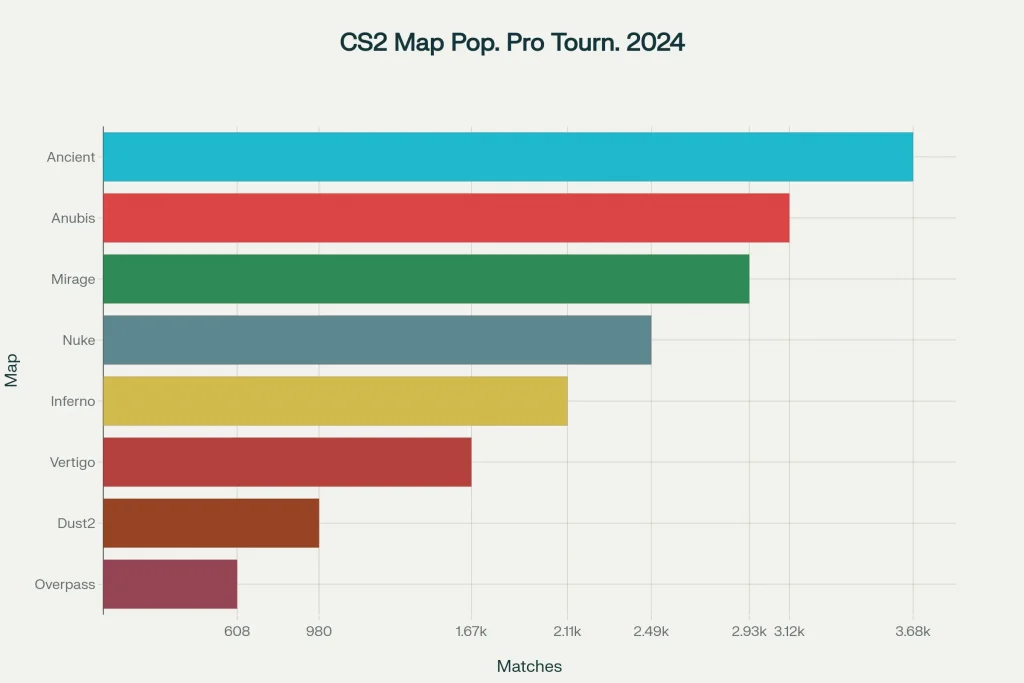
The Touchstone philosophy exercised exemplary restraint. Maps such as Dust2 and Mirage were updated with negligible structural changes, retaining the tactical blueprints that teams had developed over decades. Dust2’s conservative approach held its 49.2% CT win percentage, assuring that gentle upgrades could enhance the competitive experience without dismantling established strategic models. But this preservation was at a price. Dust2’s appearances in tournaments dropped to as few as 980 matches in 2024, indicating that graphical upgrades alone could not hold up professional interest without strategic variation.
The Upgrade strategy took a middle path, as seen in Nuke’s makeover. Significant visual enhancements improved the viewer experience while maintaining the complicated strategic dynamics that rendered Nuke a tactician’s utopia. The map’s ever-present 53.1% CT-side bias is indicative of its classic defensive slant, yet improved visual fidelity has brought these complex strategies within the realm of view and accessibility for all viewers and players.
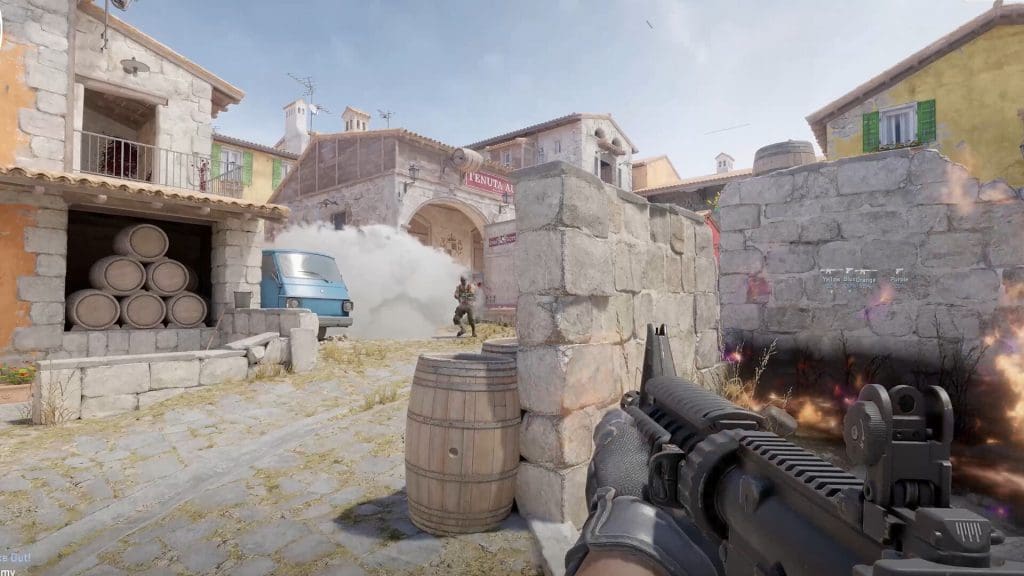
Most spectacularly, the Overhaul category marked Valve’s desire to rethink legendary battlegrounds. Inferno’s full redesign scrapped long-standing utility lineups and strategic tendencies, compelling professional teams to effectively relearn one of Counter-Strike’s most popular maps. The result, a fair 48.8% CT win rate, proved the upheaval worthwhile, but the transition phase revealed the actual cost of such drastic alterations.
The Ancient Anomaly
No other feature may better demonstrate the power of well-considered map design than Ancient’s outstanding competitive achievement. The map’s 50-50 balance in 3,678 professional games is a statistical marvel in competitive gaming, in which small asymmetries become lasting advantages for one side or another.
Ancient’s success lies in core design principles that favor competitive balance over nostalgic value. The archaeological appearance of the map creates a unique visual identity, and its double-site design facilitates authentic strategic decisions by both attack and defense teams. Unlike typical Counter-Strike maps, which often favor one side due to spawn locations or site layouts, Ancient’s balanced nature compels teams to rely on mere tactical skill rather than exploiting structural advantages.
This equilibrium has significant consequences for competitive integrity. When FaZe Clan and Natus Vincere fight on Ancient, the result hinges solely on strategic planning, personal ability, and tactical adaptation, and not on which side they begin on. This makes more engaging competitive stories and equitable tournament results, which is the best that competitive map design can achieve.
The Cost of Innovation
But the path to such a competitive utopia has been far from cost-free. The financial implications of map redos go well beyond program development budgets to effectively reshape how professional organizations organize their plans.
Teams now need specialized resources for quick adaptation to map changes, with franchises such as Team Liquid hiring specialist coaching staff solely to deal with increased strategic complexity. It develops a competitive arms race where success relies more and more on institutional resources instead of raw talent and ingenuity. More recent professional teams, with already modest budgets, also have further obstacles as preparation needs extend past conventional practice timetables.
Regional differences in adaptation rates have produced novel competitive dynamics. The quicker adaptation of European teams to dominate overhauls of maps such as Inferno illustrates their traditional focus on strategic preparation, whereas the success of Brazilian teams on Ancient demonstrates how symmetrical design can maximize regional styles and play. Such trends indicate that remakes of maps do not merely alter tactics. They have the power to redefine the international competitive stratification by rewarding specific styles of team development and strategic preparation.
Technical Troubles
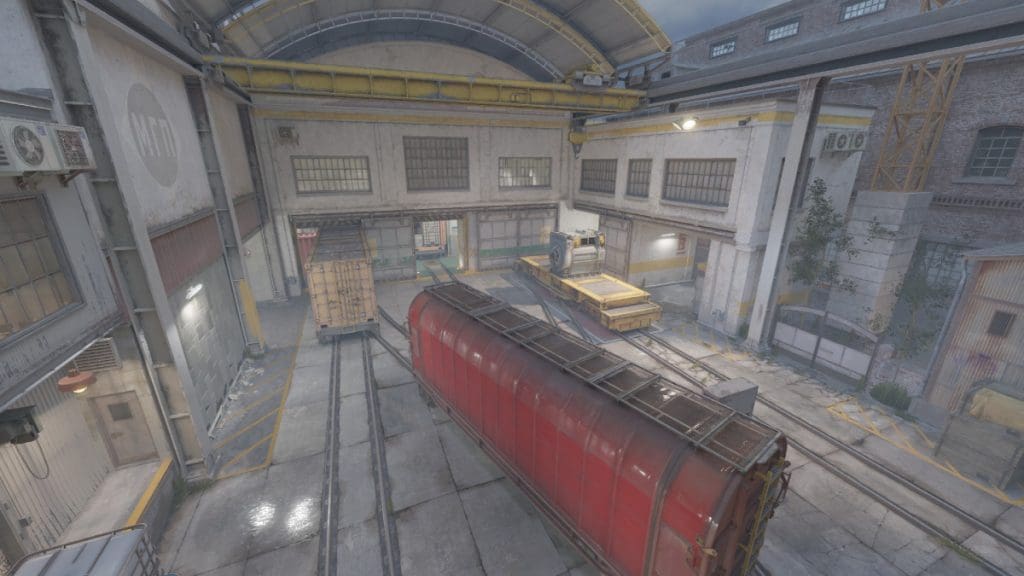
The technical challenges of remaking maps unveil another degree of sophistication to competitive balance. Train’s comeback generated nostalgic hype but performance volatility that compromised competitive integrity. Technical glitches in frame rates during heavy action sequences compelled some teams to shun the map during critical tournament moments, illustrating how tech issues can directly become competitive handicaps.
The reaction of Valve to these challenges reflects the thin line between innovation and stability in competitive gaming. Optimisation updates were provided regularly to address issues with performance, but the transient period of technical ambiguity reflected the risks involved in ambitious remake initiatives. Superior hardware setups were enjoyed by teams that delivered brief leads, while others suffered from limitations in performance, affecting their choices of strategy.
Map overhauls accompanied the release of dynamic smoke grenades to introduce compounding adaptation problems. Teams had to learn new map designs and groundbreaking utility mechanics simultaneously, essentially doubling the preparation stress for competitive teams. This overlap of changes put the professional circuit to the test and emphasized the need for collaborative development methods.
The Human Element
Professional player insights uncover the practical and emotional nuances of map remake adaptation. Robin “ropz” Kool’s admiration for the redesign of Train shows more widespread professional respect for nuanced improvements that add strategic depth without compromising competitive integrity. His particular admiration for eliminating problematic features, such as the ladder room, shows how players prioritize functional enhancements over aesthetic modifications.
In contrast, veteran players’ frustrations over the speed of change reflect real concerns about competitive fairness. When constant map rotation benefits teams with greater support staff and prep resources, the playing field gets uneven in a way that goes beyond individual talent and strategic imagination. These views make a compelling case for balanced methods of competitive evolution that take the whole professional environment into account and not merely gameplay mechanics.
The tournament results of competitions such as the Perfect World Shanghai Major 2024 show how professional adaptation happens in real-time competitive settings. Ancient’s short-term CT-side bias during the Opening Stage (56.9% defensive rounds) was in complete contrast to its overall balanced statistics and implies that tournament pressure and short preparation time can short-term distort competitive balance. But the Elimination Stage revealed how quickly professional teams were able to adapt, with Mirage implementing almost perfect balance (51.9% T-side rounds) as players grew acclimatized to tournament play.
Verdict
The statistics identify that successful reboots need more than enhanced graphics or minor gameplay tweaks. They need basic respect for competitive balance, professional readiness demands, and popularity approval. The Valve classification model offers a useful template for future development, but the actual lesson is the fine balance between innovation and stability that characterizes long-term competitive evolution.
As Counter-Strike 2 evolves, lessons from the last two years provide essential direction for upholding competitive integrity alongside securing strategic novelty. The professional community’s successful transition to varied remake strategies proves formidable resilience but also illustrates the role of institutional strength and resource investment in competitive victory.
FaZe Clan sails past BIG to open their IEM Cologne 2025 campaign, marking its first event since the player break and with broky back on the roster after being on the bench.
BIG’s pistol win went in vain as FaZe picked up the first gun round, levelling the scoreline and edging out into a lead. BIG did manage to make it competitive, winning 4 rounds on their offence, but the FaZe defence had a read and capitalised on it, leading to an 8-4 half.
BIG did manage to cut the lead short, winning the pistol and subsequent rounds on the defence, but FaZe got back to winning ways with the first gun round. Winning the first gun round, FaZe put up a streak of rounds, closing out the map with a dominant scoreline.
Having been under the crosshairs of the critiques, frozeN dropping 23 kills is a testament to his prowess and proves why FaZe has chosen to retain him post Major.
Map 2: Ancient; Pick: FaZe; Winner: FaZe
Getting on the board after converting a force buy, FaZe remained largely dominant on the offensive side of Ancient, leading to BIG going on the back foot right from the beginning. Winning 6 rounds in a row to close the half, FaZe swapped to the defence with a 9-3 lead.
Having the comfort zone, FaZe started to bleed rounds as BIG tried their level best to capitalise on it. Just as they found themselves 3 rounds away from levelling the scoreline, FaZe managed to close the series out, having largely remained dominant for the better part of the game.
With a rating of 1.32, broky announced his return with a banger performance against BIG as the Latvian laser looks just as sharp as he was in his prime.
Many assumed FaZe would retain s1mple, but bringing broky back from the bench was a questionable decision. While the dataset is limited to one game, broky looked solid against BIG, but replicating the same against the BIG names is ta ask of a tall order, and only time can tell if Karrigan can once again gel this team together.
When was the last time you opened up the patch notes for the latest Valorant update and were genuinely shocked by an Agent change? I’m not talking about a 0.15-second increase to a flash windup time or an ability cost being reduced by 100 Credits, but changes that you felt were significant enough to switch up the game’s meta. The last one that really comes to mind is the Phoenix rework, and even that feels like it happened ages ago.
Lately, it feels like Riot’s approach to Agent balancing has become increasingly “safe.” We’re seeing fewer and fewer bold reworks or tweaks that are impactful enough to completely shake the game’s meta. In fact, the Agent changes in most of the recent Valorant updates are little more than micro-adjustments to the abilities alongside an occasional tweak in the numbers. The result? A game that feels more stable and polished, yes, but also less exciting.
The patch notes for Valorant are starting to feel increasingly stale with each update, and the only real hype in the community now seems to come from the introduction of a new map or a new Agent.
This has led many avid Valorant players to raise the question: Has Riot become so afraid of altering the game’s competitive balance that they’ve stopped evolving it entirely?
Riot’s Balancing Track Record
Since the dawn of Valorant’s release, Riot’s balance methodology has always leaned towards the safer side. The devs have opted to deliver a slow but constant stream of Agent changes to the shooter, often backed by data and aiming to keep win rates hovering around the 50% mark.
Today, that sense of unpredictability seems to have died down significantly, replaced by a meta that feels a lot more rigid. Agent roles have become a lot more defined, the meta is stagnant, and each new patch release feels more like routine maintenance. There’s no doubt that in its current stage, the game is more balanced than ever, but it’s also starting to feel less alive than ever.
The Predictable Meta
Despite the constant flow of updates that Valorant has been receiving, the meta of the shooter has hardly seen a significant shift in years.
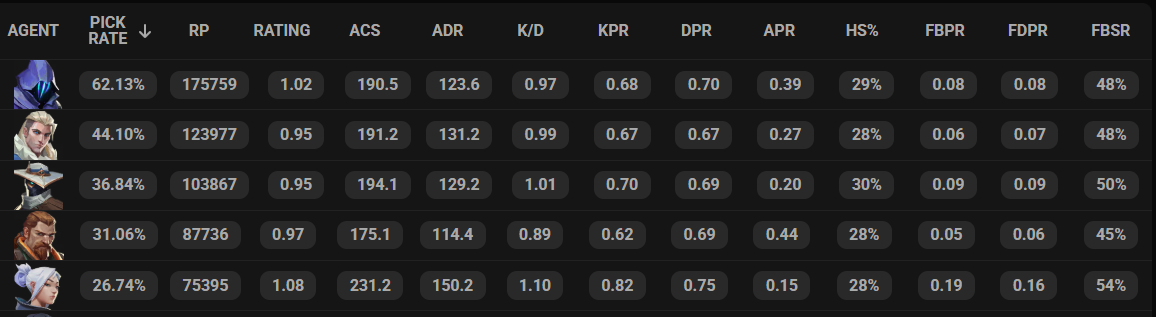
Agents like Jett, Omen, Sova, and Cypher continue to dominate the pro scene with consistently high pick rates, while others like Sage, Reyna, Brimstone, and Phoenix go nearly unpicked in every single event.
Omen had a 62% winrate in pro Valorant over the last 90 days. Source: TheSpike
While the meta in pubs is vastly different than that of the pro scene, there are still some select picks that dominate the competition while others are rarely picked across the ranks. I’ve lost count of how many times teammates have threatened to throw my games just because I locked in Sage in the Immortal bracket.
Riot’s “safe” approach to balancing Valorant has undeniably resulted in the game’s meta being predictable and stagnant without leaving much room for experimentation. The real question is whether the competitive stability is worth the cost of the game no longer feeling dynamic or losing its strategic depth.
Balancing the Fun Out
A cautious and data-driven approach to Agent balancing can also have an unintended side effect of taking the fun out of playing the game. We’ve seen multiple instances of this happening in the past with the release of certain Agents in an overpowered state, followed by patches that would remove their viability entirely.
Reyna used to have four charges on her Devour and Dismiss. Chamber used to have two teleport anchors, and Sage used to be able to raise her wall before the round even started. Riot quickly toned down all of these abilities. While the changes may have improved the overall game balance on paper, they also rendered these Agents almost irrelevant in pro play, as evident by each of their pick rates.
As per data from TheSpike, Reyna went completely unpicked during Valorant Masters Toronto 2025, while Sage and Chamber saw dismal pick rates of just around 5% and 3% respectively.
These examples should be enough to highlight the fact that whenever an Agent shows even a glimpse of being too strong, Riot is quick to roll back changes rather than finding a middle ground. The balance philosophy of Valorant seems to be the complete removal of any potential threats instead of refining them, which ultimately takes a toll on the game’s overall fun and discourages creative play.
Why This Matters More Than Ever
With 27 Agents being available to pick from, Valorant’s current character pool is nothing short of massive, and with the devs constantly adding new Agents every few months, it’s only expected to increase further. However, the newer Agents in Valorant have been feeling more and more like echoes of former releases. Instead of experimenting with game-changing mechanics and fresh design ideas, newer Agents often arrive with abilities that feel like slight variations or recycled versions of what we’ve already seen.
Not only does it take out the hype and excitement surrounding new Agent releases, but many of these Agents also end up being completely non-viable in the pro scene, which isn’t exactly healthy for the competitive integrity and long-term balance of the game. Competitive metas in any video game thrive when teams have real options to pick from instead of just a few default Agents that are must-picks every game.
Rather than urging teams to try out new team comps and strategies, the “safe” meta of Valorant rewards teams running the same lineup over and over again while optimizing their approach.
What Riot Could Do Instead
So, what can Riot Games actually do to address the constant stagnation of the Valorant meta?
If Valorant wants to keep its gameplay feeling fresh, Riot may need to look outside its own design bubble and take a page from the MOBA playbook. Granted, tactical shooters and MOBAs operate under vastly different design constraints, but as an avid Dota 2 player, I’ve seen how a game can thrive in imbalance.
In Dota, every new patch introduces overpowered hero synergies, makes an item or two completely broken, and adds mechanics that send the pros back to the drawing board. However, most importantly, the developers don’t always rush to fix it, but let the chaos unfold instead.
This kind of approach to game balance fuels creativity, constantly forces players to adapt, and makes every patch feel like a fresh challenge. This in turn leads to a more fun experience for casual and hardcore players alike, as fans can witness the meta living, dying, and reinventing itself in real time.
On the other hand, Valorant often feels a little “too polished,” with the developers constantly tweaking ability numbers in attempts to drag the Agent winrates as close to 50% as possible.
Instead of nerfing any hero that stands out in the roster, Riot could instead focus on providing counterplay options for Agents that are particularly strong in any given meta.
Verdict
Valorant is undoubtedly one of the biggest modern-day competitive FPS titles, and there are plenty of reasons for Riot to stick to a formula that’s working instead of trying out new stuff with an already established title.
However, a vast portion of the community also agrees that Valorant just doesn’t hit the same as it used to. The excitement surrounding new patches and Agent reveals has started to fade, and the stagnant meta has become a cause of frustration within the player base.
Competitive integrity is vital, but so is maintaining the bold identity that made Valorant stand out in the first place. Valorant’s next big leap likely won’t come from a new Agent, but from a paradigm shift on Riot’s approach to the game balance.
For a game like Valorant, which set itself apart in the FPS genre through its unique abilities and strategic depth, playing it safe might just be the riskiest move of all.
Keeping the energy high, KRAFTON India has launched yet another set of official BGMI redeem codes. This latest release is packed with 50 unique codes designed to unlock premium content and power-ups for players eager to elevate their Multiplayer Game experience. As excitement continues to grow, fans can look forward to even more engaging content with every release.
Redeem codes are valid until September 12, 2025, and will be released daily on BGMI’s official channels.
BGMI Redeem Codes for 23 July
DKZBZR4JN8MW88MX
DKZCZM7MQ9D44MG3
DKZDZ7TF5FPWK6E6
DKZEZH6FNFG5MP9M
DKZFZV4WAPB8GDXX
DKZGZBKGP7FCHQGM
DKZHZNET6S7BTKBU
DKZIZFNSWHA7NK5X
DKZJZE4SQVX88AXB
DKZKZJ8RXGTV37RH
DKZLZ73HUPXAGNK9
DKZMZ9BADJNW5TJR
DKZNZHPKNGN86U9S
DKZOZERBWPK44P6H
DKZPZW9K8A8C8FKD
DKZQZQ73S8NBBF8C
DKZRZTDFF3QJAF8C
DKZVZU56HJ5B3N8S
DKZTZ9KEQRBQ6FUH
DKZUZX8KM9UGBDHD
DKZBAZXF9VDBNR7P
DKZBBZJUS49HHXK3
DKZBCZXRNNAKQNTU
DKZBDZJ8HG6AX5AW
DKZBEZK7W5WNEUVQ
DKZBFZP4NMVDE9PR
DKZBGZURW3KXFDWF
DKZBHZMG95GE7X84
DKZBIZSWK783E5C4
DKZBJZQ6S3DCRXP7
DKZBKZUNGQ54JAA6
DKZBLZMHCC8BEJBS
DKZBMZM4SPDG3TW9
DKZBNZSPQ4AHEXMR
DKZBOZ8WQT9Q865Q
DKZBPZASBDH7TT9N
DKZBQZ3P4A3BR8CE
DKZBRZRM4QVTKWUE
DKZBVZRHCB4FVG7E
DKZBTZNM8GSXTJU3
DKZBUZX85KWPHK64
DKZCAZWVB4GDAA7G
DKZCBZWU5HKDM75U
DKZCCZJBUQ5KE66E
DKZCDZ3BQ6HHVPVR
DKZCEZHTRWA7HW45
DKZCFZBAKER4X6FU
DKZCGZHR45UU3DM4
DKZCHZ5BXRJP3536
DKZCIZ48RPHJVDU8
How to Redeem BGMI Codes
Players can follow these simple steps to claim their rewards:
Step 4: Enter the verification/ Captcha code → A message will confirm ‘Code redeemed successfully’
Step 5: The reward will be delivered via in-game mail
Rules to Remember:
A maximum of 10 users can redeem each code on a first-come, first-served basis
A user cannot redeem a code twice
Users must claim their rewards via in-game mail within 7 days, else the mail will expire
If a player is among the first 10 users to successfully redeem the code, a message will confirm ‘Code redeemed successfully’. If not, users will see ‘Code expired’ or a similar expiry message
Each user account can redeem only one code per day
Redeem codes cannot be used via guest accounts
Rewards to be claimed within 30 days from receiving the in-game mail post which the mail gets deleted.
Counter-Strike 2’s release in 2023 was guaranteed to transform competitive gaming through advanced technology and better player experiences. Yet, almost two years later, a large number of the competitive community still finds third-party solutions, such as FACEIT, more appealing than Valve’s built-in matchmaking system. This ongoing preference suggests deeper issues beyond surface-level complaints and raises questions about more fundamental structural issues in CS2‘s competitive scene.
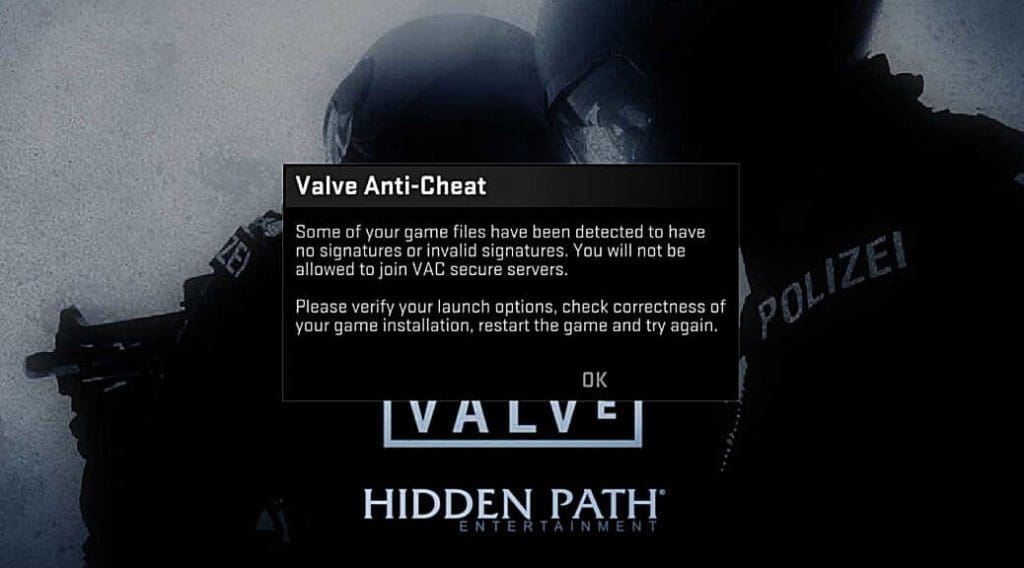
The statistics are a stark illustration of how serious the problem is. Premier matchmaking has cheating rates of about 80% according to community reports, whereas FACEIT has an incredibly low 0.4% rate. This stark contrast is because FACEIT’s more intrusive kernel-level anti-cheat system has greater system access and is much better at catching advanced cheats.
Economic Barriers as Deterrents
FACEIT’s strategy goes beyond being technically superior to economic deterrence. Whereas CS2-compatible cheats may be available for as little as €5 a month, FACEIT-compatible cheats will cost more at approximately €100 per month and are constantly being patched, decreasing their effectiveness. This economic model, with FACEIT’s active manual banning system, makes cheating extremely costly and risky.
During the period May 2-5, 2024, Valve has banned around 1,500 Counter-Strike 2 accounts. However, this number is only a small percentage of cheating players according to the community. Players’ anger is at the point where coordinated boycott campaigns are running, with players referring to themselves as “hostages in our own game.”
Sub-Tick System Implementation Problems
Even after Valve introduced the groundbreaking sub-tick system aimed at removing the limitation of tick rates, the community keeps experiencing vast gameplay variations between CS2’s 64-tick servers and FACEIT’s normal 128-tick system. Professional players have especially criticized such differences.
KennyS, a former CS:GO pro, experienced significant differences playing on FACEIT servers: “I actually hit a flick that felt like a flick – Pistols are accurate – Sprays are possible.” Even former Polish pro TaZ commented on “a big difference on how you need to play on MM vs FaceIt,” pointing out that the theoretical benefits of sub-tick technology have not carried over into enhanced practical gameplay experiences.
Server Infrastructure and Stability
CS2’s official servers commonly experience performance problems that directly affect competitive games. Players constantly receive “slow server frame” notices, lag spikes, and unreliable hit registration, issues that are especially costly in a game where millisecond timing is the key to success or failure.
FACEIT’s dedicated server architecture has more stable performance between regions and time intervals. Though not entirely free of technical problems, FACEIT servers tend to uphold higher standards of stability, which helps to create a more stable competitive scene that professional players desire.
Performance Metric
CS2 Official
FACEIT
Tick Rate
64 sub-tick
128-tick traditional
Cheating Rate
~80%
~0.4% reported
Server Stability
Variable performance
Dedicated infrastructure
Anti-Cheat Type
VAC + VAC Live
Kernel-level + Manual review
Premier Mode’s Matchmaking Issues
CS2’s Premier mode, which was created as Valve’s response to third-party competitive platforms, is plagued by extreme ranking disparities that erode competitive integrity. The system regularly spawns imbalanced matches in which players are given opponents who are far above or below their true skill level.
Studies comparing FACEIT to Premier rankings reveal significant discrepancies in the rating system. Within the 14,000 Premier rating bracket, FACEIT Level 2 players are matched directly with FACEIT Level 10 players, a considerable skill disparity that highlights inherent flaws in Premier’s ranking algorithm and matchmaking logic.
Trust Factor System Complications
CS2’s Trust Factor system, which was meant to enhance matchmaking quality based on player conduct and account history, has become a cause of source of frustration. Good players are said to be mass-reported by their opponents, which lowers their Trust Factor scores and assigns them positions in lobbies with suspected cheats and toxic individuals.
This produces a perverse incentive structure in which good performance is punished via the reporting system, miring talented players in loops of bad matchmaking experiences. The system seems to punish the newcomer and the veteran, each developing self-reinforcing negative spirals that push users away from official matchmaking.
FACEIT’s Complete Infrastructure
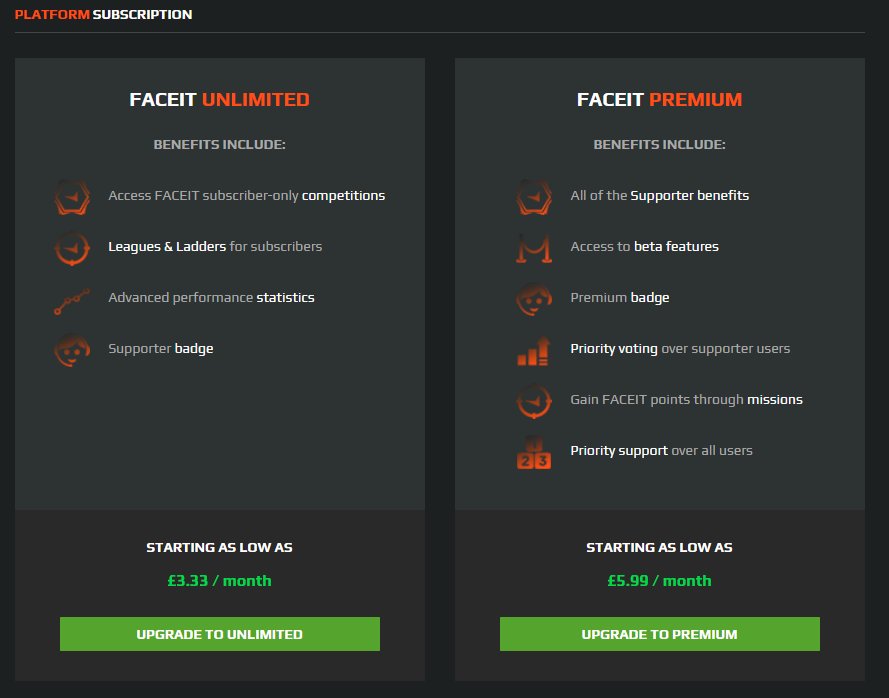
In addition to simple matchmaking, FACEIT has a formal competitive environment with established career paths for improvement. FACEIT has leagues, tournaments, and its elite FACEIT Pro League (FPL), thus building career paths that encourage dedicated gamers to spend time practicing.
FACEIT’s seasonal model, local leaderboards, and reward system have concrete incentives for constant play and development. The point system of the platform, tradable for rewards and special events, gives value beyond mere rank climb.
Professional Player Migration
The popularity of FACEIT among top and professional players has a great impact on the perception of the community. Several professional players avoid CS2’s official matchmaking altogether or make limited usage of it, preferring FACEIT for serious practice and skill building.
This professional exodus is a result of FACEIT’s more stable high-level competition, better anti-cheat safeguarding, and community interest in competitive superiority. If the game’s top players are consistently opting for third-party platforms, a message is being sent regarding quality variance between systems.
Latest figures show that around 18% of CS2 players use FACEIT only for competitive play. This is a large percentage of the most active competitive player base, and it creates a self-sustaining process where serious players more and more turn away from official matchmaking.
New developments indicate CS2 is losing close to 50,000 active players from May to July 2025. Although seasonal patterns explain player number changes, community feedback all the while points to matchmaking quality, the prevalence of cheating, and the competitive experience in general as major determinants of exits.
Communication and Transparency Issues
Valve’s reserved communication about matchmaking enhancements is another main source of frustration in the community. While the company has technically enhanced anti-cheat mechanisms and fixed certain network problems, many of the core issues are still unaddressed or inadequately explained to players.
This communication gap is confusing the future of improvement and making the competitive community feel neglected. The lack of openness regarding ranking algorithms, anti-cheat performance, and intended improvements provides grounds for doubt about CS2’s long-term competitive value.
Global Server Coverage
FACEIT’s worldwide infrastructure tends to present superior server coverage in under-served areas than CS2’s official servers. For gamblers in regions lacking server infrastructure, FACEIT is often the only acceptable means of competitive play within their region.
This regional reliance on third-party services points to inherent infrastructure shortcomings in CS2’s worldwide rollout and questions the dedication of Valve to offering uniform service quality globally.
Verdict
The continued popularity of FACEIT over CS2’s native matchmaking indicates the presence of nuanced technical, social, and competitive considerations beyond mere comparisons of features. Although Valve has put much investment into major technical innovations, these developments have not translated to competitive experiences that appeal to the most dedicated players.
The task for Valve is not only to match FACEIT’s existing features but also to show long-term commitment to competitive quality by providing continuous updates, open communication, and active community interaction. Unless it addresses these basic issues, CS2’s matchmaking will remain inferior to mature third-party solutions.