Monday, December 22, 2025
Home Blog Page 115

BGIS 2025: The Ultimate Viewer’s Playbook

The anticipation is finally coming to a head as the Battlegrounds Mobile India Series (BGIS) 2025 Grand Finals kick off tomorrow, April 25. The venue for this highly-prestigious event is Biswa Bangla Mela Prangan in Kolkata. After weeks of intense competition and a multi-stage qualifying process, the top 16 teams have officially checked in. The finalist teams all set to battle it out for the ultimate title in India’s most prestigious BGMI tournament.

BGIS 2025: Everything You Need to Know

Organized by KRAFTON, BGIS 2025 promises three days of top-tier action, running from April 25 to 27. This year’s edition boasts a prize pool of ₹3.2 crore, the highest the Indian Esports scene has ever seen. This is a massive increase made possible by contributions through in-game crate sales

The journey to the finals was nothing short of intense. Starting with in-game qualifiers, followed by stages like The Grind, Rounds 1 to 4, and the Quarterfinals, teams had to prove themselves at every step. A Wildcard round added to the drama, giving eliminated teams a second chance. The Week 1 and Week 2 of the Semi Finals finalized 16 teams. This exhaustive format ensured that only the most consistent and competitive squads earned a place in the Grand Finals.

Track Every Match with the TalkEsport App

To keep up with the highly intense and fast-paced action of BGIS 2025, the TalkEsport app now offers real-time coverage of the tournament. Users can access live score updates throughout the event, ensuring they never miss a moment—even on the go. The app also features detailed match schedules and team standings. This offers fans a clear and convenient way to follow their favorite teams’ performances.

Track Every Match with the TalkEsport App

With everything centralized in one place, the TalkEsport app serves as a reliable companion for BGIS 2025 enthusiasts looking to stay connected with every development as it happens.

With all teams checked in and ready, BGIS 2025 is shaping up to be an unforgettable event in the Indian esports calendar. Fans can expect high-intensity matches, tactical brilliance, and thrilling finishes as the top 16 teams vie for glory.

How To Delete Valorant in 2025?

0

Whether you’re getting burnt out from the competitive grind in Valorant or concerned about security risks associated with its Vanguard anti-cheat, you might be searching for how to delete Valorant in 2025 and fully remove all related files from your system.

However, uninstalling Valorant from your PC isn’t as simple as dragging the game icon to the recycle bin. In fact, deleting Valorant can get much more complex than uninstalling other games due to the presence of Vanguard.

For the uninitiated, Vanguard is the anti-cheat system for Valorant, which operates at kernel level (Ring 0), the highest level of system access. This gives Vanguard the same privilege level as operating system drivers and enables it to operate continuously in the background of your PC. As a result, Vanguard has been met with widespread criticism from a huge portion of the gaming community.

If you’re looking to delete Valorant from your PC, you’ll first have to get rid of Vanguard and remove all its associated files.

Without further ado, let’s check out how to uninstall Valorant in 2025.

How To Uninstall Valorant in 2025

First, let’s take a look at how to uninstall Vanguard from your system:

  • Before getting started, exit Valorant and Riot Client
  • Open your system tray by clicking on the arrow located towards the right side of your taskbar
  • Right-click the Vanguard icon
  • Hover your mouse over “More..”
  • Hit “Uninstall Vanguard.”

Now that you have removed Vanguard from your system, all that’s left for you to do is uninstall Valorant itself.

To delete Valorant from your PC in 2025, simply follow these steps:

  • Tap the Windows key on your keyboard
  • Search for ‘Add or remove programs’
  • Search for ‘Valorant’
  • Click on the three dots on the side
  • Click on ‘Uninstall’

You’re almost there! Wait for the uninstallation process to finish, and then navigate to your Valorant installation directory (default: C:/Riot Games) and delete the ‘Valorant’ folder. If you don’t play any other Riot Games titles, you can safely delete the entire ‘Riot Games’ folder as well.

You have now successfully uninstalled Valorant from your PC. If you ever wish to try out the shooter again, all you need to do is head to the official Valorant website and re-download it.

How to Check CS2 Inventory Value?

Over the years, all of us have accumulated a plethora of items in our CS2 inventory, but only a handful of us know how much they are worth. CS2 items appreciate over time, and there is a good chance that those cases you never cared about are worth several times more.

How to Check CS2 Inventory Value?

Unless you are willing to add the value of each case yourself, it is better to go to any of the trusted CS2 online marketplaces like CS.Money. While there are several websites, CS2 scams are just as common, which makes it difficult to find one where you can get a comprehensive value of all the items in your inventory.

Link your Steam account to one such website, and there you will be able to check the exact value of all the items in your inventory. CS.Money has a comprehensive value calculator built into the website that can give you the total value of your skins at that instant of time.

Before you go on to create an account in one of the marketplaces online, make sure to have your Steam inventory privacy set to public.

How to Make the Steam Inventory Public?

  • Go to your profile.
  • In the Steam client or at steamcommunity.com, click your username at the top and choose “Profile.”
  • Click “Edit Profile” (on the right side of your profile page).
  • Select “Privacy Settings” from the left-hand menu.
  • Find the “Inventory” section.
  • Set it to “Public.”

Upon following these steps correctly, you will be able to see the value of each item as well as the comprehensive value of your total inventory. The good thing about online marketplaces is that they let you sell those items online for real cash, which Steam doesn’t let you.

How to Play Counter-Strike 2 on Your Mac?

Counter Strike 2 is arguably the most popular FPS in the world, and we understand if you want to experience it yourself, but all you have is a Mac. This article will discuss how you can play Counter-Strike 2 on your Mac, which doesn’t support the game.

MacOS has a plethora of technical challenges, including but not limited to the lack of native Vulkan API support. The developers aren’t exactly motivated to find a workaround for this, given the low demand for CS2 on the Mac, but we do have one.

The only known method to play CS2 on a Mac is to play via the CrossOver application. CrossOver is essentially a virtual desktop that allows you to run Windows applications on a MAC.

How to Download CrossOver?

How to Play Counter-Strike 2 on Your Mac
  • To get CrossOver, visit the CodeWeavers website.
  • Choose Download Trial Now.
  • Double-clicking the crossover.zip file you downloaded will extract the software and finish the installation.
  • Next, transfer the CrossOver application to the Applications folder.
  • Start with the trial plan.

Download Steam and Install Counter-Strike 2

  • Download and install Steam in CrossOver, then go on to download CS2.
  • Wait for it to download before selecting the Steam bottle and turning on D3DMetal.
  • Start the game and enjoy.

Goes without saying that the experience on a Mac will be far from ideal, and there is a good chance that you will run into severe input lag issues. This might be an acceptable tradeoff for the casual gamers, but playing like this would get in the way of you going pro.

How to Record Valorant Gameplay?

0

Valorant has gradually become a global esports sensation. Whether you play casually, are a content creator, or hope to become a pro, capturing your gameplay can be extremely helpful to hone skills, share highlights, or produce content for sites like YouTube or Twitch.

This article will guide you through recording Valorant gameplay with different software tools, without affecting performance.

Select the Recording Software

There are several free and paid solutions to record Valorant. Some of the most used are:

  • OBS Studio: Free and very customizable, ideal to stream and record.
  • NVIDIA ShadowPlay: It is a built-in screen recording feature that comes with NVIDIA GeForce Experience, available to users who have an NVIDIA graphics card.
  • AMD Radeon ReLive: If you have an AMD GPU, it is the perfect choice.
  • Xbox Game Bar: The Xbox Game Bar is a built-in feature in Windows 10 and Windows 11 designed primarily for gamers. It provides a quick and easy way to record your Valorant gameplay.

All of these tools support high-quality recording with varying degrees of control over resolution, bitrate, and framerate.

Set Up Recording Software

You have multiple options here as well.

  • OBS Studio
    • Download and install OBS Studio from here.
    • Create a new Scene, then add a Game Capture source.
    • Choose “Capture specific window” and select Valorant.
    • Set the recording resolution (ideally 1080p) and framerate (60 FPS for smooth playback).
    • In Settings > Output, select the recording format (MP4 is well-supported) and your bitrate (6,000–10,000 kbps for 1080p).
  • ShadowPlay
    • Launch NVIDIA GeForce Experience and turn on In-Game Overlay.
    • Press Alt+Z during gameplay to open the overlay.
    • Click Record, set your settings (resolution, FPS, and length), and record with one button.
  • Xbox Game Bar
    • Press Win + G to open the overlay.
    • Press the Record button or press Win + Alt + R to record/stop recording.

Tweak Your PC Settings

Recording gameplay can put a strain on your system. To play smoothly and record at high quality, follow the steps mentioned below:

  • Shut down background applications that you don’t need.
  • Reduce Valorant graphics settings a notch if you encounter lag while recording.
  • Save recordings to a secondary storage device (such as an SSD) for higher write speeds.

After recording, you can share your content with friends or on any social media platform. Which of the above-mentioned methods do you use to record your Valorant gameplay? Let us know in the comments below.

How to Level Up in Valorant? (2025 Guide)

0

Valorant is not merely quick reflexes and sharp aim. There is more than that in the game. Leveling up in Valorant provides access to ranked matches, rewards, and a lot more. Whether you’re a new player or a veteran, knowing how to level up effectively can make your experience better and unleash the full potential of the game.

Do you know how Valorant’s progression system works? Players gain Account XP by completing matches and Daily and Weekly Missions. This XP increases your account level, not to be confused with your competitive rank. Leveling up also unlocks Agent Contracts and progression rewards like sprays, gun buddies, and skins.

How to Level Up in Valorant?

How to Level Up in Valorant

Here is how to level up faster in Valorant in 2025:

  • Complete Daily and Weekly Missions
    • This is the fastest way to make XP. Daily missions are short objectives such as “Get 10 rifle kills,” while weekly missions tend to be longer tasks. These missions reward much more XP than simply playing matches, so do this frequently and make them a priority.
    • Pro Tip: Utilize the Agent and weapon types needed in your missions, even if it’s not in your comfort zone. This enhances your versatility and accelerates progress.
  • Grind Unrated and Swiftplay Modes
    • Though Competitive games provide good XP, Unrated and Swiftplay are more suitable for steady leveling. They’re less tense and quicker to finish, so you can play more games in less time. Every match rewards Match XP depending on performance and match length, so even a defeat provides progress.
    • XP Breakdown (approximate):
      • Win: 100 XP bonus
      • Round played: 100 XP
      • Round won: 50 XP
  • Play with a Consistent Team
    • Valorant incentivizes consistent play. Having a consistent group of players minimizes downtime and enhances coordination, hence making rounds easier to win and consequently, earn more XP. Consistent winning not only awards bonus XP but also makes it easier to succeed in missions.
  • Turn on and Prioritize Agent Contracts
    • Agent contracts unlock new agents and special rewards. When activated, part of your XP goes into advancing through that agent’s contract. Focusing on an individual agent at a time accelerates the unlock process and enhances your command over their playstyle.
  • Don’t AFK and Toxic Behaviour
    • AFKing or toxic behavior can lead to XP penalties, bans, or low-priority queueing. Always try to be a team player, communicate positively, and complete your matches. Valorant rewards consistent, positive play.
  • Utilize XP Boosts (Battle Pass)
    • Buying the Battle Pass can provide extra rewards and keep you on top of your progress. Certain levels in the Battle Pass provide XP boosts that enable you to level up quicker. Not required, but it’s a good investment for serious players.

If you carefully follow all the above-mentioned steps, you will easily rank up in Valorant within a short time. If you still have any queries, feel free to ask them in the comments.

Top 5 Best Gaming Mouse in 2025: Find The Perfect Mouse!

Here’s our ultimate guide to the top 5 best gaming mice money can buy as of 2025. This includes all variants from renowned brands like Corsair, Razer, Logitech, and SteelSeries!

But before we begin, what makes an ideal gaming mouse? What pillars does a gaming mouse need to get right for them to be good? Well, the short answer is that it depends on your preferences, but remember this: getting a good mouse can entirely change how you experience your gaming PC!

High-end mouse features that contain essential abilities help gamers reveal new potential in their games. The Razer Viper V3 HyperSpeed distinguishes itself as the favorite gaming mouse option for gamers because of its ergonomic shape alongside superior performance capability at its budget-friendly price point. Our best wireless option is the Logitech G Pro X Superlight 2 through the SteelSeries Rival 3, which serves budget-conscious gamers well. This list contains a gaming mouse that will match any player’s requirements exactly.   

Well, without rambling on, here are the top 5 gaming mouse names in 2025:

Razer Viper V3 HyperSpeed

Razer Viper V3 HyperSpeed

The most well-rounded one.

The specifications on this beast are: 

SensorRazer Focus Pro 30k Optical
Battery LifeUp to 280 hours (1,000Hz), Up to 50 hours (8,000Hz)
Max DPI30,000
Buttons6
Weight82g

Pros:

  • Ultra responsive
  • Long battery life
  • Fast polling rate

Cons: 

  • Heavier compared to its competitors 

The Viper V3 HyperSpeed is truly a fantastic deal. This wireless gaming mouse may have a simple feature set, but it’s packed with Razer’s latest sensor and wireless tech, ensuring it performs at the top level while costing just a fraction—about one-third—of what some high-end wireless mice demand.   

The essential features and exceptional performance of the mouse enable it to deliver superior gameplay during esports FPS games and make it suitable for all gaming categories. The device functions optimally with palm grip gamers while maintaining flexibility for different handle methods, unless the player has tiny hands.  The mouse generates discourse because it runs on AA batteries instead of having a rechargeable feature built inside. The use of this battery design enables extended battery life for the mouse, yet causes the device to become heavier in comparison to other wireless high-performance mice. The 82-gram weight makes it somewhat light, although important wireless competitors come in at only half its weight. The direct play capability depends on having a cable connection because the mouse lacks an internal rechargeable power supply, which means changing the battery is necessary when it dies. 

Despite these minor issues, it tops our list mainly because of its price. At just $60, this mouse delivers incredible value, especially when you consider its sensor and switch performance.

Logitech G Pro X Superlight 2

The best lightweight champion of a mouse there is!

The specs on this beast are: 

SensorLogitech Hero 2
Battery lifeUp to 90 hours
Max DPI32,000
Buttons5
Weight60g

Pros

  • Long battery life
  • High DPI
  • Smooth to use on any surface

Cons

  • It is somewhat of a fairly expensive mouse

Ultra-lightweight mice are more than just a passing fad; they’re paving the way for the future. Gone are the days when people used to associate a heavyweight with product quality. The paradigm shift has led to users being more sensible in design as well as function. Using a single charge, the Superlight 2 provides users with 95 hours of use when combined with its numerous connectivity capabilities. 

When we compare it to the Corsair M75 Air, it might fall a bit short due to a slight price difference, but the Superlight 2 definitely has its own advantages. These include a higher DPI, a range of color options, and better storage for the USB receiver when it’s not in use. One standout feature of the Superlight 2 is its smooth gliding ability on any surface. 

The PTFE pads run along the curved back and the entire front section just past the sensor, ensuring that you can use the Superlight 2 effortlessly with any mouse pad, whether it’s an old one or a brand-new addition to your setup.

Corsair M75 Air

Corsair M75 Air

Looking for value? This wireless mouse is it!

The specifications of this mouse are:

SensorCorsair Marksman Optical
Max DPI26000
Weight60g
Battery LifeUp to 100 hours
Buttons5

Pros

  • Weighs in at just 60g
  • Up to 100 hours of battery life
  • Comfort palm grip

Cons

  • Well, it is not the most competitively priced mouse out there
  • Sad omission of an onboard DPI switch 

The Corsair M75 Air demonstrates superior weight efficiency with its 60g weight and sustains operation through Bluetooth mode for 100 hours. After changing to its 2.4GHz wireless connection, the battery reaches 60 hours because of the standard 2,000Hz polling rate, but remains capable of sustaining gaming sessions for an entire week. The Corsair M75 Air follows standard gaming performance mouse principles by eliminating non-essential features. You will find true excellence in its performance capabilities among the features of this mouse, which also works perfectly well with different hand sizes and different grip methods while displaying an elegant, symmetrical form. Although it costs a bit more than budget options, the Corsair M75 Air provides good value at its $99 average price, which stands lower than high-end wireless mice priced at over $150 from other producers.

Cherry Xtrfy MZ1 Wireless

Cherry Xtrfy MZ1 Wireless

Best fingertip gaming mouse there is!

SensorPixArt PAW3370 Optical
Battery lifeUp to 75 hours
Max DPI19,000
Weight62g
Buttons6

Pros

  • Great for fingertip grip players
  • Very light
  • Excellent overall, rounded performance

Cons

  • Highly polarizing shape
  • Not ideal for claw and palm grips 
  • Quite heavy on the wallet

The Cherry Xtrfy MZ1 wireless mouse is one that users will either love or hate. In a world where most gaming mice boast impressive sensor and latency performance to handle any gaming situation, and where design often focuses on shape, weight, and feel, this mouse shines as our top choice for fingertip grip gaming. If you prefer to hold the mouse just with your fingers while keeping your palm lifted, this mouse is a great fit. On the other hand, if you like more support for your hand, it might not be the best match for you, although it does perform decently for a claw grip, too.

The design really emphasizes its low profile and well-defined finger grooves. Your fingers naturally settle into the two main buttons, giving you a secure and accurate feel. Plus, you can swap out the back section for a different shape, and the screws on the bottom let you adjust the weight balance. Beyond its shape, the buttons are finely tuned to provide a precise, crisp response that, when paired with the excellent sensor, makes this mouse feel just right for fast-paced FPS gaming.

Razer DeathAdder V3 Pro

Razer DeathAdder V3 Pro

The final boss for wireless easy buy, for the masses

SensorRazer Focus Pro 30K Optical
Battery lifeUp to 90 hours
Max DPI30,000
Buttons5
Weight64g

Pros

  • Really comfortable to use
  • Lightweight
  • High precision

Cons

  • No Bluetooth connection
  • Could use more buttons

A wireless gaming mouse with ergonomic features suitable for palm grip use ranks the DeathAdder V3 Pro as our selection. You’ll pay more for this device since it offers excellent features along with outstanding performance capabilities. 

Unlike the Viper V3 Hyperspeed mouse, which functions wirelessly only through AA batteries, the DeathAdder V3 Pro runs on rechargeable power cells. You can use the cable connection to benefit from smooth operation without the concern of battery depletion and lack of backup charge.

Plus, it weighs in at just 64g, making it lighter, though some other options on this list are even more featherlight—this is just part of the deal for a larger, fuller-shaped mouse.

You will miss out on Bluetooth connectivity, which is available in several other wireless models, and this mouse has fewer buttons and limited extra features. However, if you’re simply after a high-performing mouse in this category, it definitely lives up to the hype and looks great while doing it, available in both black and white options.

For more such guides and latest updates, stay tuned to Talkesport!

Marvel Rivals April 24 Update To Feature New Game Mode, Skins, Emotes & More: Full Patch Notes Here

NetEase has just revealed the detailed patch notes for the April 24 Marvel Rivals update, and it’s all set to bring with it a ton of new content to the hero shooter. 

The upcoming Marvel Rivals Version 20250425 patch will not only introduce the brand-new ‘Brain Blast’ game mode, but it will also include a couple of gorgeous cosmetic bundles for Hela and Loki, alongside a bunch of other changes. 

The devs have also confirmed a number of new emotes coming to the game with the ‘Brain Blast’ game mode. Players will likely be able to grab these new emotes for free by participating in this new Marvel Rivals mode. 

The hero proficiency system in Marvel Rivals has also been tweaked in this new update, putting a cap on proficiency points earned through Doom and Conquest modes. 

Lastly, as usual, the Marvel Rivals April 24 update fixes a bunch of bugs and glitches to improve players’ overall gameplay experience. 

Marvel Rivals April 24 Update Patch Notes

Without further ado, let’s check out the detailed patch notes of the Marvel Rivals April 24 update, as confirmed by the devs:

New Mode – GIANT-SIZE BRAIN BLAST

This all-new mode will ignite the battle big time during the following windows:

  • 2025/4/25 09: 00: 00 ~ 2025/4/28 12: 00: 00 (UTC)
  • 2025/5/2 09: 00: 00 ~ 2025/5/5 12: 00: 00 (UTC)

Compete on unique leaderboards and unlock colossal rewards that are sure to make your head spin! Get ready to think big, shoot big, and have a big blast!

New Content

New In Store

  1. Loki – Shin Sagi-Shi Bundle
  2. Hela – Yami no Karasu Bundle
  3. A big bunch of Brain Blast Emotes

Resource Adjustments

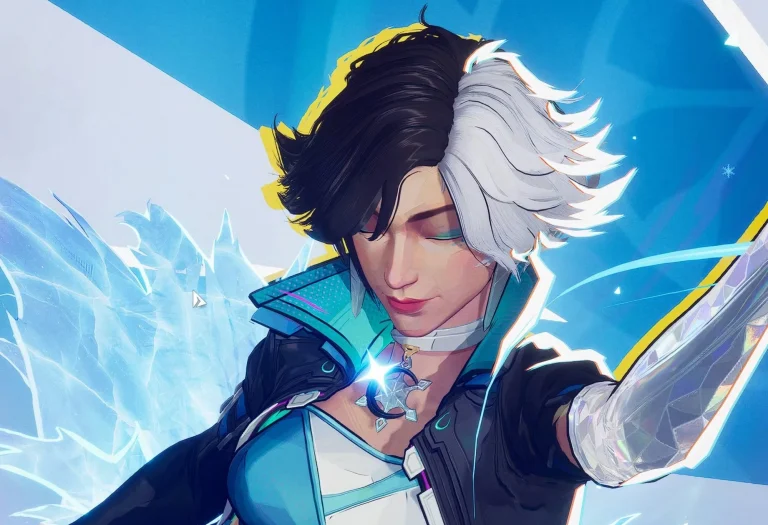
Luna Snow’s Cyber Tunes emote has been revamped to loop continuously, ensuring that she never skips a beat.

Hero Proficiency Tweaks

To better reflect your mastery in the heat of different battles, we’re overhauling the hero proficiency system. The missions are now segmented into Quick Match/Competitive and Conquest/Doom Match. Quick Match/Competitive missions have no cap on repetition, while Conquest/Doom Match missions feature a daily repeat limit. Your hero proficiency is about to get as lordly as your feats!

Fixes

All Platforms

General
  1. Fixed a rare issue where players would sometimes find themselves stuck on the round-switch transition screen.
  2. Resolved a glitch on the Krakoa map where the emote wheel occasionally couldn’t be used, except for the bottom-right segment.
  3. Fixed a Faction system bug where after a single name change, the name could not be changed again even after the cooldown period.
  4. Resolved an issue in the Faction Recruit interface where non-leaders saw a “Only Leader Can Select” label on the Confirm button.
  5. In Custom Game – Tournament Room settings, coaches now have an option to hide opponent voting displays in Competitive matches.
  6. Fixed an issue where the first time entering a new season’s Battle Pass screen or the moment when season-end settlement pops up and rapidly switching to the next page would sometimes cause the navigation bar to vanish.
Maps and Modes
  1. Fixed several terrain issues that could cause characters to sometimes become stuck or clip into strange areas.
Heroes
  1. Emma Frost’s Diamond Dynamite: Fixed a glitch in Diamond Form where her Carbon Crush would sometimes catapult foes underground—or even off the map! Now, when Emma dazzles, every move lands as sharp as a perfectly cut gem!
  2. Mister Fantastic’s Fantastic Flex Fix: Resolved an issue when Flexible Elongation aimed at enemies through portals would occasionally twisted his movement trajectory into the wrong direction. Now, when Mr. Fantastic bends the rules of physics, his is as precise as his genius!
  3. Iron Fist’s Chaotic Kick: Squashed a bug causing Iron Fist’s K’un-Lun Kick to suddenly rollback in high-latency battles. Now, his moves blast forward with the unstoppable momentum of a true warrior!
  4. Psylocke’s Wing Shurikens Tweak: Fixed a glitch where Psylocke’s Wing Shurikens would sometimes lose damage after striking Loki’s arm. Now, with the trickster god kept in check, her psionic shurikens strike with all the precision and brilliance of a ninja!
  5. Star-Lord’s Sleepy Swagger: Resolved an issue where Star-Lord’s Spartax Slumber emote was missing his signature facial animations when used during a match. Now, when he starts to nod off his playful attitude will shine through, proving that even in chaos, he’s the coolest guy in the galaxy!
  6. Squirrel Girl’s Animated Antics Revival: Corrected an issued with Squirrel Girl’s default emote where facial expressions where missing when used in a match. Now, when she unleashes her quirky charisma, every nutty moment is captured with the full force of her animated personality!
  7. Invisible Woman’s Shield Surge Update: Fixed an error in the recovery rate of Invisible Woman’s Guardian Shield.

How to Get Teenage Mutant Ninja Turtles Villain Skins in Fortnite?

0

Fortnite’s partnership with the Teenage Mutant Ninja Turtles (TMNT) has added a new generation of characters that usher in heroes as well as villains into the universe of the game. The latest v34.40 patch adds more TMNT members to the list with Casey Jones, Bebop, Rocksteady, and Krang’s Android Body joining the ranks.

In this article, we will find out how to get Teenage Mutant Ninja Turtles Villain Skins in Fortnite. Keep reading till the end to find out.

How to Get Teenage Mutant Ninja Turtles Villain Skins in Fortnite?

Teenage Mutant Ninja Turtles Villain Skins in Fortnite

Casey Jones enters Fortnite with a 1,800 V-Bucks bundle. The bundle contains Outfit, LEGO version, Casey’s Hockey Stick Pickaxe, Golf Bag Back Bling, Special Guitar, and Taunt Emote.

Shredder’s infamous sidekicks, Bebop and Rocksteady, have been released as separate skins, each costing 1,200 V-Bucks. Bebop has a LEGO Style, while Rocksteady has a LEGO Style and the Rise N’ Grind emote.

The extraterrestrial warlord Krang enters the fight with his Android Body skin, priced at 1,600 V-Bucks. You will get the Outfit, a LEGO Style, the War Cry Emote for Krang, and the Dimension Axe Pickaxe.

For those wanting to buy a variety of items, the Turtle Foes Bundle provides an inclusive bundle. Costing 3,200 V-Bucks, it contains all villain-themed cosmetics, which gives a good saving when compared with buying items individually. The Turtle Van Bundle is available at 2,500 V-Bucks.

Apart from the Battle Royale mode, TMNT content is also incorporated in Fortnite’s Creative mode. Using the new Dimension X Starter Island template, with the Technodrome Prefab, new landscape materials, visual effects, and a space-themed skybox, players can craft custom behaviors, animations, and full-fledged cinematics for TMNT characters.