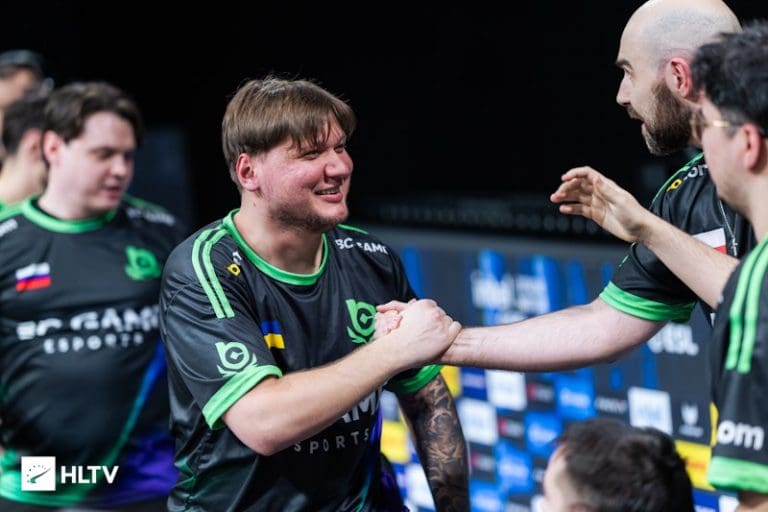
G2 Esports advanced to the next round of the BLAST Open London, beating Team Liquid 2-0. With a big roster overhaul, the new-look G2 is starting to click, and if they can hold this momentum, we are looking at a potential favorite for upcoming tournaments.
Neither team hit its stride early on until G2 put together a few rounds to form an early lead. Liquid did manage to retaliate, but that did not prevent G2 from closing the half with a narrow lead of 7-5. Starting their offense with a bang, G2 extended the lead to 11-5 before Liquid could pull in a round or two. The North American side did win a few rounds on their defense, but that wasn’t enough to stop G2, who pulled in their 13th round of the map, while Liquid only managed 8. Winning the map with a 13-8 scoreline, HeavyGod, who had initially started the map in poor form, finished with 24 kills.
Map 2: Inferno; Pick: G2; Winner: G2
Despite starting the map poorly, G2 recovered to completely dominate Liquid for the entirety of the first half. With proper protocols in place, this G2 side played a T side that is one to watch out for. Not only did Liquid fail to stop G2, but they were rendered helpless in 9 of the 12 rounds they played. Swapping sides with a 9-3 scoreline, G2 continued their streak as they closed out the map 13-3 without losing a single round.
With 24 kills to his name, malbsMd dropped a statement performance that proves why this G2 side chose to place him in the star roles.
As Team Liquid drops into the Lower Bracket, G2 will face a tough opponent in MOUZ. Given their performance, G2 Esports will pose a tough challenge to MOUZ, which has been one of the best teams this season.
Day 4 of BGMI Masters Series Season 4 (BGMS Season 4) League Week 2 was nothing short of spectacular as the underdogs stole the spotlight and the leaderboard fight grew even tighter. With 4TRX, Victores Sumus, True Rippers, and Gods Reign all securing wins, the competition saw a shake-up that left fans on the edge of their seats.
BGMS Season 4 League Week 2 Day 4 Match-wise Recap
Below is the match-wise recap of BGMS Season 4 League Week 2 Day 4:
Match 41 – Erangel
The opening game saw 4TRX, K9 Esports, and True Rippers in a tense 4v3v1 showdown. K9’s Slug managed to eliminate True Rippers’ Harsh while he tried to rotate into zone, leaving a direct 4v3 brawl. In the decisive clash, 4TRX outgunned K9 Esports to clinch the chicken dinner with 8 finishes and 10 placement points, totaling 18 points. K9’s aggression netted them 16 points, while GodLike Esports followed closely with 16 points as well.
Match 42 – Miramar
Miramar delivered chaos, boiling down to Victores Sumus (VS), True Rippers, and GodLike Esports in a 3v3v1 situation. VS’s Shayaan eliminated GodLike’s Jonathan, setting up a thrilling 3v3 between VS and TRX. In the end, Victores Sumus displayed remarkable composure to secure the win with 15 finishes and 10 placement points, finishing on 25 points. TRX grabbed 15 points for second place, while 8Bit rounded out the top three with 10 points.
Match 43 – Sanhok
The third game saw True Rippers, FS Esports, and Team Aryan locked in a 3v2v1 standoff. TRX’s Hydro eliminated Aryan’s devotee to set up a 3v2 fight against FS Esports. TRX capitalized on their numbers advantage, sealing their second chicken dinner of the day with 12 finishes and 10 placement points, a total of 22 points. NoNx pushed through with 15 points, while Medal Esports claimed 10 points for third.
Match 44 – Erangel
The final game saw a 3v3v3 fight between Reckoning Esports, Victores Sumus, and Gods Reign (GDR). Reckoning faltered while attempting to enter the zone, leaving a head-to-head between VS and GDR. In the final exchanges, Gods Reign showed superior gunpower and discipline, sealing the win with 7 finishes and 10 placement points, totaling 17 points. Reckoning Esports (RGE) collected 16 points, while Ninz chipped in with 12 points to secure third.
Overall Standings After BGMS Season 4 League Week 2 Day 3
After Day 4, Genesis Esports remained firmly on top with 28 matches, 138 finishes, 103 bonus points, 65 placement points, and a total of 306 points. iQOO Orangutan (OG) closed the gap in second place with 30 matches, 4 WWCDs, 177 finishes, 42 bonus points, 79 placement points, totaling 298 points. iQOO SouL continued their surge into the top three with 30 matches, 2 WWCDs, 153 finishes, 73 bonus points, 65 placement points, ending the day with 291 points.
Day 4 showed that the competition is still wide open. With Orangutan and SouL chasing down Genesis, and dark horses like TRX and VS stepping up, the final stretch of the league stage promises peak BGMS action.
Stay tuned to the TalkEsport app for detailed gaming and esports coverage, latest news, and much more!
FaZe Clan is in the next round of play for the BLAST Open London 2025, beating ESCTATIC in a B03 match. With a new kid donning the FaZe jersey, a sharper and well-rounded team showed up against ECSTATIC, who made it tough, but the group of CS2 superstars prevailed.
Starting their map pick with a bang, ECSTATIC maintained control of the game with a very proactive offense, making it difficult for FaZe. Having managed to pull a few rounds by the skin of their teeth, FaZe edged out the first half with a narrow lead. They further extended the lead to 10-5, but that was all they managed. With the first gun round of the half, ECSTATIC took control of the momentum and went on to put up a streak of rounds that saw them outclass FaZe. As the FaZe offense spiralled, ECSTATIC managed to bring home 8 rounds in a row to win the map. Anlelele came in with all the impact, dropping 26 kills to pull off an early lead in the series.
Map 2: Dust2; Pick: FaZe; Winner: FaZe
A blowout performance right from the get-go as FaZe Clan started the map brimming with confidence. As they kept piling round after round, FaZe Clan mustered up an enormous lead. Every single piece of the tactic FaZe deployed worked out perfectly, leading them to put up a flawless half. FaZe switched sides with a perfect scoreline and continued the momentum until the end of the game, levelling the series with a perfect scoreline of 13-0. With 20 kills and a 2.79 IR, FrozeN pushed the game to Inferno.
Map 3: Inferno; Pick: Decider; Winner: FaZe
Starting the map with a pistol win, FaZe dropped the ball, leading ESCTATIC to win round after round before FaZe salvaged the half by the end, having secured a respectable scoreline. The second half did not separate the teams, as both traded rounds to level the scoreline and push the game into overtime. Once the game went to overtime, FaZe remained largely dominant for the better part, leading to a comfortable close of the game with a 16-13 scoreline.
Jcobbb may not have been the star of the show, but he has secured a debut win against a challenging opponent, and not only will it give him the confidence to play in the coming days, but we should see him take over the server, relieving the burden from Broky or Frozen.
Day 3 of League Week 2 in BGMI Masters Season 4 delivered some of the most thrilling finishes yet, with unlikely comebacks, nail-biting last circles, and standout individual plays shaping the standings. With Likitha Esports, SouL, Orangutan, and 8Bit all stepping up, the leaderboard tightened further as Genesis Esports held onto the lead.
BGMS Season 4 League Week 2 Day 3 Match-wise Recap
Below is the match-wise recap of BGMS Season 4 League Week 2 Day 1:
Match 37 – Erangel
The day began with a tense 4v3v2 showdown between Likitha Esports (LE), True Rippers (TRX), and NoNx. NoNx were the first to bow out, and in the chaos, two TRX players succumbed to the blue zone, leaving Hydro in a desperate 1v4 against LE. Likitha Esports capitalized perfectly, closing out the game with 9 finishes and 10 placement points, totaling 19 points. TRX followed with 15 points, while Team VS held on with 11 points for third place.
Match 38 – Miramar
The desert map saw an intense 4v3 brawl between Orangutan (OG) and SouL, with OG displaying superior synergy to overpower their rivals. While SouL’s aggression netted them a massive 22 finish points, OG’s composure gave them the chicken dinner with 8 finishes and 10 placement points, scoring 18 points. SouL still walked away with 28 points, the highest tally of the day. NoNx also made their presence felt with 13 finishes, ending on 13 points in third.
Match 39 – Sanhok
The Sanhok chaos came down to a 4v3v2 standoff between Gods Reign (GDR), Orangutan (OG), and SouL. OG’s WizzGOD struck first, taking down LeGiT from SouL, while the playzone claimed Joker. That left a 3v4 between OG and GDR, where Orangutan’s coordination proved decisive, earning them the win with 15 finishes and 10 placement points, totaling 25 points. GDR matched OG’s firepower with 18 finishes, but placement left them with 24 points, while SouL picked up 8 points for third.
Match 40 – Erangel
The final clash saw 8Bit, SouL, and K9 Esports enter a fiery 3v3v2 end zone. While 8Bit and K9 went head-to-head, SouL’s third-party pressure tilted the fight, leading to K9’s elimination. In the final 2v2 between SouL and 8Bit, the latter held their nerve to secure the chicken dinner with 17 finishes and 10 placement points, grabbing 47 total points—the highest of the week so far. SouL followed with 17 points, while K9 settled for third with 12 points.
Overall Standings After BGMS Season 4 League Week 2 Day 3
By the end of Day 3, Genesis Esports remained in pole position with 26 matches, 133 finishes, 102 bonus points, 62 placement points, and a total of 297 points. Close behind, iQOO Orangutan (OG) surged into second place with 28 matches, 4 WWCDs, 169 finishes, 41 bonus points, 79 placement points, totaling 289 points. iQOO SouL climbed into third with 28 matches, 2 WWCDs, 145 finishes, 72 bonus points, 60 placement points, ending on 277 points.
With Orangutan and SouL making strong pushes, and 8Bit reminding everyone of their firepower, the League Stage is now wide open. Every match going forward will be decisive in the race for the playoffs.
Stay tuned to the TalkEsport app for detailed gaming and esports coverage, latest news, and much more!
Almost two years since its launch, Counter-Strike 2 still grapples with long-standing server issues that effectively destroy the competitive game Valve had promised. Even with the shift to the Source 2 engine and new groundbreaking subtick technology, CS2’s server framework cannot live up to player expectations in several key areas, leading to a chain of issues that impact everything from leisure gamers to professional esports players.
The Subtick System: A Technical Leap That Failed
Valve’s subtick system was met with enthusiasm as a revolutionary solution to the long-standing debate over 64-tick vs. 128-tick servers. By allocating timestamps to all player movement and processing them between normal tick updates, the system claimed to provide even better accuracy and responsiveness. Reality, however, has been much more complex.
A study by computer science students shows a basic flaw in Valve’s argument. Although CS2’s subtick system produces packets of approximately 200 bytes under regular gameplay, non-shooting operations swell to as high as 1,300 bytes, while shooting operations bring 347 bytes. These numbers overshadow the data demands of standard 128-tick servers, squarely against Valve’s argument that subtick minimizes system load and bandwidth needs.
The technical ramifications are drastic. Players describe suffering from desynchronization problems, in which the client and server states become wildly divergent. Console messages, such as “Slamming client tick to server tick,” are now ordinary, reflecting core timing desynchronizations. This presents the peculiar paradox that a system implemented to enhance accuracy actually makes things more inconsistent than its antecedent.
Infrastructure Limitations Haunt Competitive Play
CS2’s server setup is plagued by systemic issues that go beyond the subtick design. Official servers of the game tend to run slowly during busy times, with players often being greeted by “slow server” messages and timeouts. Server uptime figures indicate that, though regular maintenance is done every Tuesday at 16:00 Pacific Time for 5-10 minutes, unplanned downtime ranges from 30 to 60 minutes during massive updates.
The 64-tick cap on official servers has proven a specific point of anger. While Valve insists this is adequate with subtick tech, competitive players routinely claim the system plays less well than CS:GO’s 128-tick servers on non-official servers. The difference has caused a major chunk of the competitive community to forsake official matchmaking for third-party services such as FACEIT, which persists in delivering 128-tick servers even in CS2.
Regional server placement also comes with issues. Players who are far away from other players tend to have routing problems, experiencing packet loss and excessive latency even when connecting to regionally appropriate servers. Server lock limitations applied in some regions exacerbate the issues further, denying players access to optimally performing servers that are close by.
Network Performance: A Step Backward
One of CS2’s most obvious failures is in its network performance over that of its predecessor. The subtick system’s larger packet sizes put stress on internet connections, which in turn harms the players with low bandwidth or flaky connections. It thus produces a two-tiered society in which gamers with high-end internet infrastructure get to play relatively lag-free, and gamers with lower-end internet infrastructure get constant rubberbanding, packet loss, and desyncing.
The packet loss problem is so widespread that Valve added in-game buffering features to smooth over packet loss. Although this solution can minimize the apparent effects of network problems, it means paying a price in added latency with its introduction, resulting in a choice that should not be necessary in a well-designed system. Players complain that with a constant 15ms ping and no packet loss as measured by network diagnostic tools, they still have rubberbanding only in CS2.
Hit registration issues exacerbate these network issues. Even the subtick system’s potential for enhanced accuracy cannot be relied upon, with shots that graphically connect not registering damage consistently. Blood effects register without concomitant hit confirmation, and full magazine dumps into stationary targets at times result in no damage. These issues are especially evidenced in spray patterns, with the longer bursts tending to have increasingly poor registration.
Performance Regression: A Technical Setback
The move from CS:GO to CS2 has yielded quantifiable performance regression on nearly all hardware configurations. Competitive players indicate drops in frame rates and unpredictable frame times, with systems that were able to produce 300+ FPS in CS:GO now having trouble replicating such performance in CS2. The optimization failure specifically targets players whose hardware is mid-range or older, introducing accessibility hurdles that were not present in the earlier version.
Performance testing reveals that CS2 averages 7% lower frame rates than CS:GO on identical hardware, despite Valve’s claims of engine improvements. More concerning is the inconsistency in frame delivery, with players experiencing significant stuttering and frame time spikes during combat scenarios. These performance issues are most pronounced on certain maps, with locations like Ancient causing dramatic FPS drops even on high-end systems.
The hardware demands have, in essence, risen without entitlement. Gamers who were able to comfortably play CS:GO at professional frame rates are now compelled to upgrade their machines or settle for inferior performance. This reduction in accessibility goes against the inclusive environment that made Counter-Strike a worldwide popular game.
Professional Community Backlash
The competitive community has grown increasingly outspoken about the faults in CS2. FaZe Clan’s Robin “ropz” Kool was one of the most vocal critics, calling the game only “alright” and estimating it won’t become competitive-ready until 2030. His technical criticism of the tick rate model represents more widespread professional opinion that the game plays essentially differently than CS:GO in ways that undermine competitive integrity.
G2 Esports’ Nikola “NiKo” Kovač and other top pros have repeated similar complaints regarding gameplay basics. The agreement among the best players is that CS2 isn’t polished and responsive enough for elite play. Team Liquid’s EliGE has said that, in his opinion, “the game is worse than CS:GO,” and cited optimization issues as the main issue.
This industry critique holds a lot of importance in the esports community. When the world’s top players are complaining about the platform all the time, it shakes the faith in big tournaments and competitive balance. That a lot of professionals still prefer third-party services to official matchmaking says a lot about Valve’s inability to cater to its most interested user population.
The server issues have produced unprecedented fragmentation in the Counter-Strike community. FACEIT has emerged as the de facto standard for serious competitive play, providing better servers, good anti-cheat, and more stable performance. This reliance on third-party services is a basic failure of Valve’s official infrastructure.
The contrast with FACEIT and Premier mode shows the level of Valve’s fallibility. FACEIT’s own anti-cheat mechanism, specialized servers, and sophisticated matchmaking algorithms repeatedly provide a better experience. Players note the difference is apparent from the word go, with more stable connections, more even matches, and far fewer cheats.
This fragmentation has resulted in a two-tier system where casual gamers are forced onto buggy official servers and serious competitors jump onto paid third-party servers. The financial barrier this presents runs counter to Counter-Strike’s historically open nature and puts the long-term health of the game’s community at risk.
Final Thoughts
Fixing CS2’s server crashes involves core technical overhauls and the renewed passion to interface with the community. The subtick mechanism should be thoroughly optimized to decrease packet sizes and enhance synchronization. Valve needs to invest in server infrastructure growth to manage high loads and eliminate geographic disparities.
The anti-cheat subsystem needs to be revamped entirely, perhaps implementing more intrusive detection techniques like those used by leading competitors. Optimization of performance must take precedence over cosmetic enhancements, with priority consideration given to preserving accessibility on a wide range of different hardware configurations.
Above all, Valve must restore its community’s trust through open communication and responsive design. The recent trend of infrequent patches and limited community engagement has led to a gap between player requirements and developer intentions.
With the official release of Valorant in June 2020, Riot Games took the world of video games by storm. The game saw an explosive release following an incredibly successful closed beta phase, and quickly garnered a large fan following to become one of the biggest tactical shooters of all time, challenging the long-standing reign of CS:GO in the genre.
Riot Games’ flagship FPS title set itself apart in the already saturated genre through its unique blend of tactical gameplay and Agent abilities. While neither of them was a particularly new concept in gaming, Valorant managed to find the perfect mix of gunplay and utility that appealed to casual and hardcore gamers alike.
So, what was Riot’s secret sauce that paved Valorant’s way to where most other titles failed? What enabled the shooter to outshine its competitors and establish a dedicated pro scene in only a few months of its release?
The truth is, Valorant wasn’t created in isolation. Riot drew inspiration from some of the biggest and most successful shooters in modern gaming, blending their strongest elements into a single, cohesive package. It combines the best elements of the gunplay and economy of Counter-Strike, the fluid movement of Apex Legends, and the hero-driven abilities of Overwatch, all while shaping an identity that feels entirely its own.
The Counter-Strike Backbone
Out of all the games we listed above, it’s safe to say that Counter-Strike had the biggest influence in shaping the overall gameplay of Valorant. Not only are the movement mechanics of the two games extremely similar, but the gunplay of Valorant also seems to be heavily inspired by that of its primary competitor in the genre.
Like in CS, every weapon in Valorant comes with its own effective range and unique recoil patterns. While Valorant’s spray patterns possess a lot more randomness than CS, the resemblance between the two is still unmistakable. Additionally, the headshot lethality of certain weapons is also clearly reminiscent of CS guns. For instance, the Vandal’s one-tap potential mirrors the iconic AK-47, while the Phantom serves as Valorant’s counterpart to the M4.
And then there’s the economic system and round-based structure. Compared to most modern shooters, Valorant’s gameplay is a lot slower-paced, which gives ample breathing room to players in between rounds, a structure that was initially popularized by CS. This design choice creates an environment where every purchase and every round carries weight. The economic system further reinforces this tension, mirroring CS with its emphasis on resource management, forcing teams to balance risk and reward in every buy phase.
What truly sets Valorant apart, however, is how Riot softened these hardcore mechanics to make them more approachable without sacrificing depth. Over the past few years, CS has made a reputation for itself as being extremely tough to get into as a new player, demanding perfect recoil control and deep map knowledge, while Valorant eases new players in with clearer visual cues, simplified spray patterns, and abilities to provide strategic options beyond raw aim. This has enabled Valorant to draw in a good portion of the casual FPS player base, while also being able to keep the veterans engaged with its overall depth.
The Apex Factor
Valorant has a lot of Agents with flashy, mobility-enhancing abilities that enable them to either traverse the map quickly or get out of sticky situations in a jiffy, a design choice that feels straight out of Apex Legends’ playbook. Characters like Pathfinder and Octane have redefined movement as a core part of Apex Legends, and Riot clearly took notes from Respawn’s hero shooter, as evident from Agents like Jett, Raze, and Neon bringing that same energy with dashes, sprints, and satchels that open up creative playstyles beyond what Counter-Strike’s grounded movement would allow.
Apart from simply making the game more satisfying and fun for players, movement tech like this completely transforms how engagements unfold on the battlefield. Apex Legends popularized the idea of using verticality and fluid traversal to outmaneuver opponents, and Valorant embraces that philosophy through map design and kits of certain Agents.
Crucially, Valorant incorporates Apex’s flashy movement abilities and chaotic structure in its gameplay without losing its tactical identity. Unlike Apex, which features fast-paced skirmishes typical of battle royales, Riot heavily slows down the pacing and keeps engagements structured within the round-based format. Abilities in Valorant nicely complement the characters’ movement and aid players in securing map control, but rarely overshadow gunplay as the deciding factor. Elevated sightlines, zip lines, and abilities like the Jett dash or Raze satchel, combined with precise, tactical gunplay, create a fast-paced yet methodical experience where creativity and aim can go hand in hand.
The Overwatch Touch
Overwatch was one of the first games to bring ability-driven combat into the world of mainstream shooters. However, similar to Apex Legends, it’s also an extremely fast-paced game with tons of constant visual noise that can easily make it overwhelming for new players to get into.
Riot recognized the appeal of this hero-based design but chose a more restrained approach. Instead of team fights being filled with overlapping ultimates and particle effects, Valorant attempts to integrate abilities into a cleaner, more tactical environment. While utility dumps when executing or retaking bombsites are also a common practice in the higher elos of Valorant, it’s rarely a problem in the lower ranks, giving newbies ample time to get used to the Agent abilities before they encounter the full intensity of them.
The vibrant hero designs of Overwatch have also clearly left their mark on Valorant’s Agent roster, with certain characters in the latter sharing striking similarities with the former. The hero design of Sova is somewhat reminiscent of Hanzo, with both archers being able to gather crucial intel for their team with recon arrows and mow down enemies with their ultimate, while Raze’s satchels seem to have taken inspiration from Junkrat’s Concussion Mines.
Similar to Overwatch, Valorant also places heavy emphasis on character synergies and team compositions. A typical ranked game in the Blizzard hero shooter would see each team having two tanks, two DPS, and two supports. Valorant mirrors this idea with its own roles: Controller, Duelist, Initiator, and Sentinel, while leaving the fifth slot flexible based on the map or strategy. Unlike Overwatch’s stricter meta, however, Valorant allows room for more experimentation, with some teams often opting to skip a role without sacrificing their odds of winning.
How Valorant Crafted Its Own Identity
Despite Valorant drawing heavy inspiration from the titles mentioned above, it’s far from being a mere clone of CS, Overwatch, or Apex. Instead, Riot took the strongest elements from each game and incorporated them into a tactical FPS that’s designed for long-term competitive integrity, enabling Valorant to carve its own identity in an already saturated genre.
The most notable distinction lies in Riot’s “gunplay first” philosophy. Agent abilities and utilities will help you gain the upper hand over your opponents in combat, but they are no substitute for mechanical skill. Unlike Overwatch’s intense, chaotic teamfights or Apex’s reliance on having good movement for outplays, Valorant boasts a significantly lower TTK (time to kill), where kills almost always come down to raw aim. Abilities in Valorant primarily act as enablers to flush enemies out of cover, gather intel, or reposition yourself in the heat of battle, but they are rarely a means of securing eliminations. This ensures that at its core, Valorant remains a tactical shooter rather than a hero shooter disguised as one.
Riot’s commitment to competitive infrastructure and esports readiness from day one also played a pivotal role in securing Valorant’s place in the genre. The game launched with robust anti-cheat measures, 128-tick servers, and a clear vision for its pro ecosystem, garnering the attention of avid esports enthusiasts from the moment of its release.
Verdict
While Valorant did begin as a blend of familiar ideas, it didn’t just stop there. Riot took the precision of Counter-Strike, the mobility of Apex Legends, and the hero-driven gameplay of Overwatch, then reshaped them into something that felt entirely its own. Every design choice, from the restrained ability system to the emphasis on clarity, helped make Valorant a tactical shooter that is accessible to newer players, yet leaves plenty of room for veterans to learn and grow. That, when combined with a solid anti-cheat system and smooth, 128-tick servers, positioned the game as an esports-ready title from day one
As mentioned earlier, Valorant is much more than just a clone of another game. In fact, it has laid the foundation for what the future of competitive FPS could look like. Valorant is no longer defined by the titles that inspired it, and it’s safe to say that it currently stands as a benchmark for future competitive FPS titles. The question moving forward is whether Valorant can maintain its success and how far it can evolve without losing the balance that made it special.
BGMI Masters Series Season 4 League Week 2 continued with another thrilling day of action as four matches across Erangel, Miramar, and Sanhok brought out the very best from the teams. With Global Esports, Genesis Esports, 8Bit, and GodLike all stepping up, the standings saw a big shake-up, with Genesis Esports climbing to the very top.
BGMS Season 4 League Week 2 Day 2 Match-wise Recap
Below is the match-wise recap of BGMS Season 4 League Week 2 Day 1:
Match 33 – Erangel
Global Esports (GE) opened the day on a strong note, securing 11 finishes and 10 placement points, grabbing 21 points and a much-needed chicken dinner. Gods Reign (GDR) fought valiantly with 12 finish points and 3 placement points to settle for second with 15 points. MadKings (MAD) also impressed, showing resilience with 8 finishes and 5 placement points, ending the match on 13 points.
Match 34 – Miramar
The desert belonged to Genesis Esports (GEN), who put up a massive show with 12 finish points and 10 placement points, collecting 32 total points (the single highest tally of the day). Phoenix Esports came in hot as well, delivering 14 frags but failing on placement, earning 14 points. K9 wasn’t far behind, banking 13 finish points to take third place with 13 points overall.
Match 35 – Sanhok
Genesis Esports weren’t done yet, as they bagged back-to-back chicken dinners on Sanhok with 11 finishes and 10 placement points, totaling 21 points. 8Bit also looked sharp with 11 finishes and 6 placement points, finishing second on 17 points. AX held firm too, securing 11 finish points and 4 placement points, which gave them 15 points and third place in this clash.
Match 36 – Erangel
The final game of the day saw 8Bit rising to the occasion, dominating Erangel with 17 finish points and 5 placement points for a total of 22 points. GodLike Esports (GODL) continued their aggressive momentum with 16 finishes and 6 placement points, tying 8Bit at 22 total points but ending second due to placements. TRX also bounced back strongly, picking up 10 finishes and 10 placement points to secure 20 points and round off the top three.
Overall Standings After BGMS Season 4 League Week 2 Day 2
At the end of League Week 2 Day 2, Genesis Esports stormed to the top of the leaderboard with 24 matches played, 3 WWCDs, 132 finishes, 102 bonus points, 62 placement points, and a commanding 296 total points. Hero Xtreme GodLike (GODL) climbed to second spot with 24 matches, 3 WWCDs, 135 finishes, 49 bonus points, 69 placement points, totaling 253 points. Sitting close behind, iQOO Revenant x Spark (RNTX) slipped to third but stayed in contention with 24 matches, 1 WWCD, 111 finishes, 88 bonus points, 53 placement points, finishing on 252 total points.
With Genesis leading the pack and GODL & RNTX close behind, League Week 2 is perfectly set for a nail-biting finish. Fans can expect even more fireworks as the fight for the top intensifies.
Stay tuned to the TalkEsport app for detailed gaming and esports coverage, latest news, and much more!
The action in BGMI Masters Series Season 4 heated up on the opening day of League Week 2 as teams went all-out. From tactical masterclasses to frag-heavy performances, the day delivered high-octane moments and significant shifts in the overall standings. Here’s how the day unfolded match by match.
BGMS Season 4 League Week 2 Day 1 Match-wise Recap
Below is the match-wise recap of BGMS Season 4 League Week 2 Day 1:
Match 29 – Erangel
Global Esports (GE) kicked things off in style with a balanced performance, securing the Chicken Dinner. They accumulated 10 finish points and 10 placement points, totaling 20 points. GodLike Esports (GODL) followed closely with an aggressive approach, racking up 9 finishes and 6 placement points for 15 points. Medal Esports also showcased consistency, picking up 7 finish points and 5 placement points to finish third with 12 points.
Match 30 – Miramar
True Rippers dominated Miramar with impressive performance. They claimed 15 finishes and 10 placement points for a massive 25 points, the highest single-game score of the day. 8Bit wasn’t far behind, holding their ground with 11 finishes and 6 placement points, totaling 17 points. Meanwhile, 4TRX showcased solid gunfights with 9 finish points, ending third on 9 total points despite no placement contribution.
Match 31 – Sanhok
On Sanhok, Gods Reign (GDR) came out on top with a clinical display, earning 16 finish points and 6 placement points for 22 total points. Victores Sumus weren’t far behind, with 9 finishes and 10 placement points, ending the match with 19 points. Team Soul also had their moment, leveraging one bonus point alongside 4 finishes and 2 placement points, to close out the top three with 16 points.
Match 32 – Erangel
The final match of the day belonged to NONX Esports, who put up a commanding performance with 18 finish points and 10 placement points, grabbing the highest single-game tally of the day with 28 points. Orangutan (OG) tried to chase them with 11 finishes, but placement points slipped away, leaving them with 11 total points. Medal Esports (MDL) stayed consistent once again, bagging 8 finishes and 2 placement points, securing 10 points.
Overall Standings After BGMS Season 4 League Week 2 Day 1
At the end of League Week 2 Day 1, iQOO Revenant x Spark (RNTX) led the pack with 22 matches played, 1 WWCD, 108 finishes, 86 bonus points, 53 placement points, and a total of 247 points. Hot on their trail, Genesis Esports stood second with 20 matches, 1 WWCD, 101 finishes, 91 bonus points, 42 placement points, totaling 234 points. Hero Xtreme GodLike (GODL) rounded out the top three with 20 matches, 3 WWCDs, 114 finishes, 46 bonus points, 63 placement points, ending the day on 223 points.
With multiple teams stepping up and big names making their move, League Week 2 is shaping up to be an intense battle for supremacy. Every point matters now, and fans can expect even more chaos in the matches to come.
Stay tuned to the TalkEsport app for detailed gaming and esports coverage, latest news, and much more!
The MongolZ is the winner of the Esports World Cup 2025, dominating Aurora with a 3-0 scoreline and securing its first tier-1 trophy for the organisation and the region. Total domination across the series to secure their first trophy stunningly.
VETO
The MongolZ removed Train
Aurora removed Ancient
The MongolZ picked Mirage
Aurora picked Dust2
The MongolZ picked Nuke
Aurora picked Inferno
Overpass was left over
Map 1: Mirage; Pick: MongolZ; Winner: MongolZ
A map that has served as the playground for MongolZ delivered once again as they picked apart the Aurora defense, as the Turks somehow salvaged the half, winning 5 rounds to their name. Despite lagging in performance, Aurora managed to level the scoreline, taking the game to overtime. Winning two rounds on either side of overtime, MongolZ edged out a tight victory in a match that could easily have gone either way. 28 kills from XANTARES summarised his valiant effort, but similar output was absent from his teammates, leading to an early lead for MongolZ with a 16-14 scoreline.
Map 2: Dust2; Pick: Aurora; Winner: MongolZ
Starting on the offense, Aurora managed to go 3-0 up before MongolZ could get on the board. While an early lead helped them get a respectable scoreline, MongolZ managed to keep Aurora on the back foot before switching sides. Started the second half on a poor note, Aurora managed to level the scoreline, but MongolZ put up a streak by the end of the second half to win the map and hit a series point with a 13-9 scoreline. BlitZ with the impact and mzhinio with the frags came together to secure Dust2 for MongolZ.
Map 3: Nuke; Pick: MongolZ; Winner: MongolZ
The map that could have sealed the series for MongolZ started the series with a bang as Aurora found themselves losing rounds that were almost bagged. Aurora was taken down piece by piece, and the Turks could not find a way to stop the stellar MongolZ offense. Winning 9 rounds on the offense, MongolZ managed to switch sides with a massive buffer to relax with. Aurora did start the pistol round with a win to gain some momentum, but MongolZ snatched it back to pull off a streak that saw them win the map and the tournament. Senzu, with 25 kills, pulled off a map for MongolZ that secured their first tier-1 trophy with a 13-4 dominant scoreline.
Many may argue that Aurora didn’t deserve to be here, with a shaky Falcons side being the only team that posed a serious challenge to them up until this point. While this may be a crushing defeat for them, the stark improvement in their game was readily apparent, and teams must watch out for them in the coming events.
Aurora is in the Grand Finals of the Esports World Cup, beating Falcons 2-0. With a remarkable performance, the Turkish side finds itself against The MongolZ, who are coming off the back of a hot streak, beating the best team in the world.
VETO
Aurora removed Ancient
Falcons removed Overpass
Aurora picked Inferno
Falcons picked Train
Aurora removed Nuke
Falcons removed Dust2
Mirage was left over
Map 1: Inferno; Pick: Aurora; Winner: Aurora
Total domination from the Turkish side kicks off the series, leading to the Falcons securing no more than 3 rounds on defense. Not only did they remain largely dominant for the better part, but the stars of the Falcons failed to deliver anything productive to give their team a fighting chance. Aurora hit a map point after putting up a streak of 3 rounds off the back of a pistol round win. While the Falcons did manage to win a few by the end, Aurora picked up their map pick with little effort. 18 kills from XANTARES saw their side take an early lead against home favourites Falcons.
Map 2: Train; Pick: Falcons; Winner: Aurora
It wasn’t until the 5th round that the Falcons saw their first round of offense, but that did not stop them from mustering up a decent half, as pulling in the final two rounds saw them switch sides with a respectable scoreline. Falcons took an early lead with a streak of four rounds, but that was far from enough as Aurora picked up form by the end of the half. Winning a plethora of rounds against a disorganised defense from the Falcons, Aurora humbled the million-dollar team. A stunning offense by the Turks put the Falcons to bed and booked their spot in the Grand Finals of the Esports World Cup.
Anything but a win here would count as disappointment for the Falcons, but to head out without putting up any significant wins sets their progress right back to the Cologne times. Only time can tell if something becomes of this roster, but till then, the community will deem them a wasted project.