The BGIS 2026 Wildcard Final Results are officially out. After four grueling days of competition from March 5 to 8, 2026, the top 8 teams from the overall Wildcard standings have secured their spots in the Semifinals, joining the 16 teams who had already qualified directly from the Quarter Finals.
What Was the BGIS 2026 Wildcard Stage?
The Wildcard Stage was the last lifeline for 32 teams who narrowly missed a direct berth to the Semifinals in the Quarter Finals. Teams ranked 17th to 40th from the Quarter Finals, along with 8 teams from Round 4, competed in a Round Robin format across 4 groups, each playing 12 matches over four days. Only the top 8 teams in the overall standings made the cut, while the remaining 24 were eliminated from BGIS 2026.
Top 8 Qualified Teams
Here are the 8 teams that qualified for the Semifinals through the Wildcard stage, based on final overall standings:
Rank
Team
Points
1
Nebula Esports
149
2
The Vanguard
112
3
NONx Esports
108
4
K9 Esports
107
5
Victores Sumus
107
6
Phoenix Esports
106
7
iQOO Reckoning Esports
105
8
Myth Official
105
Nebula Esports, led by Aadi, were the standout performers of the entire Wildcard stage, finishing first with a commanding 149 points. Their consistency and clutch performances across all four days set them apart from every other team in the lobby. Going into the Semifinals, Nebula will be one of the most feared squads in the competition.
Who Missed Out
Infinix True Rippers, one of the more hyped names heading into the Wildcard, finished just outside the qualification zone in 9th place with 102 points, missing the Semifinals by a narrow margin. iQOO 8Bit ended in 10th position with 98 points, and Riotnationz came in 11th, also with 98 points. For all three teams, the tournament is now over for this season.
Full BGIS 2026 Wildcard Final Standings
Below are the complete final standings from the Wildcard stage:
Rank
Team
Points
9
Infinix True Rippers
102
10
iQOO 8Bit
98
11
Riotnationz
98
12
Kalinga Esports
91
13
Gods For Reason
85
14
Lastade Esports
83
15
Team H4K
82
16
RedForce Esports
82
17
Higg Boson Esports
71
18
Tenzen Esports
71
19
Windgod Esports
67
20
Inimicals Esports
52
21
T7 Esports
51
22
Frostrex Esports
44
23
ORB Esports
44
24
Blink Esports
42
25
Blind Rippers
42
26
7AcesxTRB Esports
42
27
GENxFM Esports
40
28
Team Aesthetic
40
29
M4 x Naqsh Esports
40
30
Thundergods Esports
38
31
PCUP Esports
29
32
TRX Esports
29
What’s Next: BGIS 2026 Semifinals
The BGIS 2026 Semifinals are scheduled from March 12 to 15, 2026, and will be held offline in Hyderabad. A total of 24 teams will compete, split into three groups of 8, playing 16 matches each in a double round-robin format. The 16 direct qualifiers from the Quarter Finals include powerhouses like iQOO Soul, Hero Xtreme GODLIKE, iQOO Revenant XSpark, and Wyld Fangs, among others.
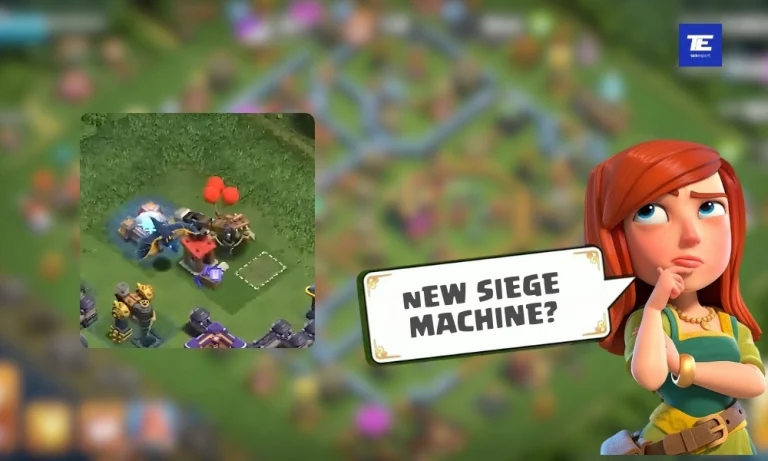
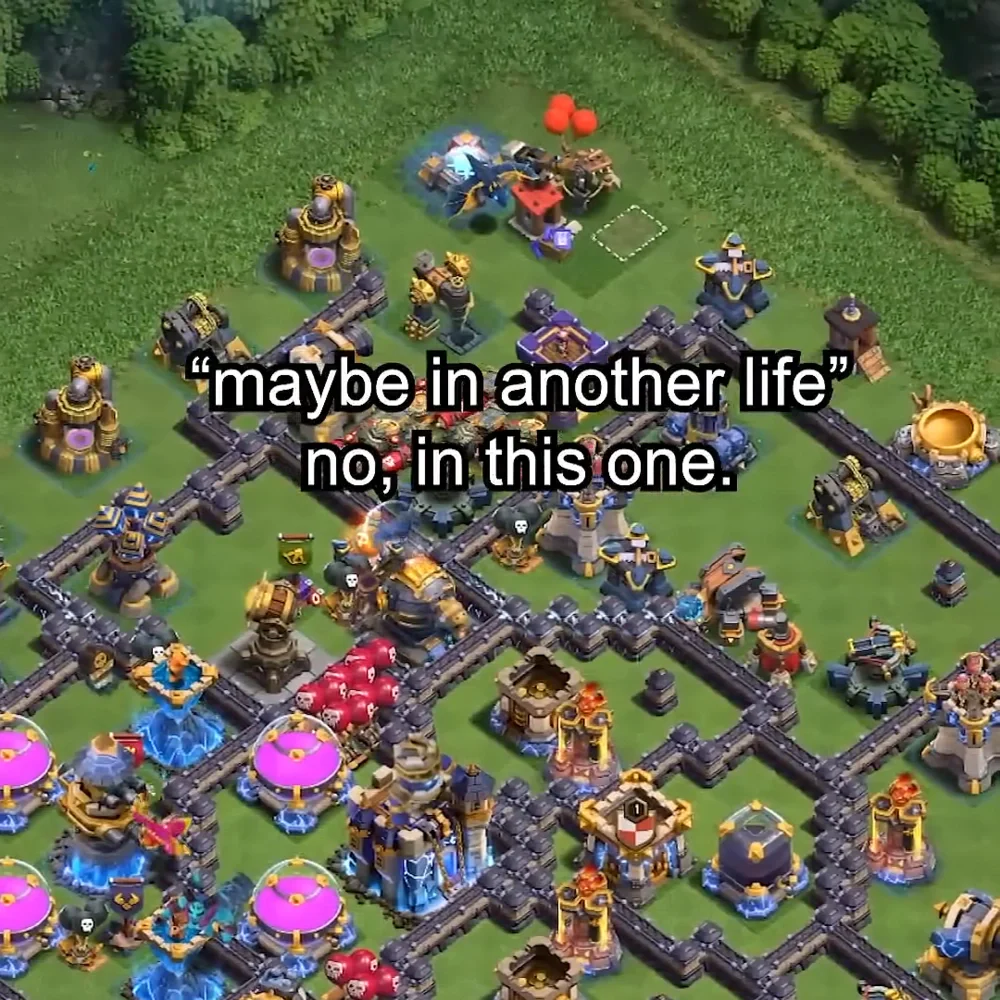
Supercell has accidentally leaked a new Clash of Clans siege machine through one of their official YouTube Shorts. We spotted a changed Workshop design in the clip that does not match anything currently in the game, pointing strongly toward a brand new siege machine on the way.
What We Spotted in the Clip
While going through a recent Supercell YouTube Short frame by frame, we noticed that the Workshop building visible in the clip looks distinctly different from the current Workshop model in the game. The difference is hard to miss once you pause at the right moment. The Workshop has a new design that does not correspond to any existing Siege Machine unlock currently in Clash of Clans.
The Workshop is the building that constructs all Siege Machines in Clash of Clans. A visual change to it almost always signals a new Siege Machine coming to the game, just like past additions such as the Log Launcher, Flame Flinger, and the Troop Launcher introduced in February 2025.
When Could This Update Drop?
Based on Supercell’s recent update cadence, the update looks likely to arrive around April 20, 2026. Supercell usually times major updates with the end of Legend League seasons, and April 20 is when the current legend season will most likely wrap up. Last year’s second update of the year also dropped in April, which supports this estimate.
What Could the New Siege Machine Be?
Supercell has not officially revealed the new Siege Machine yet, but the Workshop redesign is a strong signal that a new one is being unlocked. Currently, the game has eight Siege Machines: the Wall Wrecker, Battle Blimp, Stone Slammer, Siege Barracks, Log Launcher, Flame Flinger, Battle Drill, and the Troop Launcher.
The Troop Launcher, the latest Siege Machine, is an immobile unit available from TH16 that launches barrels of reinforcements toward troops in combat. Given the pattern of each new Siege Machine introducing a distinct playstyle, the next one could cater to TH17 strategies or offer an entirely new deployment mechanic.
How Supercell Leaks Its Own Content
This is not the first time Supercell has inadvertently revealed upcoming content through their own YouTube Shorts. In past instances, new troops, buildings, and update content were spotted frame by frame from official clips well before any sneak peek was published. These unintentional previews have become one of the most reliable early signals for what is landing in the next major update.
Stay tuned to TalkEsport’s Clash of Clans coverage for official sneak peeks and update breakdowns as Supercell confirms more details ahead of the expected April 2026 update.
The Clash of Clans Prospector is a seasonal Helper introduced in the February 2026 update that lets Gold Pass players convert their Ores once every 23 hours. If you are stuck grinding Hero Equipment upgrades and keep running out of one specific Ore type, the Prospector is the helper you have been waiting for.
What Is the Prospector in Clash of Clans?
The Prospector is a non-combatant Helper character that lives near the Helper Hut in your Home Village. He does not occupy a build slot, cannot be targeted in battle, and has no upgrades to invest in. His only function is to convert one type of Ore into another, making your existing resources more useful instead of letting them sit capped and go to waste.
He was first teased during the Equipment Blast Event in January 2026, where his visual design closely matched existing Helpers in the game. Supercell officially rolled him out as part of the redesigned Gold Pass starting in the March 2026 season alongside other Gold Pass quality-of-life changes like Choice Nodes, the Hoggy Bank, and 1-gem self donations.
How to Unlock the Prospector in Clash of Clans
The Clash of Clans Prospector is a seasonal perk, not a permanent addition. You need to meet all three of these conditions every season to access him:
Be at Town Hall 10 or above (players below TH10 receive a Resource Potion instead)
Have an active Gold Pass for that season
Reach 2,400 Season Points on the Gold Pass track
Once you claim him from the Gold Pass reward track, the Prospector appears at your Helper Hut and stays active until the season ends. If you skip a season or fail to reach 2,400 points, you lose access to him for that month. You must re-unlock him every season he is available.
How Ore Conversion Works
The Prospector lets you convert Shiny, Glowy, or Starry Ore into any of the other two types. You get one conversion per day, and each conversion has a hard cap on how much Ore can be moved in a single use.
Here are the confirmed conversion rates:
Source Ore
Target Ore
Daily Cap
Shiny Ore
Glowy Ore
2,000 Shiny → 120 Glowy
Shiny Ore
Starry Ore
2,000 Shiny → 2 Starry
Glowy Ore
Shiny Ore
120 Glowy → 2,000 Shiny
Glowy Ore
Starry Ore
120 Glowy → 2 Starry
Starry Ore
Shiny Ore
2 Starry → 2,000 Shiny
Starry Ore
Glowy Ore
2 Starry → 120 Glowy
To use the Prospector each day, open the Helper Hut, pick which Ore type to spend, choose your target Ore type, and confirm. After one conversion, the Prospector goes on a roughly 23-hour cooldown before he is ready again.
Understanding the Three Ore Types
To get real value from the Prospector, you need to understand what each Ore does and why certain ones become bottlenecks.
Shiny Ore is the most common type and is used in nearly every Hero Equipment upgrade at lower levels. You earn it through attacks, Star Bonuses, and events regularly.
Glowy Ore is less common and becomes increasingly important at mid-tier and Epic Equipment levels.
Starry Ore is the rarest and is primarily needed for the later levels of Epic Equipment (especially level 9 and above). It drops mainly from tougher opponents at higher Town Halls, making it a slow resource to build naturally.
The Prospector becomes most useful when your Shiny Ore is max but your Starry sits at zero. Instead of letting that Shiny go to waste, you can funnel it into the rarer Ore type you actually need.
Is the Prospector Worth It?
The Clash of Clans Prospector does not generate new Ores from nothing. He simply lets you redirect your existing Ore toward the type you need most. Whether that trade-off is worth it depends on your playstyle and progression stage.
The Prospector is worth using if:
You log in daily and can consistently trigger his conversion
Your Shiny or Glowy Ore frequently hits storage cap
You are actively upgrading Epic Equipment and need Starry Ore
You are managing multiple Equipment upgrades at the same time
It may not be a priority if:
You log in infrequently and cannot trigger daily conversions
You have not yet reached TH10 or started investing in Hero Equipment
You rarely hit 2,400 Season Points to unlock him in the first place
Tips to Maximize the Prospector in Clash of Clans
A few simple habits will make the Prospector significantly more effective over the course of a full season:
Unlock him early by hitting 2,400 Season Points as soon as possible to get more daily conversions before the season ends.
Pick a target Ore at the start of each week (Glowy or Starry) and stick to it rather than switching daily.
Watch your Ore storage caps. Whenever Shiny or Glowy approaches its maximum, use the Prospector to push the overflow into the rarer type.
Combine daily conversions with high-activity farming from Legend League, Clan Wars, and events so your Ore supply keeps refilling.
Treat it like a daily login task, similar to the Alchemist. One tap per day compounds into a meaningful advantage across a 30-day season.
Prospector vs. Alchemist
Players often compare the Prospector to the existing Alchemist helper. The key difference is that the Alchemist converts resources (Gold, Elixir, Dark Elixir), while the Prospector converts Ores. The Alchemist also offers a bonus resource on conversions, a feature the Prospector does not have. They serve entirely different progression systems and are not in competition with each other.
For the latest Clash of Clans updates, tier lists, and strategy guides, follow TalkEsport’s Clash of Clans coverage and stay ahead of the meta every season.
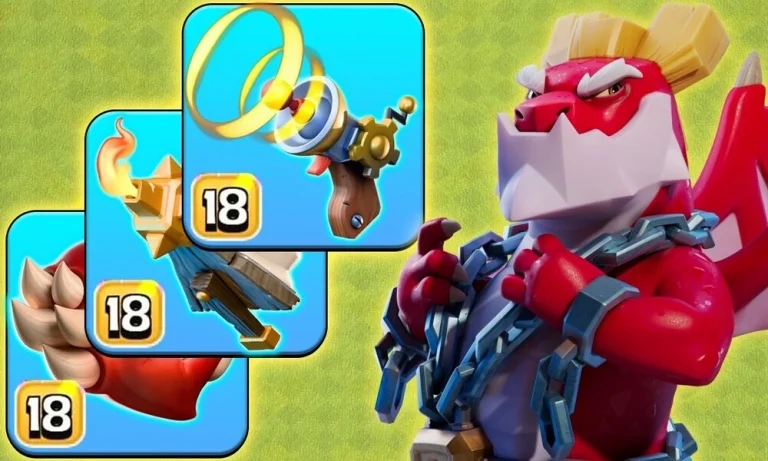
The Dragon Duke is Clash of Clans‘ newest hero, introduced in the March 2026 update and unlockable at Town Hall 15. Unlike other heroes, he comes with three common equipment pieces from the start, and picking the right combination makes a massive difference in how well he performs in battle.
Dragon Duke’s Three Equipment Pieces
The Dragon Duke launches with three common equipment options, each offering a distinct playstyle:
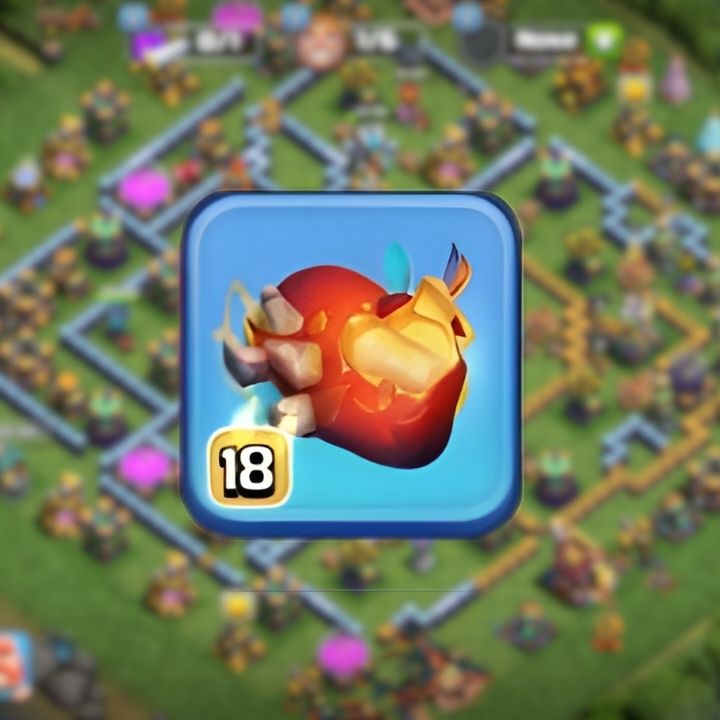
Fire Heart (unlocked at TH15): This passive equipment regenerates 175 HP per second, adds 5,600 hit points, increases DPS by 45, and detonates a 3,000-damage burst when the Dragon Duke is taken out.
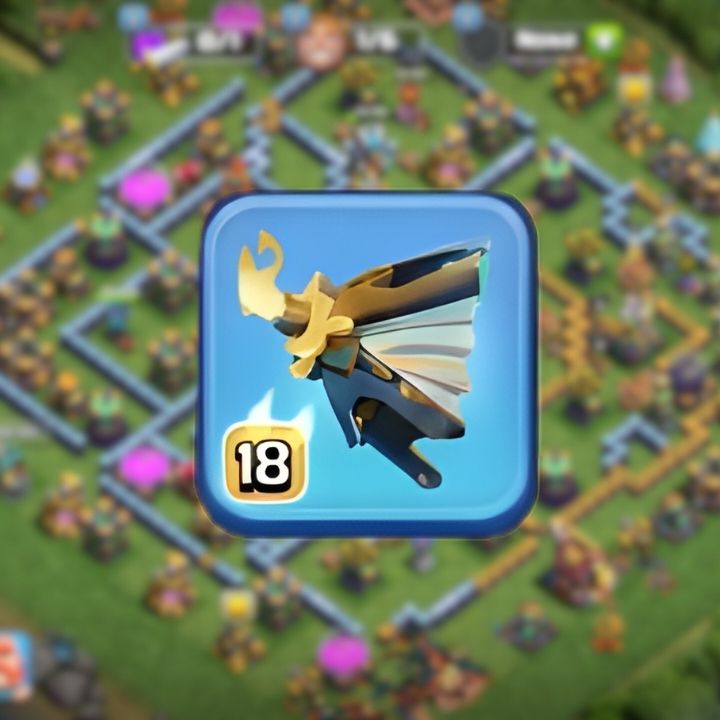
Flame Blower (unlocked at TH15): An active equipment that lets you manually trigger a fire-breathing blast, adding significant burst damage to the Dragon Duke’s attacks
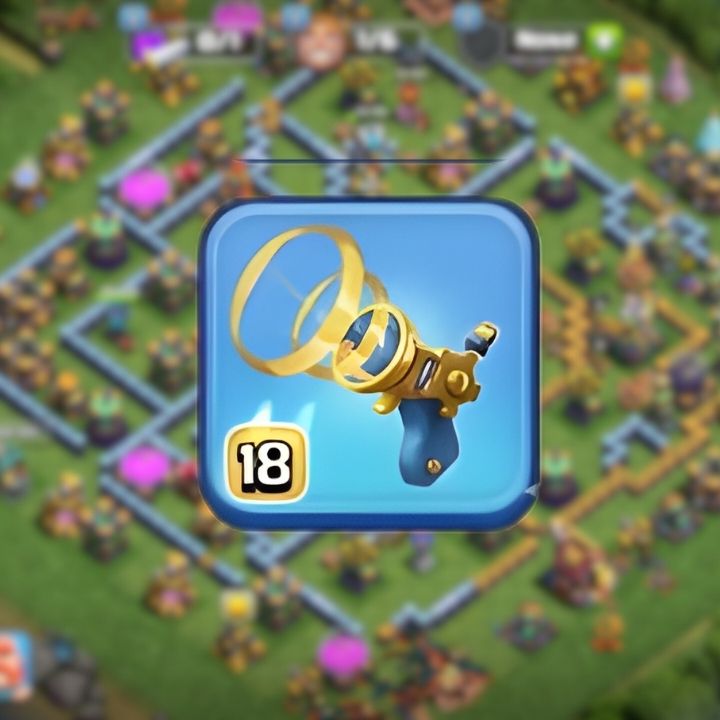
Stun Blaster (unlocked at TH16, Blacksmith level 9): An active equipment that stuns enemies in an 8-tile radius for 7.5 seconds, deals 400 total damage, adds 90 DPS, 2,400 HP, and 1,300 health recovery
Why Fire Heart Is Always the Core Pick
The Fire Heart stands out as the single most important piece of equipment for the Dragon Duke, and nearly every top player and content creator agrees on this. The Dragon Duke cannot benefit from healers, which makes his self-sustain from Fire Heart critical to keeping him alive through tough defenses.
To put the healing in context, 175 HP per second is roughly equivalent to two healers continuously healing him. The action figure (used on other heroes) only heals 40 HP per second, and the Electro Boots heal 45 HP per second, both considered top-tier equipment. Fire Heart nearly quadruples that rate. Combine that with the 5,600 additional hit points, and the Dragon Duke’s base HP of 10,900 jumps by over 50% from this one piece alone.
The Two Best Equipment Combos
Once you commit Fire Heart as your first slot, the second slot comes down to your attack strategy:
Fire Heart + Flame Blower (Best for Solo Dragon Duke Runs)
This is the go-to combination for players who want the Dragon Duke to operate independently and deal high damage during Dragon or air attacks. Together, these two pieces grant 8,700 additional hit points, which is a 74% bonus over the Dragon Duke’s base HP. The Flame Blower’s active ability allows you to burst through clustered buildings or high-HP defenses, making the Dragon Duke a genuine damage dealer rather than just a tank. This combo is widely recommended for Dragon-based air attacks and general solo hero use.
Fire Heart + Stun Blaster (Best for Army Support)
If you are running armies that push into a base’s core together, such as mass Dragons, Drags with Balloons, or mixed air strategies, the Stun Blaster is the better second option. The Dragon Duke can stun enemies for 7.5 seconds in an 8-tile radius, locking down multiple defenses at once when other troops surround him. The Stun Blaster also provides 2,400 HP and 1,300 health recovery, giving the Dragon Duke additional durability on top of Fire Heart’s passive healing.
Which Combo Should You Choose?
Play Style
Recommended Combo
Strength
Air attacks / Dragon spam
Fire Heart + Flame Blower
Maximum HP and burst damage
Army push / Core clearing
Fire Heart + Stun Blaster
AOE stun supports surrounding troops
Aggressive solo funneling
Fire Heart + Flame Blower
High self-sustain and damage output
Clan Wars / CWL core push
Fire Heart + Stun Blaster
Locks down defenses during pushes
Upgrade Priority Guide
When allocating your Glowy Ore and Shiny Ore, prioritize in this order:
Fire Heart first: It is used in every viable combo and gives the most return across all strategies
Stun Blaster second: Once your Fire Heart is at a comfortable level, the Stun Blaster’s HP bonus and stun ability significantly improve your army attacks
Flame Blower third: It is strong but more situational; upgrade it once the first two are at a solid level
The Flame Blower reaches 70% of its total damage and 66% of its effects at only level 9, which costs just 17% of its total Glowy Ore. That makes early investment in it relatively efficient before you hit diminishing returns.
What’s Coming Next for Dragon Duke
Supercell has confirmed that an epic equipment for the Dragon Duke will arrive in April 2026, and it could significantly shift the best-in-slot meta. Community discussions also suggest that pairing the epic equipment with Fire Heart will likely become the dominant setup. It is worth holding some ores in reserve rather than over-investing in common equipment close to the epic release. You can follow the latest Clash of Clans hero equipment updates on TalkEsport’s Clash of Clans coverage as more details become available.
For now, Fire Heart + Flame Blower is the safest all-around pick for most players, while Fire Heart + Stun Blaster is the stronger choice for coordinated war attacks and army-heavy strategies.
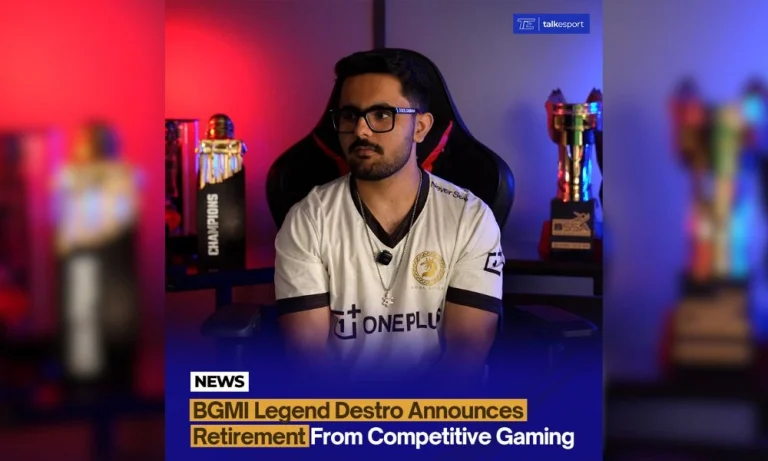
Ammar “Destro” Khan, the most decorated IGL in Indian mobile esports history, has officially announced his retirement from competitive Battlegrounds Mobile India (BGMI). The news hit the community on March 8, 2026, marking the end of an era for a player widely called the “Trophy Magnet.”
Who Is Destro in BGMI Esports?
Destro began his professional journey with Team NXT before making his mark with Team SYNERGE, where he reached the number one rank and represented India at ESL Mobile Open 2019. His real reputation, however, was built on a rare combination of calm leadership and relentless hunger for trophies that few IGLs in Indian esports have matched.
Over more than six years, Destro played for some of the biggest names in Indian esports, i.e., Team XSpark, ORE Sports, Skylightz Gaming, Chemin Esports, Gladiators Esports, Mogo Esports, and finally Gods Reign. His career total in prize winnings reached approximately $120,855, making him one of the highest-earning BGMI players in the country.
Destro’s Career Highlight
Destro’s trophy cabinet is unmatched in Indian mobile esports. He won PMCO Fall Split 2020 with Team XSpark, then claimed the BGIS 2021 title with Skylightz Gaming. His most dominant phase came in 2023, when he led Gladiators Esports to win BGIS 2023 and BGMS Season 2, and reach the runner-up spot at BMPS 2023; two titles and a major podium finish in a single year.
His peak run with Gladiators was described as historic. The roster of Destro, Shogun, Justin, and DeltaPG became the benchmark for teamplay in the Indian BGMI circuit. No other IGL in Indian BGMI history has led a team to three official tournament titles in one calendar year.
What Went Wrong After 2023
Gladiators Esports shut down in December 2023, releasing their celebrated roster without warning. This happened just weeks after Destro had publicly promised to stay with the organization for three more years. That disbanding triggered one of the most difficult stretches of his career.
In 2024, Destro joined Mogo Esports but the results were poor. A 14th-place finish at GS 24 and an 11th-place result at BGMS Season 3 Grand Finals. Mogo also disbanded by November 2024. In the span of roughly 12 months, Destro had lost three organizations: Gladiators, Gods Reign (his first stint in early 2024), and Mogo.
Gods Reign and BGIS 2026
Gods Reign signed Destro in November 2024, pairing him with NinjaJOD, the BGIS 2024 champion. It was seen as a powerful comeback lineup. However, the results at BGIS 2026 were disappointing, and Gods Reign was eliminated.
Despite the talent on paper, consistent results never returned. After a long run of bottom-half finishes, Destro made the decision to step away from competitive play entirely.
What Made Destro a BGMI Star
Destro’s greatness was never just about mechanics. The Indian scene recognized him as one of the sharpest in-game leaders it had ever produced. In practice, being a great IGL in BGMI means carrying the weight of five players’ positioning decisions simultaneously, and Destro did that for years at the highest level.
He earned his nickname “Trophy Magnet”, honestly. Across his career, he accumulated wins at BGIS twice, BGMS Season 2, Skyesports Pro League, and ESL Snapdragon Pro Series Season 6, with a runner-up finish at BMPS. His career also spanned the pre-BGMI era of PUBG Mobile India, giving him a depth of competitive experience virtually no active player can match.
Legacy and Impact on Indian Esports
Destro’s retirement closes the most decorated individual chapter in BGMI esports history. Younger IGLs, including several currently competing in BGIS 2026, grew up watching his rotations.
For now, Ammar “Destro” Khan walks away as the undisputed most-decorated player in the history of BGMI esports, a six-time national champion, a two-time BGIS winner, a BMPS runner-up, and a player whose peak in 2023 may never be matched.
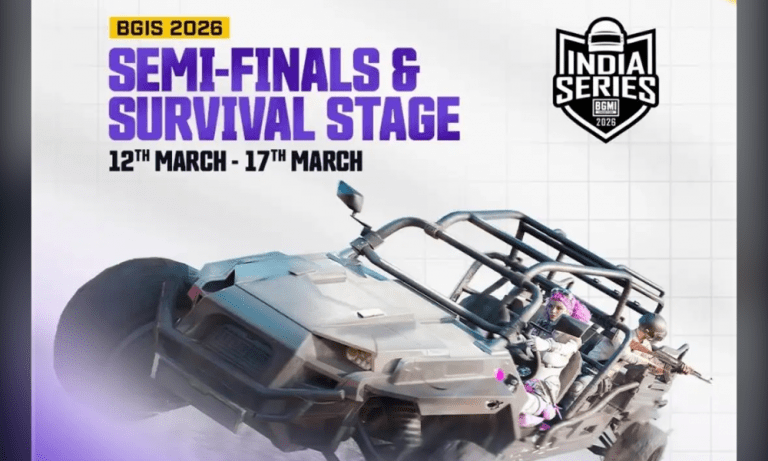
The BGIS 2026 tickets for the Semi Finals and Survival Stage are officially live. The tickets are available through Swiggy Scenes, the official ticketing platform for the event. It is important to note that these tickets are not for the BGIS 2026 Grand Finals. The currently available passes are only for the Semi Finals and Survival Stage, where teams will compete to secure their place in the final round of the tournament. Many popular teams will play during this stage, making it an exciting opportunity for fans to watch the action live.
The matches will take place at the Sandhya Convention Center, a venue that can host around 2,000 spectators. The Semi Finals will be played from March 12 to March 15, while the Survival Stage will take place on March 16 and March 17. Each match day is scheduled to run from 1:30 PM to 7:30 PM, giving fans several hours of BGMI esports action.
How to Book BGIS 2026 Tickets for Semi Finals and Survival Stage
Fans can book their tickets easily using the Swiggy Scenes platform. Follow these steps:
Step 1: Download the Swiggy app on your smartphone.
Step 5: Select the number of tickets and click Book Tickets.
Step 6: Complete the payment process.
Step 7: Once confirmed, your tickets will appear in the app or will be sent to your registered details.
BGIS Ticket Price and Pass Options
According to the listing on Swiggy Scenes, fans have two ticket options for the event. A Day Pass for the Semi Finals costs ₹499, which allows entry for one person for a single match day.
There is also a Round Pass priced at ₹2360, which grants entry to all six event days, including both the Semi Finals and the Survival Stage. This option is ideal for fans who want to watch the full stage of the tournament live.
The Semi Finals and Survival Stage will feature many popular teams from the Battlegrounds Mobile India Series. Some of the fan-favorite teams are GodLike Esports, Team Soul, Revenant XSpark, and Orangutan.
These teams have a huge fan base in India, and their matches are expected to attract a large crowd at the venue.
While tickets for the Semi Finals and Survival Stage are now available, tickets for the BGIS 2026 Grand Finals are yet to be released. The Grand Finals will be held later this month at the Chennai Trade Centre. According to earlier announcements, the final stage will take place from March 27 to March 29, and ticket sales for the finals are expected to go live soon.
Indonesia’s Vice President Gibran Rakabuming Raka met with representatives from global game developer MOONTON Games and leading Indonesian esports athletes at the Vice Presidential Palace in Central Jakarta earlier this week, reaffirming the government’s continued commitment to strengthening the nation’s esports ecosystem.
The meeting, held on March 2, focused on the rapid growth of competitive gaming in Indonesia and its expanding role within the country’s digital and creative economy.
Officials and industry leaders discussed how esports has evolved beyond entertainment into a structured professional sector capable of generating new career opportunities, developing digital talent, and enhancing Indonesia’s presence on the global competitive gaming stage.
Government Support for Esports Growth
During the discussion, Vice President Gibran emphasized the importance of nurturing the country’s esports ecosystem through talent development, industry collaboration, and the cultivation of professional players.
Indonesia has seen significant growth in esports participation in recent years, with competitive gaming becoming increasingly integrated into the broader digital economy.
According to Kenny Deo, coach of Alter Ego Esports, the Vice President expressed strong support for initiatives aimed at identifying and developing young esports talent.
“The Vice President conveyed his commitment to supporting esports from various aspects, including strengthening the ecosystem, developing professional players, and expanding talent scouting for the next generation,” Deo said following the meeting.
The conversation also addressed the importance of building public awareness that esports represents a legitimate and rapidly expanding professional industry rather than simply a form of entertainment.
Indonesia’s Rising Global Esports Influence
Indonesia has emerged as one of the most influential esports markets in the world, particularly within the mobile gaming sector.
Titles such as Mobile Legends: Bang Bang (MLBB) have become central to the country’s competitive gaming landscape, with Indonesian teams consistently performing at the highest levels of international competition.
The nation’s role in global esports was highlighted earlier this year when Jakarta hosted the M7 World Championship, the flagship global tournament for MLBB esports.
The event drew more than 5.68 million peak concurrent viewers, according to data from Esports Charts, making it the most-watched mobile esports tournament in history.
This milestone reinforced Indonesia’s position as one of the world’s largest and most engaged esports communities.
MOONTON Games’ Commitment to the Indonesian Market
MOONTON Games representatives welcomed the Vice President’s support and reiterated the company’s long-standing commitment to Indonesia’s gaming ecosystem.
Cherry Xia, Vice President and Head of Publishing and Esports at MOONTON Games, highlighted the country’s strategic importance to the company.
“The Vice President shared that he is grateful and excited to see how MLBB and the gaming industry are growing very well in Indonesia,” Xia said. “He also expressed hope that we can have more collaborations in the future and see programs not only in Jakarta but expanding to other regions across Indonesia.”
MOONTON Games has been present in Indonesia for more than a decade, and Mobile Legends: Bang Bang will celebrate its 10th anniversary in 2026.
According to Xia, Indonesia remains a cornerstone of the company’s global esports ecosystem.
“We hope we can continue to grow and collaborate with local partners more deeply in the future. For us, we see ourselves as more than a game company. We feel we have a responsibility to help grow the gaming industry and the internet industry in Indonesia,” she added.
Community and Social Initiatives
Beyond competitive gaming, MOONTON Games has also partnered with local communities and organizations in Indonesia to support social initiatives and grassroots engagement.
During the month of Ramadan, the company launched its largest charity initiative to date, titled Golden Month.
The campaign aims to raise IDR 200 million through community participation and in-game activities to support children battling cancer and underprivileged youth.
Such initiatives highlight the growing intersection between gaming communities, social responsibility, and broader cultural engagement within Southeast Asia’s esports ecosystem.
Building a Sustainable Esports Ecosystem
Indonesia’s government and industry stakeholders increasingly recognize esports as an important component of the country’s digital economy.
As one of the world’s fastest-growing gaming markets, Indonesia continues to produce professional esports teams, influential creators, and large-scale international tournaments.
The meeting between Vice President Gibran and MOONTON Games reflects a broader effort to strengthen cooperation between government institutions, industry leaders, and esports organizations.
Such partnerships are expected to play a crucial role in developing sustainable competitive structures, nurturing future digital athletes, and expanding opportunities across Indonesia’s rapidly evolving esports landscape.
The first-person shooter genre has produced some of the most influential games in history. But with hundreds of shooters available across PC, console, and mobile, choosing where to start or what to play next is genuinely difficult. Not every highly rated game suits every type of player.
This guide ranks the best FPS games of all time by genre. Every pick earned its place through a clear, data-backed process. Whether you want intense competitive play, a gripping story, or the best mobile shooter, you will find your answer here.
How We Ranked These Games
Fair rankings need clear criteria. Every game on this list was evaluated against six specific factors:
Gameplay quality: Does the core shooting feel satisfying and well-designed?
Player base and longevity: Does it still have an active, alive community in 2026?
Innovation: Did the game push its sub-genre forward or define it entirely?
Critical reception: Metacritic and OpenCritic scores, where at least seven critic reviews exist.
Replayability: Can you put in 100+ hours and still find it rewarding?
Esports or competitive legacy: For multiplayer titles, does it have a proven, organised competitive scene?
Games are ranked within their genre, not against each other universally. A game like DOOM (1993) is priceless as a genre-defining classic, but it does not replace Counter-Strike 2 for a player who wants ranked matchmaking. The “best” in each section means the strongest overall option for that specific audience.
Best Competitive Tactical FPS Games
Tactical shooters reward deliberate movement, game sense, and team coordination above raw reaction speed. If you want a shooter where every bullet decision has consequences, this is your genre.
1. Counter-Strike 2
Developer: Valve | Year: 2023 | Platform: PC | Free to Play: Yes | Metacritic: 88 (CS:GO base score)
Counter-Strike 2 is the most-played competitive FPS on PC, and the data backs that up with no argument needed. On April 12, 2025, it hit an all-time peak of 1,862,531 concurrent players on Steam; more than any other FPS in the platform’s history. In Q1 2025, its esports circuit distributed $4.83 million in prize money and logged over 99 million hours watched on Twitch.
What makes CS2 special is the purity of its design. The game runs on a 100-round economy loop, a buy-in weapon system, and a plant-or-defuse objective that has remained essentially unchanged since 1999, and still works perfectly. Valve’s 2023 engine upgrade fixed longstanding smoke grenade bugs and overhauled hit registration, making an already tight shooter even sharper.
The learning curve is steep. New players lose a lot of early rounds before they understand economy, positioning, and utility usage. However, that depth is precisely what makes CS2 the gold standard. It has no shortcuts.
Best for: Competitive players, esports fans, PC gamers who want a pure skill-based shooter
Honest caveat: Matchmaking quality varies heavily by rank, and the community can be hostile to newcomers
2. Valorant
Developer: Riot Games | Year: 2020 | Platform: PC (Mobile in development) | Free to Play: Yes | Metacritic: 80
Valorant brought tactical shooting to players who had grown up on hero shooters. Riot confirmed 28 million monthly players as of late 2023, with approximately 700,000 daily active players maintaining a healthy competitive base today. The Valorant Champions Tour (VCT) now operates global international events with multi-million dollar prize pools.
The key difference from CS2 is Valorant’s ability system. Each agent carries unique abilities that complement the 5v5 plant-or-defuse format. However, abilities never override gunplay. Poor aim still loses you the fight, regardless of how many smokes you throw. Riot has also built the most structured esports pathway of any FPS currently active, with regional leagues feeding directly into international events.
For players who find CS2’s entry barrier too severe, Valorant offers a more forgiving starting point while still rewarding serious investment. Check out our Valorant Agent Tier List to see which agents are dominating the current meta.
Best for: New competitive players, hero-shooter fans transitioning to tactical FPS
Honest caveat: Agent abilities occasionally create rounds where positioning matters more than aim, which some players find frustrating
3. Rainbow Six Siege
Developer: Ubisoft | Year: 2015 | Platform: PC, PS4/5, Xbox | Free to Play: No (available on Game Pass) | Metacritic: 79
Rainbow Six Siege introduced fully destructible environments to the tactical shooter genre and has never been surpassed in that niche. Every wall, floor, and ceiling in the game is a potential sightline. Matches become information wars where gadget placement and map knowledge beat raw speed every single time.
The game maintains over 201,000 peak concurrent players on Steam and claims over 50 million registered players across all platforms. Ubisoft relaunched it as “Rainbow Six Siege X” to modernise the engine and attract new players to the 10-year-old title.
Best for: Tactical players who enjoy slow-burn strategy and encyclopaedic map knowledge
Honest caveat: The roster has grown to over 60 operators; learning all gadgets takes dozens of hours before you can play meaningfully at ranked level
Best Battle Royale FPS Games
Battle royale games place 100 players on a shrinking map and let the last team standing claim victory. It is the most-played FPS sub-genre in the world by raw player count.
1. PUBG: Battlegrounds
Developer: Krafton | Year: 2017 | Platform: PC, Console, Mobile | Free to Play: Yes (PC since 2022) | Metacritic: 86
PUBG: Battlegrounds invented the modern battle royale format. Before March 2017, no mainstream game had placed 100 players on a shrinking island with a single winner-takes-all outcome. PUBG’s all-time Steam concurrent peak of 3,257,248 players still stands as one of the highest ever recorded on the platform.
The game rewards patience and positioning over run-and-gun reflexes. Ballistics are realistic. Bullets travel, drop over distance, and behave differently based on weapon type and range. Erangel, its original 8×8 km map, remains one of the finest battle royale maps ever designed for the tension it builds during final circles.
Best for: Players who enjoy realistic, methodical battle royale gameplay with a genuine skill ceiling
Honest caveat: PC player counts have dropped considerably since Warzone and Apex Legends launched. Expect longer queue times outside peak hours
2. Apex Legends
Developer: Respawn Entertainment | Year: 2019 | Platform: PC, PS4/5, Xbox, Switch | Free to Play: Yes | Metacritic: 89
Apex Legends has crossed 100 million unique players since its surprise launch in 2019, with an all-time Steam peak of 624,473. It introduced two mechanics that fundamentally changed the battle royale genre. First, a contextual ping system that makes squad teamwork possible without voice communication. Second, a movement system built on sliding, wall-running, and zipline traversal that makes navigating its maps feel genuinely exhilarating.
Crucially, abilities never override gunplay in Apex. Time-to-kill (TTK) stays low enough that aim skill decides most engagements. The revival mechanic, where teammates can be respawned using beacon locations, makes Apex significantly more forgiving of mistakes than PUBG or Warzone, lowering the frustration ceiling for new players.
Best for: Players who want the most fluid movement mechanics in a battle royale, and teams who communicate well
Honest caveat: The seasonal content model has drawn valid criticism for aggressive monetisation pressure
3. Fortnite
Developer: Epic Games | Year: 2017 | Platform: PC, Console, Mobile | Free to Play: Yes | Metacritic: 81
Fortnite has over 250 million registered players, making it the most-played battle royale ever created. Its building mechanic, constructing walls, ramps, and cover mid-fight, adds a second skill system that no purely mechanical shooter offers. Epic’s seasonal model has since evolved Fortnite into a live entertainment platform with film, music, and sports crossovers running regularly.
For competitive players, Fortnite hosted the 2019 World Cup, where 16-year-old Kyle “Bugha” Giersdorf won $3 million at the time, the largest single esports prize in history. The zero-build mode introduced in 2022 made the game accessible to players who found the building system overwhelming.
Best for: Casual battle royale players, younger audiences, and anyone drawn to pop culture crossover content
Honest caveat: The building mechanic has an extremely high skill ceiling in standard modes, which can feel insurmountable without dedicated practice time
Best Story-Driven FPS Games
Not every FPS is about competition. Some of the genre’s finest work is in single-player storytelling and these games rival the best narratives in any gaming genre.
Half-Life 2 carries a Metacritic score of 96, placing it among the four highest-rated FPS games ever made. Its achievement is not just storytelling. It is level design as teaching. Every mechanic, weapon, and enemy type appears quietly, establishes itself, and then escalates in scope. The game never pauses to explain itself, yet almost nobody gets confused about what to do next.
The gravity gun, introduced midway through the campaign, turns physics into a weapon and a puzzle tool simultaneously. The storytelling is entirely environmental: no cutscene exposition, no mission briefings. The world communicates through architecture, graffiti, and character behaviour. That approach influenced nearly every narrative FPS released in the 20 years since.
Even by 2026, Half-Life 2 holds up because pacing and level design do not age the way graphics do.
Best for: Anyone who wants the definitive single-player FPS experience; aspiring game designers should treat it as required reading
Honest caveat: There is no multiplayer; replayability is limited to revisiting the campaign itself
2. BioShock
Developer: Irrational Games | Year: 2007 | Platform: PC, PS3, Xbox 360 (Remastered on modern platforms) | Metacritic: 96
BioShock scores 96 on Metacritic tied with Half-Life 2 and delivers something those physics puzzles never attempt: a game that uses its mechanics to make a philosophical argument about player agency itself. Set in Rapture, an underwater utopia collapsed under the weight of radical individualism, the game draws directly from Ayn Rand’s objectivism and demonstrates its failure through every room you walk through.
Mechanically, BioShock combines gunplay with Plasmids, which are genetic modifications granting powers like telekinesis, electricity, and fire. The flexibility of mixing weapons and powers creates a combat sandbox that holds up strongly even against modern standards. The story’s central twist remains one of the most celebrated reveals in gaming history, and it is set up fairly, in plain sight, the entire time.
If you play only one story-driven FPS in your lifetime, make it BioShock.
Best for: Players who want a narrative that stays with them long after the credits roll
Honest caveat: Combat feels somewhat dated in the original PC version; the Remastered edition improves it, though not dramatically
3. Titanfall 2
Developer: Respawn Entertainment | Year: 2016 | Platform: PC, PS4, Xbox One | Metacritic: 89
Titanfall 2 contains what is arguably the best six-hour FPS campaign ever made, and it was criminally overlooked on launch because it shipped between Battlefield 1 and Call of Duty: Infinite Warfare in a single two-week window. The campaign refuses to repeat itself: one mission literally manipulates time as a game mechanic; another transforms into a factory platformer; throughout all of it, the emotional relationship between pilot Cooper and his Titan BT-7274 genuinely lands.
The movement system, like wall-running, double-jumping, and sliding, makes Titanfall 2 the most kinetically satisfying FPS to navigate, period. Multiplayer server populations are thin in 2026, so go in primarily for the campaign. You will not regret the six hours.
Best for: Single-player campaign fans; players who want mechanically inventive level design
Honest caveat: Multiplayer is effectively dead in 2026; this is a solo purchase
4. DOOM (2016)
Developer: id Software | Year: 2016 | Platform: PC, PS4, Xbox One, Nintendo Switch | Metacritic: 85
DOOM (2016) did what most reboots fail to do: it respected what made the original great and rebuilt it completely for modern hardware. There are no cover mechanics, no regenerating health, and no cutscene-heavy exposition interrupting the pace. The mandate is simple; move, kill, keep moving.
The Glory Kill system is the key innovation. Executing weakened enemies with a melee finisher drops health pickups, ammo drops from chainsaw executions, and armour shards from grenades. Every fight becomes a high-speed resource management loop. The game’s thesis is that the correct way to play is always to be moving forward and always be aggressive; and it is designed from the ground up to make that approach feel correct.
Best for: Players who want fast, aggressive, single-player FPS gameplay without story filler
Honest caveat: The multiplayer mode was widely panned at launch; the campaign is the entire product here
Best Classic FPS Games (The Titles That Built the Genre)
These games created every convention modern shooters take for granted. Understanding them helps you understand why today’s FPS design makes the decisions it does.
1. DOOM (1993)
Developer: id Software | Year: 1993 | Platform: DOS (available today on all modern platforms via GZDoom source port) | Metacritic: Pre-review era
DOOM did not just invent the first-person shooter. It invented the concept of a game spreading virally. By 1995, estimates suggested DOOM had been installed on more computers than Windows 95. Its fast movement speed, interconnected map design, and varied enemy roster established every template that competitive FPS games still use today.
Remarkably, DOOM remains genuinely playable in 2026. The GZDoom source port runs it at any resolution on modern hardware, and its speedrunning community, one of gaming’s oldest, still produces new world records regularly. The game has no artificial bloat. Every second of it is content.
2. Quake (1996)
Developer: id Software | Year: 1996 | Platform: PC (Nightdive Remaster available on all modern platforms) | Metacritic: 94
Quake was the first fully three-dimensional FPS and the direct ancestor of competitive gaming as an organised hobby. The inaugural QuakeCon tournament in 1996 is widely considered the first major esports event. The game’s deathmatch mode, featuring rocket jumps, rail-gun duels, and strafe-jump movement, defined the arena shooter sub-genre that Quake Champions and ULTRAKILL attempt to carry forward today.
The 2021 Nightdive Remaster brings Quake to all modern platforms with improved visuals while preserving its original movement feel entirely.
3. GoldenEye 007 (N64, 1997)
Developer: Rare | Year: 1997 | Platform: N64 (Remake available on Xbox and Nintendo Switch) | Metacritic: 96
GoldenEye 007 proved that first-person shooters could work on a console controller. Before it launched, FPS was considered a PC-exclusive genre. Beyond that, its four-player split-screen deathmatch mode created the couch multiplayer tradition that every console FPS, including Halo, built upon. Its Metacritic score of 96 reflects genuine mechanical and cultural impact, not nostalgia alone.
Halo: Combat Evolved holds a Metacritic score of 97, the highest ever awarded to an FPS game. It defined what console first-person shooting could feel like on a gamepad: weighty, deliberate, and tactically interesting. The two-weapon carry system, recharging shield mechanic, and vehicle integration introduced gameplay ideas that shaped FPS design for the following decade.
The Halo: Master Chief Collection on PC bundles all mainline Halo games into a single package and remains one of the best-value FPS collections available in 2026.
Call of Duty 4 is the most influential multiplayer FPS of the 2000s. Its XP-based progression system, where players unlocked weapons, perks, and killstreaks through ranked play, became the template for virtually every multiplayer shooter’s meta-game loop that followed. Its campaign, particularly the “All Ghillied Up” sniper mission, remains a masterclass in FPS pacing. Modern Call of Duty titles still draw on the design language CoD 4 established nearly 20 years ago.
Best Mobile FPS Games
Mobile gaming is a serious competitive arena, particularly in India and Southeast Asia. These three games represent the strongest options across different device tiers and playstyles. For a more detailed breakdown of each, read our full guide to the best mobile FPS games in 2026 for budget and mid-range phones.
BGMI is India’s most important competitive mobile FPS. After its return following the 2022 ban, Krafton specifically optimised it for Indian network infrastructure. The game now runs at 60 FPS on Snapdragon 7-series chips and above, and the “Smooth + Ultra Frame Rate” setting remains the competitive standard. It keeps input latency lower than any HD configuration.
BGMI’s esports ecosystem is the strongest in Indian mobile gaming, with crore-level tournaments running year-round. If you want to compete seriously on mobile in India, this is where you start.
Best for: Competitive mobile players in India; players targeting BGMI esports
Honest caveat: Requires Snapdragon 7-series or equivalent for stable 60 FPS; older entry-level phones will struggle
2. Call of Duty: Mobile
Developer: TiMi Studio Group | Year: 2019 | Platform: Android, iOS | Free to Play: Yes
COD Mobile offers the most feature-complete mobile FPS experience on the market. It includes 5v5 multiplayer, a battle royale mode, ranked play, and a Gunsmith weapon customisation system that rewards genuine tactical thinking. On flagship hardware with stable 4G or 5G, it genuinely approaches a console experience in visual quality and responsiveness.
Be aware that Search & Destroy mode (its most skill-based mode) suffers from noticeable desync on congested 4G networks with high ping. The game also demands 8–10 GB of storage with all resources downloaded.
Best for: Mobile FPS players on flagship or upper-mid-range hardware who want the deepest multiplayer feature set
Honest caveat: Storage requirement is heavy, and ranked modes demand low-latency connectivity to function properly
3. Garena Free Fire
Developer: 111 Dots Studio / Garena | Year: 2017 | Platform: Android, iOS | Free to Play: Yes
Free Fire holds a unique position in South Asian and Southeast Asian mobile gaming. It was designed from the ground up to run on entry-level devices, like phones with 2 GB RAM and low-end chipsets, which made it the gateway FPS for millions of players across India, Bangladesh, and Indonesia who could not afford flagship hardware.
Its shorter match duration (approximately 10 minutes) and smaller player count (50 instead of 100) also make the battle royale format less intimidating for casual players. If your device cannot run BGMI smoothly, Free Fire is the correct choice without compromise.
Best for: Entry-level device users; casual mobile battle royale players; players in tier-2 and tier-3 cities with affordable smartphones
Honest caveat: Skill ceiling is significantly lower than BGMI or COD Mobile; it is not a viable path into serious competitive mobile esports
All 18 Games at a Glance
Game
Genre
Platform
Free
Metacritic
Active in 2026?
Counter-Strike 2
Tactical Shooter
PC
✅
88*
✅
Valorant
Tactical Shooter
PC
✅
80
✅
Rainbow Six Siege
Tactical Shooter
PC, Console
❌
79
✅
PUBG: Battlegrounds
Battle Royale
PC, Console
✅
86
✅
Apex Legends
Battle Royale
PC, Console
✅
89
✅
Fortnite
Battle Royale
All Platforms
✅
81
✅
Half-Life 2
Story-Driven
PC
❌
96
✅ (Single-Player)
BioShock (Remastered)
Story-Driven
PC, Console
❌
96
✅ (Single-Player)
Titanfall 2
Story-Driven
PC, Console
❌
89
⚠️ (No MP)
DOOM (2016)
Arena Shooter
All Platforms
❌
85
✅ (Single-Player)
Call of Duty 4: MW
Classic Multiplayer
PC, Console
❌
94
❌ (Legacy)
DOOM (1993)
Classic
All Platforms
❌
N/A
✅ (Modding scene)
Quake (1996)
Classic Arena
PC
❌
94
🟡 (Remaster active)
GoldenEye 007
Classic Console
N64/Switch/Xbox
❌
96
⚠️ (Remake only)
Halo: CE (via MCC)
Classic Console
PC, Xbox
❌
97
✅
BGMI
Mobile Battle Royale
Android, iOS
✅
N/A
✅
COD: Mobile
Mobile Multiplayer
Android, iOS
✅
N/A
✅
Free Fire
Mobile Battle Royale
Android, iOS
✅
N/A
✅
*CS:GO base score; CS2 itself has not been separately rated on Metacritic.
How to Pick the Right FPS for You
With 18 options, here is a simple decision framework to narrow things down fast:
You want to compete seriously on PC → Start with Valorant, then move to CS2 once you understand the 5v5 tactical format.
You prefer team strategy over individual skill → Rainbow Six Siege or Apex Legends.
You only play on mobile, and you are based in India → BGMI for competitive play; Free Fire if your phone is entry-level.
You want a great single-player experience → Play BioShock first, then Half-Life 2.
You are interested in the history of the genre → Follow this order: DOOM (1993) → Quake → Halo: Combat Evolved → CoD 4: Modern Warfare.
You want a hidden gem most of your friends have skipped → Titanfall 2. No further explanation needed.
Frequently Asked Questions
What is the best FPS game of all time? Halo: Combat Evolved holds the highest Metacritic score of any FPS game at 97. Half-Life 2 and BioShock both score 96. For competitive multiplayer, Counter-Strike 2 leads by active players with an all-time concurrent peak of 1,862,531 on Steam. The definitive “best” depends entirely on whether you want single-player storytelling or competitive multiplayer.
What is the most-played FPS game right now in 2026? Counter-Strike 2 consistently leads active concurrent players on Steam, maintaining an average peak above 990,000 daily as of December 2025. Valorant leads overall PC FPS by monthly active users, with approximately 28 million reported by Riot Games.
Which FPS game is best for complete beginners? Valorant is the most beginner-friendly competitive FPS. Agent abilities give new players ways to contribute to a team even before their aim is strong. For beginners who prefer single-player, DOOM (2016) is excellent. Its movement system makes even losing feel satisfying, and the design never lets you feel fully stuck.
Is Call of Duty still worth playing in 2026? The current Call of Duty integrated ecosystem (including Warzone) remains the most-played FPS franchise on console globally. For PC players pursuing structured competitive play, however, CS2 and Valorant offer more organised ranking and esports infrastructure. CoD 4: Modern Warfare as a historical title remains worth playing specifically for its campaign and multiplayer design blueprint.
What is the best mobile FPS game for Indian players? BGMI is India’s strongest mobile FPS for competitive play. It runs well on Snapdragon 7-series phones, has the deepest Indian esports ecosystem of any mobile shooter, and receives ongoing game balance updates from Krafton. For entry-level devices, Free Fire is the practical alternative.
Which Is The Best FPS Games of All Time?
The best FPS games of all time are not a single list. They are five distinct categories, each with a clear winner for a specific type of player. Counter-Strike 2 owns competitive PC play. BioShock and Half-Life 2 define single-player storytelling. Apex Legends leads the battle royale genre on PC. BGMI leads mobile FPS in India. And if you want to understand where all of this came from, DOOM (1993) followed by Halo: Combat Evolved traces the entire lineage.
Pick the category that matches how you actually want to play, and every game on this list will give you genuine value for your time.
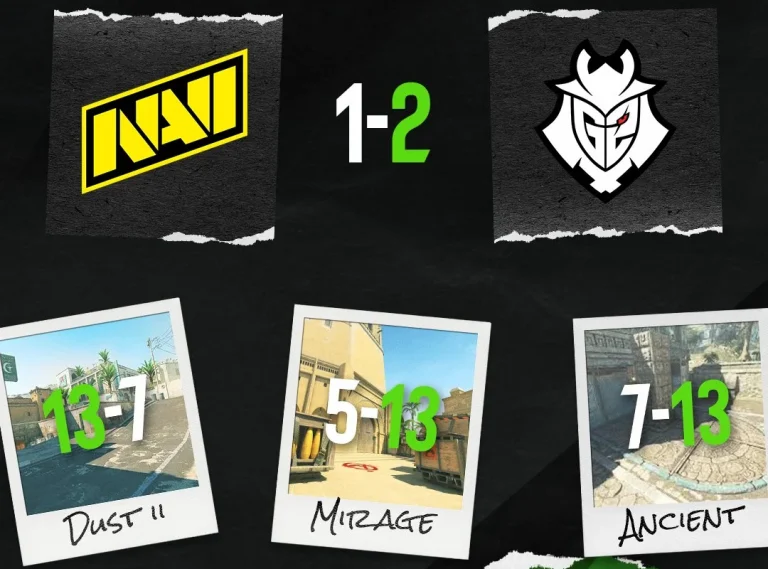
G2 has secured its second win of ESL Pro League Season 23, beating NAVI with a 2-1 scoreline. Losing their own map pick followed by dominating performances in back-to-back maps puts G2 a win away from making it to the playoffs.
Starting the map with a clean pistol conversion, NAVI’s hyper-aggressive defence set G2 on the backfoot. Getting into their heads with such aggression, NAVI went on to dominate G2 for 9 rounds in a row before huNter’s side put together two back-to-back rounds before NAVI won the final one to close the half with a 10-2 scoreline. G2 managed to find their footing on the defence by winning the pistol before NAVI took away that momentum with their gun round. Winning a streak of 3 rounds, G2 closed in on NAVI as the scoreboard read 11-7 before NAVI stopped a potential comeback right in its tracks to close out the first map with a 13-7 scoreline. Despite the 7 rounds that G2 took, NAVI were by far the better team, and the scoreboard fails to reflect it. 1.83 IR for b1t on the defence proved instrumental for NAVI as they will now head to their own pick with a map under their belt.
Map 2: Mirage; Pick: NAVI; Winner: G2
G2 hit the board after converting the force buy on their defense and went to get 3 rounds before NAVI got back to the board. G2’s riflers proved their worth in gold as every one of them showed up when the moment called for it. While NAVI threatened to make the half close, G2 won the final 4 rounds in a row to secure a massive lead before switching sides. Switching sides with an 8-4 lead, G2 converted the pistol and almost secured the map off the back of it. NAVI’s first gun round came their way, but that was the only round they managed to get in the second half as G2 won their full buy round and followed up in the next to close out a dominant win and force a 3rd map. The young gun of G2 in MATYS topped the charts with 21 kills to round off a stellar team performance after losing the opening map.
Map 3: Anceint; Pick: Decider; Winner: G2
Bringing the confidence from the 2nd map, G2 converted the pistol and went on to win 4 before NAVI hit the board. SunPayus, with a smooth 1v2 clutch in the B bombsite, put G2 back on the board as they built on it to secure their 7th round before a fumble from G2 with a nade teamkill gave NAVI the room to edge out their second round of the map. G2’s broken economy offered a comeback path for NAVI before G2 converted the round with a fast A hit, shocking NAVI, and winning the final round of the half gave them a 9-3 lead before moving over to the defence. W0nderful started the second half with a stunning 1v3 clutch for NAVI, but his hard work went in vain as G2 converted their force-buy to hit double digits and eventually reached a series point. NAVI did manage to win 3 rounds to close in on G2 before G2’s gamble on the defence paid off and secured their second win of the stage.
NAVI now stands with a 1-1 record, and losing to one of the strongest teams in this Stage 2 isn’t a catastrophe for them, but only time will tell if they can secure the subsequent matches to make it to the playoffs.
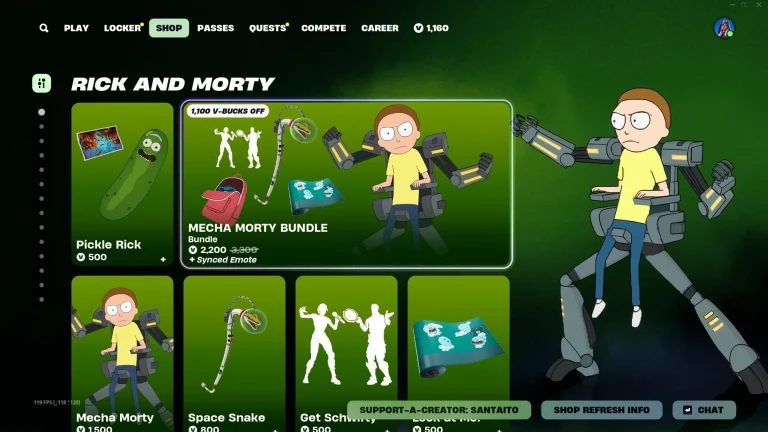
Epic Games has caught gamers off-guard with a pleasant surprise in the form of brand-newRick and Morty Fortnite skins.
Wave 3 of Rick and Morty skins came to Fortnite with the March 7, 2026, update, which dropped a ton of cosmetics themed on the sci-fi show in the battle royale.
Previously, we’ve seen Fortnite collaborating with Rick and Morty on two occasions. While some of the previous Rick and Morty cosmetics, including the original Rick Sanchez skin, were limited-time and are not attainable right now, players have the opportunity to grab the wave 3 cosmetics before they’re gone for good.
In this article, we’ll go through all the Rick and Morty skins in Fortnite that are up for grabs right now.
Fortnite Rick and Morty Skins: All Cosmetics
Below, we have listed all the Rick and Morty skins in Fortnite:
Item Type
Item Name
Outfit
Rick Sanchez
Outfit
Mecha Morty
Outfit
Queen Summer
Outfit
Mr. Meeseeks
Outfit
Rick Prime
Outfit
Pickle Rick
Back Bling
Butter Robot
Back Bling
Morty’s Backpack
Back Bling
Glorzo Egg
Back Bling
Meeseeks’ Box
Back Bling
Pickle Rick Pack
Back Bling
Wheel of Better Things
Pickaxe
Hammerhead Morty
Pickaxe
Space Snake
Pickaxe
Gutsy Grabber
Pickaxe
Summoned Katana
Pickaxe
Rickbot Axe
Pickaxe
Rat Suit Blade
Sidekick
Mr. PB
Sidekick
Squanchy
Glider
Rick’s UFO Cruiser
Glider
Glorzo Fighter Ship
Glider
Meeseeks Manifest
Emote
Get Schwifty
Emote
The Rick Dance
Wrap
Look at Me!
Note that many of the aforementioned cosmetics used to be a part of limited-time events, and are no longer obtainable in-game.
Players looking to grab some Rick and Morty-themed cosmetics can currently buy the Rick Prime & Pickle Rick bundle from the Fortnite Item Shop. This bundle includes the following items:
Pickle Rick skin: 1,500 V-Bucks
Rick Prime skin: 1,500 V-Bucks
Killbot Prime back bling: 300 V-Bucks
Pickle Rick Pack back bling: 300 V-Bucks
Rat Suit Pickle Blade pickaxe: 800 V-Bucks
Rickbot Axe pickaxe: 800 V-Bucks
Wheel of Better Things emote: 300 V-Bucks
Note that this bundle will be departing the Fortnite Item Shop on March 16, 2026, so be sure to grab the Rick and Morty skins while you still can.