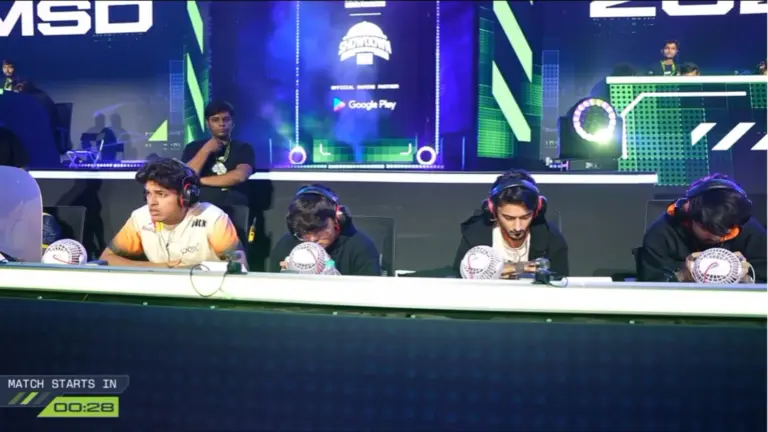
The BMSD 2026 Upper Bracket Survival Day 1 started with an unexpected technical issue during the very first match on Rondo. Team Apex Gaming reportedly backed off from playing the match after facing a technical problem, with the team reportedly requesting officials to rehost the game.
During the official livestream, Team Apex Gaming’s Jelly could also be seen offline while the match was underway. The situation led to confusion among viewers before the game was eventually stopped.
Team Apex Gaming Reportedly Requests Rehost After Technical Issue
The first match of Upper Bracket Survival Day 1 was being played on Rondo when the issue occurred. Team Apex Gaming reportedly decided to back off from the match and requested a rehost because of the technical problem. Jelly was also seen offline on the broadcast during the situation.
The match continued for some time before play was stopped. Caster Anki Bot then announced during the official broadcast that there was a technical issue, which was the reason behind the game being paused.
After the situation was reviewed, officials eventually decided to rehost Match 1, giving all teams a fresh start on Rondo.
The exact nature of the technical problem has not been officially detailed based on the information currently available.
Similar Incident Happened With GodLike Esports a Day Earlier
The Apex Gaming situation comes only a day after GodLike Esports faced a technical issue during BMSD 2026 Week 3 Day 3.
During GodLike’s match, viewers were repeatedly commenting that Admino was offline. GodLike player Spower later posted an Instagram story questioning why the match was not rehosted.
Spower claimed that the problem started early in the game and argued that continuing after fixing the issue affected the team’s rotations, timings, positioning and overall game plan.
He also compared the situation with his experience at the Esports World Cup and called for consistency in how such technical issues are handled.
GodLike eventually had a difficult final day and finished at the bottom of Group A, sending the team to the Upper Bracket Survival.
The two incidents will naturally draw comparisons, although the circumstances and technical issues involved may not have been identical. In Apex’s case, officials stopped the match after the technical problem was acknowledged on broadcast and Match 1 was subsequently rehosted.
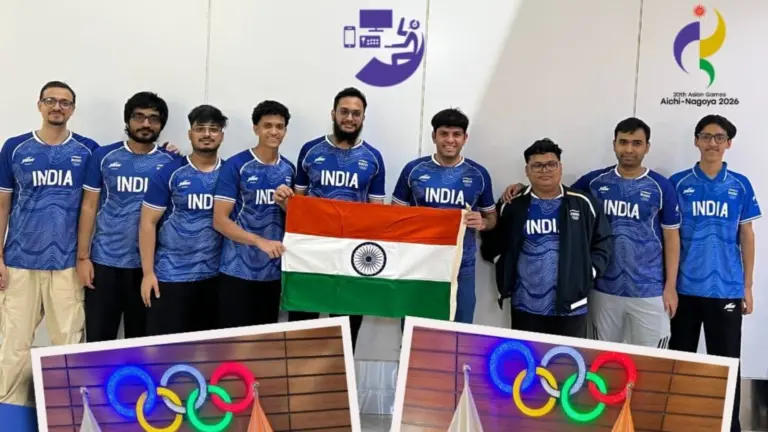
India’s esports campaign at the 20th Asian Games 2026 in Aichi-Nagoya, Japan, has officially ended without a medal. India sent a 15-member contingent across four medal events, eFootball, Puyo Puyo Champions, Pokémon UNITE and League of Legends, but none of the entries managed to reach the podium.
India had entered the Games hoping to secure its first official Asian Games esports medal. Tirth Mehta had won bronze in Hearthstone at Jakarta 2018, but esports was only a demonstration sport at that edition, meaning the medal was not included in the official tally. India also went without an esports medal when esports became a full medal sport at the previous Asian Games.
India’s eFootball Campaign Ends in Group Stage
India was represented by Danial Patel and Chinmay Sahoo in eFootball. The Indian side ultimately exited during the group stage.
Paritosh Reaches Puyo Puyo Champions Quarterfinals
India’s Paritosh represented the country in Puyo Puyo Champions and produced one of India’s deeper runs in the esports programme.
He progressed from his group after competing against players from Mongolia, Singapore, Chinese Taipei and Thailand. Official results show victories over Mongolia and Singapore during his campaign.
Paritosh eventually reached the quarterfinals, where his campaign ended following a 0-5 defeat against South Korea’s Kang Dongshin.
India Exits Pokémon UNITE Without a Medal
India also competed in the Pokemon UNITE medal event but could not make it beyond the group stage.
The Indian team faced tough competition in its group. Official Asian Games results recorded defeats against South Korea and Japan, ending India’s chances of progressing further in the tournament.
With Pokémon UNITE eliminated, League of Legends became India’s final opportunity to win an esports medal at the Games.
League of Legends Was India’s Final Medal Hope
India’s League of Legends team, featuring players from S8UL Esports, was the country’s final esports entry still competing.
The six-member roster consisted of Akshaj “Kat Bot” Shenoy, Aakash “Infi” Shandilya, Sanindhya “Deadcorporal” Malik, Mihir “Lotus” Ranjan, Ahmed “Nero” Shahid and Rahul “Bob” Bisht.
India was placed in a difficult Group B alongside South Korea, Chinese Taipei and Hong Kong. Only the top two teams from each four-team group progressed to the semifinals.
India eventually finished fourth with a 0-3 record, losing all three of its group-stage matches and missing out on the knockout stage.
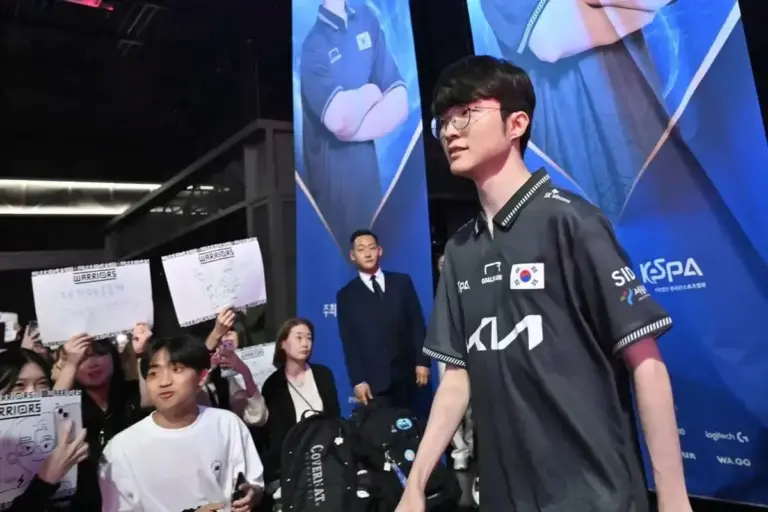
One memorable moment nevertheless came against defending champion South Korea. Lee “Faker” Sang-hyeok, widely regarded as League of Legends’ greatest player, started against India as Korea won the game in around 19 minutes.
The defeat officially ended India’s final opportunity for an esports medal at the 2026 Asian Games.
India Ends Another Asian Games Without an Official Esports Medal
India therefore finishes its 2026 esports campaign with all four entries eliminated before reaching the medal positions.
Game
India’s Result
eFootball
Group Stage
Puyo Puyo Champions
Quarterfinals
Pokémon UNITE
Group Stage
League of Legends
Group Stage
India’s wait for its first official Asian Games esports medal continues. The country did win a Hearthstone bronze through Tirth Mehta at Jakarta 2018, but because esports was a demonstration event at that edition, it was not counted in the official Asian Games medal tally.
Esports has since become a full medal discipline, making the 2026 campaign another important opportunity for India to compete against Asia’s strongest esports nations. While the contingent leaves without a medal, appearances across four different titles, including a League of Legends match against defending champion South Korea, gave Indian players another opportunity to compete on the continental stage.
You can earn Xbox Achievements in Microsoft Jewel on iOS and Android by signing in with your Microsoft account. You do not need Game Pass. Achievements you unlock on your phone are added to your Xbox profile, and your progress syncs with the PC version.
Here is how to set it up.
How to earn Xbox Achievements in Microsoft Jewel
Download the game. Get Microsoft Jewel for free from the App Store on iPhone or iPad, or from Google Play on Android.
Open the game and find the sign-in option. Choose to sign in with a Microsoft account.
Use the same account as your Xbox profile. Achievements go to whichever Microsoft account you sign in with. If you have more than one, check which one is linked to your gamertag at Microsoft account.
Play and complete objectives. Achievements unlock as you play and count toward your Xbox profile.
Check your progress. Your unlocked achievements show up on your Xbox profile, the same as achievements from console or PC games.
How to sync Microsoft Jewel progress between mobile and PC
Microsoft Jewel is also on PC through the Microsoft Store. Progress syncs between the iOS, Android and PC versions when you sign in with the same Microsoft account on each one.
Platform
Where to download
Sync with the other versions
iPhone and iPad
App Store
Yes
Android
Google Play
Yes
PC
Microsoft Store
Yes
This means you can start a level on your phone and pick it up on PC. Achievements earned on any version go to the same Xbox profile.
Do you need Game Pass for Microsoft Jewel achievements?
No. Xbox Achievements are open to every player who signs in, including free players. Game Pass only changes the ads and Premium perks:
Microsoft Jewel achievements not unlocking: what to check
Check your account. Make sure you signed in with the Microsoft account linked to your gamertag, not a different one.
Check your connection. Achievements and progress sync online, so you need to be connected for them to register.
Check your other devices. If progress is not syncing, confirm you are signed in to the same account on the PC and mobile versions.
Other Xbox rewards you can get right now
Microsoft Jewel is one of five games in the Microsoft Casual Games series, along with Wordament, Mahjong, Sudoku and Solitaire Collection. It is the first new mobile release from the team in seven years, according to Xbox Wire.
Microsoft Jewel is a free match-3 puzzle game. It launched on iOS and Android on September 30, 2026, and Xbox Game Pass members get its Premium version for free. Which Game Pass tier you have decides where you get those perks: PC Game Pass covers PC only, while Game Pass Ultimate covers both PC and mobile.
Here is what each tier gets in Microsoft Jewel.
Microsoft Jewel Game Pass perks by tier
Tier
Ads
Premium perks on PC
Premium perks on mobile
Xbox Achievements
Free (no Game Pass)
Yes
No
No
Yes, with a Microsoft account
PC Game Pass
No ads on PC
Yes
No
Yes
Game Pass Ultimate
No ads
Yes
Yes
Yes
According to Xbox Wire, PC Game Pass members get “Premium benefits on PC, including an ad-free experience and other in-game perks.” Game Pass Ultimate members get the same Premium benefits on PC and mobile.
If you mostly play on your phone, you need Game Pass Ultimate to remove the ads there. PC Game Pass does not cover the iOS or Android version.
What is Microsoft Jewel?
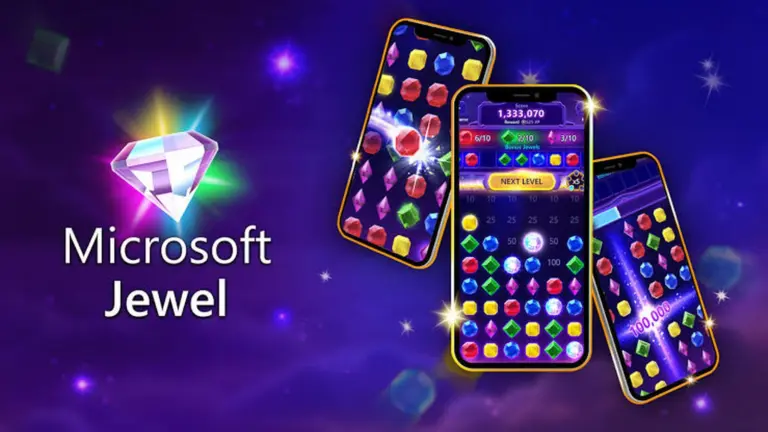
Microsoft Jewel is a match-3 puzzle game from Microsoft Casual Games. You match three or more jewels to clear them from the board, make Bonus Jewels and use power-ups. There are new Daily Challenges every day.
Detail
Information
Release date
September 30, 2026
Platforms
iOS, Android, PC (Microsoft Store)
Price
Free, with ads
Genre
Match-3 puzzle
Developer
Microsoft Casual Games
Xbox Achievements
Yes
Cross-progression
iOS, Android and PC
It is Microsoft Casual Games’ first new mobile game in seven years, reported by Thurrott. It joins Wordament, Mahjong, Sudoku and Solitaire Collection, making five games in the series.
Do free players get Xbox Achievements?
Yes. You do not need Game Pass to earn Xbox Achievements in Microsoft Jewel. You only need to sign in with a Microsoft account. Achievements you unlock on your phone count toward your Xbox profile.
Your progress also syncs between the iOS, Android and PC versions. You can start a game on your phone and keep playing on PC. Our guide on how to earn Xbox Achievements in Microsoft Jewel walks through the setup step by step.
Microsoft Jewel and King
Microsoft Casual Games is being merged with King, the studio behind Candy Crush, as part of Xbox’s recent restructuring. Jewel is the first new mobile release from the casual games team since that change was announced.
Esports Awards 2026 voting is open now and closes on November 10, 2026. Fans can vote once a day for nominees in all 19 categories, and votes count double during Turbo Week from November 3 to 10. Winners will be announced at the ceremony in Miami on November 17.
This guide covers how to vote in the Esports Awards 2026, the key dates, and what your vote actually counts toward.
Turbo Week is the last week of voting, from November 3 to November 10. Every vote cast during this window counts twice. “all vote counts are doubled” in this period.
If you want your votes to have the most impact, vote every day during Turbo Week.
Do fan votes decide the winners?
Not completely. Once voting closes, fan votes are counted and combined with input from a panel of judges. The Esports Awards has not said publicly how much weight fan votes carry compared to the judges’ scores.
Which categories can you vote in?
Fans can vote in all 19 categories across both waves of nominees.
The Esports Awards 2026 nominees are out for all 19 categories. The organisers released them in two waves: 96 finalists across 9 categories in the first wave, then 103 across 10 categories in the second. The ceremony is on November 17, 2026 in Miami, Florida, and fan voting is open until November 10.
Below is every Esports Awards 2026 nominee, sorted by category, plus how voting works.
Esports Awards 2026: date, location and voting
Detail
Information
Ceremony date
November 17, 2026
Location
Miami, Florida
Voting deadline
November 10, 2026
Turbo Week
November 3 to 10 (votes count double)
Total categories
19
Total finalists
199
Partners
Esports World Cup, Oakley
Fans can vote once a day on the official Esports Awards voting page. During Turbo Week, the final week before voting closes, every vote counts twice.
Esports Game of the Year
Nominees
Apex Legends
Call of Duty
Counter-Strike 2
Dota 2
Fortnite
Honor of Kings
League of Legends
Mobile Legends: Bang Bang
PUBG Mobile
Rainbow Six Siege
Rocket League
VALORANT
Esports Mobile Game of the Year
Nominees
Brawl Stars
Free Fire
Honor of Kings
Identity V
Mobile Legends: Bang Bang
PUBG Mobile
Esports Team of the Year
Two Team Spirit rosters are nominated in this category: the CS2 team and the Dota 2 team. PARIVISION is on the list after a year that included reaching the Dota 2 grand final at EWC 2026.
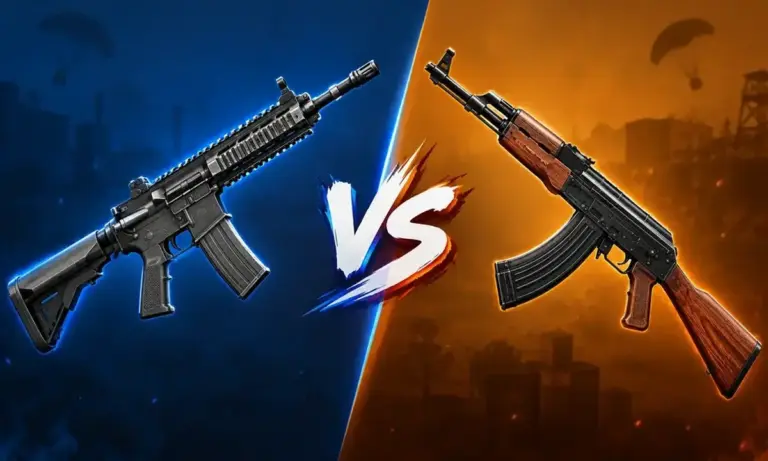
BGMI M416 vs AKM is one of the most common weapon comparisons in Battlegrounds Mobile India. Both are assault rifles, but they offer very different experiences in gunfights. The M416 uses 5.56mm ammunition and focuses on faster firing, easier recoil control, and attachment flexibility. The AKM uses 7.62mm ammunition and delivers higher damage per bullet, but its recoil takes more practice to control. In this guide, we compare their damage, fire rate, recoil, attachments, range, and practical uses to help you understand which rifle fits your playstyle.
BGMI M416 vs AKM: Key Differences
The biggest difference between the M416 and AKM is their balance between damage and control. Current BGMI weapon references commonly list the M416 at 43 damage with a 660 rounds-per-minute fire rate, while the AKM is listed at 49 damage with a 600 rounds-per-minute fire rate.
This gives the AKM an advantage in damage per bullet. The M416 makes up for that with a faster firing rate and easier recoil control.
Feature
M416
AKM
Ammo
5.56mm
7.62mm
Base Damage
43
49
Fire Rate
660 RPM
600 RPM
Firing Mode
Single/Auto
Single/Auto
Recoil
Easier to control
Higher
Grip
Yes
No
Tactical Stock
Yes
No
Magazine
Up to 40 rounds
Up to 40 rounds
Best Use
Mid-range sprays
Close-range fights
The exact weapon values can change after BGMI balance updates, so players should check the latest in-game data after major patches.
M416 vs AKM Damage
The AKM has higher base damage than the M416. A commonly listed BGMI stat set gives the AKM 49 damage per shot compared with 43 for the M416.
That difference becomes useful in close-range fights. Landing fewer shots can still deal significant damage with the AKM.
The M416 has lower damage per bullet. It fires faster, though. This lets the rifle maintain strong damage output when the player can keep the crosshair on the enemy.
Damage alone does not decide a gunfight. Hit registration, recoil control, enemy armor, range, and aim all affect the result.
M416 vs AKM Recoil
Recoil is where the M416 has a major practical advantage.
The M416 can use a grip and Tactical Stock. These attachments give players more ways to tune the weapon for spray control. The AKM does not have a grip or stock slot. It mainly relies on the player’s recoil control and choice of muzzle attachment.
The AKM’s stronger kick can make long sprays harder. This becomes more noticeable when using higher magnification scopes.
The M416 is easier to control during sustained automatic fire. This makes it a common choice for players who rely on 3x and 4x sprays.
Players with strong recoil control can still get excellent results from the AKM. Its higher damage rewards accurate shots.
M416 vs AKM Fire Rate
The M416 has a faster listed fire rate than the AKM. Current BGMI weapon references list the M416 at around 660 RPM and the AKM at around 600 RPM.
This gives the M416 a smoother feel during automatic fire.
The AKM fires fewer rounds per minute. Each successful hit carries more damage, though.
This creates an important trade-off. The M416 can put more bullets toward the target in a short period. The AKM can punish each accurate hit with higher damage.
Which Gun Is Better for Close Range?
The AKM suits close-range fights where players can control its recoil.
The higher damage per bullet can make the rifle dangerous during aggressive pushes. It works particularly well when enemies are within short assault-rifle range.
The M416 is also effective at close range. Its faster fire rate makes missed shots easier to recover from.
For players who are still learning recoil control, the M416 can feel more forgiving. Experienced players may prefer the AKM when they are confident with their aim.
Which Gun Is Better for Mid-Range?
The M416 is better suited to sustained mid-range sprays because of its recoil control and attachment options.
A player can equip a suitable grip, compensator, extended magazine, and Tactical Stock. This creates a setup designed around stable automatic fire.
The AKM can still work at mid-range. Tap firing can help reduce the impact of its recoil.
Using the AKM for long sprays requires more practice. Players who struggle to keep the weapon on target will lose much of its damage advantage.
M416 vs AKM Attachments
The M416 has more attachment flexibility than the AKM.
M416
Compensator, flash hider, or suppressor
Red Dot, Holographic, and other compatible scopes
Extended Quickdraw Magazine
Multiple grip options
Tactical Stock
AKM
Compensator, flash hider, or suppressor
Compatible sights and scopes
Extended Quickdraw Magazine
The M416’s additional grip and stock options are a major part of its appeal. Older BGMI weapon guides also document this wider attachment setup compared with the AKM.
Which Gun Should Beginners Use?
The M416 is easier for beginners to learn.
New players often struggle with recoil during full-auto sprays. The M416 gives them a more manageable weapon while they learn sensitivity, crosshair placement, and spray control.
The AKM is worth practicing once a player becomes comfortable with recoil. Its higher damage can make it effective in aggressive fights.
There is no single choice that works for every BGMI player.
The M416 focuses on stability, faster fire rate, and attachment flexibility. It is well suited to players who take frequent mid-range fights and rely on controlled sprays.
The AKM focuses on higher damage per bullet. It suits players who are comfortable managing stronger recoil and prefer aggressive close-range engagements.
If you want an easier weapon for consistent sprays, the M416 fits that role. If you are confident with recoil and want higher per-shot damage, the AKM gives you that option.
Your sensitivity, gyro settings, aim, and preferred fighting distance will ultimately have a major effect on which rifle performs better for you.
FAQs
Is M416 better than AKM in BGMI? The M416 offers easier recoil control and more attachment options. The AKM offers higher damage per bullet. The better choice depends on your playstyle and recoil control.
Does AKM have more damage than M416? Yes. Common BGMI weapon references list the AKM at 49 base damage and the M416 at 43.
Which is easier to control, M416 or AKM? The M416 is generally easier to control during automatic fire. Its grip and Tactical Stock options also give players more ways to tune the weapon.
Which is better for 4x spray in BGMI? The M416 is generally more suitable for 4x sprays because its recoil is easier to manage. The AKM can be used with higher magnification, but it demands stronger recoil control.
Which gun is better for close-range fights? The AKM has higher damage per shot, which makes it effective in close-range fights. The M416 remains competitive because of its faster firing rate and easier control.
Which gun should beginners choose in BGMI? The M416 is usually easier for beginners to learn. Its recoil and attachment options make it more forgiving during automatic sprays.
BGMI High Ping Fix starts with checking your network before changing DNS settings. High ping in BGMI can come from unstable Wi-Fi, mobile network congestion, poor routing, background downloads, or server-side issues. Changing DNS may help with connection and name-resolution problems, but it does not guarantee lower in-match ping. Cloudflare provides 1.1.1.1 and 1.0.0.1, while Google Public DNS provides 8.8.8.8 and 8.8.4.4. This guide covers the best BGMI DNS settings, Android and iPhone setup steps, Wi-Fi tips, mobile data settings, and ways to reduce BGMI lag.
BGMI High Ping Fix: Best DNS Settings
The easiest BGMI high ping fix is to test a reliable DNS service on your device. Two popular choices are Cloudflare DNS and Google Public DNS.
DNS Provider
Primary DNS
Secondary DNS
Cloudflare
1.1.1.1
1.0.0.1
Google
8.8.8.8
8.8.4.4
Cloudflare lists 1.1.1.1 and 1.0.0.1 as its standard IPv4 resolver addresses. Google lists 8.8.8.8 and 8.8.4.4 for Google Public DNS.
Start with Cloudflare DNS. Play a few matches and check your ping. Then test Google DNS if the results do not improve.
Do not assume a different DNS will always give you a lower ping. DNS mainly handles domain-name resolution. Your actual BGMI ping also depends on your ISP routing, server distance, congestion, Wi-Fi quality, and mobile network conditions.
How to Change DNS for BGMI on Android
Android 9 and newer phones support Private DNS. Cloudflare recommends using the hostname one.one.one.one for its standard resolver.
To change the setting:
Open Settings.
Go to Network & Internet or Connections.
Open Private DNS.
Select Private DNS provider hostname.
Enter one.one.one.one.
Tap Save.
Restart BGMI.
The exact menu names can differ between Samsung, OnePlus, Xiaomi, Vivo, Realme, and other Android phones.
Cloudflare also provides 1.1.1.1 and 1.0.0.1 as the corresponding IPv4 addresses.
If your phone does not support Private DNS, use the Wi-Fi network’s DNS settings instead. Avoid changing your IP address unless you know what you are doing.
How to Change DNS for BGMI on iPhone
iPhone users can manually change DNS for a Wi-Fi connection.
Go to Settings > Wi-Fi, tap the i icon beside your connected network, then select Configure DNS. Change the option from Automatic to Manual and add:
1.1.1.1
1.0.0.1
Cloudflare says manual DNS configuration on iOS applies only to the current Wi-Fi network. It does not configure DNS for cellular data.
The Cloudflare 1.1.1.1 app can also configure the service across Wi-Fi and cellular connections.
Best BGMI Network Settings for Lower Ping
DNS is only one part of a BGMI ping setup. Your network connection matters more during an actual match.
For Wi-Fi, use the 5 GHz band when your phone and router are close enough to maintain a stable signal. Keep your device near the router and avoid playing behind multiple walls.
If 5 GHz becomes unstable at your location, switch to 2.4 GHz. A stable connection is more useful than chasing a lower theoretical latency.
For mobile data, play from an area with strong 4G or 5G reception. Network quality can change when you move between indoor and outdoor areas.
Before starting BGMI, pause large downloads and close apps that are actively using the network. Cloud gaming, video streaming, app updates, and file uploads can consume bandwidth at the same time.
KRAFTON support guidance for connectivity issues across its games also recommends checking network status, using a stable connection, disabling power-saving mode when it causes issues, and closing unused apps.
Turn Off VPNs When Testing BGMI Ping
A VPN can change the route between your phone and the game server. That route can sometimes add extra latency.
Turn off any VPN before testing your normal ping. This gives you a cleaner comparison between your ISP connection and different DNS settings.
Cloudflare’s 1.1.1.1 app also includes WARP mode. WARP is different from using DNS alone because it can route traffic through Cloudflare’s network.
For a BGMI ping test, compare normal DNS and WARP separately. Do not assume one will always perform better.
Restart Your Network Before Playing BGMI
A simple restart can fix temporary connection problems.
Turn off Wi-Fi or mobile data for a few seconds and reconnect. You can also restart the router before an important session.
If several devices are using the same Wi-Fi network, disconnect devices that are downloading large files or streaming high-resolution video.
This is especially useful when your ping starts low and suddenly increases during a match.
Check Whether the Problem Is Ping or Frame Drops
Not every BGMI lag problem comes from your internet.
High ping causes delayed actions, rubber-banding, and players appearing to move suddenly.
Frame drops cause stuttering even when your ping is stable. They can happen because of device heat, demanding graphics settings, or limited hardware performance.
KRAFTON’s support guidance for game performance recommends lowering graphics quality, view distance, and resolution when a game runs slowly.
Check the ping indicator before changing graphics settings. This helps you identify whether you have a network problem or a performance problem.
Best BGMI DNS Settings to Try First
For most players, start with Cloudflare:
Primary DNS:1.1.1.1 Secondary DNS:1.0.0.1
Play several matches and record your usual ping.
Then test Google:
Primary DNS:8.8.8.8 Secondary DNS:8.8.4.4
Google recommends configuring at least 2 DNS addresses rather than using the same address twice.
Keep the setup that gives your network the most stable results. A lower average ping is useful, but consistency matters during competitive matches.
BGMI High Ping Fix Checklist
Use these settings when troubleshooting:
Setting
Recommended Action
DNS
Try Cloudflare or Google DNS
Wi-Fi
Use a stable 5 GHz connection when suitable
Mobile Data
Use a strong 4G/5G signal
VPN
Turn it off while testing
Background Downloads
Pause them
Router
Restart if the connection becomes unstable
Battery Saver
Disable it if it interferes with network performance
Graphics
Lower settings if the issue is frame drops
Apps
Close unnecessary background apps
Do not use random DNS addresses from social media posts without knowing who operates them. Stick to established public DNS services.
Why DNS Does Not Always Reduce BGMI Ping
Changing DNS is often presented as a guaranteed BGMI ping fix. That is misleading.
Your DNS server helps your device resolve internet addresses. Once the game establishes its connection, the route to the game server becomes a much bigger factor in latency.
This means a player can switch from the ISP DNS to Cloudflare and see little or no change in their in-match ping.
The same applies to Google DNS. Its addresses are widely available, but that does not mean they will produce the same latency for every BGMI player. Google says its Public DNS service uses globally distributed anycast addresses, with traffic routed according to network conditions and traffic load.
The best approach is to test both services on your own connection.
The best BGMI high ping fix is not always a DNS change. Start by using a stable Wi-Fi or mobile connection, stop background downloads, and turn off VPNs while testing.
Try Cloudflare DNS (1.1.1.1 / 1.0.0.1) first. Test Google DNS (8.8.8.8 / 8.8.4.4) if the results are unchanged.
If your ping remains high with both options, the problem is more likely related to your ISP routing, network congestion, signal quality, or the connection path to BGMI servers.
Riot Games has made wired mice mandatory for every player at Valorant Champions 2026 in Shanghai. The rule follows more than a week of mouse interference, input stutter and technical pauses during matches. Riot traced the problems to metal parts in the custom player desks, and those desks are now being replaced.
Riot also admitted that a round in the FUT Esports vs 100 Thieves series should have been replayed. The match result will still stand.
What caused the Valorant Champions 2026 technical issues
Riot’s technical team found that metal components inside the custom stage desks were interfering with players’ peripherals. Wireless mice were affected the most. Players reported missed inputs, stutters and mice that stopped responding during live rounds.
Leo Faria, Riot’s Global Head of Valorant Esports, explained the cause in a statement. He said “some specific metal components on the construction of the desks were causing the mouse interference issues,” and added that Riot had “implemented a temporary fix” and was “rebuilding the desks entirely,” as reported by Dot Esports.
Timeline of the mouse problems at Champions Shanghai
Date
What happened
September 25 to 26
Players first report mouse and input problems in opening matches
September 26
Riot finds the desk material is the cause and applies a temporary fix
September 30
FUT Esports vs 100 Thieves sees four technical pauses on Split, plus a weapon that would not fire
October 1
Riot makes wired mice mandatory, admits a rollback error and confirms the desks will be replaced
Which teams and players were affected
The problems started in the first days of the event. Kim “Francis” Mu-bin of Nongshim RedForce said he could not play at full capacity against NRG. Nikita “trexx” Cherednichenko of Team Liquid reported ongoing issues on day two against Paper Rex, the same team that went on to face G2 Esports at Champions. Burak “LêwN” Alkan of Karmine Corp fixed his problem by switching to a spare mouse.
After the temporary fix, the first reports eased. On September 30, the problems came back during FUT Esports vs 100 Thieves.
The FUT vs 100 Thieves round that should have been replayed
In round two on Split, FUT’s Yusuf “xeus” Doğan Gözgen was in a 2v1 with a Spectre and a full magazine. His weapon would not fire. He died and FUT lost the round. Admins did not roll the round back.
The Split map alone had four technical pauses. 100 Thieves won the series 2-0, and FUT dropped to the lower bracket. 100 Thieves came into Champions after they won Valorant at the Esports World Cup 2026.
After the match, xeus said “that round was 100% ours but there was no rollback.” He also reported sound problems and PC freezes. FUT’s in-game leader yetujey skipped the post-match press conference and said, “I don’t want to be disrespectful to you guys, but I don’t care about Riot, so I will not join this,” according to Hotspawn.
Riot’s statement and the wired mouse rule
Riot responded with a statement and three changes:
“The experience at Champions so far has not met the standards we expect for players or fans.”
On the FUT round, Riot said: “Following an official post-game evaluation, we concluded that a round rollback should have been allowed. We take responsibility for that error.”
Riot said it would not reverse the result. Its reasoning was that 100 Thieves won under the same stage conditions as FUT.
Change
Details
Wired mice mandatory
All players must use a wired mouse for the rest of the event
Desk replacement
Custom metal desks are being swapped for desks made of other materials
Match results
The FUT vs 100 Thieves result stays as it is
What this means for the rest of Valorant Champions 2026
Valorant Champions 2026 has 16 teams, four from each international VCT league: Americas, EMEA, Pacific and China. Several big names did not make the cut, and Fnatic missed Champions through VCT EMEA. It is also the last Champions of the franchise era, because VCT moves to an open qualifier format in 2027.
The wired mouse rule applies for the rest of the event. Players who normally use wireless mice will have to switch for their remaining matches.
South Korea is through to the League of Legends final at the 2026 Asian Games. The team beat Saudi Arabia 2-0 in the semifinal on October 1 at Aichi Sky Expo in Aichi Prefecture, Japan, and will play Chinese Taipei for the gold medal.
South Korea won both games. The second one ended in 22 minutes with a 15-6 kill score.
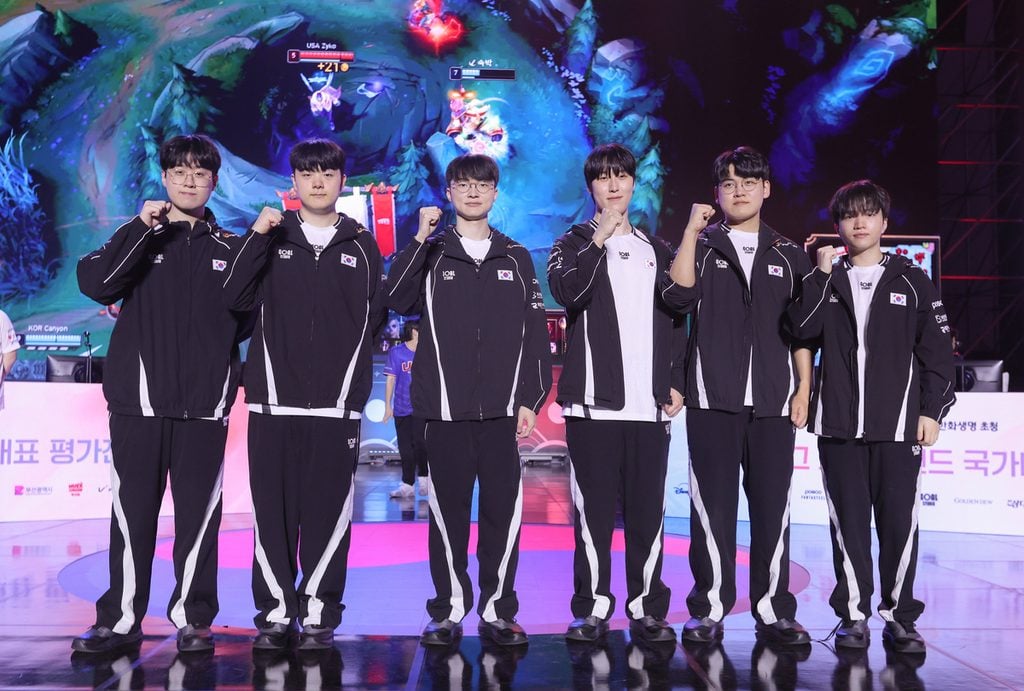
Faker is on this roster too. He is the first esports player to represent South Korea at three straight Asian Games, according to Sheep Esports’ report on the Korean roster.
How South Korea won Game 2
Saudi Arabia kept up early. Its bot lane put on pressure in the first few minutes, and kills were 2-2 at the 4 minute mark.
By 9 minutes, South Korea led in both top and bot lane. The lead kept growing from there. South Korea took Baron at 20 minutes and destroyed the Nexus two minutes later.
Time
Event
4:00
Kills tied 2-2 after Saudi Arabia’s bot lane pressure
9:00
South Korea ahead in top and bot lane
20:00
South Korea secures Baron Nashor
22:00
South Korea destroys the Nexus
Notable performances
Choi “Zeus” Woo-je played Nidalee in top lane and had three kills. Zeka played Cassiopeia in mid. He had no kills but was well ahead of his opponent in CS.
South Korea’s Asian Games 2026 roster
Player
Role
Club
Choi “Zeus” Woo-je
Top
Hanwha Life Esports
Kim “Canyon” Geon-bu
Jungle
Gen.G
Kim “Zeka” Geon-woo
Mid
Hanwha Life Esports
Lee “Faker” Sang-hyeok
Mid
T1
Lee “Gumayusi” Min-hyeong
Bot
Hanwha Life Esports
Ryu “Keria” Min-seok
Support
T1
All six players come from LCK teams, and they arrive after an international season that included the MSI 2026 playoffs.
Asian Games 2026 LoL final: South Korea vs Chinese Taipei
The gold medal match is on October 2 at 12:00 PM local time. The final is best of five.
These two teams have already met once in this tournament. South Korea beat Chinese Taipei in the Group B stage.
South Korea is the defending champion. The team won gold at the 2022 Asian Games in Hangzhou, which were held in 2023. That win gave its players an exemption from military service.