Sunday, May 3, 2026
Home Blog Page 368

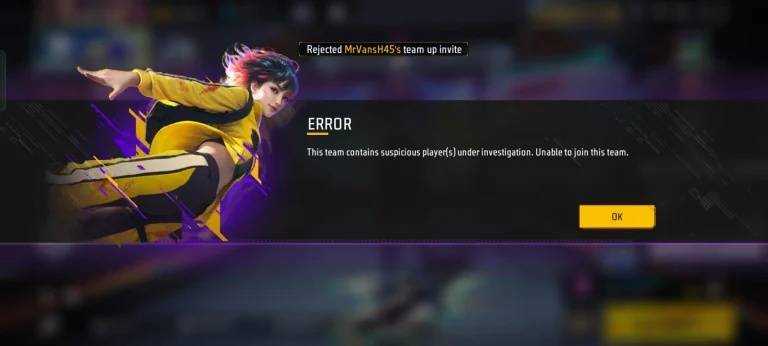
Free Fire Not Opening? Here’s How to Fix It

Garena’s Free Fire remains a fan-favorite in the mobile battle royale genre, captivating millions globally. However, technical hiccups sometimes prevent users from accessing the game. Here, we explore potential reasons and actionable solutions for why Free Fire may not open, ensuring a seamless gaming experience.

In this article, we will find out how to fix the Free Fire Not Opening issue.

Common Causes of Free Fire Access Issues

  • Unstable Internet Connection
    A weak or unstable internet connection can disrupt gameplay. Ensure your device is connected to strong Wi-Fi or reliable mobile data. Switching networks or restarting the game after verifying connectivity can resolve this.
  • Insufficient Storage Space
    Free Fire requires adequate storage, particularly more than 1GB, for smooth operation. Limited space can lead to installation and performance issues. Regularly clear storage by removing unused apps or files to optimize the game’s performance.
  • Outdated System Software
    Running outdated operating systems can impede app functionality. Check for system updates via your device’s settings to ensure compatibility with Free Fire’s latest version.
  • Login Platform Errors
    Issues may arise if your Free Fire account is linked to platforms like Facebook. Switch to logging in via Gmail or another linked account to bypass these errors.
  • Temporary Device Glitches
    Restarting your device can resolve minor software glitches, enabling Free Fire to operate smoothly.

Advanced Troubleshooting Techniques
Free Fire Not Opening
  • Corrupted Game Files
    Partially downloaded updates or corrupted files may prevent the game from launching. Reinstalling Free Fire often resolves such issues. Always back up your account to retain progress.
  • Device Limitations
    Older or less powerful devices may struggle with resource-intensive games. Free up system resources by closing background apps or using game booster applications.
  • Third-Party App Interference
    Antivirus or device optimization apps may conflict with Free Fire. Temporarily disable these apps or add Free Fire to their exception list.
  • Overheating Issues
    Devices that overheat during prolonged use can throttle performance, disrupting gaming. Let your phone cool down and adjust brightness or other settings to manage heat effectively.
  • Permission Restrictions
    Free Fire requires permissions for storage, microphone, and other features. Check your app settings to ensure all necessary permissions are granted.
  • Network Configuration Problems
    Occasionally, network settings may restrict connectivity. Restarting your router, toggling between mobile data and Wi-Fi, or using a VPN can help resolve connectivity issues.
  • Device Compatibility
    Certain older models, rooted devices, or those using custom ROMs may face compatibility problems. Refer to Free Fire’s compatibility list to verify device suitability.

Proactive Measures for Optimal Gameplay

To avoid future disruptions, regularly update Free Fire, monitor your device’s storage, and maintain a stable internet connection. Adopting these measures will minimize technical issues, ensuring uninterrupted gaming.

Technical difficulties in accessing Free Fire can be frustrating, but most issues stem from manageable causes such as connectivity, storage, or system updates. By following the outlined steps, players can address these problems effectively and return to enjoying one of the most dynamic mobile games available. Staying proactive with device maintenance and updates is key to a smooth gaming experience.

Watch IShowSpeed’s Australia & New Zealand 2024 Tour Live

0

Australia and New Zealand will be the destinations of IShowSpeed’s upcoming worldwide livestream tour. His tours always yield crazy moments and Australia and New Zealand are next up on his backlist. In this article, we will tell you how you can get to watch it live.

IShowSpeed has been traveling the world throughout 2024, live-streaming his journeys around Europe and Southeast Asia. Having shown his antics across said continents, he will now travel to the Oceanic region to explore and produce quality content along the way.

On Wednesday, November 20 at 6 p.m. ET, IShowSpeed will commence his tour of Australia will get underway. Fans have already taken notice of his debut stream, and many are anxiously waiting in the conversation.

Speed’s eccentric attitude has attracted fans from all over the world and given his past record, his stream will pull a lot of viewers who will come just to see him pull off some crazy things, even crazier than the things he has done in the past.

Xbox Game Pass November 2024 Lineup Revealed

0

Microsoft has announced the exciting new games coming to Game Pass, enhancing the experience for subscribers through the end of November.  

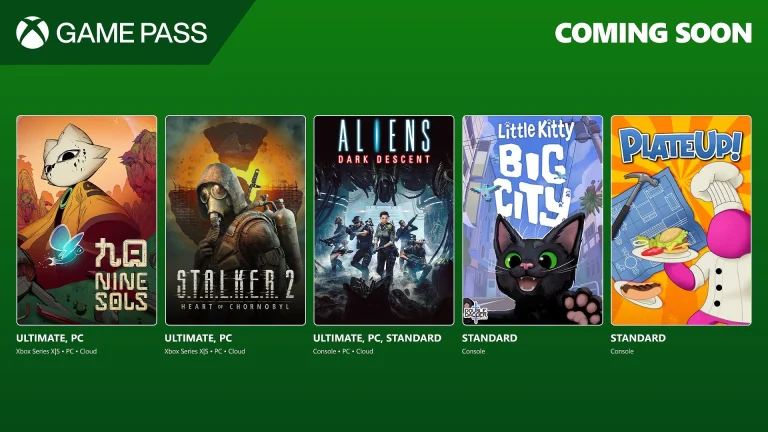
On November 19, Microsoft Flight Simulator 2024 (Cloud, PC, and Xbox Series X|S) will launch on Game Pass Ultimate and PC Game Pass as a premier day-one title from Xbox Game Studios and developer Asobo Studios.  

The following day, November 20, GSC Game World’s eagerly awaited Stalker 2: Heart of Chornobyl (Cloud, PC, and Xbox Series X|S) will also be available on Game Pass Ultimate and PC Game Pass as another day-one release.  

Additionally, on November 20, Little Kitty, Big City (Console) should be making their debut in Game Pass Standard edition, but are already available through Game Pass Ultimate and PC Game Pass. This day marks a significant moment for Game Pass, as PlateUp! (Console) will also join Game Pass Standard.  

Looking ahead to November 26, Nine Sols (Cloud, PC, and Xbox Series X|S) will be added to Game Pass Ultimate and PC Game Pass. Nine Sols is a narrative-driven, hand-crafted 2D action-platformer that features Sekiro-inspired, deflection-based gameplay. 

The next day, on November 27, Aliens: Dark Descent (Cloud, Console, and PC) will launch into Game Pass Ultimate, PC Game Pass, and Game Pass Standard. In Aliens: Dark Descent, players will lead a squad of Colonial Marines on a mission to contain a Xenomorph outbreak on Moon Lethe.

Xbox Game Pass November 2024 Wave 2 Lineup

xbox game pass games
  • Microsoft Flight Simulator 2024 (Cloud, PC, and Xbox Series X|S) – November 19 Game Pass Ultimate, PC Game Pass
  • S.T.A.L.K.E.R. 2: Heart of Chornobyl (Cloud, PC, and Xbox Series X|S) – November 20 Game Pass Ultimate, PC Game Pass
  • Little Kitty, Big City (Console) – November 20 Now with Game Pass Standard
  • PlateUp! (Console) – November 20 Now with Game Pass Standard
  • Nine Sols (Cloud, PC, and Xbox Series X|S) – November 26 Game Pass Ultimate, PC Game Pass
  • Aliens: Dark Descent (Cloud, Console, and PC) – November 27 Game Pass Ultimate, PC Game Pass, Game Pass Standard

Microsoft has also announced that certain titles would be leaving Game Pass by the end of November. This as usual means that you can use your membership discount to avail the 20% off on these games to keep them in your library – by purchasing them. 

Here’s a list of all titles leaving Game Pass by November 30th

  • Conan Exiles (Cloud, Console, and PC)
  • Coral Island (PC)
  • Hello Neighbor 2 (Cloud, Console, and PC)
  • Remnant: From The Ashes (Cloud, Console, and PC)
  • Rollerdrome (Cloud, Console, and PC)
  • Soccer Story (Cloud, Console, and PC)
  • Spirit of the North (Cloud, Console, and PC)
  • The Walking Dead: The Final Season (PC)
  • While the Iron’s Hot (Cloud, Console, and PC)

Stay tuned to Talkesport for the latest movements on Xbox Game Pass’s lineups throughout the year!

Valorant 9.10 Update Adds Regen Shield, Cypher Nerfs, Major Buffs To Phoenix, Sage, & More

0

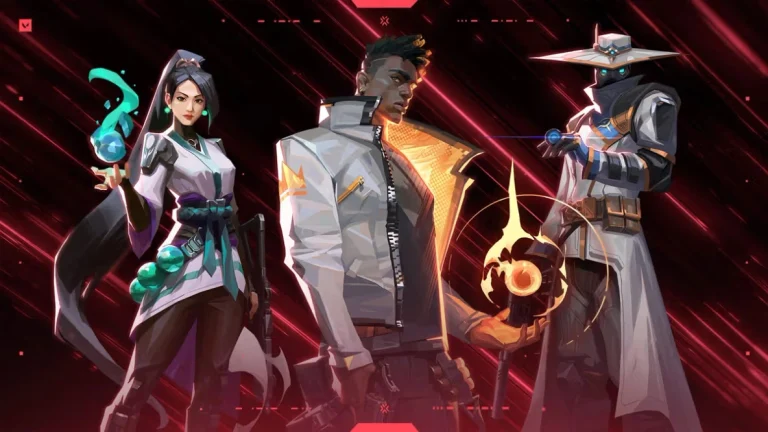
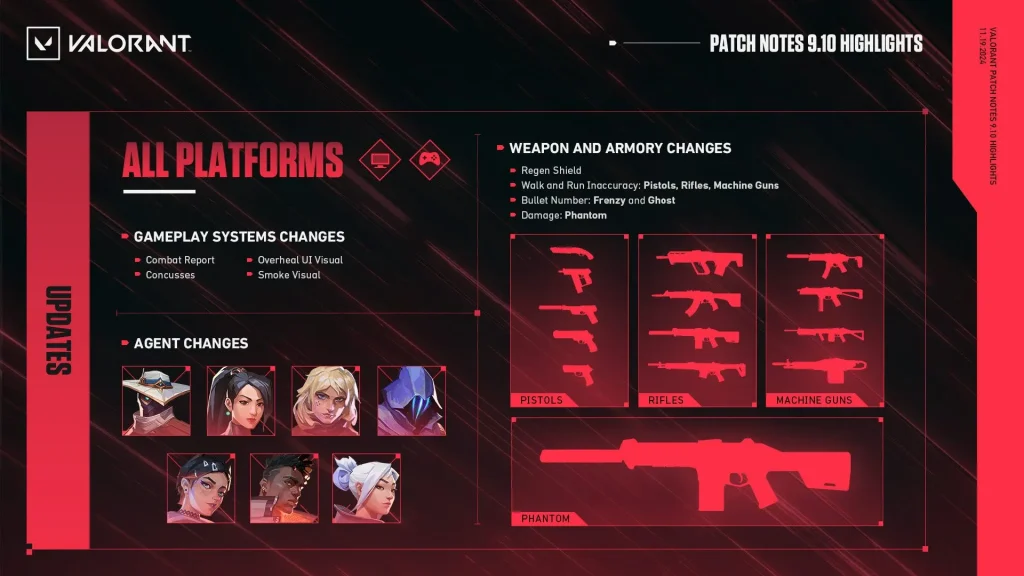
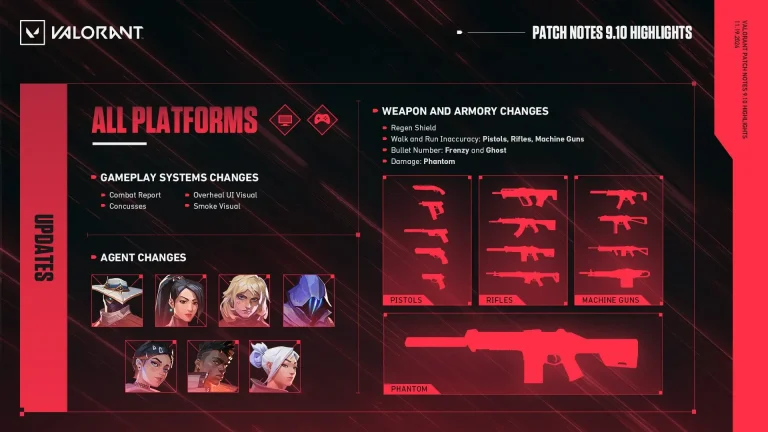
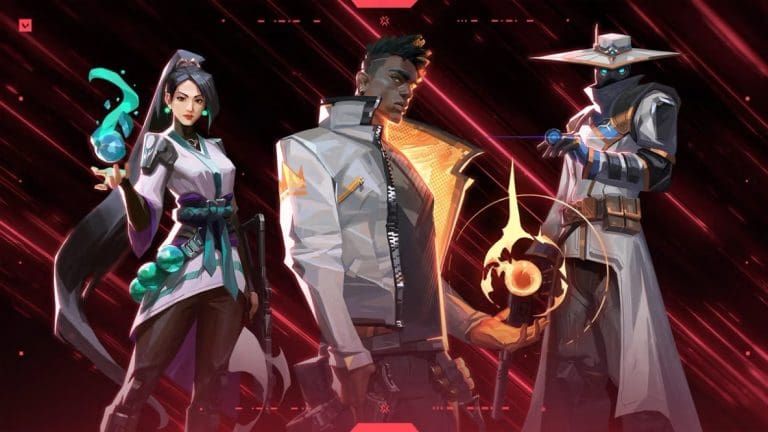
Riot Games has revealed the patch notes for the heavily anticipated Valorant 9.10 update, and it brings a ton of exciting changes to the competitive shooter. The changes that the latest Valorant patch has brought with it include the new Regen Shields, a rework to Phoenix, some buffs to Sage and Deadlock, and a lot more.

The Regen Shield is a new armor type that’s set to be added to the game alongside the upcoming Valorant update. It will have a price tag of 650 Credits and will absorb 25 HP before regenerating itself after a small delay.

The Phoenix rework swaps its Curveball and Hot Hands abilities, with the former being changed to be a signature ability. Cypher has also received some significant nerfs with a 1-point increment to his ult cost and an increased wind-up time for his Trap Wire.

Now without further ado, let’s check out the detailed patch notes for the Valorant 9.10 update.

Valorant 9.10 Update Patch Notes Revealed

Valorant Patch 9.10

Here are the patch notes for the Valorant 9.10 update, as officially revealed by Riot Games:

ALL PLATFORMS

NEW ARMOR

  • Regen Shield
    • We want to expand the strategic and tactical possibilities within the VALORANT competitive sandbox by introducing a new defensive option.Regen Shield has been added to the shop.
      • Cost: 650 Credits
      • Damage Absorption: 25 HP
      • Regeneration Pool: 50 HP
      • Absorbs 100% of incoming damage taken before damage to health occurs. 
      • After a brief delay, the shield regenerates by draining any remaining points left in the Regeneration Pool.

AGENT UPDATES

  • Cypher
    • Cypher has been a dominant force with his map-wide information gathering and powerful kill setups. Because Cypher’s map-wide info is intended to be his unique strength, we want to target the efficacy of his kill potential.
    • We’re adjusting the Trap Wire to increase the counterplay time window after hitting it, so that there is more of a balance between a well-crafted setup and enemies deliberately trying to break trap wires. Additionally, this will help team compositions who don’t have as much utility to deal with unbreakable traps.
    • Cypher’s ultimate has been extra powerful after adding the second reveal and the removal of time restriction on enemy corpses in patch 5.10, so we’re bumping up the cost to put it more in-line with other comparable ultimates.
    • Trap Wire:
      • Now has a .5 second windup before the full wallhack reveal applies and fades in.
      • Trap wire now has updated minimap icon treatment to better display what the trap wire is connected to.
    • Neural Theft:
      • Ult Cost 6 >>> 7
  • Sage
    • Sage has been feeling weak with relatively low pick rate in high-level play. We want to continue to hone in her ability to stall and slow down attackers when pushing into areas her team controls.
    • With the added dash speed reduction on Slowing Orb, well-timed, proactive casts of her Slowing Orb should feel rewarding and make slows a more meaningful debuff against duelists with dashes.
    • Healing Orb: Self Heal 30HP >>> 50HP
      • Heal time matched to ally heal at around 5 seconds
    • Slowing Orb: Now will additionally reduce the dash speed of enemies caught inside the slowing zone by 50% similar to the Concuss changes in the Gameplay Systems Updates later in the patch notes.
    • Resurrection: Ult Cost 8 >>> 7
  • Deadlock
    • Deadlock’s ultimate will now always kill the target when the timer expires and they are not freed from the nanowire cocoon. Previously, captured targets only died if they reached the end location before the timer expired.
    • Deadlock’s visuals for health on the Annihilation Cocoon and Barrier Mesh have been updated to make their health states more clear.
  • Omen
    • Omen has been a mainstay controller in high-level play for a long time. He particularly shines in his ability to create ambiguity throughout a round with the low cooldowns on his smokes. However, Omen’s ability to place one-way smokes inside level geometry provides significant defensive power with low counterplay. We’ll be keeping an eye out here for how these changes affect the overall controller ecosystem.
    • Dark Cover:
      • Dark Cover will now always fall to level geometry where players can stand similar to other spherical smokes like Brimstone’s Sky Smoke, Clove’s Ruse, etc.
      • This should prevent Omen from placing one-way smokes on small ornamental pieces of Geometry, like the fuse boxes in the main of Split B and only allow him to place smokes where players can stand.
  • Clove
    • Ruse:
      • Ally vs enemy clarity around Ruse casts for both alive and dead casts of smokes have been improved.
        • Enemy smokes updated to appear more red than ally smokes
    • Not Dead Yet:
      • Time to get a kill: 12s >>> 10s
        • This change had been made accidentally in Patch 8.11 when fixing another bug, but the ultimate has been performing well at this tuning.
  • Phoenix
    • Following up from our updates to Duelist in 8.11, we’re taking an opportunity to let Phoenix shine brighter as the bold and confident duelist he is. His updates encourage him to get back to the fight quickly, break into sites with his Curve Ball and reward him for succeeding on entry.
      • Phoenix now applies a Heal over time to himself whenever he touches his flames which persists even if he leaves the fire. This allows him to dip into his flames and then continue to press the offense.
      • Curve Ball:
        • Changed to the signature ability slot
          • Grants a free charge on round start
          • 2 kill reset to generate an additional charge
      • Hot Hands:
        • Changed to a non-signature ability
        • Cost 200 credits
      • Blaze:
        • We want to support Phoenix’s hybrid “jack of all trades” utility value by allowing him to cast Blaze from safety for his teammates similar to other vision-blocking utility.
        • Initial projectile goes through walls, allowing Blaze to function similarly to Harbor’s High Tide.
  • Jett
    • Drift (Passive)
      • Balance-impacting bug fix: Jett can no longer float while suppressed or detained.

MAP UPDATES

  • Sunset
    • We updated global lighting for the entire map. Players should see an improvement in lighting quality and general visibility in previously darker portions of the map.

GAMEPLAY SYSTEMS UPDATES

The changes to the gameplay systems in this patch are to better support VALORANT’s tactical gameplay. The combat report is intended to share in-game information easily. We’re always paying attention to how these systems are playing out, including ways that those systems can be used to create advantages that are counter to their intended use cases.

  • Combat Report
    • While the combat report should be a tool to provide gameplay context for what your impact was within a round of VALORANT, it has the occasional downside of leaking information to you that you otherwise would have had no way of knowing.
    • This happens most often with utility, such as Breach’s Flashpoint or Skye’s Guiding Light: You use your utility and get killed, but inadvertently also discover you blinded players you never saw or engaged with.
    • With these kinds of cases in mind, we’re making a change to the Combat Report:
      • Your utility usage statistics now appear once the round has resolved rather than immediately upon death.
      • In its place, you will see an animated hourglass. Once the round ends, utility usage statistics will become available and persist through pre-round of the next round.
  • Concusses
    • Well-placed concusses should be just as consequential for our movement-oriented Duelists as other agents.
    • We also think this strengthens defensive teleports compared to dashes as more flexible repositioning options to compensate for their weakness in entry capabilities.
      • Concusses now slow enemy dashes by 50%
        • This affects Jett’s Tailwind and Neon’s Slide.
  • Overheal UI Visual Update
    • We’ve updated the way we show overheal shields in the bottom HUD to improve legibility.
      • This affects how we show bonus HP after using Reyna’s Devour and Clove’s Pick-Me-Up.
  • Smoke Visual Update
    • Visual cues have been added to the inside of the smoke to let you know when they are about to disappear to better support decision making. These cues match up with the ones that exist on the outside of the smoke.
    • The following Agents’ smokes have been affected:
      • Astra
      • Brimstone
      • Omen
      • Clove

WEAPONS UPDATES

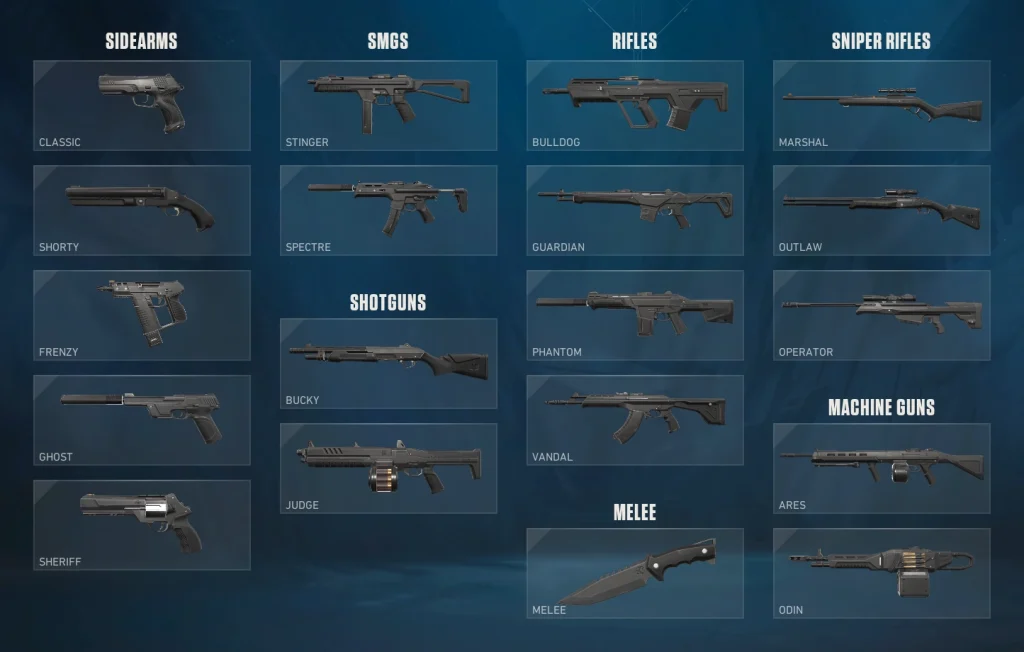
We’re making some tuning adjustments to weapons.

  • As VALORANT has grown and evolved, you all have learned how to take advantage of different methods of swinging and peeking. Because of the way bullet tagging in VALORANT works (slowing down when shots land on you), shot players are often tagged and then slowed down into the walking state and as a result their weapons become quickly more accurate.
  • We want to maintain this intuitive relationship between player movement speed and accuracy, so we’re opting to increase all moving state accuracy penalties (AKA “movement error”) and encourage intentionality in movement when shooting.
    • The Sheriff and the Frenzy already have different movement error inaccuracies compared to the other pistols, which are valuable to maintain for the sake of their identities.
    • SMGs are unaffected, as we believe that their mobile accuracy is a core part of how the weapons are unique within the arsenal. 
  • The Ghost having more bullets than the Frenzy didn’t make intuitive sense given their unique strength and weakness profiles amongst the pistols.
  • Pistol Inaccuracy Changes
    • All Pistols (except the shorty)
      • Moving while crouching Inaccuracy: .1 >>> .5
    • Classic
      • Right Click Running Inaccuracy: 1.3 >>> 1.5
      • Right Click Burst Jumping Inaccuracy: 2.1 >>> 2.25
      • Walking Inaccuracy: 0.84 >>> 1.1
      • Run Inaccuracy: 2 >>> 2.3
    • Ghost
      • Walking Inaccuracy: 0.84 >>> 1.1
      • Run Inaccuracy: 2 >>> 2.3
  • Rifles
    • All Rifles
      • Walk Inaccuracy: 2 >>> 3
      • Run Inaccuracy: 5 >> 6
  • Machine Guns
    • All Machine Guns
      • Walk Inaccuracy: 2.4 >>> 3
      • Run Inaccuracy: 6 >>> 6.5 
  • Pistol Bullet Count Changes
    • Frenzy
      • Bullet Count Increased 13 >>> 15
    • Ghost
      • Bullet Count Reduced 15 >>> 13
  • There have been fewer Phantom purchases over time with new maps being released and higher proficiency in shooting. The Phantom and Vandal’s current differences are intended to keep their identities unique while still being relatively competitive with each other. These changes are intended to make the Phantom feel better to use primarily and reduce frustrating instances of headshots doing less damage than expected at different distances. These breakpoints will remove some instances of 140 headshots and all instances of 124 in 1 headshots (excluding wall penetration).
  • Phantom
    • Damage fall-off changed:
      • Previously:
        • 39 damage per bullet (0 – 15m)
        • 35 damage per bullet (15 – 30m)
        • 31 damage per bullet (30m+)
      • Now:
        • 39 damage per bullet (0 – 20m)
        • 35 damage per bullet (20m+)

BUG FIXES

Agents

  • Killjoy
    • Fixed a bug with Alarm Bot where it did not play the proper reactivation ceremony and would instantly reactivate when Killjoy reentered its range.
  • Clove
    • Fixed a bug where Meddle was hitting through level geometry.

Maps

  • Fixed an issue where ambient audio elements were not playing pre-round for Pearl, Breeze, and Sunset.

PC

PREMIER UPDATES

  • Added a visual divider on Invite Division standings that shows the cutoff for demotion at the end of Stage E9A3. Teams below the divider after standings finalize will be demoted at the start of the next Stage.
  • Added a message that notifies you if your team has qualified for playoffs. The first time you return to the Premier hub after your team has met the qualification requirements, you’ll see the message.
  • Added a Contender Eligibility expiration date on the Premier tab of the Career page. Contender Eligibility for 2024 expires at the end of Stage E9A3.
    • To be Contender Eligible in 2025, you and your team must perform a qualifying action in Stage E9A3 or at any point in 2025. Qualifying actions include:
      • Play a Weekly or Playoff match on a team in Contender or Invite Division.
      • Reach Immortal 3 or higher peak rank in Competitive.
      • Play in a Playoff match in Elite 5.

CLIENT UPDATES

  • Added QR Code Login feature for Riot Client using Riot Mobile App
    • If you log in to VALORANT through the Riot Client, you can now scan a QR Code and log in through the Riot Mobile App.
    • No more typing in your Riot ID and password – open Riot Mobile, scan the code, and you’re in.
    • Learn more about Riot Mobile here.

BUG FIXES

Premier

  • Fixed an issue where games in a best of 3 match were all listed as finals in Premier match history. Games are now correctly listed as Game 1, Game 2, or Game 3.

Console

BUG FIXES

Agents

  • Fixed an issue where sensitivity is severely reduced when using Jett and Raze ultimate abilities until engaging Focus.

How To Lower Ping in Valorant in 2025?

0

Valorant is a highly competitive game, with players constantly looking to get every bit of advantage they can over their opponents to have the upper hand on the battlefield. Among the many variables that can influence your performance, having a consistently high FPS and a low ping are essential if you want to win more gunfights.

While we’ve already talked about how to increase your Valorant FPS in the past, getting a low ping is just as important to ensure smooth, responsive gameplay and avoid frustrating lag spikes that can easily cost you crucial rounds.

In this guide, we’ll take a look at everything you need to know about how to lower ping in Valorant in 2025.

How To Lower Valorant Ping

Before you try and reduce your ping in Valorant, it’s important to try and identify the cause behind your high latency. If you’re working with extremely slow internet speeds, there’s not much you can do to reduce your ping in Valorant other than contacting your ISP.

However, if you are getting low ping when playing other games but experiencing lag in Valorant, there’s a good chance that you can solve this issue by following a few simple steps.

Without further ado, let’s check out how to lower ping in Valorant in 2025:

  • Server Selection: Before queuing for a game in Valorant, make sure to double-check that you’re on the right server. Note that the server located nearest to you might not be the best server for you in terms of latency.

To check your Valorant ping across different servers, hop on a Valorant lobby and select the server dropdown located at the top of your Player Card. Click on the server where your ping is the lowest, and you’re good to go!

  • Background Apps: When playing Valorant, make sure that no background application is taking up resources on your PC. To check your background apps, press ‘Ctrl + Shift + Esc’ to open your task manager, and sort by ‘Networking.’ Check which processes are using your internet speed, and close any apps that you don’t require.
  • Use Ethernet: If you’re experiencing sudden ping spikes or lag when playing Valorant, you may be connected to your router’s Wi-Fi instead of a wired connection. Using your Ethernet cable will fix most issues related to ping spikes in Valorant (or any other game).
  • Restart Router: Oftentimes, a simple router restart can noticeably reduce your ping in Valorant. Power off your router, wait for about 30 seconds to allow a full reset, then turn it back on. Once your connection is restored, relaunch Valorant and check for any improvements in latency.

Once you’ve followed the aforementioned steps, you should be able to see a noticeable drop in your ping in Valorant. If none of these steps seem to work for you, you might need to upgrade your internet plan or contact Riot support and let them know about your issue.

Valorant Patch 9.10: All Agent Changes, Release Date, and Key Updates

0

Riot Games has unveiled Valorant Patch 9.10, set for release on November 19, bringing a significant overhaul to agents, weapons, and game systems. This update is designed to refine gameplay, balance abilities, and introduce new tactical elements, ensuring a fresh experience for all players.

Let’s break down the highlights of this transformative patch.

The standout feature of Patch 9.10 is the Regen Shield, a new defensive tool that introduces dynamic gameplay mechanics. This shield absorbs up to 25 HP like the standard Light Shields but includes a unique Regeneration Pool that restores up to 50 HP after a brief delay. At 650 credits, the Regen Shield is expected to alter defensive strategies, offering durability during prolonged engagements.

Major Agent Updates

The patch significantly impacts key agents, fine-tuning their roles and gameplay mechanics:

  • Sage Buffs: Sage’s self-heal increases from 30 to 50 HP, aligning with ally heal times. Additionally, her Slow Orbs now reduce dash speeds (like Jett’s Tailwind) by 50%, adding strategic utility.
  • Cypher Adjustments: Cypher’s Trap Wire now includes a 0.5-second windup before revealing caught enemies, introducing a counterplay opportunity. His ultimate, Neural Theft, requires seven points, up from six.
  • Phoenix Rework: Phoenix’s Curve Ball becomes his new signature ability, with a free charge per round. His Blaze wall now extends through structures, enhancing map control.
  • Omen Nerf: Omen’s Dark Cover can no longer exploit small structures for one-way smokes, balancing its use with other spherical utilities.

Weapon and System Tweaks

Patch 9.10 emphasizes movement precision by updating weapon inaccuracies:

  • Pistols and Rifles: Adjusted inaccuracies discourage firing while moving, promoting strategic positioning.
  • Phantom Buff: Damage fall-off has been improved, ensuring consistent performance across longer ranges.
  • Utility Indicators: Combat Reports now show utility impacts after rounds, enhancing tactical insights.

Bug Fixes and Miscellaneous Changes

Riot also addressed several issues, ensuring smoother gameplay. Notable fixes include resolving Clove’s Meddle geometry bug and refining Killjoy’s Alarm Bot mechanics.

Release Date and Future Expectations

Scheduled for release on November 19, Patch 9.10 is positioned as a pivotal update for Valorant’s tactical ecosystem. By addressing long-standing community feedback and introducing innovative elements like the Regen Shield, Riot continues to enhance Valorant’s competitive appeal.

Valorant Patch 9.10 showcases Riot’s commitment to balancing innovation with competitive integrity. From agent reworks to weapon recalibrations, this patch offers something for every playstyle, ensuring a vibrant and engaging gameplay environment. Whether you’re a duelist main or a strategic sentinel, Patch 9.10 invites players to adapt and excel in a revamped tactical landscape.

Valorant 9.10 Patch Notes: Omen and Cypher Nerfs, Sage Buff

Riot Games has unveiled the Valorant 9.10 patch notes, introducing significant gameplay shifts. Highlighted by crucial changes to agents like Omen and Cypher, the update also includes buffs for Sage, Phoenix, and Deadlock, alongside a new regenerative shield and various weapon adjustments.

New Shield: A Tactical Twist

The update introduces the Regen Shield, a purchasable defensive option costing 650 credits. This innovative shield regenerates up to 50 HP over time, providing a fresh layer of strategic depth. Despite its high cost, its utility will likely spark debate within the Valorant community.

Omen’s Abilities Adjusted

Omen’s Dark Cover smokes now adhere to player-standable surfaces, effectively limiting their one-way utility. This adjustment marks a significant challenge for high-skill players accustomed to leveraging intricate smoke placements.

Cypher’s Trapwire and Spycam Tweaked

Cypher’s toolkit also sees impactful reductions. His Trapwire now features a 0.5-second delay before revealing enemy locations, and his Neural Theft ultimate incurs an additional cost point. These changes aim to balance Cypher’s dominance without nullifying his map control capabilities.

Buffs Bolster Sage and Phoenix

Sage emerges as a major beneficiary in this patch. Adjustments to her Healing Orb enhance its self-healing efficiency, while her ultimate Resurrection now demands fewer points. Additionally, her Slowing Orb gains a new dash slow feature, amplifying her utility in team setups.

Phoenix’s Blaze ability now penetrates walls, adding offensive versatility. Furthermore, his healing mechanics have been overhauled, enabling gradual HP recovery when standing in fire—a boost to his self-sustainability.

Weapon Tweaks and Phantom Improvements

Nearly every weapon in Valorant undergoes fine-tuning in this update. Notably, the Phantom receives adjustments that enhance its overall handling, promising a smoother gameplay experience. The broader changes aim to standardize the feel of movement and shooting mechanics across the arsenal.

A Meta Shift on the Horizon

The Valorant 9.10 update signals a recalibration of strategies, pushing players to rethink agent dynamics and weapon engagements. These adjustments reflect Riot Games’ commitment to fostering competitive balance while introducing fresh elements to enrich the gameplay experience.

With its nuanced changes and innovative additions, the 9.10 patch lays the groundwork for an evolving meta. Players can expect a period of experimentation as they adapt to these impactful updates.

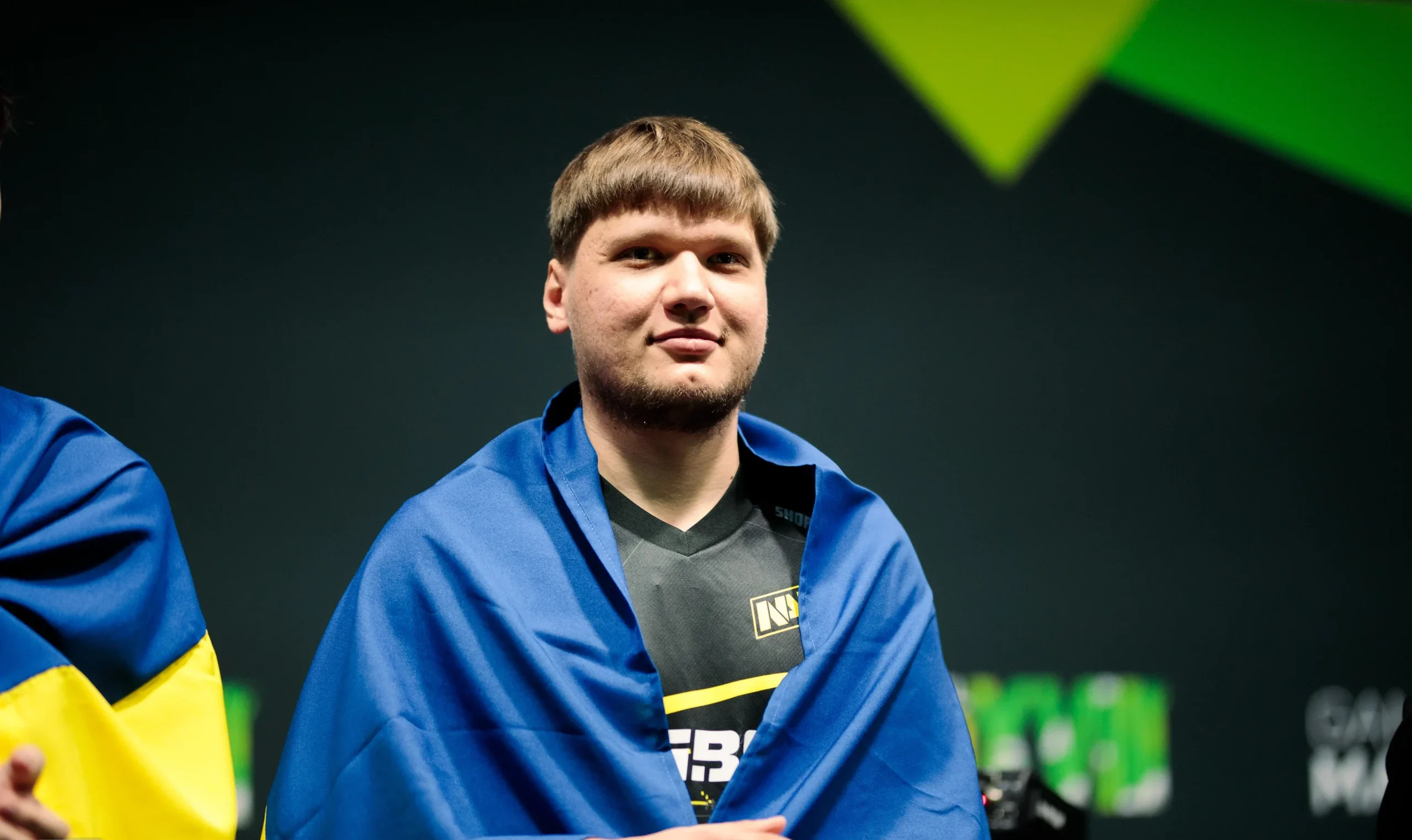
S1mple Out of Major: EU RMR Group A Day 3 Recap

The two consecutive days of action have yielded interesting results for Group A of European RMR, with s1mple and co. missing out on a spot in Shanghai next month.

FaZe and NAVI finally booked their tickets to Shangai after they convincingly beat Fnatic and sAw. FaZe, having lost to Vitality, did not let Fnatic come between them and a spot in the Major. All that is left is to face Cloud9 for the 4th-place decider. NAVI, on the other hand, has cruised through sAw. Their round difference put them ahead of FaZe and Cloud9, which will take them directly to the elimination stage.

The disappointment of the day came from the Falcons, following the loss to Gamer Legion, s1mple along with his crew of big names, will take an exit from the RMR stage which makes several Major winning active players will me missing out on the big game.

The likes of Gamer Legion, Fnatic, sAw, ELCOT, and BetBoom possess a shot at qualification given how they fair on the final day of the RMR. Following FaZe and C9 booking their spots today, two more teams get to make their way out of the qualifiers.

With a plethora of talent across the teams remaining, there are no clear favorites for the final two spots. The RMR has become anybody’s game at this point and even with lesser-known teams, we are bound to have an exciting final day.

How to Catch Isonade in Fisch Roblox?

0

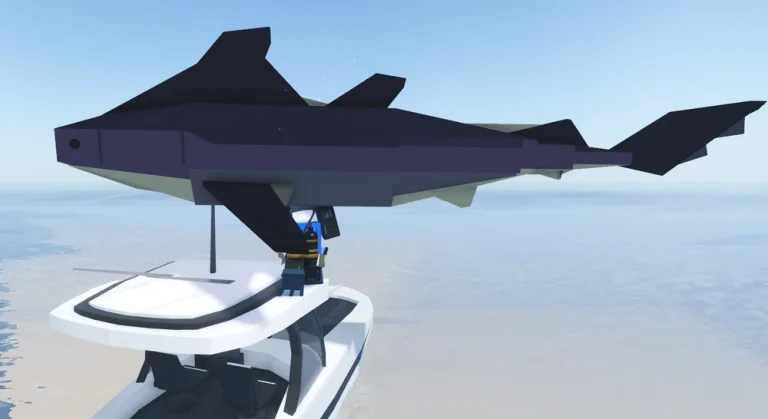
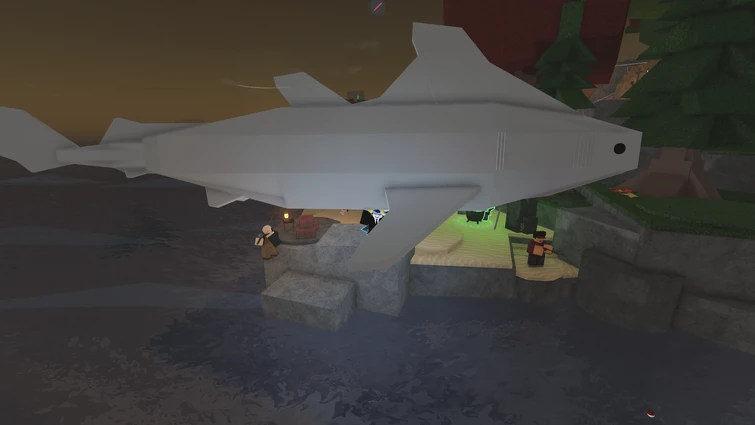
The mystical Isonade that is in the form of an abyssal creature has invaded the Vertigo region of Roblox Fisch recently. This large shark-like fish has been the talk among players, but few have dared to trap it.

Isonade can be found most commonly in the weird whirlpools that come up sometimes in-game. Whirlpools marked with an ethereal, line-like aura that stretches up to the sky are good indicators of the creature’s presence. To find the whirlpools, monitor in-game messages and set your graphics settings as high as possible for better visibility.

Once you’ve spotted a whirlpool, prepare your trusty fish radar to detect the true location of Isonade. The creature will be noted by a red square that points out its location at the moment. If you have not yet obtained a fish radar, you can buy one from the friendly Moosewood merchant for the fair price of 8000 cash.

How to Catch Isonade in Fisch Roblox?

Isonade Fisch Roblox

To successfully reel in this elusive prize, you’ll have to be armed with just the right tools and techniques. You can use Truffle Worms as bait to attract the Isonade. It can be obtained from Volcanic and Coral Geodes or redeemable through Roblox Fisch codes.

A quality fishing rod will be required for this tough challenge. Of the rods from Trident and King, the better ones are usually available from the experienced angler. Alternatively, a Steady Rod is the best option for a beginner who’s still in his early stages of fishing.

To further increase your chances of success, consider applying enchantments to your rod. Hasty and Divine enchantments are excellent choices for the Steady Rod, boosting its Lure Speed and Luck respectively. For the Trident Rod, Resilient is a solid choice, while Lucky or Divine enchantments are well-suited for the King’s Rod.

If you’re impatient, the Aurora Totem gives you a pretty good luck boost so you can skip the traditional method of seeking Merlin’s blessing.

Once you have captured Isonade, you can either add him to your collection or sell him to a merchant for a huge profit.