Monday, April 27, 2026
Home Blog Page 295

How to Trade in Pokémon TCG Pocket?

0

There is good news for Pokémon TCG Pocket players! Trading is finally on the horizon, allowing players to swap cards from their collections with one another. However, the developers are implementing strict initial limitations to ensure a smooth and balanced trading experience.

According to official announcements, trading will become available later this month. Players will be able to exchange cards, but only under specific conditions. These rules are subject to change based on player feedback and ongoing development.

Key Trading Limitations

  • Friend-to-Friend Trading: Trading will be restricted to interactions between in-game friends.
  • Rarity Matching: Players can only trade cards of the same rarity.
  • Limited Card Pool: Initially, trading will be limited to a select number of cards from the Genetic Apex and Mythical Island sets, with more cards and packs added over time.
  • Rarity Restrictions: Cards with a ♢ rarity between ♢ 1 and ♢ 4 or ☆1 will be eligible for trading.
  • Item Consumption: Trading will require the consumption of a specific in-game item.

These limitations are designed to prevent issues like players dumping their rarest cards or falling victim to unfair trades involving cards of vastly different rarities. While restricting players from trading Immersive Rares, the current system still allows for ample card trading within existing sets, enabling players to build their collections more effectively.

Developer Response

The developers emphasized their commitment to player feedback: “We’ll continue to monitor player feedback and assess future updates to the trade feature while keeping in mind how to balance both the ease and enjoyability of collecting.” They encourage players to try the trading feature upon its release and provide valuable feedback to help shape its future.

Trading Currency

The requirement to consume an item to trade suggests the introduction of a new in-game currency specifically for trading. This currency might function similarly to Hourglasses and Stamina, potentially requiring players to use Poké Gold or make in-app purchases to bypass trading limitations. Further details on this trading currency will be revealed closer to the feature’s launch.

Upcoming Booster Pack Release

Alongside the trading feature, the developers confirmed the imminent release of a new set of booster packs in January. This major set, comparable to Genetic Apex, will introduce numerous packs and hundreds of new cards, offering players a wealth of new content to collect.

Dragon Ball: Sparking! Zero Hero of Justice DLC: Release Date, New Characters & More

0

The “Hero of Justice” DLC for Dragon Ball: Sparking! Zero, inspired by the 2022 film “Dragon Ball Super: Super Hero,” is on the horizon, bringing with it a wave of exciting new content. While the inclusion of Gamma 1 and Gamma 2 was previously announced, Bandai Namco has now revealed the full roster of additions.

Gohan and Piccolo take center stage with a significant portion of the DLC dedicated to their respective arsenals. Players can anticipate four new variations for each character, including the powerful Beast Gohan and Orange Piccolo forms. The formidable Cell Max, the Red Ribbon Army’s ultimate creation, rounds out the playable character additions.

Notably absent from the DLC are Dr. Hedo, Magenta, and the Dragon Ball Super incarnation of Pan, despite their prominence in the film.

A curious discrepancy emerged between the trailers released on Twitter and YouTube. The Twitter version showcased Piccolo in a Nail-inspired costume as a bonus, while the YouTube trailer featured Piccolo in a Red Ribbon Army disguise.

Beyond the character additions, the DLC introduces three new Custom Battles. While not explicitly detailed in the Twitter trailer, glimpses of potential matchups were provided in the YouTube version, featuring clashes between Cell Max, Gohan, and Goku, as well as a confrontation between the Gamma duo and a group of androids.

A new mode, “Legendary Warrior Face-Off,” will also be implemented. This mode challenges players to test their skills against powerful opponents, with Broly serving as the inaugural adversary.  

Release Date and Availability

The “Hero of Justice” DLC is scheduled for release on January 23, 2025, at 6:00 PM EST / 3:00 PM PST. Season Pass holders will enjoy early access, with the DLC becoming available to them on January 20, 2025, at the same time.  

DLC Content Overview

  • 11 Playable Characters: Gamma 1, Gamma 2, Gohan (SH), Super Saiyan 2 Gohan (SH), Mystic Gohan (SH), Gohan (SH) Beast Mode, Piccolo (SH), Piccolo (SH) Power Awakening, Orange Piccolo, Giant Orange Piccolo, Cell Max
  • One Costume: The specific costume included remains unclear due to the differing depictions in the trailers.
  • Three Custom Battles
  • Legendary Warrior Face-Off Mode

The next Dragon Ball: Sparking! Zero DLC is anticipated to arrive before the end of March 2025.

How to Play Roblox on a Chromebook

0

Roblox is a popular gaming platform enjoyed by millions worldwide. But playing it on a Chromebook, especially a school-issued one, can be tricky. Schools often set restrictions on devices, blocking gaming platforms and apps. However, there are ways to work around this if allowed by your institution. This guide will explain three simple methods to help you start playing Roblox on a Chromebook.

Method 1: Install Roblox from the Official Website

The easiest way to install Roblox is from its official website. Follow these steps:

  1. Open the Chrome browser on your Chromebook.
  2. Visit the Roblox website.
  3. Log in or create an account.
  4. Click on a game and press the green “Play” button.
  5. The Chromebook will prompt you to install the Roblox Player app.
  6. Once installed, open the app and log in.

If your school hasn’t blocked the Roblox website, this is the fastest way to get started.

Method 2: Install Roblox via Google Play Store

If the official website is blocked, the Google Play Store can be an alternative. However, the Play Store may not be enabled on all Chromebooks. Here’s how to check and use it:

  1. Open the Chromebook Settings.
  2. Go to the Apps section and find the Google Play Store preferences.
  3. Enable the Play Store if it’s turned off.
  4. Agree to the Terms of Service and start browsing apps.
  5. Search for “Roblox” on the Play Store and download it.

After installing, open Roblox, log in, or create an account, and start playing.

Method 3: Use a VPN

Some schools block both the official website and the Play Store. In such cases, a VPN can help bypass restrictions. Here’s what to do:

  1. Download a VPN app from the Google Play Store. Some popular options include ProtonVPN and NordVPN.
  2. Install and set up the VPN by creating an account and connecting to a server.
  3. Once connected, return to the Play Store or Roblox website and download the app.

Using a VPN hides your internet activity, but remember to follow school rules when using one.

Important Notes

  • Always check your school’s policy before trying these methods. Some schools may strictly prohibit downloading games on their devices.
  • If your Chromebook is heavily restricted, you may not be able to bypass the blocks without admin permissions.

FAQs

Can I play Roblox on any Chromebook?
Yes, but it depends on the level of restrictions set by the school or owner of the Chromebook.

What is the easiest method to install Roblox?
Installing from the official website is the simplest method if it’s not blocked.

How do I enable the Play Store on my Chromebook?
Go to the Settings, navigate to Apps, and toggle on the Play Store option.

By following these steps, you can enjoy Roblox on your Chromebook. Gaming responsibly and respecting device policies is crucial to have a fun and hassle-free experience.

How to Locate and Participate in Once Human Parkour Event?

0

The recent release of Once Human Patch 1.4 has ushered in a wave of exciting changes to the game, including the introduction of the Lunar Oracle system and a host of fresh gameplay mechanics. Among the highlights is the arrival of the Eternaland Parkour Event, a thrilling addition coinciding with the vibrant Spring Festival.

Nestled within the enchanting Wish Land Party Island, the Eternaland Parkour Event presents players with a unique set of challenges. To participate, players should allow the event area to load fully to ensure a smooth and glitch-free experience. The starting point is conveniently located near the Hardship area, where players simply stand within a designated circle for a few seconds to initiate the event.

How to Locate and Participate in Once Human Parkour Event?

Success in this exhilarating course hinges on a combination of agility, precision, and careful navigation. While some players may opt to utilize movement-enhancing items like the Stardust Drink to gain an advantage, such as achieving double jumps, steady and precise movement can also yield successful results. For those seeking a true test of their skills, completing the course within a time limit of five minutes unlocks special rewards.

The Eternaland Parkour Event seamlessly integrates with the broader festivities of the Spring Festival, offering players the opportunity to earn a wealth of enticing rewards. These include a variety of cosmetic items, stylish furniture pieces, exclusive deviations, and limited-time recipes. Furthermore, participants can collect up to 10,000 Starchroms, further enriching their festival experience.  

Three weapons – the Critical Pulse Crossbow, the Primal Rage SMG, and the Hazardous Object Pistol – have been added to the arsenal, providing players with a wider range of combat options. Additionally, the introduction of Oracle Crates adds a layer of excitement, offering a chance to acquire rare and valuable items such as exclusive mods, stylish skins, and unique deviations.  

As the Spring Festival draws to a close, players are encouraged to seize the opportunity to participate in the exhilarating Eternaland Parkour Event and fully explore the myriad of enhancements that Patch 1.4 brings to the world of Once Human.

How to Take a Photo of Aderinna in Infinity Nikki?

0

Infinity Nikki‘s Starry Lake Serenade event has surprised players by presenting a series of engaging challenges. Among these, a recent task requires players to capture a memorable photograph with the enigmatic Sovereign of Cool, Aderinna.

This challenge follows a previous encounter where players faced Aderinna in a stylish showdown within Florawish. To overcome this formidable opponent, meticulous outfit selection is paramount. Players are judged on a variety of factors, including footwear, eyewear, accessories, and the dynamic “Burst of Whim.” Victory in this stylish duel rewards players with a Sovereign of Cool Medal, a valuable currency for acquiring Wishful Aurosa materials.

How to Take a Photo of Aderinna in Infinity Nikki?

As part of the Day 5 event challenge, players must complete Stage VII in Wishing Nebula, consume 1,500 Vital Energy, and then venture to Bibcoon’s Chuckle Club in Florawish. If a teleporter isn’t readily available, players can begin their journey at the Stylish Guild’s Front Gate and easily walk to the club, identifiable by its distinctive cat-head entrance.

Within the club, players will find Aderinna seated alone in a secluded booth. While engaging in conversation with her about her current endeavors is an option, the primary objective is to capture the perfect photograph of the Sovereign of Cool. Players must carefully adjust their perspective to ensure Aderinna is prominently featured within the frame before taking the desired picture.

Upon successful completion of this photographic challenge, players are rewarded with 100 Lucky Star Shells, allowing them to progress further through the exciting Starry Lake Serenade event.

This article aims for a more engaging and professional tone while conveying the essential information from the original. It employs a variety of sentence structures, introduces subtle nuances in phrasing, and avoids overly technical jargon.

Squid Game Tower Defense Codes for January 2025

0

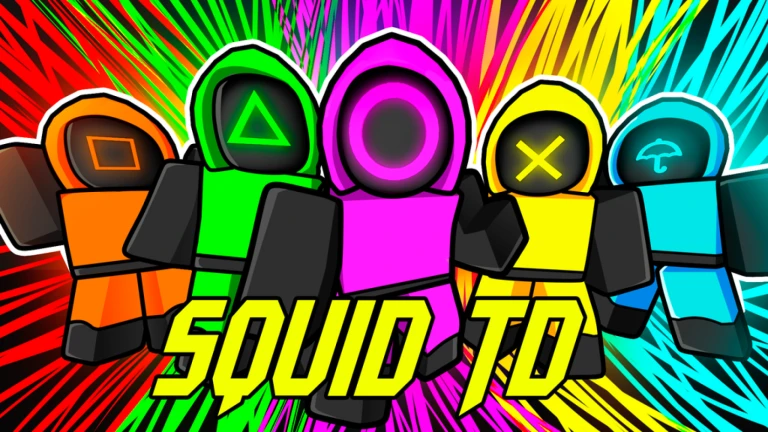
Roblox‘s tower defense games offer a blend of strategy and action. Players assemble squads to safeguard their towers against relentless enemy waves. In “Squid Game Tower Defense,” this strategic challenge takes on a unique twist, drawing inspiration from the gripping Netflix series.

Players assume the role of commanders, summoning and strategically upgrading a roster of Squid units. These units, each with distinct abilities, are crucial to fortifying defenses. However, upgrading these units demands significant resources, a constant challenge for aspiring commanders.

Fortunately, “Squid Game Tower Defense” provides players with a valuable avenue for resource acquisition through the redemption codes. These codes, released periodically by the developers, grant players access to in-game rewards, including valuable resources for unit upgrades.

Squid Game Tower Defense Active Codes for January 2025

  • CYBER – 5 Cyber Gems
  • SQUIDS – 100 Cash

How to Redeem Squid Game Tower Defense Active Codes?

Redeeming codes in “Squid Game Tower Defense” is a straightforward process:

  • Launch the Game: Begin by launching “Squid Game Tower Defense” on Roblox.
  • Locate the Code Redemption Interface: Click on the “ABX” button situated in the bottom left corner of the game screen.
  • Enter the Code: In the empty space, carefully enter the active code.
  • Claim Your Rewards: Press “Enter” to redeem the code and claim the associated rewards.

Note: The codes are available for a limited time. Players can redeem multiple active codes simultaneously.

VCT 2025 Americas Kickoff: Day 1 Playoffs Results and Highlights

0

The first day of playoffs in the VCT 2025 Americas Kickoff brought intense competition at the Riot Games Arena. Two matches set the stage for what’s expected to be a thrilling tournament. Teams battled for a spot in the next round of the event, which runs until February 8. Here’s a breakdown of the results from day one.

LOUD vs Evil Geniuses

The opening match saw two former world champion organizations, LOUD and Evil Geniuses (EG), face off. Both teams had significant roster changes since their championship victories in 2022 and 2023, respectively. Despite these changes, the clash carried symbolic weight for fans.

LOUD dominated the match, though the first map extended into overtime. They showcased excellent coordination and individual brilliance, taking a clean 2-0 victory. This win reaffirmed their position as one of the tournament’s favorites.

100 Thieves vs MIBR

The second match featured a completely rebuilt MIBR roster led by the renowned duelist aspas, who previously played for LOUD. Fans had high hopes for this “dark horse” team. However, their new lineup struggled to find synergy against a disciplined 100 Thieves squad.

100 Thieves took control early in both maps, leaving little room for MIBR to recover. Their performance was steady and confident, resulting in another 2-0 victory. This win advanced 100 Thieves to the next round and sent MIBR to the lower bracket.

What’s Next?

LOUD and 100 Thieves will now prepare for their next matches on Saturday. Meanwhile, MIBR and Evil Geniuses are relegated to the lower bracket. They will face elimination matches to stay in the tournament.

The VCT 2025: Americas Kickoff includes 12 partnered teams competing for two spots in the Masters Bangkok event and vital Americas Points needed to qualify for the World Championship.

Tournament Details

The competition is taking place in a LAN format at the Riot Games Arena. Fans can expect more high-stakes matches as the playoffs progress. Day one has already highlighted teams to watch, with LOUD and 100 Thieves demonstrating their dominance.

Valorant Purchase History 2025: How to Check and Get Refunds

0

If you’re a Valorant player, you might be curious about your purchase history and how to get refunds for unused items. This guide will help you understand how to check your purchase history and request refunds in Valorant.

Checking Your Purchase History

To check your Valorant purchase history, follow these steps:

  1. Open Your Browser: Go to Riot’s official purchase history page.
  2. Log In: Scroll down and log in with your Riot account credentials.
  3. Get Purchase History: Click on the “Get My Purchase History” button.
  4. View Transactions: You will see a detailed list of your transactions, including the date, amount spent, and items purchased.

Eligibility for Refunds

You can get refunds for certain items if they meet specific criteria:

  • Unused Items: Only unused items are eligible for refunds.
  • Time Frame: Refunds are available for purchases made within the last 14 days.
  • Non-Refundable Items: Some items, like used weapon skins, upgraded skins, battle passes, and Radianite points, cannot be refunded.

How to Request a Refund

To request a refund, follow these steps:

  1. Go to the Support Page: Visit Riot’s official support page for Valorant.
  2. Log In: Log in with your Riot account.
  3. Find Your Purchase History: Click on the “Get My Purchase History” button.
  4. Select Items for Refund: Find the items you want to refund and click on the refund button.
  5. Submit a Ticket: If the refund button is not working, submit a ticket for assistance.

Also Read: Valorant Esports Calendar 2025 – All Information About Tournaments

Tips to Avoid Overspending

To avoid overspending in Valorant, consider these tips:

  • Set a Budget: Decide on a monthly budget for in-game purchases.
  • Think Before You Buy: Take a moment to think before making any purchase.
  • Track Your Spending: Keep track of your spending to avoid going over budget.

Checking your Valorant purchase history and requesting refunds is straightforward. By following the steps outlined above, you can manage your in-game spending and get refunds for unused items. Keep track of your purchases and set a budget to avoid overspending.

Florescent’s Valorant Settings, Gender, and More

0

Ava “Florescent” Eugene is a professional Valorant player from Canada. She is known for her skills and achievements in the game. Here’s a detailed look at her settings, gender, and more.

Valorant Settings

Florescent uses specific settings to optimize her gameplay. Here are some of her key settings:

Mouse Settings

  • DPI: 1600
  • Sensitivity: 0.175
  • eDPI: 280
  • ADS Sensitivity: 0.722
  • Scope Sensitivity: 0.722
  • Hz: 2000
  • Windows Sensitivity: 6
  • Raw Input Buffer: On

Crosshair Settings

  • Primary Color: White
  • Outlines: On
  • Outline Opacity: 1
  • Outline Thickness: 1
  • Center Dot: Off
  • Inner Lines: On
  • Inner Line Opacity: 1
  • Inner Line Length: 2
  • Inner Line Thickness: 1
  • Inner Line Offset: 3
  • Movement Error: Off
  • Firing Error: Off
  • Outer Lines: Off
  • Movement Error Multiplier: 1
  • Firing Error Multiplier: 1

Keybinds

  • Walk: L-Shift
  • Crouch: L-Ctrl
  • Jump: Space Bar / Mouse Wheel Down
  • Use Object: E
  • Equip Primary Weapon: Mouse Wheel Scroll
  • Equip Secondary Weapon: Mouse Wheel Scroll
  • Equip Melee Weapon: Mouse Wheel Scroll
  • Equip Spike: 4
  • Use/Equip Ability 1: Q
  • Use/Equip Ability 2: Mouse Button 4
  • Use/Equip Ability 3: Mouse Button 5
  • Use/Equip Ultimate: X
  • Map Rotate: Rotate Fixed Orientation
  • Keep Player Centered: On
  • Minimap Size: 1.041
  • Minimap Zoom: 1
  • Minimap Vision Cones: On
  • Show Map Region Names: Always

Video Settings

  • Resolution: 1920×1080
  • Aspect Ratio: 16:9
  • Aspect Ratio Method: Fill
  • Display Mode: Fullscreen
  • Graphics Quality: Multithreaded Rendering On
  • Material Quality: Low
  • Texture Quality: Low
  • Detail Quality: Low
  • UI Quality: Low
  • Vignette: Off
  • VSync: Off
  • Anti-Aliasing: None
  • Anisotropic Filtering: 1x
  • Improve Clarity: Off
  • Experimental Sharpening: Off
  • Bloom: Off
  • Distortion: Off
  • Cast Shadows: Off

Gender and Background

According biographylane.com, Florescent is a transgender woman. She was born on September 11, 2006, and is currently 18 years old. She has been playing Valorant since 2020 and has competed in various tournaments. Florescent is known for her skills with Duelist Agents like Jett, Neon, and Raze.

Achievements

Florescent has achieved several milestones in her career. She has won back-to-back Game Changers Championships in 2023 and 2024. She is also the youngest player to compete in a VCT International League.

Florescent is a talented and inspiring player in the Valorant community. Her settings and achievements show her dedication to the game. She continues to be a role model for many aspiring players.

How to Equip Phone in Valorant: Easy Guide to Flex Phone

0

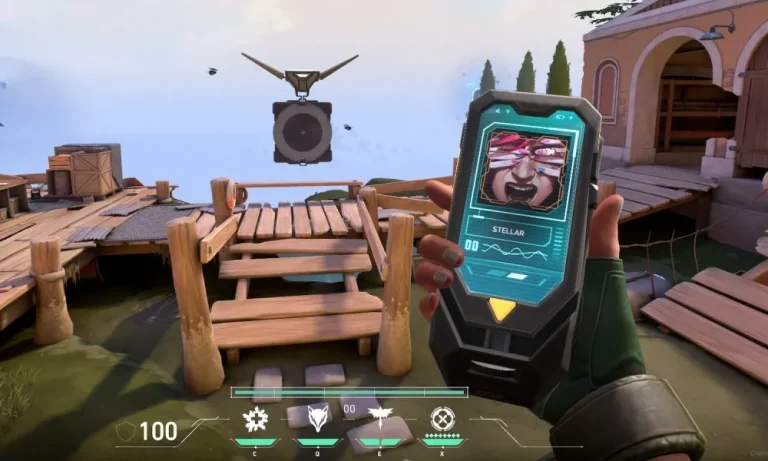
Valorant, the popular tactical first-person shooter game, has introduced a new cosmetic item called the Flex Phone. This phone is purely for fun and doesn’t give any competitive advantage. Here’s a detailed guide on how to equip and use the Flex Phone in Valorant.

What is the Flex Phone?

The Flex Phone is a cosmetic item that players can use to show off in-game. It’s part of the new Flex gadgets introduced in Episode 10 of Valorant. These gadgets are meant for players to “flex” on the battlefield without affecting gameplay.

Steps to Equip the Flex Phone

  1. Launch Valorant: Open the game on your device.
  2. Go to Collections: Click on the “Collections” tab in the main menu.
  3. Select Expressions Wheel: Click on the “Expressions” wheel.
  4. Choose Flex: Click on the “Flex” option.
  5. Equip the Phone: Select the Flex Phone from the list of available items.
  6. Queue for a Game: Once equipped, queue for a game as usual.
  7. Open Spray Wheel: During the game, open your spray wheel by pressing the assigned hotkey.
  8. Use the Phone: Select the Flex Phone from the spray wheel to use it in-game.

Using the Flex Phone

  • Show Off: Use the Flex Phone to show off to other players.
  • Customize: You can customize the phone with different skins and animations.
  • Fun Factor: The phone adds a fun element to the game without affecting gameplay.

Benefits of Using the Flex Phone

  • Entertainment: Adds a fun and entertaining element to the game.
  • Customization: Allows players to customize their in-game appearance.
  • Social Interaction: Enhances social interaction with other players.

Equipping and using the Flex Phone in Valorant is easy and adds a fun element to the game. Whether you’re a casual player or a competitive gamer, the Flex Phone is a great way to show off and have fun in-game. Try it out and see how it enhances your gaming experience!