Saturday, April 25, 2026
Home Blog Page 266

Riot Announces League of Legends TCG Global Launch With UVS Games

0

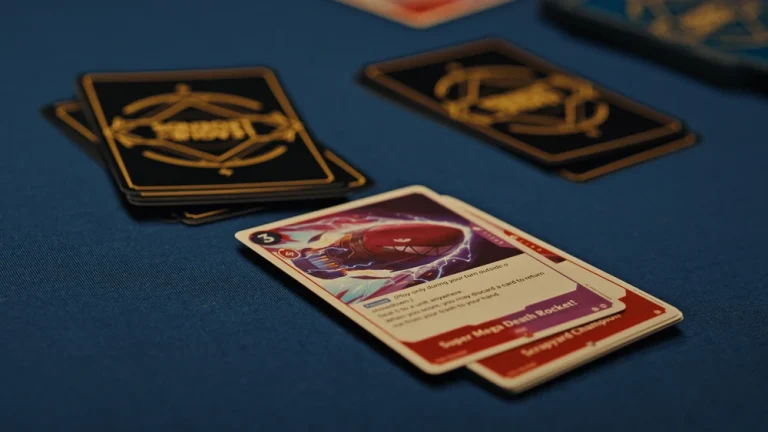
Riot Games has officially announced the global release of Project K, the League of Legends TCG.

On February 24th, the devs confirmed a partnership with UVS Games to bring the title to players worldwide.

According to the press release, Project K will launch in 2025 across several English-speaking countries, with plans to expand to more regions worldwide in 2026. However, some of the key aspects of the game are still being fine-tuned.

“We’re still refining the final game name, card design, and mechanics in response to your feedback and we’re committed to making Project K the best game it can be,” Riot said in a statement. “UVS Games is the perfect partner to help us do just that.”

UVS is a pretty well-known name in the TCG community, renowned for adapting popular franchises into TCG experiences. The team behind the UniVersus Collectible Card Game has an impressive track record, having previously collaborated on projects based on beloved anime series such as Solo Leveling, My Hero Academia, and Attack on Titan.

Initially announced in December 2024, Project K promises to be a physical TCG “for everyone who loves League’s characters and settings, TCGs, collecting, and connecting with friends across the table.”

Needless to say, LoL fans from throughout the world are eagerly looking forward to experiencing a fresh twist on their beloved universe.

Brazil Seeks Public Opinion on Esports Regulation

0

Brazil is making moves to formalize its booming esports scene, launching a public consultation to shape its regulation. Until March 5th, anyone with an interest can weigh in on the future of competitive gaming in the country.  

This initiative is being spearheaded by Giovanni Rocco, the National Secretary of Sports Betting and Economic Development of Sports. The goal is to establish a contemporary regulatory structure that incorporates best practices from around the globe.  

Brazil’s esports market is already a giant. In 2023, it was estimated to have 25 million players, a number projected to surpass 33 million by 2028. The sport’s rising prominence was recently underscored when football superstar Neymar Jr. was announced as the President of FURIA’s Kings League Brazil team.  

As the world’s fifth-largest esports market, Brazil wields considerable economic and social influence. The government’s proactive approach underscores its commitment to transparency and public engagement within this rapidly expanding sector.  

This regulatory push comes amidst a broader shift in Brazil’s gambling landscape. Following the legalization of sports betting in late 2023, authorized wagering commenced at the beginning of 2025. The country is poised to become a major player in the global legal betting market.  

Esports, with its appeal to younger demographics and its inherent excitement, is expected to draw significant betting interest. Licensed sportsbooks are likely to see substantial esports wagering activity, further integrating esports into Brazil’s evolving sports betting landscape.

Marvel Rivals 2103 Operation Frequency Too High Error: How to Fix?

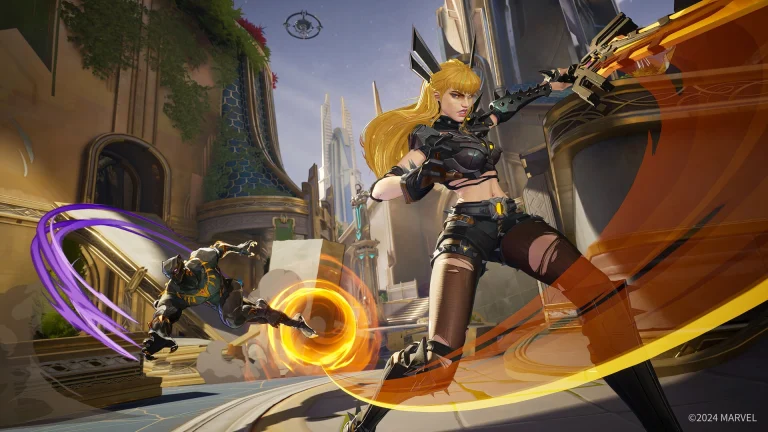
Players of Marvel Rivals are unable to queue into the game due to an error code 2103, Operation Frequency Too High, and this error seems to be impacting a sizable player base across several servers located in North America, Asia, and Europe.

It is clear that the error is not limited to one platform as console players are reporting the same. Being unable to queue, Marvel Rivals’ active player count is going significantly without players finding a consistent fix and a few lucky players can queue without any errors.

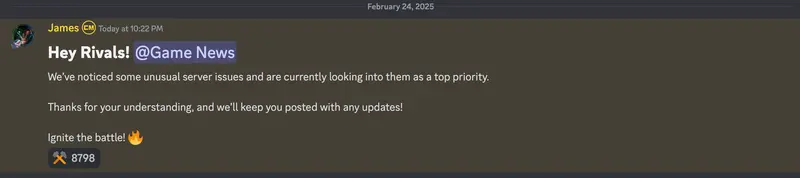
NetEase employee rivals_james has acknowledged on the Rivals’ official Discord channel that resolving the issue is a “top priority” and that many gamers are having problems. Players of Marvel Rivals will have to wait for developer NetEase to update their servers to fully address the problem before they can queue once again.

Server outages are common in multiplayer games while it may be frustrating if you have been waiting the whole day to play the game just to find your plans foiled by some random server error, rest assured the developers will drop a patch ironing out the issue in no time.

How to Fix Micro Stuttering in Marvel Rivals?

Marvel Rivals is quite a demanding game but chances are, the micro stutters you are facing are a result of improper settings that are preventing the game from running at its best FPS.

In this article, we will highlight a few points that might help improve Marvel Rival‘s performance on your computers.

Update your graphics driver

Updating your driver may be a one-stop solution to a plethora of GPU-related problems. Given that the game is fairly recent, updating your driver will include GPU optimizations that might help the game perform better, and updating drivers is always an encouraged practice.

Fix GPU Settings

In the NVIDIA Control Panel select the following settings for Marvel Rivals under manage 3D Settings:

  • To switch your graphics card from Auto-detect to OpenGL rendering GPU, click on it.
  • Under the Power management mode options, choose “Prefer maximum performance.”
  • Scroll down to Texture Filtering Quality and select “High performance.”
  • Turn off the Vertical Sync option.

Disable Hardware Acceleration

While the developers have put this feature in the game to improve performance, several players have pointed out that it has been causing performance issues that are preventing the game from running optimally. To disable this, follow:

  • Launch the game’s settings.
  • After choosing System, select Display.
  • Select Graphics settings.
  • Switch off “Hardware-accelerated GPU scheduling.

Following the aforementioned steps will be enough to fix the game and get rid of the micro stutters you are facing, unfortunately, if you are running an underpowered PC, there is no option but to go for an upgrade.

Fan Catches GTA 6 Release Date Hint

0

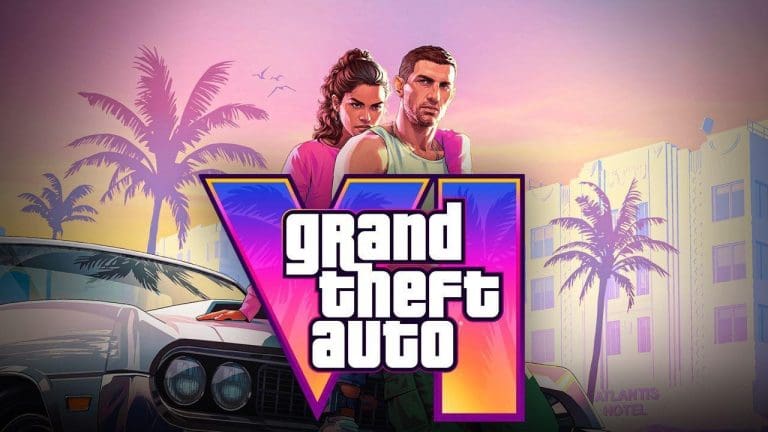
Given that Borderlands 4 has a release date, one fan has developed a plausible idea for when we could see the second trailer, possibly including a release date devised by the pattern in which Rockstar has previously dealt with releases.

While the developers recently assured us that there will be no delay in the release of GTA 6 for consoles, the second trailer has yet to be released, and all we are left with is one teaser that came out with the official announcement.

One fan noticed a pattern that Rockstar generally follows when releasing their games. Borderlands 4 recently got a new trailer and the game is still 7 months away so assuming GTA 6 launches in December, it would be safe to assume that we might get the second GTA 6 trailer by the end of March.

From what we know, this is just a pattern that has been noticed by fans with the release of Rockstar games and it doesn’t necessarily confirm a release window. While it is good to have high hopes, GTA 6 had its timeline altered several times so it is better to take any and all rumors with a grain of salt.

Honkai Star Rail 3.1 Release Date and Time Revealed

0

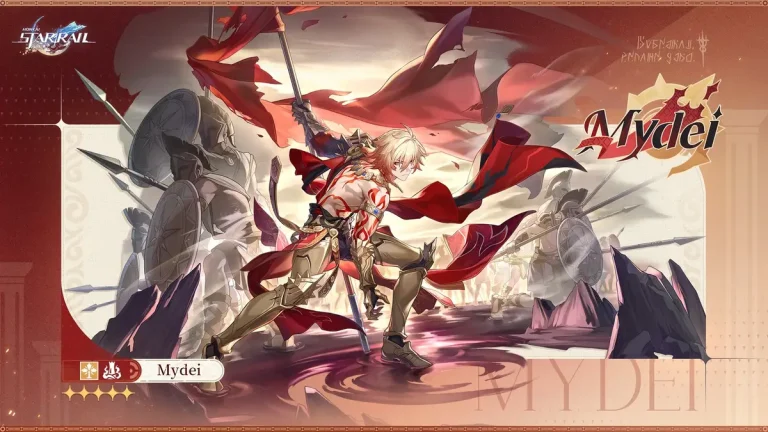
Honkai Star Rail‘s universe is about to expand significantly with the 3.1 update. Amphoreus will welcome several new areas, two new playable Chrysos Heirs, and the introduction of a mysterious third Chrysos Heir.

Beyond the characters and locations, players can look forward to a wealth of content, including Stellar Jades, rewards, events, new Light Cones, and the Divergent Universe game mode. Mark your calendars, as the 3.1 update is scheduled for release on February 26, 2025.  

HSR 3.1 Release Date and Time

The update will go live at 11:00 AM (UTC+8). Maintenance will begin five hours prior, at 6:00 AM (UTC+8), and is expected to last approximately five hours. Players who have reached Trailblaze Level 5 or higher before the maintenance begins will receive 300 Stellar Jades as compensation, delivered via in-game mail within five hours of the maintenance’s completion.

For players eager to know the exact launch time in their region, here’s a breakdown:

  • New Delhi, India – 8:30 AM IST on February 26, 2025
  • Tokyo, Japan – 12:00 PM JST on February 26, 2025
  • California, USA – 8:00 PM PST on February 25, 2025
  • Beijing, China – 11:00 AM CST on February 26, 2025  
  • Toronto, Canada – 11:00 PM EST on February 25, 2025
  • Rome, Italy – 5:00 AM CET on February 26, 2025
  • Melbourne, Australia – 1:00 PM AEST on February 26, 2025
  • Auckland, New Zealand – 3:00 PM NZDT on February 26, 2025

How to Play Stadium Mode in Overwatch 2?

0

Overwatch 2‘s Season 16 is shaping up to be a game-changer, introducing the new hero Freja, implementing long-awaited hero bans in Competitive mode, and most notably, launching “Stadium,” a brand-new game mode.

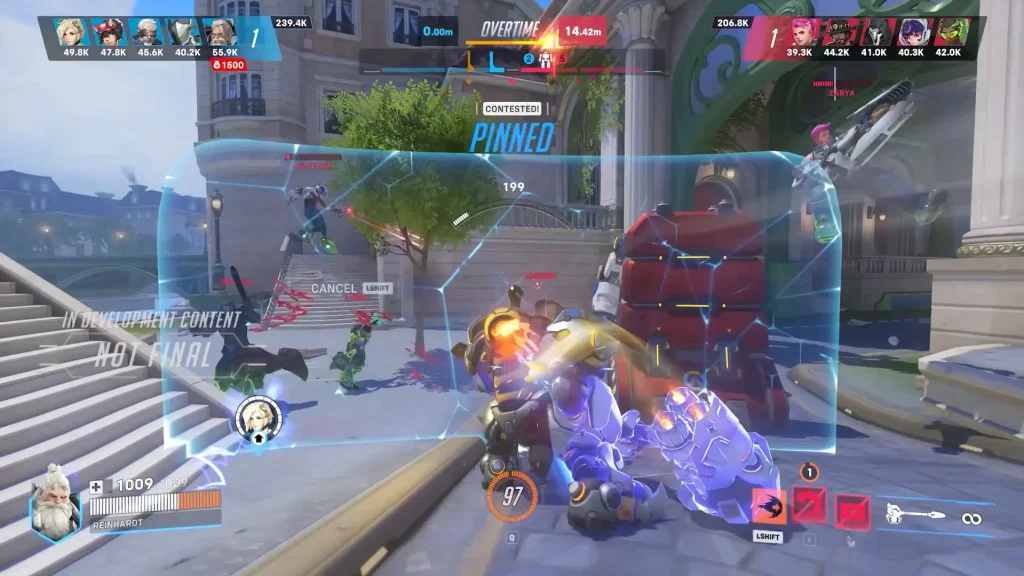
Blizzard is betting big on Stadium, showcasing it at their Spotlight event and hoping it becomes a staple alongside the existing core modes. Stadium offers fast-paced, best-of-seven matches with short, intense rounds. Players strategically spend currency earned between rounds to unlock buffs and abilities, adding a layer of tactical depth.

How to Play Stadium Mode in Overwatch 2?

How to Play Stadium Mode in Overwatch 2
Image Credit: Turtle Beach

For eager players, there’s a chance to experience Stadium before its official Season 16 release. Blizzard is running a closed alpha playtest, but participation requires a few steps. Interested players need to join the official Overwatch Discord server and fill out a participation form. Submitting the form puts you in the running for selection, but it doesn’t guarantee access to the alpha.

It’s important to note that this early access is currently limited to North American Battlenet players aged 18 and over. Console players and those in other regions will have to wait for the official launch. This closed alpha provides valuable feedback for the developers, allowing them to fine-tune Stadium before its wider release.

The Stadium playtest runs from February 25th to March 11th, with sessions scheduled on Saturdays, Tuesdays, and Thursdays between 6 PM and 9 PM PT. These designated times offer players ample opportunities to dive into the new mode. Outside of these windows, the alpha server will be offline.

Valve Introduces Ranking Model Update

0

Valve has rolled out a significant update to its Regional Standings model, addressing several loopholes and inconsistencies. These changes aim to create a fairer and more accurate ranking system for professional teams.

One of the most impactful adjustments is how forfeits are handled. Previously, forfeits weren’t counted as losses, a flaw some teams exploited. Now, forfeiting a match will be treated the same as any other defeat, discouraging teams from strategically giving up without consequence.

Another important change concerns the timing of tournament data inclusion. Previously, results and prize money were factored into the rankings as they occurred during an event. This could create distortions, as GamerLegion experienced.

They felt this system cost them a BLAST Open Lisbon invite during their IEM Katowice run, as prize money wasn’t fully accounted for until their elimination. Now, tournament data won’t count until the entire event concludes, ensuring a more holistic and accurate reflection of a team’s performance.

Valve has also relaxed the minimum match requirement for ranking. Teams now only need five matches, down from the previous ten, making it easier for newer teams or those with fluctuating rosters to enter the rankings.

Finally, the update incorporates placement-based “club share” earnings, distinct from prize money in ESL events. This addition effectively combines both prize brackets for a more complete picture of a team’s financial success and overall performance within the ESL ecosystem.

ESL Impact Season 7 to Start with a Shrinking Field

0

The ESL Impact Season 7 is set to kick off on February 26th, but the landscape of women’s esports has shifted significantly since last season. While familiar powerhouses like Imperial Valkyries and FURIA fe will be returning, they represent a shrinking pool of fully supported teams. A number of prominent organizations have pulled the plug on their women’s divisions, leaving a void in the scene.

Several teams, including Spirit fe, ENCE Athena, Astralis W, TSM Impact, VP.Angels, and notably, NAVI Javelins, are absent this season, having released their rosters. NAVI Javelins, who were celebrated as the second-best Women’s Team of the Year at the HLTV Awards, cited an “unsustainable business model” as the reason for their departure, highlighting the financial challenges facing women’s esports.

The absence of HSG fe further underscores these difficulties. ESL’s decision to eliminate the Asia-Pacific division has left them without a competitive avenue. Despite qualifying for the European portion of Season 6, HSG fe, led by Olga “Olga” Rodrigues, did not participate in the Season 7 qualifiers and hasn’t competed in any FACEIT-organized tournaments since October.

This contraction in team support has, however, sparked a flurry of roster changes and the formation of new squads. The disbanded NAVI Javelins roster has fragmented into four separate entities. Mayline-Joy “ASTRA” Champliaud is leading an all-French team, Prototype Blaze. And finally, the rifler, Hania “Hanka” Pudlis, has found a home with BIG EQUIPA.

Elsewhere, in Brazil, the core of Fluxo Demons has transitioned to MIBR fe, aiming to capitalize on their promising 2024 performance and make a stronger push in 2025. North America has also seen movement, with FlyQuest RED adding Marie “marie” Ellen Toft Sørensen from Astralis W and bringing on board veteran in-game leader Alan “Shakezullah” Hardeman as their new coach.

The three regional seasons will run from February 26th to April 13th, culminating in LAN finals held in conjunction with IEM Dallas from May 23rd to 25th, where eight qualifying teams will battle for the championship title.

How To Change Crosshair in Marvel Rivals?

As with any competitive hero shooter, learning how to change your crosshair is essential if you’re looking to improve your gameplay in Marvel Rivals.

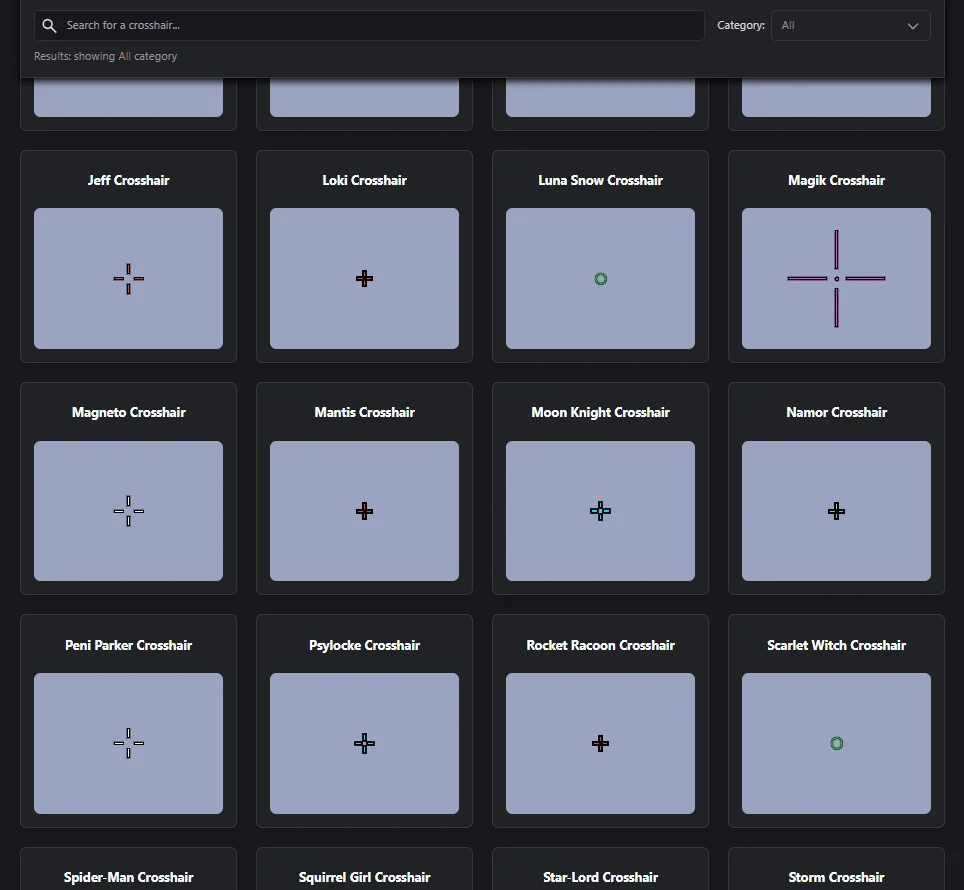
While the default crosshair might seem adequate to newbies at first glance, the more you play the game, the more you’ll realize the importance of having a custom crosshair.

When it comes to crosshairs in Marvel Rivals, there is no one-size-fits-all solution. You’ll need to tailor your crosshair to match your playstyle and preferred role.

Fortunately, NetEase offers a wide range of customization options to help you fine-tune your crosshair in Marvel Rivals.

Without further ado, let’s take a look at how to change crosshair in Marvel Rivals.

How To Change Marvel Rivals Crosshair

The process of changing your crosshair in Marvel Rivals varies slightly depending on whether you’re playing on PC or console.

PC

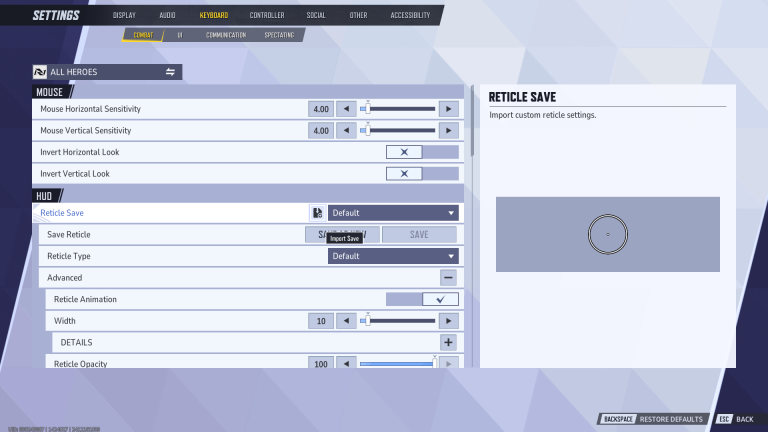
To change your crosshair in Marvel Rivals on PC, simply follow these steps:

  • Launch Marvel Rivals.
  • Go to ‘Settings’.
  • Under the ‘Keyboard’ tab, go to the ‘Combat’ settings. 
  • Scroll down to the HUD section.
  • Customise your Reticle as per your liking (you can go to the ‘Advanced’ tab for more options).

Once you have customized your crosshair as per your liking, hit ‘Save as New’ and assign a name to it.

Console

If you’re on console or using a controller on PC, follow these steps to change your crosshair:

  • Go to ‘Settings’.
  • Head to the ‘Controller’ tab.
  • Scroll down the ‘Combat’ tab till you see the HUD section.
  • Customize your reticle and save.

Note that you can only have up to five crosshairs saved at a time in Marvel Rivals. Once you have filled up your save slots, you’ll have to delete one crosshair before you can add another to your account.