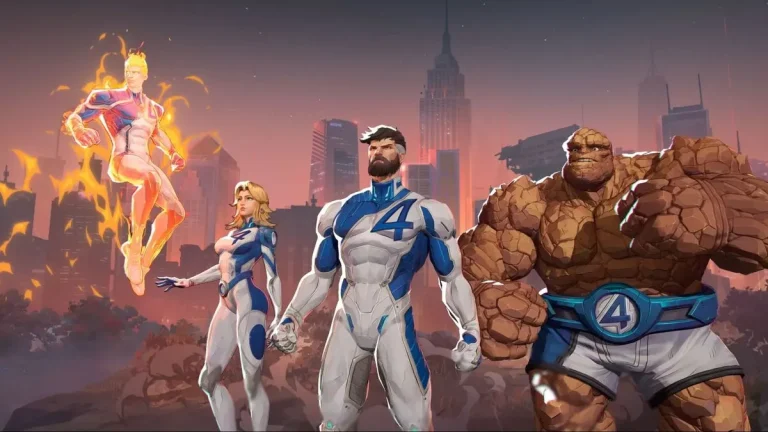
Marvel Rivals 1.5 update shakes up the game with two new heroes, Human Torch and The Thing, rounding out the Fantastic Four. Alongside their introduction, the update brings large-scale balance changes, nerfing strong support characters but buffing tanks and damage dealers. These changes aim to make for a faster-paced, more aggressive gameplay experience. Here’s a breakdown of all that’s new in the latest update.
Marvel Rivals 1.5 update New Heroes Completes the Fantastic Four
The Marvel Rivals 1.5 update adds two of the Fantastic Four’s most iconic members to the roster of Marvel Rivals—Human Torch and The Thing.
Human Torch: A high-flying duelist, Human Torch fires out fireballs, generates destructive blazing zones, and can crash to the ground to create blazing zones, providing a dynamic playstyle.
The Thing: Being a tanky Vanguard character, The Thing excels at rushing into fights, dealing area-of-effect punches, and charging forward to hit enemies. His ultimate hits the ground, knocking up enemies.
Marvel Rivals 1.5 Update Balance Changes: Meta Shift Incoming
Support Nerfs: Support mainstays Cloak and Dagger and Luna Snow have had their abilities reduced in power. Their ultimate spells have increased cooldowns, and healing streaks on Cloak and Dagger no longer stack. This will slow down their stranglehold on keeping games extended.
Buffs to Tanks and Damage Dealers: Heroes like Captain America, Iron Man, Iron Fist, and Magik are being buffed. Iron Fist, for instance, is turning into a brawler. His redesigned jabs will have increased damage based on the health of enemies and better self-healing, making him tank-killer material.
With supports nerfed and brawlers buffed, expect a deviation from triple Strategist team builds. Aggressive playstyles can take over the meta, increasing the viability of tanks and damage dealers in competitive play.
Apart from these changes, Marvel Rivals 1.5 update has also introduced a bunch of minor changes and bug fixes. Click here to read the detailed patch notes.
Stay ahead in the world of esports with the TalkEsport app! Download now to get instant access to the latest news, live points tables, comprehensive esports calendars, and live streams of your favorite tournaments. Don’t miss out—get the app today.
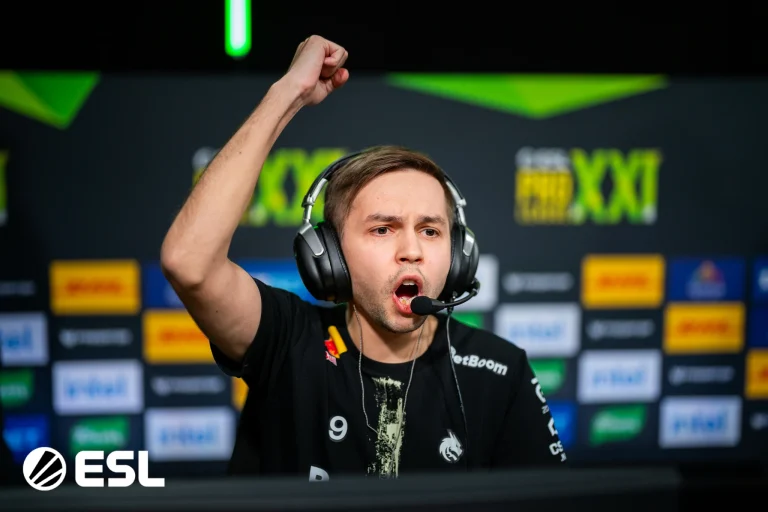
Team Spirit has taken down Eternal Fire in the quarterfinal of ESL Pro League Season 21 in a tiring game of 3 maps. donk and co. continues their fine form as they find themselves in the semi-finals against the winner of the following match between G2 and MOUZ.
Starting strong, Spirit went 5-0 up before Eternal Fire could get their first round on the defense. The Russian side managed to lose a few rounds, as EF finally managed to draw five rounds to make the match more competitive than it seemed early on. Eternal Fire went 11-5 down as Spirit seemed to be running away with the map. Eternal Fire started winning rounds from the 17th round, which saw the scoreline leveled as the game got pushed to overtime. The first overtime failed to separate both sides, but the second OT saw Spirit run a perfect T side, followed by a clean win on the first round of the CT side, closing their map pick with a 19:15 scoreline.
Map 2: Anubis; Pick: Eternal Fire; Winner: Eternal Fire
A heavily one-sided first half saw Eternal Fire cruise through with a 9-3 lead, sending Spirit to the backfoot right from the get-go as their defense fell completely flat. Given that Anubis is a T-sided map, Eternal Fire took full advantage of it to sail into a massive lead as Spirit got a better grip on the game in the second half. Spirit managed to win 7 rounds before Eternal Fire closed the half, and donk was completely shut down as even though he hit a few good shots, Eternal Fire managed to minimize his impact, sending us to a 3rd map.
Map 3: Mirage; Pick: Decider; Winner: Spirit
An extremely close first half between the teams saw both sides walk away with a 6-6 half, making it a close and exciting affair. While donk managed to find his footing, Eternal Fire’s teamwork helped them go toe to toe, keeping them in the game for the entirety of the first half. The second half saw EF drop the ball completely as Spirit managed to win all but one round as a dominant 13-7 half crashed on the Turkish side. donk, with 50 kills and a rating of 1.12, was the best player in the server across the 3 maps combined that saw Team Spirit book their semi-final spot.
With promising results to show for it, Eternal Fire once again takes an exit from a top tournament after losing out to arguably the best team in the world. While they have managed to improve since the acquisition of jottAAA, they still need to work on several aspects of the game if they want to bring home a tier-1 trophy. As things stand, they take an exit from EPL reaching the quarterfinals while Spirit will be in the semi-finals at their cost.
Providing Twitch Drops is a popular way for several games to increase their player base and engagement. To give hard competition to Overwatch 2, Marvel Rivals is also providing Twitch Drops with its Season 1.5 update.
Marvel Rivals has been making waves since it dropped. The free-to-play game is very popular these days. Now they are providing free Twitch Drops to thank the players. However, getting the Season 1.5 drops in the game is not that hard. In this article, we will explain how to get it easily.
How to Get Marvel Rivals Season 1.5 Twitch Drops?
The Marvel Rivals Season 1.5 Twitch Drops event runs from March 13th to April 3rd. There are a total of three cosmetic items. You will have to watch Twitch streamers play the game. 30 minutes gets you a Galacta Spray, an hour gets you an Adam Warlock Nameplate, and four hours scores you the Adam Warlock “Will of Galacta” Costume.
All the skins that you will get in the drops are unique. You will only be able to get them during this period. After that, they won’t be available anymore.
To get the above-mentioned rewards, you must connect your Marvel Rivals account with your Twitch account. Here is the process:
Click on your profile image on the top right and go to Settings.
There you will find the Connections tab.
Check out the Steam option and press the Connect button.
Log into your Steam account and it’s done!
Note: The Twitch Drops will be available till 3rd April. Therefore, you have to complete the milestones before that to receive the rewards.
After connecting your Steam and Twitch accounts, start watching your favorite Marvel Rivals streamer to receive the rewards. Which skin would you love to get most? Let us know in the comment section below.
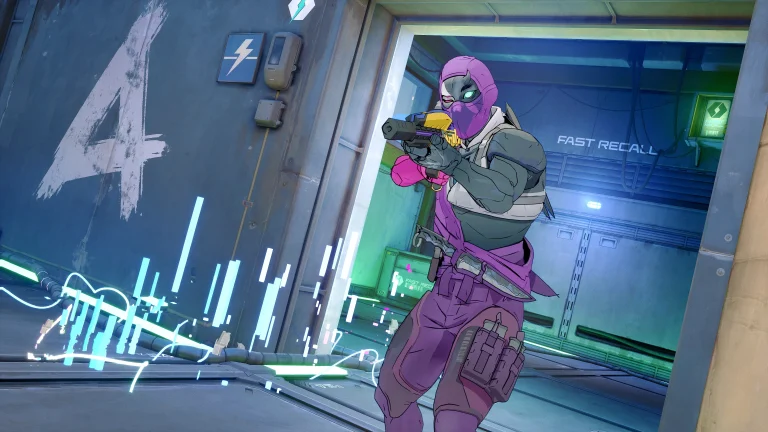
The popular free-to-play 3v3 shooter game Spectre Divide launched with a ton of hype in September 2024. Backed by serious cash and popular streamer Shroud, the game became an instant hit. It’s a wild story, even in the cutthroat world of online shooters. Everyone thought the game had a bright future.
Proving everyone wrong, the developers announced that Spectre Divide is going to shut down soon. The game had recently entered into the console arena. After just around two weeks of the game’s console launch, the developers gave up.
A message from our CEO about the future of Spectre Divide and Mountaintop Studios. pic.twitter.com/sk18NIgman
Unfortunately, the Season 1 launch hasn’t achieved the level of success we needed to sustain the game and keep Mountaintop afloat.
We were optimistic about the first week. We’ve had ~400,000 players play, with a peak concurrent player count of ~10,000 across all platforms. But as time has gone on, we haven’t seen enough active players and incoming revenue to cover the day-to-day costs of Spectre and the studio.
But as time has gone on, we haven’t seen enough active players and incoming revenue to cover the day-to-day costs of Spectre and the studio. Since the PC launch, we stretched our remaining capital as far as we could, but at this point, we’re out of funding to support the game.
Mountaintop Studios
Here’s the harsh truth about free-to-play, if you don’t build a player base fast, you’re screwed. No player means no revenue. Spectre Divide was a mess from the beginning. Players were asking if it was dying before it even had a chance. The game has been full of bugs since its launch, which was a red flag.
Basically, it was a textbook example of how to kill a game before it even gets started. Bad launch, a lack of player support, and a feature that didn’t deliver. That’s why Spectre Divide is shutting down. It’s a tough lesson for any studio, especially one with that kind of backing.
Did you like Spectre Divide or it was just an annoying game for you? Let us know in the comment section below.
If you love collecting rare skins in Fortnite, there is good news for you. Yes, the “A Goat” skin, with the partnership with Goat Simulator 3, is back in the Item Shop. After nearly two years, since its initial appearance, the rare skin is back again in the game.
The skin was last available in 2023 and just after two days, Epic removed it from the store. Therefore, if you missed the chance to purchase it two years ago, another chance is right in front of you.
Previously, the “A Goat” skin was as simple as grabbing Goat Simulator 3 on the Epic Games Store or redeeming a special edition code. You can’t just do it right now, you have to purchase the skin from the Item Shop.
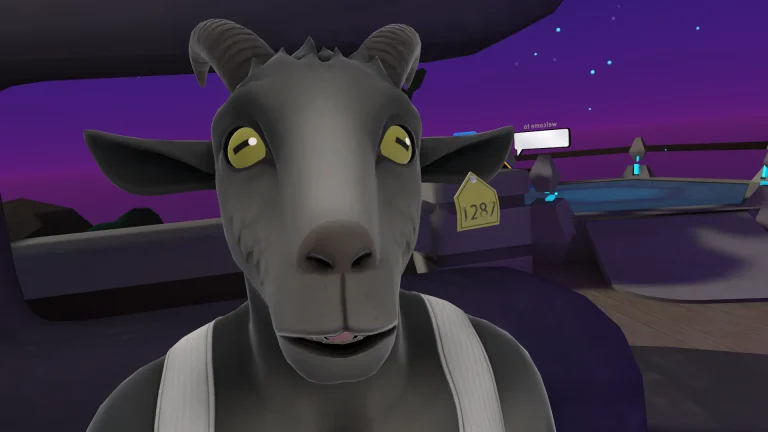
Unlike Pilgor’s traditional four-legged stance, the “A Goat” skin takes a more humanoid approach. The character stands upright on two legs, wearing a sleeveless black top and cargo pants while maintaining signature goat features like fur, horns, and more. While the skin initially gained attention for its bizarre and meme-worthy design, it quickly became a fan favorite among players who love unconventional skins.
Thankfully, Epic Games has decided to bring back one of the most rare skins in the game. You can now grab the “A Goat” skin for 1,200 V-Bucks. Apart from that, the “Goated Emote” is also available for 500 V-Bucks. The skin will be available in the store till 15th March. You have to purchase it before this Saturday, otherwise, it will be gone again.
If you’ve been thinking of getting the rare skin, now’s the time. Even if you miss that, you will get chances to purchase other great skins that are coming to Fortnite. But this rare skin might not become available again in the store. Are you going to purchase it or not? Let us know in the comment section below.
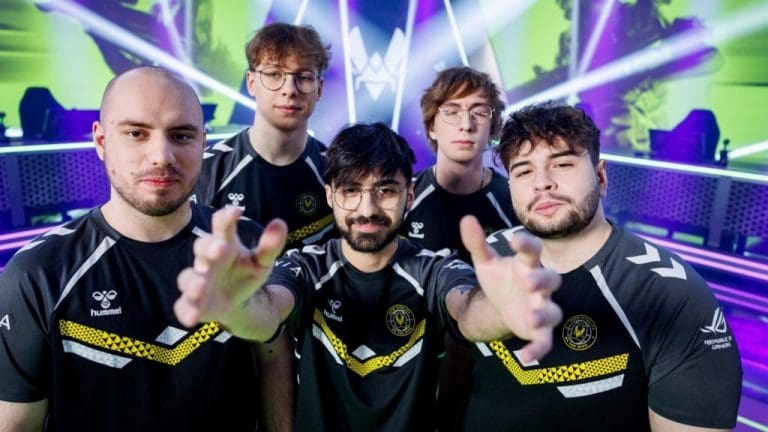
On March 12, 2025, Team Vitality, alongside 11 other top French esports organizations, made history by launching the French Union of Professional Esports Clubs (UFCEP). This groundbreaking initiative aims to unite France’s esports scene under a shared vision of performance, inclusion, and passion, positioning the country as a global esports powerhouse. With major tournaments like VALORANT Champions and the Rocket League World Championship heading to France this year, the UFCEP’s formation couldn’t have come at a better time.
Why the UFCEP Matters
The UFCEP is more than just a union—it’s a strategic move to elevate French esports on the world stage. As esports continues to grow globally, France is stepping up to ensure it doesn’t get left behind. The union’s mission is to tackle key challenges like talent development, legal frameworks, and player support, while boosting the visibility and credibility of French esports.
Leading the charge is Team Vitality, one of the most successful esports organizations in the world. With CEO Nicolas Maurer appointed as the UFCEP’s president, the union is in strong hands. Vitality’s experience and success, including winning the BLAST Paris Major and BLAST Premier World Final, bring invaluable expertise to the table.
Founding Members: A Who’s Who of French Esports
The UFCEP brings together some of the biggest names in French esports, including:
Team Vitality: Competing in titles like Counter-Strike 2, League of Legends, and VALORANT.
Karmine Corp: Known for its massive fanbase and dominance in League of Legends and VALORANT.
Gentle Mates: A rising star co-founded by popular French streamers.
Solary: A community-focused organization with a strong content presence.
Team BDS: A competitive powerhouse with international ambitions.
Other members include Galions, GameWard, Team AEGIS, BK ROG Esports, This is Japon Corp., JobLife, and Mandatory. The UFCEP is open to any esports organization that meets its criteria, ensuring broad representation across the industry.
Goals of the UFCEP
The UFCEP has set ambitious goals to transform French esports:
1) Talent Development and Player Support
The union plans to create training programs and support systems for young players, helping them build careers and explore opportunities beyond gaming. It also aims to address issues like cyberbullying and visa challenges during international transfers.
2) Legal and Structural Improvements
By working with policymakers, the UFCEP hopes to simplify esports regulations, making it easier for organizations and players to operate. This includes clearer guidelines on contracts, sponsorships, and competition logistics.
3) Boosting France’s Global Standing
With events like the Esports World Cup 2025 on the horizon, the UFCEP wants to position French clubs as top contenders. Team Vitality, which finished fourth in the 2024 Club Competition, is already gearing up for a stronger showing.
Leadership and Vision
Under the leadership of Nicolas Maurer (Team Vitality CEO) and Arthur Perticoz (Karmine Corp CEO), the UFCEP is focused on creating a sustainable and inclusive future for French esports. Maurer’s vision is clear: “Esports should be a place where everyone can grow, thrive, and shine.”
France’s Esports Boom: Perfect Timing
The UFCEP’s launch comes as France’s esports scene is booming. Paris hosted the BLAST Paris Major in 2023, and the city’s infrastructure continues to attract major events. The 2024 Olympic Games in Paris also showcased France’s ability to host large-scale competitions, setting the stage for esports to shine.
Social media is buzzing with excitement, with fans celebrating the unity of top organizations like Team Vitality and Karmine Corp. The hashtag #VivaLaFrance has been trending, reflecting the optimism around France’s esports future.
Challenges Ahead
While the UFCEP’s launch is a huge step forward, challenges remain. Coordinating diverse organizations with different priorities won’t be easy, and legal reforms may face bureaucratic hurdles. Ensuring smaller clubs get the same support as giants like Vitality and Karmine Corp will also be crucial for maintaining inclusivity.
What’s Next for the UFCEP?
The UFCEP is already gearing up for 2025’s major tournaments, where French clubs aim to make their mark. Long-term, the union plans to expand its membership and influence, potentially inspiring similar coalitions in other countries.
For fans, this means more opportunities to engage with their favorite teams, discover new talent, and enjoy local events. The UFCEP’s initiatives could also lead to more content and community-driven projects, making esports even more accessible and exciting.
A Historic Moment for French Esports
The launch of the UFCEP marks a turning point for French esports. With a clear mission to unite, support, and elevate the industry, this ambitious coalition is set to reshape France’s role in the global gaming arena. As 2025 unfolds, all eyes will be on the UFCEP—and the talent it aims to champion.
Stay tuned for updates as the UFCEP rolls out its initiatives and French clubs take on the world stage!
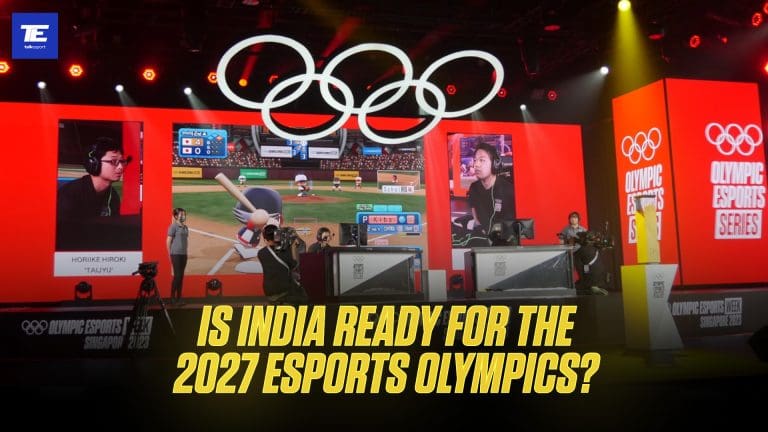
Okay, so get this – the Olympics is going esports! Seriously, the International Olympic Committee (IOC) just announced the first everOlympic Esports Games are happening in 2027, and they’re going to be in Riyadh, Saudi Arabia. Talk about a level-up for competitive gaming, right? It’s like esports just got its official VIP pass to the world stage.
Now, for India, a country practically bursting with gamers (we’re talking over half a billion!), this is both awesome and a bit… “gulp.” The big question everyone’s asking is: are we ready? Can India actually compete and, you know, win when esports goes Olympic? Let’s be real for a minute. We’ve got the talent, the energy, and the sheer numbers, but are we truly prepped for the big leagues? Let’s take a good, honest look at where India stands for the 2027 Esports Olympics – the good, the not-so-good, and what we need to do to actually bring home some Gold (or, you know, Olympic trophies, whatever they’re calling them!).
Esports’ Journey From Internet Cafes to Olympics
Think back for a second. Esports wasn’t always this massive stadium-filling, million-viewer thing. Remember the days of smoky internet cafes and those super-niche gaming tournaments? Yeah, that wasn’t that long ago. But wow, has it exploded. Now, pro esports events are packing arenas and pulling in hundreds of millions of viewers online. Crazy, right? There were definitely milestones along the way that paved the way for this Olympic moment.
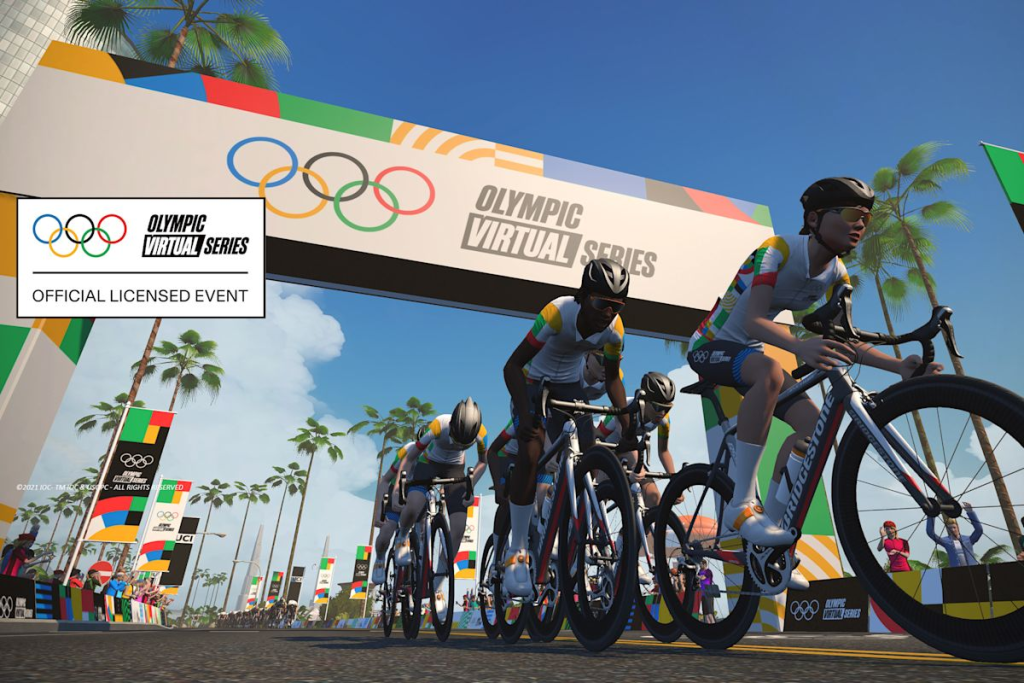
South Korea’s StarCraft scene in the 90s was a game-changer. Then came those first million-dollar prize pools in the 2010s. And even seeing esports as a demo event at the 2018 Asian Games was a hint of things to come. The IOC was paying attention. By 2017, they officially said, “Yep, esports is a sport.” And then, in 2021, they tested the waters with the Olympic Virtual Series. All of this has been building to this – dedicated Olympic Esports Games. Forget gold medals for a sec, we’re talking Olympic trophies for esports champs.
Of course, the road to the Olympics hasn’t been all smooth. You still get the old-school folks asking if video games even count as a real Olympic sport. But then you’ve got the people pointing out that esports takes serious dedication, teamwork, and skills – just like any “real” sport. The compromise for now seems to be focusing on sports simulations and “virtual sports” in the official Olympics. But fingers crossed, by 2027, we might see a wider range of games – maybe even those super popular strategy or arena games – getting the Olympic spotlight. This Olympic nod is huge validation for esports. Now, it’s up to countries to step up and grab this opportunity.
India’s Adaptation to the Esports Boom
And India? Man, our esports scene is like a rocket taking off. When you look at the raw numbers, we’re already shaping up to be an esports giant. Seriously, 568 million gamers in India! And over 9.5 billion gaming app downloads in 2023 alone! That makes us one of the biggest gaming markets on the planet. Competitive gaming has gone from being a dorm room hobby to something everyone’s talking about. Get this – an estimated 28% of Indians watch pro esports. That’s second only to China, and way ahead of the US! That’s a massive audience, a huge fanbase – exactly what you need for a thriving esports world.
The money side of things is catching up fast too. Back in 2023, the Indian esports market was around $40 million. By 2025? Projected to hit $100 million! Still small compared to the global giants, but that’s some serious growth. It wasn’t that long ago people dismissed gaming as just a kid’s thing. Now, it’s a multi-million dollar industry grabbing the attention of young people everywhere. We’re seeing homegrown esports teams pop up, and tournaments with real prize money are becoming regular events. In games like mobile battle royales and PC titles, Indian teams are starting to show up in Asian competitions, even if we’re not quite dominating yet.
And here’s a game-changer: the Indian government officially recognized esports as a sport in late 2022. Big deal! They put it under the Ministry of Youth Affairs and Sports, which is huge. Crucially, they separated esports from online gambling and casinos. Industry folks called it “revolutionary,” saying it could totally transform Indian gaming with better infrastructure, funding, and visibility. It sent a message to anyone still doubting esports: this is serious business, and it has official backing.
The talent pool is exploding too. Analysts predict over 1.5 million active esports players in India by 2025 – pros and serious amateurs. And hundreds of esports teams competing nationally. Plus, according to a report over 40,000 people are already working in the Indian gaming and esports industry. That’s a recipe for creating champions. We’re already seeing success stories – from those PUBG Mobile stars who became streaming sensations, to DOTA 2 teams making waves internationally. Indian youth are all in on esports. Now, the challenge is turning that passion into Olympic medals.
First Taste of Esports Medal and Other Challenges
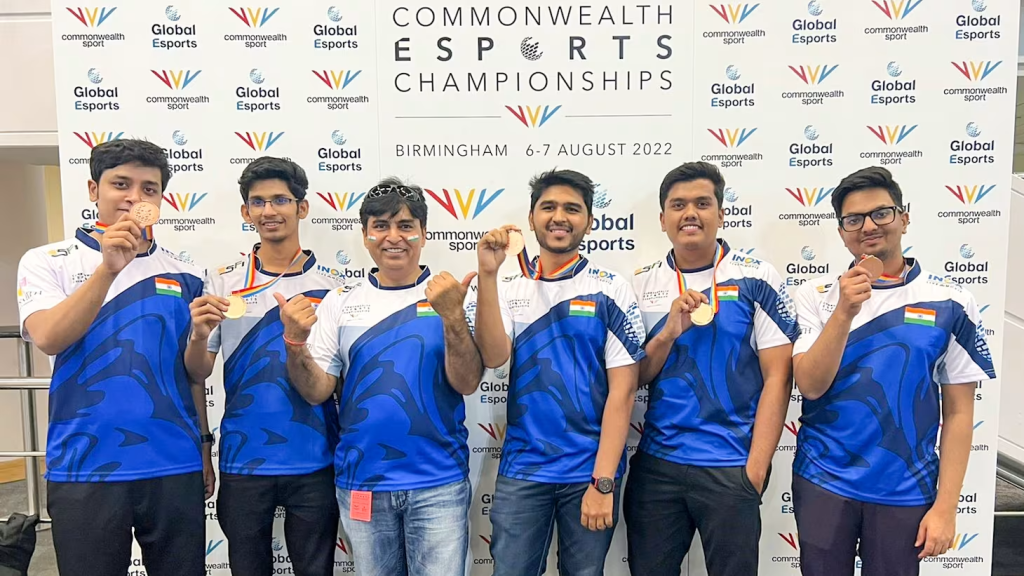
Okay, so we haven’t crowned an esports world champ from India yet. But we’ve had some seriously encouraging moments on the international stage. Remember August 2022? The Indian DOTA 2 team snagged a bronze medal at the Commonwealth Esports Championship in Birmingham! They beat New Zealand in the bronze match, and it was one of India’s first big international esports medals ever. Seriously, national pride was bubbling up in corners of Indian sports news you didn’t even know existed. That Commonwealth event, even though it wasn’t the Olympics, showed that Indian gamers can definitely compete if they get the right support. One analyst even said, “The victory marks one of India’s first triumphs on the international esports stage, as gamers from the country look to vie for championships and endorsements globally.” Small step, but a big sign that global success is within reach with proper training.
Then there was the 2022 Asian Games in Hangzhou, where esports was a medal sport for the first time. India sent a 15-person team across four game titles. Results were… mixed. Our League of Legends team made it to the quarterfinals, which is respectable. An Indian FIFA player finished 9th out of 36. But no medals. Powerhouses like South Korea, China, and even some smaller countries just outplayed us. Our DOTA 2 squad got knocked out early. Bottom line from the Asian Games? Talent alone isn’t enough. Experience, coaching, and international exposure are what turn potential into podium finishes.
The Gap Between India and Other Countries
When you compare us to the top esports countries, it’s eye-opening. South Korea and China have a massive head start – decades, really. South Korea is basically the esports mecca. They made gaming a national thing back in the early 2000s. They’ve got the Korean Esports Association under their Olympic Committee, they used to broadcast StarCraft on TV, and they even have esports high schools and college programs! Top Korean players are like rock stars. China? They used sheer scale and government backing. Their esports market is way bigger than India’s, and they’ve got a huge pro player pool thanks to government-supported leagues and training centers. The US and Europe are doing their own thing, with big private investments, city-based leagues, and college esports scholarships. India is still the underdog in this race. We’ve got the passion, but we’re playing catch-up on structured support.
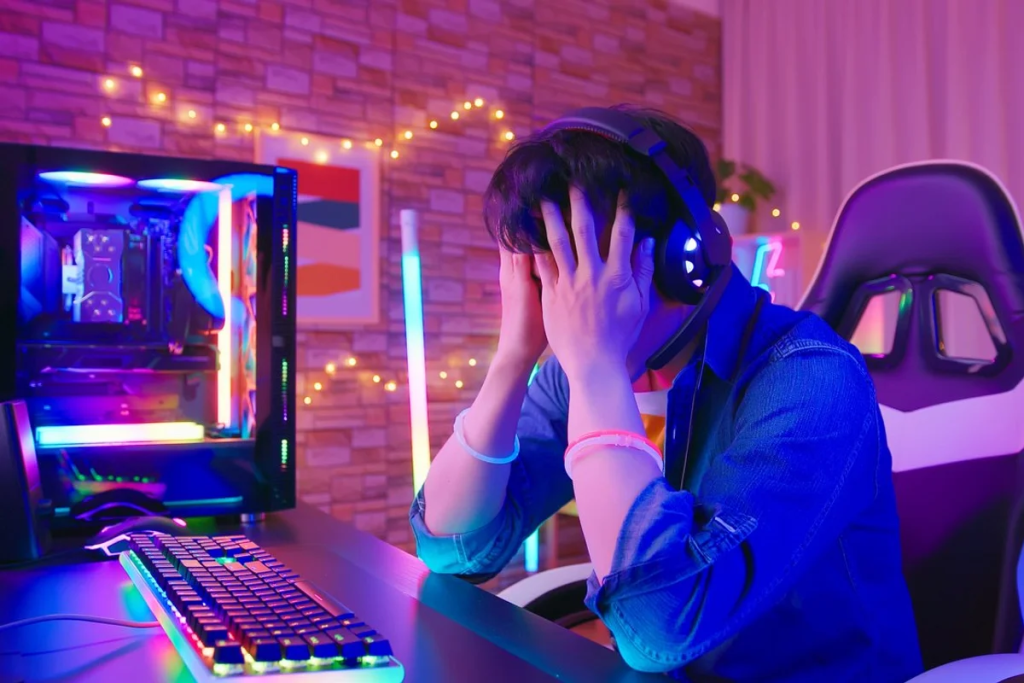
One of the biggest roadblocks for India is infrastructure. Esports needs fast, reliable internet, top-notch computers, and places to train and compete. Internet access has exploded in India, sure, but consistent, low-latency broadband is still a problem in many areas. Indian players often complain about high “ping” and not having local game servers, which puts them at a disadvantage against players from countries with better internet.
Frustrated Gamer – iStock
To compete at the Olympic level, we need to invest in world-class gaming arenas, training centers, and solid online servers. On the bright side, we’re starting to see some progress. Private esports arenas and LAN centers are popping up in big cities, and India has hosted big tournaments like DreamHack. But these are still exceptions, not the norm across the country.
Policy-wise, the government recognition is a huge win, but it’s just the start. Now that esports is officially a sport, everyone’s looking for real support: funding, training programs, clear rules, and being included in official sports initiatives. We’ve seen some good signs – the Indian Olympic Association formed an esports committee and even held national tryouts for the Asian Games. But we’re still missing a comprehensive national esports program. Unlike traditional Olympic sports, we don’t have government-run esports academies or coaching programs yet. Most Indian esports athletes are self-taught or trained by private teams. If we want Olympic medals, that needs to change. We need something like a Sports Authority for esports, or state-funded scholarships to nurture talent.
Regulatory Challenges: Real-Money Games vs ACTUAL Games
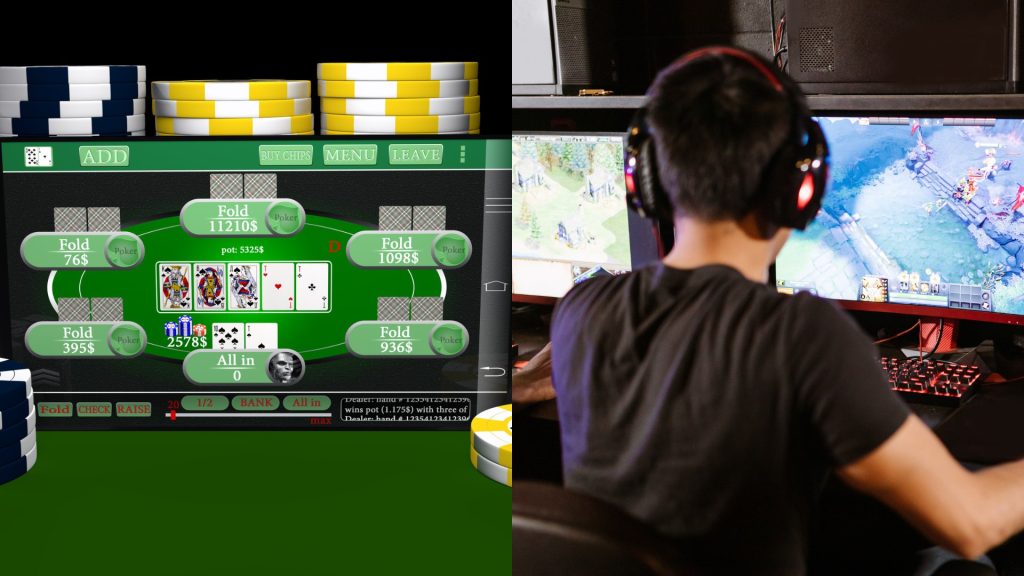
Another challenge? Getting regulations right. The gaming industry in India has sometimes been caught up in controversies around online gambling and addiction, leading to broad actions that hurt esports. Remember the PUBG Mobile ban? Huge competitive game, banned in 2020 over data security. Then Free Fire in 2022. Even if those bans were for valid reasons, they threw a wrench in the works for pro players and teams. The government separating “esports” from “iGaming” is key. It means skill-based gaming isn’t lumped in with gambling. Going forward, policymakers need to create smart rules that protect users without killing the growing esports scene. If we want champions, games need to be seen as sports, not something negative.
Real-Money Games vs ACTUAL Games
And we can’t forget about grassroots. India has tons of gamers, but the path from casual player to pro is blurry. In sports like cricket or badminton, talent gets spotted early in schools and colleges and goes into academies. Esports needs the same kind of system. That means encouraging esports clubs in schools and colleges, and local tournaments in smaller towns to find talent beyond the big cities. Some things are starting – college esports leagues, state-level contests by sponsors – but we need way more. Countries like the US have college esports championships, China has provincial leagues. India’s massive youth talent pool is still untapped in many places where gaming is popular, but there’s no organized scene. To be truly ready by 2027, investing at the grassroots is just as important as elite training.
What India Must Do to Shine in Olympic Esports
Looking ahead to the Esports Olympics, India’s got the talent and the passion for sure. What we need to sharpen is our competitiveness at the highest level. Indian esports athletes have shown they can compete when they get the chance. In FIFA and mobile games, Indian players have occasionally beaten world-class opponents online. Teams like Team Entity and Global Esports are making a name for themselves in South Asian Dota 2 and Valorant. And stars like Mortal and Jonathan are huge names, proving young Indians can commit to esports professionally. The raw ingredients – fast reflexes, smart strategies, the drive to win – we’ve got them.
But turning that into Olympic gold? That means closing the experience gap. Top esports countries have pro leagues where young players get to practice against the best all the time. By 20, they’ve got years of high-pressure experience. In India, those kinds of competitive opportunities are fewer and far between, and often only in certain games. Things are changing, though. Esports in multi-sport events is pushing for more support. After the Asian Games, there’s talk of a national league and more training camps for Team India. The Esports Federation of India (ESFI) and other groups need to ramp up these efforts – act like a real national sports federation, run tryouts, get international coaches, and make sure our teams get to practice against top foreign teams before big events. Maybe even invite top international teams to India for practice matches, so our players get world-class experience without the travel costs.
Also, esports is huge and diverse. India needs to pick its battles for Olympic success. Like countries specialize in certain sports, we could focus on games where we have an edge. Historically, India’s been strong in mobile esports – games like BGMI and Free Fire. If those kinds of games become Olympic esports, India’s chances jump way up. On PC, we’ve got ground to make up in games like League of Legends or CS2. Maybe it’s smart to focus on games where we’re closer to the top – FIFA, maybe DOTA 2 – and really invest in those. By 2027, we could groom a few targeted teams who are real medal contenders, like we do in traditional Olympic sports where we have a shot.
What India Can Take from Esports Giants
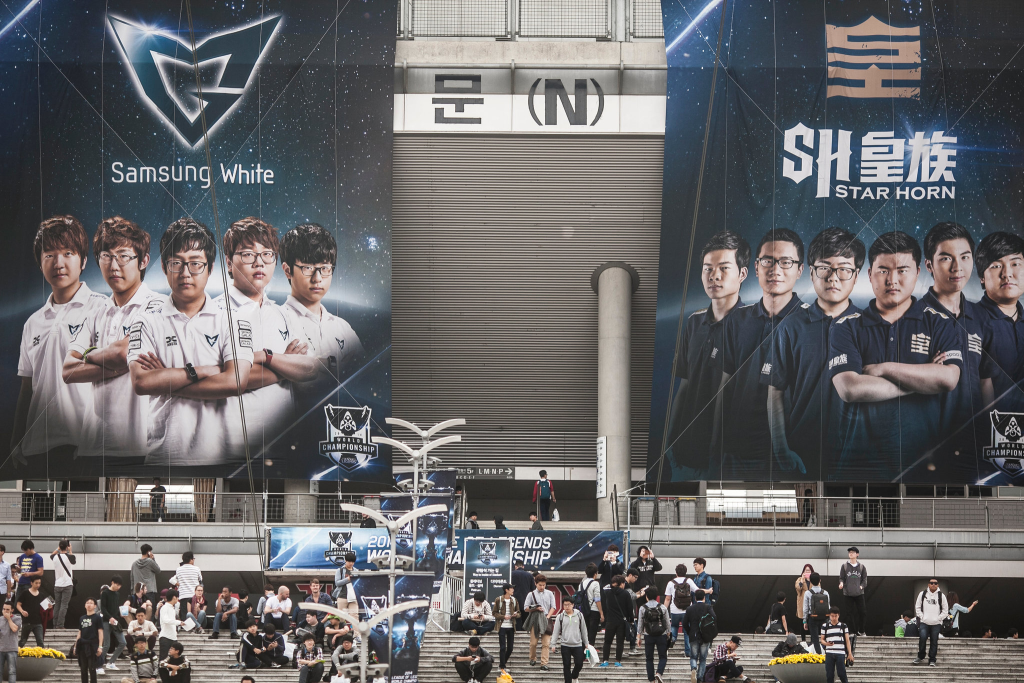
To see where we stand, we have to look at the best. South Korea’s esports scene is the gold standard. Interestingly, it’s not just government money (some say it’s not even that much) but a mix of cultural acceptance, business investment, and being early to the game that made Korea dominant. Pro gamers in Korea are celebrities. Esports finals sell out stadiums. Companies like Samsung and SK Telecom sponsor teams and run esports academies. Result? World champions coming out of Korea like clockwork. China, despite some crackdowns on youth gaming time, has amazing training facilities and city-based teams backed by tech giants. They see esports as entertainment and a sport, and they invest accordingly. Western countries have gone another route, with private money, city-based leagues, and college scholarships.
LoL Worlds
For India, these examples are both inspiring and a bit daunting. They show that esports success isn’t random. It comes from systems that find talent early, provide pro coaching, use sports science (yeah, even gamers need psychologists and nutritionists!), and make sure players are financially stable. Right now, the average Indian esports player’s career is risky. Not enough local tournaments means shaky income, and sponsorships are just starting. A top Korean or European player, on the other hand, might get a steady salary from a team, letting them focus completely on training. Closing that gap by 2027 is a huge goal, but not impossible if Indian businesses and sports authorities step up. The last year has been encouraging. Indian business folks and ex-cricketers are investing in esports teams. Bollywood stars are promoting gaming events. Big brands are starting to sponsor tournaments. We need to keep that momentum going, and fast.
And honestly, the Olympic spotlight could be exactly what Indian esports needs to really take off. The idea of an Olympic medal in esports might even convince the doubters. It could attract sponsors who usually only invest in “traditional” Olympic sports, and get sports policymakers to put money into esports training under programs like Khelo India. Maybe we’ll even see esports coaching centers popping up next to athletics academies if the demand gets big enough.
Why 2027 Esports Olympics Could Transform Indian Esports
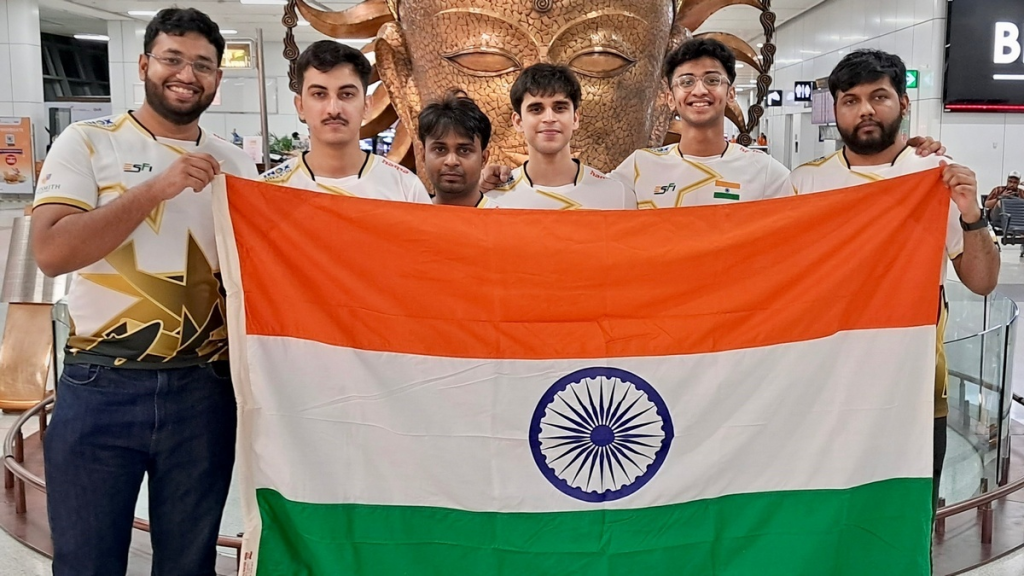
If India can get its act together, the 2027 Esports Olympics could be a huge turning point for Indian gaming. Imagine an Indian player on that Olympic podium, tricolor flag waving, after winning an esports world title. That would be a massive statement, showing millions of Indians that gaming is a real, legitimate sport. It could inspire a whole new generation to chase esports dreams, with the kind of support parents and society usually only give to cricket or chess prodigies. It would also put India firmly on the global esports map, maybe even attracting international teams to come train here and making India a host for future world championships.
Even if we don’t win medals right away, just competing in the Olympic Esports Games will raise our game. Our athletes will get experience at the highest level. The training and prep will likely involve bringing in foreign experts – like hiring those South Korean or European coaches you see in other Indian sports. That knowledge transfer will benefit Indian esports for years to come. And the government? They might actually start including esports in their sports development programs. Maybe we’ll see esports gear in schools or public “centers of excellence” for esports in cities to find new talent.
Can India Catch Up in Time?
But let’s not get too carried away. We’ve got serious hurdles to jump in the next two years. Building infrastructure takes time. Changing how society views gaming? That’s a marathon, not a sprint. And esports itself is changing so fast globally. The games in 2027 might not even be the hot games today. New titles, new formats could pop up. India needs to be quick on its feet and adapt to global gaming trends. And we’re not the only ones trying to get to the top. Countries like Japan, Singapore, and the US are also growing their esports scenes and aiming for 2027. India’s got to sprint just to keep up.
Look at South Korea again. They’ve put esports into their education system. High schools with esports programs! China has dedicated training facilities and city-wide esports leagues. India might not copy them exactly, but we can find our own way. Maybe use our tech strengths to create awesome online coaching platforms. Maybe use our huge English-speaking gamer community to connect with international leagues. And we’ve got a secret weapon: youth. India’s population is young, perfect age for esports reflexes and adaptability. If we can tap into that through proper training, we might just surprise everyone by 2027.
So, the verdict? India’s readiness for the 2027 Esports Olympics is a story of huge potential, but still a lot of prep needed. The potential is massive – gamer numbers, skilled players, growing interest, and the hunger for global recognition. We’ve seen glimpses of what India can do. But to turn those glimpses into Olympic glory, we’ve got serious work to do in the next two years. We need to build infrastructure, nurture talent, learn from the best in the world, and create policies that support esports as a real career path.
Think of it like India’s early days in the Olympics, period. We struggled at first in traditional sports, but then broke through in things like shooting, wrestling, badminton with the right investments. Esports is the same deal. Government recognition is like laying the foundation. Now we need to build the house – with training, investment, and international experience. The private sector, from tech to media, has a big role too. Esports is entertainment and sports rolled into one, and India’s media scene could turn esports stars into household names if they want to.
Looking Forward
As we count down to 2027, I’m cautiously optimistic. Realistically, India isn’t an esports superpower yet. But we’re on a good path, and the “Esports Olympics” could be the moment everything clicks. If India plays it smart, we could see our gamers marching in the Olympic opening ceremony, wearing the tri-color, ready to take on the world in virtual arenas. And who knows, maybe we’ll even hear “Jana Gana Mana” playing for an esports champion. Unthinkable a decade ago, but now, maybe, just maybe, within reach.
Ultimately, India’s readiness isn’t just about tech and skill. It’s about whether we have the will to embrace this new era of sports. The Esports Olympics are coming. It’s an opportunity India can’t afford to miss. With smart prep and real support, 2027 could be India’s coming-out party in competitive gaming – a moment when digital athletes bring glory to the nation, and a billion people cheer not on a cricket pitch, but on a virtual battlefield. The controllers are in our hands. Time to hit “start” on the next level.
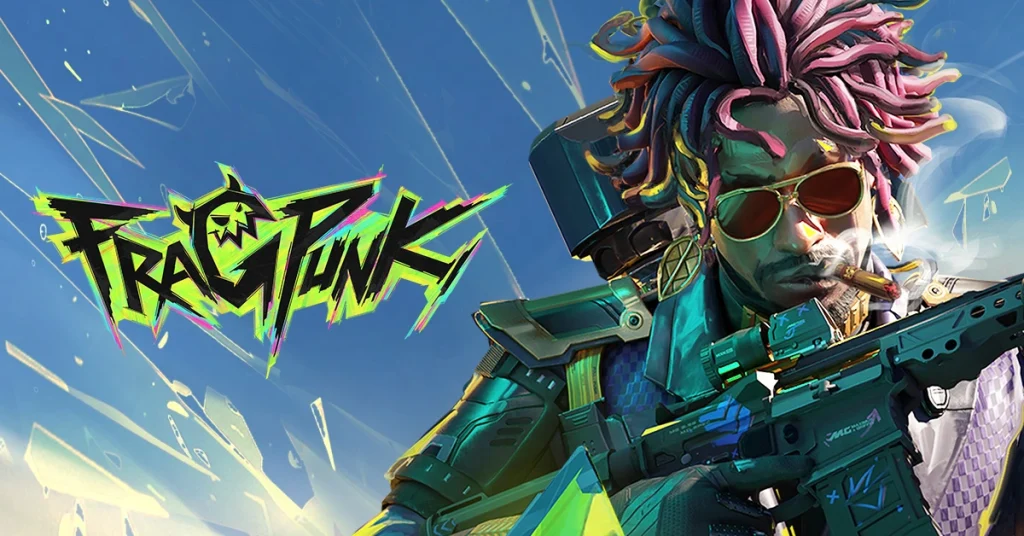
Just after its release in the last week, FragPunk became popular among FPS fans. However, every new game comes with some bugs/glitches and FragPunk is not an exception. Players are complaining that the audio is not working properly in the game. While audio is a vital part of any FPS game, we have found a few fixes that you can try to fix FragPunk audio not working issue.
The glitch basically stops all types of FragPunk audio output. Therefore, you won’t be able to get any sound cues in the game. In this article, we are going to explore all the solutions. Keep reading till the end to find out.
How to Fix FragPunk Audio Not Working?
There are multiple ways you can fix it. Let’s check them out one by one:
At first, you should try the basics. Launch FragPunk on your PC and follow the steps mentioned below:
Once you are inside the game menu, click on the Settings icon on the bottom right.
Go to Audio settings.
Press D on your keyboard to reset the audio settings to default.
If the above-mentioned fix didn’t work for you, shut down the game and follow these steps:
Right-click on the Speaker icon on your Windows taskbar.
Go to Sound Settings and then to Advanced.
Then click on More Sound Settings.
After that, you have to right-click on your preferred audio output device.
Then go to Advanced and untick the “Give exclusive mode applications priority” option.
Restart your PC.
If it worked well, enjoy! Otherwise, follow the steps mentioned below:
Right-click on FragPunk’s shortcut icon situated on your desktop.
Go to Properties, select “Run as administrator” and disable “Disable full Screen Optimization”.
Press the Apply button and you are all set to go.
We know how critical audio output is when it comes to FPS games. Without sound cues, playing an FPS game is almost impossible. Therefore, you should try out the above steps to fix the FragPunk audio not working issue. Also, let us know which one of the above fixed your issue in the comment section below.
Fortnite has dropped the 34.10 update and it’s packed with new guns, keycards, and the new Outlaw Midas skin everyone was talking about. Apart from that, there are Golden Llamas and they are very rare and really hard to find.
There are also several weekly challenges and in one of them, you will actually have to find out the Golden Llamas. Don’t worry because it is not impossible to find them on the map. We will help you out with this article. Keep reading till the end.
How to Find Golden Llamas in Fortnite Chapter 6 Season 2?
Golden Llamas basically spawn around the map randomly which makes it hard to find out one. Three Golden Llamas spawns every match, and they can literally be anywhere. So it is totally up to you where you want to start searching for them.
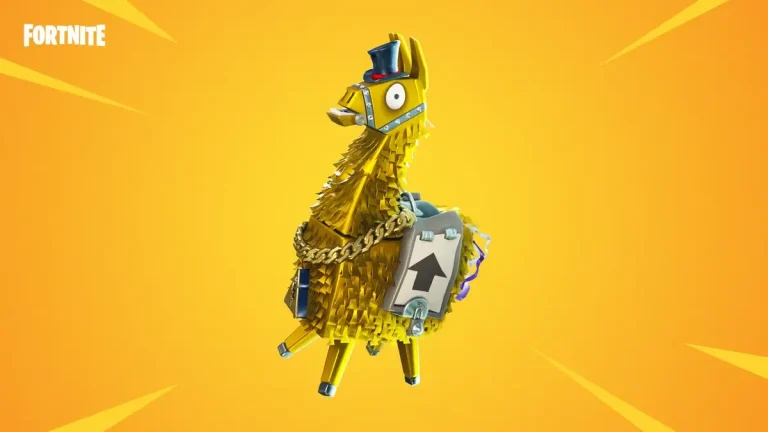
Golden Llamas look like golden statues. Therefore, it won’t be easy to ignore if you find one in front of you.
Once you find out a Golden Llama, just walk up and interact. That’s all you have to do. Apart from that, you can get Gold Bars, Gold Splashes, ammo, and more rewards from the Golden Llama’s drop.
To complete the quest that we mentioned above, you have to find out a total of 3 Golden Llamas.
Complete the Golden Llama as soon as possible, because new skins and quests are coming in soon. The developers are all set to release the Shohei Ohtani skin in Fortnite. Just one week left before one of the most popular baseball players makes his debut in the game.
Finding a Golden Llama is definitely time-consuming, but the reward makes the search worthwhile. Have you been able to find Golden Llamas in Fortnite? If yes, where did you get it? Let us know in the comment section below.
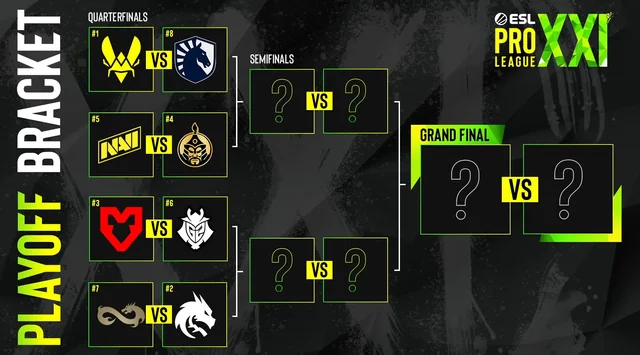
The stage for ESL Pro League Season 21 playoff is now ready and the teams are finalized. This is going to be a studio playoff and several top CS2 teams are there at this stage.
Spirit is the fan-favorite this time as they recently won the Shanghai Major. Apart from that, Danil “donk” Kryshkovets is in very good form right now. They will face Eternal Fire in the EPL S21 playoff.
Falcons were also doing great, but last night, they lost to Eternal Fire which we have covered here. Eternal Fire secured a 2-1 series victory over Falcons after a hard-fought battle across three maps.
Despite losing the pistol round, Falcons dominated the first half of Map 1 but were completely shut down in the second half, losing 13-8. On Map 2 (Mirage), Falcons initially edged out Eternal Fire but struggled on defense, allowing Eternal Fire to take control and level the series. In the decider (Dust2), Falcons gained momentum early, but XANTARES and woxic led Eternal Fire to a 13-9 victory, sealing the series.
On the other bracket, we have Vitality, the champions of Katowice. Also, Vitality has stunned everyone on the group stage with a perfect 3-0. They will be facing Liquid in the playoff.
MOUZ, who have just won Cluj-Napoca, are going up against G2. And then we have Natus Vincere against The MongolZ. These two matches will be a neck-and-neck battle for sure.
However, if you are a LAN enthusiast, there is bad news for you. This year the playoffs will take place in a studio setting behind closed doors in Stockholm.
A total of eight teams will compete in a single-elimination bracket for the $250,000 prize pool. The grand final will take place on Sunday, March 16th.
This is going to be a tough battle between the teams as they all are quite prominent. However, which team do you think will win ESL Pro League Season 21? Let us know in the comment section below.