A three-year agreement between GamingMalta and tournament organiser BLAST will see the island country hold a series of Dota 2 and Counter-Strike 2 (CS2) competitions until 2027.
While BLAST has already held a series of CS2 tournaments in the country, this agreement will see more tournaments held there in the coming days. While Malta has been one of the most prominent locations for esports events, having more and more events will turn the region into a hub for gaming.
BLAST and @gamingmalta announce multi-year partnership including a state-of-the-art studio and hub of esports activity on the island
“Our partnership with GamingMalta makes a major milestone for BLAST, having secured a multi-year partnership to elevate esports and gaming in Malta,” said Robbie Douek, CEO of BLAST. “We’re excited to bring live output, a new studio, and competitive entertainment to the island.”
Malta previously took steps to promote gaming, including but not limited to the country’s government setting up the Malta Gaming Authority. While the region has been a go-to for the Counter-Strike community, Dota 2 will be the next game that grows in the region.
In a recent update, Valve has revealed that teams with representation from several countries where it is hard to assign them to a region will now be playing from the stronger one, thus making all the multi-region teams appear in single VRS rankings.
International teams where players belonged to several regions where no clear majority could have been defined had the freedom to play from the region they chose; however, the latest update will automatically assign them to the strongest region among the regions of players in the roster.
Updating regional representation so teams only appear on a single VRS list. In the case of a tie, the team is assigned to the stronger of the two regions,” the changelog reads.
The rankings of the Regions will be defined by the number of slots held by said region in the previous Major. Therefore, more slots for a region would mean that it would rank higher than the one with less number of slots.
Liquid, being the highest rated team that has 3 players from EU and 2 from NA, was competing in NA for qualification, but the latest change will see them forced to play from EU, given EU holds more slots in the Major than NA, making it the stronger region.
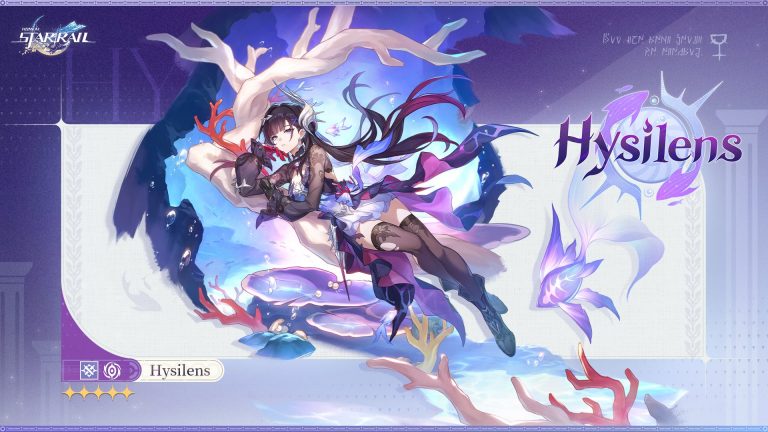
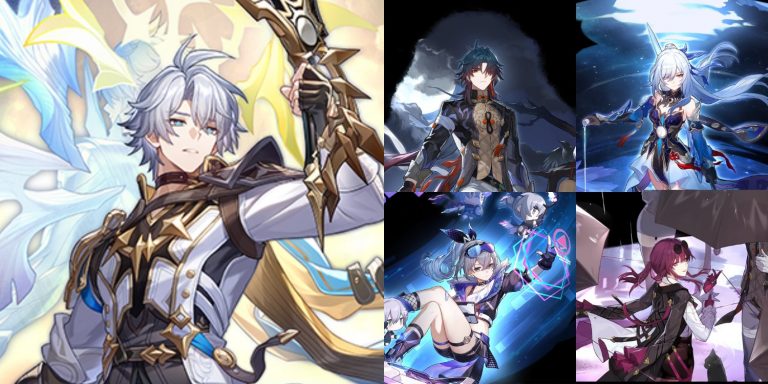
With the upcoming launch of Honkai: Star Rail Version 3.4, HoYoverse has already begun hyping its next big update. The announcement of Hysilens as a new 5-Star playable character in Version 3.5 has tantalized fans and raised expectations.
Her real name is Helektra, and she comes from the coastal town of Styxia, which is renowned for its seductive charm and dreamy vibe. Today, she is the Knight Commander of Okhema, a forceful presence who exercises dominance.
In her introduction, Hysilens asserts stoutly:
“Helektra? That name has long since sunk into the depths of the past… Ah, it’s you, little gray fry. Call me Hysilens. I am the Knight Commander of the holy city, and I will remain on watch — I will not let the storms of fate cloud your eyes.”
Hysilens is a Nihility Path character who is a Physical Damage specialist, setting her apart from the roster’s DoT specialists. She wields Phagousa’s Coreflame, linked to the Ocean Titan, and her history is heavily connected with Cerydra, another Chrysos Heir who uses the Coreflame of Thanatos, the Law Titan. Together, they freed Okhema from attacking armies with an unknown army and eventually made the Prophecy of the Chrysos Heirs the new law.
"Helektra? That name has long since sunk into the depths of the past… Ah, it's you, little gray fry. Call me Hysilens. I am the Knight Commander of the holy city, and I will remain on watch — I will not let the storms of fate cloud your… pic.twitter.com/sOhv1oYMbr
In-game lore also supports that characters such as Aglaea, Tribbie, and Cipher knew Hysilens personally before her unexplained disappearance.
Her character description wonderfully encapsulates her relation with the sea and her destiny:
“Styxia, a coastal city of intoxication and dreams, where echoes of old songs still drift among the waves. Helektra, Daughter of the Sea, Chrysos Heir who cleanses the Ocean’s Coreflame, dispels the murky undercurrents, and orchestrates a feast of revelry for the heroes beyond the sky — The show must go on. Even if hope is as fragile as bubbles, the waves will keep surging forward.”
Hysilens’ kit should heavily emphasize DoT effects, reviving the interest in damage-over-time team builds. Her moves are said to synergize well with Kafka, who is supposed to get considerable buffs in future patches. Players are looking forward to how Hysilens might change the meta by making DoT playstyle popular again.
Early rumors indicate that she will be a core character in the Divergent Universe with special stacking abilities and burst windows, akin to current bleed-based characters but more strategic and polished.
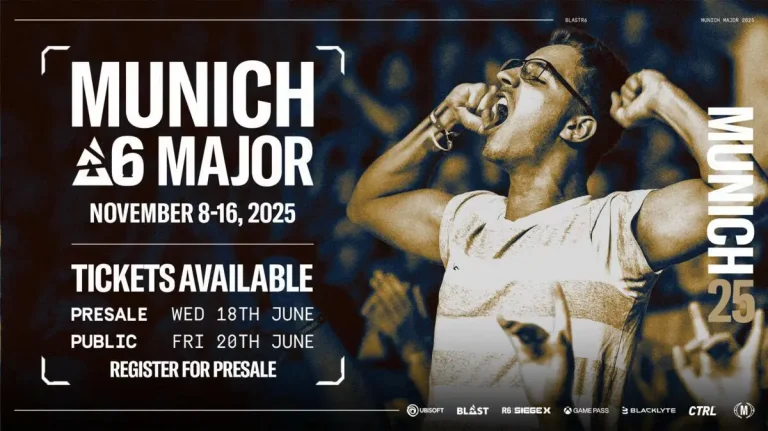
Ubisoft and BLAST have officially released the ticket timeline for the much-awaited Rainbow Six Siege X event, the BLAST R6 Munich Major, scheduled to happen November 8–16, 2025, in Munich, Germany.
Ticketing will commence with a special presale from Wednesday, June 18, 2025, open to fans who sign in through their Ubisoft accounts. General public ticket sales will be available on Friday, June 20, 2025. Ubisoft stressed the presale tickets’ limited quantity, encouraging fans to hurry up and get their tickets.
The BLAST R6 Munich Major will take place in two phases. The first phase, from November 8 to 11, will be matches played behind closed doors. The event will then be open to the public at the BMW Park Arena in Munich from November 14 to 16. There will be no matches played on November 13.
Teams & Format
The Major will feature the best 16 teams globally, each having qualified through Stage 2 of their region’s respective leagues – Europe-MENA, North America, South America, and Asia-Pacific. These top teams will be fighting for a $750,000 prize pool, with the tournament winner earning an automatic invite to the elite Paris Six Invitational 2026.
Munich’s hosting as the venue indicates Ubisoft and BLAST’s increased efforts to ramp up the international Rainbow Six Siege esports landscape, especially in Europe. The BLAST R6 Munich Major 2025 is the concluding S‑Tier event of the season, which will determine the overall global standings leading into the Six Invitational 2026 that will take place in Paris from February 2–15, 2026.
As fans worldwide continue to count down to the long-awaited release of Rockstar Games’ Grand Theft Auto 6, rumors and speculations about what the game may look and play like continue to build.
Meanwhile, gamers aren’t the only ones excited about the sequel’s release. A European retailer recently nearly broke the Internet for posting a listing that potentially leaked the game’s price. While there’s still no official confirmation of GTA 6’s pricing, the now-removed listing stated it would cost roughly $114.99. The news quickly emerged amidst discussions that Rockstar may be charging more than the standard $70 for the new GTA title.
While the listing is likely just a placeholder, gamers have rightfully been on edge about the current state of video game pricing. The Nintendo Switch 2 reveal and its premium pricing only continue to fuel the rumors that Rockstar may be going beyond the standardized $70 price tag.
In GTA 6’s defense, the years-long wait for the game may mean that gamers will likely purchase the game regardless of how much it may cost. The record-breaking trailer for the game quickly became the most viewed video game trailer and has been broken down, frame-by-frame, by fans again and again for clues of what they may find in the game.
What fans want to see in GTA 6
As the yet-unconfirmed release date for the game looms closer, new discussions of what long-time fans want to see in the game prop up every other week. Aside from the clear graphical upgrades demonstrated in the trailer, fans also expect a richer open world and better running in the gameplay, drawing from the details of the world of Rockstar’s other gem, Red Dead Redemption 2.
One of the best ways to make an in-game world come to life is to give players endless things to do beyond the main story and missions. Some GTA 6 features that fans are eager to see include more expansive and in-depth casino minigames like poker, as the predecessor, Grand Theft Auto 5, only offered the more fast-paced three-card poker.
Mirroring developments in the real world, some fans also expect to see some form of cryptocurrency incorporated into the game, from parodied crypto scams and heists to the ability to own or trade crypto. There are also sillier features fans expect to see in the game, including a Phil Collins return to Vice City — the perfect Easter egg for those who played Vice City Stories on the PS2 or the sorely missed PlayStation Portable.
Poker and other minigames
Fans are especially hoping to see richer minigames in GTA 6 as an improvement from GTA 5’s offerings, which included odd activities like yoga and tennis. The Diamond Casino & Resort, while a great destination for heists, only offers three-card poker, blackjack, roulette, and a bunch of slot machines.
If the game is to follow traditional online poker and replicate real life models in GTA 6’s in-game elements, the popularity of US online poker is a great blueprint to follow as it is currently seeing significant growth. For instance, ACR Poker is the #1 US poker site thanks to its thriving community of pros, ambassadors, Twitch streamers, and much more. ACR Poker is also widely known for its online tournaments, such as The Venom and its newly announced Supersized Sunday and Must-Play Mondays.
If GTA 6 wants to add a layer of realism to its open-world structure, it would make sense to let players play poker from their in-game phones rather than driving to the casino. The GTA 6 trailer already shows that Rockstar will feature a parodied TikTok social media system in the game, so online poker may not be entirely out of the question.
Meanwhile, poker in Red Dead Redemption 2 is one of the more in-depth and realistic poker gameplay in video games. Throughout Red Dead’s open world, players can visit different types of casinos with different buy-in tiers. For example, the casino at St. Denis gives the highest payouts, while the Valentine saloon is great if you’d prefer lower stakes. If the rumored map for GTA 6 is as big as the leaks indicate, a similar casino system will be interesting to see.
Beyond casino games like poker, rumors and leaks also point to various in-game activities for GTA 6. There are rumors of a fishing minigame, which was also present in Red Dead, as well as golf and races, which were also in GTA 5. Dedicated fans are also expecting GTA 6 to draw inspiration from 2004’s GTA: San Andreas, which featured activities like dancing, pool, casinos, gym workouts, basketball, and arcade machines.
Until then, however, we’ll have to wait for further news and updates from Rockstar Games on GTA 6’s release. For now, we know that the GTA 6 console release will likely lead the release schedule as Rockstar focuses on the PS5 and Xbox Series X|S platforms. Other platforms, like PC and even Nintendo Switch, are still to be confirmed. It took a while for GTA 5 and Red Dead Redemption 2 to release on PC after their console launches, and it’ll more than likely be the same for GTA 6.
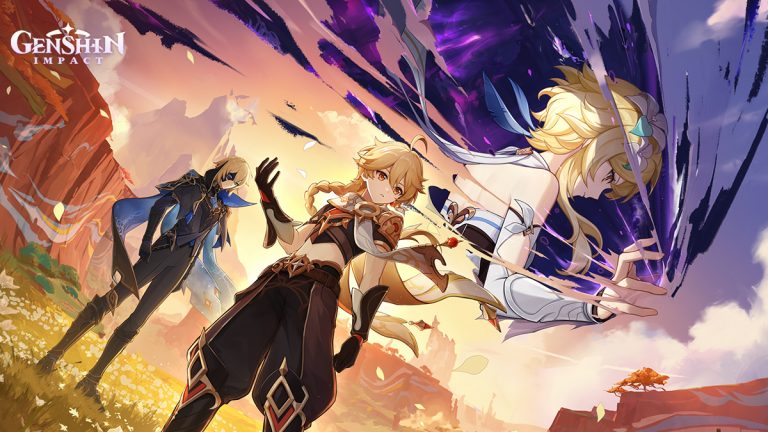
With only a couple of days remaining before the highly anticipated Genshin Impact 5.7 update hits the live servers, fans are gearing up to welcome Skirk and Dahlia, the two new characters coming to the open-world RPG with the upcoming patch.
HoYoverse has confirmed that Skirk and Dahlia will both be featured in the Phase 1 banners for the Genshin Impact 5.7 update. The fan-favorite Cryo 5-star Shenhe will also be getting a rerun.
In this article, we’ll take a look at everything you need to know about the Genshin Impact 5.7 Phase 1 banners.
Genshin Impact 5.7 Phase 1 Character Banners
The Phase 1 banners for Genshin Impact 5.7 will feature the following characters:
Skirk (5-star Cryo Sword)
Shenhe (5-star Cryo Polearm)
Dahlia (4-star Hydro Sword)
Candace (4-star Hydro Polearm)
Diona (4-star Cryo Bow)
Genshin Impact 5.7 Phase 1 Weapon Banners
The “Epitome Invocation” weapon banner in Genshin Impact 5.7 Phase 1 will feature the following weapons:
Azurelight (5-star Sword)
Calamity Queller (5-star Polearm)
Sacrificial Bow (4-star Bow)
Xiphos’ Moonlight (4-star Sword)
Wandering Evenstar (4-star Catalyst)
Favonius Lance (4-star Polearm)
Makhaira Aquamarine (4-star Claymore)
Genshin Impact 5.7 Release Date
The Genshin Impact 5.7 update is scheduled for release on June 18, 2025. Players will have around three weeks to wish on the Phase 1 banners before they expire on July 8, 2025.
With the highly anticipated Honkai Star Rail 3.4 update still a little ways down the road, fans of the action RPG can get a sneak peek at the contents of the new patch by tuning into the HSR 3.4 livestream.
HoYoverse has recently confirmed the date and time for the Honkai Star Rail 3.4 livestream. The special program will showcase a bunch of exciting new additions that are set to be introduced to the game with the upcoming update, including new features, characters, events, and more.
If you’re eager to catch the HSR 3.4 livestream and get an early glimpse of the contents of the update, we’ve got you covered.
In this article, we’ll take a look at the date and time of the Honkai Star Rail 3.4 special program livestream.
Honkai Star Rail 3.4 Livestream Date & Time
As already confirmed by HoYoverse, the Honkai Star Rail 3.4 livestream titled “For the Sun is Set to Die” will take place on June 20, 2025, at 7:30 pm (UTC+8).
Version 3.4 "For the Sun is Set to Die" Special Program 🕙2025/06/20 19:30 (UTC+8) The Honkai: Star Rail Version 3.4 Special Program will release on 2025/06/20 19:30 (UTC+8).
This Special Program will feature the character introduction for Phainon, preview upcoming story… pic.twitter.com/vVdXTMcLPg
With Stage 3 of BLAST Austin Major 2025 having come to a conclusion, the eight remaining teams are gearing up to battle it out in the playoffs for a shot at the prestigious trophy.
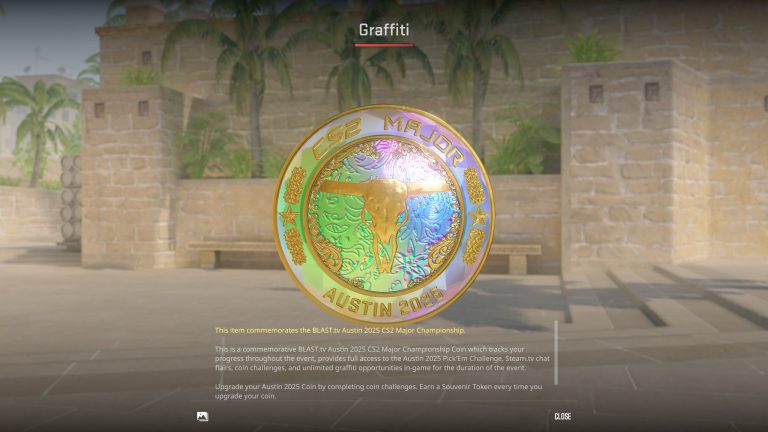
If you’ve been following our Pick’Ems during Stage 3, you should be in a strong spot heading into the playoffs, the final stage for Pick’Ems. Despite the unpredictable upsets in Stage 2, securing that Gold Coin is still well within reach. And if you were one of the few players who got both their Stage 1 and Stage 2 Pick’Ems correct, you’re on track to earn the fabled Diamond Coin for the Austin Major, which is shaping up to be one of the rarest Diamond Coins in Counter-Strike history.
Now, without further ado, let’s check out the CS2 Austin Major Playoffs Pick’Ems.
CS2 Austin Major Playoffs Pick’Ems
Before we get into our picks for the Austin Major 2025 Playoffs, it’s crucial to note that the final stage of CS2 Majors can be difficult to accurately predict due to the close competition between the teams. However, the absence of BO1s in this stage leaves less room for flukes and increases the likelihood that the best teams will come out on top.
Before you lock in your picks for the Austin Major Playoffs, be sure to do your own research on the teams and understand that there’s always a chance we’ll get some picks wrong.
With that being said, let’s check out our picks for the CS2 Austin Major 2025 Playoffs.
Quarterfinals
FURIA vs paiN Gaming: FURIA Faze Clan vs The MongolZ: FaZe Clan
Natus Vincere vs Vitality: Vitality Team Spirit vs MOUZ: Team Spirit
Semifinals
FURIA vs FaZe Clan: FaZe Clan
Vitality vs Team Spirit: Vitality
Grand Final
Faze Clan vs Vitality: Vitality
Vitality has remained the tournament favorites for the Austin Major since the beginning of the event. They’ve dropped just a single BO1 in this tournament — against Legacy in Stage 3 — and are expected to continue their dominance heading into the playoffs.
With Oleksandr “s1mple” Kostyljev returning to form, FaZe Clan is also a strong contender for the title, and a potential showdown between s1mple and ZywOo in the grand final is something every CS2 fan is eager to see.
According to reports, Sony is removing the regional restrictions imposed on some of the most popular PlayStation exclusive games for PC.
Up until this point, PS Exclusives were available in regions where PSN was available, but it seems that games such as Spider-Man 2, God of War: Ragnarok, and The Last of Us 2 Remastered are accessible on Steam for regions that don’t have PSN, as pointed out by SteamDB.
When Sony announced the introduction of PS exclusive titles to PC, it was like a dream come true for many, but they threw a spanner in the works by limiting access to said games in certain regions. If these reports are true, then anyone with access to Steam will be able to enjoy all the PlayStation exclusive games.
Goes without saying that it is better to take the news with a grain of salt because Sony has not officially announced the change, and unless you can access the games on Steam, which were not available in the past, then voila, now you are free to enjoy PS exclusives on PC.
While we got to enjoy a plethora of matches thanks to the new format of the Major, we have finally reached the big stage, the playoffs of the BLAST.tv Austin Major.
Travelling through a series of surprises and upsets, we have our final 8 teams facing each other at the Arena with a loud Texas crowd cheering for them. Unfortunately, none of the NA teams made it to the playoffs, but we have all the biggest names, bar some, waiting to light up the stage.
Date
Time (IST)
Team 1
vs
Team 2
20/06/2025
00:30
FURIA
vs
paiN
20/06/2025
05:00
Spirit
vs
MOUZ
20/06/2025
23:30
FaZe
vs
The MongolZ
21/06/2025
04:00
Natus Vincere
vs
Vitality
As we walk into the playoffs, every team comes with its exciting storyline. While the glory is obvious but there is more than that for every team. FURIA and paiN, coming in from Brazil, have struggled to keep up with the EU giants, leading the region to lose its once-revered status. Vitality, on the other hand, is looking to seal their era by bringing home the Major and cementing ZyWoo as the undisputed number 1.
FaZe Clan arguably boasts the most interesting storyline, almost written off by most pundits, signing s1mple was a hail marry that seemed like the last shot at revival but as they progressed from tournament to tournament, FaZe has been dropping jaws and s1mple looks like he never left the game but only time will tell what happens at the big stage.
The MongolZ were a team that has truly turned heads at several points in the tournament, but they have always come close enough to not write them off, and while the odds are against them, they are the underdogs coming into the playoffs.
The Quarter-Finals start next Friday, so tune in on the official BLAST YouTube and Twitch channels to get a piece of the biggest festival of Counter-Strike live from Austin, Texas.