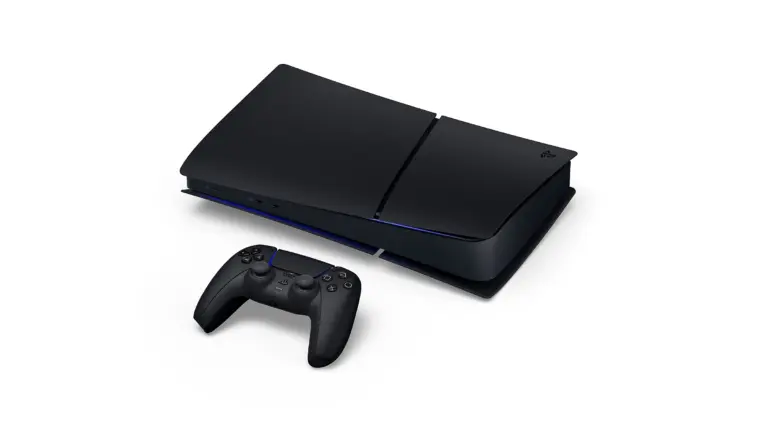
Sony has revealed a midnight black version of the PlayStation 5, launching on the same day as Grand Theft Auto 6. Featuring the same sleek and minimalistic design, the midnight black version of the PlayStation will be launching exclusively in Japan in the coming month.
Is the PlayStation 5 getting a hardware upgrade?
In short, no. The new PlayStation 5 will launch with similar hardware to its existing version, with only an aesthetic change. The new colour is not only available on the console but also on a Midnight Black DualSense controller and comes with Astro’s Playroom pre-installed.
The performance remains identical, making the new launch redundant for the owners of the PS5 unless they are looking for a cosmetic change. It will feature an 825 GB SSD, along with the usual 3D audio, haptic feedback, and adaptive triggers.
However, the console is limited to a digital version only, but for those who prefer physical discs, Sony is also offering a matching Midnight Black disc drive for ¥11,980.
Midnight Black PS5 Price and Release Date
As the title suggests, the Midnight Black version of PlayStation 5 will launch on 18th November, along with GTA 6. Priced at ¥55,000, pre-orders will go live on 20th October through exclusive retailers and online aggregators.
At the time of writing, Sony has only announced the new colour for the Japanese market. Without confirmation of a global release, it’s hard to assume the black PS5 will come to other regions. For those looking to import the console from Japan, Sony has placed regional restrictions, including support for Japanese as its system language and a requirement for a Japan-registered PlayStation account.
Regardless of Sony’s global launch plans, owners of the console can use third-party custom plates to achieve the same look at a fraction of the cost.
On the surface, it seems Sony is releasing this as a special version to commemorate the release of GTA 6. However, this might very well be a simple cash grab given the game is launching exclusively for consoles, and many would get one just to play the game. It goes without saying that existing console owners can customise their consoles with skins, while first-time buyers should make sure to choose one that suits their needs over aesthetics to get the most value out of their money.
Since its global release on October 5th, Aion 2 has already started blowing up throughout the globe. Amassing a concurrent peak of a whopping 400,000 players on Steam alone, Aion 2 is easily one of the better MMORPGs we’ve seen in the recent years.
Greetings Daevas! The AION 2 team is incredibly thankful and appreciative of your support during our commercial launch week.
Like any other modern MMORPG out there, Aion 2 is a pretty grindy game. While it’s still perfectly enjoyable even if you have only a few hours to put into it every week, if you wanna keep up with the rest of your faction, or if you wish to improve your item score, you’ll have to do your dailies and weeklies.
That being said, the daily and weekly quests in Aion 2 are a lot more forgiving compared to most other MMOs, and don’t require a lot of hours to complete. Unfortunately, the game doesn’t explain the daily and weekly quests to newer players very well, and you can find yourself missing out on a bunch of the game’s content if you’re not aware.
This is why we have put together a complete checklist for Aion 2 players to go through during their stay in Atreia. All you need to do is make sure you’re doing the content we’ve listed below every day, and you won’t have to worry about falling behind the other faction members.
Aion 2 Daily Content Checklist
Doing the daily content in Aion 2 can get you some valuable materials to progress your gear score, as well as unique armor and weapons for your character. Most of them can be done in only a matter of minutes, while some can also be stacked for later if you don’t feel like doing them.
Here’s the full daily content checklist for Aion 2:
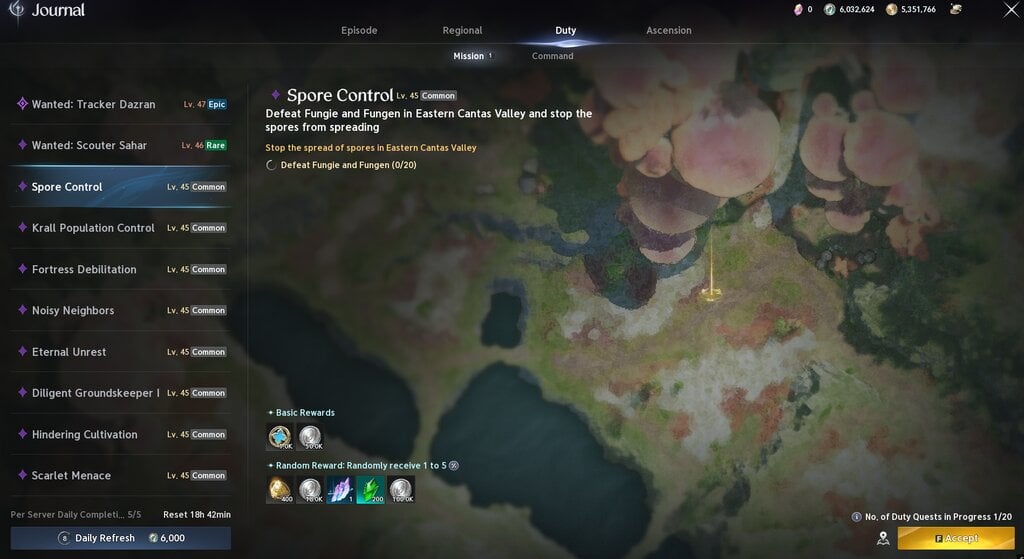
Duties (5 Duties per day)
Nightmare Dungeons (2 Tickets per day)
Shugo Festival (3 Tickets per day)
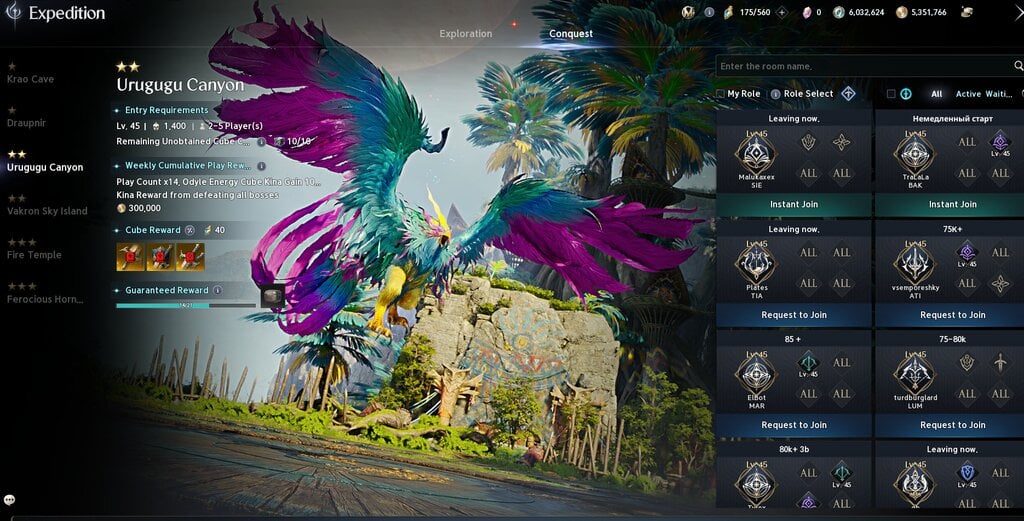
Expeditions/Transcendence (120 Odyle Energy per day)
Supply Requests (Emergency Supplies)
Aion 2 Weekly Content Checklist
The weekly content in Aion 2 will net you several different currencies that you can then exchange to make your character stronger. You can also get some unique gear, cosmetics, and enhance stones via the weekly quests.
Take a look at them below:
Commands (Regular and Abyss)
Daily Dungeon (14 Tickets per week)
Battlefield Rewards
Odyle Energy Substance Morphs (20 morphs per week)
Supply Requests (Weekly Supplies)
Season Missions
Ascension Trials
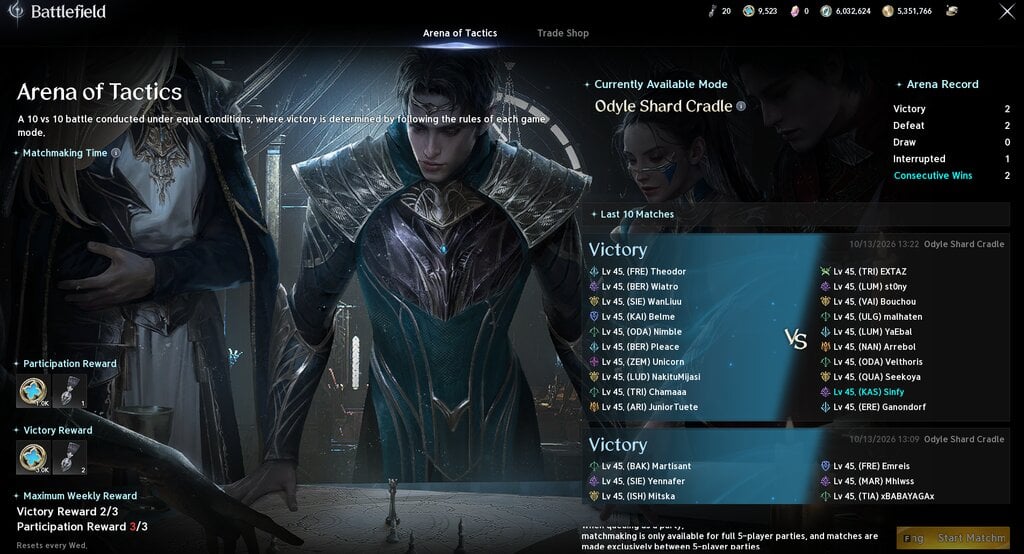
Arena Rewards
That’s everything you need to know about all the daily and weekly content in Aion 2.
Fortnite update 42.40 goes live on October 15, 2026, and it is the final major update of Chapter 7 Season 4. Epic Games will take the servers offline at 4 AM ET for maintenance. The patch adds the Honey Sprite and the Obsession Sprite, brings the Obsession collab, and fixes 4 known bugs. It also continues Fortnitemares 2026, which runs until November 1.
Below, you can find the downtime, new Sprites, collab list, quests, and bug fixes.
Fortnite Update 42.40 Release Date and Downtime
Fortnite update 42.40 arrives on Thursday, October 15, 2026. The downtime starts at 4 AM ET. Maintenance should last about 2 hours, and servers return at 6 AM ET for all players.
In India, that window runs from 1:30 PM IST to 3:30 PM IST.
This is a content patch. It adds end-of-season content to the Fortnitemares 2026 update for Battle Royale, Reload, and the Horde Rush LTM. It is also the last update for Chapter 7 Season 4 Override.
Fortnite Update 42.40 Patch Notes
The early patch notes cover new Sprites, Match Overrides, Loot Hacks, collabs, quests, and bug fixes. Some items are not confirmed yet, and each section below says so.
New Sprites in Fortnite Update 42.40
Epic Games adds 2 more Sprites to the island. They are the last 2 Sprites of the season, and each should have its own variants, like the earlier ones.
Honey Sprite: Sends bees after enemies who damage you.
Obsession Sprite: Lets One Wish Willow help you collect other Sprites.
Both Sprites release on October 15. Players have until the season ends to collect them.
New Match Overrides
The early notes point to at least 3 more Match Overrides during Fortnitemares 2026. Earlier Match Override Cartridges gave either a boost that only affects your squad or a lobby-wide boost that helps everyone. The notes do not name the new ones.
Loot Hacks and Weapons
Fortnite update 42.40 adds 6 new Loot Hacks. The Loot Hacks in update 42.30 followed a Fortnitemares theme.
New weapons are not confirmed. Only 2 weeks remain in the season, so it is unclear whether Epic Games will add any.
Map Changes
Most map changes arrived at the start of Fortnitemares 2026, so none are expected with this update. One thing to watch is the storm above the Geno’s Machine landmark. It is slowly growing in size and intensity, and it appears to be opening a portal to another dimension.
Fortnitemares 2026 Collabs
Several Fortnitemares 2026 collabs are already live, and more are on the way. The Fortnite Obsession collab arrives on October 15. These collabs are listed for this update:
Beetlejuice
Hazbin Hotel
Predator Badlands
Slender Man
The Purge
Obsession
The exact dates for the other collabs are unknown. Epic Games will reveal them toward the end of the week.
Fortnitemares 2026 Quests and Free Skins
Players can already complete Fortnitemares 2026 quests to earn the Jack-A-Nape skin. More quests arrive this week and give XP and other cosmetic rewards.
A new set of Kado Thorne Quests also arrives with Fortnite update 42.40.
The Gold Punk skin is available too. Players can get it by redeeming a Fortnite Gift Card before Fortnitemares 2026 ends.
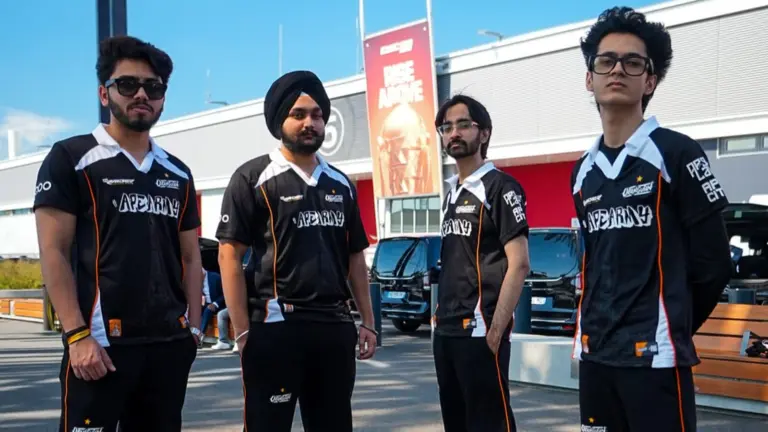
Defending champions Orangutan have been eliminated from the BGMI Showdown (BMSD) 2026 after failing to qualify for the Grand Finals through the Last Chance stage. The team finished ninth with 79 points, missing out on the top four spots required to advance.
The BMSD 2026 Last Chance stage concluded on October 13, with Myth Official, Welt Esports, Genesis Esports, and Wyld Fangs securing the final four Grand Finals slots.
For Orangutan, this elimination marks a disappointing end to their 2026 competitive season. The team will also miss the upcoming BGMI International Cup (BMIC) 2026 and PUBG Mobile Global Championship (PMGC) 2026.
Orangutan’s Disappointing Run After Esports World Cup 2026
Orangutan entered 2026 as one of India’s most consistent BGMI teams. Their performances throughout the previous competitive season helped them earn a spot at the Esports World Cup 2026.
However, after returning from the World Cup, the team struggled to maintain its earlier form.
Despite having an experienced roster, Orangutan failed to deliver the consistency that made them one of the strongest teams in the Indian BGMI circuit.
The team struggled across different stages of BMSD 2026 and eventually found itself in the Last Chance stage, where only four of the 16 teams could qualify for the Grand Finals.
Orangutan collected 79 points from 12 matches, including 26 finish points and 53 placement points. The team also secured one Winner Winner Chicken Dinner (WWCD).
However, that was not enough to qualify. Wyld Fangs, Elite Nova Esports, and Team Tamilas all finished on 90 points, leaving Orangutan 11 points behind the qualification cutoff.
AKOP and WizzGOD Perform Well, but Orangutan Fall Short
Despite Orangutan’s disappointing results, some players delivered strong individual performances during the tournament.
AKOP secured more than 85 finishes, while WizzGOD collected over 75 finishes, making them two of the team’s notable performers.
However, Attanki and Aaru were unable to make the same impact consistently.
Orangutan’s biggest strength in previous tournaments was its teamwork and consistency. The team rarely depended on one player and often collected points even when it did not secure a WWCD.
That consistency was one of the major reasons behind its qualification for the Esports World Cup 2026.
Unfortunately, Orangutan could not repeat those performances in BMSD 2026. Despite strong individual efforts, the team struggled to collect enough points to remain in contention for the Grand Finals.
Genesis Esports Secures Dramatic Qualification in Final Match
While Orangutan’s journey ended, Genesis Esports produced one of the biggest moments of the Last Chance stage.
Genesis secured a crucial Winner Winner Chicken Dinner in the final match, helping the team finish third with 95 points and qualify for the Grand Finals.
The final game created a dramatic finish to the Last Chance stage, with several teams still fighting for the remaining qualification spots.
Myth Official topped the standings with 119 points, followed by Welt Esports with 99 points. Genesis Esports finished third with 95 points, while Wyld Fangs secured the fourth and final slot with 90 points.
Interestingly, Wyld Fangs, Elite Nova Esports, and Team Tamilas all finished with 90 points. However, Wyld Fangs secured fourth place through the tournament’s ranking tiebreakers.
BMSD 2026 Last Chance Final Overall Standings
Here are the final standings after all 12 matches of the Last Chance stage:
Rank
Team
Matches
WWCD
Finishes
Placement Points
Total Points
1
Myth Official
12
2
48
71
119
2
Welt Esports
12
1
33
66
99
3
Genesis Esports
12
1
24
71
95
4
Wyld Fangs
12
2
42
48
90
5
Elite Nova Esports
12
1
35
55
90
6
Team Tamilas
12
1
23
67
90
7
Vasista Esports
12
1
22
61
83
8
Team AX
12
1
27
52
79
9
Orangutan
12
1
26
53
79
10
Rapid Chaos Esports
12
1
24
45
69
11
Learn From Past
12
0
27
31
58
12
Cultrex Esports x Zero Ark
12
0
19
31
50
13
7Gods Esports
12
0
8
41
49
14
MadKings
12
0
17
31
48
15
4TR Official
12
0
4
43
47
16
Hyper-Catz
12
0
5
41
46
The top four teams have qualified for the Grand Finals, while the remaining 12 teams have been eliminated.
Orangutan’s BMIC 2026 and PMGC 2026 Hopes End
The elimination is particularly disappointing for Orangutan because BMSD 2026 was an important opportunity to qualify for international competition.
With the top six Grand Finals teams set to qualify for BMIC 2026, Orangutan’s failure to reach the Finals means it will miss the upcoming international tournament in Mumbai.
According to the team’s qualification situation described above, its remaining pathway to PMGC 2026 has also ended.
For a team that represented India at the Esports World Cup earlier this year, missing both tournaments is a major setback.
BMSD 2026 Grand Finals: Dates, Teams, Venue and Format
The BMSD 2026 Grand Finals will take place from October 16 to 18 at Savaaya Convention, Hyderabad, featuring 16 teams competing for the championship.
Details
Information
Tournament
BGMI Showdown 2026
Grand Finals Dates
October 16–18, 2026
Venue
Savaaya Convention, Hyderabad
Teams
16
Total Matches
18
Matches Per Day
6
Prize Pool
₹1 Crore
Special Rule
Smash Rule on Day 3
The 16 teams have qualified through three different stages: four from Qualifiers Group A, eight from the Semi Finals, and four from Last Chance.
The four teams joining from Last Chance are Myth Official, Welt Esports, Genesis Esports, and Wyld Fangs.
How Will the Smash Rule Work?
The first two days of the Grand Finals will follow the regular points system.
After Match 12, the Match Point threshold will be calculated by adding 10 points to the leading team’s total.
Once a team reaches that threshold, it becomes Match Point Eligible. The first eligible team to secure a WWCD will become the BMSD 2026 champion.
If no eligible team wins a match during the final six games, the team with the highest overall points after Match 18 will be crowned champion.
Fans can watch the Grand Finals live on the official KRAFTON India Esports YouTube channel
BMSD 2026 Last Chance has concluded, confirming all 16 grand finalists. BMSD 2026 Grand Finals will take place from 16 to 18 October in Hyderabad, featuring teams like Godlike Esports, Team Soul, Team Apex Gaming, Revenant XSpark, Genesis and more. In this article, we are going to talk about the BMSD 2026 Grand Finals teams, dates, format, where to watch, and other details.
The BMSD 2026 Grand Finals will take place from October 16 to 18, featuring 16 teams competing across three days.
The 16 teams will qualify from three different stages: the top four teams from Qualifiers Group A, the top eight teams from the Semi Finals, and the top four teams from the Last Chance stage.
A total of 18 matches will be played, with six matches each day.
BMSD 2026 Smash Rule Explained
The Smash Rule will be introduced on Day 3 of the Grand Finals.
After the first 12 matches, the points of the first-placed team will be used to decide the Match Point threshold. The threshold will be the leading team’s points after Match 12 plus 10 points.
Once a team reaches this threshold, it becomes Match Point Eligible. The first eligible team to secure a Winner Winner Chicken Dinner (WWCD) will be crowned the BMSD 2026 champion.
If no eligible team secures a WWCD during the final six matches, the team with the highest overall points after all 18 matches will become the champion.
Where to watch BGMI Showdown 2026 Grand Finals live?
If you are unable to travel to Hyderabad for the LAN finals, then you can enjoy all matches online on the official YouTube channel of Krafton India Esports in multiple languages, including Hindi and English.
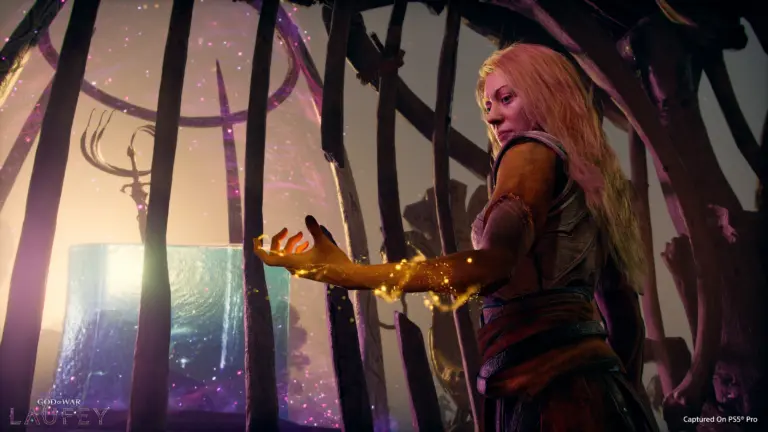
The God of War Laufey Collector’s Box is now available to pre-order, and it does not include the game. Santa Monica Studio will release the box on February 16, 2027, the same day as the game. It contains a light-up resin statue of Faye, a 51-card Oracle Deck, and a Mini Artbook. Pre-orders are limited to 1 per order. The box costs €149.99 in Spain and £129.99 in the UK.
Below, you can find the full contents, pricing, how to get the game, and how players have reacted.
God of War Laufey Collector’s Box Price and Release Date
Santa Monica Studio will release the God of War Laufey Collector’s Box on February 16, 2027. Pre-orders are live, and each order is limited to 1 box.
The box is listed on PlayStation Direct in some regions. The Spanish store lists it at €149.99. The UK store lists it at £129.99.
The US price was not confirmed at the time of reporting. The box was not yet on the US PlayStation site. It said PlayStation opens pre-orders at 10 am local time, so the US listing was expected later the same day.
The box does not include the game. Players need to buy God of War Laufey separately.
What Is Inside the God of War Laufey Collector’s Box
The Collector’s Edition has 3 items:
A light-up resin statue of Faye
A 51-card Oracle Deck
A Mini Artbook
The statue shows Faye fighting gods on top of light-up cubes. She holds her Blade, which is her primary weapon in the game.
The Oracle Deck has 51 cards. Each card carries unique artwork that shows a different part of Faye’s journey.
Does the Collector’s Box Include the Game?
No. The box has neither a physical nor a digital copy of God of War Laufey.
This is comparable to the GTA 6 Collector’s Box, which also leaves out the game. Players who want the game must pre-order it from the PlayStation Store or from third-party retailers.
God of War Laufey Pre-Order Price and Editions
God of War Laufey is a PS5 exclusive. The game has 2 editions on the US PlayStation Store.
Edition
Price
Standard Edition
$69.99
Digital Deluxe Edition
$79.99
Collector’s Box (no game)
€149.99 (Spain), £129.99 (UK)
Pre-ordering either game edition adds the Last Wish Armor Set, the Phranque Golden Leaves appearance, and an in-game resource pack. The Digital Deluxe Edition also includes the official digital soundtrack.
Storefront prices can change before release, so check the PlayStation Store before you buy.
Player Reaction and PS5 Disc Plans
Many players have commented on the Collector’s Edition announcement. The comments are full of concerns about Sony’s plan to phase out PS5 discs starting in January 2028.
To set Free Fire sensitivity for your phone, start with numbers matched to your device. Then fine-tune one slider at a time in the Training Ground before you play ranked.
The calculator below gives you those starting numbers in about 30 seconds. The 15-minute test after it turns them into settings that fit your thumbs.
Copying a pro’s sensitivity rarely works. Their phone, screen size and grip are different from yours, so the same numbers behave differently in your hands.
Free Fire Sensitivity Calculator: Get Your Starting Numbers
Pick your phone, your playstyle and how many fingers you use. The tool returns all six values: General, Red Dot, 2x Scope, 4x Scope, Sniper Scope and Free Look.
Everything runs in your browser and nothing is sent to TalkEsport. If your phone isn’t listed, enter its screen size and refresh rate manually.
Treat the result as a starting point. The real tuning happens in the steps below.
Where to Find Sensitivity Settings in Free Fire MAX
Open Free Fire MAX and tap the gear icon at the top right. Go to the In-Match tab, then open Sensitivity.
Garena moved sensitivity into this tab in its February 2025 settings revamp. The same update added small buttons beside each slider that move the value by exactly 1.
Use those buttons. Dragging a slider by hand often lands 3 or 4 points away from the number you wanted.
What Each Free Fire Sensitivity Slider Controls
Each slider controls the camera in one situation. Raising one won’t change the others.
Slider
What it moves
Raise it if
Lower it if
General
Camera when you are not aiming
You turn too slowly in close fights
Your view jerks past enemies
Red Dot
Camera with red dot or holo sight
You can’t drag up to the head in time
The crosshair flies over the head
2x Scope
Camera with a 2x scope
Tracking a running enemy feels slow
The scope shakes while spraying
4x Scope
Camera with a 4x scope
Mid-range targets escape your aim
Small adjustments overshoot
Sniper Scope
Camera with AWM or other sniper scopes
You can’t follow a moving target
Your flick misses past the head
Free Look
Camera when looking around without turning
Checking behind you feels sluggish
The view swings while you run
Most headshot problems come from General and Red Dot. Start there before you touch the scopes.
Why Your Phone Changes the Right Free Fire Sensitivity
The same number feels different on different phones. For a balanced three-finger player, the calculator suggests General 190 on an iPhone 16 but 175 on a Galaxy S25 Ultra.
The TalkEsport calculator adjusts for four things. Here is how each one shifts your numbers.
Screen Size
A bigger screen gives your thumb a longer swipe. That extra distance means you can turn the same amount with a lower value, so large phones and tablets get slightly lower numbers.
Small phones work the other way. Your thumb runs out of glass sooner, so a slightly higher value helps you finish the turn.
Refresh Rate and Frame Rate
On a 60 Hz phone, the screen updates less often, and fast drags can feel a step behind. The calculator adds a few points for 60 Hz screens and trims a few for 144 Hz screens.
Budget phones that drop frames get a small boost too. Flagships get a slight cut, because their smooth output already makes control easier.
Grip: 2 Thumbs, 3 Fingers or Claw
Two-thumb players aim and move with the same two digits. Higher values help them turn without lifting the aiming thumb.
Three-finger and four-finger claw players have a dedicated aiming finger. They can usually run lower values and still turn in time.
Playstyle
Rushers need fast General and Red Dot values for close fights. Snipers want slower, steadier scopes for long shots. Balanced players sit between the two.
How to Test Free Fire Sensitivity in the Training Ground
This routine takes about 15 minutes. Do it once with your new numbers, then repeat it only when something feels off.
Stabilise your FPS first. Go to graphics settings and turn on High FPS only if the game stays smooth. Garena added an experimental frame rate boost in OB52, but switch it off if your phone heats up.
Enter the calculator values. Use the plus and minus buttons to set each number exactly.
Open the Training Ground. Go to the Target Range and pick an AR or SMG with a red dot.
Run the drag drill. Aim at a dummy’s chest from about 10 metres, fire and drag up in one motion. Do it 20 times and note where your crosshair stops.
Fix one slider. Use the table below, change only that slider by 5 and run the drill again.
Check your scopes. Repeat the drill with 2x and 4x, then try a few flicks with a sniper.
Confirm in real matches. Play two or three Clash Squad rounds before you change anything else.
Since the OB50 update, the Target Range has its own settings panel for shooting sensitivity. You can tweak values there without leaving the range, which speeds up steps 5 and 6.
Quick Fix Table
What you see
Slider to change
Change
Crosshair goes over the head
Red Dot
Lower by 5
Crosshair stops at the neck
Red Dot, then General
Raise by 5
2x or 4x scope shakes during spray
That scope
Lower by 5 to 10
Sniper flick misses past the target
Sniper Scope
Lower by 5
Turning around feels slow
General
Raise by 5
View swings while you look around
Free Look
Lower by 10
Once you’re close, switch to steps of 1 or 2. Big jumps at this stage undo the work you just did.
Should You Use Pro Player Sensitivity Share Codes?
Free Fire lets you import HUD presets from top players under Settings > HUD. Since OB52, these share codes can include the player’s sensitivity, and you choose whether to sync it.
Import the HUD if you like the layout. Skip the sensitivity sync unless you play on the same phone with the same grip.
A pro tuned those numbers for their own screen and fingers. On your phone, they’re just someone else’s guess.
Why Old Free Fire Sensitivity Guides Don’t Work Anymore
Settings and Habits That Matter as Much as Sensitivity
Close background apps before a match. Low RAM and heat cause frame drops, and frame drops make good settings feel bad.
Make the fire button big enough to hit without looking. Keep one HUD layout for at least a week, because moving buttons resets your muscle memory.
Spend five minutes on drag drills before ranked. Our free browser aim trainer works well for warming up flick speed off the phone too.
Stay away from “auto headshot” tools. Unofficial headshot panel apps can carry malware, and getting caught with one can mean a permanent ban.
Frequently Asked Questions
What is the best sensitivity for Free Fire?
There is no single best number for every phone. A Redmi Note 14 player using three fingers and a balanced style might start at 180 / 170 / 160 / 150 / 80 / 110, while an iPhone 16 player gets 190 / 180 / 167 / 157 / 85 / 120. Use the calculator for your phone, then tune it.
Is 200 sensitivity good for headshots?
Maxing every slider at 200 makes most players overshoot. High General and Red Dot values help drag-up headshots, but scopes and Free Look work better lower.
Does DPI matter for Free Fire sensitivity?
DPI is an Android display setting, separate from the in-game sliders. Changing it in Developer Options rescales your whole phone interface. You don’t need it to set sensitivity.
How often should I change my sensitivity?
Retest when you change phones, switch grip or notice a big update changing how the game feels. Otherwise, keep your numbers for at least a week before judging them.
Can I adjust sensitivity during a match?
Yes. Open settings mid-match, go to In-Match and then Sensitivity. Make small changes only, because a big jump mid-fight throws off your aim.
Final Word
Start with phone-based numbers, fix your FPS first, and run the drag drill until your crosshair stops on the head instead of the neck.
Keep an eye on the OB55 update changes and future patch notes. If Garena touches sensitivity again, rerun the calculator and the 15-minute test.
The GTA 6 physical edition map is not confirmed. A notice at one GameStop store says code-in-box pre-orders come with a “physical Collector’s Map,” but Rockstar Games and GameStop corporate have not said a word about it.
Some GameStop staff are telling callers the map is real. Others say they have never heard of it.
Until the boxes reach shelves on November 12, treat this as a store-level claim, not a fact.
GTA 6 Physical Edition Map: What Is Confirmed Right Now
Here is the short version, split into what Rockstar has said and what is still rumor.
Claim
Status
Source
Physical edition has no disc, only a download code
Confirmed
Take-Two / Rockstar
Physical edition hits stores November 12 for pre-loading
Confirmed
Take-Two / Rockstar
Standard Edition costs $79.99
Confirmed
Take-Two / Rockstar
A collector’s map is inside the code-in-box edition
Unconfirmed
One GameStop store notice
A full Leonida map poster exists
Confirmed, but only in the $399.99 Vice City Collection
Rockstar Store
So a printed Leonida map does exist. The open question is whether a smaller version ships inside the regular $79.99 box.
Where the GameStop Collector’s Map Claim Came From
The rumor started with a photo of a printed notice at a GameStop in Pennsylvania. Reddit user u/Small_Masterpiece892 posted it on r/GTA6, and the GTA 6 Countdown account on X spread it further on October 12.
The notice says buyers of the code-in-box version get a physical collector’s map. It also lists the Vintage Vice City Pack pre-order bonus and says buyers can collect the box a week before the November 19 launch.
That last detail lines up with Rockstar’s own plan. The physical edition is set to arrive on November 12 so players can pre-load the game.
Some GameStop stores are backing the claim
A few fans called their local stores and got a yes. YouTuber iShoTz said his GameStop told him the box includes a map with the download code, and X user Keemotion posted that the map “WILL be included.”
Those are still second-hand answers from store staff. None of them came with a photo of the actual map or an internal GameStop document.
The same report says IGN and ComicBook writer Cade Onder called five GameStop stores and found “total confusion.” Staff at those stores knew nothing about a map.
Notebookcheck also pointed out that the notice promotes Ultimate Edition content alongside the in-store offer. The outlet says that content is sold through the PlayStation Store and Microsoft Store, which makes the flyer look less like an official corporate document.
Why a Map in the Box Still Makes Sense
Rockstar has a long habit of putting paper maps in its boxes. Grand Theft Auto V and Red Dead Redemption 2 both shipped with printed maps, and Notebookcheck’s report on the GameStop notice traces the tradition back to the original 1997 game.
Rockstar has also already printed a Leonida map. The $399.99 Goodtime State: Vice City Collection includes a double-sided souvenir poster with the full map, though that box does not include the game.
That poster has its own story. Rockstar quietly edited its product image after fans spotted island names, which TalkEsport covered in the GTA 6 Collector’s Edition map leak report.
A map would soften the no-disc backlash
The code-in-box format has been unpopular since Rockstar revealed it in June. A disc-free box can’t be resold, lent to a friend, or installed offline.
A collector’s map would give boxed buyers a real reason to pick physical over digital. That is a fair argument for the rumor, but it is still a guess about Rockstar’s plans, not evidence.
What the GTA 6 Code-in-Box Edition Actually Includes
Download code, Vintage Vice City Pack with pre-order
Unconfirmed
Standard (digital)
$79.99
Game, Vintage Vice City Pack, one month of GTA+ with pre-order
No physical items
Ultimate
$99.99
Extra vehicles, weapons, apparel and shops, plus pre-order bonuses
No physical items
Goodtime State: Vice City Collection
$399.99
Merch box, no game included
Yes, double-sided Leonida poster
If you want a guaranteed physical map today, the Vice City Collection is the only official option. Our official GTA 6 merch price list breaks down everything in that box.
GTA 6 Leaks Keep Stealing the Spotlight Before Launch
The map rumor is landing in the middle of a messy pre-launch period. Rockstar is sharing feature details in small pieces, and leaks keep filling the gaps.
The biggest threat is still ahead. Cyberleek has said it will release the whole game if its token reaches a target, as reported in Cyberleek’s full build leak threat.
Should You Pre-Order the GTA 6 Physical Edition for the Map?
Don’t pick the box only for the map. Nothing official backs it, and store answers are mixed.
Pick physical if you want a boxed copy on your shelf or a store pre-order with a local pickup on November 12. Pick digital if you want the free month of GTA+, which Rockstar only gives with PlayStation Store and Microsoft Store pre-orders.
If the map matters to you, call your own store and ask them to check their system, not a printed sign. Then check back here on November 12, when the first boxes get opened and the answer becomes clear.
Spoiler note: this article describes leaked story and gameplay footage. None of the clips are embedded or linked here.
GTA 6 Lucia leaks now span five separate drops, from the 2022 Rockstar hack to a five-minute free-roam clip posted on October 11 and 12, 2026. The newest footage shows Lucia Caminos robbing a stranger at an ATM, using a banking feature and failing a base jump in Vice City. Rockstar has not confirmed any of the 2026 Lucia clips, and parts of the latest one are disputed.
Most of these leaks came from Cyberleek, the anonymous account that has been posting stolen GTA 6 footage since August. GTA 6 still launches on November 19, 2026, on PS5 and Xbox Series X|S.
Below is every Lucia leak in order, what each one showed and how much of it you should trust.
GTA 6 Lucia Leaks Timeline at a Glance
Here is the short version. Each row is covered in detail further down.
Date
Leak
What it showed of Lucia
Status
September 18, 2022
Rockstar hack, about 90 clips
Unnamed female lead robbing a restaurant and fighting police
Confirmed real by Rockstar
December 4, 2023
Trailer 1 posted early on X
First official look at Lucia, in prison
Official, released early
About August 26, 2026
Cyberleek prologue clip
Restaurant flashback, prison life, a counselor meeting
Unverified
October 8, 2026
25-minute Cyberleek video
Lucia from behind in swimwear, climbing for a base jump
Latest Lucia Leak: Five Minutes of Free-Roam in Vice City (October 2026)
The most recent Lucia leak is a clip of just over five minutes, posted by Cyberleek after a fan poll closed on October 11.
The poll had four options. According to Reports, “Side Mission (Lucia)” was leading with 86.5% of votes on October 9, and the two Jason options had none.
What the clip shows
The footage is open-world play with no story scenes. These are the main moments reported by Insider Gaming and LADbible:
Lucia drives an old-style coupe, then leaves it and runs through downtown Vice City.
She confronts a person using an ATM, fights them and takes the cash.
She deposits and withdraws money at an ATM, which points to a banking system.
She takes on a base jump side mission from a tall building, crashes and respawns at a checkpoint.
She shields her head and neck while falling.
LADbible also reported wrestling moves, hand-to-hand combat and a parachute mini-game.
She withdraws cash using her BuckMe account, which reports describe as GTA 6’s parody of Venmo.
The base jump is a “Stunt Promoter” side activity labelled “Directed Stunt 06”.
On the roof, an engineer from a company called AudaCity explains the route before she takes a parachute and helmet.
The clip shows a new version of the Wasted screen and ends with an in-game BuckMe advert, according to Dexerto.
Why fans doubt parts of it
Two details stand out. The clip uses a first-person view, and Insider Gaming says Rockstar representatives reportedly said first-person is not in the game.
The full nudity is the second sticking point. Some people who saw an official demo reportedly said GTA 6 has no full nudity, so the clip may come from a debug or modified build. Nobody has proven either way.
October 8 Leak: Lucia Ends the 25-Minute Video
Cyberleek returned on October 8 after weeks of quiet with a video of nearly 25 minutes. Most of it follows Jason, and Lucia only appears at the very end.
The video opens with both characters at a clothing store customizing outfits. Lucia later appears from behind, wearing only a thong or swimwear bottom, while climbing a building to base jump.
Some headlines called this clip “topless Lucia.” Insider Gaming’s own description says her front is never shown, so that label is inaccurate.
Lucia Prologue Leak: Prison, a Restaurant Flashback and a Counselor (August 2026)
This is the only leak so far with real story content for Lucia. Cyberleek posted a clip of almost five minutes around August 26, a day after teasing it and tying its release to a fan poll and a leek-mascot stunt outside Rockstar’s offices. We covered that tease in our report on the nudist town leak and the Lucia prologue threat.
Scenes in the prologue clip
A flashback set nine months earlier shows Lucia nervous and low on cash in a restaurant, ordering only water until a waiter asks her to leave.
The present-day part takes place in a women’s prison, where she talks to guards and other inmates.
The clip ends as Lucia heads to meet a newly assigned counselor.
THE WEEK described a different take on a Lucia clip, with her leaving a baby at a diner before a bank robbery and getting arrested. It said it could not verify the footage, so treat that version as reported only.
The “not ready” claim
Cyberleek captioned the prologue with “This build is actually recent and the game is not ready at all.” Insiders disagreed on the build’s age, with NateTheHate calling the early clips at least a year old and Bloomberg’s Jason Schreier saying they came from a newer build.
Trailer 1 Leak: The First Official Look at Lucia (December 2023)
Lucia’s first official appearance also arrived through a leak. A low-quality copy of GTA 6 Trailer 1 spread on X on December 4, 2023, and Rockstar released the trailer early the same night instead of waiting for its planned slot.
The trailer opens with Lucia in prison, answering questions from an officer. Rockstar later gave her full name as Lucia Caminos on her official GTA 6 character page, which says “fighting for her family landed her in the Leonida Penitentiary.”
The 2022 Hack: Lucia’s First Leaked Gameplay
The first footage of Lucia appeared on GTAForums on September 18, 2022. About 90 clips from an early build were posted by an account called “teapotuberhacker,” and she was not yet named.
Two Lucia moments stood out. She held up customers in a restaurant at gunpoint alongside Jason, and she shot at police in other clips.
Rockstar confirmed the breach within 48 hours and said the footage was real. The hacker, Arion Kurtaj of Lapsus$, now faces a trial reported for November 9, 2026, which we explain in our piece on the Kurtaj trial ten days before launch.
What the Leaks Suggest About Lucia’s Gameplay
Put together, the leaks hint at how Lucia plays. Treat everything in this table as unconfirmed until Rockstar shows it or the game ships.
Feature
Seen in
How solid it looks
Melee and wrestling moves
October 2026 free-roam
Fits her official bio, which says her father taught her to fight
Is the Lucia Footage Real? What Is Confirmed and What Is Not
Only the 2022 clips and the 2023 trailer are confirmed. Rockstar’s August statement did not deny the 2026 leaks, which suggests at least some of the footage is genuine, but it never addressed the Lucia clips one by one.
Leak
Confirmed by Rockstar?
Main doubt
2022 hack clips
Yes
None. Old build only
2023 Trailer 1
Yes, official
None
2026 prologue
No
Build age
October 8 video
No
Mostly Jason, short Lucia segment
October 11 to 12 free-roam
No
First-person view and full nudity
Rumors about the leaker also need care. One viral claim said Cyberleek was arrested in Germany, but our fact check on the Nuremberg arrest rumor found no evidence, and the account kept posting.
Will More Lucia Leaks Drop Before Launch?
Probably, if Cyberleek keeps its word. On October 10 the account said it would release the full build, story included, once its Solana meme coin hits a $30 million market cap.
Further Lucia footage is reportedly tied to smaller market cap targets. Our coverage of Cyberleek’s full build leak threat has the token numbers and Take-Two’s demands.
With launch set for November 19, the window for new leaks is about five weeks. Players avoiding spoilers should mute “Cyberleek,” “Lucia” and “GTA 6 leak” on X and Reddit.
Cyberleek has also teased a “4K close-up” of Lucia as its next post, Insider Gaming reported.
Other GTA 6 Leaks Worth Knowing
Lucia is one part of a much bigger leak story. These TalkEsport reports cover the rest:
There are five known Lucia leaks as of October 13, 2026. They are the September 2022 hack, the December 2023 Trailer 1 leak, the August 2026 prologue clip, the October 8 video and the October 11 to 12 free-roam clip. Only the first two are confirmed by Rockstar.
Who is leaking the GTA 6 Lucia footage?
The 2026 Lucia clips come from Cyberleek, an anonymous account that started posting GTA 6 footage in August 2026. Its identity is unknown. The 2022 leak came from Arion Kurtaj of Lapsus$, and nothing public links him to Cyberleek.
Does GTA 6 have nudity for Lucia?
That is not confirmed. The October 2026 leak shows Lucia nude, but people who saw an official demo reportedly said the game has no full nudity. The footage may come from a debug or modified build, so wait for the release on November 19.
Does the Lucia prologue leak spoil the story?
Only lightly. The clip shows a restaurant flashback, life in prison and a meeting with a counselor. The official trailers already showed Lucia in prison, so the clip adds detail without revealing major plot twists.
Is there a first-person mode for Lucia in GTA 6?
Rockstar has not confirmed one. The October 2026 leak appears to show first-person gameplay, but Insider Gaming reported that Rockstar representatives said first-person is not in the game. Treat it as unverified for now.
The BGMI 4.7 Update is set to bring winter back to Battlegrounds Mobile India with a new Christmas-themed mode, snowy locations, a powerful Ice Dragon boss, and new vehicles. Players may also get to ride a flying Pegasus horse and explore several new features.
Along with the winter theme, the upcoming update is expected to introduce improvements to weapons, healing items, vehicles, and camera settings.
The BGMI 4.7 Update is expected to arrive between November 17 and November 19, 2026. However, KRAFTON India has not officially confirmed the release date.
Here is everything you need to know about the BGMI 4.7 Update, including its expected release date, winter mode, and new features.
BGMI 4.7 Update Expected Release Date
The BGMI 4.7 Update is expected to release between November 17 and November 19, 2026, for Android and iOS devices.
The current BGMI 4.6 Midnight Hunters and Ocean Odyssey content is scheduled to end on November 16. Since BGMI usually introduces a new themed mode shortly after the previous one ends, the next update could arrive within the following few days.
BGMI 4.6 was released on September 16, so a November launch would also follow the game’s usual two-month update cycle.
However, this is only an expected release window. Players will have to wait for an official announcement from KRAFTON India.
The biggest attraction of the BGMI 4.7 Update is expected to be its new winter-themed mode.
The mode is set to bring snowy landscapes, Christmas decorations, reindeer, sleighs, and several new gameplay elements.
1. New Ice Dragon Boss
A massive Ice Dragon, also described as a Blizzard Dragon, is expected to appear on the map.
Players will be able to fight the dragon in a special boss battle. This could become one of the main attractions of the winter mode.
2. Aurora Pegasus Flying Horse
Another exciting addition is the Aurora Pegasus, a flying horse that players can ride.
Unlike normal vehicles, Pegasus will allow players to travel through the air and explore the map in a different way.
3. Snowmobiles, Snowbikes, and Reindeer
The update is also expected to introduce new winter vehicles, including snowmobiles and snowbikes.
Players may also be able to ride reindeer with their teammates. However, weapons and attacks from outside are expected to be restricted during these rides.
These additions will make travelling around the snowy map more interesting.
The upcoming update is also expected to bring several camera and recording features for players who enjoy creating videos and taking screenshots.
Players may get more control over their camera settings, including brightness, shadows, lighting angles, saturation, and white balance.
The new features are expected to include:
Drone View: Players can move a camera freely to capture gameplay from different angles.
New Filters: Social-media-style filters for screenshots and videos.
Action Settings: Players can set certain actions to play automatically.
Sequence Option: Players can arrange emotes and visual effects to play one after another.
Advanced Lighting: Players can adjust lighting, shadows, and white balance between 1500K and 15000K.
These features could be useful for BGMI content creators who make montages, cinematic videos, and short reels.
BGMI 4.7 Update to Improve Healing Items
Several healing items are also expected to receive improvements in BGMI 4.7.
Healing Item
Expected Changes
Med Kit
Usage time reduced from 8 to 6 seconds; takes less inventory space
Bandages
Usage time reduced from 4 to 3 seconds; increased total healing
Energy Drink
Reduced inventory weight
Painkiller
Reduced inventory weight
These changes could help players heal faster during fights and carry more items in their backpacks.
Weapon Reload and Vehicle Improvements
The BGMI 4.7 Update is expected to introduce changes to weapon reloading.
According to the available update details, reloading will become faster, and cancelling a reload may no longer force players to restart the entire process in certain situations.
Vehicle camera improvements are also expected.
The update aims to reduce camera shake when entering vehicles and fix problems where the camera view becomes blocked when a vehicle flips.
It may also fix glitches that cause vehicles to go underground.
Battle Re-create Coming to Erangel
Another expected change is the addition of Battle Re-create to Erangel.
The feature was previously available on Rondo, but BGMI 4.7 is expected to bring it to Erangel as well.
Players may be able to find Battle Re-create items through shops, airdrops, and ground loot.
Glacier M416 and AKM Glacier to Get New Effects
The update is also expected to introduce new weapon-switching effects for the popular Glacier weapon skins.
Both the M416 Glacier and AKM Glacier are expected to receive new visual effects when players switch weapons.
These changes will mainly affect the appearance of the weapons rather than their damage or performance.
How to Download BGMI 4.7 Update
Once the update becomes available, Android users can download it from the Google Play Store, while iOS users can update the game through the Apple App Store.
Players can also check the official BGMI website for announcements and download information.
For now, the winter mode and other features are based on early update details and may change before the final release.
The expected November 17–19 release window also remains unconfirmed.