Tuesday, June 30, 2026
Home Blog Page 142

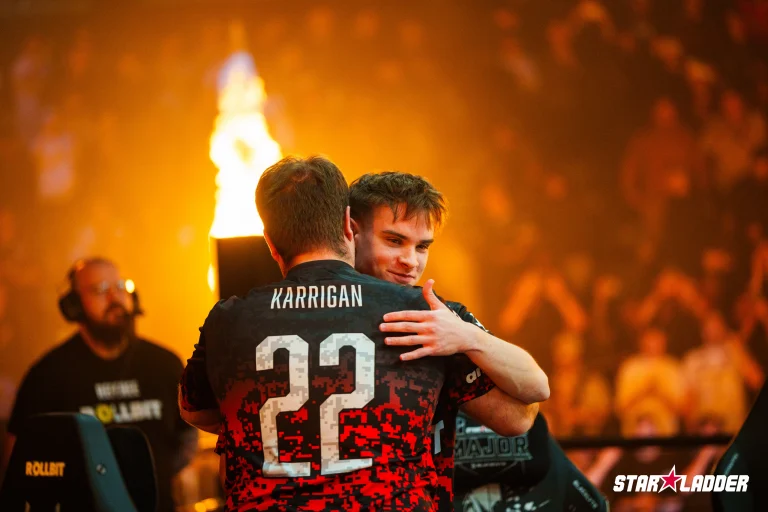
Vitality’s Back-to-Back CS2 Major Triumph at StarLadder Budapest Is Reshaping Counter-Strike’s Global Narrative

Team Vitality are no longer just winning Counter-Strike Majors. They are redefining how dominance looks in the Counter-Strike 2 era.

With a commanding victory at StarLadder Budapest, Team Vitality secured back-to-back CS2 Major titles, triggering massive search spikes across Google in the United States and the United Kingdom. Queries such as “Vitality CS2 Major results”, “Vitality CS2 roster 2026”, and “best CS team ever” surged within hours of the grand final, underlining how deeply this win resonated beyond Europe.

For Western audiences, this was not just another Major. It was a statement moment that may define the competitive direction of Counter-Strike heading into 2026.

StarLadder Budapest Grand Final: How Vitality Broke FaZe

The $1.25 million grand final ended in a decisive 3–1 victory over FaZe Clan, with Vitality dictating tempo across every critical map.

The defining performance came from mezii, who posted a staggering 1.45 rating on Inferno, finishing with 42 kills and earning series MVP honours. His ability to control mid-rounds and anchor eco-round holds proved decisive.

Key map moments included:

  • Inferno (16–12): ZywOo dominated with the AWP, while apEX delivered multiple late-round utility clutches that broke FaZe’s economy.
  • Nuke (13–9): mezii’s pistol-round heroics flipped momentum early, allowing Vitality to snowball their CT side.
  • Ancient (16–10): FaZe struggled to adapt to Vitality’s layered defaults, with FlameZ repeatedly shut down by coordinated utility usage.

Twitch analytics showed more than 800,000 US and UK viewers tuning in per map, highlighting the region’s growing appetite for high-stakes CS2 finals.

“Best CS Team Ever?” Mezii’s Quote That Lit Up the Internet

Immediately after lifting the trophy, mezii made a claim that sent Counter-Strike discourse into overdrive:

“We’re the best CS team ever.”

Within hours, the statement generated over 250,000 impressions on X, with reactions pouring in from former pros, analysts, and content creators. Retweets from figures associated with s1mple’s era, along with reactions from North American streamers like shroud, pushed the conversation into mainstream gaming feeds.

UK casters and analysts were more measured but no less intrigued. Several drew parallels to Astralis’ peak years, noting Vitality’s 85 percent win rate since roster lock and their consistency across LAN environments. The clip spread rapidly on TikTok Live, contributing to CS2’s reported 39 percent year-on-year growth in short-form video engagement.

For US and UK fans, this moment mattered. It reframed CS2 not as a transitional phase after CS:GO, but as a platform capable of producing new legends.

US, UK, and Europe Viewership: What the Numbers Reveal

StarLadder Budapest delivered one of the most balanced regional audiences seen in recent Counter-Strike history.

  • United States: Peak viewership crossed 450,000, driven primarily by Twitch NA East.
  • United Kingdom: Around 320,000 peak viewers tuned in, with YouTube Gaming emerging as the dominant platform.
  • Europe: More than one million concurrent viewers across Twitch and Kick EU Central.

These figures confirm that Vitality’s appeal is no longer Europe-centric. The US and UK spikes closely mirrored European trends, making this one of the most globally synchronised CS2 Majors to date.

What This Means for CS2 in 2026: Roster Stability vs Chaos

Looking ahead, Vitality are well-positioned to defend their crown at the upcoming PGL Major in Bucharest, following the circuit’s shift away from Belgrade. With an estimated $10 million in prize pools and partnered events lined up across 2026, stability could become the defining advantage.

While Vitality head into the new season with continuity and confidence, the North American scene faces turbulence. Organisational reshuffles, ownership changes, and roster instability continue to plague several NA teams, widening the competitive gap with Europe.

One immediate consequence is search behavior. Queries like “Vitality CS2 settings” and “ZywOo sensitivity” are already climbing, a familiar pattern when dominant teams inspire ranked players to emulate their playstyles.

Vitality as the Blueprint for the Next CS Era

UK and European CS2 viewership has grown by an estimated 19 percent year-on-year, and Vitality sit at the centre of that growth. Their roster blends European structure with adaptable aggression, offering a model that NA organisations are increasingly looking to replicate.

More importantly, Vitality’s back-to-back Major wins give CS2 something it urgently needed in Western markets: a clear narrative of excellence, continuity, and rivalry.

Whether they truly become the “best team ever” will be debated for years. What is already clear is that Vitality have defined the early CS2 era, and in doing so, reignited Counter-Strike’s relevance for US and UK audiences heading into 2026.

Rainbow Six Siege Hack Explained: What Happened, R6 Credits Rollback Details, Is the Game Safe Post-Breach?

Ubisoft was forced to take Rainbow Six Siege offline globally after a severe backend security breach allowed hackers to inject billions of R6 Credits into player accounts, unlocking rare and developer-exclusive cosmetics and triggering widespread system instability.

The incident, which unfolded between December 27 and December 29, 2025, prompted an emergency global shutdown of Siege servers and its in-game marketplace. Ubisoft has since restored service following a full rollback, but the scale of the breach has raised serious questions around backend security, especially for a title entering its second decade of live service operations.

How the Rainbow Six Siege Hack Happened: A Timeline

According to internal investigations and community-verified reports, attackers gained access to Ubisoft’s backend administrative tools around 6:00 AM ET on December 27. This was not a client-side exploit or cheat injection. Instead, hackers manipulated internal economy systems directly, bypassing normal safeguards.

Within hours, compromised accounts began receiving an estimated 2 billion R6 Credits, a sum valued at roughly $13 million USD based on in-game pricing. The breach enabled:

  • Instant unlocking of ultra-rare and developer-exclusive skins
  • Massive inflation of the Siege marketplace
  • Manipulation of internal moderation feeds, resulting in random bans across PC, PlayStation 5, and Xbox

Ubisoft detected unusual activity by 9:10 AM ET and initiated a staged response. Servers and the Siege X marketplace were taken offline globally within hours as engineers began isolating the affected systems.

Crucially, Ubisoft confirmed that the breach stemmed from compromised internal tools, not stolen player credentials. All major data centres across the US, UK, and Europe were affected simultaneously, highlighting the centralised nature of the attack.

Rollback and Recovery: What Happened to Player Accounts

To contain the damage, Ubisoft executed a full economic rollback to the pre-breach state, effectively resetting Siege’s backend to conditions before 6:00 AM ET on December 27.

As part of the recovery process:

  • All illicit R6 Credits were removed
  • Hacked cosmetics and marketplace trades were erased
  • Legitimate purchases made outside the breach window were preserved
  • The ban ticker and automated moderation systems were temporarily disabled

Ubisoft made a notable decision to remove all bans issued during the incident, even for players who unknowingly traded hacked items. The focus, the publisher said, was on restoration and system integrity rather than enforcement.

After more than 24 hours of internal testing and validation, Siege servers began returning online on December 29, with marketplace functionality restored in phases. Ubisoft has stated that live monitoring will continue as further audits are completed.

Is Rainbow Six Siege Safe to Play Now?

Ubisoft has assured players that Siege is currently operating under normal conditions, with backend vulnerabilities patched and additional safeguards deployed. The company has also confirmed there is no evidence of stolen account credentials or leaked personal information, differentiating this incident from earlier Ubisoft security lapses.

From a security standpoint, industry analysts have noted that Ubisoft’s rapid global shutdown likely prevented deeper data compromise. However, the breach still exposes ongoing risks tied to internal access control and tool management.

For now:

  • Ranked play, progression, and matchmaking are considered safe
  • Marketplace activity should be approached cautiously until Ubisoft completes a full audit
  • Further backend hardening updates are expected in January 2026

Compared to the 2020 Ubisoft data leak, which exposed user emails, this incident was economy-focused and avoided large-scale personal data exposure.

Impact on US, UK, and European Players

The timing of the outage proved particularly disruptive.

In North America, servers went down during a high-engagement holiday window, cutting into ranked grinds and competitive preparation. In the UK and wider Europe, where holiday play traditionally drives free-to-play progression and cosmetic sales, the outage wiped out peak seasonal sessions.

Esports teams and competitive players across NA and EU regions reported delayed scrims and practice schedules, with some viewers shifting temporarily to alternative titles on Twitch. Several organisations and pro players publicly criticised the disruption, highlighting Siege’s continued importance in the Western tactical shooter ecosystem.

What Players Should Do Next

Ubisoft has not issued mandatory action items, but players are advised to take basic precautions:

  • Review account login history through Ubisoft Connect
  • Enable or confirm two-factor authentication
  • Avoid high-value marketplace trades until Ubisoft issues a full security clearance
  • Monitor upcoming patch notes for permanent backend security updates

Previous Rainbow Six Siege Security Incidents at a Glance

IncidentDateTypePlayer ImpactResolution
Backend Economy HackDec 27–29, 2025Internal tools breachBillions of credits erased, false bansServers restored Dec 29
Ubisoft Data Leak2020Credential exposure100,000+ emails leakedPatched over weeks
Ban Wave Glitch2024Auto-moderation errorMass false bansSame-day rollback

A Wake-Up Call for a Decade-Old Live Service

Rainbow Six Siege has proven remarkably resilient for a ten-year-old competitive title, maintaining relevance across casual, ranked, and esports ecosystems. This incident, however, underscores the growing importance of proactive security audits as live-service games age and internal systems become increasingly complex.

Ubisoft’s swift response limited long-term damage, but trust now hinges on transparency and sustained investment in backend security. For Siege’s players and esports stakeholders, the expectation is clear: stability and integrity must match the game’s competitive legacy.

This Kettle Macro Exploit is Wreaking Havoc in Arc Raiders

One of the cheapest weapons in Arc Raiders, the Kettle, is dominating lobbies and outperforming even the highest-grade weapons in the game as a result of an exploit, and players are not happy.

Despite being a seemingly strong weapon compared to the other firearms in its tier, the Kettle is kept in check by its semi-automatic fire, requiring players to manually pull the trigger for every shot. However, players have found a way to circumvent this limitation by using macros to automate the firing process, effectively removing the weapon’s only real drawback and turning it into a beast in PvP combat.

The Kettle macro in Arc Raiders enables players to use it like any other automatic weapon in the game, but with more serious damage. As a result, players are finding themselves getting destroyed within milliseconds, leaving them no time to react to their attacker.

Arc Raiders Kettle Macro Exploit

Over the past few weeks, hundreds of posts have surfaced on social media forums showcasing how overpowered the Kettle can be when the player wielding it has auto-clicking macros enabled.

Recently, a post by Reddit user ‘ContextEFT’ has gained traction within the Arc Raiders community. The clip showcases the user getting downed in one second with the Kettle despite them having Medium Shields equipped with full hp.

Taking a look at the clip, it’s evident that the other player unloaded over 10 shots under a second, strongly indicating towards them using a macro or an auto-clicker.

While the use of macros is generally a bannable offense in most games, they can often be harder to detect than other cheats, as they closely mimic human input and can be hardware-bound, making them a tough violation for developers to reliably identify and enforce.

Other Reddit users in the comments have suggested countermeasures like nerfing the Kettle’s fire rate or aggressively banning macro users to prevent issues like these, but Embark has yet to officially address these incidents. However, considering the fact that Embark has punished exploiters in the past, the long-term risk of using such macros may outweigh the short-term advantage they give you in combat.

G2 Esports Lock In 2026 VCT Americas Roster After Dominant 2025

0

After an impressive run in the 2025 VALORANT Champions Tour, G2 Esports has officially completed its 2026 VCT Americas roster, doubling down on continuity and strategic consistency ahead of a crucial year for international ambitions.

G2’s decision comes after a stellar 2025 season, where the organisation claimed multiple VCT Americas titles, asserted itself as a regional powerhouse, and delivered one of the most consistent premiership domestic campaigns in Americas VALORANT. Despite lacking an international trophy, G2’s consistent performances — including deep runs at Masters events — have set expectations high for 2026.

Roster Continuity With a Strategic Twist

The core five-man roster that powered G2 through most of the 2025 campaign has been largely retained for VCT Americas 2026, signalling confidence in a group that has repeatedly delivered under pressure:

Confirmed 2026 VCT Americas roster:

  • Jacob “valyn” Batio – Captain & IGL
  • Trent “trent” Cairns – Initiator expert
  • Nathan “leaf” Orf – Duelist veteran
  • Alexander “jawgemo” Mor – Flex presence
  • Andrej “babybay” Francisty – Duelist & veteran addition

Coaching Staff:

  • Josh “JoshRT” Lee – Head Coach
  • Peter “shhhack” Belej – Assistant Coach

This continuity underscores a belief that G2’s existing framework — already well-proven domestically — can translate into international success in 2026.

babybay Promotion Ushers in Veteran Firepower

The most notable change to G2’s lineup is the promotion of Andrej “babybay” Francisty to the active roster. A veteran who previously competed with organisations like FAZE Clan and appeared as a substitute earlier in 2025, babybay’s transition from sixth man to full starter brings experienced duel potential and raw firepower to the squad.

Babybay’s chemistry with the existing core was first tested during 2025 when he filled in amidst lineup disruptions, and his results helped convince G2’s management that he belonged in the starting five — a decision confirmed in mid-November 2025.

JonahP Moves to Inactive Roster

Long-time flex player Jonah “JonahP” Pulice has been shifted to the inactive roster, effectively ending an era for a core member who had been with G2 since its climb through the competitive ladder. The move, though surprising to some fans given JonahP’s experience and tenure, reflects a calculated plan to streamline the starting unit around the organisation’s latest strategic blueprint.

Head coach Josh “JoshRT” Lee has publicly framed this change not as a crisis but as a forward-looking adjustment, emphasising that G2’s current construction gives the team the best shot at breaking through at international events in 2026.

Why This Matters: From Regional Dominance to International Expectations

G2’s 2025 performance established them as regular representatives from the Americas at high-profile VCT events, including Masters Bangkok and Masters Toronto, where they displayed elite-level gameplay but ultimately fell short of a global title.

With Riot Games’ 2026 VCT calendar already shaping up — including Masters Santiago and later international opportunities — maintaining roster stability is a clear strategic bet from G2’s leadership that continuity will yield the breakthrough performance fans and sponsors alike crave.

The Broader VALORANT Roster Landscape

Across VCT Americas, several teams have either finalised or refreshed their projects as the off-season continues. While some organisations pursue partial rebuilds, G2’s approach leans hard into steady evolution rather than wholesale overhaul, a philosophy increasingly common among top performing teams in the VALORANT ecosystem.

As the countdown to 2026 VCT Americas’ January kickoff begins, all eyes will be on G2 to see if this mix of high-performance continuity and veteran injection can finally propel them to global glory.

How to Make Fortnite Update Faster

Waiting for Fortnite updates can test even the most dedicated players’ patience. Whether you’re preparing for a new season or racing to download emergency patches, optimizing your update speed is critical to minimizing downtime before competitive play.

Here’s what you need to do to achieve maximum download speed in Fortnite.

How to Make Fortnite Update Faster

The single most impactful optimization involves modifying the Epic Games Launcher’s configuration file. Navigate to %localappdata%\EpicGamesLauncher\Saved\Config\Windows and open (or create) the Engine.ini file. Insert the following code:​​

text[HTTP]
HttpTimeout=10
HttpConnectionTimeout=10
HttpReceiveTimeout=10
HttpSendTimeout=10

[Portal.BuildPatch]
ChunkDownloads=3
ChunkRetries=20
RetryTime=0.5

This modification enables parallel chunk downloads – essentially telling the launcher to request three simultaneous connections instead of one, and accelerates retry protocols. Users consistently report speed increases from 1-2 MB/s to 40-80 MB/s after implementation. The critical setting is ChunkDownloads=3, which mirrors Steam’s superior architecture while maintaining Epic’s ecosystem.

Beyond configuration tweaks, three fundamental changes yield measurable results:

  • Network connection stability is important. Ethernet connections significantly outperform Wi-Fi during large file transfers and updates. If Wi-Fi is unavoidable, position yourself within immediate range of your router and minimize interference from other devices.​
  • Background bandwidth consumption directly throttles your update speed. Close Chrome, Discord, Spotify, and active Steam clients before initiating downloads. Disable OneDrive and Dropbox sync operations temporarily. Each competing application fragments the available bandwidth.
  • Storage architecture matters as well. Fortnite’s update process involves three pipeline stages: download, decompress, and file write. If your drive reports “HDD” in Task Manager’s Performance tab, that spinning disk represents your primary bottleneck, not your internet speed. SSD upgrades provide the most dramatic real-world improvements.

Apart from that, you can update during off-peak hours to avoid server congestion when global player bases attempt simultaneous downloads. The Epic Games Launcher offers regional server selection. Choose your nearest geographic location for reduced latency and faster routing.

That’s all you can do to make Fortnite update faster on your system. If you still have any queries, feel free to let us know in the comments below.

Astralis and dev1ce Part Ways: The End of an Era That Defined Counter-Strike

0

One of Counter-Strike’s most iconic partnerships has come to a close.

dev1ce has officially departed Astralis, marking the end of a relationship that shaped not just a team, but an entire era of professional Counter-Strike. For fans across Europe and North America, this is the symbolic closing chapter of the most dominant dynasty the game has ever seen.

Nicolai “dev1ce” Reedtz joined Astralis in 2016, back when the organisation was still forming its identity in CS:GO. What followed was unprecedented.

As Astralis’ primary AWPer, dev1ce became the embodiment of consistency. He wasn’t the flashiest sniper in the server, but he was relentlessly efficient — rarely missing crucial shots, rarely collapsing under pressure. That reliability became the backbone of Astralis’ system-heavy, utility-perfect style that would later redefine professional Counter-Strike.

Between 2017 and 2019, Astralis, with dev1ce at the centre, achieved what many believed impossible:

  • Four Major titles (ELEAGUE Atlanta 2017, FACEIT London 2018, IEM Katowice 2019, StarLadder Berlin 2019)
  • Three consecutive Major wins, a record still untouched
  • Multiple Intel Grand Slam victories
  • A reign widely regarded as the greatest peak in CS history

During this period, dev1ce was consistently ranked among the top 5 players in the world, earning four HLTV Top 5 finishes without ever dropping out of elite contention.

Astralis’ Player-Owned Legacy: Built, Not Bought

What made Astralis unique was its structure. Astralis emerged as a player-owned organisation, founded by dev1ce, dupreeh, Xyp9x, and gla1ve after splitting from Team SoloMid. It was a revolutionary move at the time, designed to give players control, stability, and long-term security in an industry notorious for short careers.

That ownership model:

  • Empowered players in decision-making
  • Created unmatched trust and cohesion
  • Allowed Astralis to prioritise longevity over short-term roster shuffles

For years, Astralis was cited as the gold standard of how esports teams should be run, especially in Europe, where player welfare and structure increasingly mattered.

dev1ce wasn’t just Astralis’ star AWPer, he was its cultural anchor

His calm demeanour balanced gla1ve’s tactical leadership. His professionalism set internal standards. Even during slumps, dev1ce remained a statistical pillar, often carrying Astralis through transitional periods as other stars rotated out.

When Astralis began to decline post-2020, dev1ce’s absence during his brief NiP stint only reinforced his value. His return was seen as a homecoming — a chance to stabilise a fractured organisation and reconnect with its identity.

But the landscape had changed.

The Exit: Why dev1ce Is Leaving Now

Astralis’ recent years have been defined by financial strain, inconsistent results, and strategic uncertainty. The player-owned structure gradually gave way to corporate pressures, cost-cutting, and roster instability.

Despite dev1ce’s individual performances remaining competitive, Astralis struggled to:

  • Qualify consistently for Tier-1 CS2 events
  • Rebuild a cohesive long-term roster
  • Match the tactical depth of emerging European superteams

Reports suggest that dev1ce’s departure was driven by a combination of competitive stagnation and Astralis’ inability to present a clear roadmap back to elite contention.

This is not a dramatic fallout, it is a quiet, inevitable separation between a legend and a team no longer capable of supporting championship ambitions. Without dev1ce, Astralis loses more than firepower.

They lose:

  • Their last living link to the Major-winning core
  • A stabilising veteran presence for younger players
  • Brand credibility in Tier-1 Counter-Strike discussions

For a fanbase accustomed to dominance, this departure confirms a hard truth: the Astralis era is officially over. The organization now faces a choice, rebuild patiently with new talent, or risk fading further into irrelevance in an increasingly unforgiving CS2 ecosystem.

The End of a Golden Chapter in Counter-Strike

dev1ce and Astralis were never just player and organization. They were a blueprint, proof that discipline, structure, and trust could outlast raw firepower.

For Western Counter-Strike fans, this split feels deeply personal. It marks the final dismantling of a dynasty that once defined excellence.

Where dev1ce goes next remains uncertain. What is certain is this: Counter-Strike history cannot be told without him, and it cannot be told without Astralis. But that chapter has now been closed.

When Does CS2 Premier Season 3 End

Over five months have passed since Season 3 of Counter-Strike 2 Premier kicked off, and fans are eagerly looking forward to knowing the end date of the ongoing season.

For the uninitiated, CS2 Premier Season 3 started on July 16, 2025, following the conclusion of the BLAST Austin Major. It marked the addition of a number of new features, including additional kill rewards for CTs, trade reversals, and some balance changes alongside an update to the Active Duty map pool.

The upcoming CS2 Premier Season 4 is expected to follow suit, introducing meaningful changes that could reshape the game’s current competitive meta.

Fans also speculate that the end of CS2 Premier Season 3 will mark the reintroduction of Cache to the active map rotation, following Valve’s acquisition of the map from its original developers earlier this year.

CS2 Premier Season 3 End Date

While Valve has yet to officially confirm the end date of CS2 Premier Season 3, it shouldn’t be long until fans can greet the fourth season.

We do know that the CS2 Premier Season 2 lasted for roughly six months and ended right after the Austin Major. Should Valve stick to this schedule, CS2 Premier Season 3 should come to an end in January 2026.

This timeline also aligns with the conclusion of the CS2 Budapest Major on December 14, 2025.

For now, players should focus on improving their Season 3 Premier medals, as they may not have much time left to reach their desired rank before the fourth season commences.

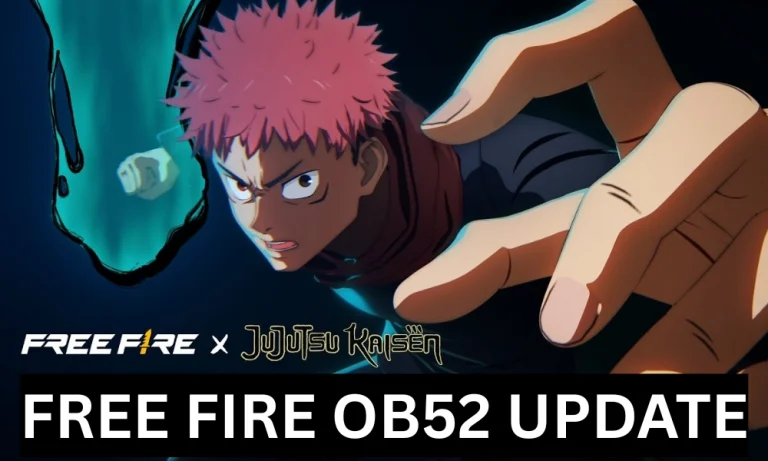
Free Fire OB52 Update: Major Esports META Changes, Nerfs, and New Features Explained

The upcoming Free Fire OB52 Update is set to bring big changes to the competitive and esports meta. Several popular weapons are getting rebalanced, top-tier characters like Tatsuya and Wukong are facing heavy nerfs, and new gadgets will completely change rotations and team play. Garena is clearly trying to reduce overpowered reset mechanics and promote smarter, team-based gameplay. From weapon buffs and nerfs to a new stealth character and powerful beacons, here is a full and simple breakdown of all major Free Fire OB52 Esports META changes.

Free Fire OB52 Update: Major Esports META Changes, Nerfs, and New Features Explained

Weapon Rebalancing: Rise and Fall of the M590

The M590 shotgun, one of the most used weapons in esports, is receiving major changes in OB52.

Key M590 Changes

  • Chip damage removed: Earlier split/chip damage of around 20–26 is completely removed.
  • Long-range nerf: Mid-to-long range damage has been reduced, making it weaker outside close fights.
  • Short-range buff: Close combat damage is increased, with body damage rising from 133 to 145.

This makes the M590 more of a pure close-range shotgun rather than an all-rounder.

Other Weapon Buffs and Nerfs

  • Groza & Groza-X: Increased damage and better armor penetration.
  • SVD & SVD-Y: Improved accuracy, making them more reliable for long fights.
  • M249: Higher rate of fire, increasing its suppressive power.
  • Thompson: Big boost in rate of fire, making it deadlier in rush fights.
  • Heal Pistol: Magazine size and fire rate increased, but healing reduced from 25 HP to around 20 HP per shot.

Major Character Nerfs: Tatsuya and Wukong

The biggest esports-impacting change comes with reset-based characters.

The 10-Second Reset Rule

  • For Tatsuya and Wukong, skill reset after a kill now has a 10-second window.
  • If you don’t get another knock within 10 seconds, the skill goes into a full 90-second cooldown.

This change heavily reduces aggressive solo plays and chain kills.

Xayne Buff

  • Shield points increased from 50 to 70.
  • Skill duration extended to 15 seconds.

Xayne could now become a strong pick again in competitive play.

Read More: “Mere Andar Yuvraj Singh Ki Aatma Aa Gayi Hai”: Indian Free Fire MAX Star Gaurav “Marvel” Tiwari Fought Till His Last Breath

New Character Mors: Stealth-Based Gameplay

The new character Mors introduces a unique invisibility mechanic.

How Mors Works

  • Becomes invisible at long range.
  • Slightly visible at mid-range.
  • Shows a red outline at very close range.
  • Guns cannot be used while invisible, but grenades can be thrown.

Best Use

Mors is perfect for naders and snipers, allowing safe repositioning and surprise attacks without getting spotted easily.

Game-Changing Gadgets and New Features

OB52 also introduces several new mechanics that will reshape rotations and team coordination.

Rally Beacon

  • Allows teammates to teleport to your location after accepting a request.
  • Takes around 4–5 seconds to activate.
  • Extremely useful for late-game rotations and team regrouping.

Ultra Beacon (Ultra Gear)

  • Charging it rewards Ultra Vests and Helmets.
  • These are stronger than Level 4 gear and are said to be unbreakable.

Breakable Arsenals

  • Arsenals can now be broken by shooting with the whole squad.
  • Reduces dependency on finding keys.

Vehicle Boost

  • Vehicles get a 6-second speed boost reaching over 100 km/h.
  • Has a 20-second cooldown, ideal for zone rotation or quick escapes.

Coin Mushrooms

  • New mushrooms that give 200 FF Coins.
  • Very useful for players using Suzie or quick shop buys.

The Free Fire OB52 Update is clearly designed to balance aggression and strategy. While fast-paced gameplay is still rewarded, overpowered instant-reset characters are now under control. New features like the Rally Beacon, Ultra Gear, and Mors push the meta toward better positioning, smarter rotations, and stronger team coordination. Overall, OB52 could mark a fresh and more tactical era for Free Fire esports.

FaZe Clan’s Stunning Collapse: From Esports Unicorn to Creator Exodus

0

FaZe Clan’s fall from grace has reached a point few in the Western esports ecosystem imagined possible.

Once hailed as esports’ first billion-dollar cultural unicorn, FaZe Clan is now staring at an existential crisis after five of its most prominent creators exited the organisation on December 25, 2025. The departures — Stable Ronaldo, JasonTheWeen, Silky, Lacy, and Adapt — were announced live during what was meant to be a celebratory FaZemas subathon, instantly turning a holiday event into a public reckoning.

At the centre of the collapse sits FaZe Clan, now operating under the ownership of GameSquare, and struggling to reconcile corporate discipline with a creator-first identity that once made the brand untouchable in the US and UK markets.

From Counter-Strike Montages to Corporate Cautionary Tale

Founded in 2010 as a Call of Duty trickshot collective, FaZe Clan evolved into a cultural phenomenon. By the early 2020s, it commanded over a billion cumulative followers across platforms, blending esports dominance with viral lifestyle content that resonated deeply with Gen-Z audiences in North America and Europe.

That momentum culminated in a 2022 SPAC merger, valuing FaZe at $725 million and positioning it as Wall Street’s gateway into esports. The reality, however, proved brutal. Mounting losses, inconsistent sponsorship returns, and controversies such as crypto-linked promotions quickly eroded investor confidence. FaZe’s stock collapsed from over $20 to mere cents, becoming one of the most cited failures of the SPAC era.

In March 2024, GameSquare acquired FaZe for approximately $17 million, a staggering comedown that signalled how far the brand had fallen.

The GameSquare Era and a Fractured Identity

GameSquare’s acquisition was framed as a reset. Cost efficiencies were promised, founders like FaZe Banks returned to rebuild “authenticity,” and esports operations were consolidated under a leaner structure.

FaZe Forfeits ESL Pro League Opening Match Against G2
Image Via: HLTV

But tensions soon surfaced.

Banks’ return as CEO in 2024 briefly reignited optimism among fans. That optimism evaporated in mid-2025 following backlash surrounding an MLG-linked crypto token, after which Banks stepped down citing mental health strain. Control shifted fully to corporate leadership, marking a decisive break from FaZe’s creator-led roots.

By April 2025, GameSquare divested FaZe Media’s minority stake — a move widely interpreted as a sign that the lifestyle side of the business was no longer a priority.

Christmas Day Exodus: When Creators Walked Away Live

The breaking point arrived on December 25, 2025.

During a live FaZemas broadcast, multiple creators confirmed their exits in real time. Stable Ronaldo, a Fortnite powerhouse and one of FaZe’s biggest post-2022 signings, cited frustration with revenue splits and creative limitations. Others echoed similar concerns, pointing to stalled contract renewals, restricted collaborations, and increasing corporate oversight.

For a brand whose value was built on personality-driven content, the damage was immediate and severe.

While FaZe’s competitive rosters in CS2, Halo, and Rainbow Six Siege remain operational, the organisation’s content engine — historically its most lucrative and influential asset in the US and UK — has been hollowed out.

Financial Reality: From $725M Dreams to Survival Mode

FaZe’s collapse is as much financial as it is cultural.

The organisation was heavily dependent on sponsorships, which accounted for more than 80% of revenue at its peak. When ad markets tightened and sponsor ROI came under scrutiny, FaZe lacked diversified income streams to cushion the blow.

Losses mounted rapidly:

Despite projections that the global esports market would reach $1.8 billion by 2025, FaZe struggled to convert reach into sustainable profit. NFT experiments, gambling-adjacent partnerships, and lifestyle expansions failed to offset declining sponsor confidence.

The result was mass layoffs, shrinking operations, and a valuation collapse exceeding 98% from its peak.

Founders vs Corporates: A Familiar Esports Conflict

FaZe’s internal struggle mirrors a broader esports dilemma: founder-led culture versus corporate governance.

Creators reportedly bristled under stricter contracts, reduced revenue shares, and limitations on external collaborations. Corporate leadership, meanwhile, sought predictability, compliance, and cost control — priorities that often clash with influencer-driven ecosystems.

Former FaZe members have since gravitated toward creator-owned collectives or independent brands, reinforcing a growing trend in Western markets where top talent increasingly bypasses traditional esports organisations altogether.

What Happens Next for FaZe and GameSquare?

GameSquare now faces a difficult decision.

FaZe’s esports divisions still hold competitive value, with strong showings in Rainbow Six Siege and Halo providing short-term stability. But without a revitalised content arm, the brand’s long-term relevance — particularly in North America and Europe — is uncertain.

Possible paths forward include:

  • A full esports-first pivot, trimming lifestyle ambitions
  • A soft rebrand, rebuilding around smaller, mid-tier creators
  • Asset divestment, selling teams or folding FaZe deeper into GameSquare’s portfolio

For US and UK investors, FaZe’s downfall stands as a stark warning about visibility does not equaling viability, and cultural relevance alone cannot sustain public-market expectations.

FaZe Clan’s unraveling is not an isolated incident but reflects deeper structural issues across the esports industry:

  • Overreliance on sponsorship revenue
  • Misalignment between creators and organisations
  • The failure of SPAC-fuelled growth narratives
  • A shifting creator economy that favours ownership over affiliation

As esports matures, loyalty is moving away from logos and toward individuals. FaZe built the blueprint for modern esports culture — but its collapse may define the limits of that model.

Whether FaZe can reinvent itself or fades into legacy status by 2026 remains to be seen. What is clear is that the era of unchecked hype is over, and Western esports is entering a far more unforgiving phase.

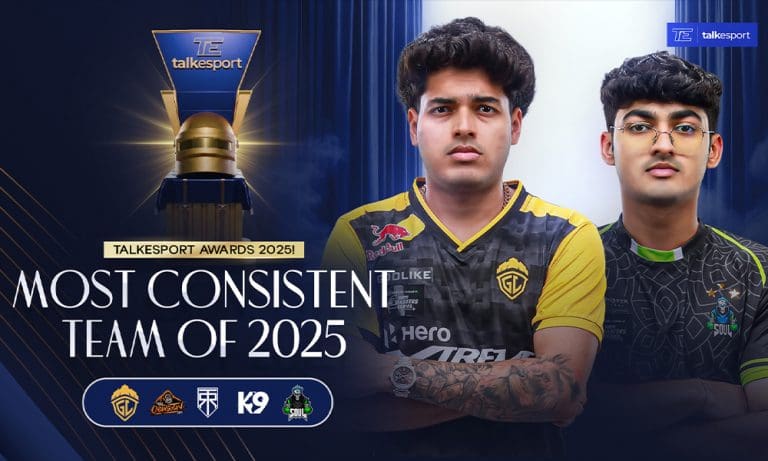
TalkEsport Awards 2025: Most Consistent Team of 2025 Revealed

TalkEsport has officially revealed the winner of the Most Consistent Team of 2025 category at the TalkEsport Awards 2025. The 2025 season featured four major official tournaments, including a multinational event, and unlocked three international slots for Indian teams. However, despite the scale of competition, only a handful of teams managed to deliver consistent performances throughout the year. Most teams peaked in one or two events before falling off, which is why nearly every Grand Finals featured new names. Keeping this in mind, TalkEsport analyzed the entire 2025 season to identify the Most Consistent Team of 2025 based purely on performance.

For this ranking, only stats from the four official tournaments of 2025, including BGIS, BMPS, BMSD, and BMIC, were considered. Teams were evaluated using total finishes, placement points, per-match averages, and podium finishes, with no fan-favorite bias involved. Check out the best BGMI Team of 2025.

TalkEsport Awards 2025: Most Consistent Team of 2025 Revealed

5) GodLike Esports

Taking the fifth spot is GodLike Esports, a team that played only two official Grand Finals in 2025 but still made a strong impact. Despite limited appearances, GodLike managed a second-place finish in one major tournament, marking their presence among the top teams.

Across 36 matches, GodLike recorded 175 total finishes, averaging 4.86 finishes per match. This placed them as the sixth-highest finishing team of 2025, despite competing in fewer events than most teams. While Gods Reign was a close contender for this spot, GodLike’s podium finish at BGIS 2025 gave them the edge, securing their place as the fifth most consistent team of the year.

4) Team Soul

At number four is Team Soul, whose 2025 journey was a story of recovery and stability. The season did not start ideally for the fan-favorite lineup, but as the year progressed, Soul found its rhythm and closed the season with a podium finish at BMSD 2025.

Team Soul competed in three official tournaments — BGIS, BMSD, and BMIC — playing 54 matches and securing 229 total finishes, which placed them fourth in overall finish rankings. The team earned 88 placement points, averaging 1.62 placement points per match, ranking fifth in placements. With an average of 4.24 finishes per match, Soul consistently reached late-game situations, making them one of the most stable teams of the season.

3) K9 Esports

Claiming third place is K9 Esports, one of the most balanced teams in BGMI during 2025. K9 participated in three official tournaments and delivered strong performances across the board.

In 54 matches, K9 recorded 231 total finishes, ranking third overall in finishes. Their placement performance was equally impressive, with 125 placement points, the third-best placement tally of the season. The team averaged 4.27 finishes per match and 2.31 placement points per match, highlighting their ability to balance aggressive fights with disciplined rotations and end-game execution. This well-rounded approach earns K9 Esports the third spot.

2) True Rippers

At number two are True Rippers, a team that looked like a title contender in almost every event they played in throughout 2025. Competing in three official tournaments, True Rippers played 54 matches and secured 239 total finishes, finishing second in the overall finish rankings.

Their placement consistency was equally strong, with 139 placement points, the second-highest of the season. True Rippers averaged 4.43 finishes per match and 2.57 placement points per match. Their biggest highlight came at BMIC 2025, a high-pressure multinational event featuring teams from South Korea and Japan, where they secured a second-place finish and earned a PMGC slot. This combination of domestic and international consistency places them second.

Read More: TalkEsport Awards 2025: BGMI MVP of 2025 Revealed

1) Orangutan

Topping the list and winning the TalkEsport Awards 2025 Most Consistent Team of 2025 is Orangutan. Orangutan’s 2025 season is a textbook example of consistency. The team played three official tournaments and across 54 matches, recorded 250 total finishes, the highest of any team in 2025. They also topped the placement charts with 143 placement points, ranking first overall.

With an average of 4.62 finishes per match and 2.64 placement points per match, Orangutan consistently delivered in both fights and placements. Their achievements included a third-place finish at BGIS 2025, the BMSD 2025 championship title, and strong end-game performances across every event. These numbers clearly establish Orangutan as the best BGMI team of 2025.