Sunday, December 21, 2025
Home Blog Page 102

Astralis Dominates Aurora Out of PGL Astana 2025

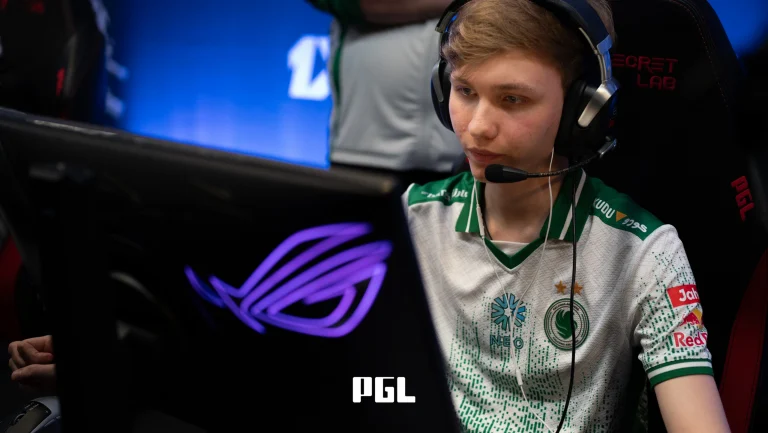
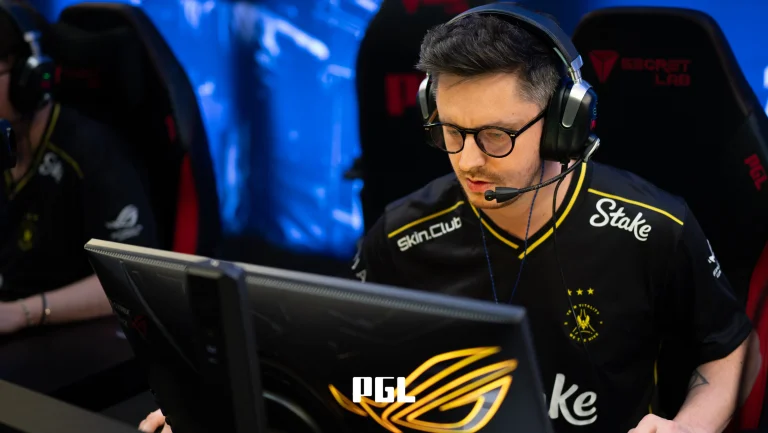
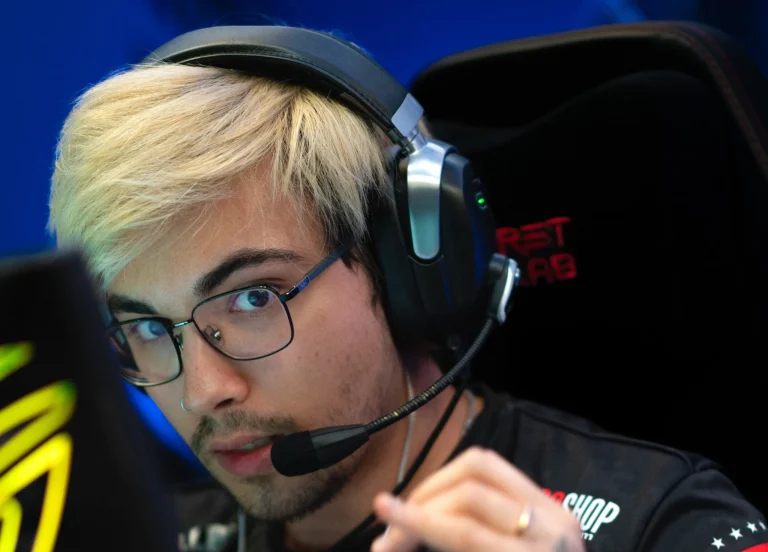
Astralis is in the Grand Final of PGL Astana after coming back from a map loss to open the series. Freshly minted IGL HooXi has proven his worth once again, having led the team to their first Grand Final in years. This speaks to the brilliance of the team that went unnoticed under previous leadership.

VETO

  • Aurora removed Ancient
  • Astralis removed Anubis
  • Aurora picked Mirage
  • Astralis picked Nuke
  • Astralis removed Dust2
  • Aurora removed Inferno
  • Train was left over

Map 1: Mirage; Pick: Aurora; Winner: Aurora

Going into an early lead, Aurora managed to keep the Danish defence on the back foot. With what has always been a strong map for Aurora, Mirage CT woes continued for dev1ce and co. in light of MAJ3R calling a fantastic offence for the Turks. Despite being on the back foot, Astralis managed to scavenge 5 rounds before switching sides. The second half saw the momentum switch back and forth between the two sides, with neither being able to find consistency, which led to the team winning at half time, winning the map by the skin of their teeth with a 13-11 scoreline.

Map 2: Nuke; Pick: Astralis; Winner: Astralis

Aurora, despite starting strong on defense in Nuke, allowed Astralis to take back control of the game. The Danes posted a solid T side despite managing 5 rounds by the end, giving them a fighting chance on the CT side. Swapping halves with a 7-5 scoreline, Astralis managed to post a perfect CT side, reading Aurora every step of the way, leading to the Turks failing to win a single round. Of the 9 rounds on offense, Aurora only managed to plant the bomb once, showcasing a dominant defense planned by HooXi. Stavn with 21 kills shone for Astralis by far as the best player on the server.

Map 3: Train; Pick: Decider; Winner: Astralis

A dominant CT side started from the Danes, saw Astralis go 4-0 up before Aurora could see a round on the board. Despite Astralis remaining largely dominant in the offence, Aurora managed to somehow win 3 rounds, giving them the slightest chance at a comeback. Switching sides, Astralis’ pistol win closed the door for the Aurora comeback as the scoreline kept looking more and more dominating with every passing kill. Playing a perfect T side, Astralis won the map with a 13-3 scoreline, brushing aside Aurora from PGL Astana.

A shocking result given the fact that Aurora was threatening the big names under the previous organization, while Astralis had little time to practice under HooXi’s leadership. Having a proper IGL has given dev1ce the freedom to be the star AWPer that he is, and his impact was undeniably too much for the Turks to handle today.

How To Get Chrono Shield Cards in Marvel Rivals?

NetEase is celebrating Marvel Rivals‘ first anniversary by handing out various free rewards to the community, including the brand-new Chrono Shield Cards.

The Chrono Shield Cards are a new addition to Marvel Rivals that casual players won’t be able to make much use of, since they can only be used when playing the competitive mode of the hero shooter. When used, this item prevents players from losing points after a defeat in competitive matches.

While a portion of the Marvel Rivals community isn’t happy with this new item due to the apparent rank inflation in the game, it can still come in handy for players looking to get out of the lower ranks.

But how do you get Chrono Shield Cards in Marvel Rivals?

How To Get Chrono Shield Cards in Marvel Rivals

At the time of writing, the only way to obtain Chrono Shield Cards in Marvel Rivals is by participating in Galacta’s Gift event.

The Chrono Shield Cards can be unlocked for free by reaching the required tiers in the Galacta’s Gift event pass.

You’ll be able to get your first cards upon reaching tier 2 by winning three games in a row, but you’ll have to grind to the fourth tier to get your next pack of cards.

While you can have a maximum limit of 20 Chrono Shield Cards at a time, only 8 can be earned through the event pass.

Whether players will be able to earn Chrono Shield Cards through other means still remains to be seen. NetEase has confirmed that both the Chrono Shield Tokens and Chrono Shield Cards will not be put up for sale, and will only be usable for Gold rank and below.

How To Download Minecraft Bedrock 1.21.81 Update on All Platforms

0

The Minecraft Bedrock 1.21.81 update is currently available to download for all players throughout the globe. This new hotfix was shipped out by Mojang to patch out some issues that players were facing in the Minecraft 1.21.80 update.

If you’re a Minecraft player, it’s highly recommended for you to update your Minecraft client to the 1.21.81 build as soon as possible to ensure a smoother and more stable gameplay experience.

In this guide, we’ll walk you through the steps you ended to follow to download the Minecraft Bedrock 1.21.81 update for every platform.

How To Download Minecraft Bedrock 1.21.81 Update

Below, we have listed all the platforms which Minecraft Bedrock Edition is playable on alongside instructions on how to download the newest update.

PC

You can get the Minecraft Bedrock 1.21.81 update on PC directly via your game launcher. If you don’t have the launcher installed, you can head over to the official Minecraft website and download it from there.

Android/iOS

To get the Minecraft Bedrock 1.21.81 version on Android and iOS, all you need to do is search for the Minecraft app on the Play Store or App Store and tap the ‘Update’ button.

Xbox One & Series X|S

Simply follow these steps to download the Minecraft Bedrock 1.21.81 version on your Xbox One or Series X|S consoles:

  • Go to the “My Games & Apps” section in your library
  • Find Minecraft from the game list, and click “Options”.
  • Under “Manage Game & Add-Ons,” click on “Updates.”

Wait for Minecraft to get updated to the latest version, and launch the game.

PlayStation 4 & 5

All you need to do to get the new Minecraft update on your PS4 or PS5 is locate Minecraft in your game library, and look for the “Check for Updates” option located under settings.

Once done, simply wait for the update to complete and launch Minecraft.

Switch

If you’re using a Nintendo Switch, you’ll be automatically prompted to download the Minecraft Bedrock 1.21.81 update upon launching the game.

If you want to manually update your Minecraft, launch the game and press the ‘+’ or ‘-’ buttons on your console. Next, go to “Software Update” and select “Via the Internet.”

Now wait for the update to finish, and you’re good to go!

Krafton India Esports Unveils BMPS 2025 Format

With the Battlegrounds Mobile India Pro Series (BMPS) 2025 set to begin in less than a week, Krafton India Esports has finally revealed the comprehensive tournament format. The competition, featuring 96 invited professional teams, will kick off on 22nd May and culminate with the Grand Finals from 4th to 6th July, 2025, in New Delhi.

The tournament structure showcases Krafton’s commitment to creating a robust competitive ecosystem with multiple advancement opportunities for participating teams.

BMPS 2025 Structure Explained

Similar to previous iterations, BMPS 2025 will take place in multiple rounds, culminating into Grand Finals. Following is the detailed breakdown of this tournament:

Round 1: First Phase (22nd May – 3rd June)

The tournament begins with all 96 teams distributed across six groups of 16 teams each. Each team will play 12 matches during this phase, with groups rotating every three match days to ensure diverse competition. The stakes are high from the start, as only 80 teams will advance while 16 face elimination. The top 8 teams will earn direct qualification to Semi Finals Week 1, positions 9-16 will advance to Round 3, and the remaining 64 teams will move to Round 2.

Round 2: Mid-Stage Competition (5th – 8th June)

The 64 advancing teams shuffled into four groups of 16 teams each. Each group will compete in six matches across four match days. At the conclusion of Round 2, only the top 40 teams will progress to Round 3, while 24 teams will be eliminated.

Round 3: Final Qualification (9th – 12th June)

This round combines the 40 teams from Round 2 with the 8 teams that placed 9th-16th in Round 1, creating a 48-team competition. These teams divided into three groups of 16 with group rearrangements after the first two days. Each team will play 8 matches, with the top 24 teams advancing to Semi Finals Week 1.

Semi Finals Week 1: Path to Grand Finals (14th -17th June)

This stage features 32 teams: 8 direct qualifiers from Round 1 and 24 from Round 3. Teams will be divided into four groups of 8 teams each in a round-robin format. Each team will play 12 matches over four days. The top 8 teams will secure spots in the Grand Finals, while the remaining 24 teams get another chance in Semi Finals Week 2.

Semi Finals Week 2: Second Chance (19th -22 June)

The 24 teams that didn’t qualify from Semi Finals Week 1 will be reorganized into three groups of 8 teams each in a double round-robin format. Each team will play 16 matches across four days, with the top 8 teams joining the Grand Finals lineup.

Grand Finals (4th – 6th July)

The culmination of the tournament will feature 16 elite teams competing in New Delhi for the championship title and the lion’s share of the prize pool.

BMPS 2025 Features ₹2 Crore Prize Pool with “Discovery Island” Feature to Boost the Prize Pool

BMPS 2025 begins with a base prize pool of ₹2 crore, but Krafton has introduced an innovative community-driven feature called “Discovery Island” that could potentially double the prize pool to ₹4 crore.

Running from 17th May to 1st July, this in-game event allows players to earn Exploration Points by playing Classic Mode matches. As the community collectively reaches six milestones, the prize pool increases incrementally. Players also earn up to 30 exclusive in-game rewards, including a permanent BGMI Esports Outfit.

This “Play for a Cause” initiative transforms everyday gameplay into support for the competitive scene, creating a unique connection between casual players and professional esports.

Stay tuned to the TalkEsport app for detailed coverage, latest news, player interviews, and much more!

Fortnite v35.10 Update Release Date and Time

0

The following big Fortnite update, v35.10, has been officially postponed by just one day. While initially intended to release on Thursday, May 15, 2025, Epic Games has now announced that players should expect the update to land a day later, on Friday, May 16. Though the cause for the delay hasn’t been outlined, the remainder of the content pipeline and event schedule seem to be unaffected.

As with the majority of major Fortnite updates, gamers can expect a brief server downtime, projected to last about 12 hours. This will start at around 3:00 AM Central Time or 1:30 PM Indian Standard Time on May 16. Matchmaking will be turned off during this period, and gamers will not be able to play the game as the update is rolled out. Epic Games should give real-time information via Fortnite Status on X (formerly Twitter) if there are any additional adjustments to the maintenance schedule.

The new patch is especially thrilling for Star Wars fans because it keeps Fortnite’s longtime crossover with the franchise going. The update adds numerous new items inspired by the galaxy far, far away. Among them is the Wookiee Bowcaster, which is famously held by Chewbacca. This crossbow-like energy-based weapon introduces a new combat mechanic to the game’s repertoire.

Another prominent addition is the Mandalorian Jetpack, which not only provides tactical mobility but also enhances players’ chances against close-combat weapons such as lightsabers. Its re-addition is particularly welcomed by those who enjoy air-based maneuvering in combat situations.

According to prominent Fortnite leaker ShiinaBR, the CA-87 Jawa Scatter Blaster is also expected to be added to the loot pool. This unique weapon, often associated with Jawas in the Star Wars universe, is rumored to bring a short-range burst fire mechanic that could shake up close-quarters engagements.

On top of this, there has been a rumor regarding the addition of the WESTAR-34 Blaster Pistol and the Amban Sniper Rifle, both of which are classic guns with unique features. Although these have not yet been confirmed, datamined information indicates they could be added to the game sooner rather than later.

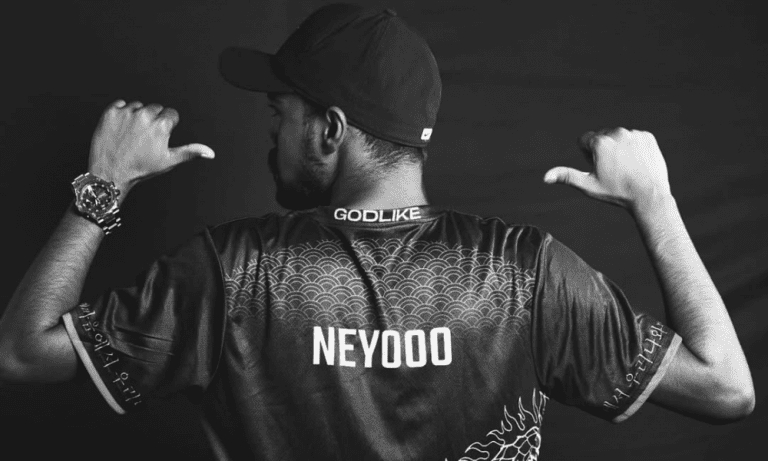
Spower Surprisingly Rejoins GodLike Esports Ahead of BMPS 2025

Rudra “Spower” Banswani has officially rejoined GodLike Esports just days after clinching the BGIS 2025 title with Team Versatile. The announcement, made on May 14, 2025, positions GodLike as one of the most formidable contenders heading into the highly anticipated Battlegrounds Mobile India Pro Series (BMPS) 2025, which kicks off on May 22.

Spower’s Surprising Switch to GodLike Esports

Spower’s decision to part ways with Team Versatile comes as a major surprise to fans. After an impressive six-month stint with Versatile, culminating in a BGIS 2025 championship and standout individual performances, many expected the young prodigy to continue his journey with the reigning champions. Instead, Spower has opted for a new challenge, returning to GodLike Esports, a team hungry for its first official BGMI title after finishing as runners-up in BGIS 2025.

Reflecting on his departure from Versatile, Spower shared an emotional message on Instagram broadcast:

“I’m no longer a part of Team Versatile, and what an incredible journey it’s been. The perfect squad, our synergy inside the game, and our bond outside of it was truly on another level. Thank you so much, Saumraj, Raiden, Troy, Aquanox, and Xypex. You guys are the best. Keep being the best. Wishing you all the success ahead. Do wonders. Do well, thank you so much.”

GodLike Esports BGMI Roster

With Spower’s addition, GodLike Esports now boasts a seven-man roster packed with some of the biggest names in Indian BGMI:

  1. Rudra “Spower” Banswani
  2. Jonathan “JONATHAN” Amaral
  3. Abhishek “ZGOD” Choudhary
  4. Tanishk “ADMINO” Singh
  5. Kaushal “SIMP” Jaiswal
  6. Ashutosh “Punkk” Singh
  7. Parth “Zap” Parihar

The team, led by Punkk, has consistently ranked among the top squads in recent tournaments, securing third place in BMPS 2024, fifth in the Snapdragon Pro Series Season 6, and a close second in BGIS 2025. The addition of Spower, renowned for his clutch plays and aggressive fragging, could be the missing piece in GodLike’s quest for their elusive championship.

Spower’s Remarkable Journey

Spower’s career trajectory has been nothing short of remarkable. Having played for reputed organizations such as Soul, Blind, MOGO, Carnival, and Versatile, he has built a reputation as one of the most skilled and adaptable players in the scene. Notably, Spower was associated with GodLike as a content creator in 2021 and had a brief stint as a player in late 2023. His return marks a full-circle moment, but this time, he joins as a proven champion and MVP.

With the BMPS 2025 on the horizon, all eyes will be on GodLike Esports to see how Spower’s inclusion reshapes their strategies and synergy. The team’s recent performances suggest they are on the cusp of greatness, and Spower’s arrival could finally tip the scales in their favor.

Stay tuned to the TalkEsport app for detailed coverage, latest news, player interviews, and much more!

Counter-Strike 2 Myths Busted: What Really Affects a Team’s Performance?

0

Counter-Strike 2 (CS2) has become a game that demands the perfect blend of strategy, individual skill, and teamwork. Yet, despite its popularity, myths surrounding what truly affects a team’s performance continue to linger. Even experienced players often buy into certain fallacies that skew their understanding of the game’s dynamics.

The Most Common CS2 Gameplay Misconceptions

In CS2, several myths persist, one being that a team’s raw mechanical skill is the key to success. While aim and reflexes matter, focusing solely on individual mechanics can harm team dynamics. A team may have headshot experts, but if coordination or game sense is lacking, they’ll struggle against more cohesive teams. This is one reason why betting platforms like madmarket betting analyze more than just individual stats—they understand that teamwork, strategy, and adaptability often define the outcome of a match.

Another myth is that some maps are “easier” than others. While some maps may seem simpler, each has unique challenges requiring specific strategies, tactics, and team roles. A team’s preparation and understanding of a map are more critical than simply picking an “easier” one.

Lastly, many believe in “home advantage”—performing better on home servers or in front of a home crowd. While familiarity helps, a team’s true strength lies in their adaptability and composure, no matter where they play.

Map Choice vs. Team Skill

It’s common for players and fans alike to believe that map choice is the biggest factor in determining a team’s performance. After all, different maps demand different skill sets, so wouldn’t a team’s preferred map give them an edge? However, the reality is that team skill—especially when it comes to communication, coordination, and decision-making—outweighs map preference.

In CS2, teams that can adapt their strategies and adjust to an unfamiliar map will generally outperform those who rely on comfort. This adaptability can be seen in how top-tier teams approach any map. They study every angle, master rotations, and exploit weaknesses that less-prepared teams might miss. In fact, a well-prepared team can often overcome the disadvantages posed by an unfavorable map through clever tactics and smart gameplay.

When it comes to map choice, the importance is less about comfort and more about the team’s preparation and understanding of the map’s flow. Teams that excel at reading the meta and adjusting to the current strategic trends will often have a significant advantage, no matter what map they’re playing on.

The Hidden Factors That Make or Break a CS2 Match

While individual skill and map knowledge matter, the real game-changers often lie in the less obvious aspects of gameplay. Team coordination is crucial—while one player might land a clutch, it’s the team’s ability to communicate, rotate, and cover each other that wins rounds. A coordinated push, supported by smart use of grenades and flashes, can turn the tide in a way individual skill alone can’t.

The mental state of players is also a major factor. Tilt, frustration, or overconfidence can ruin performance. Many top teams invest in mental conditioning to keep players sharp under pressure.

Strategic decisions in critical moments, such as eco rounds or mid-game adjustments, often separate winners from losers. Teams that recognize when to take risks or play conservatively can shift the game’s flow. These decisions are often made by the in-game leader, who must read the game and predict the opponent’s moves.

Preparation and Mindset

When it comes to CS2, it’s clear that performance isn’t dictated solely by raw mechanical skill, map choice, or even “home advantage.” Instead, it’s the combination of strategic preparation, teamwork, and mental resilience that truly determines a team’s success. Teams that focus on refining these areas—along with their understanding of the current meta—will always have an edge, regardless of the game’s unpredictable nature.

How To Fix CS2 ‘Failed To Locate Official Game Servers With Acceptable Ping’ Error?

The ‘failed to locate official game servers with acceptable ping’ error in Counter-Strike 2 is one of the most annoying issues that you can face when trying to play CS2. It’s also one of the most common problems that players often report encountering when queuing up for a ranked game.

The ‘failed to locate official game servers with acceptable ping’ error isn’t a new thing in CS2. It has haunted CS:GO players for years before the release of CS2 and still continues to disrupt the matchmaking experience for many users to this day.

If you’re finding yourself facing this annoying problem in CS2, you’re in the right place.

In this guide, we’ll take a look at how you can fix the ‘failed to locate official game servers with acceptable ping’ error in CS2 and why it happens in the first place.

CS2 ‘Failed To Locate Official Game Servers With Acceptable Ping’ Error Causes

There are a number of potential reasons that can cause the ‘failed to locate official game servers with acceptable ping’ error in CS2.

We have listed some of the major culprits behind this issue below:

  • Problems with your internet connection
  • CS2 server issues
  • Steam server outages
  • High ping
  • Corrupted game files
  • Firewall issues

Luckily, most of these problems can easily be fixed in just a few simple steps.

CS2 ‘Failed To Locate Official Game Servers With Acceptable Ping’ Error Fix

If you’re unable to identify the root cause, you can try several potential fixes to resolve the ‘failed to locate official game servers with acceptable ping’ error in CS2.

  • Check Server Status: The first thing you should do upon encountering this error is check the server status of CS2 and Steam. You can do so by heading to websites like steamstat.us or downdetector.
  • Restart Your Router: A major reason behind the failed to locate server error in CS2 is a bad internet connection. Try restarting your router and taking an internet speed test before trying out the next steps.
  • Verify File Integrity: Corrupted game files might also cause you to be unable to find CS2 servers during matchmaking. To fix this, go to your Steam library, right-click CS2, go to ‘Properties,’ and under the ‘Installed Files’ tab, hit ‘Verify Integrity of Game Files.’
  • Adjust Your Maximum Ping: If you’re constantly unable to find official game servers in CS2, you may have your maximum acceptable ping set to a low limit. To raise your max acceptable ping, launch CS2, open your console by pressing the tilde (~) key on your keyboard, and type in “mm_dedicated_search_maxping 150.” You can also try raising the value to higher than 150 if the problem persists, but note that the higher your ping in-game, the more difficult it will be to land your shots consistently.
  • Check Firewall Settings: Problems with your Firewall can also cause issues when trying to find CS2 game servers. Try to check if CS2 and Steam are allowed in your Windows Firewall settings. You can do so by going to Windows Security > Firewall & network protection, and hitting ‘Allow an app through firewall.’

That’s everything you need to know about how to fix the ‘failed to locate official game servers with acceptable ping’ error in CS2. 

New CS2 Update Brings Back Glowing Weapons With Rarity Color

On May 13th, Valve shipped out a small update to Counter-Strike 2. While the update didn’t bring any major changes to the competitive shooter, it did reintroduce an old feature that had been removed with CS2’s launch, after originally appearing in CS:GO.

The new CS2 update added a new HUD setting called “Glow Weapon with Rarity Color,” allowing players to highlight weapons based on their rarity.

The weapon glow can only help players quickly identify item rarities in the heat of battle, but it can also make your rare weapons stand out from the crowd.

Here’s how the new item rarity glow feature in CS2 looks in-game:

CS2 Update Brings Back Glowing Weapons With Rarity Color

However, unlike the good old CS:GO days, this item rarity glow isn’t turned on by default in CS2, and players have to manually enable this feature if they want to use it in-game.

How To Enable ‘Glow Weapon with Rarity Color’ Feature in CS2

If you wish to enable the item rarity glow feature in CS2, simply follow these steps:

  • Launch CS2
  • Head to the settings menu
  • Under the ‘HUD’ section, find the settings called “Glow Weapon with Rarity Color”
  • Set it to “Yes”

Once done, you can hop into a game and see the new CS2 setting in action.

CS2 May 13 Update Patch Notes

Alongside bringing back the item rarity setting to CS2, the latest update also included a couple of other changes.

Fans can check out the detailed patch notes of the latest CS2 update below:

[ GAMEPLAY ]

  • Fixed a bug where weapons purchased with “Buy & Throw” could be refunded after firing.

[ PREMIER ]

  • Season Two world and regional leaderboards are now populated.

[ MISC ]

  • Added HUD “Glow Weapon with Rarity Color” setting.
  • Minimally scraped stickers now cover over the gap on the front grip of the AK-47.