Infinite ammo in Resident Evil Requiem is not something you can simply enable from the menu. Rather, it’s a reward you gain towards the very end of your playthrough and turns your survival horror experience into a power fantasy victory lap once you’ve unlocked it.
To even have the option to enable this, you need to beat the main story once, after which you can access the Bonuses -> Special Content section, where Capcom puts all of the good stuff, including the Infinite Ammo (Guns) upgrade. This costs 50,000 CP and, once you’ve bought this upgrade, you can enable it across almost all guns in all your future saves.
The best way to achieve that 50,000 CP is not through mindless grinding, but rather through a ruthless second playthrough on the Insanity difficulty. Beating the game on Insanity difficulty alone will reward you with about 40,000 CP. Paired with the challenges you have already completed, you should have more than enough to buy Infinite Ammo immediately.
If you really want to break the game, consider pairing Infinite Ammo with Infinite RPG, which costs 35,000 CP, and Infinite Ribbons, earned by completing the game in under four hours with the Alpas ending. The former removes boss phases, while the latter removes the save management hassle that usually accompanies playing at greater difficulties.
On PC, you have the nuclear option of trainers/mod menus that lock your ammo count at the time you load in, but that’s best done offline, separate save, if you want a ‘clean’ completion.
Resident Evil Requiem has five combination safes hidden throughout the game, at the Rhodes Hill Care Center and the later ARK facility. To get the “No Safe Is Safe” achievement, you need to crack all the combination safes. Each safe uses the same combination, which is a three-digit number, but the direction you turn the dial (left or right) is just as crucial as the number itself.
The combination for each safe will be represented as a number followed by a direction. For instance, “10L – 80R – 30L” means you need to turn the dial left to the number 10, right to the number 80, left to the number 30, and finally confirm. If you go past a number or turn the wrong way, the dial will go back, and you’ll need to re-enter the whole combination.
Casual / Standard Difficulty Codes
For Casual and Standard difficulty, all the combination safes use the same combination that you can use without ever reading the lore files that reveal the combinations.
Safe location
Area / chapter segment
Code (Casual / Standard)
Key rewards
Bar & Lounge safe
Rhodes Hill Care Center – West Wing 2F
10L – 80R – 30L
3 Antique Coins for Parlor upgrades
Examination Room safe
Rhodes Hill Care Center – East Wing 1F
30R – 10L – 50R
3 Antique Coins
Basement Furnace safe
Rhodes Hill Care Center Basement – Furnace/Inspection
60R – 40L – 80R
Handgun ammo and the Raccoon Roundup map for Rhodes Hill Mr. Raccoons
Sterilization Chamber safe
ARK – Sterilization Chamber
10R – 90L – 20R
Med injector, handgun ammo, Molotov cocktail
Monitor Control Room safe
ARK – Monitor/Medical Control Room
50L – 60R – 80L
Med injector, bottle of acid, empty bottle
Insanity Difficulty Variants
On Insanity, all five safes use alternate codes, but the locations and rewards stay the same.
Safe location
Code (Insanity)
Bar & Lounge
20R – 50L – 30R
Examination Room
50L – 30R – 90L
Basement Furnace
70L – 50R – 20L
Sterilization Chamber
80L – 50R – 0L
Monitor Control Room
20R – 0L – 70R
Safes appear only in the sections where the story is played through with Grace, so overextending the story may result in you being unable to access the safe in the area you were in previously. To ensure you don’t miss the trophy, try saving manually in each of the major areas, such as the Care Center, Basement, and ARK.
One of the biggest questions from fans upon the launch of Resident Evil Requiem was whether the field of view (FOV) could be changed, given that it dramatically enhances the experience of the game. While it may not be a simple answer, this article explores how FOV can be adjusted in the game to enhance the experience.
Native FOV Slider in RE Requiem
Unlike some of the modern action games, Resident Evil Requiem does not include a native FOV slider in its settings, which means the degree of field of view cannot be manually set beyond what has been put in place by the developers. This setting is consistent for all platforms, including PC, PlayStation 5, Xbox Series X/S, and Nintendo Switch 2. Understandably, this is frustrating as a wider FOV is often preferred by players for an enhanced experience.
Wider Field of View offers a more noticeable experience and helps make the game immersive for a wide range of players. Some even use it to help with motion sickness, while others try to take advantage of their wide monitors. Omission of this setting has been widely noticed by players and critics alike.
How to Adjust Your View in Resident Evil Requiem
The absence of numerical FOV is greatly missed, especially for a game that has a very detailed environment, but Resident Evil Requiem has workarounds that can help with improving your visibility.
Switching Camera Perspectives: Unexpectedly, switching to third person gives a wider view for obvious reasons, which makes the FOV wider and gives a more immersive experience, and how you can achieve that is by going to the Camera Tab under settings and selecting Third-Person perspective.
It goes without saying that this does not alter the experience by a lot, unlike what a discrete FOV change could have done, but it’s better than nothing and a fun little way to try a different experience.
The absence of a discrete FOV setting does make the game a little less enjoyable despite being a strong entry in the ever-popular horror franchise. While this doesn’t take many things away from the game, this would have been a welcome option that would drastically improve the already amazing experience.
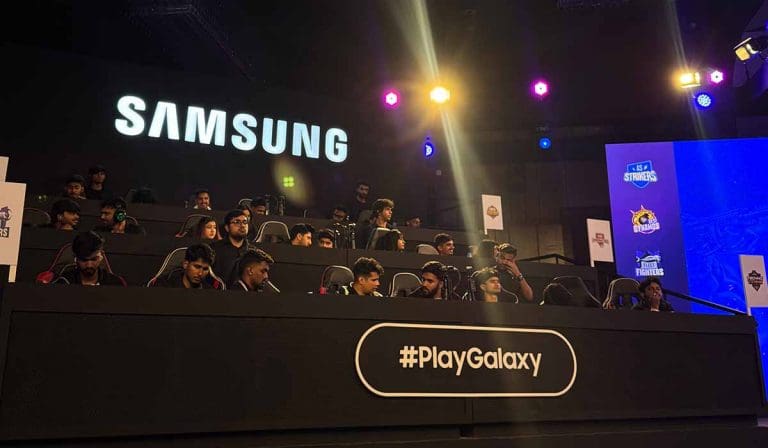
Samsung India hosted the fifth edition of the #PlayGalaxy Cup, bringing together 48 of the country’s top gaming creators for a high-intensity mobile esports showdown powered by the newly unveiled Samsung Galaxy S26 series.
Held in New Delhi, the tournament marked another milestone for Samsung’s growing footprint in India’s competitive mobile gaming ecosystem. After nearly four and a half hours of competitive matchups, Kaashvi Warriors emerged as champions of Season 5.
The event was livestreamed on Samsung India’s official YouTube channel and showcased across select Samsung Exclusive Stores nationwide, with the company reporting a reach of over 350 million users.
48 Top Creators Compete in Season 5
The fifth edition featured prominent gaming creators from across India, including leading personalities associated with OpraahFx such as TechnoGamerz, MythPat, GamerFleet, Desi Gamers, Gautami Abhyudaya, Sooneeta, and Sourav Joshi.
The format delivered fast-paced head-to-head matchups designed to highlight competitive gameplay while maximizing fan engagement. With a mix of influencer-driven entertainment and structured competition, the event maintained its hybrid positioning as both a creator showcase and a gaming tournament.
Over the years, #PlayGalaxy Cup has evolved into a recurring esports property aimed at connecting Samsung with India’s rapidly expanding Gen Z and millennial gaming audience.
Samsung emphasized the device’s enhanced performance architecture, display capabilities, reduced thickness, and lighter build, attributes positioned toward high-performance mobile gaming use cases.
By deploying the device in live tournament conditions, the brand aimed to demonstrate sustained performance during extended competitive play, a key benchmark for gaming-focused smartphones.
Aditya Babbar, Vice President and Head of Product Marketing & E-commerce at Samsung Mobile, stated that the #PlayGalaxy Cup has become more than a tournament, describing it as a platform celebrating competitive gaming, creativity, and technological innovation.
Strengthening Samsung’s Esports Presence in India
Since its launch three years ago, #PlayGalaxy Cup has expanded beyond a one-off activation into a structured engagement platform within India’s gaming ecosystem.
With mobile gaming continuing to dominate India’s esports growth, driven by affordable smartphones, expanding internet penetration, and creator-led communities — brand-backed tournaments such as #PlayGalaxy Cup reflect the increasing intersection between consumer electronics and competitive gaming.
India remains one of the world’s fastest-growing mobile gaming markets. With creators playing a central role in shaping consumer perception and audience engagement, influencer-driven tournaments have become a strategic channel for technology brands to showcase performance credentials.
With the Galaxy S26 series integrated directly into tournament play, Samsung continues to emphasize gaming as a core pillar of its flagship device positioning.
As the Indian esports ecosystem scales, partnerships between hardware manufacturers and gaming communities are expected to deepen, particularly in mobile-first competitive environments.
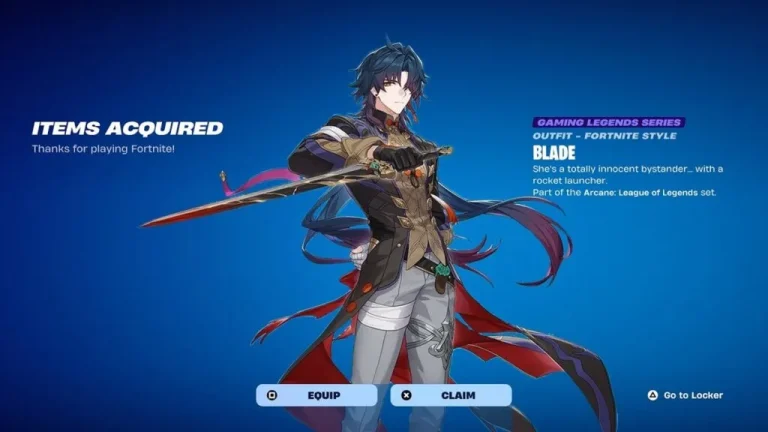
The Fortnite X Honkai: Star Rail collaboration can be dubbed one of Epic Games’ most successful crossovers they have ever executed, let alone for the year. From the event, the HSR Stellaron Hunter Blade skin stood out as one of the most popular skins, and now there is a way to get it for free, but it isn’t as easy as it sounds.
Fortnite Meets Honkai: Star Rail
Honkai: Star Rail crossover brought two popular Stellaron Hunters, Blade and Kafka, to the game in the form of skins that can be bought from the Item Shop. It goes without saying that you can get them anytime you want by spending V-Bucks in the Item Shop, but Epic is being generous and offering a way to get them without spending any.
Free Blade Skin Through Epic Games Store Promotion
Epic indeed is offering this highly sought-after skin for free, but there is some work to be done in order to get it. The HSR Blade outfit is being offered for free as part of the cross-promotion on the Epic Games Store, as this special offer ties into Honkai: Star Rail’s in-game purchases.
Download Honkai: Star Rail via the Epic Games Store and make sure your Epic account is linked to your Star Rail account.
Purchase any of the eligible Honkai Star Rail items on the Epic Games Store acquisition list.
Eligible Purchases to Unlock Blade
While simply getting any item will not be enough to unlock this, make sure to get something from the list below if you are looking to unlock it by using this offer.
Oneiric Shard bundles of various sizes
The Nameless Glory
Honor Badge
Special Pass Exclusive Giftbox
We are not sure how long Epic is planning to run this offer, but as of now, we do not have an expiry date. However, things like this generally happen for a limited period, so make sure to get it as soon as possible, or spending V-Bucks will be the only option left.
Free Fire Max is the upgraded version of Garena‘s popular battle royale game, Free Fire. It offers better graphics and smoother visuals while keeping the same fast-paced survival gameplay. The game is available to download on the Google Play Store in India, but iPhone users face a problem. Free Fire Max does not show up on the Apple App Store in India.
If you search for Free Fire Max on the App Store from an Indian Apple ID, the game will not appear in the results. You will instead see other battle royale titles like Battlegrounds Mobile India (BGMI). The exact reason why Free Fire Max is blocked on the Indian App Store has not been officially confirmed.
So, how can iPhone users in India download and play Free Fire Max? There are two working methods. Below is a step-by-step guide for both.
Method 1: Change Your App Store Country or Region
This is the most reliable way to get Free Fire Max on your iPhone. Here is how to do it:
Open the App Store on your iPhone.
Tap on your profile icon at the top of the screen.
Scroll down and tap on “Country/Region.”
Select “Change Country or Region.”
Pick a country where Free Fire Max is available on the App Store.
Choose “None” as the payment method.
Enter any valid address from the country you selected in the billing address field.
Tap “Next” to confirm the change.
Search for “Free Fire Max” in the App Store and download the game.
Important Warning: When you change your App Store country or region, any active subscriptions tied to your Apple ID will be automatically canceled. Make sure you are aware of this before switching.
Method 2: Use a VPN
If you do not want to change your App Store region, you can try using a VPN instead.
Install a VPN app on your iPhone.
Connect the VPN to a country where Free Fire Max is available.
Open the App Store.
Search for Free Fire Max and download it.
This method is simpler but may not always work depending on the VPN service you use.
What Is Free Fire Max?
Free Fire Max is a battle royale survival game developed by Garena for Android and iOS devices. It was released in 2021 as an enhanced version of the original Free Fire. The game quickly gained popularity thanks to its optimized performance, fast-paced matches, unique characters, special abilities, and improved graphics compared to the base version.
Players drop onto an island, collect weapons and supplies, and fight to be the last one standing. Free Fire Max delivers this experience with better visual quality, making it a preferred choice for players who want upgraded graphics on their mobile devices.
Why Is Free Fire Max Not on the Indian App Store?
As of now, there is no officially confirmed reason why Free Fire Max is unavailable on the Apple App Store in India. The game remains accessible through the Google Play Store for Android users in the country. iPhone users who want to play the game need to use one of the workaround methods described above.
Several YouTube videos and clips have been circulating online showing what appears to be a 165 FPS option inside BGMI settings. This has created a wave of excitement and confusion among players, especially with the BGMI 4.3 update expected to release around March 16, 2026. But is 165 FPS actually coming with the 4.3 update? Here is a detailed breakdown of everything we know so far.
What Developers Have Said About Higher FPS
Around six months ago, when the Super Smooth frame rate option was introduced in BGMI, Krafton developers addressed higher frame rate support in an official Developer Talk. In that session, they stated that for players using higher-end devices, they are looking into expanding their frame rate and graphics offerings. They also mentioned that future updates would bring more realistic graphic effects for high-value items, and that they are not trying to limit any devices.
The direction from developers was clear. More frame rate options are planned for the future. However, they did not mention any specific number. Neither 144 FPS nor 165 FPS was confirmed. They only indicated that as hardware improves, the options available in BGMI will expand accordingly.
What the BGMI 4.3 Actually Shows
The most concrete evidence comes from the BGMI 4.3 itself. In the current version (4.3.3), the graphics settings page has been checked thoroughly. The maximum frame rate option available in the is still 120 FPS. There is no toggle for 144 FPS or 165 FPS anywhere in the settings.
If a feature like 165 FPS were planned for the 4.3 update, it would need to be tested in the first. Since it is not present in the, it will not be part of the final 4.3 release. This applies to both the BGMI version and the PUBG Mobile global version.
That said, the 4.3 does show some graphics-related changes. A new “Lobby Graphics Enhancement” toggle has been added. When enabled, it improves the visual effects of the lobby including graphics quality, resolution, and special effects. The settings menu has also received a new white-themed user interface.
Why 165 FPS Is Not the Next Logical Step
Many players assume that 165 FPS will follow directly after 120 FPS, but that is not how frame rate progression works in gaming. The industry standard follows a specific sequence: 60 FPS, then 90 FPS, then 120 FPS, then 144 FPS, and then 165 FPS.
The reason is technical. 144 FPS is the next standard upgrade after 120 FPS, based on how gaming monitors and panels have historically evolved. 165 FPS is actually an overclocked evolution of 144 FPS. It is mainly used in high-refresh gaming panels and is not a standalone standard. So technically, if the progression is followed properly, 144 FPS would need to be released for the public first, and 165 FPS would follow after that.
Current Mobile Hardware Limitations
Even though there are now Android devices that support 165Hz display refresh rates, such as the OnePlus 10 Pro, certain Samsung Galaxy models, and other gaming phones, most mobile devices still struggle to maintain a stable 120 FPS during extended gameplay sessions. Many players do not even have access to 90 FPS because their devices cannot support it.
A stable 120 FPS already represents a practical balance between performance, device temperature, battery consumption, and long gaming session stability. Jumping aggressively to 165 FPS without proper optimization could cause overheating and throttling issues on most devices.
It is also important to understand that if your device has a 120Hz display, it will never show 144 or 165 FPS regardless of what the game supports. To experience 144 FPS or 165 FPS, your mobile device must have a display with a matching refresh rate of at least 144Hz or 165Hz respectively. Currently, no iPhone models support refresh rates above 120Hz, which means this higher FPS advantage would initially be limited to select Android devices only.
What About the Leaked 165 FPS Clips?
Some clips and screenshots have appeared online showing what looks like a 165 FPS option in BGMI. The most likely explanation is that developers are internally testing a higher refresh rate pipeline. This is a normal part of game development where teams future-proof their engine for upcoming hardware capabilities.
However, internal testing does not mean the feature will ship in the next update. It simply means the developers are preparing their systems to support it when the time is right. There is no official announcement, no beta support, and no confirmed timeline for this feature.
When Could Higher FPS Options Actually Arrive?
Based on currently available information, here is what players can expect. The 4.3 update, expected around March 16, 2026, will not include any frame rate options above 120 FPS. According to community leaks, 144 FPS support could potentially arrive with the 4.4 update or later. 165 FPS support is expected to take even longer and may initially be limited to premium gaming phones with 165Hz displays and flagship processors like the Snapdragon 8 Elite or MediaTek Dimensity 9400.
If the PUBG Mobile global version introduces higher frame rate support first, BGMI in India would likely receive the same feature in a subsequent update, following Krafton’s usual rollout pattern.
BGMI 4.3 Update Release Date and Time
According to reports, the BGMI 4.3 update is expected to release on March 16, 2026. Based on Krafton’s usual rollout pattern, Android users can expect the update to go live around 6:30 AM IST via the Google Play Store. iOS users typically receive the update a few hours later, with the expected time being around 9:30 AM IST on the App Store.
Krafton has not officially confirmed this date yet, but it aligns with the game’s standard update cycle of approximately eight weeks between major versions. The 4.2 update went live in January, making mid-March the expected window for the next release.
Players are advised to keep some storage space free on their devices, as major BGMI updates usually require a significant download. If the update does not appear immediately on the expected date, it may be due to server maintenance or a staggered regional rollout.
What Is Actually New in BGMI 4.3 Update?
While 165 FPS is not part of this update, the 4.3 version is still bringing significant changes. The Lobby Graphics Enhancement toggle allows players to improve lobby visuals. A new Event Mode introduces Specializations, which are passive abilities that players can choose on the spawn island and upgrade through match levels (C, B, A, S). The M1 Garand semi-automatic rifle is being added as a new weapon. Mobility features include gliding rails in Pochinki and Human Launchers. Racing events with drag-race style checkpoints are being introduced in classic matches. Four iconic map locations, Pochinki, Georgopol, Mylta, and Mansion, are getting thematic redesigns.
Bottom Line
165 FPS is not coming to BGMI in the 4.3 update. There is no beta support, no official confirmation, and no timeline from Krafton. The progression will likely go from 120 FPS to 144 FPS first, and then to 165 FPS later. Developers have acknowledged that higher frame rate options are being explored, but they have not committed to any specific numbers or dates. Players should focus on the actual features arriving with 4.3 on March 16 and wait for an official announcement regarding higher FPS support.
Rule 6.3.13 has become one of the most talked about rules in Indian BGMI esports after several teams were disqualified under it during the Battlegrounds Mobile India Series (BGIS) 2026. Most recently, a disqualification under this rule led to the cancellation and rehost of all Group A Quarterfinal matches. But what does this rule actually mean, and what kind of conduct does it cover? Here is a complete breakdown based on the official BGMI Competition Rulebook.
Rule 6.3.13 in the BGMI Rulebook: Full Explanation
Rule 6.3.13 falls under Section 6.3 of the Battlegrounds Mobile India Official Competition Rules. This section deals with Unprofessional Behavior. The rule is officially titled “Term of Use” and it covers a broad range of violations.
According to the BGMI Official Competition Rulebook (Version 1.0.0, December 15, 2025), Rule 6.3.13 states that any conduct that (a) violates the Terms of Use for Battlegrounds Mobile India, (b) violates any guidelines or any policy posted on the official websites or social media accounts for Battlegrounds Mobile India, or (c) interferes with the use of Battlegrounds Mobile India by others, is prohibited and counts as a violation of the General Rules.
In simple words, if a player or team member does anything that goes against the game’s Terms of Use, breaks any official policy shared by Krafton on its website or social media, or disrupts other players’ experience in the game, they can be punished under this rule.
Why Is Rule 6.3.13 Important in BGMI Esports?
This rule is significant because it acts as a catch-all provision. While rules like 6.2.2 (Cheating) or 6.3.8 (Bribery) target specific offenses, Rule 6.3.13 covers any behavior that violates the broader Terms of Use of BGMI. This gives Krafton the authority to take action against conduct that may not fit neatly under other specific rules but still goes against the game’s official policies.
For example, activities like unauthorized purchase of in-game currency (commonly known as UC carding), account sharing, or any policy violation listed in the BGMI Terms of Use can all fall under this rule.
Where Does Rule 6.3.13 Sit in the BGMI Rulebook?
The BGMI Official Competition Rulebook is organized into multiple sections. Section 6 is titled “Code of Conduct” and it contains three main subsections. Section 6.1 covers general conduct standards. Section 6.2 lists Prohibited Conduct, which includes cheating (6.2.2), collusion, ringing, and other gameplay-related violations. Section 6.3 covers Unprofessional Behavior, which includes a range of off-gameplay violations.
Under Section 6.3, here are some of the key rules that sit alongside Rule 6.3.13:
Rule 6.3.6 covers Illegal Activity, requiring team members to comply with all applicable laws. Rule 6.3.8 covers Bribery, prohibiting team members from offering gifts, cash, or rewards to influence match outcomes. Rule 6.3.9 covers Gifts, preventing team members from accepting rewards from other teams. Rule 6.3.11 covers Match-Fixing, prohibiting any conspiracy to fix tournament results. Rule 6.3.12 covers Document Submission, requiring team members to provide accurate information and proper documentation to the tournament organizer. And Rule 6.3.13 covers Term of Use violations, as explained above.
All of these rules fall under the broader Unprofessional Behavior category, and violations can lead to disciplinary action under Section 6.4 of the rulebook.
What Happens If a Team Violates Rule 6.3.13?
Section 6.4 of the BGMI Competition Rulebook outlines the disciplinary actions and sanctions that can be applied for any rule violation. These can include disqualification from the ongoing tournament, forfeiture of any prizes earned, loss of qualification spots secured for future events, and forfeiture of points scored during the tournament.
In the context of BGIS 2026, teams found violating Rule 6.3.13 have been immediately disqualified and their slots have been given to replacement teams.
Teams Disqualified Under Rule 6.3.13 in BGIS 2026
Rule 6.3.13 has been enforced multiple times during the BGIS 2026 so far. Here are the confirmed cases.
During BGIS 2026 Round 3, GenOfMiracle and Super Esports were both disqualified under Rule 6.3.13. In the case of GenOfMiracle, reports surfaced that two of its players, Aiden and Sharan, had their BGMI accounts banned. Initial online discussions suggested hacking as the reason. However, a source from within the team later clarified that the ban was allegedly related to UC carding, which refers to unauthorized purchase of in-game currency. UC carding is a serious violation under BGMI policies and directly impacts a team’s tournament eligibility. No official detailed statement was released by the players at the time.
In the Quarterfinals stage, Team Avanza was also disqualified for violating Rule 6.3.13 during Round 4. This disqualification triggered one of the biggest controversies of BGIS 2026 so far.
How Rule 6.3.13 Led to BGIS 2026 Quarterfinals Group A Rehost
Team Avanza had finished in 6th position in Round 4 Group 6, which was good enough to qualify for the Quarterfinals as the top 7 teams from each group advanced. However, after the disqualification under Rule 6.3.13, their slot became vacant.
According to the tournament format, the next eligible team from the same group should have taken the vacant spot. In Group 6, 7ACESxTRB Esports had finished in 8th position, making them the rightful replacement.
However, when the Quarterfinals Day 1 matches began, fans noticed something unexpected. Instead of 7ACESxTRB Esports, a team called BTD was added to the Group A lobby in Avanza’s place. BTD played all three scheduled matches and scored 12 points. Both Group A and Group B completed their Day 1 matches without any visible issues.
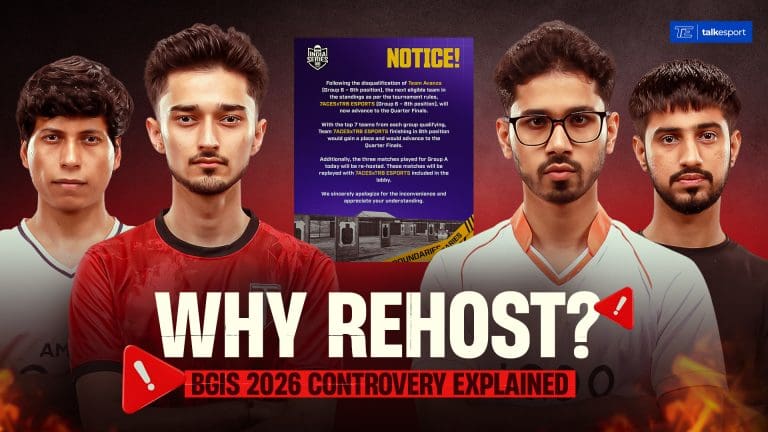
Shortly after, Krafton released an official notice clarifying that 7ACESxTRB Esports would officially replace Avanza in the Quarterfinals. At the same time, all three Group A matches from Day 1 were cancelled, and a complete rehost was announced. The previous results of Group A would not count, and the matches would be replayed with 7ACESxTRB Esports in the lobby.
This rehost created major pressure for teams that had performed well on Day 1. Autobotz Esports had topped the Group A table with 37 points, while Team Tamilas had secured 32 points. Both teams now had to replay those matches with no guarantee of repeating their performance. On the other hand, teams that had struggled in the initial matches received a fresh opportunity to improve.
The official notice did not explain why BTD was initially added instead of 7ACESxTRB Esports. It remains unclear whether it was an administrative error, a communication gap, or a technical issue.
This incident highlighted the real-world impact that a Rule 6.3.13 disqualification can have, not just on the violating team but on the entire tournament bracket.
How Is Rule 6.3.13 Different from Rule 6.2.2 (Cheating)?
This is a common point of confusion among BGMI fans. Rule 6.2.2 falls under the Prohibited Conduct section and specifically targets cheating. It prohibits the use of any cheating hardware, device, cheat program, modified game clients, or similar methods during official competition. It also prohibits downloading cheat programs to the device used for matches.
Rule 6.3.13, on the other hand, falls under the Unprofessional Behavior section. It is broader in scope and covers any conduct that violates the BGMI Terms of Use, official guidelines, or policies. While cheating through hacks or third-party software is covered under 6.2.2, activities like UC carding, account-related violations, or breaches of BGMI’s published policies typically fall under 6.3.13.
In short, Rule 6.2.2 is about in-game cheating. Rule 6.3.13 is about broader Terms of Use violations that may not involve direct gameplay manipulation.
Other Key Rules That Have Led to Disqualifications in BGIS 2026
To understand the full picture of Krafton’s rule enforcement during the BGIS 2026, here is a quick summary of the other major rules that have been cited.
Rule 2.1.5 (Single Team Exclusivity) states that a team member can only compete for one team at a time and cannot be listed on the roster of more than one team. Rule 6.2.2 (Cheating) prohibits the use of any unauthorized software, modified game clients, or cheat programs. Rule 6.3.8 (Bribery) prohibits offering gifts, cash, or rewards to influence match outcomes. Rule 6.3.12 (Document Submission) requires accurate documentation and penalizes teams for submitting false information. Rule 6.2.4 covers Technical and Administrative Violations. Rule 4.3 covers Equipment and Apparel violations, including use of unauthorized peripherals or gear.
Across all rounds of the BGIS 2026, over 25 teams have been disqualified for violating one or more of these rules.
Where Can Players Read the Full BGMI Rulebook?
The complete Battlegrounds Mobile India Official Competition Rulebook (Version 1.0.0, December 15, 2025) is publicly available on the official Krafton India Esports website at esports.battlegroundsmobileindia.com. Players and teams competing in any official BGMI tournament are required to read, understand, and agree to the rulebook before participating.
The global community rescue mission is in full swing as we enter the third stage of the dungeon. Just like the previous days, fresh spoilers from the r/ClashOfClansLeaks subreddit have already popped up, giving us a look at the Clash of Clans Unleash the Duke rewards for Day 3.
As players worldwide continue to pour Dark Elixir into the collective goal to free the Dragon Duke, the rewards behind the three mysterious doors are getting even more interesting. Remember, you only get one shot at these rewards per day, so choose the door that best fits your current village needs!
Clash of Clans Unleash the Duke Day 3 Door-wise Rewards Options
The leaked Day 3 rewards offer a perfect mix of RNG excitement, guaranteed event currency, and laboratory speed. Here is exactly what you can expect to find behind each door:
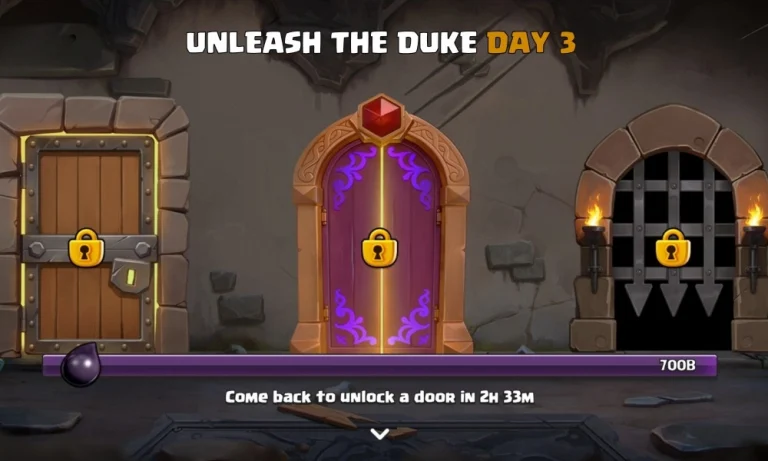
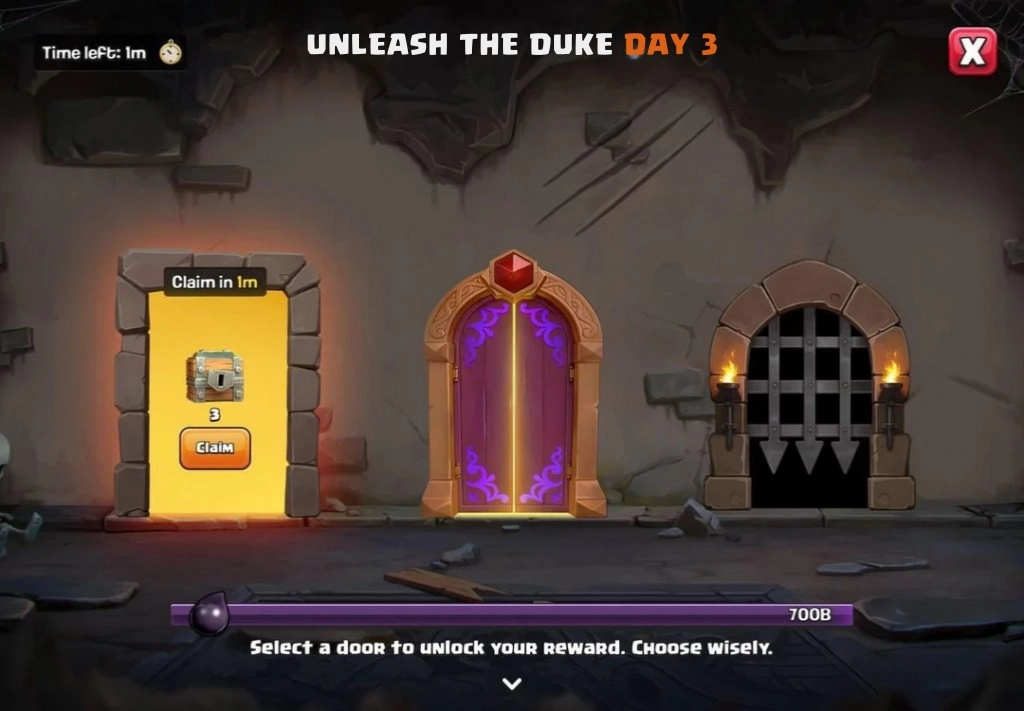
Door 1: 3x Treasure Chests If you haven’t had enough of the “treasure hunt” vibe, Door 1 is for you. These three chests can contain anything from common resources and decorations to high-value ores for your Blacksmith.
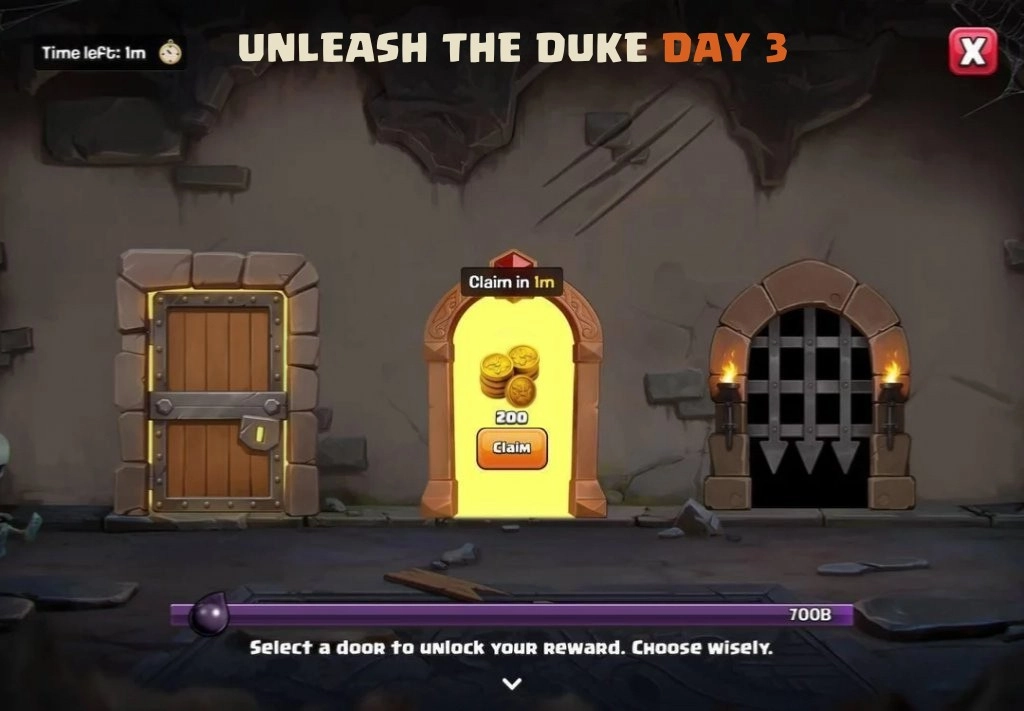
Door 2: 200 Medal Event Currency (Grumpy Medals) For those who want to avoid the luck of the draw, Door 2 provides a guaranteed 200 Grumpy Medals. This is the ideal choice if you are saving up for a specific, high-cost item in the event shop.
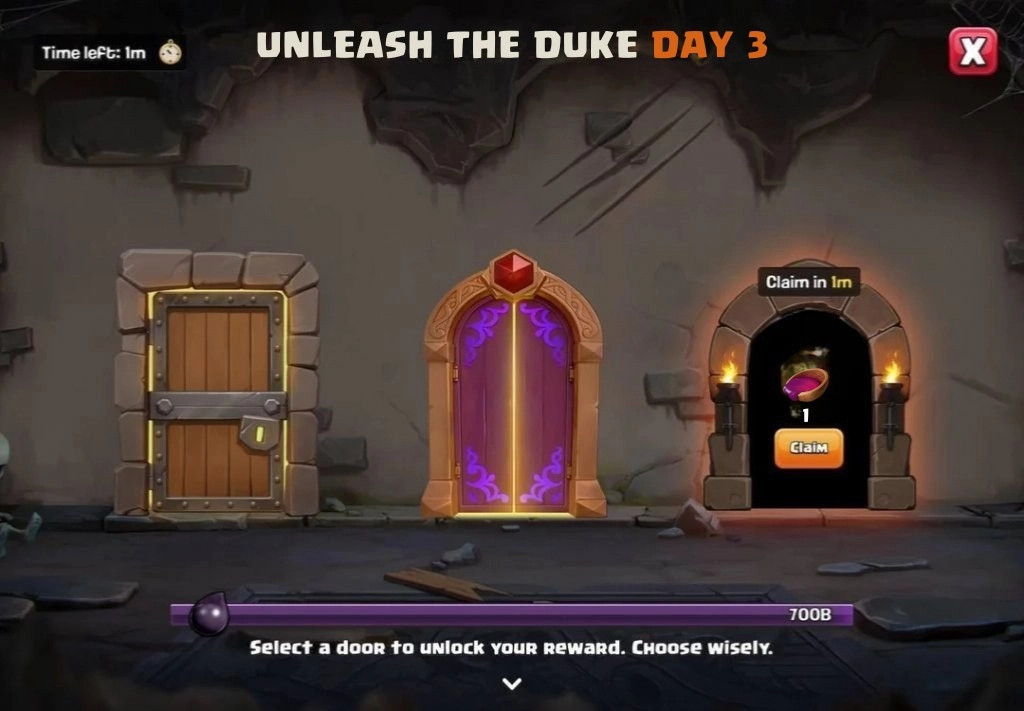
Door 3: 2x Study Soup (Magic Snack) Focused on your Laboratory? Door 3 contains two “Study Soups.” These magic snacks provide a temporary speed boost to your Laboratory research, helping you knock out those long troop or spell upgrades much faster.
Reaching the Day 3 Milestone
To unlock these Clash of Clans Unleash the Duke rewards, the community must reach the next major Dark Elixir milestone. The leaked screenshots show that the goal for Day 3 is set at a staggering 1,000 billion (1 Trillion) Dark Elixir.
Once that bar at the bottom of the screen hits 1.000B, the locks on the Day 3 doors will vanish, allowing every eligible player (Town Hall 6 and above) to claim their prize. However, just like the previous days, there is a limited time to claim your reward before the journey moves on to Day 4.
Day 3 of the “Unleash the Duke” event is arguably the best one yet for those looking to speed up their research progress with the Study Soup magic snacks. While we are still a few days away from the final door containing the Dragon Duke himself, these daily Clash of Clans Unleash the Duke rewards are keeping the momentum high for the entire community.
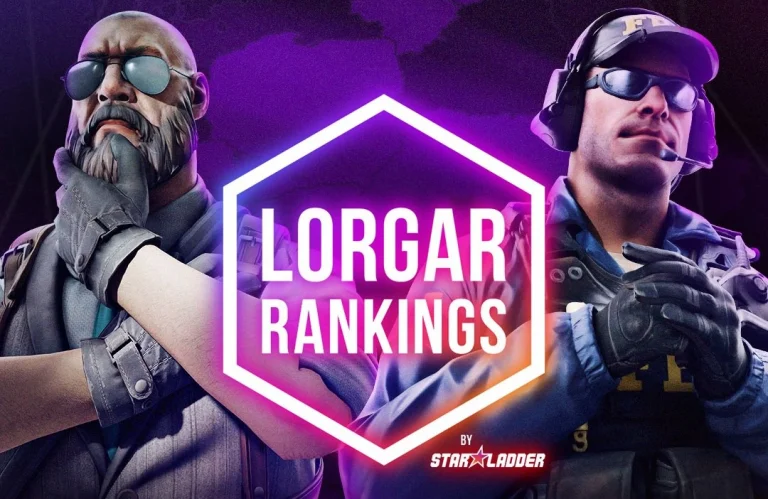
StarLadder has partnered up with LORGAR to bring a new VRS LAN event for Counter-Strike 2 in April 2026.
The upcoming LORGAR RANKINGS CS2 tournament is set to take place from April 25-26, and will feature a prize pool of a whopping $50,000 USD. The qualifiers for the event are scheduled to begin in March.
StarLadder has already unveiled all the details regarding the event’s open and closed qualifiers, along with the LAN finals. Here’s everything you need to know about the LORGAR Rankings CS2 tournament.
The open qualifier for LORGAR RANKINGS will run from March 12-15, and will see elite CS2 teams across Eastern Europe competing online on FACEIT in hopes of securing a spot at the closed qualifier. The open qualifiers will adopt a BO1 single elimination format, with the deciding games being BO3.
The top sixteen teams from the open qualifiers will then proceed to the closed qualifier for the tournament. Set to take place from March 20-April 10, this stage will feature a GSL-style group stage followed by a double-elimination play-in. All matches in the closed qualifier will be played as BO3s.
Once the dust settles, the top four teams from the closed qualifier will be joined by four EU VRS invitees to compete in the LAN studio finals, set to take place on April 25–26 in Schengen.
StarLadder LORGAR RANKINGS CS2 Tournament Prize Pool
As mentioned earlier, the LORGAR RANKINGS CS2 event will have a total prize pool of $50,000 USD. Fans can find the full prize distribution breakdown below:
1st place: $15k
2nd place: $9k
3rd–4th place: $6k each
5th–6th place: $3.5k each
7th–8th place: $3.5k each
📣 LORGAR × StarLadder announce LORGAR RANKINGS: a brand-new official CS2 VRS tournament set to climb regional rankings! 📅 Mar 12 – April 26 💰 $50k prize 🏟 LAN Studio Finals | Online FACEIT Qualifiers Open National Qualifiers