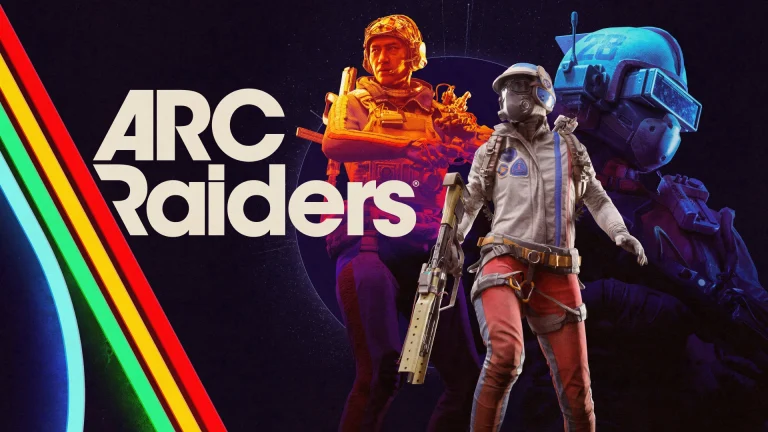
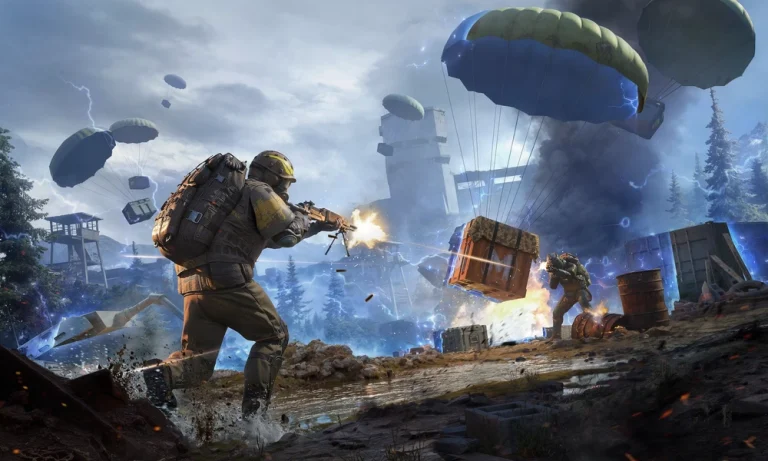
Are you experiencing connection issues when trying to play Arc Raiders? If so, you’re not alone.
From time to time, Arc Raiders players have reported encountering login failures, sudden disconnects, and matchmaking issues when playing the Embark Studios Extraction Shooter.
If you’re encountering these problems, then the first thing you should check is if the Arc Raiders servers are down.
Server outages in Arc Raiders aren’t exactly uncommon either. Given the game’s massive global player demand, its servers can occasionally go down due to heavy load, maintenance, or other reasons.
If you’re looking to check the Arc Raiders server status, you’re in the right place.
Arc Raiders Server Status
Since Arc Raiders doesn’t have an official server status page, the best way for players to check the current server status of Arc Raiders is through third-party websites.
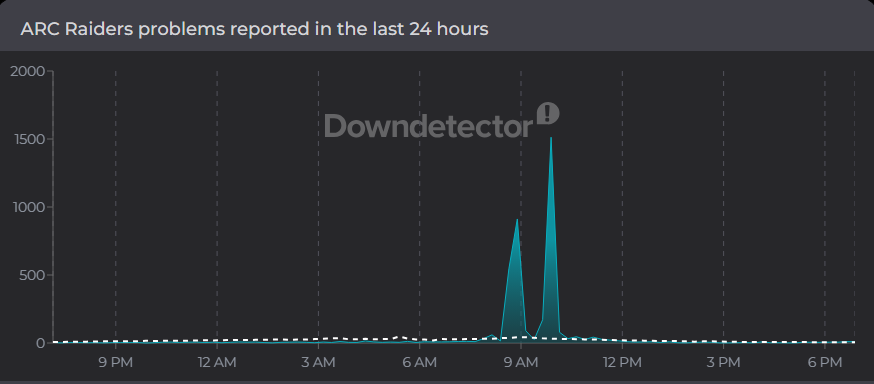
To check whether the Arc Raiders servers are down, simply head over to websites like Downdetector or Arc Status and look for spikes in player reports. If you see noticeable spikes, then the Arc Raiders servers are probably down. Otherwise, it might be your internet connection that’s at fault.
Screenshot via Downdetector
If the Arc Raiders servers are offline, then your best bet would be to wait it out till Embark fixes the issue.
Keep in mind that Arc Raiders receives regular updates featuring new content like cosmetics, maps, modifiers, and more. As a result, the servers may occasionally be taken offline while the devs roll out these updates.
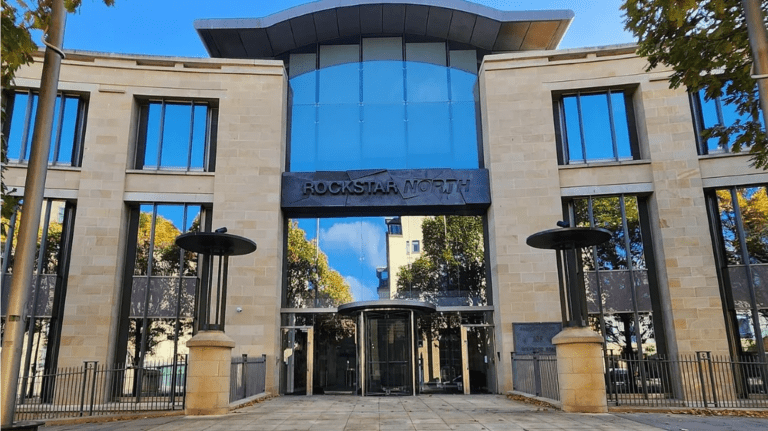
Rockstar Games UK Limited, the legal entity behind Rockstar North, appeared on the UK government’s 2026 employer enforcement list for underpaying workers. The HMRC published the list on March 19, naming the company for failing to pay the National Minimum Wage to five employees.
The total underpayment came to £1,396.73, which is roughly $1,800. That works out to about $372.65 per worker. The affected staff were based at Rockstar North’s Holyrood Road office in Edinburgh. The company has been ordered to repay the full amount and pay additional penalties.
What does the HMRC list mean?
The HMRC regularly publishes lists of employers found to have underpaid workers below the legal minimum wage. The amounts in Rockstar’s case fall within the typical range of minor payroll errors that HMRC picks up during routine checks.
Rockstar was one of hundreds of employers named in this round. Across the full list, over £7 million (approximately $9 million) is being ordered back to workers.
Rockstar North and GTA 6
Rockstar North is Rockstar Games’ primary studio in the UK. The Edinburgh office is the lead development hub for the Grand Theft Auto series and is currently working on GTA 6, which has been delayed multiple times and is now scheduled to release on November 19, 2026.
Rockstar has not commented on the underpayment listing. The same studio dealt with staff dismissals in late 2025, which drew attention after the IWGB union accused the company of targeting workers who had been attempting to organize. An explosion was also reported at the Rockstar North building earlier this year, leading to a police cordon and emergency services response.
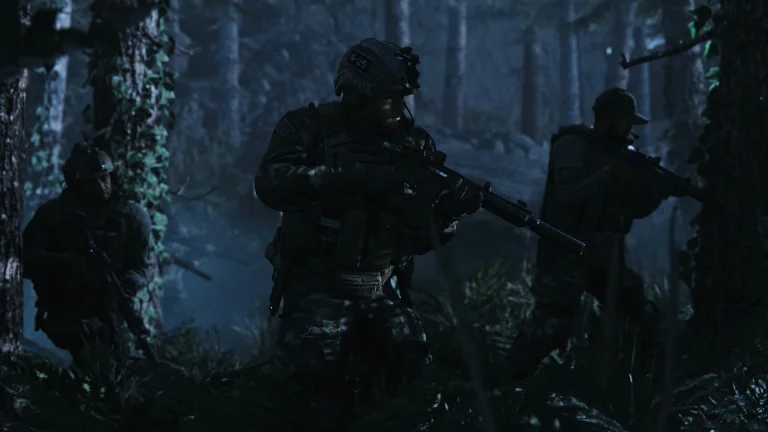
Call of Duty: Modern Warfare 2019 has surged its way back to the top of the Steam charts following a 90% discount that reduced its price to 5.99 dollars. The sale increased its concurrent player count to a new record high, turning a seven-year-old FPS into the hottest Call of Duty title on Steam this week.
Call of Duty: Modern Warfare was initially released in October 2019, but the FPS has quietly accumulated a devoted fan base over the years. However, the FPS never quite took off on Steam, where it was initially released relatively late. All of this changed, though, with a limited-time 90% discount that reduced the price of its standard edition to 5.99 dollars, effective until March 26, 2023, on Steam.
Within a matter of hours of the sale being made available, Call of Duty: Modern Warfare obliterated its previous records, reaching a concurrent player count of 40,000 users on March 21, becoming the most-played Call of Duty title on Steam, even ahead of “Black Ops 7” and “Warzone” on the same platform.
While on paper, it’s simple math: a beloved Call of Duty game for six bucks is an easy sell, especially for fans who are nostalgic for the campaign and the more tactical multiplayer modes many fans still believe are among Infinity Ward’s best work.
But fans and creators are increasingly coming to believe that there is much more at play with this sale, with many calling it part of Activision’s marketing strategy for their much-rumored Modern Warfare 4 game later this year. Some are even going as far as calling it a “litmus test” to gauge interest in a return to MW2019’s tone and gameplay elements, with Activision closely monitoring both sales and engagement metrics.
This resurgence also shows how a heavily discounted legacy game can outsell a full-priced new game, at least for a short time, as word of mouth and social media all come together. For PC gamers, MW2019’s resurgence is a chance to play one of the most divisive but certainly one of the most important games in the series. For Activision, it’s a live test to see if it has the power to carry an entire new era of Modern Warfare games in 2026 and beyond.
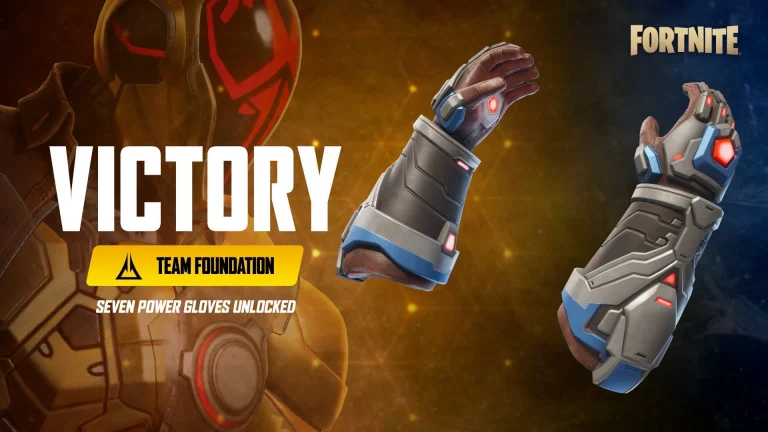
The Seven Power Gloves are a new gauntlet in Fortnite Chapter 7 Season 2’s Showdown event, and it’s possible to obtain them consistently via smart looting and Rivalry Gear Machines.
Here’s how to obtain the Seven Power Gloves and maximize the value out of the available charges.
What are Fortnite Seven Power Gloves?
The Seven Power Gloves are Epic rarity gauntlets, and they can be used as a hybrid mobility and melee damage device. They come equipped with three abilities, including Directional Dash, Ground Pound, and Uppercut Dash, and they come with a total of 20 charges, out of which only 4 are available at any time.
How to Get Seven Power Gloves in Fortnite?
The Seven Power Gloves can be obtained via any source of loot, including chests, floor loot, and supply drops, even though they are Epic rarity. Rare Chests also give a better chance of getting the gauntlets, so focus on high-chest POIs and routes where you can hit multiple structures and end up getting many late-game drops.
For guaranteed access, seek out Rivalry Gear Machines, which are specific vending machines tied to the Showdown’s Team Ice King vs Team Foundation rivalry. These machines will allow you to buy Seven Power Gloves directly using Rivalry Credits (50 credits).
Directional Dash will dash in the direction of your movement, delivering 50 damage on impact. It is great for chasing down opponents or finishing off damaged ones. Uppercut Dash will send you flying upwards, delivering 70 damage to opponents, knocking them into the air, while Ground Pound will allow you to dive back down to punish stacked builds or duos. With only 20 total charges, four of which regenerate every 11 seconds, don’t treat these gloves as a toy.
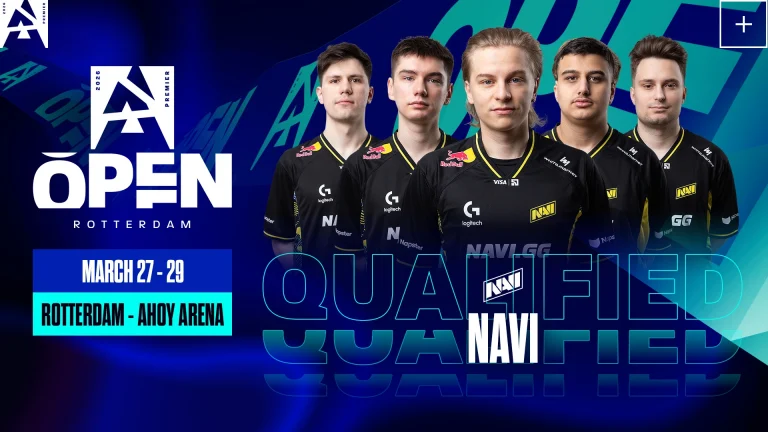
NAVI qualifies for the playoffs of BLAST Open Rotterdam 2026 after beating Falcons with a 2-1 scoreline. Having lost the opening map, NAVI successfully reverse-swept Falcons in the following maps to make it to the playoffs.
The 4-0 start for Falcons sent NAVI on the back foot on their own map pick before they started mounting rounds. Winning two back-to-back rounds, the Falcons snatched back the momentum to race till the end of the half before giving away two rounds to NAVI, only for NAVI to trail by 8-4 before switching sides. Winning the second pistol, Falcons raced up to an 11-4 lead before NAVI started mounting a comeback. Falcons managed to get going after conceding 5 rounds as the final two came their way to close out the map with a 13-9. 23 kills from Kyosuke helped the Falcons bag an early lead in the series upon his return after missing the first game.
Map 2: Inferno; Pick: Falcons; Winner: NAVI
Winning the pistol, NAVI went 3-0 up before Falcons hit the board. As NAVI remained dominant with their defense for the better part of the first half, the Falcons played the chase game until the final round, where they went back-to-back rounds, one with TeSeS clutching 1v2 to give his side a fighting chance with a 7-5 scoreline. Falcons levelled the scoreline off the back of their pistol conversion before NAVI got control of the game on the offense with relative ease. Winning a streak of rounds, NAVI hit a series point, and while Falcons managed to win two more rounds, NAVI stopped the comeback in its tracks and closed the game with a 13-9 scoreline.
Map 3: Dust2; Pick: Decider; Winner: NAVI
5-0 start for NAVI, set Falcons in recovery mode to kick off the final map of the series. As the Falcons continued to struggle, their defense could not yield consistency until the end of the half, as they walked away with a respectable scoreline of 6-6 before switching sides. Winning the pistol put the Falcons 7-6 up before the NAVI offense started putting together rounds. As the Falcons focused heavily on B, NAVI managed to retake the site every single time, leading to a 7-round streak to end the series.
Falcons just can’t seem to find the perfect rhythm to bring together all its stars into a well-structured team. As they continue to struggle, time is running out for this team to make itself a serious contender for the Major. As for this event, they have another shot at making the playoffs, but only time will tell if they can.
If you’re looking to treat yourself to some new weapon skins in Valorant, you might consider holding off just a little longer, as the much-anticipated Valorant Night Market is set to make its return next week.
The Valorant Night Market, which goes live in just a few days, is set to bring with it amazing discounts on some of your favorite cosmetics in the game. With deals ranging from 10% to 49%, you might get lucky and score a brand-new Prime Vandal for yourself at nearly half its usual cost.
In this article, we’ll go through everything you need to know about the Valorant Night Market for March 2026, including its start and end dates, skins you can get, and more.
Valorant Season 2026 Act 2 Night Market: Start and End Dates
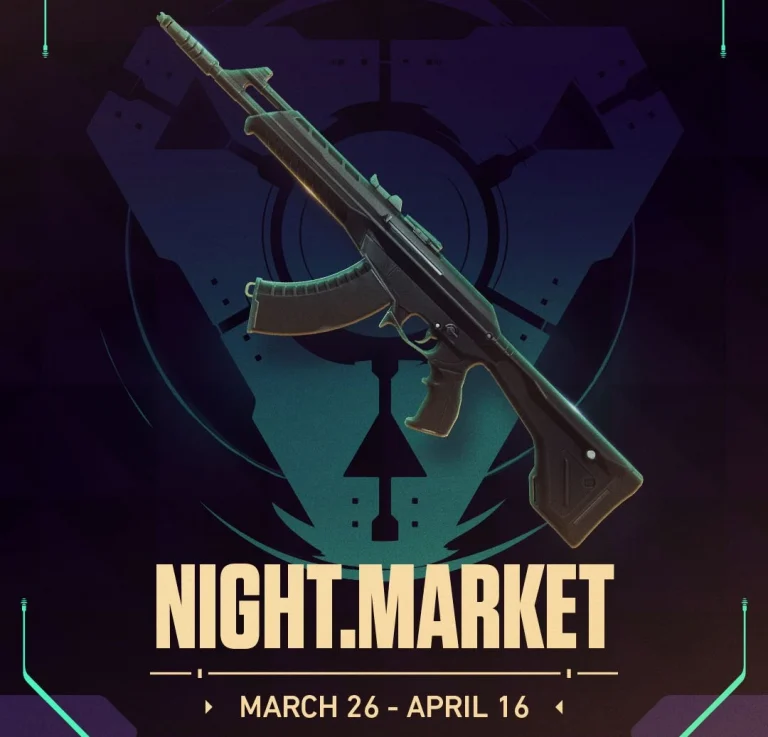
As confirmed by the official Valorant X handle earlier today, the Night Market is all set to hit the live servers on March 26, 2026. Players will have three weeks to grab their favorite deals before the Night Market comes to an end on April 16.
If you want to win more gunfights in Battlegrounds Mobile India (BGMI), controlling recoil is just as important as having fast reflexes. The right zero recoil sensitivity BGMI code can make your M416, AKM, and SCAR-L feel far more stable, helping you land more bullets on target during close and mid-range sprays.
Why Sensitivity Matters in BGMI
Every phone behaves differently in BGMI because screen size, refresh rate, and processor speed all affect how inputs register in-game. Low-end devices need smoother, lower sensitivity values to prevent shaky aim, while high-end phones with 90Hz or 120Hz displays can take advantage of higher gyroscope sensitivity for precise recoil control. Getting your sensitivity right directly improves your kill-to-death ratio, makes ranked pushes smoother, and turns missed sprays into consistent headshots.
True zero recoil is not possible in BGMI, but the right settings can get you very close. The combination of camera sensitivity, ADS settings, and gyroscope values work together to counteract the upward pull of your weapon. A sensitivity code simply bundles all these values into one importable string so you can skip hours of manual tweaking.
Best Zero Recoil Sensitivity BGMI Code
These are the most tested and recommended zero recoil sensitivity code for BGMI on Android in 2026, covering both gyroscope and non-gyroscope playstyles.
Gyroscope Codes
7307-1085-6780-4282-435: Best all-round code; very stable sprays for M416 and SCAR-L
7238-4245-4286-7096-036: Strong long-range control; excellent for 6x sprays
1-7527-1413-2691-7206-969: Smooth and balanced; works well on low-end phones
7238-4924-1948-2049-112: Very smooth recoil control; great for 6x M416
7238-4185-8644-7904-942: Good for aggressive gameplay; friendly for budget devices
1-7571-6981-9834-2795-805: Designed for four-finger claw players; high control sprays
1-7595-0697-8271-7628-940: Updated for BGMI 4.2; works for full gyro and non-gyro users
Non-Gyroscope Codes
6983-8762-7023-5848-120: Easy for beginners; helps reduce vertical recoil
1-7571-6708-4489-3563-702: Stable close-range sprays; no gyro required
7238-4245-4286-7096-036: Smooth ADS control; works well on Redmi and Samsung phones
Recommended Manual Sensitivity Settings
If you prefer to dial in values yourself rather than use a code, here are the recommended settings that most pro-level players rely on for zero recoil control.
Camera Sensitivity
Scope
Recommended Value
TPP No Scope
145%
FPP No Scope
130%
Red Dot / Holographic
75%
2x Scope
55%
3x Scope / Win94
40%
4x Scope / VSS
30%
6x Scope
10%
8x Scope
11%
ADS Sensitivity
Scope
Recommended Value
TPP No Scope
110%
FPP No Scope
100%
Red Dot / Holographic
60%
2x Scope
50%
3x Scope
25%
4x Scope
18%
6x Scope
20%
8x Scope
16%
Gyroscope Sensitivity
Gyroscope sensitivity controls how your device’s tilt movement translates into in-game aim. Setting it too low makes recoil feel heavy; too high makes your aim jittery and hard to control.
Scope
Recommended Value
TPP / FPP No Scope
350–400%
Red Dot / Holographic
350–400%
2x Scope
350–400%
3x / 4x Scope
320–350%
6x Scope
120–140%
8x Scope
80–100%
For ADS Gyroscope specifically, which only activates while shooting, use 300–400% for no scope and red dot, 250–350% for 2x, 180–240% for 3x, and scale down to 50–100% for 8x.
How to Apply a Sensitivity Code in BGMI
Applying a sensitivity code takes less than a minute:
Open BGMI and tap the arrow near your profile at the top right
Go to Settings and open the Sensitivity tab
Scroll down and tap Cloud Management or Search Method
Paste the full sensitivity code into the search bar
Tap Search and preview the settings that appear
Press Apply to save them
Head to the Training Ground and test your sprays on static targets
If recoil still feels off, adjust ADS sensitivity by 2 to 5 percent in either direction
Tips for Low-End and High-End Devices
One important rule that many players miss is the Low FPS Fix. If you play on a low-end device running at 40–60 FPS, your inputs register more slowly, which can make your aim feel sluggish even with a good sensitivity code. The fix is simple: increase sensitivity numbers in the sections that feel slow, sometimes by as much as 50 to 100 points, until responsiveness matches your expectations.
Always enable Horizontal Swipe Acceleration in Advanced Controls. This option smooths out movement and ensures your sensitivity values behave the way they are designed to. For high-end devices running at 90Hz or 120Hz, you can push gyroscope sensitivity closer to the higher end of the recommended ranges without causing erratic aim.
Common Mistakes to Avoid
Copying a sensitivity code without testing it is one of the most common errors players make, because every device, hand size, and playstyle is different. Do not test new settings in ranked matches because real fights are not the right environment for dialing in sensitivity. Always use the Training Ground first.
Do not change all settings at once; start with camera sensitivity, then ADS, then gyroscope
Do not set sensitivity too high for your device, as it increases aiming instability
Do not switch codes frequently; muscle memory builds only with consistent settings
Spend 10 to 15 minutes daily in the Training Ground practicing spray control with your chosen code
How to Build Your Own Zero Recoil Setup
Pro players treat sensitivity codes as a starting point, not a final answer. Once you import a code, test it on weapons like the M416 and AKM by spraying at walls in Training Ground. Watch where bullets land relative to your crosshair, then make small 5–10% adjustments to ADS sensitivity until bullets track where you aim. Building your own muscle memory around one stable setup will always outperform copying and discarding codes every week.
For scope-specific control, the general principle is: lower sensitivity for longer range scopes (6x, 8x) and higher sensitivity for close-range fights (red dot, no scope). Finding the balance that suits your finger layout, whether you play 2-finger thumb, 3-finger, or 4-finger claw, will determine which of the listed codes feels the most natural to you.
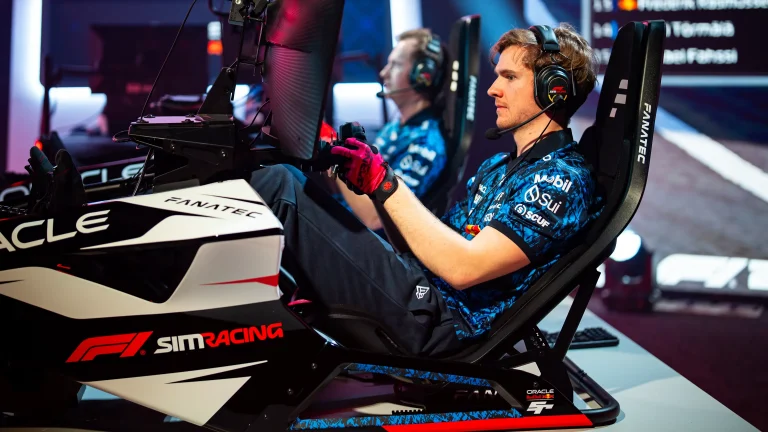
Formula 1 has officially announced the return of the F1 Sim Racing World Championship for 2026. The season kicks off at DreamHack Birmingham from 27 to 29 March, before shifting to a brand new dedicated facility for the rest of the year.
Here is everything we know so far about the format, teams, broadcast plans, and prize pool.
DreamHack Birmingham hosts the season opener
The 2026 F1 Sim Racing World Championship will begin at DreamHack Birmingham, held at the NEC in Birmingham. This is the first time DreamHack has come to the United Kingdom, and the three-day event is expected to draw around 50,000 gaming fans.
The opening round will feature racing on the Shanghai International Circuit. A dedicated F1 Sim Racing Fanzone will also be set up at the venue, with activations from several F1 teams. Fans at the event will get a chance to see the simulators up close, interact with the sim racing drivers, and explore the paddock area.
New purpose-built facility at Biggin Hill
After the DreamHack opener, the remaining three events of the season will take place at Formula 1’s Media and Technology Centre in Biggin Hill. F1 has invested significantly in a new multi-purpose studio facility at this location specifically for sim racing.
The facility is designed to give teams and drivers a proper performance environment while keeping the sim racing championship physically connected to F1’s broader operations.
Nine F1 teams will compete in the 2026 season: Alpine, Aston Martin, Ferrari, Haas, McLaren, Mercedes, Racing Bulls, Red Bull, and Williams. Each team will field a roster of three esports drivers, with two selected to race at every round.
Format and prize pool
The season spans 12 events in total. Each event will include qualifying sessions and races run at 50% distance. Points from every round count toward both a Drivers’ Championship and a Teams’ Championship.
The total prize pool for the 2026 season is $750,000.
Where to watch
All 12 rounds of the F1 Sim Racing World Championship will be broadcast live on Formula 1’s official YouTube, Twitch, and Facebook channels. No separate subscription or platform is required.
F1’s push into the gaming audience
The DreamHack partnership is part of Formula 1’s ongoing effort to reach audiences outside of traditional race weekends. Prazer pointed out that esports gives the sport a way to connect with younger fans and offer them new ways to engage with F1 and its teams.
DreamHack has been expanding its global footprint throughout 2026, with events like DreamHack Atlanta also hosting major esports tournaments including IEM and Call of Duty League. The Birmingham event marks DreamHack’s first stop in the UK, adding another market to the ESL FACEIT Group’s growing calendar.
Niccolo Maisto, CEO of ESL FACEIT Group (which runs DreamHack), said the event brings together motorsport and the UK gaming community. He added that attendees will get to watch the championship’s drivers compete live on stage.
Key dates at a glance
The season opens at DreamHack Birmingham on 27 to 29 March 2026. Three more events follow at the Biggin Hill facility, with exact dates for those rounds yet to be confirmed publicly.
Marvel Rivals Season 7 is here, and it brings a fresh set of ranked rewards for competitive players. The highlight this time is a free White Fox skin called “Secret Agent,” available to anyone who hits Gold rank. Here’s everything you need to know about how to earn it and what other ranked rewards Season 7 has in store.
How to Unlock the White Fox “Secret Agent” Skin for Free
The White Fox “Secret Agent” costume is the ranked skin for Marvel Rivals Season 7. To unlock it, players need to complete their placement matches and reach the Gold rank in competitive mode.
One thing worth noting is that the skin will not show up in your inventory right away. Ranked rewards in Marvel Rivals are distributed either during the mid-season rank reset or at the end of the season. So you will need to wait a bit after hitting Gold before the skin actually lands in your collection.
The skin itself gives White Fox a blue outfit with gold details and a pair of custom-designed gloves. It is a clean look that fits the character well.
All Ranked Rewards in Marvel Rivals Season 7
The White Fox costume is the main attraction, but Season 7 has ranked rewards at every tier. Here is the full list:
Gold Rank: White Fox “Secret Agent” Costume
Platinum Rank: City Stories Nameplate Frame
Diamond Rank: Tablet Tales Nameplate Frame
Grandmaster Rank: Grandmaster Crest of Honor
Celestial Rank: Celestial Crest of Honor
Eternity Rank: Eternity Crest of Honor
One Above All Rank: One Above All Crest of Honor
Top 500: Top 500 Crest of Honor
The Crest of Honor designs have been slightly updated for Season 7. This is a pattern NetEase follows each season, where the crests get small visual refreshes.
Keep an Eye on Competitive Changes
Season 7 also introduced changes to the competitive system that could affect how placement matches work and how your final rank is determined. Teams now get three hero bans instead of two, and placement matches factor in personal performance to adjust your starting rank up or down by one division. If you are planning a ranked grind this season, it is a good idea to check the updated competitive rules before jumping in. These changes may impact your end-of-season placement and the rewards you receive.
Yet what makes this transition notable is not the pivot itself. It is the timeline.
Because the limitations of Meta’s metaverse vision were not discovered recently. They were visible, discussed, and documented years ago.
The Early Signals That Were Hard to Miss
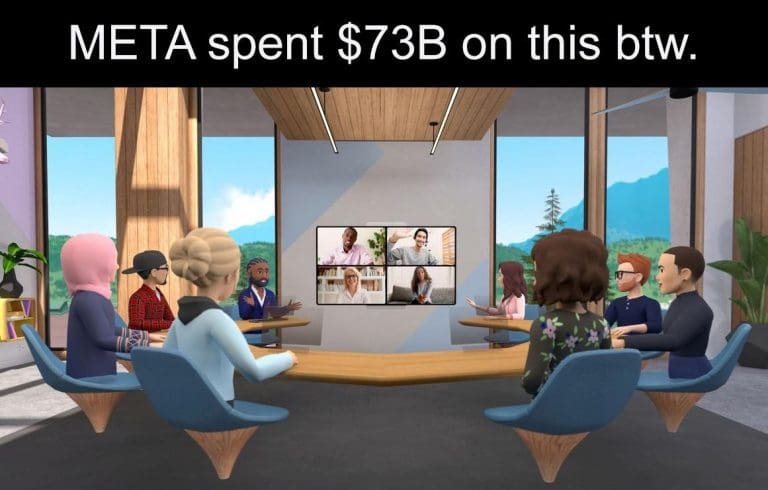
As early as 2022 and 2023, creators and analysts began dissecting Horizon Worlds with a level of detail that left little ambiguity. The platform, despite its positioning, did not deliver an experience that justified its ambition.
Users who entered Horizon Worlds often described the same pattern. Initial curiosity was followed by rapid disengagement. The environments felt sparse, interactions were limited, and the overall experience lacked the depth required to sustain long-term participation.
This was not a fringe perspective. It was a recurring conclusion across multiple independent analyses.
What stood out was not just the criticism itself, but its consistency. Different creators, different formats, and different audiences all pointed toward the same structural weaknesses. Horizon Worlds was not failing because it was unfinished. It was struggling because it was not compelling.
And this distinction mattered. Because products that are early can still grow. Products that fail to engage rarely do.
A Vision Built Ahead of Its Time, or Out of Sync With It?
The deeper critique of Meta’s metaverse strategy extended beyond Horizon Worlds as a standalone product. It questioned the underlying premise.
Meta was attempting to build a large-scale social ecosystem on top of virtual reality hardware that had not achieved mainstream adoption. This created a structural dependency. The success of the platform was tied not only to its own quality, but to the willingness of users to adopt an entirely new interface. That willingness never materialized at scale.
So as far as I can tell, the Metaverse is just Animal Crossing but you’re being hunted by Mark Zuckerberg. pic.twitter.com/ANrS2bynmS
VR headsets, while technologically impressive, remained niche. They required financial investment, physical adjustment, and a level of behavioural commitment that most users were not prepared to make. Unlike smartphones or PCs, VR did not integrate seamlessly into daily routines.
This created a gap between ambition and accessibility. Meta’s vision assumed that users would transition into immersive environments because of the potential those environments represented. In reality, users tend to move toward convenience, familiarity, and immediate value.
The metaverse, as presented, demanded too much before offering enough.
The Problem of Forcing Behavioural Change
Technology adoption has historically followed a clear pattern. The most successful platforms do not require users to change behaviour. They enhance behaviour that already exists.
Social media did not invent communication, it simply amplified it. Streaming platforms did not invent entertainment. They simplified access to it. Mobile devices did not invent computing. They made it portable.
Horizon Worlds operated in the opposite direction. It asked users to enter a new environment, adopt new interaction methods, and spend extended periods within a space that did not yet provide a proportionate return in value. This inversion of the adoption model created friction at every stage of the user journey.
The result was predictable. Users experimented, but they did not stay. And retention, more than acquisition, defines the success of any social platform.
Investment Without Adoption
Meta’s commitment to the metaverse was not incremental. It was absolute.
Here are some brutal memes about how the #Metaverse will trap us in a human meat farm… beyond the Turkish farmer's experiment of putting his cows in VR headsets to show them images of green fields and pastures to increase milk production… #laughhttps://t.co/oOQdQLXTD2
From a capital perspective, the effort was unprecedented. From a user perspective, the response was limited. This divergence is critical. Large-scale investment can accelerate development, improve infrastructure, and expand reach. What it cannot do is manufacture organic demand. User adoption is not a function of capital alone. It is a function of relevance.
And relevance, in the case of Horizon Worlds, remained elusive. While Meta continued to invest, competing platforms with far fewer resources built stronger communities. The difference was not technological sophistication. It was alignment with user expectations.
Platforms that prioritised creativity, accessibility, and community-driven experiences were able to sustain engagement. Horizon Worlds, despite its resources, struggled to achieve the same outcome.
The Cost of Narrative Commitment
At some point, Meta’s metaverse strategy transitioned from a product decision to a narrative commitment.
The company had publicly defined the metaverse as the future of digital interaction. It had aligned its brand, messaging, and long-term positioning with that vision. Reversing course early would not have been a simple strategic adjustment. It would have required a visible redefinition of that narrative.
This created inertia. Even as feedback remained consistent and adoption lagged, the broader direction remained unchanged. Investment continued. Messaging remained aligned. The vision was sustained. This is not unusual in large-scale technology bets. When a company commits to a long-term narrative, especially one tied to its identity, the threshold for recalibration becomes significantly higher.
The challenge is that markets do not operate on narrative timelines. They operate on adoption. And adoption, in this case, was not keeping pace.
The Industry Moved, Just Not Toward the Metaverse
While Meta continued to invest in the metaverse, the broader technology landscape evolved rapidly. Artificial intelligence emerged as the new centre of gravity.
Unlike the metaverse, AI did not require users to adopt new hardware or enter new environments. It integrated directly into existing workflows, platforms, and behaviors. The barrier to entry was minimal, and the value proposition was immediate. This difference reshaped priorities across the industry.
Capital, talent, and strategic focus began shifting toward AI-driven solutions. Companies that had previously explored metaverse initiatives began reassessing their direction. The narrative that had dominated headlines in 2021 and 2022 gradually lost momentum. In contrast, AI gained it. Meta’s own pivot reflects this shift. The company is now investing heavily in AI infrastructure, models, and applications—areas where adoption is not speculative, but measurable.
The contrast between the two trajectories is instructive. One required users to adapt to a new paradigm. The other adapted to users.
Horizon Worlds Today: Maintenance, Not Momentum
The current state of Horizon Worlds reflects this broader recalibration.
The platform is no longer positioned as the centerpiece of Meta’s long-term strategy. Its development has slowed, its ambitions have been moderated, and its role within the company’s ecosystem has been redefined. It continues to exist, but without the momentum that once defined it.
This is not a complete withdrawal from the metaverse. Meta has not abandoned immersive technologies entirely. However, the scale and intensity of its commitment have changed. The metaverse is no longer the future, it remains one of many possibilities.
A Lesson in Timing and Alignment
Looking back, the most significant aspect of Meta’s metaverse journey is not the outcome, but the timeline.
The limitations of Horizon Worlds were not hidden. They were identified early, discussed openly, and reinforced through user behaviour. The feedback loop was active and visible. What followed was not a lack of information, but a delay in response.
This highlights a broader principle in technology strategy. Vision is essential, but it must remain aligned with user reality. When that alignment breaks, even the most well-funded initiatives can struggle to sustain momentum.
Meta’s investment in the metaverse was not misplaced in intent. The idea of immersive digital environments continues to hold potential. However, the execution, timing, and underlying assumptions created a disconnect that proved difficult to overcome.
Technology narratives often begin with conviction. They are built on the belief that the future can be shaped through vision and investment. But ultimately, those narratives are tested in the market. Users respond through behavior, not agreement. They return, or they don’t. They engage, or they move on. In the case of Horizon Worlds, the response was clear, and it was visible early.
Three years ago, the concerns were already being articulated. Today, the strategy is beginning to reflect them. Not because the vision changed. But because the market never did.