Tuesday, June 23, 2026
Home Blog Page 58

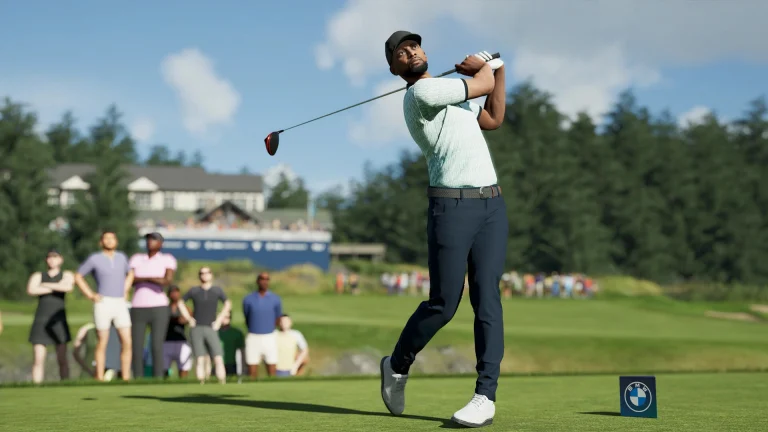
PGA Tour 2K25 Locker Codes for March 2026

If you are looking for free rewards in PGA Tour 2K25, the latest locker codes are going to help you.

We have the latest 2K25 locker codes, which will let you claim VC, boosts, and much more for free in the game. Without wasting time, review the codes and instructions for successful redemption.

PGA Tour 2K25 Locker Codes for March 2026

Here is a list of all the active locker codes for this month:

CodesRewards
SPRINGSWING500 VC
POTOFGOLDShirt cosmetic
ONTHEGREEN600 VC​
MORIKCOLDWAPolo + TaylorMade wedge set
PUTTPUTTBarstool hat
M9YPY8J77D78500 VC & Evo Tool
PEBBLEPERFECTIONEvo Tool

How to Redeem PGA Tour 2K25 Locker Codes?

Follow the process mentioned below on all platforms:

  • Launch PGA Tour 2K25 and go to the main/Home menu.
  • Open your Profile or Settings menu.
  • Select “Redeem Locker Code” / “Locker Codes.”
  • Enter the code in ALL CAPS, confirm, and your reward is added instantly if the code is valid and unused.

Codes are one‑time use per account and are strictly case‑sensitive, so a single typo or wrong letter case will make them fail.

GodL Lolzzz BGMI ID, Real Name, Stats, and More

0

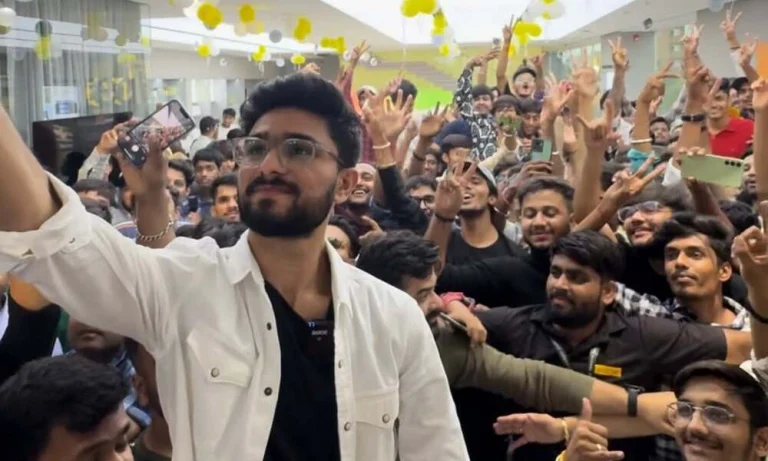
GodL Lolzzz is one of the most popular BGMI content creators in India, known for his aggressive gameplay and massive YouTube following. His BGMI ID is 526040141, and his in-game name (IGN) is GodL LoLzZz.

Who Is GodL Lolzzz?

Yash Thakur (also spelled Yash Thacker) is the real name behind the GodL Lolzzz persona. Born on July 30, 1997, in Bhuj, Gujarat, he is 28 years old and is one of the most recognizable faces in the Indian BGMI streaming scene. He is a content creator under GodLike Esports, one of India’s most prestigious esports organizations.

Lolzzz won the “Powerful Streamer of the Year” award at the India Gaming Awards in 2023 and later took home the “Streamer of the Year” honor at the Gem Awards 2025. His YouTube channel has grown to over 2 million subscribers, making him one of the top gaming creators in the country.

GodL Lolzzz BGMI ID and Profile Details

DetailInformation
BGMI ID526040141
In-Game Name (IGN)GodL LoLzZz
Real NameYash Thakur
OrganizationGodLike Esports
Current RankConqueror
FD Ratio13.56
Matches Played531
Matches Won247
Total Finishes7,186

You can find his profile in-game by going to the Friends section, selecting Add Friend, and searching for his BGMI ID 526040141. His IGN contains special characters (GodLōLõLzZz) to prevent fake accounts from copying it, so always use his ID number to locate the correct profile.

Sensitivity and Control Codes

If you want to replicate his exact playstyle, you can import his settings directly into your game using his official codes.

SettingCode
Control Code7076-2873-9160-7032-188
Sensitivity Code7072-8881-9971-0907-457

To use these, go to Settings > Controls > Import Control in BGMI and enter the control code. For sensitivity, navigate to Settings > Sensitivity > Import and paste the sensitivity code.

Role at GodLike Esports

Lolzzz’s primary role at GodLike Esports is content creation rather than competitive play. He regularly live streams BGMI on YouTube, engages in bootcamp sessions with the team, and collaborates on creative gaming videos. While he has expressed interest in competing in BGMI LAN events, GodLike’s competitive roster is already packed with top players like Jonathan Gaming.

BGMI Prize Path: Jujutsu Kaisen Release Date, Rewards, and More

0

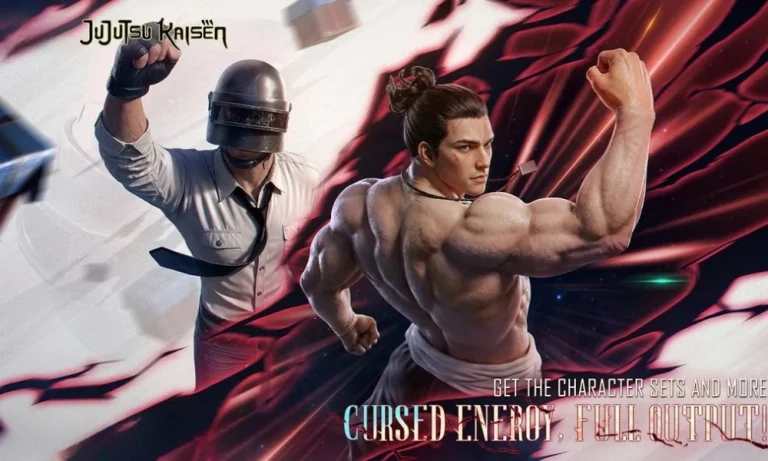
The BGMI Prize Path is one of the most anticipated limited-time events in Battlegrounds Mobile India. The next one is bringing a massive Jujutsu Kaisen 2.0 collaboration with the 4.3 update. If you want to know the release date, all the rewards, the cost, and how to complete it efficiently, this guide covers everything.

What Is BGMI Prize Path?

The BGMI Prize Path is a paid progression event that lets players unlock exclusive themed rewards by completing in-game missions. To participate, you first spend UC to unlock the Prize Path, after which all players can join the event missions for free to earn points. You use those points to level up your Prize Path and claim rewards at each tier.

The event has been a recurring feature in BGMI across multiple major collaborations. Some of the most popular Prize Paths so far include Line Friends, Attack on Titan, Transformers, King of Fighters, and Kaiju No. 8.

BGMI Prize Path Release Date (4.3 Update)

The next BGMI Prize Path is part of the 4.3 update, which was scheduled for release on March 19, 2026. This update brings a full Jujutsu Kaisen 2.0 collaboration to the game, and the Prize Path is one of the headline events of this partnership. Krafton confirmed the Jujutsu Kaisen 2.0 collab for the Prize Path ahead of the update, with the 100% Bonus UC Up event timed to coincide with the rollout.

The community briefly speculated that the Prize Path might be cancelled for 4.3, but officials addressed those concerns. The developers confirmed that the JJK Prize Path would arrive with the update.

Jujutsu Kaisen Prize Path Rewards

The BGMI 4.3 Jujutsu Kaisen Prize Path includes some of the most exciting collab rewards seen in the game. Here is what players can expect:

  • Free Jujutsu Kaisen Buddy Skin available through mission completion
  • A 1-Level Upgradable Gun Skin (Melee/Short range weapon)
  • Mythic character skins for Yuji Itadori and Gojo Satoru with new 4.3 animations
  • Sukuna Groza skin featured in the Lucky Spin event alongside the Prize Path
  • Additional themed outfits, weapon skins, and emotes tied to the Jujutsu Kaisen anime

Players can also use Anniversary Perk Vouchers earned during BGMI’s 8th Anniversary to reduce the effective UC cost.

How the Prize Path Works

Understanding the mechanics helps you get the most out of every UC you spend.

  • Unlock cost: Spend 600 UC to open the Prize Path (500 UC in some regional PUBG Mobile variants)
  • Earn points: Complete daily and challenge missions during the event, or spend additional UC to buy points directly
  • Level up: Points are consumed to progress through levels; the Prize Path has 20 levels, each with a fixed reward
  • Overflow points: The system converts any points you earn after reaching the max level into Lucky Coins at a 10:1 ratio, which you can use in the Lucky Draw.
  • Collaboration Points: Each level completed also gives Collaboration Points, which unlock additional bonus rewards on the collab page
  • Access missions: Head to the Events section in the BGMI lobby, find the Prize Path tab, and start tracking your progress

BGMI has designed the mission types around normal gameplay such as kills, matches played, and survival time, so you do not need to play in an extreme or unusual way to advance.

Is the JJK Prize Path Worth It?

The BGMI Prize Path has consistently offered strong value for players who regularly spend UC on events. TThe community praised the Kaiju No. 8 Prize Path as one of the better ones, and the JJK 2.0 collaboration appears to raise the bar further with upgradable skins and a free buddy. If you are a fan of the Jujutsu Kaisen anime and were hoping for Gojo or Yuji Itadori skins in BGMI, this is a collab worth investing in.

Players who saved UC during the 100% Bonus UC Up event effectively halve the cost, making the 600 UC unlock much more accessible. You can stay updated on all upcoming BGMI events and Prize Path guides at TalkEsport’s BGMI coverage.

PSN Down: PlayStation Network outage hits PS5 and PS4 on Crimson Desert launch weekend

0

PlayStation Network went down on Saturday, March 21, 2026, locking players out of online games, friends lists, trophies, and the PlayStation Store across both PS5 and PS4. The outage started at roughly 4 PM ET and the worst of it lasted about two hours, though a significant number of users reported problems stretching well into Sunday.

The timing could not have been worse. Crimson Desert launched on PlayStation that same weekend, and players trying to jump into the new RPG found themselves staring at error screens instead. Online shooters like Call of Duty and Marvel Rivals were also knocked offline. Even some single-player games that require server authentication for updates or trophy syncing were affected.

Sony acknowledged the problem on its PlayStation Service Status page, which updated from “all services are up and running” to “some services are experiencing issues.” The affected categories listed were Gaming and Social, Challenges, Game Help, Game Streaming, Tournaments, and Trophies.

What happened and how bad was it?

Downdetector logged nearly 14,000 user reports at the peak of the outage, around 4:59 PM ET. The spike was global. Players in the US, Canada, Europe, and Japan all reported the same problems at roughly the same time.

The frustrating part: Sony’s status page returned to “all services are up and running” while thousands of players were still locked out. Downdetector reports stayed elevated for hours after Sony’s official page showed green. One user on Reddit reported having two consoles in the same house, with one online and the other unable to connect. Geography did not seem to be the deciding factor. Neither did anything else obvious.

A PlayStation Support representative reportedly told one user: “We don’t have a set timeframe for when the problem will be 100% resolved; we simply ask for your patience.”

Sony has not disclosed the cause of the outage. No evidence of a cyberattack or data breach has surfaced. Past PSN outages have been caused by traffic spikes, configuration errors, and DDoS attacks, but nothing specific has been confirmed for this one.

Is PSN back up now?

As of March 22, 2026, the PlayStation Service Status page shows all services operational. Downdetector reports have returned to baseline levels. Most players appear to have regained access.

If you are still having problems, Sony recommends restarting your console, checking your internet connection, updating your system software, and reviewing router settings. Some players found that manually testing their network connection through Settings helped re-establish the PSN link.

Sony added 5 free days to PS Plus memberships

In response to the disruption, Sony automatically added five extra days to all active PlayStation Plus subscriptions. The company posted this on the PlayStation support site as a goodwill gesture for the downtime. You do not need to do anything to claim it. The extension should already be applied to your account.

PSN branding is going away anyway

The outage happened just days after reports surfaced that Sony plans to phase out the “PlayStation Network” and “PSN” branding entirely by September 2026. According to leaks shared with developers and reported by Insider Gaming, the change is cosmetic. The service itself stays the same. Sony wants to unify everything under the broader “PlayStation” name. Features like multiplayer, friends lists, trophies, and cloud saves will not change.

The irony of PSN trending on social media for an outage right before the name gets retired was not lost on anyone.

How does this compare to past PSN outages?

This was a relatively minor incident by PSN standards. The worst outage in PlayStation history was the 2011 breach, which kept the network offline for 23 days and exposed personal data of 77 million accounts. More recently, a February 2025 outage lasted roughly 24 hours and drew similar complaints about Sony’s lack of transparency.

Saturday’s outage lasted about two hours at its worst, with lingering issues for some users into Sunday. Not great, but not catastrophic.

Frequently asked questions

Is PSN down right now?

As of March 22, 2026, all PSN services are listed as operational on Sony’s status page. If you are still experiencing issues, try restarting your console and testing your network connection.

What caused the PSN outage on March 21?

Sony has not disclosed a cause. No evidence of a cyberattack has surfaced. The outage lasted approximately two hours, with some users reporting lingering issues into March 22.

What services were affected?

Gaming and Social, Challenges, Game Help, Game Streaming, Tournaments, and Trophies on both PS5 and PS4.

Did Sony compensate players?

Yes. Sony automatically added five extra days to all active PlayStation Plus memberships.

How long was PSN down?

The main outage lasted about two hours, from approximately 4 PM to 6 PM ET on March 21, 2026. Some users reported problems continuing into the next day.

Miks Valorant Guide: Abilities, tips, best combos, and how to play

0

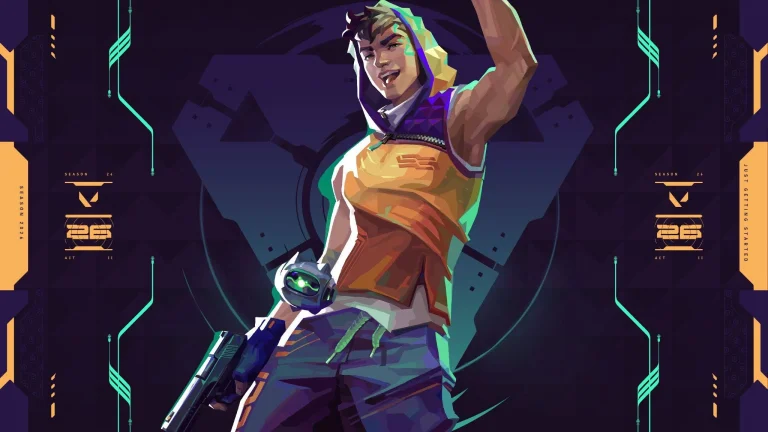
Miks is Valorant’s 30th agent and the newest Controller added to the game. He launched on March 18, 2026, with Season 2026 Act 2. Revealed during the VCT Masters Santiago Grand Finals, Miks is a Croatian agent whose entire kit is built around sonic energy, team support, and battlefield tempo.

What makes Miks stand out from every other Controller in Valorant is one thing: he can heal teammates. Before Miks, every other role in the game had at least one agent with healing. Controllers were the only class without it. Miks fills that gap while still carrying standard smoke utility, making him a hybrid between a traditional Controller and a support agent.

Game designer Kevin Meier described Miks as an agent “built for the socially motivated player, someone who finds satisfaction in enabling and supporting their allies.” If you prefer setting your team up to win rather than chasing solo highlight clips, Miks is built for you.

All Miks abilities explained

Harmonize (Q)

Equip Harmonize and target an ally to activate a Combat Stim on both you and that ally. The buff refreshes every time either player gets a kill. You can also alt-fire to apply the Combat Stim to yourself only.

This ability is at its best when paired with an aggressive entry player like Jett or Raze. Give them the stim before they push a site, and the increased fire rate carries through every kill they land. The refresh mechanic means the buff does not expire as long as one of you keeps getting eliminations. If the entry fragger dies without a kill, the buff is wasted, so choose your target carefully.

In solo queue, self-casting Harmonize before an aggressive peek is a solid fallback when you do not have a reliable duo partner.

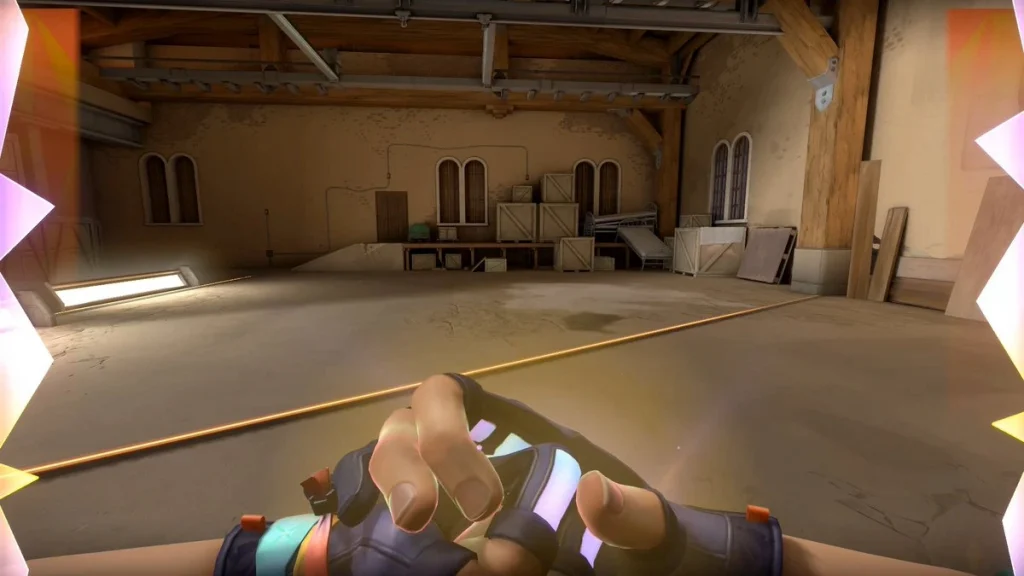
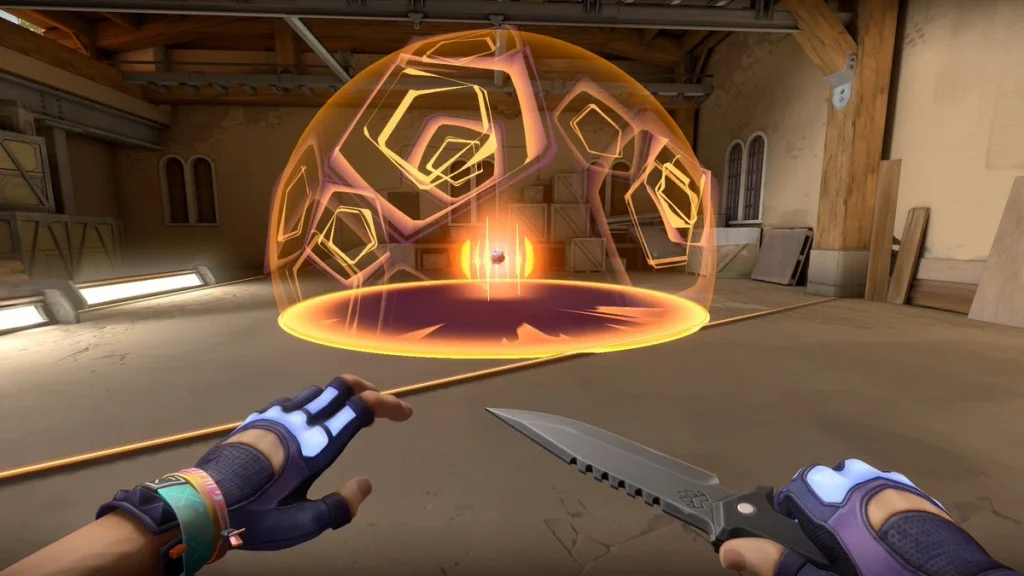
M-Pulse (C)

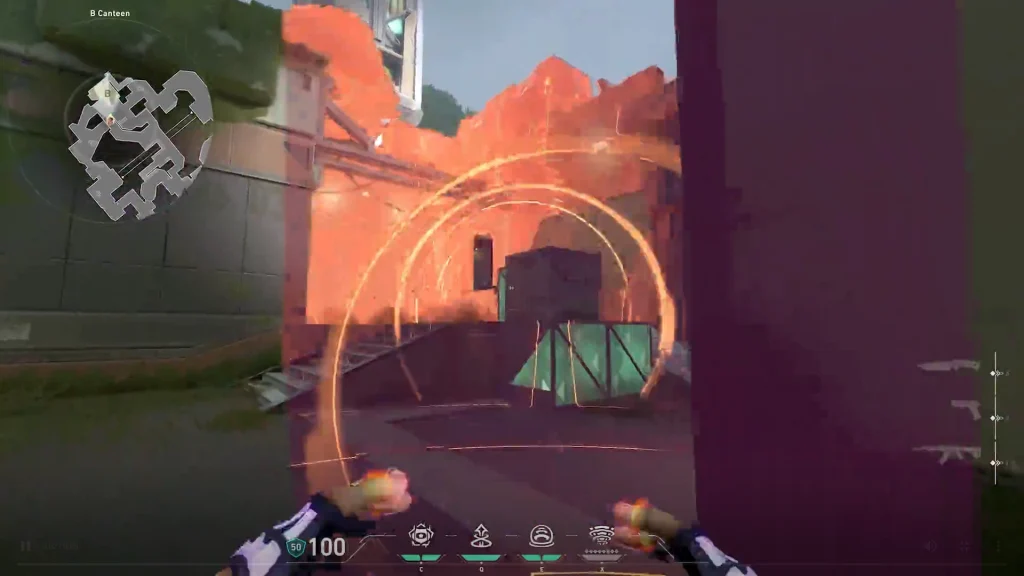
Equip M-Pulse and alt-fire to toggle between two modes: Concuss and Healing. Fire to throw the device. When it lands, it sends out sound waves that either concuss enemies or heal allies in the area.

The concuss mode works like a Breach flash alternative. Throw it into a choke point before your team pushes, and the enemies holding that angle get disrupted. The healing mode drops an area-of-effect heal on the ground. It heals through walls, so you can place it behind cover and still restore health to teammates nearby.

M-Pulse is the reason Miks is the first Controller with healing. It gives him a genuine argument over Brimstone or Omen in team compositions that lack a dedicated healer. The healing is not as strong as Sage’s, but it fills a gap when your team does not want to run a Sentinel.

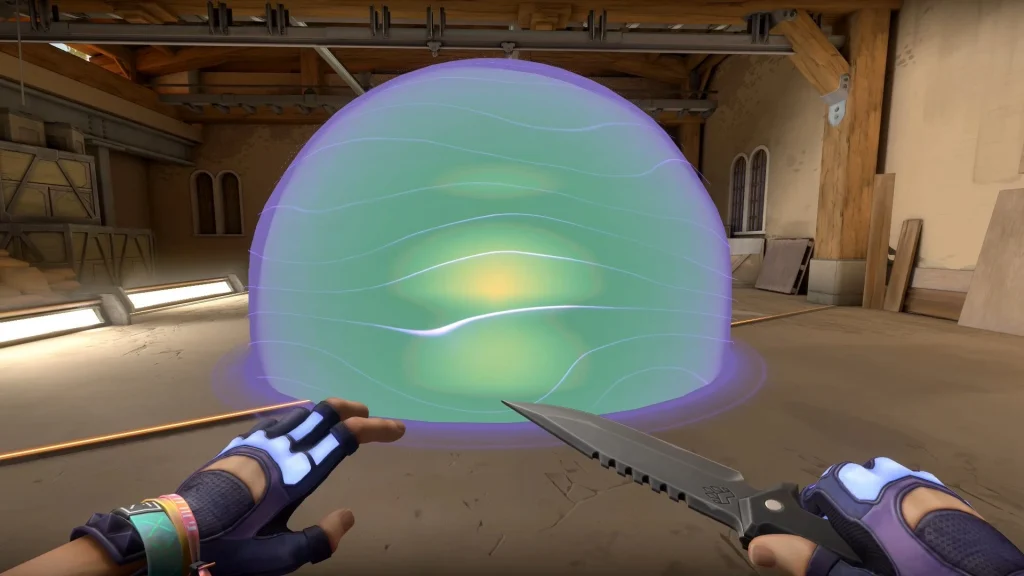
Waveform (E) [Signature ability]

Equip a map targeter and fire to set smoke locations. Alt-fire to deploy the smokes at those positions. On console, the input order is reversed.

The targeting interface works like Brimstone’s smoke pad. You mark the spots on a top-down map, confirm, and the smokes appear. Miks gets two smoke charges. The smokes are hollow inside, last 16 seconds, and have a 40-second cooldown between uses.

The biggest difference from Brimstone: Miks’ smokes deploy instantly. There is no travel time or delay. This makes them stronger for fast site executes where you need vision blocked the exact moment your team pushes in. The trade-off is that the duration is shorter than Brimstone’s smokes.

On defense, play from the center of the map so you can smoke either site on demand. On attack, deploy smokes just as your team is about to enter to block angles at the last possible second.

Bassquake (X) [Ultimate, 8 points]

Equip Bassquake, charge it up, and release a massive wave of sonic energy forward. Enemies caught in the blast get knocked back, deafened for 8 seconds, and slowed.

Bassquake is similar to Breach’s Rolling Thunder in function, but the area is smaller. You need to aim it precisely to catch multiple enemies. It works best when you know where the enemy team is stacked. Do not throw it blindly into a site.

Best uses for Bassquake: blast defenders off anchor positions before a site execute, knock attackers off post-plant angles during a retake, or disrupt a tight group holding a choke.

The 1.6 second windup means enemies can hear it coming. Use it in combination with your smokes to cut off escape routes before the wave hits.

Best combos and tips for Miks

Site execute combo: Place Waveform smokes to block key sightlines. Throw M-Pulse in concuss mode into the site. Apply Harmonize to your entry fragger. Push together. The concussed defenders cannot fight back effectively while your stimmed entry clears the site.

Post-plant defense: After planting the spike, switch M-Pulse to healing mode and drop it near the team. Place smokes on common retake paths. If the enemy pushes through, use Bassquake to knock them off the spike.

Retake combo: If retaking a site, use Bassquake to force attackers off post-plant positions. Follow up with a concuss M-Pulse into the exposed area. Push with Harmonize active on your strongest teammate.

Healing rotation on defense: On defense, stay near the center of the map. When a teammate takes damage during an early fight, throw a healing M-Pulse their way. This lets your team hold without burning a full rotation or waiting for Sage.

Hollow smoke trick: Miks’ smokes are hollow inside. Your team can stand inside the smoke with full visibility while enemies outside cannot see in. Use this for surprise plays or to hold unusual angles during a push.

Best maps for Miks

Miks works best on maps where teams rely on coordinated site executes and strong post-plant setups. Ascent and Haven are strong picks because of their defined choke points and multiple entry paths that benefit from instant smokes and area denial.

Maps that require long-range smoke placement also favor Miks, since his Waveform allows him to cover sightlines from a safe distance. On wider maps like Breeze, consider running him alongside a second Controller for full coverage.

His kit loses some value on maps where solo plays and individual aggression matter more than team coordination. In those situations, Omen or Clove may offer more self-sufficient tools.

Miks voice actor and lore

Miks is voiced by Jan Kovacic. His real name in the Valorant lore is Jan Kovacic as well. He is a Radiant from Croatia whose powers are based on raw sonic energy.

His character design is heavily musical. He wears wave patterns on his suit, festival-style wristbands, and his shirt collar features a monster face inspired by Croatian folklore. According to Riot’s cosplay reference guide, the design reflects his roots in the underground EDM scene.

The reveal trailer features a remix of Zedd’s “Clarity” called Clarity (Valorant x BUNT. Remix), produced by DJ BUNT. Riot said they designed Miks’ ability sounds by first creating music tracks, then extracting elements to build the sound effects.

Miks joins the Valorant Protocol to help share the healing burden carried by Sage. His voicemail to Brimstone reveals that he volunteered for missions after seeing how much strain Sage was under as the team’s sole healer.

How to counter Miks

Do not group up when he has Bassquake available. The knockback and slow will hit your entire team if you are stacked in a tight area.

Listen for the Harmonize sound cue. When you hear it, the stimmed player will have increased fire rate. Avoid taking direct duels with them and wait for the buff to expire.

Use suppression abilities like KAY/O’s knife to shut down Miks’ utility entirely during a push. This disables his healing, concuss, and stim.

Spam bullets through his hollow smokes. Unlike regular smokes where both sides are blind, players can hide inside Miks’ smokes with full visibility. Prefiring common spots inside the smoke catches players who think they are safe.

Secure kills quickly before he heals his teammates with M-Pulse. The area heal through walls means you cannot always prevent it, but fast trades reduce its value.

Frequently asked questions

What role is Miks in Valorant?

Miks is a Controller. He is the seventh Controller and the 30th overall agent in Valorant.

Can Miks heal teammates?

Yes. Miks is the first Controller in Valorant with the ability to heal allies. His M-Pulse ability toggles between a concuss mode and a healing mode.

When did Miks release?

Miks launched on March 18, 2026, alongside Valorant Season 2026 Act 2, Patch 12.05.

Who is the voice actor for Miks?

Jan Kovacic voices Miks in the English version of Valorant.

How do Miks’ smokes compare to Brimstone’s?

Both use a map-targeting interface. The main difference is speed. Miks’ Waveform smokes deploy instantly, while Brimstone’s have a short delay. Brimstone’s smokes last longer, but Miks’ are better for fast executes.

Is Miks good in solo queue?

He works, but his kit is designed around team coordination. Harmonize loses value without a reliable partner, and M-Pulse healing requires teammates who play around you. In organized play or with a duo, his value goes up significantly.


SEO Metadata

SEO Title:

Article Title: Miks Valorant guide: Abilities, tips, best combos, and how to play

Subtitle: Valorant’s first healing Controller is here, and his kit rewards players who actually like helping their team win

Tags:

Slug: miks-valorant-guide-abilities-combos-tips

Meta Description: Complete Miks guide for Valorant. All abilities explained, best combos, top maps, counter tips, and voice actor details. Valorant’s first healing Controller.

Focus Keyword: Miks Valorant

Related Keyphrase 1: Miks abilities

Related Keyphrase 2: Miks Valorant guide

Related Keyphrase 3: new Valorant agent

Excerpt:

s1mple will miss IEM Cologne Major after BC.Game withdraws from last qualifying LAN

0

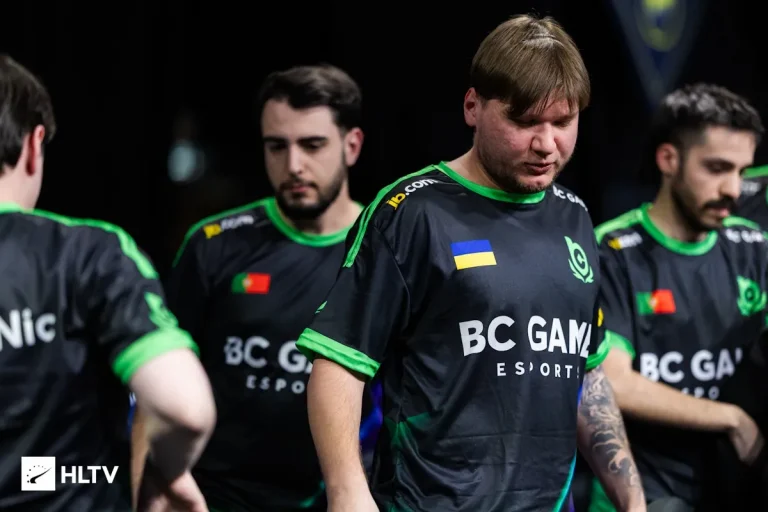
s1mple is not going to the first CS2 Major of 2026. His team BC.Game pulled out of ROG JOURNEY Spring, the last LAN event before the IEM Cologne Major invite deadline on April 6. With the team ranked 41st in the Valve Rating System, the withdrawal eliminates any remaining path to qualification.

A representative from BC.Game told HLTV: “We’ve decided to withdraw from JOURNEY. Me and the players know that our current results are not good enough. We’ve been strong in practice, but we haven’t delivered in officials, and we’ve lost games we shouldn’t be losing.”

That quote says more about this roster than any stat line could.

How did it get to this point?

BC.Game acquired the core of SAW at the start of 2026 for a reported $2.5 million, according to journalist OverDrive. SAW was ranked 22nd in the VRS at the time and already held a spot at IEM Krakow. The signing brought s1mple back to a tier-one LAN for the first time since his stand-in stint with FaZe at the BLAST.tv Austin Major.

Krakow went okay. BC.Game made it through Stage 1 but got eliminated in Stage 2 after losses to Vitality and FaZe. Not a disaster for a new roster. The problem is that Krakow turned out to be the high point.

After that, the results fell apart. Last place at the IEM Rio Europe Closed Qualifier. Losses to ECSTATIC and illwill at the Parken Challenger Championship. A group stage exit at the Imperium Cup that dropped them to 42nd in the VRS. An analyst named Finn ran 115 million match simulations before the withdrawal and gave them a 34% chance of making Cologne. That number is now zero.

BC.Game still have two big LANs on their schedule: PGL Bucharest in April and IEM Atlanta in May. Both take place after the Major invite deadline, so neither helps their Cologne case. They got invited to Bucharest because several top teams skipped the event.

s1mple has played more Dota 2 than CS2 on FACEIT in 2026

Here is the detail that will get the community talking. Since January 2, 2026, s1mple has played over 37 Dota 2 matches on his Dotabuff profile. During the same period, he logged only 30 CS2 matches on FACEIT.

This is not new behavior. In September 2025, he played 123 Dota 2 matches in a single month, three times more than his FACEIT games. His favorite heroes include Ursa, Juggernaut, Spectre, and Phantom Assassin as a core player, with Windranger as a support. His Dota 2 win rate in 2026 sits at 46%. His all time most played hero is Pudge, with 135 games at a 54% win rate.

In December 2025, s1mple said on stream: “I don’t want to play Dota as much as I used to. I need to get back in shape in CS2.” Three months later, the FACEIT numbers suggest that did not happen.

To be fair, the raw numbers do not tell the full story. s1mple also plays official matches, team scrims, and private practice sessions that do not show up on FACEIT or Dotabuff. He played 14 FACEIT matches in a five-day stretch from March 13 to 17 alone. But the optics are rough. When your team is 41st in the VRS and you have more Dota 2 games than CS2 pugs on your public profile, people will draw conclusions.

Is s1mple’s CS career winding down?

This is the question the community keeps circling back to.

s1mple is widely considered the greatest CS:GO player of all time. Three HLTV Player of the Year awards (2018, 2021, 2022). Twenty-one HLTV MVP medals. A Major win with NAVI at PGL Stockholm 2021. An Intel Grand Slam trophy. The graffiti on Cache. The documentary. The legend.

But the CS2 era has been different. He benched himself on NAVI in October 2023, citing personal reasons and dissatisfaction with early CS2. Two loan stints with Team Falcons produced nothing notable. A brief stand-in run with FaZe showed flashes of the old s1mple. Then came BC.Game, a $2.5 million project that has produced one decent LAN showing and a string of lower-tier exits.

Casters and analysts are not holding back. In a recent segment, multiple figures including FalleN and torzsi said they do not expect s1mple to make the HLTV Top 20 in 2026. Another commentator put it bluntly: “I don’t think s1mple has that passion anymore.”

Reports suggest s1mple’s salary at BC.Game is around $120,000 per month. For context, ZywOo reportedly earns around $100,000 monthly at Vitality. The salary is not the issue. The results are.

What comes next for BC.Game?

The org’s unnamed representative framed the JOURNEY withdrawal as a reset. “Our full focus now is to fix our chemistry.” PGL Bucharest and IEM Atlanta are the next opportunities to prove the roster can function at a higher level.

Whether s1mple is still on the team for those events, and whether BC.Game itself remains committed to this project after burning through a $2.5 million buy-in with almost nothing to show for it, are the real questions heading into the second half of the year.

For now, the Cologne Major will happen without s1mple. The Cathedral of Counter-Strike returns for the first time in a decade, and the player many still call the GOAT will not be there. That sentence, even typed out, feels wrong. But here we are.

Frequently asked questions

Will s1mple play at IEM Cologne Major 2026?

No. BC.Game withdrew from the last qualifying event before the invite deadline. The team is ranked 41st in the VRS and has no remaining path to qualification.

Why did BC.Game withdraw from ROG JOURNEY?

The organization said results have not matched their practice performance and they want to focus on fixing team chemistry before their next events.

Has s1mple been playing Dota 2 instead of CS2?

Since January 2026, s1mple has logged more Dota 2 matches (37+) than CS2 FACEIT games (30) according to Dotabuff and FACEIT data. He also participates in official matches and team scrims not visible on those platforms.

What is s1mple’s salary at BC.Game?

Reports indicate approximately $120,000 per month. For comparison, ZywOo at Vitality reportedly earns around $100,000 monthly.

When is s1mple’s next LAN event?

PGL Bucharest in April 2026, followed by IEM Atlanta in May 2026. Neither event contributes to IEM Cologne Major qualification.

When is the IEM Cologne Major 2026?

June 8 to 21, 2026. Invites will be issued on April 6 based on VRS rankings.

Bilibili Gaming win First Stand 2026, beat G2 Esports 3-1 in São Paulo grand final

0

“Tomorrow, I’ll prove I’m the number one top laner in the world.”

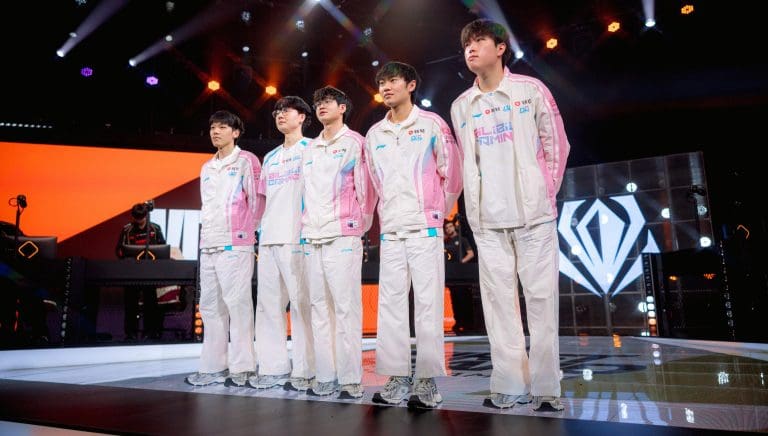
That was Bin on Weibo the night before the First Stand 2026 grand final. Twelve hours later, he was holding the trophy and the Finals MVP award after Bilibili Gaming dismantled G2 Esports 3-1 in São Paulo, Brazil.

BLG have been the bridesmaid of international League of Legends for years. Second at MSI 2023. Second at MSI 2024. Second at Worlds 2024. Three consecutive runner-up finishes. That streak ended on March 22, 2026. This is their first international title.

If you do not follow LoL esports closely, here is why this matters: G2 Esports, the biggest name in European League of Legends, made their first international final in over six years. They got there by obliterating the best Korean team in the world. And they still could not beat BLG. The gap between the LPL and everyone else right now is real.

G2 won Game 1, and it looked like they had a chance

The opener was a proper fight. Both junglers set the pace. Objectives went back and forth. Neither team could pull away for nearly 40 minutes.

Then came the Baron fight. G2, somehow outnumbered, executed the teamfight perfectly. They aced BLG. Zero deaths. Caps on Aurora was untouchable, and Bin’s Gnar, which had gone 8-0 across nine games this season, finally lost.

For about an hour, European fans allowed themselves to believe.

BLG won the next three and it was not close

Game 2 started even, but BLG found a collapse in the top side jungle and never looked back. Gwen snowballed. The BLG bot lane crushed the 2v2. G2 stretched it to 39 minutes with desperate individual picks, but the gold lead was too wide. 28-12 in kills.

Game 3 was over in draft. BLG had three winning lanes and Xin Zhao into two ranged carries. G2 had no win condition. It was a stomp from minute one.

Game 4 went fast. Under 30 minutes. G2 actually had the better start, picking up early kills and looking aggressive. Then BLG stole the Baron. One play. That was it. BLG marched down mid off the stolen Baron buff and ended the series.

The G2 lower bracket run deserves its own article

Forget the final result for a moment. What G2 did to get there was extraordinary.

They lost to BLG 3-0 in the group stage. Completely outclassed. Most analysts figured they were done. They dropped to the lower bracket, beat FearX 3-0, and then walked into the semifinal against Gen.G, the LCK’s first seed and one of the most consistent Korean rosters in years.

G2 swept them. 3-0. Gen.G had lost only five individual games all year. Three of those five came in a single series against G2. Gen.G did not take a single tier 2 turret across three maps.

That was the first time an LEC team beat an LCK team in a best-of-five since Worlds 2020. The team that did it in 2020? Also G2. Also against Gen.G. Some rivalries run deep.

This was G2’s first international final in 2,323 days. Their last one was Worlds 2019, a 0-3 loss to FunPlus Phoenix. They have now lost a final in all three major international LoL competitions: Worlds, MSI, and First Stand. That is a record nobody wants.

After the loss, G2’s coach Romain Bigeard was honest about the gap. Speaking on OTP’s broadcast, he said BLG played “more aggressively, more explosively” and that draft was the deciding factor. He called it much harder than the Gen.G series. Then he said what most people watching already knew: “Bilibili Gaming is the best team in the world.”

Bin delivered, and Viper made history

Bin backed up his Weibo post. His performances in teamfights throughout the knockout stage and grand final earned him the FMVP. The top laner has always been mechanically gifted, but the knock on him was consistency at the international level. He answered that question in São Paulo.

Viper, BLG’s bot laner, became the first player to win First Stand twice. He won the inaugural event in 2025 with Hanwha Life Esports before joining BLG for the 2026 season. Two different teams, two trophies. Only a handful of players in League history can claim that kind of consistency across organizations.

Viewership and what this means going forward

The grand final peaked at over 1.5 million concurrent viewers, according to Esports Charts. That narrowly beat the G2 vs Gen.G semifinal, which pulled 1.46 million. Both numbers are strong for a tournament in its second year.

BLG’s win gives the LPL its first international title in three years. It also has a structural impact on MSI 2026: the LPL’s second seed now receives a direct bye to the bracket stage, skipping the earlier rounds. That is a real competitive advantage earned through First Stand performance.

The prize split was $250,000 for BLG and $150,000 for G2.

For G2, the second-place finish is still the LEC’s best international result in years. The run through the lower bracket, the Gen.G sweep, the return to a final after 2,323 days. That is not failure. But it is not the trophy, either. And the next international test comes at MSI 2026, where the competition only gets harder.

Frequently asked questions

Who won First Stand 2026?

Bilibili Gaming won First Stand 2026, defeating G2 Esports 3-1 in the grand final in São Paulo, Brazil, on March 22, 2026.

Who was the Finals MVP?

Bin (Chen Ze-Bin), BLG’s top laner. He posted on Weibo the night before the final that he would prove he was the best top laner in the world.

Is Viper the first two-time First Stand champion?

Yes. Park Do-hyeon won First Stand 2025 with Hanwha Life Esports and First Stand 2026 with BLG. No other player has won the event twice.

When was G2’s last international final?

Worlds 2019, a 0-3 loss to FunPlus Phoenix. That was 2,323 days before the First Stand 2026 grand final.

How many viewers did the First Stand 2026 final get?

Over 1.5 million peak concurrent viewers, slightly higher than the G2 vs Gen.G semifinal at 1.46 million.

What does BLG’s win mean for MSI 2026?

The LPL’s second seed gets a direct bye to the MSI 2026 bracket stage, a structural advantage earned by BLG’s First Stand victory.

Valorant error code VAN 84: What it means and how to fix it

0

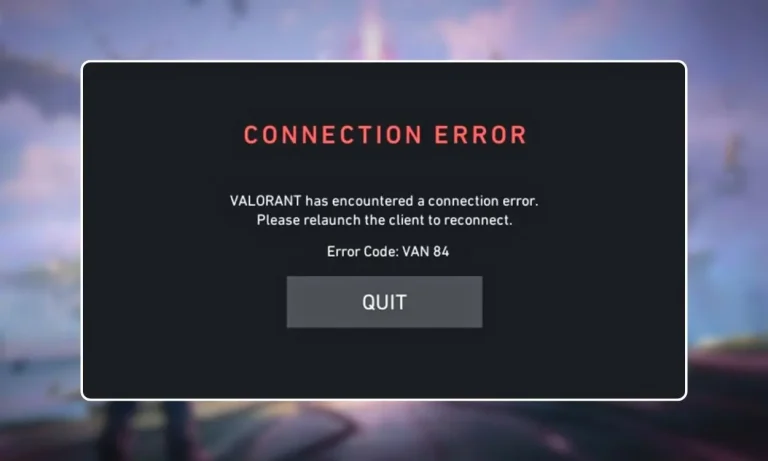
The VAN 84 error in Valorant has been appearing more frequently since the Act 2 patch. It blocks players from launching the game, joining matches, or staying connected to ongoing games. If you are seeing this error, you are not alone. Reports spiked across Reddit, Discord, and VLR.gg in March 2026.

VAN 84 is a connection error tied to Riot Vanguard. It means your client cannot establish a secure connection with Riot’s authentication servers. The good news: most causes have straightforward fixes. The bad news: sometimes the problem is on Riot’s end, and all you can do is wait.

Here is how to identify the cause and get back into the game.

What causes the VAN 84 error in Valorant?

VAN 84 falls under Valorant’s VAN error category, which covers problems related to Vanguard and the Riot Client. It is different from VAL errors, which deal with in-game server issues.

The error triggers when the Vanguard service (vgc) fails to start or loses connection, when your firewall or antivirus blocks Vanguard’s communication with Riot’s servers, when DNS records are outdated or corrupted, when Riot’s own servers are down or under maintenance, or when IPv6 routing conflicts with Riot’s network.

Players hit by this error after the Act 2 patch have reported being disconnected mid-match and then being unable to rejoin, which can result in AFK penalties and rank loss.

Check Riot’s server status first

Before you start changing settings on your PC, check whether the problem is on Riot’s side. If their servers are down, no amount of local troubleshooting will help.

Go to the Riot Games Service Status page and select your region. If there is an active incident or scheduled maintenance listed, the VAN 84 error is temporary and will resolve once Riot restores service.

You can also check Downdetector for Valorant to see if other players in your region are reporting the same issue. If thousands of reports are coming in at the same time, it is a server problem.

Fix 1: Restart your PC and network equipment

This fixes temporary network glitches and clears the Vanguard cache.

  1. Turn off your PC completely.
  2. Unplug your router and modem from power.
  3. Wait 30 seconds.
  4. Plug the modem back in first, wait for it to fully boot.
  5. Plug the router back in and wait for it to connect.
  6. Turn your PC on and launch Valorant.

Simple, but it resolves VAN 84 more often than you would expect.

Fix 2: Restart the Vanguard service (vgc)

The vgc service is what authorizes Valorant to connect with Riot’s servers. If it stops running or is set to manual startup, your game cannot authenticate.

  1. Press Windows Key + R, type services.msc, and press Enter.
  2. Scroll down and find vgc in the list.
  3. Right click it and select Properties.
  4. Set Startup type to Automatic.
  5. Click Apply, then click Start.
  6. Close the window and launch Valorant.

If vgc was stopped or set to Manual, switching it to Automatic and starting it should fix the error immediately.

Fix 3: Flush DNS and switch to Google or Cloudflare DNS

Valorant depends on accurate DNS resolution to reach Riot’s authentication servers. If cached DNS entries are outdated or corrupted, the client may try to connect to invalid routes.

Open Command Prompt as administrator and run these commands one at a time:

ipconfig /flushdns ipconfig /release ipconfig /renew netsh winsock reset netsh int ip reset

Restart your PC after running all five.

To switch your DNS servers to a faster, more reliable option:

  1. Open Control Panel, go to Network and Internet, then Network and Sharing Center, then Change Adapter Settings.
  2. Right click your active connection and select Properties.
  3. Select Internet Protocol Version 4 (TCP/IPv4) and click Properties.
  4. Choose “Use the following DNS server addresses.”
  5. Set Preferred to 8.8.8.8 and Alternate to 8.8.4.4 (Google DNS). Or use 1.1.1.1 and 1.0.0.1 (Cloudflare DNS).
  6. Click OK, close everything, and restart Valorant.

Fix 4: Disable IPv6

IPv6 can conflict with Riot’s network routing, particularly when your ISP or router does not fully support dual-stack networking. This can break the authentication handshake between Vanguard and Riot’s servers.

  1. Open Control Panel, go to Network and Sharing Center, then Change Adapter Settings.
  2. Right click your active connection and select Properties.
  3. Uncheck Internet Protocol Version 6 (TCP/IPv6).
  4. Click OK and restart your PC.

Disabling IPv6 may affect other network services on your system. If VAN 84 is fixed but something else breaks, re-enable it and try the other fixes instead.

Fix 5: Add Valorant and Vanguard to your firewall whitelist

If Windows Firewall or a third party antivirus is blocking Vanguard’s network traffic, the game cannot communicate with Riot’s servers.

  1. In the Windows search bar, type “Allow an app through Windows Firewall” and open it.
  2. Click Change Settings.
  3. Click Allow another app, then Browse.
  4. Navigate to C:\Riot Games\VALORANT\live, select VALORANT.exe, and click Add.
  5. Do the same for Vanguard. Its files are in C:\Program Files\Riot Vanguard.
  6. Make sure both Private and Public checkboxes are enabled for each entry.
  7. Click OK.

If you use a third party antivirus like Bitdefender, Avast, or Comodo, temporarily disable their network filtering and test whether VAN 84 goes away. If it does, add Valorant and Vanguard to that program’s exception list permanently.

Fix 6: Close Killer Prioritization Engine and similar network tools

Intel’s Killer Control Center and similar network optimization software can interfere with Riot’s packet routing. Since Valorant requires constant communication between Vanguard and the servers, any tool that reprioritizes or throttles packets may trigger VAN 84.

Open Task Manager (Ctrl + Shift + Esc), look for Killer Prioritization Engine or similar processes, right click them, and select End Task. Then relaunch Valorant.

If this fixes the error, consider uninstalling the Killer suite entirely or disabling it from startup.

Fix 7: Try a different server region

VAN 84 is sometimes region-locked. If the problem only affects your region’s servers, connecting to a different one can get you past the error.

If you can get into the Riot Client but matchmaking fails, change your server from the settings. If you cannot log in at all and you have a second account on a different region, try logging in with that account to confirm whether it is a regional issue.

Fix 8: Perform a network reset

If nothing else has worked, resetting your network stack rebuilds Windows’ TCP/IP configuration from scratch.

  1. Open Settings, go to Network and Internet, then Advanced Network Settings.
  2. Click Network Reset, then Reset Now.
  3. Restart your PC.

This removes all network adapters and reinstalls them with default settings. You will need to re-enter any saved Wi-Fi passwords after the reset.

Fix 9: Reinstall Valorant and Vanguard

If no network or service fix resolves the error, corrupted installation files may be the cause.

  1. Open Settings, go to Apps, and uninstall both Valorant and Riot Vanguard.
  2. Restart your PC.
  3. Download a fresh Valorant installer from the official Valorant website.
  4. Install the game and let Vanguard install automatically.
  5. Restart your PC one more time before launching.

This eliminates corrupted files and registry entries that may be blocking authentication.

When nothing works: submit a ticket to Riot

If you have tried every fix and VAN 84 persists, the problem may require Riot’s direct attention.

  1. Go to the Riot Support website.
  2. Click Submit a Ticket.
  3. Select Riot Vanguard Issue or VAN Error Message from the dropdown.
  4. Describe the error in the subject and description fields.
  5. Attach a screenshot of the error.
  6. Click Submit.

Document which fixes you already tried. This helps the support team skip basic troubleshooting and escalate your case faster.

Frequently asked questions

What is VAN 84 in Valorant?

VAN 84 is a connection error that occurs when your Valorant client cannot establish a secure connection with Riot’s servers through Vanguard. It can prevent you from logging in, joining matches, or staying connected during games.

Is VAN 84 a server issue or a PC issue?

It can be either. VAN 84 frequently appears during Riot server outages or maintenance. But it can also be caused by local issues like a stopped Vanguard service, firewall blocks, or corrupted DNS. Always check Riot’s server status first.

Why did VAN 84 start appearing after the Act 2 patch?

The Act 2 patch introduced server-side changes that increased the frequency of VAN 84 reports. Some players experienced the error due to temporary server instability after the patch. Others had existing configuration issues that the update exposed.

Does VAN 84 cause AFK penalties?

Yes. If VAN 84 disconnects you during a match and you cannot rejoin in time, the game may mark you as AFK. This can result in queue restrictions and rank point losses.

Can a VPN fix VAN 84?

In some cases, a VPN can bypass routing issues between your ISP and Riot’s servers. However, Vanguard may flag certain VPN services. If you try a VPN, use one that is known to work with Valorant and test in an unranked match first.

Do I need to enable Secure Boot or TPM for VAN 84?

No. VAN 84 is a connection error, not a security configuration error. Secure Boot and TPM issues produce different error codes like VAN 9001 or VAN 9003. If you are seeing those instead, check our UEFI Secure Boot Valorant guide.

How to enable UEFI Secure Boot for Valorant: Fix VAN 9001 and VAN 9003 errors

0

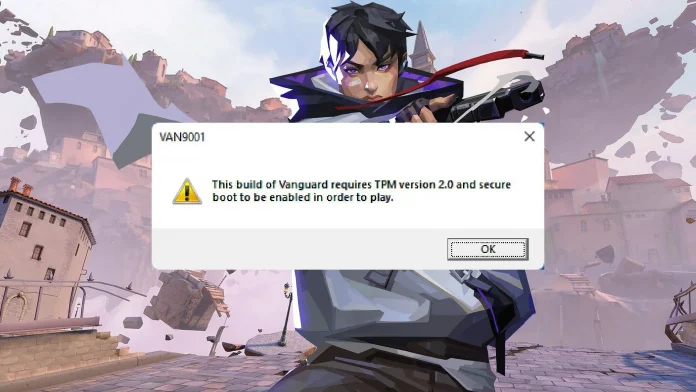
Valorant requires UEFI Secure Boot to be enabled on your PC. If it is not, the game will refuse to launch and you will see error codes like VAN 9001, VAN 9003, or VAN 9090. This is because Riot Vanguard, the game’s kernel level anti-cheat system, checks your system’s security settings before it lets you play.

Most modern PCs support Secure Boot. But on many systems, the feature is turned off by default. Enabling it takes a few minutes in your BIOS settings, though the exact steps depend on your motherboard or PC manufacturer.

This guide walks you through how to check your Secure Boot status, enable UEFI mode, convert your drive if needed, and get Valorant running without errors.

Why does Valorant need UEFI Secure Boot?

Riot Vanguard operates at the kernel level of your operating system. It starts running when your PC boots up and monitors for cheats, hacks, and tampered drivers. For Vanguard to trust that your system is clean, it needs two things: UEFI Secure Boot and TPM 2.0.

Secure Boot makes sure that only trusted, signed software runs during the startup process. This prevents modified boot components that cheaters could use to hide their tools from Vanguard. TPM 2.0 adds another layer by making it harder to spoof hardware IDs or bypass bans.

Without both features active, Vanguard blocks the game from launching. On Windows 11, this results in VAN 9001 or VAN 9003 errors. If TPM specifically fails to start, you get VAN 9090 instead.

How to check if Secure Boot is enabled

Before changing anything, check what your system is currently running.

  1. Press Windows Key + R to open the Run window.
  2. Type msinfo32 and press Enter.
  3. The System Information window opens. Look for two fields: BIOS Mode and Secure Boot State.

If BIOS Mode says UEFI and Secure Boot State says On, your system is already configured correctly. Valorant should work without issues.

If BIOS Mode says UEFI but Secure Boot State says Off, Secure Boot is supported but disabled. You need to enable it in your BIOS settings.

If BIOS Mode says Legacy, your system is not running in UEFI mode. You will need to switch to UEFI before you can enable Secure Boot. This may also require converting your drive from MBR to GPT.

If Secure Boot State says Unsupported, your hardware may not support the feature at all. Check your motherboard documentation to confirm.

How to check your drive partition style

Secure Boot requires your system drive to use GPT (GUID Partition Table). If your drive uses MBR (Master Boot Record), you cannot enable UEFI mode until you convert it.

  1. Type Disk Management in the Windows search bar and press Enter.
  2. Right click the drive that has your Windows installation.
  3. Select Properties.
  4. Open the Volumes tab.
  5. Look at Partition Style.

If it says GPT, you are good to proceed with enabling UEFI and Secure Boot.

If it says MBR, you need to convert it to GPT first. Microsoft provides a built-in tool called MBR2GPT for this. You can also use third party tools like EaseUS Partition Master. Back up your data before converting, as mistakes during the process can make your system unbootable.

Microsoft’s official guide for the MBR to GPT conversion is available on the Windows support site.

How to enable UEFI Secure Boot in BIOS

The exact BIOS menus vary by manufacturer. The steps below are a general guide. Always refer to your motherboard or PC maker’s documentation for exact instructions.

  1. Restart your PC.
  2. Press the BIOS key during startup. Common keys are Delete, F2, F10, or Esc. The correct key depends on your hardware.
  3. Once inside BIOS, navigate to the Boot or Boot Configuration section.
  4. Find Boot Mode or UEFI/Legacy Boot and set it to UEFI.
  5. Navigate to the Security or Boot tab.
  6. Find Secure Boot and set it to Enabled.
  7. Press the Save and Exit key, usually F10. Confirm the changes.

Your PC will restart with Secure Boot active.

For specific manufacturers:

On ASUS boards, go to Boot, then Secure Boot, and set it to Enabled.

On Dell systems, navigate to Boot Configuration, then Boot Sequence, set it to UEFI, then enable Secure Boot.

On HP systems, go to System Configuration, then Boot Options, and select Secure Boot.

You can also enter BIOS from within Windows without rebooting manually. On Windows 11, go to Settings, then System, then Recovery, then Advanced startup, and click Restart Now. Select Troubleshoot, then Advanced Options, then UEFI Firmware Settings, and Restart. On Windows 10, the path is Settings, then Update and Security, then Recovery, then Advanced startup.

How to enable TPM 2.0

Valorant also requires TPM 2.0. You can check its status by pressing Windows Key + R, typing tpm.msc, and pressing Enter. If the TPM Management window says “The TPM is ready for use,” you are set.

If TPM is not found, you need to enable it in BIOS. The setting name depends on your hardware:

On Intel systems, look for Intel PTT (Platform Trust Technology) under Security or Advanced settings.

On AMD systems, look for AMD fTPM (firmware TPM) under the same sections.

Enable the setting, save, and restart.

What to do if Secure Boot still does not work

If you have followed every step and Valorant still will not launch, try these additional fixes:

Disable CSM (Compatibility Support Module) in your BIOS. CSM allows Legacy boot support, which can conflict with Secure Boot. Turning it off forces the system to boot in pure UEFI mode.

Update your BIOS firmware. Motherboard manufacturers release updates that improve Secure Boot and TPM compatibility. Visit your manufacturer’s website, find your exact board model, and download the latest version.

Disable Fast Boot temporarily to see if it resolves the issue. Some systems have conflicts between Fast Boot and Secure Boot.

Reset Secure Boot keys to default. Some BIOS menus have an option to restore factory Secure Boot keys, which can fix issues caused by custom key configurations.

Run Windows system file checks. Open PowerShell as administrator and run: sfc /scannow followed by DISM /Online /Cleanup-Image /RestoreHealth. This repairs corrupted system files that might interfere with Vanguard.

If none of these work, the issue may be with Vanguard itself. Try uninstalling and reinstalling Vanguard through the system tray icon.

Common Valorant Secure Boot error codes

Here is a quick reference for the error codes related to Secure Boot and TPM:

VAN 9001: Secure Boot is disabled or not detected. Enable Secure Boot in BIOS.

VAN 9003: TPM 2.0 is disabled or not detected. Enable TPM in BIOS.

VAN 9005: Virtualization-Based Security (VBS) issue on Windows 10. Follow the VAN 9005 fix guide to resolve it.

VAN 9090: TPM failed to start properly. Open the TPM Management Console by typing tpm.msc, then click “Prepare the TPM” and restart.

Frequently asked questions

Does Valorant require Secure Boot?

Yes. Riot Vanguard requires both UEFI Secure Boot and TPM 2.0 to be enabled. Without them, the game will not launch on Windows 11 and will show error codes like VAN 9001 or VAN 9003.

Can I play Valorant without UEFI?

No. If your BIOS is running in Legacy mode, Secure Boot cannot be enabled, and Vanguard will block the game. You need to switch to UEFI mode, which may require converting your drive from MBR to GPT.

How do I check if Secure Boot is on?

Press Windows Key + R, type msinfo32, and press Enter. Look for the Secure Boot State field. If it says On, Secure Boot is active.

What BIOS key do I press to enable Secure Boot?

It depends on your hardware. Common keys are Delete, F2, F10, and Esc. Check your motherboard or PC manufacturer’s documentation for the correct key.

Will enabling Secure Boot delete my files?

No. Enabling Secure Boot in BIOS does not affect your files. However, if you need to convert your drive from MBR to GPT before switching to UEFI, there is a small risk if the conversion fails. Always back up important data before making partition changes.

Does Secure Boot affect other games?

Most other games do not require Secure Boot. Valorant is one of the few titles that enforces this requirement through its anti-cheat system. Enabling Secure Boot will not cause issues with other games or software.

GTA 6 price confirmed by Take-Two CEO: $70 to $80 with no in-game ads

0

Take-Two Interactive CEO Strauss Zelnick has given the clearest signal yet on how much GTA 6 will cost. In a conversation with Christopher Dring for The Game Business, Zelnick discussed in-game advertising and stated that players who paid “70 or 80 bucks” for a game should not have to deal with interstitial ads during gameplay.

While Zelnick did not name Grand Theft Auto VI directly, the comment has been widely interpreted as a tacit confirmation of the game’s price. GTA 6 is the biggest title under Take-Two’s umbrella, and a $70 to $80 price point falls in line with current AAA industry standard pricing.

This puts to rest months of speculation that the game could cost $100 or more. Analysts had floated higher price points given GTA 6’s reported development budget of over $2 billion.

What will GTA 6 cost?

Based on Zelnick’s comments, GTA 6 is expected to cost between $70 and $80 for the standard edition on PS5 and Xbox Series X/S. That range matches what other major AAA releases have charged this console generation.

The $70 price became standard for new AAA games at the start of the PS5/Xbox Series X era. Some recent premium titles like Mario Kart World have pushed up to $80. If Rockstar lands at $80, it would follow that trend without breaking new ground on pricing.

Pre-order pricing, edition tiers, and regional costs have not been officially announced yet. Analysts expect Rockstar to reveal full pricing details and open pre-orders following Take-Two’s next earnings call in May 2026. Standard, Deluxe, and Collector’s editions are expected, though none have been confirmed.

No in-game ads in GTA 6

The other detail from Zelnick’s interview is just as notable. He made it clear that games priced at $70 to $80 should not include forced mid-game advertisements.

Zelnick did acknowledge that Take-Two uses limited advertising in sports titles like NBA 2K, where in-stadium branding fits naturally. But he drew a line at interstitial ads, the kind that interrupt gameplay with commercial breaks, calling it unfair for a paid product.

This means GTA 6 will not feature disruptive advertising during gameplay. The comment is a direct response to growing industry debate over whether premium console and PC games should carry ads to offset rising development costs.

GTA 6 release date: November 19, 2026

The game’s release date has been confirmed by Rockstar Games and Take-Two Interactive through financial reports and public statements. GTA 6 launches on November 19, 2026, on PlayStation 5 and Xbox Series X/S.

This date came after two internal delays. The game was originally targeting fall 2025, then shifted to May 2026, before settling on the November window. Take-Two CEO Zelnick has said he feels “very good” about the current timeline.

The holiday 2026 placement is a calculated move. Rockstar’s marketing campaign is set to begin in summer 2026, with trailers, gameplay reveals, and pre-order openings expected between July and September.

GTA 6 platforms: console first, PC later

GTA 6 will launch exclusively on PS5 and Xbox Series X/S. There is no confirmed PC version at launch.

Rockstar has a consistent pattern of delaying PC releases. GTA V arrived on PC roughly 18 months after its console debut. Red Dead Redemption 2 followed a similar schedule. Based on this history, most analysts expect a GTA 6 PC release sometime in late 2027 or early 2028.

Older consoles like PS4 and Xbox One are not supported. The game’s technical demands require current generation hardware.

What we know about GTA 6 gameplay

Rockstar has released two trailers but no official gameplay footage yet. Based on trailers, leaks, and information from official sources, here is what has been confirmed or strongly indicated:

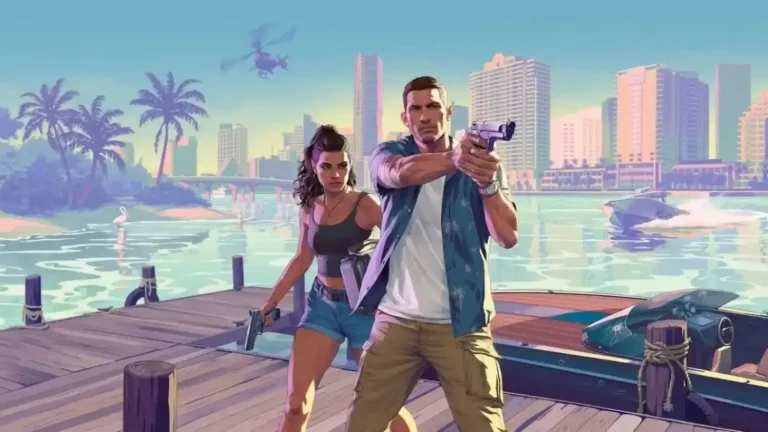
The game features two playable protagonists named Jason and Lucia, set in the state of Leonida, which is Rockstar’s version of Florida and includes Vice City. The story follows a Bonnie and Clyde style narrative.

The map is expected to be significantly larger than GTA V’s Los Santos. Leaked footage and insider reports suggest the world includes a wider variety of environments compared to previous entries.

GTA Online’s recent “A Safehouse in the Hill” update introduced deep customization features that many believe are being tested for inclusion in GTA 6. Loading times from leaked footage suggest near-instant character switching between Jason and Lucia, taking advantage of the NVMe SSDs in current consoles.

Reports also indicate that flying vehicles and weaponized jet bikes from GTA Online will not return, with Rockstar focusing on grounded, skill based gameplay.

Australia’s age verification laws and GTA 6

One legal hurdle Rockstar faces before launch involves Australia’s Age-Restricted Materials Code. The country has introduced new regulations requiring online platforms to verify user ages before granting access to R-rated or explicit content.

Each breach of the code can draw fines up to AU$49.5 million. While this is unlikely to delay the game’s global launch, it could affect how Rockstar distributes and sells GTA 6 digitally in the Australian market.

The cost of GTA 6 delays

The road to November 2026 was not cheap. Reports suggest the delay from May to November 2026 alone added roughly $60 million in extra development costs. GTA 6’s total development budget is estimated at over $2 billion, making it the most expensive video game ever made.

Rockstar has framed the extra time as necessary to deliver the level of polish players expect. GTA V has sold over 200 million copies since 2013, and a buggy launch would damage the franchise’s reputation far more than a few extra months of development.

Frequently asked questions

How much will GTA 6 cost?

Take-Two CEO Strauss Zelnick indicated a price range of $70 to $80 for the standard edition. Official pricing has not been formally announced yet.

Will GTA 6 have in-game ads?

No. Zelnick stated that interstitial advertisements would be unfair in a game priced at $70 to $80. Sports titles like NBA 2K may use contextual ads, but GTA 6 will not have disruptive ad breaks.

When does GTA 6 come out?

November 19, 2026, on PS5 and Xbox Series X/S.

Is GTA 6 coming to PC?

Not at launch. Based on Rockstar’s release history, a PC version is expected 12 to 18 months after the console release, likely in late 2027 or early 2028.

Can I play GTA 6 on PS4 or Xbox One?

No. The game is built for PS5 and Xbox Series X/S only. Older consoles are not supported.

When will GTA 6 pre-orders open?

Pre-orders have not gone live yet. They are expected to open between July and September 2026, following the start of Rockstar’s marketing campaign.

How much did GTA 6 cost to develop?

Reports estimate the total development budget at over $2 billion, making it the most expensive video game ever produced.