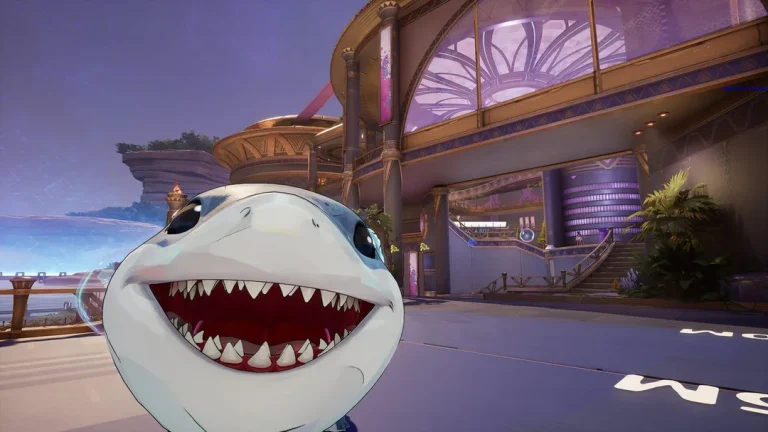
Gamers will soon be able to enjoy Marvel Rivals on Switch 2, NetEase has confirmed.
When asked about the possibility of a Switch 2 version of Marvel Rivals in the future, Marvel Games executive producer Danny Koo confirmed in an interview with IGN that it is already in the works. While he didn’t give fans an exact release window for the Marvel Rivals Switch 2 port, he claimed that the devs will officially announce the game when there’s more news to share.
“We’re working on it, but when we have news, we’ll announce that one,” Koo said.
Marvel Rivals Switch 2 Version Confirmed
A Switch 2 version for Marvel Rivals has been rumored for quite a while now. Last year, the devs had confirmed that they were in contact with Nintendo and “ working on some development kits.” However, at a later date, game director Guangyun Chen clarified that while a potential port was still on the table, the team had yet to secure a dev kit.
Luckily, the looming uncertainty surrounding the highly anticipated Marvel Rivals Switch 2 port appears to have since been resolved, as evident from Koo’s latest statement on the topic.
No Mobile Port for Marvel Rivals
Unfortunately, for the mobile gamers out there, the devs have confirmed that we won’t be seeing a Marvel Rivals mobile version anytime soon.
“Yeah, this one on the mobile game is not going to work,” Koo said in the interview. “If we’re going to do a mobile, it’s going to be a whole different game. Because of the feedback, the touch. The controls are just so different.”
While the possibility of a “whole different game” on mobile based on the fan-favorite franchise still remains, it likely isn’t happening anytime soon, based on the developer’s statement.
At the time of writing, Marvel Rivals is available to play on PC, PlayStation 5, and the Xbox Series X / S.
Epic Games is laying off over 1000 employees due to the continuing decline of Fortnite over the past year, the company confirmed in a March 24 blog post. Alongside these layoffs, some of the popular Fortnite game modes, including Rocket Racing, Festival BattleStage, and Ballistic, are also getting shut down.
While mass layoffs have become an increasingly common trend in the industry amid the rise of AI, Epic Games has claimed that today’s layoffs aren’t related to AI whatsoever. “To the extent it improves productivity, we want to have as many awesome developers developing great content and tech as we can,” the company said in a statement.
Despite being one of the most popular games in the world, Epic attributes the latest cuts to a decline in player engagement since early 2025.
“The downturn in Fortnite engagement that started in 2025 means we’re spending significantly more than we’re making, and we have to make major cuts to keep the company funded,” the official statement reads. “This layoff, together with over $500 million of identified cost savings in contracting, marketing, and closing some open roles puts us in a more stable place.”
As stated by Epic, the staff members who have been laid off in this wave will receive severance packages including at least four months of base pay, with additional compensation based on tenure.
Additionally, the company is also extending its Epic-paid healthcare coverage, with U.S. employees receiving six months of paid benefits. Epic will also accelerate stock option vesting through January 2027 and extend equity exercise windows for up to two years.
Needless to say, for one of the world’s most popular video games, layoffs tied to a decline in player engagement are certainly striking to see. At the same time, the broader decline in the overall popularity of battle royale titles over the past few years can’t be denied either, as certain other genres continue to take their place in the online gaming ecosystem.
The rumors were true, and now it is completely official. Following a brief, accidental leak from a content creator earlier today, the official Clash of Clans account on X (formerly Twitter) just stepped in and confirmed the massive changes coming to the game.
If you have been frustrated by the Clan War League bottleneck or tired of missing out on practice because your Archer Queen is sleeping, the upcoming Clash of Clans update is going to fundamentally change how you experience the game.
Supercell has confirmed three major pillars for the upcoming patch: offensive and defensive level cap increases, a heavily requested expansion to the CWL ladder, and the biggest Quality of Life (QoL) change we have seen for heroes in years. Here is a detailed breakdown of exactly what was announced and how it will impact your daily gameplay.
The Ultimate Hero QoL Upgrade
For years, the absolute biggest complaint from the community has been the inability to practice with heroes while they are upgrading. The official post on X finally delivered the news players have been begging for: Heroes and Pets will soon be usable while under upgrade in Friendly Challenges (FC) and Friendly Wars (FW).
This is a massive victory for both the competitive esports scene and casual clans. Here is why this specific change is such a big deal:
Uninterrupted Practice: You no longer have to halt your mechanical practice just because your Grand Warden is down for a week-long upgrade. You can continuously test new base layouts and army compositions at full strength in your clan chat.
Friendly War Viability: Many clans run continuous Friendly Wars for practice or internal tournaments. Allowing upgrading heroes to participate means you no longer have to choose between having fun in clan events and progressing your base.
(Note: The announcement specifically mentions Friendly Challenges and Friendly Wars. You will still need your heroes awake for standard multiplayer farming and official Clan Wars or CWL.)
New Levels: Army Camps, Scattershots, and Key Troops
Whenever Supercell introduces new levels to the Army Camp, the entire attacking meta shifts. The X announcement confirmed that players will be able to upgrade their Army Camps in the next Clash of Clans update.
Historically, an Army Camp upgrade provides an extra 5 housing space per camp. Across four camps, that is 20 additional housing space. This allows you to bring an extra Dragon, a few more cleanup troops, or entirely new hybrid combinations that simply were not mathematically possible before.
To balance out this massive offensive buff, the update will also introduce new levels for the Scattershot. The Scattershot is already one of the most lethal splash-damage defenses in the game, heavily punishing tightly grouped troops. Attackers will need to lean on the Warden’s Eternal Tome or well-timed Freeze spells to mitigate this incoming defensive boost.
Additionally, the post confirmed that the Dragon and the Yeti will receive new level upgrades. Given the extra Army Camp space, we can likely expect “Yeti Smash” and mass Dragon attacks to become incredibly dominant and popular strategies the minute the patch drops.
The CWL Ladder Expansion
If your clan is stuck hovering around the Champion leagues, relief is finally on the way. The final major feature confirmed for the upcoming Clash of Clans update is a massive expansion of the Clan War League ladder.
Supercell stated that four new leagues will come to the game. These new tiers will “mirror the difficulty of Electro 32 to Legend League,” indicating that they are designed specifically for the absolute highest tier of competitive clans.
Currently, the skill gap in Champion I and Champion II is a brutal bottleneck. You have professional esports rosters matching up against casual max-level clans, resulting in highly unbalanced and frustrating CWL weeks. By adding four new leagues at the very top of the ladder, Supercell is giving the most elite clans room to push higher. This will naturally balance out the lower Champion and Master leagues, making CWL much more enjoyable for the average player.
The Bottom Line
Supercell turning a leaked video into an official announcement on X was a great move, and it has given the community plenty to strategize around. Between the extra housing space from the Army Camps and the ability to finally practice with sleeping heroes, the skill ceiling in the game is about to get much higher.
Make sure your Dark Elixir storages are full so you can start those hero upgrades immediately on update day without sacrificing your ability to FC your clanmates!
Stay tuned to TalkEsport’s Clash of Clans hub for more leaks and quick updates.
With the highly anticipated release of Pokémon Champions dropping on April 8, 2026, the competitive meta is already starting to take shape. We finally have official confirmation on how the Pokémon Legends: Z-A starters will perform in the new battle simulator.
If you are planning your day-one competitive team, pay close attention to the newest Pokémon Champions Mega Evolutions. Mega Meganium, Mega Emboar, and Mega Feraligatr are officially joining the roster via Pokémon HOME, and they are bringing some incredibly powerful, meta-defining abilities with them.
Here is exactly what you need to know about their new mechanics.
Mega Meganium Shines with “Mega Sol”
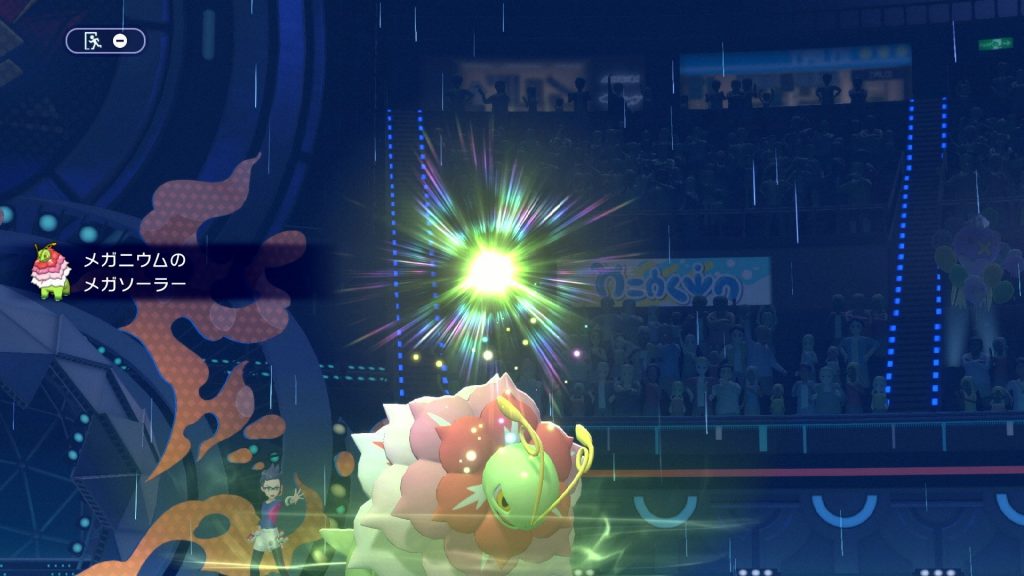
Grass-type fans, rejoice. Mega Meganium is receiving a brand-new ability called Mega Sol.
Instead of setting up weather for the entire field like Drought, Mega Sol allows Meganium to use its moves as if harsh sunlight is active. This means Meganium can fire off instantaneous Solar Beams and heal for maximum HP using Synthesis. Even if it is actively raining or snowing on the battlefield. This self-contained weather buff makes Mega Meganium incredibly splashable on teams that don’t want to commit to a dedicated Sun archetype.
Mega Emboar Smashes Defenses with “Mold Breaker”
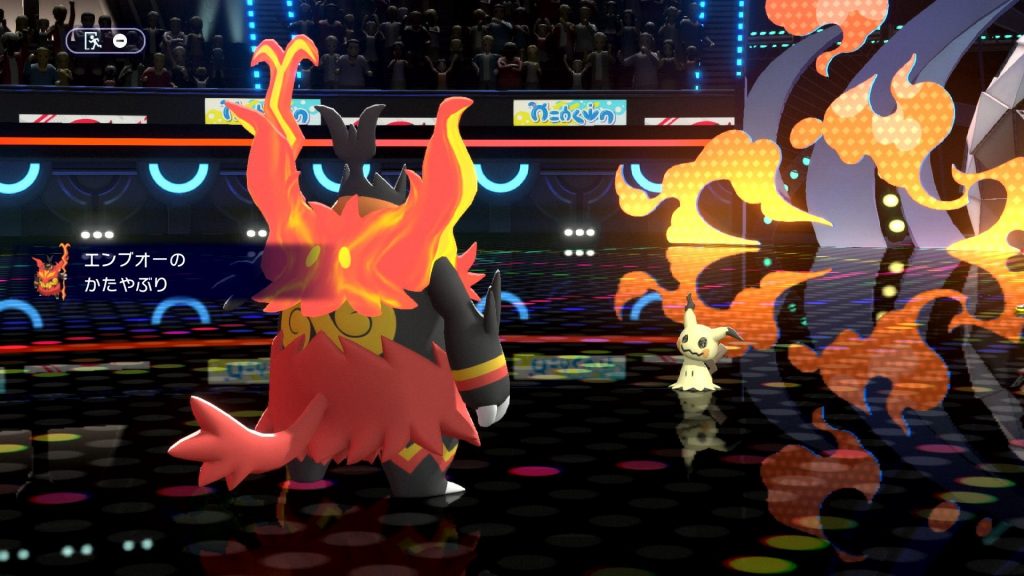
Mega Emboar is doubling down on sheer offensive pressure with the Mold Breaker ability.
While it might not be a brand-new ability like the other two, handing Mold Breaker to a heavy-hitting Fire/Fighting type is a massive deal. Mold Breaker allows Mega Emboar to completely ignore the defensive abilities of its targets. Say goodbye to abilities like Sturdy, Flash Fire, or Levitate getting in your way. Mega Emboar will punch right through them, guaranteeing your attacks land exactly as intended.
Mega Feraligatr Dominates with “Dragonize”
Perhaps the most exciting reveal of the batch is Mega Feraligatr’s new signature ability: Dragonize.
Functioning similarly to abilities like Pixilate or Aerilate, Dragonize turns all of Mega Feraligatr’s Normal-type moves into Dragon-type moves. Furthermore, it grants those converted moves a massive 20% power boost. This instantly gives Mega Feraligatr access to hard-hitting, reliable physical Dragon STAB (Same Type Attack Bonus) without having to rely on moves that lock you in, like Outrage.
These Pokémon Champions Mega Evolutions are clearly designed to shake up traditional strategies. Whether you want the weather-defying bulk of Meganium, the unstoppable wall-breaking of Emboar, or the sweeping potential of Feraligatr, these starters are built to dominate Ranked Battles from day one.
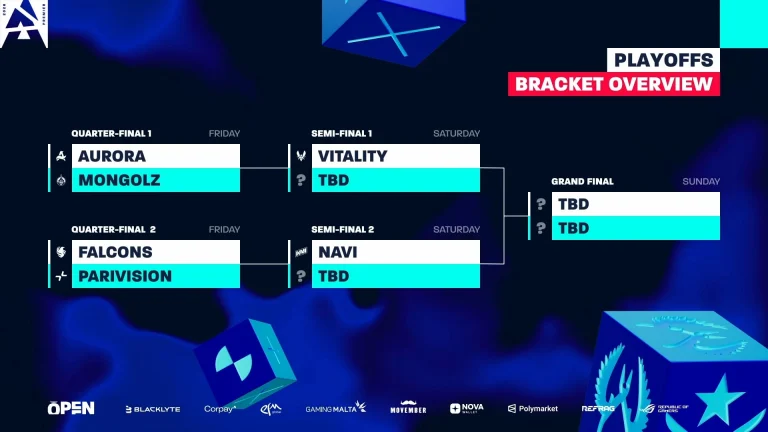
Following the conclusion of the Group Stage, we finally have the teams who have made it into the single-elimination playoffs setting for an electrifying finale at the BLAST Open Rotterdam 2026.
With MongolZ, Aurora, PARIVISION, and Falcons making it to the playoffs on the final day, all the big names have made it to the playoffs except Spirit. Falcons outlasting FURIA and PARIVISION dominating Spirit made the headlines for the final round of play in the Group Stage. Vitality and NAVI, qualified and having remained undefeated in the Group, will be waiting for the aforementioned teams in the semi-finals.
Aurora, as heavy favourites against MongolZ, set up a close tie, while all eyes will be on the PARIVISION vs Falcons quarter-finals, where the game’s stars will clash. The next round of play pits Vitality and NAVI against the quarter-final winners. While Vitality remains the best team in the world and is expected to go all the way, the excitement will likely lie with NAVI, where there is a possibility of a Falcons rematch.
As things stand, BLAST Open Rotterdam will be a key event building up to the Major and will play an important role in building confidence among the teams. Fans, on the other hand, will get to watch the best CS2 players in the world clash against each other for exciting back-to-back games of Counter-Strike.
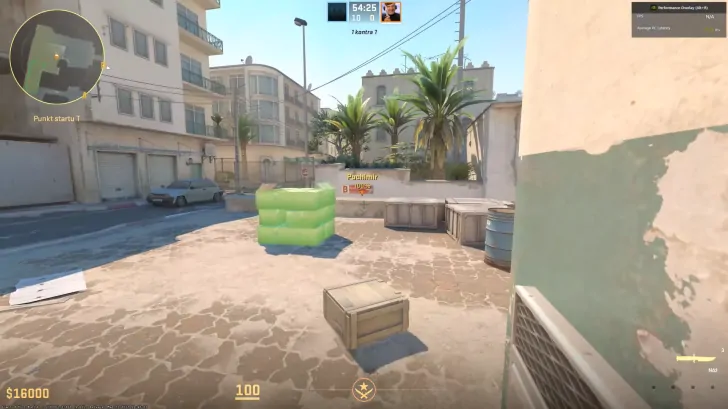
Prop Hunt is back, and it works in Counter-Strike 2. If you have been watching ohnePixel’s recent streams and wondering how he is playing hide-and-seek as a chicken on Inferno, this is the guide you need. CS2 Prop Hunt is not an official Valve game mode. It runs through community workshop maps and custom servers, and setting it up takes about two minutes.
This guide covers both methods: workshop maps with friends, and public community servers with strangers.
What is Prop Hunt in CS2?
Prop Hunt is a hide-and-seek game mode where one team disguises as random in-game objects (boxes, barrels, chickens, fire extinguishers) and hides around the map, while the other team hunts them down. The concept started in Garry’s Mod years ago and has since appeared in Call of Duty, Team Fortress 2, and now Counter-Strike 2.
The rules are simple. Props get 30 seconds to find a hiding spot. Seekers then have five minutes to find and destroy every prop. If even one prop survives, the prop team wins. Props are assigned a random object at the start of each round and can re-roll up to three times by typing !r or !reroll in chat. Props can also move around mid-round, so getting spotted is not an automatic death sentence if you react fast enough.
One detail that matters more than it sounds: your prop automatically aligns to the ground surface, making it harder for seekers to spot you based on tilt angle alone. Good prop players learn which objects naturally exist on each map and position themselves accordingly. A barrel next to other barrels is invisible. A barrel in the middle of A site is suspicious.
Method 1: Steam Workshop maps (play with friends)
This is the easiest way to get started and what most streamers use.
Step 1. Open Steam and go to the CS2 Steam Workshop. Search for “Prophunt” or “Prop Hunt.”
Step 2. Subscribe to a Prop Hunt map. The most popular one right now is Prophunt Inferno by Angel, which uses cs_script to run the entire game mode within a single workshop map. Other options include Prophunt Mirage and Prophunt Vertigo.
Step 4. Find the Prop Hunt map you subscribed to and select it.
Step 5.Invite your friends to the lobby before starting. Prop Hunt does not work with bots, so you need real players.
Step 6. Hit GO. The game mode loads automatically with all the Prop Hunt rules built in.
One tip: if you are playing as a prop, enable thirdperson view through the console (sv_cheats 1, then thirdperson). It makes hiding much easier because you can actually see what your prop looks like and how it fits into the environment.
Method 2: Community servers (play with strangers)
If you do not have enough friends online or want to drop into a full lobby, community servers are the way to go.
Step 1. Open CS2 and click Play.
Step 2. Select Community Server Browser (next to the Workshop Maps tab).
Step 3. In the search bar, type “prop hunt” or “prophunt” to filter results.
Step 4. Pick a server with decent ping and player count. Most active Prop Hunt servers are based in Europe and Asia.
Step 5. Click Connect and you are in.
You can also use external server browsers like CS2Browser or SteamBrowser to find Prop Hunt servers. These sites let you filter by game mode, region, and player count, which is useful when the in-game browser returns limited results.
Two community servers that get mentioned frequently by players: EXG CS2 Prop Hunt (based in Asia) and Edgeb.ug (based in the Netherlands).
Useful commands and tips
Once you are in a Prop Hunt game, these commands and tricks will help:
!r or !reroll re-rolls your assigned prop up to three times per round. Use this if you get a massive object that is impossible to hide.
!whistle plays a taunt sound, which seekers can hear. Some servers force periodic whistles to give seekers a chance, but you can also use it voluntarily to taunt.
!config (on Prophunt Inferno specifically) opens a settings menu where the host can toggle game mode options like round time, seeker spawn delay, and whistle frequency.
sv_cheats 1 followed by thirdperson lets you see your prop from a third-person camera. Not required, but it makes positioning much more intuitive.
For hiding strategy: learn which objects belong on each map. Inferno has a lot of wooden crates, barrels, and small boxes. If you are a crate, sit next to other crates. If you get something unusual like a fire hydrant, find a corner where it would not look completely out of place. Movement is your enemy while seekers are nearby, but your friend when you need to reposition after being almost spotted.
For seeking strategy: shoot anything that looks slightly off. Check corners, check behind doors, and pay attention to prop shadows. Experienced prop players sit in plain sight disguised as objects that already exist on the map, so trained map knowledge helps more than raw aim.
Why Prop Hunt is blowing up again
Prop Hunt has existed in some form across multiple games for over a decade. The reason it is trending in CS2 right now comes down to a few things. Workshop support in CS2 has matured significantly since Valve re-added community maps in late 2023. Map creators like Angel have built fully functional game modes using cs_script that would not have been possible a year ago. And streamers like ohnePixel playing it to thousands of viewers introduces the mode to people who never tried it in Garry’s Mod or Call of Duty.
There is also a simpler reason. CS2’s official modes are all competitive or semi-competitive. There is no casual, silly, zero-stakes mode built into the game. Prop Hunt provides that. You do not need to warm up. You do not need to worry about your rating. You just need to hide behind a barrel and try not to laugh when a seeker walks past you.
Frequently asked questions
How do you play Prop Hunt in CS2?
Subscribe to a Prop Hunt workshop map (like Prophunt Inferno) through the Steam Workshop, launch CS2, go to Play then Workshop Maps, select the map, invite friends, and start. You can also join public Prop Hunt games through the Community Server Browser.
Is Prop Hunt an official CS2 game mode?
No. Prop Hunt runs entirely through community-made workshop maps and custom servers. Valve has not added it as an official mode.
Can you play CS2 Prop Hunt solo or with bots?
No. Prop Hunt requires real players. Bots do not support the game mode. You need at least a few friends or need to join a community server with active players.
What is the best Prop Hunt map in CS2?
Prophunt Inferno by Angel is currently the most popular and polished option. It uses cs_script for full game mode functionality including prop selection, re-rolls, taunts, and seeker timers. Prophunt Mirage and Prophunt Vertigo are also available.
What does the !reroll command do in Prop Hunt?
Typing !r or !reroll in chat re-rolls your randomly assigned prop. You can re-roll up to three times per round if you get an object that is too large or too obvious to hide.
Why is ohnePixel playing Prop Hunt?
ohnePixel, one of the biggest CS2 streamers on Twitch, has been playing Prop Hunt on stream as a break from competitive content. The streams have introduced the game mode to a wider audience and driven a spike in search interest for CS2 Prop Hunt guides.
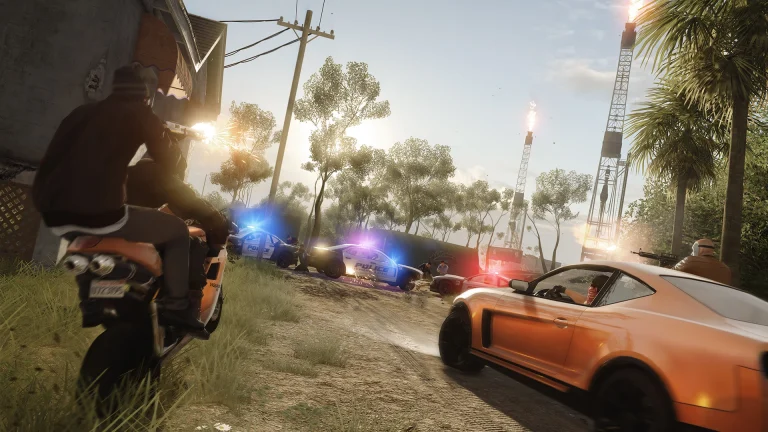
EA has confirmed that Battlefield Hardline will be pulled from the PlayStation Store and Xbox digital storefront on May 22, 2026. All downloadable content will be removed at the same time. Online servers for the PS4 and Xbox One versions will then shut down one month later, on June 22, 2026.
Players who already own the game will still be able to access the single-player campaign after the server shutdown. Multiplayer will no longer be available on those platforms once the June deadline passes.
PC Version Is Not Affected
EA confirmed that Battlefield Hardline on PC will remain available, including online services. No plans have been announced to remove the PC version from sale or shut down its servers.
The delisting date is still weeks away. Players looking to earn platinum trophies, complete DLC achievements, or buy the game digitally on console have until May 22 to do so. Multiplayer access continues until June 22.
Battlefield Hardline launched in 2015, developed by Visceral Games. It took the franchise in a cops-and-robbers direction rather than a military setting. The game had a mixed reception but retained a small player base on current-gen consoles well beyond its launch window.
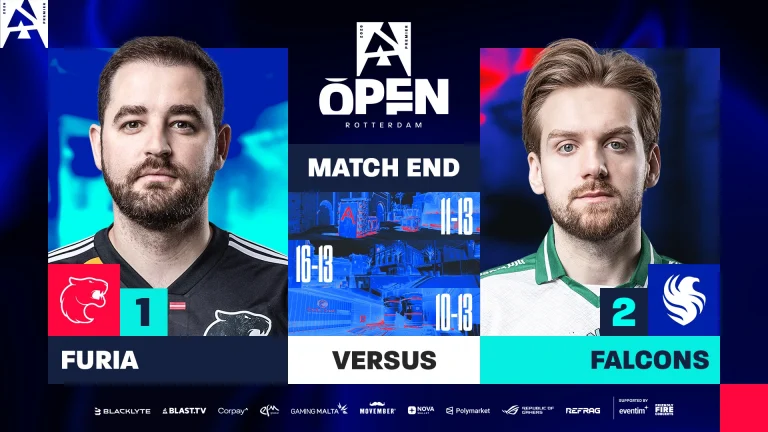
Falcons are through to the playoffs of BLAST Open Rotterdam, beating FURIA with a 2-1 scoreline. Perfect defense on the first and final map from Falcons sent FURIA home as they head into the playoffs with tougher challenges awaiting.
3-0 start for FURIA puts Falcons on the back foot right from the get-go. As the Falcons played chase, they struggled to get 5 rounds by the end of the first half, making the map competitive. Levelling the scoreline, Falcons dropped the ball in the first gun round as FURIA managed to put together 4 in a row before Falcons could get back. Converting their first round with a retake, Falcons’ offense found their footing late in the game, which gave them the room to recover the half and build on it to hit series point before FURIA could win a round. The perfect close to the game summarised a dominant comeback, with the Falcons edging the Brazilians 13-11. High-impact performance from NiKo, with 18 kills, turned the tide for Falcons as Falcons outlasted FURIA.
Map 2: Dust2; Pick: FURIA; Winner: FURIA
3K from NiKo opened Dust2 for Falcons on the defense. The first gun round going the way of FURIA put them in control of the game, who managed to get the better of the Falcons’ defense for 6 rounds in a row before the Falcons could hit back. As they continued to struggle, FURIA racked up 8 rounds as Falcons moved to their offense with 4 to their name. Winning the pistol, Falcons managed to level the scoreline and built on it to hit map point before FURIA won the final round of regulation, taking the series to OT. Failing to win anything beyond a single round, FURIA breezed past Falcons to close out the map with a 16-13 scoreline.
Map 3: Nuke; Pick: Decider; Winner: Falcons
Losing out on the pistol, FURIA hit the board with their typical 3rd round half buy only to lose out the next round. Following back and forth, FURIA put together a streak of 8 rounds to secure a massive 9-3 lead before switching sides. Winning the pistol, the Falcons started closing in on the Brazilian side. Totally dominant and rock-solid across their defense, the Falcons dominated and lost only a single round in the process. 13-10 close to the game from Falcons booked their spot in the Playoffs of the BLAST Open Rotterdam over FURIA. The 23-kill masterclass from m0NESY after two unimpressive maps put FURIA to bed and ensured his team’s spot in the playoffs.
Disappointing performances from FURIA after their stunning start to the year speak to how teams have figured them out. FalleN is known to solve issues like this, but unless they can yield something soon, they will end the season having failed to meet expectations.
Last week, Counter-Strike 2 received a major update that completely reworked how weapon reloads work in the game, making ammo management a lot more realistic while also drastically altering the competitive meta of the shooter.
For the uninitiated, the March 18 CS2 update introduced an overhaul to the weapon reload functionality. Since the update, reloading a weapon now automatically discards any bullets left in the current magazine, while the traditional reserve ammo system has been replaced with a magazine-based system.
All weapons in the game, except a few shotguns, now carry a limited number of full mags instead of a shared pool of bullets.
For your consideration, an update pertaining to Guns, Guides, and Games: https://t.co/LUxPx8vTWX
With ammo reserves replaced by full magazines, several weapons saw significant changes in their overall ammo capacity. Some weapons in the CS2 arsenal saw a major boost to their total ammo, while others’ ammo counts were lowered, effectively silent-nerfing some guns without actually changing any obvious stats like DPS or magazine capacity.
CS2 Reload Rework: All Weapon Nerfs and Buffs
Shortly after the update, prominent CS2 content creators began comparing the before-and-after ammo counts of every weapon, sharing their findings across social media platforms.
Without further ado, let’s check out a list of all the nerfs and buffs that the CS2 reload overhaul update introduced to the competitive shooter.
Buffs
The following weapons were directly buffed as a result of the March 18 CS2 update:
Galil AR (+50 Bullets)
M4A4 (+30 Bullets)
P250 (+13 Bullets)
CZ75-A (+12 Bullets)
FAMAS (+10 Bullets)
PP-Bizon (+8 Bullets)
R8 (+8 Bullets)
Nerfs
SSG-08 (-70 Bullets)
Dual Berettas (-60 Bullets)
Five-SeveN (-60 Bullets)
Glock-18 (-60 Bullets)
MP9 (-60 Bullets)
G3SG1 (-50 Bullets)
SCAR-20 (-50 Bullets)
Tec-9 (-36 Bullets)
MP5-SD (-30 Bullets)
MP7 (-30 Bullets)
UMP-45 (-25 Bullets)
AWP (-20 Bullets)
M4A1-S (-20 Bullets)
MAG-7 (-17 Bullets)
Desert Eagle (-14 Bullets)
MAC-10 (-10 Bullets)
Unchanged
P2000
USP-S
Nova
Sawed-Off
XM1014
Negev
M249
P90
AK-47
AUG
SG 553
I went through all the Weapon Ammo Changes and here's all the data that you need ‼️
These changes will undoubtedly impact the pick rates of several weapons in pubs and competitive play alike. Some guns, like the M4A1-S, may see a sharp decline in usage due to the lower magazine count, while others, such as the P2000, might finally find their way into more loadouts.
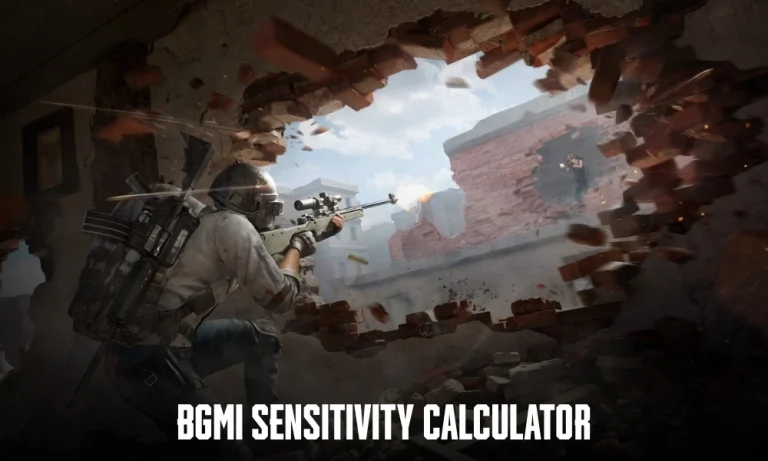
Finding the right BGMI sensitivity settings is the difference between clean sprays and losing easy fights. This BGMI sensitivity calculator helps you convert scope sensitivities, test cross-game values, and generate a working preset based on your device and playstyle. Instead of guessing numbers, you get a structured starting point you can adjust in-game over a few matches. The tool covers all scopes from Red Dot to 8x and is designed for both gyro and non-gyro players.
How it works: Enter any one scope sensitivity you are comfortable with. The calculator derives all other scopes using BGMI’s FOV ratios, so every scope covers the same angular distance per swipe.
Scope
Sensitivity
Visual
FOV
FOV values based on BGMI in-game testing. Outputs are starting points — adjust ±3 to taste.
How it works: Enter your BGMI camera sensitivity and your device DPI (if using an OTG mouse or controller). The tool calculates your eDPI and maps it to CoD Mobile and Free Fire using community-tested conversion ratios.
—
eDPI
Enter your sensitivity above to calculate eDPI.
Cross-game ratios based on community testing. Touch sensitivity differs from mouse — treat outputs as starting points.
How it works: Low-end devices need higher sensitivity to compensate for frame drops and slower touch response. High-end devices can run lower, more precise sensitivity without input lag. Select your device tier for a full optimised preset.
Presets are community-tested starting points. Fine-tune over 2–3 sessions before making changes.
The tool has three sections. Use them based on what you need.
Scope Converter: Enter any one sensitivity value you already use. The tool calculates the rest of your scope sensitivities so your aim feels consistent across all zoom levels.
Cross-Game Converter: If you switch between BGMI and other mobile shooters, this gives you a rough equivalent sensitivity so your muscle memory stays similar.
Device Preset Generator: Select your device type and playstyle. The tool gives you a full sensitivity setup you can copy and test immediately.
These are starting points. Spend a few matches adjusting small values until your aim feels natural.
Best BGMI Sensitivity Explained Simply
Every player in BGMI has the same goal: control recoil while keeping aim stable.
Here is what actually matters:
Lower sensitivity = better control, slower movement
Higher sensitivity = faster movement, harder to control
Most players lose fights because their sensitivity is too high for their control level.
A simple rule:
If your spray shakes too much, lower sensitivity
If your aim feels slow or stiff, increase it
There is no perfect number. The right sensitivity is the one you can control consistently in real fights.
Scope Sensitivity Guide (Practical Numbers)
If you just want a baseline, start here:
Scope
Typical Range
Red Dot / Holo
50 – 80
2x Scope
40 – 70
3x Scope
30 – 60
4x Scope
20 – 50
6x Scope
10 – 30
8x Scope
5 – 20
Use these as a reference, not final values.
For example: If your 3x spray is uncontrollable, drop it by 5–10 points and test again.
Small changes matter more than big jumps.
Frequently Asked Questions (FAQs)
1. What is the best sensitivity for BGMI? There is no single best sensitivity. It depends on your device, playstyle, and whether you use gyroscope. The calculator above gives you a starting point that you can refine.
2. How do I get no recoil in BGMI? You do not remove recoil completely. You reduce it by using the right sensitivity and controlling your spray. Lower your scope sensitivity slightly until your aim becomes stable.
3. Is gyro better than non-gyro? Gyroscope gives better recoil control once you get used to it. Most competitive players use it, but non-gyro players can still perform well with the right settings.
4. Should sensitivity be the same for all scopes? No. Each scope needs different sensitivity because zoom levels change how fast your aim moves. That is why the scope converter tool is useful.