Wednesday, April 29, 2026
Home Blog Page 313

How to Get Water in Minecraft OneBlock Mode – Simple Steps to Collect Water

0

Minecraft OneBlock mode is a unique gameplay experience where players start with a single grass block floating in the void. The objective is to expand resources, build platforms, and ultimately defeat the Ender Dragon. Since resources are limited, obtaining water becomes a critical task for survival and farming.

Here is a step-by-step guide to acquiring water in Minecraft OneBlock mode.

Step 1: Expand Your Platform

Begin by mining the starting block repeatedly to gather dirt and other resources. Use these materials to create a larger platform around the initial block. This expansion helps in accommodating mobs and provides space for resource management.

Keep mining until you progress through the initial stages, which include gaining essential blocks and materials to support further crafting and construction.

Step 2: Wait for the Mysterious Trader

As you continue mining, a mysterious trader will spawn near your platform. This trader offers unique deals that are exclusive to OneBlock mode.

Look out for the trade involving ice blocks, as these are the key to obtaining water. The trader may exchange ice blocks for 12 iron ingots. If this specific trade doesn’t appear initially, keep mining the source block. Over time, the trader’s offers will refresh, and the ice trade may reappear.

Step 3: Craft Iron Ingots for Trading

To prepare for the ice block trade, focus on gathering iron ingots. Follow these steps:

  1. Craft Cobblestone and Dirt into Gravel – Combine basic resources to produce gravel blocks.
  2. Smelt Gravel into Iron Nuggets – Use a furnace to smelt gravel and extract iron nuggets.
  3. Combine Nuggets into Iron Ingots – Once you have enough nuggets, craft them into full iron ingots.

Accumulate 12 iron ingots to trade for the required ice blocks.

Step 4: Create a Water Source

After acquiring the ice block, carefully place it in a hollowed-out space on your platform. Break the ice block to release water.

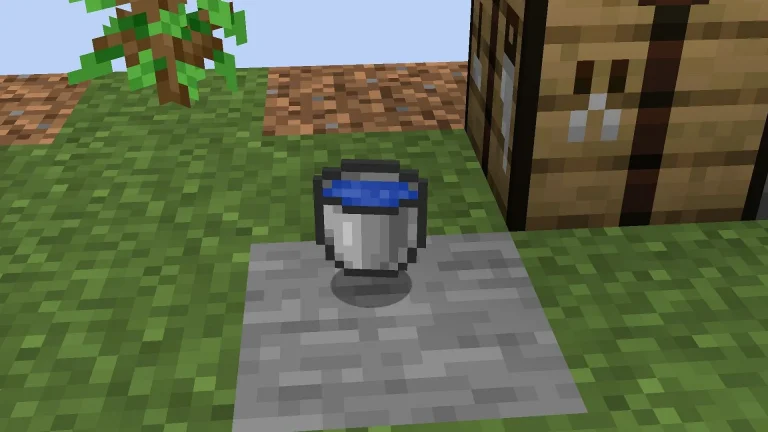
To store and transport water, craft a bucket using three iron ingots. This allows you to move water as needed for farming or creating an infinite water source.

Getting water in Minecraft OneBlock mode involves strategic planning and resource management. By mining blocks, expanding platforms, and trading with the mysterious trader, players can secure water for survival and progress further in the game.

Follow this guide to ensure a steady supply of water and build a thriving world in Minecraft OneBlock mode!
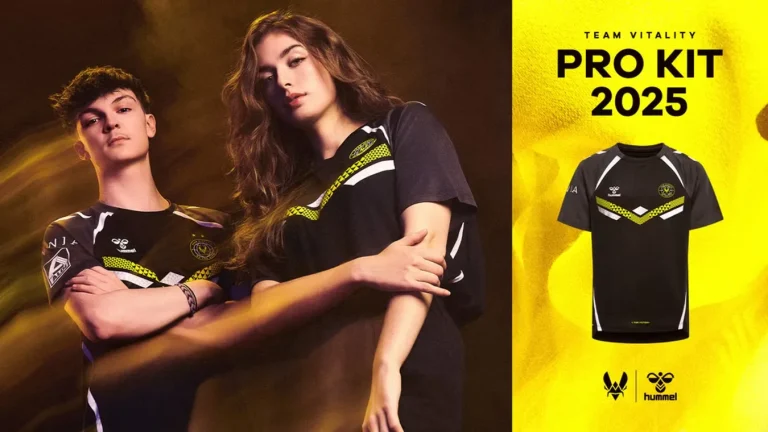
Team Vitality Launches Stunning Pro Kit for 2025

0

Team Vitality, one of the leading esports organizations, has officially unveiled its Pro Kit for 2025 in partnership with renowned sportswear brand hummel. The fresh design stays true to the club’s signature yellow and black colors, combining style with symbolic elements that resonate with fans globally.

A Closer Look at the Design

The 2025 Pro Kit celebrates Team Vitality’s Parisian heritage and international presence. Its standout feature is the bee logo, symbolizing unity, placed at the heart of the jersey. Positioned within the Eiffel Tower and surrounded by a globe, the design highlights the club’s global aspirations.

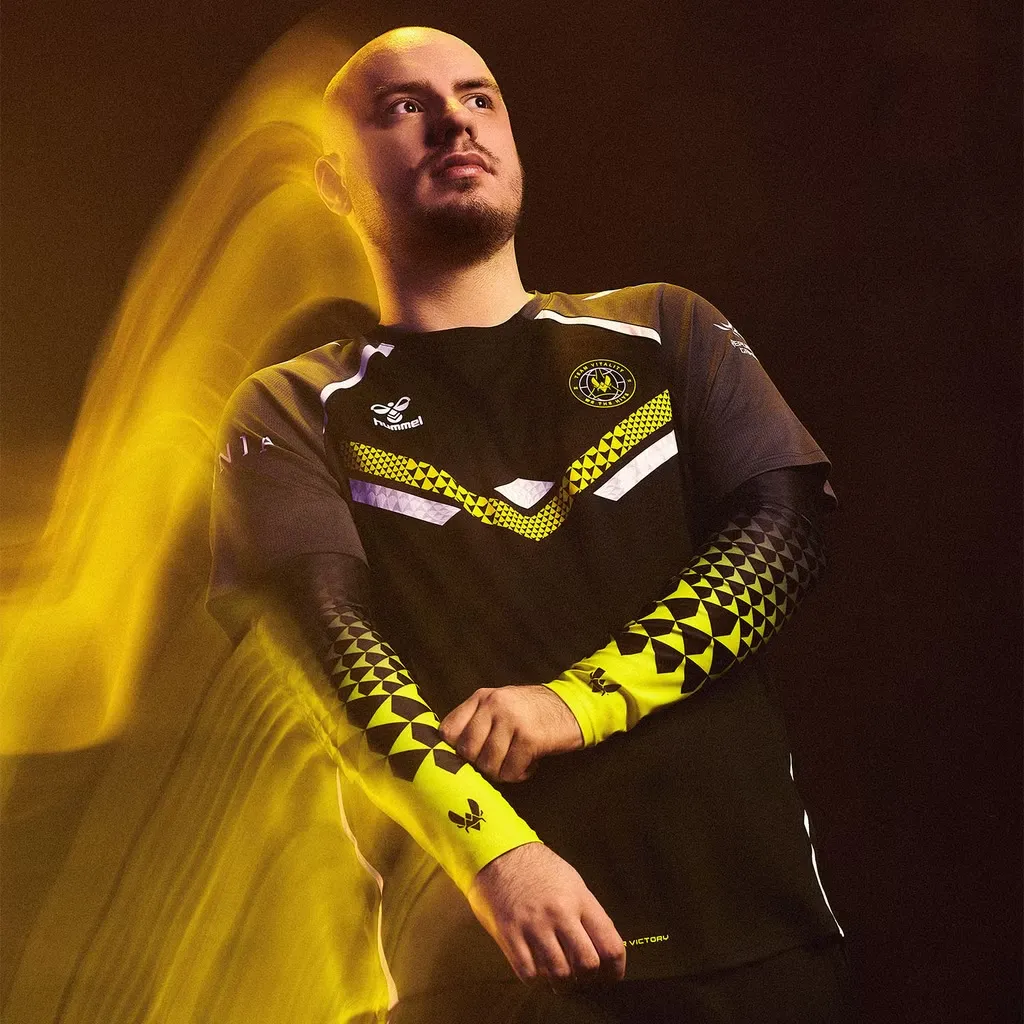
Professional esports player modeling the new Team Vitality pro kit, featuring a stylish black and yellow jersey with geometric patterns. The player is captured in a dramatic pose with a dynamic yellow streak effect, highlighting the modern and energetic design of the kit.

Underneath the logo, the slogan “WE ARE THE HIVE” reinforces community spirit. Arrows etched into the fabric represent connections between fans, players, and supporters. Additionally, the patterns creatively form a ‘V’ for Vitality and a ‘W’ for Winning. The slogan “V FOR VICTORY” is prominently displayed at the bottom, emphasizing the team’s competitive mindset.

Pricing and Product Options

Fans eager to show support can purchase the Pro Kit through the Team Vitality eShop. The primary jersey is priced at €79.99, and additional merchandise is also available:

  • Vest – €69.99
  • Trousers – €59.99
  • Sleeves – €29.99

Early buyers ordering through the V.Hive mobile app can claim a free fan scarf, but stock is limited, so fans are encouraged to act quickly.

Where to See the Kit in Action?

Team Vitality’s pros will sport the new kit across major tournaments in 2025, including:

This sleek and symbolic Pro Kit not only reflects Team Vitality’s dedication to performance but also deepens the connection with its fans worldwide. Whether you’re a die-hard supporter or a casual enthusiast, this merchandise is set to make waves in the esports world.

Ready to gear up for 2025? Head to the Team Vitality eShop to grab your jersey today!

How to Enter Dreamscape in Slap Battles | Roblox Guide (2024)

0

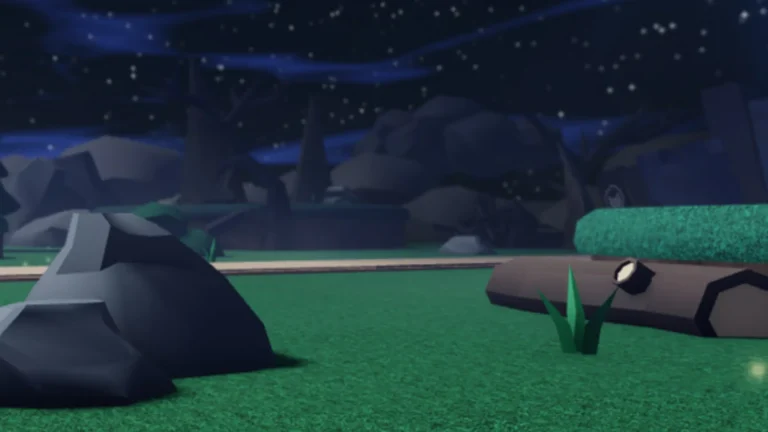
Roblox’s Slap Battles is a fun and interactive game that allows players to unlock unique features and experiences. One of the most exciting parts is entering the Dreamscape, where you can team up with a friend to battle waves of enemies. Here’s a step-by-step guide to help you access the Dreamscape and conquer it.

What Is Dreamscape in Slap Battles?

The Dreamscape is a special arena in Slap Battles where players can test their skills by fighting enemies in waves. This mode allows cooperative gameplay, requiring proper coordination with your partner.

Steps to Enter the Dreamscape

  1. Obtain the ZZZZZZZ Glove
    • The first requirement is to purchase the ZZZZZZZ glove for 70 Slaps in the game.
  2. Activate the Mimir Ability
    • Equip the glove and use its Mimir ability simultaneously with a friend while standing on The Fort.
  3. Fall Asleep and Teleport
    • The Mimir ability knocks both players over, simulating sleep. When executed properly, this action teleports you and your friend directly into the Dreamscape.
  4. Prepare for Battle
    • Inside the Dreamscape, you will face waves of enemies. Work closely with your teammate to clear these waves and emerge victorious. Communication is key, so make sure to plan your moves in advance.

Tips for Success in Dreamscape

  • Coordinate with Your Partner: Good teamwork improves your chances of survival.
  • Upgrade Your Skills: Practice using the ZZZZZZZ glove and its abilities before entering the Dreamscape.
  • Stay Alert: Enemies increase in difficulty as you progress through the waves, so stay focused throughout the game.

Entering the Dreamscape in Roblox Slap Battles can be an exciting adventure, especially when played with friends. By following this simple guide, you’ll be well-prepared to tackle the waves of enemies and enjoy this unique gameplay experience.

Good luck, and happy slapping!

Valve Expands CS2 Majors to 32 Teams

Valve has officially confirmed the expansion of Counter-Strike 2 Majors to 32 teams, starting with the BLAST.tv Austin Major. This update comes with significant changes, including the introduction of a third Swiss stage to accommodate the larger pool of teams.

Longer Tournament Duration

With the addition of this new stage, CS Majors will now run approximately four days longer than before. The expanded format ensures a more competitive platform, providing ample opportunities for teams to advance.

New Regional Qualifiers (MRQ)

Replacing the previous RMR system, Valve introduced Major Regional Qualifiers (MRQ) to determine team eligibility. Key details include:

  • Americas and Europe will have 16 teams each in their MRQs.
  • Asia will have 8 teams in its MRQ.
  • MRQs may be conducted online, with regions split into sub-regions to minimize ping differences.

Qualification Process and Slots

From the MRQs:

  • 6 teams each from Americas and Europe, and 4 teams from Asia will qualify for Stage 1.
  • Stage 2 will feature 8 directly invited teams, joined by 8 teams advancing from Stage 1.

Further, regions earn direct invites based on past performance. For example, Europe secured 6 Stage 3 slots due to strong performances in previous tournaments, while Americas and Asia earned 1 slot each.

VRS Rankings-Based Slot Distribution

For the BLAST.tv Austin Major 2025, slot allocation will follow the VRS rankings:

  • Europe: Top 6 teams to Stage 3, 4 teams to Stage 2, and 16 teams to MRQ.
  • Americas: Top 1 team to Stage 3, 4 teams to Stage 2, and 16 teams to MRQ.
  • Asia: Top 1 team to Stage 3, none to Stage 2, and 8 teams to MRQ.

This format overhaul aims to enhance competitiveness, fairness, and global representation in CS Majors. The BLAST.tv Austin Major will mark the debut of this expanded format, promising intense action and thrilling matches for Counter-Strike fans worldwide.

How to Surrender in Marvel Rivals – Step-by-Step Guide

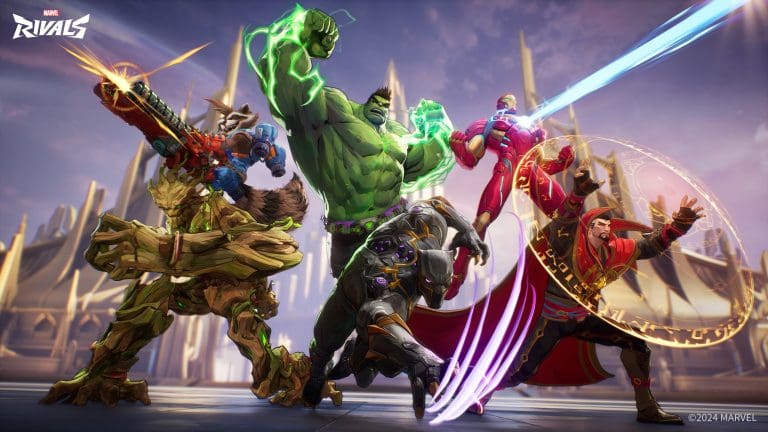
Sometimes, matches in Marvel Rivals just don’t go as planned. Your team composition might be flawed, a teammate may leave mid-match, or certain players might struggle to keep up. In such cases, it’s better to move on rather than drag out a losing battle. Thankfully, Marvel Rivals offers a surrender feature to end such matches early.

Introduced in late 2024, the surrender option has quickly become a useful addition to Competitive Play. Instead of wasting time in unwinnable matches, players can now vote to surrender and start looking for another game. However, this feature comes with a few rules and restrictions, which are explained below.

When Can You Surrender in Marvel Rivals?

The surrender feature is only available in Competitive Play. Unfortunately, it cannot be used in Quick Play matches, meaning you’ll have to endure the game until it ends naturally in those modes.

Also Read: Marvel Rivals False Ban Issue Resolved

In Competitive Play, the surrender process works through a voting system. To successfully surrender, a majority vote is required from your team. Typically, this means at least four players must agree to surrender for the vote to pass. If the vote fails, the match continues as usual.

How to Use the Surrender Option in Marvel Rivals

To initiate a surrender vote, follow these steps:

  1. Pause the Game: Press the pause button during the match.
  2. Select the Surrender Option: From the drop-down menu, click on the “Surrender” button.
  3. Wait for the Vote Prompt: A vote prompt will appear on your teammates’ screens.
  4. Vote to Accept or Reject: Teammates can either accept or reject the vote, determining whether the match ends or continues.

Rules and Restrictions for Surrendering

There are a few conditions you need to keep in mind when using the surrender option in Marvel Rivals:

  1. Timing: You can only call for a surrender vote after the first round of the match is completed.
  2. Vote Limit Per Round: Each player can initiate one vote per round after the first round. This means up to six votes per round if every player calls for a surrender.
  3. New Round, New Vote: Players who used their vote in the previous round can request another surrender vote once a new round begins.

When Should You Surrender?

Surrendering has its pros and cons. It’s a great option when the match seems unwinnable, such as when a teammate disconnects, goes inactive, or deliberately disrupts the gameplay. In such cases, ending the match quickly can save time and reduce frustration.

However, surrendering can sometimes mean giving up too soon. Matches in Marvel Rivals can turn around quickly, and an early surrender vote may lead to missing out on a potential comeback. Therefore, it’s crucial to assess the situation carefully before calling for a vote.

The surrender feature in Marvel Rivals adds flexibility and saves time during hopeless matches. By understanding the rules and using this tool wisely, players can make the most of their Competitive Play experience. However, knowing when to surrender and when to fight is the key to improving your overall performance.

Stay updated with more gaming tips and strategies to level up your gameplay!

Path of Exile 2 Full Release Date: Expected Timeline, Features, and Free-to-Play Model

0

Path of Exile 2 has taken the gaming community by storm with its early access launch in December 2024. The action RPG, developed by Grinding Gear Games, has already been hailed as a serious competitor to the Diablo series. However, since only a portion of the game is currently available, fans are eagerly awaiting the full release. Here’s everything we know so far about the full version of Path of Exile 2, including its timeline, features, and pricing model.

When Will Path of Exile 2 Fully Release?

As of now, Grinding Gear Games has not provided an exact release date for the complete version of Path of Exile 2. However, Game Director Jonathan Rodgers offered some insights during a recent stream.

Rodgers stated that the early access period would last at least six months, possibly extending slightly longer. Early access began on December 6, 2024, which means the full release is unlikely before May or June 2025. Rodgers also mentioned he does not expect development to take more than a year, suggesting the game could be available by the second half of 2025.

While these timelines are tentative, it’s clear that developers are working toward a polished final product without unnecessary delays.

Will Path of Exile 2 Be Free to Play?

A major highlight for fans is that Path of Exile 2 will maintain the free-to-play model that made the original game so popular.

Currently, early access requires a payment, which gives players access to only part of the game. However, the full version, once released, will be free for all players, making it accessible to a wider audience.

What Can Players Expect in the Full Release?

The early access version of Path of Exile 2 includes just a fraction of the final content. Here’s a breakdown of what will expand in the full release:

  • Acts and Storyline:
    The early access version features three Acts out of a total of six. Players can expect the complete storyline and climactic ending in the full release.
  • Character Classes and Builds:
    Currently, only six character classes are available, each with two ascendancies. In the final version, there will be 12 classes with three ascendancies each, significantly expanding build options and gameplay styles.
  • Content and Features:
    The full release will offer richer content, improved gameplay mechanics, and additional features that aren’t available during early access. Players can look forward to exploring the complete world and enjoying a broader range of skills, weapons, and strategies.

While Path of Exile 2’s early access has already impressed fans, the complete version promises to deliver even more exciting features and gameplay depth. With its anticipated mid-to-late 2025 release window and free-to-play model, it is set to attract both existing and new players.

Until then, players can enjoy the early access version and prepare for the expanded content that the full release will bring. Stay tuned for more updates as we get closer to the official launch!

Shroud Announces ‘Fragathon’ Twitch Subathon to Raise Funds for Charity in Memory of His Father

0

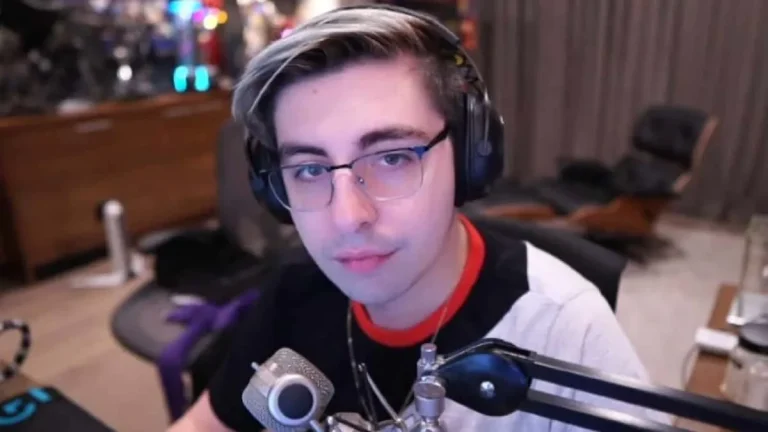
Popular streamer Michael “Shroud” has launched a month-long Twitch subathon called “Fragathon” to honor his late father and raise funds for charity.

On January 3, 2025, renowned Twitch streamer Michael “Shroud” announced the launch of Fragathon, a special charity-focused subathon that will run throughout January. Inspired by his father’s passing from cancer last year, Shroud aims to use this event to support individuals facing similar challenges.

What is Fragathon? A Unique Twist to Traditional Subathons

Unlike conventional subathons that focus on subscriber milestones, Fragathon introduces a creative twist. Each in-game “frag” (elimination) achieved by Shroud will translate into a monetary donation to charity. Subscribers and donations during the event will amplify the contribution per frag, allowing viewers to directly impact the final amount raised.

Shroud shared his thoughts in the announcement video posted on X (formerly Twitter):
“Last year, I lost my dad to cancer. Ever since, I’ve been searching for ways to help others going through similar struggles. That’s how we came up with Fragathon.”

Gameplay, Donations, and Special Features

Throughout January, Shroud will stream first-person shooter games, keeping track of eliminations via a live frag counter displayed on-screen. Each frag initially contributes $1 to charity, but viewers can increase this amount by subscribing or donating, boosting the multiplier for every kill.

Beyond solo gaming, Fragathon will also include:

  • Collaborations with other streamers – Shroud has invited fellow creators to join him in the event, amplifying its reach and impact.
  • LAN center challenges – A special LAN setup at Shroud’s house will host in-person gaming sessions, adding excitement to the fundraiser.
  • IRL activities – Interactive real-life challenges and activities will complement the gaming streams, encouraging even more participation.

All proceeds from subscriptions, bits, and donations will go entirely to charity, as confirmed by Shroud.

Ending his announcement, Shroud paid homage to his father by including a touching clip of him speaking Polish, highlighting the personal significance of this charity initiative.

While the specific charity organization is yet to be disclosed, Fragathon has already generated excitement among fans and the gaming community. This innovative event blends entertainment with philanthropy, showcasing the positive influence gaming can have on society.

Garena Free Fire MAX Redeem Codes (January 4, 2025) – Savvy Ring Event Rewards

Garena Free Fire MAX, the enhanced version of the original Garena Free Fire, has become a favorite among mobile gamers due to its upgraded graphics, improved gameplay, and diverse game modes. Players can now personalize weapons and characters while enjoying new maps and exciting events.

On January 4, 2025, Garena Free Fire MAX has released exclusive redeem codes that allow players to unlock amazing in-game rewards like outfits, weapon skins, diamonds, and more. These codes are time-limited and should be redeemed quickly to avoid missing out on fantastic bonuses.

Steps to Redeem Garena Free Fire MAX Codes

Follow these simple steps to redeem the codes and claim your rewards:

  1. Visit the official Garena Free Fire Rewards Redemption Site: https://reward.ff.garena.com/en.
  2. Log in using Facebook, Google, Twitter, or VK accounts. Guest accounts cannot redeem codes.
  3. Enter the redeem code in the provided text box and click Confirm.
  4. A confirmation box will appear—click OK to proceed.
  5. Check your in-game mail for the rewards.

Garena Free Fire MAX Redeem Codes for January 4, 2025

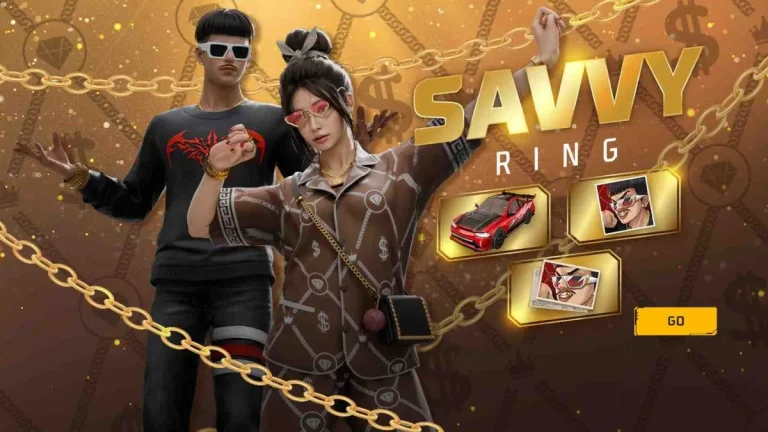
  • FFWX9TSY2QK7 – Savvy Ring Event: Street Savvy Bundle + Fashion Savvy Ring + Sports Car Road Savvy
  • FFNYX2HQWCVK – M1014 Green Flame Draco Skin
  • RDNAFV2KX2CQ – Emote Party Pack
  • FFXT7SW9KG2M – 1875 Diamonds Bonus
  • FFWCY6TSX2QZ – Aurora Shade Legendary Bundle (Region Exclusive)
  • FFXMTK9QFFX9 – Golden Shade Outfit Bundle
  • FV4SF2CQFY9M – Premium Plus Booyah Pass for January
  • HQK6FX2YT9GG – Chromasonic MP40 EVO Gun + 2,170 Tokens
  • YF6WN9QSFTHX – Frostfire Bunny Bundle (Red Bunny)
  • FF4MTXQPFDZ9 – Poker MP40 Ring – Flashing Spade Skin
  • FFWST4NYM6XB – Booyah Flameborn Bundle
  • PFS5Y7NQFV9S – Cobra MP40 Skin + 1450 Tokens
  • XF4SWKCH6KY4 – LOL Emote
  • FVTCQK2MFNSK – Criminal Ring Bundle – Top Criminal (Ghost Edition)

Important Notes for Players

  1. Redeem codes are valid only for 24 hours, so claim them before they expire.
  2. Ensure your game account is linked to Facebook, Google, Twitter, or VK. Guest accounts are not eligible.
  3. Each code can be used only once per player.

About Garena Free Fire MAX

Launched in September 2021, Garena Free Fire MAX is an upgraded version of the globally popular Free Fire game. It features enhanced graphics, sound effects, and larger maps, offering an immersive gaming experience.

Popular Game Modes in Free Fire MAX

  1. Battle Royale Mode – Compete with 50 players to be the last survivor on an isolated island. Available in solo, duo, and squad formats.
  2. Clash Squad Mode – Fast-paced 4v4 matches in a best-of-5 setup. Players can purchase weapons during preparation rounds.
  3. Lone Wolf Mode – Intense 1v1 or 2v2 matches with special rules for quick battles.
  4. Craftland Mode – Design custom maps and share them with others for a personalized gameplay experience.

With Garena Free Fire MAX redeem codes for January 4, 2025, players can unlock exciting rewards such as street fashion bundles, high-end sports car skins, weapon upgrades, and exclusive emotes. Remember, these codes are valid only for a limited time, so act fast to claim your rewards and enhance your gaming experience.

League of Legends LoLdle Answers for January 4, 2025 – Complete Solutions Revealed

The League of Legends LoLdle answers for January 4, 2025, have been released, offering solutions to the five distinct puzzles featured in this popular daily game. Players need a deep understanding of LoL champions, including their quotes, abilities, and splash arts, to tackle these challenges effectively.

LoLdle Answers for January 4, 2025

The puzzles and answers from the 912th edition of LoLdle are as follows:

  1. Classic Puzzle: Ziggs – Known for his explosive abilities, Ziggs is a widely recognized champion in League of Legends.
  2. Quote Puzzle: Orianna – Featuring the memorable quote, “I know what makes them tick. I know how to make the ticking stop.”
  3. Ability Puzzle: Leona – The ability highlighted is her R skill, Solar Flare, which stuns enemies in a targeted area.
  4. Emoji Puzzle: Gragas – Represented with emoji clues related to this champion’s playful yet impactful character.
  5. Splash Art Puzzle: Riven – The puzzle showcases Battle Bunny Prime Riven, a popular skin that highlights her agile combat style.

Success in LoLdle requires a strong grasp of champion lore, abilities, and quotes. Players are encouraged to regularly review League of Legends updates and champion descriptions to stay competitive.

Previous LoLdle Answers

For those tracking past solutions, here are some highlights:

  • January 3 (LoLdle 911): Kayn, Cho’Gath, Renekton, Lissandra, Ryze.
  • January 2 (LoLdle 910): Jinx, Jarvan IV, Orianna, Rakan, Gnar.
  • January 1 (LoLdle 909): Pyke, Thresh, Viego, Kha’Zix, Nautilus.

Players can use these patterns to anticipate future puzzles and refine their guessing strategies.

Stay Updated for Future LoLdle Answers

The answers for the 913th edition, scheduled for January 5, 2025, will be available soon. Keep practicing and exploring champion details to maintain your winning streak in League of Legends LoLdle.

GTA Online Trap Door Guide – 2x Bonuses (Jan 2–8, 2025)

GTA Online’s thrilling Trap Door Adversary Mode is back in the playlist this week, offering 2x cash and RP bonuses until January 8, 2025. If you’re new to this mode or looking for tips to boost your earnings, this guide will walk you through how to play and maximize your rewards.

What is GTA Online Trap Door Mode?

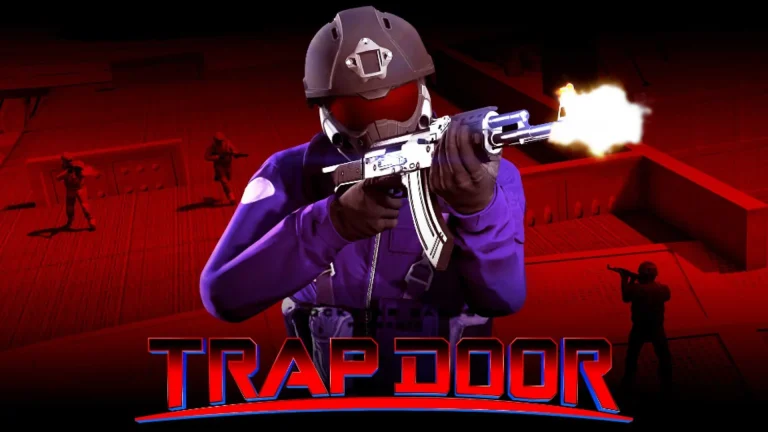
Trap Door is an Adversary Mode in GTA Online designed for 2 to 16 players, split into two to four teams. Each match takes place on a floating platform with a five-minute timer per round.

Objective:

  • Eliminate players from opposing teams using weapons scattered across the platform.
  • Eliminated players respawn in a red zone on the platform.

Challenge:

  • The red zone disappears once the timer ends, eliminating players inside it.
  • Survive until the end of the round to secure victory.

Winning the Match:
The team that wins the most rounds is declared the winner of the match.

How to Play GTA Online Trap Door for 2x Bonuses

  • Utilize Cover Points: Use available covers to protect yourself from attacks.
  • Collect Weapons and Armor: Pick up weapons and armor scattered on the platform to stay competitive.
  • Stay Mobile: Avoid staying in one spot for too long to prevent being highlighted on the mini-map.
  • Time Your Moves: Avoid dying when the red zone timer is about to expire to give yourself enough time to escape.

With 2x rewards on cash and RP, playing strategically can help you make the most of this limited-time bonus offer.

How to Start Trap Door Mode in GTA Online

Starting the Trap Door mode is simple. Follow these steps:

  1. Open the Pause Menu in GTA Online.
  2. Navigate to Online and select Jobs.
  3. Click on Play Job and go to Rockstar Created.
  4. Scroll down to Adversary Mode and select Trap Door from the playlist.

There are seven Trap Door variations available, all offering 2x bonuses this week.

Trap Door is one of the most exciting Adversary Modes in GTA Online, combining fast-paced gameplay with strategic elements. With 2x cash and RP rewards available until January 8, 2025, it’s the perfect time to jump in and enjoy the action. Follow the steps above to get started and make the most of this bonus-packed week in GTA Online!