Tuesday, December 30, 2025
Home Blog Page 196

Krafton Unveils Top 10 BGMI Teams: Team XSpark Leads, Godlike Esports and iQOOSoul Feature

Krafton India Esports has revealed the official top 10 BGMI teams, featuring all the prominent Indian BGMI teams, such as Team XSpark, Godlike Esports, and iQOOSoul. These rankings are based on the performances of the teams in recent official tournaments — Battlegrounds Mobile India Series (BGIS) 2024 and Battlegrounds Mobile India Pro Series (BMPS) 2024.

Top 10 BGMI Teams According to Official Rankings

Following are the top 10 BGMI teams officially revealed by Krafton India Esports:

RankTeamWWCDPosition PointsOverall FinishesTotal Points
1Team XSpark598202300
2Reckoning Esports490153243
3Team Limra185141226
4NUMENxFOREVER26085145
5Global Esports24193134
6Team 8Bit261110171
7Godlike Esports35193144
8TWOB04279121
9iQOOSoul23482116
10Inferno Squad23874112

Team XSpark leads the top 10 BGMI teams with an outstanding record, to say the least, thanks to the fine gameplay of players like Spraygod, Sarang, Joker, and Shadow. Their historic win in both BGIS 2024 and BMPS 2024 makes them the first team ever to win two major official tournaments in the year.

Reckoning Esports took second place with a string of consistent performances, including third place at BGIS 2024 and fifth place at BMPS 2024. Team Limra took third place with an appreciable consistency of fifth place at BGIS 2024 and seventh place at BMPS 2024.

Fan-favorite teams, Godlike Esports and iQOOSoul, have confirmed their spots in the top 10 BGMI teams. Godlike Esports sits in seventh place and iQOOSoul stands at ninth. HOwever, these rankings of Godlike Esports and iQOOSoul must be disappointing for the fans given the huge expectations attached to the names. 


Stay ahead in the world of esports with the TalkEsport app! Download now to get instant access to the latest news, live points tables, comprehensive esports calendars, and live streams of your favorite tournaments. Don’t miss out—get the app today

Free Fire MAX Redeem Codes Today (13th January, 2025): Get Free Rewards!

Free Fire MAX, the renowned battle royale game, continues to captivate gamers worldwide with its intense gameplay and vast array of in-game rewards. One of the most sought-after features in the game are the Free Fire MAX redeem codes, which grant players access to exclusive items and goodies without spending any money.

Free Fire MAX redeem codes are special combinations of characters that, when entered correctly, provide players with various rewards such as weapon skins, character outfits, and in-game currency. While these codes are not released frequently, stumbling upon a working code can significantly enhance the gaming experience.

All New Free Fire MAX Redeem Codes for Today 13th January 2025

Here are some redeem codes redeem codes you can use to get free items in the game today 13th January 2025:

  • FW2KQX9MFFPS
  • FFPSYKMXTP2H
  • XF4SWKCH6KY4
  • YFW2Y7NQFV9S
  • VY2KFXT9FQNC
  • FY9MFW7KFSNN
  • FFW4FST9FQY2
  • FTY7FGN4XKHC
  • FXK2NDY5QSMX
  • FFPSTXV5FRDM

HOW TO Free Fire MAX REDEEM CODES TODAY

Redeeming codes in FF MAX is a quick and straightforward process. Follow these steps to claim your rewards:

  1. Navigate to the official Free Fire MAX redemption website
  2. Sign in using your account credentials. Ensure that you have a valid account linked to either Facebook, Google, VK, or Huawei.
  3. Enter the Redeem Code: Input the redeem code into the provided field and click on the “Confirm” button.
  4. Collect Your Rewards: Once the code is successfully redeemed, the rewards will be sent directly to your in-game mailbox. Launch Free Fire MAX and claim your items from the mailbox.

Tips for Using Redeem Codes in Free Fire MAX

  • Timely Redemption: Redeem codes have expiration dates, so it’s essential to use them promptly to avoid missing out on rewards.
  • Regional Restrictions: Some codes may be region-specific and may not work if you are in a different region. If a code doesn’t work, try using another one.
  • Single Use: Most codes can only be redeemed once per account, so ensure you enter the code correctly the first time.

Free Fire MAX redeem codes tend to expire very soon and hence, make sure to use them as soon as you can. Some of them can be region restricted and if you find one like that, simply move on to the next one as region restricted codes cannot be used in other areas.

Stay ahead in the world of esports with the TalkEsport app! Download now to get instant access to the latest news, live points tables, comprehensive esports calendars, and live streams of your favorite tournaments. Don’t miss out—get the app today

Jujutsu Infinite Codes for January 2025 – Free Spins & How to Redeem Them

0

Are you an avid fan of Roblox’s Jujutsu Infinite? Inspired by the captivating world of Jujutsu Kaisen, this RPG lets you build your ultimate sorcerer and master incredible abilities. To enhance your gameplay, we’ve compiled the latest Jujutsu Infinite codes as of January 2025. These codes offer valuable rewards like free spins, mastery boosts, and EXP bonuses.

Latest Jujutsu Infinite Codes

Below are the active codes to redeem exciting in-game perks:

  • WINTER_UPD: 100 Spins, 2x Mastery, 2x EXP for 1 hour (New)
  • SANTA_SHUTDOWN: 50 Spins, 5 Candy Canes (New)
  • WINTER_SHUTDOWN: 50 Spins (New)
  • AWESOME_SHUTDOWN: 50 Spins (New)
  • 1M_FAVORITES: 100 Spins, 2x Mastery, 2x EXP for 1 hour
  • LUCK_REAL: 100 Spins
  • TWITTER_75_YAY: 100 Spins, 2x EXP for 1 hour
  • HAPPY_2025: 100 Spins, 2x Mastery, 2x EXP for 1 hour
  • 50K_FOLLOWERS: 50 Spins, 2x EXP for 1 hour
  • MERRY_CHRISTMAS: 100 Spins
  • RELEASE: 200 Spins

How to Redeem Jujutsu Infinite Codes

Redeeming codes in Jujutsu Infinite is a straightforward process. Here’s how to do it:

  1. Open Roblox and launch Jujutsu Infinite.
  2. From the main menu, navigate to the Customize tab or click the Shop button in-game.
  3. Enter your code in the Redeem Code Here text box.
  4. Click the arrow button (>), and your rewards will be added to your account.

Pro Tip: Redeem your spins and bonuses wisely to upgrade traits and unlock powerful innate techniques. Check out the game’s tier list to optimize your choices.

Expired Codes

Be mindful of the following codes, as they no longer work:

  • JJ_SHUTDOWN
  • BACK_UP_AGAIN
  • RELEASE_SHUTDOWN_SRRY
  • …and more.

Where to Find More Codes

For the latest updates and codes, follow these sources:

  • Official Discord: Stay updated with announcements and new codes.
  • Twitter (@awsninjagames): Regular updates on codes and news.
  • YouTube Channel: Awesome Ninja Games shares helpful tutorials and tips.
  • Trello Board: A valuable resource for game details.

Bookmark this page and return often for fresh codes. With these rewards, you’ll be unstoppable in your journey through Jujutsu Infinite.

How to Fix Roblox Error Code 279 | Easy Solutions

0

Roblox error code 279 can be frustrating, especially for players in India who enjoy seamless gaming. This error, often caused by connectivity issues, disrupts the experience. Here’s a detailed guide to resolve this issue effectively.

What is Roblox Error Code 279?

Error code 279 occurs when Roblox faces difficulties connecting to servers. This issue can stem from strict internet settings, server downtimes, or firewall restrictions.

Quick Fixes for Error Code 279

  1. Check Your Internet Settings and Enable Port-Forwarding
    • Roblox requires an open NAT type for smooth gameplay. If you experience strict NAT restrictions, contact your ISP to enable port-forwarding.
    • To manually configure, access your router’s settings, locate the port-forwarding option, and set the range to 49152-65535 with the UDP protocol.
  2. Verify Roblox Server Status
    • Before troubleshooting further, confirm if the Roblox servers are operational using their status tracker. If servers are under maintenance, waiting is the best solution.
  3. Adjust Firewall Settings
    • Your system firewall might inadvertently block Roblox. To resolve:
      1. Open “Allow an app through Windows Firewall.”
      2. Add Roblox to the exceptions list.
      3. Ensure both public and private checkboxes are ticked.
  4. Reset Internet Options
    • Customized internet settings may conflict with Roblox. To reset:
      1. Go to “Network and Internet” in the Control Panel.
      2. Click on “Internet Options” and restore advanced settings.
  5. Flush DNS Cache and Reset Winsock
    • Corrupted network data can disrupt server communication. Use Command Prompt to execute the following commands:bashCopy codenetsh winsock reset ipconfig /flushdns
    • Restart your system afterward.
  6. Switch Between Roblox Versions
    • Windows users can toggle between Roblox Player (available on the Roblox website) and the Roblox app from the Microsoft Store. Reinstalling the app often resolves persistent issues.

Roblox error code 279 is common but easily solvable. By ensuring stable internet settings, adjusting firewalls, and monitoring server status, players can overcome this obstacle quickly. With these steps, Indian Roblox enthusiasts can dive back into gaming without hassle!

Updated Blox Fruits Value List for 2025: A Complete Guide

0

In the exciting world of Roblox’s Blox Fruits, inspired by the One Piece universe, fruits are essential for enhancing your gameplay. With unique abilities, these “Devil Fruit” equivalents are categorized by rarity and demand. Whether you’re a trader or an adventurer, staying informed about current market values ensures you make the best choices. Here’s the updated Blox Fruits value list for 2025, helping you navigate the trading system efficiently.

Categories of Blox Fruits

Blox Fruits are divided into five rarity categories:

  • Common
  • Uncommon
  • Rare
  • Legendary
  • Mythical

Each type offers distinct advantages and is traded based on its permanent value, physical value, and demand.

Mythical Fruits: Rare and Powerful

Mythical Fruits are the most coveted due to their incredible power and rarity. Popular choices like Dragon, Dough, and Kitsune are in high demand. Here’s the value breakdown:

FruitPermanent ValuePhysical ValueDemand
Dragon900M180M10/10
Western Dragon1.35B450M10/10
Eastern Dragon1.35B465M10/10
Kitsune720M130M10/10

Pro Tip: The upcoming Dragon Fruit rework is driving its popularity, making it a top trade item.

Legendary Fruits: Essential for Advanced Gameplay

Legendary Fruits such as Buddha and Portal Fruits are perfect for experienced players. Their high utility makes them staples in the trading market.

FruitPermanent ValuePhysical ValueDemand
Buddha330M8M10/10
Portal395M8M10/10

Did You Know? Awakening Buddha Fruit unlocks advanced skills like Shift and Twilight of the Gods, enhancing grinding and PvP capabilities.

Rare Fruits: Balanced Power

Rare Fruits like Light and Magma Fruits are sought after for their damage potential. Their mid-tier values make them accessible yet valuable.

FruitPermanent ValuePhysical ValueDemand
Light190M800K3-7/10
Magma235M1.15M4-7/10

Uncommon Fruits: Utility at Affordable Rates

Among Uncommon Fruits, Ice Fruit stands out for its unique passive ability, Frost Walker, which allows walking on water.

FruitPermanent ValuePhysical ValueDemand
Ice150M550K2-8/10

Common Fruits: Perfect for Beginners

For new players, Common Fruits like Spike and Bomb provide affordable options to get through early-game challenges.

FruitPermanent ValuePhysical ValueDemand
Spike30M180K1/10
Bomb20M80K1/10

FAQs on Blox Fruits Values

  1. What is the value of Spirit Fruit?
    The permanent value is 460M, and the physical value is 10M.
  2. What makes Buddha Fruit so special?
    Its high demand stems from its utility in grinding and PvP, coupled with advanced awakening abilities.
  3. How can I trade efficiently?
    Always check updated values and focus on high-demand fruits like Dragon, Kitsune, and Buddha.

This Blox Fruits value list for 2025 offers an in-depth guide for traders and players alike. From beginners starting with Common Fruits to experts eyeing Mythical ones, this list ensures you’re always ahead in Roblox’s One Piece-inspired adventure. Keep trading smart and enjoy the journey!

PUBG Mobile A11 Royale Pass: Price, Rewards, and Key Details

0

The PUBG Mobile A11 Royale Pass has arrived, bringing a plethora of rewards that can elevate your gameplay. From exclusive outfits and weapon skins to in-game bonuses, this Royale Pass is designed to offer players significant value. If you’re planning to claim the rewards, be mindful that it is available only until March 10, 2025.

Types of Royale Pass and Pricing

The A11 Royale Pass is available in two options:

  1. Elite Pass: Priced at 720 UC, this option gives access to premium rewards.
  2. Elite Pass Plus: At 1,920 UC, this variant offers the same rewards as the Elite Pass but includes an instant boost of 28 ranks, allowing faster progression.

Highlights of the Rewards

Here’s a look at some notable rewards that come with the A11 Royale Pass:

  • Rank 1: Agen Rose Set and Cover
  • Rank 10: Snakebloom Demise Mini14 skin
  • Rank 20: Inky Allure Helmet
  • Rank 30: Darkrose Executor – S68 skin, Midnight Revenant emote
  • Rank 50: Upgradable Thornrose Dawn – M16A4 skin
  • Rank 70: Phantasm Bloom Scooter
  • Rank 100: Upgradable Rose Specter Set

Other rewards include emotes, silver fragments, BP, RP cards, and tier protection cards, all designed to enhance your in-game experience.

Tips for Gamers

To make the most of your A11 Royale Pass, consider the following:

  1. Regularly complete missions to climb the ranks faster and unlock rewards within the given timeline.
  2. Use your UC wisely to unlock high-value rewards without depleting your balance.
  3. Keep an eye on unique skins like the Violet Flourish P90 and Phantasm Bloom Scooter, as they add a special touch to your collection.

PUBG Mobile is banned in India. Indian gamers are advised to play the localized version, BGMI (Battlegrounds Mobile India), which provides a similar gaming experience legally in the region.

With its extensive reward system and exciting content, the PUBG Mobile A11 Royale Pass is a great opportunity for players to enjoy premium features. Don’t miss out—unlock the pass and claim all rewards before the deadline. Happy gaming!

How to Enter the Marvel Rivals AMD 7900XTX Graphics Cards Giveaway

0

To celebrate surpassing 2.5 million members on their Discord server (now over 3 million), Marvel Rivals is hosting an exciting giveaway. Two lucky winners will walk away with AMD 7900XTX Graphics Cards. Here’s everything you need to know to participate:

Steps to Enter the Giveaway

  1. Join the Marvel Rivals Discord Server
    Visit the official Marvel Rivals Discord page to receive an invite link. Alternatively, use the link shared on Marvel Rivals’ official social media platforms.
  2. Locate the Giveaway Announcement
    After joining, navigate to the Events section on the left-hand menu and select the event-news tab. Scroll to the bottom to find the giveaway message.
  3. Follow Instructions and React
    Follow the instructions in the announcement. React to the post as directed, which will automatically assign you a role on the server. This role is necessary to qualify for the giveaway.
  4. Check Role Assignment
    If you’re not assigned a role within 24 hours, revisit the post and react again by clicking the reaction twice.

Important Details

  • The giveaway ends January 15, 2025.
  • Winners will be randomly selected, with only two winners receiving the graphics cards.
  • With over 3 million members on the Discord server, competition is fierce—only the luckiest participants will win.

Make sure to follow the steps accurately and complete your entry before the deadline!

Squid Game Fortnite Codes: Best Maps to Play and Explore

0

The popularity of Squid Game has transcended TV screens, entering the virtual world through Fortnite’s creative maps. With the help of Squid Game Fortnite codes, players can experience the thrill of recreating the iconic games in Fortnite’s fun and interactive environment. Here’s an overview of the best Squid Game maps you can try.

What is Squid Game in Fortnite?

Fortnite’s creative mode offers players the chance to recreate famous scenarios, and Squid Game is no exception. Drawing parallels to Fortnite’s battle royale format, Squid Game’s high-stakes gameplay finds a natural fit here. While Fortnite lacks the deadly risks of the show, its creative mode allows players to enjoy exciting replications of Squid Game’s rounds. With the release of Squid Game’s second season, these maps are regaining popularity.

Best Squid Game Fortnite Codes

1. Octo Game

  • Code: 1202-0130-7283
  • This classic map gained fame during the first season of Squid Game. Though initially made with older tools, it has since been upgraded to offer a comprehensive recreation of the original games. It’s the go-to map for fans who want an authentic Squid Game experience.

2. Octo Game 2

  • Code: 9532-9714-6738
  • Designed with the second season in mind, Octo Game 2 integrates updated creative tools to reflect the latest developments in Fortnite and Squid Game. This map is perfect for players seeking something fresh and modern.

3. Squid Guys

  • Code: 1204-0288-2026
  • A fun twist on Squid Game, this map combines the whimsical world of Fall Guys with Fortnite’s creative mode. Players take on the games as bean characters, adding a lighthearted spin to the intense original concept.

Why Try Squid Game Fortnite Maps?

These creative maps showcase the versatility of Fortnite’s platform, letting players dive into an entirely new gaming experience. Whether you’re reliving the suspense of Squid Game or just exploring something novel, these maps promise engaging gameplay and plenty of fun.

Riot Games Giving Away Free Rewards in Chinese Servers To Celebrate New LoL Season

As the Lunar New Year is just on the horizon, Riot Games is set to hand out tons of free rewards to the Chinese servers to celebrate the new League of Legends season.

“Dear Summoners, since the launch of the first themed season in 2025, we have seen your enthusiasm for the new season and have received numerous suggestions from you,” an official statement from the LoL China website reads. “The League of Legends team remains committed to focusing on the gaming experience of our summoners, listening attentively, and driving forward subsequent plans.”

Riot Games Giving Away Free Rewards in Chinese Servers To Celebrate New LoL Season

Players in the Chinese LoL servers will receive special limited-time rewards each day between January 12 and January 15 by logging into the game client. Throughout the event duration, players will be able to get an additional 1,000 Blue Essence from their daily chests, amounting to a total of 3,000 Blue Essence.

This will be followed by another exciting Lunar New Year event, which is scheduled to kick off on January 16. Details of this upcoming event hasn’t been revealed by the devs at the time of writing.

Be sure to keep an eye on Riot Games’ social media handles for further announcements on the upcoming event.

How To Use Flex in Valorant?

0

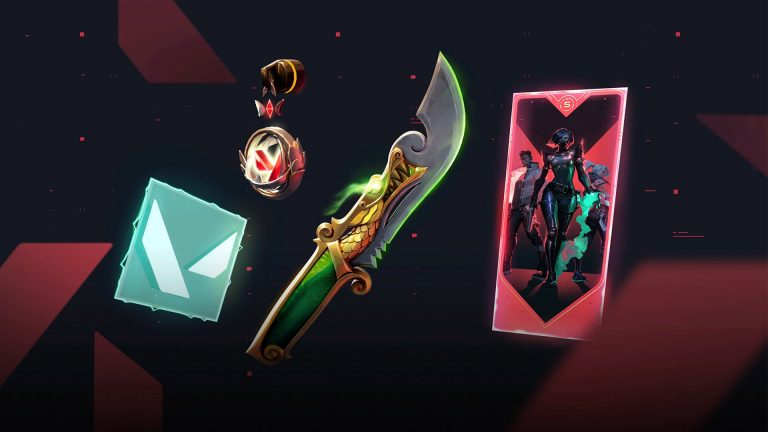
Among the plethora of content that Valorant Episode 10 has brought with it to the shooter, the newly introduced ‘Flex’ cosmetics have taken the community by storm.

For the uninitiated, Flex is a new cosmetic category in Valorant that players can use in-game to… well, flex. When you’re in a game, you can showcase your Flex items by inspecting them, just like you would with your weapon or melee skins.

But how exactly do you use Flex in Valorant?

In this article, we’ll walk you through everything you need to know about how to use Flex in Valorant.

We will not only showcase how you can get Flex in Valorant, but also check out how you can equip and use it when you’re in a match.

How To Get Flex in Valorant

In order to use Flex in Valorant, you’ll first need to know how to get them.

Luckily, there’s not much you need to do to get Flex in Valorant since Riot Games has provided one for free to all players logging into the game after the Episode 10 update.

You can also get a second Flex by buying the Episode 10 Act 1 Battle Pass and reaching Tier 37.

How To Use Flex in Valorant: Guide

Once you have your Flex in Valorant, you’ll need to equip it before you can use it in your games.

Here’s how you can equip Flex in Valorant:

  • Launch Valorant.
  • Go to the ‘Collections’ tab.
  • Click on the ‘Expressions’ wheel.
  • Click on ‘Flex’.
  • Equip your Flex.

Once done, hop on a game and bring up your spray wheel by tapping the assigned hotkey. From there, you’ll be able to use your Flex gadget and inspect it.

Keep in mind that equipping a Flex gadget will slow you down compared to having your knife out. It’s best to save the flexing for the buy phase or after the round has ended to avoid any mid-match mishaps.