


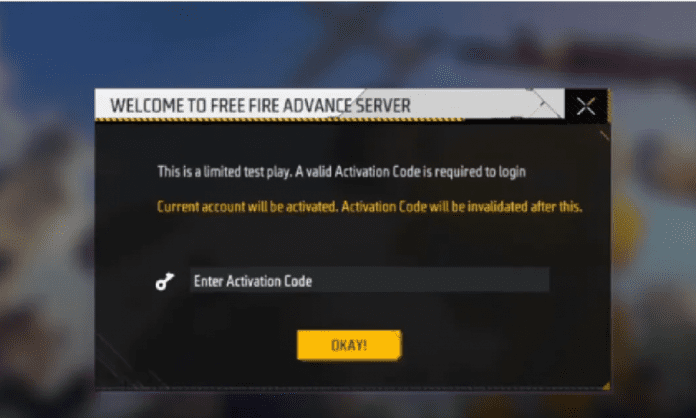
The Free Fire Advance Server download always creates huge excitement in the community because it lets players try upcoming features before they are officially released in the main update. With the Free Fire OB52 Advance Server expected to open in the last week of December 2025, many gamers have already started searching for the Activation Code. This code is very important because only players who receive it can enter the test server. Here is a detailed explanation of what this code is and how you can get one.
What Is Free Fire Advance Server Activation Code?
The FF Advance Server Activation Code is a special code given by Garena to selected players. This code acts as your entry pass to the closed test server, where upcoming features, modes, character changes, and new items are tested before the update goes live. Garena gives these codes in very limited numbers because the Advance Server is not made for everyone, only for testers who help spot bugs and report issues. Without this code, the FF Advance Server APK will not allow you to log in, even if you install it. That’s why the Activation Code is extremely important for accessing the server.
Why Does Garena Give These Codes?
Garena releases these codes before every major update so that players can test the new content early. The main goal is to let players report bugs, glitches, and any balance problems. This early feedback helps developers fix all issues and improve the update before it arrives in the main game. Since the number of testers has to be controlled, Garena selects only a small group of players who get the Activation Code for that particular update.
Read More: Free Fire OB52 Advance Server: Expected Release Date and Website
How to Get Free Fire OB52 Advance Server Activation Code?
You can only get the Activation Code when the official Advance Server website goes live for that update. Once it opens, you must register using your game-linked account. Here is how the process works.
First, visit the official FF Advance Server website. This page becomes active only when Garena announces the Free Fire OB52 Advance Server. After opening the site, log in using either your Google account or Facebook account, whichever is linked to your Free Fire profile. Next, you need to enter a valid email address where Garena can send important information about your registration.
Once you have filled in your details, click the “Join Now” button. This submits your registration for the Advance Server. If Garena selects your account, you will receive the Free Fire OB52 Advance Server Activation Code on the website itself. You should copy and save this code immediately because you will need it when logging in.
After receiving the code, download the FF Advance Server APK from the same website and install it on your device. When the app asks for the Activation Code, simply paste the code you received. Only then will you be allowed to access the test server. If you do not get a code, you will not be able to enter the server even if you have installed the APK.
