

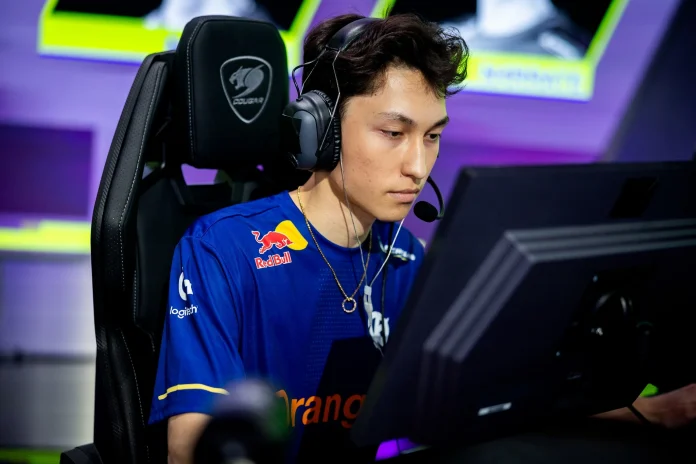

Martin “marteen” Pátek has emerged as one of the most mechanically gifted players in the Valorant Champions Tour. The Czech professional currently plays for Gentle Mates and has made headlines by breaking the all-time VCT kill record during the EMEA region kickoff. His exceptional aim and aggressive duelist playstyle have made his settings a topic of interest for players looking to improve their own game. Here is a complete breakdown of marteen’s Valorant settings, including his mouse sensitivity, crosshair, resolution, and full hardware setup.
Who Is Marteen?
Martin “marteen” Pátek is a professional Valorant player from the Czech Republic who currently represents Gentle Mates in the VCT circuit. He previously played for regional teams including eco chalks, GMT Esports, and eSubha before breaking through on the international stage. Marteen established himself as a top-tier duelist during the VCT 2024 EMEA Kickoff, where his team secured first place by defeating top organizations including Fnatic, Navi, and Team Heretics. His most recent achievement includes setting a new all-time VCT kill record while helping Gentle Mates qualify for the Masters Santiago.
Marteen Mouse Settings
Marteen uses a relatively low sensitivity compared to many other professional Valorant players. His settings prioritize precision and consistency over fast flicks.
- DPI: 800
- In-Game Sensitivity: 0.39
- eDPI: 312 (calculated by multiplying DPI by sensitivity)
- Scoped Sensitivity: 1.587
- Polling Rate: 1000Hz
- Windows Sensitivity: 6
His eDPI of 312 places him on the lower end of professional Valorant sensitivities. This allows for extremely precise crosshair placement and controlled spray patterns, which are essential for a duelist player who needs to win aim duels consistently. Players attempting to replicate marteen’s settings should be aware that this sensitivity requires a large mousepad and full arm movements for wider turns.
Marteen Crosshair Settings
Marteen uses a clean and minimal crosshair with no distractions. The crosshair is designed for maximum visibility without clutter.
- Color: White
- Outlines: Off
- Center Dot: Off
- Inner Line Opacity: 1
- Inner Line Length: 3
- Inner Line Thickness: 2
- Inner Line Offset: 0
- Outer Lines: Off
- Movement Error: Off
- Firing Error: Off
This crosshair is a simple white cross with no center dot and no outer lines. The lack of movement or firing error indicators keeps the crosshair static during movement and shooting, allowing marteen to focus purely on enemy positions rather than crosshair animations. Players who prefer a clean visual setup will find this crosshair effective for tracking heads across all ranges.
Marteen Video Settings
Marteen plays on settings optimized for competitive performance rather than visual quality. His resolution and graphics settings are focused on maximizing frame rate and reducing input delay.
- Resolution: 1920×1080 (16:9 aspect ratio)
- Display Mode: Fullscreen
- Frame Rate Limit: Unlocked
Professional players are now required to use resolutions provided in-game for official matches, which means marteen plays on the standard 1920×1080 resolution. This gives him the widest field of view available in Valorant while maintaining a high refresh rate on his monitor.
Marteen Gaming Gear and Hardware
Marteen’s hardware setup is built around responsiveness and consistency. Each piece of equipment is a popular choice among professional players.
- Mouse: Logitech G PRO X Superlight 2 (White/Magenta)
- Keyboard: Wooting 60HE
- Headset: Logitech G PRO X 2 LIGHTSPEED
- Monitor: Alienware AW2518H
- Mousepad: Logitech G640 or G740
The Logitech G PRO X Superlight 2 is one of the lightest and most responsive wireless mice available, weighing under 60 grams. The Wooting 60HE is a mechanical keyboard with analog input technology, allowing for faster actuation and more control over key presses. His Alienware AW2518H monitor offers a 240Hz refresh rate, which is essential for competitive play at the highest level.
Why Players Copy Marteen’s Settings
Marteen’s settings have gained popularity because they reflect a balance between precision and competitive performance. His low sensitivity allows for highly accurate aim, while his minimal crosshair keeps the screen uncluttered during fights. Players who prioritize consistency over flashy flicks will find marteen’s setup effective for ranking up in competitive mode.
However, it is important to note that settings alone do not make a professional player. Marteen’s success comes from thousands of hours of practice, game sense, positioning, and teamwork. Players should use professional settings as a starting point and adjust based on their own comfort and playstyle.
How to Import Marteen’s Settings
To replicate marteen’s crosshair in Valorant, players can manually input the values listed above in the crosshair settings menu. Valorant also allows players to copy crosshair codes directly, though marteen’s specific crosshair code was not provided in available sources. Players can recreate it by setting the color to white, turning off outlines and center dot, and adjusting inner line length to 3, thickness to 2, and offset to 0.
For mouse settings, players should adjust their DPI to 800 in their mouse software and set in-game sensitivity to 0.39. This will result in the same eDPI that marteen uses.
