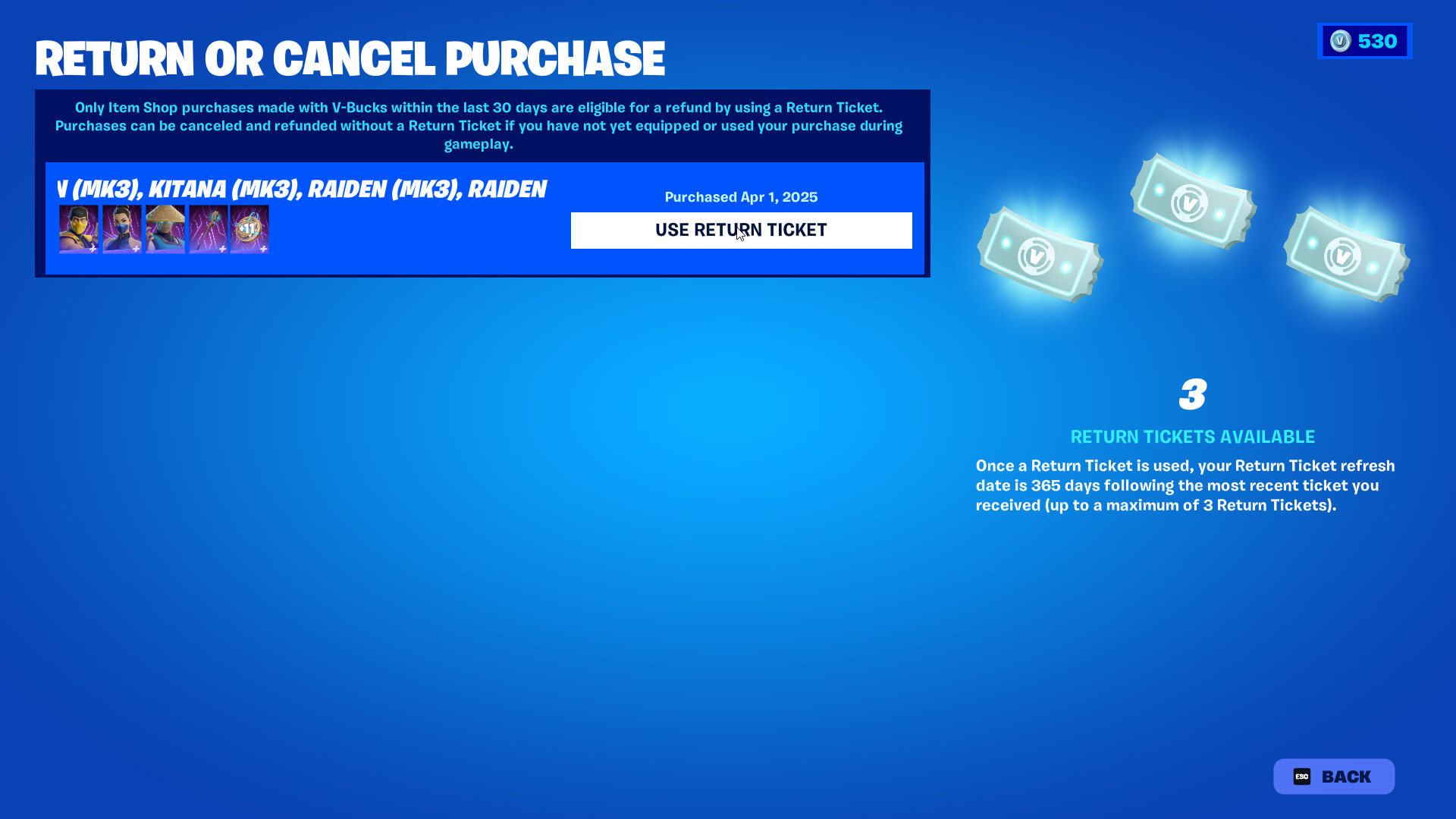
It is not uncommon to grab an expensive skin and then turn your back on it after playing a round. Cases like this are more common than people think, and fortunately for Fortnite players, they can get a refund on the skins that often cost a fortune. In this article, we will explain how to obtain your refund, but there is more to it than meets the eye.
EPIC can be kind, but they are not that kind. The trick behind the refund policy is that you can only cancel the purchases that you have not equipped and within a 24-hour window. Only purchases made with V-Bucks are eligible for a refund, but unfortunately, skins bought with real money cannot be refunded.
How do you cancel/refund a Fortnite skin?
- Click your profile icon in the upper-right corner.
- Got to the ‘Settings’.
- Make your way to the ‘Profile’ tab.
- Hit the ‘Return or Cancel Purchase’ icon and go through the purchases made.
How do you refund a Fortnite skin?
- Click your profile icon in the upper-right corner.
- Go to the ‘Settings’.
- Make your way to the ‘Profile’ tab.
- Hit the ‘Return or Cancel Purchase’ icon and go through the purchases made.
- Find the purchase you’d like to refund and hit the’Use Return Ticket.
To avoid making impulse purchases, make sure to go through the YouTube videos and leaks of the skin you have set your eyes on before you spend the big bucks. This will likely reduce the chances of your making an impulse purchase.
The tricky refund process can be quite challenging for players. The road to getting your V-Bucks is full of challenges, and the requirements to do so will render most players ineligible to get a refund. On the off chance that you are getting a refund/return, be sure to grab it quickly, given the tight return window.
If you still have any doubts, check out the detailed guide below.