Home Blog Page 99

Fortnite Chapter 7 Season 4 Release Date, Time & Leaks

Fortnite Chapter 7 Season 4 is currently expected to release on Thursday, August 20, 2026, right after Chapter 7 Season 3 wraps up. Epic Games has not made an official announcement yet, but datamined update files and multiple Fortnite trackers point to the same window.

This article covers the expected Fortnite Chapter 7 Season 4 release date, the Season 3 end date, the Unstable live event, and what leaks say about the new season’s theme.

Fortnite Chapter 7 Season 4 Release Date

Fortnite Chapter 7 Season 4 is expected to go live on Thursday, August 20, 2026. Dataminers have found that update v42.00 is currently scheduled for that date, which typically marks the start of a new season.

Epic Games has not officially confirmed this date. The company has changed season timing before, so players should treat August 20 as a strong estimate rather than a locked date.

Fortnite Chapter 7 Season 3 is scheduled to end 1 day earlier, on Wednesday, August 19, 2026. That gives players a short buffer between the Season 3 finale and the Season 4 launch.

Fortnite Chapter 7 Season 3 End Date and Schedule

Fortnite season trackers currently show the same countdown for the end of Chapter 7 Season 3. Here is the expected schedule for the transition:

DateEvent
August 15, 2026Fortnite Unstable live event
August 19, 2026Chapter 7 Season 3 ends
August 20, 2026Chapter 7 Season 4 starts

Players should complete their Season 3 Battle Pass and any remaining Ranked goals before August 19. Progress and challenges typically lock once the season ends and downtime begins.

Fortnite Unstable Live Event

Before Chapter 7 Season 3 ends, Epic Games is expected to run an in-game live event called Fortnite Unstable. The event centers on the Zero Point and is reported to be a Story Moment rather than a full server-wide spectacle, meaning it likely plays out inside standard Battle Royale or Zero Build matches at a specific point of interest.

The event is expected on August 15, 2026, though Epic Games has not confirmed the date. After Unstable concludes, the map moves into an “aftermath” phase before the servers go down for the Season 4 update.

Fortnite Chapter 7 Season 4 Release Time

Epic Games has not revealed an exact release time for Fortnite Chapter 7 Season 4. Based on past major season updates, downtime has typically started around 6 AM PT / 9 AM ET.

The datamined v42.00 schedule does not list a time zone. That means the update could technically begin as early as 9 PM PT on August 19, which would already be past midnight on the East Coast.

Players should expect Chapter 7 Season 4 to become playable sometime between the evening of August 19 and the morning of August 20, 2026.

Fortnite Chapter 7 Season 4 Leaks

Leaks suggest Chapter 7 Season 4 will be a Gaming Legends season, built around crossovers with well-known video game characters. According to datamined files, the following collaborations have leaked so far:

  • Sonic the Hedgehog
  • Dr. Eggman
  • Mega Man
  • Joker (Persona 5)
  • Pac-Man
  • Tetris

Epic Games has not officially confirmed the Gaming Legends theme or any of the listed collaborations. It also remains unclear whether every character will get a full playable skin, since crossovers like Tetris could arrive as cosmetic items instead. During the Unstable event, Epic Games is expected to tease the new season’s theme through in-game posters and map changes.
Best COD Mobile Sensitivity Code for MP & BR (2026)

Best COD Mobile Sensitivity Code for MP & BR (2026) is one of the easiest ways to improve aim, control recoil, and move faster in both Multiplayer and Battle Royale. Call of Duty: Mobile still supports both modes in 2026, so a single โ€œone-size-fits-allโ€ setup is not the smartest choice. The gameโ€™s own Call of Duty guides also say sensitivity should fit the situation and that there are no hard rules for a perfect setup. In this guide, you will get a balanced sensitivity code for MP and BR, plus simple tips to fine-tune it for your phone and play style.

Best COD Mobile Sensitivity Code for MP & BR (2026)

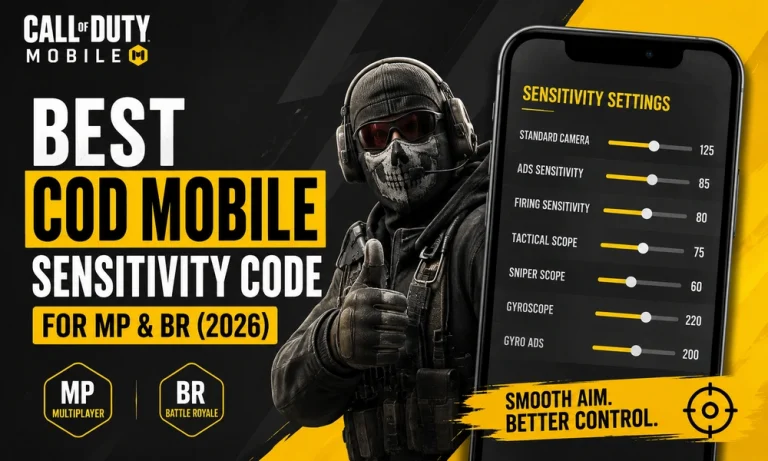
There is no universal best sensitivity code in COD Mobile, but there is a strong starting point that works well for most players. Since Multiplayer is faster and Battle Royale needs more control at medium to long range, the best setup is to keep MP a little higher and BR slightly lower. That gives you quicker turns in MP and steadier tracking in BR. Call of Dutyโ€™s own guidance says to adjust sensitivity so it fits most situations and to start from a default before making changes.

SettingMPBR
Standard Camera Sensitivity140125
ADS Sensitivity9585
Firing Sensitivity9080
Tactical Scope Sensitivity8075
Sniper Scope Sensitivity6560
Gyroscope Sensitivity250220
Gyro ADS Sensitivity230200

Best use: aggressive MP players, balanced BR players, and anyone who wants a smooth all-round setup.

Why this code works

This preset keeps your aim fast enough for close-range fights without becoming too shaky. In Multiplayer, higher sensitivity helps you turn quickly, track sliding enemies, and win gunfights inside tight maps. In Battle Royale, slightly lower values make recoil control and long-range tracking easier, which is important when enemies are farther away and fights last longer. Official Call of Duty guidance also notes that sensitivity should be comfortable for the player, not forced into a โ€œperfectโ€ number.

How to use the sensitivity code properly

Copy the table above as your starting point, then test it in Training Mode or real matches. If your aim feels too slow, raise Camera and ADS by 5 points. If your crosshair keeps flying past targets, lower them by 5 points. For BR, make smaller changes because long-range aiming is more sensitive to tiny adjustments. If you use gyro, keep it on for recoil control; if you do not use gyro, focus more on ADS and Firing Sensitivity.

MP vs BR sensitivity: what should change?

Multiplayer rewards speed. That means your camera and ADS can stay higher so you can snap to targets faster in close fights. Battle Royale rewards control. That means your sensitivity should be a little lower so you can stay steady while tracking enemies at range or while spraying from cover.

A simple rule works best:

  • MP: higher camera + higher ADS
  • BR: slightly lower camera + slightly lower ADS
  • Gyro users: keep gyro strong, but not so high that your aim shakes

Best extra settings to pair with this code

Sensitivity works better when the rest of your settings are consistent. Keep your HUD comfortable, make sure your firing buttons are easy to reach, and do not change too many settings at once. CODโ€™s guidance also mentions that ADS sensitivity can be adjusted separately, which is useful if you like fast movement but need slower precision while aiming down sights.

Quick adjustment tips

If you want faster close-range aim, raise MP ADS first. If BR feels unstable, lower BR Camera before changing anything else. And if recoil is the main issue, increase Gyroscope a little and test again. Make one change at a time so you can feel the difference clearly.

Also read: Best Free Fire Gloo Wall Tips & Tricks (2026)

FAQs

Is there one perfect COD Mobile sensitivity code for everyone?
No. Sensitivity depends on device size, finger placement, recoil control, and whether you use gyro. The best setup is the one that feels stable and lets you aim comfortably. Call of Dutyโ€™s own guides say there are no hard and fast rules for sensitivity.

Should I use the same sensitivity for MP and BR?
No. MP is faster, while BR needs more control. A separate MP and BR setup usually performs better than one shared number.

Should beginners start high or low?
Beginners should start with a balanced or slightly lower setup, then raise it little by little as they get comfortable. Call of Dutyโ€™s guide recommends starting from the default and adjusting upward over time.

Best Free Fire Gloo Wall Tips & Tricks (2026): How to Use Gloo Walls Like a Pro

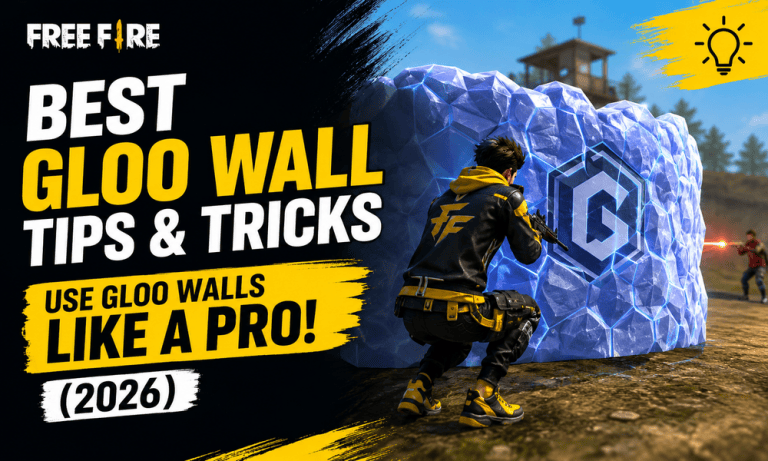
Best Free Fire Gloo Wall Tips & Tricks is one of the most useful topics for players who want to survive longer and win more close fights in 2026. Gloo Walls remain one of the strongest defensive tools in Free Fire, and Garena has continued to build systems around them, including Gloo Maker-based access in certain modes, Gloo Maker upgrades, and even counter tools like Gloo Melter.

In this guide, you will learn how to place Gloo Walls faster, use them for movement and cover, protect yourself during pushes, and avoid the most common mistakes players make. The goal is simple: help you use Gloo Walls like a pro, not like a panic button.

Best Free Fire Gloo Wall Tips & Tricks for Better Defense

Gloo Walls are not just for blocking bullets. In good hands, they control space, slow down enemy pushes, create safe healing windows, and let you reset a fight on your own terms. Garena has repeatedly described Gloo Walls as a core survival tool, and recent updates have added more systems around them, such as Gloo Maker progression, attachments, and mode-specific rewards.

The biggest difference between a beginner and a strong Free Fire player is timing. A beginner drops a wall after taking too much damage. A better player places it before the enemy gets full control of the angle. That small timing difference can completely change the fight.

1) Place the wall before you fully commit

Do not wait until your HP is almost gone. Put the Gloo Wall down the moment you know an enemy has a clean line of sight. Early placement gives you room to heal, reload, or peek safely.

The best players treat Gloo Walls as preparation, not panic. If you are crossing an open area, climbing a hill, or entering a building, think one step ahead and place cover before the enemy forces you into a bad position.

2) Use Gloo Walls to control angles

A Gloo Wall is most useful when it cuts off the enemyโ€™s best angle. Instead of dropping it randomly, place it to block the exact lane where the opponent is shooting from.

This matters a lot in close-range fights. If you block the wrong side, you only delay the fight. If you block the correct side, you force the enemy to move, reload, or take a worse angle.

3) Keep moving after you wall

A Gloo Wall should never make you stand still. After placing it, move immediately to a better position. Strafe left or right, jump if needed, and look for a new peek angle.

Static players become easy targets. Mobile players force the enemy to guess, and that is where Gloo Wall fights are won.

4) Save at least one wall for the final escape

One of the smartest Gloo Wall tricks is simple: always keep one wall in reserve. Many players spend all their walls in the middle of the fight and then get caught with no way to reset.

If you have only one wall left, treat it as emergency cover. Use it for revives, healing, or a final escape route. In ranked matches, that one wall can be the difference between survival and a knock.

5) Learn when to chain walls

When the circle is tight or the enemy is pushing hard, one Gloo Wall may not be enough. That is when chaining becomes important. Place one wall, move a few steps, and place another wall to keep advancing or retreating safely.

Chaining works best when you are rotating across open ground, crossing between rocks and buildings, or trying to revive a teammate under pressure.

6) Use height and terrain to your advantage

Gloo Walls work even better when you combine them with terrain. Put them near rocks, staircases, slopes, and corners to make it harder for enemies to see around them.

On flat ground, enemies can often guess where you will peek. On uneven terrain, your wall becomes much harder to read. That gives you a better chance to land the first shot.

7) Pair Gloo Walls with the right loadout and skills

Garena has added and adjusted systems that directly support Gloo Wall play. In modes with Gloo Makers, players can build their reserve over time, and the system can be upgraded through Gloo Maker EXP. Garena also introduced attachments such as Tough Gloo, Gloo Box, and Gloo Catalyst, which improve durability, carry capacity, and generation speed.

That means your loadout matters. If your build supports defense, healing, or quick resets, you will get much more value from every wall you place.

8) Use Gloo Walls to win revives and resets

A Gloo Wall is not only for solo fights. It is also one of the best tools for reviving teammates safely. Put the wall down first, then start the revive from a protected angle.

If your teammate is knocked in the open, do not rush the revive without cover. Build the wall, watch the enemyโ€™s angle, and then commit. A clean revive often creates a full momentum swing for your squad.

9) Watch out for anti-Gloo tools

Good players know how to destroy Gloo Walls, not just place them. Garenaโ€™s weapon balance and tools have included options that interact with Gloo Walls, such as the Gloo Melter grenade, which damages Gloo Walls inside its corrosive range.

Because of that, do not assume a wall makes you untouchable. If the enemy has an anti-wall tool, keep moving and avoid staying behind the same cover for too long.

10) Practice wall placement in training mode

The fastest way to improve is simple repetition. Go into training and practice these three things:

DrillWhat to PracticeWhy It Helps
Instant wall dropPlacing the wall the moment you see dangerBuilds reaction speed
Angle blockingCovering the enemyโ€™s shooting lineImproves defense
Wall chainingDropping multiple walls while movingHelps in rotations and escapes

The more you practice, the less you will panic in ranked matches. Strong Gloo Wall users do not just react faster; they place smarter.

Common Gloo Wall Mistakes to Avoid

The most common mistake is dropping a wall too late. Another big mistake is placing it where the enemy can still see around the edge. Many players also waste walls while rotating through safe areas, then have nothing left in a real fight.

You should also avoid standing still behind the same wall for too long. A good opponent will pre-aim your peek, flank you, or use a counter tool. Smart wall usage always includes movement.

Also read: Best Free Fire Sensitivity Settings for Headshots (2026)

Best Free Fire Gloo Wall Tips & Tricks are all about timing, placement, and movement. If you place walls early, block the right angle, keep moving, and save at least one wall for emergencies, your survival rate will improve fast.

Garenaโ€™s updates have made Gloo Wall play even more strategic, especially with Gloo Maker systems, attachments, and counter items.

Master these habits, and your Gloo Walls will stop being basic cover. They will become one of your strongest weapons in Free Fire.

Refactor Games Layoffs: Why Delphi Cut 85% of Staff

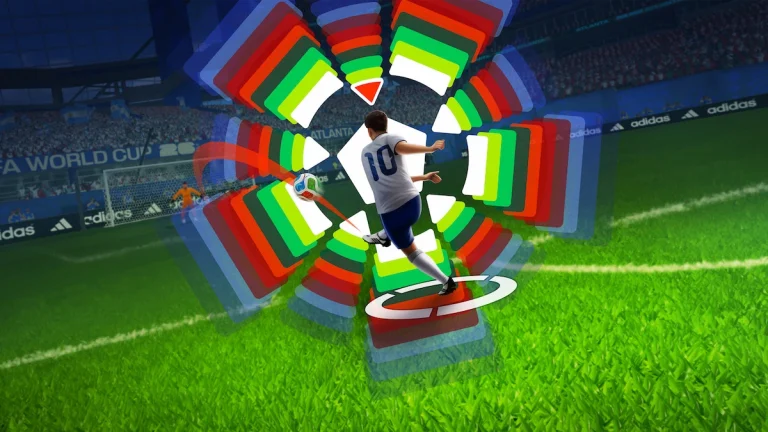
Refactor Games laid off most of its staff on Friday, July 31, 2026, just weeks after shipping FIFA World Cup: Launch Edition for Netflix Games. CEO Nathan Burba confirmed that the studio cut 85% of its workforce.

A separate report from Inside Gaming put the number at around 80 people. Sources told Inside Gaming that Delphi Interactive, the game’s co-developer and part-owner of Refactor, pulled its funding. Here’s everything confirmed so far about the layoffs and what led to them.

Refactor Games Layoffs: What We Know

Burba did not elaborate on the reason for the cuts in his message to GamesBeat. Multiple former employees, however, posted on LinkedIn saying Delphi withdrew financial support right after the game’s release. One art director wrote that Delphi “pulled the plug on Refactor Studios right after we shipped the FIFA World Cup game for Netflix” and that the entire studio was let go that day.

Staff were notified during a general meeting on July 31. According to reports, no severance was offered, and that day’s regular payday served as employees’ final paycheck.

Why Delphi Interactive Pulled Funding

Delphi Interactive, founded in 2020, licenses IP and co-develops games with outside studios. It confirmed part ownership of Refactor Games earlier in 2026.

The exact reason Delphi pulled funding has not been officially stated. Neither Delphi nor Netflix has commented publicly on the layoffs.

FIFA World Cup: Launch Edition and Its Reception

FIFA World Cup: Launch Edition launched on Netflix Games on June 11, 2026, timed to the opening of the FIFA World Cup tournament. The game let players choose a team and play on TV, computer, or mobile with up to four friends, with no additional cost for Netflix subscribers.

Reviews were largely negative. Critics pointed to weak visuals, clunky controls, and rough player AI.

Despite the criticism, both companies publicly praised the game’s performance. In July, Delphi CEO Casper Daugaard said the title was “doing extremely well.” Netflix separately named FIFA one of its two most successful cloud game debuts on an earnings call. Weeks later, most of the team behind it lost their jobs.

Conflicting Reports on the Studio’s Future

Early reports, based on former employees’ LinkedIn posts, described Refactor Games as shut down entirely. Burba’s account to GamesBeat is narrower. He confirmed an 85% staff reduction but said the studio is regrouping, and that he hopes to bring back some laid-off staff for other projects. He did not specify what those projects would be or what remains of Refactor to run them.

Nathan Burba, a co-founder of VR studio Survios, started Refactor Games in 2022. The studio’s original plan was a game called Football Simulator, meant to compete with EA’s Madden NFL, released in early access that year. It is unclear exactly when Refactor shifted focus to the Delphi-Netflix FIFA project.

FIFA’s split from EA dates back to 2022, when EA declined to continue paying the licensing fee for the FIFA name. That fee had historically run around $150 million a year under EA, and reportedly jumped to a demand of $1 billion per four-year World Cup cycle. The breakup left FIFA free to find new gaming partners under its own name, eventually leading to the Delphi and Netflix deal.

Refactor Games is also backed by Andreessen Horowitz, according to reports. The company still has an early-access Football Simulator title live, separate from the Netflix FIFA project.

Waylay Returns to Valorant Agent Roster With New Update

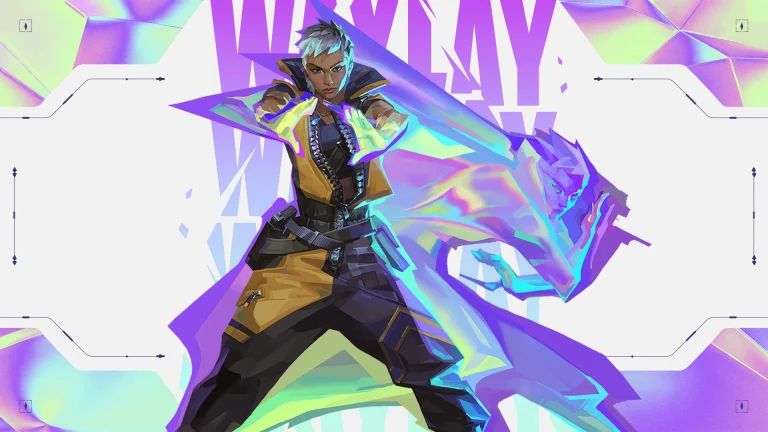
After being disabled from the Valorant Agent roster for over three days, Waylay has finally made her return to the competitive shooter.

In case youโ€™ve been living under a rock for the past few days, Waylay was removed from Valorant on July 31 following reports of a visual bug involving her Refract ability that surfaced on social media forums.

As per an official statement from Riot, the Waylay bug in question was causing her to see โ€œincorrect visual informationโ€ upon using her Refract. As a result, the devs decided to remove her from all Valorant queues as they worked on issuing a hotfix for the problem.

โ€œWeโ€™re aware of a bug thatโ€™s causing Waylay to see incorrect visual information after using her Refract ability,โ€ Riot Games said in a statement. โ€œDue to the implications on Competitive Integrity, we are disabling Waylay until we deploy a fix. Weโ€™ll send out an update when the fix is live.โ€

Three days later, on August 3rd, Waylay has finally returned to the Valorant Agent pool and can now be played on all game modes, including Competitive, Unrated, and other queues.

If youโ€™re a Waylay main, now might be a good time to return to Valorant and lock in your favorite Agent in ranked.

Cypher mains, on the other hand, might want to hold off on getting too attached to him. Players have found a new game-breaking issue with his Cyber Cage that lets it completely block certain enemy utility like Sova’s Recon Bolt and Fade’s Prowler.

Given Riot’s track record of pulling agents the moment a bug like this starts circulating (Neon and Cypher himself have both been yanked from the roster this way before), don’t be surprised if he’s the next one benched while the fix gets sorted out.

New CS2 Update Fixes Grenade Jumpthrow Bug, Improves Cache and Workshop Map Scripting

Over the past few days, a grenade jump-throw bug has been taking the Counter-Strike 2 social media by storm, with players repeatedly sharing clips of this game-breaking bug being used to score some surprising clips. Todayโ€™s CS2 update fixes this bug, alongside bringing a bunch of other crucial changes to the game.

For the uninitiated, the grenade bug in question enabled players to jump-throw utility through walls by timing their throws. The bug was most commonly abused around Nuke’s Vents, where players could damage or flush out defenders on the B site without exposing themselves to danger, giving players an unfair advantage

Following the August 3rd CS2 update, this infamous grenade bug has finally been fixed.

Other than fixing the grenade bug, the latest CS2 update also removes the Cache self-boost that recently surfaced on social media. This trick enabled players to reach the boost area outside A-main without the help of a teammate.

Lastly, there are certain improvements to map scripting, with a series of new commands being added alongside a few bug fixes.

CS2 August 3 Update: Patch Notes Revealed

Without further ado, letโ€™s check out the detailed patch notes for the August 3 CS2 update, as confirmed by Valve:

[ GAMEPLAY ]

  • Fixed a case where grenades could be thrown through level geometry

[ MAPS ]

Cache

  • Fixed various gaps in map
  • Fixed collision in various spots across map
  • Fixed flickering on some assets
  • Removed boost spot in Outside A

Shelter

  • Updated to the latest version from the Community Workshop (Update Notes)

[ MAP SCRIPTING ]

  • Added Instance.TracePlayer
  • Added Instance.OnWeaponPickup
  • Added Instance.OnBombExplode
  • Added Instance.SpawnGrenadeProjectile
  • Added dropper to Instance.OnWeaponDrop event
  • Added hitEntity to Instance.OnGrenadeBounce event
  • Added normal to Instance.OnGrenadeBounce event
  • Added CSGrenadeProjectileBase.GetGrenadeType
  • Added CSGrenadeProjectileBase.GetThrower
  • Added CSGrenadeProjectileBase.Detonate
  • Added CSPlantedC4.IsBombsiteA
  • Added CSPlantedC4.IsBombsiteB
  • Added CSPlantedC4.GetPlanter
  • Added CSPlantedC4.GetDefuser
  • Added CSPlantedC4.IsActive
  • Added CSPlantedC4.IsExploded
  • Added CSPlantedC4.IsDefused
  • Added CSPlantedC4.GetPlantTime
  • Added CSPlantedC4.GetExplodeTime
  • Added CSPlantedC4.GetDefuseStartTime
  • Added CSPlantedC4.GetDefuseFinishTime
  • Added CSPlayerPawn.HasDefuser
  • Added CSPlayerPawn.SetHasDefuser
  • Added CSGrenadeType enum
  • Fixed a bug where Instance.RegisterCheatCommand would not work on script reload.
  • Deprecated bounces from Instance.OnGrenadeBounce event.

Live PMWC 2026 Points Table: PUBG Mobile World Cup Standings

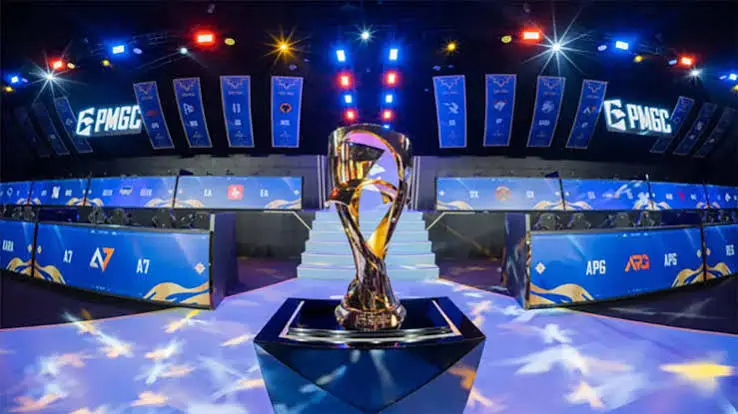
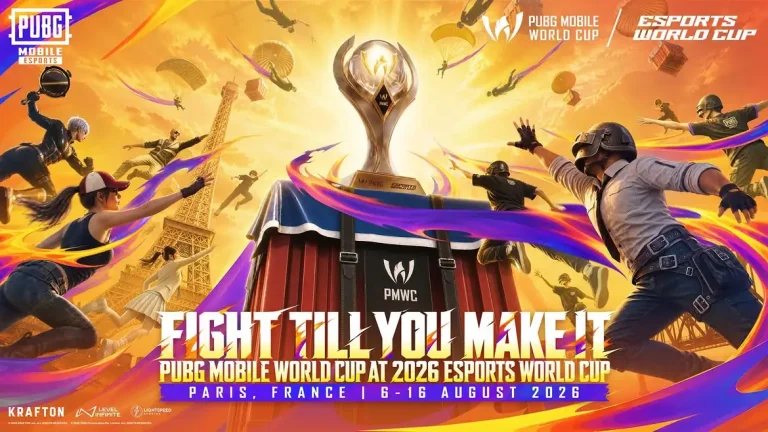
The PUBG Mobile World Cup (PMWC) 2026 is set to begin on August 6 in Paris, France, featuring 32 of the world’s best PUBG Mobile teams competing for a massive $3.025 million prize pool. The tournament will run until August 16 and will be played across three stages: the Group Stage, Survival Stage, and Grand Finals. This page will provide the latest PMWC 2026 points table after every match, including standings for Group A, Group B, the Survival Stage, and the Grand Finals. Whether you’re following GodLike Esports, Orangutan, or your favorite international team, bookmark this page for live updates throughout the tournament.

PMWC 2026 Group Stage Points Table

The Group Stage will be played from August 6 to August 9. The 32 qualified teams have been divided equally into Group A and Group B, with each group playing 12 matches across two matchdays. The top five teams from each group will qualify directly for the Grand Finals, while the teams finishing from 6th to 13th will advance to the Survival Stage. The bottom three teams from each group will be eliminated from the tournament.

PMWC 2026 Survival Stage Points Table

The Survival Stage will be held from August 10 to August 12. Teams finishing between 6th and 13th in both groups will compete for the remaining six Grand Finals slots.

After Match 6/12

  • 1st Place: Tianba โ€“ 75 Points
  • 2nd Place: FURIA โ€“ 49 Points
  • 3rd Place: Alpha7 Esports โ€“ 42 Points
  • 4th Place: Geekay Esports โ€“ 41 Points
  • 5th Place: eArena โ€“ 41 Points
  • 6th Place: NS RedForce โ€“ 39 Points
  • 7th Place: Wolves โ€“ 37 Points
  • 8th Place: RRQ โ€“ 35 Points
  • 9th Place: AG.AL โ€“ 32 Points
  • 10th Place: ULF Esports โ€“ 32 Points
  • 11th Place: Team GOAT โ€“ 32 Points
  • 12th Place: DOPENESS โ€“ 31 Points
  • 13th Place: Yangon Galacticos โ€“ 31 Points
  • 14th Place: AlUla Club โ€“ 29 Points
  • 15th Place: 721 GS Esports โ€“ 26 Points
  • 16th Place: KRX โ€“ 10 Points

PMWC 2026 Group B Points Table

After match 12/12

  • 1st Place: BTR Vitality โ€“ 148 Points
  • 2nd Place: IDA Esports โ€“ 108 Points
  • 3rd Place: Godlike Esports โ€“ 105 Points
  • 4th Place: Horaa Esports โ€“ 98 Points
  • 5th Place: S2G Esports โ€“ 97 Points
  • 6th Place: eArena โ€“ 95 Points
  • 7th Place: NS RedForce โ€“ 88 Points
  • 8th Place: Alpha7 Esports โ€“ 64 Points
  • 9th Place: Yangon Galacticos โ€“ 61 Points
  • 10th Place: 721 GS Esports โ€“ 60 Points
  • 11th Place: Tianba โ€“ 49 Points
  • 12th Place: Wolves โ€“ 49 Points
  • 13th Place: DOPENESS โ€“ 45 Points
  • 14th Place: ETSH Esports โ€“ 36 Points
  • 15th Place: TT Project โ€“ 36 Points
  • 16th Place: Hustler Crew โ€“ 25 Points

PMWC 2026 Group A Points Table

After Match 12/12:

  • 1st Place: eArena โ€“ 39 Points
  • 2nd Place: Horaa Esports โ€“ 14 Points
  • 3rd Place: BTR Vitality โ€“ 12 Points
  • 4th Place: S2G Esports โ€“ 10 Points
  • 5th Place: Tianba โ€“ 8 Points
  • 6th Place: IDA Esports โ€“ 7 Points
  • 7th Place: Godlike Esports โ€“ 7 Points
  • 8th Place: Alpha7 Esports โ€“ 7 Points
  • 9th Place: ETSH Esports โ€“ 7 Points
  • 10th Place: DOPENESS โ€“ 5 Points
  • 11th Place: Yangon Galacticos โ€“ 3 Points
  • 12th Place: 721 GS Esports โ€“ 3 Points
  • 13th Place: Wolves โ€“ 2 Points
  • 14th Place: Hustler Crew โ€“ 1 Point
  • 15th Place: TT Project โ€“ 1 Point
  • 16th Place: NS RedForce โ€“ 0 Points

PMWC 2026 Grand Finals Points Table

The Grand Finals will take place on August 15 and August 16, where the best 16 teams will compete for the PUBG Mobile World Cup 2026 title and the lion’s share of the $3.025 million prize pool.

RankTeamTotal Points
1TBD0
2TBD0
3TBD0
4TBD0
5TBD0
6TBD0
7TBD0
8TBD0
9TBD0
10TBD0
11TBD0
12TBD0
13TBD0
14TBD0
15TBD0
16TBD0

How often will this page be updated?

This PMWC 2026 Points Table page will be updated after every match throughout the tournament. As soon as each game ends, the latest standings for Group A, Group B, the Survival Stage, and the Grand Finals will be added here. If you don’t want to miss the latest rankings and qualification race, bookmark this page and check back after every matchday.

PUBG Mobile World Cup 2026 Live in Hindi: Where to Watch PMWC 2026 in India

The PUBG Mobile World Cup (PMWC) 2026 is set to begin on August 6 in Paris, France, featuring 32 of the world’s best PUBG Mobile teams competing for a massive $3.025 million prize pool. The tournament will run until August 16 and includes the Group Stage, Survival Stage, and Grand Finals. Ahead of the event, PUBG Mobile Esports has confirmed that Indian fans will be able to watch the entire tournament through an official Hindi livestream on the EWC_IND channel. Along with live matches, viewers can also enjoy expert analysis, player interviews, and behind-the-scenes coverage directly from Paris.

PUBG Mobile World Cup 2026 to stream live in Hindi

PUBG Mobile Esports shared the announcement through its official PUBG Mobile Beta Discord community, confirming that the PUBG Mobile World Cup 2026 will be available with dedicated Hindi commentary.

The Hindi broadcast aims to make the tournament more accessible for Indian viewers and will include:

  • Live match coverage
  • Official Hindi commentary
  • Expert analysis
  • Exclusive player interviews
  • Behind-the-scenes content from Paris

This is a major boost for the Indian PUBG Mobile community, especially with GodLike Esports and Orangutan representing the country at the world championship.

Read More: BGMS Season 5: Schedule, Teams, Format, and More

Where to watch PMWC 2026 live

Fans can watch the tournament across multiple official platforms. Whether you prefer Hindi or English commentary, there are several streaming options available.

PMWC 2026 live streaming details

PlatformLanguageCoverage
EWC_IND YouTubeHindiOfficial Hindi broadcast with live commentary, match coverage, expert analysis, interviews, and behind-the-scenes content
PUBG Mobile Esports YouTubeEnglishOfficial global English broadcast of all matches
Esports World Cup YouTubeEnglishOfficial tournament livestream
Esports World Cup TwitchEnglishLive coverage of the entire event

Apart from the official broadcasts, several popular Indian PUBG Mobile and BGMI content creators are also expected to host watch parties and live co-streams on YouTube throughout the tournament. These creators usually announce their streams on social media and YouTube before match days.

PUBG Mobile World Cup 2026 overview

The PUBG Mobile World Cup 2026 will be held in Paris, France, from August 6 to August 16 as part of the Esports World Cup 2026. A total of 32 teams from different regions will compete for the world title and a $3.025 million prize pool.

The tournament will be played in three stages:

  • Group Stage: August 6โ€“9
  • Survival Stage: August 10โ€“12
  • Grand Finals: August 15โ€“16

India will be represented by GodLike Esports and Orangutan, both of whom qualified through BMPS 2026. Orangutan will begin its campaign in Group A, while GodLike Esports will compete in Group B.

With the introduction of an official Hindi broadcast and two Indian teams in action, PMWC 2026 is expected to attract one of the biggest Indian audiences in PUBG Mobile esports history.

PMWC 2026 Group Stage: Dates, Timings, Teams, Format, Where to Watch, and More

The PUBG Mobile World Cup (PMWC) 2026 is all set to begin on August 6 in Paris, France, as 32 elite PUBG Mobile teams battle for a share of the $3.025 million prize pool. The tournament opens with the Group Stage, where the participating teams have been divided into two groups of 16. Each team will play 12 matches across two matchdays, with only the top-performing teams earning a direct spot in the Grand Finals. Here’s everything you need to know about the PMWC 2026 Group Stage, including the schedule, teams, format, and where to watch the action live.

PMWC 2026 Group Stage format

The Group Stage will run from August 6 to August 9, 2026.

  • 32 teams divided into Group A and Group B
  • 16 teams in each group
  • Each group plays 12 matches over two days
  • Top 5 teams from each group qualify directly for the Grand Finals
  • Teams finishing 6th to 13th advance to the Survival Stage
  • The bottom three teams from each group are eliminated from the tournament.

For Indian fans, Orangutan will play in Group A on August 6 and 7, while GodLike Esports will compete in Group B on August 8 and 9.

PMWC 2026 Group Stage schedule (IST)

MatchGroupDateTime (IST)
Match 1Group AAugust 64:30 PM
Match 2Group AAugust 65:20 PM
Match 3Group AAugust 66:10 PM
Match 4Group AAugust 67:00 PM
Match 5Group AAugust 67:50 PM
Match 6Group AAugust 68:40 PM
Match 7Group AAugust 74:30 PM
Match 8Group AAugust 75:20 PM
Match 9Group AAugust 76:10 PM
Match 10Group AAugust 77:00 PM
Match 11Group AAugust 77:50 PM
Match 12Group AAugust 78:40 PM
Match 1Group BAugust 84:30 PM
Match 2Group BAugust 85:20 PM
Match 3Group BAugust 86:10 PM
Match 4Group BAugust 87:00 PM
Match 5Group BAugust 87:50 PM
Match 6Group BAugust 88:40 PM
Match 7Group BAugust 94:30 PM
Match 8Group BAugust 95:20 PM
Match 9Group BAugust 96:10 PM
Match 10Group BAugust 97:00 PM
Match 11Group BAugust 97:50 PM
Match 12Group BAugust 98:40 PM

Read More:

PMWC 2026 Group Stage teams

Group AGroup B
OrangutanGodLike Esports
AG.ALAlpha7 Esports
4Thrives EsportsTeam Vitality
AlUla ClubDOPENESS
Aurora GamingeArena
DRXETSH Esports
FURIAGS Team
Gaming StarsHoraa Esports
Geekay EsportsHustler Crew
GOAT TeamIDA Esports
Nigma GalaxyNS RedForce
RRQS2G Esports
Team FlashTianba
ThunderTalk GamingTT Project
ULF EsportsWolves Esports
XForce RejectsYangon Galacticos

Where to watch PUBG Mobile World Cup 2026 live

Fans can watch every match of the PUBG Mobile World Cup 2026 live on the official PUBG Mobile Esports YouTube channel. The tournament will also be streamed on the official Esports World Cup YouTube and Twitch channels.

For Indian viewers who prefer Hindi commentary, several popular PUBG Mobile and BGMI creators are also expected to host watch parties and co-streams throughout the tournament. Creators usually announce their co-streams on YouTube and social media closer to match day, making it easy for fans to follow the action with regional commentary.

With Orangutan and GodLike Esports representing India, the four-day Group Stage promises plenty of exciting matches as teams fight for direct qualification to the PMWC 2026 Grand Finals.

Garena Announces Palworld Online, Turning Pocketpair’s Hit Survival Game Into an MMO

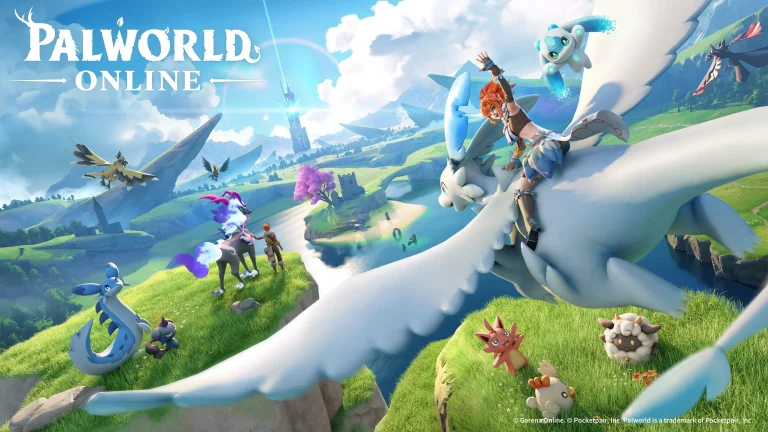
Garena has officially unveiled Palworld Online, an upcoming mobile MMO built on the breakout survival hit by Pocketpair, with a global launch planned for iOS and Android sometime in 2026.

The project comes through a licensing partnership between the two companies. According to Garena president Terry Zhao, this upcoming title aims to bring Palworld’s core appeal to a mobile audience. Zhao further confirms that rather than porting the PC version of the title as-is, Palworld Online will help players connect and adventure together, much like in traditional MMOs.

Pocketpair CEO Takuro Mizobe further echoed that sentiment, pointing to Garena’s track record in global publishing and live-service operations as the reason for the partnership.

โ€œGarena has extensive experience in global publishing, localisation, and live operations for mobile games,โ€ Mizobe said in a statement. โ€œWe are pleased to work with Garena on the licensed development of Palworld Online and look forward to seeing a new Palworld experience brought to players worldwide.โ€

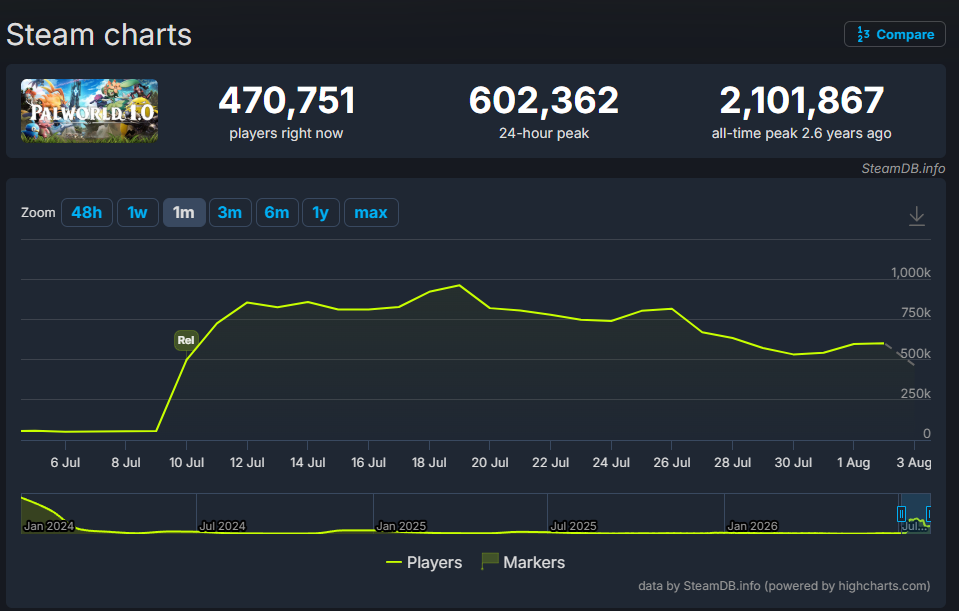
The news comes just weeks after the global launch of Palworld 1.0. Following its official release on July 10, the title managed to reach almost a million concurrent players a week later. Prior to that, Palworld had reached a whopping 2.1 million concurrent players in 2024 during its early access debut.

Palworld Online will feature a persistent, shared open world with an original story separate from the base game, designed specifically around mobile play patterns. Luckily, the core systems that mark Palworldโ€™s identity like capturing and raising Pals, base-building, crafting, and breeding, are all staying, albeit reworked for touch controls.

However, the mobile version of the game will see much stronger MMO elements. Bases and world progress will persist even when players log off, regions can be explored cooperatively as a party, rare Pal spawns are being turned into shared community moments, and a much stronger emphasis will be placed on co-op PvE and PvP battles.

Note that Garena isn’t the only publisher working on a mobile Palworld title. Krafton, the company behind PUBG, separately signed its own licensing deal with Pocketpair back in late 2024 for a different mobile project, reportedly leaning more toward shooter mechanics. Today’s announcement clears up which game carries the “Palworld Online” name, but it also confirms Pocketpair is now running two parallel mobile spinoffs at once.

No release date for Palworld Online has been set in stone as of yet, with Garena saying that further specifics will be announced through official channels as development continues.