Tuesday, December 30, 2025
Home Blog Page 200

Jujutsu Infinite Star Rage Guide: How to Unlock Moveset and Abilities

0

Star Rage in Jujutsu Infinite is one of the most powerful Special Grade Innate Techniques, giving players an edge in combat with its destructive moveset. This guide covers how to obtain the Star Rage and details its abilities step-by-step.

How to Obtain Star Rage in Jujutsu Infinite

The only way to acquire the Star Rage Innate Technique in Jujutsu Infinite is by using Spins. Spins allow you to roll for new Innates, but the rarity of Star Rage makes it highly elusive, with just a 0.25% chance of success.

To increase your chances:

  1. Redeem Codes – Use active promo codes for free Spins.
  2. Complete Missions – Earn Spins as rewards by finishing tasks in the game.
  3. Buy Spins with Robux – Purchase Spins directly if needed.

Additionally, the pity system guarantees a Special Grade Innate after 750 Spins, making it possible to get Star Rage with consistent effort.


Star Rage Moveset in Jujutsu Infinite

Unlocking Star Rage grants access to a unique Mass Meter that charges as you deal damage. Once filled, it boosts your attack power and range. You also gain the Shikigami Garuda, a controllable creature that assists in attacks.

Here’s a breakdown of the moveset:

  1. Jupiter (Level 1): A strong punch that knocks enemies backward.
  2. Asteroid (Level 50): Launches the Garuda like a ball to hit enemies with immense force.
  3. Oberon (Level 100): Uses Garuda as a whip, wrapping and tossing enemies after several strikes.
  4. Mars (Level 150): Slams Garuda onto enemies, freezing them briefly.
  5. Mercury (Level 200): Kicks enemies into the air and follows up with an aerial combo.
  6. Terra (Level 250): Unleashes a powerful kick infused with Cursed Energy.
  7. Total Collapse (Level 300): Requires three Black Flash tokens to create a black hole, pulling in and damaging all nearby enemies while slightly reducing your health.
  8. Celestial Opera (Level 350): A Domain Expansion that applies a gravity effect, lowering enemy defense by 10% and filling your Mass Meter.

Tips for Acquiring Spins Faster

  • Redeem Codes Frequently – Keep an eye out for new codes released by developers.
  • Complete Daily Quests – Many tasks reward Spins for free.
  • Invest in Robux – If you’re in a hurry, purchase Spins to speed up progress.

FAQs about Star Rage in Jujutsu Infinite

Q: How can I earn more Spins?
A: You can earn Spins by completing missions, redeeming codes, or buying them with Robux.

Q: What are the best Innates in the game?
A: Infinity and Star Rage are among the best Special Grade Innates available.

Q: How many Innates are there in Jujutsu Infinite?
A: The game currently features 19 Innates for players to unlock.

How to Get Honey Hive in Anime Adventures?

0

Anime Adventures, a popular tower defense game in Roblox, allows players to battle enemies using characters inspired by anime and manga. One standout unit is Honey (Hive), a Mythic evolution of Honey, known for her exceptional single-target attack capabilities. This guide explains how to acquire Honey and evolve her into Honey (Hive) efficiently.


How to Obtain Honey in Anime Adventures

Honey is the base unit required to evolve into Honey (Hive). She can be obtained in the following ways:

  1. Special Summon Banner:
    • Honey appears in the Special Summon Banner with a low pull rate of 0.652%, making her a rare find.
    • Be prepared to spend time and resources on multiple summons to get her.
  2. Starter Pack Bundle:
    • Players can purchase the Starter Pack for 400 Robux, which may include Honey as a complimentary Mythic unit.
    • This option can save time if you are willing to invest Robux.

How to Evolve Honey into Honey Hive

Once you acquire Honey, evolving her into Honey (Hive) involves completing specific tasks and gathering resources:

  1. Score 100 Kills:
    • Play early-game maps to quickly farm the required kills with Honey.
  2. Collect Evolution Materials:
    • Gather the following materials to evolve Honey:
      • 10 Star Fruits
      • 5 Star Fruits (Blue)
      • 5 Star Fruits (Red)
      • 5 Star Fruits (Green)
      • 5 Star Fruits (Pink)
      • 1 Star Fruit (Rainbow)

Honey (Hive) Battle Performance

Honey (Hive) stands out as a powerful Mythic unit with exceptional single-target attacks. Despite not having an Area-of-Effect (AoE) attack, her unique abilities make her indispensable in specific modes.

  1. Deployment and Upgrades:
    • Honey (Hive) has a low deployment cost of 1,000 Yen, making her accessible early in battles.
    • Upgrades significantly enhance her attack power, turning her into a formidable unit.
  2. Special Abilities:
    • Hive Mind Ability: Adds an explosive burst effect to her attacks, ideal for dealing massive damage to bosses.
    • Fast Attack Speed (SPA): With a cooldown of just 0.8 seconds at max upgrades, she delivers relentless damage.
  3. Best Usage Scenario – Raid Mode:
    • Honey (Hive) excels in Raid battles, where players face powerful boss enemies with high HP.
    • Her fast strikes and explosive abilities make her a top choice for such scenarios.

FAQs About Honey (Hive)

1. How do you get Honey (Hive) in Anime Adventures?
Honey (Hive) can be obtained by evolving the Mythic unit Honey through kills and collecting specific Star Fruits.

2. What materials are needed to evolve Honey?
You’ll need 10 Star Fruits, various colored Star Fruits, and 1 Rainbow Star Fruit to evolve Honey.

3. What is the best mode for Honey (Hive)?
Honey (Hive) performs best in Raid Mode, where her single-target damage and abilities can effectively counter bosses with high HP.


Honey (Hive) in Anime Adventures is a powerful Mythic unit that shines in battles against high-health enemies, particularly in Raid modes. Acquiring and evolving her requires patience, farming, and gathering resources, but the effort pays off with one of the most effective single-target attackers in the game.

Follow this guide to unlock Honey (Hive) and dominate your Anime Adventures journey!

Genshin Impact Mavuika Guide: Best Build, Weapons, Artifacts, and Teams

Mavuika, the Pyro Archon of Natlan, is a formidable character in Genshin Impact. As the only human Archon among the seven, she brings versatility and explosive power to any team. This guide will help you build Mavuika effectively by highlighting her best weapons, artifacts, and team compositions.


Best Weapons for Mavuika

Choosing the right weapon is crucial for maximizing Mavuika’s damage potential. Here are the top weapon picks:

  1. Obsidian Codex (5-star)
    • Boosts ATK and Crit Rate significantly.
    • Provides a passive effect that enhances Pyro DMG.
  2. Scroll of the Hero of Cinder City (4-star)
    • Ideal for off-field support builds.
    • Adds Energy Recharge and boosts overall team damage.
  3. Crimson Witch of Flames (4-star)
    • Enhances Pyro DMG, especially useful for early-game players.
  4. Gladiator’s Finale (4-star)
    • Great for an on-field DPS build, boosting general damage output.

Best Artifact Sets for Mavuika

Artifacts play a key role in amplifying Mavuika’s strengths. Recommended sets include:

  • Obsidian Codex – Increases Crit Rate by 40%, ideal for high-damage builds.
  • Crimson Witch of Flames – Focuses on Pyro DMG and reaction-based playstyles.
  • Scroll of the Hero of Cinder City – Enhances Energy Recharge and boosts support roles.
  • Gladiator’s Finale – Reliable for raw damage boosts, especially when played on-field.

Stat Priorities for Artifacts:

  • Flower: HP → Crit DMG > Crit Rate > ATK%.
  • Feather: ATK → Crit DMG > Crit Rate > ATK%.
  • Sands: ATK% → Crit DMG > Crit Rate.
  • Goblet: Pyro DMG Bonus → Crit DMG > Crit Rate > ATK%.
  • Circlet: Crit DMG/Crit Rate → ATK%.

Mavuika’s Best Team Compositions

Building the right team is essential to unlocking Mavuika’s full potential. Below are some effective combinations:

1. Natlan Support Team

Roles:

  • Mavuika (Sub-DPS): Off-field Pyro DMG dealer with Skill and Burst.
  • Kinich (Main DPS): Consistent Dendro DMG triggers elemental reactions.
  • Zhongli (Support): Shields and reduces elemental resistance for higher damage.
  • Bennett (Buffer): Provides healing and damage boosts.

2. Overload Reaction Team

Roles:

  • Mavuika (Main DPS): Applies Pyro for Overload reactions.
  • Fischl (Sub-DPS): Triggers Electro reactions for AoE damage.
  • Xingqiu (Support): Adds Hydro for Vaporize reactions.
  • Sucrose (Support): Groups enemies and boosts Elemental Mastery.

Talent Priorities for Mavuika

Upgrading Mavuika’s talents correctly can make a significant difference:

  • For Off-field Support: Prioritize Elemental Skill → Burst → Normal Attack.
  • For Main DPS: Focus on Elemental Burst → Skill → Normal Attack.

Since Normal Attacks contribute less to her damage, these are generally less important for investment.

Valorant Devs Announce Rank Shield, RR Rollbacks & Other Competitive Improvements

0

Just hours before the highly anticipated Valorant Episode 10 Act 1 update went live, Riot Games released its first dev blog of 2025, offering fans a glimpse into what the upcoming season has in store for the game.

The update video teased a bunch of exciting features coming to Valorant over the next few months, including several crucial changes to the Competitive game mode alongside general gameplay improvements to enhance the overall player experience.

Valorant Dev Update 2025: Competitive Changes

The first Valorant dev blog of 2025 highlighted two major features that fans are eagerly looking forward to seeing in the game: Rank Shield and RR Rollbacks.

The former gives players an additional buffer of games before falling between major ranks while the latter provides RR (Rank Rating) compensation to players after they lose to a cheater in Competitive games.

Note that the Rank Shield feature applies only to major rank changes, not subdivisions. For instance, a player will be protected from deranking from Gold 1 to Silver 3 once, but it won’t prevent a drop from Silver 3 to Silver 2.

Remake Improvements

The Remake system of Valorant is also undergoing a slight overhaul heading into the next Episode. Moving forward, whenever a player abandons a match in the first round, a Remake vote will be automatically initiated. Furthermore, Remake votes will now require only a majority to pass, rather than unanimous approval.

Agent & Gameplay Changes

The devs have confirmed that they will focus on balancing some of the Agents in the first half of 2025. Players can expect changes to Iso, Deadlock, Harbor, and Neon within the next few Acts.

Changes to the map pools will also become much more frequent as the devs have confirmed that maps will be rotated with every Act to increase variety throughout the year. Each Act’s map pool will be announced shortly after the previous one starts. 

Alongside the aforementioned changes, the devs also revealed upcoming tweaks to the Valorant esports ecosystem and provided an update on the replay system, which still remains a little ways down the road. Fans can watch the full dev update video to get a better understanding of everything new that the next Valorant season has in store for them.

How to Get the Untask’d Courier Pack in Fortnite – Price, Features, and Rewards

0

The Untask’d Courier Pack in Fortnite has captured the attention of players since its introduction in Chapter 4 Season 4 with update v26.00. Featuring the intriguing character Sid Obsidian, this pack includes exclusive items, V-Bucks, and additional challenges. Whether you’re exploring LEGO Fortnite seeds or aiming to level up your cosmetics, this guide provides all the details about its availability, pricing, and features.

What is the Untask’d Courier Pack in Fortnite?

The Untask’d Courier Pack introduces Sid Obsidian, a character described as “seeking a new directive.” With his LEGO Style, Sid fits perfectly into Fortnite’s open-world exploration mode, adding a fresh gameplay dynamic.

The pack includes:

  • Sid Obsidian Outfit (LEGO Style included)
  • Task’d Corp Datapack Back Bling
  • Antenna-nator Pickaxe
  • Access to Save The World Mode
  • 1,500 V-Bucks as rewards

How to Buy the Untask’d Courier Pack?

As of January 8, 2025, the Untask’d Courier Pack is available under the Special Offers and Bundles section of the Fortnite Item Shop. It is priced at $18.49 (regional pricing may vary). Note that the items in the pack cannot be purchased individually.

Additional Rewards in the Pack

The pack includes access to Save The World Mode and offers 1,500 V-Bucks, which can be earned through Daily Quests. To unlock Daily Quests, players need to complete Homebase Storm Shield Defense 3 first.

How Long is the Pack Available?

The Untask’d Courier Pack will remain in the Fortnite Item Shop until February 26, 2025, 8 PM ET. However, the Sid Obsidian character is not exclusive, meaning he could reappear in the future.

The Untask’d Courier Pack is a must-have for Fortnite enthusiasts who want unique cosmetics, V-Bucks, and access to Save The World Mode. Don’t miss the chance to add Sid Obsidian to your collection before the pack leaves the shop.

ESL Brings Train to Their Map Pool in 2025

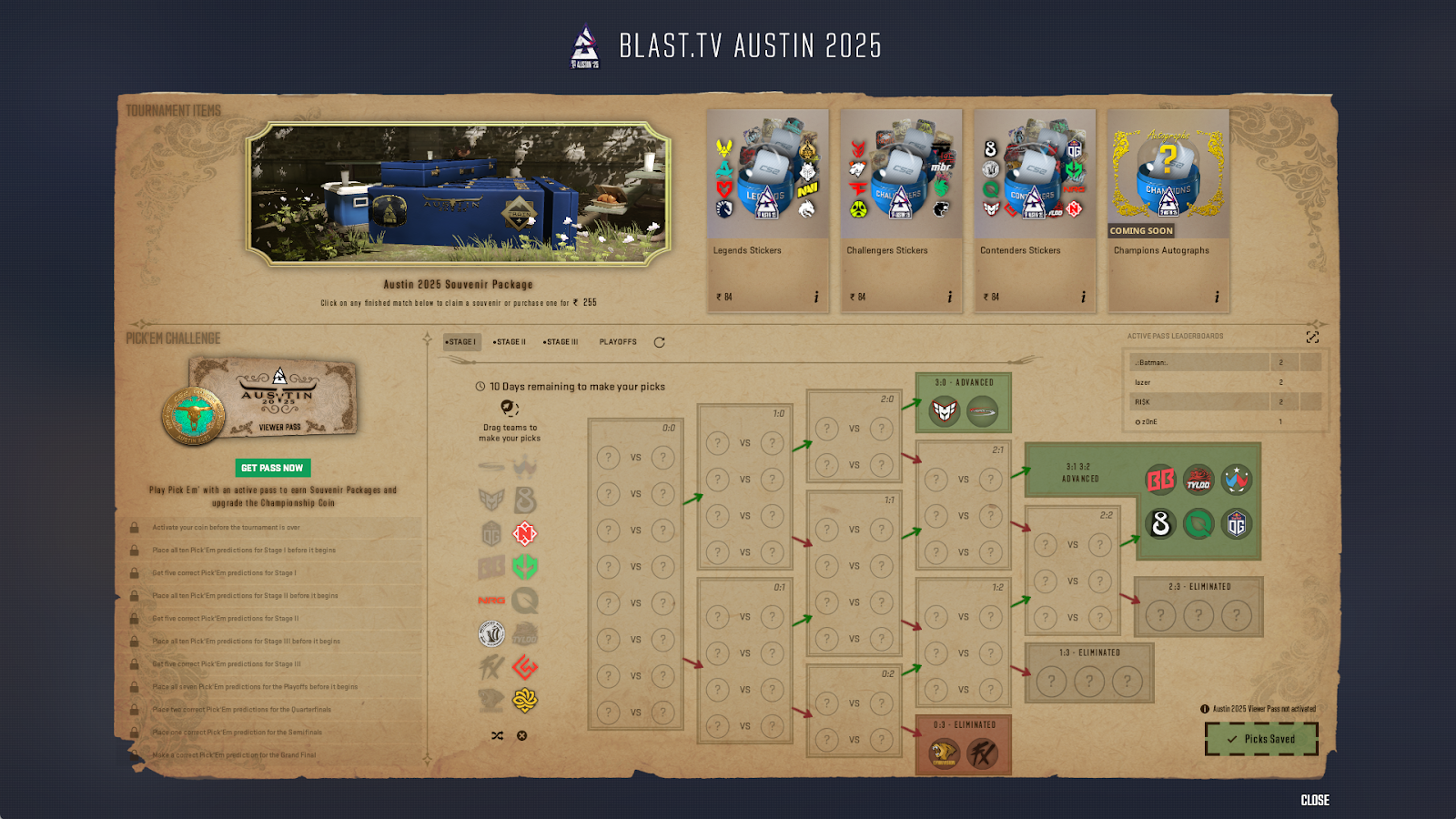
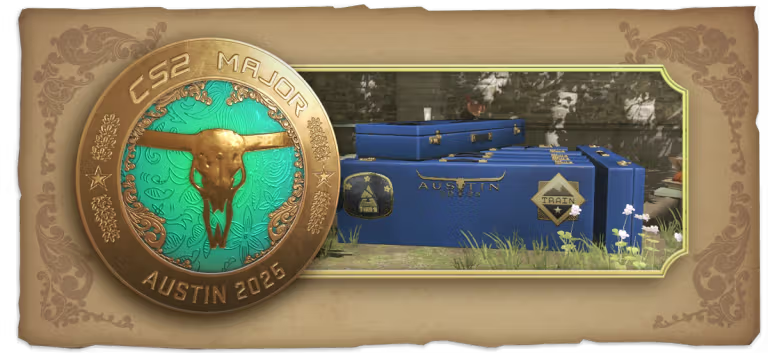
Following Valve’s confirmation that Train will replace Vertigo in the map pool for the Austin Major, ESL has become the first major CS2 tournament organizer to update its map pool before the commencement of the 2025 season.

Train has been one of the most iconic maps ever since its inception in their earlier versions of Counter-Strike. It was removed from the pool during the CSGO era and fans have wanted it back ever since. While Valve has added a few new maps to the pool, fans did not cool their demand for Train to be back and now we have it.

This change will impact all ESL tournaments including the likes of ESEA Advanced, with tournaments kicking off as early as January 2025, we might see many teams integrate Train into their map pool moving forward.

ESL making this change might prompt other major tournament organizers to follow suit. BLAST who will open the CS2 2025 season for tier-1 as already included Train in its map pool. PGL being the only major tournament organizer left are yet to annoucne the change for the plethora of tournaments that they have lined up for the year.

EA FC 25 Title Update 7 Patch Notes: Lob Through Pass Nerf, Goalkeeper Fix, Bugs Fixes and More

0

The patch notes for EA FC 25 Title Update 7 are now available. They address several key issues in Ultimate Team and other game modes. This update also includes a boost for goalkeepers, which players have been requesting for some time.

The update improves two main aspects of goalkeeper performance. One of them is goalkeepers will now catch saveable shots more frequently instead of deflecting them. This reduces instances where parried balls lead to unnecessary risks. Moreover, goalkeepers are now more likely to attempt saves on chip shots, even when the ball goes over their heads.

Apart from that, the update also adjusts lob through balls to make them less effective, ensuring a more balanced gameplay experience.

EA FC 25 Title Update 7 Patch Notes

Here are the full patch notes of the EA FC 25 Title Update 7:

Ultimate Team

Addressed the following issues:

  • When opening a Player Pick Item and performing specific actions, the Player Item could display as tradable; this was a visual issue only.
  • Addressed a stability issue that could occur when opening multiple Player Pick Packs.
  • Sometimes, Player Item portraits could have appeared misaligned with the rest of the Player Item during the walkout animation.
  • When opening a pack containing double walkout Player Items, the details of the second Player Item were shown.
    • Details of the first player reveal will now be displayed in the tunnel sequence.
  • Sometimes, the country flag was not displayed on time during the pack opening animation.

Gameplay

Addressed the following issues:

  • In certain situations the positioning system was bringing players too close to the ball carrier when cutting off passing lanes, resulting in autotackles.
  • This could also result in midfielders being pulled out of position to overload the ball carrier, reducing passing options.
  • Addressed multiple situations where the goalkeeper would deflect the ball instead of catching it, making it look like they “fumbled” the save.
  • Addressed an issue where skill moves could be unresponsive or not be triggered.
  • Addressed an issue where the goalkeeper could sometimes fail to perform desperation animations when running back to the goal on chip shots.
  • Addressed an issue where the player not receiving the ball from the ball kid could cause a broken throw-in animation, preventing the game from progressing.
  • Addressed issues where attempting a lobbed through pass would sometimes result in a through ground pass instead.
  • Players were incorrectly able to do precision lobs off of headers, which could result in headers launching enormous distances across the field.
  • We have resolved this issue and players will no longer be able to perform this action.
  • Sometimes the goalkeeper could trigger an unrealistic jumping animation during a save.
  • Addressed an issue where the Precision Pass UI would incorrectly enlarge after a pass was made.
  • Addressed an issue where a Super Cancel sometimes did not stop the player from running after the ball.
  • Reduced accuracy of first-time lofted through passes.
  • In rare situations, players could appear invisible on the Pitch.

Clubs

Addressed the following issues:

  • At the Top Performers screen, the CPU Avatar could have incorrect body types.
  • Sometimes, following a player disconnecting from the match, the CPU AI would be assigned as the penalty taker.
  • Addressed an issue that would cause UI elements to appear twice on Short Goal Replays.

Career Mode

Addressed the following issues:

  • A stability issue could have occurred while playing Live Starting Point.
  • In Manager Career, a stability issue could have occurred after consecutively substituting players during the simulation.
  • In rare situations, in Manager Career, a stability issue could have occurred when creating a club.
  • In Player Career, addressed some instances of irrelevant and incorrect emails being sent by Managers.

Made the following changes:

  • Increased the amount of Player Roles a player within Manager Career Mode can be familiar with.
  • Updated UEFA competition rules so teams cannot face opponents from their own association (domestic league), and can only be drawn against a maximum of two sides from the same association.

General, Audio, and Visual

Made the following changes:

  • Updated some tifos, stadium themes, balls, kits, hair, stadiums, trophies, star heads, crests, props, scenes, broadcasting, and crowds.
  • Added Favourite Team Selector that allows Squads and Line-Up saves to be carried over to Seasons and Co-Op Seasons.

Addressed the following issues:

  • Addressed instances of placeholder text, incorrect UI elements, incorrect camera angles, and button conflicts.
  • Addressed instances of stability issues that could have occurred.

Fruit Reborn Codes for January 2025

0

One Piece has captivated fans with its memorable characters and engaging stories. The battles and action scenes are thrilling to watch. Fans can relive these moments by playing Fruit Reborn, an action game filled with devil fruits, exciting combos, and endless fun. New players can make the start easier by using active codes to claim free rewards like Gems.

Let’s check out all the active Fruit Reborn codes for this month.

Fruit Reborn Codes for January 2025

  • welcome: Redeem for 1000 gems
  • discord: Redeem for 1000 gems

How to Redeem Fruit Reborn Codes?

Fruit Reborn Codes

Redeeming codes in Fruit Reborn is simple. Follow these steps:

  • Open Fruit Reborn on Roblox.
  • Find the NPC resembling Usopp from One Piece.
  • Press and hold the ‘E’ key to interact.
  • Enter an active code in the pop-up box.
  • Click Redeem to collect your rewards.

Counter Strike 2 (CS2) eDPI Calculator

0

As Counter Strike 2 continues to captivate gamers worldwide, precision and responsiveness are key to dominating the competition. Understanding and optimizing your Effective Dots Per Inch (eDPI) can significantly enhance your gaming experience. Our CS2 eDPI Calculator is designed to help you find the perfect balance for your gameplay.

What Is eDPI and Why Does It Matter in CS2?

eDPI is a calculation combining your mouse DPI (Dots Per Inch) and your in-game sensitivity, providing a standardized measure of how sensitive your mouse settings are. The right eDPI allows you to aim with precision and speed, crucial elements in fast-paced games like CS2.

Why Use an eDPI Calculator for CS2?

Adjusting your DPI and sensitivity settings by guessing can be frustrating and inaccurate. Our CS2 eDPI Calculator simplifies this process, enabling you to tweak your settings based on proven calculations, ensuring you’re always at the top of your game. By entering your current mouse DPI and in-game sensitivity, you get an immediate reading of your eDPI, helping you to make informed adjustments.

Also Read: Best Cheap AK-47 Skins in CS2 for Budget Players

How to Use the CS2 eDPI Calculator

Counter Strike 2 (CS2) eDPI Calculator

Using the calculator is straightforward:

  1. Enter your mouse DPI (usually found in your mouse’s software settings).
  2. Input your in-game sensitivity (accessible in CS2’s settings menu).
  3. Hit “Calculate” to see your eDPI.

Adjust these settings until you find an eDPI that suits your play style. Most professional CS2 players use an eDPI between 800 and 1200, balancing precision and agility.

Tips for Optimizing Your CS2 Sensitivity Settings

While eDPI is a personal preference, starting with settings used by professionals can provide a good baseline. Experiment with different settings to find what best suits your reaction times and aiming style.

Whether you’re new to Counter Strike 2 or looking to improve your gameplay, our CS2 eDPI Calculator is an essential tool. Optimize your settings for better accuracy and faster reactions today! Try it out, and let us know your experiences in the comments below. Happy gaming!

How to Beat Shrimp Game: Glass Bridge and Red Light Green Light Strategies You Need!

0

Shrimp Game, a popular Roblox strategy-based survival game inspired by Squid Game, features intense challenges that test timing, observation, and strategic thinking. Two of its toughest tasks are the Glass Bridge and Red Light Green Light challenges. This article provides essential tips and strategies to help you survive and win these games.

The Glass Bridge Challenge

The Glass Bridge challenge in Shrimp Game is one of the most difficult stages. Players must cross a bridge made of glass panels, but only some panels are safe—others break under pressure, causing elimination.

Key Strategies to Survive the Glass Bridge:

  1. Observe First, Act Later: Let other players move first to identify safe panels. Avoid rushing, as guessing can lead to elimination.
  2. Stay Calm and Focused: The time limit can add pressure, but keeping composure and planning your jumps carefully is crucial.
  3. Adapt to Randomized Patterns: Each game generates a new pattern for safe panels, so memorizing earlier paths won’t help. Stay flexible and alert.

This challenge requires quick thinking, patience, and nerves of steel to reach the other side successfully.

Also Read: How to Enable Voice Chat in Roblox Shrimp Game for Easy Communication

Red Light, Green Light Challenge

Another gripping stage in Shrimp Game is Red Light, Green Light. Players must advance only during the green light phase and stop immediately when it turns red. Moving during the red light results in elimination.

Top Tips for Winning Red Light, Green Light:

  1. Perfect Timing Matters: Focus on stopping the moment the light turns red. Even slight movements can lead to failure.
  2. Use the Push Item Smartly: Available for 375K Won, this tool allows you to push opponents during red light phases, potentially eliminating competitors. Use it strategically to clear your path.
  3. Keep a Steady Pace: Avoid sprinting; instead, move smoothly and stop with precision to avoid detection.

Winning this challenge demands patience, strategy, and sharp observation skills.

General Shrimp Game Tips and Tricks

  • Practice Timing and Precision: Whether crossing glass panels or avoiding movement during red light, practice makes perfect.
  • Leverage Game Items: Tools like the Push item can create opportunities to remove threats and improve your chances of survival.
  • Team Up Strategically: In certain stages, collaborating with others can reduce risks, but trust wisely to avoid betrayal.

Shrimp Game offers thrilling challenges that test players’ decision-making and timing. By mastering strategies for the Glass Bridge and Red Light Green Light challenges, you can significantly improve your survival chances. With practice, smart moves, and proper use of tools, you’ll be ready to dominate Shrimp Game.

Ready to conquer Shrimp Game? Jump into Roblox, sharpen your skills, and implement these strategies to emerge victorious!