Home Blog Page 198

Valorant error code VAN 84: What it means and how to fix it

0

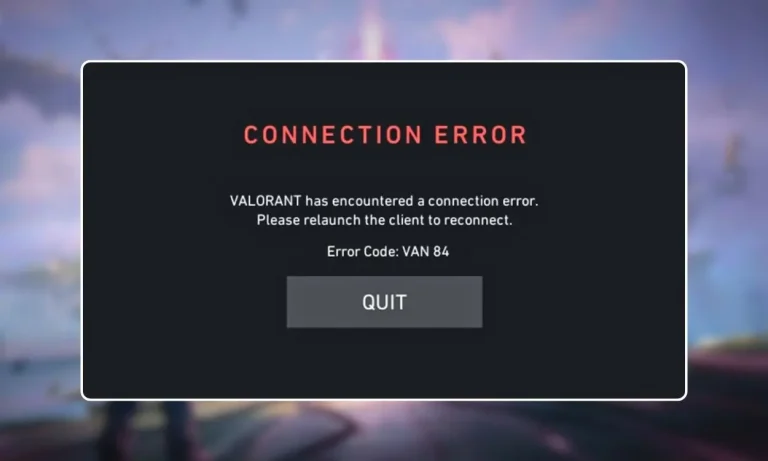
The VAN 84 error in Valorant has been appearing more frequently since the Act 2 patch. It blocks players from launching the game, joining matches, or staying connected to ongoing games. If you are seeing this error, you are not alone. Reports spiked across Reddit, Discord, and VLR.gg in March 2026.

VAN 84 is a connection error tied to Riot Vanguard. It means your client cannot establish a secure connection with Riot’s authentication servers. The good news: most causes have straightforward fixes. The bad news: sometimes the problem is on Riot’s end, and all you can do is wait.

Here is how to identify the cause and get back into the game.

What causes the VAN 84 error in Valorant?

VAN 84 falls under Valorant’s VAN error category, which covers problems related to Vanguard and the Riot Client. It is different from VAL errors, which deal with in-game server issues.

The error triggers when the Vanguard service (vgc) fails to start or loses connection, when your firewall or antivirus blocks Vanguard’s communication with Riot’s servers, when DNS records are outdated or corrupted, when Riot’s own servers are down or under maintenance, or when IPv6 routing conflicts with Riot’s network.

Players hit by this error after the Act 2 patch have reported being disconnected mid-match and then being unable to rejoin, which can result in AFK penalties and rank loss.

Check Riot’s server status first

Before you start changing settings on your PC, check whether the problem is on Riot’s side. If their servers are down, no amount of local troubleshooting will help.

Go to the Riot Games Service Status page and select your region. If there is an active incident or scheduled maintenance listed, the VAN 84 error is temporary and will resolve once Riot restores service.

You can also check Downdetector for Valorant to see if other players in your region are reporting the same issue. If thousands of reports are coming in at the same time, it is a server problem.

Fix 1: Restart your PC and network equipment

This fixes temporary network glitches and clears the Vanguard cache.

  1. Turn off your PC completely.
  2. Unplug your router and modem from power.
  3. Wait 30 seconds.
  4. Plug the modem back in first, wait for it to fully boot.
  5. Plug the router back in and wait for it to connect.
  6. Turn your PC on and launch Valorant.

Simple, but it resolves VAN 84 more often than you would expect.

Fix 2: Restart the Vanguard service (vgc)

The vgc service is what authorizes Valorant to connect with Riot’s servers. If it stops running or is set to manual startup, your game cannot authenticate.

  1. Press Windows Key + R, type services.msc, and press Enter.
  2. Scroll down and find vgc in the list.
  3. Right click it and select Properties.
  4. Set Startup type to Automatic.
  5. Click Apply, then click Start.
  6. Close the window and launch Valorant.

If vgc was stopped or set to Manual, switching it to Automatic and starting it should fix the error immediately.

Fix 3: Flush DNS and switch to Google or Cloudflare DNS

Valorant depends on accurate DNS resolution to reach Riot’s authentication servers. If cached DNS entries are outdated or corrupted, the client may try to connect to invalid routes.

Open Command Prompt as administrator and run these commands one at a time:

ipconfig /flushdns ipconfig /release ipconfig /renew netsh winsock reset netsh int ip reset

Restart your PC after running all five.

To switch your DNS servers to a faster, more reliable option:

  1. Open Control Panel, go to Network and Internet, then Network and Sharing Center, then Change Adapter Settings.
  2. Right click your active connection and select Properties.
  3. Select Internet Protocol Version 4 (TCP/IPv4) and click Properties.
  4. Choose “Use the following DNS server addresses.”
  5. Set Preferred to 8.8.8.8 and Alternate to 8.8.4.4 (Google DNS). Or use 1.1.1.1 and 1.0.0.1 (Cloudflare DNS).
  6. Click OK, close everything, and restart Valorant.

Fix 4: Disable IPv6

IPv6 can conflict with Riot’s network routing, particularly when your ISP or router does not fully support dual-stack networking. This can break the authentication handshake between Vanguard and Riot’s servers.

  1. Open Control Panel, go to Network and Sharing Center, then Change Adapter Settings.
  2. Right click your active connection and select Properties.
  3. Uncheck Internet Protocol Version 6 (TCP/IPv6).
  4. Click OK and restart your PC.

Disabling IPv6 may affect other network services on your system. If VAN 84 is fixed but something else breaks, re-enable it and try the other fixes instead.

Fix 5: Add Valorant and Vanguard to your firewall whitelist

If Windows Firewall or a third party antivirus is blocking Vanguard’s network traffic, the game cannot communicate with Riot’s servers.

  1. In the Windows search bar, type “Allow an app through Windows Firewall” and open it.
  2. Click Change Settings.
  3. Click Allow another app, then Browse.
  4. Navigate to C:\Riot Games\VALORANT\live, select VALORANT.exe, and click Add.
  5. Do the same for Vanguard. Its files are in C:\Program Files\Riot Vanguard.
  6. Make sure both Private and Public checkboxes are enabled for each entry.
  7. Click OK.

If you use a third party antivirus like Bitdefender, Avast, or Comodo, temporarily disable their network filtering and test whether VAN 84 goes away. If it does, add Valorant and Vanguard to that program’s exception list permanently.

Fix 6: Close Killer Prioritization Engine and similar network tools

Intel’s Killer Control Center and similar network optimization software can interfere with Riot’s packet routing. Since Valorant requires constant communication between Vanguard and the servers, any tool that reprioritizes or throttles packets may trigger VAN 84.

Open Task Manager (Ctrl + Shift + Esc), look for Killer Prioritization Engine or similar processes, right click them, and select End Task. Then relaunch Valorant.

If this fixes the error, consider uninstalling the Killer suite entirely or disabling it from startup.

Fix 7: Try a different server region

VAN 84 is sometimes region-locked. If the problem only affects your region’s servers, connecting to a different one can get you past the error.

If you can get into the Riot Client but matchmaking fails, change your server from the settings. If you cannot log in at all and you have a second account on a different region, try logging in with that account to confirm whether it is a regional issue.

Fix 8: Perform a network reset

If nothing else has worked, resetting your network stack rebuilds Windows’ TCP/IP configuration from scratch.

  1. Open Settings, go to Network and Internet, then Advanced Network Settings.
  2. Click Network Reset, then Reset Now.
  3. Restart your PC.

This removes all network adapters and reinstalls them with default settings. You will need to re-enter any saved Wi-Fi passwords after the reset.

Fix 9: Reinstall Valorant and Vanguard

If no network or service fix resolves the error, corrupted installation files may be the cause.

  1. Open Settings, go to Apps, and uninstall both Valorant and Riot Vanguard.
  2. Restart your PC.
  3. Download a fresh Valorant installer from the official Valorant website.
  4. Install the game and let Vanguard install automatically.
  5. Restart your PC one more time before launching.

This eliminates corrupted files and registry entries that may be blocking authentication.

When nothing works: submit a ticket to Riot

If you have tried every fix and VAN 84 persists, the problem may require Riot’s direct attention.

  1. Go to the Riot Support website.
  2. Click Submit a Ticket.
  3. Select Riot Vanguard Issue or VAN Error Message from the dropdown.
  4. Describe the error in the subject and description fields.
  5. Attach a screenshot of the error.
  6. Click Submit.

Document which fixes you already tried. This helps the support team skip basic troubleshooting and escalate your case faster.

Frequently asked questions

What is VAN 84 in Valorant?

VAN 84 is a connection error that occurs when your Valorant client cannot establish a secure connection with Riot’s servers through Vanguard. It can prevent you from logging in, joining matches, or staying connected during games.

Is VAN 84 a server issue or a PC issue?

It can be either. VAN 84 frequently appears during Riot server outages or maintenance. But it can also be caused by local issues like a stopped Vanguard service, firewall blocks, or corrupted DNS. Always check Riot’s server status first.

Why did VAN 84 start appearing after the Act 2 patch?

The Act 2 patch introduced server-side changes that increased the frequency of VAN 84 reports. Some players experienced the error due to temporary server instability after the patch. Others had existing configuration issues that the update exposed.

Does VAN 84 cause AFK penalties?

Yes. If VAN 84 disconnects you during a match and you cannot rejoin in time, the game may mark you as AFK. This can result in queue restrictions and rank point losses.

Can a VPN fix VAN 84?

In some cases, a VPN can bypass routing issues between your ISP and Riot’s servers. However, Vanguard may flag certain VPN services. If you try a VPN, use one that is known to work with Valorant and test in an unranked match first.

Do I need to enable Secure Boot or TPM for VAN 84?

No. VAN 84 is a connection error, not a security configuration error. Secure Boot and TPM issues produce different error codes like VAN 9001 or VAN 9003. If you are seeing those instead, check our UEFI Secure Boot Valorant guide.
How to enable UEFI Secure Boot for Valorant: Fix VAN 9001 and VAN 9003 errors

0

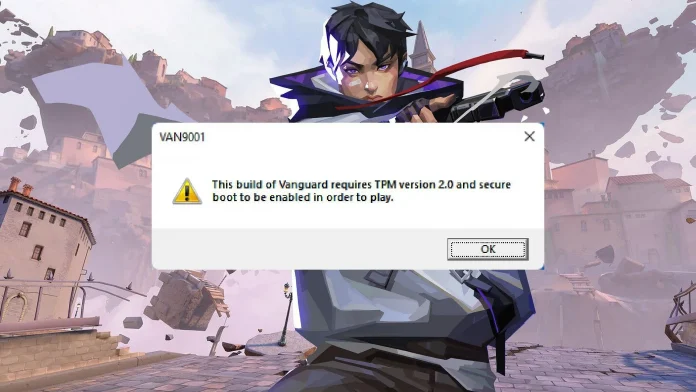
Valorant requires UEFI Secure Boot to be enabled on your PC. If it is not, the game will refuse to launch and you will see error codes like VAN 9001, VAN 9003, or VAN 9090. This is because Riot Vanguard, the game’s kernel level anti-cheat system, checks your system’s security settings before it lets you play.

Most modern PCs support Secure Boot. But on many systems, the feature is turned off by default. Enabling it takes a few minutes in your BIOS settings, though the exact steps depend on your motherboard or PC manufacturer.

This guide walks you through how to check your Secure Boot status, enable UEFI mode, convert your drive if needed, and get Valorant running without errors.

Why does Valorant need UEFI Secure Boot?

Riot Vanguard operates at the kernel level of your operating system. It starts running when your PC boots up and monitors for cheats, hacks, and tampered drivers. For Vanguard to trust that your system is clean, it needs two things: UEFI Secure Boot and TPM 2.0.

Secure Boot makes sure that only trusted, signed software runs during the startup process. This prevents modified boot components that cheaters could use to hide their tools from Vanguard. TPM 2.0 adds another layer by making it harder to spoof hardware IDs or bypass bans.

Without both features active, Vanguard blocks the game from launching. On Windows 11, this results in VAN 9001 or VAN 9003 errors. If TPM specifically fails to start, you get VAN 9090 instead.

How to check if Secure Boot is enabled

Before changing anything, check what your system is currently running.

  1. Press Windows Key + R to open the Run window.
  2. Type msinfo32 and press Enter.
  3. The System Information window opens. Look for two fields: BIOS Mode and Secure Boot State.

If BIOS Mode says UEFI and Secure Boot State says On, your system is already configured correctly. Valorant should work without issues.

If BIOS Mode says UEFI but Secure Boot State says Off, Secure Boot is supported but disabled. You need to enable it in your BIOS settings.

If BIOS Mode says Legacy, your system is not running in UEFI mode. You will need to switch to UEFI before you can enable Secure Boot. This may also require converting your drive from MBR to GPT.

If Secure Boot State says Unsupported, your hardware may not support the feature at all. Check your motherboard documentation to confirm.

How to check your drive partition style

Secure Boot requires your system drive to use GPT (GUID Partition Table). If your drive uses MBR (Master Boot Record), you cannot enable UEFI mode until you convert it.

  1. Type Disk Management in the Windows search bar and press Enter.
  2. Right click the drive that has your Windows installation.
  3. Select Properties.
  4. Open the Volumes tab.
  5. Look at Partition Style.

If it says GPT, you are good to proceed with enabling UEFI and Secure Boot.

If it says MBR, you need to convert it to GPT first. Microsoft provides a built-in tool called MBR2GPT for this. You can also use third party tools like EaseUS Partition Master. Back up your data before converting, as mistakes during the process can make your system unbootable.

Microsoft’s official guide for the MBR to GPT conversion is available on the Windows support site.

How to enable UEFI Secure Boot in BIOS

The exact BIOS menus vary by manufacturer. The steps below are a general guide. Always refer to your motherboard or PC maker’s documentation for exact instructions.

  1. Restart your PC.
  2. Press the BIOS key during startup. Common keys are Delete, F2, F10, or Esc. The correct key depends on your hardware.
  3. Once inside BIOS, navigate to the Boot or Boot Configuration section.
  4. Find Boot Mode or UEFI/Legacy Boot and set it to UEFI.
  5. Navigate to the Security or Boot tab.
  6. Find Secure Boot and set it to Enabled.
  7. Press the Save and Exit key, usually F10. Confirm the changes.

Your PC will restart with Secure Boot active.

For specific manufacturers:

On ASUS boards, go to Boot, then Secure Boot, and set it to Enabled.

On Dell systems, navigate to Boot Configuration, then Boot Sequence, set it to UEFI, then enable Secure Boot.

On HP systems, go to System Configuration, then Boot Options, and select Secure Boot.

You can also enter BIOS from within Windows without rebooting manually. On Windows 11, go to Settings, then System, then Recovery, then Advanced startup, and click Restart Now. Select Troubleshoot, then Advanced Options, then UEFI Firmware Settings, and Restart. On Windows 10, the path is Settings, then Update and Security, then Recovery, then Advanced startup.

How to enable TPM 2.0

Valorant also requires TPM 2.0. You can check its status by pressing Windows Key + R, typing tpm.msc, and pressing Enter. If the TPM Management window says “The TPM is ready for use,” you are set.

If TPM is not found, you need to enable it in BIOS. The setting name depends on your hardware:

On Intel systems, look for Intel PTT (Platform Trust Technology) under Security or Advanced settings.

On AMD systems, look for AMD fTPM (firmware TPM) under the same sections.

Enable the setting, save, and restart.

What to do if Secure Boot still does not work

If you have followed every step and Valorant still will not launch, try these additional fixes:

Disable CSM (Compatibility Support Module) in your BIOS. CSM allows Legacy boot support, which can conflict with Secure Boot. Turning it off forces the system to boot in pure UEFI mode.

Update your BIOS firmware. Motherboard manufacturers release updates that improve Secure Boot and TPM compatibility. Visit your manufacturer’s website, find your exact board model, and download the latest version.

Disable Fast Boot temporarily to see if it resolves the issue. Some systems have conflicts between Fast Boot and Secure Boot.

Reset Secure Boot keys to default. Some BIOS menus have an option to restore factory Secure Boot keys, which can fix issues caused by custom key configurations.

Run Windows system file checks. Open PowerShell as administrator and run: sfc /scannow followed by DISM /Online /Cleanup-Image /RestoreHealth. This repairs corrupted system files that might interfere with Vanguard.

If none of these work, the issue may be with Vanguard itself. Try uninstalling and reinstalling Vanguard through the system tray icon.

Common Valorant Secure Boot error codes

Here is a quick reference for the error codes related to Secure Boot and TPM:

VAN 9001: Secure Boot is disabled or not detected. Enable Secure Boot in BIOS.

VAN 9003: TPM 2.0 is disabled or not detected. Enable TPM in BIOS.

VAN 9005: Virtualization-Based Security (VBS) issue on Windows 10. Follow the VAN 9005 fix guide to resolve it.

VAN 9090: TPM failed to start properly. Open the TPM Management Console by typing tpm.msc, then click “Prepare the TPM” and restart.

Frequently asked questions

Does Valorant require Secure Boot?

Yes. Riot Vanguard requires both UEFI Secure Boot and TPM 2.0 to be enabled. Without them, the game will not launch on Windows 11 and will show error codes like VAN 9001 or VAN 9003.

Can I play Valorant without UEFI?

No. If your BIOS is running in Legacy mode, Secure Boot cannot be enabled, and Vanguard will block the game. You need to switch to UEFI mode, which may require converting your drive from MBR to GPT.

How do I check if Secure Boot is on?

Press Windows Key + R, type msinfo32, and press Enter. Look for the Secure Boot State field. If it says On, Secure Boot is active.

What BIOS key do I press to enable Secure Boot?

It depends on your hardware. Common keys are Delete, F2, F10, and Esc. Check your motherboard or PC manufacturer’s documentation for the correct key.

Will enabling Secure Boot delete my files?

No. Enabling Secure Boot in BIOS does not affect your files. However, if you need to convert your drive from MBR to GPT before switching to UEFI, there is a small risk if the conversion fails. Always back up important data before making partition changes.

Does Secure Boot affect other games?

Most other games do not require Secure Boot. Valorant is one of the few titles that enforces this requirement through its anti-cheat system. Enabling Secure Boot will not cause issues with other games or software.

GTA 6 price confirmed by Take-Two CEO: $70 to $80 with no in-game ads

0

Take-Two Interactive CEO Strauss Zelnick has given the clearest signal yet on how much GTA 6 will cost. In a conversation with Christopher Dring for The Game Business, Zelnick discussed in-game advertising and stated that players who paid “70 or 80 bucks” for a game should not have to deal with interstitial ads during gameplay.

While Zelnick did not name Grand Theft Auto VI directly, the comment has been widely interpreted as a tacit confirmation of the game’s price. GTA 6 is the biggest title under Take-Two’s umbrella, and a $70 to $80 price point falls in line with current AAA industry standard pricing.

This puts to rest months of speculation that the game could cost $100 or more. Analysts had floated higher price points given GTA 6’s reported development budget of over $2 billion.

With launch weeks away, Take-Two has also moved fast against unofficial copies, including a free GTA 5 browser version that went viral in October.

What will GTA 6 cost?

Based on Zelnick’s comments, GTA 6 is expected to cost between $70 and $80 for the standard edition on PS5 and Xbox Series X/S. That range matches what other major AAA releases have charged this console generation.

The $70 price became standard for new AAA games at the start of the PS5/Xbox Series X era. Some recent premium titles like Mario Kart World have pushed up to $80. If Rockstar lands at $80, it would follow that trend without breaking new ground on pricing.

Pre-order pricing, edition tiers, and regional costs have not been officially announced yet. Analysts expect Rockstar to reveal full pricing details and open pre-orders following Take-Two’s next earnings call in May 2026. Standard, Deluxe, and Collector’s editions are expected, though none have been confirmed.

No in-game ads in GTA 6

The other detail from Zelnick’s interview is just as notable. He made it clear that games priced at $70 to $80 should not include forced mid-game advertisements.

Zelnick did acknowledge that Take-Two uses limited advertising in sports titles like NBA 2K, where in-stadium branding fits naturally. But he drew a line at interstitial ads, the kind that interrupt gameplay with commercial breaks, calling it unfair for a paid product.

This means GTA 6 will not feature disruptive advertising during gameplay. The comment is a direct response to growing industry debate over whether premium console and PC games should carry ads to offset rising development costs.

GTA 6 release date: November 19, 2026

The game’s release date has been confirmed by Rockstar Games and Take-Two Interactive through financial reports and public statements. GTA 6 launches on November 19, 2026, on PlayStation 5 and Xbox Series X/S.

This date came after two internal delays. The game was originally targeting fall 2025, then shifted to May 2026, before settling on the November window. Take-Two CEO Zelnick has said he feels “very good” about the current timeline.

The holiday 2026 placement is a calculated move. Rockstar’s marketing campaign is set to begin in summer 2026, with trailers, gameplay reveals, and pre-order openings expected between July and September.

GTA 6 platforms: console first, PC later

GTA 6 will launch exclusively on PS5 and Xbox Series X/S. There is no confirmed PC version at launch.

Rockstar has a consistent pattern of delaying PC releases. GTA V arrived on PC roughly 18 months after its console debut. Red Dead Redemption 2 followed a similar schedule. Based on this history, most analysts expect a GTA 6 PC release sometime in late 2027 or early 2028.

Older consoles like PS4 and Xbox One are not supported. The game’s technical demands require current generation hardware.

PC players may not have to wait for a port: Xbox reportedly holds exclusive rights to stream GTA 6 on PC at launch.

What we know about GTA 6 gameplay

Rockstar has released two trailers but no official gameplay footage yet. Based on trailers, leaks, and information from official sources, here is what has been confirmed or strongly indicated:

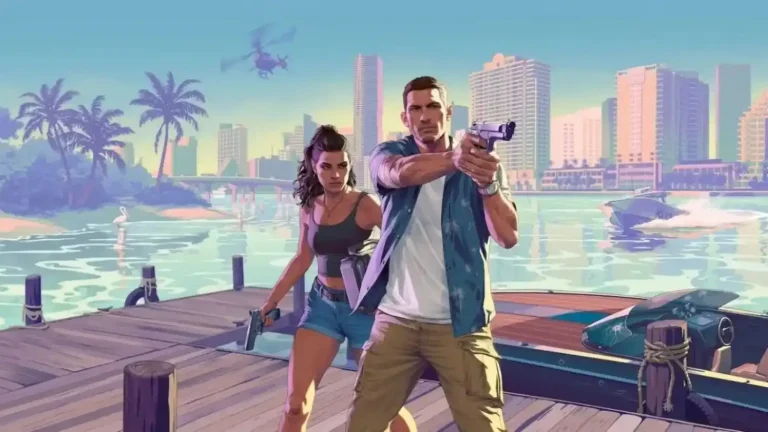
The game features two playable protagonists named Jason and Lucia, set in the state of Leonida, which is Rockstar’s version of Florida and includes Vice City. The story follows a Bonnie and Clyde style narrative.

The map is expected to be significantly larger than GTA V’s Los Santos. Leaked footage and insider reports suggest the world includes a wider variety of environments compared to previous entries.

GTA Online’s recent “A Safehouse in the Hill” update introduced deep customization features that many believe are being tested for inclusion in GTA 6. Loading times from leaked footage suggest near-instant character switching between Jason and Lucia, taking advantage of the NVMe SSDs in current consoles.

Reports also indicate that flying vehicles and weaponized jet bikes from GTA Online will not return, with Rockstar focusing on grounded, skill based gameplay.

Australia’s age verification laws and GTA 6

One legal hurdle Rockstar faces before launch involves Australia’s Age-Restricted Materials Code. The country has introduced new regulations requiring online platforms to verify user ages before granting access to R-rated or explicit content.

Each breach of the code can draw fines up to AU$49.5 million. While this is unlikely to delay the game’s global launch, it could affect how Rockstar distributes and sells GTA 6 digitally in the Australian market.

The cost of GTA 6 delays

The road to November 2026 was not cheap. Reports suggest the delay from May to November 2026 alone added roughly $60 million in extra development costs. GTA 6’s total development budget is estimated at over $2 billion, making it the most expensive video game ever made.

Rockstar has framed the extra time as necessary to deliver the level of polish players expect. GTA V has sold over 200 million copies since 2013, and a buggy launch would damage the franchise’s reputation far more than a few extra months of development.

Frequently asked questions

How much will GTA 6 cost?

Take-Two CEO Strauss Zelnick indicated a price range of $70 to $80 for the standard edition. Official pricing has not been formally announced yet.

Will GTA 6 have in-game ads?

No. Zelnick stated that interstitial advertisements would be unfair in a game priced at $70 to $80. Sports titles like NBA 2K may use contextual ads, but GTA 6 will not have disruptive ad breaks.

When does GTA 6 come out?

November 19, 2026, on PS5 and Xbox Series X/S.

Is GTA 6 coming to PC?

Not at launch. Based on Rockstar’s release history, a PC version is expected 12 to 18 months after the console release, likely in late 2027 or early 2028.

Can I play GTA 6 on PS4 or Xbox One?

No. The game is built for PS5 and Xbox Series X/S only. Older consoles are not supported.

When will GTA 6 pre-orders open?

Pre-orders have not gone live yet. They are expected to open between July and September 2026, following the start of Rockstar’s marketing campaign.

How much did GTA 6 cost to develop?

Reports estimate the total development budget at over $2 billion, making it the most expensive video game ever produced.

Minecraft World: New theme park opening at Chessington in 2027

0

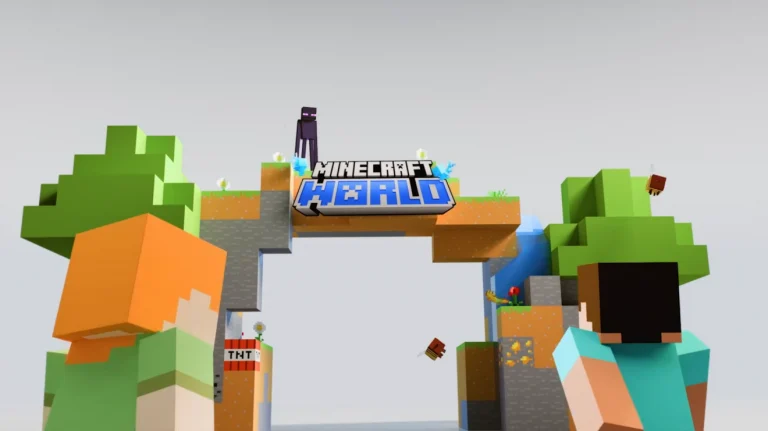
Mojang Studios and Merlin Entertainments have announced Minecraft World, a ยฃ50 million theme park land opening in 2027 at Chessington World of Adventures in Greater London. The announcement was made during Minecraft Live on March 21, 2026.

This is the first time Minecraft will have a dedicated theme park area anywhere in the world. The project includes a world-first Minecraft roller coaster, themed dining, interactive adventures, block built play areas, and what Merlin is calling the world’s biggest Minecraft retail store.

What is Minecraft World?

Minecraft World is a themed land being built inside the existing Chessington World of Adventures park in Surrey, just outside London. It is not a standalone park. Instead, it will be a new section within Chessington, similar to how Super Nintendo World exists inside Universal Studios.

The land is inspired by the game itself, not by 2025’s A Minecraft Movie. Matt Walters from Microsoft Gaming made this clear during a Variety interview, stating that the park is designed around how people actually play Minecraft. Players will have agency in the experience, just like they do in the game.

Merlin and Mojang designed the attractions together using the game as a reference tool. The teams built layouts in Minecraft first, then translated those designs into real world structures. The goal is to make visitors feel like they have stepped into the Minecraft Overworld.

Minecraft World location and how to get there

Chessington World of Adventures is located in Greater London, about 35 minutes by direct train from London Waterloo station. The park already operates as a major family attraction with roller coasters, a zoo, and seasonal events.

Minecraft World will be added as a new land within the park grounds. Construction has already begun, with Merlin confirming that they have broken ground on the development.

What rides and attractions will Minecraft World have?

Merlin has confirmed several features for Minecraft World, though full ride details have not been released yet. Here is what has been announced so far:

The park will have a world-first Minecraft roller coaster. This will be the first coaster themed entirely around Minecraft at any park globally. No details on the ride type, height, or speed have been shared.

There will be interactive adventures and block built play areas. These appear to be walk-through or participation-based attractions rather than traditional rides.

The land will include Minecraft themed dining. Angela Jobson, SVP of Global Brand at Merlin, mentioned that figuring out what food to serve from the Minecraft universe led to some interesting internal discussions. The priority is making game-inspired food that actually looks and tastes good.

Minecraft World will also house the world’s biggest Minecraft retail store. Concept art released alongside the announcement shows a large storefront as part of the land’s entrance area.

Merlin released concept art showing the coaster, the shop entrance, and parts of the themed environment. The art depicts recognizable Minecraft biomes and blocky structures scaled up to real world size.

How much does Minecraft World cost?

The project has a budget of ยฃ50 million, which is roughly $70 million. This makes it one of Merlin Entertainments’ most expensive theme park developments in recent years.

For context, Merlin first announced a $110 million investment in Minecraft themed attractions across the US and UK back in November 2024, without naming specific locations. The Chessington project accounts for ยฃ50 million of that total. Merlin has not yet revealed where the US Minecraft attraction will be located.

When does Minecraft World open?

Minecraft World is set to open at some point in 2027. No specific month or date has been announced. Construction is already underway at Chessington.

The timing is notable. A Minecraft Movie earned over $961 million at the global box office in 2025, and a sequel to the film is scheduled for July 23, 2027. That means the theme park and the second movie could both arrive in the same year, giving the franchise two major real world touchpoints.

Who is building Minecraft World?

The project is a joint effort between Mojang Studios and Merlin Entertainments.

Mojang Studios is the developer behind Minecraft, owned by Microsoft. Torfi Frans Olafsson, Senior Creative Director of Entertainment at Mojang, said the park is a meaningful step in expanding the Minecraft universe beyond the game.

Merlin Entertainments is the company behind Legoland, Madame Tussauds, and several other theme parks and attractions worldwide. Angela Jobson from Merlin said the team worked closely with Mojang’s creative staff to make the land feel authentic.

Merlin and Mojang also brought in well-known Minecraft content creators to help design the land. The idea is to make the park feel genuine to the game’s community rather than a generic branded experience.

How does Minecraft World compare to other video game theme parks?

Minecraft World is not the first video game theme park attraction, but it is the first in the UK based on an official gaming IP. Here is how it compares:

Super Nintendo World opened at Universal Studios Japan in 2021 and later at Universal Orlando in 2023. It features Mario Kart rides and interactive Power-Up Bands.

PokePark Kanto opened in Japan and features a Pokemon themed outdoor experience.

Minecraft World takes a different approach by focusing on the sandbox nature of the game. Rather than recreating specific story moments, the land is built around biomes, mobs, and items from the open ended gameplay.

What else was announced at Minecraft Live 2026?

The Minecraft World reveal was part of the larger Minecraft Live March 2026 showcase. Other announcements from the same event included the Tiny Takeover game drop launching on March 24, the Chaos Cubed update coming later in 2026, and Minecraft Dungeons II confirmed for fall 2026.

For a full breakdown of everything revealed at the event, check our Minecraft Live 2026 recap.

Frequently asked questions

Where is Minecraft World being built?

At Chessington World of Adventures in Greater London, UK. The park is about 35 minutes by direct train from London Waterloo.

When does Minecraft World open?

Sometime in 2027. No specific date has been announced yet. Construction is already in progress.

How much did Minecraft World cost to build?

The project budget is ยฃ50 million, or roughly $70 million.

Is Minecraft World based on A Minecraft Movie?

No. The theme park land is based on the game itself. Mojang confirmed that the attractions are inspired by Minecraft’s biomes, mobs, and gameplay, not the 2025 film.

Will Minecraft World have a roller coaster?

Yes. Merlin has confirmed a world-first Minecraft roller coaster as part of the land. Specific ride details have not been released.

Is there a Minecraft theme park in the US?

Not yet. Merlin announced a $110 million investment covering both UK and US Minecraft attractions in 2024, but the US location has not been revealed.

Do you need a separate ticket for Minecraft World?

This has not been confirmed. Since Minecraft World is being built inside Chessington World of Adventures, it is likely included with standard park admission, but Merlin has not announced ticketing details.

Crimson Desert: All chapters, main quests, and how long to beat

0

Crimson Desert launched on March 19, 2026, and the game is massive. Developed by Pearl Abyss, this open world RPG follows a mercenary named Kliff across the land of Pywel. The main story alone spans a prologue, 12 full chapters, and an epilogue.

If you are trying to figure out how much story content is ahead of you, or if you just want to track your progress without spoilers, this guide lists every chapter and main quest in Crimson Desert.

How many chapters are in Crimson Desert?

Crimson Desert has 14 story sections in total: one prologue, 12 numbered chapters, and one epilogue. The main story contains 168 individual mission steps spread across these sections. Each chapter is divided into multiple arcs, and those arcs break down into individual quests.

The prologue is called Dead of Night. It opens with Kliff’s Greymane camp being attacked by the Black Bears, and it sets up the rest of the journey through Pywel.

Beyond the main campaign, the game has over 430 total quests when you include faction quests, side quests, and NPC requests. That number keeps growing as players discover more hidden content.

All Crimson Desert chapters and main quests

Below is the complete list of every chapter and its main quests. This list contains quest names only with no plot details.

Prologue: Dead of Night

  1. Ambush
  2. Unknown Space

Chapter 1: The First Encounter

  1. Trials of Kindness
  2. Traces (includes sub quests: Polar Opposites, Abyss Without Balance)

Chapter 2: Golden Greed

  1. Unexpected Gift (includes sub quest: Reunion)
  2. Hernand in Chaos
  3. The End of Greed

Chapter 3: Howling Hill

  1. Homestead
  2. The Face Behind the Mask
  3. Pioneering

Chapter 4: The Price of Knowledge

  1. Mysterious Pot
  2. Daily Life
  3. Forbidden Knowledge

Chapter 5: Guest Unbidden

  1. Uninvited Guest
  2. Black and White

Chapter 6: Cracks in the Shield

  1. Blazing Beacon
  2. Below the Banners
  3. Turning Tides
  4. The Unyielding Shields

Chapter 7: Homecoming

Quest names for Chapters 7 through 12 and the Epilogue are still being documented by the community. This guide will be updated as the full quest list is confirmed. The game launched on March 19, 2026, and players are still working through the later sections.

How long does it take to beat Crimson Desert?

A standard playthrough that mixes main story content with side quests and exploration takes between 100 and 180 hours for most players. That range is wide because of how the game’s progression system works.

Crimson Desert does not use a traditional XP leveling system. Instead, your character grows through Abyss Artifacts, which you earn by completing quests, solving puzzles, and defeating bosses. There are 141 Sealed Abyss Artifacts in the game, each with its own challenge that unlocks a permanent upgrade. If you try to rush the main story, you will likely hit a wall at certain boss fights that require better gear and more skills.

The game also has 76 boss fights across the story and open world. Some later story bosses are tuned high enough that you need to step away and do side content before you can beat them.

Faction quests and side content

The optional content in Crimson Desert is just as large as the main story. The Greymane faction alone has three quest categories with 34, 38, and 27 quests each. The city of Hernand has several factional quest chains spread across House Celeste, House Roberts, the Goldleaf Merchant Guild, the Scholastone Institute, and the Pororin Forest Guardians.

Quests come from multiple sources. You can pick them up by talking to NPCs, reading books and notes in the world, or checking the notice boards posted in towns and cities. Some quest chains lead to encounters with legendary creatures and reward powerful loot.

Three playable characters

Crimson Desert has three playable characters. You start as Kliff, and the other two unlock at specific points during the main story. Each character has a separate skill tree and Abyss Artifact progression. Progress does not carry over between characters.

You can switch between unlocked characters freely in the open world, but certain story missions lock you to a specific character.

Tips for progressing through the main story

Orange markers on the map indicate your next main quest objective. Silver markers represent faction quests and side content. If you lose track of where to go, follow the orange markers.

Unlock fast travel Abyss Nexus points early. Some chapters require travel between distant regions, and there are stretches of the main story where no fast travel points appear along the main path. Going off the beaten path to tag Nexus points saves a lot of backtracking later.

Use the Lantern and Blinding Flash to highlight nearby points of interest. These tools reveal puzzle clues, hidden items, and environmental details that are easy to miss otherwise.

Some quests require you to wait for in-game time to pass. If you need to wait within the same day, use the Pass Time button on the right side of the screen. If a quest needs multiple days, rest at camp and complete other activities while you wait.

If a main story boss feels too difficult, take a break from the campaign. Complete side quests, upgrade your gear, and unlock more skills. The game is designed so that engaging with side content makes the main story more manageable.

Frequently asked questions

How many chapters are in Crimson Desert?

There are 12 numbered chapters plus a prologue and an epilogue, for a total of 14 story sections.

How many quests does Crimson Desert have?

The main story has 168 individual mission steps. The total quest count across all content types, including faction quests, side quests, and requests, reaches over 430.

How long is the Crimson Desert campaign?

A mixed playthrough that includes some side content takes between 100 and 180 hours. Rushing only the main story is shorter, but the game’s progression system makes it difficult to skip side content entirely.

Can you switch characters in Crimson Desert?

Yes. After unlocking additional characters through the main story, you can switch between them freely in the open world. Story missions may lock you to a specific character.

Does Crimson Desert have fast travel?

Yes, through Abyss Nexus points scattered across the map. You need to find and activate each one before you can use it. Some require puzzle solutions or specific steps to unlock.

How many bosses are in Crimson Desert?

There are 76 boss fights in total, spread across the main story and the open world.

Fortnite x Game of Thrones: Release Date, Skins, Prices, and How to Get Them

0

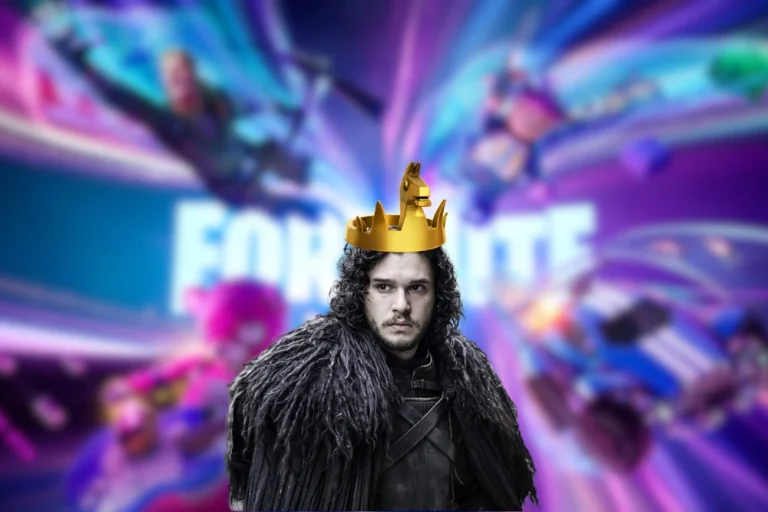
Fortnite’s first Game of Thrones crossover went live on March 20, 2026, one day after the launch of Chapter 7 Season 2. The collaboration brings three characters from the HBO series into the Item Shop: Daenerys Targaryen, Jon Snow, and the Night King.

This is the first time Game of Thrones content has appeared in Fortnite. The crossover coincides with the show’s 15th anniversary and fits neatly into Season 2’s winter and ice themed setting. All three skins are available now in the Item Shop as individual purchases or through the Ice and Fire Bundle.

Fortnite Game of Thrones release date and Item Shop time

The Game of Thrones skins arrived in the Fortnite Item Shop on Friday, March 20, 2026, at 8 PM ET / 5 PM PT. Leaker iFireMonkey first confirmed the date and character lineup, and Epic Games followed with an official teaser using the phrase “Winter is coming.”

The cosmetics will remain in the Item Shop until March 30, 2026, at 7 PM ET. After that, there is no confirmed return date. Epic has not stated whether these skins are exclusive or will rotate back in later.

All Fortnite Game of Thrones skins

The collaboration includes three character skins, each with their own cosmetic set.

Daenerys Targaryen

The Daenerys skin features her blue outfit from Season 4 of the show, with a selectable style that switches to her darker Season 8 look. Her back bling is a chest of Dragon Eggs that reacts to eliminations. She comes with the Dragonglass Blade pickaxe.

Jon Snow

Jon Snow’s skin includes selectable styles with and without his fur trimmed cape. The skin has a reactive effect that gradually adds snow to his hair and shoulders during a match. His back bling is the House Stark Shield, and his pickaxe is Longclaw, his Valyrian steel sword from the show.

The Night King

The Night King skin comes with the Night King’s Falx, which functions as both a pickaxe and a back bling. His design matches his appearance from the later seasons of Game of Thrones.

All Game of Thrones cosmetics and prices in Fortnite

Here is the full list of cosmetics in the Game of Thrones collaboration, along with Item Shop prices. Keep in mind that V-Bucks prices changed on March 19, so each V-Buck now costs more real money than before.

CosmeticPrice
Daenerys Targaryen (Outfit + Styles + Dragon’s Eggs Back Bling + Dragonglass Blade Pickaxe)1,800 V-Bucks
Jon Snow (Outfit + Styles + Reactive + House Stark Shield Back Bling + Longclaw Pickaxe)1,800 V-Bucks
Night King (Outfit + Night King’s Falx Pickaxe/Back Bling)1,500 V-Bucks
Drogon (Glider)1,200 V-Bucks
Night King’s Falx (Back Bling + Pickaxe, separate)800 V-Bucks
Dragonglass Blade (Pickaxe, separate)500 V-Bucks
Claim the Throne (Emote)500 V-Bucks
Mother of Dragons (Emote)400 V-Bucks
House Stark Shield (Back Bling, separate)300 V-Bucks
Dragon’s Eggs (Back Bling, separate)300 V-Bucks
Ice and Fire Bundle (all 12 items)4,000 V-Bucks

Buying everything separately would cost about 7,200 V-Bucks. The Ice and Fire Bundle saves nearly half that at 4,000 V-Bucks for all 12 items.

The Claim the Throne emote summons the Iron Throne and plays the full Game of Thrones theme composed by Ramin Djawadi. The Drogon glider lets players ride on the dragon’s back while gliding.

How to get Game of Thrones skins for free in Fortnite

Epic Games ran two solo tournaments that gave players a chance to earn the Jon Snow and Night King skins without spending V-Bucks.

The Jon Snow Cup and Night King Cup both took place on March 20 to 21, 2026, depending on your region. These were solo Battle Royale tournaments open on all platforms, including Android. Players who placed high enough in their region earned the respective skin and additional cosmetics for free.

The Daenerys Targaryen skin was not part of any free tournament. It is only available through the Item Shop.

If you missed the tournaments, all three skins can still be purchased from the Item Shop until March 30, 2026.

How to buy Game of Thrones skins from the Item Shop

  1. Open Fortnite and go to the Item Shop tab from the lobby.
  2. Look for the Game of Thrones or Ice and Fire section near the top of the shop.
  3. Click on the bundle or the individual skin you want.
  4. Make sure you have enough V-Bucks. If not, visit the V-Bucks Store first.
  5. Hit Purchase to add the items to your locker.

If you already own one item from the bundle, Fortnite automatically discounts the remaining items. This means you only pay for what you do not already have. Worth noting that Epic recently reduced the number of V-Bucks per dollar, so plan your spending accordingly.

Why Game of Thrones fits Fortnite Chapter 7 Season 2

Chapter 7 Season 2, officially called Fortnite: Showdown, launched on March 19, 2026. The season focuses on a faction war between the Foundation and the Ice King. Players pick a side and fight to push a global progress bar, with wins unlocking cosmetics and story content.

The winter and ice theme ties directly into the Game of Thrones crossover. The Night King in particular fits right in alongside the Ice King as the season’s main antagonist. For a full breakdown of what the season includes, see our Fortnite Chapter 7 Season 2 guide.

Game of Thrones is also just one of several major crossovers arriving this season. Looney Tunes characters including Bugs Bunny landed with the Battle Pass on the same day. Overwatch skins for Tracer and D.Va are also expected soon.

For details on the Looney Tunes skins and how to unlock Bugs Bunny, check our Fortnite Looney Tunes skins guide.

Will the Game of Thrones skins return to the Item Shop?

There is no official word on whether these skins will come back after March 30. Some collaboration skins in Fortnite have returned multiple times. Others have stayed exclusive for long stretches.

The skins are not tagged as limited edition or exclusive, which usually means they can rotate back into the shop at a later date. But there is no guarantee, and the timing of any return is entirely up to Epic Games and its licensing deal with HBO.

If you want them, buying before the March 30 deadline is the safest option.

Frequently asked questions

When did the Fortnite Game of Thrones skins release?

The skins went live on March 20, 2026, at 8 PM ET / 5 PM PT.

How much does the Game of Thrones bundle cost in Fortnite?

The Ice and Fire Bundle costs 4,000 V-Bucks and includes all three skins plus every cosmetic in the set. Buying everything individually would cost around 7,200 V-Bucks.

Can you get the Daenerys skin for free?

No. Unlike Jon Snow and the Night King, Daenerys Targaryen was not part of any free tournament. She is only available through the Item Shop.

When do the Game of Thrones skins leave the Fortnite Item Shop?

The skins are scheduled to leave the Item Shop on March 30, 2026, at 7 PM ET.

Are the Fortnite Game of Thrones skins in the Battle Pass?

No. All Game of Thrones cosmetics are Item Shop purchases only. They are not part of the Chapter 7 Season 2 Battle Pass.

What does the Claim the Throne emote do?

It summons the Iron Throne and plays the full Game of Thrones theme by Ramin Djawadi. It costs 500 V-Bucks individually or comes included in the Ice and Fire Bundle.

Fortnite Steal the Brainrot Codes (March 2026): All Active Codes and How to Redeem Them

0

Steal the Brainrot is one of the most popular Fortnite Creative maps right now. Created by Ferins, it plays like a tycoon where you buy, collect, and steal meme characters called Brainrots from other players. The whole point is to fill your base with high value Brainrots that generate cash over time.

The mode is based on a Roblox game of the same name. It made the jump to Fortnite Creative and pulled in a massive player count almost overnight. If you want to get ahead without grinding for hours, redeeming codes is the fastest way to do it.

Below is the full list of active Fortnite Steal the Brainrot codes for March 2026, along with what each one gives you and how to use them.

All working Fortnite Steal the Brainrot codes for March 2026

These codes were verified as working at the time of writing. Codes in this mode rotate often, so use them quickly. Each code works once per account.

CodeReward
289491Skip Machine Cooldown
874345Secret Into Machine
184112Skip Machine Cooldown
499123Secret Into Machine
171617Spawn Void Llama Rot
913134Spawn Lovely Llama Rot
015001Spawn Lovely Llama Rot
871485Spawn Toxic Llama Rot
994817Christmas Craft Machine Brainrot Recovery
987651Spawn Toxic Llama Rot

The most recent additions are 289491 and 874345. Ferins usually drops new codes after map updates, community milestones, or special events.

How to redeem Steal the Brainrot codes in Fortnite

The redemption process is different from standard Fortnite codes. You do everything inside the Creative map itself. Here is how it works:

  1. Launch Fortnite and search for the map code 3225-0366-8885 in the Discover tab.
  2. Load into Steal the Brainrot.
  3. Walk to the keypad terminal in the center of the map. It sits between the Galaxy Spin wheel and the shop.
  4. Press E (or your platform’s interact button) to open the keypad.
  5. Type the code using the number pad and press ENT.
  6. If the code is valid, a confirmation message appears and your reward activates right away.

There are no level or progression requirements. You can start entering codes the moment you load into the map.

What do Steal the Brainrot codes actually give you?

Codes in Steal the Brainrot fall into a few categories. Machine cooldown skips let your Brainrot Machine produce units faster by removing the wait timer. Secret Into Machine codes feed a hidden item into your machine, which can result in surprise upgrades.

Spawn codes are the big ones. These summon specific rare Brainrots directly into your base. Void Llama Rots, Lovely Llama Rots, and Toxic Llama Rots are all strong units that would normally take a long time to obtain through regular play.

Server luck boosts increase your chances of getting rare rolls from the machine for a limited time. Some codes have also granted Brainrot God spawns in previous updates, though none of the current active codes offer that.

Codes do not affect PvP combat directly. But having rare, high value Brainrots makes your base far more productive. For more on what is happening in Fortnite Chapter 7 Season 2, check our coverage.

Expired Steal the Brainrot codes

These codes no longer work. They are listed here so you do not waste time trying them. If you see any of these on other sites marked as active, skip them.

CodeFormer Reward
871851Machine Luck Boost
232742Skip Machine Cooldown
588229Secret Into Machine
777222Upgrader Machine Luck Boost
499112Upgrader Machine Cooldown Skip
195885Secret Into Machine
989394Upgrader Machine Luck Boost
592841Spawn Ferinsini Luckini
123765Upgrader Machine Cooldown Skip
848984Secret Into Machine
586886Spawn Secret Lucky Rot
878712Upgrader Machine Cooldown Skip

Ferins often recycles reward types with new code numbers. If you missed a cooldown skip or luck boost, there is a good chance a fresh code with the same reward will appear in a future update.

Why your Steal the Brainrot codes might not be working

The most common reason is that the code expired. Ferins rotates codes regularly, and older ones get deactivated without notice.

Typos are another frequent issue. The keypad only accepts numbers, and even one wrong digit will block the redemption. Double check against our list before hitting ENT.

Codes are also single use per account. If you already redeemed a code on one server, entering it again on a different server will not work. During limited time events, some or all codes may be temporarily disabled as well.

If nothing works at all, the servers may be having issues. You can check whether Fortnite servers are down before troubleshooting further.

Where to find new Steal the Brainrot codes

Ferins announces most new codes through the game’s official Discord server, specifically in the capuccina-codes channel. The Steal the Brainrot X (Twitter) and TikTok accounts also post codes after updates.

New codes typically drop after map updates, player count milestones, or seasonal events. There is no fixed schedule, but Ferins has been consistent about adding fresh codes at least a few times per month since the map launched.

You can also stay updated by bookmarking this page. We check all official channels regularly and update our list as soon as new codes go live. If you want to explore more Fortnite Creative maps and codes, we have you covered.

What is Steal the Brainrot in Fortnite?

Steal the Brainrot is a Fortnite Creative tycoon map with the island code 3225-0366-8885. It was created by Ferins and is based on the popular Roblox game of the same name.

Players start with a base and a Brainrot Machine that produces random meme characters. These Brainrots sit in your base and generate cash over time. The rarer the Brainrot, the more money it earns.

The twist: you can walk into other players’ bases and physically steal their Brainrots. This creates a constant back and forth where you need to balance offense and defense. Raiding someone’s base can be extremely profitable, but leaving your own unguarded means someone else might take your best units.

You can also spin the Galaxy Wheel for rewards, rebirth for permanent perks, and use the Upgrader Machine to boost existing Brainrots. The mode rewards consistent play but codes give new players a solid starting position. If you are looking for more to do in the game, check our list of upcoming Fortnite updates and events.

Frequently asked questions

What is the map code for Steal the Brainrot in Fortnite?

The map code is 3225-0366-8885. Search for it in the Fortnite Discover tab to load in.

Can I use Steal the Brainrot codes more than once?

No. Most codes are single use per account. Using the same code on a different server will not work either.

Do Steal the Brainrot codes expire?

Yes. Ferins deactivates older codes when new ones are added. There is no set expiry schedule, so redeem codes as soon as you find them.

How often are new codes released?

New codes appear a few times per month, usually after map updates or when the game hits a player milestone. Follow Ferins on Discord for the fastest notifications.

What is the best code to use first?

Start with a spawn code like 171617 (Void Llama Rot) to get a strong unit early. Then use a cooldown skip like 289491 to speed up your machine production.

Minecraft Dungeons 2: all confirmed platforms, release date window, and everything we know

0

Minecraft Dungeons II was officially announced during Minecraft Live on March 21, 2026. The sequel to the 2020 action RPG is scheduled to release in Fall 2026 across all major gaming platforms. Here is every confirmed detail about supported platforms, release timing, gameplay features, and system requirements.

Minecraft Dungeons 2 confirmed platforms

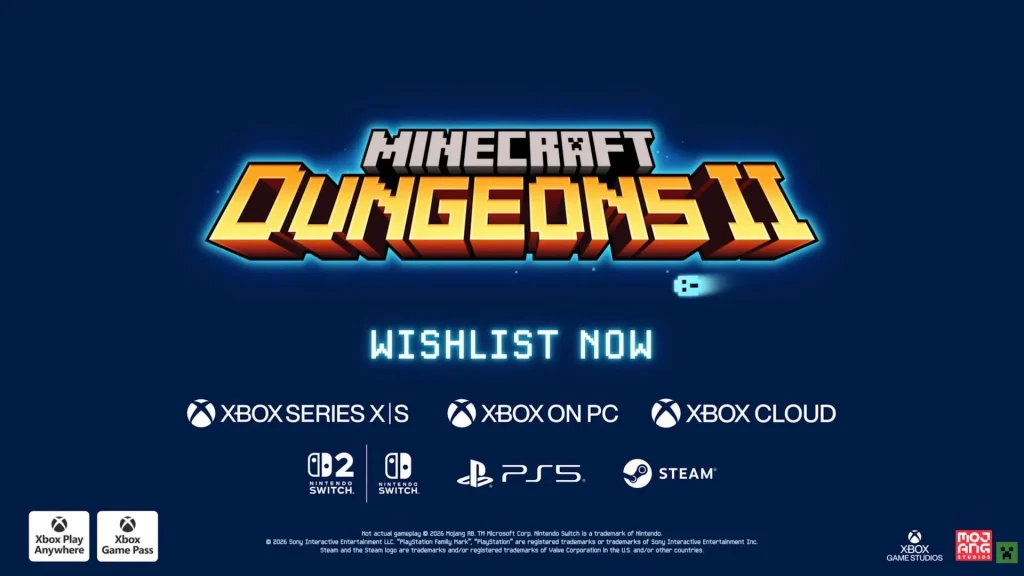
Minecraft Dungeons II will launch on the following platforms:

  • PlayStation 5
  • Xbox Series X|S
  • Nintendo Switch
  • Nintendo Switch 2
  • PC via Steam
  • PC via Microsoft Store

On top of these storefronts, the game will also be available through Xbox Game Pass on day one. Xbox Play Anywhere support has been confirmed too, meaning a single purchase covers both Xbox and Windows versions.

Wishlisting is already live on Steam and other platform stores. The Steam listing also confirms cross-platform multiplayer and family sharing support.

Minecraft Dungeons II release date

Mojang has confirmed a Fall 2026 release window. No exact date has been announced yet. Based on how Mojang typically schedules its game launches around seasonal Minecraft content drops, the release could fall anywhere between September and November 2026.

The original Minecraft Dungeons launched in May 2020, so this sequel arrives roughly six years after the first game. Reports from May 2025 first indicated a sequel was in development, and the codename “Spicewood” was discovered in Minecraft.net media files before the official reveal.

More details, including gameplay footage and a firm launch date, are expected in the coming months.

What we know about gameplay

Minecraft Dungeons II is an action RPG dungeon crawler, just like the original. The game is developed by Mojang Studios and Double Eleven, with Xbox Game Studios publishing.

According to the official Minecraft Wiki, the sequel promises several additions over the first game:

  • New locations never seen before in the Minecraft universe
  • New enemy types and bosses
  • Solo play or online co-op for up to four players
  • Deeper loot and progression systems

The announcement trailer focused on atmosphere rather than raw gameplay. It showed a troubled village, underground environments, and a portal in an Ancient City flickering to life. That Ancient City portal has been a mystery in the base Minecraft game for years, and its inclusion in the trailer has sparked community discussion about potential story connections.

The Steam page describes the premise simply: a new threat is growing in power and players must return as heroes to stop it.

PC system requirements

The Steam listing for Minecraft Dungeons II shows the following minimum specs:

  • GPU: NVIDIA GeForce GTX 1050 or AMD Radeon RX 560 (2 GB VRAM minimum)

Full recommended specs have not been shared yet. Given that the original game ran on modest hardware, the sequel is expected to remain accessible for most PC setups.

The game supports 17 languages on Steam and includes both single-player and online co-op modes.

How the original Minecraft Dungeons performed

The first Minecraft Dungeons released in 2020 and received a 70 Metascore based on 52 reviews. GameSpot gave it a 7 out of 10. By September 2023, the game had crossed 25 million players. It received six DLC packs and an Ultimate Edition before the team moved on to other projects.

The sequel was one of those “other projects,” as it turns out. Development reportedly began sometime after late 2023.

Other Minecraft Live 2026 announcements

Minecraft Dungeons II was not the only reveal at Minecraft Live. Mojang also announced the next Minecraft content drop called Chaos Cubed, plus a Minecraft World theme park coming to London. A sequel to the 2025 Minecraft Movie, featuring Kirsten Dunst as Alex, was confirmed for 2027.

Falcons Wins BLAST Open Rotterdam 2026 Group A Lower Bracket Semi-Final

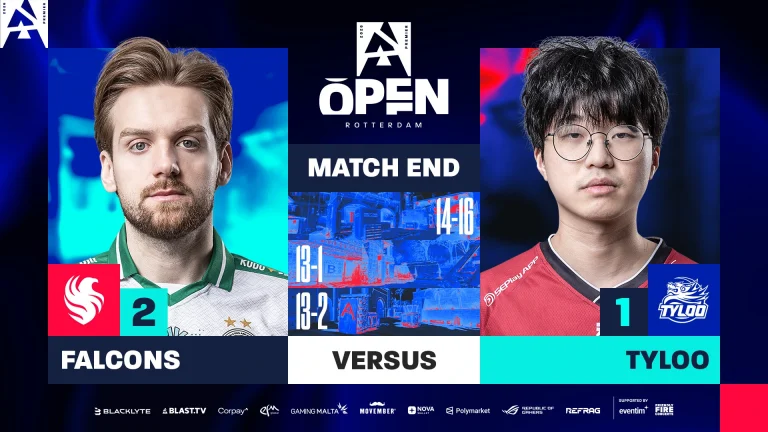
Falcons has secured a spot in the Finals of Group A, having earlier lost to NAVI in the qualification match. Defeating TYLOO with a 2-0 scoreline, Falcons have managed to make it to the next round of play. Losing out with a close scoreline in the opening map, Falcons dominated TYLOO in back-to-back maps to make it into the next round of play.

VETO

  • TYLOO removed Dust2
  • Falcons removed Overpass
  • TYLOO picked Inferno
  • Falcons picked Ancient
  • TYLOO removed Anubis
  • Falcons removed Nuke
  • Mirage was left over

Map 1: Inferno; Pick: TYLOO; Winner: TYLOO

Rocky start to Inferno saw Falcons play from the back foot in the game before TYLOO managed to stabilise and close the half with an early lead. As the Falcons continued to struggle, TYLOO’s offence secured an 8-4 lead before switching to their defence. Falcons, having secured an early lead, chased TYLOO, but the Chinese side won the final three rounds while Falcons fumbled from map point to force OT. Winning their first round, the Falcons dropped the ball, leading to TYLOO securing the following rounds and taking a stunning win to close out the first map. 26 kills from the veteran JamYoung saw them secure a historic win to kick off the series.

Map 2: Ancient; Pick: Falcons; Winner: Falcons

Following an embarrassing defeat, the Falcons’ offence went out swinging to make sure TYLOO gets zero chance right from the get-go. As the Falcons managed to run a dominant offense, TYLOO could barely stand up to them with clutches, ecos, and everything else going the way of the European side. 11-1 half to get a dominant start. Winning the pistol round, Falcons closed the door for TYLOO, making a comeback and closing the map with a dominant 13-1 scoreline. The 2.33 IR with 16 kills from the IGL kyxan saw the team level the series at 1-1.

Map 3: Mirage; Pick: Decider; Winner: Falcons

Similar to Ancient, Falcons remained highly dominant even on Mirage as TYLOO’s defence failed to register anything more than a single round. Falcons racked up an 11-1 half before closing. With a dominant half, the Falcons managed to win the pistol, but TYLOO delayed their victory by winning their force buy in the round after. Securing double the rounds from the second map, Falcons managed to close out the game in the following round to win the half with a 13-2 scoreline.

TYLOO’s valiant effort will go anything but unnoticed as they get dominated by Falcons at such an early stage. Goes without saying that they will go home with a historic win against FaZe under their belt. As of now, their journey comes to an end in Rotterdam.

Minecraft Chaos Cubed update announced at Minecraft Live 2026, Tiny Takeover launches March 24

0

Mojang Studios used its Minecraft Live March 2026 showcase to confirm the release date for the Tiny Takeover game drop and reveal a brand new update called Chaos Cubed. The presentation also included the announcement of Minecraft Dungeons II and a Minecraft-themed park in London.

Here is everything announced during the show.

Tiny Takeover arrives on March 24

The first Minecraft game drop of 2026, Tiny Takeover, launches on March 24 across all platforms. This update redesigns almost every baby mob in the game with new models, custom animations, and reworked sound effects.

The full list of affected mobs covers a wide range of categories. Baby farm mobs like puppies, kittens, piglets, calves, chicks, lambs, ocelots, and bunnies all get new looks. Baby mounts, including donkeys, mules, and every horse variant, have been touched up as well. Aquatic baby mobs such as axolotls, dolphins, squids, and turtles are part of the overhaul. Even hostile baby mobs like zombies, zombified piglins, hoglins, zoglins, husks, gurgles, piglins, and striders received fresh designs.

Mojang also added a new item called the Golden Dandelion. Players can craft it using eight gold nuggets and a dandelion. When used on a baby mob, it keeps that mob at the baby stage permanently. Farm mobs will now spawn with what Mojang calls “unique sound personalities.” The update also introduces craftable name tags, a trumpet sound effect from copper note blocks, and the ability to spawn baby mobs using spawn eggs.

Gameplay tech lead Felix Jones said during the show that Tiny Takeover is one of the biggest cosmetic updates the team has done, with over a hundred new designs for baby mobs.

What is the Minecraft Chaos Cubed update?

Chaos Cubed is the second Minecraft game drop planned for 2026. Mojang did not attach a release date to this update, only confirming it will arrive at some point later this year. Preview builds are expected to go live relatively soon.

The headline feature is the Sulfur Cube, a new mob that changes its physical properties depending on which blocks it absorbs. Players can feed it blocks directly, or it will absorb materials from its surroundings on its own. For example, dropping wood near a Sulfur Cube makes it bounce like a ball. Feeding it ice causes it to slide around like a hockey puck.

This mechanic opens up possibilities for creative builds, parkour maps, and minigames. Mojang showed off several example uses during the Minecraft Live segment.

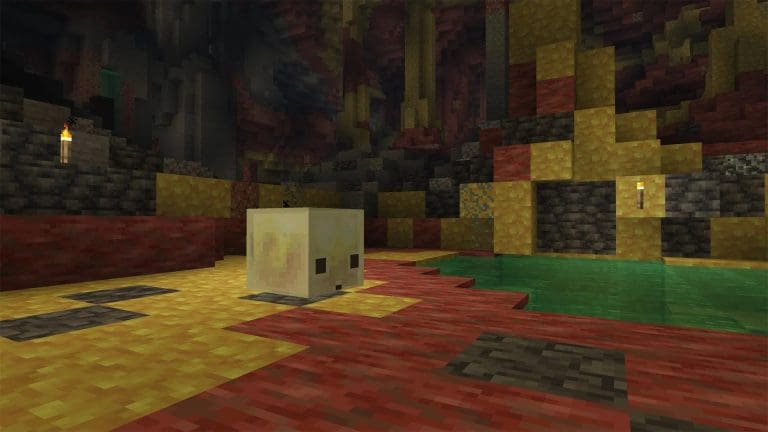
The Sulfur Cube spawns in a new biome called Sulfur Caves, which has been added to the Overworld’s pool of existing cave layouts. These caves are yellow and red in colour, containing sulfur pools and new blocks. The pools release gas particles that trigger a noxious, dizzying effect on players who get too close. Digging too deep in these caves may also hit gas pockets filled with harmful fumes.

Minecraft Dungeons II confirmed for fall 2026

Mojang and co-developer Double Eleven announced Minecraft Dungeons II during the latter half of the show. The action RPG sequel is coming to Xbox Series X|S, PlayStation 5, Nintendo Switch, Nintendo Switch 2, Steam, Xbox on PC, and Game Pass. The release window is fall 2026.

The original Minecraft Dungeons launched in May 2020 and received multiple DLC packs before support ended. Players can wishlist Minecraft Dungeons II on Steam now. The sequel features a new villain and will support up to four-player co-op, much like the original.

Minecraft World theme park opening in London in 2027

Mojang has partnered with Merlin Entertainments to build Minecraft World, a permanent theme park experience at Chessington World of Adventures in London. It is set to open in 2027.

The park will include the first-ever Minecraft rollercoaster, interactive adventures, block-built play areas, and themed retail and dining options. Mojang described it as the biggest Minecraft shop in the world.

Other Minecraft Live announcements

The Minecraft Experience: Villager Rescue, an existing real world interactive experience, is expanding to Herning, Singapore, Mexico City, and Chicago. Mojang also revealed a new outdoor nighttime event called Minecraft Experience: Moonlight Trail, which opens in Buenos Aires in May 2026 and will travel to other cities afterward.

Players who want to stay current with Minecraft updates on all platforms should keep an eye on the official Minecraft website for patch notes and snapshot builds as the Chaos Cubed update enters testing.