


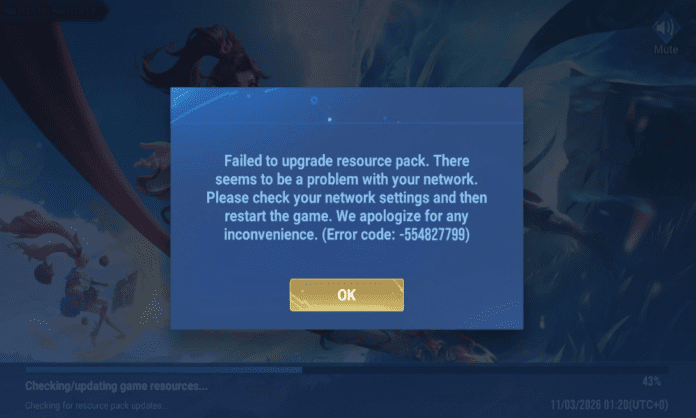
Many players who downloaded Honor of Kings in India are facing a problem called Error Code 554827799 – Failed to Upgrade Resource Pack. This error usually appears when players open the game after installing it.
The game has just launched, and thousands of players are trying to log in at the same time. Because of this, some players are unable to download the extra game files (resource pack) needed to start the game.
If you are seeing this message, do not worry. It is a common launch issue and can usually be fixed easily. Check out the HOK error code 554827799 issue.
Why Honor of Kings Error Code 554827799 Happens
This error usually happens when the game cannot connect properly to the servers to download additional files.
Sometimes the game client is available to download, but the servers are not fully active yet. When the game tries to connect and download resources, the connection fails and the error appears.
Another reason can be heavy traffic. If millions of players try to connect at the same time, the servers may temporarily struggle to handle all requests.
Read More: Honor of Kings APK Download in India: Check Link and Steps
How to Fix Honor of Kings Error Code 554827799
Here are some simple solutions you can try.
- Wait for Servers to Stabilize
In many cases, this error happens because servers are still starting up. The best solution is to wait for some time and try again later. Once the servers are fully live, the resource pack will download automatically.
- Switch Your Internet Connection
Sometimes the network connection causes the problem.
Try these steps:
- Switch from WiFi to mobile data
- Or switch from mobile data to WiFi
- Turn on Airplane mode for 10 seconds and turn it off
- Open the game again
This can refresh your network connection.
- Restart the Game
Close the game completely from your recent apps menu and reopen it. This often fixes temporary connection problems.
- Restart Your Phone
If the problem continues, restart your device and launch the game again. This clears temporary background issues.
- Clear Game Cache
If the resource files were downloaded incorrectly, clearing the cache may help.
Steps:
- Go to Settings
- Open Apps
- Select Honor of Kings
- Tap Storage
- Click Clear Cache
Do not press Clear Data, or the game may download everything again.
The Honor of Kings Error Code 554827799 is mostly a temporary issue caused by server load during launch. In most cases, simply waiting and restarting the game will fix the problem.
As more players join Honor of Kings India, the developers are expected to stabilize the servers quickly so everyone can enter the game without issues of HOK error code 554827799.
