



Garena has officially announced the Free Fire OB52 Advance Server release date. This highly anticipated update is set to introduce an exciting collaboration with the popular anime series Jujutsu Kaisen, creating a lot of buzz among the community. The FF Advance Server will offer early access to a limited number of players even before the official update goes live. Selected players will get the opportunity to explore upcoming features, test new content, and experience the update in advance. More importantly, participants can share feedback with the developers, helping Garena identify and fix bugs or glitches before the global release.
This testing phase plays a crucial role in improving game stability and ensuring a smoother experience for all players once the OB52 update officially launches. From new collaboration content to gameplay improvements, the Advance Server gives fans a first look at what’s coming next in the game. Check out the Free Fire Advance Server release date for the Free Fire OB52 update and other key details below.
Free Fire OB52 Advance Server Release Date
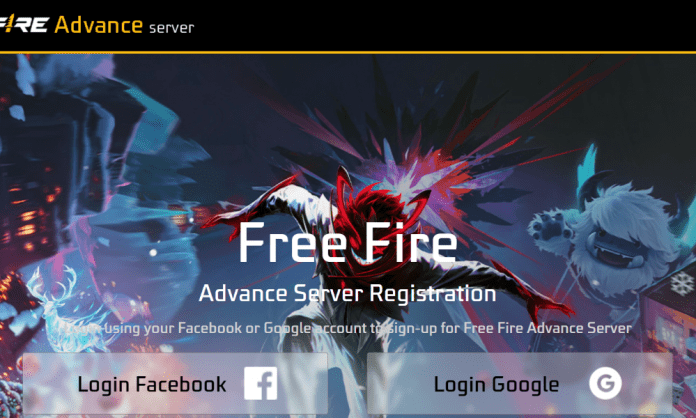
The Free Fire OB52 Update Advance Server will go live on 25 December 2025 and will remain available until 9 January 2026. The FF Advance Server website is now active, and interested players can register using their Facebook or Google account. After successful registration, selected users will receive the Free Fire Advance Server Activation Code, which is mandatory to log in once the Advance Server APK becomes available for download on 25 December. This activation code is limited and unique, so players are advised to complete the registration process as early as possible to secure access to the FF Advance Server.
Read More: Free Fire OB52 Update Release Date Set for January 2026 With Jujutsu Kaisen Collab
How to Register and Get the Free Fire OB52 Advance Server Activation Code
To join the Free Fire OB52 Advance Server, players must register on the official Advance Server website. This special test server allows selected players to try upcoming features before they are released in the main game. Since access is limited, Garena provides Advance Server Activation Codes only to approved users to ensure smooth testing.
Steps to Register:
- Step 1) Visit the Official Advance Server Website: Go to the official FF Advance Server page.
- Step 2) Log In to Your Account: Sign in using your Facebook or Google account that is linked to your Free Fire in-game ID.
- Step 3) Enter Your Email Address: After logging in, provide an active email address for verification and future updates.
- 4) Click on “Join Now”: Tap the Join Now button to complete the registration process.
- 5) Get Your Activation Code: If your registration is approved, Garena will display your Activation Code on the screen.
- 6) Save the Code Safely: Copy and store the activation code carefully. You will need to paste it while logging into the Advance Server APK.
Important: Without the activation code, you will not be able to access the FF Advance Server.
Make sure to register early, as activation codes are limited and given on a first-come, first-served basis.